Contents
- 1. Users Manual
- 2. User Manual
Users Manual

1
MobilePhone
ARK
VISUS
Contents
1. APPEARANCE AND KEYPAD OPERATIONS .................................................... 1
2.
USING MEMORY CARD AS U DISK ........................................................... 2
4. BLUETOOTH .......................................................................................... 3
5. MAIL ................................................................................................... 4
6. DIALLING ........................................................................................... 5
7. MESSAGING .......................................................................................... 6
8. CONTACTS ........................................................................................... 7
9. INTERNET EXPLORER ............................................................................ 8
10. RECORDER ......................................................................................... 9
11.CLOCK ................................................................................................ 9
12.CACULATOR ......................................................................................... 9
13. CAMERA ........................................................................................... 10
14. IMAGES ........................................................................................... 11
15. MUSIC ............................................................................................ 12
16. CALENDER ....................................................................................... 13
17. FM RADIO ..................................................................................... 13
18. SETTINGS ....................................................................................... 14
1. Appearance and Keypad Operations
Keys Functions
Home
Press this button to return home from any
application or interface.
Press it to open recently opened application
window.
Menu Press it to start the menu,which allows you to perform
actions in the current interface or options’ menu.
Back
Press it to return to the previous interface,or to
close dialog box 、options’ menu、notification panel or
the keypad.
Power
Press it to open the phone’s menu,then you could
choose to lock the screen、turn off the phone,
or set it to the silent mode .
2
UP
Press it to increase the volume
Press it to turn the phone to vibration mode from
the silent mode.
Down Press it to decrease the volume.
Proximity
Sensor
Cover it, and then the phone’s backlight
will turn off.
Front
Camera
Entering the camera interface, switched to
the front camera can photo yourself.
LED Light Display mobile phone status and prompt unread
messages
2.
Using Memory Card as U Disk
Ifyouwanttosendmusic,picturesorotherfilestothephone’smemorycardfromthe
computer,youshouldsetmemorycardasudiskfirst.
Setmemorycardasudisk
1) ConnectthephonetothecomputerwithUSBcable.Thenotificationicon
willappearinthe
statusbox.
2) Openthenotificationpanel.
3) Inthenotificationpanel,touchUSBisconnected,thentouch“Openthe
USBStorageDevice”.
Notices:IfyouconnectyourphonetothecomputerthenchooseopentheUSBdevice,
thephonecan’treadthememorycard.Youtemporarilycannotusesomeapplications,suchas
camera.
UninstalltheUDiskfromcomputer
Thesameasthemethodofconnectingit,seethefollowingpicture:
3. Wifi
Wi‐Fiprovidesasfaras300feet(100M)rangeofwirelessnetworkaccess.Ifyouusecellphoneto
connectwifi,youshouldconnecttothewirelessaccesspointor「hotspots」.
Notices:TheavailabilityandcoverageofWi‐Fisignaldependonthe
number,infrastructureandotherobjectspenetratedbythesignal.
OpenWi‐fiandtoconnecttothewirelessnetwork
1) Presshome>menu,thentouchsettings>wifiandinternet
2) Selectthewi‐fibox,toopenWi‐Fi.Phonewillautomaticallyscanforavailablewirelessnetworks.
3) Tou chWi‐Fisettings.ThenalistofWi‐Finetworkwillshowthefoundednetworknameand
securitysettings.(opennetworkorWEP、WPA/WPA2withpassword).Ifyouenablethenotificationin
Wi‐Fisettings,Thestatusboxwillshowthisicon()whenopenavailablewirelessnetwork
founded.
4) Tou ch oneoftheWi‐Fichoicestoconnectthenetwork.Whenyou
chooseopennetwork,phonewillconnecttoitautomatically.Ifyouchoose
WEP、WPA/WPA2withpassword,youshouldtypethepasswordfirst,then
touchtoconnectit.
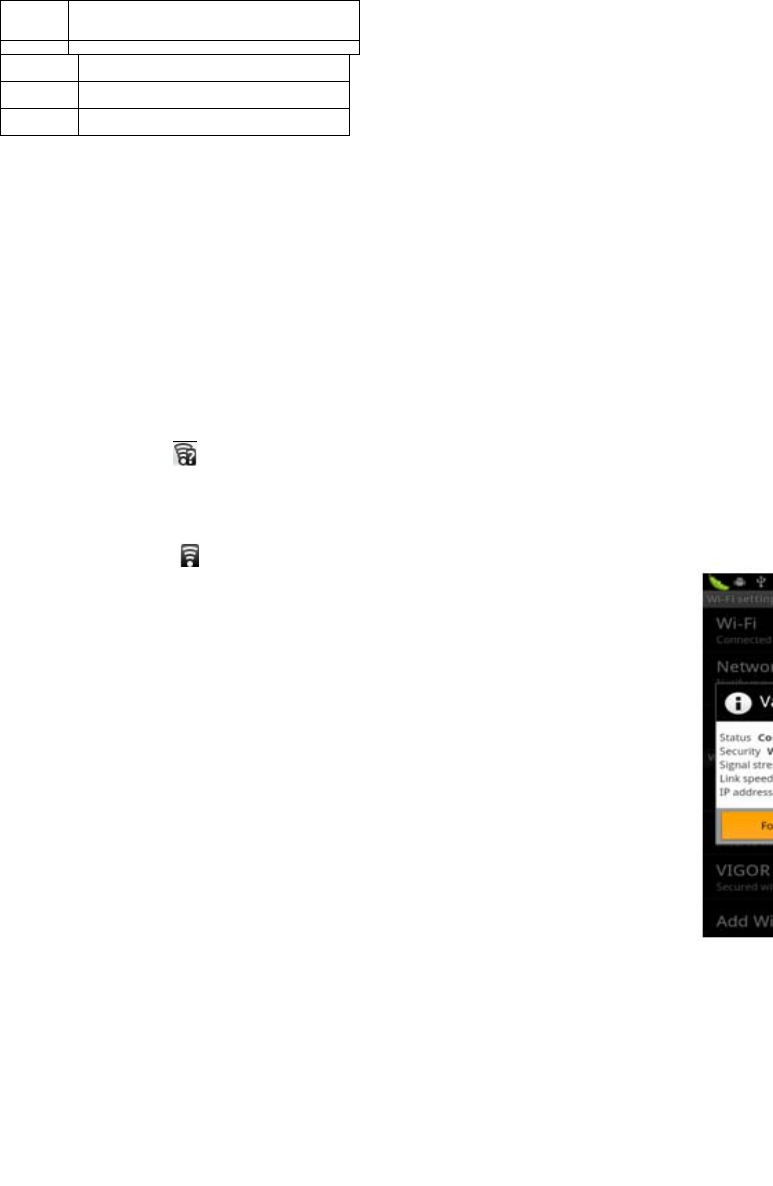
Notices:whenthephoneisconnectedtothewirelessnetwork,
ThestatusboxwillshowthisWi‐Fiicon(),andtheapproximate
signalstrengthen(thenumberoflitbars).Iftouchtheconnected

3
network,willdisplaythenameofWi—Finetwork,status,speed,signal,
strength,security,informationandIPaddress.
Ifyouwanttodeletethewirelesssettings,pleasetouch“notreserve”
asintherightpicture.Ifyouwanttoconnecttothisnetwork,you
shouldre‐enterthesesettings.
Notices:
Unlessyouchoosenottoreservethenetwork,otherwise,thereisnoneedtore‐enter
thecorrespondingpasswordwhennexttimeconnectingtothepreviouslyencryptedwireless
network.Wi‐Fiwillsearchautomatically,thatis,phoneneedn’ttoperformadditionalstepstoconnect
Wi‐Finetworks.
Notices:
Unlessyouchoosenottoreservethenetworkwithpassword, otherwise,thereisnoneedtore‐enter
thecorrespondingpasswordwhennexttimeconnectingtothepreviouslyencryptedwireless
network.Wi‐Fiwillsearchautomatically,thatis,phoneneedn’ttoperformadditionalstepstoconnect
Wi‐Finetworks.
ConnecttootherWi‐Finetworks
1) Intheinterfaceofwirelessandnetwork,touchWi‐Fisettings.ThefoundedWi‐Finetworkswill
showontheWi‐Finetworklist.
2) Tou chotherWi‐Finetworks,andthenyoucanconnecttothisnetwork.
Notices:inaddition,youcansurftheinternetviaGPRS.Wedefault
thattheGPRSinSIM1isopenedafterstarted,userscanselectmanually,the
specificlocationis“settings>wirelessandinternet>dataconnection”,touch
“SIM1、SIN2、nodataconnection”,whenthedotturnsgreen,it’salready
opened.
4. Bluetooth
Turn
onBluetoothorsetthephonecanbedetected
1) Presshome>menu,thetouchsettings.
2) Tou chwirelessandinternet,thenchooseBluetoothboxtoopentheBluetoothfunction.
Afterstarted,thestatusboxwillshowthisicon().Tou ch“scanfordevices”theitstartstoscanforall
deviceswithinrange.
3) Tou ch Bluetoothsettings,allthedevicesfoundedwilldisplayinthe
listundertheicon.
(selectthebox“canbedetected”,setittobedetected,theother
Bluetoothdeviceswillbeabletofindthephone.)
important:themaximumdetectingtimeofthephoneis2minutes.
PairingandconnectionofBluetoothheadset
1)Presshome>menu,thentouchsettings.
2)Touchwirelessandinternet>Bluetoothsettings,thenselectBluetoothbox,
thenyourphonewillscanfortheBluetoothdeviceswithinrange,andshow
thefoundeddevicesinthelistundertheicon.
Tips:
a. Ifthelistcan’tfindyourequipment,touchscanningequipmentto
re‐scanit.
b. Makesurethatthedeviceswantedareunderthedetectedmode.
3)Tou ch headsetintheequipmentlisttofinishtheconnection.

4
Notices:generallyBluetoothdevicesneedpasswordtobepaired,often
use「0000」asthedefaultpassword.4)Thepairingandconnectingstatuswill
showundertheheadsetintheBluetoothdeviceslist.Whentheheadset
connectedtoyourphone,thestatusboxwillshowthisicon()means
connected.Thenyoucanusetheheadsettomakeorreceivecallings..
CuttheconnectiontotheBluetooth
1) Presshome>menu>settings>wirelessandinternet>Bluetoothsettings.
2) InthelistofBluetoothequipment,touchortapandholdthe
connectedhand‐freeheadset.
3) Pressandselect“cancelthepairing”.
Bluetoothproximitysensor
Afterpairingthetwodevice,youcantestoutthesignalisstrongorweakby
theBluetoothproximitysensordevice
5. Mail
5.1Gmail
Createanelectronicmailaccount
Selectmail>settings.You canactivateoreditexistinge‐mailaccountsas
wellascreateanewe‐mailaccount.
a. Selectmail,Googleaccountsettinginterfaceappears.Thentouch‘next
step’>createaccount>entername,lastnameande‐mailaccount.
b. Googleserversdeterminewhetherthenamecanbeused,ifso,new
interfaceappearspromptingenterpassword,thenjudgethepassword’security,
userswhodoesn’tmeettherequirementsneedtore‐enterthepassword.
c. SuccessfullyregisteranewGmailaccount,amessengercreated
automaticallyfortesting.
Loadingmailaccount
a.OpenGmailskipintroductionscreen>loadinginterfaceappears>selectload
b.Entername,passwordthenload
E‐mailaccountinitialization,prompting“loginsuccessful”AllGoogle
accountswillbesynchronized.
Creatingandsending,mails
Whencreatingmails,selectmail>creatingmails.Enterthe
address(recipient)、themeandcontents.PressMENUyoucould‘append’、‘Add
Cc/Bcc’,selectsendordiscarded.
Receivemails
Thereistonefornewmails,inthestatusboxwillshowthisbutton
,PressMenu>‘refresh’,refreshandupdatethenumberoftheunread
mailsinaproperway.
Deletemails
Whenloadingamailaccount,ifyouwanttodeleteit,youneedto
restorefactorysettings.Whenloadingasecondone,youcouldpressthemenu
buttontodeleteit.
Notices:manyfunctionsdependonGmailAccount,forexample:Electronic
Market、GoogleTalk 、SyncContactandCalendar.
5.2Email

5
LoadEmail
Enterthecorrectaddressandpassword>settingscorrectportandPOP
server,checktheserversettingsautomatically.
SetthecorrectSMTPserver,checkthemailsserver’ssendingandreceiving
settings,thenenterthespecifiedaccountnameanddisplayednameonthe
outinge‐mail.>Finish.
Createandsendmails
Whencreatingmails,selectmails>createmails.Entertheaddress(recipient)、
themeandcontents.PressMENUyoucould‘append’、‘AddCc/Bcc’,select
sendordiscardedorsaveasdraft.
6. Dialling
Whentheiconofinternetserverappearsinthescreen,youcoulddialor
receivecallings.Thesignalbaronthetoprightcornershowthestrengthof
networksignal(themaximumwith4signalbars).
Startdialing
Openapplication’smainmenu>dial.You couldchooseSIM1or
SIM2todothedialing.
Dialing
Attheinterfaceof“dialer”,enterthephonenumber,andthenclickthe
dialingkey,afterthat,youshouldchooseoneSIMcardorinternetcall.If
neededtocalltheextension,youcouldclickthe“dialpad”inthebottomof
thescreentoopentheinterfaceorpressmenukeytoselect“delay2
seconds”,andthenenterthenumberoftheextension.
Telephonecallsinthecalllog
Everytelephonenumbercalledandreceivedin“SIM1、SIM2”willreservedin
phone’smenuofcalllog.Onthetopleftofeverycallrecordwillshow“SIM1
orSIM2”
Allnumbersinthecalllogcanbedialedbyclickingthebutton”dial”onthe
rightsideofthescreen.
Whennumberlistappearing,clickittocatchdetails;pressitforlongyou
coulddialvia“SIM1orSIM2”,meanwhileyoucanedit,delete,savethe
numberordootheroperations.
Receivecallings
Whencallingcomes(topleftwillshowfromwhichSIMcard)press“Answer”
andslidetowardsrightuntilthemiddlebutton,thenyoucanreceivecallings.
Proximitysensor
According to the distance between phone and human body,it will adjust
automatically the switch of the backlight.
During the call, close the phone to the ear, the backlight will turn off
automatically,which could save batteries and prevent inadvertently
touching.
Refusetoanswerthephone
a. Whenstandby,callingcomes,press“refuse”buttonandslide
towardsleftsideuntilthemiddlebutton,thenyoucouldrefusethecalling.
b. Whenusing,callingcomes,clickonthe“refuse”buttontorefusethe
calling.

6
Two‐waycall/multipartycall(conferencecall)
Notices:thisfunctionneedsthatSIMcardopenmultipartycallfeatures.
1) Alreadyexistacallinthephone
2) Click“Addcalls”,dialanothercall(orreceiveanothercall,phone
defaultopen”ca llwaiting”(settings–dialingsettings–otherdialingsettings),
afterbothconnected,couldviewthestatusofcalling.
3)select“combinecall”–youcancombinetwocallsintooneway.
4)aftermultipartycallconnected,youcouldseparatethecallsorhangup
oneofthemvia“thesmallarrowofconferencecall”.
Telephonerecording
Duringthecall,more>startrecord,youcouldrecordthedialogofthecall.
1)settings>setotherfunctionsofthecallinthedialingsettings,forexample:
CallTra nsfer–afterallthesettingsfinishedandturnedon,youcouldtransfer
thecalltoacertainnumber.
2)Insettings>dialingsettings>otherdialingsettings,open“call
waiting”.Afterturnedon,youcanreceiveanothercallwhenalreadyexist
one,Theansweringandrejectingfunctionsarejustliketheordinaryphone.
Onlyin73platform
Videocall
Whenyouusevideocall,ensuretoinstall3GSIMcard.inthedialing
interface,enternumbers,thenpressthesymbol ,sothatcompletethe
videocall.
Thesecondwaytousevideocall
Openthemenuofapplications>contacts,pressonecontactofthe
contacts,thenpresslongthephonenumber,andselectthe”videocall”.
7. Messaging
Important:themessagetitleofthisphoneisthephonenumber,
willbereservedinssimilarforofdialog,insteadoftheusualfolderstructure.
Messageswithbluebackgroundarethosereceived,andmessageswithwhite
backgroundarethosesent.
SendSMStocertainphonenumber
1) Presshome>messaging,touch“newmessages”.
2) Intheinterfaceof“edit”:
a. Click“recipient”boxtostartinputmethod,youcanalsoclick
“enter”boxtostartinputmethod,inthatwayyoucanentercharacters.
b. Clickthebuttonof“sendfromSiM1orSIM2”tostartsending.
SendMMStocertainphonenumber
Whencreatingmessage,itwasdefaultedasSMS,itwillbeturned
toMMSwhenfollowingoperationsweredone.YoucansendMMSvia
clicking“send”afterediting.
1) Intheinterfaceof“edit”,Clickthebuttonof“Menu”:
2) Click“append”,youcanspendthefollowingattachments,thenitwill
7
beturnedtoMMSautomatically.
Sendmessagestomultiplenumbers
Entermultiplenumbersintheboxofentering,eachnumberisdivided
bythecommainEnglish.
Notices:Fornowthisphonecanmassmessagestoalmost20
numbers,thecorrectnumberdependsonthecharacters,youcanonlyenter
312charactersintheboxof“recipient”.
Whenamessageissentorsentagain,alittleyellowletterwillappear.The
number1or2ontheletterreferstoSIM1orSIM2.
Whenmessagesendingfailed,aredtrianglewithexclamationwill
appear.
wheneditinginformationotherfunctionsofMenubutton
8. Contacts
Openthemenuofapplications>contacts
DefaultdisplayphonecontactsandSIMcardcontacts,sortcontactsbyfirst
letterofalphabet.
ClicktheSearchicontoenterthecontactsearchinterface
Clickthe"+"tocreatenewcontact
1)contacts>Menu>newcontact>
SelectSavecontactstophoneorSIMcard,thenintotheinterfaceofediting
contacts
Youcaneditthecontacts’picture,name,phonenumber,e‐mail,postaladdress,
thentouch“finish”.
2)contacts>Menu>searcher
a.Enternumbersorletters,ifmatchwithcontacts,theywillbedisplayedinthe
searchresults.
b.Ifthereisnosearchtomatchthecontacts,theinterfacewillbe'no
matchingcontacts’.
3)contact>Menu>deletecontacts
a.Youcanselectall,clickthedeletebuttontodeleteallcontacts,including
thecontactsofphoneandSIMcard
b.Youcanselectoneormoreindividualcontact,clickDelete,deleteallthe
selectedcontacts.
4)contacts>Menu>groups
a.defaultgroupinclude:VIP,Schoolmate,friends,Family,Co‐worker.
b.SelectAddGroups,editthenewgroupname,andgotothecontactsearch
interface,youcanaddthegroupcontact.
5)contacts>menu>speeddial
a.Voicemail
b.No.2‐9numbers,click”Taptoaddspeeddail”,selectacontactasaspeed
dail.Aftersuccessfullysettingthedialerinterface,longpressthenumberkeys,
youcandialthecontactnumber.
6)contacts>more

8
a.clickimport/export,Inthelocalphone,SIMcardandSDcardthreecopiesof
eachothertoachievecontactinformation.Youcanselect"CopySource"andthen
selectNext,selectthecontactstocopy,soshatcompletethecopyofcontacts.
b.Dispayoptions,canselectthewholeorpartscontactsin“Onlycontacts
withphones”,”PhoneContacts”o r ”S IMsContacts”
c.Accounts,canchoosethe”Backgroupdata”and”Auto‐sync”.
d.ShareVisiblecontacts,allofthecontactscanbeimportedintotheSD
card,orsharingviaBluetooth,TextmessageorGmail.
Addcommoncontactstothecollectioninterface.
1)Tou ch contacttab.
2)Tou ch thecontactthatyouwanttoaddtothecollection(contactsreservedon
theSIMcardcannotbeadded).
3)Inthedetailedinformationofcontacts,touchthisiconbesidesthe
contact.
4)Pressforlongthecontactinthepop‐upmenutoaddittothecollection.
Theinterfaceofcontacts>pressMenubutton>selectsearch
aEnterthefirstletterofthenamesinthelist(Chineseorletter)tofindthe
matchedcontact.
bEnterthefirstnumberinthesearchingboxtofindcontacts
namedundernumbers.
cEntertheexactlymatchednumberswithcontactsinthesearchingbox,then
pressthe“search”button.
dIfthereisnomatchingcontact,thentheinterfacewillappear“nocontact
founded”
9. Internet Explorer
Internetexplorer
1)Intheinterfaceofinternetexplorer,touchaddressfiledand
entertheURL.
2)UsekeypadtoenterURL.Theappropriatewebsiteswillappearonthe
screen.You cantouchitdirectlygotothepageorcontinuetoenterURL.
Homepage
Select“homepage”,youcouldloadinthesethomepage.Ifyoudo
notsetit,youwillusethevendor’spre‐setsites.
Functionsofmenu
1) Menu>Backward
Afterbrowsingthroughmultiplepages,willreturntothepreviouspagethe
currentpage.
2) Menu>Farward
Afterbrowsingthroughmultiplepages,willmovetoawebpageafterthe
currentpage.
3) Menu>Windows
Youcanviewallopenwindowstothecurrent.
4) Menu>Bookmarks
a. Clickthe“Bookmarks”tomakethecurrentURLasabookmarksaved.
b. Clickthebookmarkunderthebookmarkslist,willopentheURL.
5) Menu>More

9
a. Addbookmarks,savethecurrentURLasbookmark.
b. Findonpage,searchwhatyouneedincurrentpage.
c. Selecttext,inthetext,clickanddragtoselectapieceoftext.
d. Pageinfo,displaypageaddressandotherinformationofthecurrent
browsing.
e. Sharepage,selecttheBluetoothorSMStosharethecurrentpage.
f. Downloads,showallthecontentdownloaded.
g. History,Showyourbrowsinghistory,andviewthemostvisitedpagesof
information.
h. Setting,containtsavarietyofbrowsersettings.
10. Recorder
Recordercanrecordvoice,andsenditquicklyviaBluetoothorMMSaswellas
makeitasringtone.
Notices:recordercanonlysavetheaudiofilesasAMRformat.
1)Clicktherecorderapplication.
2) Keepthephone’smicrophonenearthevoicesource.
3)Clickrecordertorecordvoices,andclicktostoporplayback.
Allrecordingssaveinmyrecordingfolderinthedefaultmusicprogram.
11.Clock
Openthemenuofapplication,click
1) Brightnesscontrol:touchittosetthebrightnessoftheinterface.
2) Alarm:touchalarmtoentertheinterface
3) PPT:touchittoshufflethepictures
4) Home:gobacktotheinterfaceofIdle
Alarm
Afterfunctionsset,phonewillarrivesinthesettingtimetoalertyouby
ringingorvibratingtoachieveit’sfunction.PressMenutoaddalarm,youcan
alsoadditfromtheaddinginterface.You couldsetthealarmaccordingto
yourneeds.Intheinterfaceofalarmwillshowthreeclosedalarms(two
alarmclocksareMondaytoFriday8:30,9:00).
Edit
Youcaneditthecurrentalarm,youcouldedittime、ringingtones、vibration、
repeatformandtabs.
ressforlongthetimeyoucould:stopthealarm、changealarmsettings、
cancelalarm.Intheinterfaceofalarmsettings,youcouldperformthe
operationsofchangingtime、repeat、ringtones、vibration、tabs,etc.
12.Caculator
calculator
thisfunctioncanturnyourphoneintocalculator,itcandosomesimple
calculations.
·Tou ch thenumberkeystomakeitappearintheblankbox.
Intheinterfaceofcalculator,pressMENUbuttonorholddownthescreento
theleft,thentheseniorpanelappears.
seniorpanel
10
13. Camera
13.1camera
Priorpreparation
Installmemorycardbeforeusingthecameraorvideocamera.Allyour
photosorvideostakenbythephonearestoredinmemorycard.
Opencamera
Presshome,touchmenu,selectcamera.Choosethevideomodeifyouwant
tomakevideos.Thescreenwillautomaticallyswitchtolandscapemode.
Take pictures
1)Aimyourobjectwiththescreen.
2)Tou ch the“shutter”buttononthescreen.
3)Aftertaking,photoswillsavetothecamera’sgalleyfolderwiththe
nameoftakingtime.
4)Youcanviewthephotosbytouchingthepreviewboxbutton.
5)Camerasettings
Youcantouchthebuttonof“set”intheinterfaceofcameratodothesettings
Undercameraviewfindermode,pressMenu,youcanswitchtovideoorphotos’
gallery.
Onthetoprightofcameraviewfindermode,displaythepreviewoftheprevious
picture.Touc hpreviewbox,thephotodisplayonfullscreenandyoucanenlargeit
toviewdetails.
Camerasettings:button1:
Focusmode,exposure,framingmode,picturesize,
picturequality,coloreffect.
button2:Cameramode,high‐speedcontinuousshooting,ISOsensitivity,
self‐timer,focusmode,facerecognition,meteringmode,toavoidflicker,
sharpness,hue,saturation,brightness,contrast.
button3:Storagelocation.
button4:Whitebalance.
button5:Flashmode.
button6:Zoom.
Tou ch “set”button,youcandosettingsinthecamera.
13.2 Videocamera
Priorpreparation
Installmemorycardbeforeusingthecameraorvideocamera.Allyour
photosorvideostakenbythephonearestoredinmemorycard.
Opencamera
Presshome,touchmenu,selectcamera.Choosevideocameramode.The
screenwillautomaticallyswitchtolandscapemode.
Take pictures
1)Aimyourobjectwiththescreen.
2)Tou ch the“shutter”buttononthescreen.
3)Aftertaking,photoswillsavetothecamera’sgalleyfolderwiththenameof
takingtime.
4)Youcanviewthevideosbytouchingthepreviewboxbutton.
5)Videocamerasettings
11
Youcantouchthebuttonof“set”intheinterfaceofcameratodothesettings
Undercameraviewfindermode,pressMenu,youcanswitchtovideoorphotos’
gallery.
Onthetoprightofcameraviewfindermode,displaythepreviewofthe
previousvideo.To uc hpreviewbox,thevideowilldisplayonfullscreenandyou
cantouchtheplaybuttontoviewit.
Videocamerasettingsbutton1:Focusmode,anti‐focus,exposure,framing
mode,videoquality,videolength,coloreffects.
button2:Voicerecording,avoidingflicker,sharpness,hue,saturation,
brightness,contrast,camera.
button3:Whitebalance
button4:Flashmode
button5:Zoom.
Tou ch “set”button,youcandosettingsinthecamera.
14. Images
Openimages
Presshome,touchlabelofapplications,thentouchphotos’galley.
Intheinterfaceofcamera,Pressmenutoopenit,thentouchtooperate.
Useimages
Aftertakingpictures,youcanviewthemandsharethemwithyourfriends.
Viewimages
1)Inthepictureinterface,touchphotoalbumtoviewimages.
2)Tou ch thethumbnailtoviewpicturesonfullscreen.
Youcanchoosetodisplaysmallorlargethumbnails.Holddownthescreen
towardstheleftsidetoviewthenextphotoortowardsrighttoviewthe
previousone.
Inthephotoalbumorlist,pressandholddownthepicturetowardsleftto
viewthenextpicture,ortowardsrighttoviewthepreviousone.
Cropimages
Inthephotos’gallery,pressthephotoyouwanttocrop,choose
menu,‘more’and‘crop’,thentheinstrumentsofcroppingwillappear.
a.Toadjustthetrimmersize,pressandholdtheedgeofcuttingtool.After
thetrimmerarrowappears,dragyourfingerfromthecenterinwardor
outward,thenyoucanadjustthesize.
b.Tokeeptheratioofthetrimmer,pleasepressanyoneofthefourcorners.。
c.Tomovethetrimmertootherareasofthepicture,holddownthecenterof
cuttingdevice,thendragyourfingertocertainposition.
Sendimagesviamails
1)Intheimagesgallery,pressthewantedphoto,choosemenu,thentouchshare.Touc h
Gmailwhentipsappear. Picturewillbeautomaticallyattachedtoe‐mail.Editthemail,thentouch
send.
Sendimagesviamessages
1)Intheimagesgallery,pressthewantedphoto,choosemenu,thentouchshare.Touc h
Gmailwhentipsappear. Picturewillbeautomaticallyattachedtomessage.Editthemail,andthen
touchsend.
Usevideos
12
Aftervideotaken,youcanviewitorshareitwithyourfriends.
Watchmovies
1)Intheinterfaceofphotos’gallery,touchvideosalbum.Youcanwatch
moviesaftertouchingthewantedvideo.
2)Tou ch thescreen,thentheplaycontrolkeysappear.
15. Music
Thephonecanplaydigitalaudiofilesinmemorycard.Thefollowing
formatsareavailable:AMR、M4A、MIDI、MP3、WAV、OGG.
OpenMusic
Presshome,touchthelabelofapplications,touchmusic.ThentheinterfaceofMusicMedia
appears.
MusicMedia
Yourmusicfilesareclassifiedaccordingtothefollowingfourcategories:
Artists,albums,songsandplay
lists.Touchoneofthesecategories;youcanviewthelistinside.
Continuetheoperations,untilyourwantedmusicappears.Suchas,ifyouchoose
ArtistsalistofartistssortedbythenumbersinEnglishwillappear.Chooseanyon
toopenthelist,thenallthealbumsandsongswillappear.Selectonealbum,then
thesongsinitwillbeplayed.
Tips:You canplayallofthesongsintheinterfaceofmusicmedia,
inrandomsequence.PressMenu,andthentouchthePartyShuffle.Thenwill
startplayingthefirstsongrandomlyselected.ToclosethePartyShuffle,press
Menu,thentouchtoturnoffthePartyShuffle.
Viewlyrics
Whenthecorrespondingtrackshavelyricsfile,theplayerdisplaysthelyrics
sources.Clicktheuparrow,youcanplaymusic,viewlyricsatthesametime.
Createaplaylist
1)Tou ch anycategoryofmusicmediaonthescreen.
2)Inthelist,youcanpressandslideupanddownthescreentobrowsethe
artist,albumorsongthatyouwanttoaddtotheplaylist.
3)Presstheartist,albumorsong,andthentouchtheoptionsmenuintheplay
list.
4)Intheinterfaceofaddingtotheplaylistwindow,touchthenewplaylist.
5)Enterthenewnameoftheplaylist,andthentouchtosave.
Managetheplaylist
Entertheinterfaceofmusicmediathentouchtheplaylist.
1)Toplaysongsoftheplaylist,touchthenameofplaylist.
2)Todeleteaplaylist,pressandholdthePlaylist,andthentouchRemove.
3)Torefreshthelistofsongsorremovesongs,holddowntheplaylist,andthen
touchtheoptionsmenuintheeditor.
4)Todeletethelistofsongs,holddownthesongs,andthentouchplaylistto
deleteit.
5)Torenameaplaylist,pressandholdtheplaylist,thentouchOptionsmenu
renamed.Enterthenewplaylistname,andthentouch“save".
6)Ifyouwanttosetthesongtotheringtones,andthentouchthesongasaring
tone.Thesongwillbesetasthedefaultringtone.
7)ifyouwanttousethesongasnoticeringtone,youcanpressmenuandtouch

13
thesongasringtone.andthentouchtheNoticeringtone.Thesongwillbesetas
thenoticeringtone.
8)ifyouwanttocutthesongtotheringtone,youcanpressthemenuandselect
thesongasringtone,andthentouchthecutringtone.Asshown,youcanchoose
thestarttimeandtheendtime,atlasttouchthe‘save’,itwillbesavedto
ringtone.Itcanbesettothedefaulttingtone,canbeassignedtothecontactasthe
ringtoneofthecontacts.
16. Calender
Enterthecalenderapplication
LoadGogglesaccounts,entertheapplication,Intheinterfaceofmonthor
weekwillusegraytohighlighttheday.Displaydefaultthedateonthe
currentmonth.
Intheinterface,pressmenu,4displaymodeswillappear:
1)ScheduleIntrfaceshowsacertainschedule(clickontheinitialtimeand
viewforward,clickthefinaltimetoviewbackwards)
2)dayInterfacedisplaysaday'sschedule(lastclickeddate),Slidearoundtoturnpageaccoringday.
3)weekInterfacedisplaysaweek'sschedule(lastclickeddate),Slidearoundtoturnpageaccoring
week.
4)todayInterfacedisplaysaday'sschedule,Intheinterfaceofmonthorweekusegraytohighlightthe
day.
5)monthnterfacedisplaysamonth'sschedule(lastclickeddate)Slidearoundtoturnpage
accoringmonth.
Newactivities
1) Pressmenu,more<touchnewactivities.
2) Enterthenameofactivityintheactivities’box.
Notices:
Suchasspecialoccasionssuchasbirthdayoradaywithevents,
settheall‐dayoptiontoYes.Iftheactivityisatacertaintimeperiod,select
thestarttimeandendtime.
3)Entertheeventlocation,description,guests,repeat,remindtime.
4) Clickfinishtoreturntocalendar.
The details of activities box
Notices:All‐dayeventsappearinthecalendarheading.Itwillnotshow
theperiodofcalendar.
Cancelactivities:Inthetimeframe,pressforlongtodeletetheactivity.
17. FM Radio
FM Radio
Through this program, you may listen to FM radio on the device, FM radio
use the wired headset as an antenna to receive signals, before opening this
program ,you can install the original equipment-headphones, when
listening, you can switch it manually to speakers or the mode with wired
headphones.
Open FM radio
Touch this label to open the application of FM radio.
Click the Back button, the radio program move to the background, and
you can still continue to listen to programs and other applications run at
the same time. Press menu and click to exit radio.
Collect the channel you are favorite

14
Press the menu button in the FM interface,click the “search&save” ,and then
view the channel list,press long one channel ,click “Add to Favorite”to
rename the channel.
Press the menu,you will see below
18. Settings
Your serviceprovidermaydefaultsomedevicesettings,soyoumaynotbe
abletochangethesesettings.
SIM card manage
1)Tou ch ittochooseortodisabletheSIMcard,thecardisgreywhen
disabled,theflightmodedisplaysonstatusbar.
2)ThedefaultSIMcard,youcanchooseVoicecall,Video
call,Messaging,Dataconnection.
Wirelessandinternet
1) FlightmodeTou ch toopenorclose.
2) Wi‐FiandWi‐FisettingsTo uch Wi‐Fi toopen .Open
Wi‐Fi,itcansearchforavailablenetworksautomatically,networkswithout
passwordcanbeuseddirectly,othersneedtoenterthepasswordfirst.
Notice:OpenWi‐Fithentheflightmode,Wi‐Fiwillcloseautomatically;Open
flightmodethenconnectWi‐Fi,itcanbeusednormally.
WPSconnection,wirelessAPandmobilephoneareneededtosupportAOSS,you
candirectyconnectwithoutenteringakey.
3) BluetoothandBluetoothsetting.
4) Tethering&portablehotspotShareyourdigitaldataviaUSB
5) VirtualPrivateNetworks(VPN)Settings.
6) Mobilenetworkenter“mobilenetworksettings”whichinclude:aData
roamingbAccesspintnamecNetworkoperators.
7) GPRSdataprioritymode
Callingsettings
1) VoiceCall
a. Voicemail,inthevoicesettings,youcanenterthevoicemailnumber.
b. Callforward,YoucansetAlwaysforward,Forwardwhenbusy,Forwardwhen
unanswer,Forwardwhenunreachable.
c. Callbarring
d. Additingalsettings,CallIDandCallwaiting
2) VideoCall
a. Pictureforreplacinglocalvideo,setapictureto
displaywhencameraoffuse.
b. Enablebackcamera,availabletoswitchcamerasifturnoff.
c. Peervideobiggerthanlocalvideo,trunontomakepeervideobiggerthan
localvideo
d. Localvideodisply,tomakeoutgoingvideocallorincomingvideocall.
e. Othersettings,includecallforward,callbarring,additionalsettings.
3) InternetCall
Canaddaccouts
4) Othersettings
a. FixedDialingNumbers

15
b. Callcost
c. Cellbroadcast
d. Minutereminder
e. Phonesettings
f. TTYsettings
Extra settings
a. Applications allow application moving or select install ocation
b. Display animated、rotatin
c. Input input behavior,button
d. Interface adjust interface、cross border
16
FCCWarning:
Thisdevicecomplieswithpart15oftheFCCRules.Operationissubjecttothe
followingtwoconditions:(1)Thisdevicemaynotcauseharmfulinterference,
and(2)thisdevicemustacceptanyinterferencereceived,including
interferencethatmaycauseundesiredoperation.
AnyChangesormodificationsnotexpresslyapprovedbytheparty
responsibleforcompliancecouldvoidtheuser'sauthoritytooperatethe
equipment.
Note:Thisequipmenthasbeentestedandfoundtocomplywiththelimitsfor
aClassBdigitaldevice,pursuanttopart15oftheFCCRules.Theselimitsare
designedtoprovidereasonableprotectionagainstharmfulinterferenceina
residentialinstallation.Thisequipmentgeneratesusesandcanradiateradio
frequencyenergyand,ifnotinstalledandusedinaccordancewiththe
instructions,maycauseharmfulinterferencetoradiocommunications.
However,thereisnoguaranteethatinterferencewillnotoccurinaparticular
installation.Ifthisequipmentdoescauseharmfulinterferencetoradioor
televisionreception,whichcanbedeterminedbyturningtheequipmentoff
andon,theuserisencouragedtotrytocorrecttheinterferencebyoneor
moreofthefollowingmeasures:
‐Reorientorrelocatethereceivingantenna.
‐Increasetheseparationbetweentheequipmentandreceiver.
‐Connecttheequipmentintoanoutletonacircuitdifferentfromthatto
whichthereceiverisconnected.
‐Consultthedealeroranexperiencedradio/TVtechnicianforhelp.
TheSARlimitofUSA(FCC)is1.6W/kgaveragedoveronegramoftissue.
DevicetypesMobilePhone/VISUS(FCCID:2AB6FVISUS)hasalsobeentested
againstthisSARlimit.ThehighestreportedSARvaluesforhead,body‐worn
accessory,andproductspecific(Hotspot)are0.26W/kg,0.62W/kg,and
0.83W/kgrespectively.Thisdevicewastestedfortypicalbody‐worn
operationswiththebackofthehandsetkept10mmfromthebody.To
maintaincompliancewithFCCRFexposurerequirements,useaccessories
thatmaintaina10mmseparationdistancebetweentheuser'sbodyandthe
backofthehandset.Theuseofbeltclips,holstersandsimilaraccessories
shouldnotcontainmetalliccomponentsinitsassembly.Theuseof
accessoriesthatdonotsatisfytheserequirementsmaynotcomplywithFCC
RFexposurerequirements,andshouldbeavoided.