ANDESFIT ADF-B825 Wireless Body Scale User Manual 15 ADF B825 UserMan

ANDESFIT LIMITED Wireless Body Scale 15 ADF B825 UserMan

15_ADF-B825 UserMan

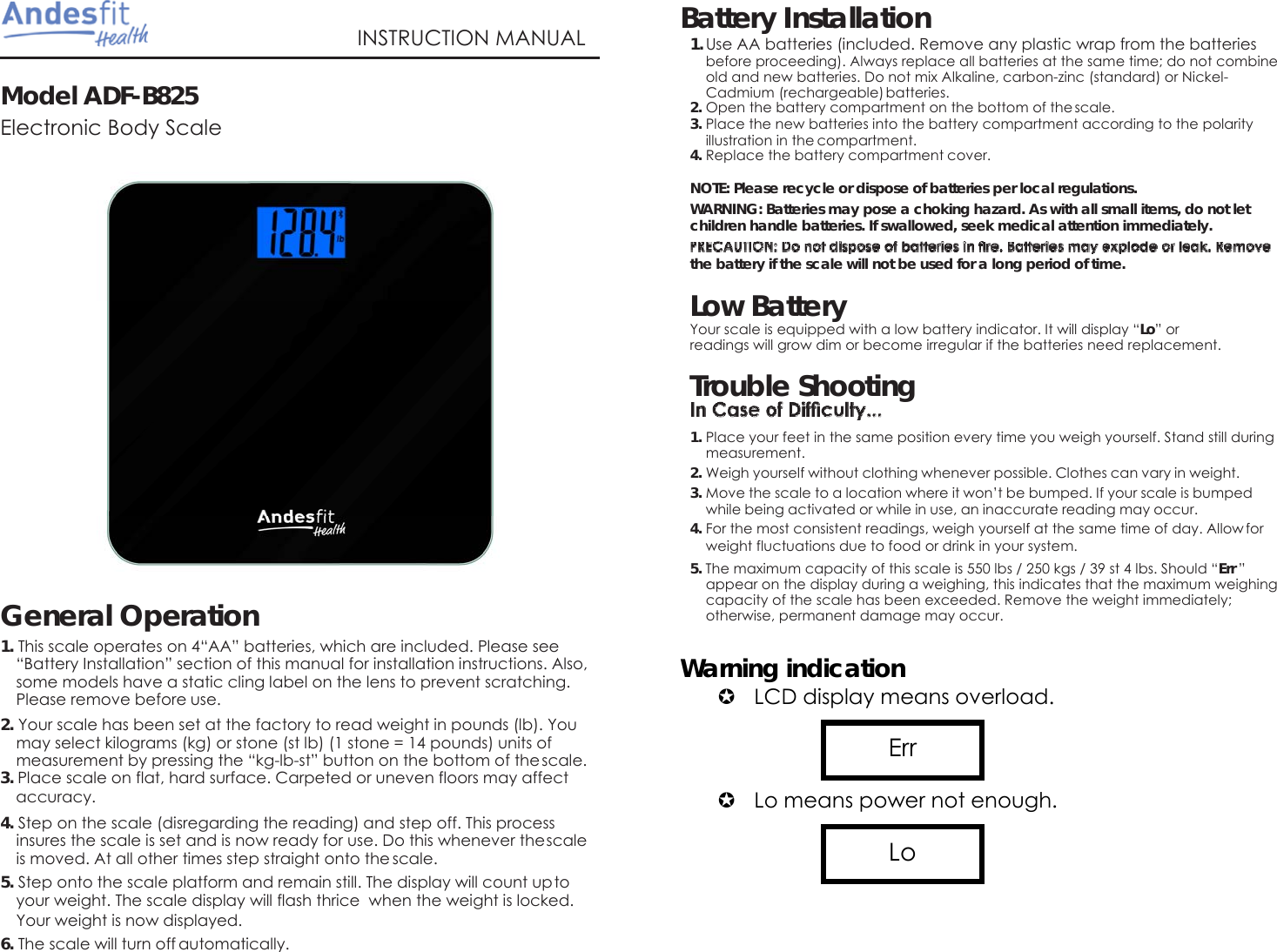
  Model ADF-B825  Electronic Body Scale   INSTRUCTION MANUAL Battery Installation 1. Use AA batteries (included. Remove any plastic wrap from the batteries before proceeding). Always replace all batteries at the same time; do not combine old and new batteries. Do not mix Alkaline, carbon-zinc (standard) or Nickel- Cadmium (rechargeable) batteries. 2. Open the battery compartment on the bottom of the scale. 3. Place the new batteries into the battery compartment according to the polarity illustration in the compartment. 4. Replace the battery compartment cover. NOTE: Please recycle or dispose of batteries per local regulations. WARNING: Batteries may pose a choking hazard. As with all small items, do not let children handle batteries. If swallowed, seek medical attention immediately.   the battery if the scale will not be used for a long period of time.  Low Battery Your scale is equipped with a low battery indicator. It will display “Lo” or readings will grow dim or become irregular if the batteries need replacement. Trouble Shooting  1. Place your feet in the same position every time you weigh yourself. Stand still during measurement. 2. Weigh yourself without clothing whenever possible. Clothes can vary in weight. 3. Move the scale to a location where it won’t be bumped. If your scale is bumped while being activated or while in use, an inaccurate reading may occur. 4. For the most consistent readings, weigh yourself at the same time of day. Allow for weight fluctuations due to food or drink in your system.   General Operation 1. This scale operates on 4“AA” batteries, which are included. Please see “Battery Installation” section of this manual for installation instructions. Also, some models have a static cling label on the lens to prevent scratching. Please remove before use. 2. Your scale has been set at the factory to read weight in pounds (lb). You may select kilograms (kg) or stone (st lb) (1 stone = 14 pounds) units of measurement by pressing the “kg-lb-st” button on the bottom of the scale. 3. Place scale on flat, hard surface. Carpeted or uneven floors may affect accuracy. 4. Step on the scale (disregarding the reading) and step off. This process insures the scale is set and is now ready for use. Do this whenever the scale is moved. At all other times step straight onto the scale. 5. Step onto the scale platform and remain still. The display will count up to your weight. The scale display will flash thrice  when the weight is locked. Your weight is now displayed. 6. The scale will turn off automatically.  5. The maximum capacity of this scale is 550 lbs / 250 kgs / 39 st 4 lbs. Should “Err ” appear on the display during a weighing, this indicates that the maximum weighing capacity of the scale has been exceeded. Remove the weight immediately; otherwise, permanent damage may occur.  Warning indication  LCD display means overload.      Lo means power not enough.      Lo Err
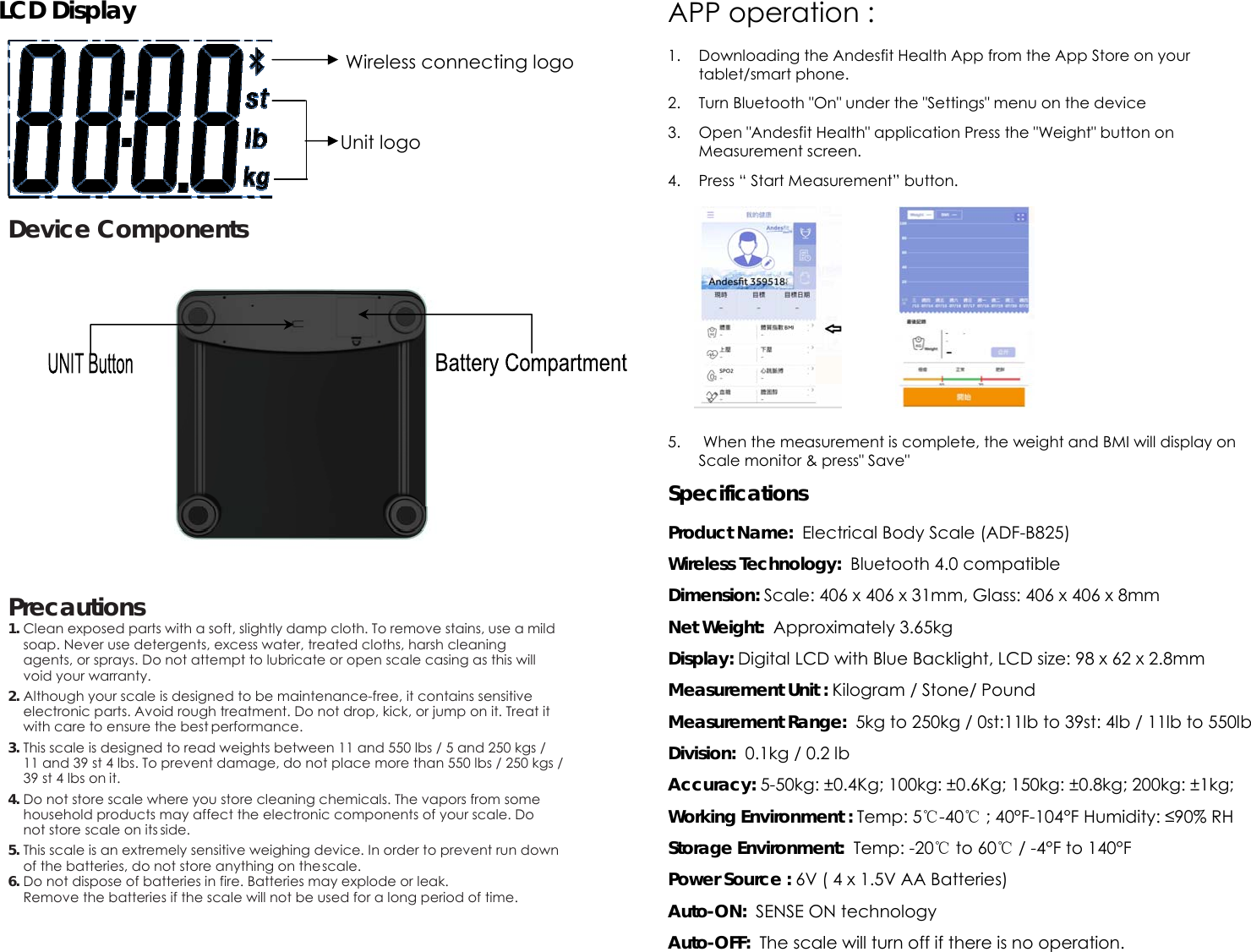
LCD Display       Device Components            Precautions 1. Clean exposed parts with a soft, slightly damp cloth. To remove stains, use a mild soap. Never use detergents, excess water, treated cloths, harsh cleaning agents, or sprays. Do not attempt to lubricate or open scale casing as this will void your warranty. 2. Although your scale is designed to be maintenance-free, it contains sensitive electronic parts. Avoid rough treatment. Do not drop, kick, or jump on it. Treat it with care to ensure the best performance. 3. This scale is designed to read weights between 11 and 550 lbs / 5 and 250 kgs / 11 and 39 st 4 lbs. To prevent damage, do not place more than 550 lbs / 250 kgs / 39 st 4 lbs on it. 4. Do not store scale where you store cleaning chemicals. The vapors from some household products may affect the electronic components of your scale. Do not store scale on its side. 5. This scale is an extremely sensitive weighing device. In order to prevent run down of the batteries, do not store anything on the scale. 6. Do not dispose of batteries in fire. Batteries may explode or leak.  Remove the batteries if the scale will not be used for a long period of time.   APP operation :   1. Downloading the Andesfit Health App from the App Store on your tablet/smart phone. 2. Turn Bluetooth "On" under the "Settings" menu on the device 3. Open "Andesfit Health" application Press the "Weight" button on Measurement screen. 4. Press “ Start Measurement” button.        5.  When the measurement is complete, the weight and BMI will display on Scale monitor & press" Save" Specifications  Product Name:  Electrical Body Scale (ADF-B825) Wireless Technology:  Bluetooth 4.0 compatible Dimension: Scale: 406 x 406 x 31mm, Glass: 406 x 406 x 8mm Net Weight:  Approximately 3.65kg Display: Digital LCD with Blue Backlight, LCD size: 98 x 62 x 2.8mm Measurement Unit : Kilogram / Stone/ Pound Measurement Range:  5kg to 250kg / 0st:11lb to 39st: 4lb / 11lb to 550lb Division:  0.1kg / 0.2 lb Accuracy: 5-50kg: ±0.4Kg; 100kg: ±0.6Kg; 150kg: ±0.8kg; 200kg: ±1kg; Working Environment : Temp: 5℃-40℃ ; 40°F-104°F Humidity: ≤90% RH Storage Environment:  Temp: -20℃ to 60℃ / -4°F to 140°F Power Source : 6V ( 4 x 1.5V AA Batteries) Auto-ON:  SENSE ON technology Auto-OFF:  The scale will turn off if there is no operation. Wireless connecting logo Unit logo
Accessories: 1) 4xAA Batteries, 2) User Manual FCC Instructions Changes or modifications not expressly approved by the party responsible for compliance could void the user’s authority to operate the product.  NOTE: This product has been tested and found to comply with the limits for a Class B digital device, pursuant to Part 15 of the FCC Rules. These limits are designed to provide reasonable protection against harmful interference in a residential installation. This product generates, uses and can radiate radio frequency energy and, if not installed and used in accordance with the instructions, may cause harmful interference to radio communications. However, there is no guarantee that interference will not occur in a particular installation. If the product does cause harmful interference to radio or television reception, which can be determined by turning the equipment off and on, the user is encouraged to try to correct the interference by one or more of the following measures : -  Reorient or relocate the receiving antenna. -  Increase the separation between the product and receiver. -  Connect the product into an outlet on a circuit different from that to which the receiver is connected. -  Consult the dealer or an experienced radio/TV technician for help.  The device complies with Part 15 of the FCC Rules. Operation is subject to the following two conditions: (1) this device may not cause harmful interference, and (2) this device must accept any interference received, including interference that may cause undesired operation.  FCC Radiation Exposure Statement The device has been evaluated to meet general RF exposure requirement.  The device can be used in portable exposure condition without restriction.

Navigation menu