ASKA ELECTRONICS F6PA Bluetooth ANC headphone User Manual 410 01075100F6A 1

ASKA ELECTRONICS CO., LIMITED Bluetooth ANC headphone 410 01075100F6A 1

User Manual

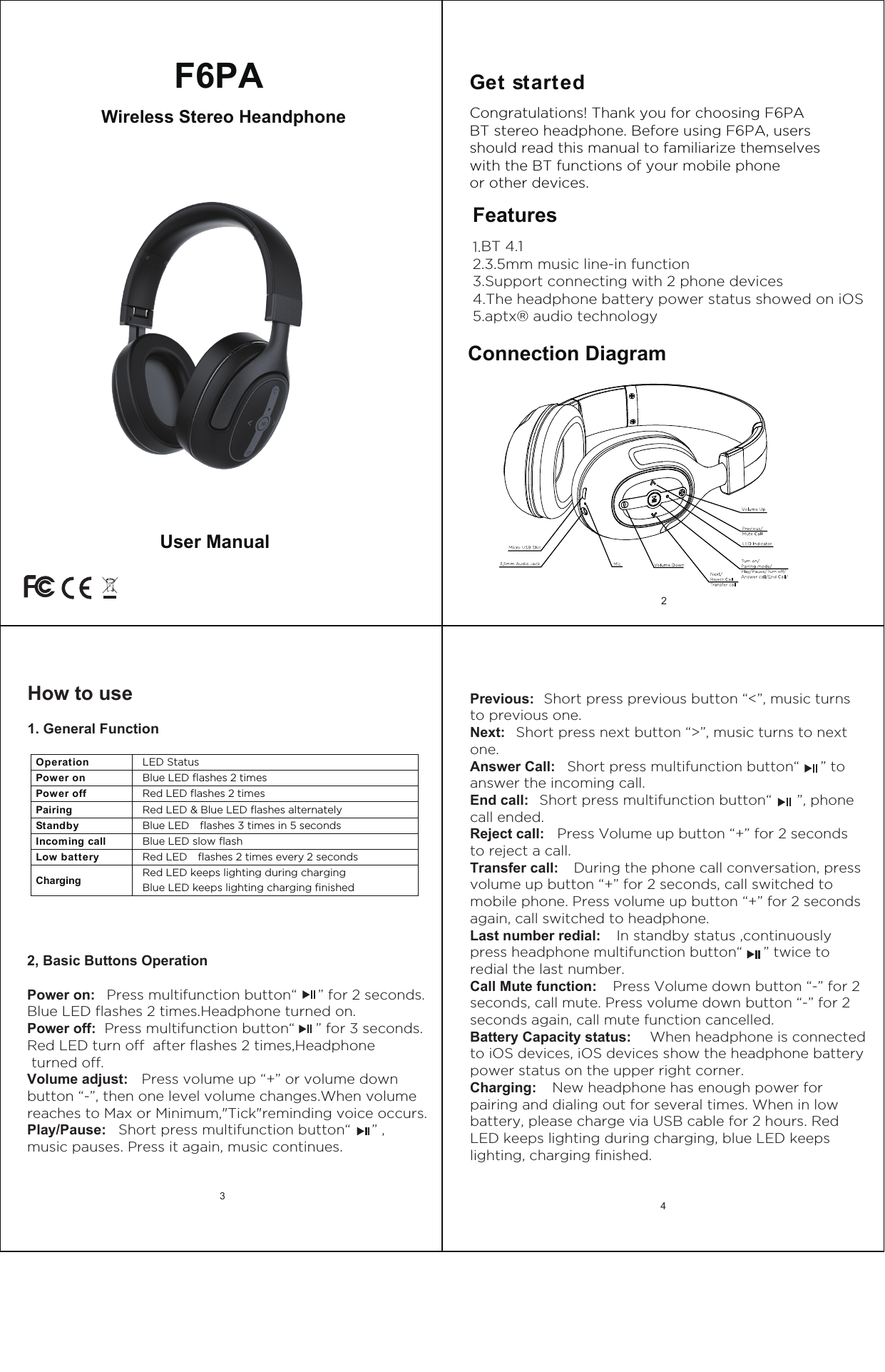
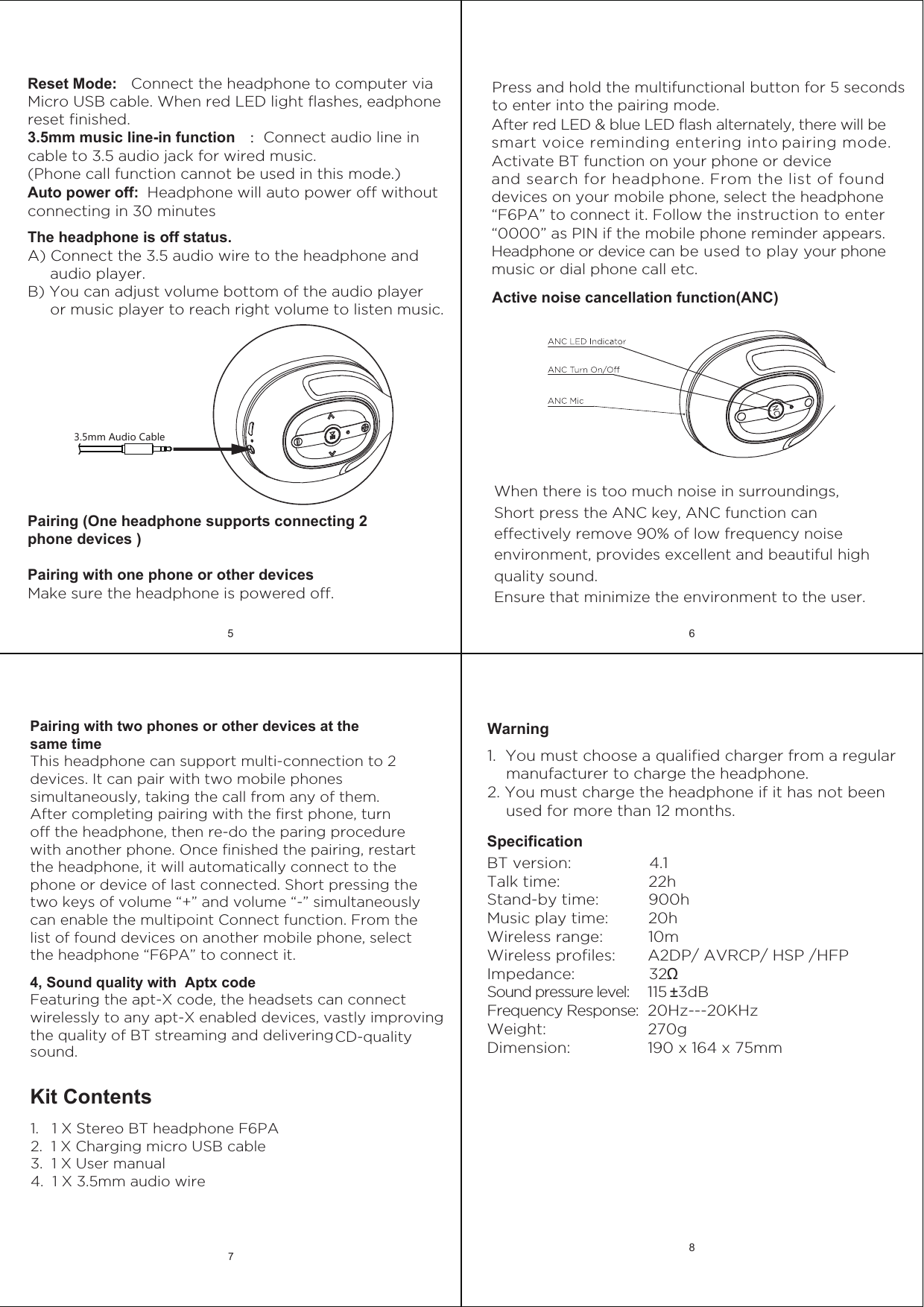
Get started Features1.BT 4.12.3.5mm music line-in function3.Support connecting with 2 phone devices4.The headphone battery power status showed on iOS5.aptx® audio technologyCongratulations! Thank you for choosing F6PABT stereo headphone. Before using F6PA, users should read this manual to familiarize themselves with the BT functions of your mobile phone or other devices.Connection Diagram2Previous:  Short press previous button “<”, music turnsto previous one.Next:   Short press next button “>”, music turns to nextone.Answer Call:   Short press multifunction button“     ” toanswer the incoming call.End call:   Short press multifunction button“      ”, phone call ended.Reject call:   Press Volume up button “+” for 2 secondsto reject a call.Transfer call:    During the phone call conversation, pressvolume up button “+” for 2 seconds, call switched to mobile phone. Press volume up button “+” for 2 seconds again, call switched to headphone.  Last number redial:   In standby status ,continuouslypress headphone multifunction button“     ” twice to redial the last number.Call Mute function:   Press Volume down button “-” for 2seconds, call mute. Press volume down button “-” for 2 seconds again, call mute function cancelled.Battery Capacity status:   When headphone is connectedto iOS devices, iOS devices show the headphone battery power status on the upper right corner.Charging:    New headphone has enough power forpairing and dialing out for several times. When in low battery, please charge via USB cable for 2 hours. Red LED keeps lighting during charging, blue LED keeps lighting, charging finished.4 Wireless Stereo HeandphoneF6PAUser ManualHow to use1. General Function2, Basic Buttons OperationPower on:   Press multifunction button“     ” for 2 seconds.Blue LED flashes 2 times.Headphone turned on.Power off:  Press multifunction button“     ” for 3 seconds.Red LED turn off  after flashes 2 times,Headphone turned off.Volume adjust:   Press volume up “+” or volume downbutton “-”, then one level volume changes.When volume reaches to Max or Minimum,"Tick"reminding voice occurs.Play/Pause:   Short press multifunction button“     ” ,music pauses. Press it again, music continues.Operation    LED Status Power on  Blue LED flashes 2 times Power off  Red LED flashes 2 times Pairing  Red LED & Blue LED flashes alternately Standby  Blue LED    flashes 3 times in 5 seconds Incoming call    Blue LED slow flashLow battery  Red LED    flashes 2 times every 2 seconds Charging Red LED keeps lighting during charging  Blue LED keeps lighting charging finished 3
SpecificationBT version:                 4.1Talk time:                   22h Stand-by time:           900hMusic play time:         20h Wireless range:           10mWireless profiles:       A2DP/ AVRCP/ HSP /HFPImpedance:                32ΩSound pressure level:    115 ±3dBFrequency Response:  20Hz---20KHzWeight:                      270gDimension:                 190 x 164 x 75mmWarning 1.  You must choose a qualified charger from a regular     manufacturer to charge the headphone.2. You must charge the headphone if it has not been     used for more than 12 months.5 68Kit Contents1.   1 X Stereo BT headphone F6PA2.  1 X Charging micro USB cable3.  1 X User manual4.  1 X 3.5mm audio wire4, Sound quality with  Aptx codeFeaturing the apt-X code, the headsets can connect wirelessly to any apt-X enabled devices, vastly improving the quality of BT streaming and delivering CD-quality Pairing with two phones or other devices at the same timeThis headphone can support multi-connection to 2 devices. It can pair with two mobile phones simultaneously, taking the call from any of them. After completing pairing with the first phone, turn off the headphone, then re-do the paring procedure with another phone. Once finished the pairing, restart the headphone, it will automatically connect to the phone or device of last connected. Short pressing the two keys of volume “+” and volume “-” simultaneously can enable the multipoint Connect function. From the list of found devices on another mobile phone, select the headphone “F6PA” to connect it.7sound.3.5mm Audio CableReset Mode:   Connect the headphone to computer via Micro USB cable. When red LED light flashes, eadphone reset finished.3.5mm music line-in functionAuto power off:  Headphone will auto power off without connecting in 30 minutes:Connect audio line in cable to 3.5 audio jack for wired music.(Phone call function cannot be used in this mode.)The headphone is off status. A) Connect the 3.5 audio wire to the headphone and      audio player.B) You can adjust volume bottom of the audio player      or music player to reach right volume to listen music.Pairing (One headphone supports connecting 2 phone devices )Pairing with one phone or other devicesMake sure the headphone is powered off.Press and hold the multifunctional button for 5 seconds to enter into the pairing mode.After red LED & blue LED flash alternately, there will be smart voice reminding entering into pairing mode.Activate BT function on your phone or device and search for headphone. From the list of found devices on your mobile phone, select the headphone “F6PA” to connect it. Follow the instruction to enter “0000” as PIN if the mobile phone reminder appears.Headphone or device can be used to play your phone music or dial phone call etc.NCActive noise cancellation function(ANC)When there is too much noise in surroundings, Short press the ANC key, ANC function can effectively remove 90% of low frequency noise environment, provides excellent and beautiful high quality sound. Ensure that minimize the environment to the user.
FCCInformationandCopyrightThisequipmenthasbeentestedandfoundtocomplywiththelimitsforaClassBdigitaldevice,pursuanttopart15oftheFCCRules.Theselimitsaredesignedtoprovidereasonableprotectionagainstharmfulinterferenceinaresidentialinstallation.Thisequipmentgenerates,usesandcanradiateradiofrequencyenergyand,ifnotinstalledandusedinaccordancewiththeinstructions,maycauseharmfulinterferencetoradiocommunications.However,thereisnoguaranteethatinterferencewillnotoccurinaparticularinstallation.Ifthisequipmentdoescauseharmfulinterferencetoradioortelevisionreception,whichcanbedeterminedbyturningtheequipmentoffandon,theuserisencouragedtotrytocorrecttheinterferencebyoneormoreofthefollowingmeasures:—Reorientorrelocatethereceivingantenna.—Increasetheseparationbetweentheequipmentandreceiver.—Connecttheequipmentintoanoutletonacircuitdifferentfromthattowhichthereceiverisconnected.—Consultthedealeroranexperiencedradio/TVtechnicianforhelp.Thisdevicecomplieswithpart15oftheFCCRules.Operationissubjecttothefollowingtwoconditions:(1)Thisdevicemaynotcauseharmfulinterference,and(2)thisdevicemustacceptanyinterferencereceived,includinginterferencethatmaycauseundesiredoperation.changesormodificationsnotexpresslyapprovedbythepartyresponsibleforcompliancecouldvoidtheuser'sauthoritytooperatetheequipment.ThisequipmentcomplieswithFCCradiationexposurelimitssetforthforanuncontrolledenvironment.ThedevicehasbeenevaluatedtomeetgeneralRFexposurerequirement.Thedevicecanbeusedinportableexposureconditionwithoutrestriction.

Navigation menu