ATBS Technology AT67 TPMS Sensor User Manual

ATBS Technology Co. TPMS Sensor Users Manual

Users Manual

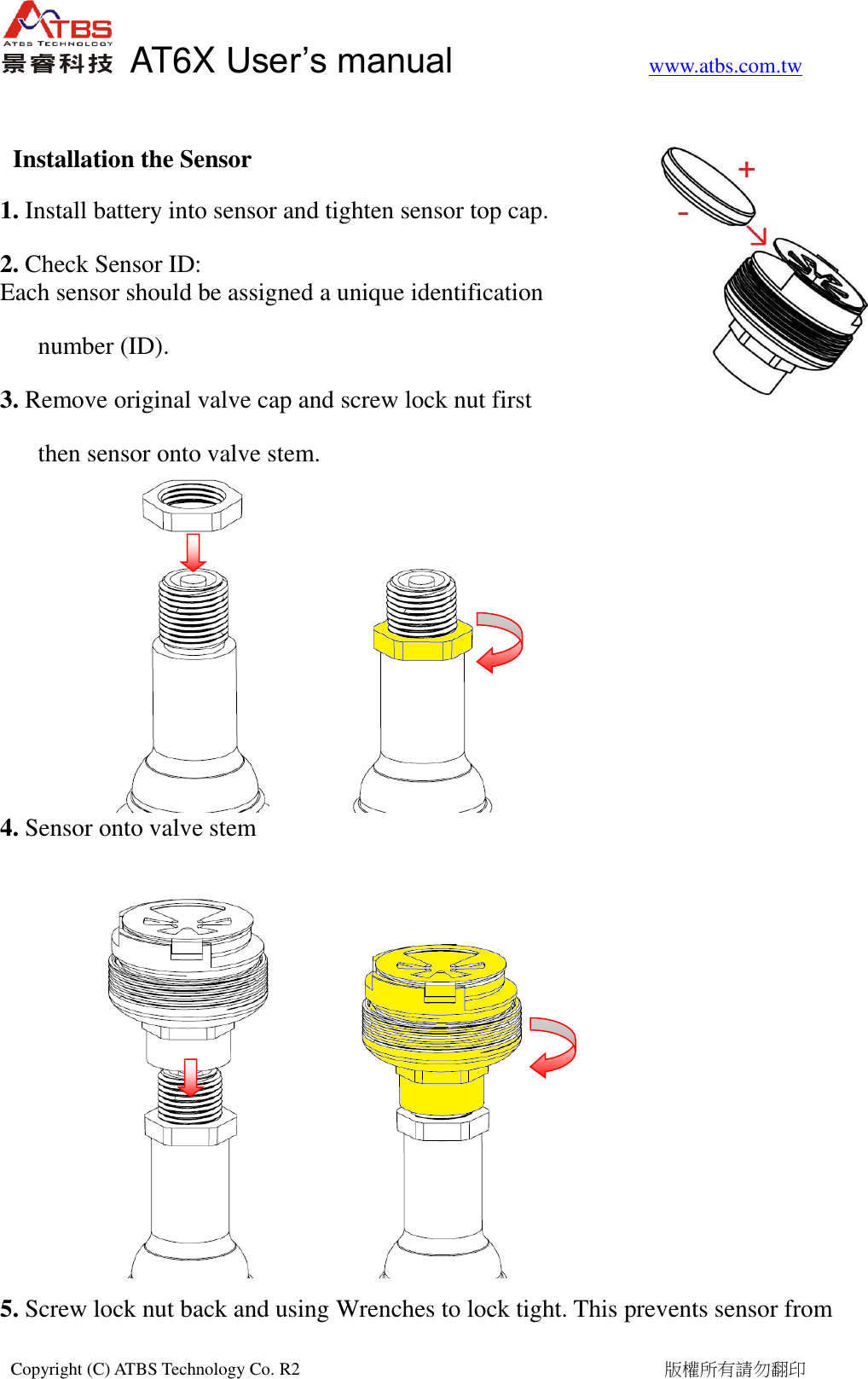
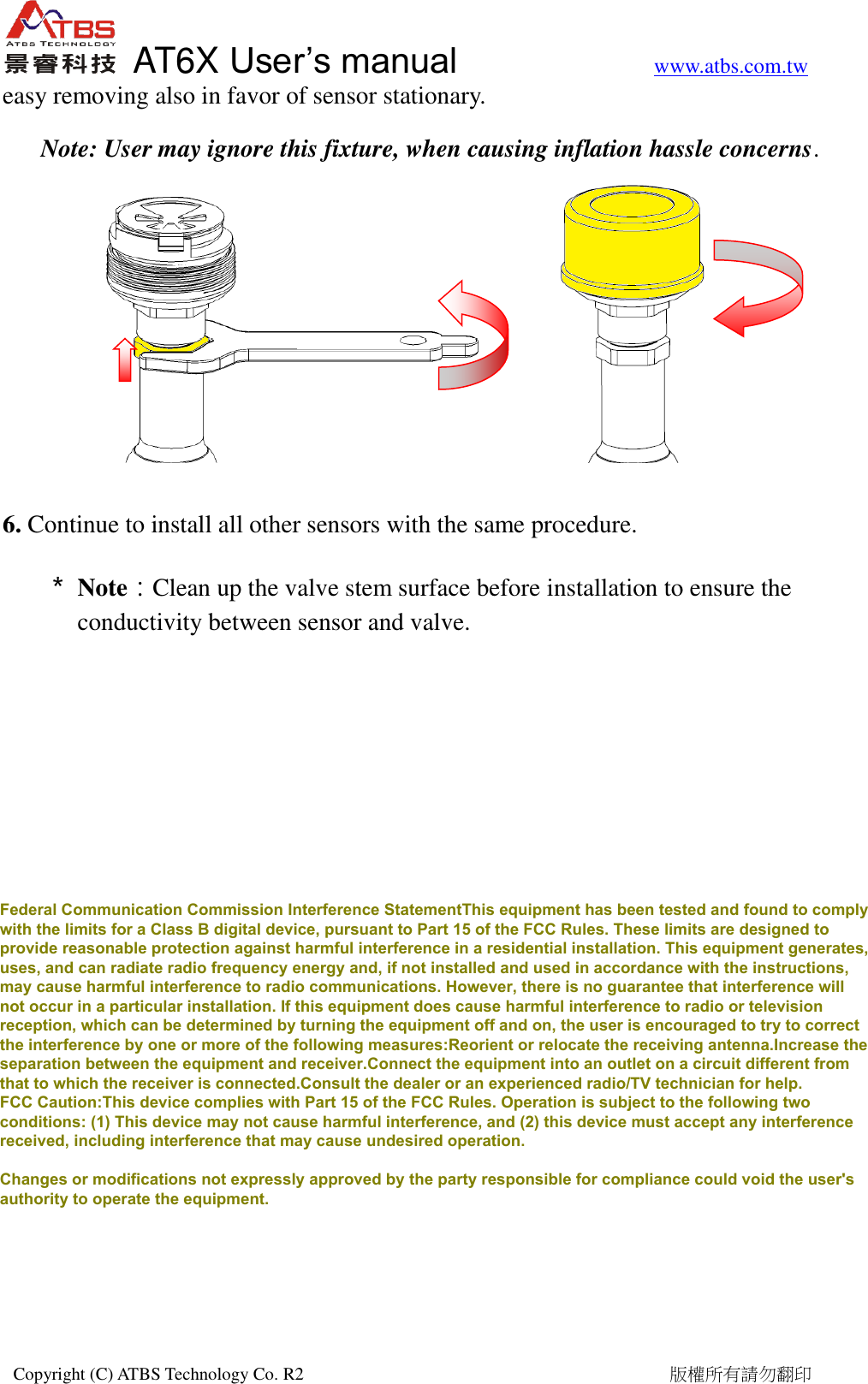
  AT6X User’s manual           www.atbs.com.tw  Copyright (C) ATBS Technology Co. R2                                                                                  版權所有請勿翻印    Installation the Sensor 1. Install battery into sensor and tighten sensor top cap.   2. Check Sensor ID: Each sensor should be assigned a unique identification   number (ID). 3. Remove original valve cap and screw lock nut first   then sensor onto valve stem.       4. Sensor onto valve stem         5. Screw lock nut back and using Wrenches to lock tight. This prevents sensor from
  AT6X User’s manual           www.atbs.com.tw  Copyright (C) ATBS Technology Co. R2                                                                                  版權所有請勿翻印   easy removing also in favor of sensor stationary.   Note: User may ignore this fixture, when causing inflation hassle concerns.         6. Continue to install all other sensors with the same procedure. * Note:Clean up the valve stem surface before installation to ensure the conductivity between sensor and valve.  Federal Communication Commission Interference StatementThis equipment has been tested and found to complywith the limits for a Class B digital device, pursuant to Part 15 of the FCC Rules. These limits are designed toprovide reasonable protection against harmful interference in a residential installation. This equipment generates,uses, and can radiate radio frequency energy and, if not installed and used in accordance with the instructions,may cause harmful interference to radio communications. However, there is no guarantee that interference willnot occur in a particular installation. If this equipment does cause harmful interference to radio or televisionreception, which can be determined by turning the equipment off and on, the user is encouraged to try to correctthe interference by one or more of the following measures:Reorient or relocate the receiving antenna.Increase theseparation between the equipment and receiver.Connect the equipment into an outlet on a circuit different fromthat to which the receiver is connected.Consult the dealer or an experienced radio/TV technician for help.FCC Caution:This device complies with Part 15 of the FCC Rules. Operation is subject to the following twoconditions: (1) This device may not cause harmful interference, and (2) this device must accept any interferencereceived, including interference that may cause undesired operation.Changes or modifications not expressly approved by the party responsible for compliance could void the user'sauthority to operate the equipment.

Navigation menu