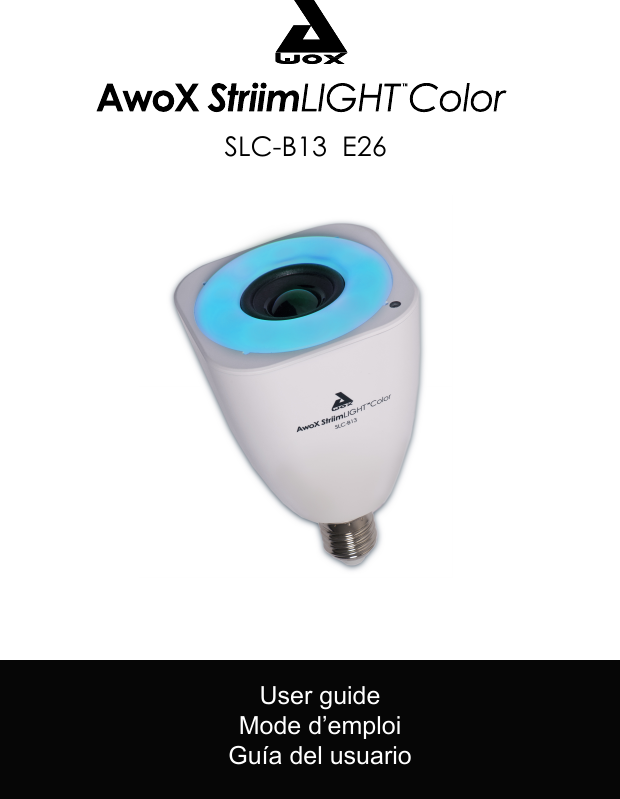
AWOX SLCB13 AwoX StriimLIGHTTM Color User Manual 1

AWOX AwoX StriimLIGHTTM Color 1

User Manual 1.pdf

User guide Mode d’emploi Guía del usuarioSLC-B13  E26
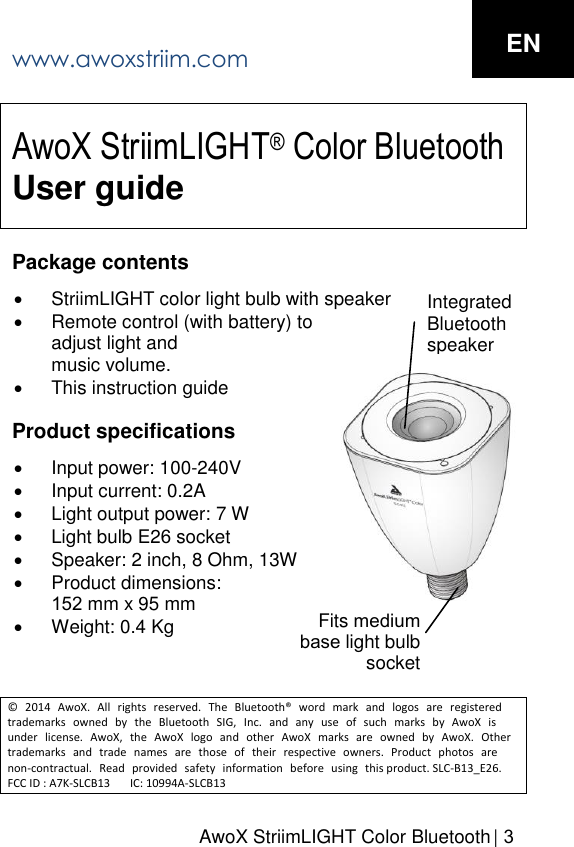
AwoX StriimLIGHT Color Bluetooth  | 3AwoX StriimLIGHT® Color Bluetooth User guidePackage contents StriimLIGHT color light bulb with speakerRemote control (with battery) toadjust light andmusic volume.This instruction guideProduct specifications Input power: 100-240VInput current: 0.2ALight output power: 7 WLight bulb E26 socketSpeaker: 2 inch, 8 Ohm, 13WProduct dimensions:152 mm x 95 mmWeight: 0.4 Kg© 2014 AwoX. All rights reserved. The Bluetooth® word mark and logos are registered trademarks owned by the Bluetooth SIG, Inc. and any use of such marks by AwoX is under license. AwoX, the AwoX logo and other AwoX marks are owned by AwoX. Other trademarks and trade names are those of their respective owners. Product photos are non-contractual. Read provided safety information before using this product. SLC-B13_E26. FCC ID : A7K-SLCB13       IC: 10994A-SLCB13Integrated Bluetooth speaker Fits medium base light bulbsocket www.awoxstriim.com EN
Getting started Congratulations and thank you for choosing the StriimLIGHT Color Bluetooth speaker light. This product contains both a color LED light bulb and an audio speaker, enabling you to stream music from nearly any Bluetooth-enabled music player anywhere you can plug in a light bulb, while filling your space with a fresh rainbow of colors! Note: Setting up the Bluetooth connection depends on your music player. In most cases it is a simple one-step process to connect and play as described here. Check your player’s instructions for specific details. Playing music on your StriimLIGHT Color 1. Before installing StriimLIGHT Color in your lamp, turnthe power off (do not use an external dimmer switch).2. Screw StriimLIGHT Color into the socket and turn thelight on.3. Activate Bluetooth on your music player, scan for newBluetooth devices, and select StriimLIGHT. If you areprompted to enter a PIN code, type 0000 (four zeros).4. Connect to StriimLIGHT Color (“Connect to audiodevice” or a similar command, depending on yourdevice).5. Select a track or playlist and hit PLAY!6. Sit back and enjoy your music.ENwww.awoxstriim.com4 |  User Guide
AwoX StriimLIGHT Color Bluetooth   | 5Using the remote control Your StriimLIGHT Color light bulb includes a battery-powered remote control that enables you to adjust the light settings and music volume. In standby mode, only press RC Light ON key to wake up StriimLIGHT Color device.Controlling the light with our free smartphone app To control your AwoX StriimLIGHT Color using your Apple or Google Android smartphone, start by downloading the free AwoX SmartCOLOR Control™ app for your device:Apple (following devices or newer): iPhone 4S, iPad (3rdgen.), iPod Touch (5th gen.), iPad Mini – download andinstall AwoX SmartCOLOR Control™ software from theApp Store.Google Android devices equipped with Bluetooth (3.0 orhigher) – download and install AwoX SmartCOLORControl™ software from the Google Play Store.Please see the operating instructions provided with the software for more details. Troubleshooting If the StriimLIGHT product does not work correctly: Check to make sure that the Bluetooth connection isproperly established with your music player.Do not use any kind of dimmer switch other than theprovided remote control unit.ENwww.awoxstriim.com
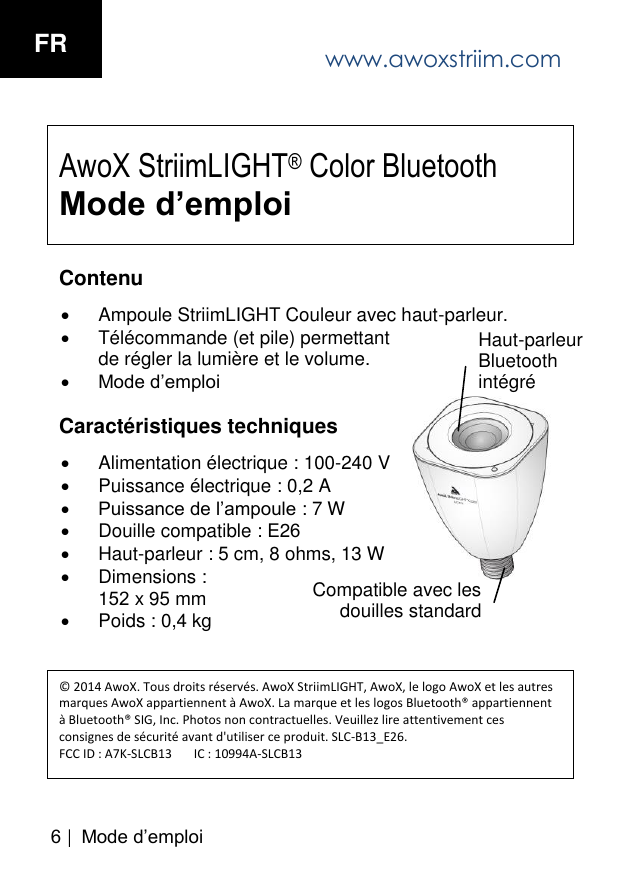
6 | M ode d’em ploiAwoX StriimLIGHT® Color Bluetooth Mode d’emploiContenu Ampoule StriimLIGHT Couleur avec haut-parleur.Télécommande (et pile) permettantde régler la lumière et le volume.Mode d’emploiCaractéristiques techniques Alimentation électrique : 100-240 VPuissance électrique : 0,2 APuissance de l’ampoule : 7 WDouille compatible : E26Haut-parleur : 5 cm, 8 ohms, 13 WDimensions :152 x 95 mmPoids : 0,4 kg© 2014 AwoX. Tous droits réservés. AwoX StriimLIGHT, AwoX, le logo AwoX et les autres marques AwoX appartiennent à AwoX. La marque et les logos Bluetooth® appartiennent à Bluetooth® SIG, Inc. Photos non contractuelles. Veuillez lire attentivement ces consignes de sécurité avant d'utiliser ce produit. SLC-B13_E26. FCC ID : A7K-SLCB13       IC : 10994A-SLCB13Haut-parleur Bluetooth intégré Compatible avec les douilles standard www.awoxstriim.comFR
AwoX StriimLIGHT Color Bluetooth  |  7Première utilisation Merci d’avoir choisi l’ampoule musicale StriimLIGHT Bluetooth Couleur. Grâce à ce produit combinant une ampoule LED multicolore et un haut-parleur, lisez la musique à partir de presque tous les lecteurs dotés de la technologie Bluetooth, et ce depuis n’importe quelle lampe ou douille, tout en diffusant une lumière aux couleurs de l'arc-en-ciel ! Remarque : le paramétrage de la connexion Bluetooth peut varier en fonction des lecteurs de musique. Dans la plupart des cas, un processus simple en une étape permet de connecter les appareils et de lire la musique comme indiqué ci-dessous. Voir le mode d’emploi de votre lecteur de musique pour plus de précisions. Lire de la musique sur l'ampoule StriimLIGHT Couleur 1. Avant d’installer l’ampoule StriimLIGHT Couleur dans ladouille choisie, éteignez la lumière (n’utilisez pas ungradateur externe).2. Vissez l’ampoule StriimLIGHT Couleur dans la douilleet allumez la lumière.3. Activez la fonction Bluetooth de votre lecteur demusique, cherchez les nouveaux appareils Bluetooth etsélectionnez StriimLIGHT. Si vous êtes invité à saisirun code PIN, entrez 0000 (quatre zéros).4. Établissez une connexion avec l’ampoule StriimLIGHTCouleur (« Se connecter à l’appareil audio » ou unecommande similaire, en fonction de l’appareil).www.awoxstriim.com FR
Mode d’emploi 5. Sélectionnez un morceau ou une liste de lecture etlancez la musique.6. Vous n’avez plus qu’à écouter !Télécommande Votre ampoule StriimLIGHT Couleur est fournie avec une télécommande fonctionnant à pile, qui vous permet de régler la lumière et le volume. Pour sortir du mode veille, appuyez sur le bouton ALLUMER de la télécommande.Réglage de la lumière à l'aide de l'application gratuite pour smartphones et tablettes Pour télécommander votre ampoule AwoX StriimLIGHT Couleur à l'aide de votre smartphone ou tablette Apple ou Google Android, téléchargez l'application gratuite AwoX SmartCOLOR Control™ correspondant à votre appareil : •Apple (appareils suivants ou ultérieurs) : iPhone 4S, iPad(3e gén.), iPod Touch (5e gén.), iPad Mini – téléchargezl’application AwoX SmartCOLOR Control™ dansl’App Store.•appareils Google Android compatibles Bluetooth (version3.0 ou ultérieure) – téléchargez l’application AwoXSmartCOLOR Control™ dans le Google Play Store.Pour plus de détails, consultez le mode d’emploi fourni avec l’application. www.awoxstriim.comFR8 |
AwoX StriimLIGHT Color Bluetooth |  9Dépannage Si votre StriimLIGHT ne fonctionne pas correctement : vérifiez que la connexion Bluetooth est bien établieavec votre lecteur de musique ;n’utilisez pas de gradateur. Utilisez uniquement latélécommande.www.awoxstriim.com FR
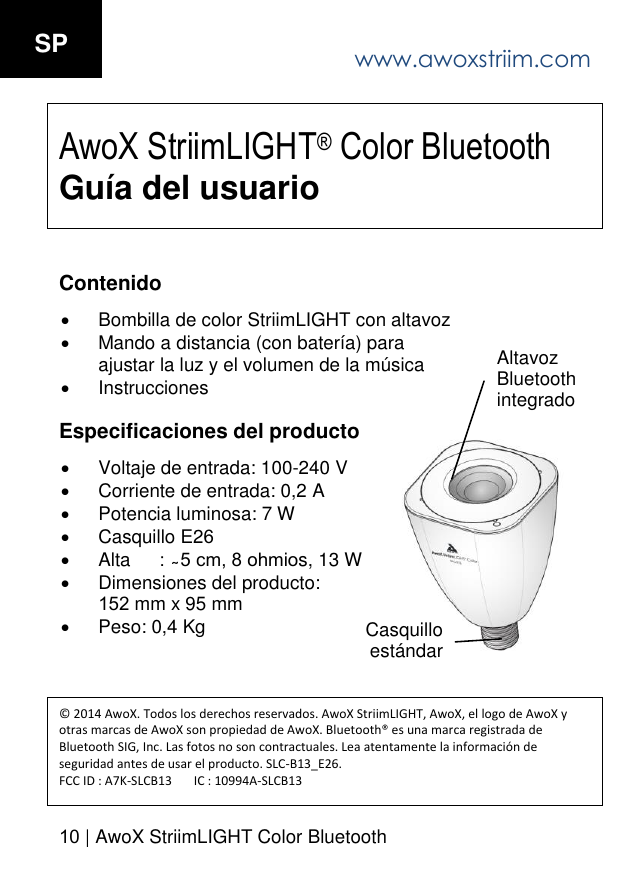
www.awoxstriim.com10 | AwoX StriimLIGHT Color BluetoothSP AwoX StriimLIGHT® Color Bluetooth Guía del usuarioContenido Bombilla de color StriimLIGHT con altavozMando a distancia (con batería) paraajustar la luz y el volumen de la músicaInstruccionesEspecificaciones del producto Voltaje de entrada: 100-240 VCorriente de entrada: 0,2 APotencia luminosa: 7 WCasquillo E26Alta s, 13 W Dimensiones del producto:152 mm x 95 mmPeso: 0,4 Kg© 2014 AwoX. Todos los derechos reservados. AwoX StriimLIGHT, AwoX, el logo de AwoX y otras marcas de AwoX son propiedad de AwoX. Bluetooth® es una marca registrada de Bluetooth SIG, Inc. Las fotos no son contractuales. Lea atentamente la información de seguridad antes de usar el producto. SLC-B13_E26. FCC ID : A7K-SLCB13       IC : 10994A-SLCB13Altavoz Bluetooth integrado Casquillo estándar

Navigation menu