Adaptive Sound Technologies ASM-1017 LectroFan micro User Manual LectroFan Swivel Speaker REV indd

Adaptive Sound Technologies Inc. LectroFan micro LectroFan Swivel Speaker REV indd

User Manual

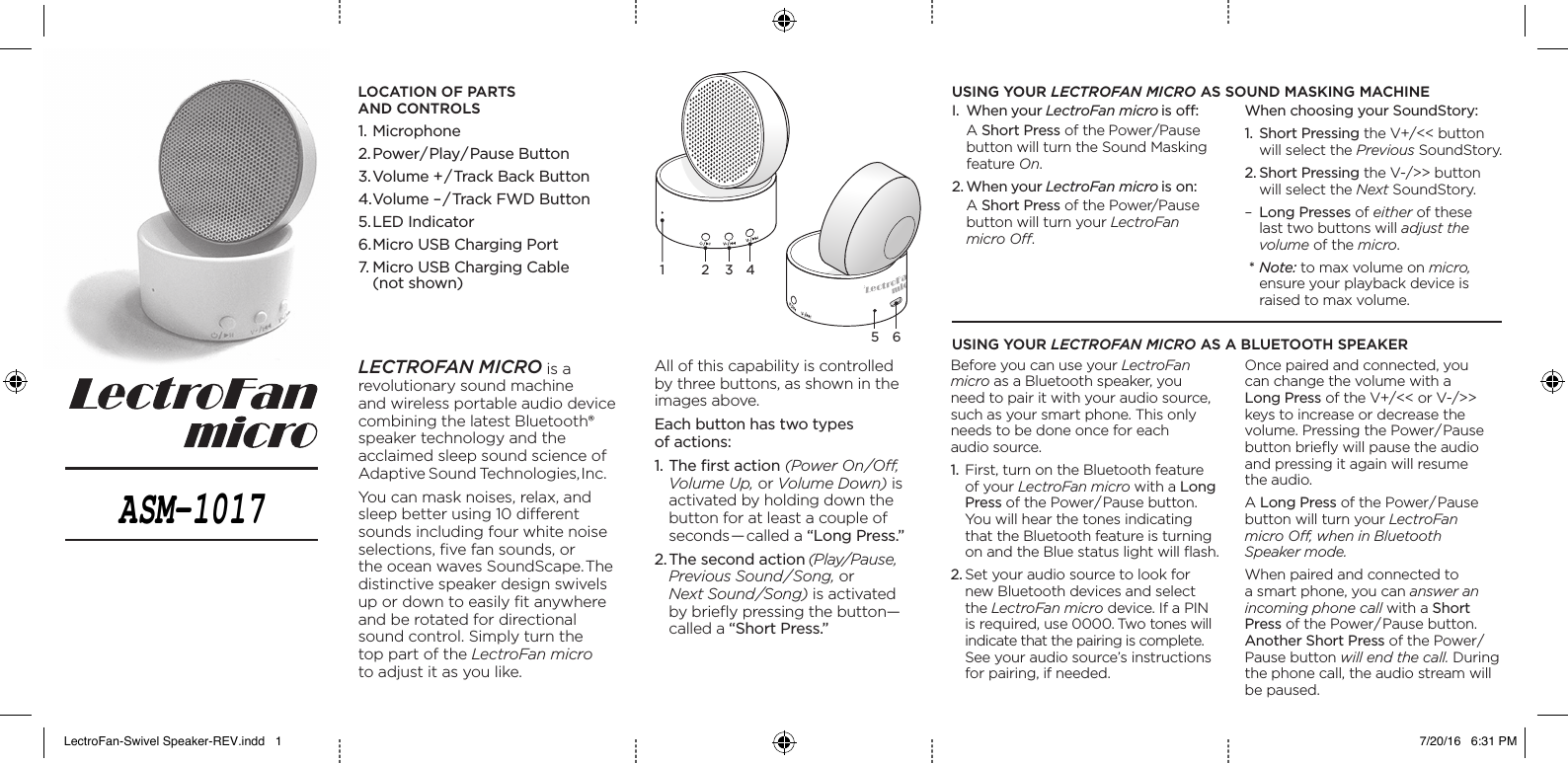
•••1 2 3 4•5 6•LectroFan micro is a revolutionary sound machine and wireless portable audio device combining the latest Bluetooth® speaker technology and the acclaimed sleep sound science of Adaptive Sound Technologies, Inc. You can mask noises, relax, and sleep better using 10 di erent sounds including four white noise selections, fi ve fan sounds, or the ocean waves SoundScape. The distinctive speaker design swivels up or down to easily fi t anywhere and be rotated for directional sound control. Simply turn the top part of the LectroFan micro to adjust it as you like.All of this capability is controlled by three buttons, as shown in the images above.Each button has two types of actions:1. The fi rst action (Power On/Off , Volume Up, or Volume Down) is activated by holding down the button for at least a couple of seconds—called a “Long Press.”2. The second action (Play/Pause, Previous Sound/Song, or Next Sound/Song) is activated by briefl y pressing the button—called a “Short Press.”Before you can use your LectroFanmicro as a Bluetooth speaker, you need to pair it with your audio source, such as your smart phone. This only needs to be done once for each audio source.1.  First, turn on the Bluetooth feature of your LectroFan micro with a Long Press of the Power/Pause button. You will hear the tones indicating that the Bluetooth feature is turning on and the Blue status light will fl ash. 2. Set your audio source to look for new Bluetooth devices and select the LectroFan micro device. If a PIN is required, use 0000. Two tones will indicate that the pairing is complete. See your audio source’s instructions for pairing, if needed.I.  When your LectroFan micro is off  : A Short Press of the Power/Pause button will turn the Sound Masking feature On. 2. When your LectroFan micro is on: A Short Press of the Power/Pause button will turn your LectroFan micro O ff .using your LectroFan micro as sound masKing maChineusing your LectroFan micro as a BLuetooth sPeaKerWhen choosing your SoundStory:1.  Short Pressing the V+/<< button will select the Previous SoundStory. 2. Short Pressing the V-/>> button will select the Next SoundStory. –  Long Presses of either of these last two buttons will adjust the volume of the micro. * Note: to max volume on micro, ensure your playback device is raised to max volume. Once paired and connected, you can change the volume with a Long Press of the V+/<< or V-/>> keys to increase or decrease the volume. Pressing the Power/Pause button briefl y will pause the audio and pressing it again will resume the audio.A Long Press of the Power/Pause button will turn your LectroFan micro Off , when in Bluetooth Speaker mode.When paired and connected to a smart phone, you can answer an incoming phone call with a Short Press of the Power/Pause button. Another Short Press of the Power/Pause button will end the call. During the phone call, the audio stream will be paused.LoCation of Parts and ControLs 1. Microphone2. Power/ Play/ Pause  Button3. Volume +/ Track Back Button4. Volume –/Track FWD Button5. LED  Indicator6. Micro USB Charging Port7. Micro USB Charging Cable (not shown)LectroFan-Swivel Speaker-REV.indd   1 7/20/16   6:31 PMASM-1017
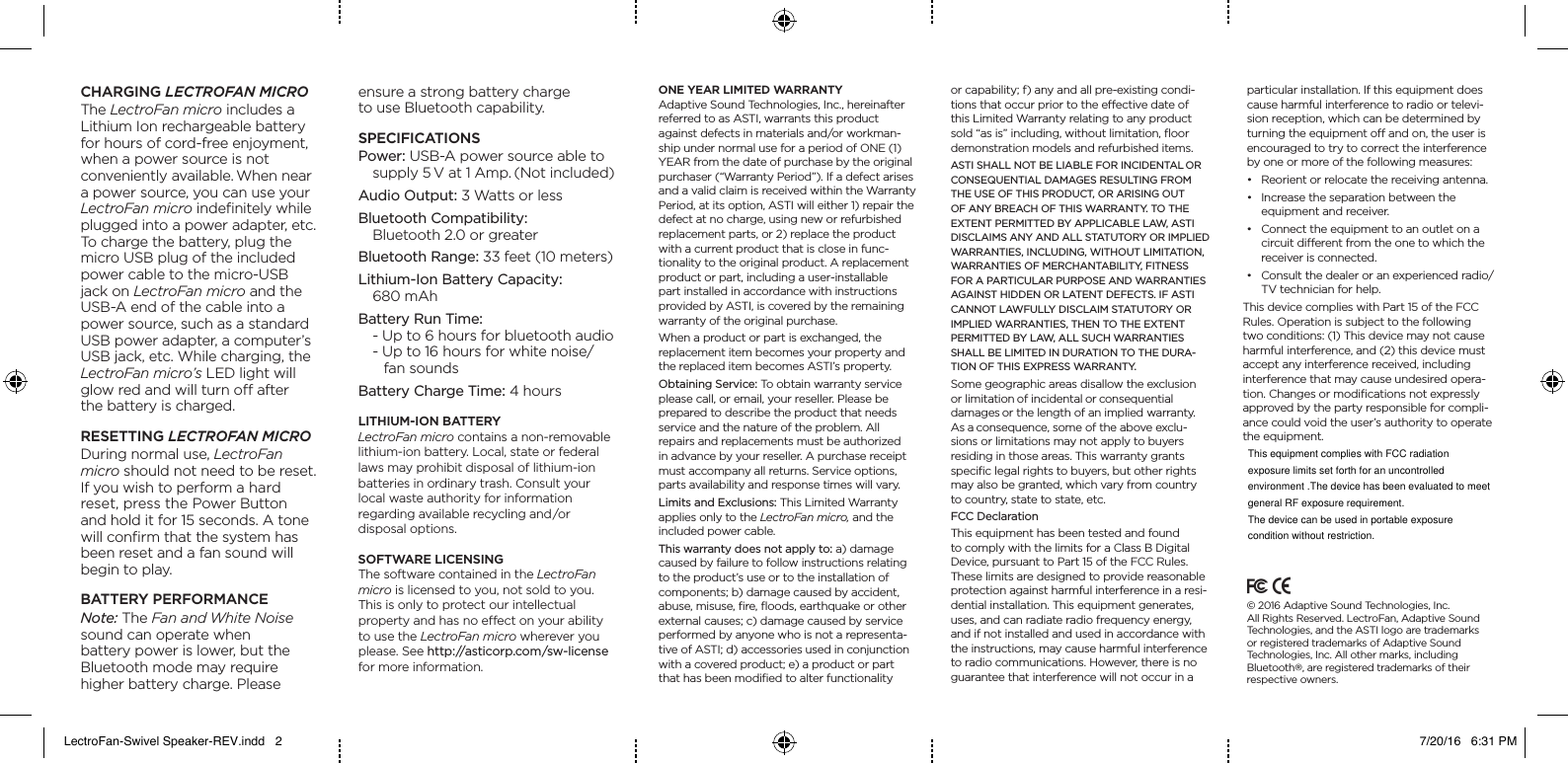
Charging LectroFan microThe LectroFan micro includes a Lithium Ion rechargeable battery for hours of cord-free enjoyment, when a power source is not  conveniently available. When near a power source, you can use your  LectroFan micro indefinitely while plugged into a power adapter, etc. To charge the battery, plug the micro USB plug of the included power cable to the micro-USB jack on LectroFan micro and the USB-A end of the cable into a power source, such as a standard USB power adapter, a computer’s USB jack, etc. While charging, the LectroFan micro’s LED light will glow red and will turn o after  the battery is charged.resetting LectroFan microDuring normal use, LectroFan  micro should not need to be reset. If you wish to perform a hard reset, press the Power Button  and hold it for 15 seconds. A tone will confirm that the system has been reset and a fan sound will begin to play.Battery PerformanCeNote: The Fan and White Noise sound can operate when  battery power is lower, but the Bluetooth mode may require  higher battery charge. Please  ensure a strong battery charge  to use Bluetooth capability.sPeCifiCationsPower: USB-A power source able to  supply 5 V at 1 Amp. (Not included)Audio Output: 3 Watts or lessBluetooth Compatibility:  Bluetooth 2.0 or greaterBluetooth Range: 33 feet (10 meters)Lithium-Ion Battery Capacity:  680 mAhBattery Run Time:  - Up to 6 hours for bluetooth audio - Up to 16 hours for white noise/    fan soundsBattery Charge Time: 4 hoursLithium-ion BatteryLectroFan micro contains a non-removable lithium-ion battery. Local, state or federal laws may prohibit disposal of lithium-ion batteries in ordinary trash. Consult your local waste authority for information  regarding available recycling and/or  disposal options.software LiCensingThe software contained in the LectroFan micro is licensed to you, not sold to you. This is only to protect our intellectual  property and has no eect on your ability to use the LectroFan micro wherever you please. See http://asticorp.com/sw-license for more information.one year Limited warrantyAdaptive Sound Technologies, Inc., hereinafter referred to as ASTI, warrants this product against defects in materials and/or workman-ship under normal use for a period of ONE (1) YEAR from the date of purchase by the original purchaser (“Warranty Period”). If a defect arises and a valid claim is received within the Warranty Period, at its option, ASTI will either 1) repair the defect at no charge, using new or refurbished replacement parts, or 2) replace the product with a current product that is close in func-tionality to the original product. A replacement product or part, including a user-installable part installed in accordance with instructions provided by ASTI, is covered by the remaining warranty of the original purchase.When a product or part is exchanged, the  replacement item becomes your property and the replaced item becomes ASTI’s property.Obtaining Service: To obtain warranty service please call, or email, your reseller. Please be prepared to describe the product that needs service and the nature of the problem. All repairs and replacements must be authorized in advance by your reseller. A purchase receipt must accompany all returns. Service options, parts availability and response times will vary.Limits and Exclusions: This Limited Warranty applies only to the LectroFan micro, and the included power cable. This warranty does not apply to: a) damage caused by failure to follow instructions relating to the product’s use or to the installation of components; b) damage caused by accident, abuse, misuse, fire, floods, earthquake or other external causes; c) damage caused by service performed by anyone who is not a representa-tive of ASTI; d) accessories used in conjunction with a covered product; e) a product or part that has been modified to alter functionality  or capability; f) any and all pre-existing condi-tions that occur prior to the eective date of this Limited Warranty relating to any product sold “as is” including, without limitation, floor demonstration models and refurbished items.ASTI SHALL NOT BE LIABLE FOR INCIDENTAL OR  CONSEQUENTIAL DAMAGES RESULTING FROM THE USE OF THIS PRODUCT, OR ARISING OUT OF ANY BREACH OF THIS WARRANTY. TO THE EXTENT PERMITTED BY APPLICABLE LAW, ASTI DISCLAIMS ANY AND ALL STATUTORY OR IMPLIED WARRANTIES, INCLUDING, WITHOUT LIMITATION, WARRANTIES OF MERCHANTABILITY, FITNESS FOR A PARTICULAR PURPOSE AND WARRANTIES AGAINST HIDDEN OR LATENT DEFECTS. IF ASTI CANNOT LAWFULLY DISCLAIM STATUTORY OR IMPLIED WARRANTIES, THEN TO THE EXTENT PERMITTED BY LAW, ALL SUCH WARRANTIES SHALL BE LIMITED IN DURATION TO THE DURA-TION OF THIS EXPRESS WARRANTY. Some geographic areas disallow the exclusion or limitation of incidental or consequential  damages or the length of an implied warranty. As a consequence, some of the above exclu-sions or limitations may not apply to buyers residing in those areas. This warranty grants specific legal rights to buyers, but other rights may also be granted, which vary from country to country, state to state, etc.FCC DeclarationThis equipment has been tested and found to comply with the limits for a Class B Digital Device, pursuant to Part 15 of the FCC Rules. These limits are designed to provide reasonable protection against harmful interference in a resi-dential installation. This equipment generates, uses, and can radiate radio frequency energy, and if not installed and used in accordance with the instructions, may cause harmful interference to radio communications. However, there is no guarantee that interference will not occur in a particular installation. If this equipment does cause harmful interference to radio or televi-sion reception, which can be determined by turning the equipment o and on, the user is encouraged to try to correct the interference by one or more of the following measures:• Reorientorrelocatethereceivingantenna.• Increasetheseparationbetweenthe equipment and receiver.• Connecttheequipmenttoanoutletonacircuit dierent from the one to which the receiver is connected.• Consultthedealeroranexperiencedradio/TV technician for help.     This device complies with Part 15 of the FCC Rules. Operation is subject to the following two conditions: (1) This device may not cause harmful interference, and (2) this device must accept any interference received, including interference that may cause undesired opera-tion. Changes or modifications not expressly approved by the party responsible for compli-ance could void the user’s authority to operate the equipment.© 2016 Adaptive Sound Technologies, Inc.  All Rights Reserved. LectroFan, Adaptive Sound Technologies, and the ASTI logo are trademarks  or registered trademarks of Adaptive Sound  Technologies, Inc. All other marks, including Bluetooth®, are registered trademarks of their respective owners.LectroFan-Swivel Speaker-REV.indd   2 7/20/16   6:31 PMThis equipment complies with FCC radiation exposure limits set forth for an uncontrolledenvironment .The device has been evaluated to meet general RF exposure requirement.The device can be used in portable exposure condition without restriction.

Navigation menu