Aerielle ATBPA6V150M FM Transmitter User Manual UAA Guide

Aerielle, Inc FM Transmitter UAA Guide

User Manual

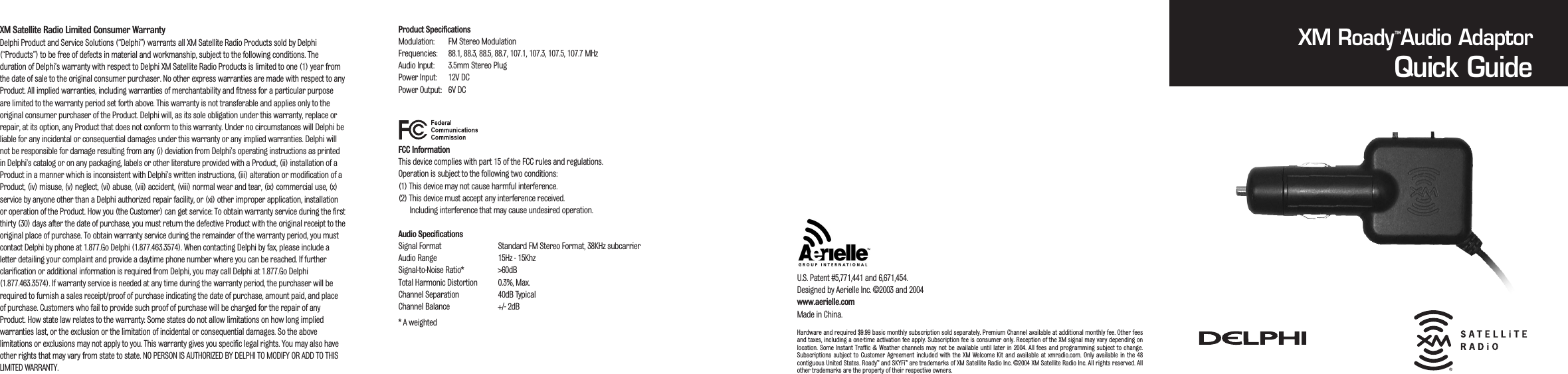
XM Satellite Radio Limited Consumer Warranty Delphi Product and Service Solutions (“Delphi”) warrants all XM Satellite Radio Products sold by Delphi(“Products”) to be free of defects in material and workmanship, subject to the following conditions. Theduration of Delphi’s warranty with respect to Delphi XM Satellite Radio Products is limited to one (1) year fromthe date of sale to the original consumer purchaser. No other express warranties are made with respect to anyProduct. All implied warranties, including warranties of merchantability and fitness for a particular purposeare limited to the warranty period set forth above. This warranty is not transferable and applies only to theoriginal consumer purchaser of the Product. Delphi will, as its sole obligation under this warranty, replace orrepair, at its option, any Product that does not conform to this warranty. Under no circumstances will Delphi beliable for any incidental or consequential damages under this warranty or any implied warranties. Delphi willnot be responsible for damage resulting from any (i) deviation from Delphi’s operating instructions as printedin Delphi’s catalog or on any packaging, labels or other literature provided with a Product, (ii) installation of aProduct in a manner which is inconsistent with Delphi’s written instructions, (iii) alteration or modification of aProduct, (iv) misuse, (v) neglect, (vi) abuse, (vii) accident, (viii) normal wear and tear, (ix) commercial use, (x)service by anyone other than a Delphi authorized repair facility, or (xi) other improper application, installationor operation of the Product. How you (the Customer) can get service: To obtain warranty service during the firstthirty (30) days after the date of purchase, you must return the defective Product with the original receipt to theoriginal place of purchase. To obtain warranty service during the remainder of the warranty period, you mustcontact Delphi by phone at 1.877.Go Delphi (1.877.463.3574). When contacting Delphi by fax, please include aletter detailing your complaint and provide a daytime phone number where you can be reached. If furtherclarification or additional information is required from Delphi, you may call Delphi at 1.877.Go Delphi(1.877.463.3574). If warranty service is needed at any time during the warranty period, the purchaser will berequired to furnish a sales receipt/proof of purchase indicating the date of purchase, amount paid, and placeof purchase. Customers who fail to provide such proof of purchase will be charged for the repair of anyProduct. How state law relates to the warranty: Some states do not allow limitations on how long impliedwarranties last, or the exclusion or the limitation of incidental or consequential damages. So the abovelimitations or exclusions may not apply to you. This warranty gives you specific legal rights. You may also haveother rights that may vary from state to state. NO PERSON IS AUTHORIZED BY DELPHI TO MODIFY OR ADD TO THISLIMITED WARRANTY.Product SpecificationsModulation: FM Stereo ModulationFrequencies: 88.1, 88.3, 88.5, 88.7, 107.1, 107.3, 107.5, 107.7 MHzAudio Input: 3.5mm Stereo PlugPower Input: 12V DCPower Output: 6V DCFCC InformationThis device complies with part 15 of the FCC rules and regulations.Operation is subject to the following two conditions:(1) This device may not cause harmful interference.(2) This device must accept any interference received.Including interference that may cause undesired operation.Audio SpecificationsSignal Format Standard FM Stereo Format, 38KHz subcarrierAudio Range 15Hz - 15KhzSignal-to-Noise Ratio* >60dBTotal Harmonic Distortion 0.3%, Max.Channel Separation 40dB TypicalChannel Balance +/- 2dB* A weightedXM Roady Audio AdaptorQuick GuideU.S. Patent #5,771,441 and 6,671,454.Designed by Aerielle Inc. ©2003 and 2004www.aerielle.comMade in China.™Hardware and required $9.99 basic monthly subscription sold separately. Premium Channel available at additional monthly fee. Other feesand taxes, including a one-time activation fee apply. Subscription fee is consumer only. Reception of the XM signal may vary depending onlocation. Some Instant  Traffic & Weather channels may not be  available until later in 2004.  All fees and  programming  subject to change.Subscriptions  subject  to  Customer Agreement  included  with the  XM  Welcome Kit  and  available  at xmradio.com.  Only  available in  the 48contiguous United States. Roady™ and SKYFi™ are trademarks of XM Satellite Radio Inc. ©2004 XM Satellite Radio Inc. All rights reserved. Allother trademarks are the property of their respective owners.
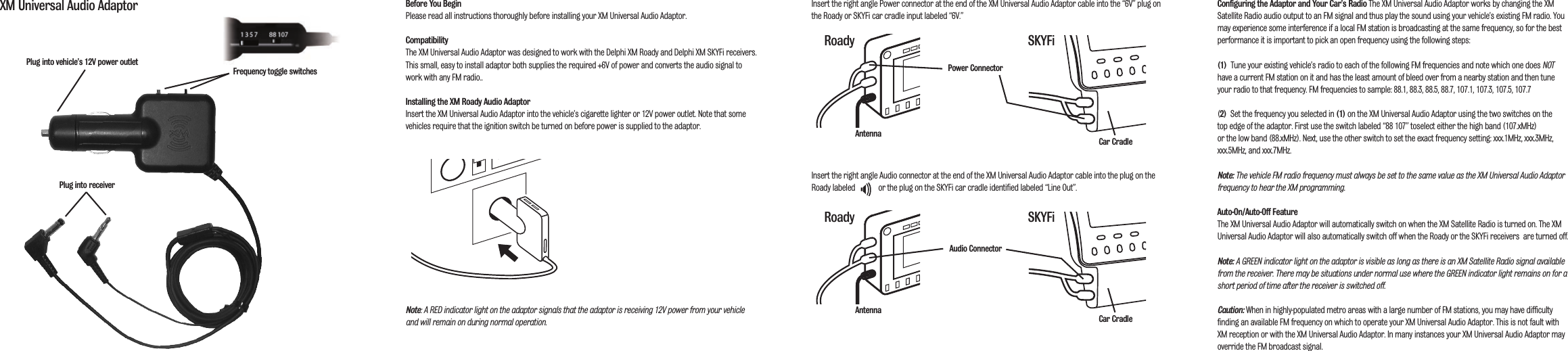
Before You BeginPlease read all instructions thoroughly before installing your XM Universal Audio Adaptor.CompatibilityThe XM Universal Audio Adaptor was designed to work with the Delphi XM Roady and Delphi XM SKYFi receivers.This small, easy to install adaptor both supplies the required +6V of power and converts the audio signal towork with any FM radio..Installing the XM Roady Audio AdaptorInsert the XM Universal Audio Adaptor into the vehicle’s cigarette lighter or 12V power outlet. Note that somevehicles require that the ignition switch be turned on before power is supplied to the adaptor.Note: A RED indicator light on the adaptor signals that the adaptor is receiving 12V power from your vehicleand will remain on during normal operation.Insert the right angle Power connector at the end of the XM Universal Audio Adaptor cable into the “6V” plug onthe Roady or SKYFi car cradle input labeled “6V.”Insert the right angle Audio connector at the end of the XM Universal Audio Adaptor cable into the plug on theRoady labeled            or the plug on the SKYFi car cradle identified labeled “Line Out”.Configuring the Adaptor  and Your Car’s Radio The XM Universal Audio Adaptor works by changing the XMSatellite Radio audio output to an FM signal and thus play the sound using your vehicle’s existing FM radio. Youmay experience some interference if a local FM station is broadcasting at the same frequency, so for the bestperformance it is important to pick an open frequency using the following steps:(1)  Tune your existing vehicle’s radio to each of the following FM frequencies and note which one does NOThave a current FM station on it and has the least amount of bleed over from a nearby station and then tuneyour radio to that frequency. FM frequencies to sample: 88.1, 88.3, 88.5, 88.7, 107.1, 107.3, 107.5, 107.7(2) Set the frequency you selected in (1) on the XM Universal Audio Adaptor using the two switches on the top edge of the adaptor. First use the switch labeled “88 107” toselect either the high band (107.xMHz) or the low band (88.xMHz). Next, use the other switch to set the exact frequency setting: xxx.1MHz, xxx.3MHz,xxx.5MHz, and xxx.7MHz. Note: The vehicle FM radio frequency must always be set to the same value as the XM Universal Audio Adaptorfrequency to hear the XM programming. Auto-On/Auto-Off FeatureThe XM Universal Audio Adaptor will automatically switch on when the XM Satellite Radio is turned on. The XMUniversal Audio Adaptor will also automatically switch off when the Roady or the SKYFi receivers  are turned off.Note: A GREEN indicator light on the adaptor is visible as long as there is an XM Satellite Radio signal availablefrom the receiver. There may be situations under normal use where the GREEN indicator light remains on for ashort period of time after the receiver is switched off.Caution: When in highly-populated metro areas with a large number of FM stations, you may have difficultyfinding an available FM frequency on which to operate your XM Universal Audio Adaptor. This is not fault withXM reception or with the XM Universal Audio Adaptor. In many instances your XM Universal Audio Adaptor mayoverride the FM broadcast signal.XM Universal Audio AdaptorPlug into receiverPlug into vehicle’s 12V power outletFrequency toggle switchesAntennaAntennaPower ConnectorAudio ConnectorRoady SKYFiRoady SKYFiCar CradleCar Cradle

Navigation menu