Aetertek Technology AT-216 Dog training colla User Manual

Shenzhen Aetertek Technology Co.,Ltd Dog training colla

User Manual

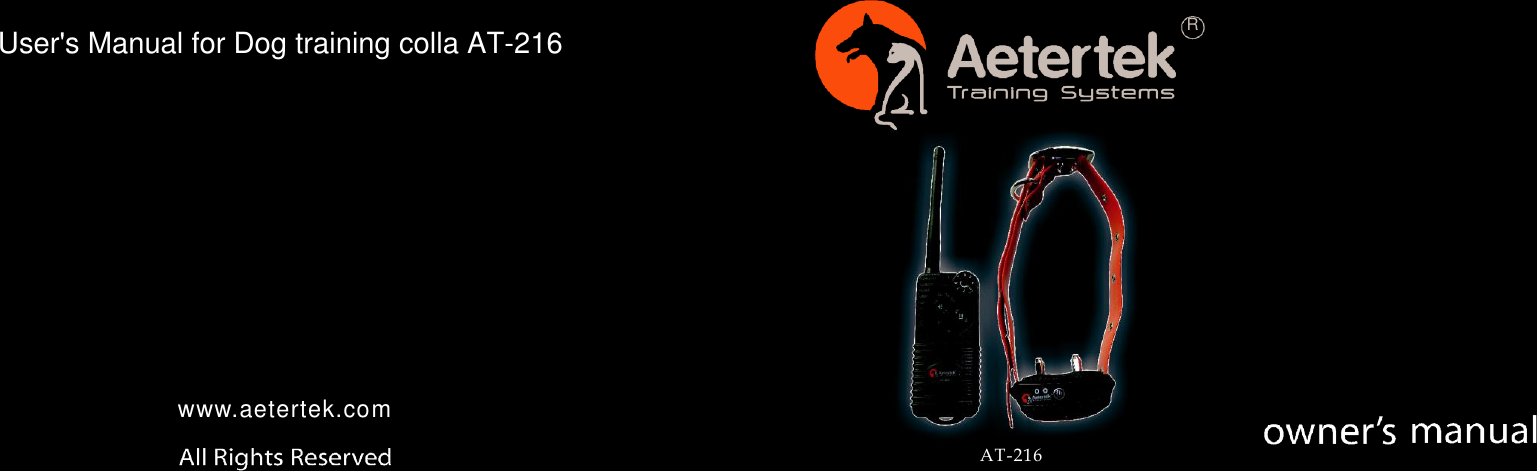
                 R                  www.aetertek.com  AT-216 User's Manual for Dog training colla AT-216
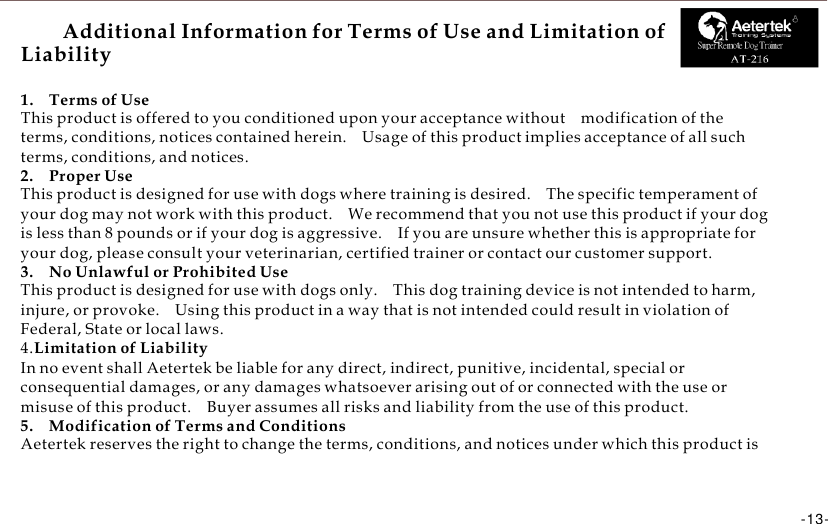
     Additional Information for Terms of Use and Limitation of Liability 1.    Terms of Use This product is offered to you conditioned upon your acceptance without    modification of the terms, conditions, notices contained herein.    Usage of this product implies acceptance of all such terms, conditions, and notices. 2.    Proper Use This product is designed for use with dogs where training is desired.    The specific temperament of your dog may not work with this product.    We recommend that you not use this product if your dog is less than 8 pounds or if your dog is aggressive.    If you are unsure whether this is appropriate for your dog, please consult your veterinarian, certified trainer or contact our customer support. 3.    No Unlawful or Prohibited Use This product is designed for use with dogs only.    This dog training device is not intended to harm, injure, or provoke.    Using this product in a way that is not intended could result in violation of Federal, State or local laws. 4.Limitation of Liability In no event shall Aetertek be liable for any direct, indirect, punitive, incidental, special or consequential damages, or any damages whatsoever arising out of or connected with the use or misuse of this product.    Buyer assumes all risks and liability from the use of this product. 5.    Modification of Terms and Conditions Aetertek reserves the right to change the terms, conditions, and notices under which this product is offered. For parts and warranty, contact with authorized dealer shown in warranty card
         Hardware      Included------------------------------------------------------------------------02  Quick  Start   --------------------------------------------------------------------------------03-04  Training   Tips   ------------------------------------------------------------------------------05-06  S a f e t y      - - - - - - - - - - - - - - - - - - - - - - - - - - - - - - - - - - - - - - - - - - - - - - - - - - - - - - - - - - - - - - - - - - - - - - - - - - - - - - - - - - - - - - 0 7  Common   Problems   &   Fixes-------------------------------------------------------------08-09  Safety      Guidance---------------------------------------------------------------------------10  Warranty , Terms & Conditions , compliance------------------------------------------11-12  Additional Information for Terms of Use and Limitation of Liability------------------13       -01-
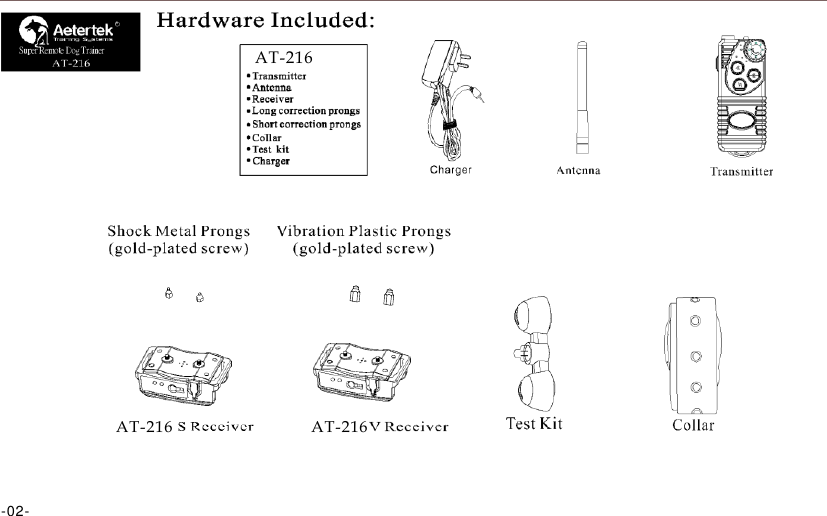
                        R  Super Remote Dog Trainer      AT-216               AT-216             AT-216    -02-
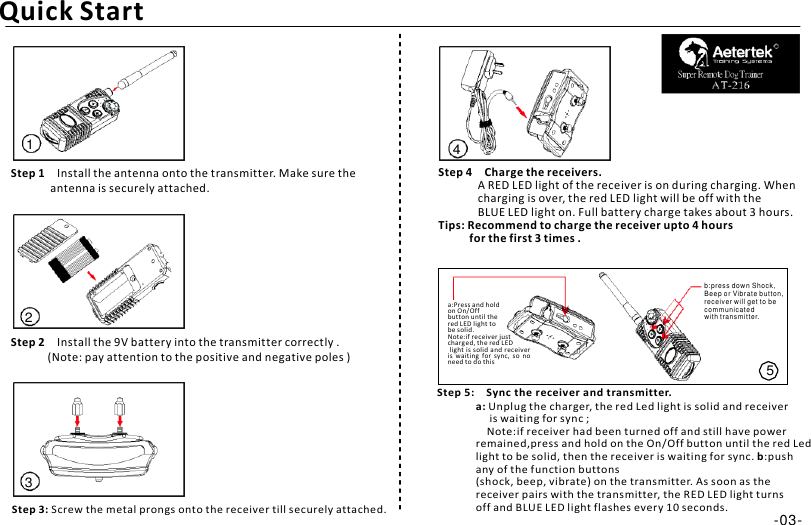
              Quick Start  R  Super Remote Dog Trainer    1  Step 1    Install the antenna onto the transmitter. Make sure the antenna is securely attached. 4 Step 4    Charge the receivers. A RED LED light of the receiver is on during charging. When charging is over, the red LED light will be off with the BLUE LED light on. Full battery charge takes about 3 hours. Tips: Recommend to charge the receiver upto 4 hours for the first 3 times .    2 Step 2    Install the 9V battery into the transmitter correctly . (Note: pay attention to the positive and negative poles )  a:Press and hold on On/Off button until the red LED light to be solid. Note:if receiver just charg ed, the red LED light is  solid  and receiver is  waiting  for  sync,  so  no need to do this  Step 5:   Sync the receiver and transmitter. b:press down Shock, Beep or Vibr ate butt on, receiver will get to be communicate d with transm itter.   5     3  Step 3: Screw the metal prongs onto the receiver till securely attached. a: Unplug the charger, the red Led light is solid and receiver is waiting for sync ; Note:if receiver had been turned off and still have power remained,press and hold on the On/Off button until the red Led light to be solid, then the receiver is waiting for sync. b:push any of the function buttons (shock, beep, vibrate) on the transmitter. As soon as the receiver pairs with the transmitter, the RED LED light turns off and BLUE LED light flashes every 10 seconds. -03-
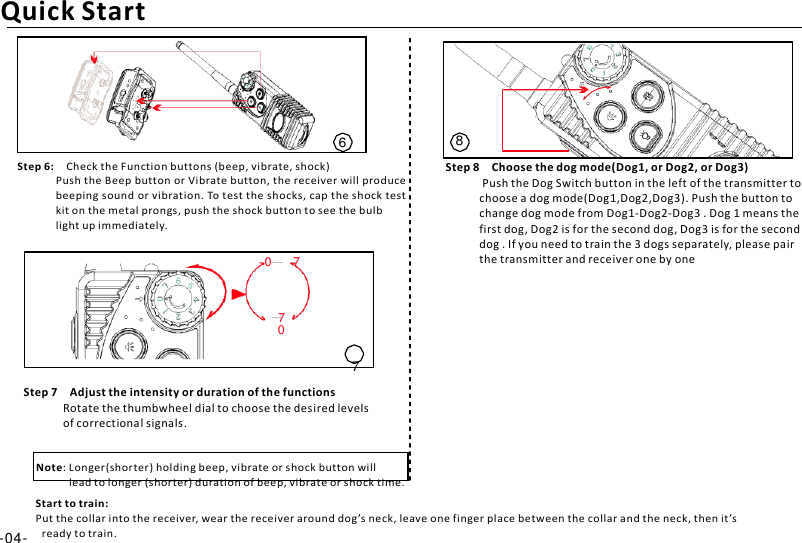
        Quick Start      6 Step 6:   Check the Function buttons (beep, vibrate, shock) Push the Beep button or Vibrate button, the receiver will produce beeping sound or vibration. To test the shocks, cap the shock test kit on the metal prongs, push the shock button to see the bulb light up immediately.  0     7 8  Step 8    Choose the dog mode(Dog1, or Dog2, or Dog3) Push the Dog Switch button in the left of the transmitter to choose a dog mode(Dog1,Dog2,Dog3). Push the button to change dog mode from Dog1-Dog2-Dog3 . Dog 1 means the first dog, Dog2 is for the second dog, Dog3 is for the second dog . If you need to train the 3 dogs separately, please pair the transmitter and receiver one by one   7    0  7 Step 7    Adjust the intensity or duration of the functions Rotate the thumbwheel dial to choose the desired levels of correctional signals.   Note: Longer(shorter) holding beep, vibrate or shock button will lead to longer (shorter) duration of beep, vibrate or shock time. Start to train: Put the collar into the receiver, wear the receiver around dog ’s neck, leave one finger place between the collar and the neck, then it ’s -04-   ready to train.
                              Super Remote Dog Trainer R                         -05-
                                  R  Super Remote Dog Trainer         Aetertek             -06-
                               AT-216 R  Super Remote Dog Trainer                      -07-
                          R  Super Remote Dog Trainer   No beep, vibration or shock                    -08-
                      R  Super Remote Dog Trainer                       -09-
                                  R  Super Remote Dog Trainer              Aetertek AT-216         -10-
                      R  Super Remote Dog Trainer                  Aetertek   -11-
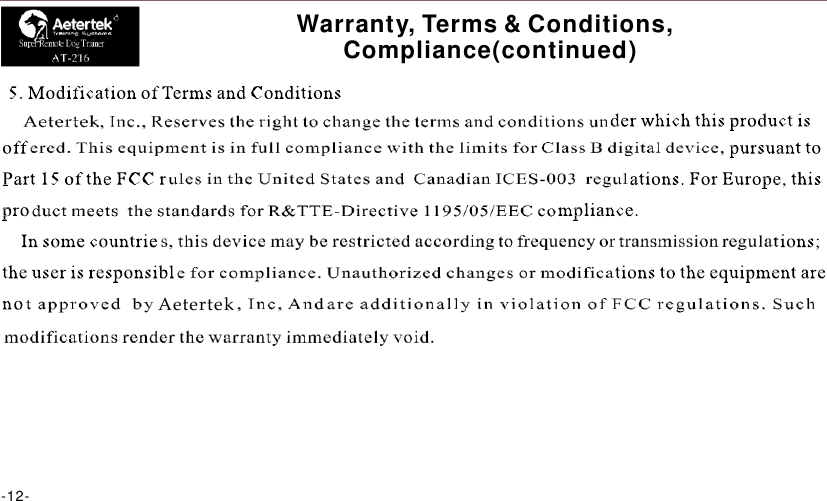
                      R  Super Remote Dog Trainer                      -12- Warranty, Terms & Conditions, Compliance(continued)            Aetertek
     Additional Information for Terms of Use and Limitation of Liability R  Super Remote Dog Trainer  1.    Terms of Use This product is offered to you conditioned upon your acceptance without    modification of the terms, conditions, notices contained herein.    Usage of this product implies acceptance of all such terms, conditions, and notices. 2.    Proper Use This product is designed for use with dogs where training is desired.    The specific temperament of your dog may not work with this product.    We recommend that you not use this product if your dog is less than 8 pounds or if your dog is aggressive.    If you are unsure whether this is appropriate for your dog, please consult your veterinarian, certified trainer or contact our customer support. 3.    No Unlawful or Prohibited Use This product is designed for use with dogs only.    This dog training device is not intended to harm, injure, or provoke.    Using this product in a way that is not intended could result in violation of Federal, State or local laws. 4.Limitation of Liability In no event shall Aetertek be liable for any direct, indirect, punitive, incidental, special or consequential damages, or any damages whatsoever arising out of or connected with the use or misuse of this product.    Buyer assumes all risks and liability from the use of this product. 5.    Modification of Terms and Conditions Aetertek reserves the right to change the terms, conditions, and notices under which this product is    -13-
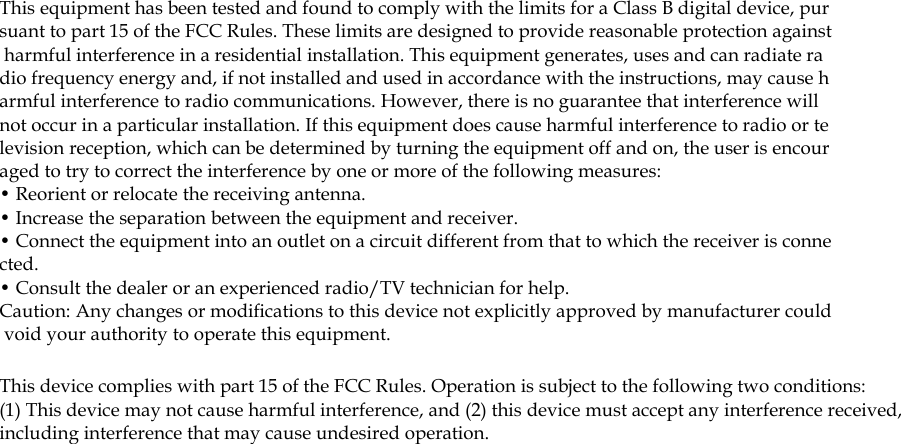
This equipment has been tested and found to comply with the limits for a Class B digital device, pursuant to part 15 of the FCC Rules. These limits are designed to provide reasonable protection against harmful interference in a residential installation. This equipment generates, uses and can radiate radio frequency energy and, if not installed and used in accordance with the instructions, may cause harmful interference to radio communications. However, there is no guarantee that interference will not occur in a particular installation. If this equipment does cause harmful interference to radio or television reception, which can be determined by turning the equipment off and on, the user is encouraged to try to correct the interference by one or more of the following measures: • Reorient or relocate the receiving antenna. • Increase the separation between the equipment and receiver. • Connect the equipment into an outlet on a circuit different from that to which the receiver is connected. • Consult the dealer or an experienced radio/TV technician for help. Caution: Any changes or modifications to this device not explicitly approved by manufacturer could void your authority to operate this equipment. This device complies with part 15 of the FCC Rules. Operation is subject to the following two conditions: (1) This device may not cause harmful interference, and (2) this device must accept any interference received, including interference that may cause undesired operation.

Navigation menu