Amgoo Telecom AM102 Mobile Phone User Manual

Amgoo Telecom Co., Ltd. Mobile Phone

User manual

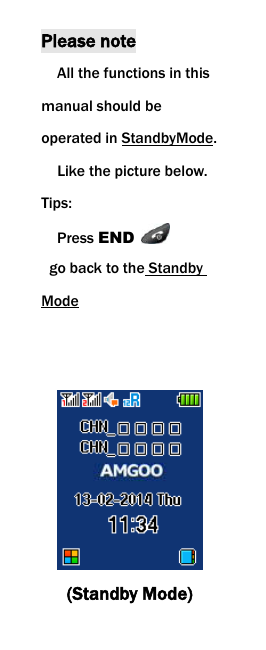
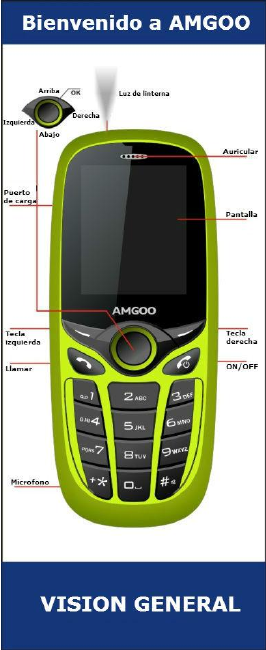
 Please note   All the functions in this manual should be operated in StandbyMode.   Like the picture below. Tips:   Press END    go back to the Standby Mode    (Standby Mode)
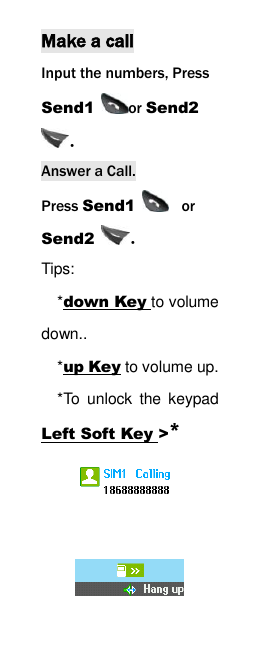
 Make a call Input the numbers, Press Send1  or Send2 . Answer a Call. Press Send1   or Send2  . Tips:   *down Key to volume down..   *up Key to volume up. *To  unlock  the  keypad Left Soft Key >*
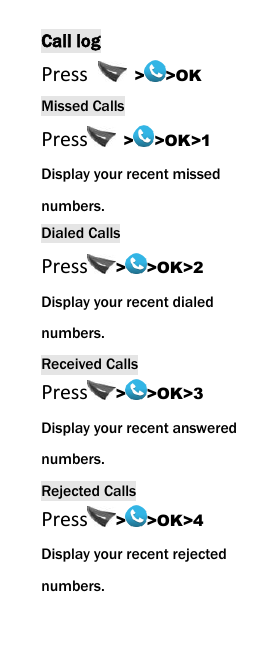
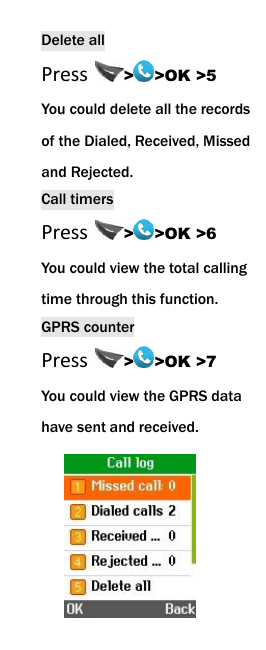
 Call log Press    > >OK Missed Calls Press   > >OK>1 Display your recent missed numbers. Dialed Calls Press > >OK>2 Display your recent dialed numbers. Received Calls Press > >OK>3 Display your recent answered numbers. Rejected Calls Press > >OK>4 Display your recent rejected numbers.
 Delete all Press  > >OK >5 You could delete all the records of the Dialed, Received, Missed and Rejected. Call timers Press  > >OK >6 You could view the total calling time through this function. GPRS counter Press  > >OK >7 You could view the GPRS data have sent and received.
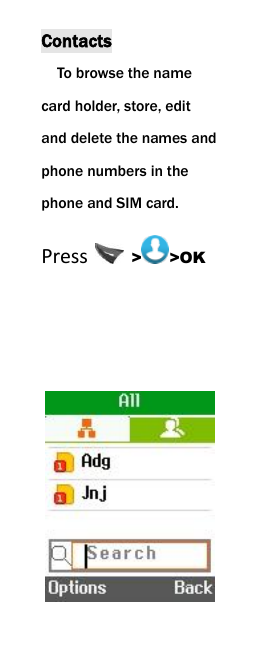
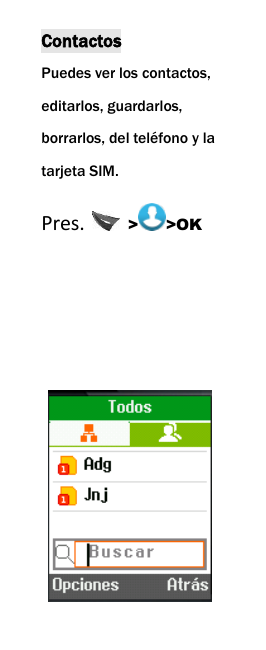
 Contacts To browse the name card holder, store, edit and delete the names and phone numbers in the phone and SIM card.   Press    > >OK
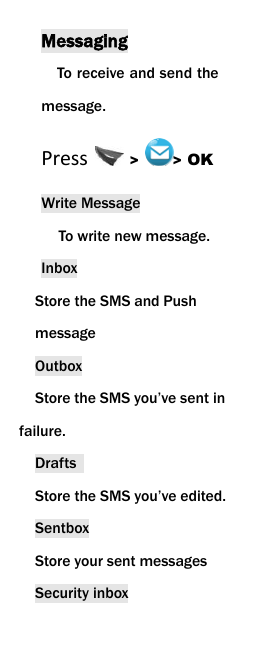
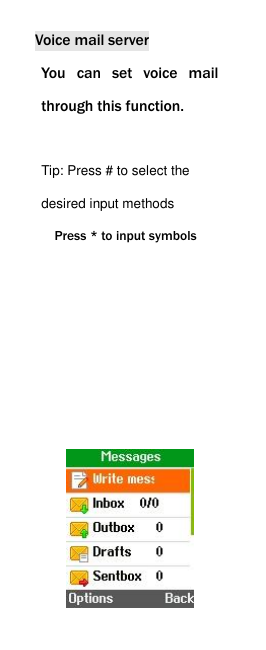
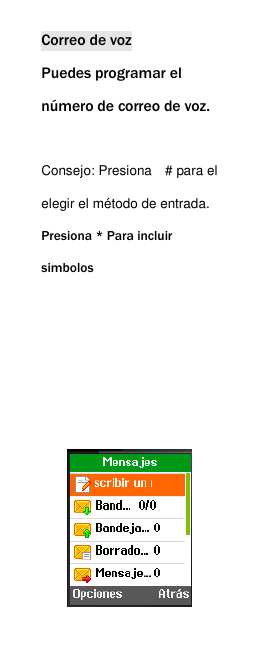
 Messaging To receive and send the message. Press  >  > OK Write Message To write new message.   Inbox Store the SMS and Push message   Outbox   Store the SMS you’ve sent in failure. Drafts   Store the SMS you’ve edited. Sentbox Store your sent messages Security inbox
 You  can  move  messages  into security  inbox  to  protect  your privacy. Templates You  can  create  pre-defined messages in this interface. Broadcast Message This network service enables you to receive a variety of text messages, such as broadcast messages about weather forecast or road conditions. At present, few networks provide this service. Please consult the network operator.
 Voice mail server You  can  set  voice  mail through this function.  Tip: Press # to select the desired input methods Press * to input symbols
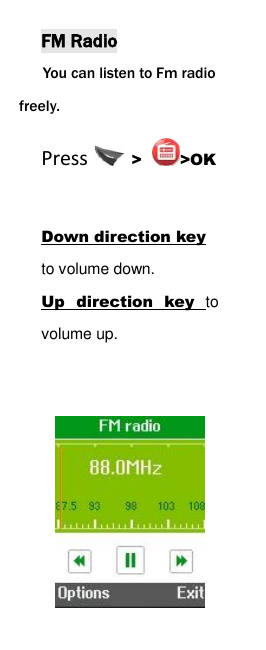
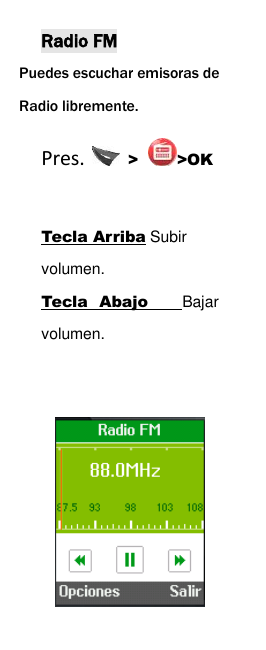
 FM Radio You can listen to Fm radio freely. Press    > >OK  Down direction key to volume down.   Up  direction  key  to volume up.
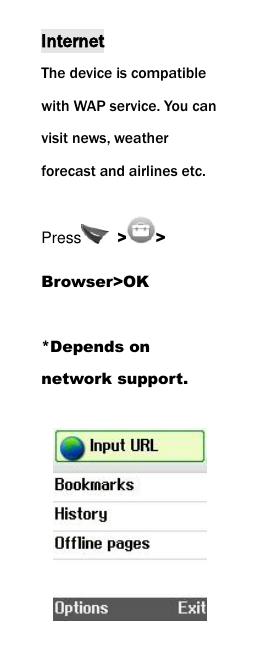
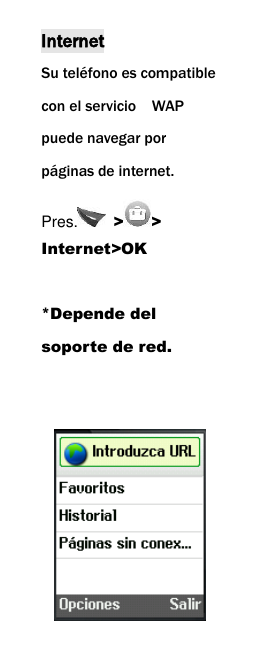
 Internet The device is compatible with WAP service. You can visit news, weather forecast and airlines etc. Press   > > Browser>OK  *Depends on network support.
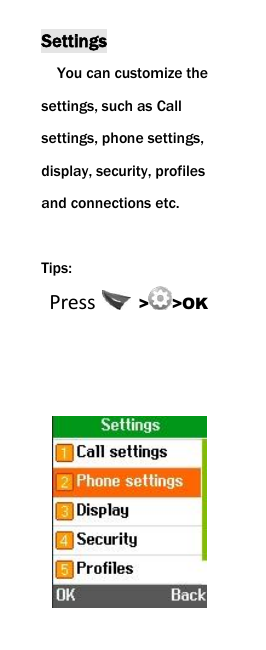
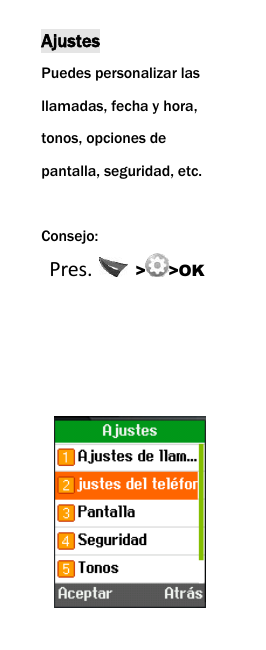
 Settings You can customize the settings, such as Call settings, phone settings, display, security, profiles and connections etc.  Tips:  Press   > >OK
     Thank You!
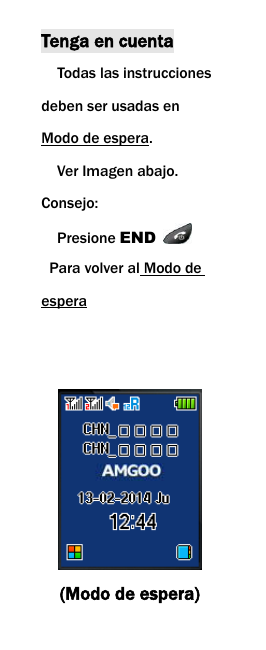
 Tenga en cuenta   Todas las instrucciones deben ser usadas en Modo de espera.   Ver Imagen abajo. Consejo:   Presione END    Para volver al Modo de espera    (Modo de espera)
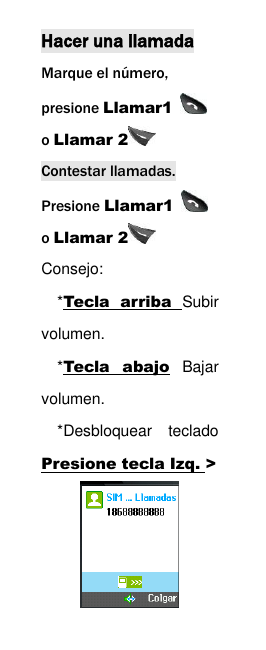
 Hacer una llamada Marque el número, presione Llamar1   o Llamar 2  Contestar llamadas. Presione Llamar1   o Llamar 2  Consejo:   *Tecla  arriba  Subir volumen.   *Tecla  abajo  Bajar volumen. *Desbloquear  teclado Presione tecla Izq. >
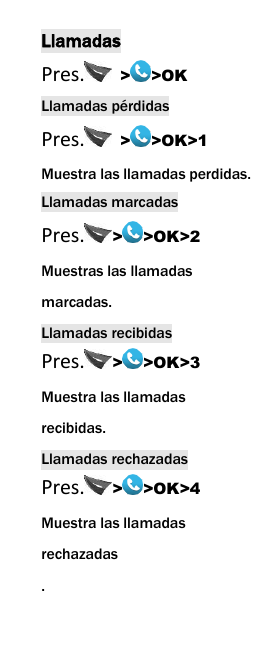
 Llamadas Pres.   > >OK Llamadas pérdidas Pres.   > >OK>1 Muestra las llamadas perdidas. Llamadas marcadas Pres. > >OK>2 Muestras las llamadas marcadas. Llamadas recibidas Pres. > >OK>3 Muestra las llamadas recibidas. Llamadas rechazadas Pres. > >OK>4 Muestra las llamadas rechazadas .
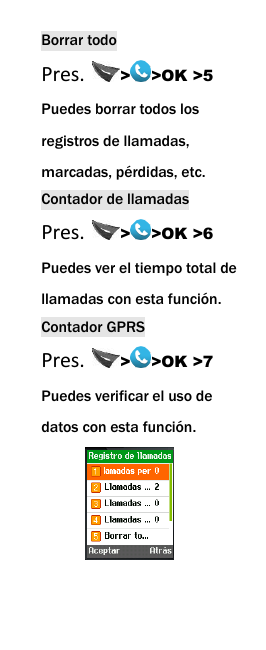
 Borrar todo Pres.  > >OK >5 Puedes borrar todos los   registros de llamadas, marcadas, pérdidas, etc. Contador de llamadas Pres.  > >OK >6 Puedes ver el tiempo total de llamadas con esta función. Contador GPRS Pres.  > >OK >7 Puedes verificar el uso de datos con esta función.
 Contactos Puedes ver los contactos, editarlos, guardarlos, borrarlos, del teléfono y la tarjeta SIM.   Pres.    > >OK
 Mensajes Para recibir y enviar mensajes. Pres.  >  > OK Escribir mensaje Escribir un mensaje nuevo.   Carpeta de entrada Guarda todos los mensajes       entrantes. Carpeta de salida   Guarda los mensajes enviados. Borradores   Guardas los mensajes editados.
 Plantillas Puedes crear y guardar tus propias plantillas de texto. Mensaje de difusion Este servicio de red le permite recibir una variedad de mensajes de texto, tales como mensajes de información sobre el pronóstico del tiempo o las condiciones de la carretera. En la actualidad, pocas redes ofrecen este servicio. Por favor, consulte a su operador de red.
 Correo de voz Puedes programar el número de correo de voz.  Consejo: Presiona    # para el elegir el método de entrada. Presiona * Para incluir           simbolos
 Radio FM Puedes escuchar emisoras de               Radio libremente. Pres.    > >OK  Tecla Arriba Subir volumen.   Tecla  Abajo    Bajar volumen.
 Internet Su teléfono es compatible con el servicio    WAP puede navegar por páginas de internet. Pres.   > > Internet>OK  *Depende del soporte de red.
 Ajustes Puedes personalizar las llamadas, fecha y hora, tonos, opciones de pantalla, seguridad, etc.  Consejo:  Pres.   > >OK
  FCC Statement 1. This device complies with Part 15 of the FCC Rules. Operation is subject to the following two conditions: (1) This device may not cause harmful interference. (2) This device must accept any interference received, including interference that may cause undesired operation. 2.Changesor modifications not
 expressly approved by the party responsible for compliance could void the user's authority to operate the equipment. NOTE:   This equipment has been tested and found to comply with the limits for a Class B digital device, pursuant to Part 15 of the FCC Rules. These limits are designed to provide reasonable protection against harmful interference in a residential installation. Thisequipment  generates
 uses  and  can  radiate radio  frequency  energy and,  if  not  installed  and used  in  accordance  with the  instructions,  may cause  harmful interference  to  radio communications. However,  there  is  no guarantee  that interference will not occur in a particular installation. If  this  equipment  does cause  harmful interference  to  radio  or television reception, which can  be  determined  by turning  the  equipment
 off  and  on,  the  user  is encouraged  to  try  to correct the interference by one  or  more  of  the following measures: Reorient  or  relocate  the receiving antenna. Increase  the  separation between  the  equipment and receiver. Connect  the  equipment into an  outlet  on a  circuit different  from  that  to which SAR Information Statement Your wireless phone is a radio transmitter and
 receiver. It is designed and manufactured not to exceed the emission limits for exposure to radiofrequency (RF) energy set by the Federal Communications Commission of the U.S. Government. These limits are part of comprehensive guidelines and establish permitted levels of RF energy for the general population. The guidelines are based on standards that were developed by independent scientific organizations through
 periodic and thorough evaluation of scientific studies. The standards include a substantial safety margin designed to assure the safety of all persons, regardless of age and health. The exposure standard for wireless mobile phones employs a unit of measurement known as the Specific Absorption Rate, or SAR. The SAR limit set by the FCC is 1.6 W/kg. * Tests for SAR are conducted with the phone transmitting at its highest
 certified power level in all tested frequency bands. Although the SAR is determined at the highest certified power level, the actual SAR level of the phone while operating can be well below the maximum value. This is because the phone is designed to operate at multiple power levels so as to use only the power required to reach the network. In general, the closer you are to a wireless base station antenna, the lower the
 power output. Before a phone model is available for sale to the public, it must be tested and certified to the FCC that it does not exceed the limit established by the government adopted requirement for safe exposure. The tests are performed in positions and locations (e.g., at the ear and worn on the body) as required by the FCC for each model. The highest SAR value for this model phone when tested for use at the ear
 is0.011W/Kg and when worn on the body, as described in this user guide, is 0.012W/Kg(Body-worn measurements differ among phone models, depending upon available accessories and FCC requirements)..While there may be differences between the SAR levels of various phones and at various positions, they all meet the government requirement for safe exposure. The FCC has granted an Equipment
 Authorization for this model phone with all reported SAR levels evaluated as in compliance with the FCC RFexposure guidelines. SAR information on this model phone is on file with the FCC and can be found under the Display Grant section of http://www.fcc.gov/ oet/fccid after searching on   FCC ID: UOS-AM102 Additional information on Specific Absorption Rates (SAR) can be found on the Cellular
 Telecommunications Industry Asso-ciation (CTIA) web-site at http://www.wow-com.com. * In the United States and Canada, the SAR limit for mobile phones used by the public is 1.6 watts/kg (W/kg) averaged over one gram of tissue. The standard incorporates a sub-stantial margin of safety to give additional protection for the public and to account for any variations in measurements.  Body-worn Operation This device was tested for typical body-worn operations. To comply with RF exposure requirements, a minimum separation distance of
 15mm must be maintained between the user’s body and the handset, including the antenna. Third-party belt-clips, holsters, and similar accessories used by this device should not contain any metallic components. Body-worn accessories that do not meet these requirements may not comply with RF exposure requirements and should be avoided. Use only the supplied or an approved antenna.

Navigation menu