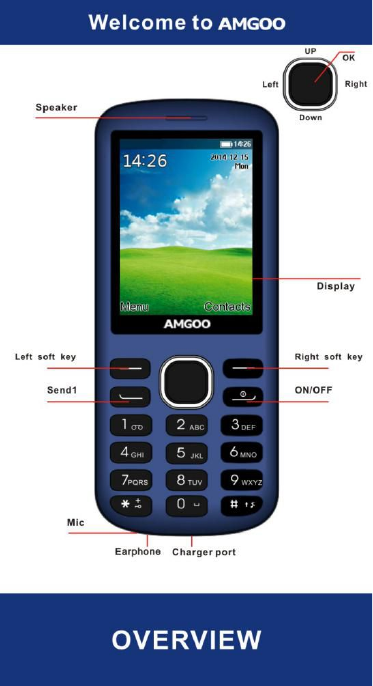
Amgoo Telecom AM242 Feature Phone User Manual cg04

Amgoo Telecom Co., Ltd. Feature Phone cg04

Users Manual

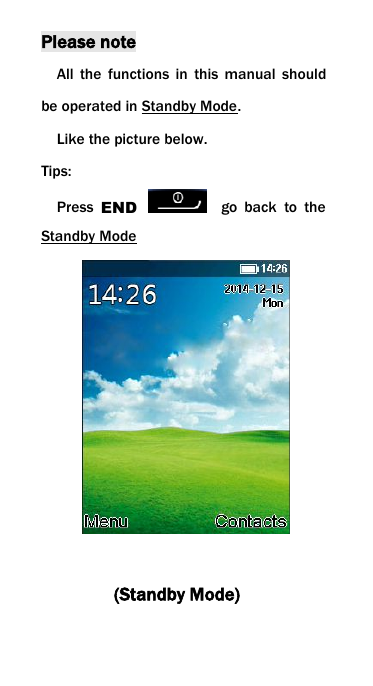
Please noteAll the functions in this manual shouldbe operated in Standby Mode.Like the picture below.Tips:Press END go back to theStandby Mode(Standby Mode)
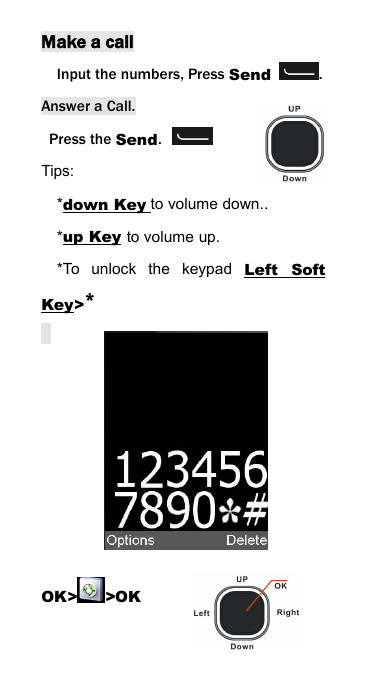
Make a callInput the numbers, Press Send .Answer a Call.Press the Send.Tips:*down Key to volume down..*up Key to volume up.*To unlock the keypad Left SoftKey>*OK> >OK
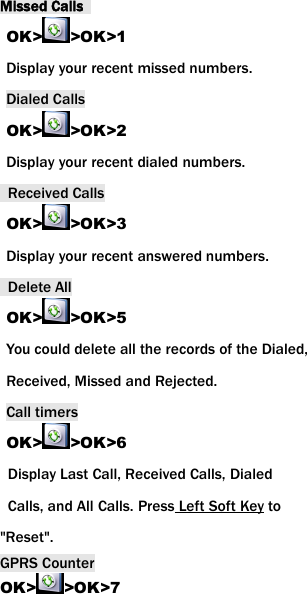
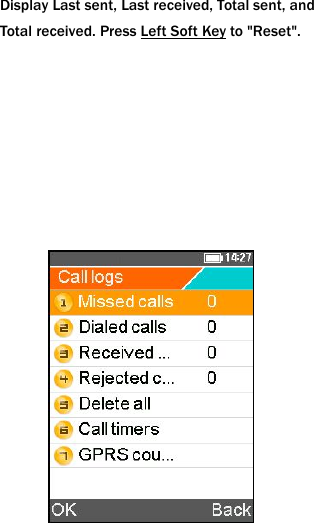
Missed CallsOK> >OK>1Display your recent missed numbers.Dialed CallsOK> >OK>2Display your recent dialed numbers.Received CallsOK> >OK>3Display your recent answered numbers.Delete AllOK> >OK>5You could delete all the records of the Dialed,Received, Missed and Rejected.Call timersOK> >OK>6Display Last Call, Received Calls, DialedCalls, and All Calls. Press Left Soft Key to"Reset".GPRS CounterOK> >OK>7
Display Last sent, Last received, Total sent, andTotal received. Press Left Soft Key to "Reset".
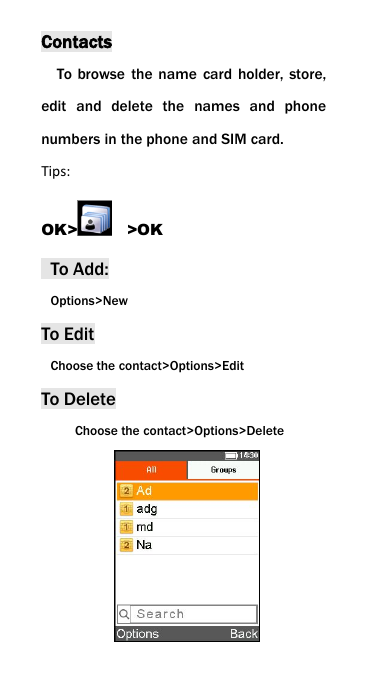
ContactsTo browse the name card holder, store,edit and delete the names and phonenumbers in the phone and SIM card.Tips:OK> >OKTo Add:Options>NewTo EditChoose the contact>Options>EditTo DeleteChoose the contact>Options>Delete
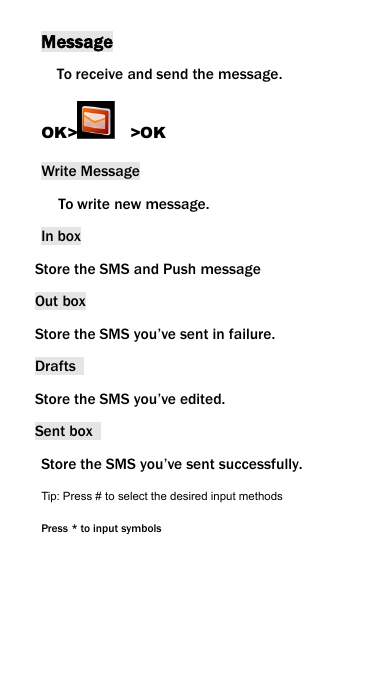
MessageTo receive and send the message.OK> >OKWrite MessageTo write new message.In boxStore the SMS and Push messageOut boxStore the SMS you’ve sent in failure.DraftsStore the SMS you’ve edited.Sent boxStore the SMS you’ve sent successfully.Tip: Press # to select the desired input methodsPress * to input symbols
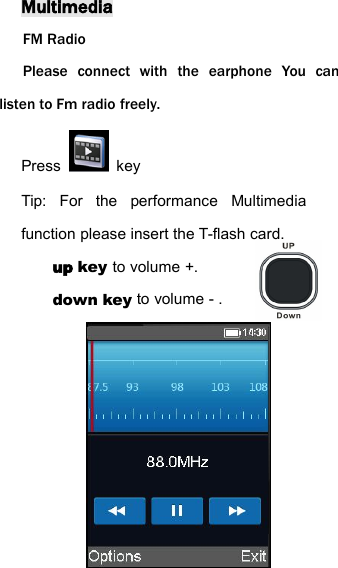
MultimediaFM RadioPlease connect with the earphone You canlisten to Fm radio freely.Press keyTip: For the performance Multimediafunction please insert the T-flash card.up key to volume +.down key to volume - .
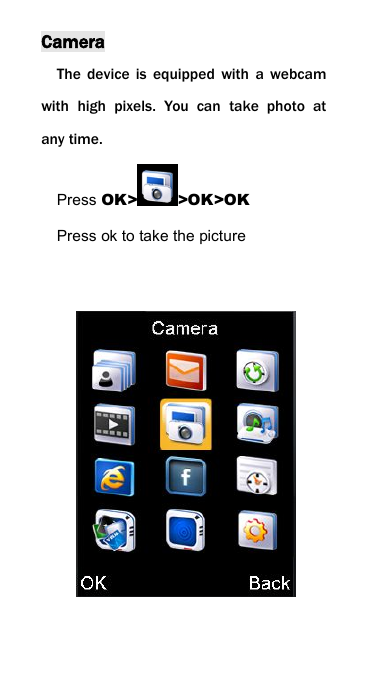
CameraThe device is equipped with a webcamwith high pixels. You can take photo atany time.Press OK> >OK>OKPress ok to take the picture
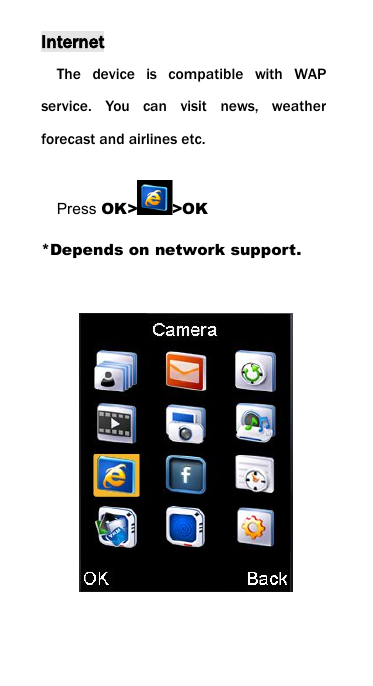
InternetThe device is compatible with WAPservice. You can visit news, weatherforecast and airlines etc.Press OK> >OK*Depends on network support.
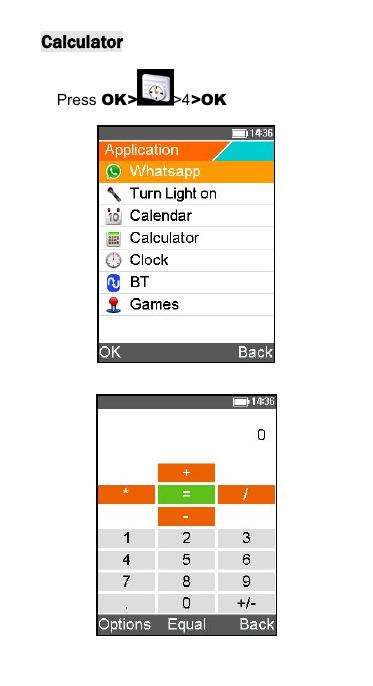
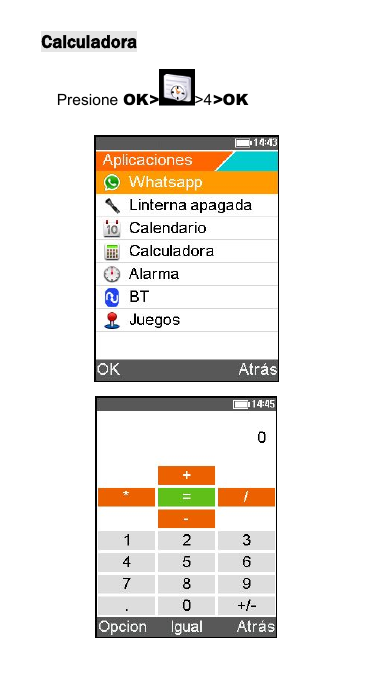
CalculatorPress OK> >4>OK
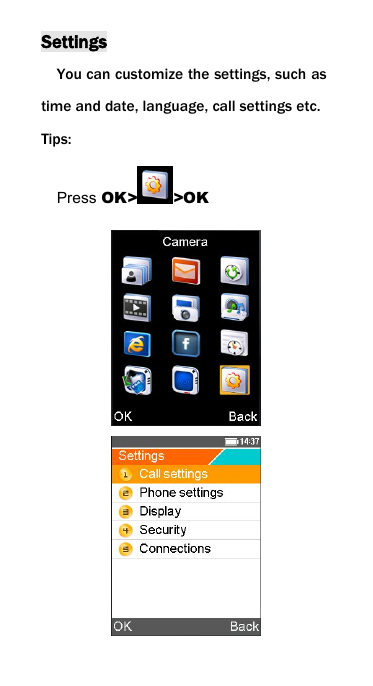
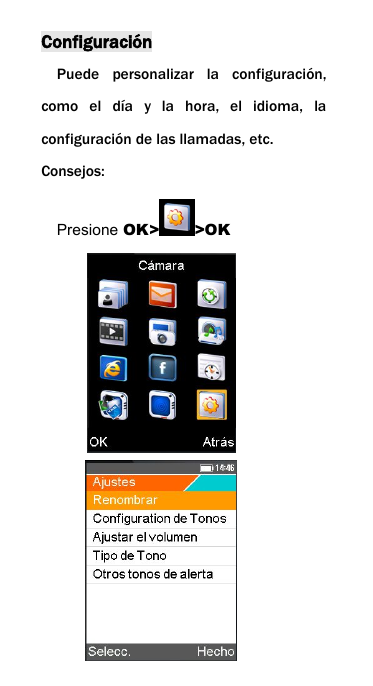
SettingsYou can customize the settings, such astime and date, language, call settings etc.Tips:Press OK> >OK
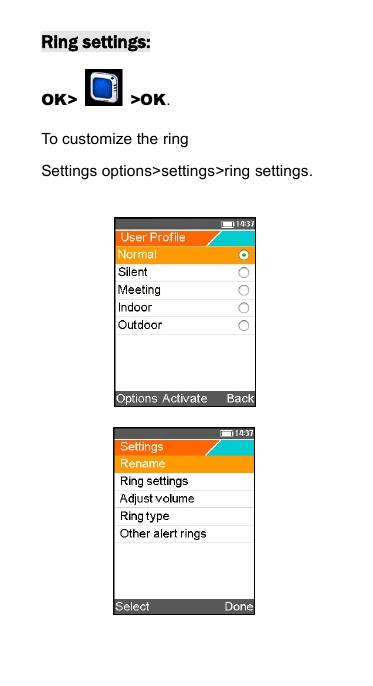
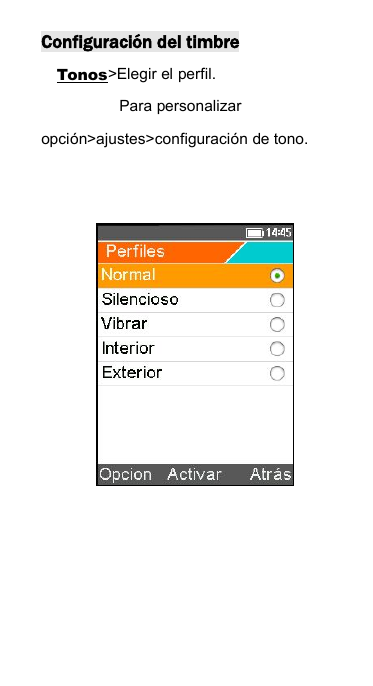
Ring settings:OK> >OK.To customize the ringSettings options>settings>ring settings.
Thank you!
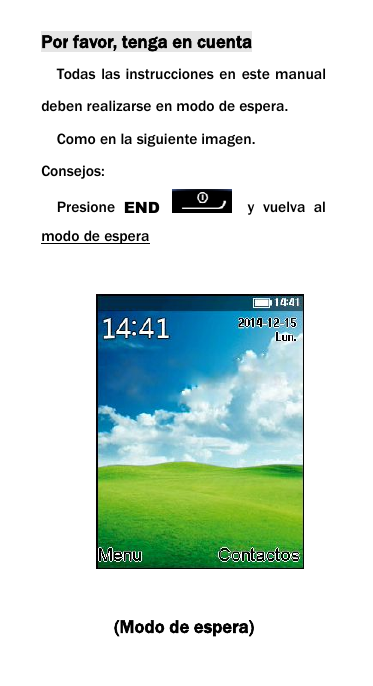
Por favor, tenga en cuentaTodas las instrucciones en este manualdeben realizarse en modo de espera.Como en la siguiente imagen.Consejos:Presione END y vuelva almodo de espera(Modo de espera)
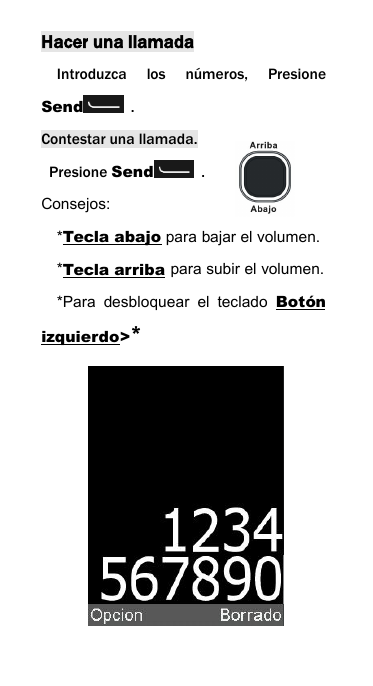
Hacer una llamadaIntroduzca los números, PresioneSend .Contestar una llamada.Presione Send .Consejos:*Tecla abajo para bajar el volumen.*Tecla arriba para subir el volumen.*Para desbloquear el teclado Botónizquierdo>*
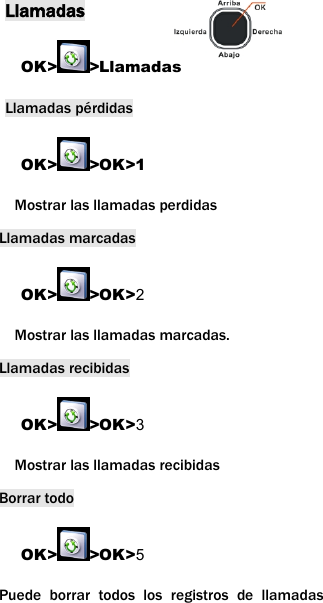
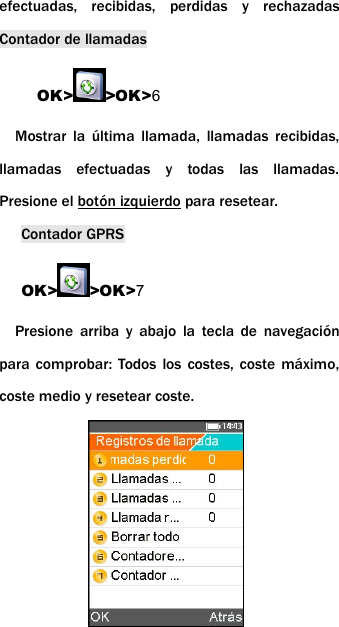
LlamadasOK> >LlamadasLlamadas pérdidasOK> >OK>1Mostrar las llamadas perdidasLlamadas marcadasOK> >OK>2Mostrar las llamadas marcadas.Llamadas recibidasOK> >OK>3Mostrar las llamadas recibidasBorrar todoOK> >OK>5Puede borrar todos los registros de llamadas
efectuadas, recibidas, perdidas y rechazadasContador de llamadasOK> >OK>6Mostrar la última llamada, llamadas recibidas,llamadas efectuadas y todas las llamadas.Presione el botón izquierdo para resetear.Contador GPRSOK> >OK>7Presione arriba y abajo la tecla de navegaciónpara comprobar: Todos los costes, coste máximo,coste medio y resetear coste.
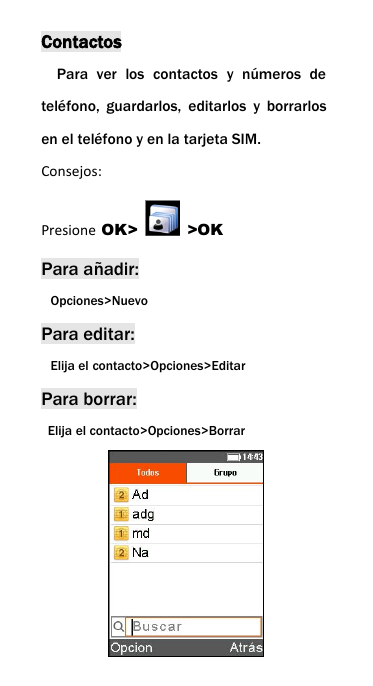
ContactosPara ver los contactos y números deteléfono, guardarlos, editarlos y borrarlosen el teléfono y en la tarjeta SIM.Consejos:Presione OK> >OKPara añadir:Opciones>NuevoPara editar:Elija el contacto>Opciones>EditarPara borrar:Elija el contacto>Opciones>Borrar
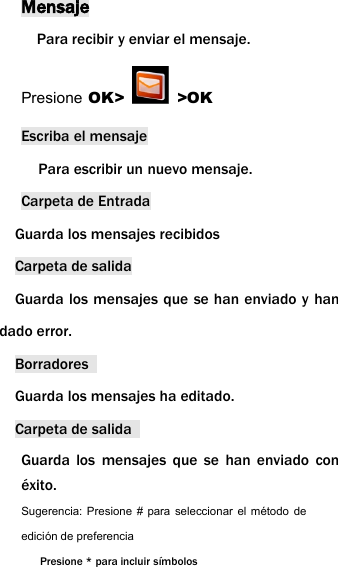
MensajePara recibir y enviar el mensaje.Presione OK> >OKEscriba el mensajePara escribir un nuevo mensaje.Carpeta de EntradaGuarda los mensajes recibidosCarpeta de salidaGuarda los mensajes que se han enviado y handado error.BorradoresGuarda los mensajes ha editado.Carpeta de salidaGuarda los mensajes que se han enviado conéxito.Sugerencia: Presione # para seleccionar el método deedición de preferenciaPresione * para incluir símbolos
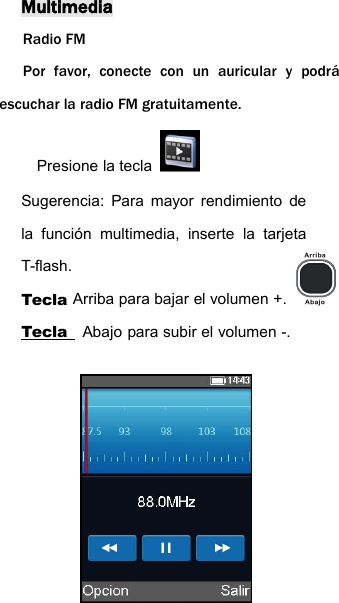
MultimediaRadio FMPor favor, conecte con un auricular y podráescuchar la radio FM gratuitamente.Presione la teclaSugerencia: Para mayor rendimiento dela función multimedia, inserte la tarjetaT-flash.Tecla Arriba para bajar el volumen +.Tecla Abajo para subir el volumen -.
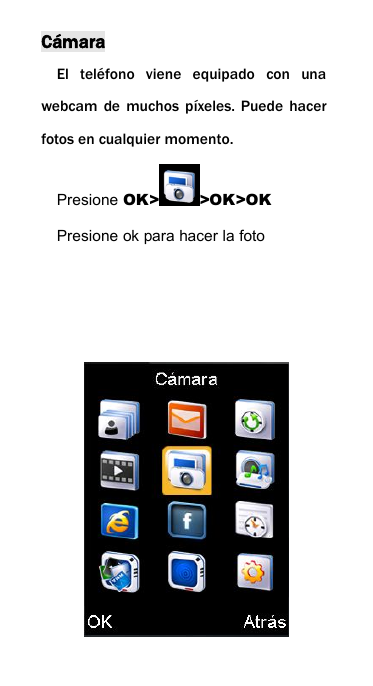
CámaraEl teléfono viene equipado con unawebcam de muchos píxeles. Puede hacerfotos en cualquier momento.Presione OK> >OK>OKPresione ok para hacer la foto
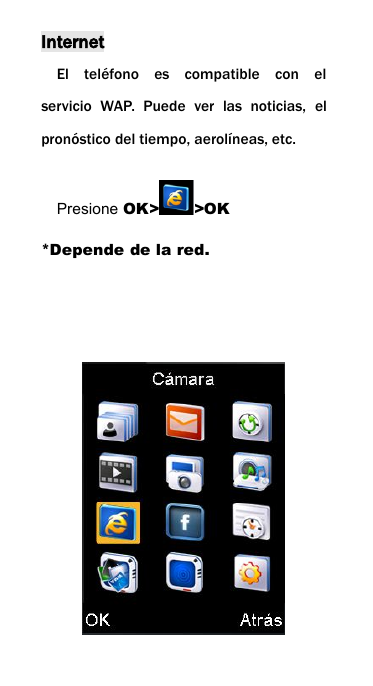
InternetEl teléfono es compatible con elservicio WAP. Puede ver las noticias, elpronóstico del tiempo, aerolíneas, etc.Presione OK> >OK*Depende de la red.
CalculadoraPresione OK> >4>OK
ConfiguraciónPuede personalizar la configuración,como el día y la hora, el idioma, laconfiguración de las llamadas, etc.Consejos:Presione OK> >OK
Configuración del timbreTonos>Elegir el perfil.Para personalizaropción>ajustes>configuración de tono.
¡Gracias!
Warning:Any Changes or modifications not expressly approved by the party responsible for compliance could void the user's    authority to operate the equipment. This device complies with part 15 of the FCC Rules. Operation is subject to the following two conditions: (1) This device may not cause harmful interference, and (2) this device must accept any interference received, including    interference that may cause undesired operation. Note: This equipment has been tested and found to comply with the limits for a Class B digital device, pursuant to  part 15 of the FCC Rules. These limits are designed to provide reasonable protection against harmful interference in  a residential installation. This equipment generates, uses and can radiate radio frequency energy and, if not installed    and used in accordance with the instructions, may cause harmful interference to radio communications. However,  there is no guarantee that interference will not occur in a particular installation. If this equipment does cause harmful    interference to radio or television reception, which can be determined by turning the equipment off and on, the user is   encouraged to try to correct the interference by one or more of the following measures:     —Reorient or relocate the receiving antenna.     —Increase the separation between the equipment and receiver.     —Connect the equipment into an outlet on a circuit different from that to which the receiver is connected.   —Consult the dealer or an experienced radio/TV technician for help.     SAR tests are conducted using standard operating positions accepted by the FCC with the phone transmitting at its highest certified power level in all tested frequency bands, although the SAR is determined at the highest certified power level, the actual SAR level of the phone while operating can be well below the maximum value, in general, the closer you are to a wireless base station antenna, the lower the power output. Before a new model phone is a available for sale to the public, it must be tested and certified to the FCC that it does not exceed the exposure limit established by the FCC, Tests for each phone are performed in positions and locations (e.g. at the ear and worn on the body)as required by the FCC. For body worn operation, this model phone has been tested and meets the FCC RF exposure guidelines when used with an accessory designated for this product or when used with an accessory that Contains no metal and that positions the haNon-compliance with the above restrictions may result in violation of RF exposure guidelines.ndset a minimum of 1.5CM from the body.

Navigation menu