Amgoo Telecom AM245 Mobile Phone User Manual 1 AM245 okx

Amgoo Telecom Co., Ltd. Mobile Phone 1 AM245 okx

Users Manual

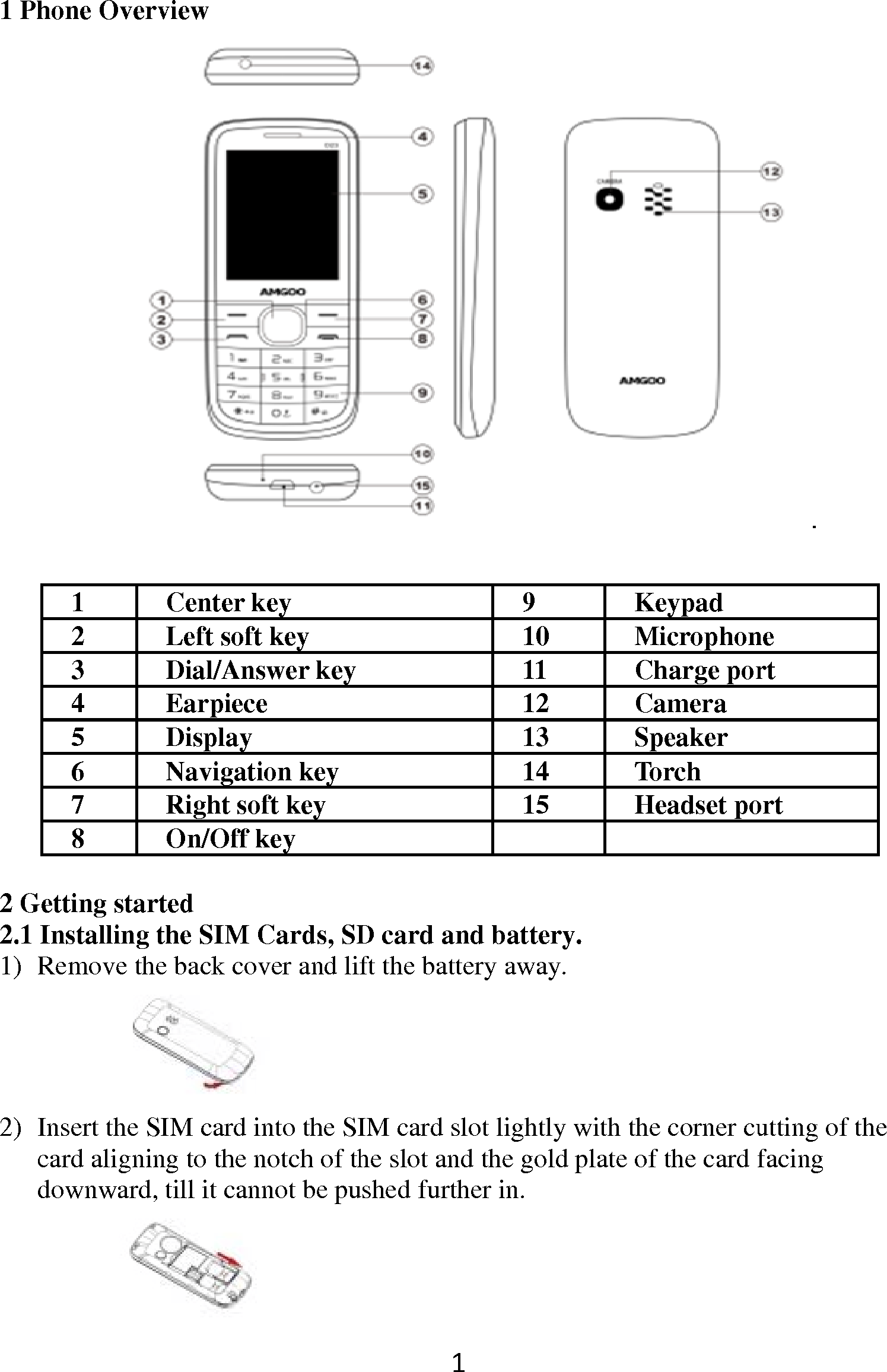
1 Phone Overv1 2 3 4 5 6 7 8  2 Getting start2.1 Installing t1) Remove the2) Insert the Scard alignindownward, view Center key Left soft key Dial/Answer keyEarpiece Display Navigation keyRight soft key On/Off key ted  the SIM Cards, SDe back cover and li IM card into the SIng to the notch of thtill it cannot be pu 19101112131415 D card and batterft the battery awayIM card slot lightlyhe slot and the goldushed further in. Keypad MicrophonCharge porCamera Speaker Torch Headset po ry. y.  y with the corner cud plate of the card f ne rt ort utting of the facing

Navigation menu