Ansen Electronics Co 0642TX RF In/Out Thermo User Manual manual

Ansen Electronics Co RF In/Out Thermo manual

manual

®ROYALOUT  WS10   thermometerOPERATIONALMANUAL
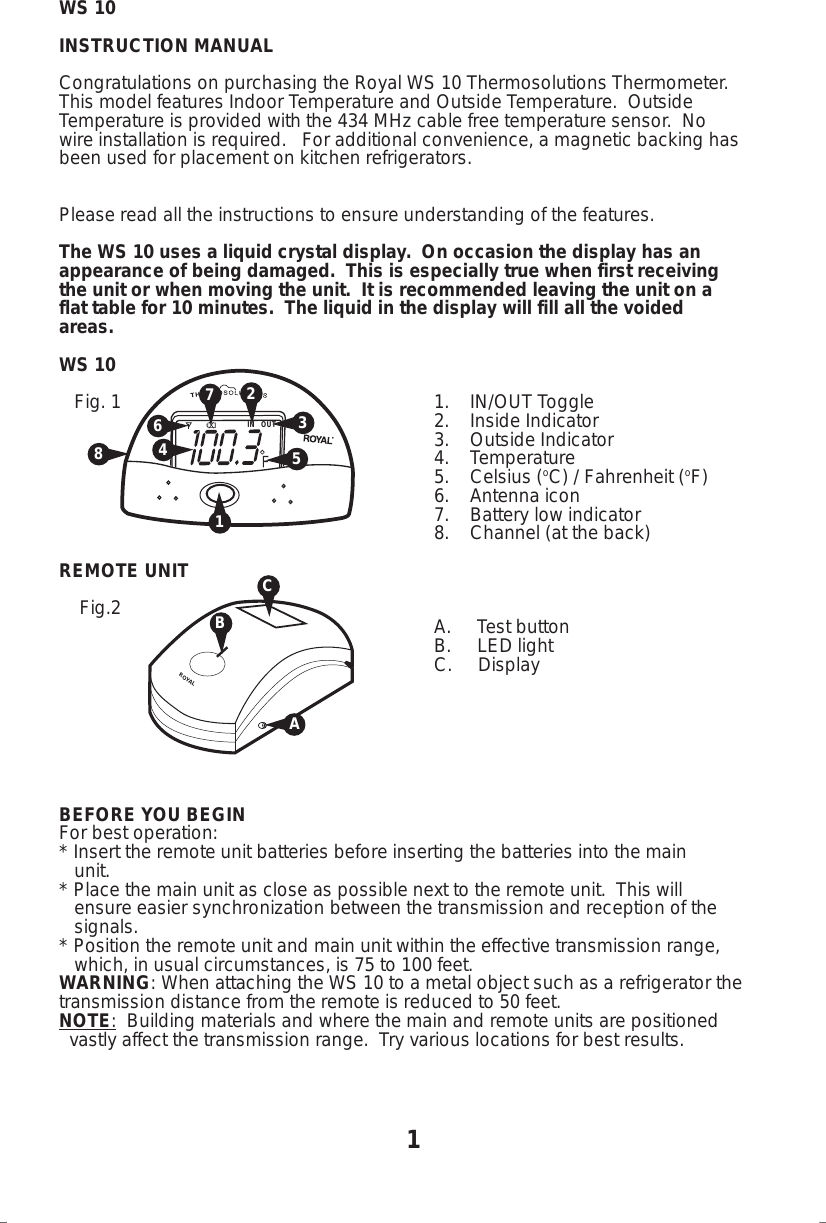
WS 10INSTRUCTION MANUALCongratulations on purchasing the Royal WS 10 Thermosolutions Thermometer.This model features Indoor Temperature and Outside Temperature.  OutsideTemperature is provided with the 434 MHz cable free temperature sensor.  Nowire installation is required.   For additional convenience, a magnetic backing hasbeen used for placement on kitchen refrigerators.Please read all the instructions to ensure understanding of the features.The WS 10 uses a liquid crystal display.  On occasion the display has anappearance of being damaged.  This is especially true when first receivingthe unit or when moving the unit.  It is recommended leaving the unit on aflat table for 10 minutes.  The liquid in the display will fill all the voidedareas.WS 10   Fig. 1 1.    IN/OUT Toggle2.    Inside Indicator3.    Outside Indicator4.    Temperature5.    Celsius (oC) / Fahrenheit (oF)6.    Antenna icon7.    Battery low indicator8.    Channel (at the back)REMOTE UNIT    Fig.2                                                                         A.     Test button                                                                         B.     LED light  C.     DisplayBEFORE YOU BEGINFor best operation:* Insert the remote unit batteries before inserting the batteries into the main   unit.* Place the main unit as close as possible next to the remote unit.  This will   ensure easier synchronization between the transmission and reception of the   signals.* Position the remote unit and main unit within the effective transmission range,   which, in usual circumstances, is 75 to 100 feet.WARNING: When attaching the WS 10 to a metal object such as a refrigerator thetransmission distance from the remote is reduced to 50 feet.NOTE:  Building materials and where the main and remote units are positioned  vastly affect the transmission range.  Try various locations for best results.IN   OUT1354267ROYALBA1C8
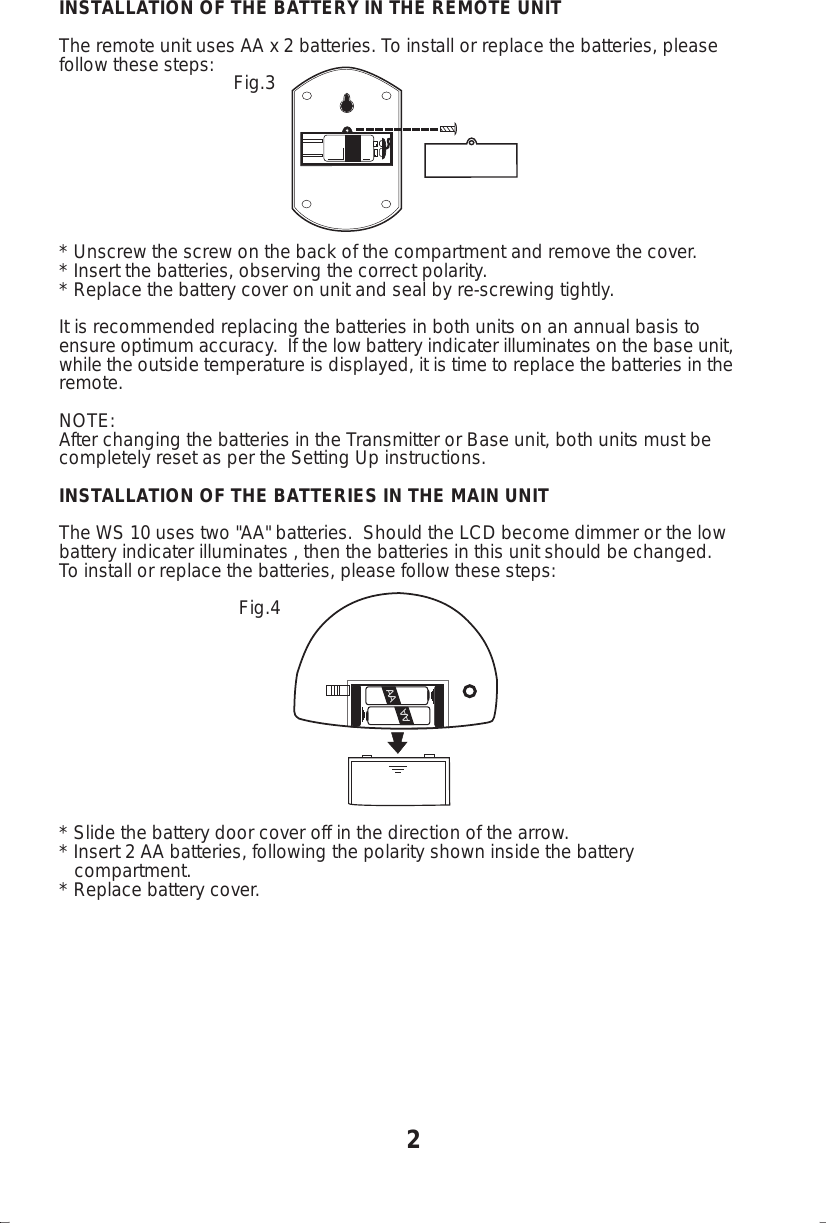
INSTALLATION OF THE BATTERY IN THE REMOTE UNITThe remote unit uses AA x 2 batteries. To install or replace the batteries, pleasefollow these steps:                                  Fig.3* Unscrew the screw on the back of the compartment and remove the cover.* Insert the batteries, observing the correct polarity.* Replace the battery cover on unit and seal by re-screwing tightly.It is recommended replacing the batteries in both units on an annual basis toensure optimum accuracy.  If the low battery indicater illuminates on the base unit,while the outside temperature is displayed, it is time to replace the batteries in theremote.NOTE:After changing the batteries in the Transmitter or Base unit, both units must becompletely reset as per the Setting Up instructions.INSTALLATION OF THE BATTERIES IN THE MAIN UNITThe WS 10 uses two "AA" batteries.  Should the LCD become dimmer or the lowbattery indicater illuminates , then the batteries in this unit should be changed.To install or replace the batteries, please follow these steps:                                   Fig.4* Slide the battery door cover off in the direction of the arrow.* Insert 2 AA batteries, following the polarity shown inside the battery   compartment.* Replace battery cover.2AAAA
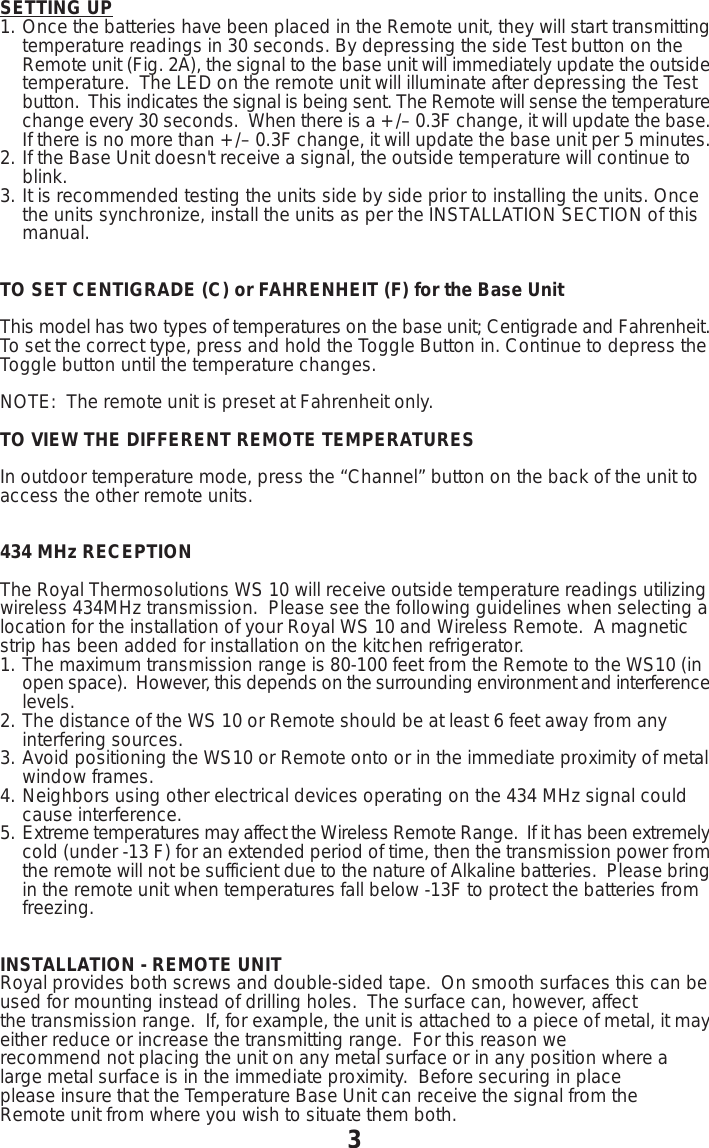
SETTING UP1. Once the batteries have been placed in the Remote unit, they will start transmittingtemperature readings in 30 seconds. By depressing the side Test button on the Remote unit (Fig. 2A), the signal to the base unit will immediately update the outsidetemperature.  The LED on the remote unit will illuminate after depressing the Test button.  This indicates the signal is being sent. The Remote will sense the temperaturechange every 30 seconds.  When there is a +/– 0.3F change, it will update the base. If there is no more than +/– 0.3F change, it will update the base unit per 5 minutes.2. If the Base Unit doesn't receive a signal, the outside temperature will continue to blink.3. It is recommended testing the units side by side prior to installing the units. Once the units synchronize, install the units as per the INSTALLATION SECTION of this manual.TO SET CENTIGRADE (C) or FAHRENHEIT (F) for the Base UnitThis model has two types of temperatures on the base unit; Centigrade and Fahrenheit.To set the correct type, press and hold the Toggle Button in. Continue to depress theToggle button until the temperature changes.NOTE:  The remote unit is preset at Fahrenheit only.TO VIEW THE DIFFERENT REMOTE TEMPERATURESIn outdoor temperature mode, press the “Channel” button on the back of the unit toaccess the other remote units.434 MHz RECEPTIONThe Royal Thermosolutions WS 10 will receive outside temperature readings utilizingwireless 434MHz transmission.  Please see the following guidelines when selecting alocation for the installation of your Royal WS 10 and Wireless Remote.  A magneticstrip has been added for installation on the kitchen refrigerator.1. The maximum transmission range is 80-100 feet from the Remote to the WS10 (in open space).  However, this depends on the surrounding environment and interferencelevels.2. The distance of the WS 10 or Remote should be at least 6 feet away from any interfering sources.3. Avoid positioning the WS10 or Remote onto or in the immediate proximity of metalwindow frames.4. Neighbors using other electrical devices operating on the 434 MHz signal could cause interference.5. Extreme temperatures may affect the Wireless Remote Range.  If it has been extremelycold (under -13 F) for an extended period of time, then the transmission power fromthe remote will not be sufficient due to the nature of Alkaline batteries.  Please bringin the remote unit when temperatures fall below -13F to protect the batteries from freezing.INSTALLATION - REMOTE UNITRoyal provides both screws and double-sided tape.  On smooth surfaces this can beused for mounting instead of drilling holes.  The surface can, however, affectthe transmission range.  If, for example, the unit is attached to a piece of metal, it mayeither reduce or increase the transmitting range.  For this reason werecommend not placing the unit on any metal surface or in any position where alarge metal surface is in the immediate proximity.  Before securing in placeplease insure that the Temperature Base Unit can receive the signal from theRemote unit from where you wish to situate them both.3
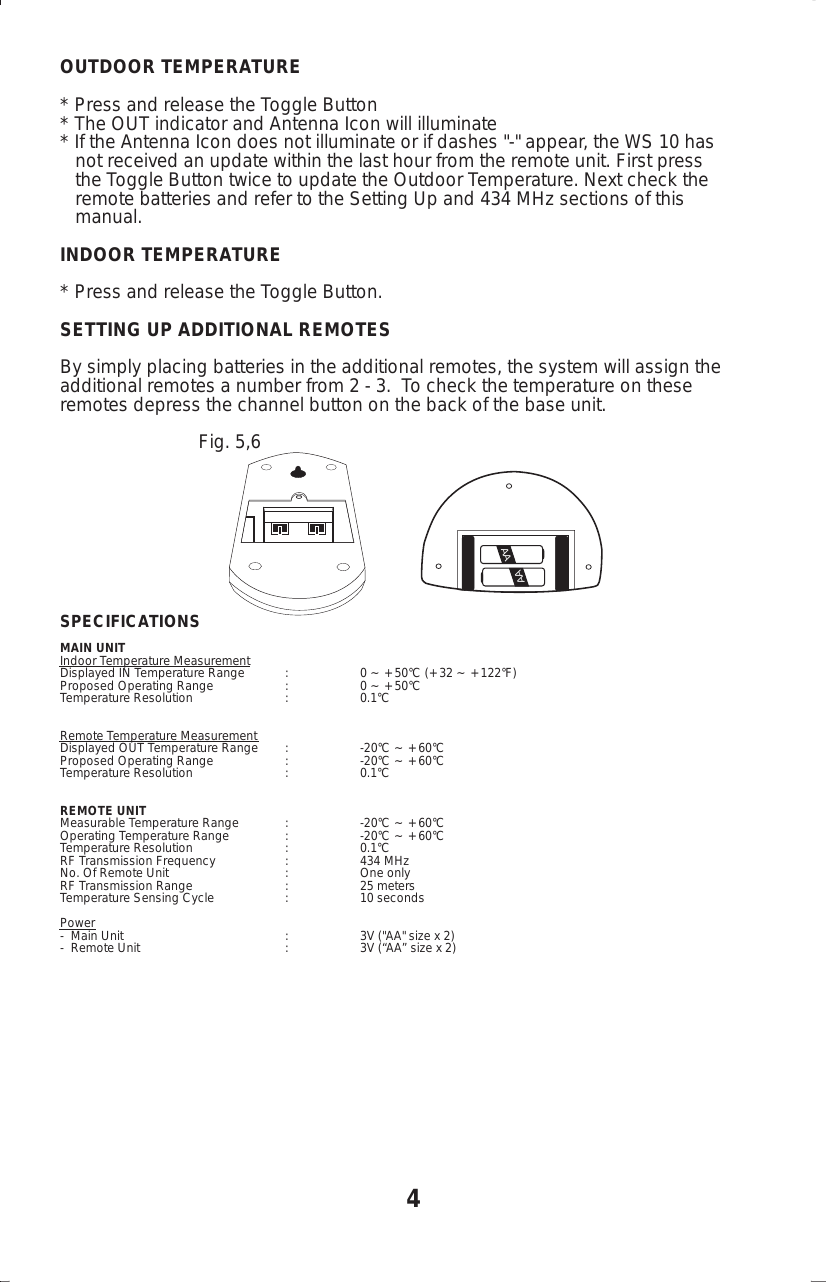
OUTDOOR TEMPERATURE* Press and release the Toggle Button* The OUT indicator and Antenna Icon will illuminate* If the Antenna Icon does not illuminate or if dashes "-" appear, the WS 10 has   not received an update within the last hour from the remote unit. First press   the Toggle Button twice to update the Outdoor Temperature. Next check the   remote batteries and refer to the Setting Up and 434 MHz sections of this   manual.INDOOR TEMPERATURE* Press and release the Toggle Button.SETTING UP ADDITIONAL REMOTESBy simply placing batteries in the additional remotes, the system will assign theadditional remotes a number from 2 - 3.  To check the temperature on theseremotes depress the channel button on the back of the base unit.                           Fig. 5,6SPECIFICATIONSMAIN UNITIndoor Temperature MeasurementDisplayed IN Temperature Range : 0 ~ +50°C (+32 ~ +122°F)Proposed Operating Range : 0 ~ +50°CTemperature Resolution : 0.1°CRemote Temperature MeasurementDisplayed OUT Temperature Range : -20°C ~ +60°CProposed Operating Range : -20°C ~ +60°CTemperature Resolution : 0.1°CREMOTE UNITMeasurable Temperature Range : -20°C ~ +60°COperating Temperature Range : -20°C ~ +60°CTemperature Resolution : 0.1°CRF Transmission Frequency : 434 MHzNo. Of Remote Unit : One onlyRF Transmission Range : 25 metersTemperature Sensing Cycle : 10 secondsPower-  Main Unit : 3V ("AA" size x 2)-  Remote Unit : 3V (“AA” size x 2)4AAAA
5STANDARD WARRANTYOLIVETTI OFFICE USA, Inc. d/b/a ROYAL CONSUMER INFORMATIONPRODUCTS, 379 Campus Drive Somerset, NJ 08875 WARRANTS that your NEWRoyal product is free of defects of workmanship and materials. If there is a defector malfunction of this product, Royal will repair it free of charge as follows:PARTS: New or comparable rebuilt parts in exchange for defective parts for ONEYEAR from date of customer purchase.LABOR: Royal provides labor warranty for NINETY DAYS from date of end-userpurchase. Product must be sent postage prepaid and insured to Royal. Atcompletion of the repair, the consumer will be responsible for return shippingcharges from Royal, and for any parts or services no longer covered underwarranty.This warranty does not apply to persons who purchased this product secondhand or used.This warranty does not include adjustments, parts and repair by circumstancesbeyond the control of Royal, including but not limited to, fire, or other casualty,accident, neglect, abuse, abnormal use or battery leakage damage.THERE ARE NO OTHER EXPRESSED WARRANTIES EXCEPT AS STATEDHEREIN. AFTER THE PERIOD OF EXPRESSED WARRANTY SET FORTHHEREIN, THERE ARE NO EXPRESSED OR IMPLIED WARRANTIES ANDTHOSE EXCLUDED INCLUDE THOSE OF MERCHANTABILITY AND FITNESSFOR PARTICULAR PURPOSE. Royal shall NOT be held liable forCONSEQUENTIAL DAMAGES resulting from any failure, defect or malfunctionof this product. Some States do not allow limitations on how long an impliedwarranty lasts and some States do not allow the exclusion or limitation ofincidental or consequential damages, so the above limitations may not apply toyou.                                      WARRANTY PROCEDURESRoyal has taken great care to insure the product you have purchased will provideyears of trouble-free service. Should the product require service within the first 30days after purchase, Royal strongly recommends you return the product to theplace of purchase for replacement. Please note this 30-day replacement periodmay be subject to the limitations of the return policy that has been established byyour retailer, may not be available at your retailer, or may be for a different periodof time as established by your retailer. Your retailer may allow exchanges pastthis 30-day period. Should this be the case, Royal strongly recommends youreturn the product to the place of purchase for replacement.
       TO OBTAIN SERVICE UNDER THE TERMS OF THIS WARRANTY:In the event you are unable to obtain a replacement product from your retailer,please do the following:1. Send a copy of your original sales receipt showing original purchase date    along with your mailing address and a note describing the nature of the    problem to:                                     Royal Consumer Warranty Processing                                     PO Box 161                                     Jamison, PA 18929-0161                        Do Not Return the Product to This Address!2. You will receive a return authorization number within 7-10 business days    from the date your return request is received if it is determined that there    is a basis for a replacement product. The return authorization form you    receive will list the return procedures, applicable charges, if any, and the    correct shipping address for the returned product.                                  PRODUCT SUPPORT HOTLINE:For questions on use of this product call 1-800-272-6229 Monday through Fridaybetween the hours of 8:30AM and 5:00PM EST. You can also email Royal athotline@royal.com. Allow two to three weeks for email response.6
WS10IM0700A®ROYAL89-20642-102INSTRUCTION TO THE USERNote: This equipment has been tested and found to comply with the limits for a ClassB digital device, pursuant to Part 15 of the FCC Rules. These limits are designed toprovide reasonable protection against harmful interference in a residential installation.This equipment generates, uses and can radiate radio frequency energy and, if notinstalled and used in accordance with the instructions, may cause harmful interferenceto radio communications. However, there is no guarantee that interference will not occurin a particular installation. If this equipment does cause harmful interference to radioor television reception, which can be determined by turning the equipment off and on,the user is encouraged to try to correct the interference by one or more of the followingmeasures:•Reorient or relocate the receiving antenna.•Increase the separation between the equipment and receiver.•Connect the equipment into an outlet on a circuit different from that to which thereceiver is connected.•Consult the dealer or an experienced radio/TV technician for help.Modifications not authorized by the manufacturer may void users authority to operatethis device.Consumer Information Products379 Campus DriveSomerset, NJ 08875WS10 thermometer

Navigation menu