Ansen Electronics Co 960040TX Wireless PC transmitter User Manual W194quickguide
Ansen Electronics Co Wireless PC transmitter W194quickguide
Contents
- 1. manual
- 2. quick install guide
quick install guide
W194, W196 quick install guide
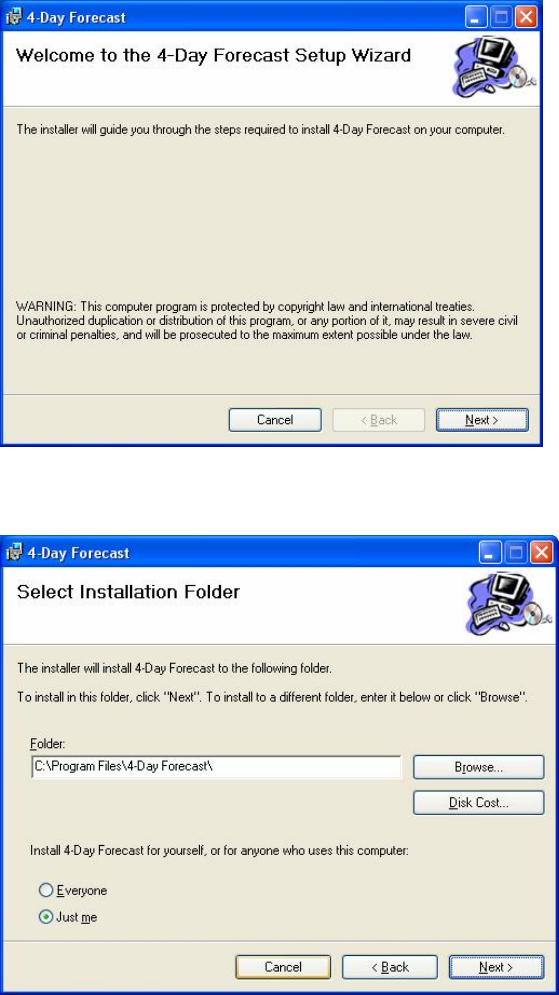
1. unzip the file NIS01_INSTALL.ZIP .
2. run the file NIS01_INSTALL.EXE .
3. Click ‘Next >’ in Welcome to the 4-Day Forecast Setup Wizard screen.
4. Click ‘Browse’ to select the folder to install, then click ‘Next >’ to continue.
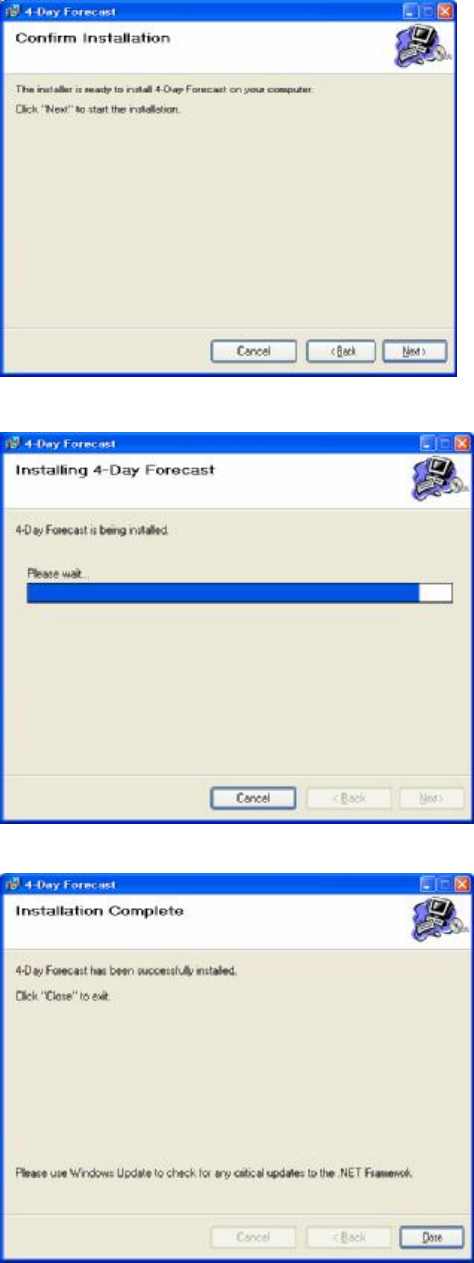
5. Click ‘Next >’ in Confirm Installation screen to start install.
6. Please wait until install procedure is completed.
7. Click ‘Close’ to exit install in Installation Complete
- Insert 3pcs AAA battery into W196.
- Connect W196 to PC via USB
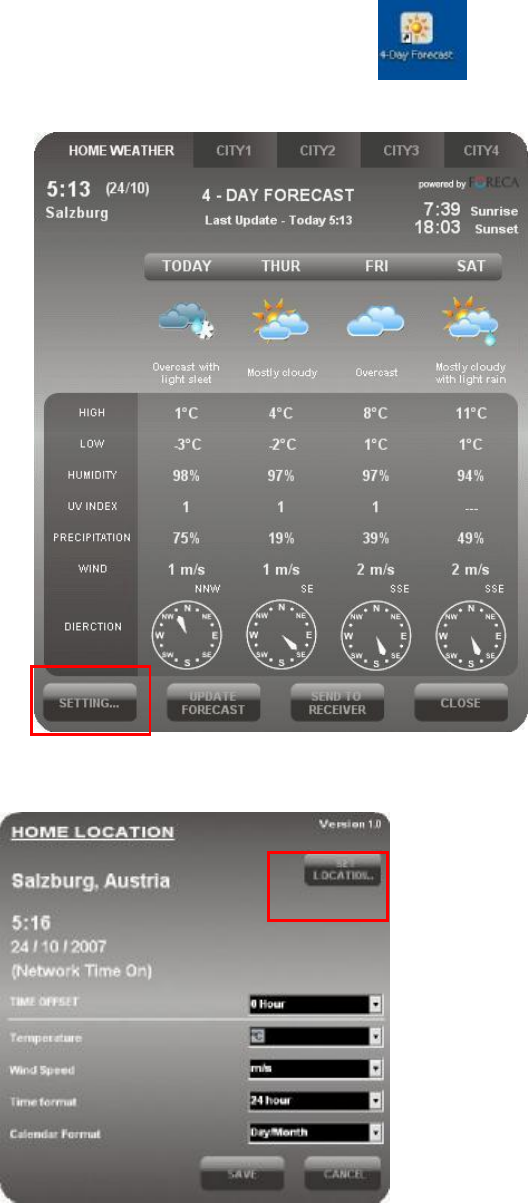
- In desktop, click 4-day Forecast icon to run 4-day forecast PC software
- Click ‘Setting’ button to enter HOME city setting menu,
-
- Click ‘Set location’ to select a city.
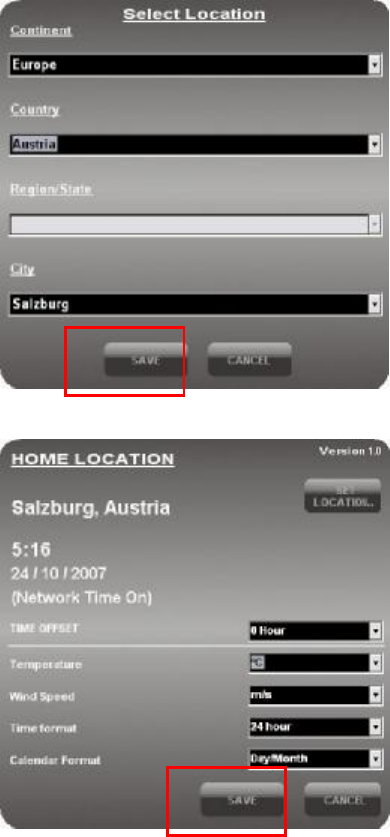
- Click ‘Save’ to exit Select Location menu
- Click ‘Save’ to exit Home Location menu,
- Insert battery into W194 Rx
- Click ‘Send to receiver’ to download to W196
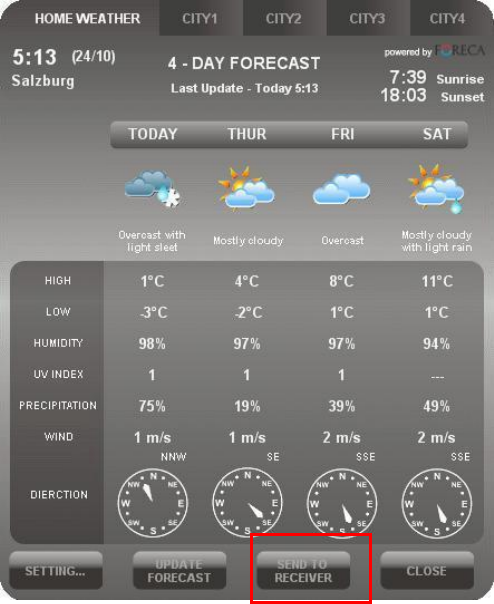
- Wait 5sec for transmitting data to W196
The W196 will then transmit Internet clock and all weather data to W194 Rx for about
10mins (39sec interval period).