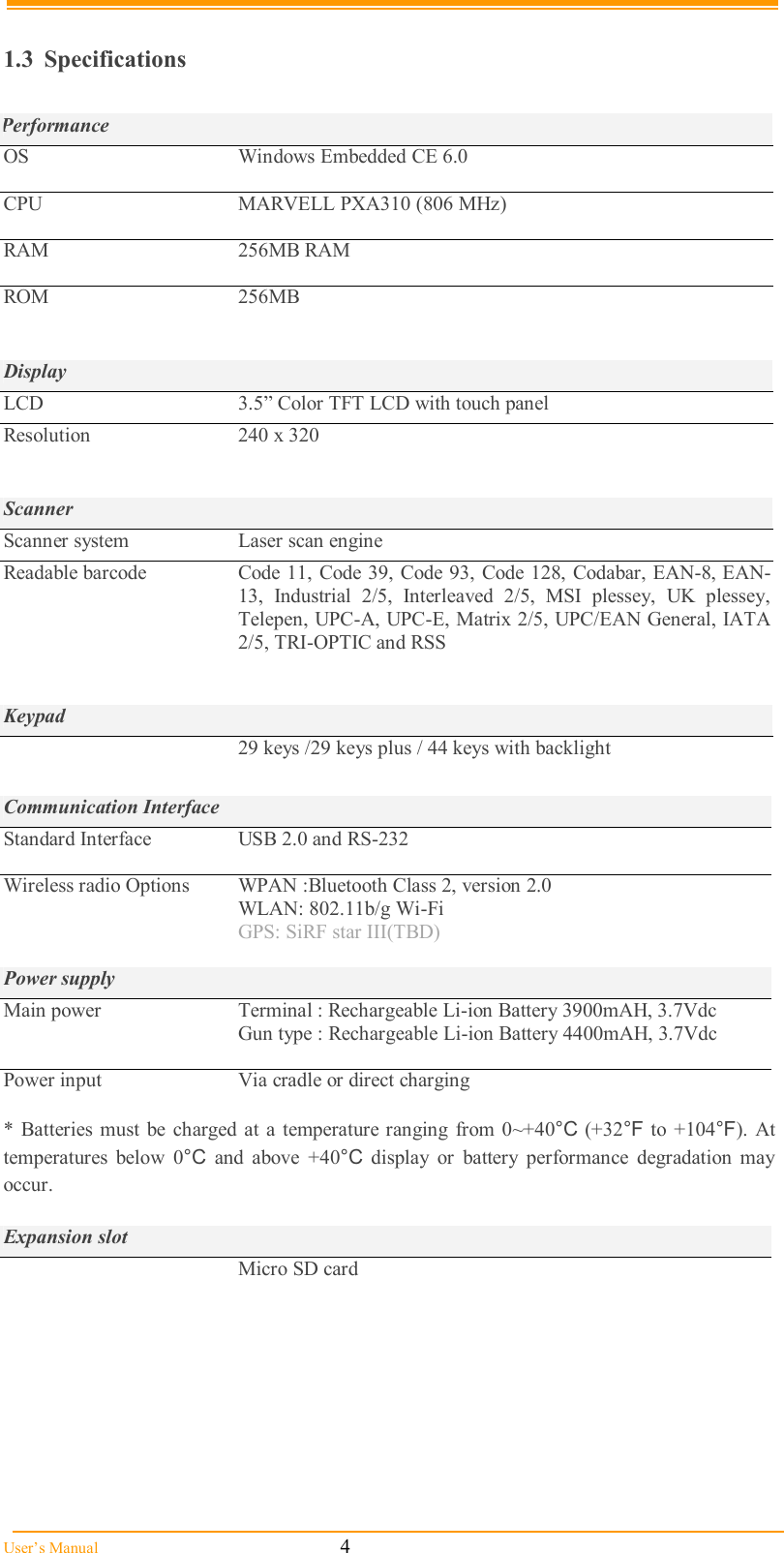
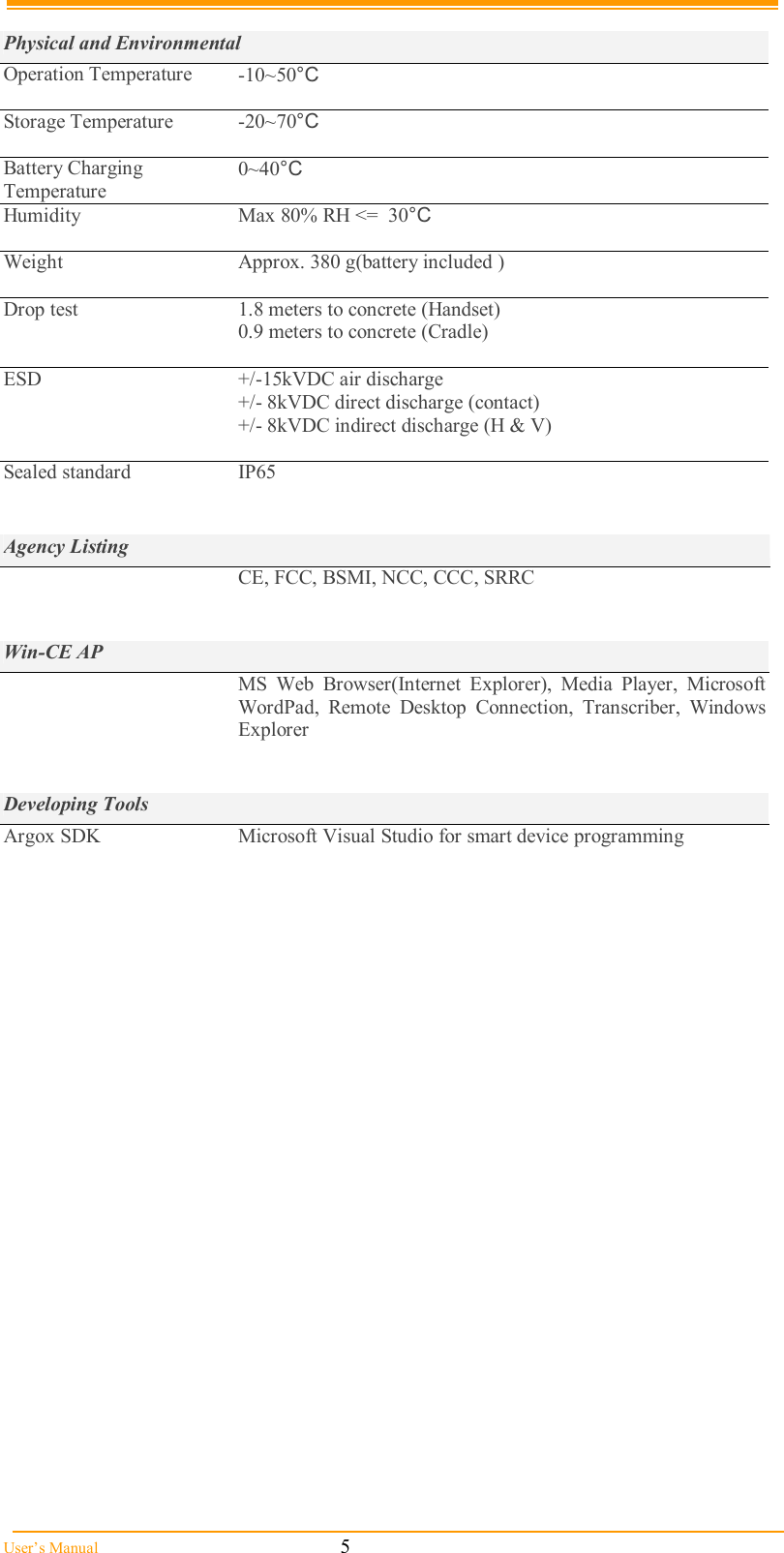
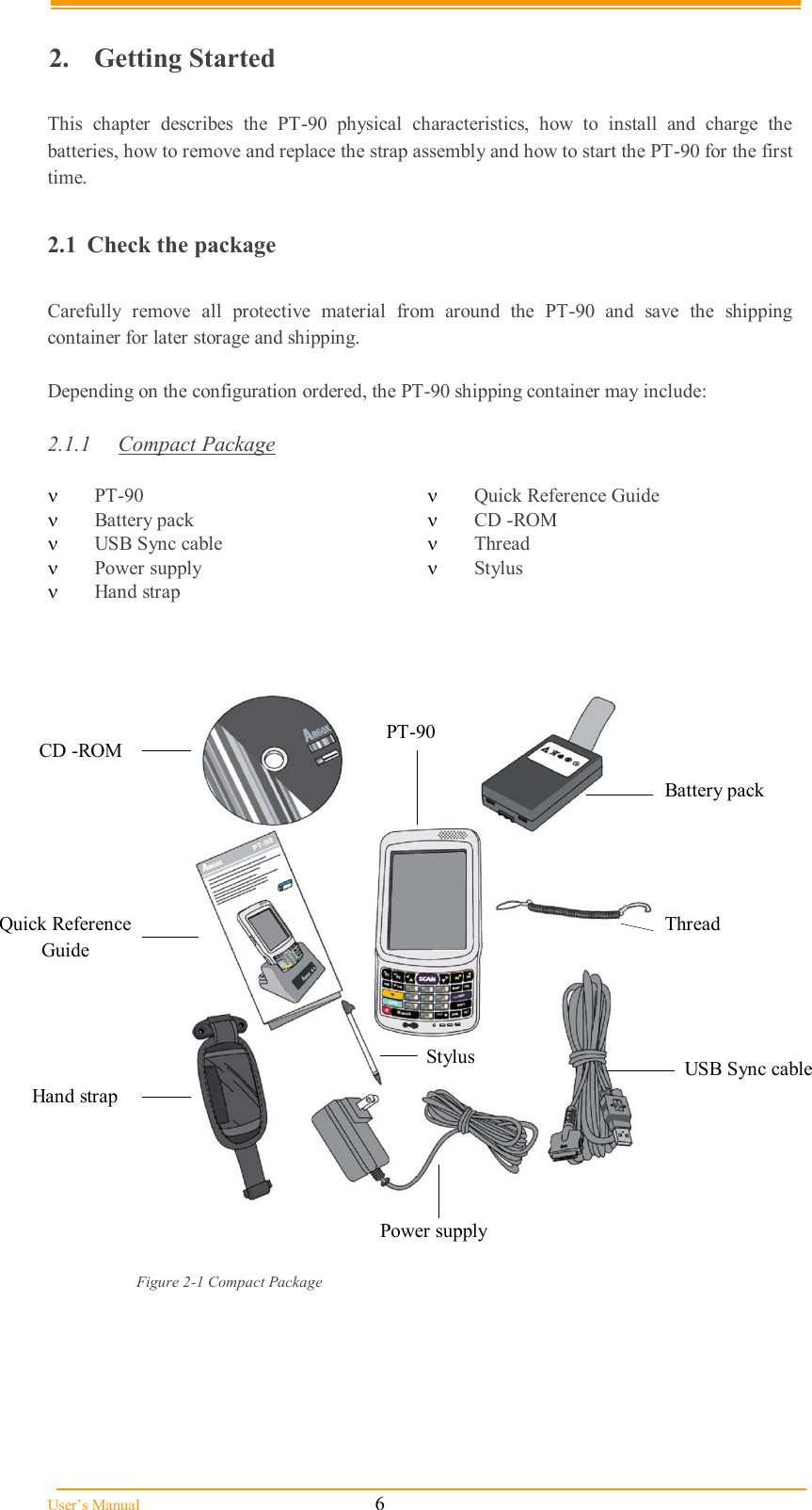
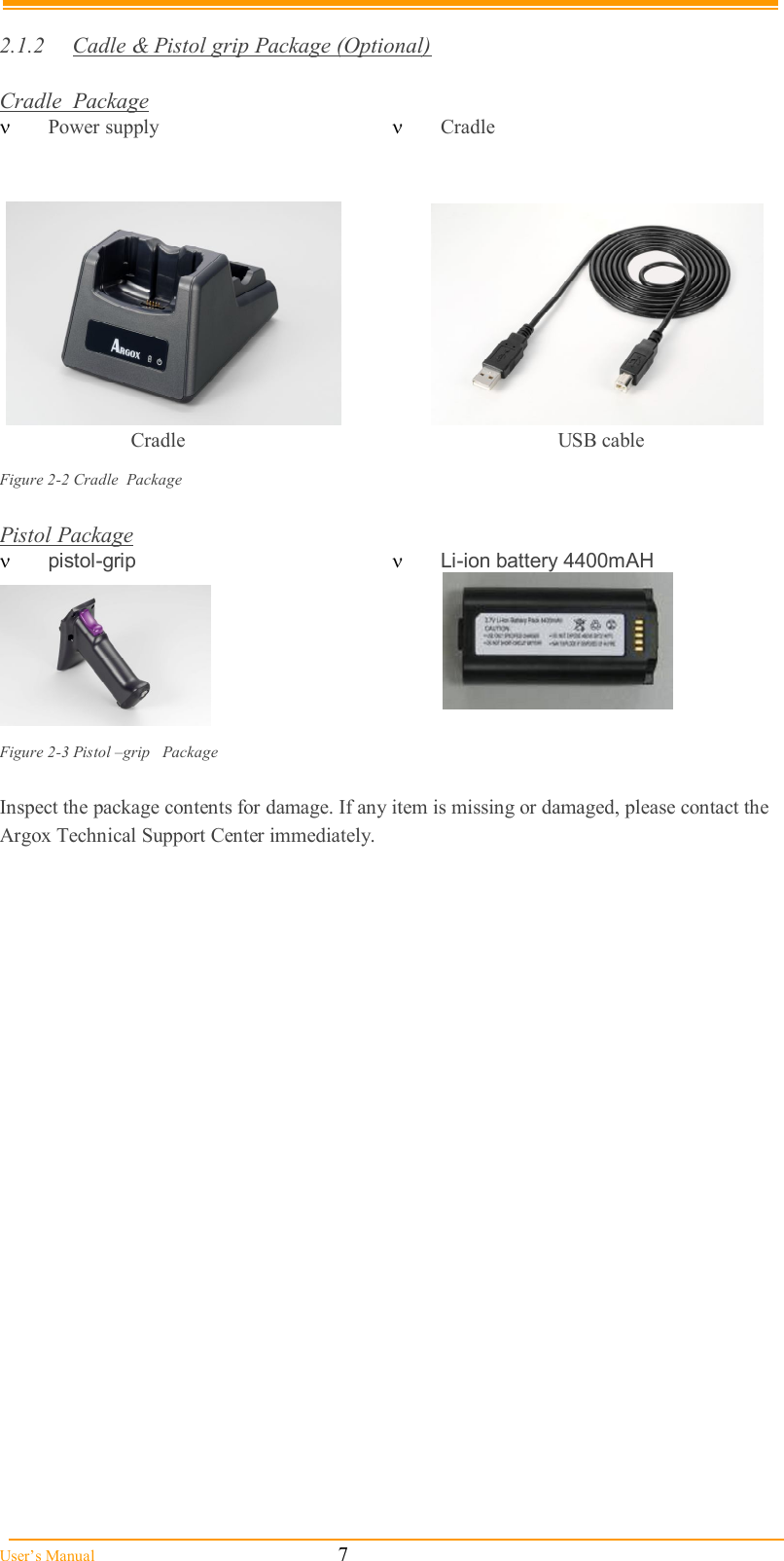
Argox Information Co M9130 802.11B/G SDIO Module with Antenna Connectors User Manual SDM 11BG UserMan 20100916 5 Part1
Argox Information Co Ltd 802.11B/G SDIO Module with Antenna Connectors SDM 11BG UserMan 20100916 5 Part1
Contents
- 1. user manual
- 2. (SDM-11BG) UserMan_20100916.5 Part1
- 3. (SDM-11BG) UserMan_20100916.5 Part2
(SDM-11BG) UserMan_20100916.5 Part1
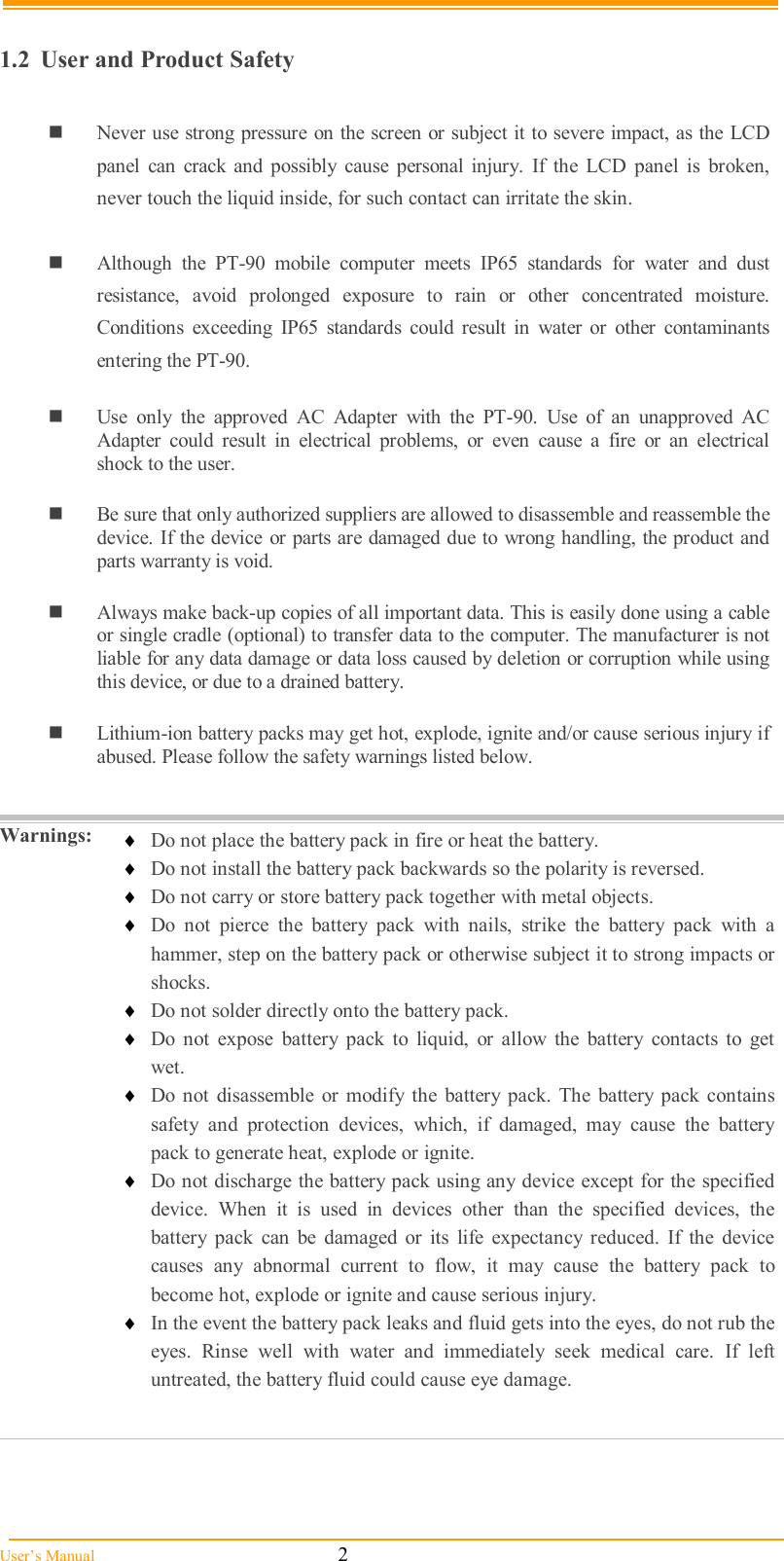
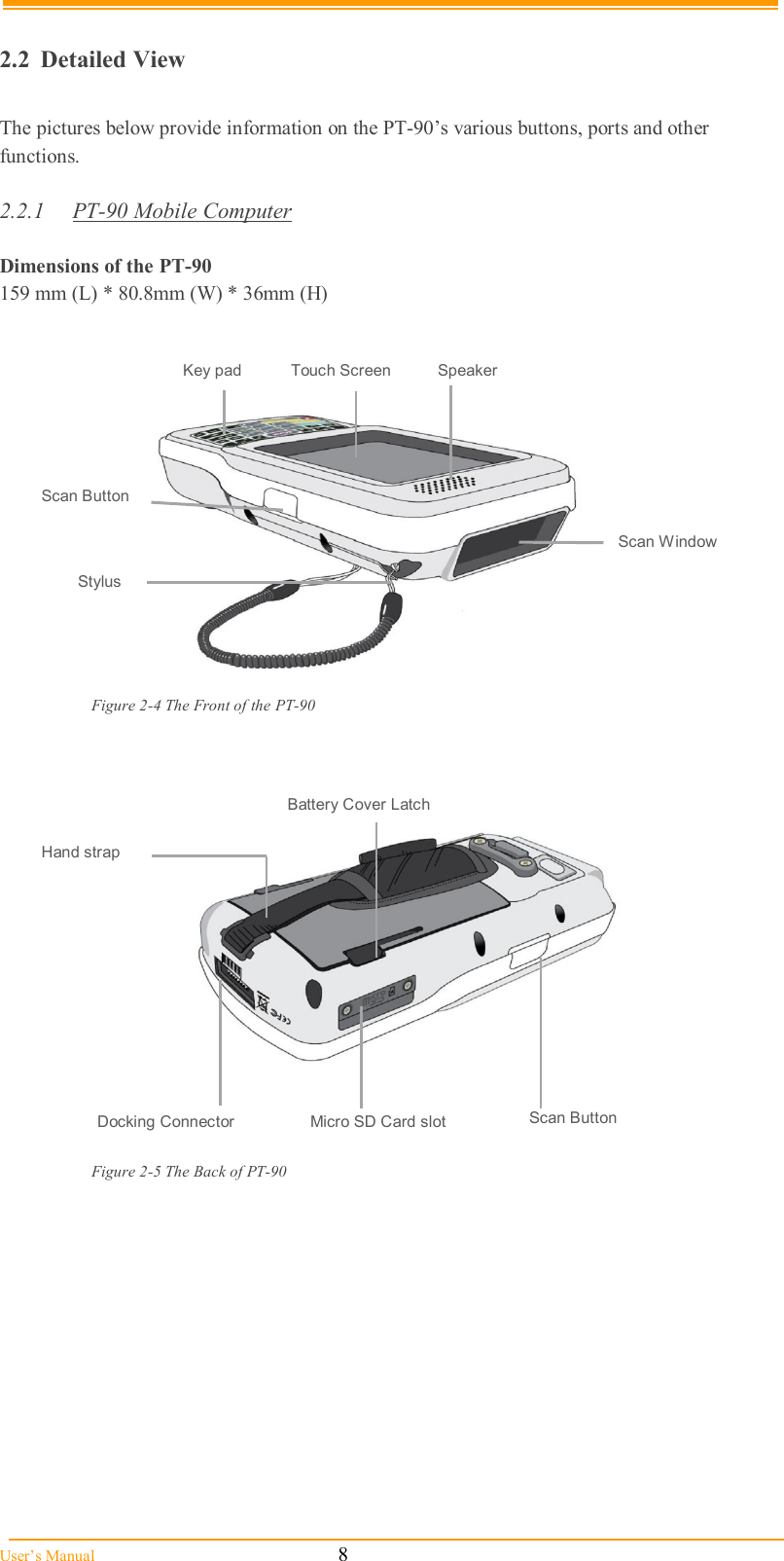
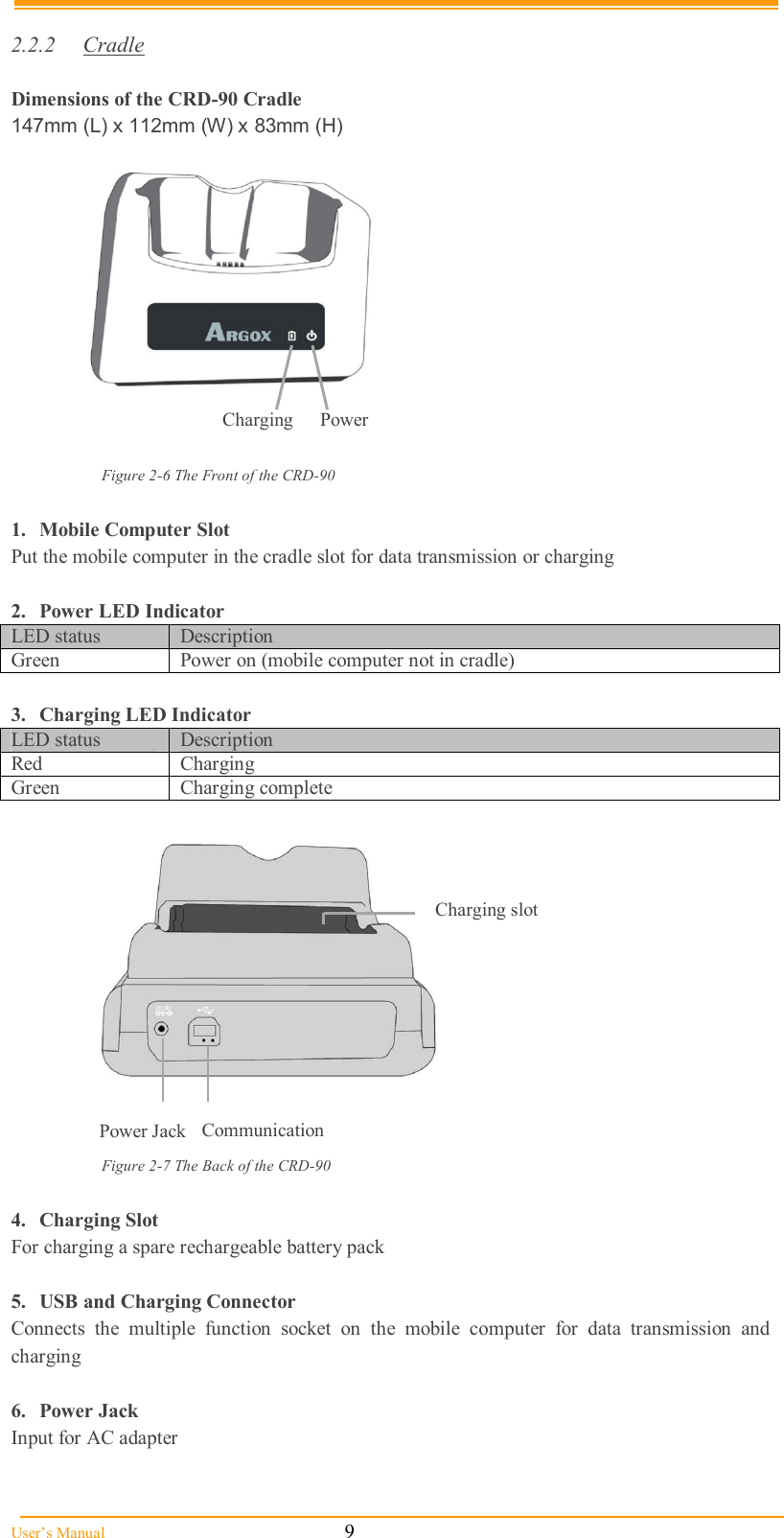
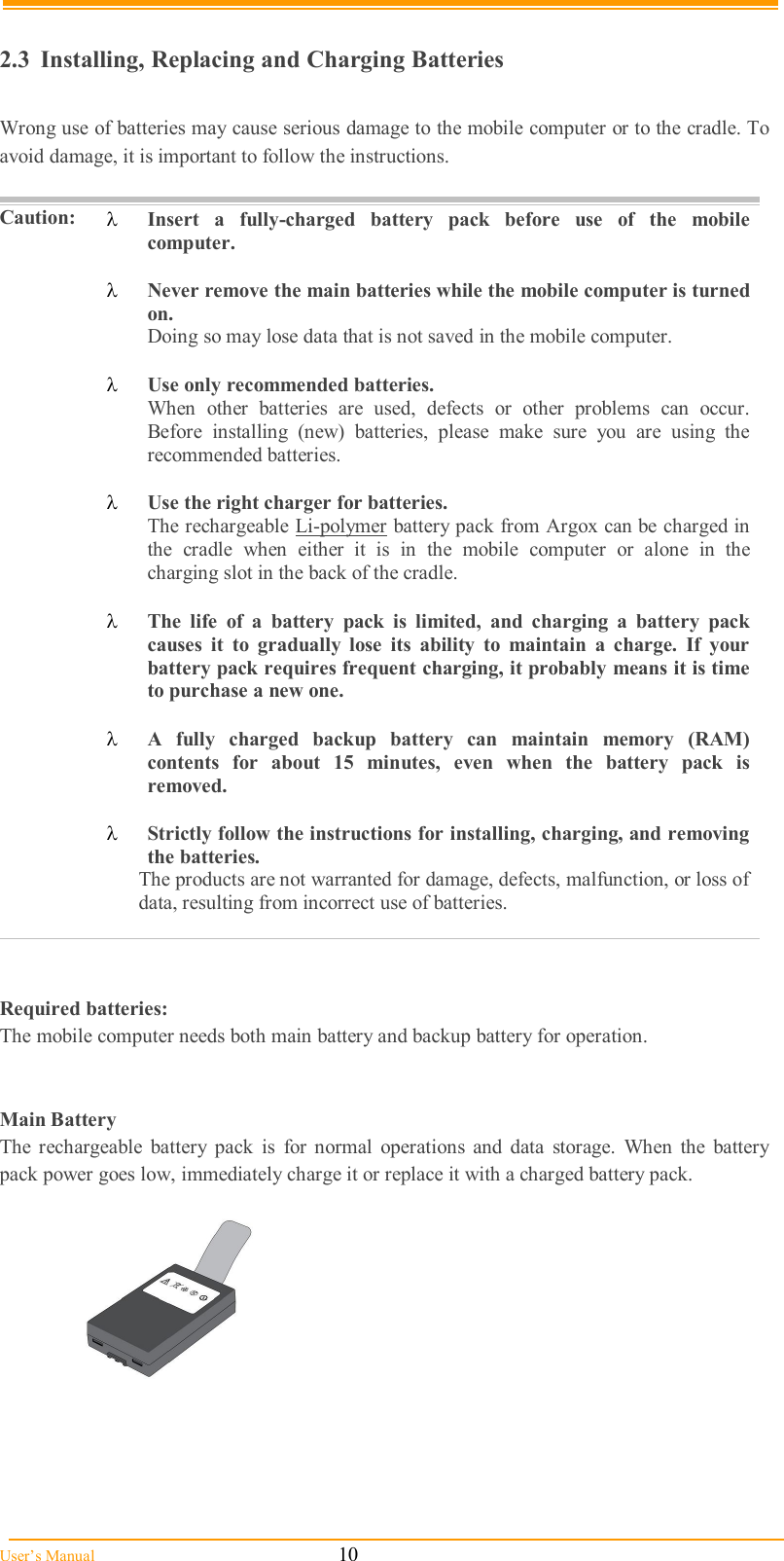
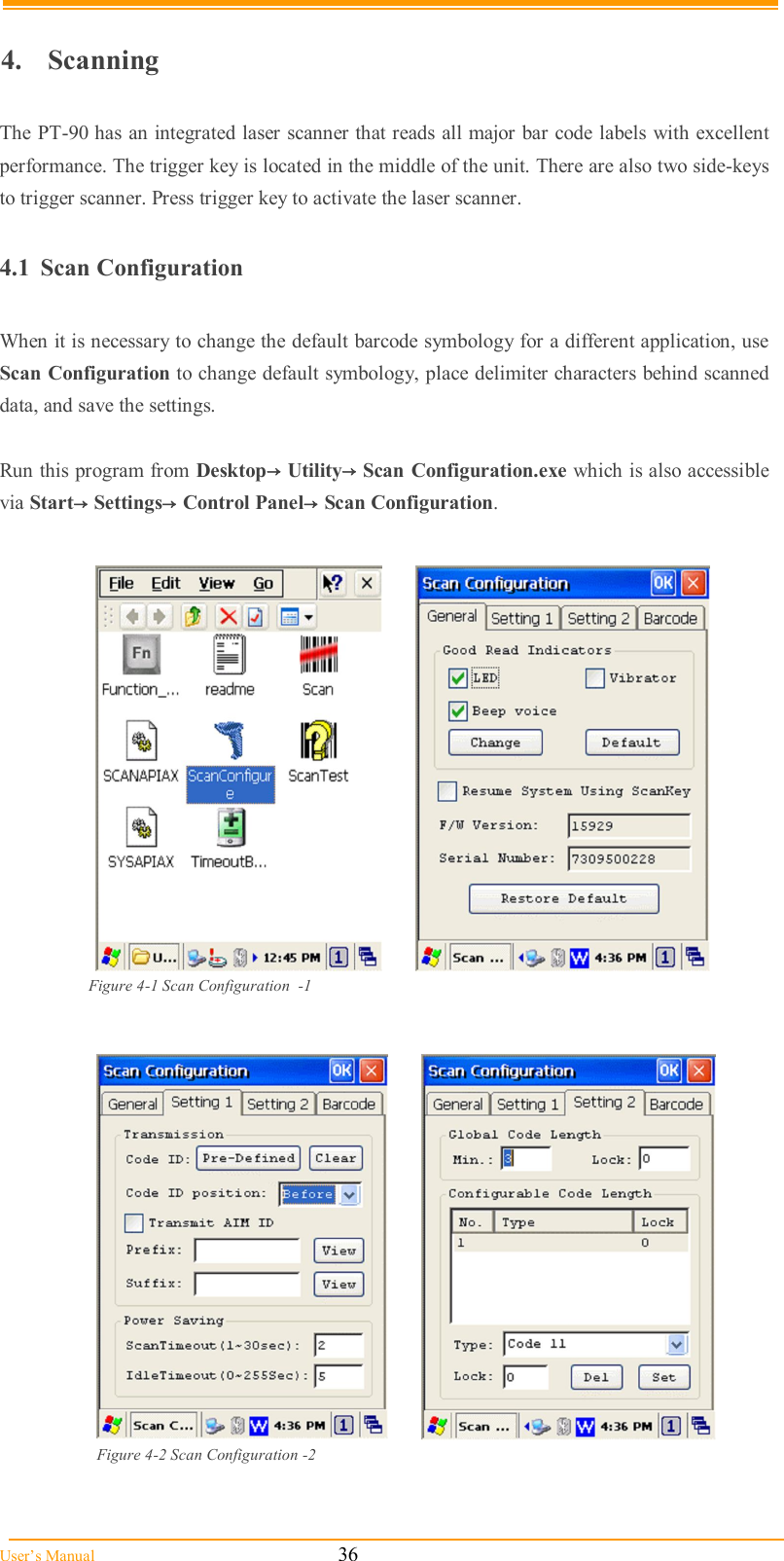
![User’s Manual 3 To avoid malfunctions and to ensure years of trouble-free operation, pay attention to the following: General Use Do not expose the mobile computer to areas subject to extreme heat such as direct sunlight, near a heater, or in a car – or in areas that are very cold, humid, moist, or dusty. Do not expose the product to rain or water Do not subject the product to strong impact, or throw or drop the mobile computer from large heights. Do not allow other mechanical shocks to the product. Cleaning Instructions Clean the exterior by wiping it with a soft, dry cloth. Do not use much water. Do not use thinner, white spirit or other solvents. These can discolor the case and the keys and it has a negative effect on the lifetime of the keys. Cleaning the Mobile Computer Clean the scan window periodically for better reading performance, but pay attention to not scratching the window Cleaning the Cradle Avoid touching the contacts in the cradle. The contacts must stay as clean as possible to maintain optimal charging capacity. Do not use water when cleaning the cradle. This can cause malfunction of the chargers. Using the Mobile Computer Avoid temperature changes. Sudden temperature changes can cause condensation to form on the mobile computer. Using the mobile computer while condensation is present can cause malfunction. Always wait until the condensation clears naturally before attempting operation. Do not leave the mobile computer in an area where static charge is accumulated or near devices where electromagnetic emission is generated. Do not place any object on top of the mobile computer. Do not lay the mobile computer face down. Doing so can cause accidental operation of the power key or [ENT] key, which can discharge your batteries or change settings you do not want changed. Using the Cradle Do not place any product other than the PT-90 mobile computer in the cradle. Maintenance There are no user-serviceable parts inside the mobile computer or the cradle. So do not try to take it apart. The manufacturer will not be liable for any damage caused by customers. In case of a malfunction that can not be solved by the trouble-shooting instructions in this manual, please consult our service department.](https://usermanual.wiki/Argox-Information-Co/M9130.SDM-11BG-UserMan-20100916-5-Part1/User-Guide-1344364-Page-7.png)