Ascalade Technologies DJG08053R BABY MONITOR - HANDSET UNIT User Manual 08053UG10

Ascalade Technologies, Inc. BABY MONITOR - HANDSET UNIT 08053UG10

users manual

1 of 12  TABLE OF CONTENTS   IMPORTANT SAFETY INSTRUCTIONS Getting Started Unpacking Baby Unit Parent Unit Charger Basic Steps to Install Belt clip LCD Display Power On/Off Monitoring Sensitivity Adjusting Volume Talk Back Paging Nightlight Temperature Setting the Temperature Range Setting the Temperature Alert Setting the Temperature Unit Sound Alert Lullaby Playing the Lullaby Temporarily Stopping the Lullaby Play Stopping the Lullaby Playing Out of Range Low Battery Charging the Battery Restore to Default Setting Appendix:  Default Settings FCC and IC Compliance Service Centers
2 of 12   IMPORTANT SAFETY INSTRUCTIONS  Some of the following information may not apply to your particular product; however, when using baby monitor equipment, basic safety precautions should always be followed to reduce the risk of fire, electric shock and injury to persons, including the following: 1. Read and understand all instructions. 2. Follow all warnings and instructions marked on the product. 3. Unplug this product from the wall outlet before cleaning. Do not use liquid cleaners or aerosol cleaners. Use a damp cloth for cleaning. 4. Products should not be used while you are in a bathtub, shower or pool. Immersion of the product in water could cause an electrical shock. 5. Slots and openings in the cabinet back or bottom are provided for ventilation, to protect it from overheating. These openings should not be blocked or covered. The openings should never be blocked by placing the product on the bed, sofa, rug, or other similar surface. This product should not be placed in a built-in installation unless proper ventilation is provided.  6. This product should be operated only from the type of power source indicated on the marking label. If you are not sure of the type of power supply to your home, consult your dealer of local power company. 7. Do not allow anything to rest on the power cord. Do not locate this product where the cord will be abused by persons walking on it. 8. Do not overload wall outlets and extension cords as this can result in the risk of fire or electric shock. 9. Never push objects of any kind into this product through cabinet slots as they may touch dangerous voltage points or short out parts that could result in a risk of fire or electric shock. Never spill liquid of any kind on the product. 10. To reduce the risk of electric shock, do not disassemble this product, but take it to a qualified service personnel when service or repair work is required. Opening or removing covers may expose you to dangerous voltage or other risks. Incorrect reassembly can cause electric shock when the appliance is subsequently used. 11. Do not expose the product to extreme temperatures, such as areas near a hot radiator or stove or in a hot car, or direct sunlight. 12. Do not place lighted candles, cigarettes, cigars, etc., on the product. 13. Unplug this product from the call outlet and refer servicing to qualified service personnel under the following conditions: A. When the power supply cord or plug is damaged or frayed. B. If the product has been exposed to rain or water. C. If the product does not operate normally by following the operating instructions. D. If the product’s cabinet has been damaged. E. If the product exhibits a distinct change in performance. 14. Do not place this product on an unstable cart, stand or table. The product may fall, causing serious damage to the product. 15. Make sure the baby unit and mains adaptor cable are always out of reach of the baby. 16. Never place the baby unit inside your baby’s cot, bed or playpen. 17. Never cover the units such as with clothes, towels or blankets.  If your product utilizes batteries, the following additional precautions should be observed: 1. Use only the type and size of the battery(ies) specified in the user manual. 2. Do not dispose of the battery(ies) in fire. They may explode. Check with local regulations for possible special disposal instructions. 3. Do not open or mutilate the battery(ies). Released electrolyte is corrosive and may cause damage to the eyes or skin. It may be toxic if swallowed. 4. Exercise care in handling battery(ies) in order not to short out the battery(ies) with conducting materials such as rings, bracelets and keys. The batter(ies) or conductor may overheat and cause burns. 5. Do not attempts to recharge the battery(ies) provided with or identified for use with this product that are not intended to be charged. The battery(ies) may leak corrosive electrolyte or explode. 6. Do not attempt to rejuvenate the battery(ies) provided with or identified for use with this product by heating them. Sudden release of the battery(ies) electrolyte may occur causing burns or irritation to eyes or skin. 7. When replacing battery(ies), all batteries should be replaced at the same time. Missing fresh and discharger batteries could increase internal cell pressure and rupture the discharged battery(ies). (Applies to products employing more than one separately replaceable primary battery.) 8. When inserting battery(ies) into this product, the proper polarity or direction must be observed. Reverse insertion of battery(ies) can cause charging, and that may result in leakage or explosion.
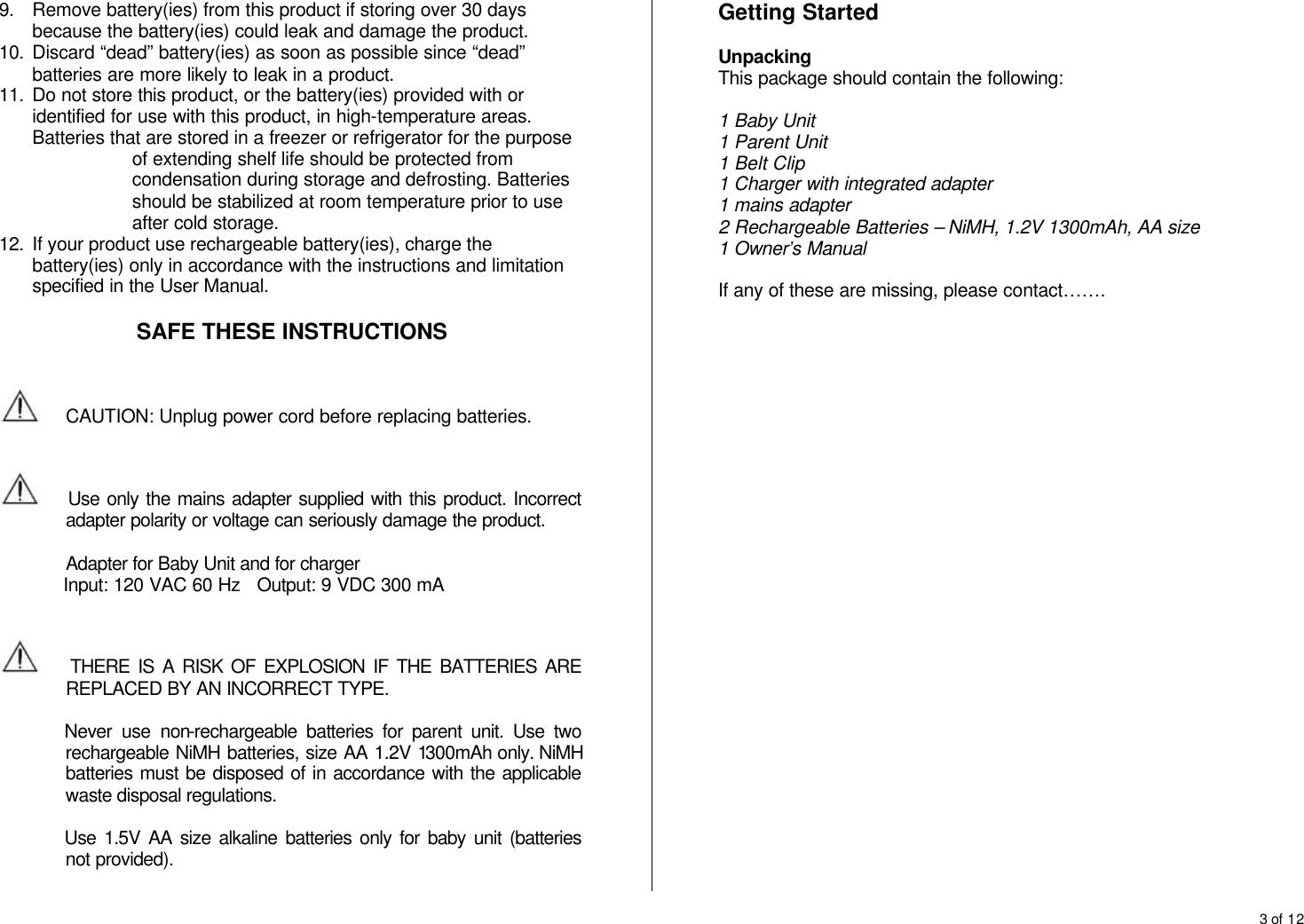
3 of 12  9. Remove battery(ies) from this product if storing over 30 days because the battery(ies) could leak and damage the product. 10. Discard “dead” battery(ies) as soon as possible since “dead” batteries are more likely to leak in a product. 11. Do not store this product, or the battery(ies) provided with or identified for use with this product, in high-temperature areas. Batteries that are stored in a freezer or refrigerator for the purpose of extending shelf life should be protected from condensation during storage and defrosting. Batteries should be stabilized at room temperature prior to use after cold storage. 12. If your product use rechargeable battery(ies), charge the battery(ies) only in accordance with the instructions and limitation specified in the User Manual.  SAFE THESE INSTRUCTIONS    CAUTION: Unplug power cord before replacing batteries.       Use only the mains adapter supplied with this product. Incorrect adapter polarity or voltage can seriously damage the product.  Adapter for Baby Unit and for charger        Input: 120 VAC 60 Hz   Output: 9 VDC 300 mA       THERE IS A RISK OF EXPLOSION IF THE BATTERIES ARE REPLACED BY AN INCORRECT TYPE.   Never use non-rechargeable batteries for parent unit. Use two rechargeable NiMH batteries, size AA 1.2V 1300mAh only. NiMH batteries must be disposed of in accordance with the applicable waste disposal regulations.  Use 1.5V AA size alkaline batteries only for baby unit (batteries not provided).  Getting Started  Unpacking This package should contain the following:  1 Baby Unit 1 Parent Unit 1 Belt Clip 1 Charger with integrated adapter 1 mains adapter 2 Rechargeable Batteries – NiMH, 1.2V 1300mAh, AA size 1 Owner’s Manual  If any of these are missing, please contact…….
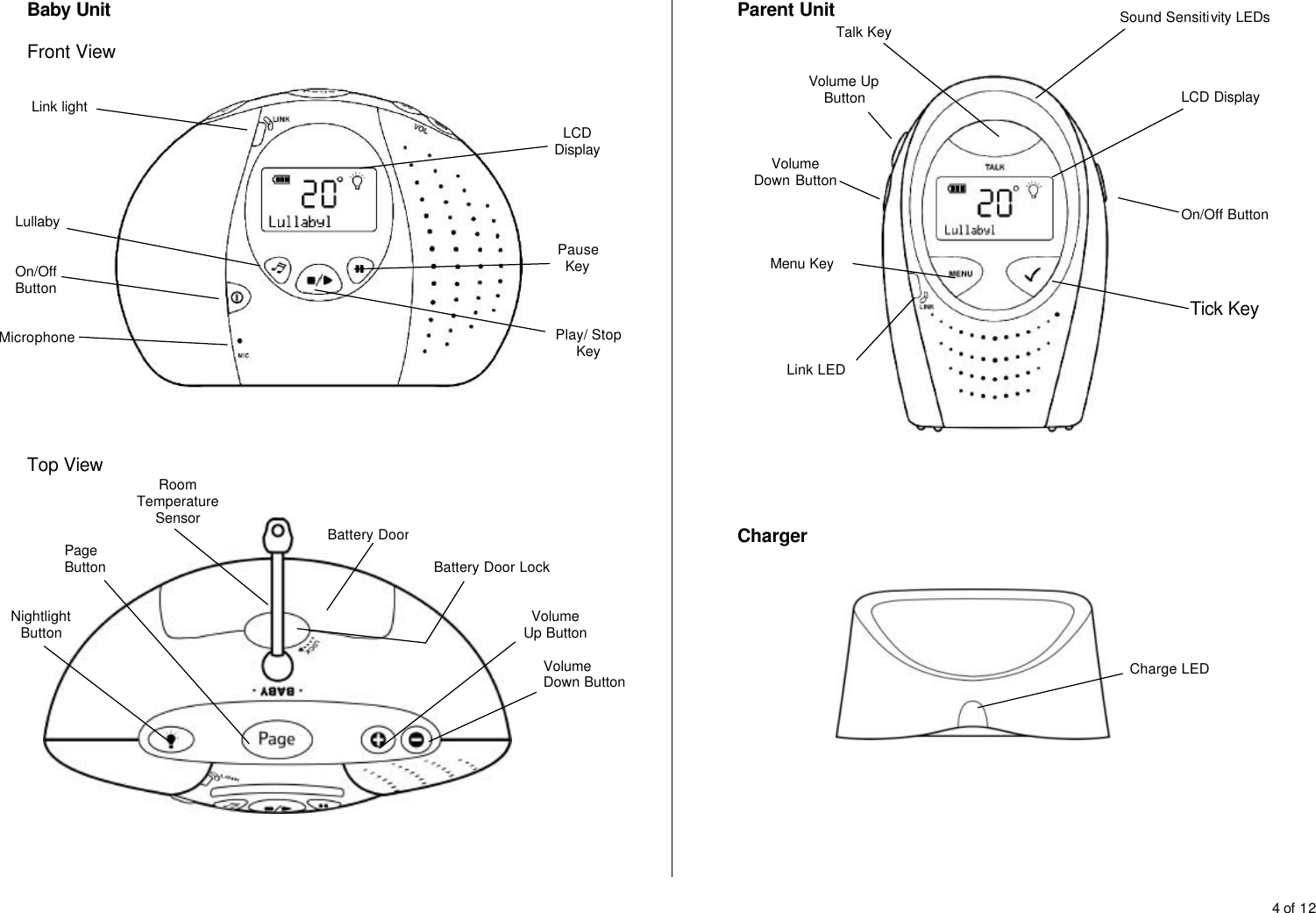
4 of 12  Baby Unit  Front View      Top View       Parent Unit         Charger          On/Off Button Microphone Link light LCD Display Pause Key Play/ Stop Key Lullaby Nightlight Button Page Button Volume Up Button Volume Down Button Room Temperature Sensor Battery Door Battery Door Lock On/Off Button LCD Display Sound Sensitivity LEDs Talk Key Volume Up Button Volume Down Button Menu Key Link LED Tick Key Charge LED
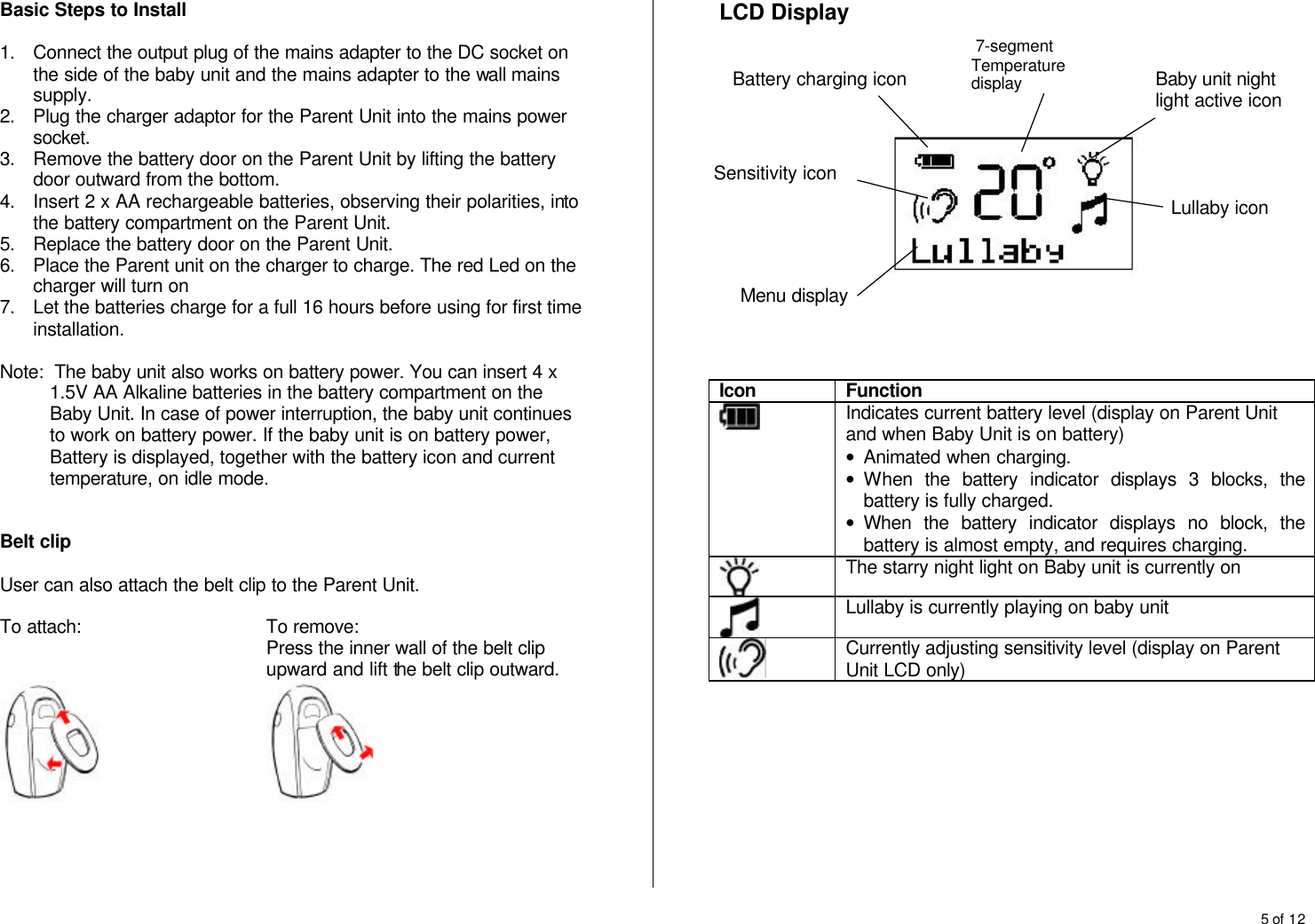
5 of 12  Basic Steps to Install  1. Connect the output plug of the mains adapter to the DC socket on the side of the baby unit and the mains adapter to the wall mains supply. 2. Plug the charger adaptor for the Parent Unit into the mains power socket. 3. Remove the battery door on the Parent Unit by lifting the battery door outward from the bottom. 4. Insert 2 x AA rechargeable batteries, observing their polarities, into the battery compartment on the Parent Unit. 5. Replace the battery door on the Parent Unit. 6. Place the Parent unit on the charger to charge. The red Led on the charger will turn on 7. Let the batteries charge for a full 16 hours before using for first time installation.  Note:  The baby unit also works on battery power. You can insert 4 x 1.5V AA Alkaline batteries in the battery compartment on the Baby Unit. In case of power interruption, the baby unit continues to work on battery power. If the baby unit is on battery power, Battery is displayed, together with the battery icon and current temperature, on idle mode.   Belt clip  User can also attach the belt clip to the Parent Unit.  To attach:   To remove: Press the inner wall of the belt clip upward and lift the belt clip outward.            LCD Display             Icon Function  Indicates current battery level (display on Parent Unit and when Baby Unit is on battery) • Animated when charging. • When the battery indicator displays 3 blocks, the battery is fully charged. • When the battery indicator displays no block, the battery is almost empty, and requires charging.  The starry night light on Baby unit is currently on  Lullaby is currently playing on baby unit  Currently adjusting sensitivity level (display on Parent Unit LCD only)          Baby unit night light active icon Lullaby icon  7-segment Temperature display  Battery charging icon Menu display Sensitivity icon
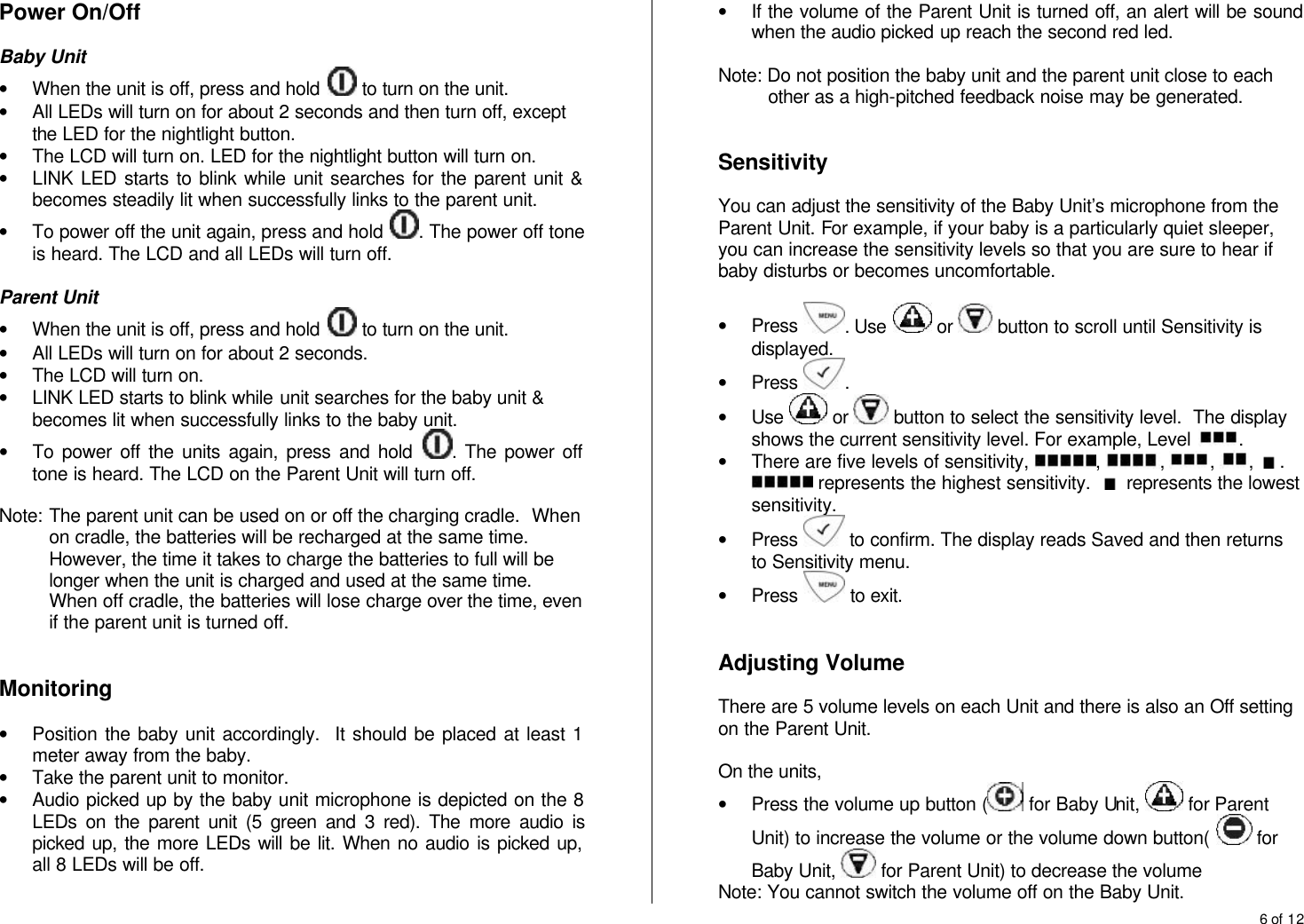
6 of 12  Power On/Off   Baby Unit • When the unit is off, press and hold   to turn on the unit. • All LEDs will turn on for about 2 seconds and then turn off, except the LED for the nightlight button. • The LCD will turn on. LED for the nightlight button will turn on. • LINK LED starts to blink while unit searches for the parent unit & becomes steadily lit when successfully links to the parent unit. • To power off the unit again, press and hold  . The power off tone is heard. The LCD and all LEDs will turn off.  Parent Unit • When the unit is off, press and hold   to turn on the unit. • All LEDs will turn on for about 2 seconds. • The LCD will turn on. • LINK LED starts to blink while unit searches for the baby unit & becomes lit when successfully links to the baby unit. • To power off the units again, press and hold  . The power off tone is heard. The LCD on the Parent Unit will turn off.   Note:  The parent unit can be used on or off the charging cradle.  When on cradle, the batteries will be recharged at the same time.  However, the time it takes to charge the batteries to full will be longer when the unit is charged and used at the same time.  When off cradle, the batteries will lose charge over the time, even if the parent unit is turned off.   Monitoring  • Position the baby unit accordingly.  It should be placed at least 1 meter away from the baby. • Take the parent unit to monitor. • Audio picked up by the baby unit microphone is depicted on the 8 LEDs on the parent unit (5 green and 3 red). The more audio is picked up, the more LEDs will be lit. When no audio is picked up, all 8 LEDs will be off. • If the volume of the Parent Unit is turned off, an alert will be sound when the audio picked up reach the second red led.  Note: Do not position the baby unit and the parent unit close to each other as a high-pitched feedback noise may be generated.   Sensitivity  You can adjust the sensitivity of the Baby Unit’s microphone from the Parent Unit. For example, if your baby is a particularly quiet sleeper, you can increase the sensitivity levels so that you are sure to hear if baby disturbs or becomes uncomfortable.  • Press  . Use   or   button to scroll until Sensitivity is displayed. • Press  . • Use   or   button to select the sensitivity level.  The display shows the current sensitivity level. For example, Level  . • There are five levels of sensitivity,  ,  ,  ,  ,  .  represents the highest sensitivity.    represents the lowest sensitivity. • Press   to confirm. The display reads Saved and then returns to Sensitivity menu. • Press   to exit.   Adjusting Volume  There are 5 volume levels on each Unit and there is also an Off setting on the Parent Unit.   On the units, • Press the volume up button (  for Baby Unit,   for Parent Unit) to increase the volume or the volume down button(   for Baby Unit,   for Parent Unit) to decrease the volume  Note: You cannot switch the volume off on the Baby Unit.
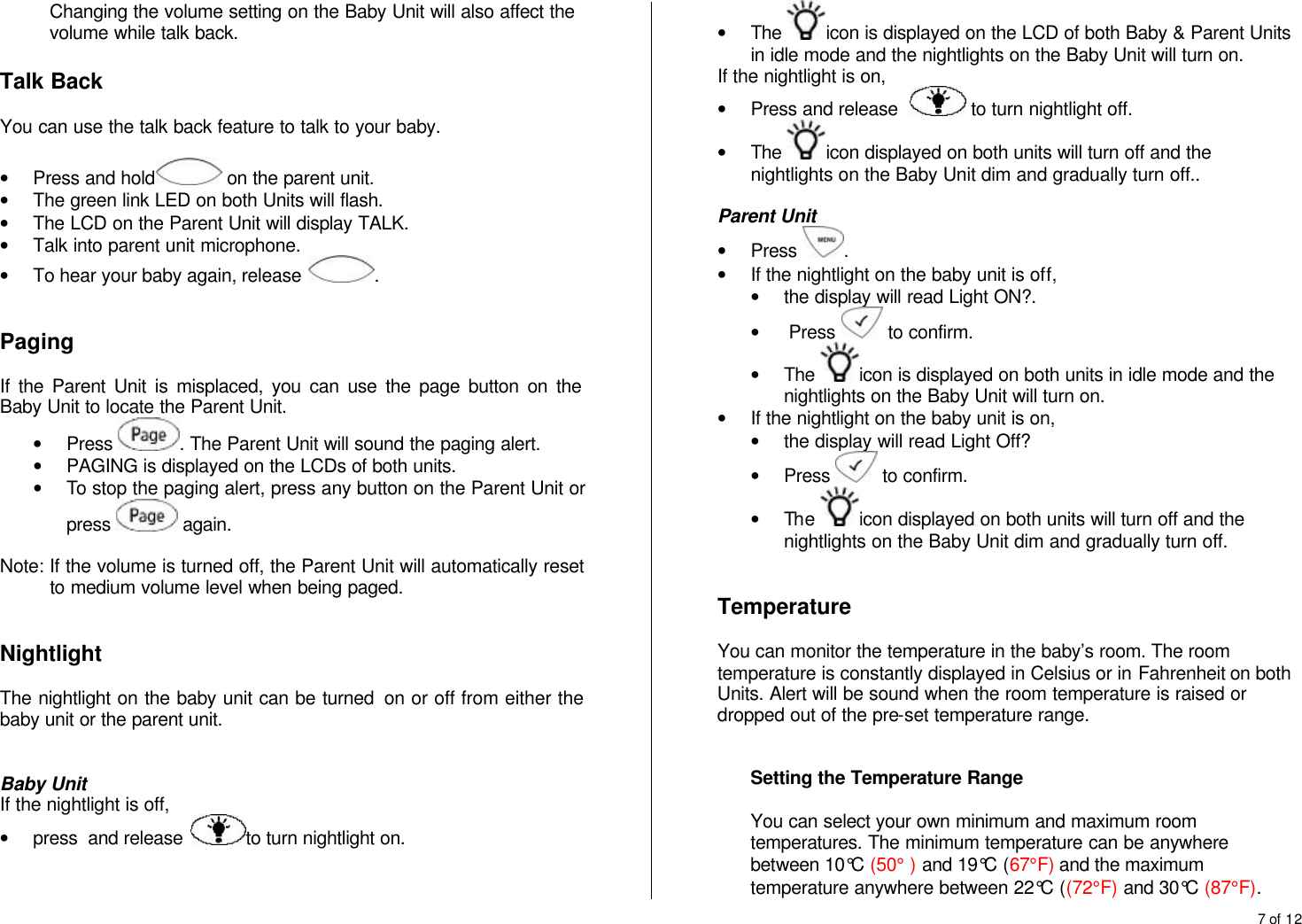
7 of 12  Changing the volume setting on the Baby Unit will also affect the volume while talk back.  Talk Back  You can use the talk back feature to talk to your baby.  • Press and hold  on the parent unit.  • The green link LED on both Units will flash. • The LCD on the Parent Unit will display TALK. • Talk into parent unit microphone. • To hear your baby again, release  .   Paging  If the Parent Unit is misplaced, you can use the page button on the Baby Unit to locate the Parent Unit. • Press  . The Parent Unit will sound the paging alert. • PAGING is displayed on the LCDs of both units. • To stop the paging alert, press any button on the Parent Unit or press   again.  Note: If the volume is turned off, the Parent Unit will automatically reset to medium volume level when being paged.   Nightlight  The nightlight on the baby unit can be turned  on or off from either the baby unit or the parent unit.   Baby Unit If the nightlight is off,  • press  and release  to turn nightlight on. • The  icon is displayed on the LCD of both Baby & Parent Units in idle mode and the nightlights on the Baby Unit will turn on. If the nightlight is on,  • Press and release    to turn nightlight off. • The  icon displayed on both units will turn off and the nightlights on the Baby Unit dim and gradually turn off..  Parent Unit • Press  .  • If the nightlight on the baby unit is off,  • the display will read Light ON?. •  Press   to confirm. • The  icon is displayed on both units in idle mode and the nightlights on the Baby Unit will turn on. • If the nightlight on the baby unit is on, • the display will read Light Off? • Press   to confirm. • The  icon displayed on both units will turn off and the nightlights on the Baby Unit dim and gradually turn off.    Temperature  You can monitor the temperature in the baby’s room. The room temperature is constantly displayed in Celsius or in Fahrenheit on both Units. Alert will be sound when the room temperature is raised or dropped out of the pre-set temperature range.   Setting the Temperature Range  You can select your own minimum and maximum room temperatures. The minimum temperature can be anywhere between 10°C (50° ) and 19°C (67°F) and the maximum temperature anywhere between 22°C ((72°F) and 30°C (87°F).
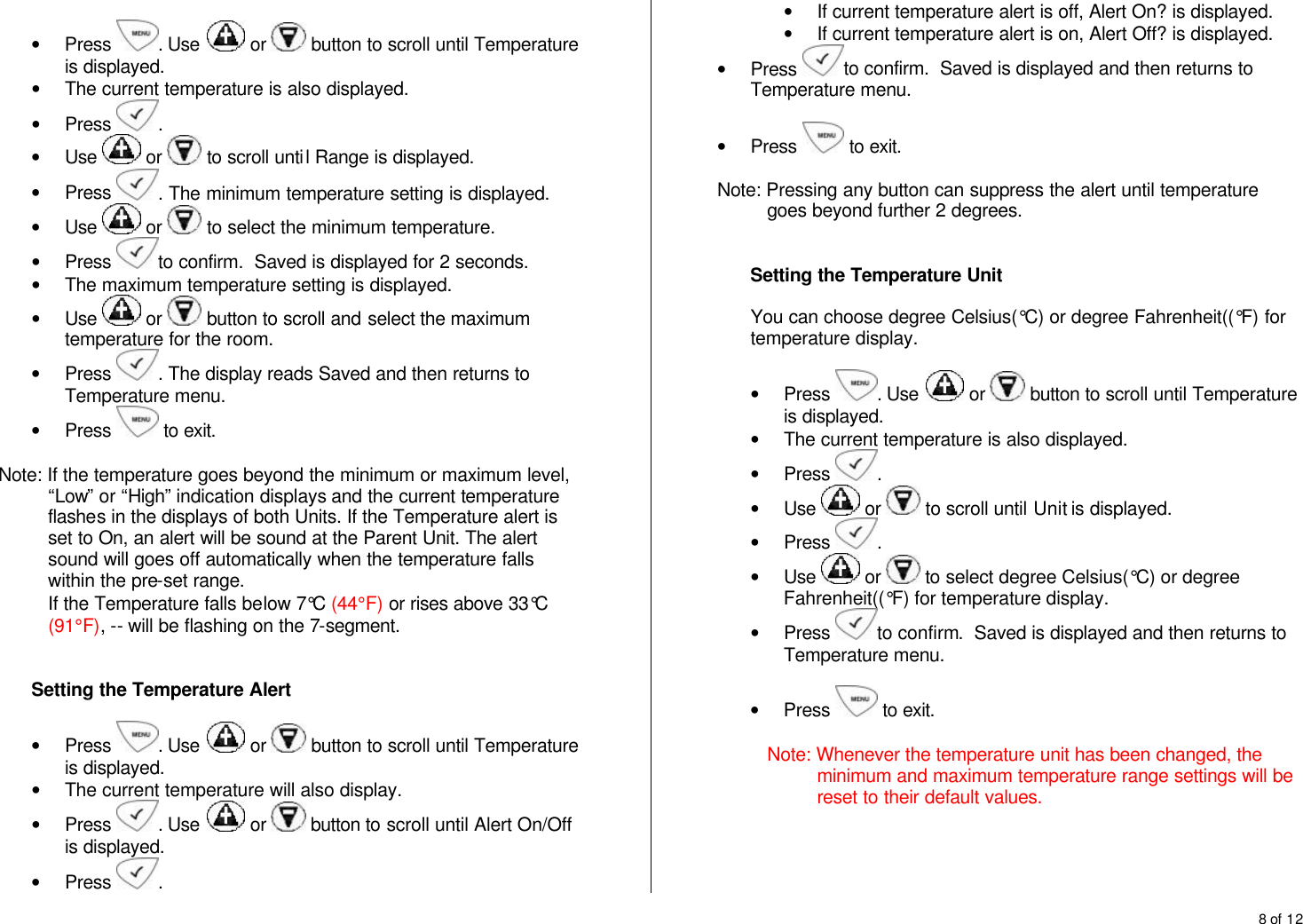
8 of 12   • Press  . Use   or   button to scroll until Temperature is displayed. • The current temperature is also displayed. • Press  .  • Use   or   to scroll until Range is displayed. • Press  . The minimum temperature setting is displayed. • Use   or   to select the minimum temperature. • Press  to confirm.  Saved is displayed for 2 seconds. • The maximum temperature setting is displayed.  • Use   or   button to scroll and select the maximum temperature for the room.  • Press  . The display reads Saved and then returns to Temperature menu. • Press   to exit.  Note: If the temperature goes beyond the minimum or maximum level, “Low” or “High” indication displays and the current temperature flashes in the displays of both Units. If the Temperature alert is set to On, an alert will be sound at the Parent Unit. The alert sound will goes off automatically when the temperature falls within the pre-set range. If the Temperature falls below 7°C (44°F) or rises above 33°C (91°F), -- will be flashing on the 7-segment.   Setting the Temperature Alert  • Press  . Use   or   button to scroll until Temperature is displayed. • The current temperature will also display. • Press  . Use   or   button to scroll until Alert On/Off is displayed. • Press  . • If current temperature alert is off, Alert On? is displayed. • If current temperature alert is on, Alert Off? is displayed. • Press  to confirm.  Saved is displayed and then returns to Temperature menu.  • Press   to exit.  Note: Pressing any button can suppress the alert until temperature goes beyond further 2 degrees.   Setting the Temperature Unit  You can choose degree Celsius(°C) or degree Fahrenheit((°F) for temperature display.  • Press  . Use   or   button to scroll until Temperature is displayed. • The current temperature is also displayed. • Press  .  • Use   or   to scroll until Unit is displayed. • Press  .  • Use   or   to select degree Celsius(°C) or degree Fahrenheit((°F) for temperature display. • Press  to confirm.  Saved is displayed and then returns to Temperature menu.  • Press   to exit.  Note: Whenever the temperature unit has been changed, the minimum and maximum temperature range settings will be reset to their default values.
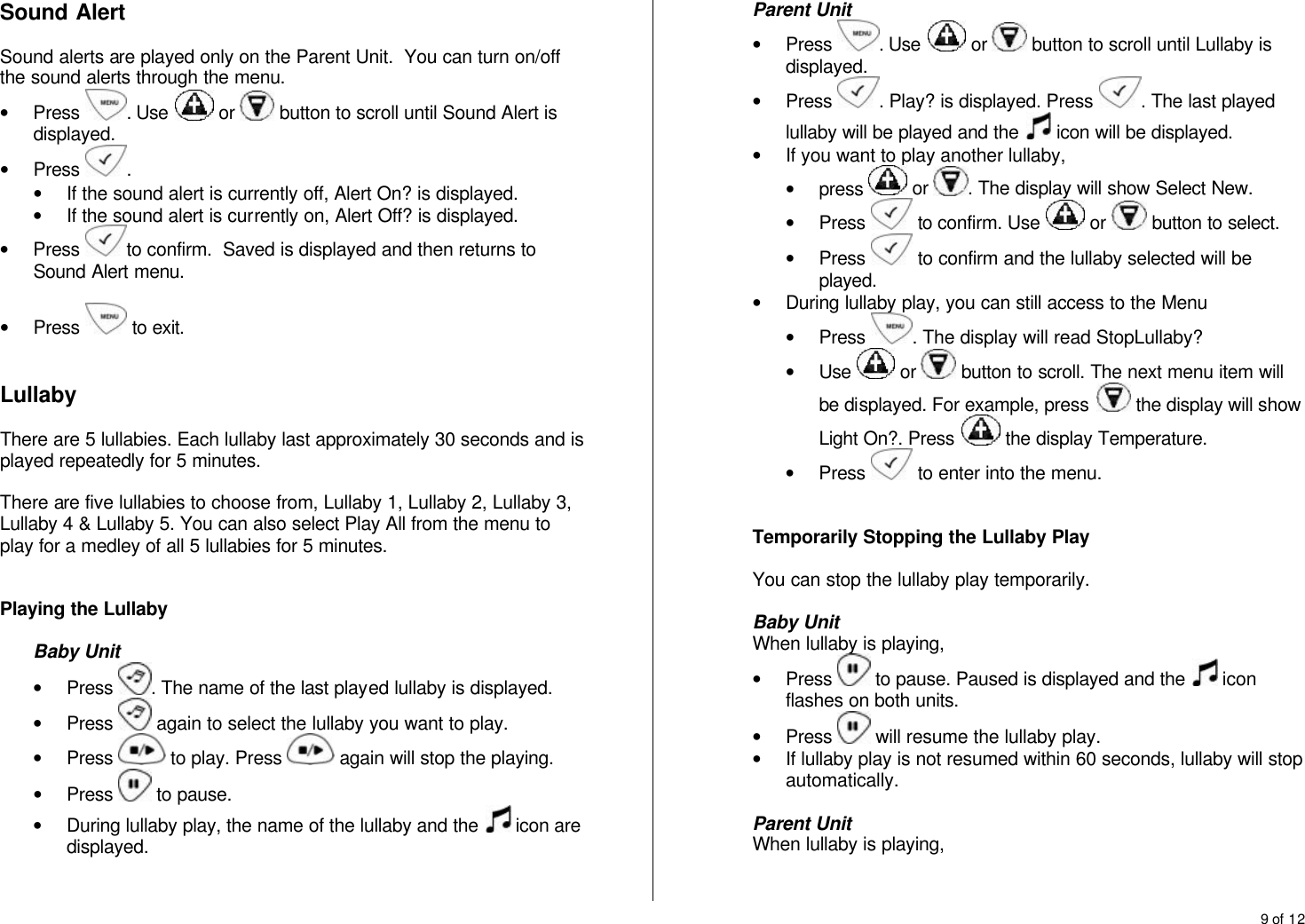
9 of 12  Sound Alert  Sound alerts are played only on the Parent Unit.  You can turn on/off the sound alerts through the menu. • Press  . Use   or   button to scroll until Sound Alert is displayed. • Press  .  • If the sound alert is currently off, Alert On? is displayed. • If the sound alert is currently on, Alert Off? is displayed. • Press  to confirm.  Saved is displayed and then returns to Sound Alert menu.  • Press   to exit.   Lullaby  There are 5 lullabies. Each lullaby last approximately 30 seconds and is played repeatedly for 5 minutes.  There are five lullabies to choose from, Lullaby 1, Lullaby 2, Lullaby 3, Lullaby 4 & Lullaby 5. You can also select Play All from the menu to play for a medley of all 5 lullabies for 5 minutes.   Playing the Lullaby  Baby Unit • Press  . The name of the last played lullaby is displayed. • Press   again to select the lullaby you want to play. • Press   to play. Press   again will stop the playing. • Press   to pause.  • During lullaby play, the name of the lullaby and the   icon are displayed.   Parent Unit • Press  . Use   or   button to scroll until Lullaby is displayed. • Press  . Play? is displayed. Press  . The last played lullaby will be played and the   icon will be displayed. • If you want to play another lullaby,  • press   or  . The display will show Select New. • Press   to confirm. Use   or   button to select. • Press   to confirm and the lullaby selected will be played. • During lullaby play, you can still access to the Menu • Press  . The display will read StopLullaby? • Use   or   button to scroll. The next menu item will be displayed. For example, press   the display will show Light On?. Press   the display Temperature. • Press   to enter into the menu.    Temporarily Stopping the Lullaby Play  You can stop the lullaby play temporarily.  Baby Unit When lullaby is playing, • Press   to pause. Paused is displayed and the   icon flashes on both units. • Press   will resume the lullaby play. • If lullaby play is not resumed within 60 seconds, lullaby will stop automatically.   Parent Unit When lullaby is playing,
10 of 12  • Press   to pause. Paused is displayed and the   icon flashes on both units. • Press   will resume the lullaby play. • If lullaby play is not resumed within 60 seconds, lullaby will stop automatically.    Stopping the Lullaby Playing  Baby Unit When lullaby is playing, • Press   will stop the lullaby play. The   icon displayed on both units will turn off.   Parent Unit When lullaby is playing, • Press  . The display shows StopLullaby?. • Press   will stop the lullaby play. The   icon displayed on both units will turn off.  You can also stop the lullaby playing from the Lullaby menu. • Press  . The display shows StopLullaby?. • Use   or   button to scroll until Lullaby is displayed. • Press  . The display will read Stop? • Press    to stop the lullaby playing.   Out of Range  When the baby and parent units have no link with each other (eg. Out of range, parent unit or Baby unit is not powered on), the green Link LED flashes.  If there is no link for more than 30 seconds, Not Linked will be displayed on both units. The link break alert will also be emitted from the speaker of the Parent Unit every 30 seconds. The red Link LED will flash. When the units are linked, the green Link LED will be steadily lit.  Note: Link break alert cannot be manually set on or off, but it can be suppressed for 3 minutes by pressing any button.  There is only visual alert shown on the Baby Unit.   Low Battery  Baby Unit When the unit is running on battery power and reaches low battery level, the display will show Low Battery and the battery icon flashes. Once the low battery level is reach, the baby unit should still be able to operate for an hour.   Parent Unit When the batteries on the Parent Unit reach a low level, the display will show Low Battery and the battery icon flashes. The low battery alert tone will be emitted from  the speaker every 60 seconds. Once the low battery level is reached, the parent unit should still be able to operate for an hour.  The low battery alert message and alert tone will be turned off when fully charged batteries are being replaced.  Note: Low battery alert can be suppressed by pressing any button.   Charging the Battery  Place the parent unit on its charge cradle to charge the battery. When charging, the red LED on the charger will light steadily. The bars in the battery icon on the Parent Unit will scroll. When the battery is full, the battery icon shows three bars and stop scrolling. Note: The Parent Unit must never be operated on the charging cradle without batteries.
11 of 12  Restore to Default Setting  You can return the baby and parent units to factory default settings.  • Press and hold   to turn on the unit. • When the LEDs on the unit become lit. Press and hold volume down button(   for Baby Unit,   for Parent Unit) immediately until the display reads Reset. • A tone will also be emitted from the speaker.  Note:  If the volume down button(  for Baby Unit,   for Parent Unit) is not pressed within 4 seconds, the unit returns to idle mode. If you want to restore the factory default settings on the baby monitor, you will need to restore factory default setting on the Baby Unit or on the Parent Unit individually.   Appendix:  Default Settings  Baby Unit Speaker Volume: Level 3 Lullaby: Lullaby 1 Temperature alert range: Min 14°C (58°F), Max 23°C (74°F) Temperature Unit:  °C  Parent Unit Speaker Volume: Level 1 Speaker Sensitivity: Level 5 Sound alert: On Temperature alert: Off   FCC and IC Compliance   The FCC ID number is located on the cabinet bottom of Parent Unit and in battery compartment of Baby Unit.   The term “IC:” before the certification number signifies that Industry Canada technical specifications were met. This certification means that the equipment meets certain radio communications and operational requirements.  Compliance Information  This device complies with Part 15 of the FCC Rules and ICES-003 of Industry Canada. Operation is subject to the following two conditions: (1) this device may not cause harmful interference, and (2) this device must accept any interference received, including interference that may cause undesired operation. This device complies also with RSS-213 of Industry Canada.  Radio Interference  This equipment has been tested and found to comply with the limits for a Class B digital device, pursuant to Part 15 of the FCC Rules and applicable Industry Canada specifications. These limits are designed to provide reasonable protection against harmful interference in a residential installation. This equipment generates, uses and can radiate radio frequency energy and, if not installed and used in accordance with the instructions, may cause harmful interference to radio communications. However, there is no guarantee that interference will not occur in a particular installation. If this equipment does cause harmful interference to radio or television reception, which can be determined by turning the equipment off and on, the user is encouraged to try to correct the interference by one or more of the following measures: Reorient or relocate the receiving antenna. Increase the separation between the equipment and receiver. Connect the equipment into an outlet on a circuit different from that to which the receiver is connected.
12 of 12  RF Radiation Exposure Statement  This equipment complies with FCC RF radiation exposure limits set forth for an uncontrolled environment. This equipment should be installed and operated with a minimum distance of 20 centimeters between the radiator and your body. For hand held operation, this equipment has been tested and meets the FCC RF exposure guidelines. Use of other accessories may not ensure compliance with FCC RF exposure guidelines. For body worn operation, this product has been tested and meets the FCC RF exposure guideline when used with the belt clip supplied with this product. User must maintain a separation distance of 3mm between the back of the unit and the body to ensure compliance. Use of other accessories may not ensure compliance with FCC RF exposure guidelines. This transmitter must not be co-located or operating in conjunction with any other antenna or transmitter. The equipment complies also with Industry Canada RSS-102 with respect to Canada’s Health Code 6 for Exposure of Humans to RF Fields.  Do not attempt to repair or modify this equipment  Any repairs or alterations made by the user to the equipment may cause the equipment void in product warranty and compliance. Refer servicing to authorized or designated service centers.   Service Centers  Service Center in USA Dorel Juvenile Group, Inc. 2525 State Street, Columbus,  IN 47201-7494  Tel.: (800)544-1108  Service Center in Canada 2345 Albert-Hudon, Montreal-N, QC Canada H1G3L1 Tel.: (800)544-1108

Navigation menu