BIOPAC Systems BNXT1 BioNomadix Transmitter User Manual BioNomadix Hardware User Guide
BIOPAC Systems, Inc. BioNomadix Transmitter BioNomadix Hardware User Guide
Owners Manual
User Guide for BioNomadix Transmitter (BN-
TX) and BioNomadix Receiver (BN-RX)
The BioNomadix Hardware Guide describes how to connect and set up the BioNomadix
Accelerometer Transmitter/Receiver module for use with an MP150 System, Isolated Power
Supply, (IPS100C) and details applications and uses for the MP System.
All specifications are subject to change without notice.
Rev. 1.1 11.22.2011
This manual supersedes all previous manuals
BIOPAC Systems, Inc.
42 Aero Camino, Goleta, CA 93117
Tel (805) 685-0066 | Fax (805) 685-0067
www.biopac.com
BIONOMADIX BN-ACCL3 MODULE
BioNomadix Accelerometry X, Y, Z — Wireless Physiology
The BioNomadix Tri-axial Accelerometer (BN-ACCL3) is a broad spectrum acceleration measurement
system. The transmitter can be attached to any part of the subject's body to measure three-axis acceleration
associated with movement in that particular location.
The system comes factory preset to support an operational range of ±16 G, with a maximum system
bandwidth of 400 Hz. Ranges can be set to as low as ±2 G with bandwidths as low as 3 Hz.
The system can also be configured to act as a "tap detector," detect either single or double taps. In this
mode, the system can act as an event recorder for self-report. When "double-tapped," for example, the
system will output a pulse to precisely mark the time location of the observed event.
In Acceleration measurement mode, the BN-ACCL3 will output X, Y and Z acceleration values on three
associated channels. The system is very well suited for mobile applications. The system can measure the
acceleration of gravity (static) for tilt-sensing and can also measure very fast-changing, dynamic
acceleration resulting from rapid movement or impact.
The BioNomadix Accelerometer module is capable of recording three independent X, Y and Z channels.
2 BioNomadix BN-ACCL3 Hardware User Guide
Setup Overview
1. Setup the BioNomadix ACCL3 Transmitter (BN-TX) with subject.
2. Setup the BioNomadix ACCL3 Receiver (BN-RX).
3. Setup the software.
Hardware Setup
The BioNomadix ACCL3 Transmitter and Receiver unit are shipped as a matched pair and must always be
used as a pair (see serial number and ID sync options). Up to 16 channels per BioNomadix system can be
monitored simultaneously, returning data quality equal to standard BIOPAC MP modules. Normal
operating range between transmitter and receiver is 10 meters line of sight in standard laboratory
environments.
BioNomadix Transmitter
Setup
1. Secure the Transmitter module on Subject, (i.e. with a strap, or
inside a BioNomadix shirt pocket).
For optimum results, the BioNomadix Custom Sport Shirt is
recommended. This specially-designed shirt is made of a
lightweight material with numerous “pockets” for housing
multiple transmitters.
2. Set the power switch on the BioNomadix Transmitter to ON. The Status light will flash sequences
based upon connectivity and battery life. Single blinks every half second indicates that the
transmitter and receiver are not communicating.
3. Double blinks occurring every two seconds indicate successful pairing and normal operation
between transmitter and receiver.
Controls
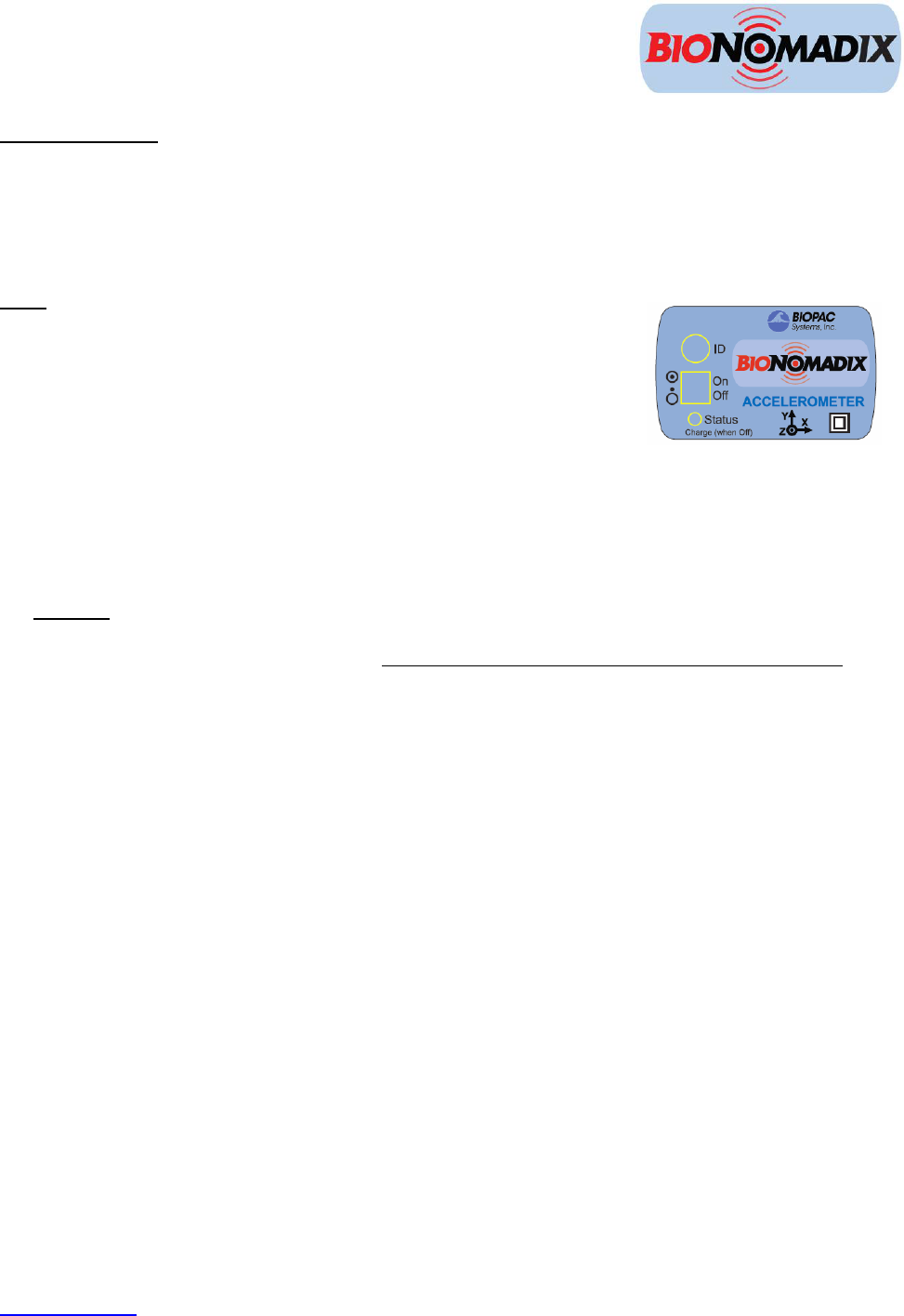
ID: Press to illuminate Status light of matching Receiver unit.
On/Off: Power switch for the transmitter. The transmitter power must be turned OFF for charging.
Status: Solid amber when battery power is low. Approximately one hour of operation remains after
light turns amber, full-charge with BN-BAT-CGR battery charger typically requires one hour.
BioNomadix Receiver
BEFORE BEGINNING:
Decide whether one or both available channels will be used. (If using only one channel, set “X”
to ON and “Y” and “Z” to OFF)
Set channel slider to correct position.
Attach Receiver unit to the right side of the MP150 unit, or the left side of the IPS100C. The
Status light will turn green when communicating with transmitter.
Set desired channel options on the Receiver module.
www.biopac.com 3
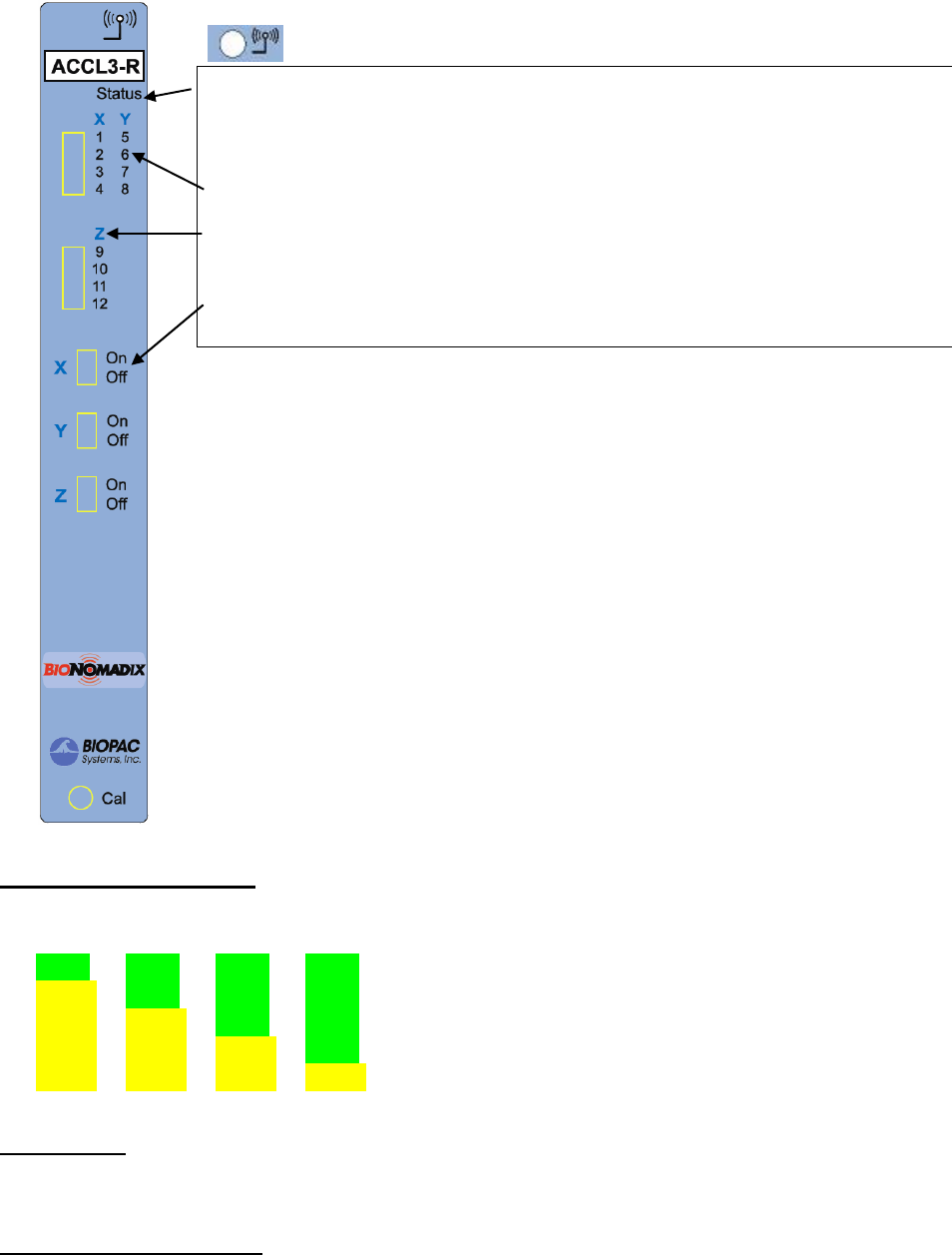
Accelerometer Receiver unit controls:
Wireless antenna input
Receiver LED: Steady green when paired with transmitter. Blinks amber once per
4 BioNomadix BN-ACCL3 Hardware User Guide
second when communication is interrupted.
Input Signals: X, Y & Z
“X” Assigns the input signals for channels 1-4.
“Y” Assigns the input signals for channels 5-8
“Z” Assigns the input signals for channels 9-12.
On/Off
Enables or disables module channels: “X” channels 1-4, “Y” channels 5-8, Z
channels 9-12.
Transmitter Battery Life
Transmitter battery life is described below as a change of color in the sequence of LED flashes.
LED Color Pattern Charge %
green green green green 75% - 100%
yellow green green green 50% - 75%
yellow yellow green green 25% - 50%
yellow yellow yellow green 5% - 25%
yellow yellow yellow yellow < 5%
System Setup
Connect the BioNomadix Receiver to the right side of the MP150, and then turn on the MP150 power
button. Data acquisition to MP150 will proceed as programmed.
Transmitter Characteristics
If the paired signal is interrupted due to electrical interference or a subject wandering out of range, the most
recently-acquired data point to the MP150 will be retained, with normal wireless transmission continuing
once communication is reestablished. See BioNomadix Operational Range and Characteristics on page 6.

BioNomadix Accelerometer Module Specs
BioNomadix BN-ACCL3 (Consists of BN-TX and BN-RX)
Signal type: G (X, Y, Z)
Bandlimits Max:
Factory preset:
Filter Options:
Alternative signal:
±2, ±4, ±8 or ±16 G
± 16 G at 400 Hz LP
DC to 3.13 Hz LP up to 400 Hz LP (in power of 2 steps)
Tap Event Mark Mode (replaces G)
Noise (resolution): X: 5 mg rms, Y: 6 mg rms, Z: 9 mg (rms) (±2 G scale at 400 Hz LP)
Signal range: Selectable: ±2, ±4, ±8 or ±16 G
Output Voltage range: ±10 V (receiver output)
Transmitter type & rate Type: Ultra-low power, 2.4 GHz bi-directional digital RF transmitter
Operational range: 10 meters (line-of-sight) typical in standard laboratory setups. See
Operational Range and Characteristics on page 6.
Transmitter Battery:
Charger:
BioNomadix ACCL3 transmitter uses an L-ion battery: full charge takes
approx. 1 hour to provide maximum operating time.
A battery charger is included with each module pair. See BN-
CHARGER for charge time and recharge cycle details.
Operating time: 72-90 hours
Receiver Power: Use with an MP Research System or with isolated power supply
IPS100C for 3rd-party data acquisition system.
Included strap: 33 cm - BN-STRAP33
Size & Weight: Transmitter (approx.): 6 cm x 4 cm x 2 cm; 54 grams; Receiver
(approx.): 4 cm x 11 cm x 19 cm; 380 grams
Input: Attach BioNomadix transmitter to subject – no additional hardware input
required; sensor is internal to transmitter.
www.biopac.com 5
6 BioNomadix BN-ACCL3 Hardware User Guide
BioNomadix Operational Range and Characteristics
10 meters line-of-sight is typical in standard laboratory environments. Operational range can be more or less
depending on factors such as presence of electromagnetic interference, multi-path, or RF signal blocking. In the event
of a communications failure, BioNomadix modules will attempt to re-establish communication over a one second
period and during this time, the data will be kept at the last successfully transmitted value. After 0.5 second of
communication failure, the BioNomadix transmitter will return the data to a “0” value and will continue to attempt to
re-establish communication with the paired receiver.
The BioNomadix transmitter is purposely kept at very low power so as not to disrupt the sensitive biophysical
parameter measured and to enhance battery life. If the BioNomadix pair is used outside the laboratory (used without
the benefit of multi-path) and if the Transmitter is line-of-sight blocked from the Receiver, then communication
dropouts are increasingly possible. A functional solution is to keep the Transmitter and Receiver in constant line-of-
site view.

www.biopac.com 7
BioNomadix Accessories
BioNomadix Shirt
Attachment Features: 22 pockets: 2 neck front, 2 neck back, 4 chest center, 4 back center, 2 hip front, 2 hip
back, 3 left arm, 3 right arm
4 zippers: right front from arm to hip, left back from shoulder to hip, right and left
under arm from neck front to neck back
4 strap bands: 4 rows of strap bands (2 loops front, 2 loops back) for RSP transducer
strap
Materials: Black 6 oz. eyelet mesh 88% Polyester / 12 % Spandex; metal zippers
Sizes: BN-SHIRT-XS extra small BN-SHIRT-L large
BN-SHIRT-S small BN-SHIRT-XL extra large
BN-SHIRT-M medium
Care instructions: Machine Wash, Warm / Line Dry
BioNomadix Strap
Dimensions: Length 20 cm, 33 cm, 76, cm, 137 cm (all widths 2.5 cm)
Material: stretch Velcro® - hook/loop type
Use with: BioNomadix ACCL3 Transmitter (BN-TX)
Length: RX-STRAP-BN-33; 33 cm
BioNomadix Battery Charger: BN-BAT-CHRG
To charge, the BioNomadix ACCL3 Transmitter must be in the OFF position
Connector: DC polarized squeeze-clip plug
Number of cells: 1 L-ion
Charger current 1000 mA (660 mA for IB-16800)
Current tolerance: +10%
Voltage limit: Preset
Voltage limit tolerance: +0.2%
Operating temperature: 0◦C to 40◦C
Input voltage: 90 VAC to 240 VAC
Frequency 50 Hz to 60 Hz
Wall plug: ships with US blades; adapters available for Euro, China or Australia
Output cable length: 1.7 meter (~6 feet)
Connector DC polarized squeeze-clip plug
Weight: 142 grams (5 oz.)
Dimensions: 75 mm x 51 mm x 40 mm
Lithium Ion Chemistry
Termination algorithm: CCCV
Termination indicated Current falls to limit value/5
Top-off charge: 1 hour or current falls to limit value/10
Restart threshold: 7/8 of termination voltage or every 2 hours
Maintenance charge: N/A
Charge voltage limit: Preset to 4.20V (one L-ion cell)
Override timer: None

8 BioNomadix BN-ACCL3 Hardware User Guide
FCC Notice
This device complies with part 15 of the FCC Rules. Operation is subject to the following two conditions: (1) This
device may not cause harmful interference, and (2) this device must accept any interference received, including
interference that may cause undesired operation.
This equipment has been tested and found to comply with the limits for a class B digital device pursuant to part 15 of
the FCC Rules. These limits are designed to provide reasonable protection against harmful interference in a
residential installation. This equipment generates, uses and can radiate radio frequency energy and if not installed
and used in accordance with the instructions, may cause harmful interference to radio communications. However,
there is no guarantee that interference will not occur in a particular installation. If this equipment does cause
harmful interference to radio or television reception, which can be determined by turning the equipment off and on,
the user is encouraged to try to correct the interference by one or more of the following measures:
* Reorient or relocate the receiving antenna.
* Increase the separation between the equipment and receiver.
* Connect the equipment into an outlet on a circuit different from that to which the receiver is connected.
* Consult the dealer or an experienced radio/TV technician for help.
In order to maintain compliance with FCC regulations, shielded cables must be used with this equipment. Operation
with non-approved equipment or unshielded cables is likely to result in interference to radio and TV reception. The
user is cautioned that changes and modifications made to the equipment without the approval of the manufacturer
could void the user’s authority to operate the equipment.
Industry Canada Information
This device complies with Industry Canada licence-exempt RSS standard(s). Operation is subject to the following two
conditions: (1) this device may not cause interference, and (2) this device must accept any interference, including
interference that may cause undesired operation of the device.
Le présent appareil est conforme aux CNR d'Industrie Canada applicables aux appareils radio exempts de licence.
L'exploitation est autorisée aux deux conditions suivantes : (1) l'appareil ne doit pas produire de brouillage, et (2)
l'utilisateur de l'appareil doit accepter tout brouillageradioélectrique subi, même si le brouillage est susceptible d'en
compromettre le fonctionnement.

www.biopac.com 9
BioNomadix—Advanced Setup Options
Isolated Power Supply
To use BioNomadix with the Isolated Power Supply (IPS100C), connect the BioNomadix receiver to the left
side and turn on the IPS100C power button. The power light, on the front panel of the IPS100C, signals that
BioNomadix receiver is powered ON.
Signal Validation
BioNomadix units are factory-calibrated but if user-calibration is desired for measurement verification the
following steps may be used:
Accelerometer
Orient Transmitter unit in the X, Y, and Z directions with respect to Earth’s gravity.
Measurements should be approximately 1 g.
Filter Option Switch Guide
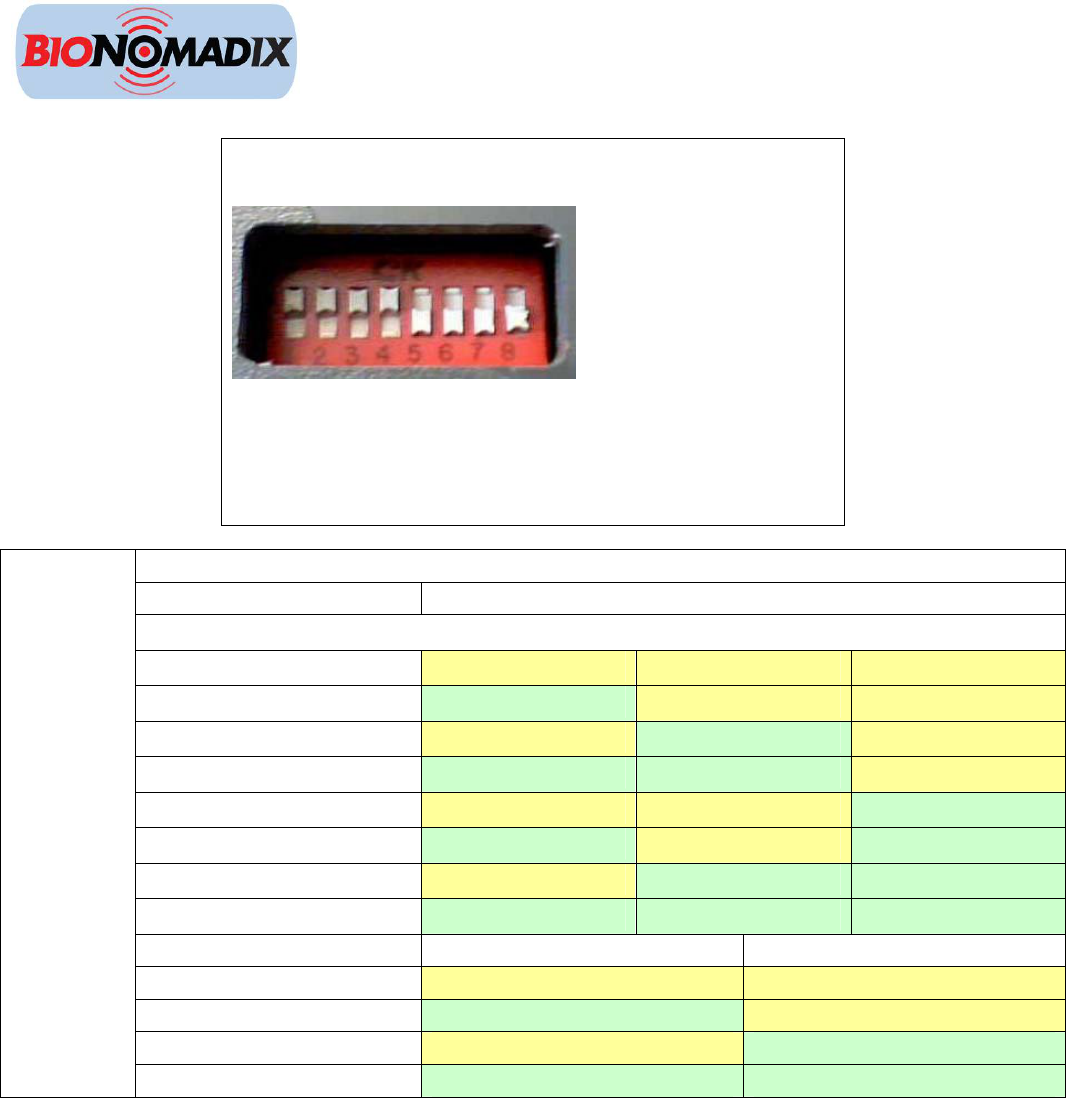
Switches are on the back of the BioNomadix receiver. Adjust
switch position with a small tipped screwdriver.
Switch positions: “UP” = ON, DOWN” = OFF
NOTE: If the switch settings are modified, preset MP150
module setup cannot be used and channels must be configured
manually.
ACCL3-R BioNomadix Receiver
Filter Option Switch Number
Rate SW1 SW2 SW3
6.25 Hz UP UP UP
12.5 Hz DOWN UP UP
25 Hz UP DOWN UP
50 Hz DOWN DOWN UP
100 Hz UP UP DOWN
200 Hz DOWN UP DOWN
400 Hz UP DOWN DOWN
800 Hz DOWN* DOWN* DOWN*
Range SW4 SW5
2 G UP UP
4 G DOWN UP
8 G UP DOWN
G-Mode
16 G DOWN* DOWN*
*Indicates Factory Preset
10 BioNomadix BN-ACCL3 Hardware User Guide
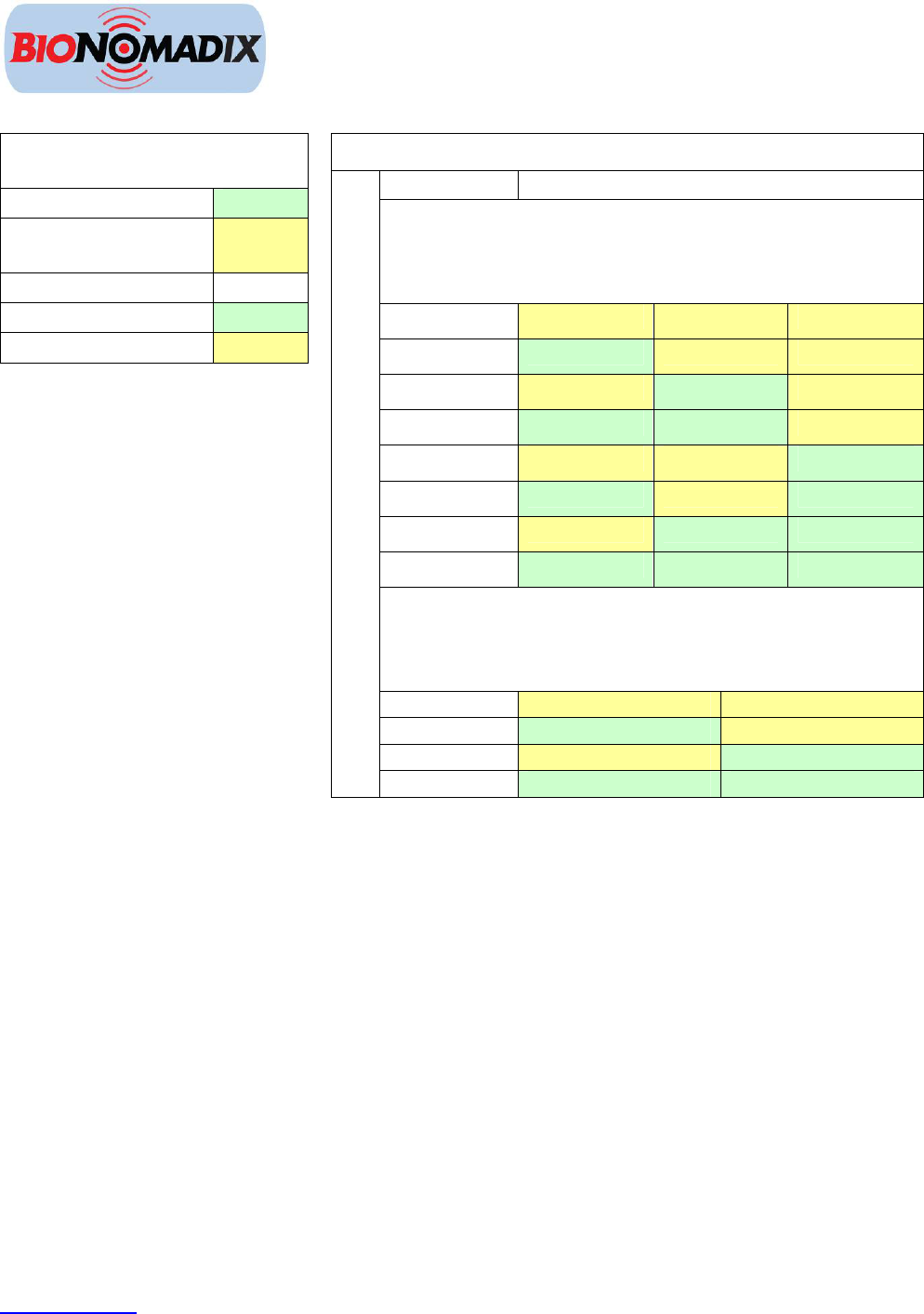
Alternative Signal Switch Guide
ACCL3-R BioNomadix
Receiver
G – Factory Preset DOWN
Tap (Event Mark) –
Alternative Signal
UP
Signal Output SW6
G-Mode DOWN
Tap Mode UP
ACCL3-R switch settings for Alternative Signal TAP
Filter Option Switch Number
Rate (G-
Mode) or
Duration
(Tap Mode)
SW1 SW2 SW3
5000 μS UP UP UP
4375 μS DOWN UP UP
3750 μS UP DOWN UP
3125 μS DOWN DOWN UP
2500 μS UP UP DOWN
1875 μS DOWN UP DOWN
1875 μS UP DOWN DOWN
625 μS DOWN DOWN DOWN
Range (G-
Mode or
Threshold
(Tap Mode)
SW4 SW5
2 G UP UP
4 G DOWN UP
6 G UP DOWN
Tap-Mode
8 G DOWN DOWN
www.biopac.com 11