BREITLING USA XB55 Connected wrist-watch User Manual Calibre B55 mode d emploi GB

BREITLING USA, INC. Connected wrist-watch Calibre B55 mode d emploi GB

UserManual.pdf

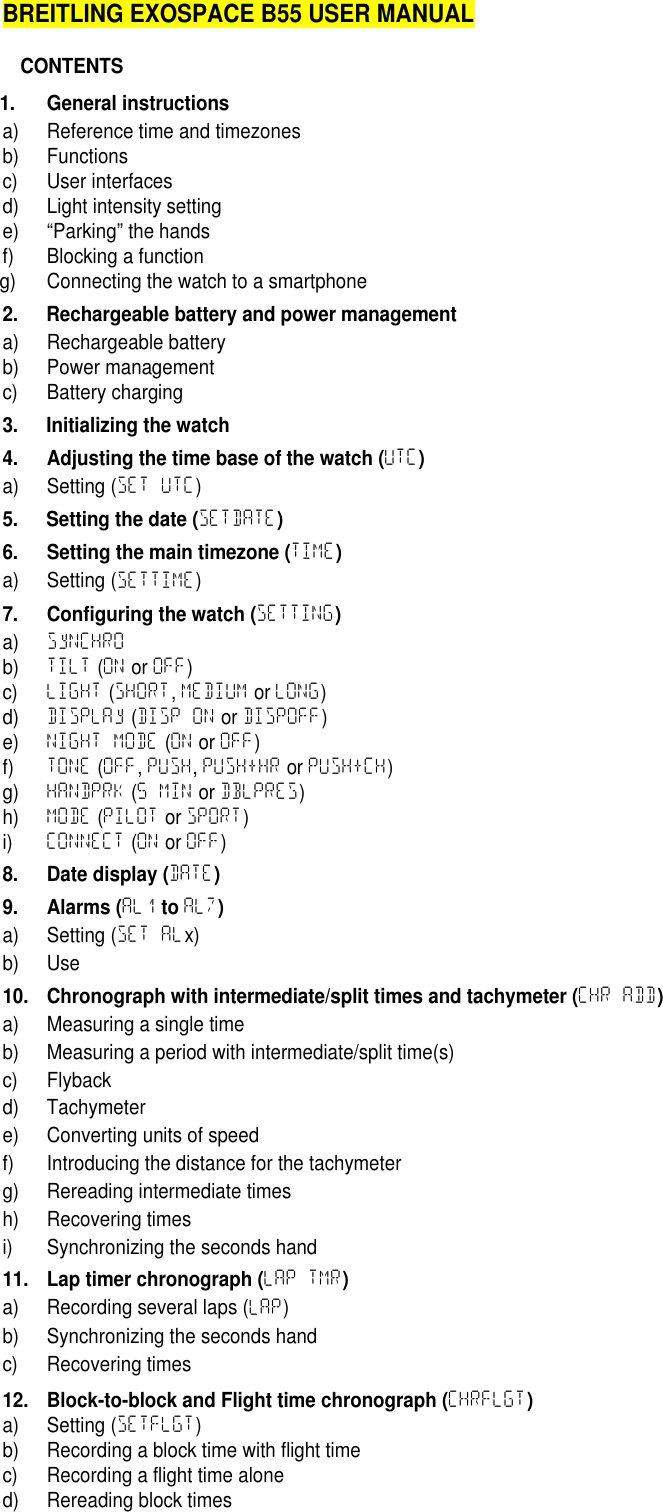
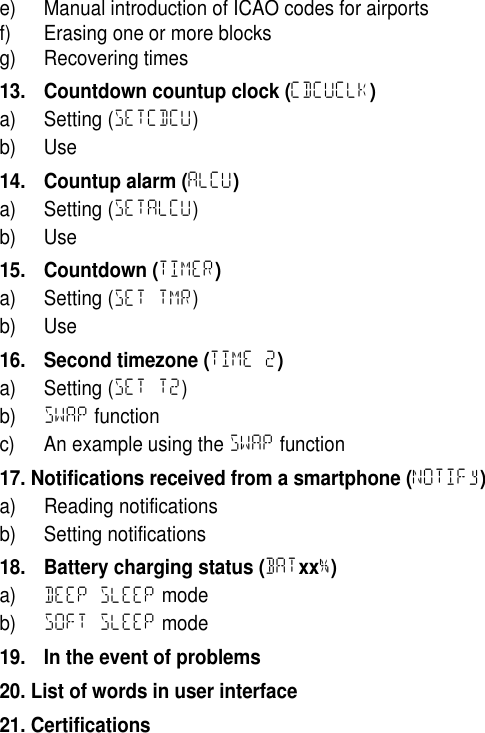
BREITLING EXOSPACE B55 USER MANUALCONTENTS1. General instructionsa) Reference time and timezonesb) Functionsc) User interfacesd) Light intensity settinge) “Parking” the handsf) Blocking a functiong) Connecting the watch to a smartphone2. Rechargeable battery and power managementa) Rechargeable batteryb) Power managementc) Battery charging3. Initializing the watch4. Adjusting the time base of the watch (UTC)a) Setting (SET UTC)5. Setting the date (SETDATE)6. Setting the main timezone (TIME)a) Setting (SETTIME)7. Configuring the watch (SETTING)a) SyNCHROb) TILT (ON or OFF)c) LIGHT (SHORT,MEDIUM or LONG)d) DISPLAy (DISP ON or DISPOFF)e) NIGHT MODE (ON or OFF)f) TONE (OFF,PUSH,PUSH+HR or PUSH+CH)g) HANDPRK (5 MIN or DBLPRES)h) MODE (PILOT or SPORT)i) CONNECT (ON or OFF)8. Date display (DATE)9. Alarms (AL1toAL7)a) Setting (SET ALx)b) Use10. Chronograph with intermediate/split times and tachymeter (CHR ADD)a) Measuring a single timeb) Measuring a period with intermediate/split time(s)c) Flybackd) Tachymetere) Converting units of speedf) Introducing the distance for the tachymeterg) Rereading intermediate timesh) Recovering timesi) Synchronizing the seconds hand11. Lap timer chronograph (LAP TMR)a) Recording several laps (LAP)b) Synchronizing the seconds handc) Recovering times12. Block-to-block and Flight time chronograph (CHRFLGT)a) Setting (SETFLGT)b) Recording a block time with flight timec) Recording a flight time aloned) Rereading block times
e) Manual introduction of ICAO codes for airportsf) Erasing one or more blocksg) Recovering times13. Countdown countup clock (CDCUCLK)a) Setting (SETCDCU)b) Use14. Countup alarm (ALCU)a) Setting (SETALCU)b) Use15. Countdown (TIMER)a) Setting (SET TMR)b) Use16. Second timezone (TIME 2)a) Setting (SET T2)b) SWAP functionc) An example using the SWAP function17. Notifications received from a smartphone (NOTIFy)a) Reading notificationsb) Setting notifications18. Battery charging status (BATxx%)a) DEEP SLEEP modeb) SOFT SLEEP mode19. In the event of problems20. List of words in user interface21. Certifications
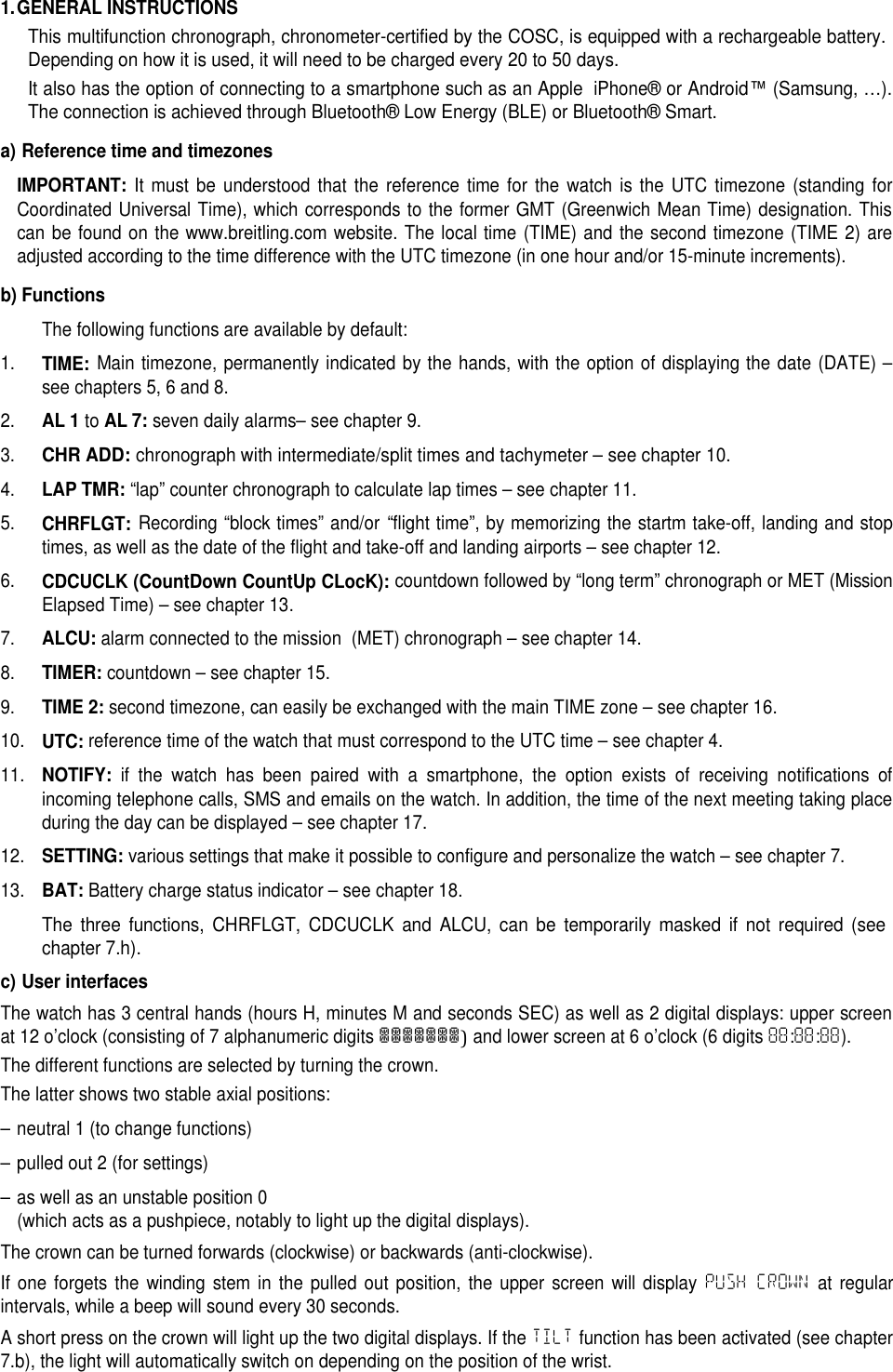
1.GENERAL INSTRUCTIONSThis multifunction chronograph, chronometer-certified by the COSC, is equipped with a rechargeable battery.Depending on how it is used, it will need to be charged every 20 to 50 days.It also has the option of connecting to a smartphone such as an AppleiPhone®or Android™(Samsung, …).The connection is achieved through Bluetooth® Low Energy (BLE) or Bluetooth® Smart.a) Reference time and timezonesIMPORTANT:It must be understood that the reference time for the watch is the UTC timezone (standing forCoordinated Universal Time), which corresponds to the former GMT (Greenwich Mean Time) designation. Thiscan be found on the www.breitling.com website. The local time (TIME) and the second timezone (TIME 2) areadjusted according to the time difference with the UTC timezone (in one hour and/or 15-minute increments).b) FunctionsThe following functions are available by default:1.TIME:Main timezone, permanently indicated by the hands, with the option of displaying the date (DATE) –see chapters 5, 6 and 8.2.AL 1toAL 7:seven daily alarms– see chapter 9.3.CHR ADD:chronograph with intermediate/split times and tachymeter – see chapter 10.4.LAP TMR:“lap” counter chronograph to calculate lap times – see chapter 11.5.CHRFLGT:Recording “block times” and/or “flight time”, by memorizing the startm take-off, landing and stoptimes, as well as the date of the flight and take-off and landing airports – see chapter 12.6.CDCUCLK (CountDown CountUp CLocK):countdown followed by “long term” chronograph or MET (MissionElapsed Time) – see chapter 13.7.ALCU:alarm connected to the mission (MET) chronograph – see chapter 14.8.TIMER:countdown – see chapter 15.9.TIME 2:second timezone, can easily be exchanged with the main TIME zone – see chapter 16.10.UTC:reference time of the watch that must correspond to the UTC time – see chapter 4.11.NOTIFY:if the watch has been paired with a smartphone, the option exists of receiving notifications ofincoming telephone calls, SMS and emails on the watch. In addition, the time of the next meeting taking placeduring the day can be displayed – see chapter 17.12.SETTING:various settings that make it possible to configure and personalize the watch – see chapter 7.13.BAT:Battery charge status indicator – see chapter 18.The three functions, CHRFLGT, CDCUCLK and ALCU, can be temporarily masked if not required (seechapter 7.h).c) User interfacesThe watch has 3 central hands (hours H, minutes M and seconds SEC) as well as 2 digital displays: upper screenat 12 o’clock (consisting of 7 alphanumeric digits███████)and lower screen at 6 o’clock (6 digits 88:88:88).The different functions are selected by turning the crown.The latter shows two stable axial positions:– neutral 1 (to change functions)– pulled out 2 (for settings)– as well as an unstable position 0(which acts as a pushpiece, notably to light up the digital displays).The crown can be turned forwards (clockwise) or backwards (anti-clockwise).If one forgets the winding stem in the pulled out position, the upper screen will display PUSH CROWN at regularintervals, while a beep will sound every 30 seconds.A short press on the crown will light up the two digital displays. If the TILT function has been activated (see chapter7.b), the light will automatically switch on depending on the position of the wrist.
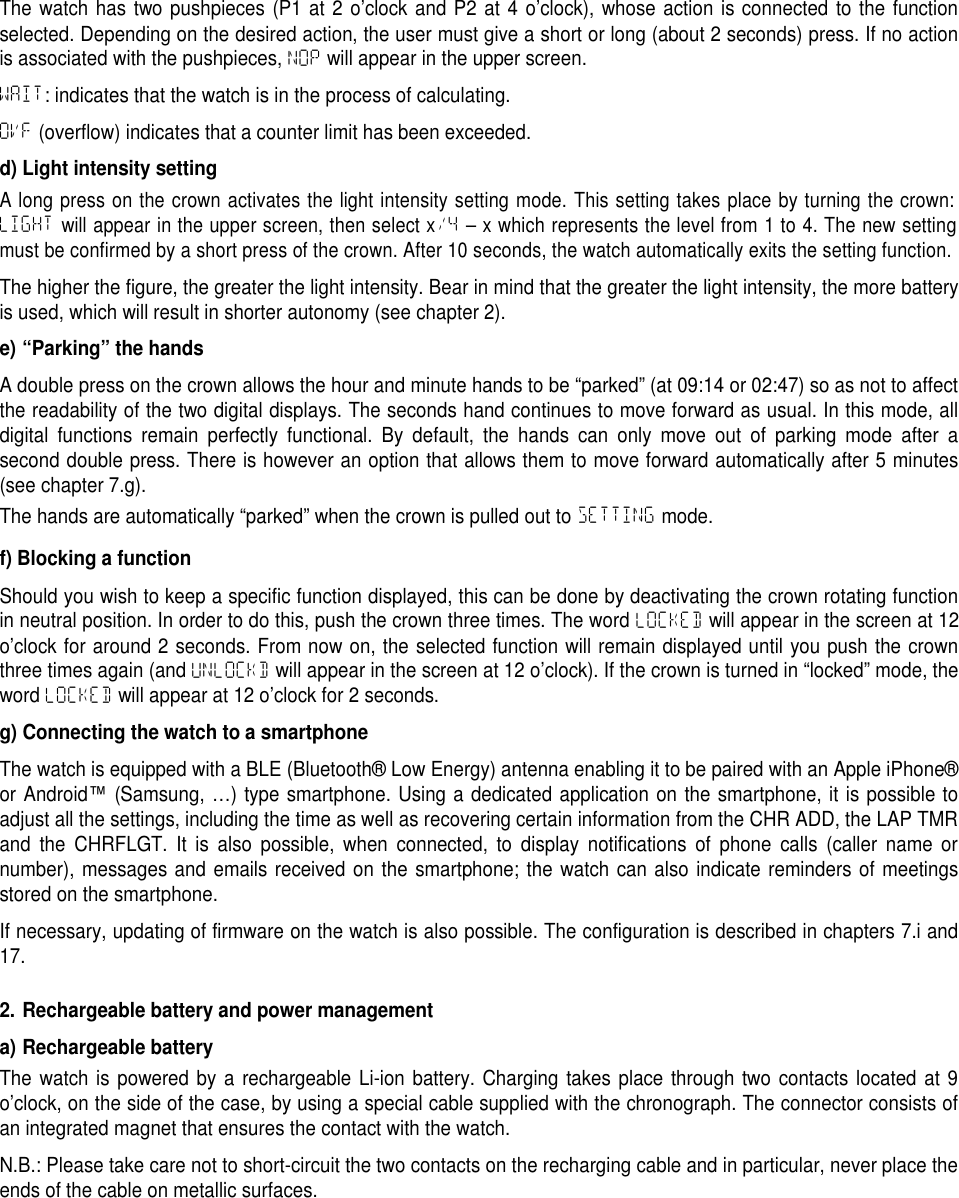
The watch has two pushpieces (P1 at 2 o’clock and P2 at 4 o’clock), whose action is connected to the functionselected. Depending on the desired action, the user must give a short or long (about 2 seconds) press. If no actionis associated with the pushpieces, NOP will appear in the upper screen.WAIT: indicates that the watch is in the process of calculating.OVF (overflow) indicates that a counter limit has been exceeded.d) Light intensity settingA long press on the crown activates the light intensity setting mode. This setting takes place by turning the crown:LIGHTwill appear in the upper screen, then select x/4– x which represents the level from 1 to 4. The new settingmust be confirmed by a short press of the crown. After 10 seconds, the watch automatically exits the setting function.The higher the figure, the greater the light intensity. Bear in mind that the greater the light intensity, the more batteryis used, which will result in shorter autonomy (see chapter 2).e) “Parking” the handsA double press on the crown allows the hour and minute hands to be “parked” (at 09:14 or 02:47) so as not to affectthe readability of the two digital displays. The seconds hand continues to move forward as usual. In this mode, alldigital functions remain perfectly functional. By default, the hands can only move out of parking mode after asecond double press. There is however an option that allows them to move forward automatically after 5 minutes(see chapter 7.g).The hands are automatically “parked” when the crown is pulled out to SETTING mode.f) Blocking a functionShould you wish to keep a specific function displayed, this can be done by deactivating the crown rotating functionin neutral position. In order to do this, push the crown three times. The word LOCKED will appear in the screen at 12o’clock for around 2 seconds. From now on, the selected function will remain displayed until you push the crownthree times again (and UNLOCKD will appear in the screen at 12 o’clock). If the crown is turned in “locked” mode, theword LOCKED will appear at 12 o’clock for 2 seconds.g) Connecting the watch to a smartphoneThe watch is equipped with a BLE (Bluetooth® Low Energy) antenna enabling it to be paired with an Apple iPhone®or Android™(Samsung, …) type smartphone. Using a dedicated application on the smartphone, it is possible toadjust all the settings, including the time as well as recovering certain information from the CHR ADD, the LAP TMRand the CHRFLGT. It is also possible, when connected, to display notifications of phone calls (caller name ornumber), messages and emails received on the smartphone; the watch can also indicate reminders of meetingsstored on the smartphone.If necessary, updating of firmware on the watch is also possible. The configuration is described in chapters 7.i and17.2. Rechargeable battery and power managementa) Rechargeable batteryThe watch is powered by a rechargeable Li-ion battery. Charging takes place through two contacts located at 9o’clock, on the side of the case, by using a special cable supplied with the chronograph. The connector consists ofan integrated magnet that ensures the contact with the watch.N.B.: Please take care not to short-circuit the two contacts on the recharging cable and in particular, never place theends of the cable on metallic surfaces.
TYPICAL AUTONOMY IN DAYS / INTENSITY CONTROL01020304050601 2 3 4Autonomie typique en joursRéglage de l'intensitéConnection OFFConnection ONConnection ON + NotificationsGraph 1: Typical autonomy in number of days for 10 minutes use of the light and 10 seconds per day of alarm(vibrate function and buzzer) with or without a connection and 20 notifications according to the light intensity setting.AUTONOMY (DAYS) / DAILY LIGHT USE (MINUTES)0510152025300 2 4 6 8 10 12 14 16 18 20Autonomie [jours]Utilisation journalière de la lumière [minutes]Connexion ON + 20 Notificationsintensité 1intensité 2intensité 3intensité 4Graph 2: Typical autonomy in days (connection ON with 20 notifications per day) according to the use of light inminutes per day (for the four intensity settings).The autonomy of the watch depends on how it is used. The main consumers of energy are the LCD display lighting,the vibration function, followed to a lesser degree by the audible alarm and the BLE connection. The more theseelements are used, the less autonomy the watch will have. The two graphs (1 & 2) provide typical autonomy valuesaccording to light usage.b) Power managementThe watch is equipped with an intelligent power management system serving to optimize its autonomy. The ultimateaim is to avoid having to re-adjust it once again after a “stop”. Depending on the status of the battery charge, thewatch will inform the user of the need to charge. Parallel to this it will deactivate high-consumption functions little bylittle as the battery is used up. The sequence includes three successive levels:1.1stlevel:The seconds hand moves forward in 4-second increments every 4 seconds. The analog and digitaltimes are correctly shown, and the digital functions and alarms are operational.2.2ndlevel:The seconds hand is stopped at 12 o’clock, the high-consumption functions (light, vibrate, function“beeps” and BLE connection) are deactivated. With each press on the crown, the LOW BAT indicator appears onthe upper screen instead of and in place of the light. If the watch is configured in DISPOFF mode (display onlywith the light – see chapter 7.d), it automatically goes to DISP ON mode. The analog time (without the seconds)and the digital time are correctly indicated, the digital functions are operational and the alarms only work with the
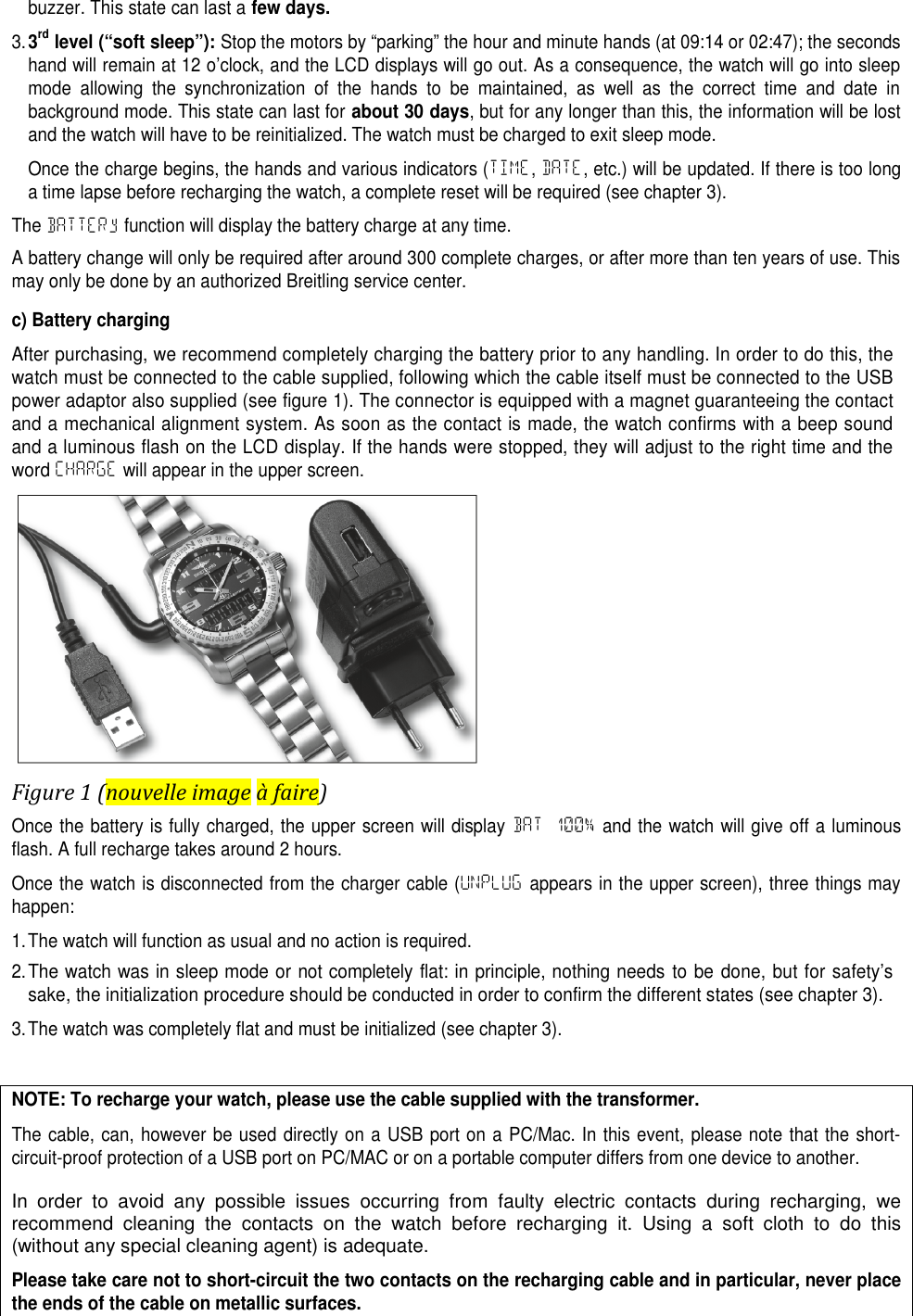
buzzer. This state can last afew days.3.3rdlevel (“soft sleep”):Stop the motors by “parking” the hour and minute hands (at 09:14 or 02:47); the secondshand will remain at 12 o’clock, and the LCD displays will go out. As a consequence, the watch will go into sleepmode allowing the synchronization of the hands to be maintained, as well as the correct time and date inbackground mode. This state can last forabout 30 days, but for any longer than this, the information will be lostand the watch will have to be reinitialized. The watch must be charged to exit sleep mode.Once the charge begins, the hands and various indicators (TIME,DATE, etc.) will be updated. If there is too longa time lapse before recharging the watch, a complete reset will be required (see chapter 3).The BATTERy function will display the battery charge at any time.A battery change will only be required after around 300 complete charges, or after more than ten years of use. Thismay only be done by an authorized Breitling service center.c) Battery chargingAfter purchasing, we recommend completely charging the battery prior to any handling. In order to do this, thewatch must be connected to the cable supplied, following which the cable itself must be connected to the USBpower adaptor also supplied (see figure 1). The connector is equipped with a magnet guaranteeing the contactand a mechanical alignment system. As soon as the contact is made, the watch confirms with a beep soundand a luminous flash on the LCD display. If the hands were stopped, they will adjust to the right time and thewordCHARGE will appear in the upper screen.Figure 1 (nouvelle image à faire)Once the battery is fully charged, the upper screen will display BAT 100% and the watch will give off a luminousflash. A full recharge takes around 2 hours.Once the watch is disconnected from the charger cable (UNPLUG appears in the upper screen), three things mayhappen:1.The watch will function as usual and no action is required.2.The watch was in sleep mode or not completely flat: in principle, nothing needs to be done, but for safety’ssake, the initialization procedure should be conducted in order to confirm the different states (see chapter 3).3.The watch was completely flat and must be initialized (see chapter 3).NOTE: To recharge your watch, please use the cable supplied with the transformer.The cable, can, however be used directly on a USB port on a PC/Mac. In this event, please note that the short-circuit-proof protection of a USB port on PC/MAC or on a portable computer differs from one device to another.In order to avoid any possible issues occurring from faulty electric contacts during recharging, werecommend cleaning the contacts on the watch before recharging it. Using a soft cloth to do this(without any special cleaning agent) is adequate.Please take care not to short-circuit the two contacts on the recharging cable and in particular, never placethe ends of the cable on metallic surfaces.
3.INITIALIZING THE WATCHWhen used for the first time, or after having been charged, the watch guides the user though the followingsequence:1.Pull the crown into position 2 (PULL CROWN) in order to activate the settings function.2.Synchronize (SyNCHRO) the hour, minute and seconds hands with the digital display (see chapter 7.a).3.Set the exact time on the UTC timezone (SET UTC), which constitutes the watch’s main time base – and not thelocal time (see chapter 4)4.Set the date (SETDATE) (see chapter 5)5.Set the main Timezone (SETTIME) with regard to the difference with the UTC time (see chapter 6).6.Press the crown back to neutral position 1.Depending on the state of the watch prior to being charged, only some, if any, settings will be required.N.B.: It is only possible to adjust the minutes in one-minute increments inUTCmode. InTIMEorTIME 2mode, thehours are adjusted depending on the difference with UTC time and the minutes in 15-minute increments. The secondson the other hand, can be adjusted precisely in each of the timezones and will automatically be updated in the otherzones.It is clear that in the event of a change of summer/winter time or the contrary, TIME and/or TIME 2 timezones mustbe changed, and not the UTC time.4. ADJUSTING THE TIME BASE OF THE WATCH (UTC)UTC time is the watch’s main time base. The minute on the time base can only be adjusted in 1-minute incrementsin this mode. Any modification to UTC time will automatically have an effect on TIME and TIME 2 (the latter beingadjusted according to the difference with UTC). The display of the UTC time is only available in 24-hour format.a) Setting (SET UTC)• Select the UTC mode.• Pull the crown into position 2, SET UTC appears on the upper screen and the time begins to flash (HOUR appearson the upper screen).• Turn the crown to adjust the hours and confirm by pressing P2. The minutes will begin to flash (MINUTE appearsin the upper screen).• Turn the crown to adjust the minutes and confirm by pressing P2. The seconds will begin to flash (SECONDappears on the upper screen).• Turn the crown to adjust the seconds and confirm by pressing P2.• Press the crown back into neutral position 1.UTC time can be found on www.breitling.com.N.B.: When in setting mode (SET UTC), pressing P1 will restart the seconds counter from 0. The seconds counterwill only stop when the seconds are changed manually. In this case, it restarts when exiting setting (putting thecrown back to neutral position 1). The seconds are automatically synchronized with the TIME and TIME 2 zones.5. SETTING THE DATE (SETDATE)• Select the TIME mode.• Pull the crown into position 2.• Press P2 until the date, SETDATE, appears in the upper screen.• Select the display mode for the date by turning the crown:DD/MM (day and then month) or MM/DD (month and day) and confirm by pressing P2. The year flashes (yEARappears in the upper screen).• Define the year by turning the crown and confirm by pressing P2. The month flashes (MONTH appears in theupper screen).• Define the month by turning the crown and confirm by pressing P2. The day flashes (DAy appears in the upperscreen).• Define the day by rotating the crown and confirm by pressing P2.• Select the week display (WEEK NUMBER) by turning the crown and confirm by pressing P2:
ISO: the first week includes the first Thursday of the year and the first day of the week is Monday.ISO-2: The first week includes January 1stand the first day of the week is Monday.US: The first week includes January 1stand the first day of the week is Sunday.ARABIC: The first week includes January 1stand the first day of the week is Saturday.The setting moves to setting the hour (SETTIME appears on the upper screen).• Press the crown into neutral position 1.The watch has a perpetual calendar until 2099.6.SETTING THE MAIN ZONE (TIME)a) Setting (SETTIME)• Select the TIME or DATE function.• Pull the crown into position 2: if the hour was displayed, SETTIME appears on the upper screen and the settingprocess (in a loop) starts by the time setting. If the date was displayed, SETDATE appears on the upper screenand the setting process will start with adjusting the date. In the second case, press on P2 until the hours begin toflash (UTC +/-xx).• By turning the crown, adjust the time in relation to the difference with UTC, from UTC-12 to UTC+14.• Confirm by pressing P2; the minutes flash (display MIN +00) on the upper screen.• If necessary, adjust the minutes in 15-minute increments and confirm by pressing P2; the seconds flash (SECONDappears on the upper screen).• Adjust the seconds (which will automatically be adjusted in the TIME 2 and UTC) and confirm by pressing P2.• Press the crown back to neutral position 1.N.B.: When in setting mode (SETTIME), pressing P1 will restart the seconds counter from 0. The seconds counter onlystops when the seconds are manually modified. In this case, it restarts when exiting setting (putting the crown back toneutral position 1). The seconds are automatically synchronized on theUTCandTIME 2timezones.In TIME mode, pressing P1 makes it possible to go into DATE mode and display the date according to differentformats (see chapter 8). A long press on P1 puts the display directly back to TIME.In TIME mode, a long press on P2 allows to choose between either the 12-hour (AM or PM indicator) or the 24-hourdisplay. The change also happens automatically for the TIME 2 zone and the seven alarms.7.CONFIGURING THE WATCH (SETTING)In the SETTING mode, the following adjustments can be made (all these settings are memorized by the watch andtherefore available even in the event of the battery being completely flat):1.SyNCHRO: synchronization of the analog display with the digital display.2.TILT: lighting goes on automatically (and possibly the LCD) depending on the position of the wrist (positionedaround 30° to horizontal), but for a maximum of 30 seconds, unless in the setting mode (SETTING).3.LIGHT: setting the duration for the lighting to be switched on when the crown is pressed.4.DISPLAy: choice of digital LCD behavior – readable all the time even without lighting or readable only withlighting.5.NIGHT MODE: Option of reducing the light intensity to a minimum and disabling the TILT mode as well asnotifications between 24:00 and 06:00. On the one hand, this function makes it possible to reduce consumptionand on the other, to avoid the lighting being too bright in the dark.6.TONE: audible confirmations connected to pushpieces, with or without hourly time signal or signal for fulltimekeeping hours.7.MODE: option of disabling the following functions: CHRFLGT,CDCUCLK and ALCU.8. CONNECT: activation and deactivation of the BLE (Bluetooth® Low Energy) connection.9.HANDPRK: exit parking the hands mode after 5 minutes or simply with a double press on the crown.Please note that as soon as the SETTING mode is activated by pulling the crown into position 2, the hour andminute hands “park” in order to facilitate the readability of the two screens.
a) SyNCHROThe time shown on the analog display (hands) and that shown on the digital display (screens) must be perfectlysynchronized. In the event of the two displays being completely out of synchronization (following a shock oraccidental stop), the analog display on the digital indicator is adjusted as follows:• Select the SETTING function by turning the crown• Pull the crown into position 2 (the hour and minute hands will “park”)• Select SyNCHRO by turning the crown• Press P1 to activate the setting: the hands will align themselves on the digital display on the lower screen.• If there is an inconsistency, turn the crown to position the seconds hand at 12 o’clock (HAND→00) and confirm bypressing P2.• Set the minute hand (HAND→00), and then the hour hand (HAND→xx, where xx is the digital hour on the lowerscreen), and confirm by pressing P1.• Press the crown back to neutral position 1.b)TILT(ONorOFF)• Select the SETTING function by turning the crown.• Pull the crown into position 2 (the hour and minute hands will “park”).• Select TILT by turning the crown.• Press P1 to activate the setting.• Turn the crown to select ON or OFF (the default setting is OFF).• Confirm the setting by pressing P1 and/or pressing the crown back to neutral position 1.N.B.: On the lower screen, a counter indicates the number of tilts activated since the last battery charge.c)LIGHT(SHORT,MEDIUMorLONG)• Select the SETTING function by turning the crown.• Pull the crown into position 2 (the hour and minute hands will “park”).• Select LIGHT by turning the crown.• Press P1 to activate the setting and turn the crown to select SHORT (2 seconds), MEDIUM (4 seconds) or LONG (6seconds); the default setting is SHORT.• Confirm the setting by pressing P1 and/or pressing the crown back to neutral position 1.N.B.: on the lower screen, a counter indicates the total time the light has been switched on, in H:MIN:SEC, sincethe last battery charge.d)DISPLAy(DISP ONorDISPOFF)• Select the SETTING function by turning the crown.• Pull the crown into position 2 (the hour and minute hands will “park”).• Select DISPLAy by turning the crown.• Press P1 to activate the setting.• Turn the crown to select DISP ON (always lit) or DISPOFF (only lit with the light). The default setting is DISP ON.• Confirm the setting by pressing P1 and/or pressing the crown back into neutral position 1.e)NIGHT MODE(ONorOFF)• Select the SETTING function by turning the crown• Pull the crown into position 2 (the hour and minute hands will “park”).• Select NIGHT MODE by turning the crown• Press P1 to activate the setting• Turn the crown to select ON (activated) or OFF (deactivated). The default setting is on OFF.• Confirm the setting by pressing P1 and/or pressing the crown back to neutral position 1.f)TONE(OFF,PUSH,PUSH+HRorPUSH+CH)• Select the SETTING function by turning the crown.
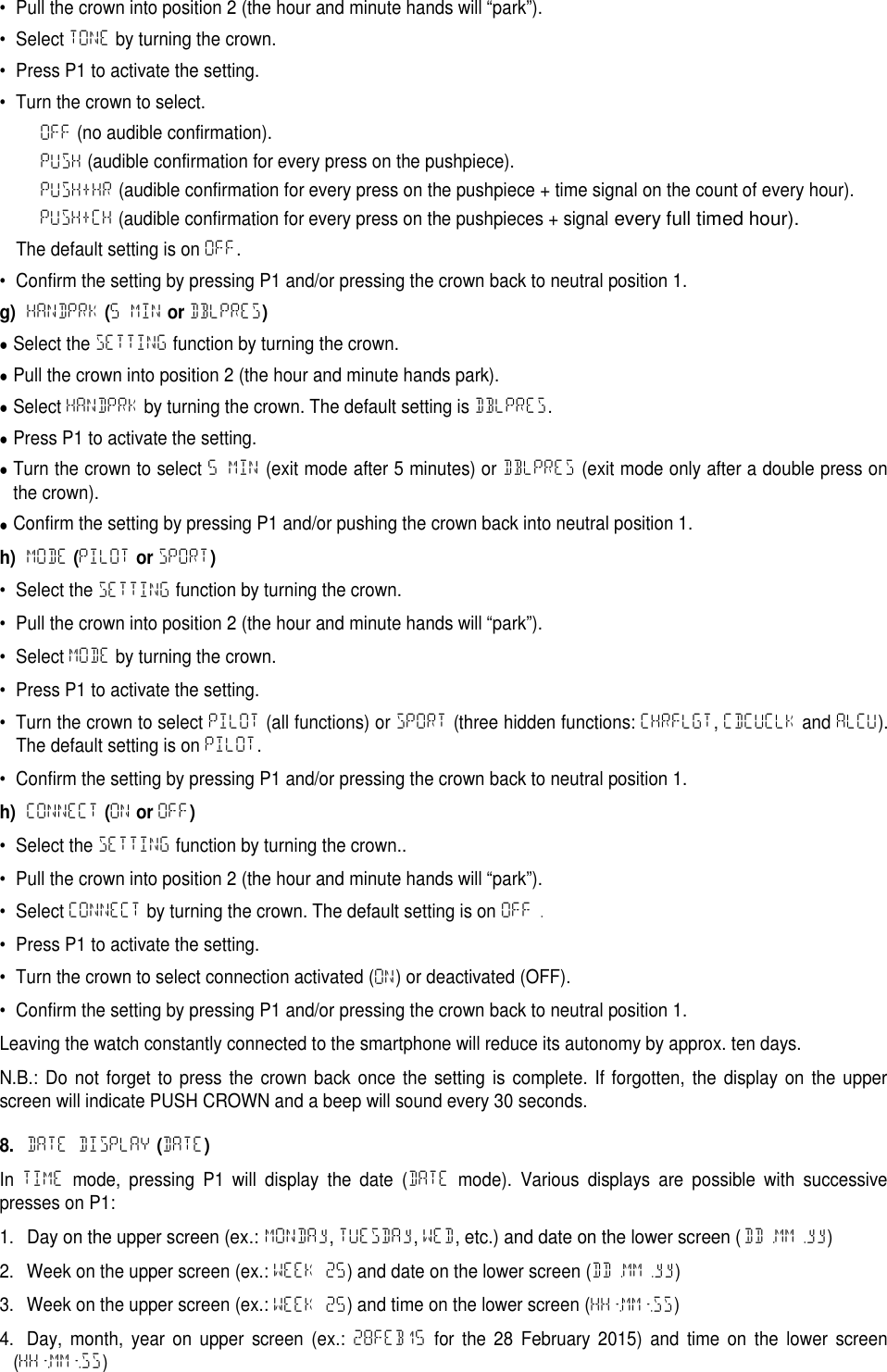
• Pull the crown into position 2 (the hour and minute hands will “park”).• Select TONE by turning the crown.• Press P1 to activate the setting.• Turn the crown to select.OFF (no audible confirmation).PUSH (audible confirmation for every press on the pushpiece).PUSH+HR (audible confirmation for every press on the pushpiece + time signal on the count of every hour).PUSH+CH (audible confirmation for every press on the pushpieces + signalevery full timed hour).The default setting is on OFF.• Confirm the setting by pressing P1 and/or pressing the crown back to neutral position 1.g)HANDPRK(5 MINorDBLPRES)Select the SETTING function by turning the crown.Pull the crown into position 2 (the hour and minute hands park).Select HANDPRK by turning the crown. The default setting is DBLPRES.Press P1 to activate the setting.Turn the crown to select 5 MIN (exit mode after 5 minutes) or DBLPRES (exit mode only after a double press onthe crown).Confirm the setting by pressing P1 and/or pushing the crown back into neutral position 1.h)MODE(PILOTorSPORT)• Select the SETTING function by turning the crown.• Pull the crown into position 2 (the hour and minute hands will “park”).• Select MODE by turning the crown.• Press P1 to activate the setting.• Turn the crown to select PILOT (all functions) or SPORT (three hidden functions: CHRFLGT,CDCUCLK and ALCU).The default setting is on PILOT.• Confirm the setting by pressing P1 and/or pressing the crown back to neutral position 1.h)CONNECT(ONorOFF)• Select the SETTING function by turning the crown..• Pull the crown into position 2 (the hour and minute hands will “park”).• Select CONNECT by turning the crown. The default setting is on OFF.• Press P1 to activate the setting.• Turn the crown to select connection activated (ON) or deactivated (OFF).• Confirm the setting by pressing P1 and/or pressing the crown back to neutral position 1.Leaving the watch constantly connected to the smartphone will reduce its autonomy by approx. ten days.N.B.: Do not forget to press the crown back once the setting is complete. If forgotten, the display on the upperscreen will indicate PUSH CROWN and a beep will sound every 30 seconds.8.DATE DISPLAY(DATE)In TIME mode, pressing P1 will display the date (DATE mode). Various displays are possible with successivepresses on P1:1.Day on the upper screen (ex.: MONDAy,TUESDAy,WED, etc.) and date on the lower screen (DD.MM.yy)2. Week on the upper screen (ex.: WEEK 25) and date on the lower screen (DD.MM.yy)3. Week on the upper screen (ex.: WEEK 25) and time on the lower screen (HH:MM:SS)4. Day, month, year on upper screen (ex.: 28FEB15 for the 28 February 2015) and time on the lower screen(HH:MM:SS)
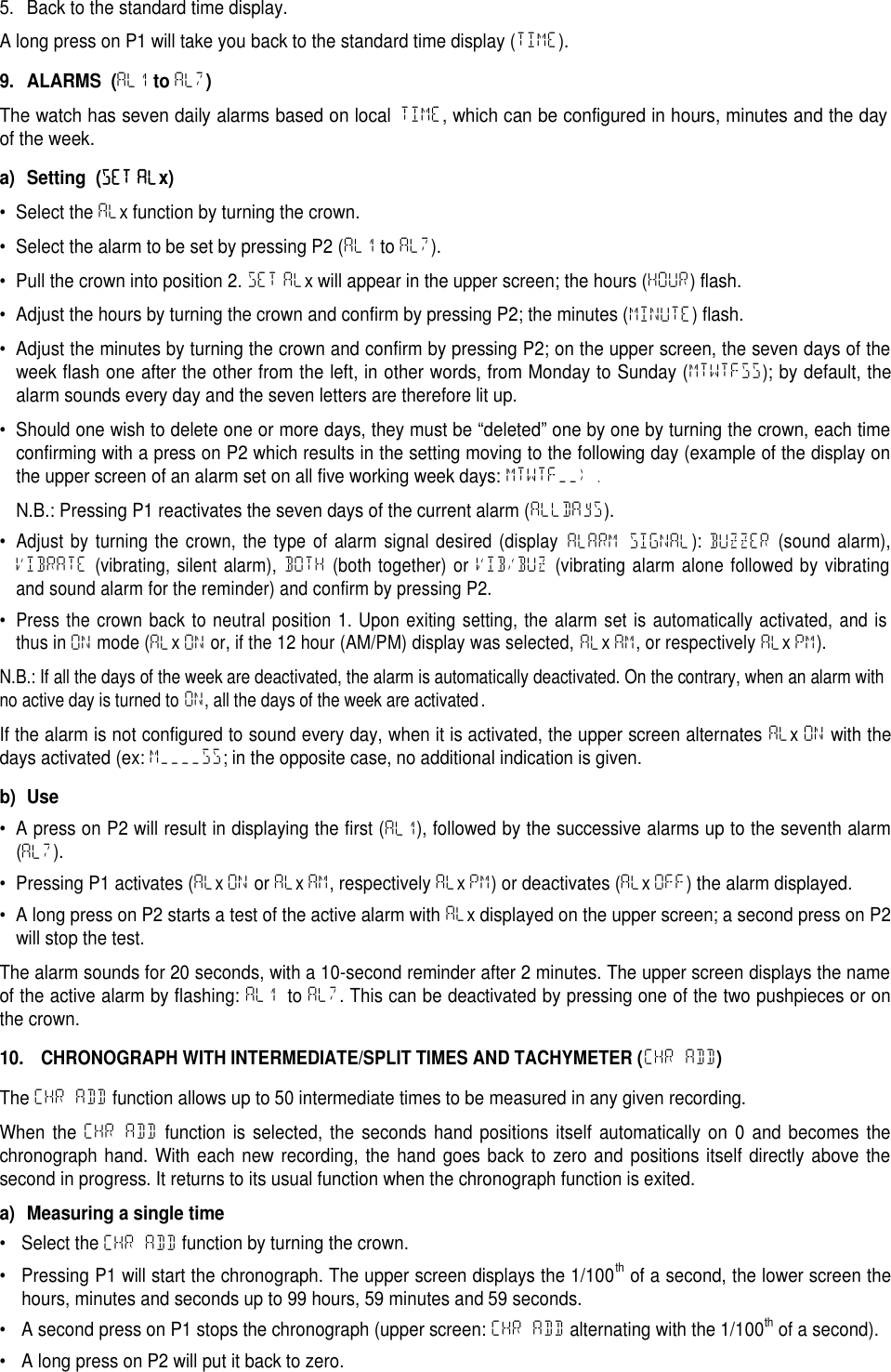
5. Back to the standard time display.A long press on P1 will take you back to the standard time display (TIME).9. ALARMS (AL1toAL7)The watch has seven daily alarms based on localTIME, which can be configured in hours, minutes and the dayof the week.a) Setting (SET ALx)• Select the ALx function by turning the crown.• Select the alarm to be set by pressing P2 (AL1 to AL7).• Pull the crown into position 2. SET ALx will appear in the upper screen; the hours (HOUR) flash.• Adjust the hours by turning the crown and confirm by pressing P2; the minutes (MINUTE) flash.• Adjust the minutes by turning the crown and confirm by pressing P2; on the upper screen, the seven days of theweek flash one after the other from the left, in other words, from Monday to Sunday (MTWTFSS); by default, thealarm sounds every day and the seven letters are therefore lit up.• Should one wish to delete one or more days, they must be “deleted” one by one by turning the crown, each timeconfirming with a press on P2 which results in the setting moving to the following day (example of the display onthe upper screen of an alarm set on all five working week days: MTWTF__).N.B.: Pressing P1 reactivates the seven days of the current alarm (ALLDAyS).•Adjust by turning the crown, the type of alarm signal desired (displayALARM SIGNAL):BUZZER(sound alarm),VIBRATE(vibrating, silent alarm),BOTH(both together) orVIB/BUZ(vibrating alarm alone followed by vibratingand sound alarm for the reminder) and confirm by pressing P2.•Press the crown back to neutral position 1. Upon exiting setting, the alarm set is automatically activated, and isthus inONmode (ALxONor, if the 12 hour (AM/PM) display was selected,ALxAM, or respectivelyALxPM).N.B.: If all the days of the week are deactivated, the alarm is automatically deactivated. On the contrary, when an alarm withno active day is turned to ON, all the days of the week are activated.If the alarm is not configured to sound every day, when it is activated, the upper screen alternates ALxON with thedays activated (ex: M____SS; in the opposite case, no additional indication is given.b) Use• A press on P2 will result in displaying the first (AL1), followed by the successive alarms up to the seventh alarm(AL7).• Pressing P1 activates (ALxON or ALxAM, respectively ALxPM) or deactivates (ALxOFF) the alarm displayed.• A long press on P2 starts a test of the active alarm with ALxdisplayed on the upper screen; a second press on P2will stop the test.The alarm sounds for 20 seconds, with a 10-second reminder after 2 minutes. The upper screen displays the nameof the active alarm by flashing: AL1 to AL7. This can be deactivated by pressing one of the two pushpieces or onthe crown.10.CHRONOGRAPH WITH INTERMEDIATE/SPLIT TIMES AND TACHYMETER (CHR ADD)The CHR ADD function allows up to 50 intermediate times to be measured in any given recording.When the CHR ADD function is selected, the seconds hand positions itself automatically on 0 and becomes thechronograph hand. With each new recording, the hand goes back to zero and positions itself directly above thesecond in progress. It returns to its usual function when the chronograph function is exited.a) Measuring a single time• Select the CHR ADD function by turning the crown.• Pressing P1 will start the chronograph. The upper screen displays the 1/100thof a second, the lower screen thehours, minutes and seconds up to 99 hours, 59 minutes and 59 seconds.• A second press on P1 stops the chronograph (upper screen: CHR ADD alternating with the 1/100thof a second).• A long press on P2 will put it back to zero.
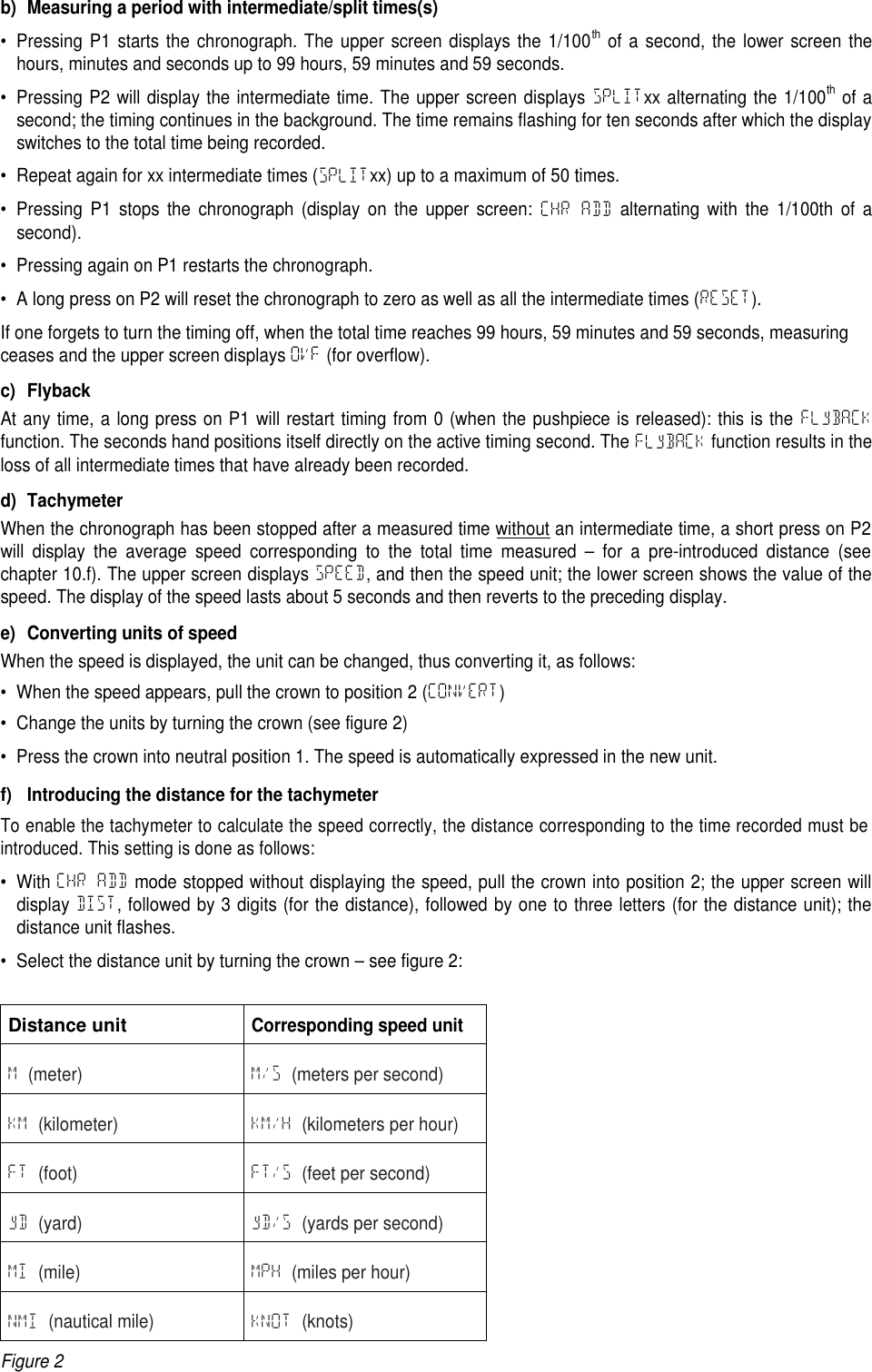
b) Measuring a period with intermediate/split times(s)• Pressing P1 starts the chronograph. The upper screen displays the 1/100thof a second, the lower screen thehours, minutes and seconds up to 99 hours, 59 minutes and 59 seconds.• Pressing P2 will display the intermediate time. The upper screen displays SPLITxx alternating the 1/100thof asecond; the timing continues in the background. The time remains flashing for ten seconds after which the displayswitches to the total time being recorded.• Repeat again for xx intermediate times (SPLITxx) up to a maximum of 50 times.• Pressing P1 stops the chronograph (display on the upper screen: CHR ADD alternating with the 1/100th of asecond).• Pressing again on P1 restarts the chronograph.• A long press on P2 will reset the chronograph to zero as well as all the intermediate times (RESET).If one forgets to turn the timing off, when the total time reaches 99 hours, 59 minutes and 59 seconds, measuringceases and the upper screen displays OVF (for overflow).c) FlybackAt any time, a long press on P1 will restart timing from 0 (when the pushpiece is released): this is the FLyBACKfunction. The seconds hand positions itself directly on the active timing second. The FLyBACK function results in theloss of all intermediate times that have already been recorded.d) TachymeterWhen the chronograph has been stopped after a measured time without an intermediate time, a short press on P2will display the average speed corresponding to the total time measured – for a pre-introduced distance (seechapter 10.f). The upper screen displays SPEED, and then the speed unit; the lower screen shows the value of thespeed. The display of the speed lasts about 5 seconds and then reverts to the preceding display.e) Converting units of speedWhen the speed is displayed, the unit can be changed, thus converting it, as follows:• When the speed appears, pull the crown to position 2 (CONVERT)• Change the units by turning the crown (see figure 2)• Press the crown into neutral position 1. The speed is automatically expressed in the new unit.f) Introducing the distance for the tachymeterTo enable the tachymeter to calculate the speed correctly, the distance corresponding to the time recorded must beintroduced. This setting is done as follows:• With CHR ADD mode stopped without displaying the speed, pull the crown into position 2; the upper screen willdisplay DIST, followed by 3 digits (for the distance), followed by one to three letters (for the distance unit); thedistance unit flashes.• Select the distance unit by turning the crown – see figure 2:Distance unitCorresponding speed unitM(meter) M/S (meters per second)KM (kilometer) KM/H (kilometers per hour)FT (foot) FT/S (feet per second)yD (yard) yD/S (yards per second)MI (mile) MPH (miles per hour)NMI (nautical mile) KNOT (knots)Figure 2
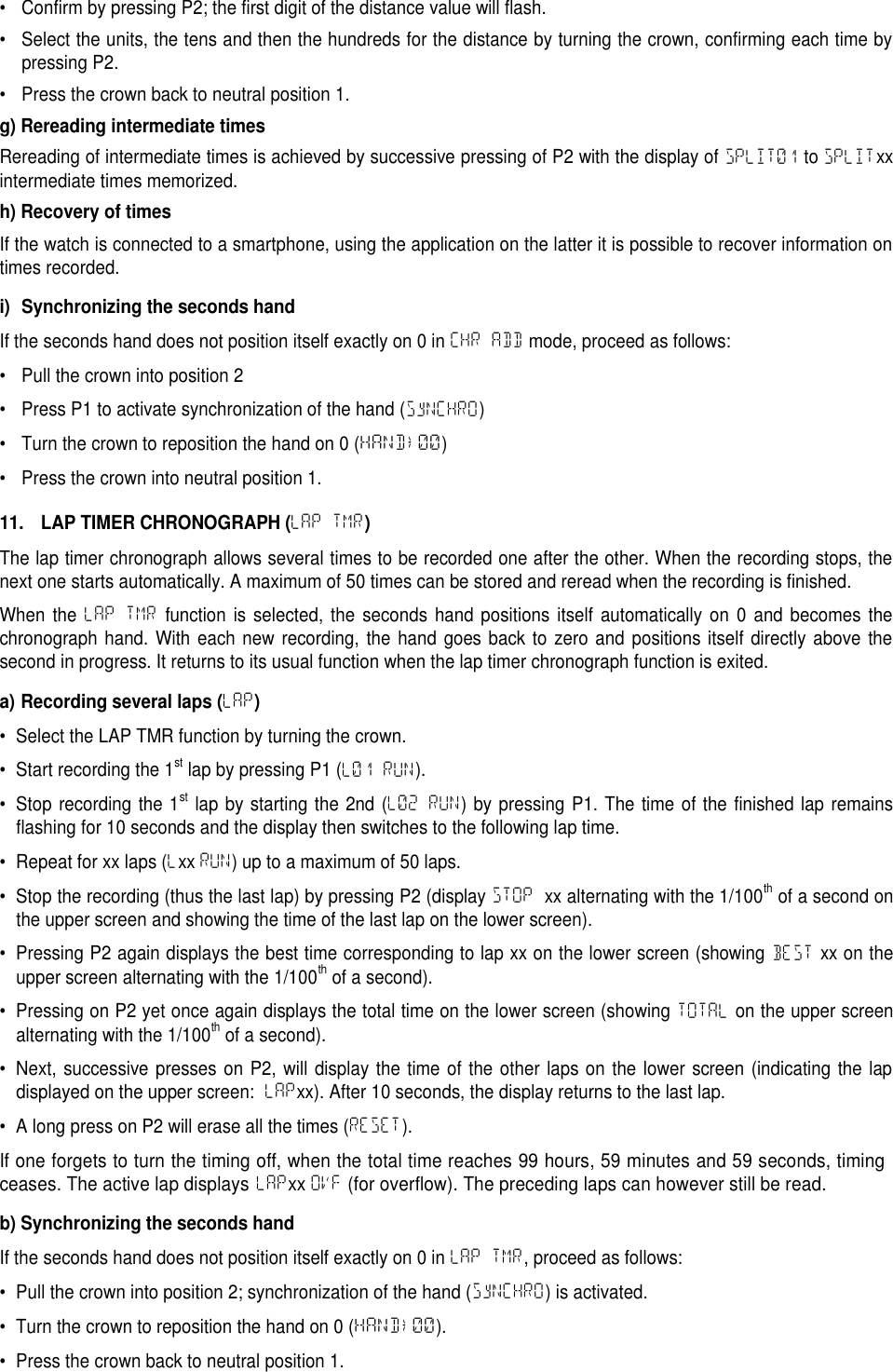
• Confirm by pressing P2; the first digit of the distance value will flash.• Select the units, the tens and then the hundreds for the distance by turning the crown, confirming each time bypressing P2.• Press the crown back to neutral position 1.g) Rereading intermediate timesRereading of intermediate times is achieved by successive pressing of P2 with the display of SPLIT01 to SPLITxxintermediate times memorized.h) Recovery of timesIf the watch is connected to a smartphone, using the application on the latter it is possible to recover information ontimes recorded.i) Synchronizing the seconds handIf the seconds hand does not position itself exactly on 0 in CHR ADD mode, proceed as follows:• Pull the crown into position 2• Press P1 to activate synchronization of the hand (SyNCHRO)• Turn the crown to reposition the hand on 0 (HAND→00)• Press the crown into neutral position 1.11. LAP TIMER CHRONOGRAPH (LAP TMR)The lap timer chronograph allows several times to be recorded one after the other. When the recording stops, thenext one starts automatically. A maximum of 50 times can be stored and reread when the recording is finished.When the LAP TMR function is selected, the seconds hand positions itself automatically on 0 and becomes thechronograph hand. With each new recording, the hand goes back to zero and positions itself directly above thesecond in progress. It returns to its usual function when the lap timer chronograph function is exited.a) Recording several laps (LAP)• Select the LAP TMR function by turning the crown.• Start recording the 1stlap by pressing P1 (L01 RUN).• Stop recording the 1stlap by starting the 2nd (L02 RUN) by pressing P1. The time of the finished lap remainsflashing for 10 seconds and the display then switches to the following lap time.• Repeat for xx laps (Lxx RUN) up to a maximum of 50 laps.• Stop the recording (thus the last lap) by pressing P2 (display STOP xx alternating with the 1/100thof a second onthe upper screen and showing the time of the last lap on the lower screen).• Pressing P2 again displays the best time corresponding to lap xx on the lower screen (showing BEST xx on theupper screen alternating with the 1/100thof a second).• Pressing on P2 yet once again displays the total time on the lower screen (showing TOTAL on the upper screenalternating with the 1/100thof a second).• Next, successive presses on P2, will display the time of the other laps on the lower screen (indicating the lapdisplayed on the upper screen: LAPxx). After 10 seconds, the display returns to the last lap.• A long press on P2 will erase all the times (RESET).If one forgets to turn the timing off, when the total time reaches 99 hours, 59 minutes and 59 seconds, timingceases. The active lap displaysLAPxxOVF(for overflow). The preceding laps can however still be read.b) Synchronizing the seconds handIf the seconds hand does not position itself exactly on 0 in LAP TMR, proceed as follows:• Pull the crown into position 2; synchronization of the hand (SyNCHRO) is activated.• Turn the crown to reposition the hand on 0 (HAND→00).• Press the crown back to neutral position 1.
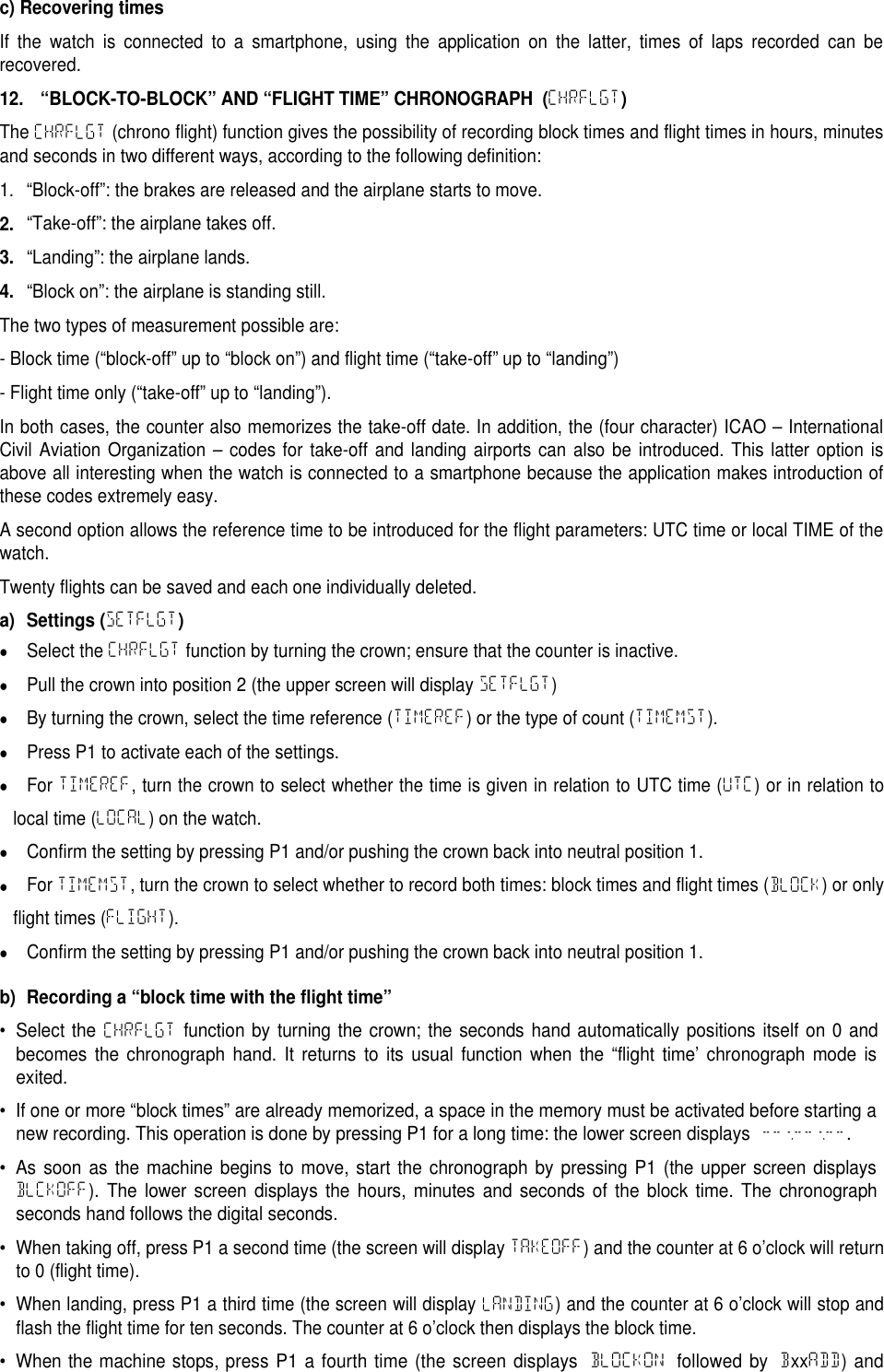
c) Recovering timesIf the watch is connected to a smartphone, using the application on the latter, times of laps recorded can berecovered.12. “BLOCK-TO-BLOCK” AND “FLIGHT TIME” CHRONOGRAPH (CHRFLGT)The CHRFLGT (chrono flight) function gives the possibility of recording block times and flight times in hours, minutesand seconds in two different ways, according to the following definition:1. “Block-off”: the brakes are released and the airplane starts to move.2.“Take-off”: the airplane takes off.3.“Landing”: the airplane lands.4.“Block on”: the airplane is standing still.The two types of measurement possible are:- Block time (“block-off” up to “block on”) and flight time (“take-off” up to “landing”)- Flight time only (“take-off” up to “landing”).In both cases, the counter also memorizes the take-off date. In addition, the (four character) ICAO – InternationalCivil Aviation Organization – codes for take-off and landing airports can also be introduced. This latter option isabove all interesting when the watch is connected to a smartphone because the application makes introduction ofthese codes extremely easy.A second option allows the reference time to be introduced for the flight parameters: UTC time or local TIME of thewatch.Twenty flights can be saved and each one individually deleted.a) Settings (SETFLGT)Select the CHRFLGT function by turning the crown; ensure that the counter is inactive.Pull the crown into position 2 (the upper screen will display SETFLGT)By turning the crown, select the time reference (TIMEREF) or the type of count (TIMEMST).Press P1 to activate each of the settings.For TIMEREF, turn the crown to select whether the time is given in relation to UTC time (UTC) or in relation tolocal time (LOCAL) on the watch.Confirm the setting by pressing P1 and/or pushing the crown back into neutral position 1.For TIMEMST, turn the crown to select whether to record both times: block times and flight times (BLOCK) or onlyflight times (FLIGHT).Confirm the setting by pressing P1 and/or pushing the crown back into neutral position 1.b) Recording a “block time with the flight time”•Select theCHRFLGTfunction by turning the crown; the seconds hand automatically positions itself on 0 andbecomes the chronograph hand. It returns to its usual function when the “flight time’ chronograph mode isexited.• If one or more “block times” are already memorized, a space in the memory must be activated before starting anew recording. This operation is done by pressing P1 for a long time: the lower screen displays --:--:--.• As soon as the machine begins to move, start the chronograph by pressing P1 (the upper screen displaysBLCKOFF). The lower screen displays the hours, minutes and seconds of the block time. The chronographseconds hand follows the digital seconds.•When taking off, press P1 a second time (the screen will display TAKEOFF) and the counter at 6 o’clock will returnto 0 (flight time).•When landing, press P1 a third time (the screen will display LANDING) and the counter at 6 o’clock will stop andflash the flight time for ten seconds. The counter at 6 o’clock then displays the block time.• When the machine stops, press P1 a fourth time (the screen displaysBLOCKONfollowed byBxxADD) and
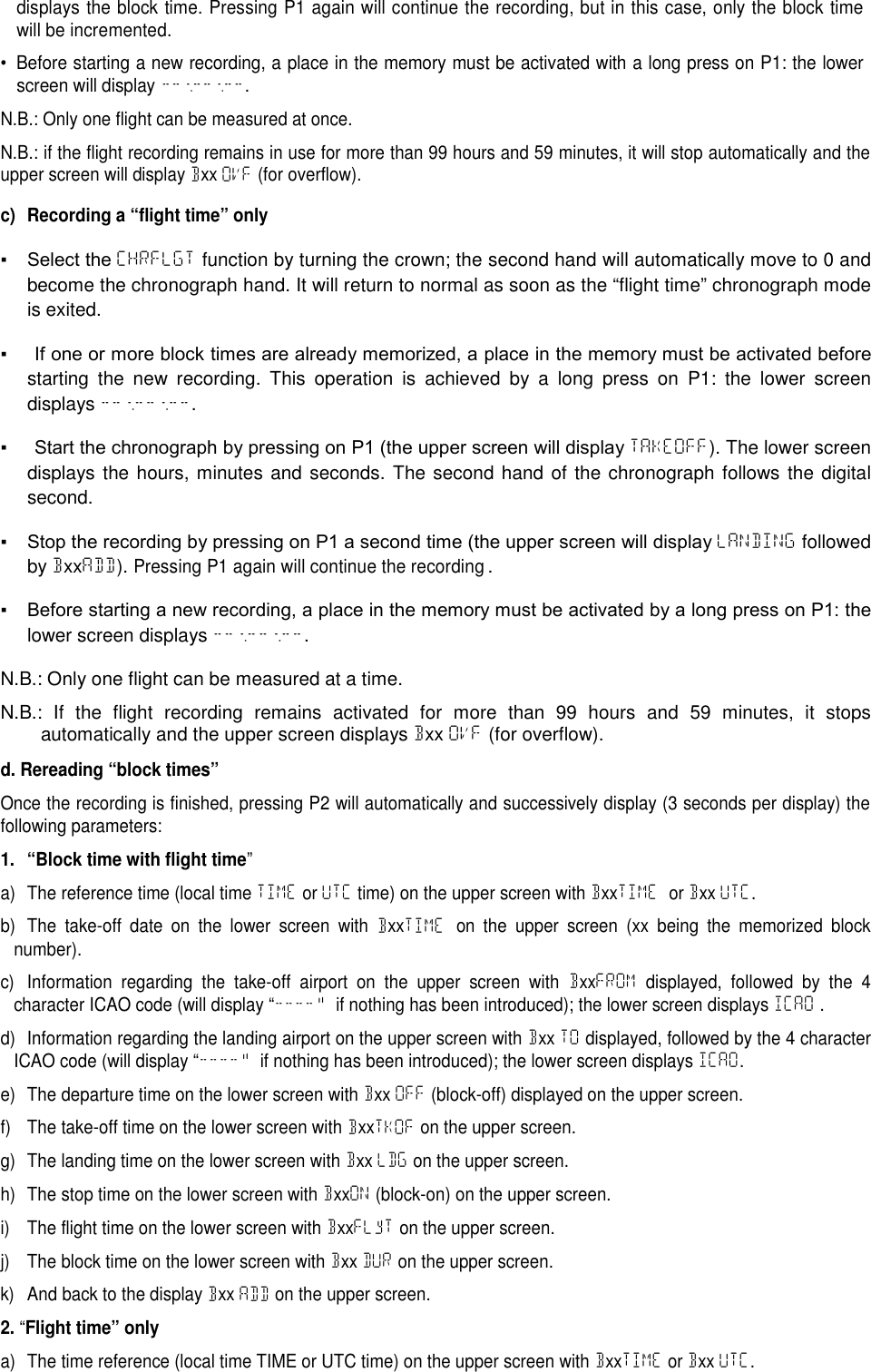
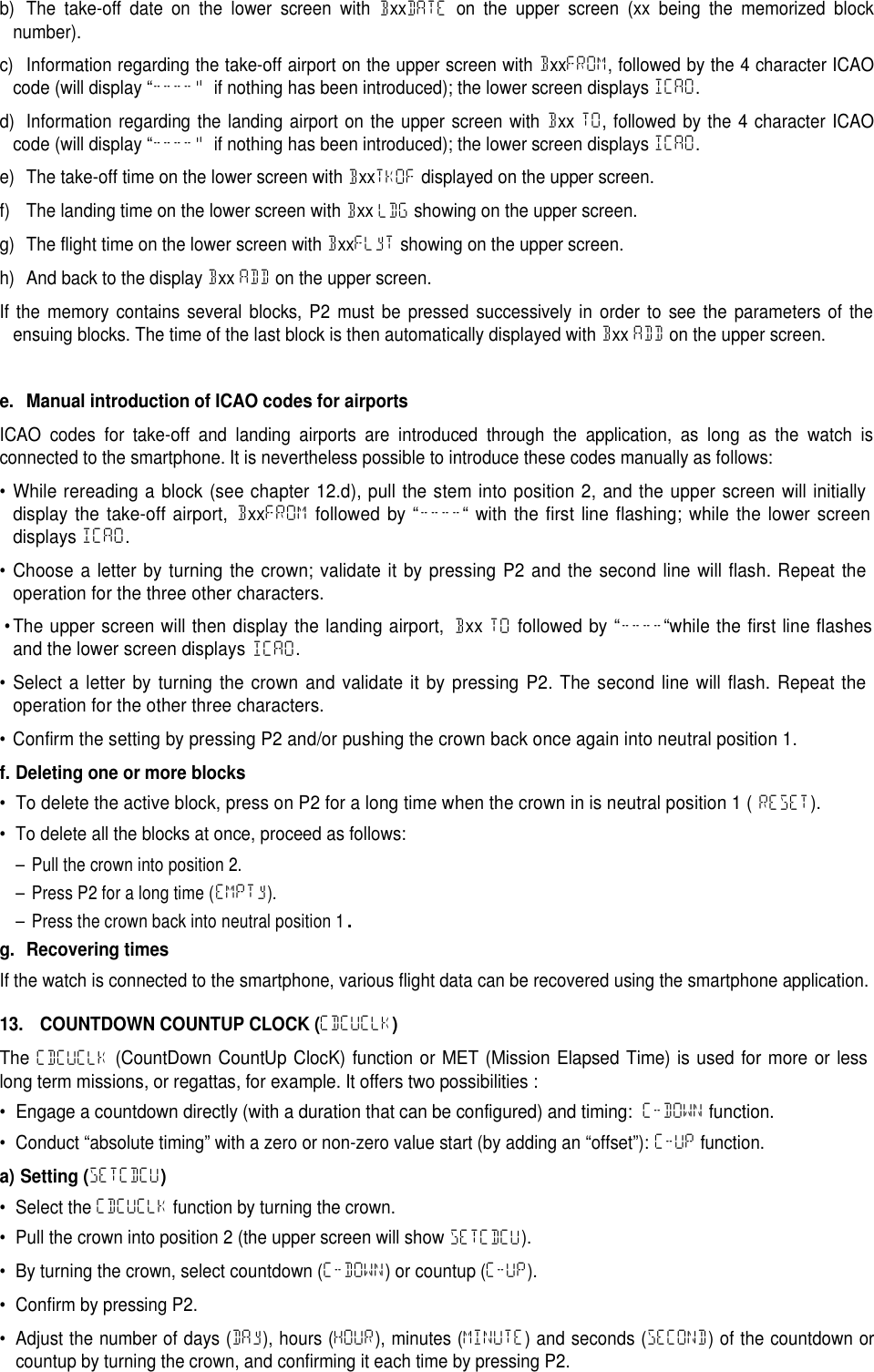
displays the block time. Pressing P1 again will continue the recording, but in this case, only the block timewill be incremented.• Before starting a new recording, a place in the memory must be activated with a long press on P1: the lowerscreen will display --:--:--.N.B.: Only one flight can be measured at once.N.B.: if the flight recording remains in use for more than 99 hours and 59 minutes, it will stop automatically and theupper screen will display Bxx OVF (for overflow).c) Recording a “flight time” only▪  Select the CHRFLGT function by turning the crown; the second hand will automatically move to 0 andbecome the chronograph hand. It will return to normal as soon as the “flight time” chronograph modeis exited.▪  If one or more block times are already memorized, a place in the memory must be activated before starting the new recording. This operation is achieved by a long press on P1: the lower screendisplays --:--:--.▪  Start the chronograph by pressing on P1 (the upper screen will display TAKEOFF). The lower screendisplays the hours, minutes and seconds. The second hand of the chronograph follows the digitalsecond.▪  Stop the recording by pressing on P1 a second time (the upper screen will display LANDING followedby BxxADD).Pressing P1 again will continue the recording.▪  Before starting a new recording, a place in the memory must be activated by a long press on P1: the lower screen displays --:--:--.N.B.: Only one flight can be measured at a time.N.B.: If the flight recording remains activated for more than 99 hours and 59 minutes, it stopsautomatically and the upper screen displays Bxx OVF (for overflow).d. Rereading “block times”Once the recording is finished, pressing P2 will automatically and successively display (3 seconds per display) thefollowing parameters:1. “Block time with flight time”a) The reference time (local time TIME or UTC time) on the upper screen with BxxTIME or Bxx UTC.b) The take-off date on the lower screen with BxxTIME on the upper screen (xx being the memorized blocknumber).c) Information regarding the take-off airport on the upper screen with BxxFROM displayed, followed by the 4character ICAO code (will display “----“ if nothing has been introduced); the lower screen displays ICAO .d) Information regarding the landing airport on the upper screen with Bxx TO displayed, followed by the 4 characterICAO code (will display “----“ if nothing has been introduced); the lower screen displays ICAO.e) The departure time on the lower screen with Bxx OFF (block-off) displayed on the upper screen.f) The take-off time on the lower screen with BxxTKOF on the upper screen.g) The landing time on the lower screen with Bxx LDG on the upper screen.h) The stop time on the lower screen with BxxON (block-on) on the upper screen.i) The flight time on the lower screen with BxxFLyT on the upper screen.j) The block time on the lower screen with Bxx DUR on the upper screen.k) And back to the display Bxx ADD on the upper screen.2.“Flight time” onlya) The time reference (local time TIME or UTC time) on the upper screen with BxxTIME or Bxx UTC.
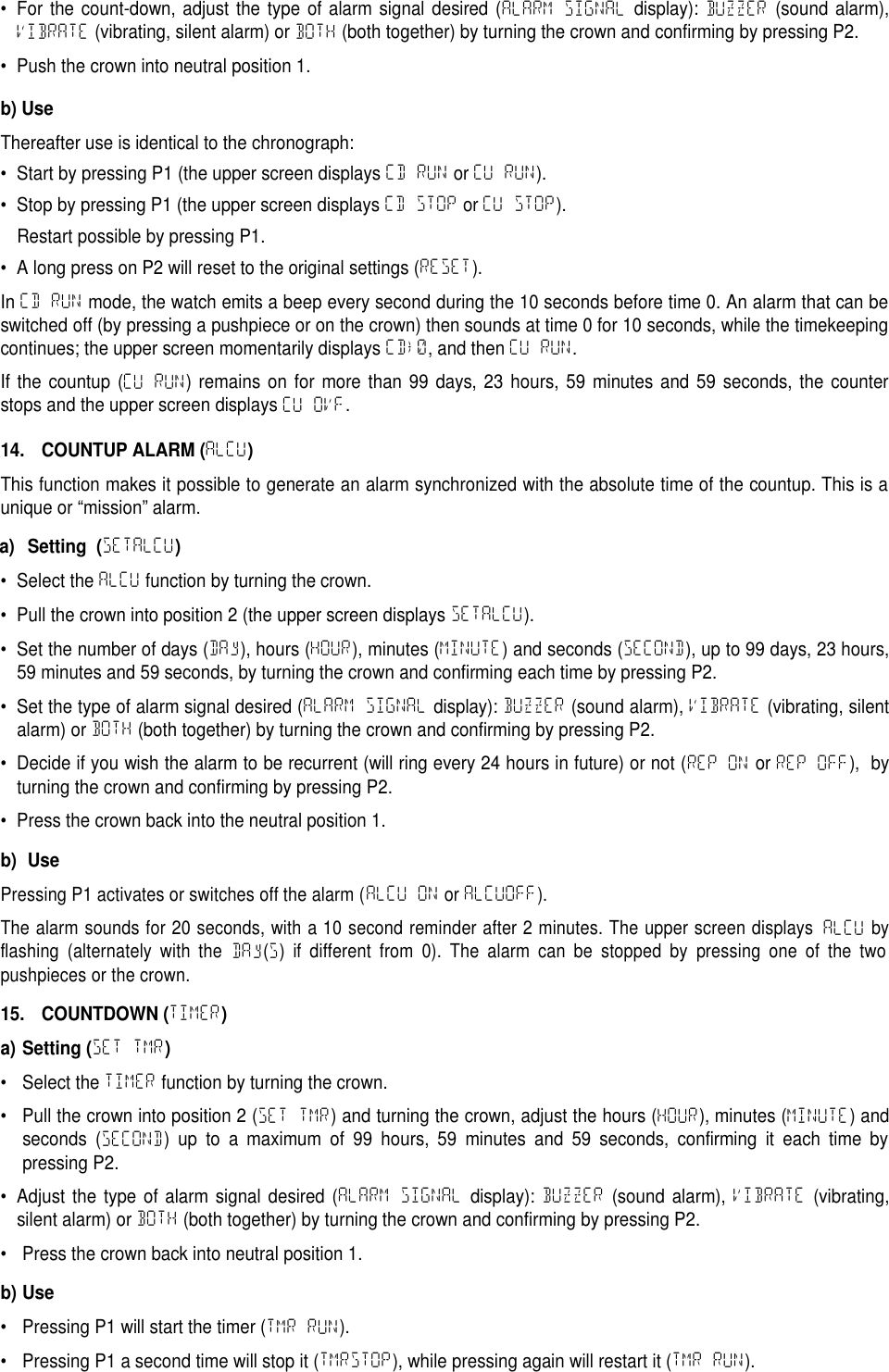
b) The take-off date on the lower screen with BxxDATE on the upper screen (xx being the memorized blocknumber).c) Information regarding the take-off airport on the upper screen with BxxFROM, followed by the 4 character ICAOcode (will display “----“ if nothing has been introduced); the lower screen displays ICAO.d) Information regarding the landing airport on the upper screen with Bxx TO, followed by the 4 character ICAOcode (will display “----“ if nothing has been introduced); the lower screen displays ICAO.e) The take-off time on the lower screen with BxxTKOF displayed on the upper screen.f) The landing time on the lower screen with Bxx LDG showing on the upper screen.g) The flight time on the lower screen with BxxFLyT showing on the upper screen.h) And back to the display Bxx ADD on the upper screen.If the memory contains several blocks, P2 must be pressed successively in order to see the parameters of theensuing blocks. The time of the last block is then automatically displayed with Bxx ADD on the upper screen.e. Manual introduction of ICAO codes for airportsICAO codes for take-off and landing airports are introduced through the application, as long as the watch isconnected to the smartphone. It is nevertheless possible to introduce these codes manually as follows:•While rereading a block (see chapter 12.d), pull the stem into position 2, and the upper screen will initiallydisplay the take-off airport,BxxFROMfollowed by “----“ with the first line flashing; while the lower screendisplaysICAO.•Choose a letter by turning the crown; validate it by pressing P2 and the second line will flash. Repeat theoperation for the three other characters.•The upper screen will then display the landing airport,BxxTOfollowed by “----“while the first line flashesand the lower screen displaysICAO.•Select a letter by turning the crown and validate it by pressing P2. The second line will flash. Repeat theoperation for the other three characters.• Confirm the setting by pressing P2 and/or pushing the crown back once again into neutral position 1.f. Deleting one or more blocks•To delete the active block, press on P2 for a long time when the crown in is neutral position 1 (RESET).• To delete all the blocks at once, proceed as follows:– Pull the crown into position 2.– Press P2 for a long time (EMPTy).– Press the crown back into neutral position 1.g. Recovering timesIf the watch is connected to the smartphone, various flight data can be recovered using the smartphone application.13. COUNTDOWN COUNTUP CLOCK (CDCUCLK)TheCDCUCLK(CountDown CountUp ClocK) function or MET (Mission Elapsed Time) is used for more or lesslong term missions, or regattas, for example. It offers two possibilities:•Engage a countdown directly (with a duration that can be configured) and timing:C-DOWNfunction.• Conduct “absolute timing” with a zero or non-zero value start (by adding an “offset”): C-UP function.a) Setting (SETCDCU)• Select the CDCUCLK function by turning the crown.• Pull the crown into position 2 (the upper screen will show SETCDCU).• By turning the crown, select countdown (C-DOWN) or countup (C-UP).• Confirm by pressing P2.• Adjust the number of days (DAy), hours (HOUR), minutes (MINUTE) and seconds (SECOND) of the countdown orcountup by turning the crown, and confirming it each time by pressing P2.
• For the count-down, adjust the type of alarm signal desired (ALARM SIGNAL display): BUZZER (sound alarm),VIBRATE (vibrating, silent alarm) or BOTH (both together) by turning the crown and confirming by pressing P2.• Push the crown into neutral position 1.b) UseThereafter use is identical to the chronograph:• Start by pressing P1 (the upper screen displays CD RUN or CU RUN).• Stop by pressing P1 (the upper screen displays CD STOP or CU STOP).Restart possible by pressing P1.• A long press on P2 will reset to the original settings (RESET).In CD RUN mode, the watch emits a beep every second during the 10 seconds before time 0. An alarm that can beswitched off (by pressing a pushpiece or on the crown) then sounds at time 0 for 10 seconds, while the timekeepingcontinues; the upper screen momentarily displays CD→0, and then CU RUN.If the countup (CU RUN) remains on for more than 99 days, 23 hours, 59 minutes and 59 seconds, the counterstops and the upper screen displays CU OVF.14. COUNTUP ALARM (ALCU)This function makes it possible to generate an alarm synchronized with the absolute time of the countup. This is aunique or “mission” alarm.a) Setting (SETALCU)• Select the ALCU function by turning the crown.• Pull the crown into position 2 (the upper screen displays SETALCU).• Set the number of days (DAy), hours (HOUR), minutes (MINUTE) and seconds (SECOND), up to 99 days, 23 hours,59 minutes and 59 seconds, by turning the crown and confirming each time by pressing P2.• Set the type of alarm signal desired (ALARM SIGNAL display): BUZZER (sound alarm), VIBRATE (vibrating, silentalarm) or BOTH (both together) by turning the crown and confirming by pressing P2.• Decide if you wish the alarm to be recurrent (will ring every 24 hours in future) or not (REP ON or REP OFF), byturning the crown and confirming by pressing P2.• Press the crown back into the neutral position 1.b) UsePressing P1 activates or switches off the alarm (ALCU ONorALCUOFF).The alarm sounds for 20 seconds, with a 10 second reminder after 2 minutes. The upper screen displaysALCUbyflashing (alternately with theDAy(S)if different from 0). The alarm can be stopped by pressing one of the twopushpieces or the crown.15. COUNTDOWN (TIMER)a) Setting (SET TMR)• Select the TIMER function by turning the crown.• Pull the crown into position 2 (SET TMR) and turning the crown, adjust the hours (HOUR), minutes (MINUTE) andseconds (SECOND) up to a maximum of 99 hours, 59 minutes and 59 seconds, confirming it each time bypressing P2.• Adjust the type of alarm signal desired (ALARM SIGNAL display): BUZZER (sound alarm), VIBRATE (vibrating,silent alarm) or BOTH (both together) by turning the crown and confirming by pressing P2.• Press the crown back into neutral position 1.b) Use• Pressing P1 will start the timer (TMR RUN).• Pressing P1 a second time will stop it (TMRSTOP), while pressing again will restart it (TMR RUN).
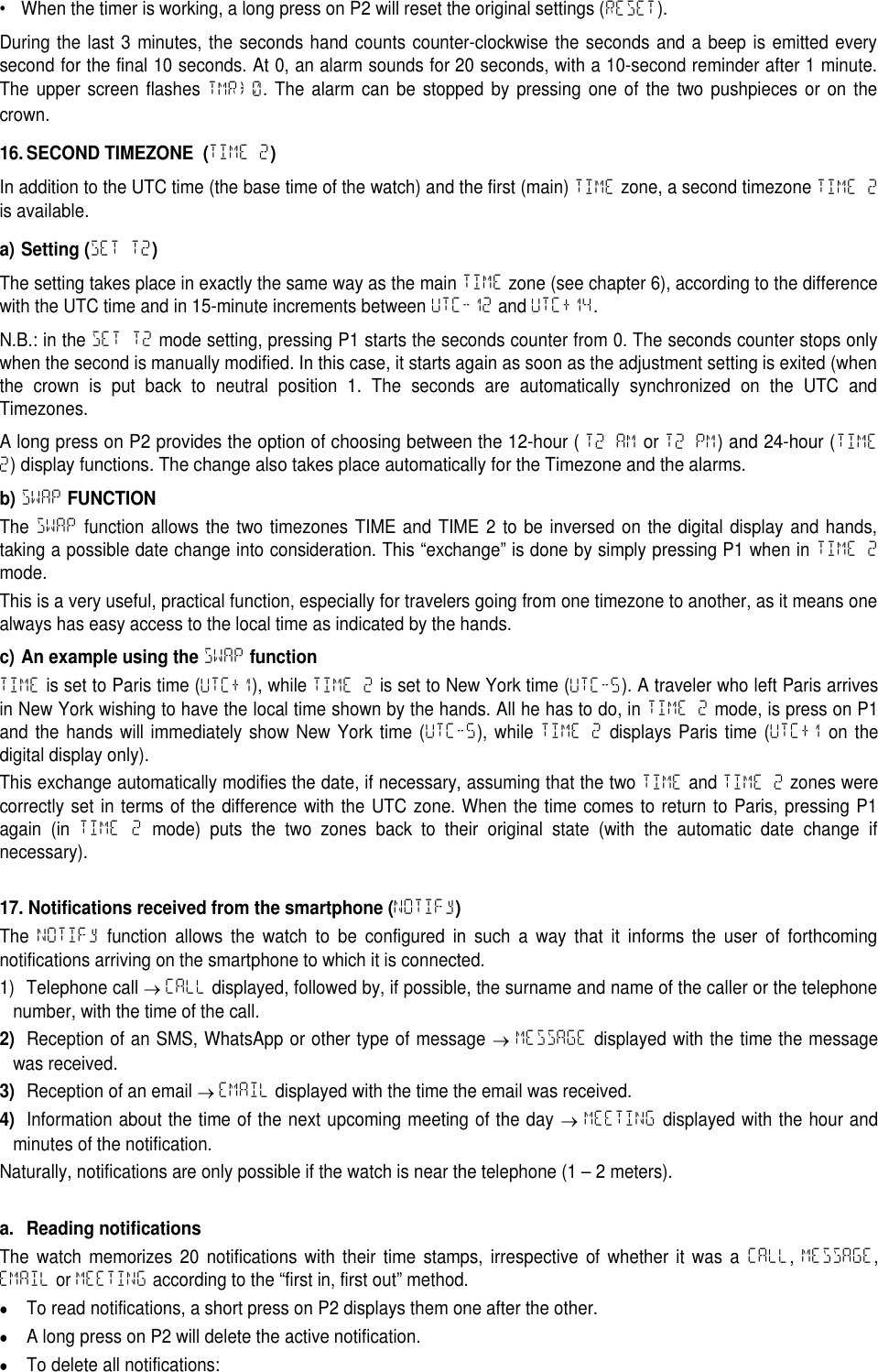
• When the timer is working, a long press on P2 will reset the original settings (RESET).During the last 3 minutes, the seconds hand counts counter-clockwise the seconds and a beep is emitted everysecond for the final 10 seconds. At 0, an alarm sounds for 20 seconds, with a 10-second reminder after 1 minute.The upper screen flashes TMR→0. The alarm can be stopped by pressing one of the two pushpieces or on thecrown.16. SECOND TIMEZONE (TIME 2)In addition to the UTC time (the base time of the watch) and the first (main) TIME zone, a second timezone TIME 2is available.a) Setting (SET T2)The setting takes place in exactly the same way as the main TIME zone (see chapter 6), according to the differencewith the UTC time and in 15-minute increments between UTC-12 and UTC+14.N.B.: in the SET T2 mode setting, pressing P1 starts the seconds counter from 0. The seconds counter stops onlywhen the second is manually modified. In this case, it starts again as soon as the adjustment setting is exited (whenthe crown is put back to neutral position 1. The seconds are automatically synchronized on the UTC andTimezones.A long press on P2 provides the option of choosing between the 12-hour ( T2 AM or T2 PM) and 24-hour (TIME2) display functions. The change also takes place automatically for the Timezone and the alarms.b)SWAPFUNCTIONThe SWAP function allows the two timezones TIME and TIME 2 to be inversed on the digital display and hands,taking a possible date change into consideration. This “exchange” is done by simply pressing P1 when in TIME 2mode.This is a very useful, practical function, especially for travelers going from one timezone to another, as it means onealways has easy access to the local time as indicated by the hands.c) An example using theSWAPfunctionTIME is set to Paris time (UTC+1), while TIME 2 is set to New York time (UTC-5). A traveler who left Paris arrivesin New York wishing to have the local time shown by the hands. All he has to do, in TIME 2 mode, is press on P1and the hands will immediately show New York time (UTC-5), while TIME 2 displays Paris time (UTC+1 on thedigital display only).This exchange automatically modifies the date, if necessary, assuming that the two TIME and TIME 2 zones werecorrectly set in terms of the difference with the UTC zone. When the time comes to return to Paris, pressing P1again (in TIME 2 mode) puts the two zones back to their original state (with the automatic date change ifnecessary).17. Notifications received from the smartphone (NOTIFy)The NOTIFy function allows the watch to be configured in such a way that it informs the user of forthcomingnotifications arriving on the smartphone to which it is connected.1) Telephone call CALL displayed, followed by, if possible, the surname and name of the caller or the telephonenumber, with the time of the call.2)Reception of an SMS, WhatsApp or other type of message MESSAGE displayed with the time the messagewas received.3)Reception of an email EMAIL displayed with the time the email was received.4)Information about the time of the next upcoming meeting of the day MEETING displayed with the hour andminutes of the notification.Naturally, notifications are only possible if the watch is near the telephone (1 – 2 meters).a. Reading notificationsThe watch memorizes 20 notifications with their time stamps, irrespective of whether it was a CALL,MESSAGE,EMAIL or MEETING according to the “first in, first out” method.To read notifications, a short press on P2 displays them one after the other.A long press on P2 will delete the active notification.To delete all notifications:
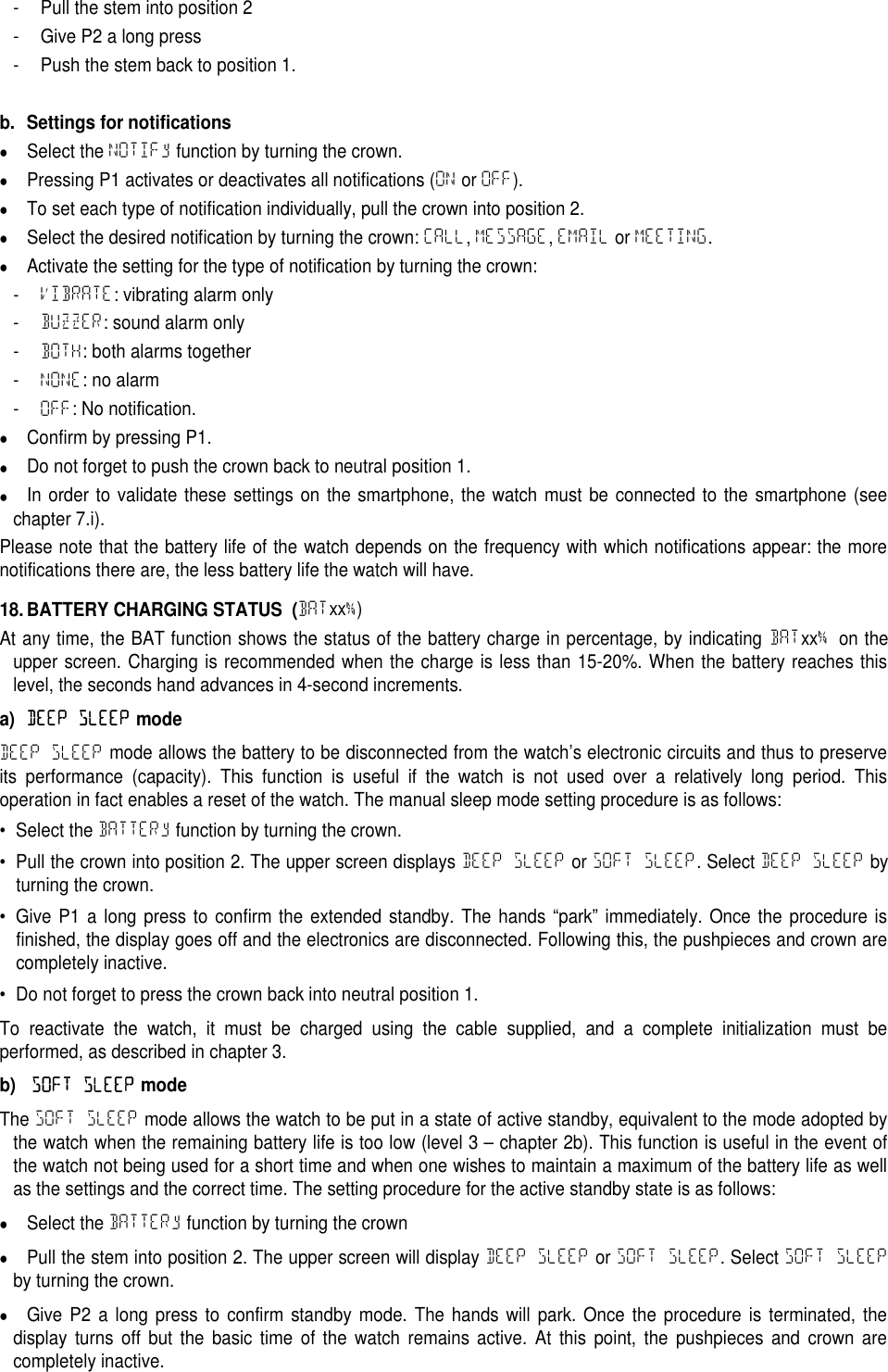
- Pull the stem into position 2- Give P2 a long press- Push the stem back to position 1.b. Settings for notificationsSelect the NOTIFy function by turning the crown.Pressing P1 activates or deactivates all notifications (ON or OFF).To set each type of notification individually, pull the crown into position 2.Select the desired notification by turning the crown: CALL,MESSAGE,EMAIL or MEETING.Activate the setting for the type of notification by turning the crown:-VIBRATE: vibrating alarm only-BUZZER: sound alarm only-BOTH: both alarms together-NONE: no alarm-OFF: No notification.Confirm by pressing P1.Do not forget to push the crown back to neutral position 1.In order to validate these settings on the smartphone, the watch must be connected to the smartphone (seechapter 7.i).Please note that the battery life of the watch depends on the frequency with which notifications appear: the morenotifications there are, the less battery life the watch will have.18. BATTERY CHARGING STATUS (BATxx%)At any time, the BAT function shows the status of the battery charge in percentage, by indicating BATxx%on theupper screen. Charging is recommended when the charge is less than 15-20%. When the battery reaches thislevel, the seconds hand advances in 4-second increments.a)DEEP SLEEPmodeDEEP SLEEP mode allows the battery to be disconnected from the watch’s electronic circuits and thus to preserveits performance (capacity). This function is useful if the watch is not used over a relatively long period. Thisoperation in fact enables a reset of the watch. The manual sleep mode setting procedure is as follows:• Select the BATTERy function by turning the crown.• Pull the crown into position 2. The upper screen displays DEEP SLEEP or SOFT SLEEP. Select DEEP SLEEP byturning the crown.• Give P1 a long press to confirm the extended standby. The hands “park” immediately. Once the procedure isfinished, the display goes off and the electronics are disconnected. Following this, the pushpieces and crown arecompletely inactive.• Do not forget to press the crown back into neutral position 1.To reactivate the watch, it must be charged using the cable supplied, and a complete initialization must beperformed, as described in chapter 3.b)SOFT SLEEPmodeThe SOFT SLEEP mode allows the watch to be put in a state of active standby, equivalent to the mode adopted bythe watch when the remaining battery life is too low (level 3 – chapter 2b). This function is useful in the event ofthe watch not being used for a short time and when one wishes to maintain a maximum of the battery life as wellas the settings and the correct time. The setting procedure for the active standby state is as follows:Select the BATTERy function by turning the crownPull the stem into position 2. The upper screen will display DEEP SLEEP or SOFT SLEEP. Select SOFT SLEEPby turning the crown.Give P2 a long press to confirm standby mode. The hands will park. Once the procedure is terminated, thedisplay turns off but the basic time of the watch remains active. At this point, the pushpieces and crown arecompletely inactive.
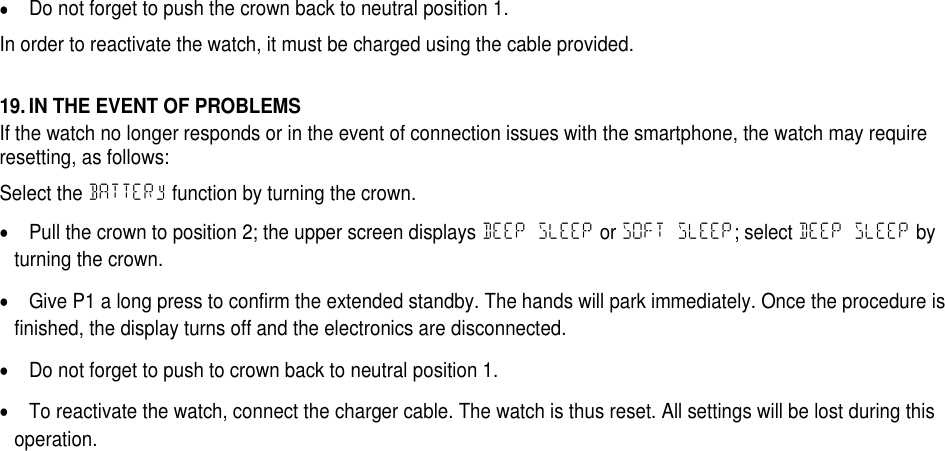
Do not forget to push the crown back to neutral position 1.In order to reactivate the watch, it must be charged using the cable provided.19. IN THE EVENT OF PROBLEMSIf the watch no longer responds or in the event of connection issues with the smartphone, the watch may requireresetting, as follows:Select the BATTERy function by turning the crown.Pull the crown to position 2; the upper screen displays DEEP SLEEP or SOFT SLEEP; select DEEP SLEEP byturning the crown.Give P1 a long press to confirm the extended standby. The hands will park immediately. Once the procedure isfinished, the display turns off and the electronics are disconnected.Do not forget to push to crown back to neutral position 1.To reactivate the watch, connect the charger cable. The watch is thus reset. All settings will be lost during thisoperation.
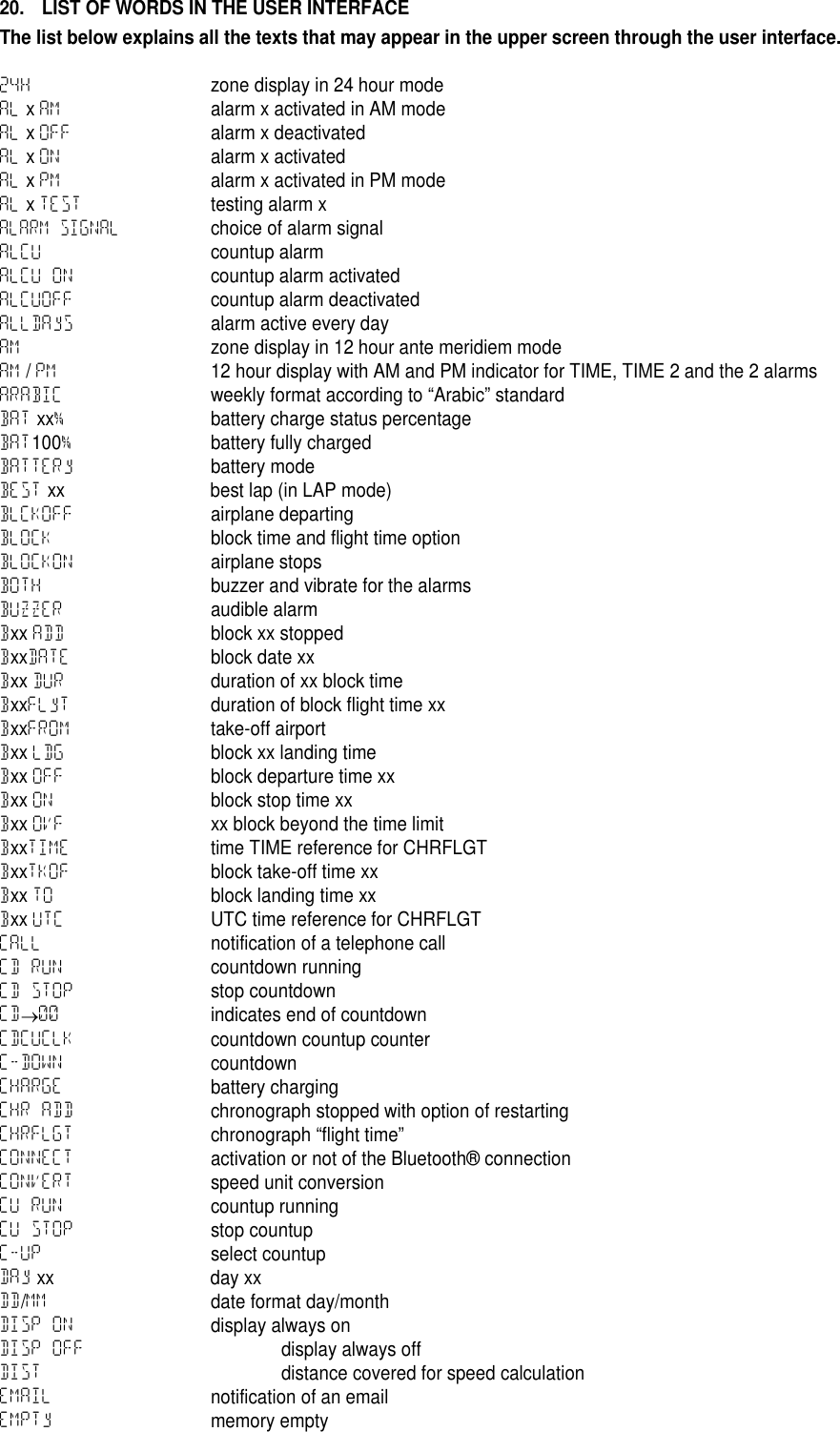
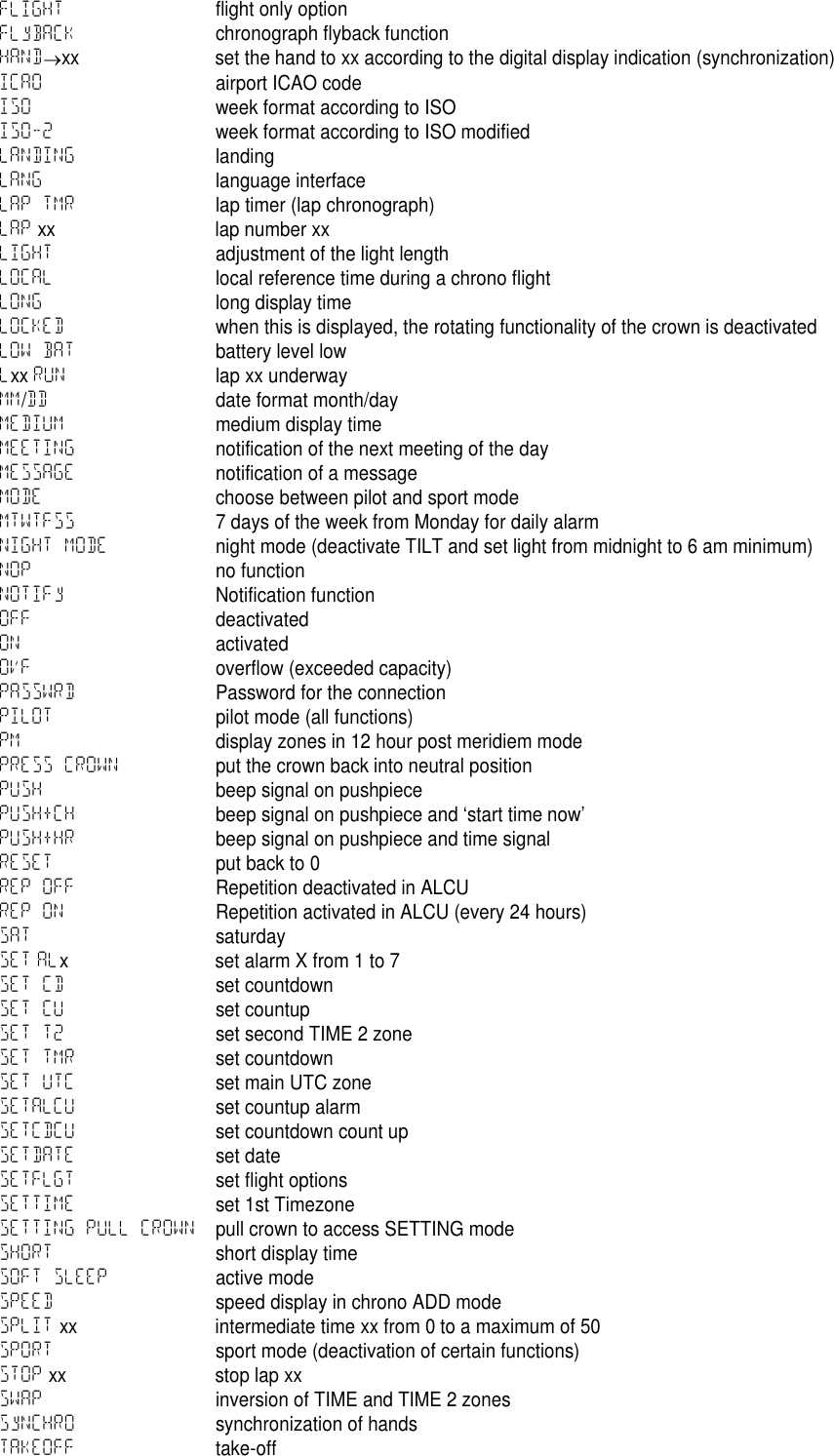
20. LIST OF WORDS IN THE USER INTERFACEThe list below explains all the texts that may appear in the upper screen through the user interface.24H zone display in 24 hour modeAL xAM alarm x activated in AM modeAL xOFF alarm x deactivatedAL xON alarm x activatedAL xPM alarm x activated in PM modeAL xTEST testing alarm xALARM SIGNALchoice of alarm signalALCU countup alarmALCU ON countup alarm activatedALCUOFF countup alarm deactivatedALLDAyS alarm active every dayAM zone display in 12 hour ante meridiem modeAM /PM 12 hour display with AM and PM indicator for TIME, TIME 2 and the 2 alarmsARABIC weekly format according to “Arabic” standardBAT xx%battery charge status percentageBAT100%battery fully chargedBATTERy battery modeBEST xx best lap (in LAP mode)BLCKOFF airplane departingBLOCK block time and flight time optionBLOCKON airplane stopsBOTH buzzer and vibrate for the alarmsBUZZER audible alarmBxx ADD block xx stoppedBxxDATE block date xxBxx DUR duration of xx block timeBxxFLyT duration of block flight time xxBxxFROM take-off airportBxx LDG block xx landing timeBxx OFF block departure time xxBxx ON block stop time xxBxx OVF xx block beyond the time limitBxxTIME time TIME reference for CHRFLGTBxxTKOF block take-off time xxBxx TO block landing time xxBxx UTC UTC time reference for CHRFLGTCALL notification of a telephone callCD RUN countdown runningCD STOP stop countdownCD00 indicates end of countdownCDCUCLK countdown countup counterC-DOWN countdownCHARGE battery chargingCHR ADD chronograph stopped with option of restartingCHRFLGT chronograph “flight time”CONNECT activation or not of the Bluetooth® connectionCONVERT speed unit conversionCU RUN countup runningCU STOP stop countupC-UP select countupDAy xx day xxDD/MM date format day/monthDISP ON display always onDISP OFF display always offDIST distance covered for speed calculationEMAIL notification of an emailEMPTy memory empty
FLIGHT flight only optionFLyBACK chronograph flyback functionHANDxx set the hand to xx according to the digital display indication (synchronization)ICAO airport ICAO codeISO week format according to ISOISO-2 week format according to ISO modifiedLANDING landingLANG language interfaceLAP TMR lap timer (lap chronograph)LAP xx lap number xxLIGHT adjustment of the light lengthLOCAL local reference time during a chrono flightLONG long display timeLOCKED when this is displayed, the rotating functionality of the crown is deactivatedLOW BAT battery level lowLxx RUN lap xx underwayMM/DD date format month/dayMEDIUM medium display timeMEETING notification of the next meeting of the dayMESSAGE notification of a messageMODE choose between pilot and sport modeMTWTFSS 7 days of the week from Monday for daily alarmNIGHT MODE night mode (deactivate TILT and set light from midnight to 6 am minimum)NOP no functionNOTIFy Notification functionOFF deactivatedON activatedOVF overflow (exceeded capacity)PASSWRD Password for the connectionPILOT pilot mode (all functions)PM display zones in 12 hour post meridiem modePRESS CROWN put the crown back into neutral positionPUSH beep signal on pushpiecePUSH+CH beep signal on pushpiece and ‘start time now’PUSH+HR beep signal on pushpiece and time signalRESET put back to 0REP OFF Repetition deactivated in ALCUREP ON Repetition activated in ALCU (every 24 hours)SAT saturdaySET ALx set alarm X from 1 to 7SET CD set countdownSET CU set countupSET T2 set second TIME 2 zoneSET TMR set countdownSET UTC set main UTC zoneSETALCU set countup alarmSETCDCU set countdown count upSETDATE set dateSETFLGT set flight optionsSETTIME set 1st TimezoneSETTING PULL CROWN pull crown to access SETTING modeSHORT short display timeSOFT SLEEP active modeSPEED speed display in chrono ADD modeSPLIT xx intermediate time xx from 0 to a maximum of 50SPORT sport mode (deactivation of certain functions)STOP xx stop lap xxSWAP inversion of TIME and TIME 2 zonesSyNCHRO synchronization of handsTAKEOFF take-off
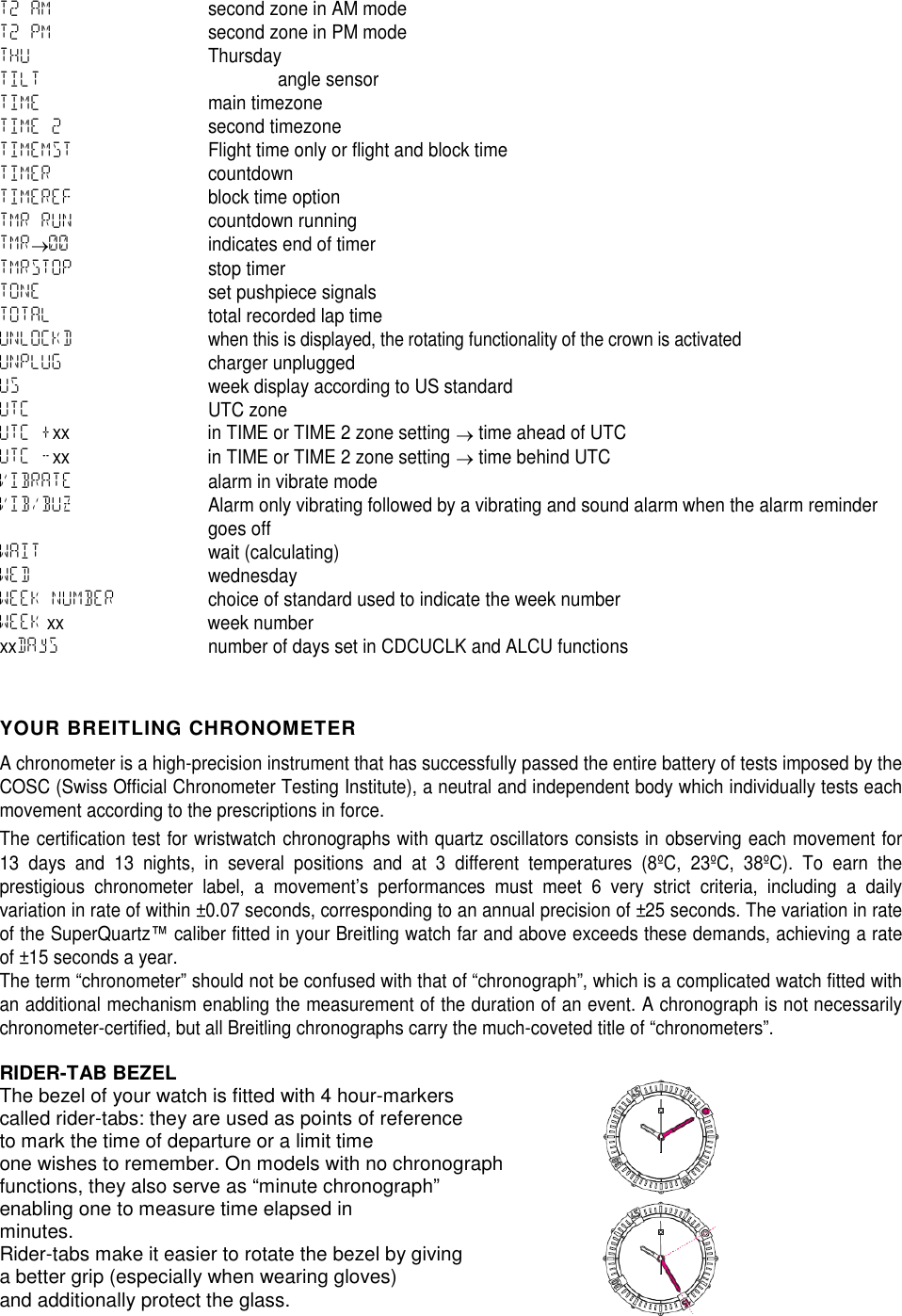
T2 AM second zone in AM modeT2 PM second zone in PM modeTHU ThursdayTILT angle sensorTIME main timezoneTIME 2 second timezoneTIMEMST Flight time only or flight and block timeTIMER countdownTIMEREF block time optionTMR RUN countdown runningTMR00 indicates end of timerTMRSTOP stop timerTONE set pushpiece signalsTOTAL total recorded lap timeUNLOCKDwhen this is displayed, the rotating functionality of the crown is activatedUNPLUG charger unpluggedUS week display according to US standardUTC UTC zoneUTC +xx in TIME or TIME 2 zone setting time ahead of UTCUTC -xx in TIME or TIME 2 zone setting time behind UTCVIBRATE alarm in vibrate modeVIB/BUZ Alarm only vibrating followed by a vibrating and sound alarm when the alarm remindergoes offWAIT wait (calculating)WED wednesdayWEEK NUMBER choice of standard used to indicate the week numberWEEK xx week numberxxDAyS number of days set in CDCUCLK and ALCU functionsYOUR BREITLING CHRONOMETERA chronometer is a high-precision instrument that has successfully passed the entire battery of tests imposed by theCOSC (Swiss Official Chronometer Testing Institute), a neutral and independent body which individually tests eachmovement according to the prescriptions in force.The certification test for wristwatch chronographs with quartz oscillators consists in observing each movement for13 days and 13 nights, in several positions and at 3 different temperatures (8ºC, 23ºC, 38ºC). To earn theprestigious chronometer label, a movement’s performances must meet 6 very strict criteria, including a dailyvariation in rate of within ±0.07 seconds, corresponding to an annual precision of ±25 seconds. The variation in rateof the SuperQuartz™caliber fitted in your Breitling watch far and above exceeds these demands, achieving a rateof ±15 seconds a year.The term “chronometer” should not be confused with that of “chronograph”, which is a complicated watch fitted withan additional mechanism enabling the measurement of the duration of an event. A chronograph is not necessarilychronometer-certified, but all Breitling chronographs carry the much-coveted title of “chronometers”.RIDER-TAB BEZELThe bezel of your watch is fitted with 4 hour-markerscalled rider-tabs: they are used as points of referenceto mark the time of departure or a limit timeone wishes to remember. On models with no chronographfunctions, they also serve as “minute chronograph”enabling one to measure time elapsed inminutes.Rider-tabs make it easier to rotate the bezel by givinga better grip (especially when wearing gloves)and additionally protect the glass.
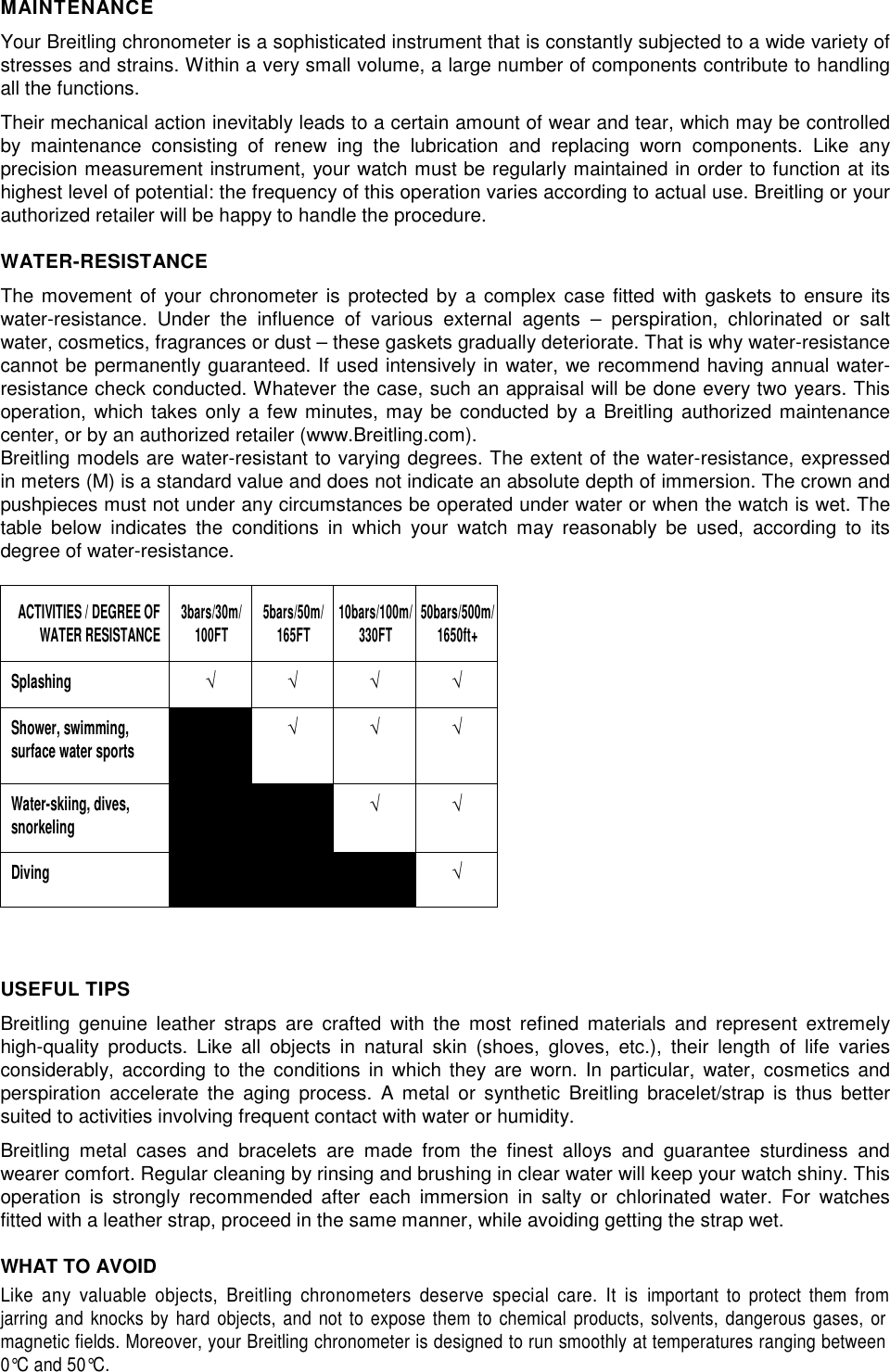
MAINTENANCEYour Breitling chronometer is a sophisticated instrument that is constantly subjected to a wide variety ofstresses and strains. Within a very small volume, a large number of components contribute to handlingall the functions.Their mechanical action inevitably leads to a certain amount of wear and tear, which may be controlledby maintenance consisting of renew ing the lubrication and replacing worn components. Like anyprecision measurement instrument, your watch must be regularly maintained in order to function at itshighest level of potential: the frequency of this operation varies according to actual use. Breitling or yourauthorized retailer will be happy to handle the procedure.WATER-RESISTANCEThe movement of your chronometer is protected by a complex case fitted with gaskets to ensure itswater-resistance. Under the influence of various external agents – perspiration, chlorinated or saltwater, cosmetics, fragrances or dust – these gaskets gradually deteriorate. That is why water-resistancecannot be permanently guaranteed. If used intensively in water, we recommend having annual water-resistance check conducted. Whatever the case, such an appraisal will be done every two years. Thisoperation, which takes only a few minutes, may be conducted by a Breitling authorized maintenancecenter, or by an authorized retailer (www.Breitling.com).Breitling models are water-resistant to varying degrees. The extent of the water-resistance, expressedin meters (M) is a standard value and does not indicate an absolute depth of immersion. The crown andpushpieces must not under any circumstances be operated under water or when the watch is wet. Thetable below indicates the conditions in which your watch may reasonably be used, according to itsdegree of water-resistance.ACTIVITIES / DEGREE OFWATER RESISTANCE3bars/30m/100FT 5bars/50m/165FT 10bars/100m/330FT 50bars/500m/1650ft+Splashing√ √ √ √Shower, swimming,surface water sports√ √ √Water-skiing, dives,snorkeling√ √Diving√USEFUL TIPSBreitling genuine leather straps are crafted with the most refined materials and represent extremelyhigh-quality products. Like all objects in natural skin (shoes, gloves, etc.), their length of life variesconsiderably, according to the conditions in which they are worn. In particular, water, cosmetics andperspiration accelerate the aging process. A metal or synthetic Breitling bracelet/strap is thus bettersuited to activities involving frequent contact with water or humidity.Breitling metal cases and bracelets are made from the finest alloys and guarantee sturdiness andwearer comfort. Regular cleaning by rinsing and brushing in clear water will keep your watch shiny. Thisoperation is strongly recommended after each immersion in salty or chlorinated water. For watchesfitted with a leather strap, proceed in the same manner, while avoiding getting the strap wet.WHAT TO AVOIDLike any valuable objects, Breitling chronometers deserve special care. It isimportant to protect them fromjarring and knocks by hard objects, and not to expose them to chemical products, solvents, dangerous gases, ormagnetic fields. Moreover, your Breitling chronometer is designed to run smoothly at temperatures ranging between0°C and 50°C.
Recommendations:Used batteries and used watch components should not be disposed in litters,but correctly recycled according to local regulations. We recommend the disposalof such parts via your watch dealer. You will thereby contribute to environmentaland public health protection.21. CERTIFICATIONSEUROPEAUSTRIAGREECENORWAYBELGIUMHUNGARYPOLANDBULGARIAICELANDPORTUGALCYPRUSIRELANDROMANIACZECH REPUBLICITALYSLOVAKIADENMARKLATVIASLOVENIAESTONIALITHUANIASPAINFINLANDLUXEMBOURGSWEDENFRANCEMALTASWITZERLANDGERMANYNETHERLANDSUNITED KINGDOMUSA/ CANADARadiofrequency radiation exposure Information:For body worn operation, this watch has been tested and meets the FCC RF exposure guidelineswhen used with Breitling SA accessories supplied or designated for this product. Use of otheraccessories may not ensure compliance with FCC RF exposure guidelines.Breitling Exospace B55FCC ID: OPFXB55IC: 11807A-XB55This device complies with Part 15 of the FCC Rules and with Industry Canada licence-exempt RSS standard(s). Operation issubject to the following two conditions: (1) this device may not cause harmful interference, and (2) this device must accept anyinterference received, including interference that may cause undesired operation.Le présent appareil est conforme aux CNR d'Industrie Canada applicables aux appareils radioexempts de licence. L'exploitation est autorisée aux deux conditions suivantes: (1) l'appareil ne doit pas produire de brouillage, et(2) l'utilisateur de l'appareil doit accepter tout brouillage radioélectrique subi, même si le brouillage est susceptible d'encompromettre le fonctionnement.NOTICE:This device complies with Part 15 of the FCC Rules [and with Industry Canada licence-exempt RSSstandard(s)].Operation is subject to the following two conditions:(1) this device may not cause harmful interference, and(2) this device must accept any interference received, including interference that may causeundesired operation.Le présent appareil est conforme aux CNR d'Industrie Canada applicables aux appareils radio exemptsde licence. L'exploitation est autorisée aux deux conditions suivantes:(1) l'appareil ne doit pas produire de brouillage, et
(2) l'utilisateur de l'appareil doit accepter tout brouillage radioélectrique subi, même si lebrouillage est susceptible d'en compromettre le fonctionnement.NOTICE:Changes or modifications made to this equipment not expressly approved by Breitling SA may void theFCC authorization to operate this equipment.AUSTRALIA / NEW ZEALAND: RCM MarkThe Bluetooth® word mark and logo are registered trademarks owned by Bluetooth SIG, Inc. and any use of such marks byBreitling SA is under license. Other trademarks and trade names are those of their respective owners.Apple and iPhone are trademarks of Apple Inc., registered in the U.S. and other countries. App Store is a service mark of AppleInc.Google Play is a trademark of Google Inc.
CONNECTING THE WATCH “EXOSPACE B55” TO A SMARTPHONE1) Installation of the application on the smartphoneBefore doing anything else, the "B55 Connected" application must be installed on the smartphone.The application for an iPhone® can be downloaded on the App Store℠The application for an Androidtype smartphone can be downloaded on Google Playstore app2) Pairing the watch with the smartphonea) Check that Bluetooth®is activated on the watch SETTING CONNECT ONb) Bluetooth®must also be activated on the smartphonec) Start the applicationd) When launched, the application will detect one or more watches:“B55 CONNECTED” with its unique serial number (also engraved on the back of the watch) select the watch.e) The application will then ask for a 6-digit code.This 6-digit code is automatically displayed on the watch (on the display at 6 o’clock) with PASSWRD (on the display at 12 o’clock).The watch is now connected to the smartphone and it will be possible to use the application.Once this code has been introduced, for future connections, the application will automatically connect to the watch without asking for the code again. Ifno watch is connected to the application, the latter will not be able to go beyond the home page.Please note that the application can only be connected to a single watch at a time. To connect another watch to the same smartphone, it must be selectedfrom the list on the home screen and if necessary, its 6-figure code introduced. By the same token, a watch can be connected to several smartphones, byeach time following the procedure described above, but not at the same time.3) The applicationThe application looks like a Dashboard which is the focal point of the application. From here, it is possible to enter the various windows.To change window, you need to go back through the Dashboard. Each window has a “help” function that explains how the watch works.
4) Updating the watch firmwareThe watch firmware can be updated through the application. If need be, the application will inform the user of this option. In this event, it isrecommended that the smartphone and the watch be charged prior to proceeding with an update. This will last between 10 and 20 minutes. Duringthis time, it is important not to interrupt the communication between the watch and the smartphone: the watch must remain close to thesmartphone.During the update, a window in the application will provide a progress report. On the watch, the hands will be stopped and the digital display blocked.The watch will restart automatically at the end of the update, but it must be synchronized once again and the settings adjusted (time,date…).5)In the event of problemsIf the watch no longer responds or in the event of connection issues with the smartphone, the watch may require resetting, as follows:Select theBATTERyfunction by turning the crown.Pull the crown to position 2; the upper screen displaysDEEP SLEEPorSOFT SLEEP; selectDEEP SLEEPby turning the crown.Give P1 a long press to confirm the extended standby. The hands will park immediately. Once the procedure is finished, the display turns off and the electronics aredisconnected.Do not forget to push to crown back to neutral position 1.To reactivate the watch, connect the charger cable. The watch is thus reset. All settings will be lost during this operationThe Bluetooth® word mark and logo are registered trademarks owned by Bluetooth SIG, Inc. and any use of such marks by Breitling SA is under license. Other trademarks and trade names are those oftheir respective owners.Apple and iPhone are trademarks of Apple Inc., registered in the U.S. and other countries. App Store is a service mark of Apple Inc.Google Play is a trademark of Google Inc.

Navigation menu