BYROBOT BR-PT-PTF-100 PETRONE User Manual PETRONE BR PT 100 hwp

BYROBOT Co., Ltd. PETRONE PETRONE BR PT 100 hwp

User Manual

Model  No.:  BR-PT-100
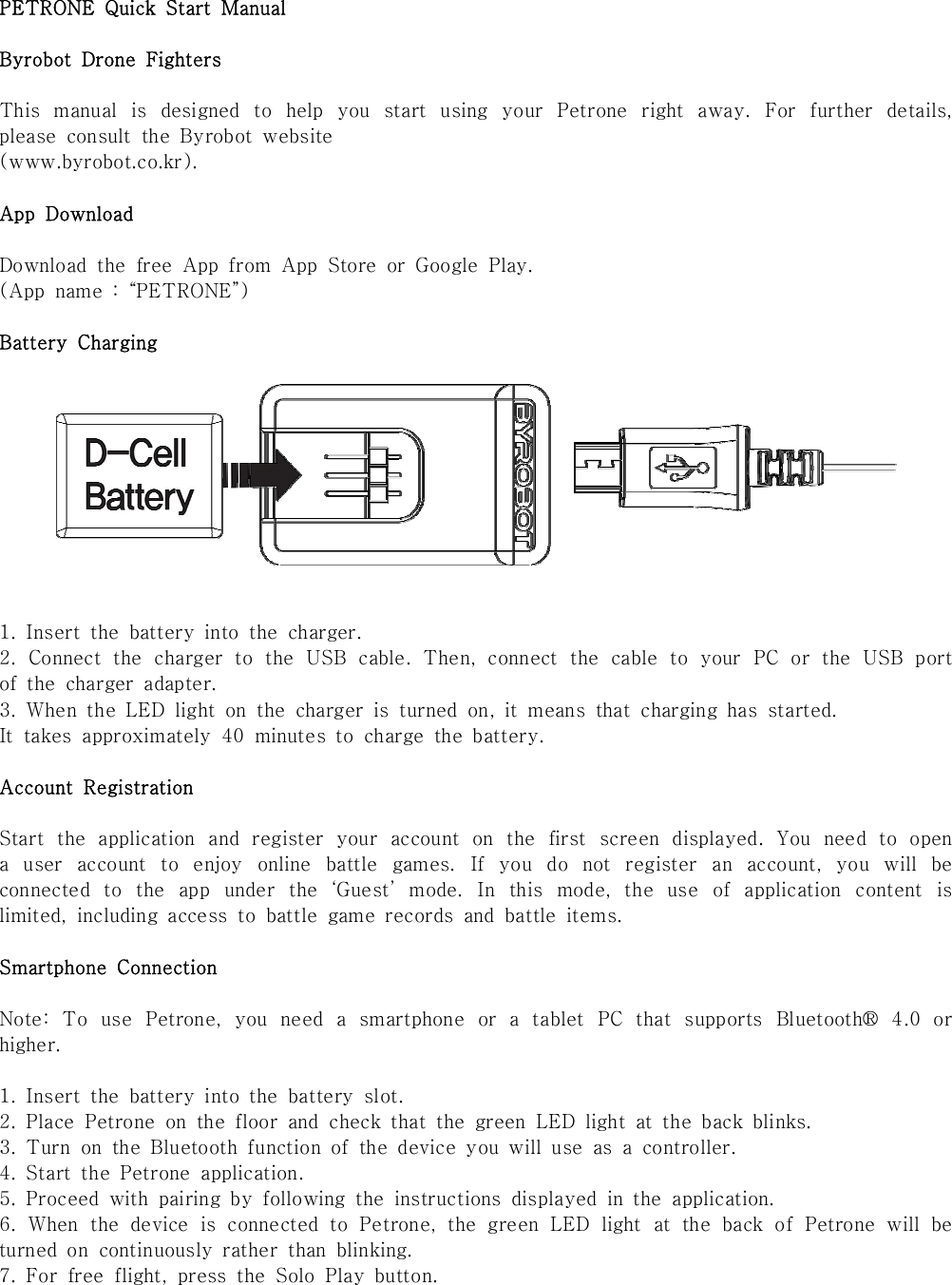
PETRONE  Quick  Start  ManualByrobot  Drone  FightersThis  manual  is  designed  to  help  you  start  using  your  Petrone  right  away.  For  further  details, please  consult  the  Byrobot  website (www.byrobot.co.kr). App  DownloadDownload  the  free  App  from  App  Store  or  Google  Play.(App  name  :  “PETRONE”) Battery  Charging1.  Insert  the  battery  into  the  charger.2.  Connect  the  charger  to  the  USB  cable.  Then,  connect  the  cable  to  your  PC  or  the  USB  port of  the  charger  adapter. 3.  When  the  LED  light  on  the  charger  is  turned  on,  it  means  that  charging  has  started. It  takes  approximately  40  minutes  to  charge  the  battery.Account  RegistrationStart  the  application  and  register  your  account  on  the  first  screen  displayed.  You  need  to  open a  user  account  to  enjoy  online  battle  games.  If  you  do  not  register  an  account,  you  will  be connected  to  the  app  under  the  ‘Guest’  mode.  In  this  mode,  the  use  of  application  content  is limited,  including  access  to  battle  game  records  and  battle  items.Smartphone  ConnectionNote:  To  use  Petrone,  you  need  a  smartphone  or  a  tablet  PC  that  supports  Bluetooth®  4.0  or higher.1.  Insert  the  battery  into  the  battery  slot.2.  Place  Petrone  on  the  floor  and  check  that  the  green  LED  light  at  the  back  blinks. 3.  Turn  on  the  Bluetooth  function  of  the  device  you  will  use  as  a  controller.4.  Start  the  Petrone  application.5.  Proceed  with  pairing  by  following  the  instructions  displayed  in  the  application.6.  When  the  device  is  connected  to  Petrone,  the  green  LED  light  at  the  back  of  Petrone  will  be turned  on  continuously  rather  than  blinking. 7.  For  free  flight,  press  the  Solo  Play  button.
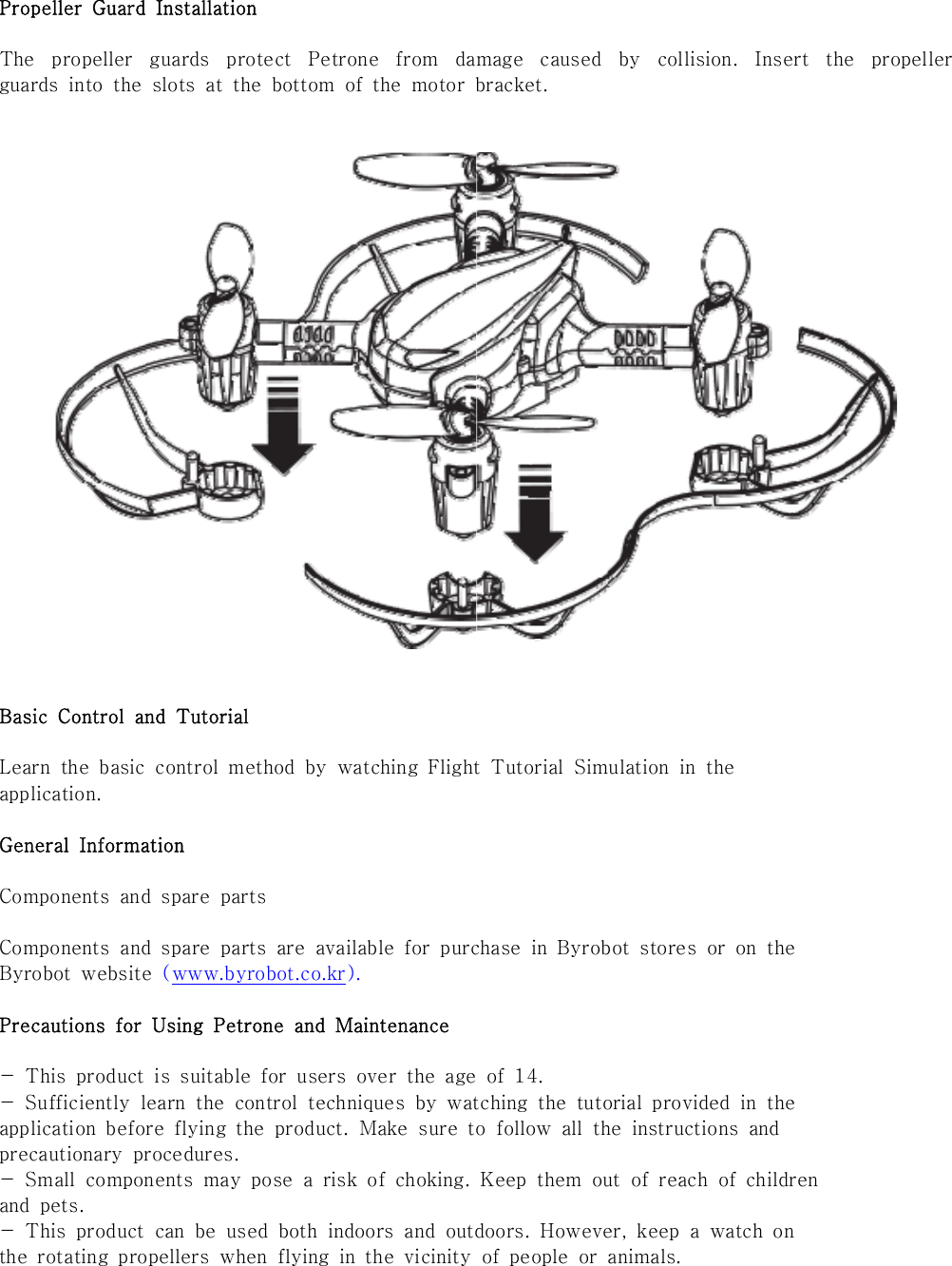
Propeller  Guard  InstallationThe  propeller  guards  protect  Petrone  from  damage  caused  by  collision.  Insert  the  propeller guards  into  the  slots  at  the  bottom  of  the  motor  bracket.Basic  Control  and  TutorialLearn  the  basic  control  method  by  watching  Flight  Tutorial  Simulation  in  theapplication.General  InformationComponents  and  spare  partsComponents  and  spare  parts  are  available  for  purchase  in  Byrobot  stores  or  on  theByrobot  website  (www.byrobot.co.kr).Precautions  for  Using  Petrone  and  Maintenance-  This  product  is  suitable  for  users  over  the  age  of  14.-  Sufficiently  learn  the  control  techniques  by  watching  the  tutorial  provided  in  theapplication  before  flying  the  product.  Make  sure  to  follow  all  the  instructions  andprecautionary  procedures.-  Small  components  may  pose  a  risk  of  choking.  Keep  them  out  of reach of childrenand  pets.-  This  product  can  be  used  both  indoors  and  outdoors.  However,  keep  a  watch  onthe  rotating  propellers  when  flying  in  the  vicinity  of  people  or  animals.
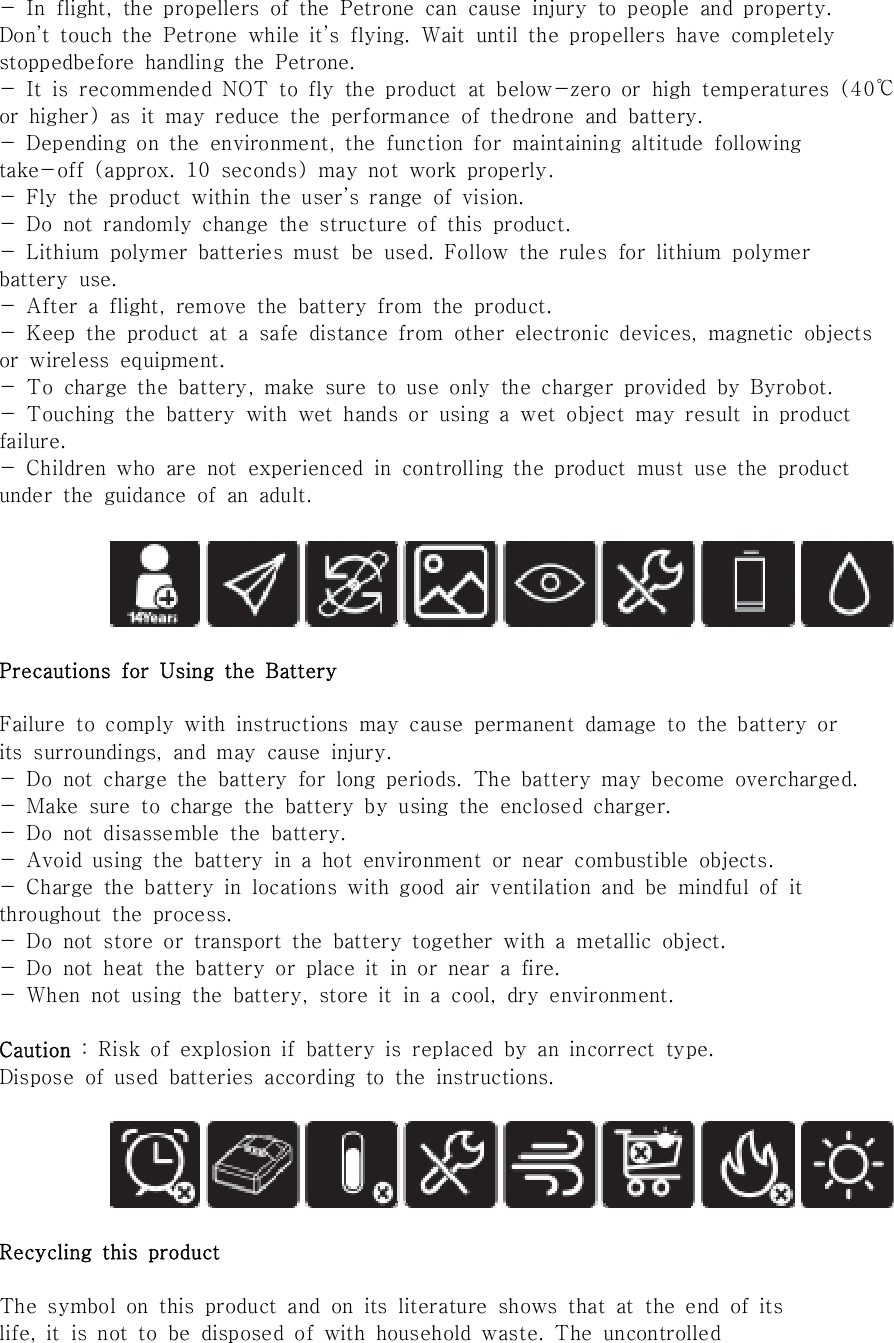
-  In  flight,  the  propellers  of  the  Petrone  can  cause  injury  to  people  and  property.Don’t  touch  the  Petrone  while  it’s  flying.  Wait  until  the  propellers  have  completelystoppedbefore  handling  the  Petrone.-  It  is  recommended  NOT  to  fly  the  product  at  below-zero  or  high  temperatures  (40℃or  higher)  as  it  may  reduce  the  performance  of  thedrone  and  battery.-  Depending  on  the  environment,  the  function  for  maintaining  altitude  followingtake-off  (approx.  10  seconds)  may  not  work  properly.-  Fly  the  product  within  the  user’s  range  of  vision.-  Do  not  randomly  change  the  structure  of  this  product.-  Lithium  polymer  batteries  must  be  used.  Follow  the  rules  for  lithium  polymerbattery  use.-  After  a  flight,  remove  the  battery  from  the  product.-  Keep  the  product  at  a  safe  distance  from  other  electronic  devices,  magnetic  objectsor  wireless  equipment.-  To  charge  the  battery,  make  sure  to  use  only  the  charger  provided  by  Byrobot.-  Touching  the  battery  with  wet  hands  or  using  a  wet  object  may  result  in  productfailure.-  Children  who  are  not  experienced  in  controlling  the  product  must  use  the  productunder  the  guidance  of  an  adult.Precautions  for  Using  the  BatteryFailure  to  comply  with  instructions  may  cause  permanent  damage  to the battery orits  surroundings,  and  may  cause  injury.-  Do  not  charge  the  battery  for  long  periods.  The  battery  may  become  overcharged.-  Make  sure  to  charge  the  battery  by  using  the  enclosed  charger.-  Do  not  disassemble  the  battery.-  Avoid  using  the  battery  in  a  hot  environment  or  near  combustible  objects.-  Charge  the  battery  in  locations  with  good  air  ventilation  and  be  mindful  of  itthroughout  the  process.-  Do  not  store  or  transport  the  battery  together  with  a  metallic  object.-  Do  not  heat  the  battery  or  place  it  in  or  near  a  fire.-  When  not  using  the  battery,  store  it  in  a  cool,  dry  environment.Caution  :  Risk  of  explosion  if  battery  is  replaced  by  an  incorrect  type.Dispose  of  used  batteries  according  to  the  instructions. Recycling  this  productThe  symbol  on  this  product  and  on  its  literature  shows  that  at  the  end  of  itslife,  it  is  not  to  be  disposed  of  with  household  waste.  The  uncontrolled
disposal  of  waste  is  harmful  to  the  environment:  please  separate  this  fromother  types  of  waste  and  dispose  of  responsibly.  Private  individuals  are  invited  tocontact  the  retailer  who  sold  them  the  product  or  to  ask  advice  from  their  localauthority  to  find  out  how  and  where  it  can  be  recycled.Registered  TrademarkBYROBOT,  Drone  Fighters,  Petrone  and  the  Byrobot  logo  are  Trademark  of  Byrobot.AppStore  is  the  service  mark  of  Apple  Inc.Google  Play  is  the  trademark  of  Google  Inc.The  Bluetooth®  word  mark  and  logos  are  registered  trademarks  owned  by  BluetoothSIG,  inc.  and  any  use  of  such  marks  by  Byrobot  is  under  license.The  ownership  rights  for  all  other  trademarks  mentioned  in  this  manual  are  held  bytheir  respective  owners.Declaration  of  ConformityBYROBOT  Co.,  LTD.  #417,  Human  Sky  Valley,  33,  Omokcheon-ro  132beon-gil,  Gwonseon-gu,Suwon-si,  Gyeonggi-do,  16642,  Republic  of  Korea,  declares  under  their  sole  responsibility  that the  product  described  in  this  user  guide  complies  with  EN301489-1,  EN301489-17,  EN60950-1, IEC61547,  IEC62133,  EN300328  technical  standards  following  the  provision  of  the  Radio Equipment,  Telecommunication  Equipment  directive  (1999/5/EC  R&TTE),  and  of  the  General Safety  directive  (2014/35/EU).The  Declaration  of  Conformity  is  avaliable  on  our  website  : WarrantyFor  the  warranty  conditions  please  refer  to  the  retailer’s  General  Conditions  of  Sale  where  you purchased  your  Petrone.Notice regarding the right to privacyRecording  and  distributing  images  of  an  individual  without  their  consent  couldconstitute  a  violation  of  their  privacy,  for  which  you  may  be  held  liable.  Ask  forpermission  before  filming  individuals,  particularly  if  you  want  to  keep  yourrecordings  and/or  share  them  online.  Do  not  distribute  any  degrading  images  orthose  that  could  undermine  an  individual's  reputation  or  dignity.FCC  Compliance  CertificationThis  equipment  has  been  tested  and  found  to  comply  with  the  limits  for  a  Class  BDigital  Device,  pursuant  to  Part  15  of  the  FCC  Rules. These  limits  are  designed  to  provide reasonable  protection  against  harmful  interference  in  a  residential  installation.  This  equipmentgenerates,  uses  and  can  radiate  radio  frequency  energy  and,  if  not  installed  and  used  in accordance  with  the  instructions,  may  cause  harmful  interference  to  radio  communications. However,  there  is  no  guarantee  that  interference  will  not  occur  in  a  particular  installation.  If this  equipment  does  cause  harmful  interference  to  radio  or  television  reception,  which  can  be determined  by  turning  the  equipment  off  and  n,  the  user  is  encouraged  to  try  to  correct  the interference  by  one  or  more  of  the  ollowing  measures:
Reorient  or  relocate  the  receiving  antenna.Increase  the  separation  between  the  equipment  and  receiver.Connect  the  equipment  into  an  outlet  on  a  circuit  different  from  that  to  which  thereceiver  is  connected.Consult  the  dealer  or  an  experienced  radio/TV  technician  for  help.This  device  complies  with  Part  15  of  the  FCC  Rules.Operation  is  subject  to  the  following  two  conditions:This  device  may  not  cause  harmful  interference,  and  this  device  must  accept  any  interferencereceived,  including  interference  that  may  cause  undesired  operation.This  equipment  complies  with  FCC  RF  Radiation  exposure  limits  set  forth  for  an  uncontrolledenvironment.This  device  and  its  antenna  must  not  be  co-located  or  operating  in  conjunction  with  any  otherantenna  or  transmitter.Any  changes  or  modifications  not  expressly  approved  by  the  party  responsible  for  compliancecould  void  the  user’s  authority  to  operate  the  equipment.Caution:  exposure  to  radio  frequency  radiationThe  installer  of  this  radio  equipment  must  ensure  that  the  antenna  is  located  or  pointed  suchthat  it  does  not  permit  RF  field  in  excess  of  Health  Canada  limits  for  the  general  population;consult  Safety  Code  6,  obtainable  from  Health  Canada’s  website  at  www.hc-se.gc.ca.The  user  is  required  to  apply  for  localized  Radio-communication  Station  Licence  in  Singapore.Applicants  can  apply  online  for  the  localized  Radio-communication  Station  Licence  throughwww.business.gov.sg/licences.This device complies with part 15 of the FCC Rules. Operation is subject to the following two conditions: (1) This device may not cause harmful interference, and (2) this device must accept any interference received, including interference that may cause undesired operation.Any changes or modifications (including the antennas) made to this device that are not expressly approved by the manufacturer may void the user's authority to operate the equipment.This equipment complies with FCC RF Radiation exposure limits set forth for an uncontrolled environment. This device and its antenna must not be co-located or operating in conjunction with any other antenna or transmitter.This equipment should be installed and operated with a minimum distance of 20 centimeters between the radiator and your body.

Navigation menu