Beltronics USA G2S7I Radar Detector User Manual 9574 Vector 990 Manual

Beltronics USA Inc Radar Detector 9574 Vector 990 Manual

Users Manual

Head Office2422 Dunwin DriveMississauga, OntarioCanada L5L 1J9Tel: (905) 828-1002   Fax: (905) 828-2951wwwwww..bbeellttrroonniiccss..ccoommThis product is subject to one or more of the following patents:United States#4,571,593 #4,625,210 #4,630,054 #4,939,521#4,952,936 #4,961,074 #5,402,087 #5,446,923#5,587,916 #5,600,132Canada#1,187,586 #1,187,602 #1,295,714 #1,295,715Other Patents PendingSafety Warning System®L.C.–Patents PendingPrinted in Canada 273004-13,Fundamental Mixer Technology, FMT and Shadow Technology are registered trademarks of BELTRONICS USA, Inc. VECTOR 990, Total Tracking Laser, TTL, AccuSweep and AutoScan are trademarks ofBELTRONICS USA, Inc. Safety Warning System is a registered trademark of Safety Warning System L.C.
VECTOR 990VECTOR 990Operating InstructionsMOTOROLAMOTOROLAdigitaldnaTMMOTOROLAModel V990kInternationalInternationalDigitalVoice and Text Messages6420North AmericanDriver Selectable FeaturesInternationalDriver Selectable Features16THE NEXT GENERATION IN DIGITAL PERFORMANCETHE NEXT GENERATION IN DIGITAL PERFORMANCE
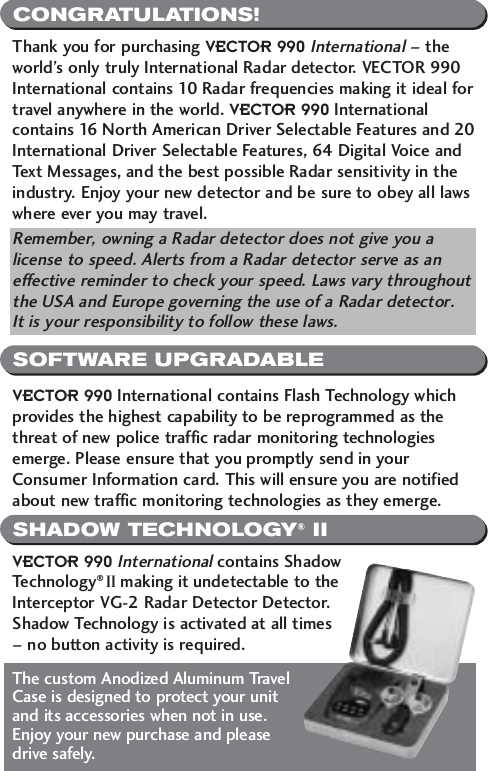
CONGRATULATIONS!SOFTWARE UPGRADABLESHADOW TECHNOLOGY®IIThank you for purchasing VECTOR 990International– theworld’s only truly International Radar detector. VECTOR 990International contains 10 Radar frequencies making it ideal fortravel anywhere in the world. VECTOR 990 Internationalcontains 16 North American Driver Selectable Features and 20International Driver Selectable Features, 64 Digital Voice andText Messages, and the best possible Radar sensitivity in theindustry. Enjoy your new detector and be sure to obey all lawswhere ever you may travel. Remember, owning a Radar detector does not give you alicense to speed. Alerts from a Radar detector serve as aneffective reminder to check your speed. Laws vary throughoutthe USA and Europe governing the use of a Radar detector. It is your responsibility to follow these laws.VECTOR 990 International contains Flash Technology whichprovides the highest capability to be reprogrammed as thethreat of new police traffic radar monitoring technologiesemerge. Please ensure that you promptly send in yourConsumer Information card. This will ensure you are notifiedabout new traffic monitoring technologies as they emerge.VECTOR 990 Internationalcontains ShadowTechnology® II making it undetectable to theInterceptor VG-2 Radar Detector Detector.Shadow Technology is activated at all times – no button activity is required. The custom Anodized Aluminum TravelCase is designed to protect your unitand its accessories when not in use.Enjoy your new purchase and please drive safely.
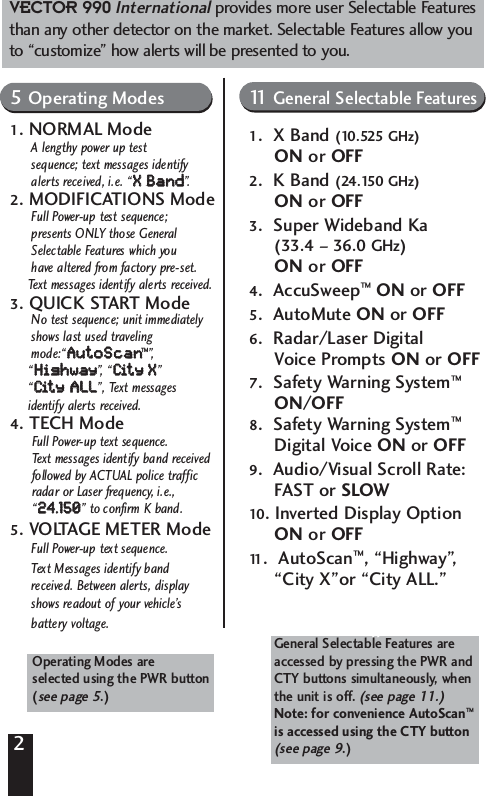
2Includes 16 Driver Selectable Features5 Operating Modes 11 General FeaturesNormal Mode Modifications ModeQuick-Start X Band (10.525 GHz) On/OffTech ModeVoltage Meter Mode K Band (24.125 GHz) On/OffSuper Wideband Ka (33.4-36.0)AccuSweep™Operating modes areSelected using PWR ButtonSee page 00.AutoMute On/Off Radar/Laser Digital VoicePrompts On/OffSafety Warning System™On/OffSafety Warning System DigitalVoice or ToneAudio/Visual Scroll RateFast/SlowInverted Display Option AutoScan General Features selected by pressingCTY button followed by the PWRButton when the unit is off.Operating Modes are selected using the PWR button  (see page 5.) General Selectable Features areaccessed by pressing the PWR andCTY buttons simultaneously, when the unit is off. (see page 11.)Note: for convenience AutoScan™is accessed using the CTY button (see page 9.)VECTOR 990Internationalprovides more user Selectable Featuresthan any other detector on the market. Selectable Features allow youto “customize” how alerts will be presented to you.5Operating Modes1. NORMAL ModeA lengthy power up test sequence; text messages identify alerts received, i.e. “XX  BBaanndd”.2. MODIFICATIONS ModeFull Power-up test sequence; presents ONLY those General Selectable Features which you have altered from factory pre-set. Text messages identify alerts received.3. QUICK START ModeNo test sequence; unit immediatelyshows last used traveling mode:“AAuuttooSSccaann™”,“HHiigghhwwaayy”,  “ CCiitt  yy    XX” “CCiitt  yy  AALLLL”, Text messages identify alerts received.4. TECH ModeFull Power-up text sequence. Text messages identify band received followed by ACTUAL police traffic radar or Laser frequency, i.e., “2244..115500” to confirm K band.5. VOLTAGE METER ModeFull Power-up text sequence. Text Messages identify band received. Between alerts, display shows readout of your vehicle’sbattery voltage. 11 General Selectable Features1.  X Band (10.525 GHz)ON or OFF2.  K Band (24.150 GHz)ON or OFF3.  Super Wideband Ka (33.4 – 36.0 GHz)ON or OFF4.  AccuSweep™ON or OFF5.  AutoMute ON or OFF6.  Radar/Laser Digital Voice Prompts ON or OFF7.  Safety Warning System™ON/OFF8.  Safety Warning System™Digital Voice ON or OFF9.  Audio/Visual Scroll Rate: FAST or SLOW10. Inverted Display Option ON or OFF11 .  AutoScan™, “Highway”, “City X”or “City ALL.”
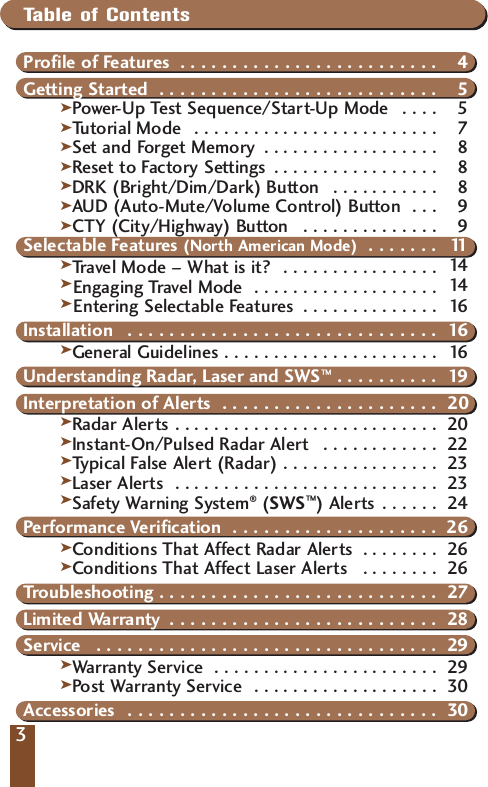
33Table of ContentsProfile of Features  . . . . . . . . . . . . . . . . . . . . . . . . . 4Getting Started  . . . . . . . . . . . . . . . . . . . . . . . . . . . 5kPower- Up Test Sequence/Start-Up Mode  . . . . 5kTutorial Mode  . . . . . . . . . . . . . . . . . . . . . . . . . 7kSet and Forget Memory  . . . . . . . . . . . . . . . . . . 8kReset to Factory Settings . . . . . . . . . . . . . . . . . 8kDRK (Bright/Dim/Dark) Button  . . . . . . . . . . . 8kAUD (Auto-Mute/Volume Control) Button  . . . 9kCTY (City/Highway) Button  . . . . . . . . . . . . . . 9Selectable Features (North American Mode)  . . . . . . . 11kTravel Mode – What is it?  . . . . . . . . . . . . . . . . 14  kEngaging Travel Mode  . . . . . . . . . . . . . . . . . . . 14  kEntering Selectable Features  . . . . . . . . . . . . . . 16 Installation  . . . . . . . . . . . . . . . . . . . . . . . . . . . . . . 16kGeneral Guidelines . . . . . . . . . . . . . . . . . . . . . . 16Understanding Radar, Laser and SWS™ . . . . . . . . . . 19Interpretation of Alerts  . . . . . . . . . . . . . . . . . . . . . 20kRadar Alerts . . . . . . . . . . . . . . . . . . . . . . . . . . . 20kInstant-On/Pulsed Radar Alert  . . . . . . . . . . . . 22kTypical False Alert (Radar) . . . . . . . . . . . . . . . . 23kLaser Alerts  . . . . . . . . . . . . . . . . . . . . . . . . . . . 23kSafety Warning System®(SWS™) Alerts . . . . . . 24Performance Verification  . . . . . . . . . . . . . . . . . . . . 26kConditions That Affect Radar Alerts  . . . . . . . . 26Conditions That Affect Laser Alerts  . . . . . . . . 26Troubleshooting . . . . . . . . . . . . . . . . . . . . . . . . . . . 27Limited Warranty  . . . . . . . . . . . . . . . . . . . . . . . . . . 28Service  . . . . . . . . . . . . . . . . . . . . . . . . . . . . . . . . . 29kWarranty Service  . . . . . . . . . . . . . . . . . . . . . . . 29Post Warranty Service  . . . . . . . . . . . . . . . . . . . 30Accessories  . . . . . . . . . . . . . . . . . . . . . . . . . . . . . . 30kk
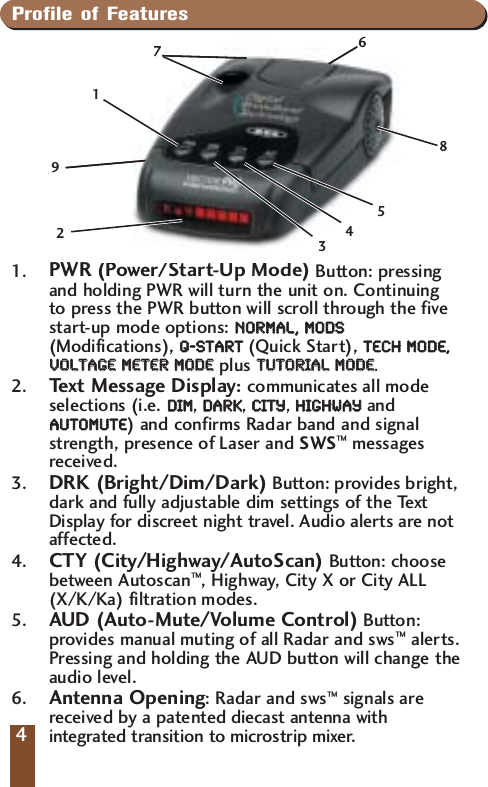
Profile of Features1. PWR (Power/Start-Up Mode) Button: pressingand holding PWR will turn the unit on. Continuing to press the PWR button will scroll through the fivestart-up mode options: NNOORRMMAALL,,  MMOODDSS(Modifications), QQ--SSTTAARRTT(Quick Start), TTEECCHH  MMOODDEE,,VVOOLLTTAAGGEE  MMEETTEERR  MMOODDEEplus TTUUTTOORRIIAALL  MMOODDEE. 2.  Text Message Display:communicates all modeselections (i.e. DDIIMM, DDAARRKK, CCIITTYY, HHIIGGHHWWAAYYandAAUUTTOOMMUUTTEE)and confirms Radar band and signalstrength, presence of Laser and SWS™messagesreceived.3. DRK (Bright/Dim/Dark) Button: provides bright,dark and fully adjustable dim settings of the TextDisplay for discreet night travel. Audio alerts are notaffected.4.  CTY (City/Highway/AutoScan) Button: choosebetween Autoscan™, Highway, City X or City ALL(X/K/Ka) filtration modes.5. AUD (Auto-Mute/Volume Control) Button:provides manual muting of all Radar and sws™alerts.Pressing and holding the AUD button will change theaudio level.6. Antenna Opening: Radar and sws™signals arereceived by a patented diecast antenna withintegrated transition to microstrip mixer.4724196358
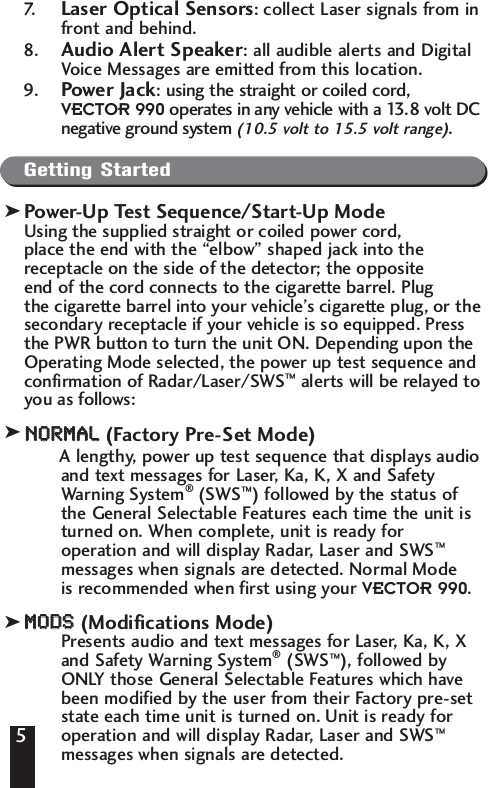
57. Laser Optical Sensors: collect Laser signals from infront and behind.8. Audio Alert Speaker: all audible alerts and DigitalVoice Messages are emitted from this location.9. Power Jack: using the straight or coiled cord, VECTOR 990 operates in any vehicle with a 13.8 volt DCnegative ground system (10.5 volt to 15.5 volt range).Getting StartedPower-Up Test Sequence/Start-Up ModeUsing the supplied straight or coiled power cord, place the end with the “elbow” shaped jack into the receptacle on the side of the detector; the opposite end of the cord connects to the cigarette barrel. Plug the cigarette barrel into your vehicle’s cigarette plug, or thesecondary receptacle if your vehicle is so equipped. Pressthe PWR button to turn the unit ON. Depending upon theOperating Mode selected, the power up test sequence andconfirmation of Radar/Laser/SWS™alerts will be relayed toyou as follows:NNOORRMMAALL(Factory Pre-Set Mode)A lengthy, power up test sequence that displays audioand text messages for Laser, Ka, K, X and SafetyWarning System®(SWS™) followed by the status ofthe General Selectable Features each time the unit isturned on. When complete, unit is ready foroperation and will display Radar, Laser and SWS™messages when signals are detected. Normal Mode is recommended when first using your VECTOR 990. MMOODDSS(Modifications Mode)Presents audio and text messages for Laser, Ka, K, Xand Safety Warning System®(SWS™), followed byONLY those General Selectable Features which havebeen modified by the user from their Factory pre-setstate each time unit is turned on. Unit is ready foroperation and will display Radar, Laser and SWS™messages when signals are detected. 5kkk
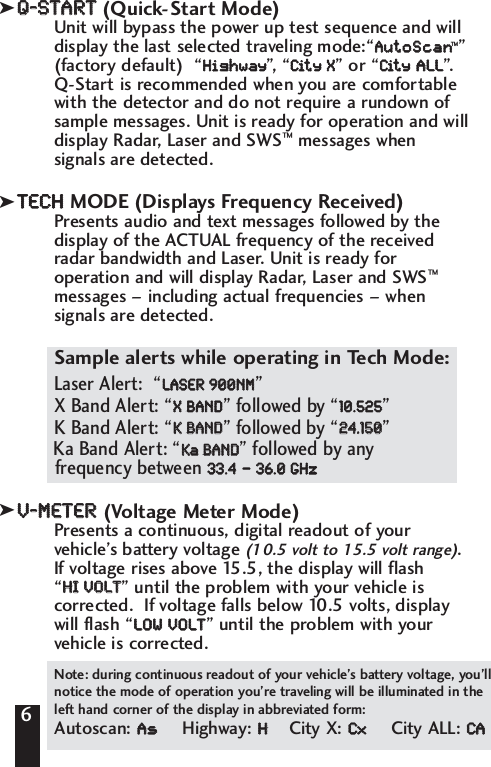
QQ--SSTTAARRTT(Quick-Start Mode)Unit will bypass the power up test sequence and willdisplay the last selected traveling mode:“AAuuttooSSccaann™”(factory default)  “HHiigghhwwaayy”, “CCiitt  yy    XX” or “CCiitt  yy  AALLLL”.Q-Start is recommended when you are comfortablewith the detector and do not require a rundown ofsample messages. Unit is ready for operation and willdisplay Radar, Laser and SWS™messages whensignals are detected. TTEECCHHMODE (Displays Frequency Received)Presents audio and text messages followed by thedisplay of the ACTUAL frequency of the receivedradar bandwidth and Laser. Unit is ready foroperation and will display Radar, Laser and SWS™messages – including actual frequencies – whensignals are detected. Sample alerts while operating in Tech Mode:Laser Alert:  “LLAASSEERR  990000NNMM”X Band Alert: “XX  BBAANNDD” followed by “1100..552255”K Band Alert: “KK  BBAANNDD” followed by “2244..115500” Ka Band Alert: “KKaaBBAANNDD” followed by any frequency between 3333..44––3366..00  GGHHzz. VV--MMEETTEERR  (Voltage Meter Mode)Presents a continuous, digital readout of yourvehicle’s battery voltage (10.5 volt to 15.5 volt range).If voltage rises above 15.5, the display will flash “HHII  VVOOLLTT” until the problem with your vehicle iscorrected.  If voltage falls below 10.5 volts, displaywill flash “LLOOWW  VVOOLLTT” until the problem with yourvehicle is corrected. 6Note: during continuous readout of your vehicle’s battery voltage, you’llnotice the mode of operation you’re traveling will be illuminated in theleft hand corner of the display in abbreviated form:Autoscan: AAssHighway: HHCity X: CCxxCity ALL: CCAAkkk
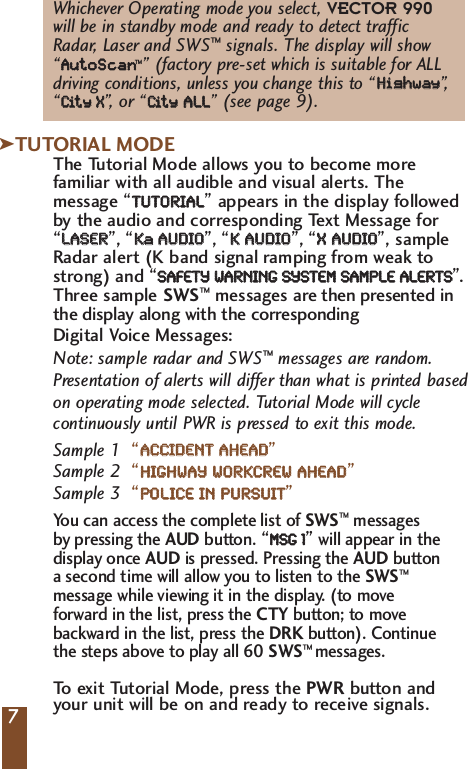
7Whichever Operating mode you select, VECTOR 990will be in standby mode and ready to detect traffic Radar, Laser and SWS™signals. The display will show “AAuuttooSSccaann™” (factory pre-set which is suitable for ALLdriving conditions, unless you change this to “HHiigghhwwaayy”,“CCiitt  yy    XX”,   or “CCiitt  yy  AALLLL” (see page 9).TUTORIAL MODEThe Tutorial Mode allows you to become morefamiliar with all audible and visual alerts. Themessage “TTUUTTOORRIIAALL”appears in the display followedby the audio and corresponding Text Message for“LLAASSEERR”,“KKaa    AAUUDDIIOO”,“KK  AAUUDDIIOO”,“XX  AAUUDDIIOO”, sampleRadar alert (K band signal ramping from weak tostrong) and “SSAAFFEETTYY  WWAARRNNIINNGG  SSYYSSTTEEMM  SSAAMMPPLLEE  AALLEERRTTSS”.Three sample SWS™messages are then presented inthe display along with the correspondingDigital Voice Messages:Sample 1  “AACCCCIIDDEENNTT  AAHHEEAADD”Sample 2  “HHIIGGHHWWAAYY  WWOORRKKCCRREEWW  AAHHEEAADD”Sample 3“PPOOLLIICCEE  IINN  PPUURRSSUUIITT”You can access the complete list of SWS™messages by pressing the AUD button. “MMSSGG  11”will appear in the display once AUD is pressed. Pressing the AUD button a second time will allow you to listen to the SWS™ message while viewing it in the display. (to move forward in the list, press the CTY button; to move backward in the list, press the DRK button). Continue the steps above to play all 60 SWS™ messages.To   exit Tutorial Mode, press the PWR button and your unit will be on and ready to receive signals.7kNote: sample radar and SWS™messages are random.Presentation of alerts will differ than what is printed based on operating mode selected. Tutorial Mode will cycle continuously until PWR is pressed to exit this mode.
Set and Forget MemoryAny time VECTOR 990 is turned off or unpluggedfrom the cigarette lighter socket, all feature settingsyou have selected are retained in the unit’s memory.Set and Forget Memory eliminates the need to resetyour preferred feature settings each time your unit isturned off and then back on.Reset to Factory SettingsYou can reset your unit to factory settings (NorthAmerican Mode) for Start-Up mode, volume, DRK, AUD,CTY and General Selectable Features. To reset, pressand hold the CTY button with the unit on until thedisplay shows “RREESSEETT“.Two“beeps” will sound and yourunit will cycle through the NNOORRMMAALLStart-Up Mode.DRK (Bright/Dim/Dark) ButtonThe DRK button allows selection of a bright, fullyadjustable dim or dark mode. VECTOR 990 isfactory preset to full bright display. To  engage dimmode, press and hold the DRK button. The displaywill cycle through various levels of dim illumination.Release the button at your chosen level. To engagedark mode, press the DRK button a second time. A single “beep” coupled with the brief illuminationof “DDAARRKK”on the display confirms your selection. You’ll notice an “AAss”(AutoScan™), “HH”(Highwaymode), “CCxx”(City mode) or “CCAA”(City ALL)remains dim to confirm your unit is receiving power.To   return to a full bright setting, press the DRKbutton a third time; two “beeps” confirm thisselection. Use of the DRK button does not affectaudio alerts.Important—if you press the the DRK button and do notreceive audible confirmation, the audio level has been settoo low.8kkk
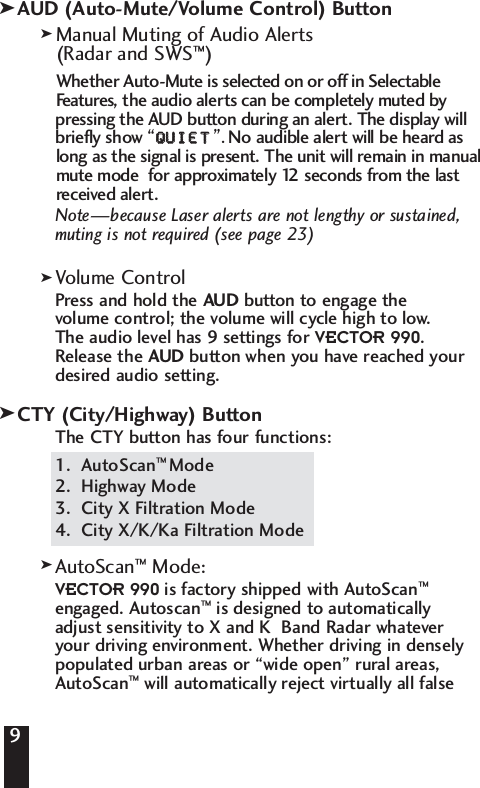
9AUD (Auto-Mute/Volume Control) ButtonManual Muting of Audio Alerts (Radar and SWS™)Whether Auto-Mute is selected on or off in Selectable Features, the audio alerts can be completely muted by pressing the AUD button during an alert. The display will briefly show “QQUUIIEETT”. No audible alert will be heard as long as the signal is present. The unit will remain in manual mute mode  for approximately 12 seconds from the last received alert.Note—because Laser alerts are not lengthy or sustained,muting is not required (see page 23)Volume ControlPress and hold the AUD button to engage the volume control; the volume will cycle high to low. The audio level has 9 settings for VECTOR 990. Release the AUD button when you have reached yourdesired audio setting.CTY (City/Highway) ButtonThe CTY button has four functions:1.  AutoScan™ Mode2.  Highway Mode3.  City X Filtration Mode 4.  City X/K/Ka Filtration ModeAutoScan™  Mode:VECTOR 990 is factory shipped with AutoScan™engaged. Autoscan™is designed to automatically adjust sensitivity to X and K  Band Radar whatever your driving environment. Whether driving in denselypopulated urban areas or “wide open” rural areas,AutoScan™will automatically reject virtually all false9kkkkk
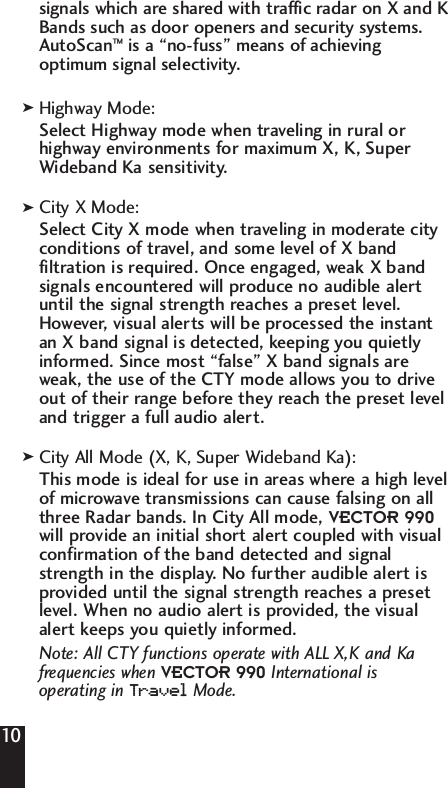
signals which are shared with traffic radar on X and KBands such as door openers and security systems. AutoScan™is a “no-fuss” means of achieving optimum signal selectivity. Highway Mode:Select Highway mode when traveling in rural orhighway environments for maximum X, K, SuperWideband Ka sensitivity.City X Mode:Select City X mode when traveling in moderate cityconditions of travel, and some level of X bandfiltration is required. Once engaged, weak X bandsignals encountered will produce no audible alertuntil the signal strength reaches a preset level.However, visual alerts will be processed the instantan X band signal is detected, keeping you quietlyinformed. Since most “false” X band signals areweak, the use of the CTY mode allows you to driveout of their range before they reach the preset leveland trigger a full audio alert.City All Mode (X, K, Super Wideband Ka):This mode is ideal for use in areas where a high levelof microwave transmissions can cause falsing on allthree Radar bands. In City All mode, VECTOR 990will provide an initial short alert coupled with visualconfirmation of the band detected and signalstrength in the display. No further audible alert isprovided until the signal strength reaches a presetlevel. When no audio alert is provided, the visualalert keeps you quietly informed.Note: All CTY functions operate with ALL X,K and Kafrequencies when VECTOR 990 International is operating in Tr avelMode.10kkk
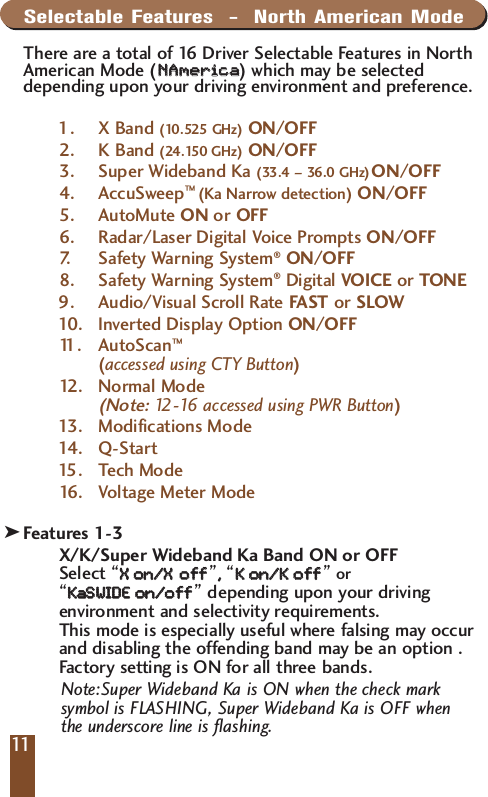
Selectable Features  -  North American ModeThere are a total of 16 Driver Selectable Features in NorthAmerican Mode (NNAAmmeerriiccaa  )which may be selecteddepending upon your driving environment and preference. 1. X Band (10.525 GHz) ON/OFF2. K Band (24.150 GHz) ON/OFF3. Super Wideband Ka (33.4 – 36.0 GHz)ON/OFF4. AccuSweep™ (Ka Narrow detection) ON/OFF5. AutoMute ON or OFF6. Radar/Laser Digital Voice Prompts ON/OFF7.   Safety Warning System®ON/OFF8. Safety Warning System®Digital VOICE or TONE9. Audio/Visual Scroll Rate FAST or SLOW10 . I nve r ted Display Option ON/OFF11 . AutoScan™(accessed using CTY Button)12 . Normal Mode (Note:12-16 accessed using PWR Button) 13 . Modifications Mode14 . Q -Start15 .Tech Mode16 .Voltage Meter Mode Description of Selectable FeaturesFeatures 1-3X/K/Super Wideband Ka Band ON or OFFSelect “XX  oonn//XXooff  ff”,,  “KK  oonn//KK  ooff  ff”or“KKaa  SSWWIIDDEE  oonn//ooff  ff”depending upon your drivingenvironment and selectivity requirements. This mode is especially useful where falsing may occurand disabling the offending band may be an option . Factory setting is ON for all three bands.Note:Super Wideband Ka is ON when the check marksymbol is FLASHING, Super Wideband Ka is OFF whenthe underscore line is flashing.11k
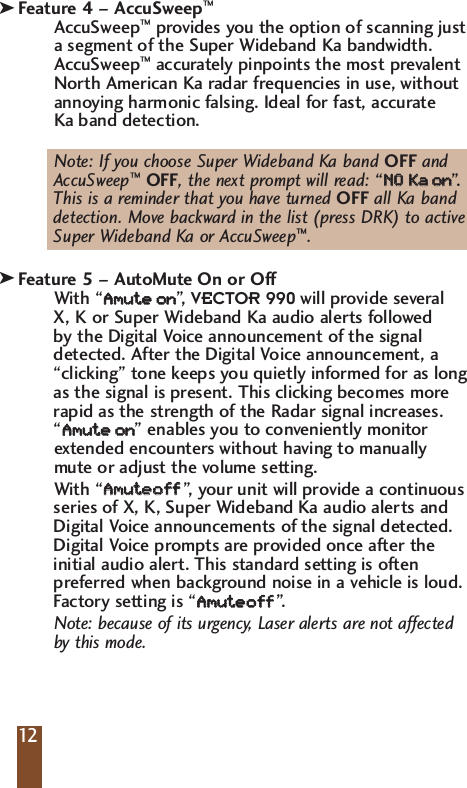
Feature 4 – AccuSweep™AccuSweep™provides you the option of scanning justa segment of the Super Wideband Ka bandwidth.AccuSweep™accurately pinpoints the most prevalentNorth American Ka radar frequencies in use, withoutannoying harmonic falsing. Ideal for fast, accurate Ka band detection.Note: If you choose Super Wideband Ka band OFF and AccuSweep™OFF, the next prompt will read: “NNOO  KKaaoonn”.This is a reminder that you have turned OFF all Ka band detection. Move backward in the list (press DRK) to active Super Wideband Ka or AccuSweep™. Feature 5 – AutoMute On or OffWith “AAmmuutt  eeoonn”,   VECTOR 990 will provide several X, K or Super Wideband Ka audio alerts followed by the Digital Voice announcement of the signaldetected. After the Digital Voice announcement, a“clicking” tone keeps you quietly informed for as longas the signal is present. This clicking becomes morerapid as the strength of the Radar signal increases. “AAmmuutt  eeoonn” enables you to conveniently monitorextended encounters without having to manuallymute or adjust the volume setting. With “AAmmuutt  eeooff  ff”,  y our unit will provide a continuousseries of X, K, Super Wideband Ka audio alerts andDigital Voice announcements of the signal detected.Digital Voice prompts are provided once after theinitial audio alert. This standard setting is oftenpreferred when background noise in a vehicle is loud.Factory setting is “AAmmuutt  eeooff  ff”.  Note: because of its urgency, Laser alerts are not affectedby this mode. 12kk
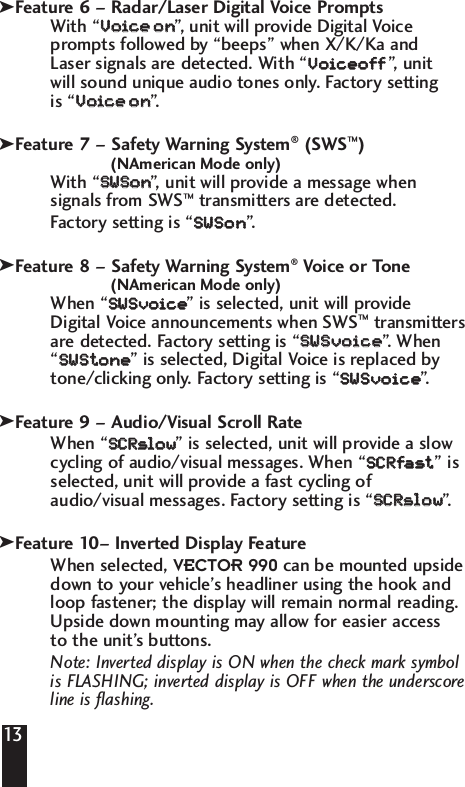
Feature 6 – Radar/Laser Digital Voice PromptsWith “VVooiiccee    oonn”,   unit will provide Digital Voiceprompts followed by “beeps” when X/K/Ka and Laser signals are detected. With “VVooiicceeooff  ff”,   unit will sound unique audio tones only. Factory setting is “VVooiiccee    oonn”.  Feature 7 – Safety Warning System®(SWS™)(NAmerican Mode only)With “SSWWSSoonn”,   unit will provide a message whensignals from SWS™transmitters are detected. Factory setting is “SSWWSSoonn”. Feature 8 – Safety Warning System®Voice or Tone(NAmerican Mode only)When “SSWWSSvvooiiccee  ” is selected, unit will provideDigital Voice announcements when SWS™transmittersare detected. Factory setting is “SSWWSSvvooiiccee  ”.  When“SSWWSStt  oonnee  ” is selected, Digital Voice is replaced bytone/clicking only. Factory setting is “SSWWSSvvooiiccee  ”.  Feature 9 – Audio/Visual Scroll RateWhen “SSCCRRssllooww  ” is selected, unit will provide a slowcycling of audio/visual messages. When “SSCCRRffaasstt  ” isselected, unit will provide a fast cycling ofaudio/visual messages. Factory setting is “SSCCRRssllooww  ”. Feature 10– Inverted Display FeatureWhen selected, VECTOR 990 can be mounted upsidedown to your vehicle’s headliner using the hook andloop fastener; the display will remain normal reading.Upside down mounting may allow for easier access to the unit’s buttons.Note: Inverted display is ON when the check mark symbol is FLASHING; inverted display is OFF when the underscoreline is flashing.13kkkkk
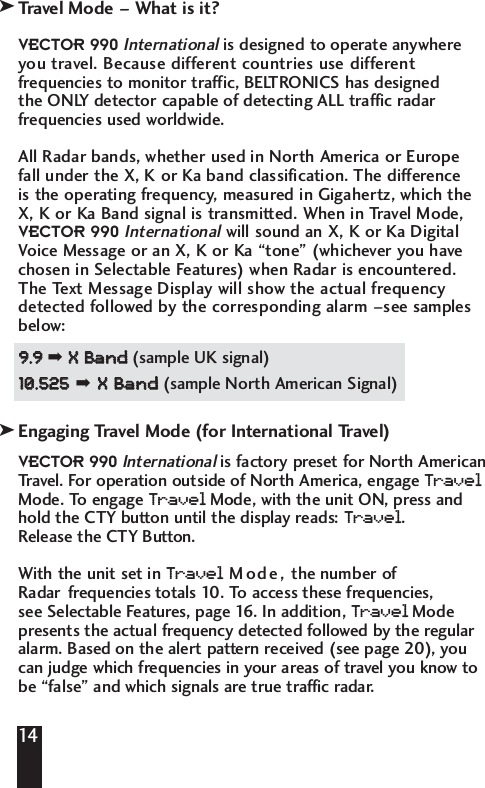
Travel Mode – What is it?VECTOR 990Internationalis designed to operate anywhereyou travel. Because different countries use differentfrequencies to monitor traffic, BELTRONICS has designed the ONLY detector capable of detecting ALL traffic radarfrequencies used worldwide. All Radar bands, whether used in North America or Europe fall under the X, K or Ka band classification. The difference is the operating frequency, measured in Gigahertz, which theX, K or Ka Band signal is transmitted. When in Travel Mode,VECTOR 990Internationalwill sound an X, K or Ka DigitalVoice Message or an X, K or Ka “tone” (whichever you havechosen in Selectable Features) when Radar is encountered.The Text Message Display will show the actual frequencydetected followed by the corresponding alarm –see samplesbelow: 99..99  ➡ XX  BBaanndd  (sample UK signal)1100..552255➡XX  BBaanndd  (sample North American Signal) Engaging Travel Mode (for International Travel)VECTOR 990Internationalis factory preset for North AmericanTravel. For operation outside of North America, engage Tr avelMode. To engage Tr avelMode, with the unit ON, press andhold the CTY button until the display reads: Tr avel. Release the CTY Button.With the unit set in Tr avelMode, the number ofRadar frequencies totals 10. To  access these frequencies, see Selectable Features, page 16. In addition, Tr avelModepresents the actual frequency detected followed by the regularalarm. Based on the alert pattern received (see page 20), youcan judge which frequencies in your areas of travel you know tobe “false” and which signals are true traffic radar. 14kk
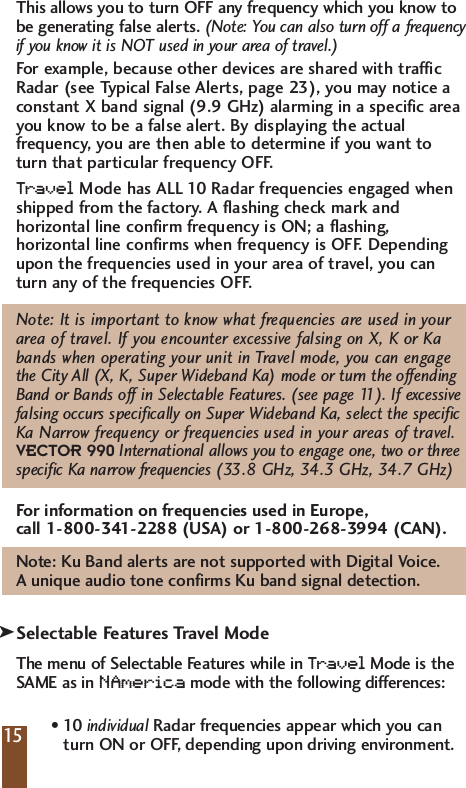
This allows you to turn OFF any frequency which you know tobe generating false alerts. (Note: You can also turn off a frequencyif you know it is NOT used in your area of travel.)For example, because other devices are shared with trafficRadar (see Typical False Alerts, page 23), you may notice aconstant X band signal (9.9 GHz) alarming in a specific areayou know to be a false alert. By displaying the actualfrequency, you are then able to determine if you want toturn that particular frequency OFF. Tr avelMode has ALL 10 Radar frequencies engaged whenshipped from the factory. A flashing check mark andhorizontal line confirm frequency is ON; a flashing,horizontal line confirms when frequency is OFF. Dependingupon the frequencies used in your area of travel, you canturn any of the frequencies OFF. Note: It is important to know what frequencies are used in your area of travel. If you encounter excessive falsing on X, K or Ka bands when operating your unit in Travel mode, you can engage the City All (X, K, Super Wideband Ka) mode or turn the offendingBand or Bands off in Selectable Features. (see page 11). If excessivefalsing occurs specifically on Super Wideband Ka, select the specific Ka Narrow frequency or frequencies used in your areas of travel.VECTOR 990 International allows you to engage one, two or threespecific Ka narrow frequencies (33.8 GHz, 34.3 GHz, 34.7 GHz)For information on frequencies used in Europe, call 1-800-341-2288 (USA) or 1-800-268-3994 (CAN).Note: Ku Band alerts are not supported with Digital Voice. A unique audio tone confirms Ku band signal detection.Selectable Features Travel ModeThe menu of Selectable Features while in Tr avelMode is theSAME as in NAmerica mode with the following differences:•10 individual Radar frequencies appear which you can turn ON or OFF, depending upon driving environment. 15k
•SWS™feature and SWS™Voice/Tone do not appear since the SWS™feature is not available in Europe.•AccuSweep™is replaced with 3 individual Ka Narrow frequencies which you can choose ON or OFF, depending upon driving environment. Entering Selectable Features Mode1. With the unit OFF, press and hold the PWR and CTYbuttons simultaneously. The word “FFEEAATTUURREESS” will appearin the display, followed by the status of the firstSelectable Feature. 2. Press the CTY button to move to the next SelectableFeature. To move backward in the list, press the DRKbutton. 3. Press the AUD button to make your selection.4. Press the PWR button to exit Selectable Features mode.To   confirm your unit is ready for operation, and whatmode of travel your unit is operating, the display willread: “AAuuttooSSccaann”,“HHiigghhwwaayy”, “CCiitt  yy    XX”or CCiitt  yy  AALLLL.InstallationGeneral GuidelinesDo not mount your unit directly behind windshieldwipers or mirrored sunscreens which block Radar andLaser signals and substantially reduce warning range.Unlike “after market” mirrored sun-screens, regulartinted glass does not affect Radar reception. Radarsignals are also reflected by “heated windshields” knownas Instaclear®and ElectriClear®available as an option onsome vehicles. This type of windshield makes any dash,visor or windshield mounted detector ineffective. (If in doubt, check with an appropriate dealership to see if this applies to your vehicle.)16kkInstaclear is a registered trademark of the Ford Motor Company.ElectriClear is a registered Trademark of Libbey, Owens, Ford, and Delco-Remy.
To   achieve optimum performance, regardless of which mounting position you choose, follow the basic steps on the following page. 1.  Consider occupant safety when selecting a mountinglocation. Choose a location where the unit will not behazardous in case of an accident.2.  For optimum detection, position your unit with a clear,unobstructed view of the road from the front and rear.3. Do not allow the unit to make contact with thewindshield. This will eliminate unnecessary vibration.4.  Avoid placing your unit in direct sunlight. During thesummer, interior temperatures of an enclosed vehicle cansometimes reach temperatures that will cause prematureaging of the unit. 5.  Your detector is not waterproof; exposure to water maycause damage and your warranty will be void. Dash MountingYou can mount your unit to a level area of your vehicle’sdash using the hook and loop fastener or the four, non-skid dash mounting pads provided.Windshield Mounting1. Remove the mounting cover on the top of the detector by pressing on the raised dots and pushing outward. 2. Insert the “grooved” cover plate supplied until it locksinto place. 3. Clean the desired area of the windshield, and adhere the windshield/visor bracket by pressing on the suction cups.17kk
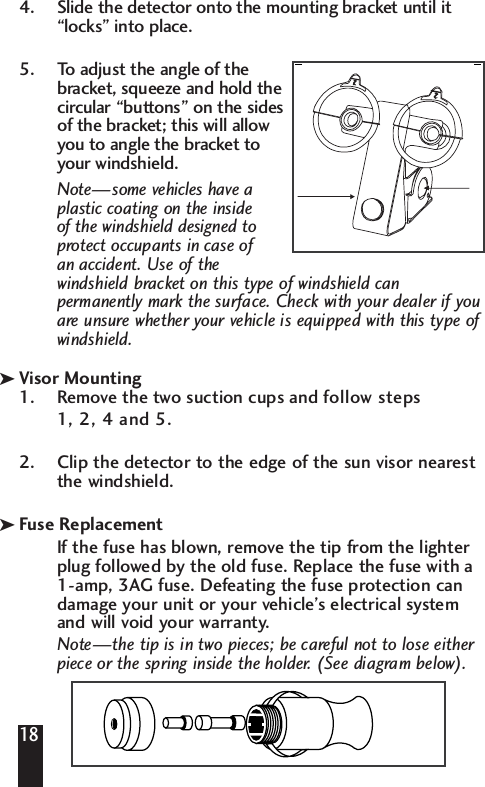
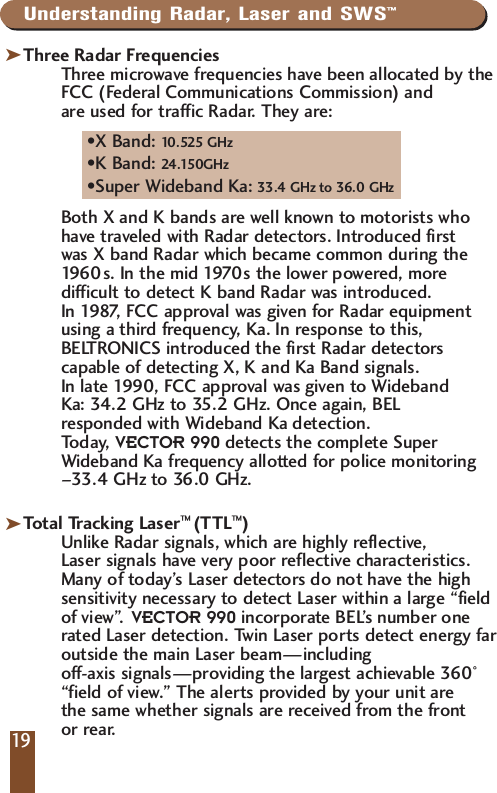
4. Slide the detector onto the mounting bracket until it“locks” into place. 5. To adjust the angle of the bracket, squeeze and hold thecircular “buttons” on the sidesof the bracket; this will allow you to angle the bracket to your windshield.  Note—some vehicles have a plastic coating on the inside of the windshield designed to protect occupants in case of an accident. Use of the windshield bracket on this type of windshield can permanently mark the surface. Check with your dealer if youare unsure whether your vehicle is equipped with this type of windshield.Visor Mounting1. Remove the two suction cups and follow steps 1, 2, 4 and 5.2.  Clip the detector to the edge of the sun visor nearest the windshield. Fuse ReplacementIf the fuse has blown, remove the tip from the lighterplug followed by the old fuse. Replace the fuse with a 1-amp, 3AG fuse. Defeating the fuse protection candamage your unit or your vehicle’s electrical system and will void your warranty.Note—the tip is in two pieces; be careful not to lose eitherpiece or the spring inside the holder. (See diagram below).18kk
Understanding Radar, Laser and SWS™Three Radar FrequenciesThree microwave frequencies have been allocated by theFCC (Federal Communications Commission) and are used for traffic Radar. They are:•X Band: 10.525 GHz•K Band: 24.150GHz•Super Wideband Ka: 33.4 GHz to 36.0 GHzBoth X and K bands are well known to motorists who have traveled with Radar detectors. Introduced first was X band Radar which became common during the 1960s. In the mid 1970s the lower powered, more difficult to detect K band Radar was introduced. In 1987, FCC approval was given for Radar equipment using a third frequency, Ka. In response to this, BELTRONICS introduced the first Radar detectors capable of detecting X, K and Ka Band signals. In late 1990, FCC approval was given to Wideband Ka: 34.2 GHz to 35.2 GHz. Once again, BEL responded with Wideband Ka detection. Today, VECTOR 990 detects the complete Super Wideband Ka frequency allotted for police monitoring–33.4 GHz to 36.0 GHz.Total Tracking Laser™ (TTL™)Unlike Radar signals, which are highly reflective, Laser signals have very poor reflective characteristics.Many of today’s Laser detectors do not have the highsensitivity necessary to detect Laser within a large “fieldof view”. VECTOR 990 incorporate BEL’s number onerated Laser detection. Twin Laser ports detect energy faroutside the main Laser beam—including off-axis signals—providing the largest achievable 360°“field of view.” The alerts provided by your unit are the same whether signals are received from the front or rear.kk19
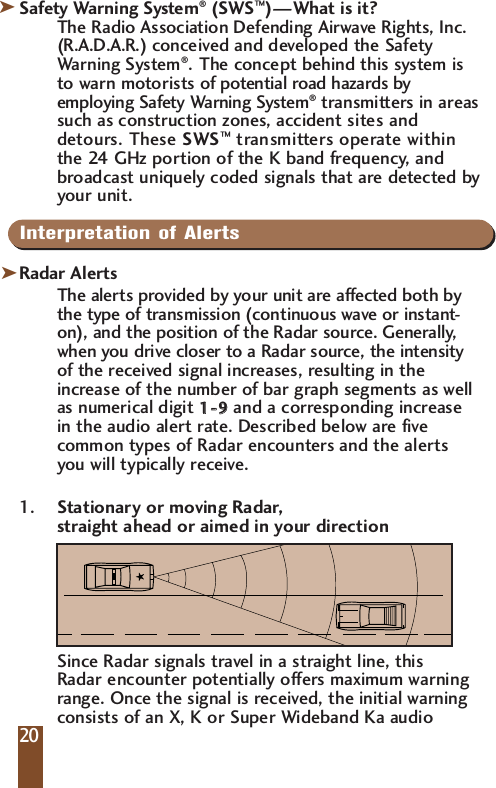
Safety Warning System®(SWS™)—What is it?The Radio Association Defending Airwave Rights, Inc.(R.A.D.A.R.) conceived and developed the SafetyWarning System®.The concept behind this system isto warn motorists of potential road hazards byemploying Safety Warning System®transmitters in areassuch as construction zones, accident sites anddetours. These SWS™transmitters operate withinthe 24 GHz portion of the K band frequency, andbroadcast uniquely coded signals that are detected byyour unit.IInterpretation of AlertsRadar AlertsThe alerts provided by your unit are affected both bythe type of transmission (continuous wave or instant-on), and the position of the Radar source. Generally,when you drive closer to a Radar source, the intensityof the received signal increases, resulting in theincrease of the number of bar graph segments as wellas numerical digit 11--  99and a corresponding increasein the audio alert rate. Described below are fivecommon types of Radar encounters and the alertsyou will typically receive.1. Stationary or moving Radar, straight ahead or aimed in your directionSince Radar signals travel in a straight line, this Radar encounter potentially offers maximum warning range. Once the signal is received, the initial warning consists of an X, K or Super Wideband Ka audio 20kk
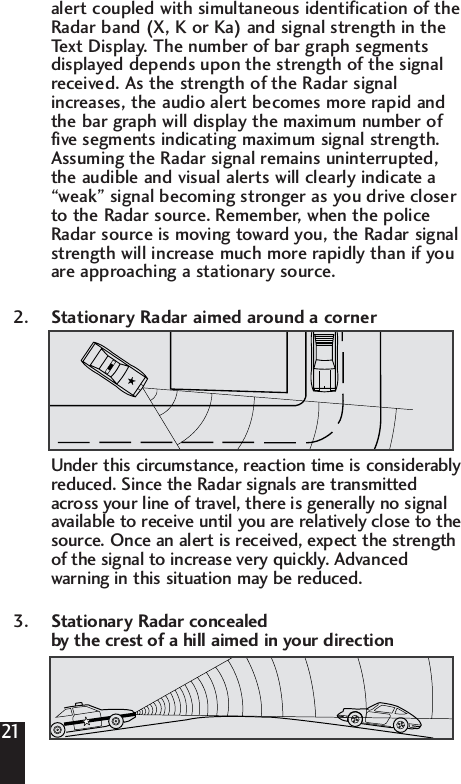
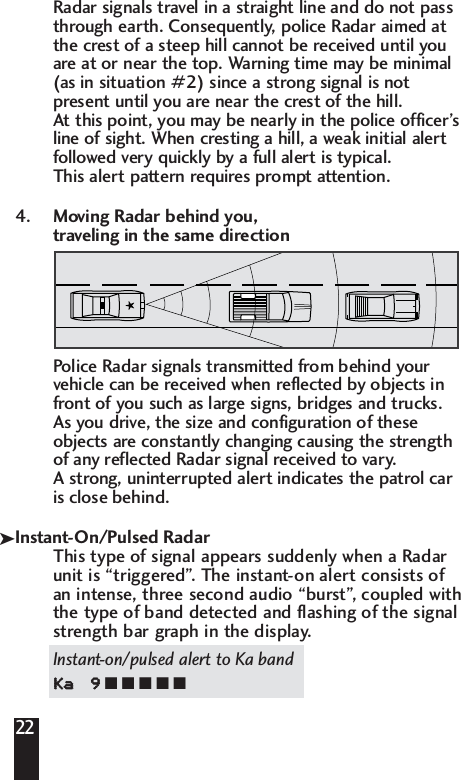
alert coupled with simultaneous identification of the Radar band (X, K or Ka) and signal strength in the Text Display. The number of bar graph segments displayed depends upon the strength of the signal received. As the strength of the Radar signal increases, the audio alert becomes more rapid and the bar graph will display the maximum number of five segments indicating maximum signal strength. Assuming the Radar signal remains uninterrupted, the audible and visual alerts will clearly indicate a “weak” signal becoming stronger as you drive closer to the Radar source. Remember, when the police Radar source is moving toward you, the Radar signal strength will increase much more rapidly than if you are approaching a stationary source.2. Stationary Radar aimed around a cornerUnder this circumstance, reaction time is considerablyreduced. Since the Radar signals are transmittedacross your line of travel, there is generally no signalavailable to receive until you are relatively close to thesource. Once an alert is received, expect the strengthof the signal to increase very quickly. Advancedwarning in this situation may be reduced.3. Stationary Radar concealed by the crest of a hill aimed in your direction21
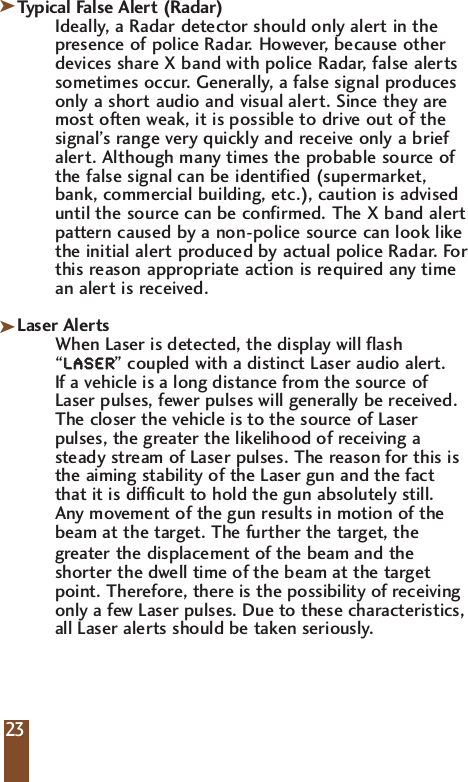
22Radar signals travel in a straight line and do not pass through earth. Consequently, police Radar aimed at the crest of a steep hill cannot be received until you are at or near the top. Warning time may be minimal (as in situation #2) since a strong signal is not present until you are near the crest of the hill. At this point, you may be nearly in the police officer’s line of sight. When cresting a hill, a weak initial alert followed very quickly by a full alert is typical. This alert pattern requires prompt attention.4. Moving Radar behind you, traveling in the same directionPolice Radar signals transmitted from behind yourvehicle can be received when reflected by objects infront of you such as large signs, bridges and trucks. As you drive, the size and configuration of theseobjects are constantly changing causing the strengthof any reflected Radar signal received to vary.A strong, uninterrupted alert indicates the patrol caris close behind.Instant-On/Pulsed RadarThis type of signal appears suddenly when a Radarunit is “triggered”. The instant-on alert consists ofan intense, three second audio “burst”, coupled withthe type of band detected and flashing of the signalstrength bar graph in the display.Instant-on/pulsed alert to Ka bandKKaa99■ ■ ■ ■ ■k
Typical False Alert (Radar)Ideally, a Radar detector should only alert in thepresence of police Radar. However, because otherdevices share X band with police Radar, false alertssometimes occur. Generally, a false signal producesonly a short audio and visual alert. Since they aremost often weak, it is possible to drive out of thesignal’s range very quickly and receive only a briefalert. Although many times the probable source ofthe false signal can be identified (supermarket,bank, commercial building, etc.), caution is adviseduntil the source can be confirmed. The X band alertpattern caused by a non-police source can look likethe initial alert produced by actual police Radar. Forthis reason appropriate action is required any timean alert is received.Laser AlertsWhen Laser is detected, the display will flash“LLAASSEERR” coupled with a distinct Laser audio alert. If a vehicle is a long distance from the source ofLaser pulses, fewer pulses will generally be received.The closer the vehicle is to the source of Laserpulses, the greater the likelihood of receiving asteady stream of Laser pulses. The reason for this isthe aiming stability of the Laser gun and the factthat it is difficult to hold the gun absolutely still. Any movement of the gun results in motion of thebeam at the target. The further the target, the greater the displacement of the beam and the shorter the dwell time of the beam at the target point. Therefore, there is the possibility of receiving only a few Laser pulses. Due to these characteristics, all Laser alerts should be taken seriously.23kk
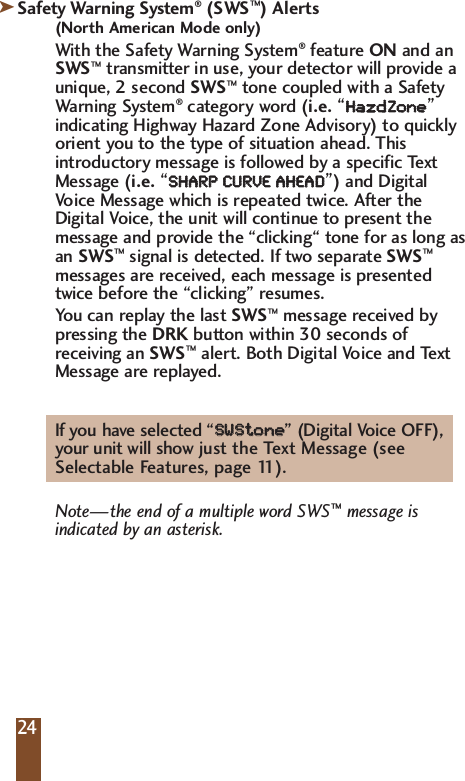
Safety Warning System®(SWS™) Alerts(North American Mode only)With the Safety Warning System®feature ON and anSWS™transmitter in use, your detector will provide aunique, 2 second SWS™tone coupled with a SafetyWarning System®category word (i.e.“HHaazzddZZoonnee”indicating Highway Hazard Zone Advisory) to quicklyorient you to the type of situation ahead. Thisintroductory message is followed by a specific TextMessage (i.e.“SSHHAARRPP  CCUURRVVEE  AAHHEEAADD”) and DigitalVoice Message which is repeated twice. After theDigital Voice, the unit will continue to present themessage and provide the “clicking“ tone for as long asan SWS™signal is detected. If two separate SWS™messages are received, each message is presentedtwice before the “clicking” resumes.You can replay the last SWS™message received by pressing the DRK button within 30 seconds of receiving an SWS™alert. Both Digital Voice and Text Message are replayed.If you have selected “SSWWSStt  oonnee  ” (Digital Voice OFF), your unit will show just the Text Message (see Selectable Features, page 11).Note—the end of a multiple word SWS™message is indicated by an asterisk.2424k
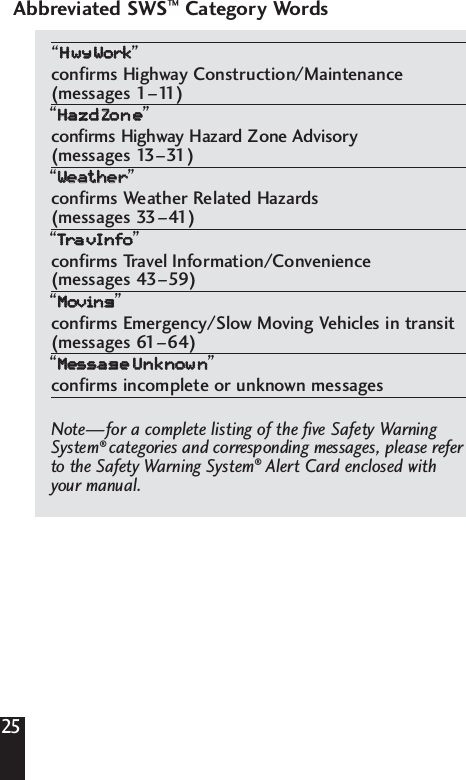
Abbreviated SWS™Category Words“HHwwyyWWoorrkk”confirms Highway Construction/Maintenance(messages 1–11)“HHaazzddZZoonnee”confirms Highway Hazard Zone Advisory(messages 13–31)“WWeeaatthheerr”confirms Weather Related Hazards(messages 33–41)“TTrraavvIInnffoo”confirms Travel Information/Convenience(messages 43–59)“MMoovviinngg”confirms Emergency/Slow Moving Vehicles in transit(messages 61–64)“MMeessssaaggeeUUnnkknnoowwnn”confirms incomplete or unknown messagesNote—for a complete listing of the five Safety WarningSystem®categories and corresponding messages, please referto the Safety Warning System®Alert Card enclosed with your manual.25
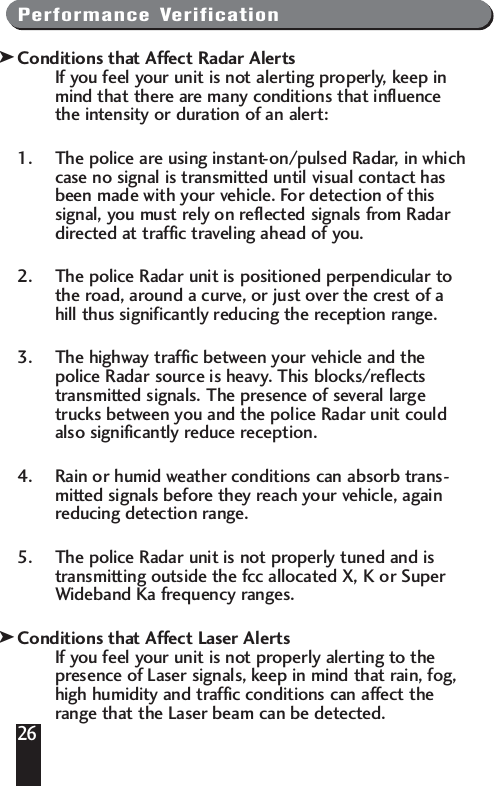
Performance VerificationConditions that Affect Radar AlertsIf you feel your unit is not alerting properly, keep inmind that there are many conditions that influencethe intensity or duration of an alert: 1. The police are using instant-on/pulsed Radar, in whichcase no signal is transmitted until visual contact hasbeen made with your vehicle. For detection of thissignal, you must rely on reflected signals from Radardirected at traffic traveling ahead of you. 2. The police Radar unit is positioned perpendicular tothe road, around a curve, or just over the crest of ahill thus significantly reducing the reception range. 3. The highway traffic between your vehicle and thepolice Radar source is heavy. This blocks/reflectstransmitted signals. The presence of several largetrucks between you and the police Radar unit couldalso significantly reduce reception. 4. Rain or humid weather conditions can absorb trans-mitted signals before they reach your vehicle, againreducing detection range. 5. The police Radar unit is not properly tuned and istransmitting outside the fcc allocated X, K or SuperWideband Ka frequency ranges.Conditions that Affect Laser AlertsIf you feel your unit is not properly alerting to thepresence of Laser signals, keep in mind that rain, fog,high humidity and traffic conditions can affect therange that the Laser beam can be detected. 26kk
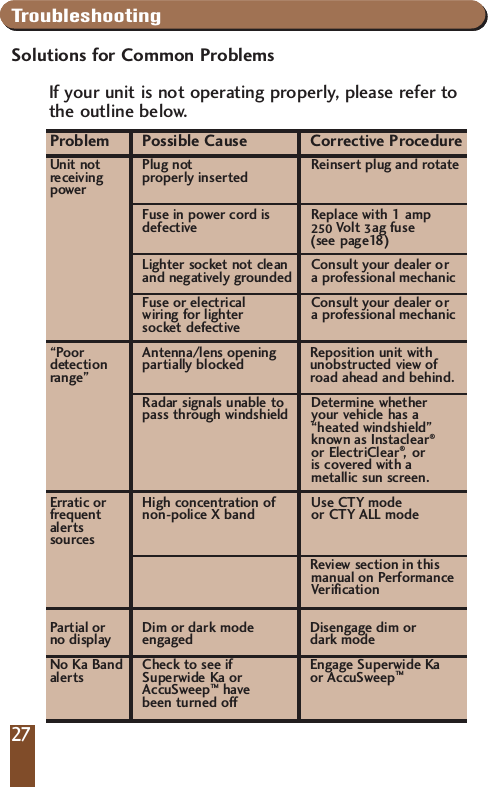
TroubleshootingSolutions for Common ProblemsIf your unit is not operating properly, please refer to the outline below.Problem Possible Cause Corrective ProcedureUnit not Plug not  Reinsert plug and rotate  receiving properly inserted powerFuse in power cord is Replace with 1 amp defective 250 Volt 3ag fuse (see page18)Lighter socket not clean Consult your dealer or and negatively grounded a professional mechanicFuse or electrical  Consult your dealer or wiring for lighter  a professional mechanicsocket defective“Poor Antenna/lens opening Reposition unit with detection partially blocked unobstructed view ofrange” road ahead and behind.Radar signals unable to  Determine whetherpass through windshield your vehicle has a“heated windshield”known as Instaclear®or ElectriClear®,or is covered with a metallic sun screen.Erratic or High concentration of Use CTY mode  frequent non-police X band or CTY ALL mode alertssourcesReview section in this manual on Performance VerificationPartial or Dim or dark mode Disengage dim or  no display engaged dark modeNo Ka Band Check to see if  Engage Superwide Kaalerts Superwide Ka or or AccuSweep™AccuSweep™havebeen turned off27
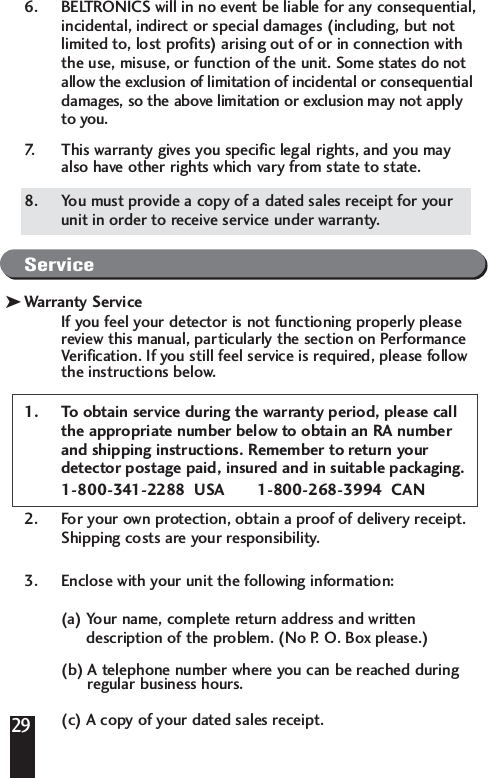
If you experience a problem with your unit that isnot covered in this outline please call, Monday toFriday, 8:30 am–4:30 pm EST, for assistance: 1-800-341-2288  USA 1-800-268-3994  CANADALimited Warranty 2-Year Warranty–VECTOR 9901. This warranty covers all defects in materials andworkmanship. This warranty does not apply if the unit hasbeen subject to physical abuse, improper installation,modification, or if the housing or serial number of the unithas been removed. 2. The enforceability of this warranty is limited to the originalconsumer purchaser and is not transferable to, orenforceable by, any subsequent owner. 3. In the event of a defect, malfunction or other failure toconform to this warranty, BELTRONICS will, at its solediscretion, repair or replace the unit at no charge. You areresponsible for all shipping costs in connection withwarranty service pursuant to this warranty. 4. This warranty commences on the date of retail purchase andshall be effective for a period of two years.5. There are no express warranties covering the unit other thanthose set forth in this warranty. All implied warranties arelimited to the period of this warranty and no warranties,expressed or implied, extend beyond this period. Somestates do not allow limitation on how long an impliedwarranty lasts, so the above limitation may not apply to you.28
296. BELTRONICS will in no event be liable for any consequential,incidental, indirect or special damages (including, but notlimited to, lost profits) arising out of or in connection withthe use, misuse, or function of the unit. Some states do notallow the exclusion of limitation of incidental or consequentialdamages, so the above limitation or exclusion may not applyto you.7. This warranty gives you specific legal rights, and you mayalso have other rights which vary from state to state.8. You must provide a copy of a dated sales receipt for yourunit in order to receive service under warranty. ServiceWarranty ServiceIf you feel your detector is not functioning properly pleasereview this manual, particularly the section on PerformanceVerification. If you still feel service is required, please followthe instructions below.1. To obtain service during the warranty period, please callthe appropriate number below to obtain an RA numberand shipping instructions. Remember to return yourdetector postage paid, insured and in suitable packaging.1-800-341-2288  USA       1-800-268-3994  CAN2. For your own protection, obtain a proof of delivery receipt.Shipping costs are your responsibility.3. Enclose with your unit the following information: (a) Your name, complete return address and written description of the problem. (No P. O. Box please.)(b) A telephone number where you can be reached duringregular business hours.(c) A copy of your dated sales receipt.k
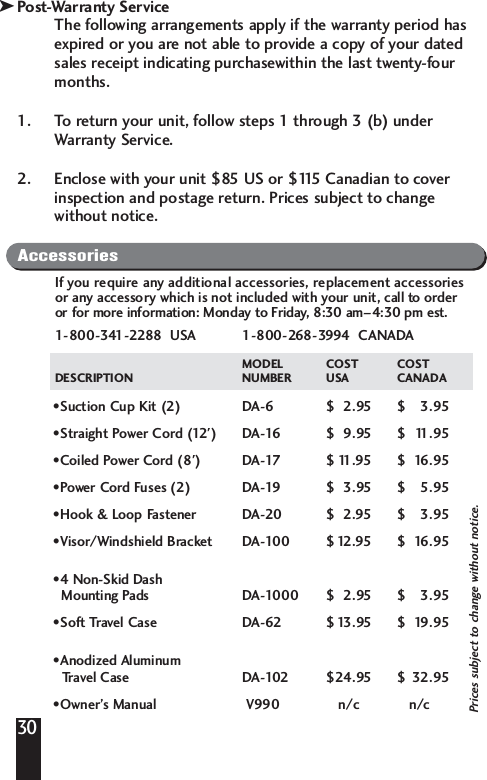
Post-Warranty ServiceThe following arrangements apply if the warranty period hasexpired or you are not able to provide a copy of your datedsales receipt indicating purchasewithin the last twenty-fourmonths.1. To return your unit, follow steps 1 through 3 (b) underWarranty Service.2. Enclose with your unit $85 US or $115 Canadian to coverinspection and postage return. Prices subject to changewithout notice.30kAccessoriesIf you require any additional accessories, replacement accessoriesor any accessory which is not included with your unit, call to orderor for more information: Monday to Friday, 8:30 am–4:30 pm est.1-800-341-2288  USA  1-800-268-3994  CANADAMODEL COST COSTDESCRIPTION NUMBER USA CANADA•Suction Cup Kit (2) DA-6 $  2.95  $ 3.95 •Straight Power Cord (12') DA-16 $ 9.95 $ 11.95 •Coiled Power Cord (8') DA-17 $ 11.95 $ 16.95 •Power Cord Fuses (2) DA-19 $ 3.95 $ 5.95 •Hook & Loop Fastener DA-20 $ 2.95 $ 3.95 •Visor/Windshield Bracket DA-100 $12.95 $ 16.95 •4 Non-Skid DashMounting Pads DA-1000 $ 2.95 $ 3.95 •Soft Travel Case DA-62 $13.95 $ 19.95 •Anodized AluminumTravel Case DA-102 $24.95 $ 32.95 •Owner’s Manual V990 n/c  n/cPrices subject to change without notice.

Navigation menu