Bem Wireless FREEDOM Bluetooth Headset User Manual F5 20 Aug 2014
Bem Wireless LLC Bluetooth Headset F5 20 Aug 2014
15_Freedom UserMan
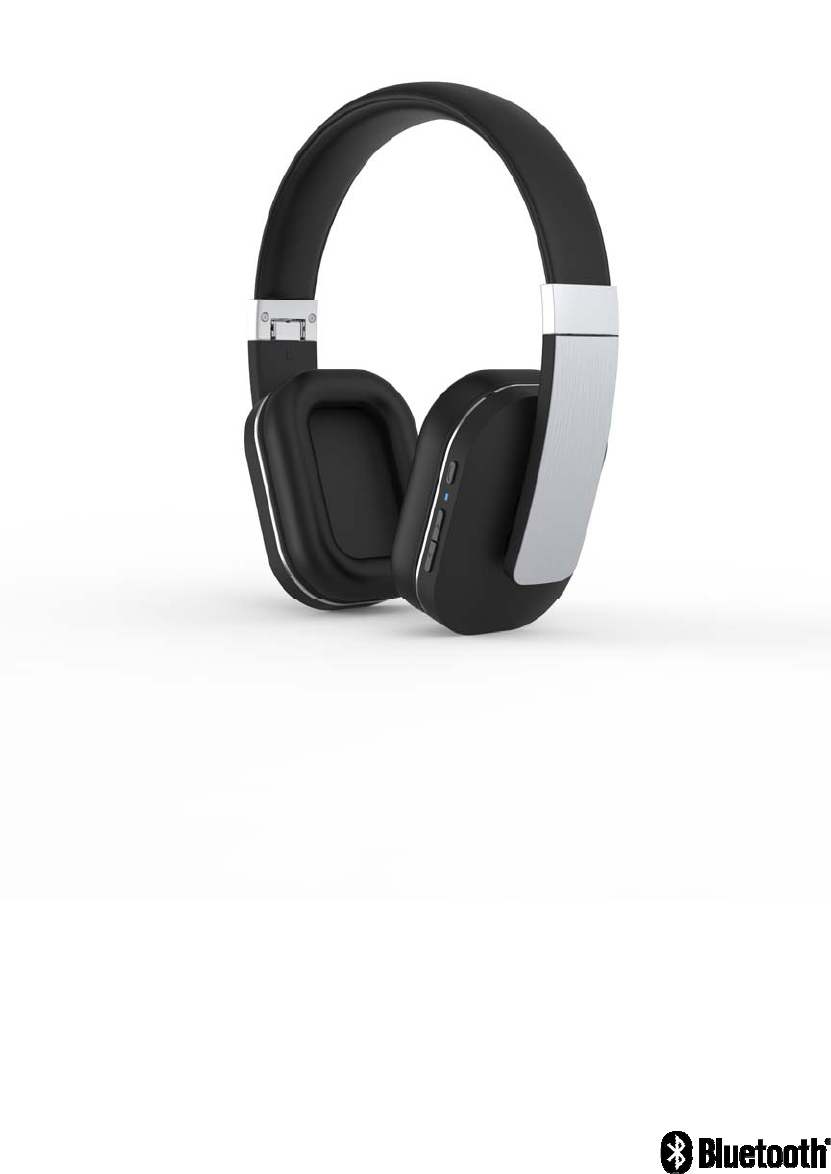
BLUETOOTH HEADSET
User Manual
Model:Freedom
Brand:Range
FCC ID:2AEL9FREEDOM
2
Get started
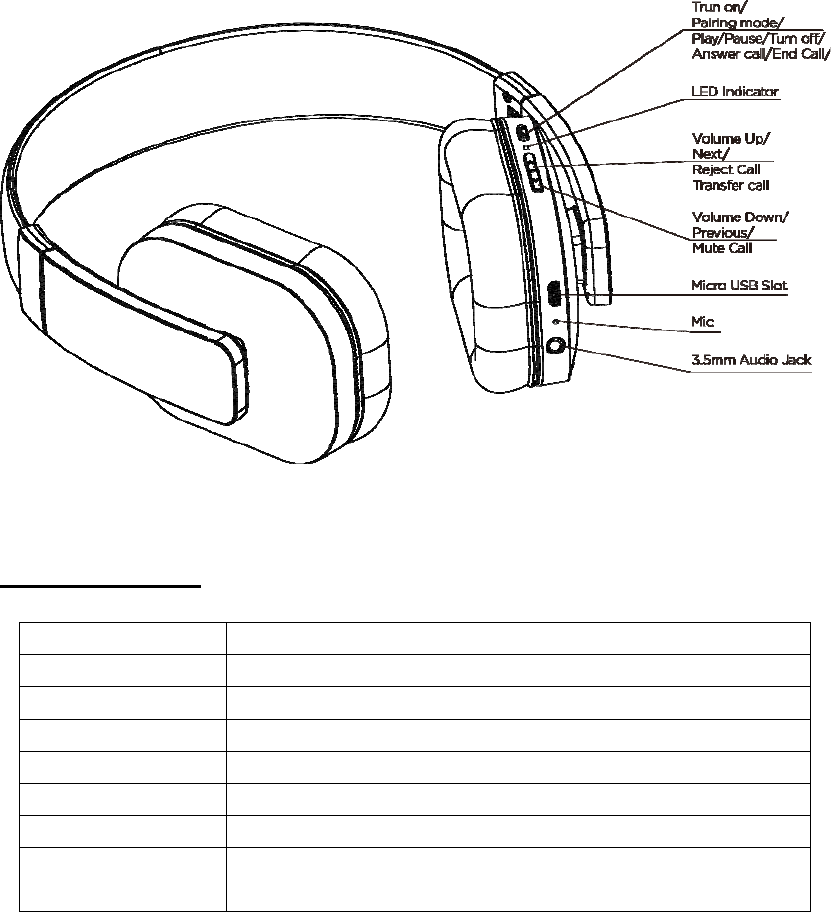
To know more about your Bluetooth headset
Features
1, Bluetooth 4.0
2, 3.5mm music line-in function
3, aptx® audio technology
4, Support connecting with 2 phones devices
5, iOS show the headset battery power status
How to use
1,General Function
Operation LED Status
Power on Blue LED flashes 2 times
Power off Red LED flashes 2 times
Pairing Red LED & Blue LED flashes alternately
Standby Blue LED flashes 3 times in 5 seconds
Incoming call Blue LED flashes continuous
Low battery Red LED flashes 2 times every 2 seconds
Charging Red LED keep lighting during charging
Blue LED flashes once charging finished

3
2, Basic Buttons Operation
Power on: Press multifunction button for 2 seconds. Blue LED flashes 2 times. Headset
turn on.
Power off: Press multifunction button for 3 seconds. Red LED turn off after flashes 2
times. Headset turn off.
Volume adjust: Each press on 'Volume up' or ' Volume down' buttons, one level voice
volume changes. When volume reaches to Max or Minimum,"Tick" reminding voice
occurs.
Play/Pause: Short press multifunction button, music pause. Press it again, music
continues.
Previous: in standby status, Long press 2 seconds 'volume down' button, music turns to
previous one.
Next:: in standby status ,Long press 2 seconds 'Volume up’, music turns to next one.
Answer Call: Short press multifunction button to answer the phone call.
End call: Short press multifunction button, phone call ended.
Reject call: Press 'Volume up' button for 2 seconds to reject a call.
Transfer call: During the phone call conversation, press' Volume up 'button for 2
seconds, call switches to mobile phone. Press 'Volume up' button for 2 seconds again, call
switches to headset.
Last number redial: in standby status, continuously press headset multifunction button
twice to redial the last number.
Call Mute function: Press 'Volume down' button for 2 seconds, call mute. Press
'Volume down' button for 2 seconds again, call mute cancel.
Battery Capacity status: When headset connects to iOS devices, iOS devices show the
headset battery power status on the upper right corner.
Charging: new headset has enough power for pairing and dialing out for several times.
When in low battery, please charging via USB cable for 2 hours. Red LED keep lighting
during charging, blue LED keep lighting charging finished.
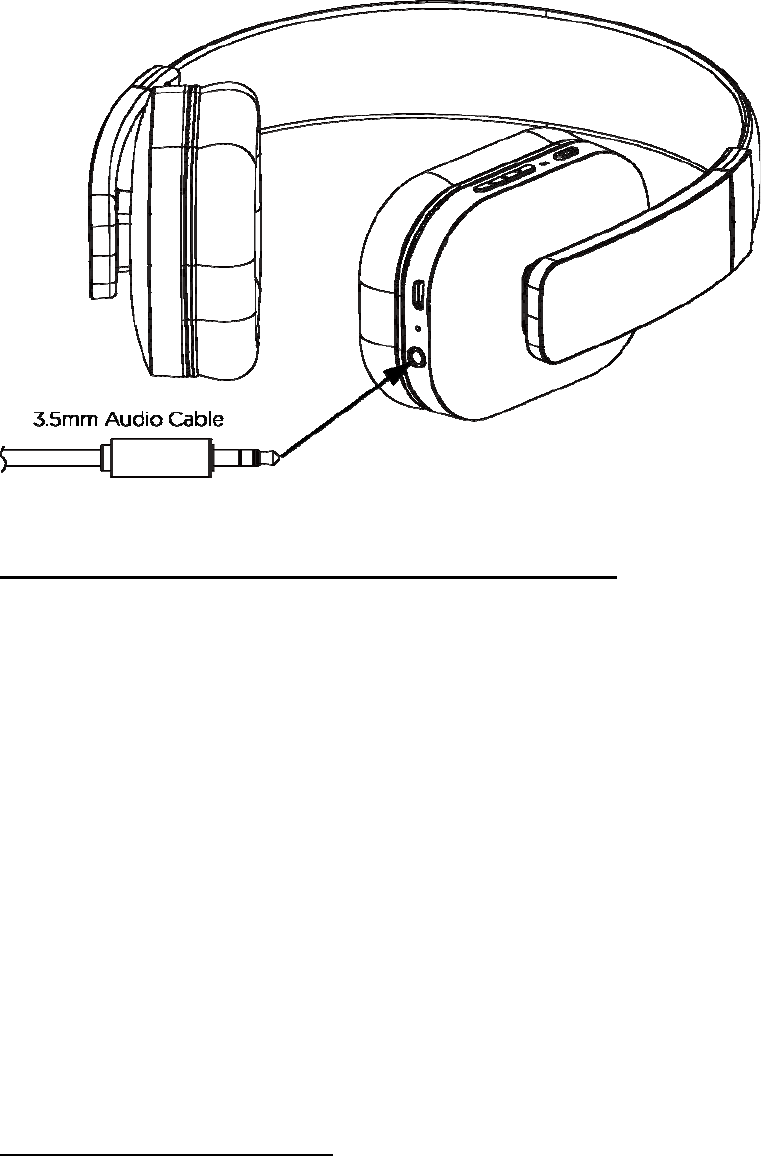
3.5mm music line-in function:Connect Audio line in cable to 3.5 audio jack for wired
music.
Phone call function cannot be used in this mode
The headset is on or off status
1, connect the 3.5 audio wire to the headset and audio player.
2, you can adjust volume bottom of the audio player or the mobile phone to reach right
volume to listen music.
4
3, Pairing (One headset support connecting 2 phone devices )
Pairing with one phone or other device
Make sure the headset is power off.
Press and hold the multifunctional button for 5 seconds to enter into the pairing mode.
Red LED & Blue LED flashes alternately, Activate your phone or device Bluetooth function
and search for headset. From the list of found devices on your mobile phone , select the
headset “F5” to connect it. Follow the instruction to enter “0000” as PIN if the mobile
phone reminder to need. Headset or device can be used to play your phone music or dial
phone call etc.
Pairing with two phones or other devices at the same time
This headset can support 2 devices multi-connection. It can pair with two mobile phones
simultaneously, taking the call from any of them. After completing pairing with the first
phone, turns off the headset, then re-do the paring procedure with another phone. Once
finished the pairing, restart the headset, it will automatically connect to the Phone or
device of Last connected , and short press the two key of “volume +” and “volume -”
simultaneously ,can enable the multipoint Connect function, from the list of found devices
on another mobile phone, select the headset “F5” to connect it.
4, Sound quality with Aptx code
Featuring the apt-X codec, the headsets can connect wirelessly to any apt-X enabled
devices, vastly improves the quality of Bluetooth streaming, delivering CD-quality sound.
5
Kit Contents
1, 1 X Stereo Bluetooth headset
2, 1 X Charging Micro USB Cable
3, 1 X User Manual
4, 1 X 3.5mm audio wire
Warning
1, You must choose a qualified charger from a regular manufacturer to charge the
headset.
2, you must charge the headset if it has not been used for more than 12 months.
Specification
Bluetooth version: 4.0
Talk time: 14h
Stand-by time: 540h
Music play time: 14h
Wireless range: 10m
Bluetooth profiles: A2DP/ AVRCP/ HSP /HFP
Impedance: 32Ω
Sound pressure level: 103±3dB
Frequency Response: 20Hz---20 KHz
Signal-To-Noise: ≥85dB
Weight:
Dimension:

NOTE: This equipment has been tested and found to comply with the limits for a Class B digital
device, pursuant to part 15 of the FCC Rules. These limits are designed to provide reasonable protection
against harmful interference in a residential installation. This equipment generates, uses and can radiate
radio frequency energy and, if not installed and used in accordance with the instructions, may cause
harmful interference to radio communications. However, there is no guarantee that interference will not
occur in a particular installation. If this equipment does cause harmful interference to radio or television
reception, which can be determined by turning the equipment off and on, the user is encouraged to try to
correct the interference by one or more of the following measures:
—Reorient or relocate the receiving antenna.
—Increase the separation between the equipment and receiver.
—Connect the equipment into an outlet on a circuit different from that to which the receiver is
connected.
—Consult the dealer or an experienced radio/TV technician for help.
Thisdevicecomplieswithpart15oftheFCCrules.Operationissubjecttothefollowingtwo
conditions:
(1)thisdevicemaynotcauseharmfulinterference,and
(2)thisdevicemustacceptanyinterferencereceived,includinginterferencethatmaycause
undesiredoperation.
Changesormodificationstothisunitnotexpresslyapprovedbythepartyresponsiblefor
compliancecouldvoidtheuser'sauthoritytooperatetheequipment.
The device meets RF Exposure requirements without any restriction.