Betrue Technology BTS11 Bluetooth Speaker User Manual

Shenzhen BETRUE Technology Co., Ltd. Bluetooth Speaker

User manual

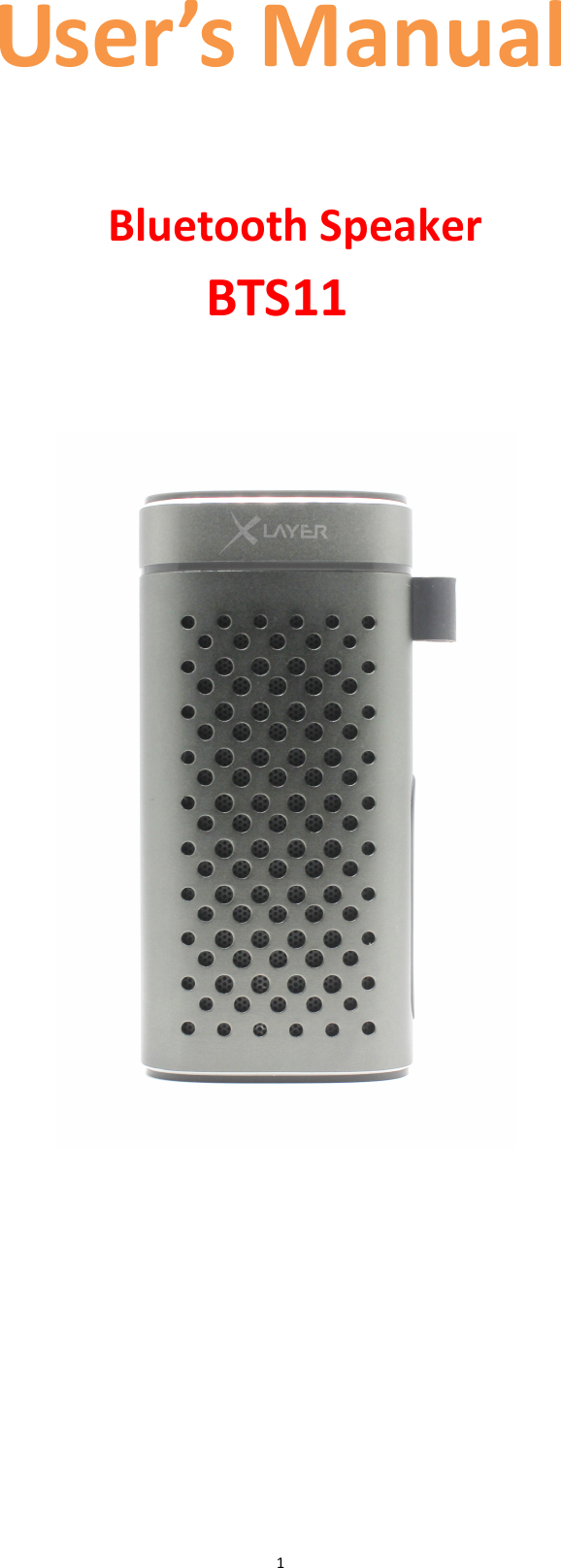
 1User’s Manual  BTS11  Bluetooth Speaker
 2A. Important Don’ts • Do  not  place  naked  flames,  such  as  lighted  candles  on  or  near  the product. • Do not place objects filled with liquids, such as vases on or near the product. • Do not use or store this product in a place where it is subject to direct sunlight, heat, excessive dust or vibration. • Do not keep or store this product in wet conditions for long period. • Do not clean this product with water or other liquids. • Do not block or cover the slots and holes in the product. • Do not push foreign objects into the slots or holes in the product. • Do  not  attempt  to  open  this  product  yourself.  There  are  no  user serviceable parts inside. • Do not allow children access to plastic bags. Safety Instructions • Before  using  this  product,  read  and  follow  all  warnings  and instructions. • This product is not intended for use by young children. Young children should be properly supervised. • This  product  is  intended  for  household  use  only  and  not  for commercial or industrial use. • Do not expose to dripping or splashing. • No naked flame sources, such as lighted candles, should be placed on the product. • Ventilation  should  not  be  impeded  by  covering  ventilation  openings with items such as newspapers, table cloths, curtains and the like. • Make sure the unit is adjusted to a stable position. Damage caused by using  this  product in an  unstable  position or by failure to follow  any other  warning  or  precaution  contained  within  this  user  manual  will not be covered by warranty.  Warning • Never remove the casing of this apparatus. • Never place this apparatus on the other electrical equipment.  Notice • If at any time in the future you should need to dispose of this product please note that: All batteries and accumulators need to be removed from this product (Removal of Waste Batteries and Accumulators). • Always  bring  your  product  to  a  professional  to  remove  the  built-in battery.
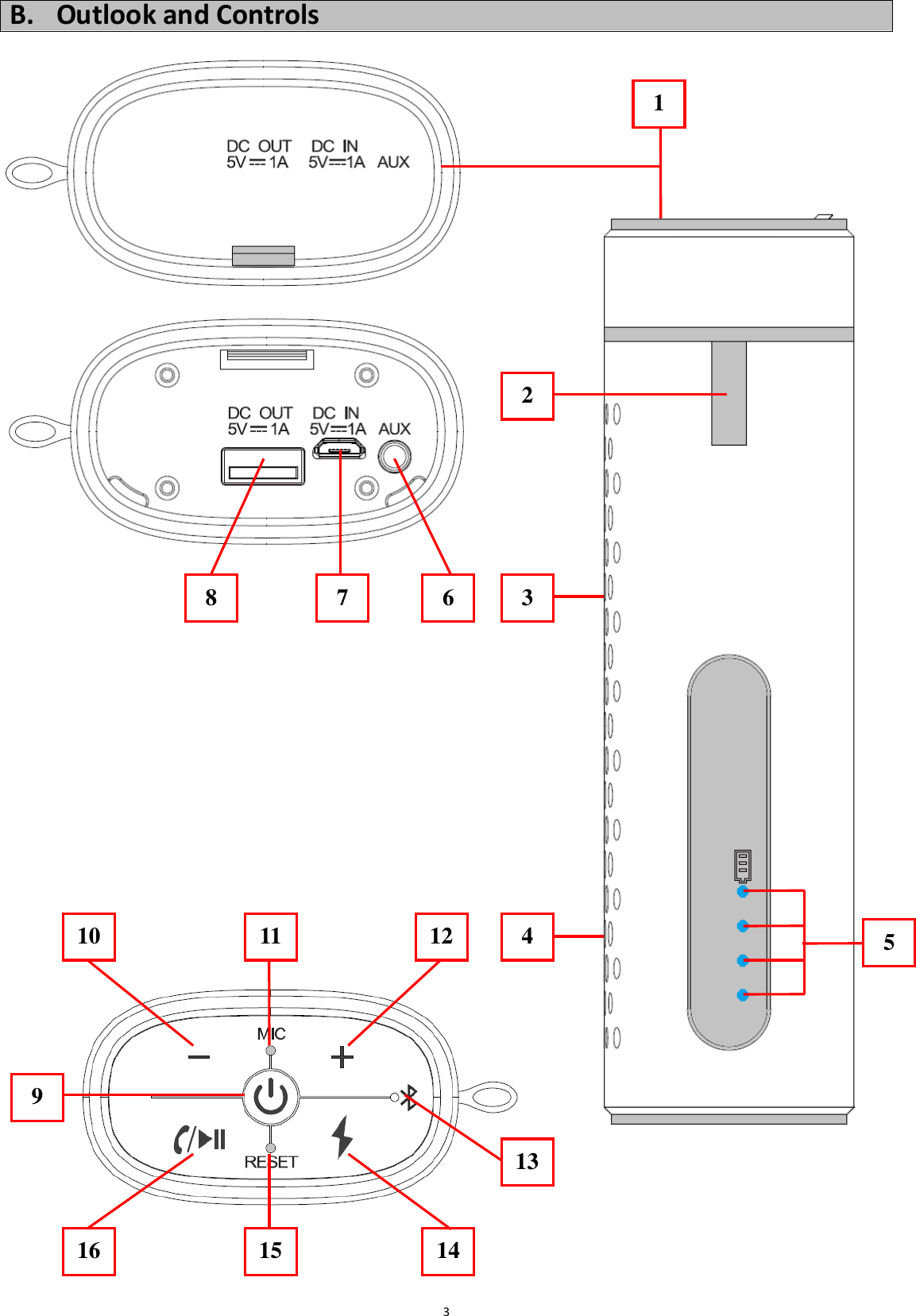
 3B. Outlook and Controls                                           9 11 12 10 4 15 16 14 133 1 8  7  6  3 2 5
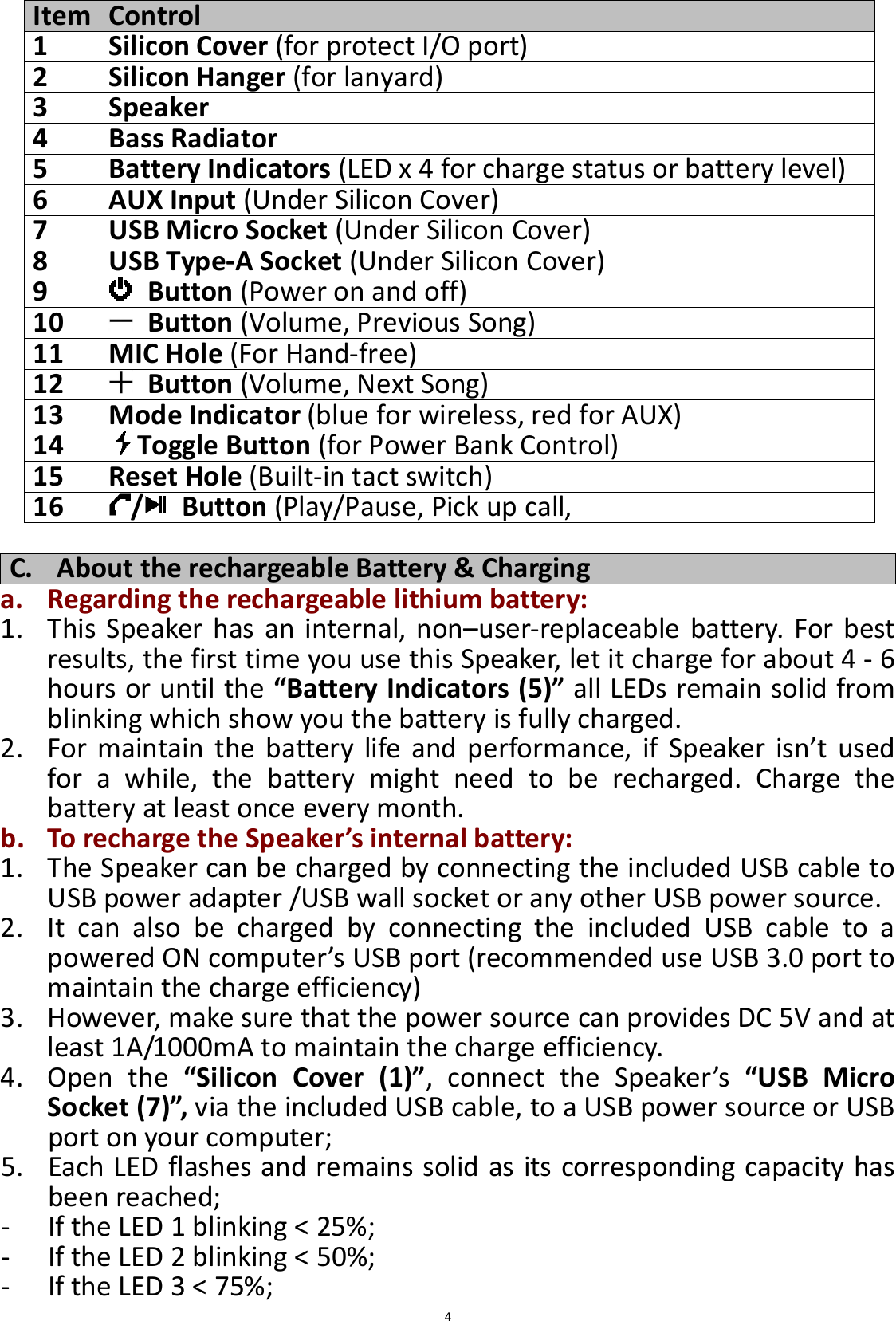
 4 C. About the rechargeable Battery & Charging a. Regarding the rechargeable lithium battery: 1. This  Speaker has an  internal,  non–user-replaceable  battery.  For  best results, the first time you use this Speaker, let it charge for about 4 - 6 hours or until the “Battery Indicators (5)” all LEDs remain solid from blinking which show you the battery is fully charged. 2. For maintain  the  battery  life  and  performance,  if  Speaker  isn’t  used for  a  while,  the  battery  might  need  to  be  recharged.  Charge  the battery at least once every month. b. To recharge the Speaker’s internal battery: 1. The Speaker can be charged by connecting the included USB cable to USB power adapter /USB wall socket or any other USB power source.       2. It  can  also  be  charged  by  connecting  the  included  USB  cable  to  a powered ON computer’s USB port (recommended use USB 3.0 port to maintain the charge efficiency)  3. However, make sure that the power source can provides DC 5V and at least 1A/1000mA to maintain the charge efficiency. 4. Open  the  “Silicon  Cover  (1)”,  connect  the  Speaker’s  “USB  Micro Socket (7)”, via the included USB cable, to a USB power source or USB port on your computer; 5. Each LED flashes and remains solid as its corresponding capacity has been reached; - If the LED 1 blinking < 25%;   - If the LED 2 blinking < 50%;   - If the LED 3 < 75%;   Item Control 1 Silicon Cover (for protect I/O port) 2 Silicon Hanger (for lanyard) 3 Speaker 4 Bass Radiator 5 Battery Indicators (LED x 4 for charge status or battery level) 6 AUX Input (Under Silicon Cover) 7 USB Micro Socket (Under Silicon Cover) 8 USB Type-A Socket (Under Silicon Cover) 9   Button (Power on and off) 10   Button (Volume, Previous Song)  11 MIC Hole (For Hand-free) 12   Button (Volume, Next Song) 13 Mode Indicator (blue for wireless, red for AUX) 14 Toggle Button (for Power Bank Control) 15 Reset Hole (Built-in tact switch) 16 / Button (Play/Pause, Pick up call,
 5- If the LED 4 blinking < 100%) - If all LEDs remain solid, the unit is fully charged. 6. Disconnect the USB cable when it is done.  D. Use Power Bank Function (Output DC 5V 1A max.) Before  use  the  power  bank  function,  make  sure  that  the  Speaker’s internal  battery  is  full  charged.  Or,  we  recommended,  it  has  enough energy, about 51 ~ 75% or more, for charge the external device. a. To check the battery remaining energy level: 1. Press  once  the  “   (14)”  button,  the  “Battery  Indicators  (5)”  will light for 30 seconds to show the battery energy levels. 2. The “Battery Indicators (5)” will illumines as follow methods; - If no LEDs light                = less than 5%   - If the LED 1 is light on          = 5-25% - If the LED 1 & 2 are light on       = 26-50%   - If the LED 1, 2 & 3 are light on      = 51-75%   - If the LED 1, 2, 3 & 4 are light on    = 76-100% b. To charge your mobile device: 1. Open the “Silicon Cover (1)”, connect Speaker’s “USB Type-A Socket (8)”, via the included USB cable, to USB micro port on your mobile;   2. The Speaker’s charge output function should turn on automatically. If not, press the “   (14)” button to begin charging. • When you mobile device is charged, for about 30 seconds, the charge output will shut off automatically. • Disconnect the USB cable when charge finished. Important: Do  not  use  excessive  force  when  plugging  the  cable  into  the electronic device.  E. Use Wireless Speaker a. Power On: 1. Press and hold the “   (9)” button to turn on the Speaker; 2. A  series  of  tones will  sound  from speaker  and  the  “Mode  Indicator (13)” will rapidly flash blue in seconds from blinks, the Speaker is in pairing mode; b. Pairing: 1. In  pairing  mode,  then  activate  the  wireless  function  in  your  mobile device  (such  as  Mobile  Phone  or  Personal  Computer),  the  Speaker will  enter  to  searching/pairing  mode  automatically,  if  not,  tap  the relate  selection to manually  enter to  searching mode.  (refer to your mobile device’s manual when necessary) 2. Your  mobile  device  should  show  “BTS11”  in  Bluetooth  Devices  list, and then select it for pairing. Waiting for some seconds and you will see connected message as shown on your mobile device. (For some
 6Bluetooth  devices,  you  may  need  to  input  “0000”  as  pairing password) 3. If  pairing  is  successful,  a  beep  sound  will  heard  and  the  “Mode Indicator (13)” will slow blinking each 4 ~ 5 seconds once. 4. Now, you can start to music play from the mobile device by it music player program. c. Power Off: 1. Press and hold the “   (9)” button again to turn off the Speaker when it is not in use. 2. A  series of  tones  will  sound  from  speaker and  the  Speaker will  turn off. Note:  For  saving  battery  energy,  the  Speaker  will  turn  to  off  mode automatically when no mobile device is in paired in 8 minutes. d. Disconnect from paired device: 1. To  disconnect  with  paired  device,  for  better  result  turn  Off  the Speaker directly by press and hold the “   (9)” button. Or; 2. You  can  choose  “Disconnect”  from  Bluetooth  paired  device  list  or turn “Off” the Bluetooth function on your mobile device. 3. In  this  case;  the  Speaker  will  switch  back  to  “Searching  /  Pairing” mode automatically itself, a series of tones will sound and the “Mode Indicator (13)” will rapidly flash blue again from slow blinking. 4. Now,  you  can  process  for  new  mobile  device  pair  or  power  Off  the Speaker as you wanted. (refer to item E.b.1 ~ b.3 methods mentioned above)   e. Auto re-connect with paired device and New pairing: 1. Every time you turn on the power of Speaker; it will firstly searching for the mobile device, which has paired previously and still in record; 2. The  Speaker  will  re-connect  this  mobile  device  as  priority  if  it  is  in searching/pairing device mode and connection range.   3. If  not  found  in  some  seconds,  the  Speaker  then  will  turn  into  new pairing mode automatically. 4. Now you can process for new mobile device pair in this case. (refer to item E.b.1 ~ b.3 methods mentioned above)    f. Switch to new pairing from connected mode: 1. In  connected  mode,  you  can  switch  the  Speaker  into searching/pairing mode for paring with the new mobile device at any time you desired; 2. Press and hold the “ /   (16)” button until a series of tones sound, the  “Mode  Indicator  (13)”  will  switch  to  rapidly  flash  blue  from connected mode. 3. Now you can process for new mobile device pair. (refer to item E.b.1 ~ b.3 methods mentioned above)
 7g. Wireless Music Playing Control Function: (on Speaker) 1. In  playing  music,  press  “ /   (16)”  button  to  pause  the  music.  To resume the music press it again. 2. Press and hold the “   12)” button to increases the volume level. 3. Press and hold the “   (10)” button to decreases the volume level. 4. When maximum or minimum volume is reached, a tone will sound. 5. Press once the “   (12)” button to go to next music. 6. Press once the “   (10)” button to go to previous music. h. Hand-Free Function 1. When there is an incoming call during wireless music playing mode; 2. The ringing will sound and the playing music will pause automatically. 3. Press the “ /   (16)” button to pick up the call if you want. 4. Now you have hand free function with the Speaker. 5. Press the “ /   (16)” button again to hang up the call when finished. And the paused music will resume playing automatically. 6. Press  twice  the  “ /   (16)”  button  for  3  seconds  to  ignore  the incoming call. Tip: speak to the “MIC (11)” hole direct with distance in 30 ~ 60cm to get the best speakerphone performance when necessary. i. Redial For Last Call Function 1. To  redial  for  last  called  number  by  the  Speaker,  even  it  is  in  music playing mode. 2. Press twice the “ /   (16)” button to enter into redial function, the playing will pause and switch to hand free function for redial. 3. Press the “ /   (16)” button again to hang up the redial call. 4. Make sure that your mobile phone has have last dial call used, if not, the redial for last call function cannot be activated. j. Low Power Reminder And Power Off 1. The  device  will  send  tones  sound  from  speaker  by  every  minute. When  you  heard  this  reminder  sound,  please  connect  the  Speaker with USB power source for charge if you still want to use the Speaker. 2. If  not,  the  Speaker  will  turn  off  automatically  in  case  the  battery  is keeping low energy level in some minutes. 3. In  this  case,  the  Speaker  cannot  be  turned  on,  until  you  recharging the  battery  at  least  10  ~  15  minutes,  because  the  rechargeable battery has not enough energy. 4. Press  and  hold  the  “   (9)”  button  to  turn  on  the  Speaker  after charged with enough energy if you want.  F. Use AUX IN Function 1. In  power  ON  mode,  open  the  “Silicon  Cover  (1)”,  and  connect  the Speaker’s  “AUX  IN  Jack  (6)”  with  an  external  device’s  “Earphone  / AUX / LINE” Output through the Audio Cable (Provided).
 82. The Speaker will switch to “AUX In” mode automatically from wireless, and the “Mode Indicator (13)” will switch to red from blinking blue. 3. Now  the  AUX  In  function  is  ready,  start  to  music  play  from  your external device by it control and or program, for example, Play, Stop, volume control…etc. 4. You also can use Speaker control; 5. Press and hold the “   (12)” button to increases the volume. 6. Press and hold the “   (10)” button to decreases the volume. 7. When  maximum  or  minimum  volume  is  reached,  a  beep  sound  will heard. 8. Disconnect the Audio cable when it is done.  G. Reset the Speaker In some circumstances the Speaker’s function may hanging and need to reset. To do this; 1. Use a  1mm stick or similar object (like tooth stick), genitally insert it into  the  “Reset  Hole  (15)”  until  you  feel  hit  the  surface  of  the  tact switch; 2. Then,  add  a  bit  of  force  and  you  will  get  a  click  sound  and  feeling return from switch.   3. The Speaker is reset. And then, press and hold the “   (9)” button to turn on and restart. Important: Do not reset the Speaker if it is proper working.  H. Trouble Shooting Can’t turn on • Check battery is it charged with enough energy.  • Check whether the Speaker is turned on. No sound • Check whether volume level is in lower position on Speaker and your mobile phone or PC/Mac. • Make sure that your mobile device is within the effective operation range. • Check whether the mobile device is paired and connected. • Check  if  you  have  selected  the  correct  audio source. Speaker no response • Restart by reset function. Some digital products can't be charged • The cable is not properly or firmly connected. • The Speaker’s internal battery energy emptied. • The charging voltage of device must be DC 5V. • The  charged  device  is  not  compatible;  the charging  current  may  too  much,  the  Speaker performs  over-current  protection.  Disconnect and check you external device.
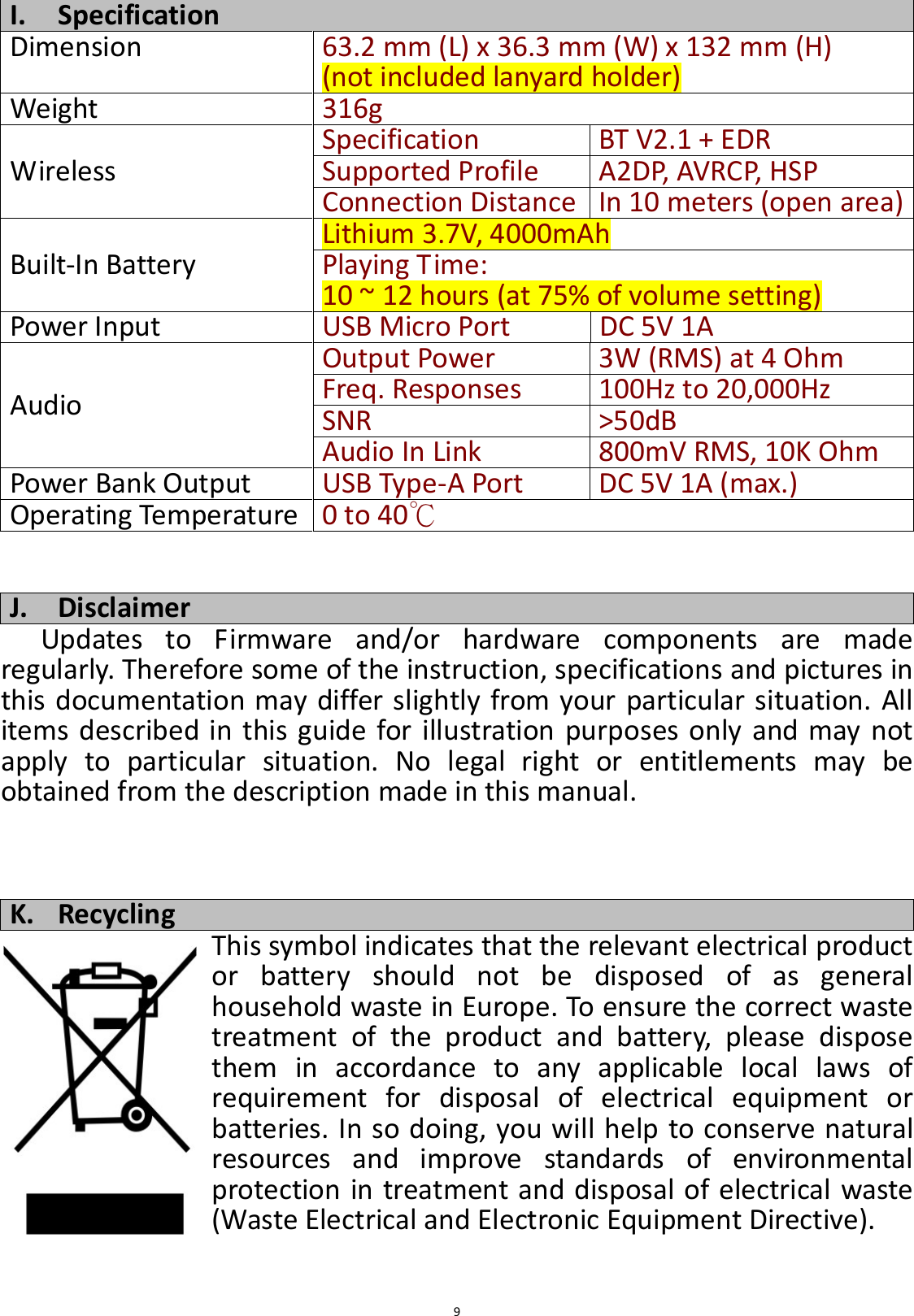
 9 I. Specification Dimension  63.2 mm (L) x 36.3 mm (W) x 132 mm (H) (not included lanyard holder) Weight 316g Wireless Specification BT V2.1 + EDR Supported Profile A2DP, AVRCP, HSP Connection Distance In 10 meters (open area) Built-In Battery Lithium 3.7V, 4000mAh Playing Time: 10 ~ 12 hours (at 75% of volume setting) Power Input USB Micro Port  DC 5V 1A Audio Output Power 3W (RMS) at 4 Ohm Freq. Responses  100Hz to 20,000Hz SNR >50dB Audio In Link 800mV RMS, 10K Ohm Power Bank Output USB Type-A Port DC 5V 1A (max.) Operating Temperature 0 to 40℃   J. Disclaimer Updates  to  Firmware  and/or  hardware  components  are  made regularly. Therefore some of the instruction, specifications and pictures in this documentation may differ slightly from your particular situation. All items  described in this  guide for illustration purposes only and may not apply  to  particular  situation.  No  legal  right  or  entitlements  may  be obtained from the description made in this manual.    K. Recycling This symbol indicates that the relevant electrical product or  battery  should  not  be  disposed  of  as  general household waste in Europe. To ensure the correct waste treatment  of  the  product  and  battery,  please  dispose them  in  accordance  to  any  applicable  local  laws  of requirement  for  disposal  of  electrical  equipment  or batteries. In so doing, you will help to conserve natural resources  and  improve  standards  of  environmental protection in treatment and disposal of electrical waste (Waste Electrical and Electronic Equipment Directive).
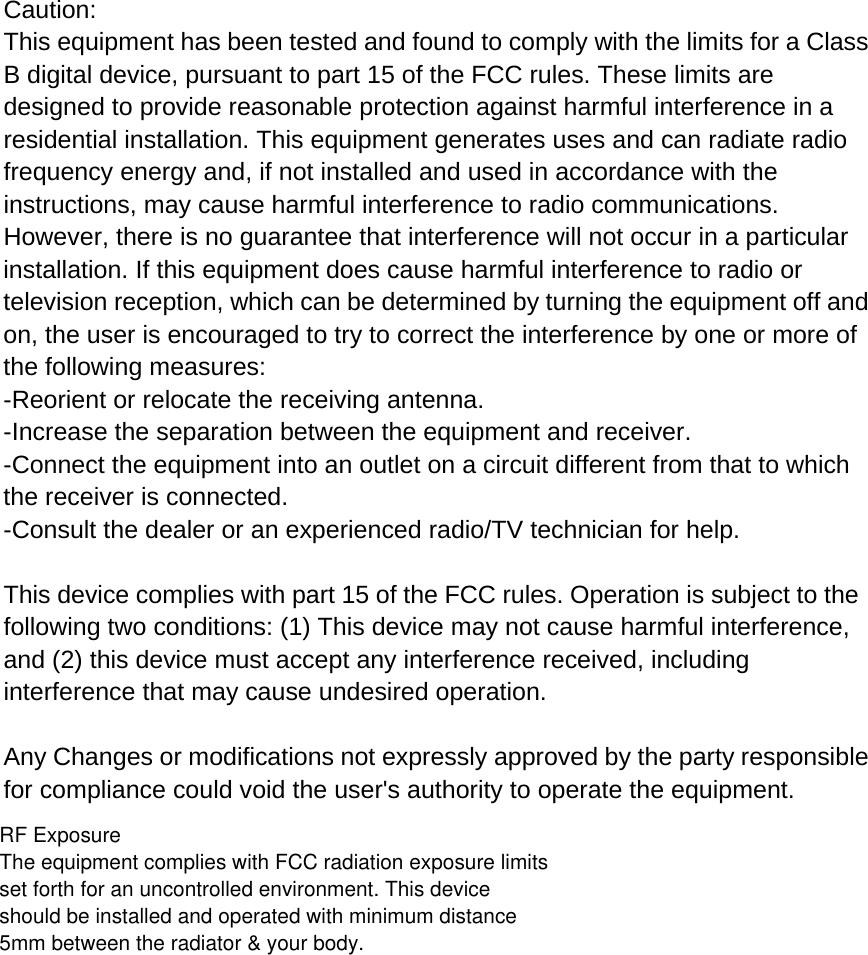
  Caution: This equipment has been tested and found to comply with the limits for a Class B digital device, pursuant to part 15 of the FCC rules. These limits are designed to provide reasonable protection against harmful interference in a residential installation. This equipment generates uses and can radiate radio frequency energy and, if not installed and used in accordance with the instructions, may cause harmful interference to radio communications. However, there is no guarantee that interference will not occur in a particular installation. If this equipment does cause harmful interference to radio or television reception, which can be determined by turning the equipment off and on, the user is encouraged to try to correct the interference by one or more of the following measures: -Reorient or relocate the receiving antenna. -Increase the separation between the equipment and receiver. -Connect the equipment into an outlet on a circuit different from that to which the receiver is connected. -Consult the dealer or an experienced radio/TV technician for help.  This device complies with part 15 of the FCC rules. Operation is subject to the following two conditions: (1) This device may not cause harmful interference, and (2) this device must accept any interference received, including interference that may cause undesired operation.  Any Changes or modifications not expressly approved by the party responsible for compliance could void the user's authority to operate the equipment.RF ExposureThe equipment complies with FCC radiation exposure limits set forth for an uncontrolled environment. This device should be installed and operated with minimum distance 5mm between the radiator & your body.

Navigation menu