Bk 2560 License Request Form User Manual
2017-12-05
User Manual: Bk 2560-License-Request-Form 2560-License-Request-Form forms s
Open the PDF directly: View PDF  .
.
Page Count: 1
2560 Series License Request Form
Thank you for choosing B&K Precision for your test and measurement needs.
Please fill out the following information and email this form to smarian@bkprecision.com.
A B&K Precision sales associate will get back to you in 2 business days.
1. Name: _________________________________________
2. Contact Number: _____________________________________
3. Device type: 2560 Series
4. Option type:
5. Serial Number: ________________________________________
Example: 493Z19101
6. Device Id / Scope ID: ___________________________________
Example: 01a2-3456-b7cd
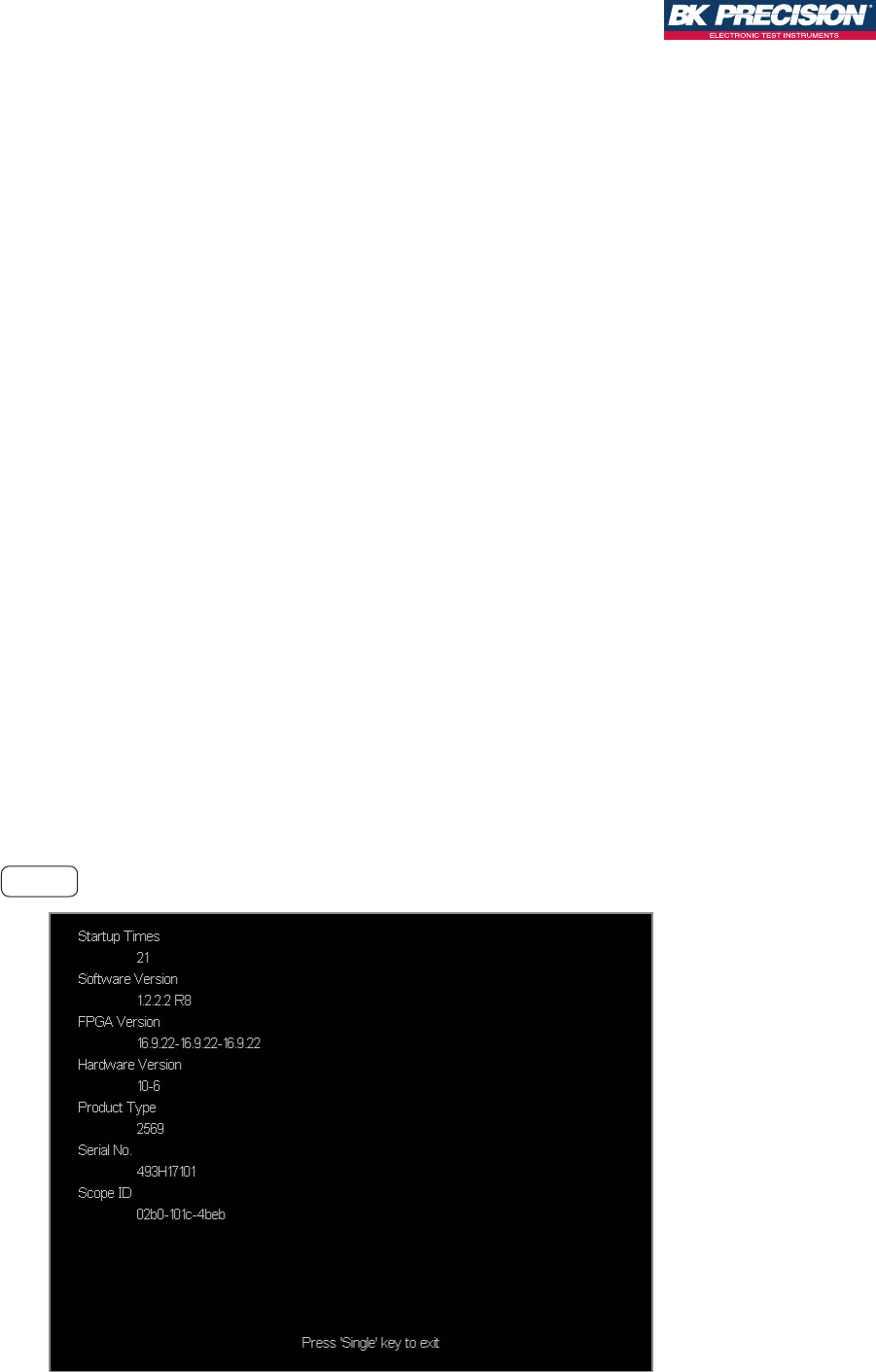
To nd the Serial Number and Scope ID:
1. Power on the unit
2. Press the Utility button to enter the UTILITY menu
3. Press the System Status softkey (press Next Page if System Status is not on screen)
4. Record the Serial Number and Scope ID
5. Press the Single button on the front panel to exit this screen
Example System Status
LA2560 (Enables MSO Features)
FG2560 (Enables Function / Arbitrary
Waveform Generator)
LP2560* (16 Channel Logic Probe)
*requires LA2560 option to function
DC2560 (Enables Decode Features)
