BlueExpert Technology BED003 Bluetooth Dongle User Manual

BlueExpert Technology Corp. Bluetooth Dongle

User Manual

 1                 Bluetooth Wireless Communication Kit BlueSoleil Quick Installation Guide
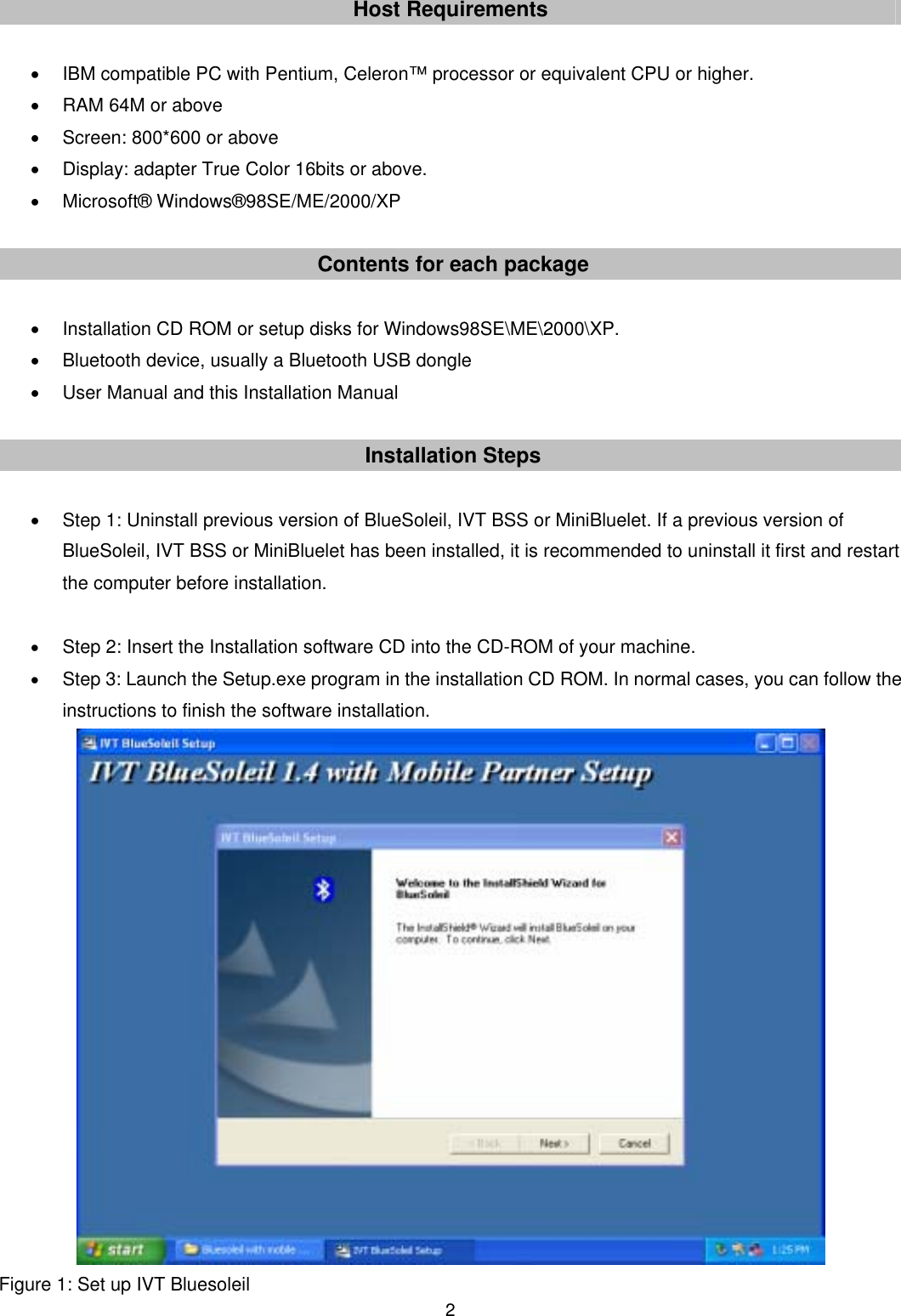
 2Host Requirements  •  IBM compatible PC with Pentium, Celeron™ processor or equivalent CPU or higher. •  RAM 64M or above •  Screen: 800*600 or above •  Display: adapter True Color 16bits or above. • Microsoft® Windows®98SE/ME/2000/XP  Contents for each package  •  Installation CD ROM or setup disks for Windows98SE\ME\2000\XP. •  Bluetooth device, usually a Bluetooth USB dongle •  User Manual and this Installation Manual  Installation Steps  •  Step 1: Uninstall previous version of BlueSoleil, IVT BSS or MiniBluelet. If a previous version of BlueSoleil, IVT BSS or MiniBluelet has been installed, it is recommended to uninstall it first and restart the computer before installation.  • Step 2: Insert the Installation software CD into the CD-ROM of your machine. • Step 3: Launch the Setup.exe program in the installation CD ROM. In normal cases, you can follow the instructions to finish the software installation.        Figure 1: Set up IVT Bluesoleil
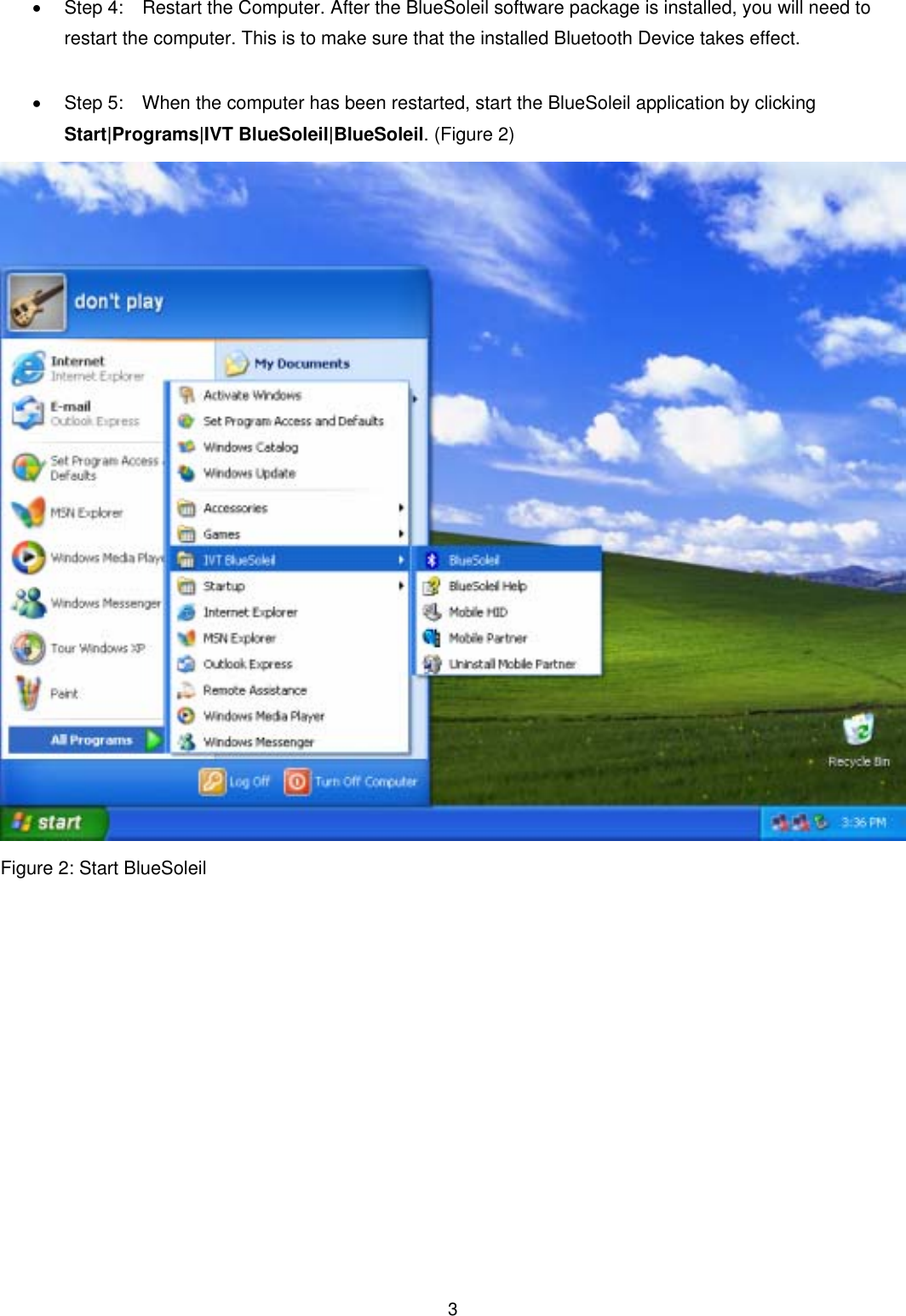
 3• Step 4:   Restart the Computer. After the BlueSoleil software package is installed, you will need to restart the computer. This is to make sure that the installed Bluetooth Device takes effect.  •  Step 5:    When the computer has been restarted, start the BlueSoleil application by clicking Start|Programs|IVT BlueSoleil|BlueSoleil. (Figure 2)  Figure 2: Start BlueSoleil
 4Note  1.  For Windows 98 SE and Windows ME, the Dial-up Adapter and Windows’s component direct cable connection needs to be installed to run the Dial-up Networking profile and LAN access profile. 2.  You need configure Bluetooth Network Adapter IP to run PAN profile.   3.  More details on how to use IVT BlueSoleil, please refer to Online Help, User Manual and any other support document.  Notice On Windows 98SE/ME  Expected Outcome: 1. Installed Files & Directories (by default): •  <Windows program files>\IVT Corporation\BlueSoleil BlueSoleil execution and support files. •  <Current user>\My Documents\BlueSoleil Support directory.    This is the directory for Object Push and Synchronization. Received cards and other objects will be put here. 2. Installed Devices: •  6 Bluelet virtual COM ports •  3 Bluelet virtual Modem •  BT Network Adapter • HID device  Notice On Windows 2000/XP  Expected Outcome: 1. Installed Files & Directories (by default): •  <Windows program files>\IVT Corporation\BlueSoleil BlueSoleil execution and support files. •  <Current user>\My Documents\BlueSoleil Support directory.    This is the directory for Object Push and Synchronization. Received cards and other objects will be put here. 2. Installed Devices: •  6 Bluelet virtual COM ports • 2 Vcomm Manager •  3 Bluelet virtual Modem •  BT Network Adapter •  6 HID device This is a preliminary data, and information provided is subject to change without notice. Actual product design may differ from the illustration shown.
 5FCC Statement This equipment complies with FCC radiation exposure limits set forth for an uncontrolled environment. End users must follow the specific operating instructions for satisfying RF exposure compliance. This transmitter must not be co-located or operating in conjunction with any other antenna or transmitter.   Notice: Any changes or modification not expressly approved by the party responsible could void the user’s authority to operate the device.

Navigation menu