BlueExpert Technology BEH003 Bluetooth Headset User Manual Bluetooth Module Design Application

BlueExpert Technology Corp. Bluetooth Headset Bluetooth Module Design Application

User Manual

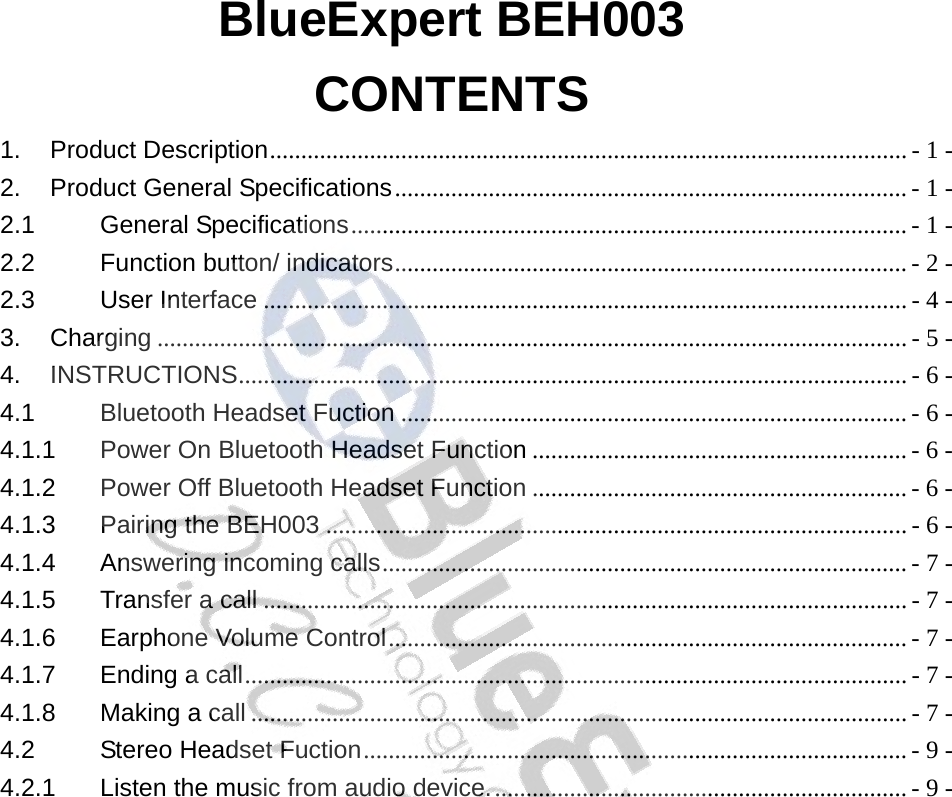
BlueExpert BEH003 CONTENTS 1. Product Description...................................................................................................... - 1 - 2. Product General Specifications.................................................................................. - 1 - 2.1 General Specifications......................................................................................... - 1 - 2.2 Function button/ indicators.................................................................................. - 2 - 2.3 User Interface ....................................................................................................... - 4 - 3. Charging ........................................................................................................................ - 5 - 4. INSTRUCTIONS........................................................................................................... - 6 - 4.1 Bluetooth Headset Fuction ................................................................................. - 6 - 4.1.1 Power On Bluetooth Headset Function ............................................................ - 6 - 4.1.2 Power Off Bluetooth Headset Function ............................................................ - 6 - 4.1.3 Pairing the BEH003 ............................................................................................. - 6 - 4.1.4 Answering incoming calls.................................................................................... - 7 - 4.1.5 Transfer a call ....................................................................................................... - 7 - 4.1.6 Earphone Volume Control................................................................................... - 7 - 4.1.7 Ending a call.......................................................................................................... - 7 - 4.1.8 Making a call ......................................................................................................... - 7 - 4.2 Stereo Headset Fuction....................................................................................... - 9 - 4.2.1 Listen the music from audio device................................................................... - 9 -
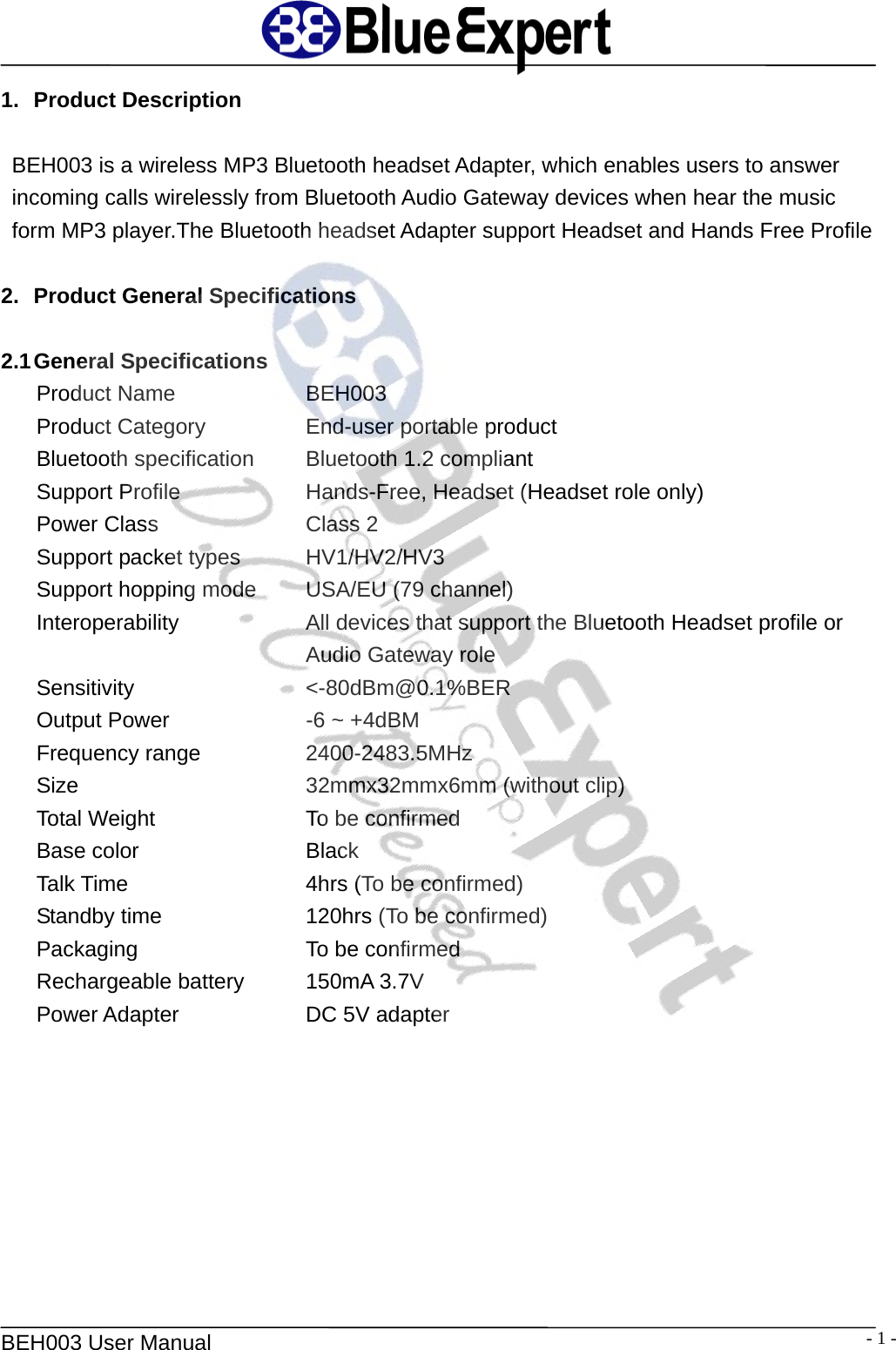
  BEH003 User Manual  - 1 -1. Product Description  BEH003 is a wireless MP3 Bluetooth headset Adapter, which enables users to answer incoming calls wirelessly from Bluetooth Audio Gateway devices when hear the music form MP3 player.The Bluetooth headset Adapter support Headset and Hands Free Profile  2.  Product General Specifications  2.1 General  Specifications Product Name   BEH003 Product Category      End-user portable product Bluetooth specification   Bluetooth 1.2 compliant Support Profile   Hands-Free, Headset (Headset role only) Power Class    Class 2 Support packet types    HV1/HV2/HV3 Support hopping mode   USA/EU (79 channel) Interoperability  All devices that support the Bluetooth Headset profile or Audio Gateway role Sensitivity  <-80dBm@0.1%BER Output Power    -6 ~ +4dBM Frequency range    2400-2483.5MHz Size    32mmx32mmx6mm (without clip) Total Weight    To be confirmed Base color    Black Talk Time    4hrs (To be confirmed) Standby time    120hrs (To be confirmed) Packaging    To be confirmed Rechargeable battery    150mA 3.7V Power Adapter   DC 5V adapter
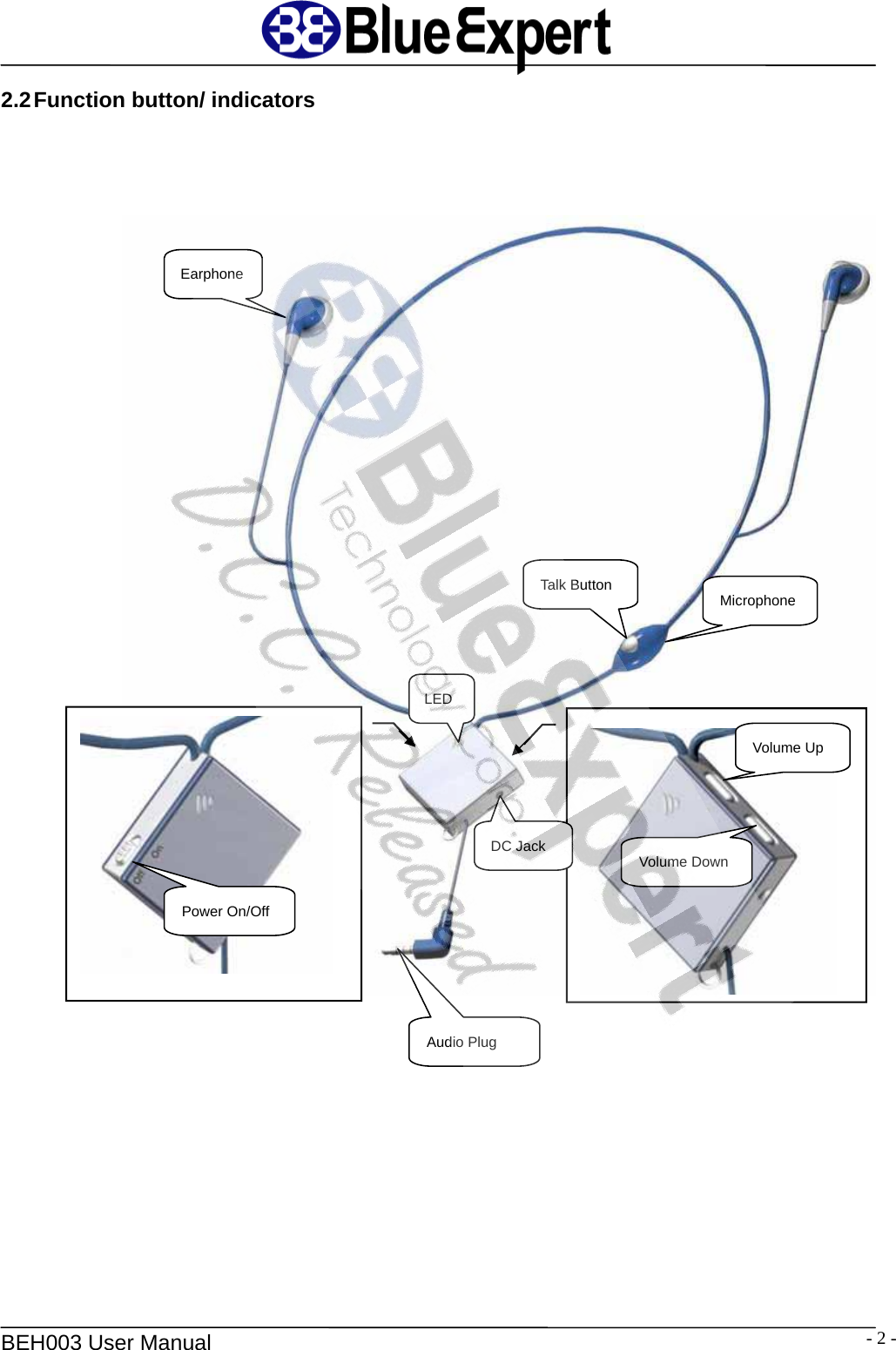
  BEH003 User Manual  - 2 -2.2 Function  button/  indicators     Earphone Talk Button  Microphone Audio Plug DC Jack LED Volume Down Volume Up  Power On/Off
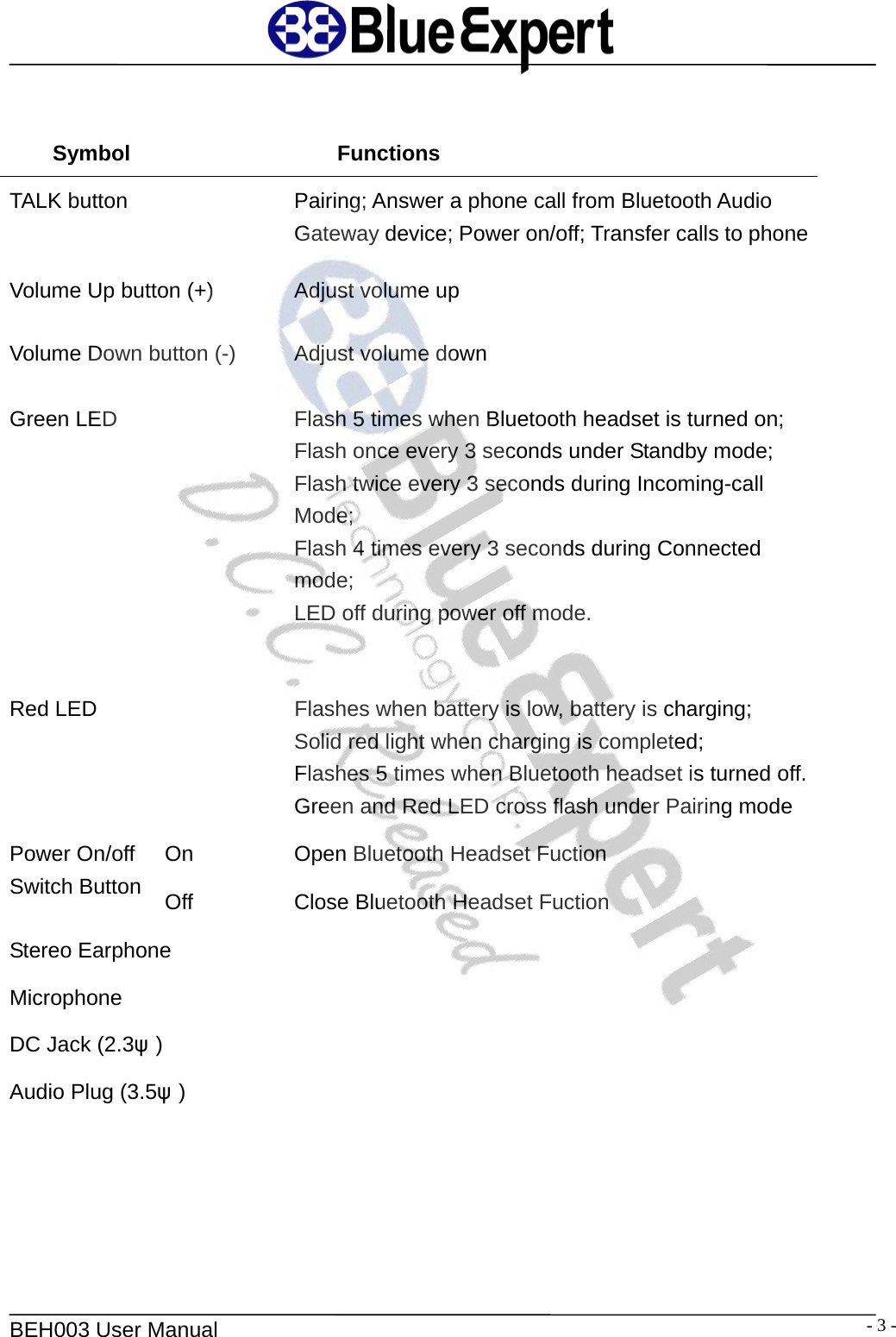
  BEH003 User Manual  - 3 - Symbol Functions TALK button  Pairing; Answer a phone call from Bluetooth Audio Gateway device; Power on/off; Transfer calls to phoneVolume Up button (+)  Adjust volume up Volume Down button (-)  Adjust volume down Green LED  Flash 5 times when Bluetooth headset is turned on; Flash once every 3 seconds under Standby mode; Flash twice every 3 seconds during Incoming-call   Mode; Flash 4 times every 3 seconds during Connected   mode; LED off during power off mode. Red LED  Flashes when battery is low, battery is charging; Solid red light when charging is completed; Flashes 5 times when Bluetooth headset is turned off.Green and Red LED cross flash under Pairing mode On  Open Bluetooth Headset Fuction Power On/off Switch Button  Off  Close Bluetooth Headset Fuction Stereo Earphone   Microphone  DC Jack (2.3ψ)   Audio Plug (3.5ψ)
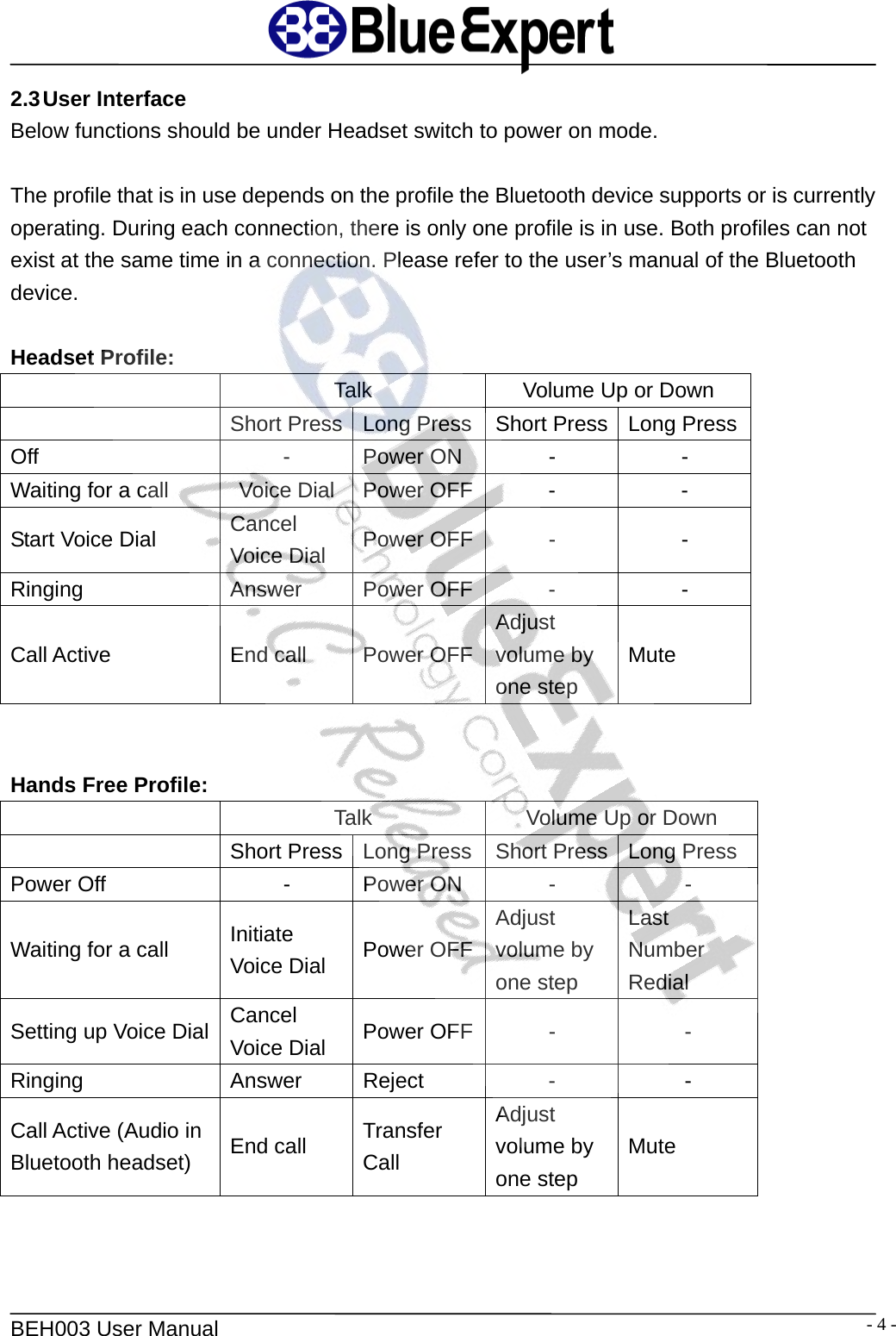
  BEH003 User Manual  - 4 -2.3 User  Interface Below functions should be under Headset switch to power on mode.  The profile that is in use depends on the profile the Bluetooth device supports or is currently operating. During each connection, there is only one profile is in use. Both profiles can not exist at the same time in a connection. Please refer to the user’s manual of the Bluetooth device.  Headset Profile:   Talk  Volume Up or Down   Short Press  Long Press Short Press Long Press Off - Power ON - - Waiting for a call  Voice Dial  Power OFF -  - Start Voice Dial  Cancel Voice Dial  Power OFF -  - Ringing Answer Power OFF - - Call Active  End call  Power OFFAdjust volume by one step Mute   Hands Free Profile:   Talk  Volume Up or Down   Short Press  Long Press Short Press Long Press Power Off  -  Power ON  -  - Waiting for a call  Initiate Voice Dial  Power OFFAdjust volume by one step Last Number Redial Setting up Voice Dial  Cancel Voice Dial  Power OFF -  - Ringing Answer Reject - - Call Active (Audio in Bluetooth headset)  End call  Transfer Call Adjust volume by one step Mute
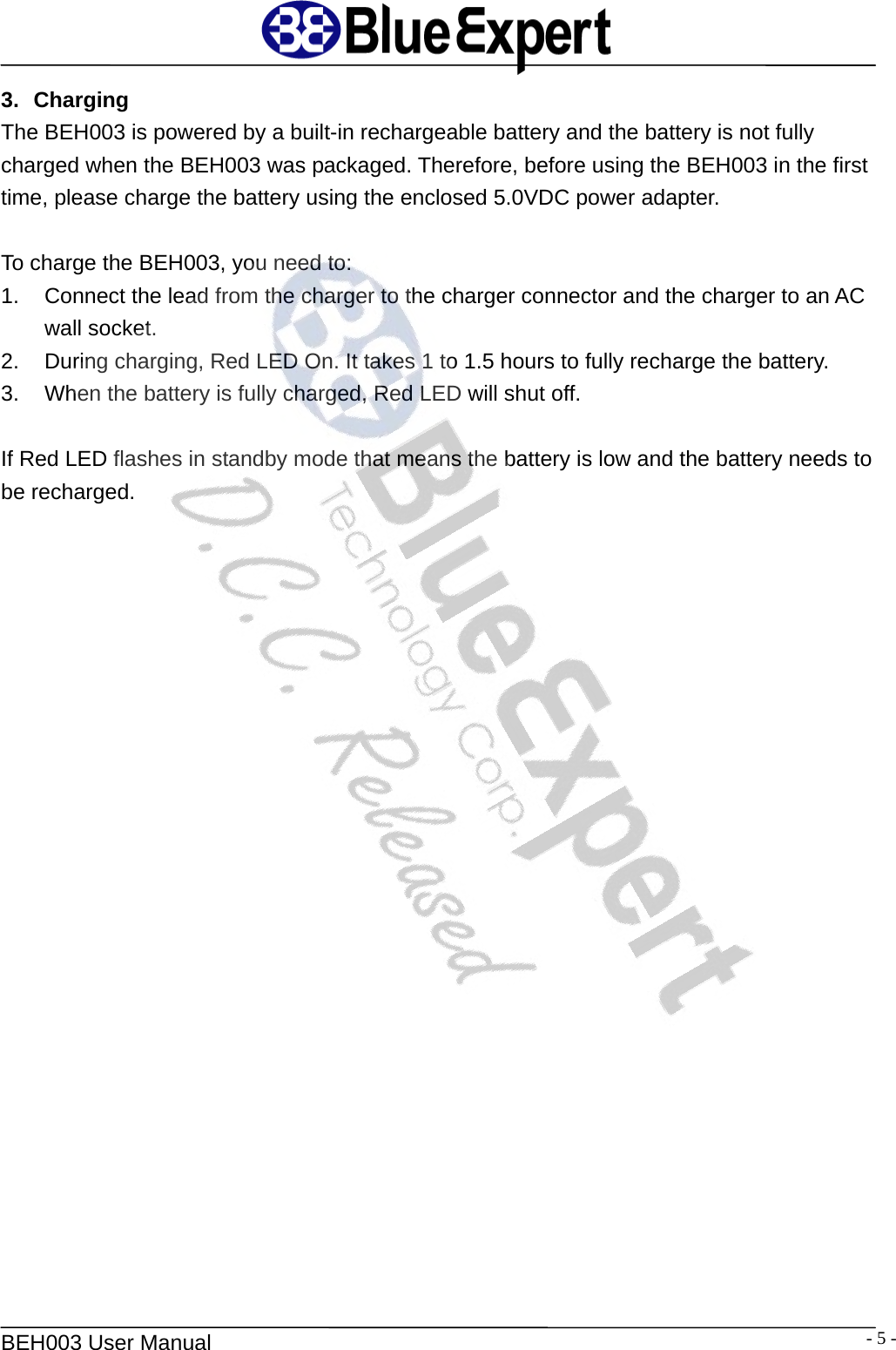
  BEH003 User Manual  - 5 -3. Charging The BEH003 is powered by a built-in rechargeable battery and the battery is not fully charged when the BEH003 was packaged. Therefore, before using the BEH003 in the first time, please charge the battery using the enclosed 5.0VDC power adapter.    To charge the BEH003, you need to: 1.  Connect the lead from the charger to the charger connector and the charger to an AC wall socket. 2.  During charging, Red LED On. It takes 1 to 1.5 hours to fully recharge the battery. 3.  When the battery is fully charged, Red LED will shut off.  If Red LED flashes in standby mode that means the battery is low and the battery needs to be recharged.
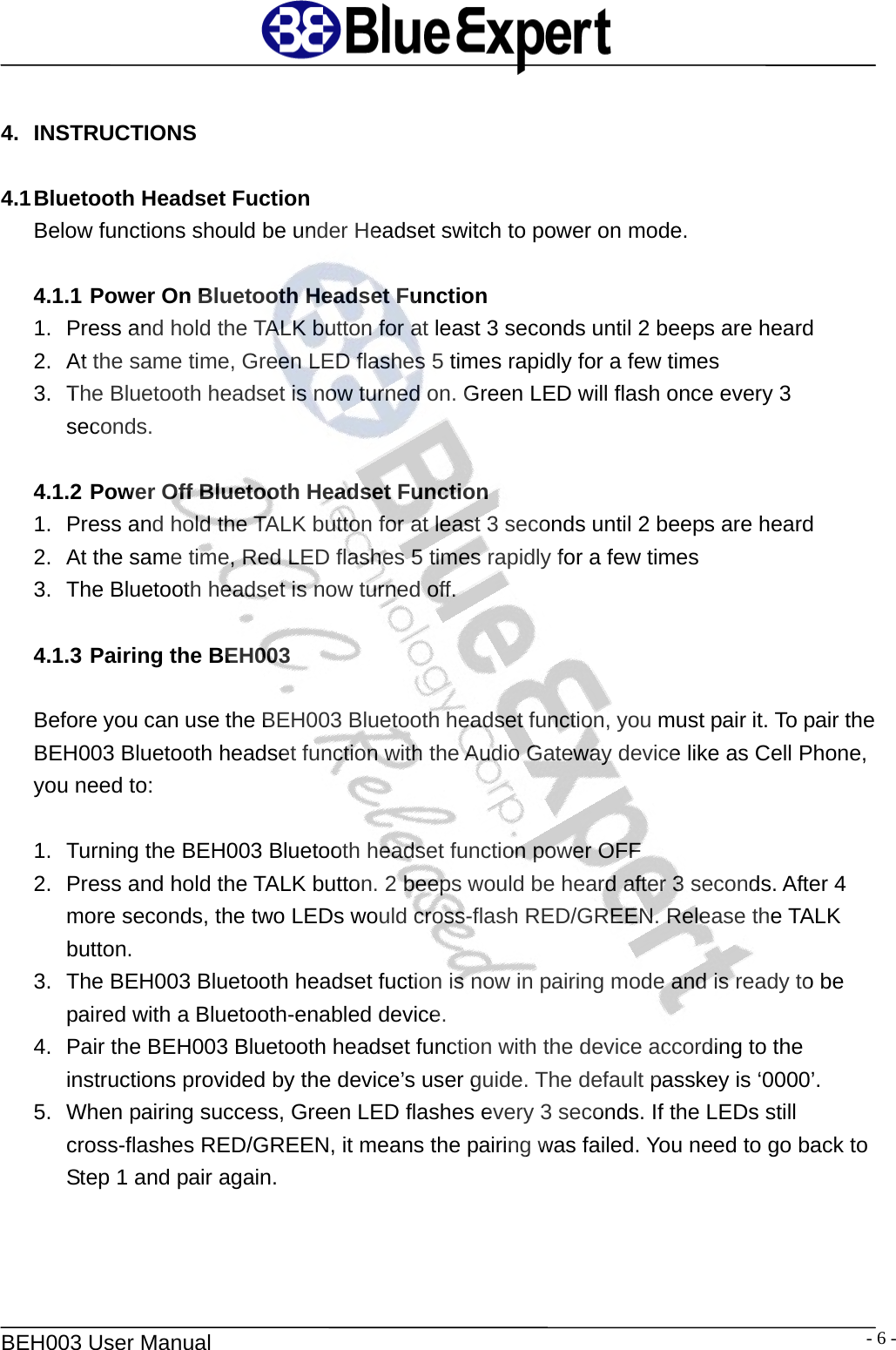
  BEH003 User Manual  - 6 - 4. INSTRUCTIONS  4.1 Bluetooth Headset Fuction Below functions should be under Headset switch to power on mode.  4.1.1 Power On Bluetooth Headset Function 1.  Press and hold the TALK button for at least 3 seconds until 2 beeps are heard 2.  At the same time, Green LED flashes 5 times rapidly for a few times 3.  The Bluetooth headset is now turned on. Green LED will flash once every 3 seconds.  4.1.2 Power Off Bluetooth Headset Function 1.  Press and hold the TALK button for at least 3 seconds until 2 beeps are heard 2.  At the same time, Red LED flashes 5 times rapidly for a few times 3.  The Bluetooth headset is now turned off.  4.1.3 Pairing the BEH003    Before you can use the BEH003 Bluetooth headset function, you must pair it. To pair the BEH003 Bluetooth headset function with the Audio Gateway device like as Cell Phone, you need to:  1.  Turning the BEH003 Bluetooth headset function power OFF 2.  Press and hold the TALK button. 2 beeps would be heard after 3 seconds. After 4 more seconds, the two LEDs would cross-flash RED/GREEN. Release the TALK button. 3.  The BEH003 Bluetooth headset fuction is now in pairing mode and is ready to be paired with a Bluetooth-enabled device. 4.  Pair the BEH003 Bluetooth headset function with the device according to the instructions provided by the device’s user guide. The default passkey is ‘0000’. 5.  When pairing success, Green LED flashes every 3 seconds. If the LEDs still cross-flashes RED/GREEN, it means the pairing was failed. You need to go back to Step 1 and pair again.
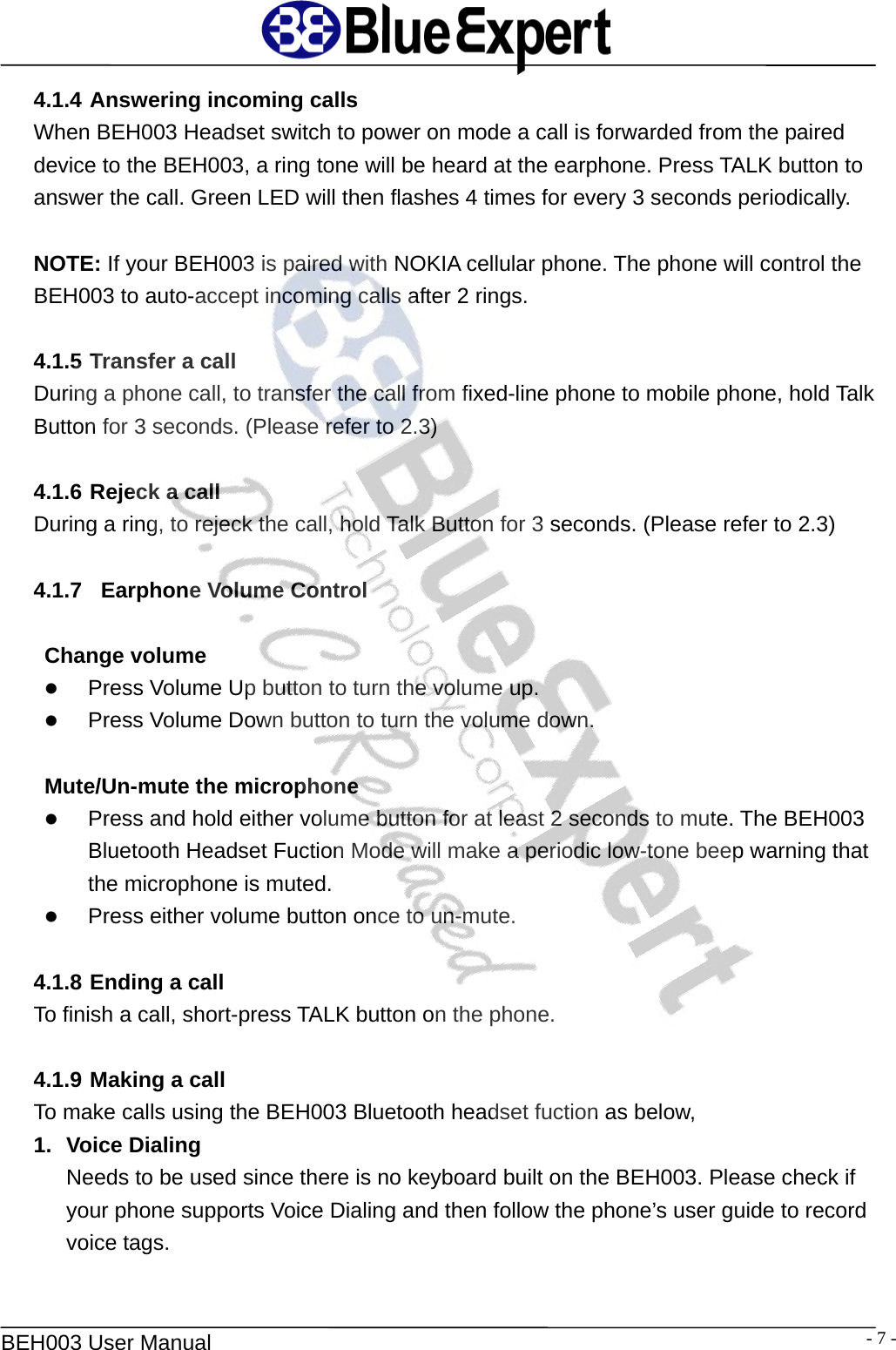
  BEH003 User Manual  - 7 -4.1.4 Answering incoming calls When BEH003 Headset switch to power on mode a call is forwarded from the paired device to the BEH003, a ring tone will be heard at the earphone. Press TALK button to answer the call. Green LED will then flashes 4 times for every 3 seconds periodically.  NOTE: If your BEH003 is paired with NOKIA cellular phone. The phone will control the BEH003 to auto-accept incoming calls after 2 rings.  4.1.5 Transfer a call During a phone call, to transfer the call from fixed-line phone to mobile phone, hold Talk Button for 3 seconds. (Please refer to 2.3)   4.1.6 Rejeck a call During a ring, to rejeck the call, hold Talk Button for 3 seconds. (Please refer to 2.3)  4.1.7   Earphone Volume Control  Change volume z Press Volume Up button to turn the volume up.   z Press Volume Down button to turn the volume down.    Mute/Un-mute the microphone z Press and hold either volume button for at least 2 seconds to mute. The BEH003 Bluetooth Headset Fuction Mode will make a periodic low-tone beep warning that the microphone is muted. z Press either volume button once to un-mute.  4.1.8 Ending a call To finish a call, short-press TALK button on the phone.    4.1.9 Making a call To make calls using the BEH003 Bluetooth headset fuction as below,   1. Voice Dialing  Needs to be used since there is no keyboard built on the BEH003. Please check if your phone supports Voice Dialing and then follow the phone’s user guide to record voice tags.
  BEH003 User Manual  - 8 -The steps of making a call from the BEH003 Bluetooth headset function are: ¾ Press TALK button ¾  Wait for a beep and then say the name of the person you want to call ¾  Please refer to the previous sections for the instructions of earphone volume control and ending a call.  2.  Using mobile phone to dial  The steps of making a call from the BEH003 Bluetooth headset function are: ¾  Just Input dial number form mobile phone and press the dial button
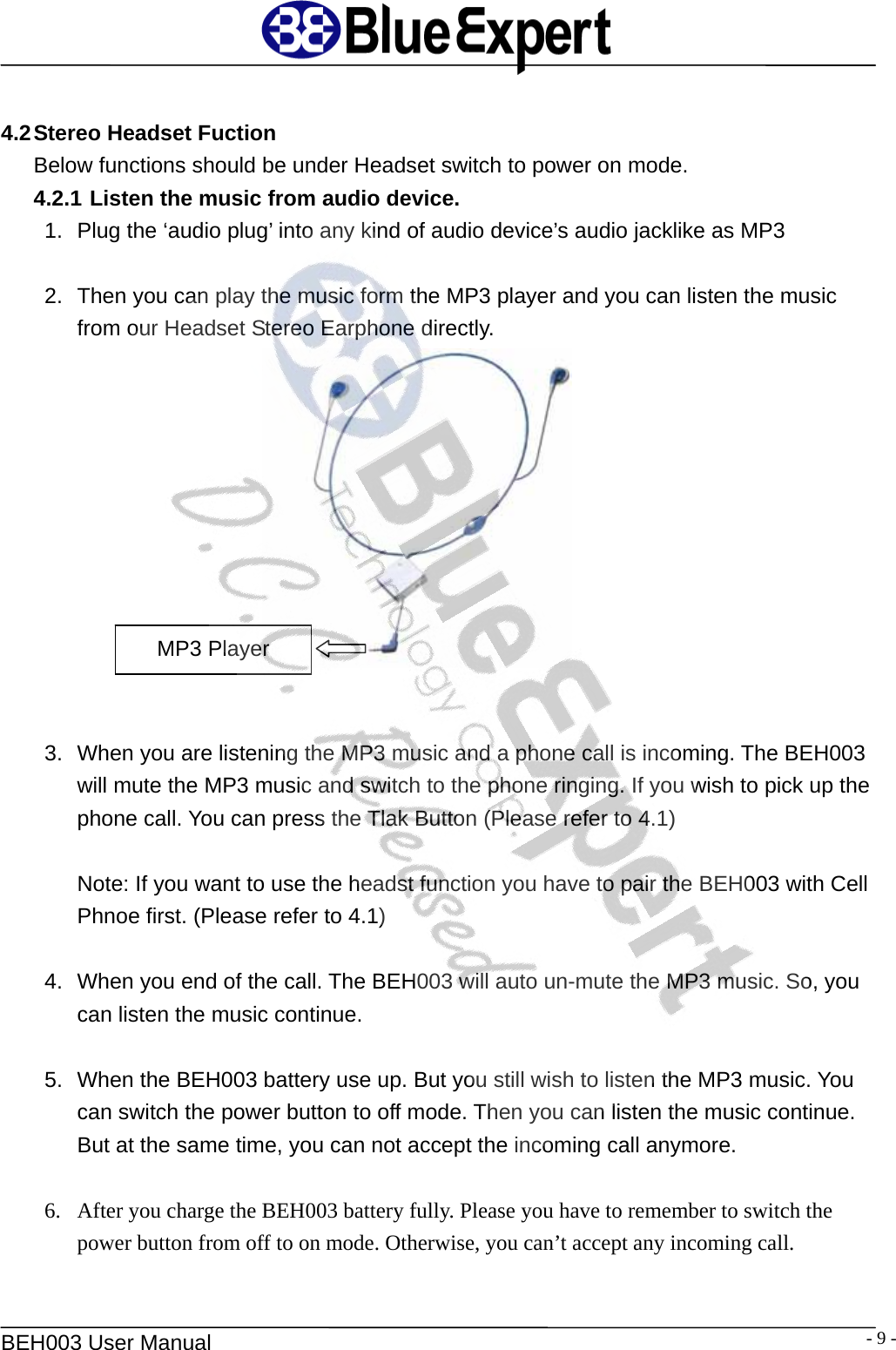
  BEH003 User Manual  - 9 - 4.2 Stereo Headset Fuction Below functions should be under Headset switch to power on mode. 4.2.1 Listen the music from audio device. 1.  Plug the ‘audio plug’ into any kind of audio device’s audio jacklike as MP3  2.  Then you can play the music form the MP3 player and you can listen the music from our Headset Stereo Earphone directly.      MP3 Player 3.  When you are listening the MP3 music and a phone call is incoming. The BEH003 will mute the MP3 music and switch to the phone ringing. If you wish to pick up the phone call. You can press the Tlak Button (Please refer to 4.1)  Note: If you want to use the headst function you have to pair the BEH003 with Cell Phnoe first. (Please refer to 4.1)  4.  When you end of the call. The BEH003 will auto un-mute the MP3 music. So, you can listen the music continue.  5.  When the BEH003 battery use up. But you still wish to listen the MP3 music. You can switch the power button to off mode. Then you can listen the music continue. But at the same time, you can not accept the incoming call anymore.  6. After you charge the BEH003 battery fully. Please you have to remember to switch the   power button from off to on mode. Otherwise, you can’t accept any incoming call.
  BEH003 User Manual  - 10 -This equipment complies with FCC radiation exposure limits set forth for an uncontrolled environment.    End users must follow the specific operating instructions for satisfying RF exposure compliance.    This transmitter must not be co-located or operating in conjunction with any other antenna or transmitter. Notice: Any changes or modification not expressly approved by the party responsible could void the user’s authority to operate the device.

Navigation menu