Bonpie Audio WS-702K Bluetooth Speaker User Manual 702 160621
Bonpie Audio LTD. Bluetooth Speaker 702 160621
Contents
- 1. User manual
- 2. User Manual
User manual
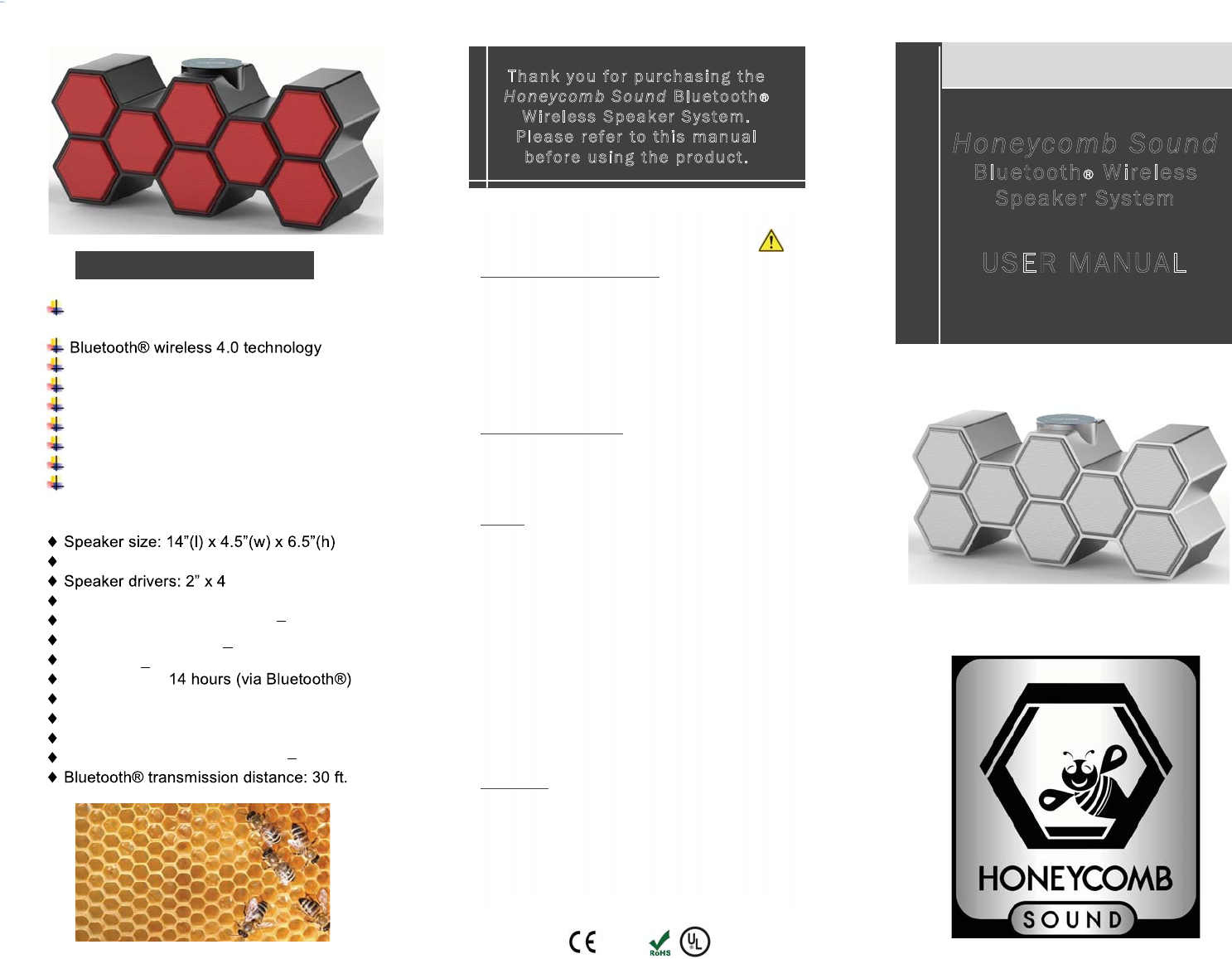
Innovative honeycomb cell design for
clean & natural sound.
Large battery for portable & home use
40 watt stereo amp with outstanding bass
Wide dispersion sound field w/ DSP
MP3 playback from Micro SD/TF card
MP3 playback from USB flash drive
Power bank function for phone charge
Audio line-in for wired connections
Weight: 4 lbs.
(full range)
Amplifier output: 40W (20W x 2) Class D
Frequency Response: 100Hz 20KHz
Signal to Noise Ratio: > 80db
Distortion: < 2%
Battery Life: 6-
Working voltage: 9-15V
Battery charging time: 3 hours
Battery capacity: 2200 mAh (Li-ion)
Operating Frequency: 2.4 GHz 2.48 GHz
SAFETY INFORMATION
WARNING Please read these safety warnings
Fire & Electric Shock Hazard: Do not expose your
speaker to liquid, moisture, humidity, or rain. Do not
drop, disassemble, open, paint, or insert foreign
objects into the speaker. Do not expose the speaker to
extremely high or low temperatures; or leave the
speaker in direct sunlight for extended periods of time;
or leave the speaker near open flames such as
cooking burners, candles, or fireplaces. Allow for
ventilation around the speaker.
Battery/Charging Hazard: Do not dispose the speaker
in a fire as the battery could explode causing injury.
Only charge the speaker in accordance with this User
Manual. Do not charge the speaker in damp areas or
extremely high or low temperatures.
Caution: Do not clean the speaker when it is being
charged. Always unplug the charger first before
cleaning the speaker. Do not use abrasive cleaners to
clean the speaker because this could scratch or
damage the unit. Clean the speaker with a dry cloth.
Do not insert anything into the speaker unless
otherwise specified in this User Manual, as this may
damage the internal components. Do not attempt to
repair, modify, or disassemble the speaker yourself.
Do not attempt to replace the battery of the speaker,
as it is built-in and not user changeable. Use only the
AC adapter or USB charging cable supplied to charge
the speaker. Other chargers may look similar, but
using them could result in electric shock and damage
the speaker.
FCC Notice: This device complies with part 15 of the
FCC Rules and this device may not cause harmful
interference and must accept any interference
received, including interference that may cause
undesired operation.
FULL ONE-YEAR MANUFACTURERS WARRANTY
See Website for Details. Made in China
honeycombsound.com
Thank you for purch asin g the
Ho ney co m b Sound Bluetooth
Wireless Speaker System.
Please refer to this manual
before usin g the produ ct. Honeycomb Sound
Bluetooth Wireless
Speaker System
USER MANUAL
STYLISH * SIMPLE * SWEET
MODEL
Features & Specs
WS-702
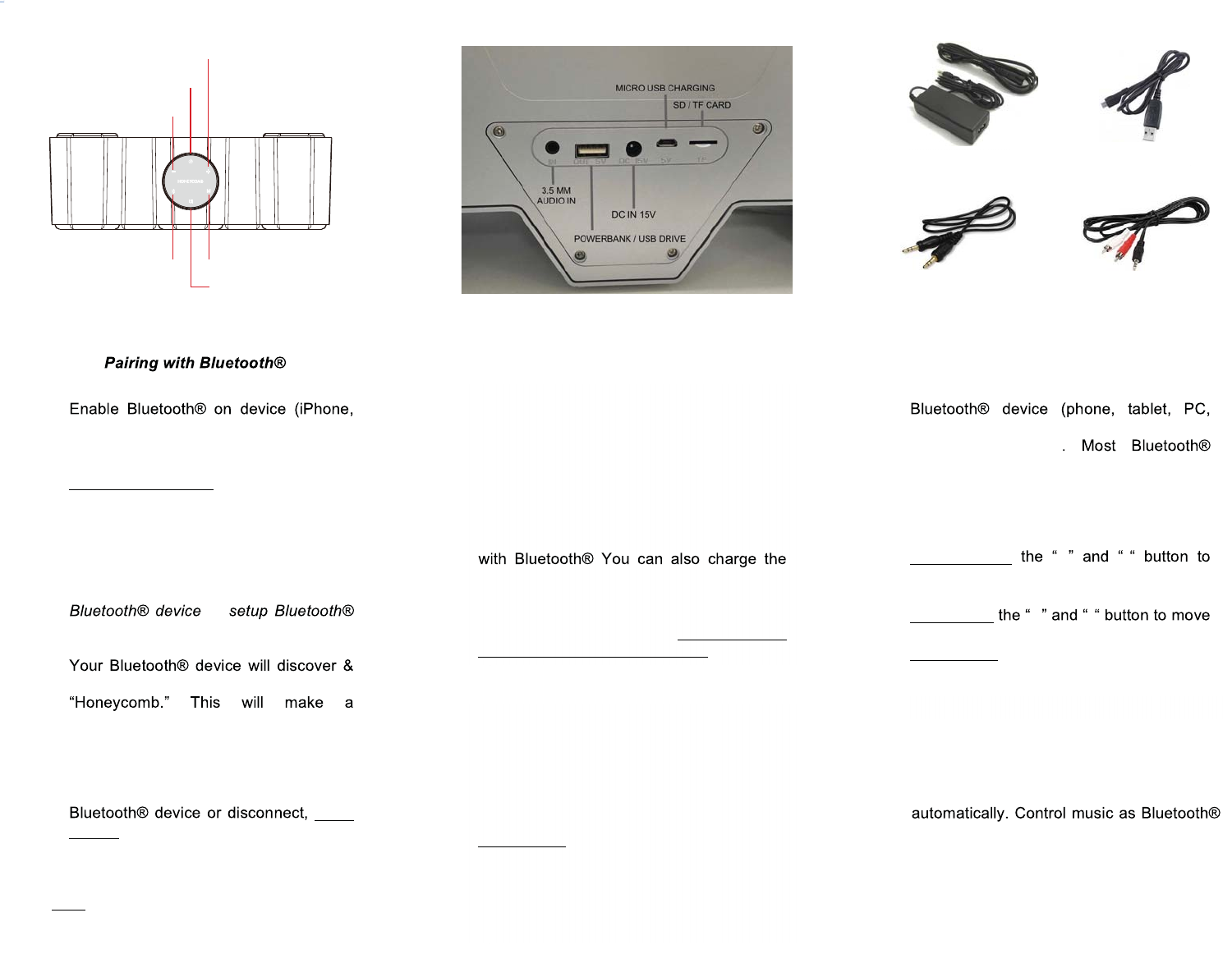
Back of Unit
Top of Unit
Charging Your Speaker
AC Adapter
3.5mm cable
USB Charging
Before first use, or when the battery runs
out, please charge the speaker with the
included AC Adapter. Assemble 2-piece
AC Adapter & Insert barrel-end plug to DC
IN 15V on back of unit. The battery will be
fully charged when the red LED light (top of
unit) has turned off. Charging time is about
3 hours with AC Adapter. Battery power
time is 6-14 hours (max to min volume)
unit with the supplied USB Charging Cable
by connecting your PC to MICRO USB
CHARGING port on back of unit, although
this is a very slow charge. ONLY USE THE
SUPPLIED AC POWER ADAPTER.
1. Make sure the speaker is charged.
2.
iPad, tablet) & make sure the device is
visible or discoverable.
3. Power on the Honeycomb Speaker by
Pressing & Holding ON/OFF SWITCH
for about 3 seconds till LED blue light is
on. You will also hear a chime tone.
4. After turning on Honeycomb Speaker,
LED light will keep blinking indicating
the speaker is in pairing mode.
5. On your device, choose add new
or
device. It will search for the Honeycomb
Speaker.
6.
list possible names. Select the name
connection & lock in with audible chime.
7. If the pairing attempt fails or times out
(about 3 minutes), restart both devices
and start the process again (steps 2-6).
8. If you need to pair with another
press
& hold the BLUETOOTH button for 3
seconds, wait for the chime tone, & then
pair with new device or change Mode.
Note: Speaker will automatically power-off
after 15 minutes of inactive use.
Controlling Your Music
Once the speaker is connected to a
laptop, etc.), you have several options to
control your music
devices allow you to control the volume
and track selection directly on the device.
To control these functions on the
Honeycomb Speaker:
Press & Hold + -
increase or decrease the volume of the
speaker. Speaker chimes at max volume.
Press Once +-
forward or backward on track selections.
Press Once the PLAY/PAUSE button to
start or pause songs.
Line-In Audio 3.5mm Cable
For direct wired connections from devices
such as MP3 (iPod), iPhone, TV, PC,
Gaming Console, connect included 3.5mm
cable (3 ft. length) from device output to
3.5MM AUDIO IN on back of unit. Optional
3.5mm to RCA cable may be required.
Press Once the M (MODE) button & the
Honeycomb Speaker will find the device.
You should be able to control volume &
tracks directly on your device. The Speaker
will only control the volume by pressing +/-
buttons. Press PLAY/PAUSE to mute.
Micro SD/TF Card & USB Flash Drive
Insert a Micro SD/TF Card or USB Flash
Drive into slot for SD/TF or USB DRIVE in
back of unit. Press M (MODE) & the
Honeycomb Speaker will sense input
3.5 to RCA (not included)
Power Bank
The Speaker can serve as a Power Bank
for charging phones & other devices.
Attach USB cable from device to
POWERBANK input on back of unit.
PLAY/PAUSE
MODEBLUETOOTH
VOLUME DOWN
/BACK
POWER
ON/OFF SWITCH
LED Light (blue/red)
VOLUME UP/FORWARD

FCC Caution.
1.This device complies with part 15 of the FCC Rules. Operation is subject to the
following two conditions: (1) This device may not cause harmful interference, and (2)
this device must accept any interference received, including interference that may
cause undesired operation.
2.Any Changes or modifications not expressly approved by the party responsible for
compliance could void the user's authority to operate the equipment.
Note: This equipment has been tested and found to comply with the limits for a Class
B digital device, pursuant to part 15 of the FCC Rules. These limits are designed to
provide reasonable protection against harmful interference in a residential
installation. This equipment generates uses and can radiate radio frequency energy
and, if not installed and used in accordance with the instructions, may cause harmful
interference to radio communications. However, there is no guarantee that
interference will not occur in a particular installation. If this equipment does cause
harmful interference to radio or television reception, which can be determined by
turning the equipment off and on, the user is encouraged to try to correct the
interference by one or more of the following measures:
-Reorient or relocate the receiving antenna.
-Increase the separation between the equipment and receiver.
-Connect the equipment into an outlet on a circuit different from that to which the
receiver is connected.
-Consult the dealer or an experienced radio/TV technician for help.
RF warning for Portable device:
The device has been evaluated to meet general RF exposure requirement.
The device can be used in portable exposure condition without restriction.