Borqs BeiJing XD6M Dock User Manual Bennu specifications

Borqs BeiJing Ltd Dock Bennu specifications

User manual

 1                                Dock User Manual  VIZIO  Model: XD6M
 2   目录/Contents 1、描述/Description: ························· 2 2、输入特性/Input characteristic:  ··················· 2 3、输出特性/Output characteristic: ··················· 2 4、无线充电/Wireless charging:  ···················· 3 5、产品外形尺寸/Product size: ····················· 4 6、产品及安全信息/Product & security information:  ··········· 5
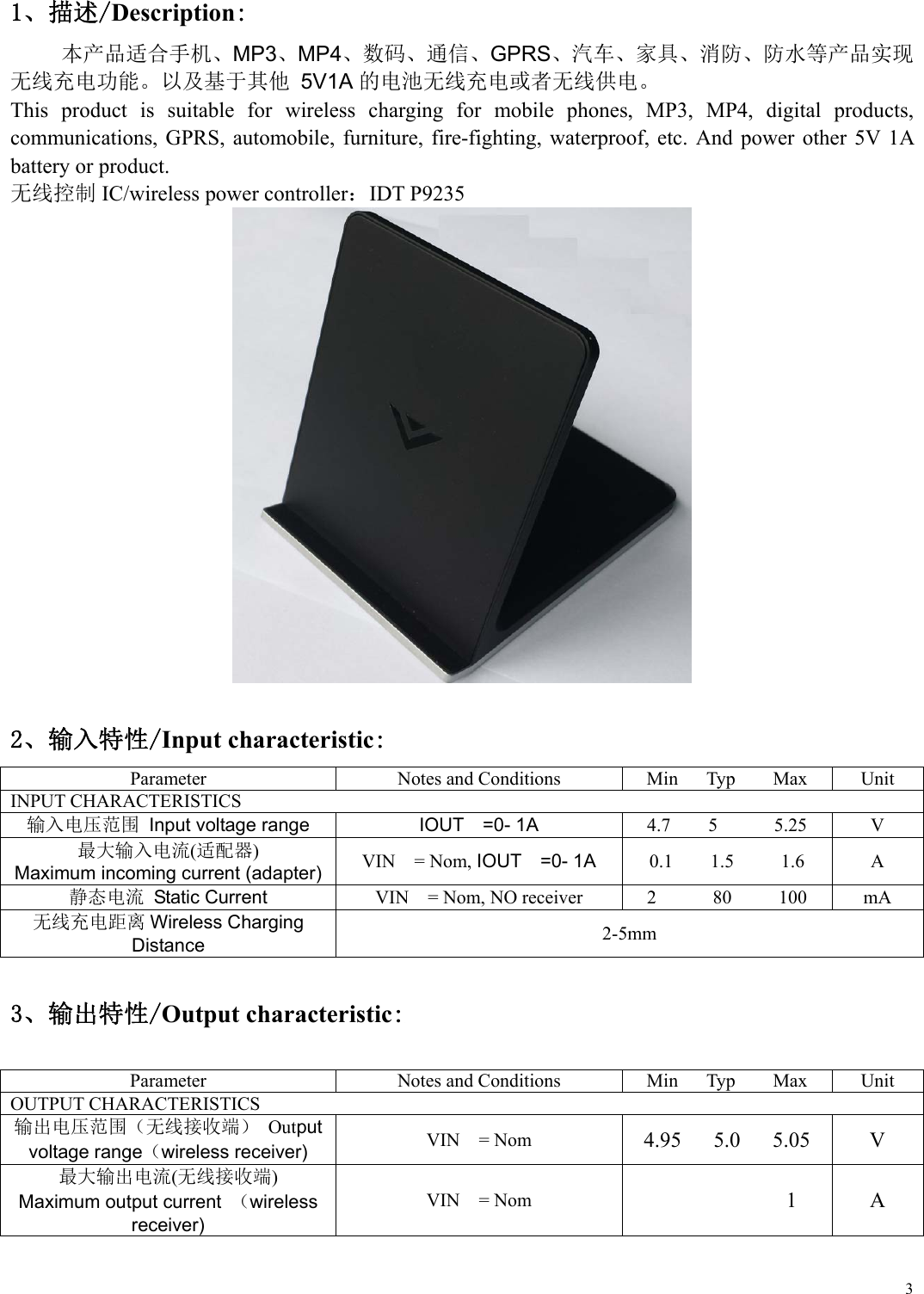
 31、描述/Description: 本产品适合手机、MP3、MP4、数码、通信、GPRS、汽车、家具、消防、防水等产品实现 无线充电功能。以及基于其他 5V1A的电池无线充电或者无线供电。 This  product  is  suitable  for  wireless  charging  for  mobile  phones,  MP3,  MP4,  digital  products, communications,  GPRS,  automobile, furniture, fire-fighting, waterproof,  etc.  And  power  other  5V 1A battery or product.   无线控制 IC/wireless power controller:IDT P9235    2、输入特性/Input characteristic: Parameter  Notes and Conditions  Min      Typ        Max  Unit INPUT CHARACTERISTICS 输入电压范围 Input voltage range IOUT    =0- 1A 4.7    5      5.25  V 最大输入电流(适配器) Maximum incoming current (adapter) VIN    = Nom, IOUT  =0- 1A 0.1    1.5     1.6  A 静态电流  Static Current  VIN    = Nom, NO receiver  2            80          100  mA 无线充电距离 Wireless Charging Distance  2-5mm  3、输出特性/Output characteristic:  Parameter Notes and Conditions Min      Typ        Max UnitOUTPUT CHARACTERISTICS   输出电压范围(无线接收端) Output voltage range(wireless receiver) VIN    = Nom 4.95      5.0      5.05  V 最大输出电流(无线接收端) Maximum output current  (wireless receiver) VIN    = Nom             1  A
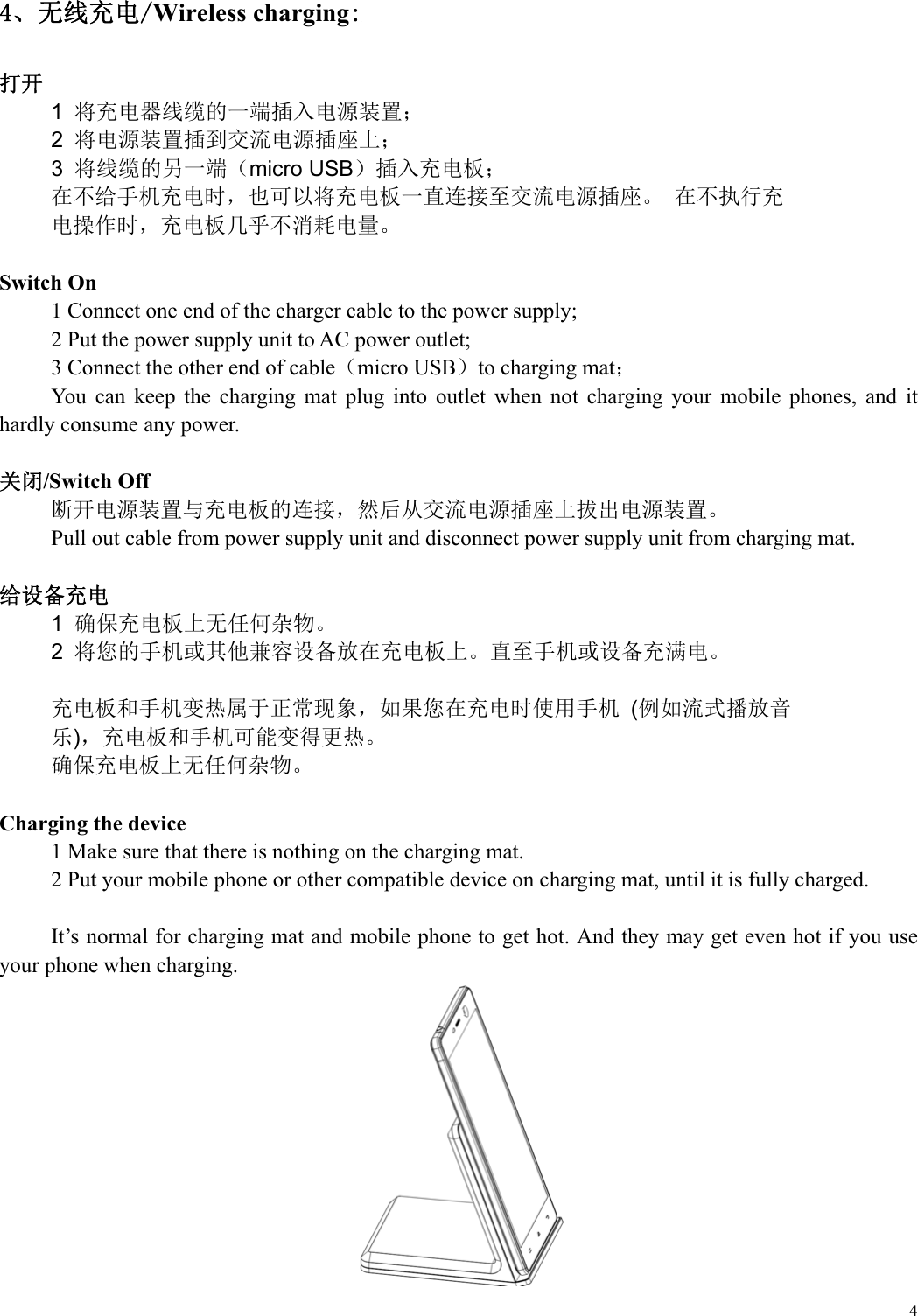
 44、无线充电/Wireless charging:  打开 1  将充电器线缆的一端插入电源装置; 2  将电源装置插到交流电源插座上; 3  将线缆的另一端(micro USB)插入充电板; 在不给手机充电时,也可以将充电板一直连接至交流电源插座。 在不执行充 电操作时,充电板几乎不消耗电量。  Switch On 1 Connect one end of the charger cable to the power supply; 2 Put the power supply unit to AC power outlet; 3 Connect the other end of cable(micro USB)to charging mat; You  can  keep  the  charging  mat  plug  into  outlet  when  not  charging  your  mobile  phones,  and  it hardly consume any power.  关闭/Switch Off 断开电源装置与充电板的连接,然后从交流电源插座上拔出电源装置。 Pull out cable from power supply unit and disconnect power supply unit from charging mat.  给设备充电 1  确保充电板上无任何杂物。 2  将您的手机或其他兼容设备放在充电板上。直至手机或设备充满电。  充电板和手机变热属于正常现象,如果您在充电时使用手机 (例如流式播放音 乐),充电板和手机可能变得更热。 确保充电板上无任何杂物。   Charging the device 1 Make sure that there is nothing on the charging mat. 2 Put your mobile phone or other compatible device on charging mat, until it is fully charged.  It’s normal for charging mat and mobile phone to get hot. And they may get even hot if you use your phone when charging.
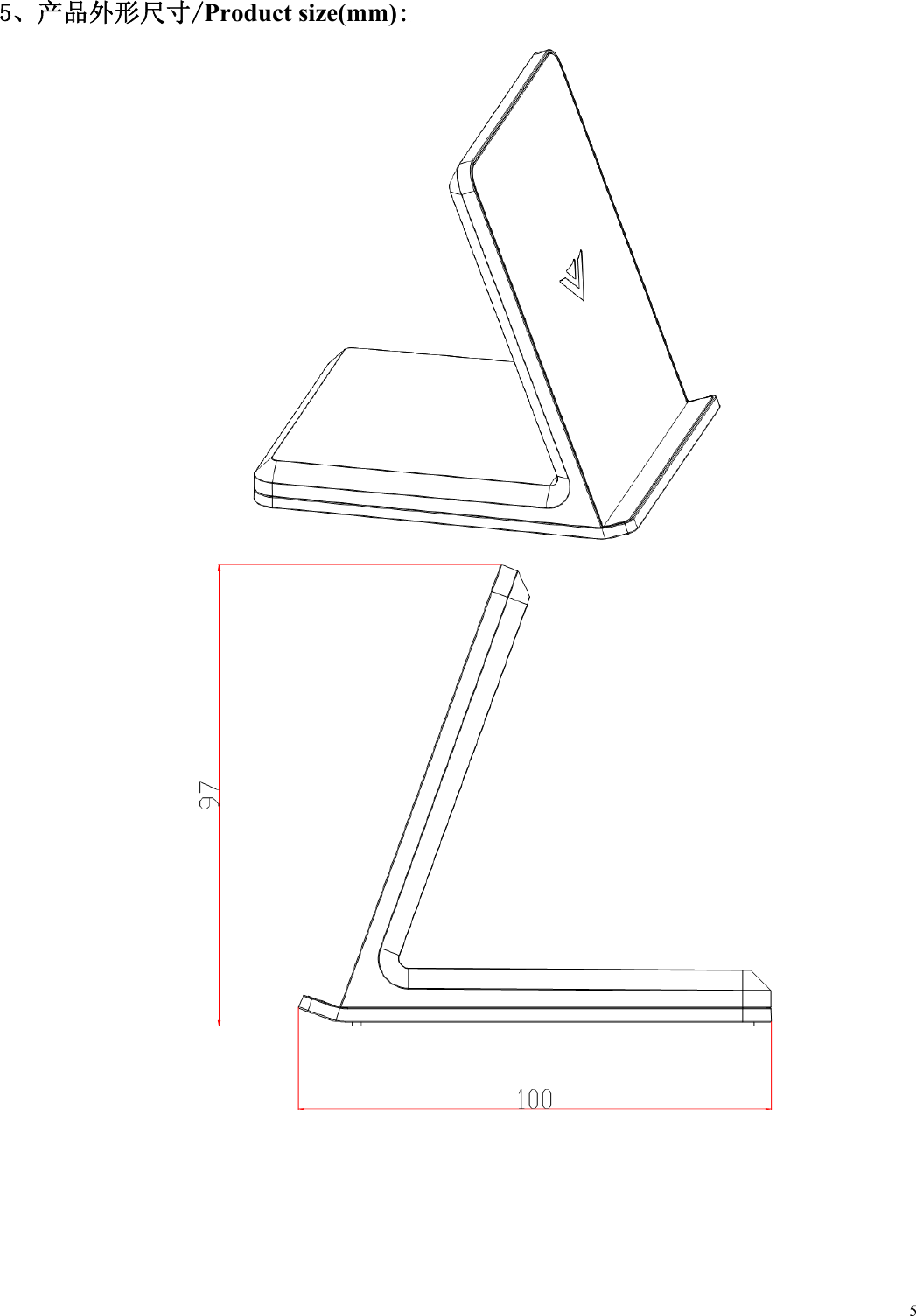
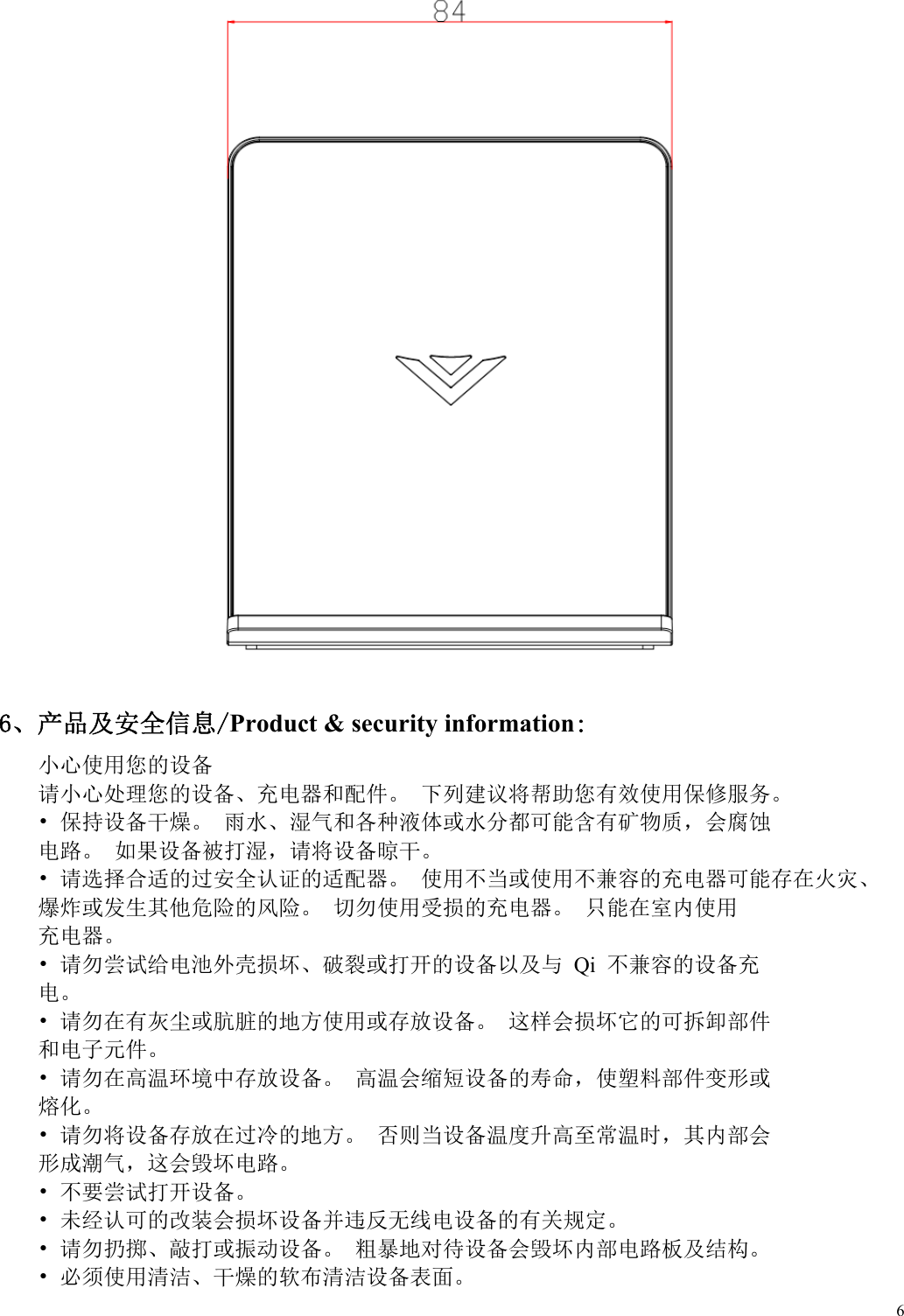
 55、产品外形尺寸/Product size(mm):
 6   6、产品及安全信息/Product & security information: 小心使用您的设备 请小心处理您的设备、充电器和配件。 下列建议将帮助您有效使用保修服务。 • 保持设备干燥。 雨水、湿气和各种液体或水分都可能含有矿物质,会腐蚀 电路。 如果设备被打湿,请将设备晾干。 • 请选择合适的过安全认证的适配器。 使用不当或使用不兼容的充电器可能存在火灾、 爆炸或发生其他危险的风险。 切勿使用受损的充电器。 只能在室内使用 充电器。 • 请勿尝试给电池外壳损坏、破裂或打开的设备以及与 Qi 不兼容的设备充 电。 • 请勿在有灰尘或肮脏的地方使用或存放设备。 这样会损坏它的可拆卸部件 和电子元件。 • 请勿在高温环境中存放设备。 高温会缩短设备的寿命,使塑料部件变形或 熔化。 • 请勿将设备存放在过冷的地方。 否则当设备温度升高至常温时,其内部会 形成潮气,这会毁坏电路。 • 不要尝试打开设备。 • 未经认可的改装会损坏设备并违反无线电设备的有关规定。 • 请勿扔掷、敲打或振动设备。 粗暴地对待设备会毁坏内部电路板及结构。 • 必须使用清洁、干燥的软布清洁设备表面。
 7 Take care of your device: handle your device,charger and accessories carefully. The following suggestions will help you use warranty service efficiently.    • Keep the device dry. Rain water, humidity and all kinds of liquids or water may contain minerals that corrode electronic circuits. If got wet, please make it dry.  •  Please  adopt  certificated  adapter.  Use  incompatible  adapter  may cause  fire,  explosion  or  other dangers. Don’t use damaged adapter, indoor use only.  • Do not attempt to charge the device which having a damaged, cracked or open battery case, or a device that is not compatible with Qi.  • Do not use or store the device in dusty and dirty places. It may damage its removable parts and components.  • Do not store it in high temperature environment, which will shorten its life and make the plastics wrap and melt.  •  Do  not  store  it in  cold  environment.  Moisture  can  form  inside  and  damage electronic  circuits when putting it in normal temperature.  • Do not attempt to open the device.  • Unauthorized modifications may damage  the  device  and violate related  regulations of  wireless communications.  • Do not cast, knock or shake the device. Rough handling can break its internal circuit boards and mechanics.  • Only use a soft, clean, dry cloth to clean the surface of the device.
FCC Warning  This device complies with part 15 of the FCC Rules. Operation is subject to the following two conditions: (1) This device may not cause harmful interference, and (2) this device must accept any interference received, including interference that may cause undesired operation.    Any Changes or modifications not expressly approved by the party responsible for compliance could void the user's authority to operate the equipment.    Note: This equipment has been tested and found to comply with the limits for a Class B digital device, pursuant to part 15 of the FCC Rules. These limits are designed to provide reasonable protection against harmful interference in a residential installation. This equipment generates uses and can radiate radio frequency energy and, if not installed and used in accordance with the instructions, may cause harmful interference to radio communications. However, there is no guarantee that interference will not occur in a particular installation. If this equipment does cause harmful interference to radio or television reception, which can be determined by turning the equipment off and on, the user is encouraged to try to correct the interference by one or more of the following measures:     -Reorient or relocate the receiving antenna.     -Increase the separation between the equipment and receiver.     -Connect the equipment into an outlet on a circuit different from that to which the receiver is connected.     -Consult the dealer or an experienced radio/TV technician for help.    RF warning: This equipment complies with FCC radiation exposure limits set forth for an uncontrolled environment. This equipment should be installed and operated with minimum distance 10cm between the radiator & your body.

Navigation menu