Breo Technology IDREAM5 HEAD MASSAGER User Manual

Shenzhen Breo Technology Co.,Ltd HEAD MASSAGER Users Manual

Users Manual

USERMANUALiDream 5HEAD MASSAGERThank you for purchasing BreoPlease read this manual carefully before using and keep it properly for future referenceHM-1ཤ䜘᤹᪙ಘ㤡᮷䈤᰾Җ PP 僁傜䪹㻵䇒
Instruction Instruction         Correct Disposal of this product. This markingindicates that this product should not be disposed with other household wastes throughout the EU. To prevent possible harm to the environment or human health from uncontrolled waste disposal, recycle it responsibly to promote the sustainable reuse of material resources. To return your used device. Please use the return and collection systems orcontact the retailer where the product was purchased.They can take this product for environmental safe recycling.--This appliance can be used by children aged from 8 years and above and persons with reduced physical,sensory or mental capability or lack of experience and knowledge if they have been given supervision or instruction concerning use of the appliance in a safe way and understand the hazards involved.--Children shall not play with the appliance.--Cleaning and user maintenance shall not be made by children without supervision.-details regarding safe disposal of used batteries;-the battery must be removed from the appliance before it is scrapped;-the appliance must be disconnect from the supply mains when removing the battery;-the battery is to be disposal of safely.
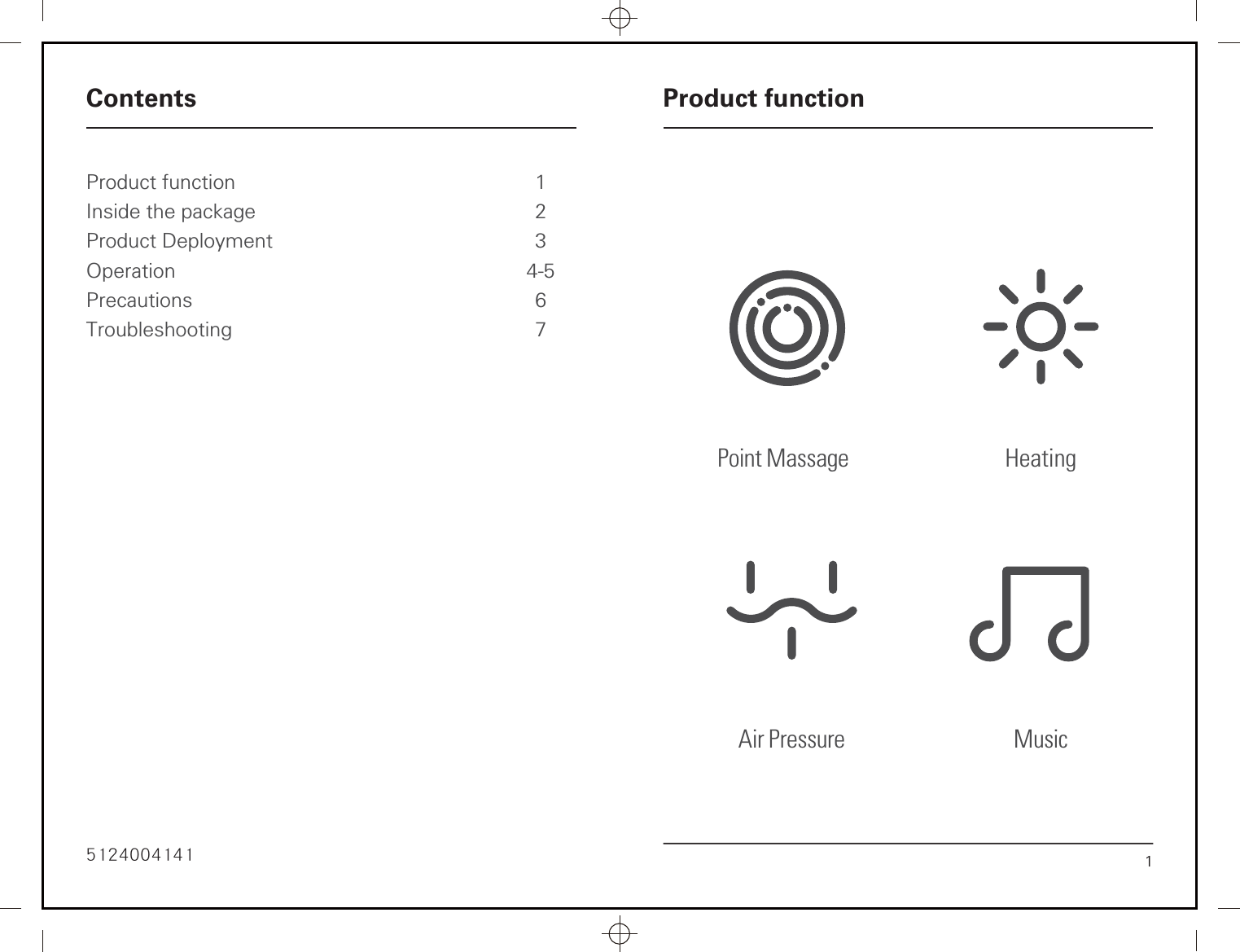
Product functionInside the packageProduct DeploymentOperationPrecautionsTroubleshooting1234-567Contents Product function16235115252Point Massage  HeatingAir Pressure Music
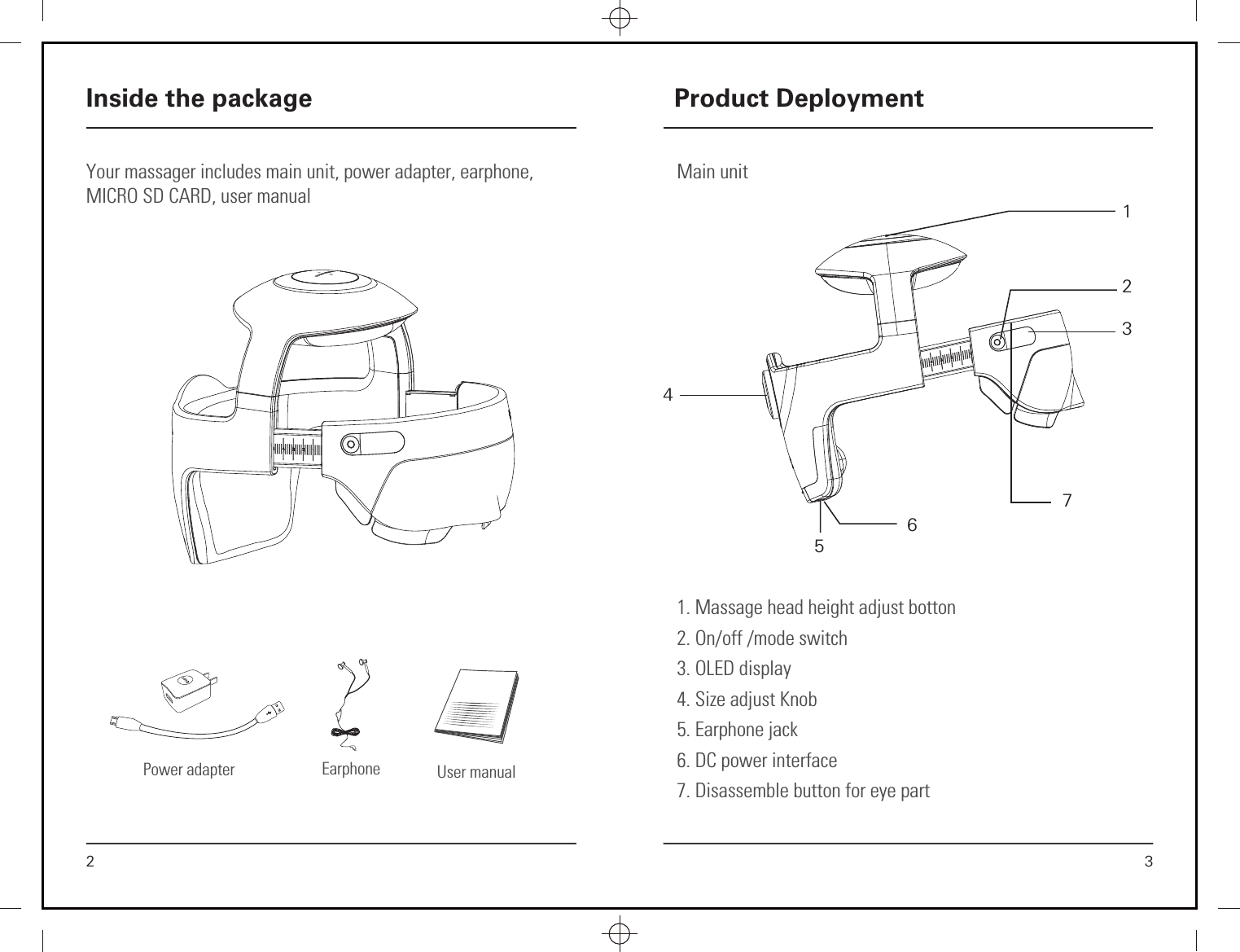
Main unit3Product Deployment1. Massage head height adjust botton2. On/off /mode switch3. OLED display4. Size adjust Knob  5. Earphone jack6. DC power interface7. Disassemble button for eye part1273456Your massager includes main unit, power adapter, earphone, MICRO SD CARD, user manual 2Inside the packageUser manualPower adapter Earphone
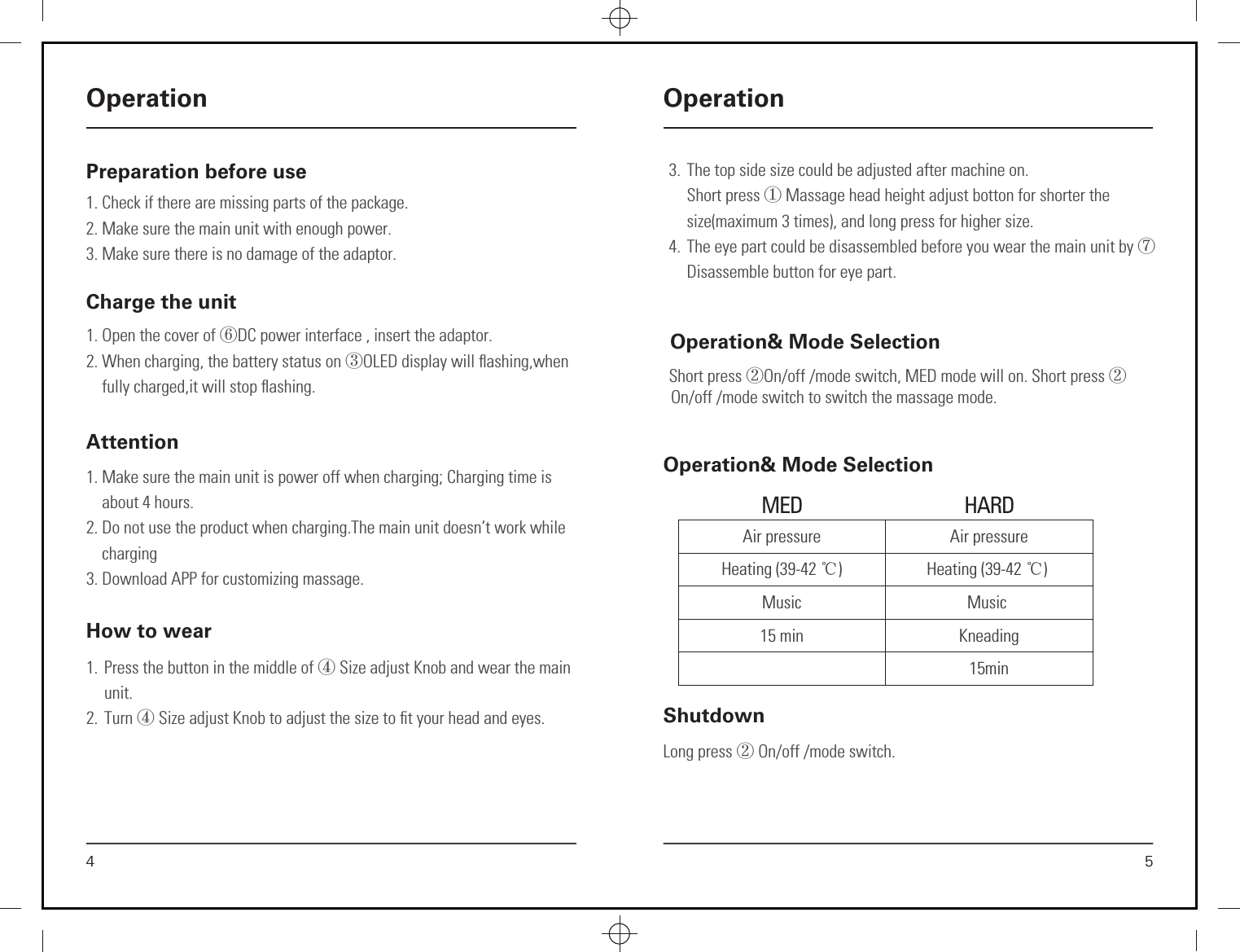
Preparation before use1. Check if there are missing parts of the package.2. Make sure the main unit with enough power.3. Make sure there is no damage of the adaptor.4OperationCharge the unit 1. Open the cover of ⑥DC power interface , insert the adaptor.2. When charging, the battery status on ③OLED display will flashing,when      fully charged,it will stop flashing.Attention1. Make sure the main unit is power off when charging; Charging time is       about 4 hours.2. Do not use the product when charging.The main unit doesn’t work while      charging3. Download APP for customizing massage.How to wear1.  Press the button in the middle of ④ Size adjust Knob and wear the main unit.2. Turn ④ Size adjust Knob to adjust the size to fit your head and eyes.Operation& Mode SelectionShort press ②On/off /mode switch, MED mode will on. Short press ②On/off /mode switch to switch the massage mode.5OperationLong press ② On/off /mode switch.ShutdownOperation& Mode SelectionAir pressureHeating (39-42 ć)Music15 minAir pressureHeating (39-42 ć) Music Kneading15minMED HARD3.  The top side size could be adjusted after machine on. Short press ① Massage head height adjust botton for shorter the size(maximum 3 times), and long press for higher size.4.  The eye part could be disassembled before you wear the main unit by ⑦Disassemble button for eye part.
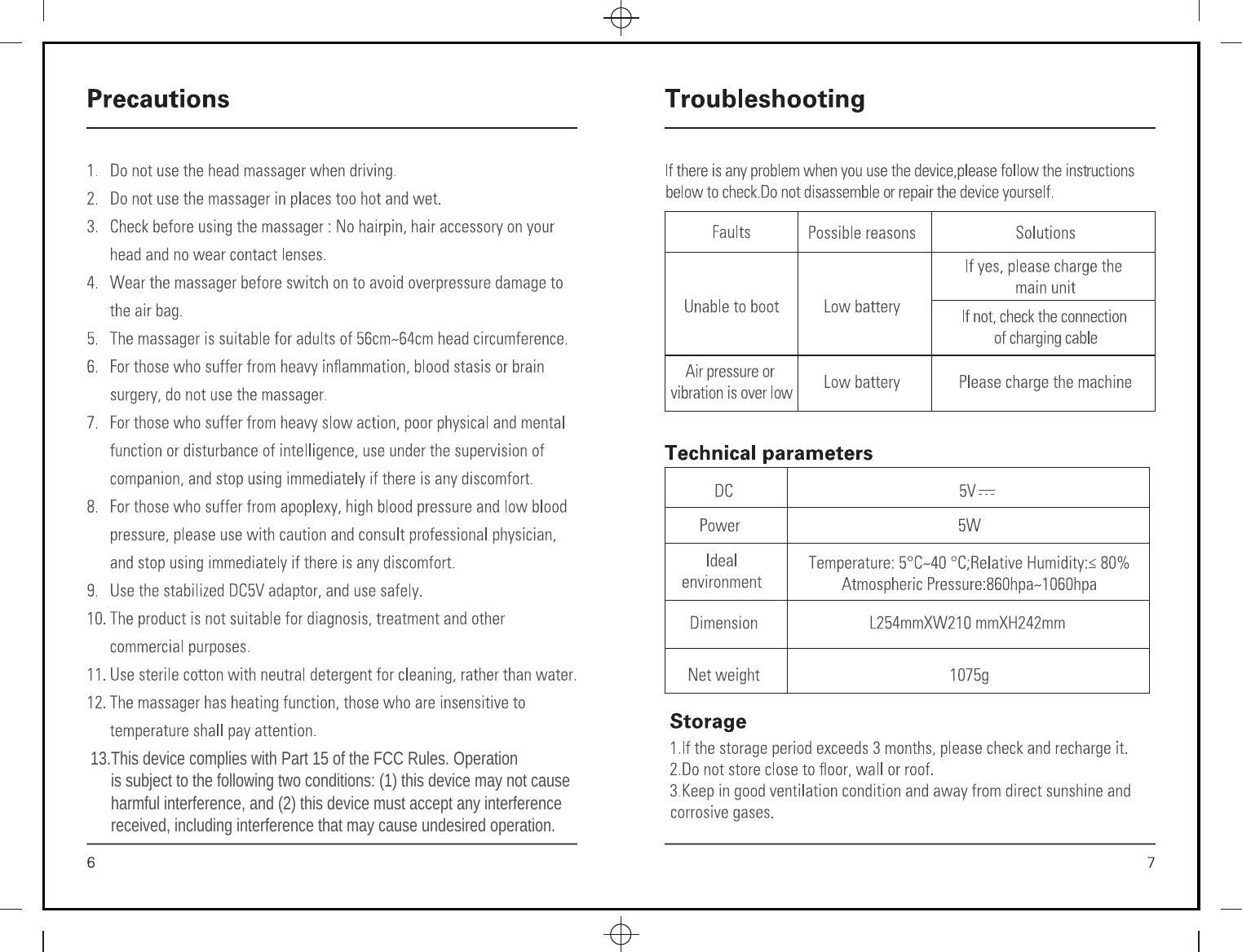
13.This device complies with Part 15 of the FCC Rules. Operation      is subject to the following two conditions: (1) this device may not cause      harmful interference, and (2) this device must accept any interference     received, including interference that may cause undesired operation.FCC StatementIC Statement
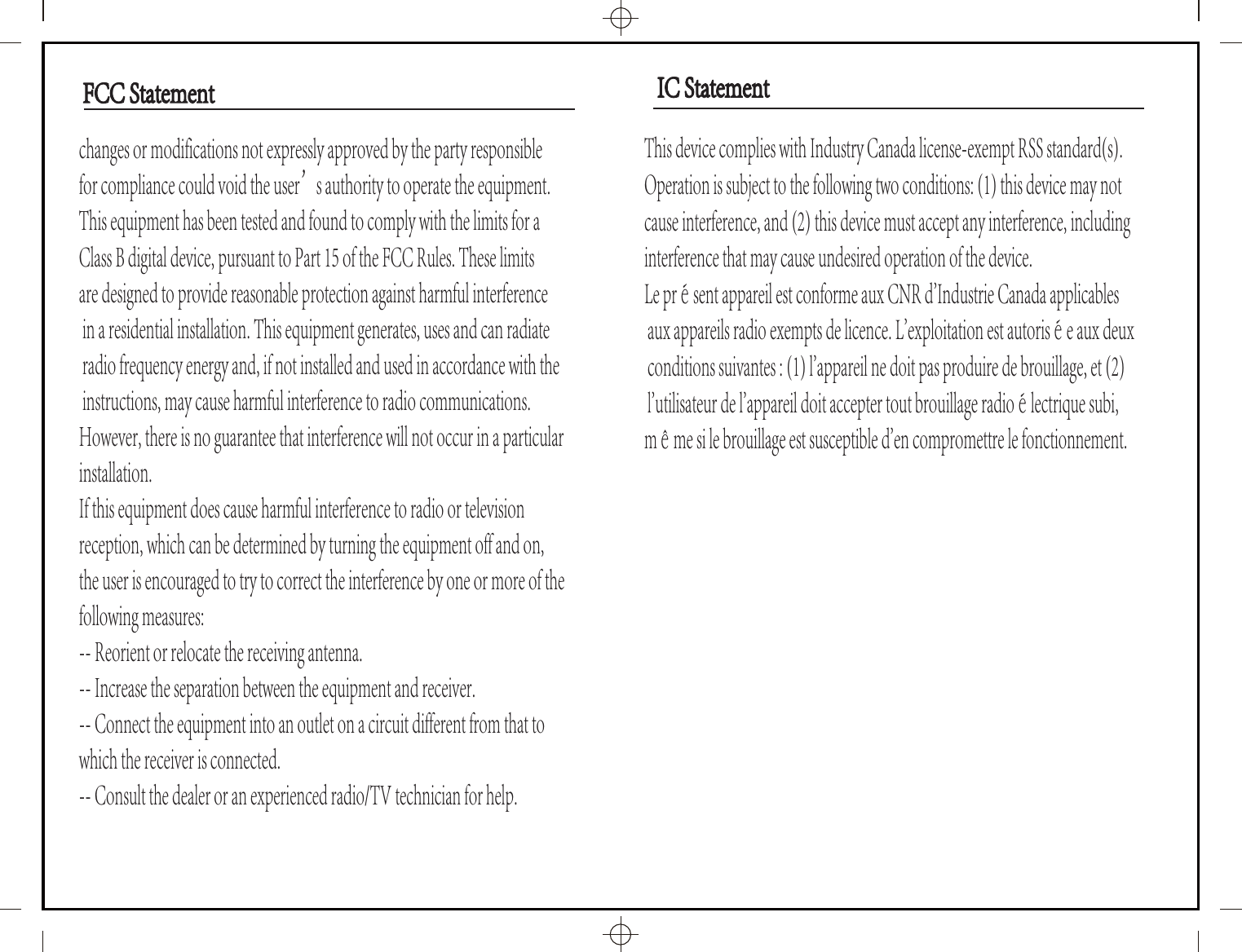
changes or modifications not expressly approved by the party responsible for compliance could void the user’s authority to operate the equipment.This equipment has been tested and found to comply with the limits for a Class B digital device, pursuant to Part 15 of the FCC Rules. These limits are designed to provide reasonable protection against harmful interference in a residential installation. This equipment generates, uses and can radiate radio frequency energy and, if not installed and used in accordance with the instructions, may cause harmful interference to radio communications. However, there is no guarantee that interference will not occur in a particular installation.If this equipment does cause harmful interference to radio or television reception, which can be determined by turning the equipment off and on, the user is encouraged to try to correct the interference by one or more of the following measures:-- Reorient or relocate the receiving antenna.-- Increase the separation between the equipment and receiver.-- Connect the equipment into an outlet on a circuit different from that to which the receiver is connected.-- Consult the dealer or an experienced radio/TV technician for help.This device complies with Industry Canada license-exempt RSS standard(s). Operation is subject to the following two conditions: (1) this device may not cause interference, and (2) this device must accept any interference, including interference that may cause undesired operation of the device.Le présent appareil est conforme aux CNR d'Industrie Canada applicables aux appareils radio exempts de licence. L'exploitation est autorisée aux deux conditions suivantes : (1) l'appareil ne doit pas produire de brouillage, et (2) l'utilisateur de l'appareil doit accepter tout brouillage radioélectrique subi, même si le brouillage est susceptible d'en compromettre le fonctionnement.IC StatementIC StatementFCC StatementFCC Statement

Navigation menu