Brunswick Bowling and Billiards 57-863703-400 Brunswick Sync Tablet User Manual Brunswick Touchpad
Brunswick Bowling & Billiards Corporation Brunswick Sync Tablet Brunswick Touchpad
User manual
User manual
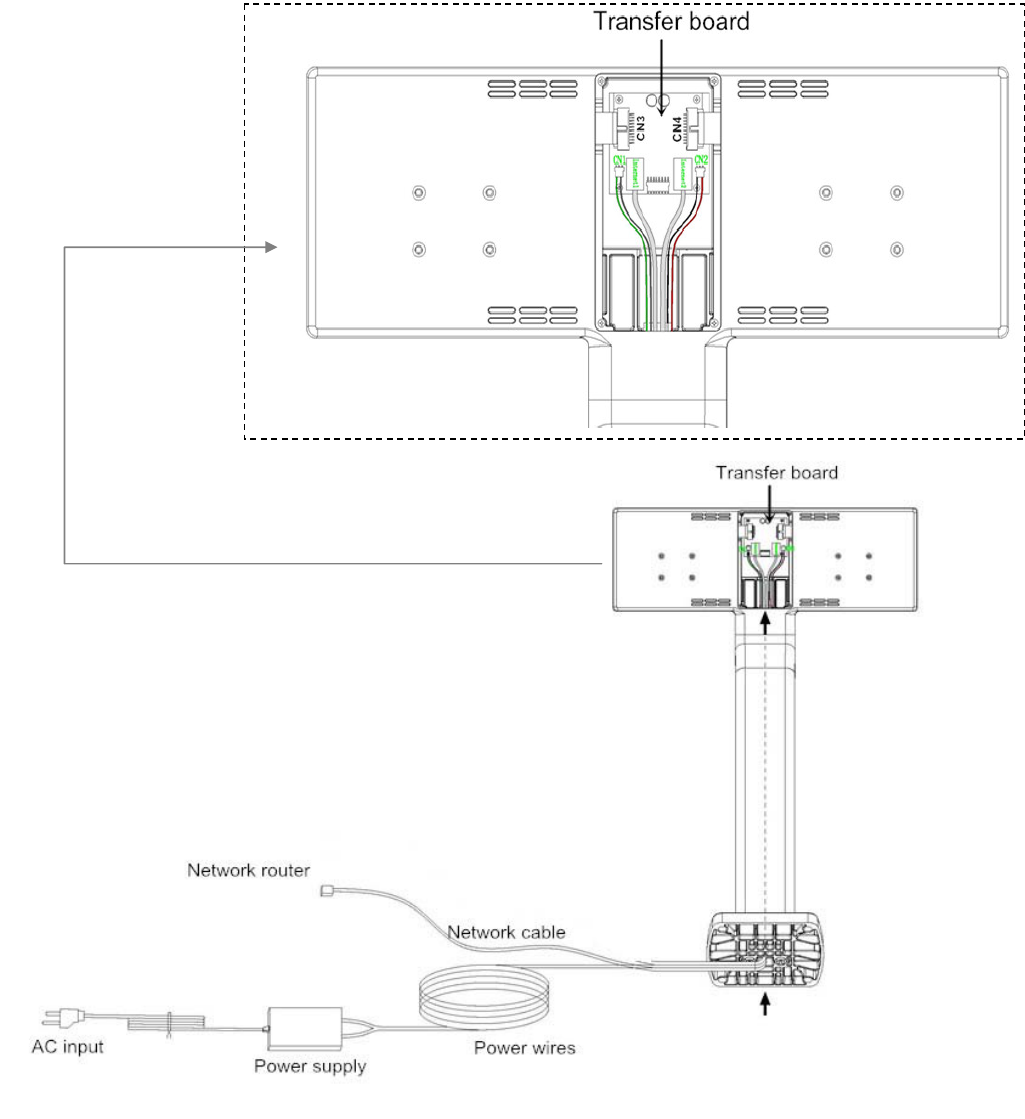
1. Back view
a. Assemble the transfer board into the socket of the pedestal.
b. The network cables and power wires go through the stem of the pedestal.
c. Connect the network cables from network router to the RJ45 sockets on the transfer board.
d. Connect the power wires from the power supply to jacks CN1,CN2 on the transfer board.
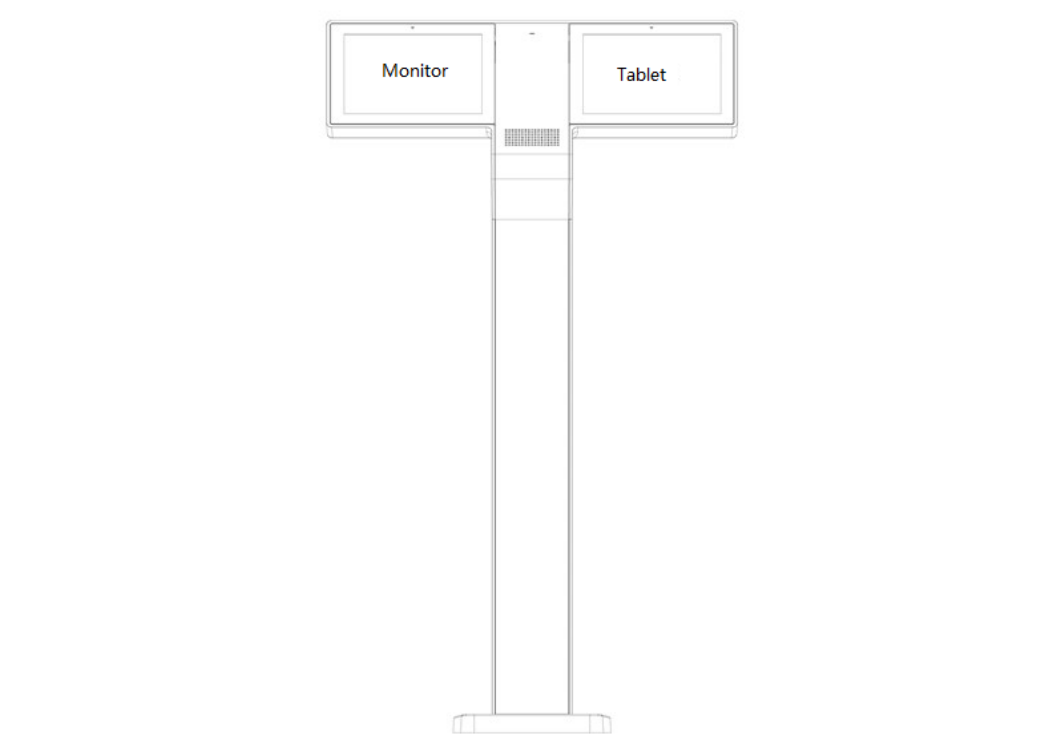
2. Front view
a. Put the Sync tablets into the trays of the pedestal.
b. Connect the cables from tablets to CN3 on the transfer board.
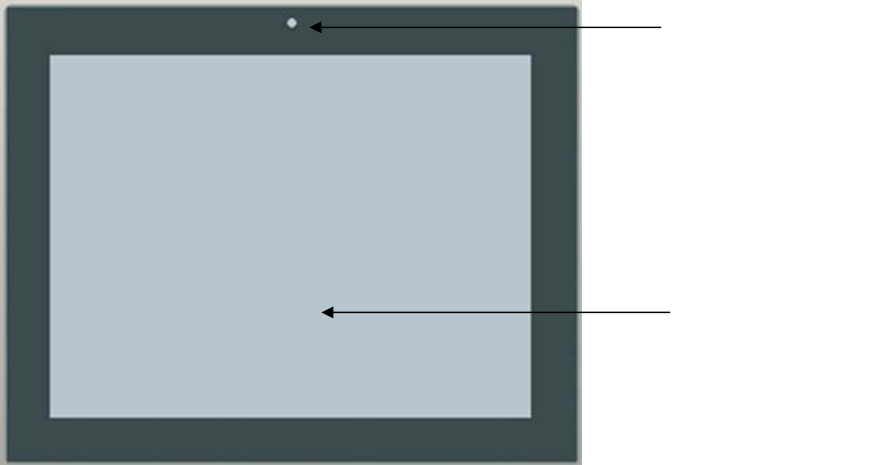
Tablet:
1. Outline
2. Specification
Dimension: 253.6mm*202.7mm*24mm
Power supply: DC 12V 1.5A
Screen: 10.4 inch
Camera: 0.2 Megapixels
Resolution: 1280 x 1024 pixels
3. Turn on/ Turn off
a. Supply AC power to the pedestal, the tablet will automatically turn on.
b. Disconnect AC power to the pedestal, the tablet will be turned off.
4. In the main menu, choose the APK to operate.
Camera
Touch panel
FCC Warning Statements:
You are cautioned that changes or modifications not expressly approved by the party
responsible for compliance could void your authority to operate the equipment.
This device complies with Part 15 of the FCC Rules. Operation is subject to the
following two conditions:
(1) this device may not cause harmful interference, and
(2) this device must accept any interference received, including interference that
may cause undesired operation.
This equipment complies with FCC RF radiation exposure limits set forth for an
uncontrolled environment. This equipment must be installed and operated with a
minimum distance of 20 centimeters between the radiator and your body.