CCA Electronic Factory SP-1310BH Bluetooth Speaker User Manual SP 1310 x

Shenzhen CCA Electronic Factory Bluetooth Speaker SP 1310 x

USERS MANUAL

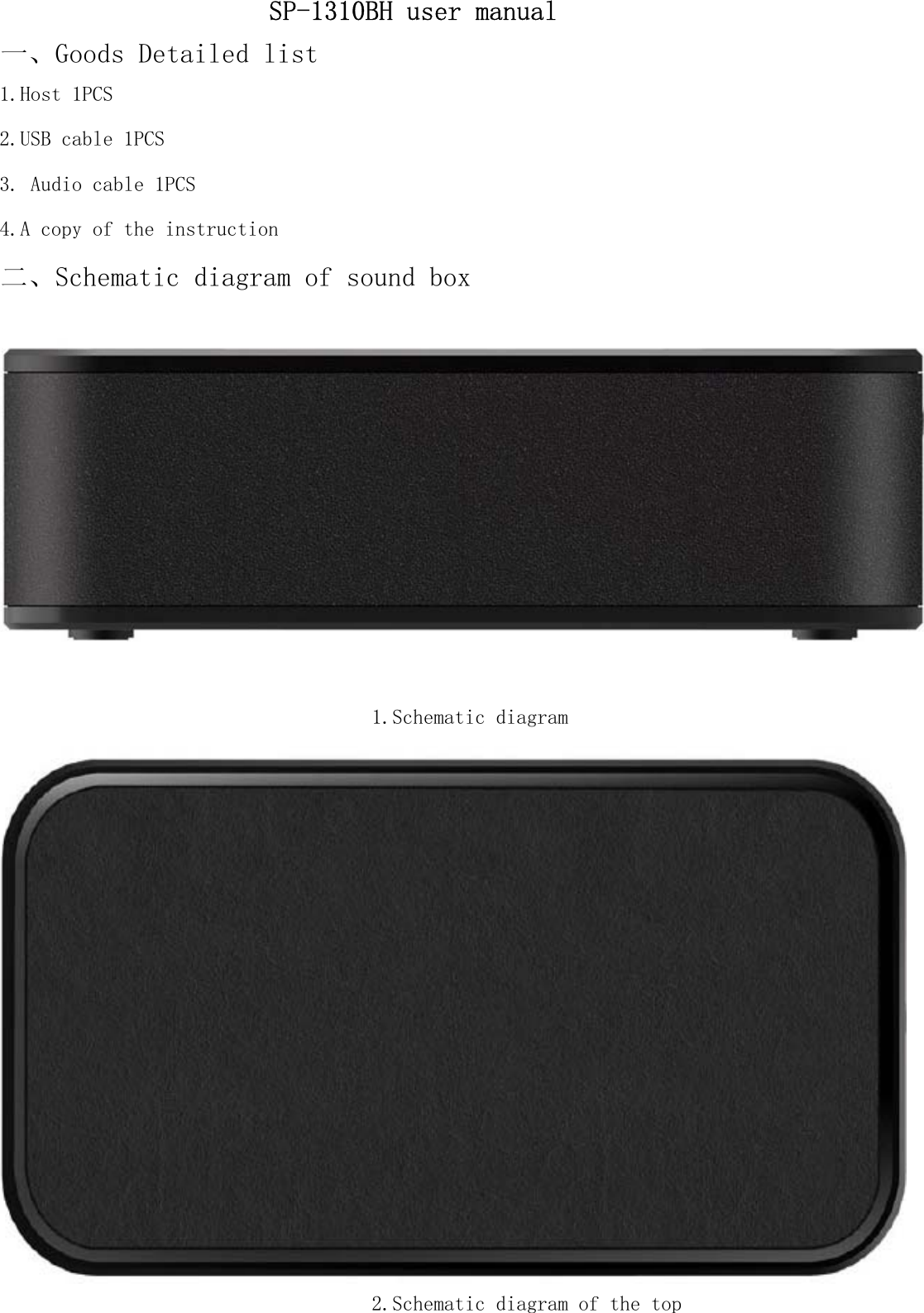
1.Schematic diagram2.Schematic diagram of the top3. Audio cable 1PCSSP-1310BH user manual一、Goods Detailed list1.Host 1PCS2.USB cable 1PCS4.A copy of the instruction二、Schematic diagram of sound box
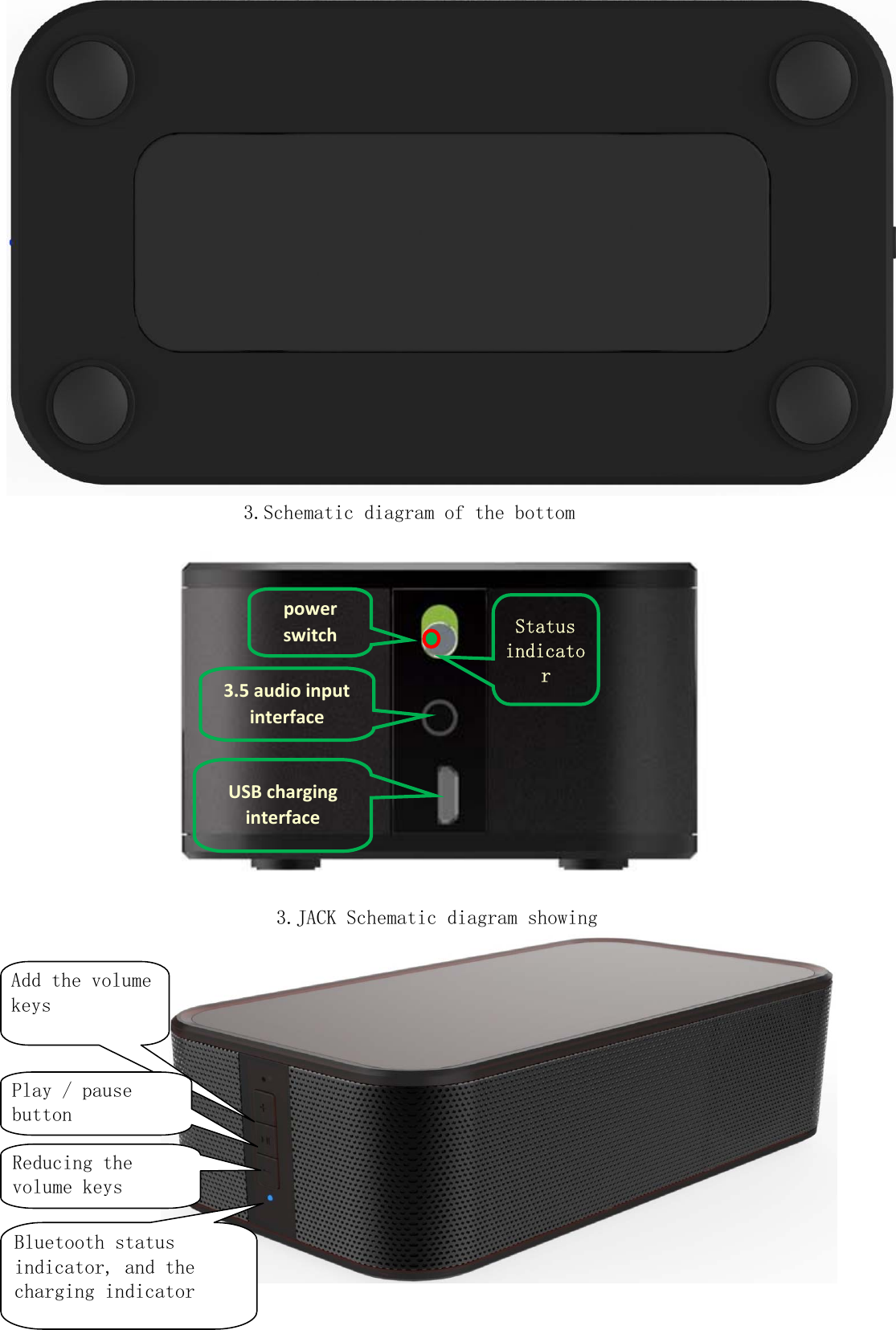
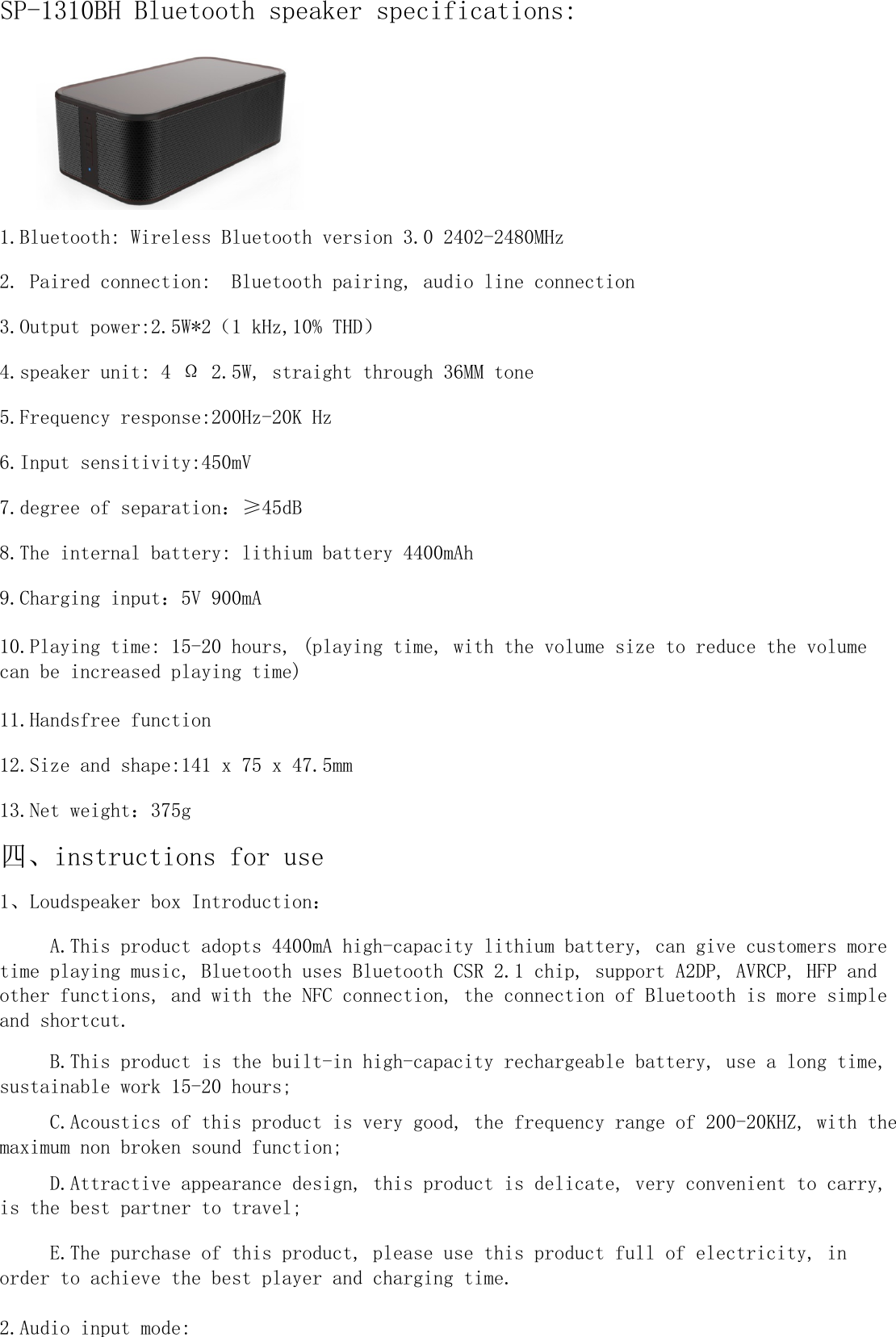
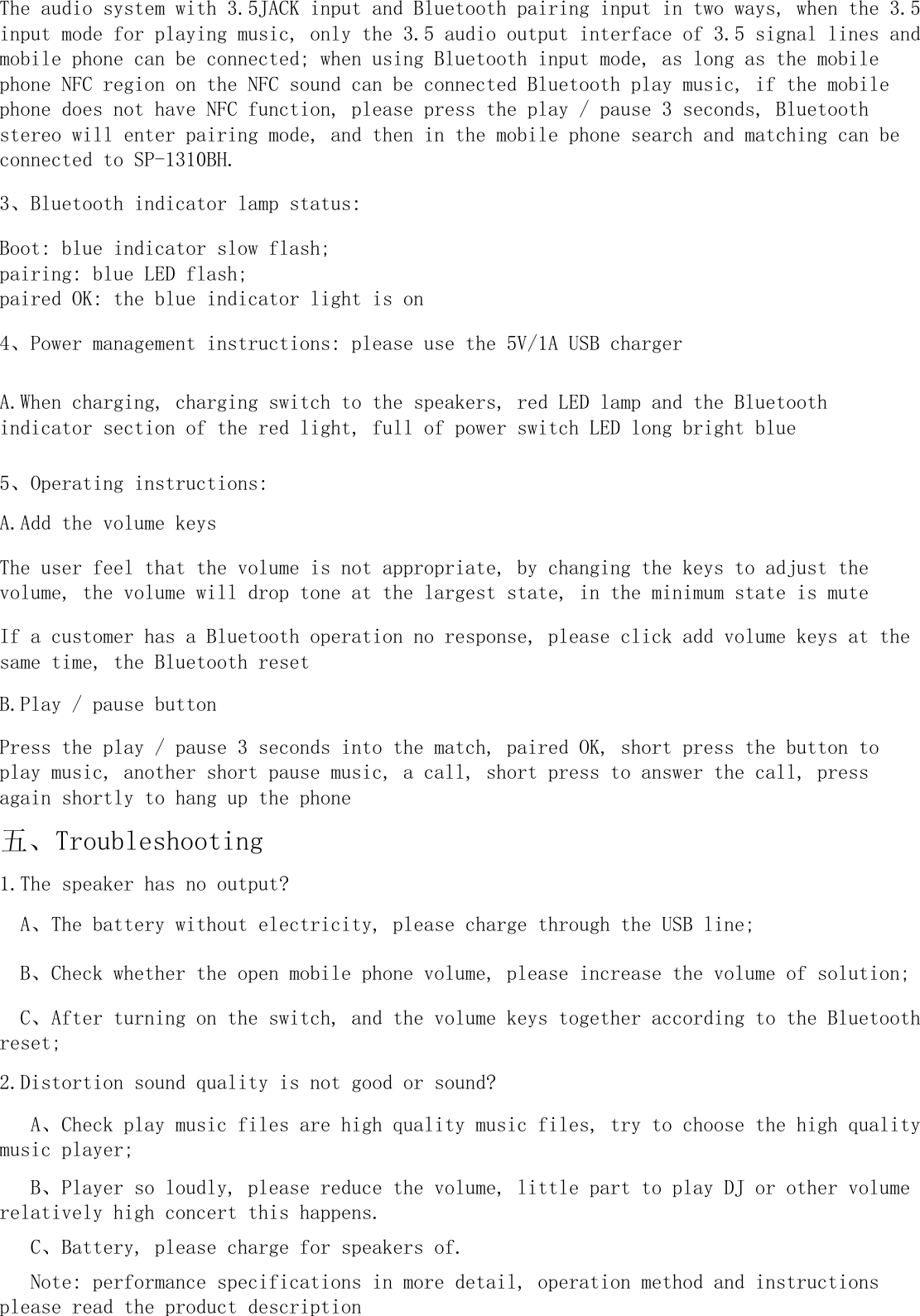
3.Schematic diagram of the bottom3.JACK Schematic diagram showing3.5audioinputinterfaceUSBcharginginterfacepowerswitch StatusindicatorAdd the volumekeysPlay / pausebuttonReducing thevolume keysBluetooth statusindicator, and thecharging indicator
1.Bluetooth: Wireless Bluetooth version 3.0 2402-2480MHz四、instructions for use1、Loudspeaker box Introduction:2.Audio input mode:2. Paired connection:  Bluetooth pairing, audio line connection     D.Attractive appearance design, this product is delicate, very convenient to carry,is the best partner to travel;     E.The purchase of this product, please use this product full of electricity, inorder to achieve the best player and charging time.10.Playing time: 15-20 hours, (playing time, with the volume size to reduce the volumecan be increased playing time)     A.This product adopts 4400mA high-capacity lithium battery, can give customers moretime playing music, Bluetooth uses Bluetooth CSR 2.1 chip, support A2DP, AVRCP, HFP andother functions, and with the NFC connection, the connection of Bluetooth is more simpleand shortcut.SP-1310BH Bluetooth speaker specifications:3.Output power:2.5W*2(1 kHz,10% THD)     B.This product is the built-in high-capacity rechargeable battery, use a long time,sustainable work 15-20 hours;     C.Acoustics of this product is very good, the frequency range of 200-20KHZ, with themaximum non broken sound function;6.Input sensitivity:450mV8.The internal battery: lithium battery 4400mAh9.Charging input:5V 900mA4.speaker unit: 4 Ω 2.5W, straight through 36MM tone5.Frequency response:200Hz-20K Hz11.Handsfree function12.Size and shape:141 x 75 x 47.5mm13.Net weight:375g7.degree of separation:≥45dB
The user feel that the volume is not appropriate, by changing the keys to adjust thevolume, the volume will drop tone at the largest state, in the minimum state is muteThe audio system with 3.5JACK input and Bluetooth pairing input in two ways, when the 3.5input mode for playing music, only the 3.5 audio output interface of 3.5 signal lines andmobile phone can be connected; when using Bluetooth input mode, as long as the mobilephone NFC region on the NFC sound can be connected Bluetooth play music, if the mobilephone does not have NFC function, please press the play / pause 3 seconds, Bluetoothstereo will enter pairing mode, and then in the mobile phone search and matching can beconnected to SP-1310BH.3、Bluetooth indicator lamp status:Boot: blue indicator slow flash;pairing: blue LED flash;paired OK: the blue indicator light is on1.The speaker has no output?  A、The battery without electricity, please charge through the USB line;  B、Check whether the open mobile phone volume, please increase the volume of solution;  C、After turning on the switch, and the volume keys together according to the Bluetoothreset;2.Distortion sound quality is not good or sound?   A、Check play music files are high quality music files, try to choose the high qualitymusic player;   B、Player so loudly, please reduce the volume, little part to play DJ or other volumerelatively high concert this happens.   C、Battery, please charge for speakers of.5、Operating instructions:A.Add the volume keys   Note: performance specifications in more detail, operation method and instructionsplease read the product description4、Power management instructions: please use the 5V/1A USB chargerA.When charging, charging switch to the speakers, red LED lamp and the Bluetoothindicator section of the red light, full of power switch LED long bright blue五、TroubleshootingIf a customer has a Bluetooth operation no response, please click add volume keys at thesame time, the Bluetooth resetB.Play / pause buttonPress the play / pause 3 seconds into the match, paired OK, short press the button toplay music, another short pause music, a call, short press to answer the call, pressagain shortly to hang up the phone
Federal Communications Commission (FCC) Statement      This device complies with part 15 of the FCC Rules. Operation is subject to the following two conditions: (1) This device may not cause harmful interference, and (2) this device must accept any interference received, including interference that may cause undesired operation.          Note: This equipment has been tested and found to comply with the limits for a Class B digital device, pursuant to part 15 of the FCC Rules. These limits are designed to provide reasonable protection against harmful interference in a residential installation. This equipment generates, uses and can radiate radio frequency energy and, if not installed and used in accordance with the instructions, may cause harmful interference to radio communications. However, there is no guarantee that interference will not occur in a particular installation. If this equipment does cause harmful interference to radio or television reception, which can be determined by turning the equipment off and on, the user is encouraged to try to correct the interference by one or more of the following measures:        z Reorient or relocate the receiving antenna.         z Increase the separation between the equipment and receiver.     z Connect the equipment into an outlet on a circuit different from that to which the receiver is connected.     z Consult the dealer or an experienced radio/TV technician for help.        Warning: Changes or modifications made to this device not expressly approved by Shenzhen CCA Electronic Factory may void the FCC authorization to operate this device.      Note: The manufacturer is not responsible for any radio or tv interference caused by unauthorized modifications to this equipment. Such modifications could void the user’s authority to operate the equipment.

Navigation menu