CCT Tech Advanced KX-TC1461 900 MHz Cordless Phone User Manual PQQX13231ZA

CCT Tech Advanced Products Limited 900 MHz Cordless Phone PQQX13231ZA

Contents

Users Manual

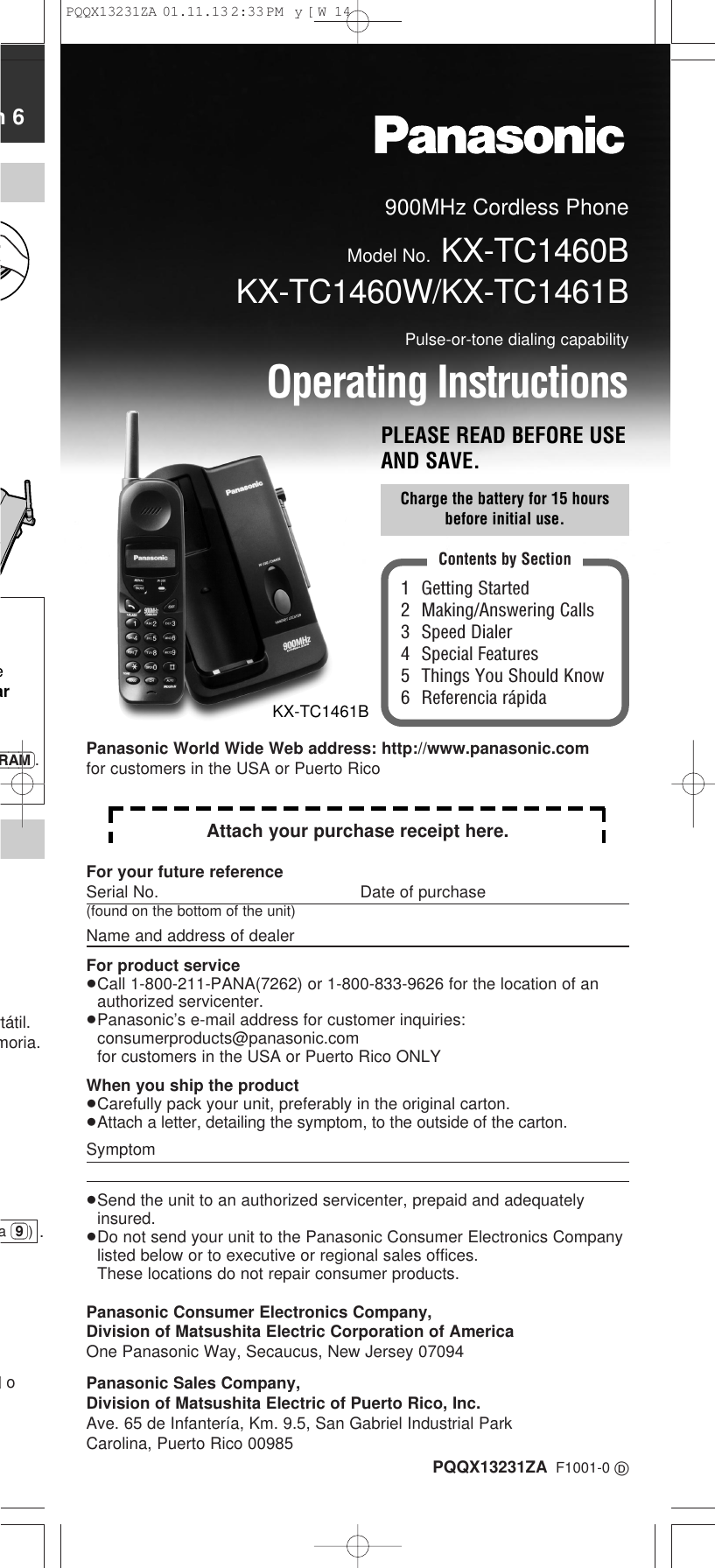
900MHz Cordless PhoneModel No. KX-TC1460BKX-TC1460W/KX-TC1461BPulse-or-tone dialing capabilityOperating InstructionsPLEASE READ BEFORE USEAND SAVE.PQQX13231ZA F1001-0 D1 Getting Started2 Making/Answering Calls3 Speed Dialer4 Special Features5 Things You Should Know6 Referencia rápidaContents by SectionCharge the battery for 15 hoursbefore initial use.KX-TC1461Bn 6earRAM).rtátil.moria..)oa (9))For your future referenceSerial No. Date of purchase(found on the bottom of the unit)Name and address of dealerFor product service≥Call 1-800-211-PANA(7262) or 1-800-833-9626 for the location of anauthorized servicenter.≥Panasonic’s e-mail address for customer inquiries: consumerproducts@panasonic.comfor customers in the USA or Puerto Rico ONLYWhen you ship the product≥Carefully pack your unit, preferably in the original carton.≥Attach a letter, detailing the symptom, to the outside of the carton.Symptom≥Send the unit to an authorized servicenter, prepaid and adequatelyinsured.≥Do not send your unit to the Panasonic Consumer Electronics Companylisted below or to executive or regional sales offices. These locations do not repair consumer products.Panasonic Consumer Electronics Company,Division of Matsushita Electric Corporation of AmericaOne Panasonic Way, Secaucus, New Jersey 07094Panasonic Sales Company,Division of Matsushita Electric of Puerto Rico, Inc.Ave. 65 de Infantería, Km. 9.5, San Gabriel Industrial ParkCarolina, Puerto Rico 00985Attach your purchase receipt here.Panasonic World Wide Web address: http://www.panasonic.comfor customers in the USA or Puerto RicoPQQX13231ZA  01.11.13 2:33 PM  y[W  14
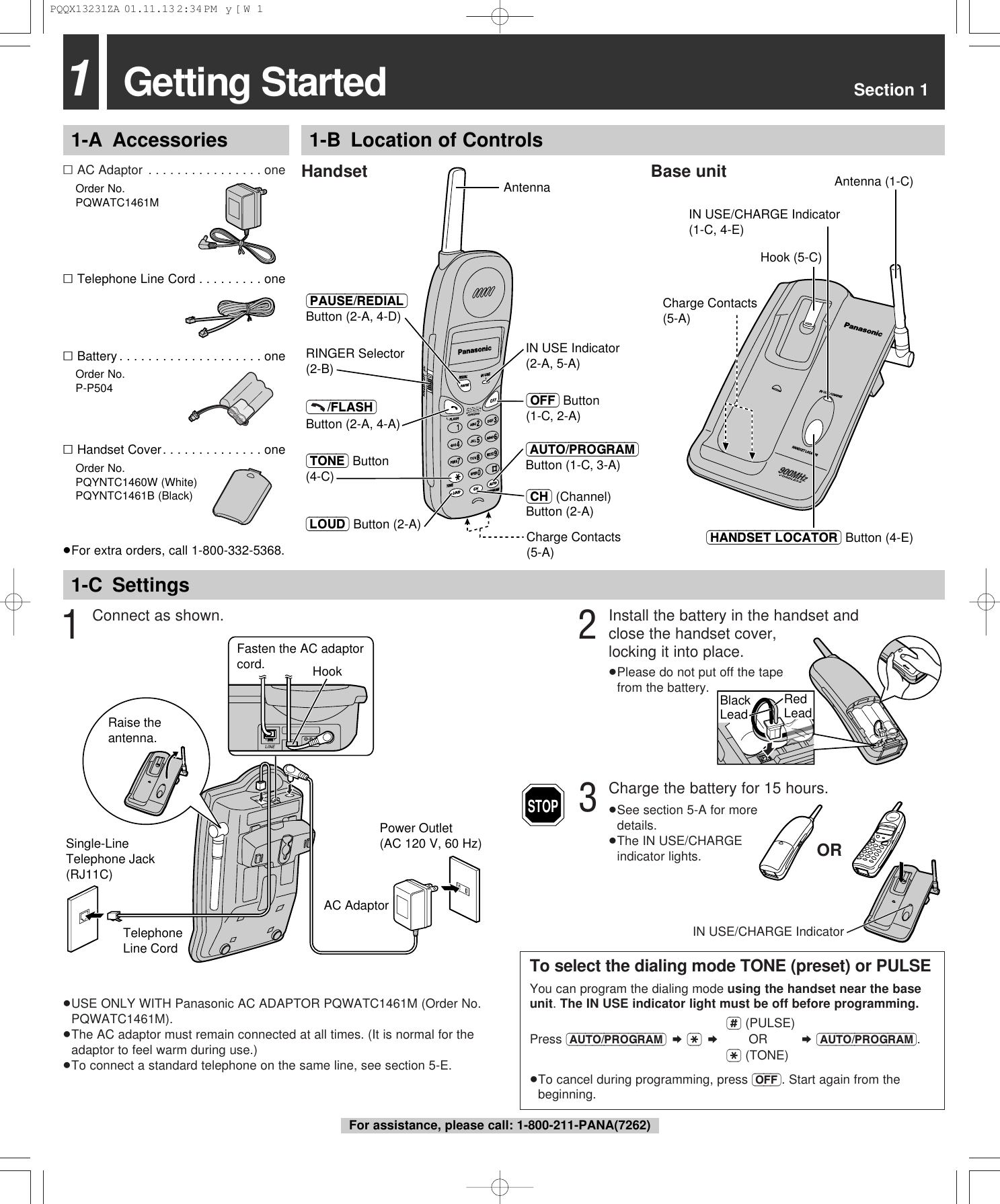
Getting Started Section 111-A Accessories 1-B Location of Controls1-C Settings∑AC Adaptor . . . . . . . . . . . . . . . . one∑Order No.PQWATC1461M∑Telephone Line Cord . . . . . . . . . one∑Battery . . . . . . . . . . . . . . . . . . . . one∑Order No.P-P504∑Handset Cover. . . . . . . . . . . . . . one∑Order No.PQYNTC1460W (White)PQYNTC1461B (Black)≥For extra orders, call 1-800-332-5368.3Charge the battery for 15 hours.≥See section 5-A for more details.≥The IN USE/CHARGE indicator lights.Handset Base unit≥USE ONLY WITH Panasonic AC ADAPTOR PQWATC1461M (Order No.PQWATC1461M).≥The AC adaptor must remain connected at all times. (It is normal for theadaptor to feel warm during use.)≥To connect a standard telephone on the same line, see section 5-E.ORIN USE/CHARGE IndicatorTo select the dialing mode TONE (preset) or PULSEYou can program the dialing mode using the handset near the baseunit. The IN USE indicator light must be off before programming.(#) (PULSE)Press (AUTO/PROGRAM) ¤ ($) ¤OR ¤ (AUTO/PROGRAM).($) (TONE)≥To cancel during programming, press (OFF). Start again from thebeginning.STOP1Connect as shown.Power Outlet(AC 120 V, 60 Hz)AC AdaptorTelephone Line CordSingle-Line Telephone Jack (RJ11C)Raise the antenna.Fasten the AC adaptor cord. HookCharge Contacts (5-A)IN USE/CHARGE Indicator (1-C, 4-E)(HANDSET\LOCATOR) Button (4-E)Antenna (1-C) Hook (5-C) CORDLESSz  900  M H IN USE Indicator (2-A, 5-A)Antenna(PAUSE/REDIAL) Button (2-A, 4-D)Charge Contacts (5-A)(–––/FLASH) Button (2-A, 4-A)(AUTO/PROGRAM) Button (1-C, 3-A)(LOUD) Button (2-A)(OFF) Button (1-C, 2-A)RINGER Selector (2-B)(TONE) Button (4-C)(CH) (Channel) Button (2-A)2Install the battery in the handset andclose the handset cover, locking it into place.≥Please do not put off the tape from the battery.Red LeadBlack LeadFor assistance, please call: 1-800-211-PANA(7262)PQQX13231ZA  01.11.13 2:34 PM  y[W  1
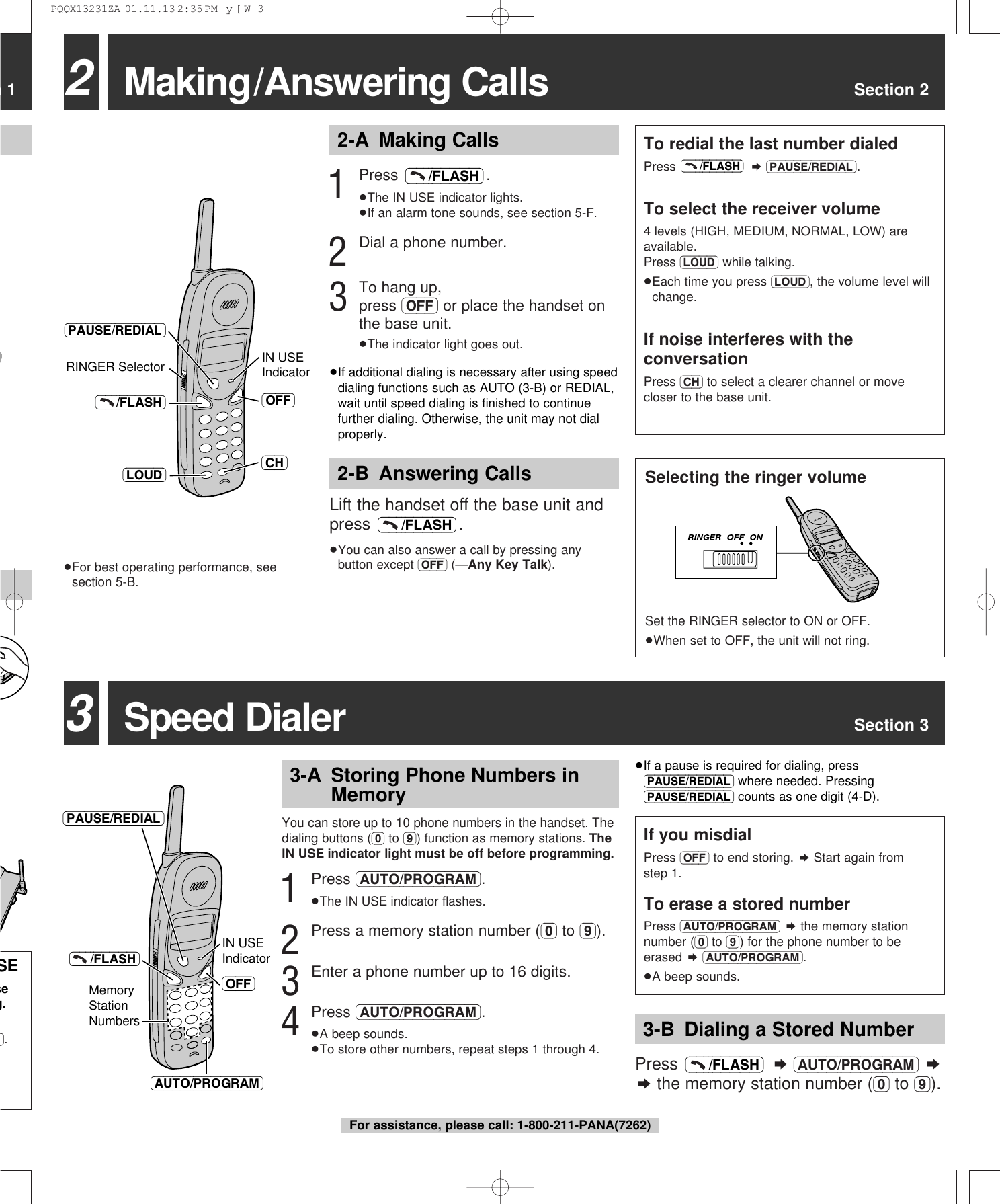
3Speed Dialer Section 3n 1SEseg.M). IN USE Indicator(OFF)(–––/FLASH)Memory Station Numbers(AUTO/PROGRAM)(PAUSE/REDIAL)2Making/Answering Calls Section 22-A Making Calls2-B Answering Calls≥For best operating performance, seesection 5-B.(CH)RINGER Selector IN USE Indicator(OFF)(PAUSE/REDIAL)(LOUD)(–––/FLASH)1Press .≥The IN USE indicator lights.≥If an alarm tone sounds, see section 5-F.2Dial a phone number.3To hang up, press (OFF) or place the handset onthe base unit.≥The indicator light goes out.(–––/FLASH)Lift the handset off the base unit andpress .≥You can also answer a call by pressing anybutton except (OFF) (—Any Key Talk).(–––/FLASH)Selecting the ringer volumeSet the RINGER selector to ON or OFF.≥When set to OFF, the unit will not ring.To redial the last number dialedPress  ¤(PAUSE/REDIAL).To select the receiver volume4 levels (HIGH, MEDIUM, NORMAL, LOW) areavailable.Press (LOUD) while talking.≥Each time you press (LOUD), the volume level willchange.If noise interferes with theconversationPress (CH) to select a clearer channel or movecloser to the base unit.(–––/FLASH)You can store up to 10 phone numbers in the handset. Thedialing buttons ((0) to (9)) function as memory stations. TheIN USE indicator light must be off before programming.1Press (AUTO/PROGRAM).≥The IN USE indicator flashes.2Press a memory station number ((0) to (9)).3Enter a phone number up to 16 digits.4Press (AUTO/PROGRAM).≥A beep sounds.≥To store other numbers, repeat steps 1 through 4.If you misdialPress (OFF) to end storing. ¤Start again fromstep 1.To erase a stored numberPress (AUTO/PROGRAM) ¤the memory stationnumber ((0) to (9)) for the phone number to beerased ¤(AUTO/PROGRAM).≥A beep sounds.Press  ¤(AUTO/PROGRAM) ¤¤the memory station number ((0) to (9)).(–––/FLASH)3-A Storing Phone Numbers inMemory3-B Dialing a Stored Number≥If a pause is required for dialing, press(PAUSE/REDIAL) where needed. Pressing(PAUSE/REDIAL) counts as one digit (4-D).For assistance, please call: 1-800-211-PANA(7262)≥If additional dialing is necessary after using speeddialing functions such as AUTO (3-B) or REDIAL,wait until speed dialing is finished to continuefurther dialing. Otherwise, the unit may not dialproperly.PQQX13231ZA  01.11.13 2:35 PM  y[W  3
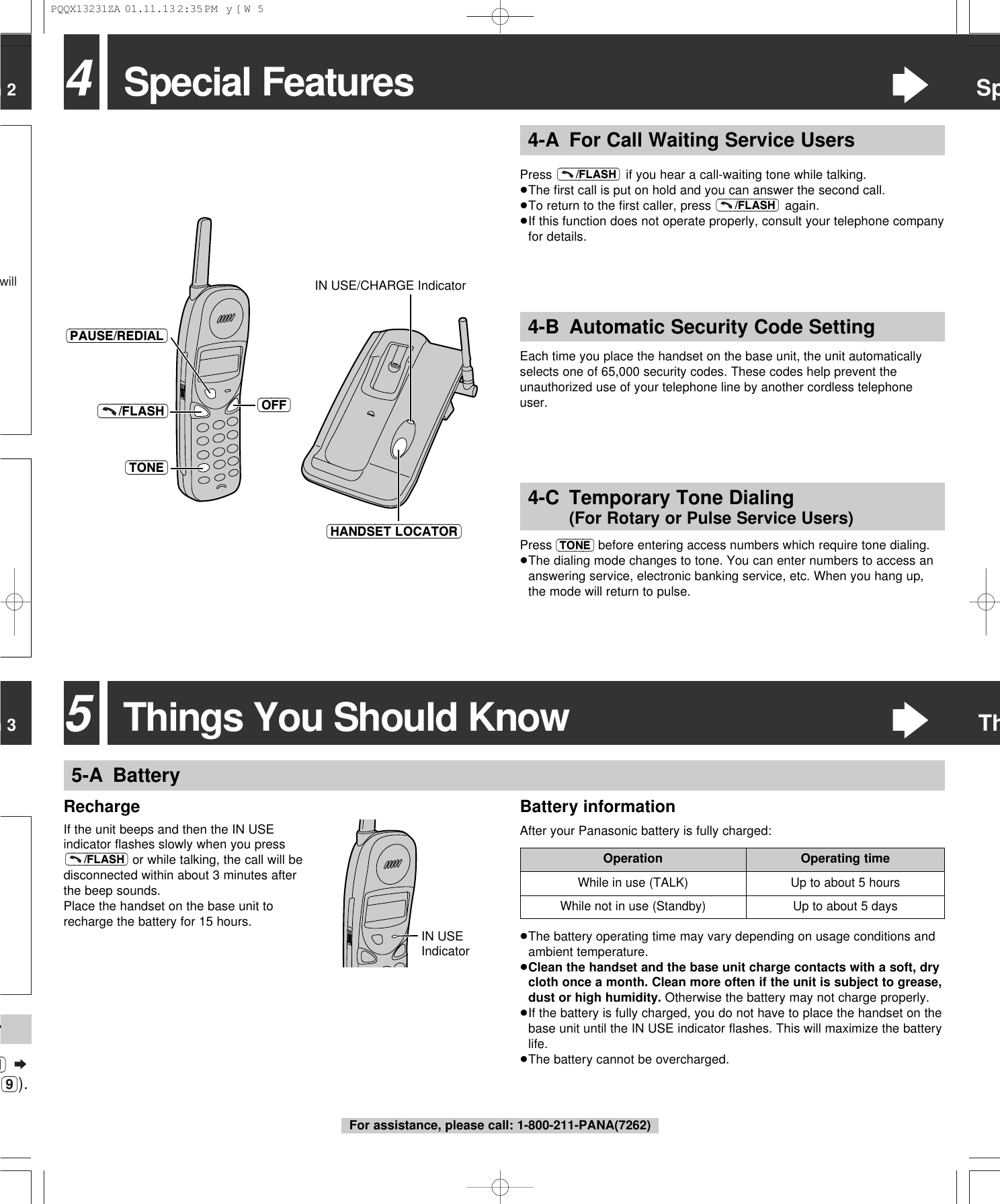
n 3n 2willM) ¤(9)).r4-B Automatic Security Code SettingEach time you place the handset on the base unit, the unit automaticallyselects one of 65,000 security codes. These codes help prevent theunauthorized use of your telephone line by another cordless telephoneuser.4Special Features“SpPress  if you hear a call-waiting tone while talking.≥The first call is put on hold and you can answer the second call.≥To return to the first caller, press  again.≥If this function does not operate properly, consult your telephone companyfor details.(–––/FLASH)(–––/FLASH)4-A For Call Waiting Service UsersPress (TONE) before entering access numbers which require tone dialing. ≥The dialing mode changes to tone. You can enter numbers to access ananswering service, electronic banking service, etc. When you hang up,the mode will return to pulse.4-C Temporary Tone Dialing (For Rotary or Pulse Service Users)(OFF)(–––/FLASH)(TONE)(HANDSET\LOCATOR)IN USE/CHARGE Indicator(PAUSE/REDIAL)5-A BatteryRechargeIf the unit beeps and then the IN USEindicator flashes slowly when you pressor while talking, the call will bedisconnected within about 3 minutes afterthe beep sounds.Place the handset on the base unit torecharge the battery for 15 hours.(–––/FLASH)While in use (TALK) Up to about 5 hoursOperation Operating timeUp to about 5 daysWhile not in use (Standby)IN USE Indicator5Things You Should Know“Th≥The battery operating time may vary depending on usage conditions andambient temperature.≥Clean the handset and the base unit charge contacts with a soft, drycloth once a month. Clean more often if the unit is subject to grease,dust or high humidity. Otherwise the battery may not charge properly.≥If the battery is fully charged, you do not have to place the handset on thebase unit until the IN USE indicator flashes. This will maximize the batterylife.≥The battery cannot be overcharged.Battery informationAfter your Panasonic battery is fully charged:For assistance, please call: 1-800-211-PANA(7262)PQQX13231ZA  01.11.13 2:35 PM  y[W  5
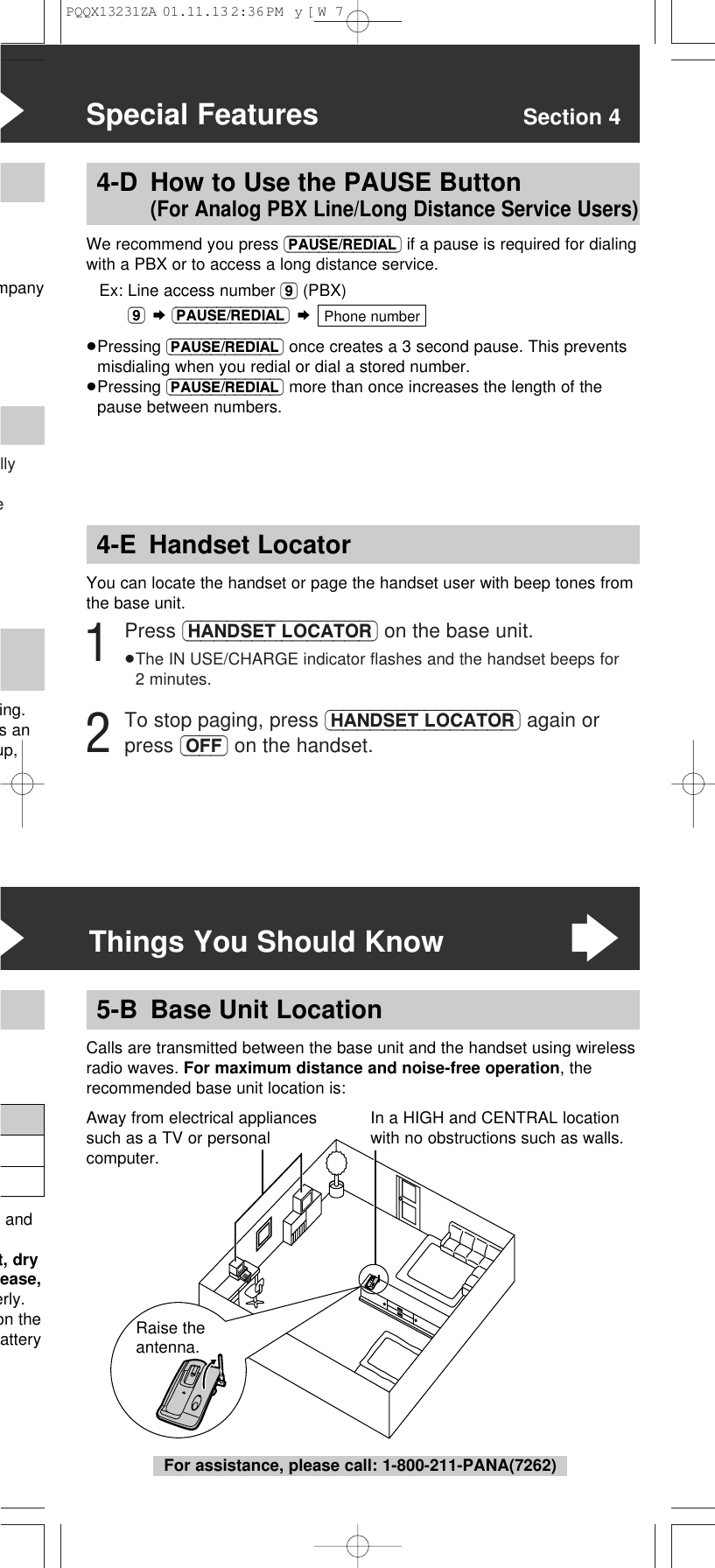
llye“Special Features Section 4mpanying. s anup,4-E Handset LocatorYou can locate the handset or page the handset user with beep tones fromthe base unit.1Press (HANDSET\LOCATOR) on the base unit.≥The IN USE/CHARGE indicator flashes and the handset beeps for2 minutes.2To stop paging, press (HANDSET\LOCATOR) again orpress (OFF) on the handset.4-D How to Use the PAUSE Button (For Analog PBX Line/Long Distance Service Users)We recommend you press (PAUSE/REDIAL) if a pause is required for dialingwith a PBX or to access a long distance service.Ex: Line access number (9) (PBX)(9) ¤(PAUSE/REDIAL) ¤≥Pressing (PAUSE/REDIAL) once creates a 3 second pause. This preventsmisdialing when you redial or dial a stored number.≥Pressing (PAUSE/REDIAL) more than once increases the length of thepause between numbers.Phone numberRaise the antenna.Calls are transmitted between the base unit and the handset using wirelessradio waves. For maximum distance and noise-free operation, therecommended base unit location is:5-B Base Unit Location“Things You Should Know“ andt, dryease,erly.on theatteryIn a HIGH and CENTRAL locationwith no obstructions such as walls.Away from electrical appliancessuch as a TV or personalcomputer.For assistance, please call: 1-800-211-PANA(7262)PQQX13231ZA  01.11.13 2:36 PM  y[W  7
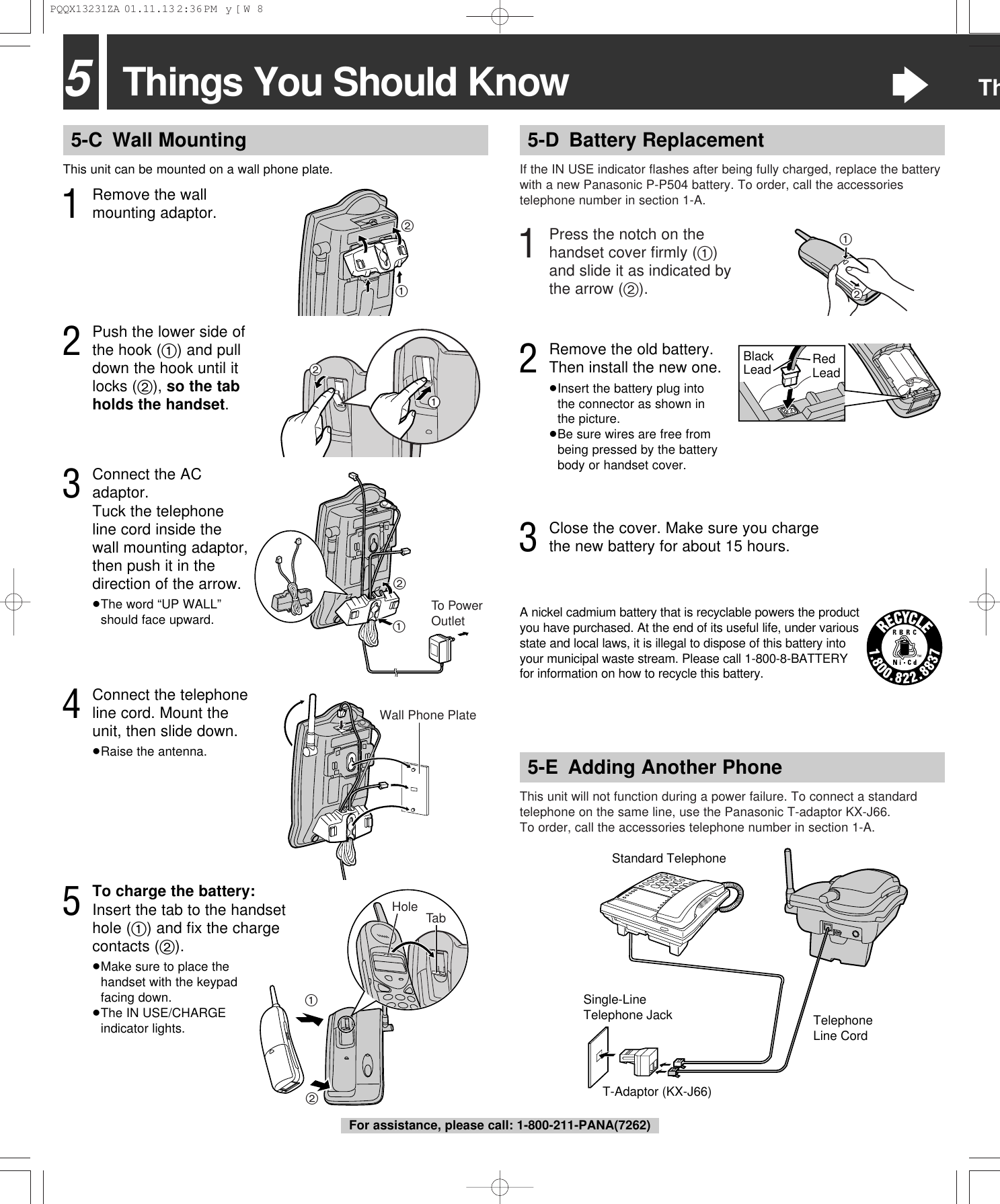
5Things You Should Know“Th5-D Battery ReplacementIf the IN USE indicator flashes after being fully charged, replace the batterywith a new Panasonic P-P504 battery. To order, call the accessoriestelephone number in section 1-A.This unit will not function during a power failure. To connect a standardtelephone on the same line, use the Panasonic T-adaptor KX-J66.To order, call the accessories telephone number in section 1-A.T-Adaptor (KX-J66)Single-Line Telephone JackStandard TelephoneTelephone Line Cord5-E Adding Another Phone1Press the notch on thehandset cover firmly (1)and slide it as indicated bythe arrow (2).5-C Wall MountingThis unit can be mounted on a wall phone plate.4Connect the telephoneline cord. Mount theunit, then slide down.≥Raise the antenna.211To PowerOutlet21Wall Phone Plate2Push the lower side ofthe hook (1) and pulldown the hook until itlocks (2), so the tabholds the handset.3Connect the ACadaptor. Tuck the telephoneline cord inside thewall mounting adaptor,then push it in thedirection of the arrow.≥The word “UP WALL”should face upward.5To charge the battery:Insert the tab to the handsethole (1) and fix the chargecontacts (2).≥Make sure to place thehandset with the keypadfacing down.≥The IN USE/CHARGEindicator lights.12TabHole21Black Lead Red Lead3Close the cover. Make sure you chargethe new battery for about 15 hours.A nickel cadmium battery that is recyclable powers the productyou have purchased. At the end of its useful life, under variousstate and local laws, it is illegal to dispose of this battery intoyour municipal waste stream. Please call 1-800-8-BATTERYfor information on how to recycle this battery.2Remove the old battery. Then install the new one.≥Insert the battery plug into the connector as shown in the picture.≥Be sure wires are free frombeing pressed by the batterybody or handset cover.1Remove the wallmounting adaptor.21For assistance, please call: 1-800-211-PANA(7262)PQQX13231ZA  01.11.13 2:36 PM  y[W  8
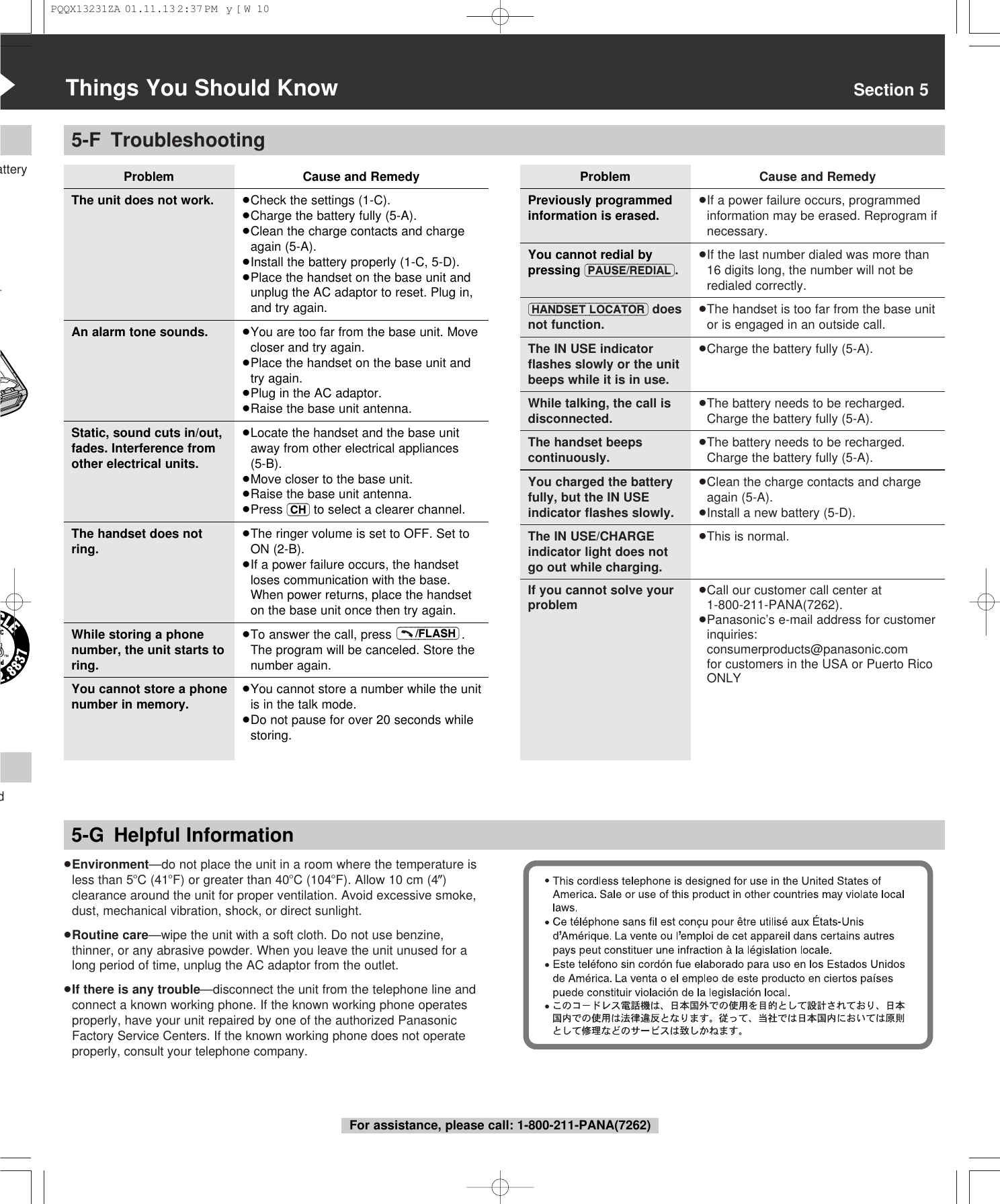
5-F TroubleshootingProblemThe unit does not work.An alarm tone sounds.Static, sound cuts in/out,fades. Interference fromother electrical units.The handset does notring.While storing a phonenumber, the unit starts toring.You cannot store a phonenumber in memory.“Things You Should Know Section 5atteryd5-G Helpful InformationProblemPreviously programmedinformation is erased.You cannot redial bypressing (PAUSE/REDIAL).(HANDSET\LOCATOR) doesnot function.The IN USE indicatorflashes slowly or the unitbeeps while it is in use.While talking, the call isdisconnected.The handset beepscontinuously.You charged the batteryfully, but the IN USEindicator flashes slowly.The IN USE/CHARGEindicator light does notgo out while charging.If you cannot solve yourproblemCause and Remedy≥If a power failure occurs, programmedinformation may be erased. Reprogram ifnecessary.≥If the last number dialed was more than16 digits long, the number will not beredialed correctly.≥The handset is too far from the base unitor is engaged in an outside call.≥Charge the battery fully (5-A).≥The battery needs to be recharged.Charge the battery fully (5-A).≥The battery needs to be recharged.Charge the battery fully (5-A).≥Clean the charge contacts and chargeagain (5-A).≥Install a new battery (5-D).≥This is normal.≥Call our customer call center at1-800-211-PANA(7262).≥Panasonic’s e-mail address for customerinquiries: consumerproducts@panasonic.com for customers in the USA or Puerto RicoONLY≥Environment—do not place the unit in a room where the temperature isless than 5oC (41oF) or greater than 40oC (104oF). Allow 10 cm (4z)clearance around the unit for proper ventilation. Avoid excessive smoke,dust, mechanical vibration, shock, or direct sunlight.≥Routine care—wipe the unit with a soft cloth. Do not use benzine,thinner, or any abrasive powder. When you leave the unit unused for along period of time, unplug the AC adaptor from the outlet.≥If there is any trouble—disconnect the unit from the telephone line andconnect a known working phone. If the known working phone operatesproperly, have your unit repaired by one of the authorized PanasonicFactory Service Centers. If the known working phone does not operateproperly, consult your telephone company.For assistance, please call: 1-800-211-PANA(7262)Cause and Remedy≥Check the settings (1-C).≥Charge the battery fully (5-A).≥Clean the charge contacts and chargeagain (5-A).≥Install the battery properly (1-C, 5-D).≥Place the handset on the base unit andunplug the AC adaptor to reset. Plug in,and try again.≥You are too far from the base unit. Movecloser and try again.≥Place the handset on the base unit andtry again.≥Plug in the AC adaptor.≥Raise the base unit antenna.≥Locate the handset and the base unitaway from other electrical appliances (5-B).≥Move closer to the base unit.≥Raise the base unit antenna.≥Press (CH) to select a clearer channel.≥The ringer volume is set to OFF. Set toON (2-B).≥If a power failure occurs, the handsetloses communication with the base. When power returns, place the handseton the base unit once then try again.≥To answer the call, press  .The program will be canceled. Store thenumber again.≥You cannot store a number while the unitis in the talk mode.≥Do not pause for over 20 seconds whilestoring.(–––/FLASH)PQQX13231ZA  01.11.13 2:37 PM  y[W  10
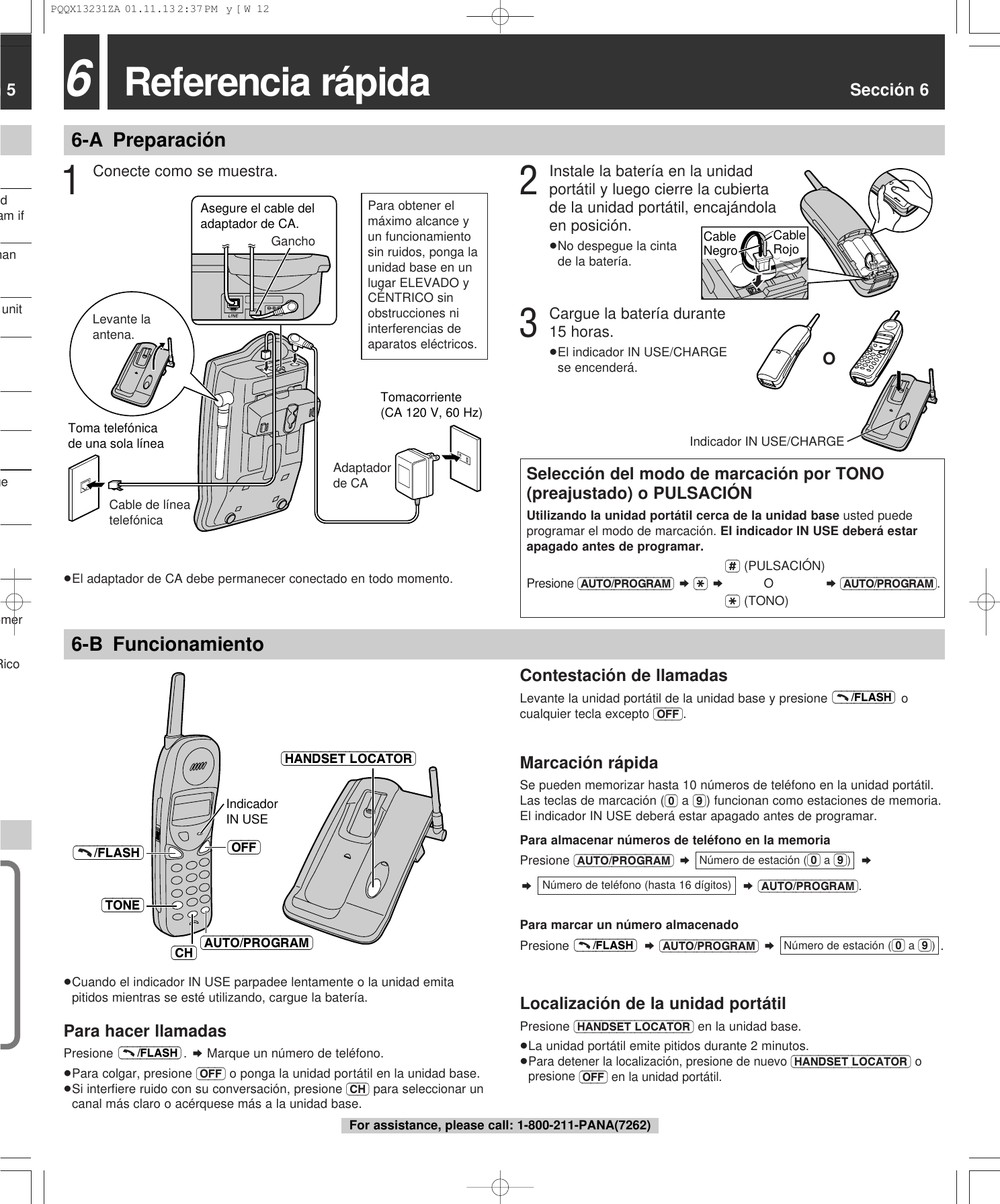
n 5dam ifhanunitgeomerRico 6-B Funcionamiento6Referencia rápida Sección 66-A PreparaciónTomacorriente(CA 120 V, 60 Hz)Toma telefónicade una sola líneaLevante la antena.Cable de línea telefónicaAdaptador de CAAsegure el cable del adaptador de CA.Gancho3Cargue la batería durante15 horas.≥El indicador IN USE/CHARGEse encenderá.1Conecte como se muestra.Selección del modo de marcación por TONO(preajustado) o PULSACIÓNUtilizando la unidad portátil cerca de la unidad base usted puedeprogramar el modo de marcación. EI indicador IN USE deberá estarapagado antes de programar.(#) (PULSACIÓN)Presione (AUTO/PROGRAM) ¤ ($) ¤O¤ (AUTO/PROGRAM).($) (TONO)IndicadorIN USE (OFF)(–––/FLASH)(AUTO/PROGRAM)(TONE)(HANDSET\LOCATOR)(CH)Contestación de llamadasLevante la unidad portátil de la unidad base y presione  ocualquier tecla excepto (OFF).Marcación rápidaSe pueden memorizar hasta 10 números de teléfono en la unidad portátil.Las teclas de marcación ((0) a (9)) funcionan como estaciones de memoria.El indicador IN USE deberá estar apagado antes de programar.Para almacenar números de teléfono en la memoriaPresione (AUTO/PROGRAM) ¤¤¤¤(AUTO/PROGRAM).Para marcar un número almacenadoPresione  ¤(AUTO/PROGRAM) ¤  .Localización de la unidad portátilPresione (HANDSET\LOCATOR) en la unidad base.≥La unidad portátil emite pitidos durante 2 minutos.≥Para detener la localización, presione de nuevo (HANDSET\LOCATOR)opresione (OFF) en la unidad portátil.Número de estación ((0) a (9))(–––/FLASH)Número de teléfono (hasta 16 dígitos)Número de estación ((0) a (9))(–––/FLASH)≥Cuando el indicador IN USE parpadee lentamente o la unidad emitapitidos mientras se esté utilizando, cargue la batería.Para hacer llamadasPresione . ¤ Marque un número de teléfono.≥Para colgar, presione (OFF) o ponga la unidad portátil en la unidad base.≥Si interfiere ruido con su conversación, presione (CH) para seleccionar uncanal más claro o acérquese más a la unidad base.(–––/FLASH)≥El adaptador de CA debe permanecer conectado en todo momento.OIndicador IN USE/CHARGE2Instale la batería en la unidadportátil y luego cierre la cubiertade la unidad portátil, encajándolaen posición.≥No despegue la cinta de la batería.CableRojoCableNegroPara obtener elmáximo alcance yun funcionamientosin ruidos, ponga launidad base en unlugar ELEVADO yCÉNTRICO sinobstrucciones niinterferencias deaparatos eléctricos.For assistance, please call: 1-800-211-PANA(7262)PQQX13231ZA  01.11.13 2:37 PM  y[W  12
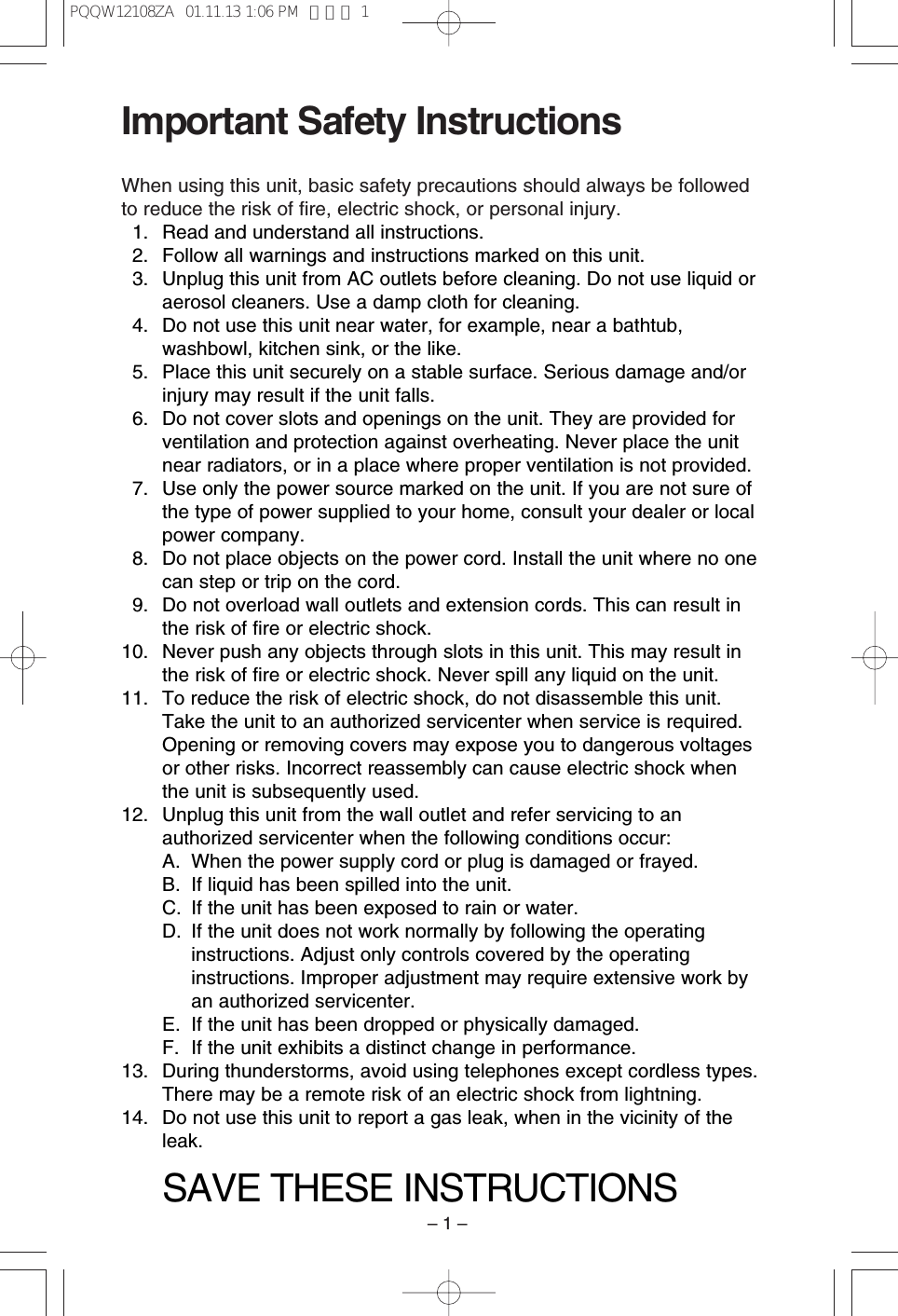
– 1 –Important Safety InstructionsWhen using this unit, basic safety precautions should always be followedto reduce the risk of fire, electric shock, or personal injury.11. Read and understand all instructions.12. Follow all warnings and instructions marked on this unit.13. Unplug this unit from AC outlets before cleaning. Do not use liquid oraerosol cleaners. Use a damp cloth for cleaning.14. Do not use this unit near water, for example, near a bathtub,washbowl, kitchen sink, or the like.15. Place this unit securely on a stable surface. Serious damage and/orinjury may result if the unit falls.16. Do not cover slots and openings on the unit. They are provided forventilation and protection against overheating. Never place the unitnear radiators, or in a place where proper ventilation is not provided.17. Use only the power source marked on the unit. If you are not sure ofthe type of power supplied to your home, consult your dealer or localpower company.18. Do not place objects on the power cord. Install the unit where no onecan step or trip on the cord.19. Do not overload wall outlets and extension cords. This can result inthe risk of fire or electric shock.10. Never push any objects through slots in this unit. This may result inthe risk of fire or electric shock. Never spill any liquid on the unit.11. To reduce the risk of electric shock, do not disassemble this unit.Take the unit to an authorized servicenter when service is required.Opening or removing covers may expose you to dangerous voltagesor other risks. Incorrect reassembly can cause electric shock whenthe unit is subsequently used.12. Unplug this unit from the wall outlet and refer servicing to anauthorized servicenter when the following conditions occur:A. When the power supply cord or plug is damaged or frayed.B. If liquid has been spilled into the unit.C. If the unit has been exposed to rain or water.D. If the unit does not work normally by following the operatinginstructions. Adjust only controls covered by the operatinginstructions. Improper adjustment may require extensive work byan authorized servicenter.E. If the unit has been dropped or physically damaged.F. If the unit exhibits a distinct change in performance.13. During thunderstorms, avoid using telephones except cordless types.There may be a remote risk of an electric shock from lightning.14. Do not use this unit to report a gas leak, when in the vicinity of theleak.SAVE THESE INSTRUCTIONSPQQW12108ZA  01.11.13 1:06 PM  ページ 1
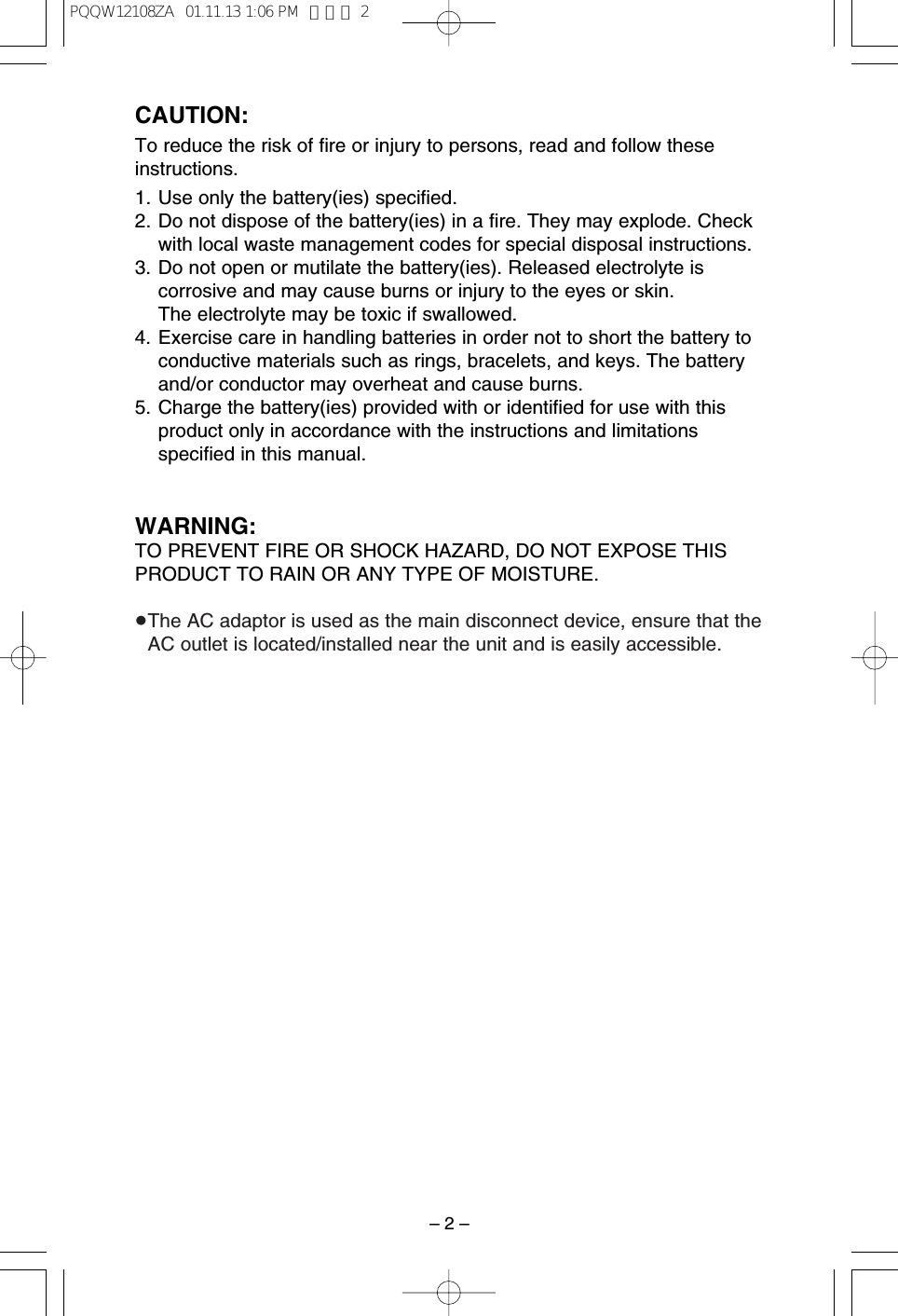
– 2 –CAUTION:To reduce the risk of fire or injury to persons, read and follow theseinstructions.1. Use only the battery(ies) specified.2. Do not dispose of the battery(ies) in a fire. They may explode. Checkwith local waste management codes for special disposal instructions.3. Do not open or mutilate the battery(ies). Released electrolyte iscorrosive and may cause burns or injury to the eyes or skin. The electrolyte may be toxic if swallowed.4. Exercise care in handling batteries in order not to short the battery toconductive materials such as rings, bracelets, and keys. The batteryand/or conductor may overheat and cause burns.5. Charge the battery(ies) provided with or identified for use with thisproduct only in accordance with the instructions and limitationsspecified in this manual.WARNING:TO PREVENT FIRE OR SHOCK HAZARD, DO NOT EXPOSE THISPRODUCT TO RAIN OR ANY TYPE OF MOISTURE.≥The AC adaptor is used as the main disconnect device, ensure that theAC outlet is located/installed near the unit and is easily accessible.PQQW12108ZA  01.11.13 1:06 PM  ページ 2
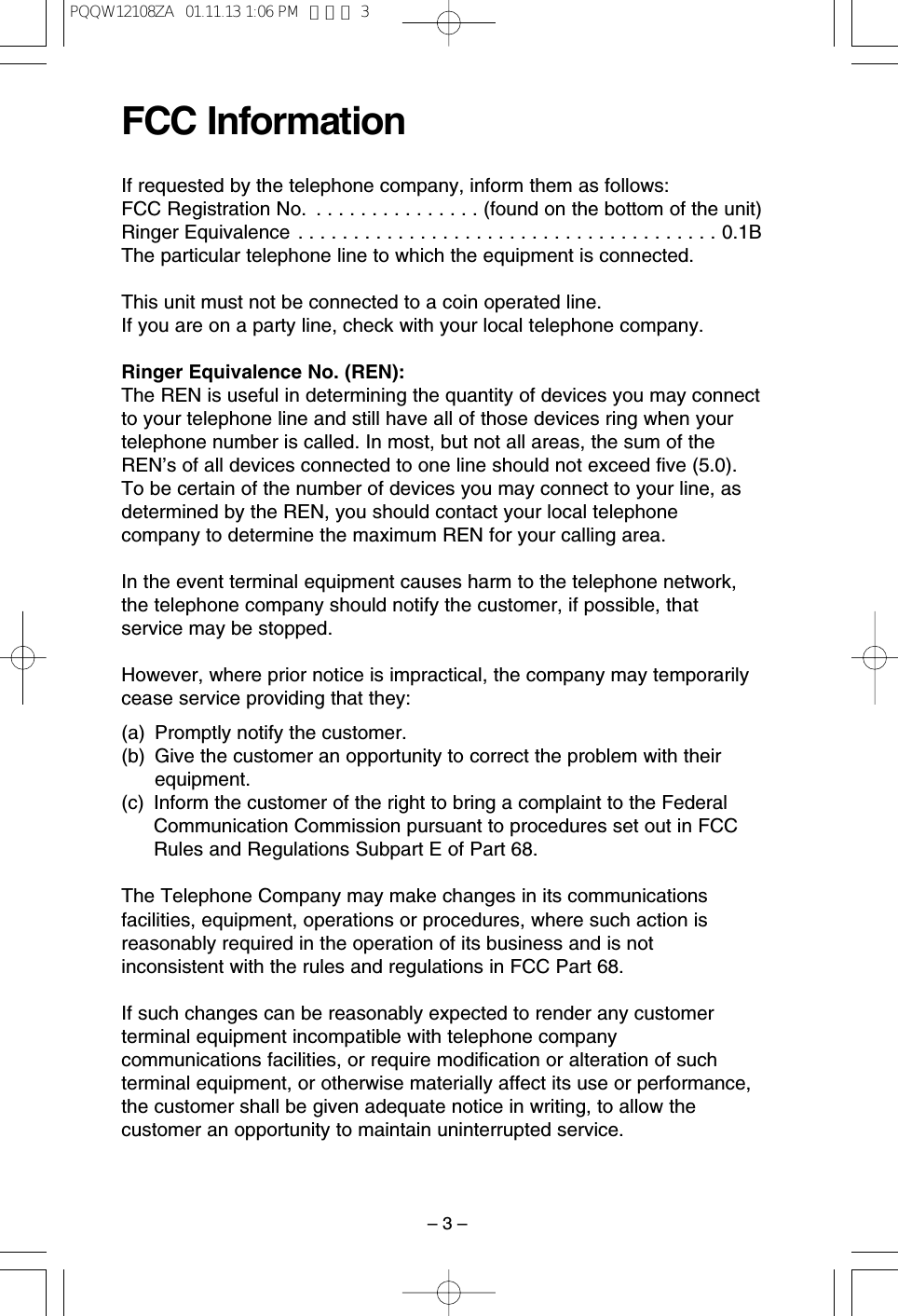
– 3 –FCC InformationIf requested by the telephone company, inform them as follows:FCC Registration No.  . . . . . . . . . . . . . . . (found on the bottom of the unit)Ringer Equivalence . . . . . . . . . . . . . . . . . . . . . . . . . . . . . . . . . . . . . . 0.1BThe particular telephone line to which the equipment is connected.This unit must not be connected to a coin operated line.If you are on a party line, check with your local telephone company.Ringer Equivalence No. (REN):The REN is useful in determining the quantity of devices you may connectto your telephone line and still have all of those devices ring when yourtelephone number is called. In most, but not all areas, the sum of theREN’s of all devices connected to one line should not exceed five (5.0).To be certain of the number of devices you may connect to your line, asdetermined by the REN, you should contact your local telephonecompany to determine the maximum REN for your calling area.In the event terminal equipment causes harm to the telephone network,the telephone company should notify the customer, if possible, thatservice may be stopped.However, where prior notice is impractical, the company may temporarilycease service providing that they:(a) Promptly notify the customer.(b) Give the customer an opportunity to correct the problem with theirequipment.(c) Inform the customer of the right to bring a complaint to the FederalCommunication Commission pursuant to procedures set out in FCCRules and Regulations Subpart E of Part 68.The Telephone Company may make changes in its communicationsfacilities, equipment, operations or procedures, where such action isreasonably required in the operation of its business and is notinconsistent with the rules and regulations in FCC Part 68.If such changes can be reasonably expected to render any customerterminal equipment incompatible with telephone companycommunications facilities, or require modification or alteration of suchterminal equipment, or otherwise materially affect its use or performance,the customer shall be given adequate notice in writing, to allow thecustomer an opportunity to maintain uninterrupted service.PQQW12108ZA  01.11.13 1:06 PM  ページ 3
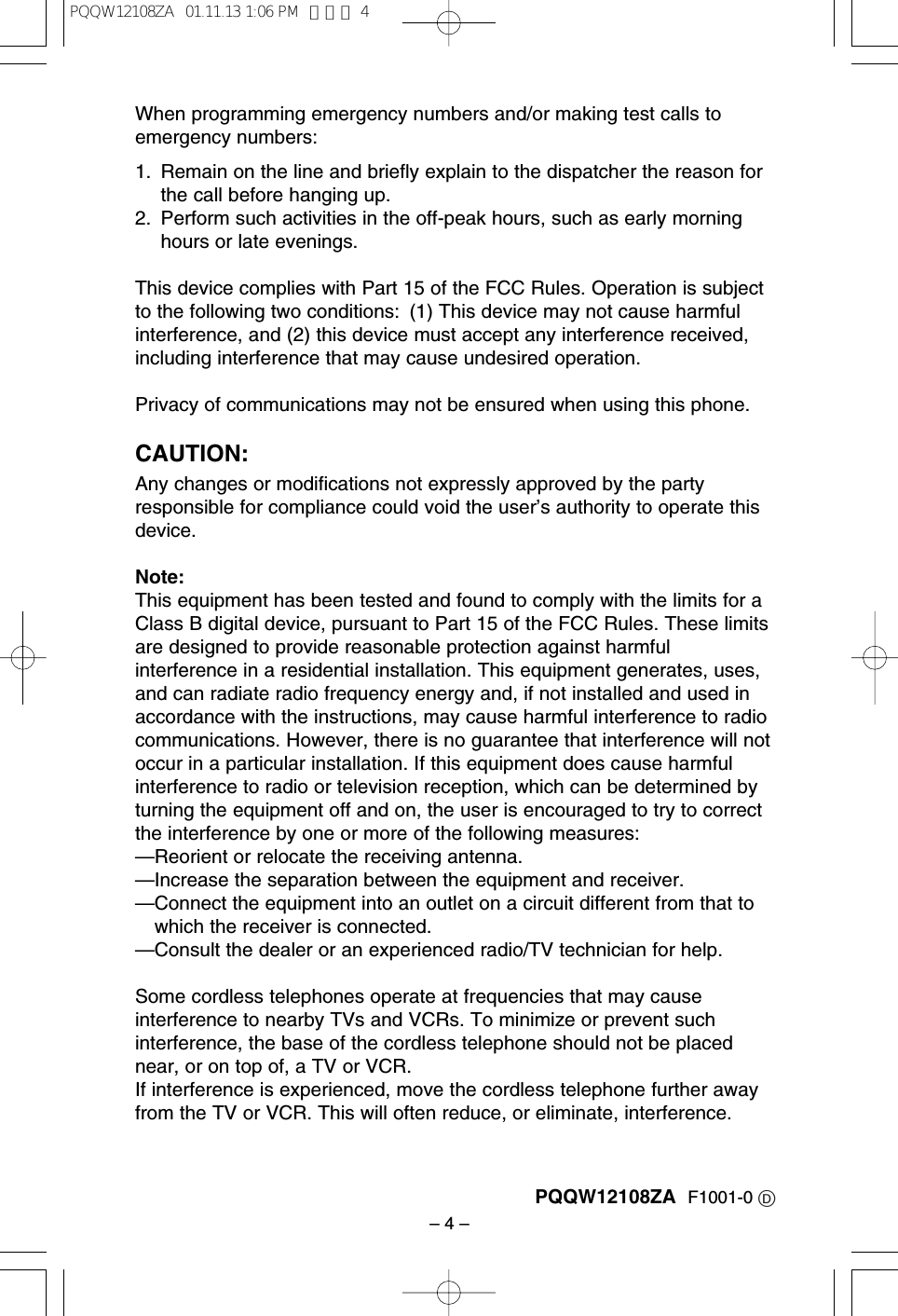
– 4 –When programming emergency numbers and/or making test calls toemergency numbers:1. Remain on the line and briefly explain to the dispatcher the reason forthe call before hanging up.2. Perform such activities in the off-peak hours, such as early morninghours or late evenings.This device complies with Part 15 of the FCC Rules. Operation is subjectto the following two conditions: (1) This device may not cause harmfulinterference, and (2) this device must accept any interference received,including interference that may cause undesired operation.Privacy of communications may not be ensured when using this phone.CAUTION:Any changes or modifications not expressly approved by the partyresponsible for compliance could void the user’s authority to operate thisdevice.Note:This equipment has been tested and found to comply with the limits for aClass B digital device, pursuant to Part 15 of the FCC Rules. These limitsare designed to provide reasonable protection against harmfulinterference in a residential installation. This equipment generates, uses,and can radiate radio frequency energy and, if not installed and used inaccordance with the instructions, may cause harmful interference to radiocommunications. However, there is no guarantee that interference will notoccur in a particular installation. If this equipment does cause harmfulinterference to radio or television reception, which can be determined byturning the equipment off and on, the user is encouraged to try to correctthe interference by one or more of the following measures:—Reorient or relocate the receiving antenna.—Increase the separation between the equipment and receiver.—Connect the equipment into an outlet on a circuit different from that towhich the receiver is connected.—Consult the dealer or an experienced radio/TV technician for help.Some cordless telephones operate at frequencies that may causeinterference to nearby TVs and VCRs. To minimize or prevent suchinterference, the base of the cordless telephone should not be placednear, or on top of, a TV or VCR. If interference is experienced, move the cordless telephone further awayfrom the TV or VCR. This will often reduce, or eliminate, interference.PQQW12108ZA F1001-0 DPQQW12108ZA  01.11.13 1:06 PM  ページ 4

Navigation menu