CIMCON Lighting CL3100T Photocontroller User Manual Manual
CIMCON Lighting, Inc. Photocontroller Manual
Manual
Page 1
Installation Procedure
For iSLC3100-7P-T
CIMCON Lighting, Inc.
ISLC3100-7P-T-IP-010-A
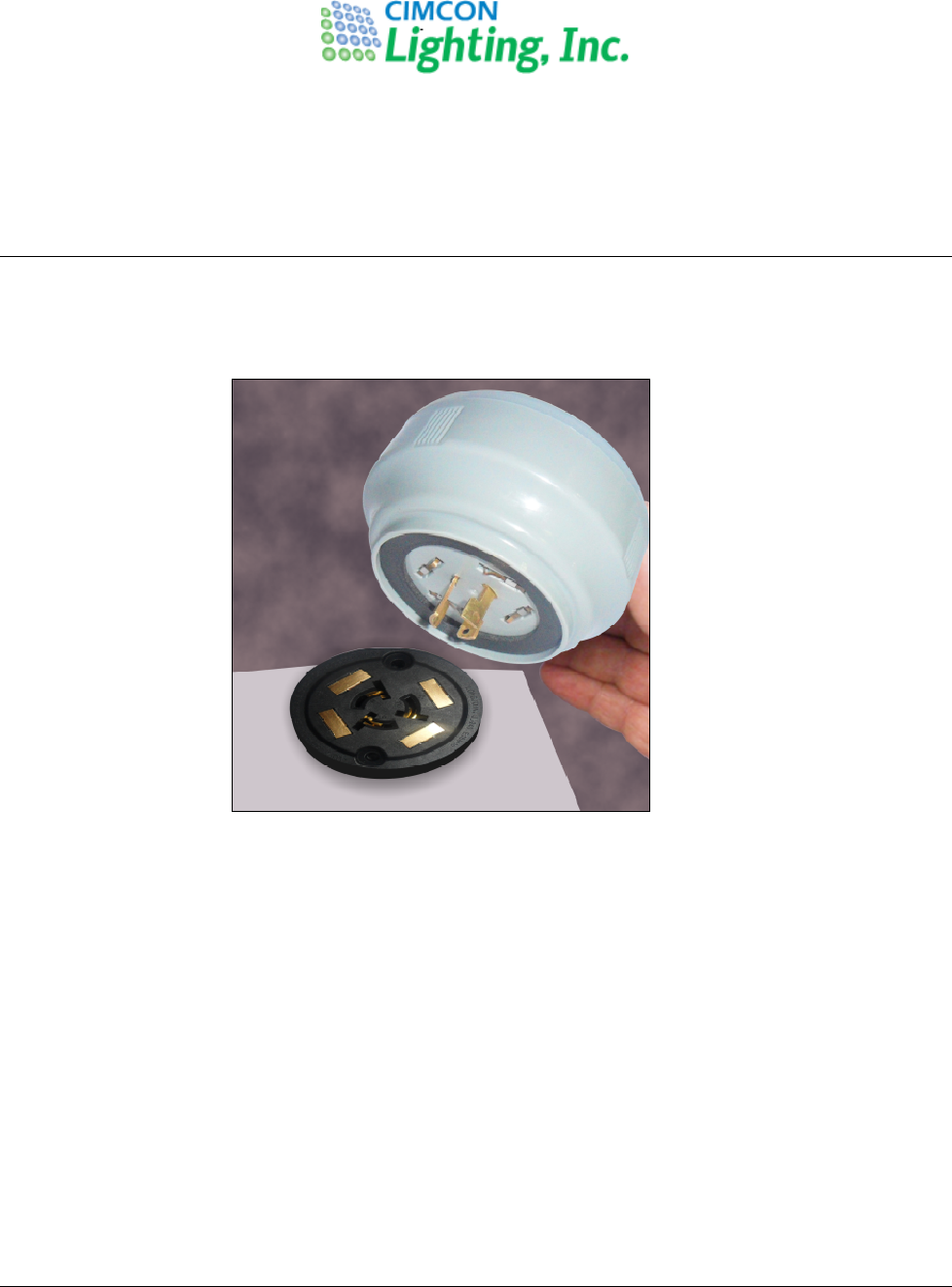
Place the Photocontroller into the 7-pin NEMA receptacle and rotate it clockwise to lock.
Fig. 1 Installation of iSLC3100-7P-T on the luminaire
Installation Procedure
ISLC31
00
-
7P
-
S
-
IP
-
010
-
A
Page 2
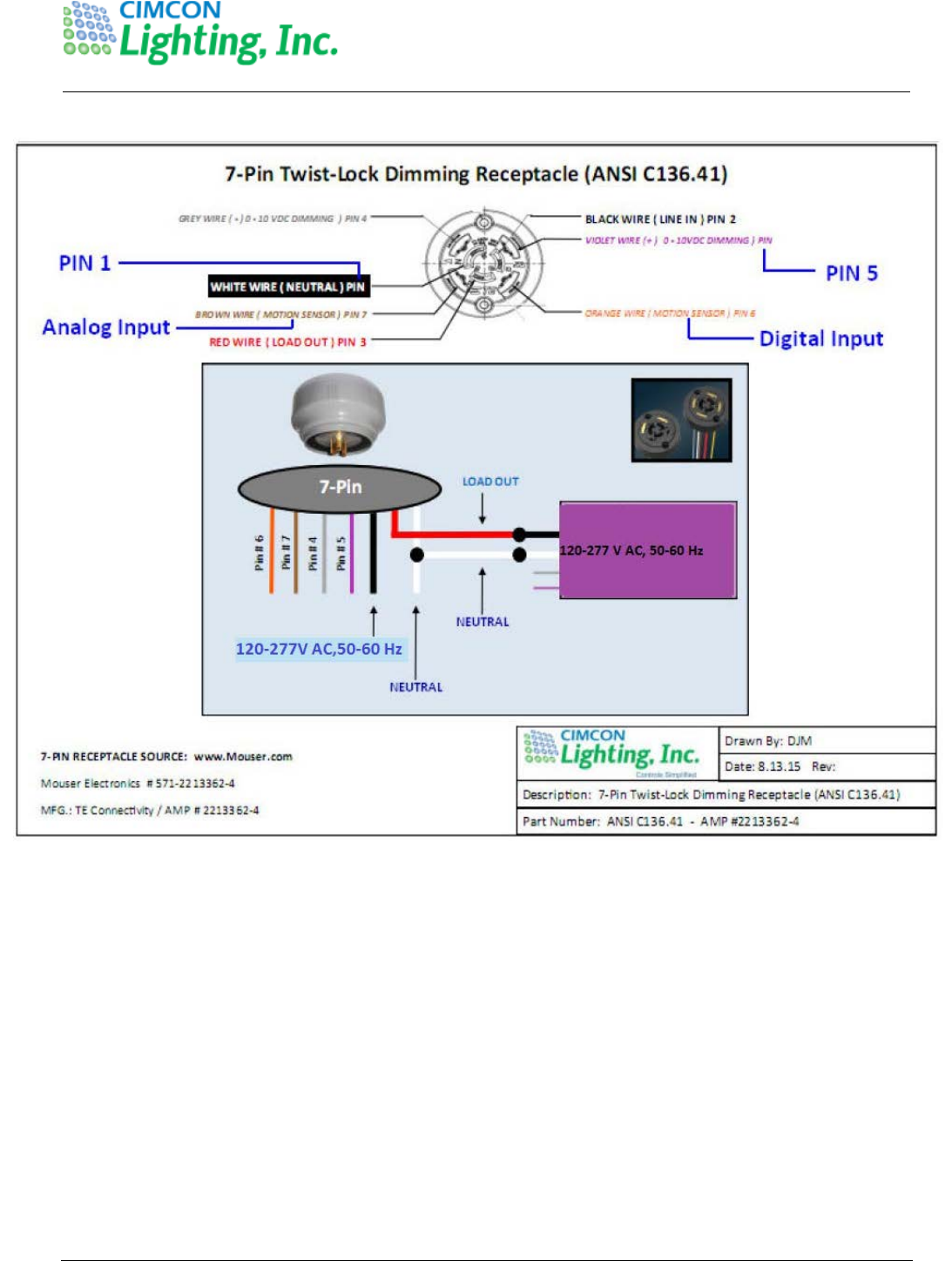
Fig. 2: Installation wiring diagram
Installation Procedure
ISLC31
00
-
7P
-
S
-
IP
-
010
-
A
Page 3
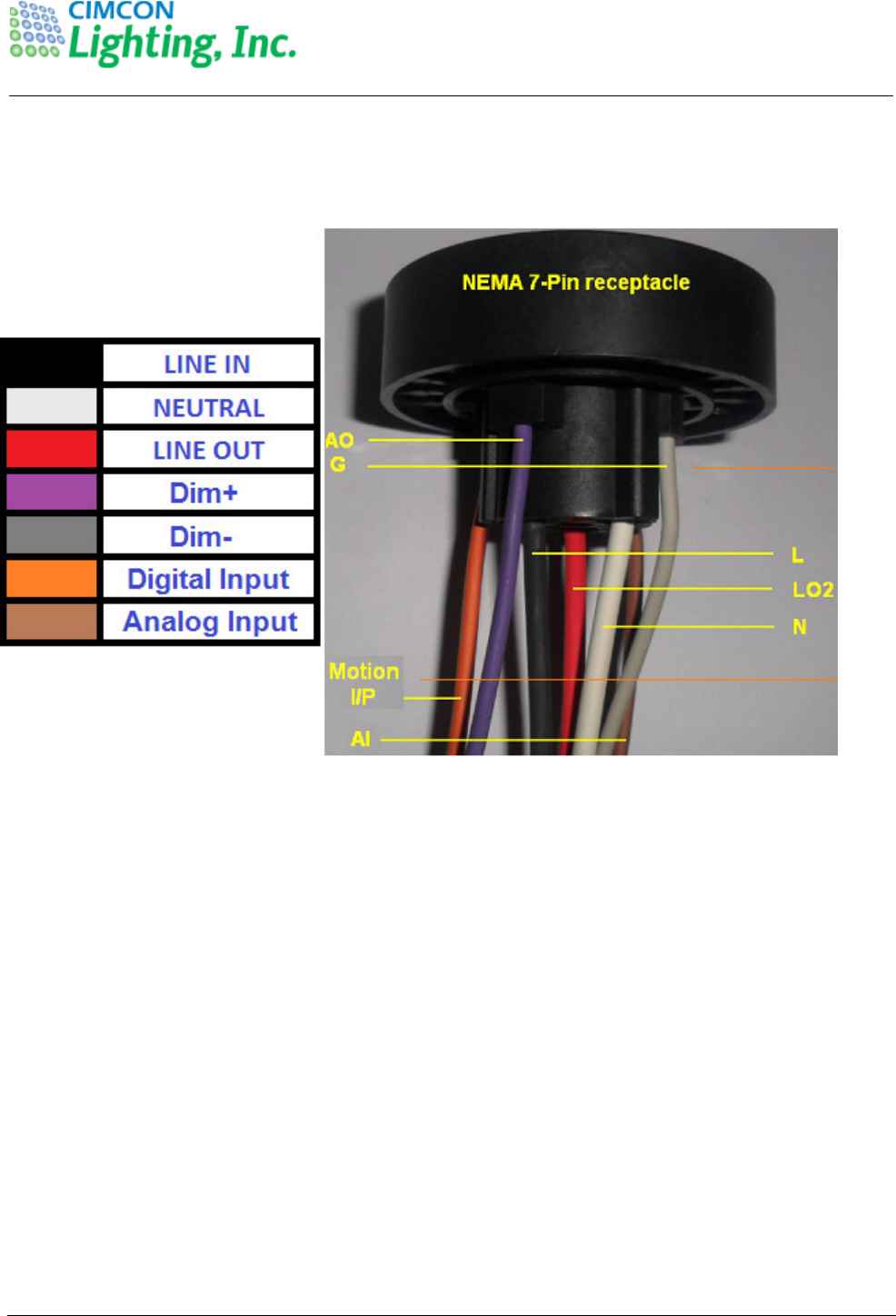
The cables protruding from the receptacle have following function as mentioned into table.
Once the Photocontroller is installed and luminaire is powered ON then depending on the daylight condition
Lamp will operate. When SLC is powered ON and Lamp is turned ON first time during the dark then SLC goes
into the Auto characterization process. During the Characterization process, Lamp is turned ON to the various
brightness levels to capture the KW values so that Lamp faults can be determined at the various brightness
levels.
If during the installation process Photocontroller is covered to check if Lamp is turned ON and then the
Photocontroller will go into the immediate Auto characterization process where Lamp will turn on to 100%
brightness. It will remain to the 100% brightness for 15 seconds and then go to the 90% brightness level and
remain at this level till 15 seconds. It will continue this to 80%, 70%, 60%, 50%, 40%, 30% and 25% levels.
This is an automatic process and there are no configuration needs to be done for this in the Photocontroller.
For some reason, if this process is interrupted by turning the Lamp OFF or power is lost then it will
automatically complete when Lamp is Turned ON again.
Once the power characterization cycle is over, the Lamp will return to its prior brightness level as defined
during the Photocontroller manufacturing as per the client default brightness level.
The whole process of Characterization will take 135 seconds i.e. for each Brightness Level it will take 15
seconds.
15.19
•This device complies with Part 15 of the FCC Rules. Operation is subject to the following
two conditions: (1) this
device may not cause harmful interference, and (2) this device must accept any interference
received, including interference that may cause undesired operation.
15.105
•This equipment has been tested and found to comply with the limits for a Class B digital
device, pursuant to part 15 of the FCC Rules. These limits are designed to provide
reasonable protection against harmful interference in a residential installation. This
equipment generates, uses and can radiate radio frequency energy and, if not installed and
used in accordance with the instructions, may cause harmful interference to radio
communications. However, there is no guarantee that interference will not occur in a
particular installation. If this equipment does cause harmful interference to radio or
television reception, which can be determined by turning the equipment off and on, the user
is encouraged to try to correct the interference by one or more of the following measures:
—Reorient or relocate the receiving antenna.
—Increase the separation between the equipment and receiver.
—Connect the equipment into an outlet on a circuit different from that to which the receiver
is connected.
—Consult the dealer or an experienced radio/TV technician for help.
15.21
•Any changes or modifications not expressly approved by the party responsible for
compliance could void the authority to operate
equipment.
•This device and its antenna must not be co-located or operating in conjunction with any
other antenna or transmitter.
FCC RF Radiation Exposure Statement:
Mobile Device
This equipment complies with FCC radiation exposure limits set forth for an uncontrolled
environment. This equipment should be installed and operated with minimum distance 20cm
between the radiator & your body.