CLAMCASE C61001 IPAD ACCESSORY WITH KB AND BT RADIO User Manual CC Air QSG R8 v6bg
CLAMCASE, LLC IPAD ACCESSORY WITH KB AND BT RADIO CC Air QSG R8 v6bg
CLAMCASE >
UserMan


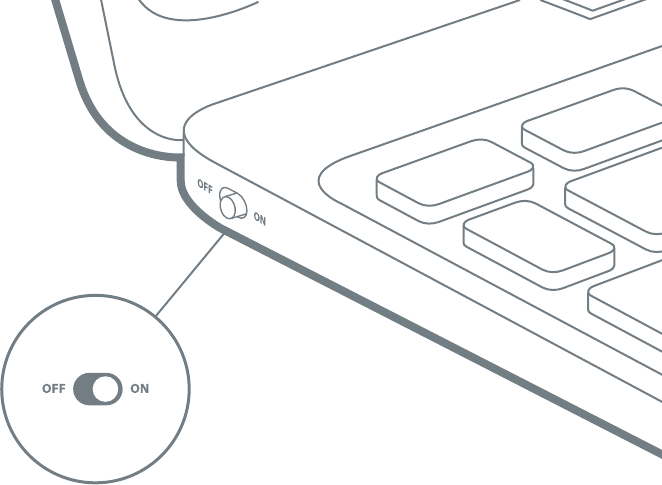
• Turn on the ClamCase keyboard before use.
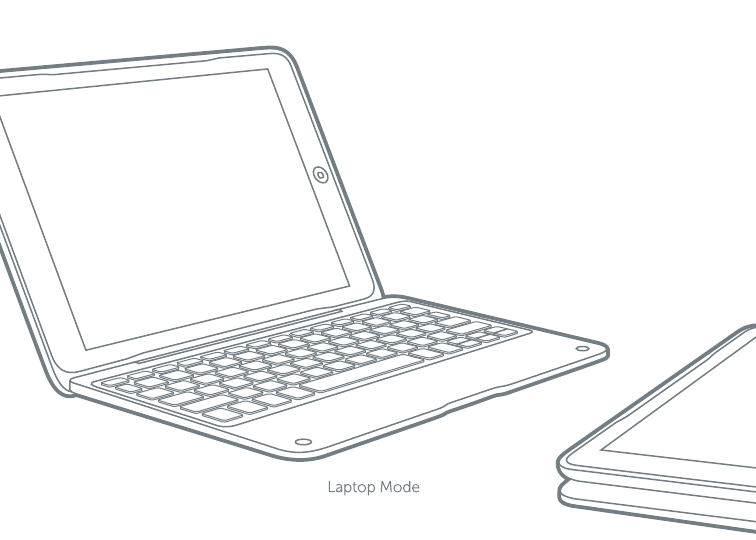
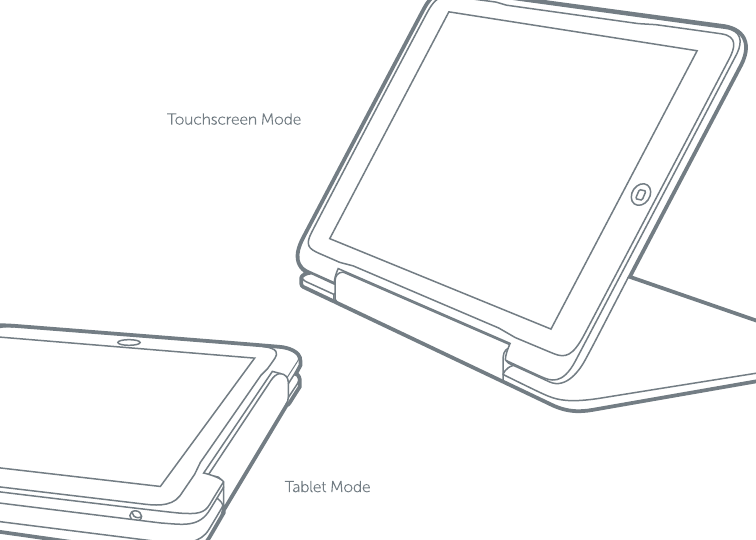
! When in tablet mode, the keyboard automatically
turns o to avoid unintentional key strokes.
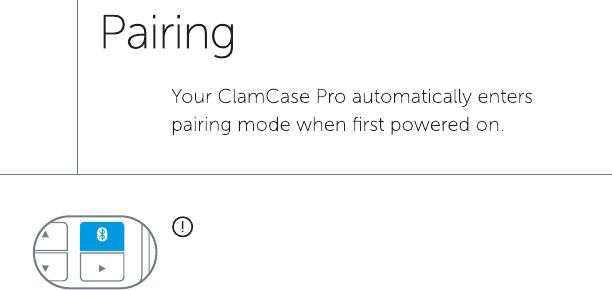
Manual Pairing: On your ClamCase keyboard press
and hold the Bluetooth key for 5 seconds.
The pairing LED will begin flashing.
ClamCase Air Keyboard
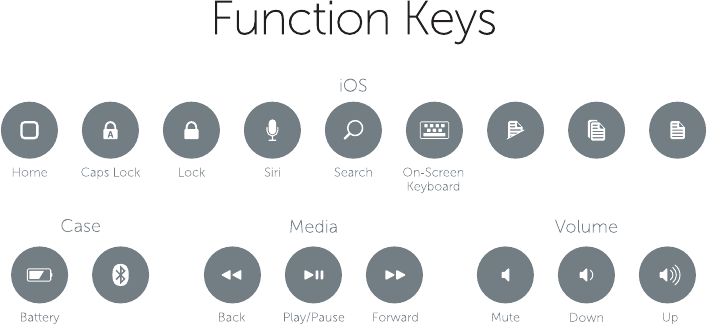
Cut Copy Paste
Bluetooth
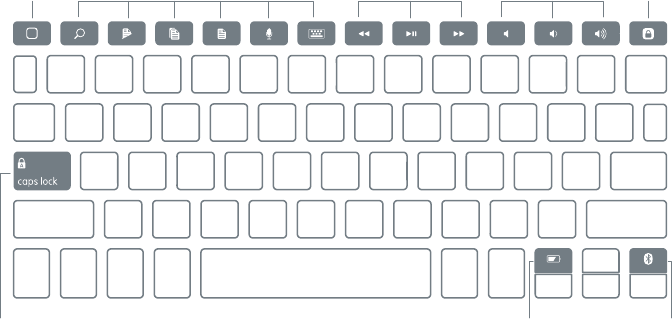
ios Media Volume Lock
Caps Lock
Home
Battery Bluetooth
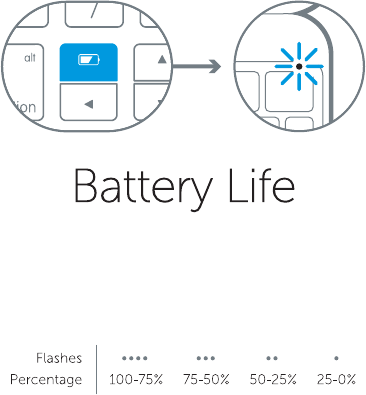
• Press the battery key.
• The LED will flash to indicate battery life.
• Press any key to wake your ClamCase
from sleep mode.
• Turn your ClamCase o and then back on.
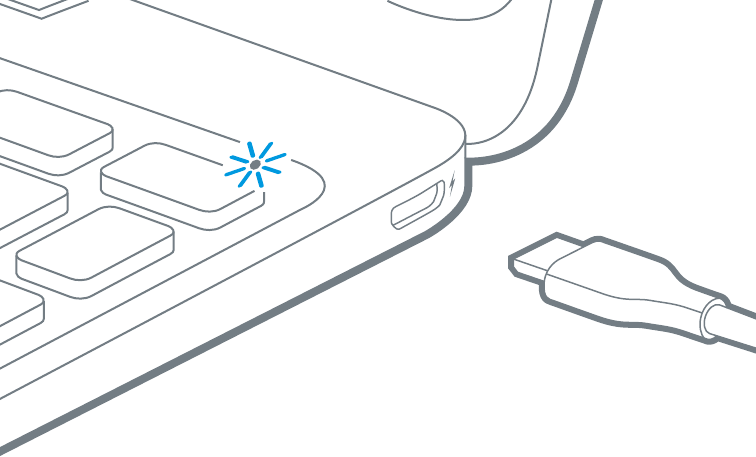
• Recharge the ClamCase battery.
• Re-establish a Bluetooth connection
between your ClamCase and iPad.
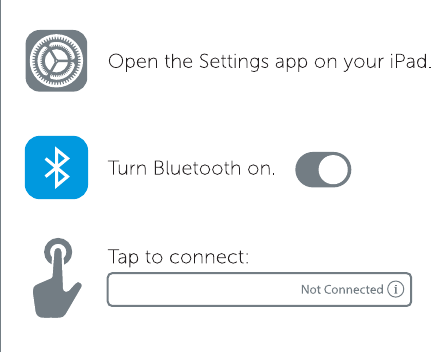
• Verify your iPad’s Bluetooth feature
is turned on.

Note: The device has no ad-hoc function.
This device complies with part 15 of the FCC rules. Operation is subject to the
following two conditions: (1) this device may not cause harmful interference,
and (2) this device must accept any interference received including
interference that may cause undesired operation.
NOTE: The manufacturer is not responsible for any radio or TV interference
caused by unauthorized changes and modifications to this equipment. Such
changes and modifications could void the user’s authority to operate the
equipment. .
NOTE: This equipment has been tested and found to comply with the limits for
a Class B digital device, pursuant to part 15 of the FCC Rules. These limits are
designed to provide reasonable protection against harmful interference in a
residential installation. This equipment generates uses and can radiate radio
frequency energy and, if not installed and used in accordance with the
instructions, may cause harmful interference to radio communication However,
there is no guarantee that interference will not occur in a particular installation.
If this equipment does cause harmful interference to radio or television
reception, which can be determined by turning the equipment off and on, the
user is encouraged to try to correct eth interference by one or more of the
following measures:
- Reorient or relocate the receiving antenna.
- Increase the separation between the equipment and receiver.
-Connect the equipment into an outlet on a circuit different from that to which
the receiver is connected.
-Consult the dealer or an experienced radio/TV technician for help.
FCC ID:YUG-C61001
Manufacturer:CLAMCASE, LLC
Address: 7095 HOLLYWOOD BLVD. , SUITE 444, , HOLLYWOOD, CA 90028 , CA
CANADA
Industry Canada Statement:
This device complies with RSS-210 of the Industry Canada Rules. Operation is subject to
the following two conditions: 1) this device may not cause interference and 2) this device
must accept any interference, including interference that may cause undesired operation
of the device. IC Radiation Exposure Statement: This equipment complies with IC radiation
exposure limits set forth for an uncontrolled environment.
Avis d’Industrie Canada:
Cet appareil est conforme à la norme CNR-210 des règlements d’Industrie Canada. Son
fonctionnement est sujet aux deux conditions suivantes:
1) Cet appareil ne doit pas provoquer d’interférences et 2) Cet appareil doit accepter toutes
les interférences, y compris celles pouvant entra?ner son dysfonctionnement.
Avis d’Industrie Canada sur l’exposition aux Rayonnements: Cet appareil est conforme aux
limites d’exposition aux rayonnements d’Industrie Canada pour un environnement non
contr?lé.
IC:9422A-C61001
Manufacturer:CLAMCASE, LLC
Address: 7095 HOLLYWOOD BLVD. , SUITE 444, , HOLLYWOOD, CA 90028 , CA