COVALUE COMMUNICATIONS CU500-1 Two Way Radio User Manual

SHENZHEN COVALUE COMMUNICATIONS CO., LTD. Two Way Radio Users Manual

Users Manual

CU500-1  CU510-1  Instruction Manual FM Portable Radio  Thank you for purchasing a COVALUE two-way radio. This simple to use radio adopts the latest advances in technology, providing reliable communication in today’s demanding communication environment.   Notice to the User: ·  Please read this instruction manual before operating this radio.   ·  It’s prohibited to use the radio or charge it at any area with a potentially explosive atmosphere (where the air contains gas, dust and smog, etc.), as well as while taking on fuel, or while parking at a gasoline service station; or any area where radio communication is prohibited (such as a hospital or a airport.) · It’s prohibited to operate the radio without permission in areas where the government laws prohibit radio communication. ·  Please don't expose the radio to direct sunlight for a long time; don't place the radio near any heating devices, either. ·  Please don't put the radio in extremely dusty, moist humid areas or unstable surfaces. ·  Only qualified personal, with proper tools and instruments are allowed to service and repair the radios, do not disassemble the radio by yourself to avoid damages.  FCC Warning: This device complies with part 15 of the FCC Rules. Operation is subject to the following two conditions: (1) This device may not cause harmful interference, and (2) this device must accept any interference received, including interference that may cause undesired operation. Any Changes or modifications not expressly approved by the party responsible for compliance could void the user’s authority to operate the equipment.  IC Warning :  This device complies with Industry Canada licence-exempt RSS standard (s). Operation is subject to the following two conditions: (1) this device may not cause interference, and (2) this device must accept any interference,including interference that may cause undesired operation of the device.
   This equipment can be used in member states of the European Union once the corresponding administrative licence is obtained. DECLARATION OF CONFORMITY SHENZHEN COVALUE COMMUNICATIONS CO.,LTD. as manufacturer of the product two way radio, declares that the said product complies with the essential requirements established in article 3 of the Council of Europe Directive 1999/5/CE, dated 9th March, 1999.1999.      SHENZHEN COVALUE COMMUNICATIONS CO., LTD.                    Le présent appareil est conforme aux CNR d'Industrie Canada applicables aux appareils radio exempts de licence. L'exploitation est autorisée aux deux conditions suivantes: (1) l'appareil ne doit pas produire de brouillage, et (2) l'utilisateur de l'appareil doit accepter  d'en compromettre le fonctionnement. même si le brouillage est susceptible tout brouillage radioélectrique subi, Under Industry Canada regulations, this radio transmitter may only operate using an antenna of a type and maximum (or lesser) gain approved for the transmitter by Industry Canada. To reduce potential radio interference to other users, the antenna type and its gain should be so chosen that, the equivalent isotropically radiated power (e.i.r.p.) is not more than that necessary for successful communication.Conformément à la réglementation d'Industrie Canada, le présent émetteur radio peut fonctionner avec une antenne d'un type et d'un gain maximal (ou inférieur) approuvé pour l'émetteur par Industrie Canada. Dans le but de réduire les risques de brouillage radioélectrique à l'intention des autres utilisateurs, il faut choisir le type d'antenne et son gain de sorte que la puissance isotrope rayonnée équivalente (p.i.r.e.) ne dépasse pas l'intensité nécessaire à l'établissement d'une communication satisfaisante.Le présent appareil est conforme aux CNR d'Industrie Canada applicables aux appareils radio exempts de licence. L'exploitation est autorisée aux deux conditions suivantes: (1) l'appareil ne doit pas produire de brouillage, et (2) l'utilisateur de l'appareil doit accepter  d'en compromettre le fonctionnement. même si le brouillage est susceptible tout brouillage radioélectrique subi, Under Industry Canada regulations, this radio transmitter may only operate using an antenna of a type and maximum (or lesser) gain approved for the transmitter by Industry Canada. To reduce potential radio interference to other users, the antenna type and its gain should be so chosen that, the equivalent isotropically radiated power (e.i.r.p.) is not more than that necessary for successful communication.Conformément à la réglementation d'Industrie Canada, le présent émetteur radio peut fonctionner avec une antenne d'un type et d'un gain maximal (ou inférieur) approuvé pour l'émetteur par Industrie Canada. Dans le but de réduire les risques de brouillage radioélectrique à l'intention des autres utilisateurs, il faut choisir le type d'antenne et son gain de sorte que la puissance isotrope rayonnée équivalente (p.i.r.e.) ne dépasse pas l'intensité nécessaire à l'établissement d'une communication satisfaisante.
 ed for general population, consumer, or any FCC/IC limits. This radio device is NOT authorizINSTRUCTIONS TO ENSURE COMPLIANCE WITH THE FCC/IC’S RF EXPOSURE AND OPERATIONAL INSTRUCTIONS FOR THE OCCUPATIONAL USE RF ENERGY EXPOSURE AWARENESS AND CONTROL INFORMATION, REQUIREMENTS  BEFORE USING YOUR PORTABLE 2-WAY RADIO, READ THIS IMPORTANT RF ENERGY AWARENESS AND CONTROL INFORMATION AND OPERATIONAL GUIDELINES  NOTICE:    This radio is intended for use in occupational/controlled conditions, where users have full knowledge of their exposure and can exercise control over their exposure to meet other use.  This 2-way radio uses electromagnetic energy in the radio frequency (RF) spectrum to provide communications between two or more users over a distance.    It uses radio frequency (RF) energy or radio waves to send and receive calls.  RF energy is one form of electromagnetic energy.  Other forms include, but are not limited to, electric power, sunlight and x-rays. RF energy, however, should not be confused with these other forms of electromagnetic energy, which when used improperly can cause biological damage.  Very high levels of x-rays, for example, can damage tissues and genetic material.  Experts in science, engineering, medicine, health and industry work with organizations to develop standards for exposure to RF energy. These standards provide recommended levels of RF exposure for both workers and the general public. These recommended RF exposure levels include substantial margins of protection. All 2-way radios marketed in North America are designed, manufactured and tested to ensure they meet government established RF exposure levels. In addition, manufacturers also recommend specific operating instructions to users of 2-way radios.   These instructions are important because they inform users about RF energy exposure and provide simple procedures on how to control it.  Please refer to the following websites for more information on what RF energy exposure is and how to control your exposure to assure compliance with established RF exposure limits.  http://www.fcc.gov/oet/rfsafety/rf-faqs.html  http://www.osha.gov/SLTC/radiofrequencyradiation/index.html   Federal Communications Commission Regulations  The FCC rules require manufacturers to comply with the FCC RF energy exposure limits for portable 2-way radios before they can be marketed in the U.S. When 2-way radios are used as a consequence of employment, the FCC requires users to be fully aware of and able to control their exposure to meet occupational requirements.    Exposure awareness can be facilitated by the use of a product label directing users to specific user awareness information. COVALUE 2-way radio has
,Canada RSS102The device meets the Ministry of Health(Canada) Safety Code 6& Industry Canada RSS-102 exceed the FCC/IC RF exposure guidelines. exposure levels, which exceed the FCC/IC’s occupational/controlled environment RF exposure limits. time, or less, is important because this radio generates measurable RF energy exposure only a RF exposure product label.    Also, COVALUE’s user manual, or product manual, or separate safety booklet includes information and operating instructions required to control your RF exposure and to satisfy compliance requirements.     Compliance with RF Exposure Standards  COVALUE’s 2-way radio complies with the following RF energy exposure standards and guidelines: •  United States Federal Communications Commission, Code of Federal Regulations; 47 CFR §§ 1.1307, 1.1310, 2.1091 and 2.1093 • American National Standards Institute (ANSI) / Institute of Electrical and Electronic Engineers (IEEE) C95. 1-1992   • Institute of Electrical and Electronic Engineers (IEEE) C95.1-1999 Edition  RF Exposure Compliance and Control Guidelines and Operating Instructions  To control your exposure and ensure compliance with the occupational/controlled environment exposure limits always adhere to the following procedures.  Guidelines: •  Do not remove the RF Exposure Label from the device.   • User awareness instructions should accompany device when transferred to other users.   • Do not use this device if the operational requirements described herein are not met.  Operating Instructions:   • Hold the radio in a vertical position in front of face with the microphone (and the other parts of the radio, including the antenna) at least one inch (2.5 cm) away from the nose.   Keeping the radio at the proper distance is important because RF exposures decrease with distance from the antenna.    Antenna should be kept away from eyes.   • When worn on the body, always place the radio in a COVALUE’s approved clip, holder, holster, case, or body harness for this product. Using approved body-worn accessories is important because the use of COVALUE’s or other manufacturer’s non-approved accessories may result in • If you are not using a body-worn accessory and are not using the radio in the intended use position in front of the face, then ensure the antenna and the radio are kept at least 2.5 cm (one inch) from the body when transmitting. Keeping the radio at the proper distance is important because RF exposures decrease with increasing distance from the antenna.   • Use only manufacturer’s name approved supplied or replacement antennas, batteries, and accessories.    Use of non-manufacturer-name approved antennas, batteries, and accessories may • For a list of COVALUE’s approved accessories (see the user manual) IC RF exposure statement:IC RF exposure statement:IC RF exposure statement:Transmit no more than the rated duty factor of 50 % of the time. To transmit (talk), push the Push-To-Talk (PTT) button.  To receive calls, release the PTT button. Transmitting 50 % of thewhen transmitting (in terms of measuring for standards compliance).the occupational/controlled environment RF exposure limits
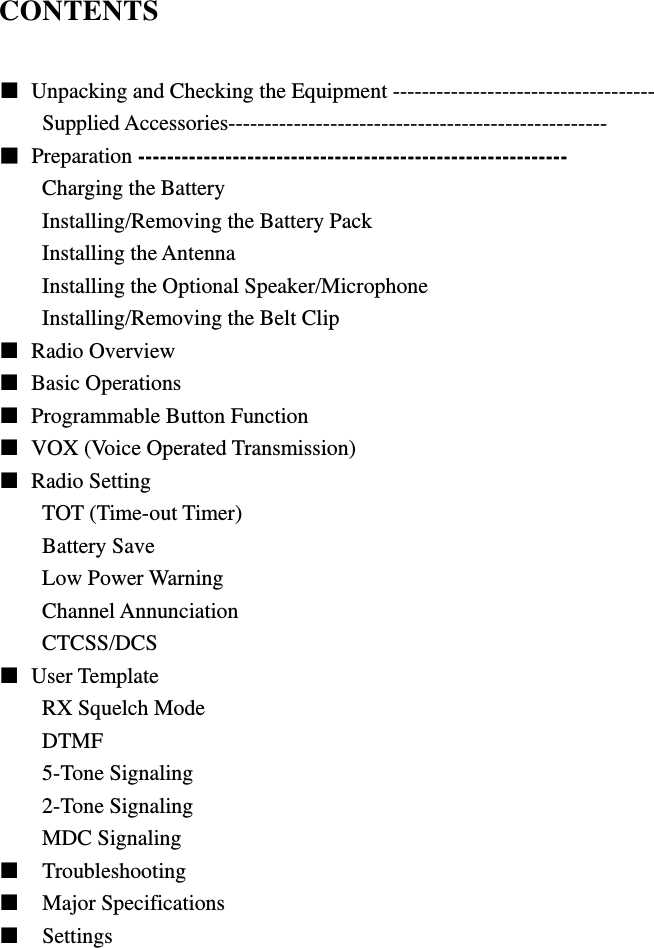
CONTENTS    Unpacking and Checking the Equipment ------------------------------------ Supplied Accessories----------------------------------------------------  Preparation ----------------------------------------------------------- Charging the Battery Installing/Removing the Battery Pack Installing the Antenna Installing the Optional Speaker/Microphone Installing/Removing the Belt Clip  Radio Overview   Basic Operations   Programmable Button Function   VOX (Voice Operated Transmission)  Radio Setting TOT (Time-out Timer) Battery Save Low Power Warning Channel Annunciation CTCSS/DCS  User Template RX Squelch Mode DTMF 5-Tone Signaling 2-Tone Signaling MDC Signaling   Troubleshooting   Major Specifications   Settings
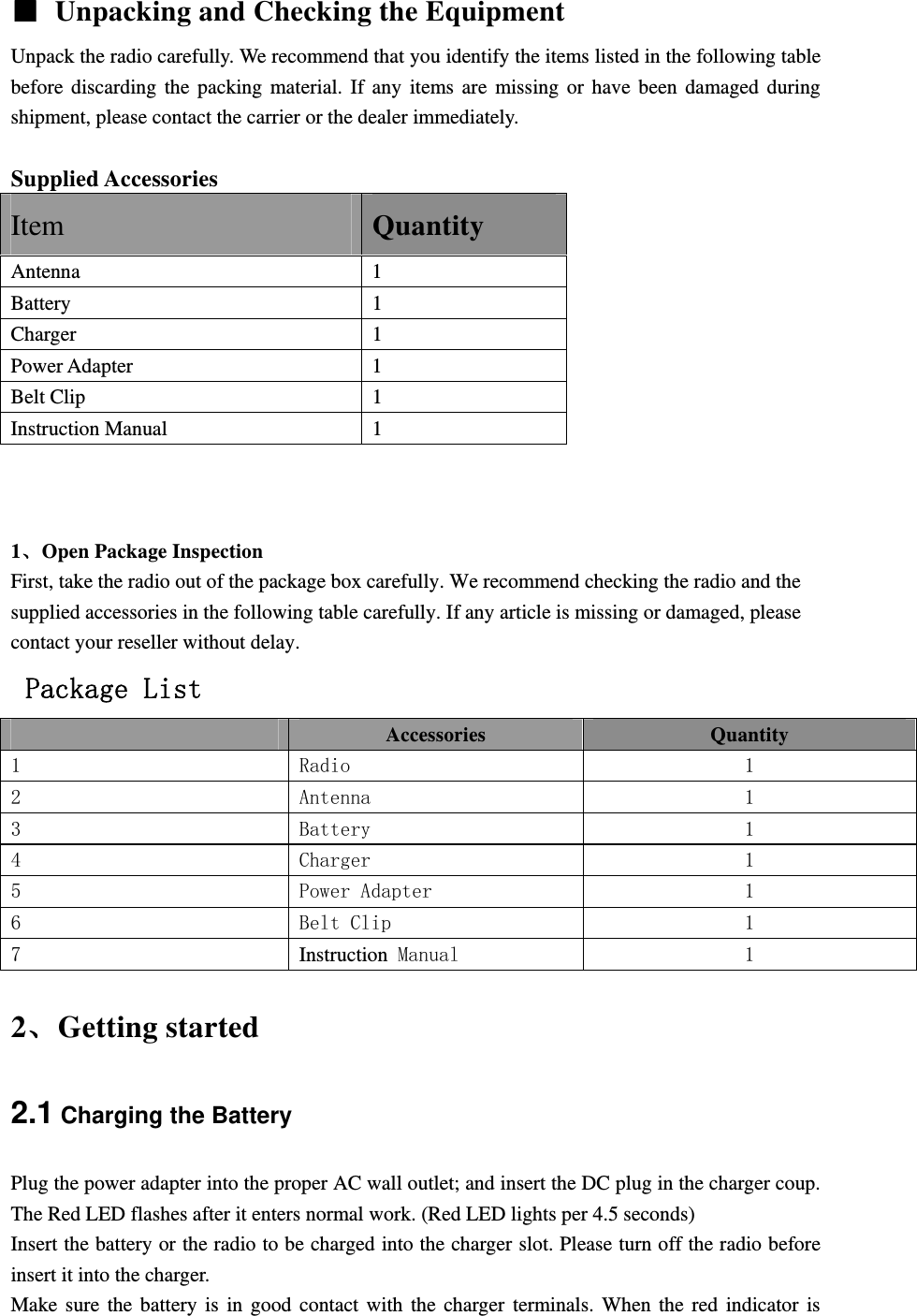
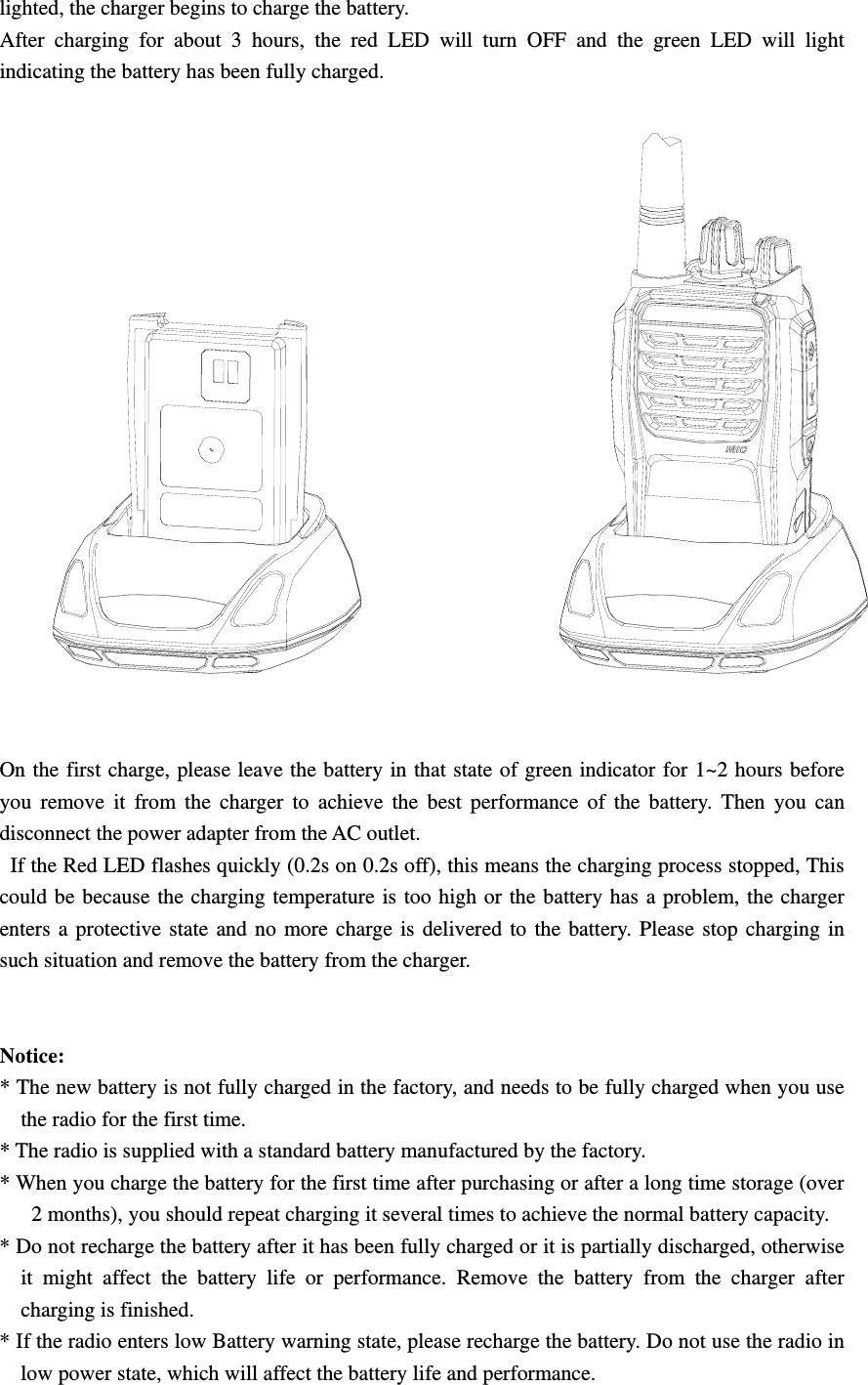
  Unpacking and Checking the Equipment Unpack the radio carefully. We recommend that you identify the items listed in the following table before discarding the packing material. If any items are missing or have been damaged during shipment, please contact the carrier or the dealer immediately.   Supplied Accessories Item Quantity Antenna 1 Battery 1 Charger 1 Power Adapter  1 Belt Clip  1 Instruction Manual  1    1、Open Package Inspection First, take the radio out of the package box carefully. We recommend checking the radio and the supplied accessories in the following table carefully. If any article is missing or damaged, please contact your reseller without delay.  Package List  Accessories  Quantity 1  Radio  1 2  Antenna  1 3  Battery  1 4  Charger  1 5  Power Adapter  1 6  Belt Clip  1 7  Instruction Manual  1 2、Getting started 2.1 Charging the Battery Plug the power adapter into the proper AC wall outlet; and insert the DC plug in the charger coup. The Red LED flashes after it enters normal work. (Red LED lights per 4.5 seconds) Insert the battery or the radio to be charged into the charger slot. Please turn off the radio before insert it into the charger. Make sure the battery is in good contact with the charger terminals. When the red indicator is
lighted, the charger begins to charge the battery. After charging for about 3 hours, the red LED will turn OFF and the green LED will light indicating the battery has been fully charged.    On the first charge, please leave the battery in that state of green indicator for 1~2 hours before you remove it from the charger to achieve the best performance of the battery. Then you can disconnect the power adapter from the AC outlet.   If the Red LED flashes quickly (0.2s on 0.2s off), this means the charging process stopped, This could be because the charging temperature is too high or the battery has a problem, the charger enters a protective state and no more charge is delivered to the battery. Please stop charging in such situation and remove the battery from the charger.       Notice:  * The new battery is not fully charged in the factory, and needs to be fully charged when you use the radio for the first time.   * The radio is supplied with a standard battery manufactured by the factory. * When you charge the battery for the first time after purchasing or after a long time storage (over 2 months), you should repeat charging it several times to achieve the normal battery capacity.   * Do not recharge the battery after it has been fully charged or it is partially discharged, otherwise it might affect the battery life or performance. Remove the battery from the charger after charging is finished.   * If the radio enters low Battery warning state, please recharge the battery. Do not use the radio in low power state, which will affect the battery life and performance.
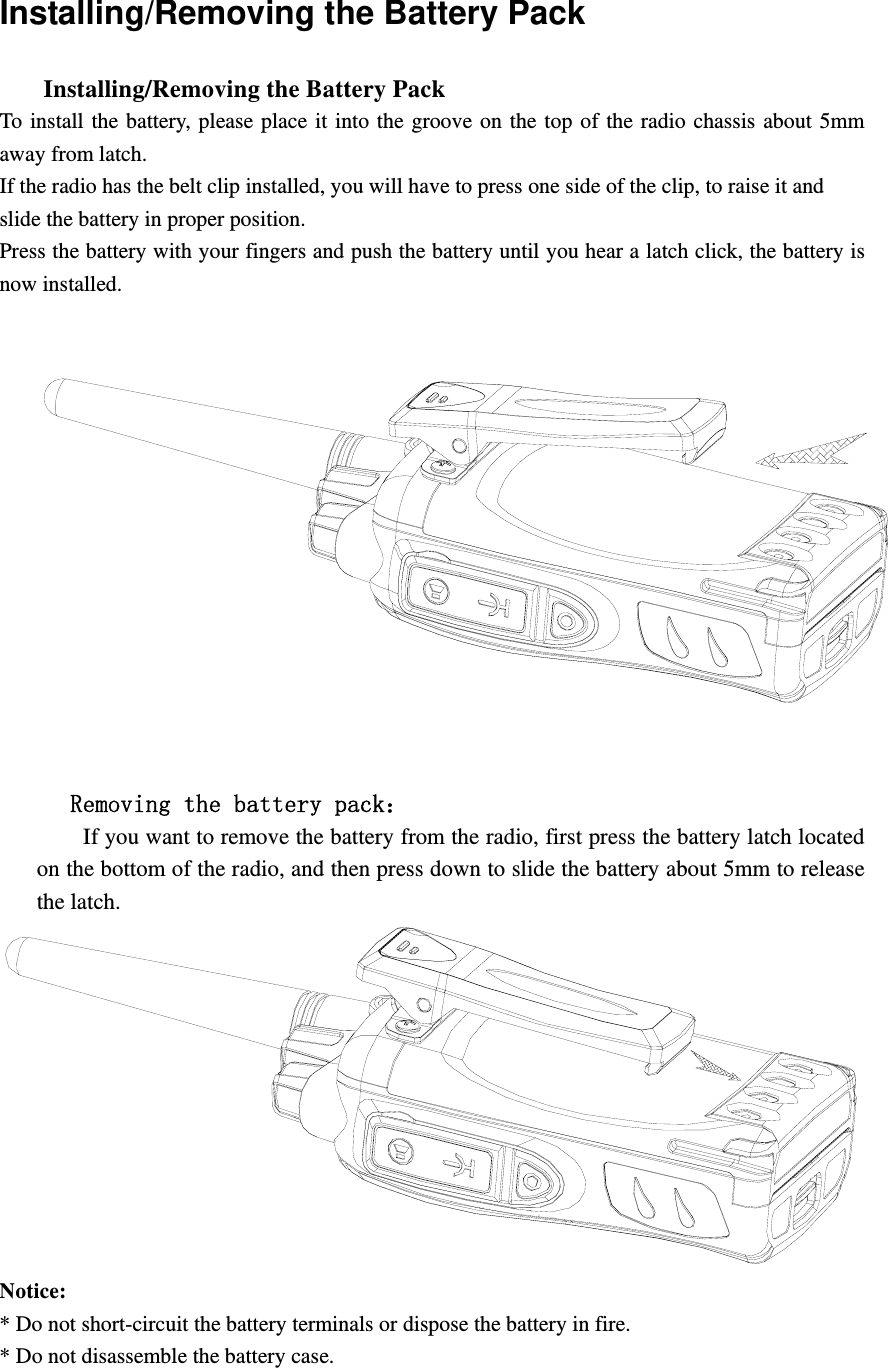
Installing/Removing the Battery Pack       Installing/Removing the Battery Pack   To install the battery, please place it into the groove on the top of the radio chassis about 5mm away from latch.   If the radio has the belt clip installed, you will have to press one side of the clip, to raise it and   slide the battery in proper position. Press the battery with your fingers and push the battery until you hear a latch click, the battery is now installed.           Removing the battery pack:         If you want to remove the battery from the radio, first press the battery latch located on the bottom of the radio, and then press down to slide the battery about 5mm to release the latch.  Notice:  * Do not short-circuit the battery terminals or dispose the battery in fire. * Do not disassemble the battery case.
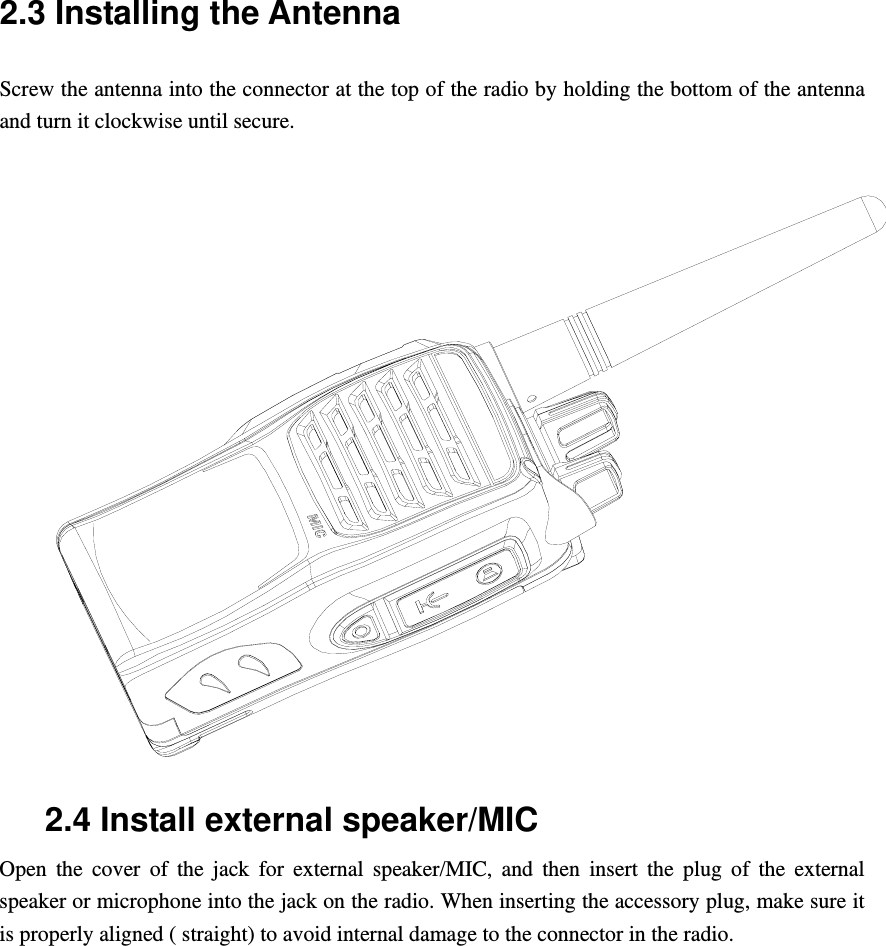
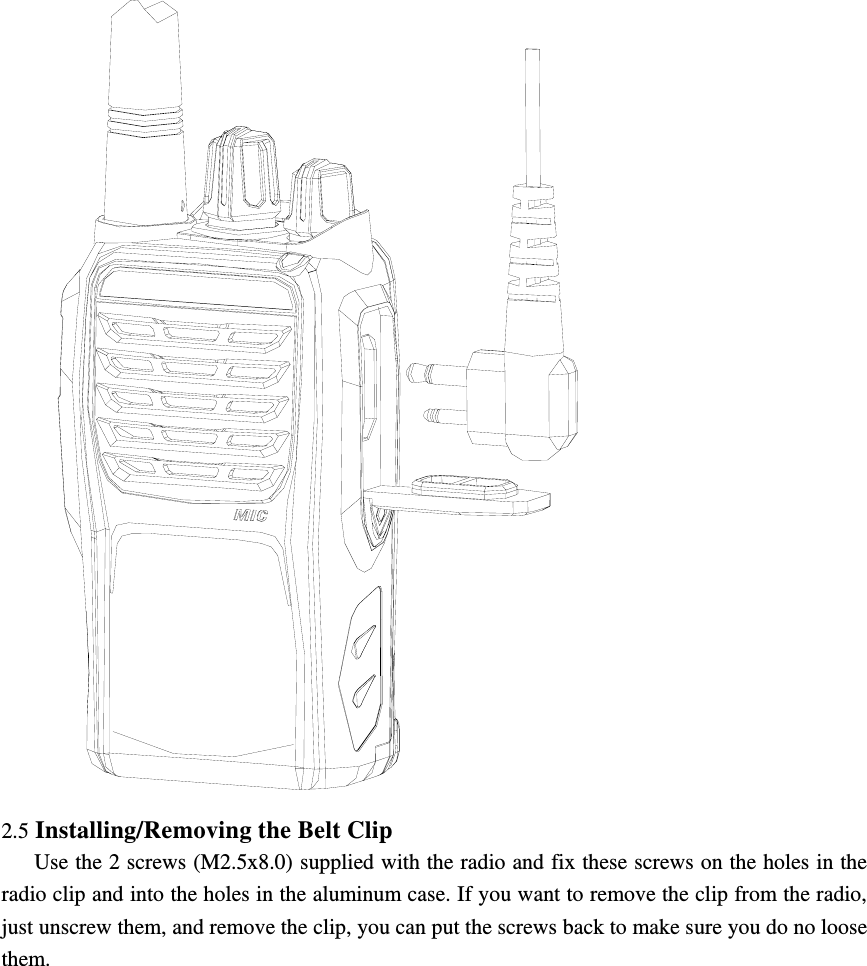
2.3 Installing the Antenna   Screw the antenna into the connector at the top of the radio by holding the bottom of the antenna and turn it clockwise until secure.   2.4 Install external speaker/MIC Open the cover of the jack for external speaker/MIC, and then insert the plug of the external speaker or microphone into the jack on the radio. When inserting the accessory plug, make sure it is properly aligned ( straight) to avoid internal damage to the connector in the radio.
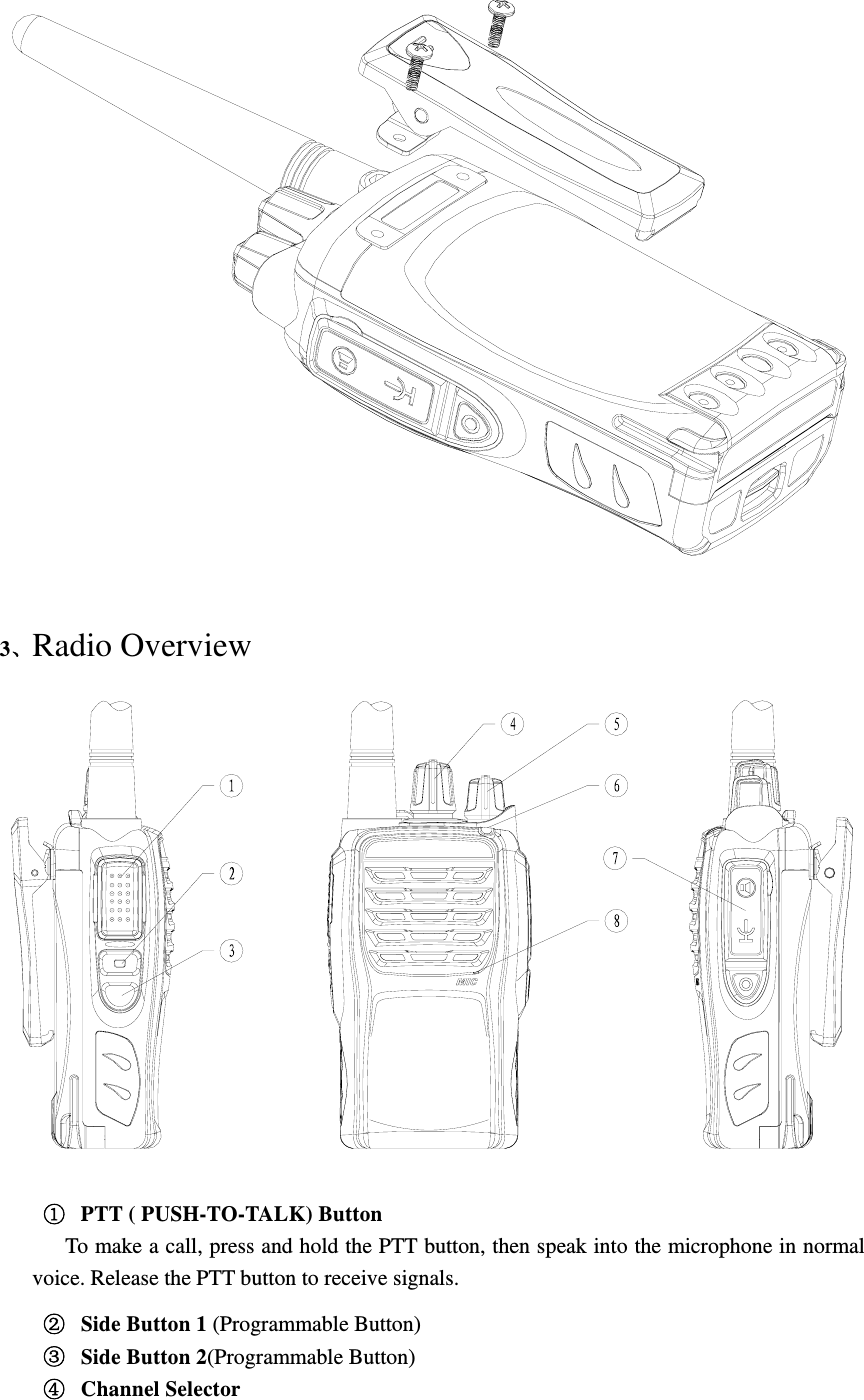
 2.5 Installing/Removing the Belt Clip      Use the 2 screws (M2.5x8.0) supplied with the radio and fix these screws on the holes in the radio clip and into the holes in the aluminum case. If you want to remove the clip from the radio, just unscrew them, and remove the clip, you can put the screws back to make sure you do no loose them.
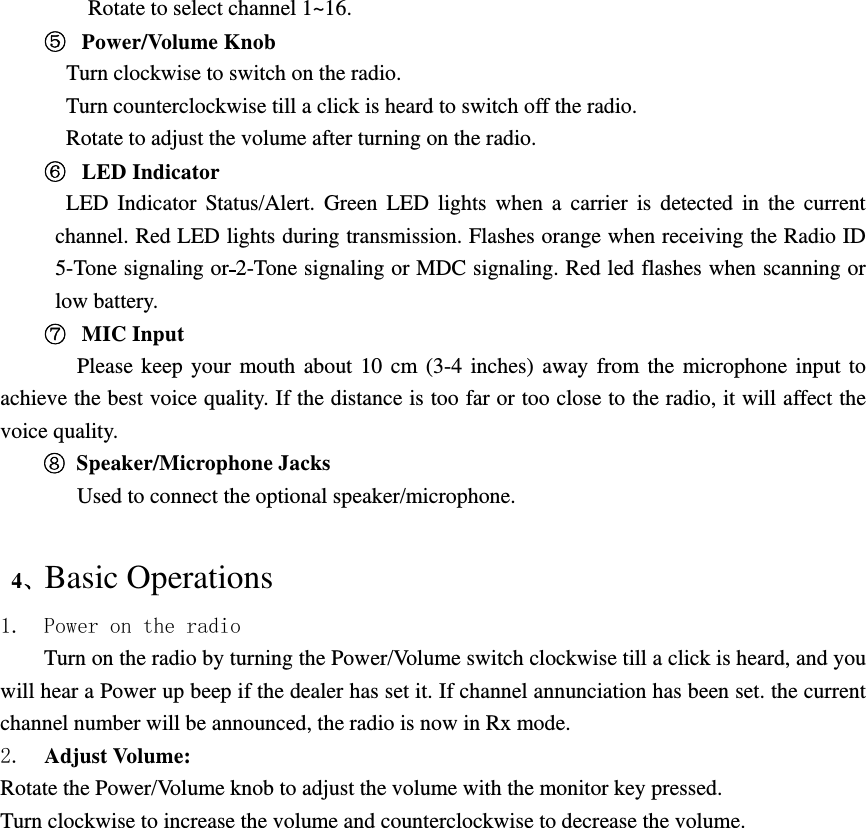
  3、Radio Overview      PTT ( PUSH-TO-TALK) Button    To make a call, press and hold the PTT button, then speak into the microphone in normal voice. Release the PTT button to receive signals.   Side Button 1 (Programmable Button)   Side Button 2(Programmable Button)   Channel Selector
Rotate to select channel 1~16.   Power/Volume Knob    Turn clockwise to switch on the radio.   Turn counterclockwise till a click is heard to switch off the radio. Rotate to adjust the volume after turning on the radio.   LED Indicator LED Indicator Status/Alert. Green LED lights when a carrier is detected in the current channel. Red LED lights during transmission. Flashes orange when receiving the Radio ID 5-Tone signaling or 2-Tone signaling or MDC signaling. Red led flashes when scanning or low battery.   MIC Input    Please keep your mouth about 10 cm (3-4 inches) away from the microphone input to achieve the best voice quality. If the distance is too far or too close to the radio, it will affect the voice quality.  Speaker/Microphone Jacks Used to connect the optional speaker/microphone.     4、Basic Operations 1. Power on the radio Turn on the radio by turning the Power/Volume switch clockwise till a click is heard, and you will hear a Power up beep if the dealer has set it. If channel annunciation has been set. the current channel number will be announced, the radio is now in Rx mode. 2.  Adjust Volume:   Rotate the Power/Volume knob to adjust the volume with the monitor key pressed. Turn clockwise to increase the volume and counterclockwise to decrease the volume.
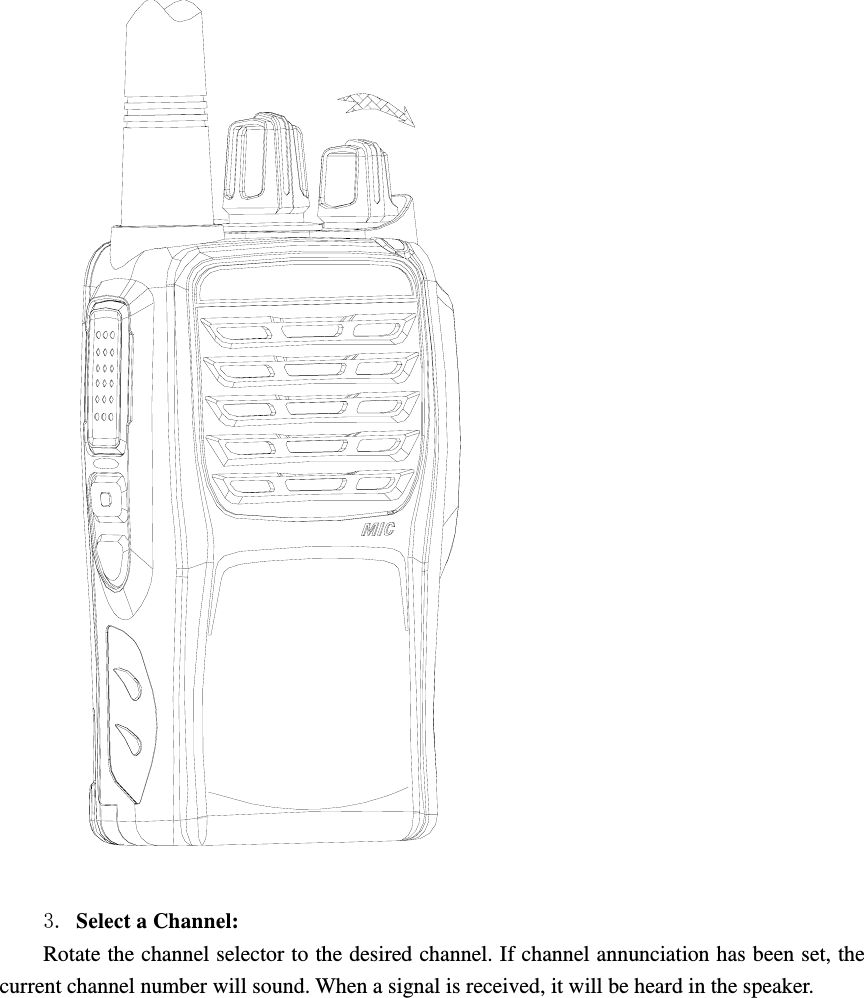
  3. Select a Channel:   Rotate the channel selector to the desired channel. If channel annunciation has been set, the current channel number will sound. When a signal is received, it will be heard in the speaker.
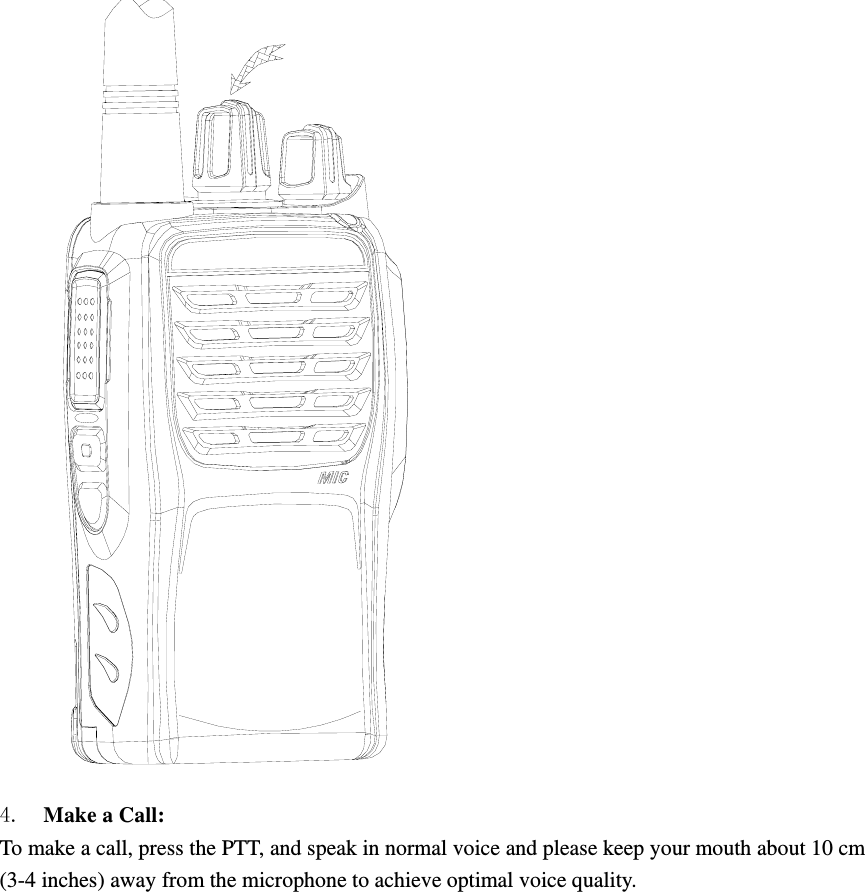
 4.  Make a Call:   To make a call, press the PTT, and speak in normal voice and please keep your mouth about 10 cm (3-4 inches) away from the microphone to achieve optimal voice quality.
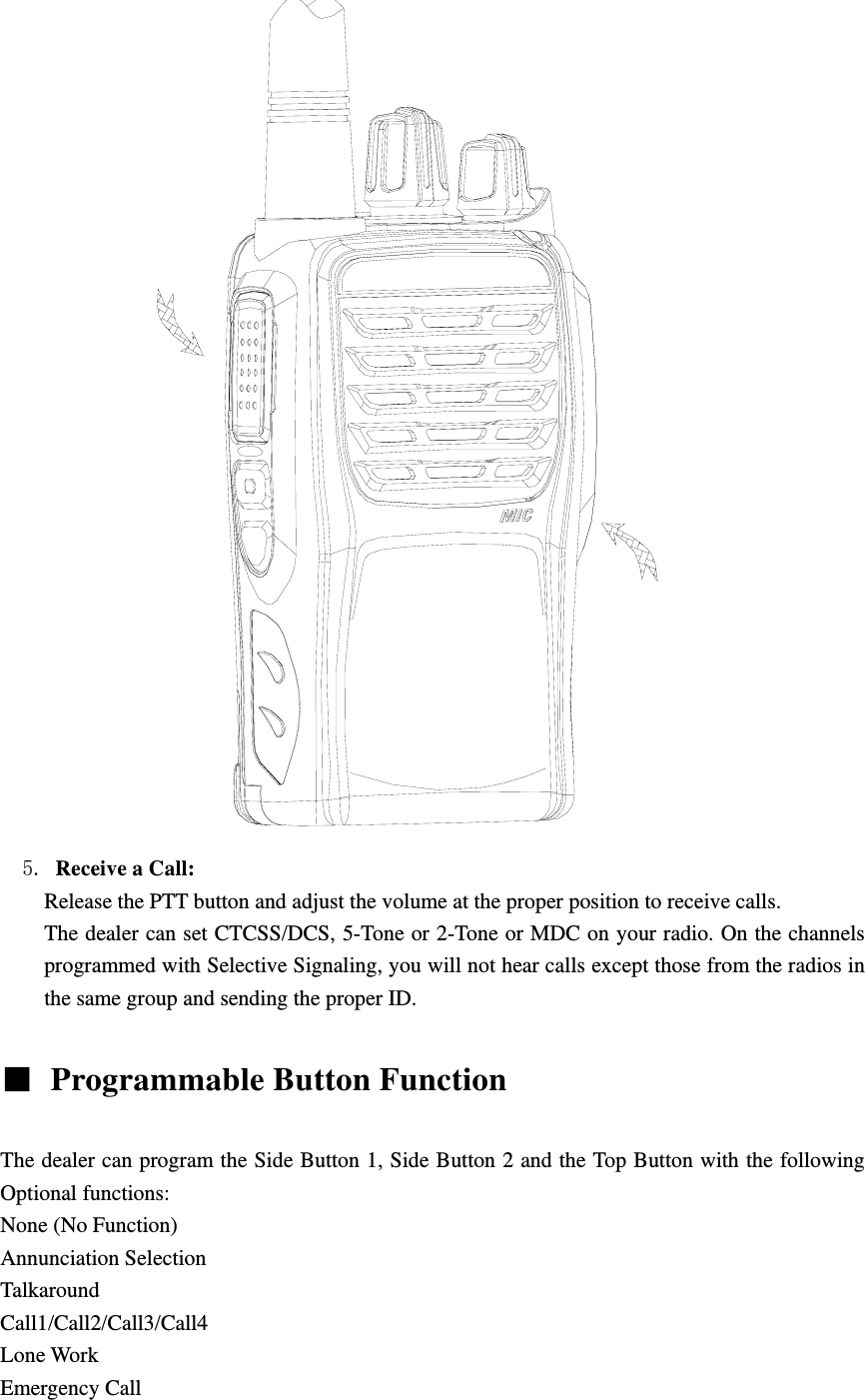
               5. Receive a Call:   Release the PTT button and adjust the volume at the proper position to receive calls. The dealer can set CTCSS/DCS, 5-Tone or 2-Tone or MDC on your radio. On the channels programmed with Selective Signaling, you will not hear calls except those from the radios in the same group and sending the proper ID.    Programmable Button Function    The dealer can program the Side Button 1, Side Button 2 and the Top Button with the following Optional functions: None (No Function) Annunciation Selection Talkaround Call1/Call2/Call3/Call4 Lone Work Emergency Call
Cancel Emergency Call Man-Down Scan Noise Channel Delete Call Forward H/M/L Power Switch Squelch Adjust Monitor Momentary/Call Cancel Monitor/Call Cancel Squelch Off Momentary/Call Cancel Squelch Off/Call Cancel Lock Keyboard Battery Check Surveillance CTCSS Scan/Forever Save CH CTCSS Scan/Save CH    When pressing a Key, notice the different beeps you will hear No beep, key pressed not acknowledge one beep, feature enable two beeps, feature disable “Error” beep, key pressed invalid Voice prompt, state after key acknowledge .   The dealer can program the following functions: None No Function is programmed.  Annunciation Selection Press this key will disable or enable channel annunciation function.  Talk Around Press this key will disable or enable Talk Around function. In talk around state, the radio will transmit with the RX frequency of the channel.    CALL 1/CALL 2/CALL3/CALL4 Press the button set as “CALL 1/CALL 2/CALL3/CALL4” to transmit the stored code.    Lone Work When the radio is set in lone work, it will sounds pre-alert tones before the Lone Work time expires, and the user should press any key on the radio within the Reset Time, indicating the user
is safe, otherwise, the radio will enter emergency state automatically.   Emergency Call   When you press the top button set as “Emergency Call”, the radio will enter emergency state, the radio can sound alarm tone or transmit ID code or background tone to your partners or the system, the detail setting is programmed by your dealer.    Cancel Emergency Call Press the top button set as “Cancel Emergency Call” to cancel Emergency function.  Scan a) Press the button set as “Scan” to start or stop scanning. If scan beep tone enabled, 4 high beeps will indicate entering scanning state, or 4 low beeps indicate exiting scanning state. If scan LED enabled, (the GREEN LED will blink while scanning). b) The working channel of the radio will revert to the defined channels automatically when you press PTT button during scanning.    Noise Channel (Temporarily) Delete When scanning pauses on a channel, press and hold the button programmed as “Temporarily Delete Noise Channel” to delete this channel from the scanning list temporarily. Note: The priority channel cannot be deleted. And when the number of scanning channels is less than 2, you cannot delete any channel, either. After exiting scanning mode and entering it again, the temporarily deleted channel will be added in the scanning list again.  Call Forward This function enters mode whereby an individual call causes the radio to transmit the call forward telegram. This feature is used more on mobile radios and it allows the user to leave the vehicle. If the vehicle receives an individual call, it will transmit a telegram to the forwarding radio. This radio will open .Assuming both radios have the same CTCSS tone, the call will take place. This function is only used in 5-tone mode  H/M/L Power Switch Press the key set as “H/M/L Power Switch” to switch among high ,middle and low power.  Squelch Adjust You can change the squelch level by pressing “Squelch Adjust” button. But when you power on the radio again, the radio will return to the default squelch level set by your dealer.  Monitor Momentary/Call Cancel Press the side button set as “Monitor Momentary” to turn off CTCSS, DCS, 5-Tone, 2-Tone and MDC and to hear the signals that cannot be heard when in normal work. Release the Monitor key to return to normal work. When in selective call state, press this key to exit selective call.
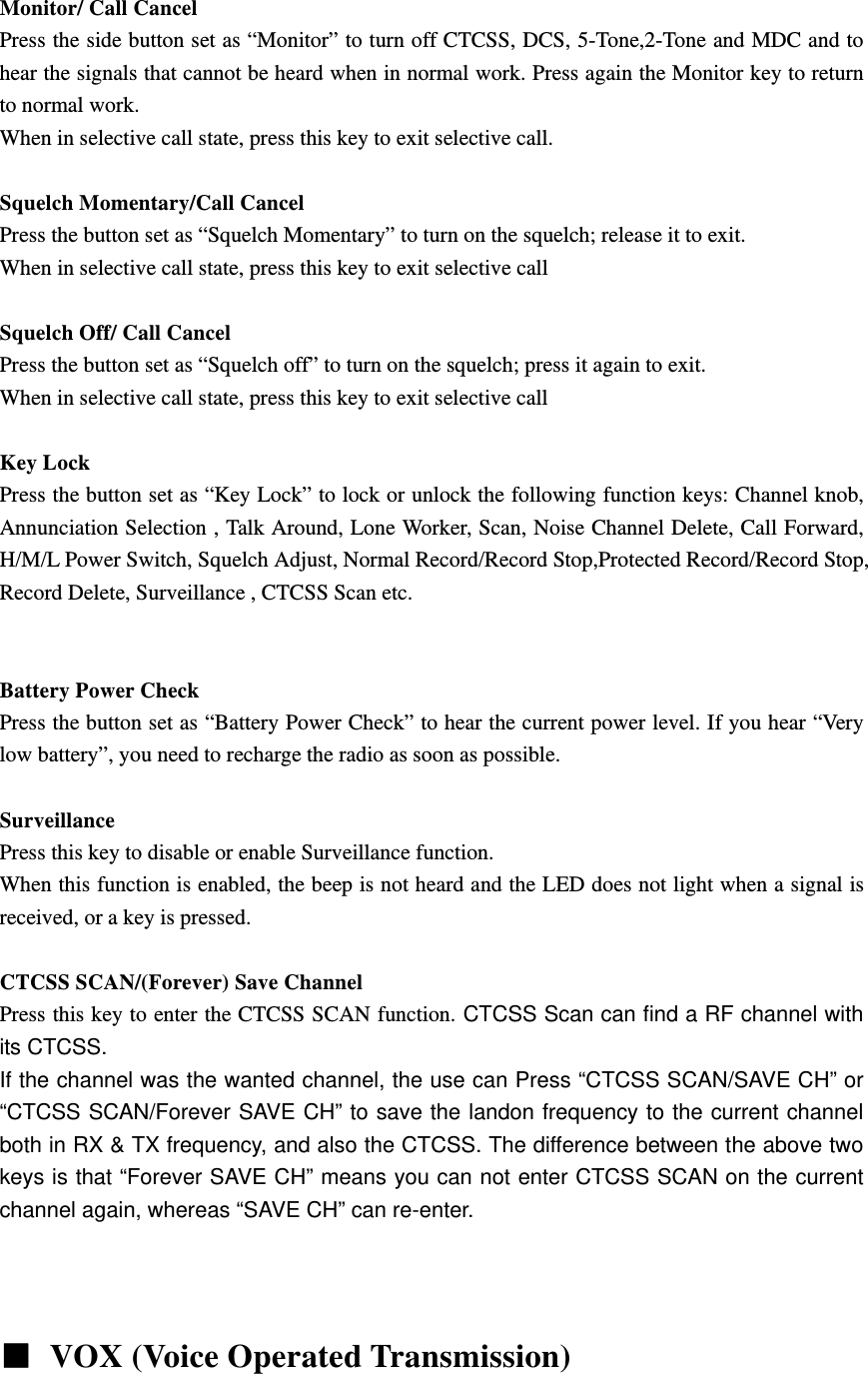
 Monitor/ Call Cancel Press the side button set as “Monitor” to turn off CTCSS, DCS, 5-Tone,2-Tone and MDC and to hear the signals that cannot be heard when in normal work. Press again the Monitor key to return to normal work. When in selective call state, press this key to exit selective call.  Squelch Momentary/Call Cancel Press the button set as “Squelch Momentary” to turn on the squelch; release it to exit. When in selective call state, press this key to exit selective call  Squelch Off/ Call Cancel Press the button set as “Squelch off” to turn on the squelch; press it again to exit. When in selective call state, press this key to exit selective call  Key Lock Press the button set as “Key Lock” to lock or unlock the following function keys: Channel knob, Annunciation Selection , Talk Around, Lone Worker, Scan, Noise Channel Delete, Call Forward, H/M/L Power Switch, Squelch Adjust, Normal Record/Record Stop,Protected Record/Record Stop, Record Delete, Surveillance , CTCSS Scan etc.      Battery Power Check Press the button set as “Battery Power Check” to hear the current power level. If you hear “Very low battery”, you need to recharge the radio as soon as possible.  Surveillance Press this key to disable or enable Surveillance function. When this function is enabled, the beep is not heard and the LED does not light when a signal is received, or a key is pressed.  CTCSS SCAN/(Forever) Save Channel Press this key to enter the CTCSS SCAN function. CTCSS Scan can find a RF channel with its CTCSS.   If the channel was the wanted channel, the use can Press “CTCSS SCAN/SAVE CH” or “CTCSS SCAN/Forever SAVE CH” to save the landon frequency to the current channel both in RX & TX frequency, and also the CTCSS. The difference between the above two keys is that “Forever SAVE CH” means you can not enter CTCSS SCAN on the current channel again, whereas “SAVE CH” can re-enter.         VOX (Voice Operated Transmission)
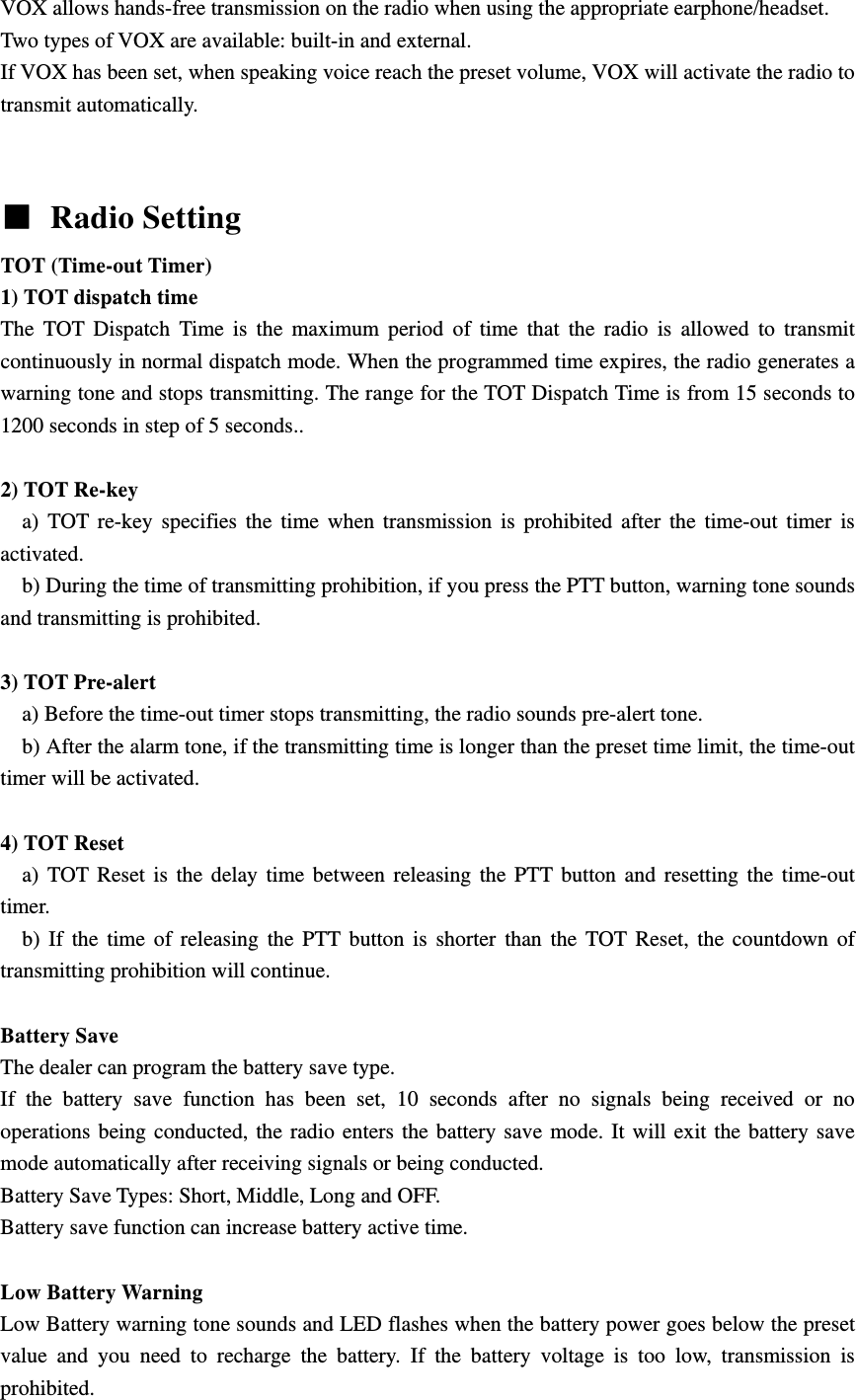
VOX allows hands-free transmission on the radio when using the appropriate earphone/headset. Two types of VOX are available: built-in and external. If VOX has been set, when speaking voice reach the preset volume, VOX will activate the radio to transmit automatically.      Radio Setting TOT (Time-out Timer)   1) TOT dispatch time The TOT Dispatch Time is the maximum period of time that the radio is allowed to transmit continuously in normal dispatch mode. When the programmed time expires, the radio generates a warning tone and stops transmitting. The range for the TOT Dispatch Time is from 15 seconds to 1200 seconds in step of 5 seconds..  2) TOT Re-key   a) TOT re-key specifies the time when transmission is prohibited after the time-out timer is activated.     b) During the time of transmitting prohibition, if you press the PTT button, warning tone sounds and transmitting is prohibited.  3) TOT Pre-alert     a) Before the time-out timer stops transmitting, the radio sounds pre-alert tone.       b) After the alarm tone, if the transmitting time is longer than the preset time limit, the time-out timer will be activated.  4) TOT Reset   a) TOT Reset is the delay time between releasing the PTT button and resetting the time-out timer.    b) If the time of releasing the PTT button is shorter than the TOT Reset, the countdown of transmitting prohibition will continue.    Battery Save   The dealer can program the battery save type. If the battery save function has been set, 10 seconds after no signals being received or no operations being conducted, the radio enters the battery save mode. It will exit the battery save mode automatically after receiving signals or being conducted. Battery Save Types: Short, Middle, Long and OFF. Battery save function can increase battery active time.    Low Battery Warning   Low Battery warning tone sounds and LED flashes when the battery power goes below the preset value and you need to recharge the battery. If the battery voltage is too low, transmission is prohibited.
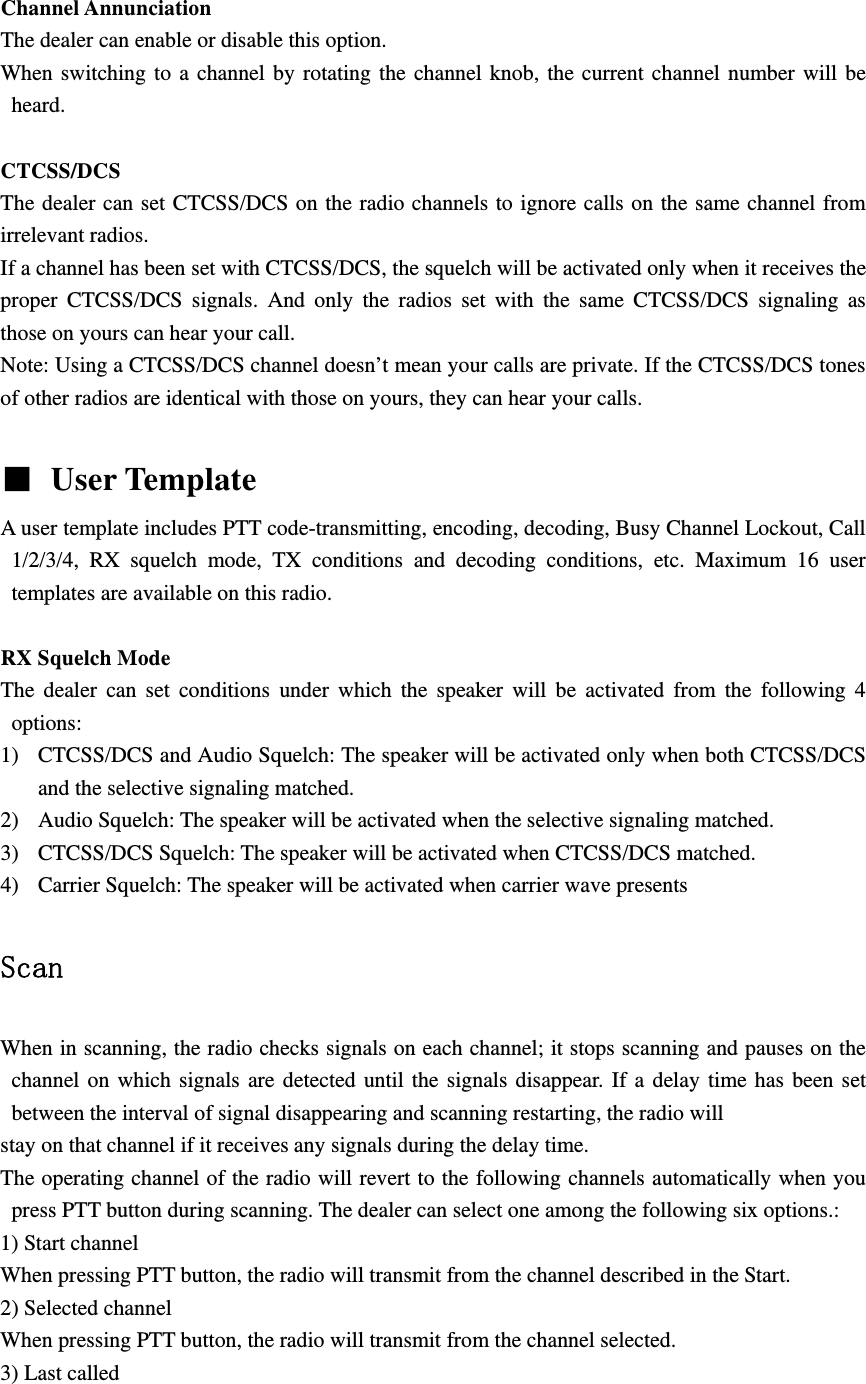
 Channel Annunciation   The dealer can enable or disable this option. When switching to a channel by rotating the channel knob, the current channel number will be heard.  CTCSS/DCS The dealer can set CTCSS/DCS on the radio channels to ignore calls on the same channel from irrelevant radios.   If a channel has been set with CTCSS/DCS, the squelch will be activated only when it receives the proper CTCSS/DCS signals. And only the radios set with the same CTCSS/DCS signaling as those on yours can hear your call. Note: Using a CTCSS/DCS channel doesn’t mean your calls are private. If the CTCSS/DCS tones of other radios are identical with those on yours, they can hear your calls.   User Template   A user template includes PTT code-transmitting, encoding, decoding, Busy Channel Lockout, Call 1/2/3/4, RX squelch mode, TX conditions and decoding conditions, etc. Maximum 16 user templates are available on this radio.  RX Squelch Mode The dealer can set conditions under which the speaker will be activated from the following 4 options: 1) CTCSS/DCS and Audio Squelch: The speaker will be activated only when both CTCSS/DCS and the selective signaling matched. 2) Audio Squelch: The speaker will be activated when the selective signaling matched. 3) CTCSS/DCS Squelch: The speaker will be activated when CTCSS/DCS matched. 4) Carrier Squelch: The speaker will be activated when carrier wave presents  Scan  When in scanning, the radio checks signals on each channel; it stops scanning and pauses on the channel on which signals are detected until the signals disappear. If a delay time has been set between the interval of signal disappearing and scanning restarting, the radio will stay on that channel if it receives any signals during the delay time. The operating channel of the radio will revert to the following channels automatically when you press PTT button during scanning. The dealer can select one among the following six options.: 1) Start channel When pressing PTT button, the radio will transmit from the channel described in the Start. 2) Selected channel When pressing PTT button, the radio will transmit from the channel selected. 3) Last called
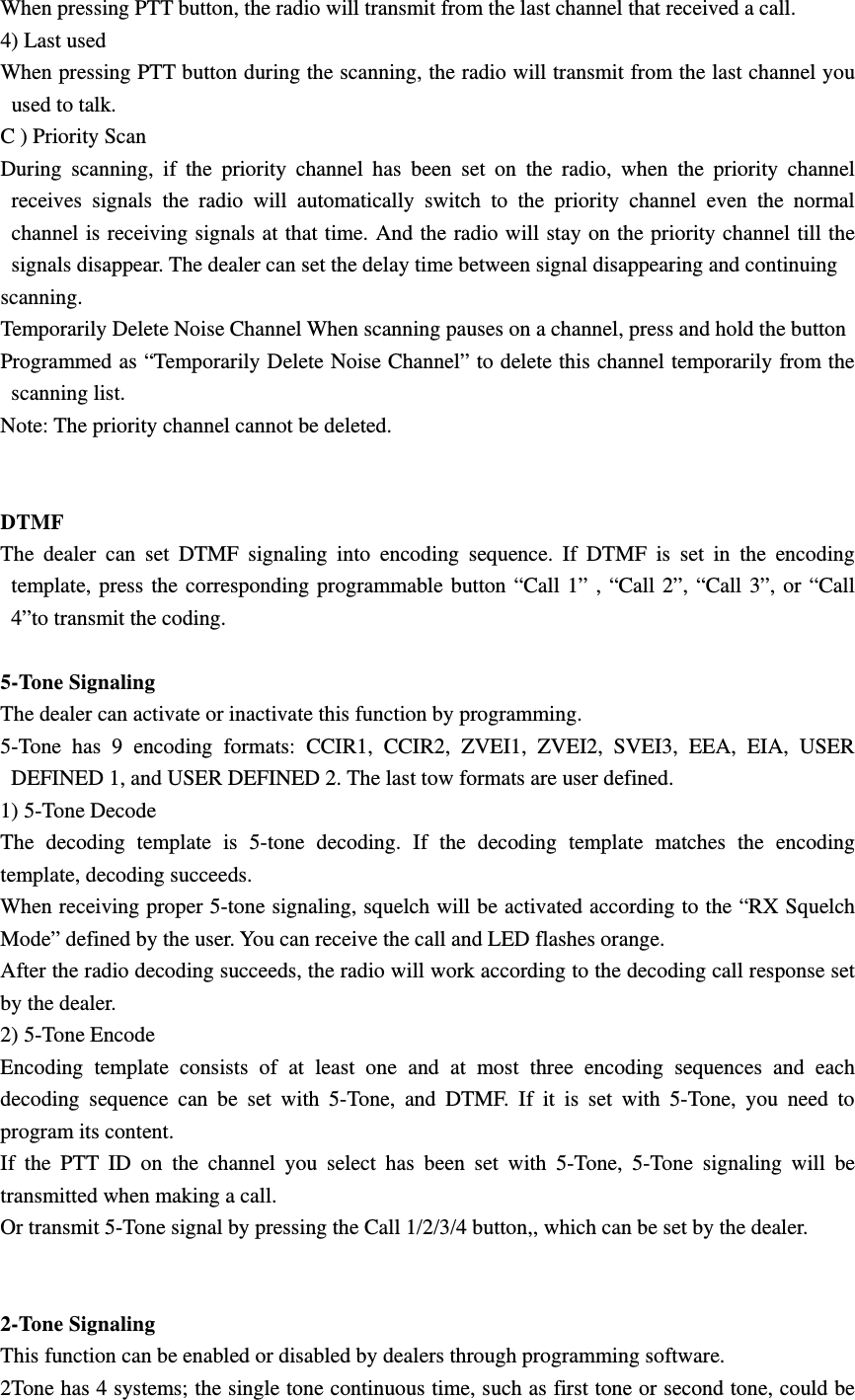
When pressing PTT button, the radio will transmit from the last channel that received a call. 4) Last used When pressing PTT button during the scanning, the radio will transmit from the last channel you used to talk. C ) Priority Scan During scanning, if the priority channel has been set on the radio, when the priority channel receives signals the radio will automatically switch to the priority channel even the normal channel is receiving signals at that time. And the radio will stay on the priority channel till the signals disappear. The dealer can set the delay time between signal disappearing and continuing scanning. Temporarily Delete Noise Channel When scanning pauses on a channel, press and hold the button Programmed as “Temporarily Delete Noise Channel” to delete this channel temporarily from the scanning list. Note: The priority channel cannot be deleted.   DTMF  The dealer can set DTMF signaling into encoding sequence. If DTMF is set in the encoding template, press the corresponding programmable button “Call 1” , “Call 2”, “Call 3”, or “Call 4”to transmit the coding.  5-Tone Signaling The dealer can activate or inactivate this function by programming. 5-Tone has 9 encoding formats: CCIR1, CCIR2, ZVEI1, ZVEI2, SVEI3, EEA, EIA, USER DEFINED 1, and USER DEFINED 2. The last tow formats are user defined.   1) 5-Tone Decode The decoding template is 5-tone decoding. If the decoding template matches the encoding template, decoding succeeds.   When receiving proper 5-tone signaling, squelch will be activated according to the “RX Squelch Mode” defined by the user. You can receive the call and LED flashes orange. After the radio decoding succeeds, the radio will work according to the decoding call response set by the dealer.   2) 5-Tone Encode Encoding template consists of at least one and at most three encoding sequences and each decoding sequence can be set with 5-Tone, and DTMF. If it is set with 5-Tone, you need to program its content. If the PTT ID on the channel you select has been set with 5-Tone, 5-Tone signaling will be transmitted when making a call. Or transmit 5-Tone signal by pressing the Call 1/2/3/4 button,, which can be set by the dealer.   2-Tone Signaling This function can be enabled or disabled by dealers through programming software. 2Tone has 4 systems; the single tone continuous time, such as first tone or second tone, could be
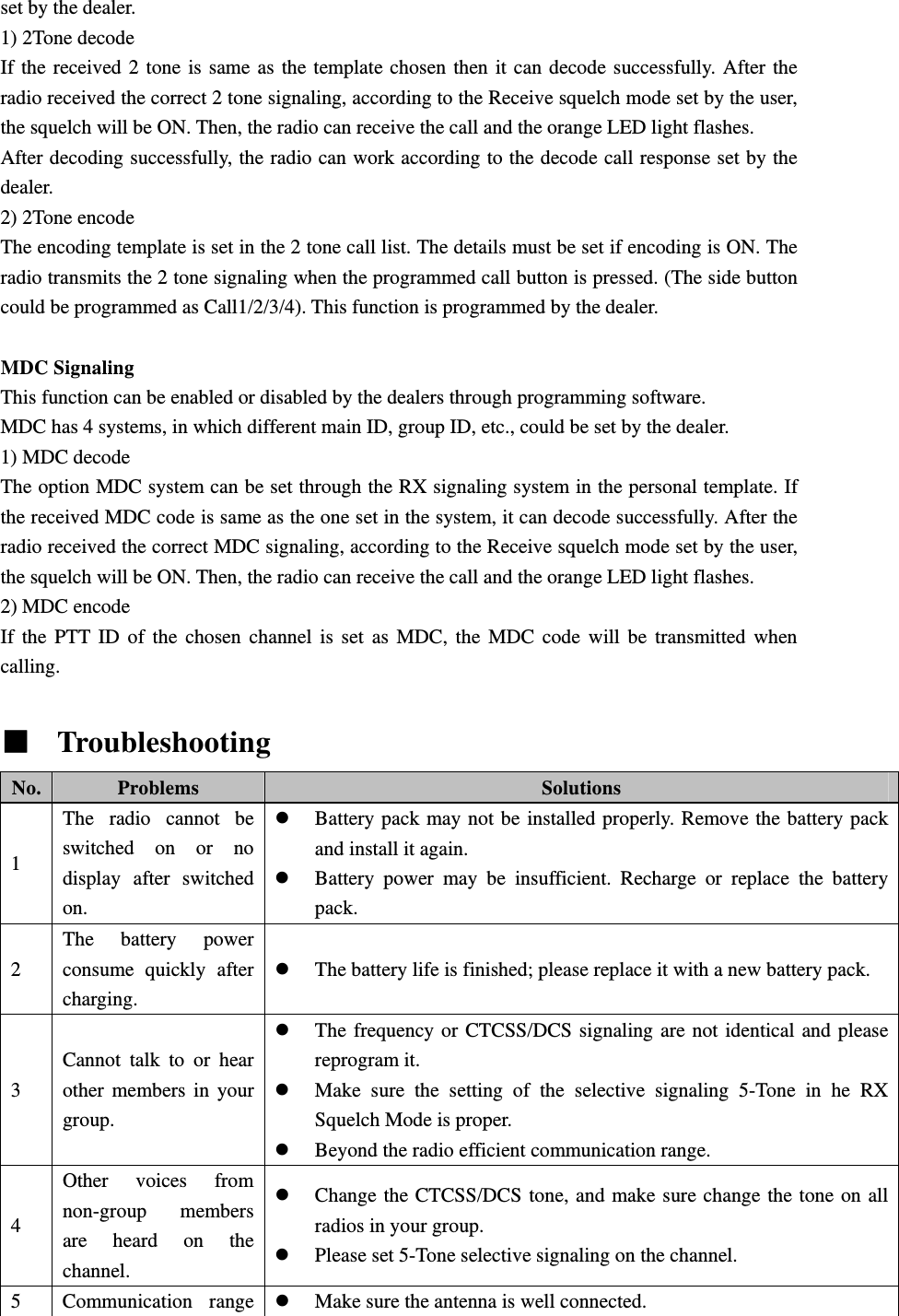
set by the dealer. 1) 2Tone decode If the received 2 tone is same as the template chosen then it can decode successfully. After the radio received the correct 2 tone signaling, according to the Receive squelch mode set by the user, the squelch will be ON. Then, the radio can receive the call and the orange LED light flashes. After decoding successfully, the radio can work according to the decode call response set by the dealer. 2) 2Tone encode The encoding template is set in the 2 tone call list. The details must be set if encoding is ON. The radio transmits the 2 tone signaling when the programmed call button is pressed. (The side button could be programmed as Call1/2/3/4). This function is programmed by the dealer.  MDC Signaling This function can be enabled or disabled by the dealers through programming software. MDC has 4 systems, in which different main ID, group ID, etc., could be set by the dealer. 1) MDC decode The option MDC system can be set through the RX signaling system in the personal template. If the received MDC code is same as the one set in the system, it can decode successfully. After the radio received the correct MDC signaling, according to the Receive squelch mode set by the user, the squelch will be ON. Then, the radio can receive the call and the orange LED light flashes. 2) MDC encode If the PTT ID of the chosen channel is set as MDC, the MDC code will be transmitted when calling.    Troubleshooting   No.  Problems  Solutions 1 The radio cannot be switched on or no display after switched on. z Battery pack may not be installed properly. Remove the battery pack and install it again. z Battery power may be insufficient. Recharge or replace the battery pack. 2 The battery power consume quickly after charging. z The battery life is finished; please replace it with a new battery pack. 3 Cannot talk to or hear other members in your group. z The frequency or CTCSS/DCS signaling are not identical and please reprogram it. z Make sure the setting of the selective signaling 5-Tone in he RX Squelch Mode is proper.   z Beyond the radio efficient communication range. 4 Other voices from non-group members are heard on the channel. z Change the CTCSS/DCS tone, and make sure change the tone on all radios in your group. z Please set 5-Tone selective signaling on the channel. 5 Communication range z Make sure the antenna is well connected.
is too small.  z Make sure the antenna is the originally supplied one. z Check if the battery power is in the normal state. z Ask your local dealer to adjust the squelch level. 6  Unable to transmit. z Make sure the PTT button has been pressed completely. z Battery power may be insufficient. Recharge or replace the battery pack. z Transmitting frequency has not been set on the channel and the radio has been remote killed. 7  Noise is too loud. z Battery power may be insufficient. Recharge or replace the battery pack. z Beyond the efficient communication range.
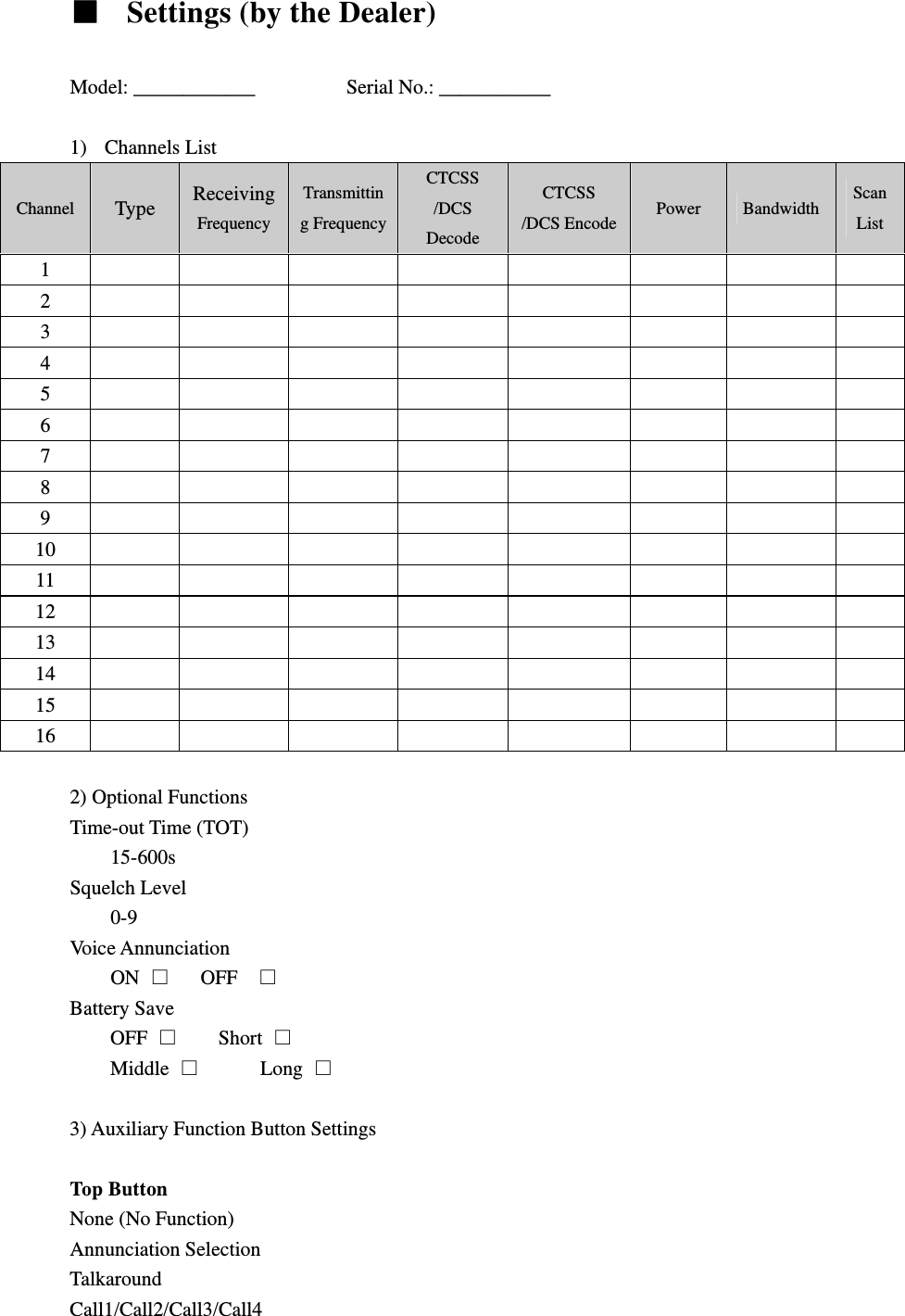
  Settings (by the Dealer)  Model: ____________         Serial No.: ___________  1) Channels List Channel  Type  Receiving Frequency Transmitting FrequencyCTCSS /DCS Decode CTCSS /DCS Encode Power  Bandwidth  Scan List 1          2          3          4          5          6          7          8          9          10          11          12          13          14          15          16           2) Optional Functions   Time-out Time (TOT)   15-600s Squelch Level 0-9 Voice Annunciation ON     OFF   Battery Save OFF      Short  Middle        Long   3) Auxiliary Function Button Settings    Top Button   None (No Function) Annunciation Selection Talkaround Call1/Call2/Call3/Call4
Lone Work Emergency Call Cancel Emergency Call Man-Down Scan Noise Channel Delete Call Forward H/M/L Power Switch Squelch Adjust Monitor Momentary/Call Cancel Monitor/Call Cancel Squelch Off Momentary/Call Cancel Squelch Off/Call Cancel Lock Keyboard Battery Check Surveillance CTCSS Scan/Forever Save CH CTCSS Scan/Save CH   Side Button 1 None (No Function) Annunciation Selection Talkaround Call1/Call2/Call3/Call4 Lone Work Emergency Call Cancel Emergency Call Man-Down Scan Noise Channel Delete Call Forward H/M/L Power Switch Squelch Adjust Monitor Momentary/Call Cancel Monitor/Call Cancel Squelch Off Momentary/Call Cancel Squelch Off/Call Cancel Lock Keyboard Battery Check Surveillance CTCSS Scan/Forever Save CH CTCSS Scan/Save CH
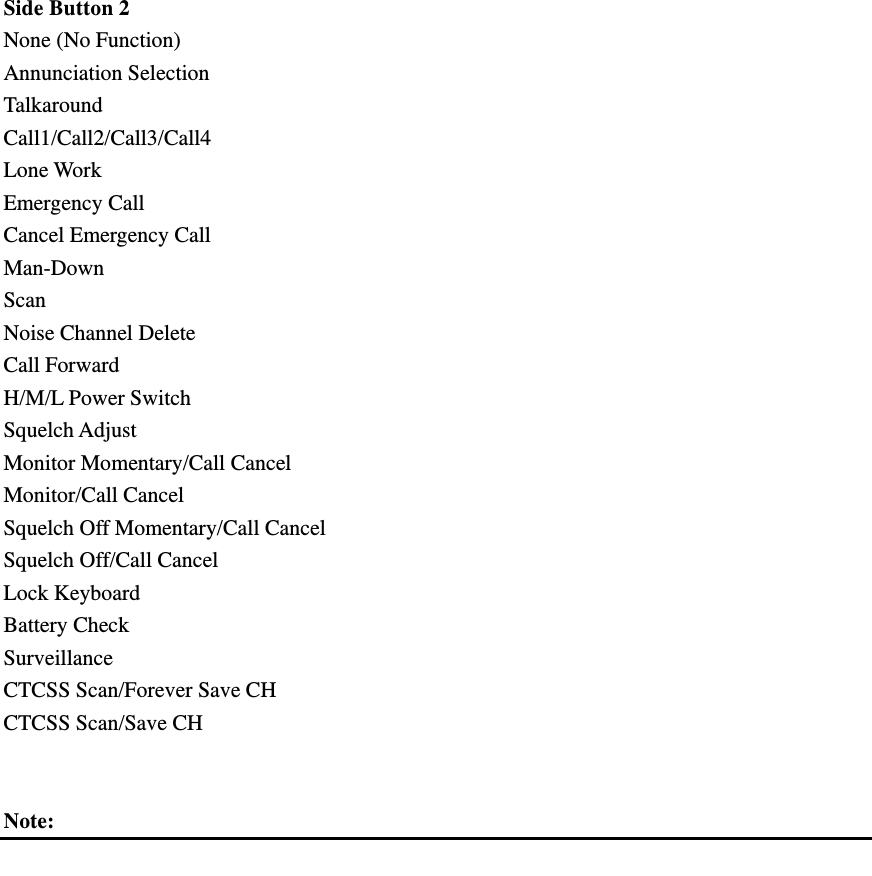
 Side Button 2   None (No Function) Annunciation Selection Talkaround Call1/Call2/Call3/Call4 Lone Work Emergency Call Cancel Emergency Call Man-Down Scan Noise Channel Delete Call Forward H/M/L Power Switch Squelch Adjust Monitor Momentary/Call Cancel Monitor/Call Cancel Squelch Off Momentary/Call Cancel Squelch Off/Call Cancel Lock Keyboard Battery Check Surveillance CTCSS Scan/Forever Save CH CTCSS Scan/Save CH   Note:

Navigation menu