Canon Canoscan D1250U2F Specifications
2015-03-09
: Canon Canon-Canoscan-D1250U2F-Specifications-589919 canon-canoscan-d1250u2f-specifications-589919 canon pdf
Open the PDF directly: View PDF  .
.
Page Count: 2
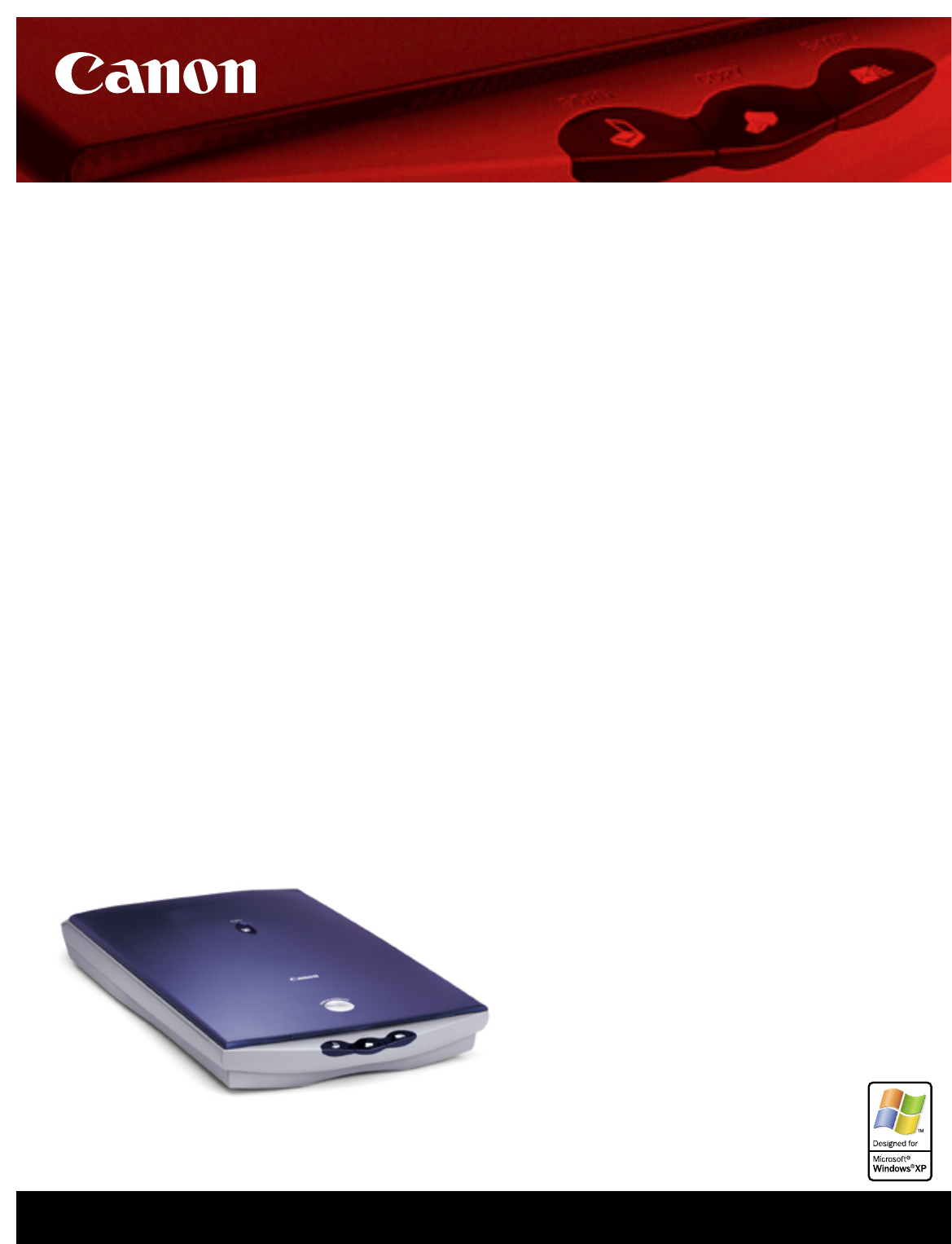
Photo And Film Scanning Made Easy.
Your dream scanner has arrived.The groundbreaking CanoScan D1250U2F
USB flatbed scanner is Canon innovation at its best—a photo and film scanner so
versatile, so easy-to-use and so feature-rich, it takes scanning to a whole new level.
Power scanning. Push-button ease.
It is easy to achieve spectacular 1200 x 2400 dpi, 48-bit results—and take
advantage of more than 281-trillion colors—with your D1250U2F scanner. Four
external buttons automate the entire scanning process. In one step you can scan,
copy or e-mail your choice of photos or documents.With the built-in 35mm
film adapter you can easily incorporate your negatives and slides into any
project. Canon’s integrated Quick Automatic Retouching and Enhancement
technology (QARE) automatically removes dirt and scratches from images
while STAD technology (Stabilized Tone-curve Auto Drawing) instinctively
corrects tone and gamma fields and optimizes highlights and shadows. Richer,
more robust images are at your fingertips.
Intelligent design, inside and out.
At every turn, you’ll find features that make using the D1250U2F scanner a true
pleasure. Canon’s advanced Z-Lid expansion top lifts vertically and lays flat to
create the space needed for bulky items, such as books or magazines, to ensure
clear, high-quality scans. Innovative software included gives you the power to
scan multiple photos at once and transfer them to CDs as easily as scan, click
and burn.The D1250U2F scanner features the state-of-the-art USB 2.0 inter-
face for incredibly fast image transfer and scanning speeds that are up to 4x
faster** than USB 1.1 equipped Window-based computers.*
CanoScan®
D1250U2F
USB Flatbed Scanner
• High-quality 35mm slide
and negative scanning
built-in
• 1200 x 2400 dpi/
48-bit scanning
• 4 EZ buttons automatically
scan, copy, e-mail
photos or film
•
Featuring the advanced Z-Lid
™
expansion top
• High-speed scanning with
the USB 2.0 interface*
• Scan, click and burn
photos onto CDs
*Available only with Windows®XP,Windows Me, and Windows 2000 professional.
** Based on Canon Inc. industry standard testing, using a Pentium 866 MHz, 256MB RAM, scanning an
approximate 8.5" x 11" image at 600 dpi. Results may vary.

Scanner Type Flatbed, color and monochrome
Scanning Element Charge-Coupled Device (CCD)
Light Source Cold Cathode Lamp
Optical Scanning 1200 x 2400 dpi
Resolution
Maximum Resolution 9600 x 9600 dpi
Scanning Mode Color: 48-bit internal/24-bit external
Grayscale: 16-bit internal/8-bit external
Black & white
Text enhanced
Document Size Print: 8.5" x 11.7"
(max.) Film: 35mm
Interface USB 2.0/USB 1.1
Dimensions 18.1" x 2.8" x 10.1"
(L x H x W)
Weight 5.5 lbs.
Cable Length Approx. 5 ft.
Common System 64MB RAM or more (128MB or more if using
Requirements Windows®XP or USB 2.0); Color monitor with
800 x 600 or higher display and 16-bit color or
higher; CD-ROM drive (2x or faster); USB port or
recommended USB 2.0 adapter card*
Windows System Windows XP,Windows Me,Windows 2000** or
Requirements Windows 98***; USB 1.1: Pentium®233MHz
processor or more (300MHz or higher
recommended), USB 2.0: Pentium III or higher,
Celeron®733MHz or higher, (Athlon™ or
Duron™ recommended at minimum)
Software
ScanGear
®
CS-U, ScanGear Toolbox,
Included
ArcSoft
®
PhotoBase,
™
Adobe
®
Photoshop®Elements
,
ScanSoft,
®
OmniPage
®Pro OCR and PhotoRecord
™
Power Requirements 120V AC, 60Hz
Maximum Power 15W (5W standby)
Consumption
Environmental Operating temperature: 50˚ to 95˚F
Conditions Operating humidity: 20% to 80% RH
(without condensation)
Warranty 1-year limited warranty
with InstantExchange program†
* PC’s with preinstalled USB 2.0 are supported. For USB 2.0 cards, Canon recommends Adaptec®
USB2CONNECT 5100 (AUA-5100) or Adaptec USB2CONNECT 3100 (AUA-3100).
See www.canontechsupport.com for updated USB 2.0 compatibility information.
** When using USB 2.0 on Windows Me/2000, download the latest version (version 1.1 or later)
from Adaptec’s web site: http://www.adaptec.com
For Windows XP users, download the USB 2.0 driver from the Microsoft Web site.
***Compatible with USB 1.1 only
† InstantExchange warranty program is subject to certain conditions and restrictions. See the
warranty card for full details.
Ordering Information
Description Order #
Scanner
CanoScan D1250U2F 7500A002
Canon Extended Service Plan†
2-year extension with InstantExchange CST-6286-000
For More Information Visit
www.canoscan.com
www.usa.canon.com/consumer
www.canonprintplanet.com
For a name of a dealer nearest you, call:
1-800-OK-CANON
Canon U.S.A., Inc.
One Canon Plaza, Lake Success, NY 11042
1-800-OK-CANON
Canon Canada, Inc.
6390 Dixie Road, Mississauga, Ontario L5T 1P7, Canada
1-800-OK-CANON
Canon Latin America, Inc.
703 Waterford Way, Suite 400, Miami, FL 33126
1-305-260-7400
PISG-C405-1201
35-36437-0102
©2002 Canon U.S.A., Inc. Canon, CanoScan, ScanGear, and Z-Lid are trademarks of Canon Inc. Print Planet is a service mark of Canon U.S.A., Inc. PhotoRecord is a trademark of Canon Information Systems Research Australia.
Microsoft,Windows, and the Windows logo are trademarks, or registered trademarks of Microsoft Corporation in the United States and/or other countries.All other product and brand names are trademarks of their respective owners.
Specifications subject to change without notice.As an Energy Star®partner, Canon U.S.A., Inc. has determined that this product meets the Energy Star®guidelines for energy efficiency.
CanoScan D1250U2F
USB Flatbed Scanner
Technical Information
