Canon Imageformula Dr C225 Office Scanner Brochure
2015-03-09
: Canon Canon-Imageformula-Dr-C225-Office--Scanner-Brochure-587390 canon-imageformula-dr-c225-office--scanner-brochure-587390 canon pdf
Open the PDF directly: View PDF  .
.
Page Count: 2
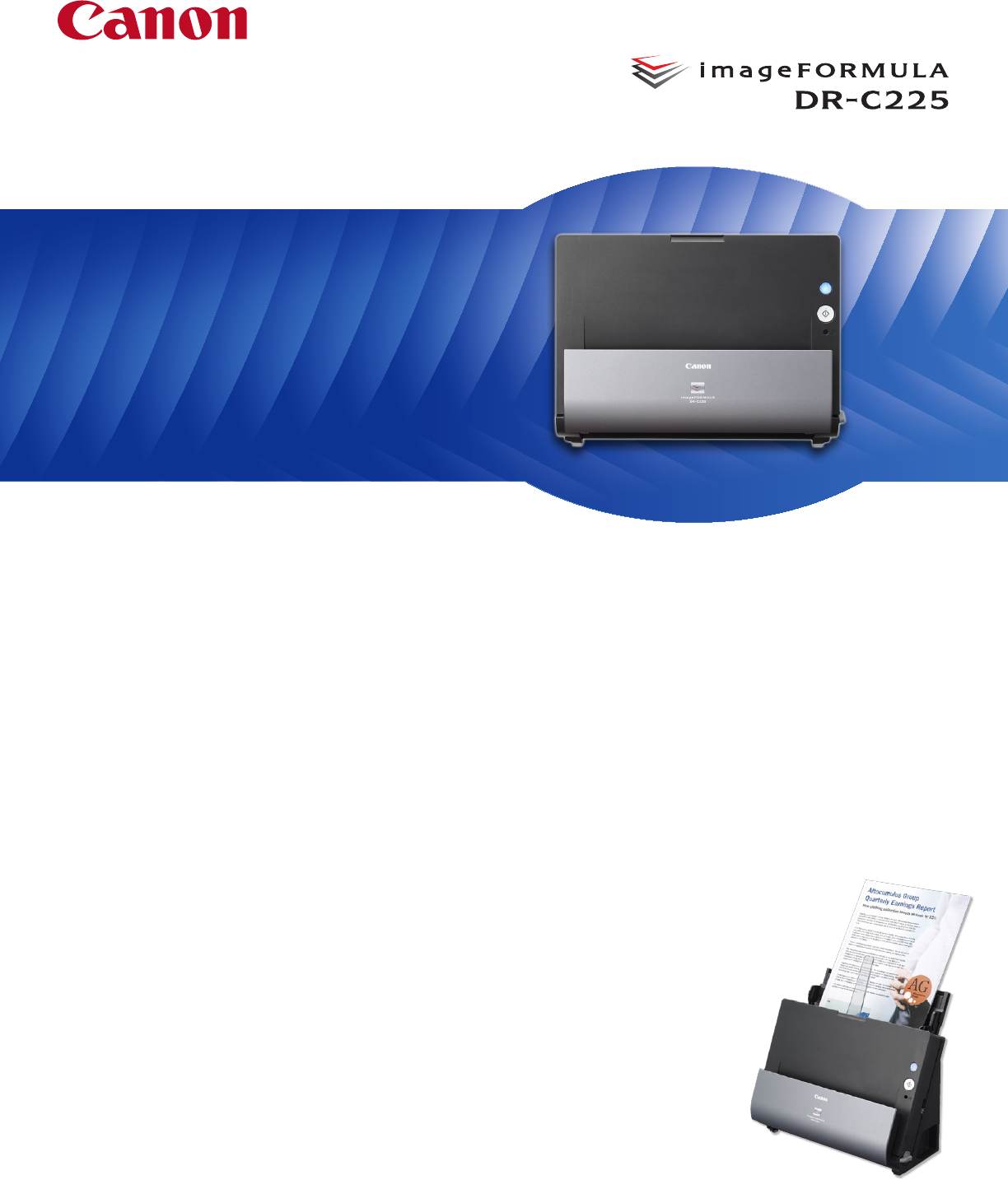
Compact, Easy-To-Use,
and High-Quality
Document Scanning
Wide Range of Uses
The DR-C225 scanner is ideal for general purpose distributed
scanning of a variety of document types. In corporate or remote
offices, this scanner is well suited for use by individuals or small
workgroups to modernize paper-based processes, helping to
increase efficiency and productivity. Many areas, such as legal,
financial, healthcare, and government, can benefit from its small
size and ease of use. When combined with the bundled software,
the DR-C225 scanner can be used for converting documents into
editable electronic files; scanning business cards and organizing
contacts; file archiving, retrieval, and sharing; PDF creation; and
much more.
Space-Saving Design
With top feeding and default top eject, the DR-C225 scanner has
a very small operational footprint. This slim, narrow scanner’s
unique upright design is ideal for environments where desk
space is at a premium.
Easy Use
By default, the DR-C225 scanner features intuitive front-side-
forward, top-up item feeding. It also includes a mode through
which a single click can adjust multiple feature settings to easily
deliver an optimal scanned image. This scanner is bundled with
Windows® and Mac® drivers for easy integration with third-party
scanning software. The bundled Canon CaptureOnTouch software
enables users to configure routine scan jobs for quick and easy,
one-touch access and can also route scanned images directly to
cloud applications,* such as Evernote™, Microsoft® SharePoint®,
and Dropbox.
Flexibility
Scanning at up to 25 ppm, both sides of an item
at the same time, the DR-C225 scanner can
reliably handle a wide variety of document
types, such as thick or thin documents
and plastic or embossed cards. The
DR-C225 scanner also includes
features to handle long documents
up to 118” in length or oversize
documents up to 11” x 17
”,
and
double-feed detection to help
ensure no data is lost in the
event that one occurs.
imageFORMULA DR-C225 Office Document Scanner
The Canon imageFORMULA® DR-C225 Document Scanner’s innovative, space-
saving design makes it a standout in any office environment for improving
information accessibility, management, and collaboration. Its flexibility and
high image quality are only surpassed by its easy use, making it ideal for
converting and capturing paper-based documents to digital format.
Office Document Scanner
* Subscription to a third-party cloud service required. Subject to
third-party cloud service provider’s terms and conditions.
As an ENERGY STAR® Partner, Canon U.S.A., Inc. has qualified this model as meeting the ENERGY STAR energy
efficiency criteria through an EPA recognized certification body. ENERGY STAR and the ENERGY STAR mark are
registered U.S. marks. CANON is a registered trademark of Canon Inc. in the United States and may also be
a registered trademark or trademark in other countries. IMAGEFORMULA is a registered trademark of Canon
Electronics Inc. All other referenced product names and marks are trademarks of their respective owners.
Specifications and availability subject to change without notice
©2014 Canon U.S.A., Inc. All rights reserved.
0614-DR-C225BRO-PDF-IH
1-800-OK-CANON
www.usa.canon.com
Canon U.S.A., Inc.
One Canon Park
Melville, NY 11747
Type: Office Document Scanner
Document Feeding: Automatic, Manual
Document Size U-Turn Path
Width: 2.0” – 8.5”
Length: 2.8” – 14.0”
Document Size Straight Path
Width: 2.0” – 8.5”
Length: 2.1” – 14.0”
Long Document Mode: Up to 118.1”
Folio Mode: Up to 11” x 17”
Document Weight:
U-Turn Path: 14 – 32 lb. Bond
Straight Path: 11 – 58 lb. Bond
Feeder Capacity: Up to 30 Sheets
Grayscale: 8-bit
Color: 24-bit
Scanning Element: One-Line Contact Image Sensor (CMOS)
Light Source: RGB LED
Scanning Modes: Color, Grayscale, Black and White
Color Dropout/Enhance: RGB
Optical Resolution: 600 dpi
Output Resolution: 150/200/300/400/600 dpi
Scanning Speeds** Simplex Duplex
Black and White: Up to 25 ppm Up to 50 ipm
Grayscale: Up to 25 ppm Up to 50 ipm
Color: Up to 25 ppm Up to 50 ipm
Interface: USB 2.0
Supported OS: Microsoft Windows XP Service Pack 3 or later,
Microsoft Windows XP x64 Edition Service Pack 2 or
later, Microsoft Windows Vista Service Pack 2 or later
(32-bit/64-bit), Microsoft Windows 7 Service Pack 1 or
later (32-bit/64-bit), Microsoft Windows 8/8.1 (32-bit/64-
bit), Mac OS 10.7.5, Mac OS 10.8.5, Mac OS 10.9.1
Dimensions (H x W x D): 8.7’’ x 11.8’’ x 6.1’ (with tray closed)
Weight: 5.95 lb.
Power Consumption: 12.7 W or Less (Energy Saving Mode: 1.7 W or Less)
Suggested Daily Volume:***
Approx. 1,500 Scans
Bundled Software: ISIS
®
and TWAIN Drivers; Canon CaptureOnTouch;
Nuance eCopyPDF Pro Office; Nuance PapertPort;
Nuance OmniPage; NewSoft Presto! Bizcard; Evernote
Bundled Mac Software: TWAIN Driver, Canon CaptureOnTouch; Nuance Presto!
PageManager; NewSoft Presto! Bizcard; Evernote
Options: Exchange Roller Kit; Flatbed Scanner Unit 101; Flatbed
Scanner Unit 201; eCarePAK Extended Service
Other Features: Automatic Color Detection; Automatic Page Size
Detection; Automatic Resolution Setting; Background
Smoothing; Character Emphasis; Color Dropout/Red
Color Enhance; Deskew; Duplex; Edge Emphasis;
Face-Up Feeding; Folio Mode; Image Rotation; Long
Document Mode; Moiré Reduction; MultiStream;
Pre-Scan; Prevent Bleed-Through/Remove Background;
Shadow Cropping/Removal; Simplex; Skip Blank Page;
Text Enhancement; Text Orientation Recognition;
Three-Dimensional Color Correction; Ultrasonic Double-
Feed Detection; User Preferences
Item Number: 9706B002
Specifications
Office Document Scanner
High Image Quality
For maximum image quality, the DR-C225 scanner includes
features to help improve character legibility, as well as to
straighten and remove shadows from scanned images.
Another setting is useful for scanning mixed batches of
documents and photographs, automatically adjusting
the output resolution to help improve image quality
while reducing image file size. The DR-C225 scanner
can even detect color documents automatically, helping
to reduce batch preparation time.
Environment in Mind
The DR-C225 scanner meets ENERGY STAR® guidelines for
energy efficiency and complies with the ErP Lot 6 directive for
energy consumption and with the EU RoHS and WEEE directives
for the reduction of hazardous substances and waste products.*
Customer Care
For investment protection, eCarePAK options are available to
extend service beyond the initial one-year advanced exchange
warranty period. This helps save on costs associated with post-
purchase maintenance and helps maximize uptime throughout
the product life.
* The facts and product statistics about ErP lot 6, EU RoHS and WEEE were obtained from
Canon Electronics Inc. as of 2014.
** Examples based on typical settings, rated in pages/images per minute with letter-sized
documents, portrait-feeding direction, up to 200 dpi. Actual processing speeds may vary
based on PC performance and application.
*** Calculations based on scanning speed and assumed daily time of use.
