Canon Pixma Mx532 Owners Manual
Canon-Pixma-Mx532-Getting-Started-Guide-589515 canon-pixma-mx532-getting-started-guide-589515
2015-03-09
: Canon Canon-Pixma-Mx532-Owners-Manual-589524 canon-pixma-mx532-owners-manual-589524 canon pdf
Open the PDF directly: View PDF  .
.
Page Count: 4
3
1
2
XXXXXXXX © CANON INC. 2014
4
1
1
2
3
2
1
1
5
1
2
2
1
3
2
2
Guía de inicio
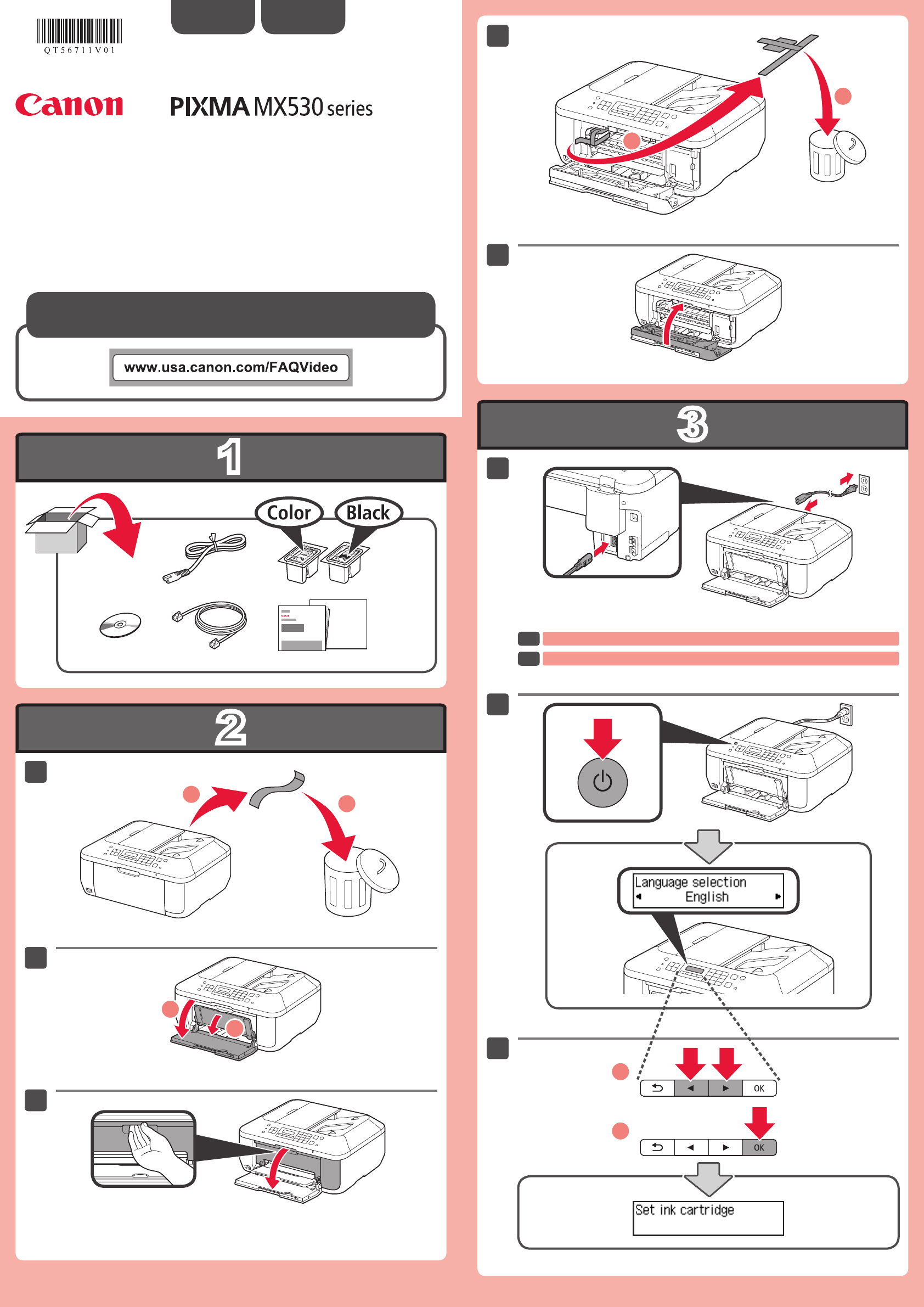
No conecte aún el cable USB.
ESPAÑOL
Se dispone de tutoriales en vídeo
Do not connect the USB cable yet.
ENGLISH
Getting Started
Video Tutorials Available
EN
ES
QT5-6711-V01 PRINTED IN XXXXXXXX
4
5
6
7
1
2
1
2
3
4
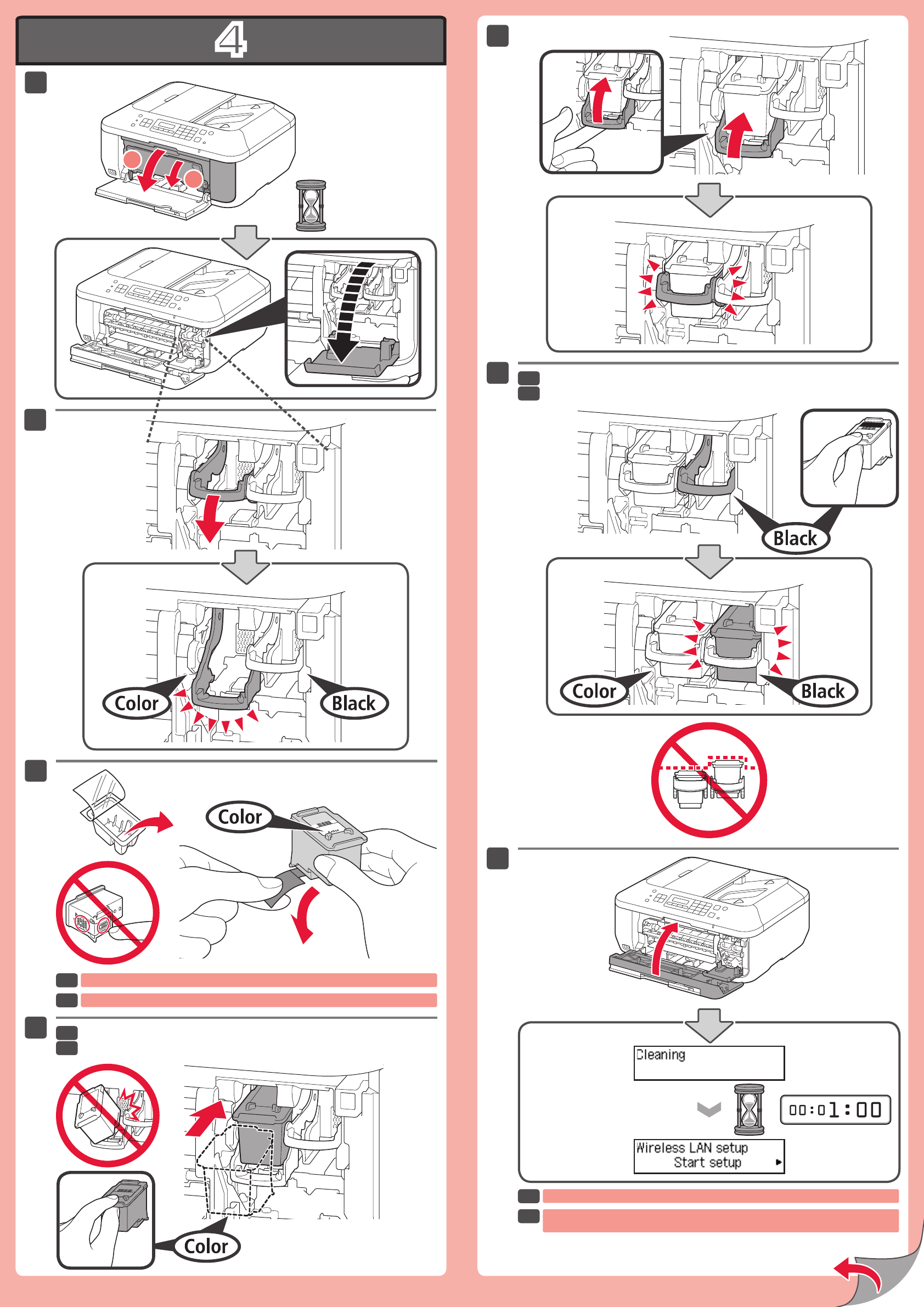
Si aparece un mensaje de error, compruebe que los cartuchos FINE (FINE Cartridges)
están instalados correctamente.
Tenga cuidado con la tinta de la cinta protectora.
Inserte el cartucho FINE (FINE Cartridge) hasta que se detenga.
Instale el otro cartucho FINE (FINE Cartridge) de la misma forma.
If an error message appears, check that the FINE Cartridges are installed correctly.
Be careful of ink on the protective tape.
Insert the FINE Cartridge until it stops.
Install the other FINE Cartridge in the same way.
EN
ES
EN
ES
EN
ES
EN
ES
5
7
6
3
6
5
1
2
4
1
2
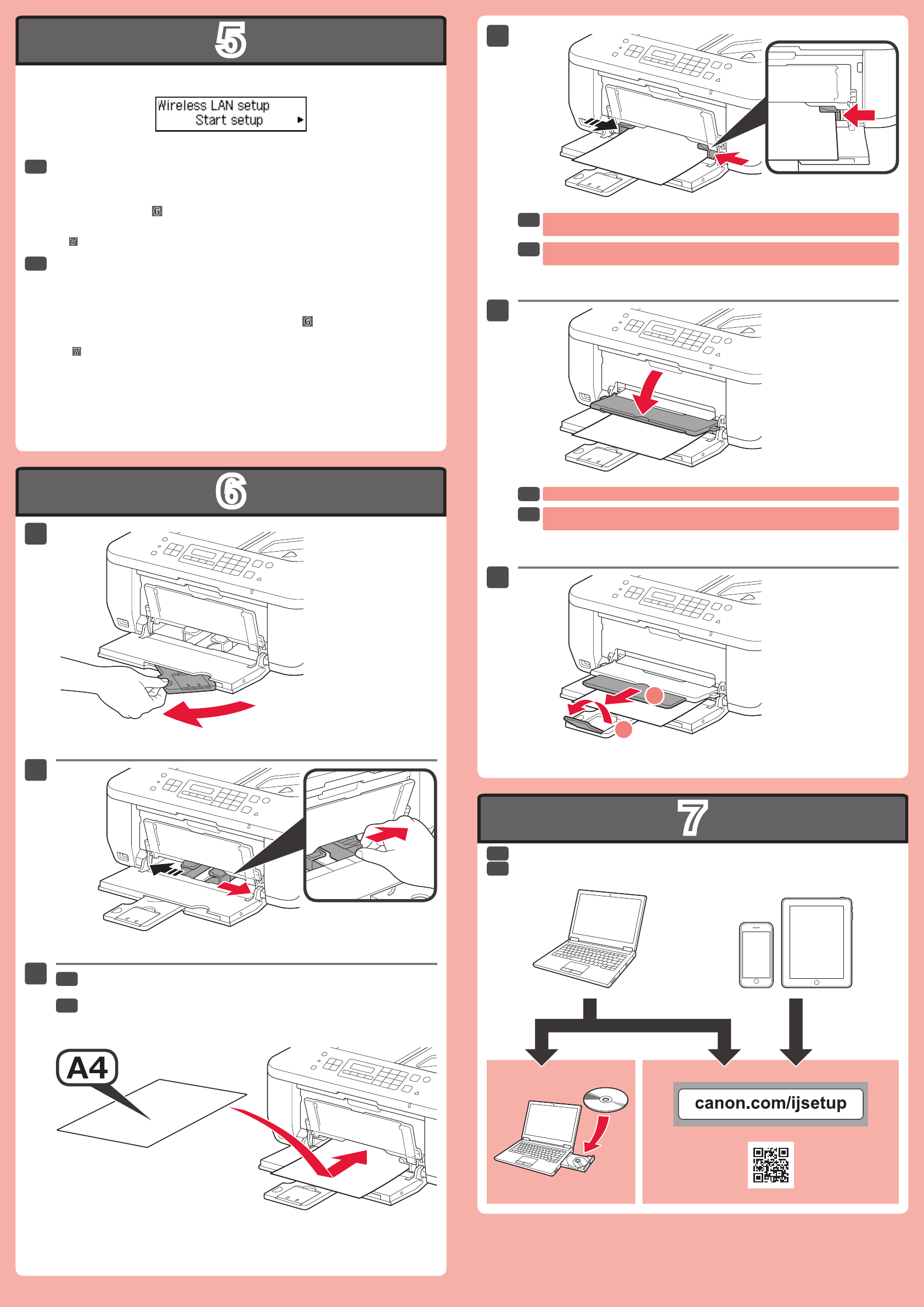
Instale el software en sus dispositivos.
Cargue papel con el lado de impresión hacia abajo.
Se dispone también de papel tamaño Carta.
Si utiliza un punto de acceso compatible con WPS, seleccione Iniciar cong.
(Start setup) en la pantalla para conectarse a la LAN inalámbrica y, a continuación
siga las instrucciones en pantalla.
Si elige otra conguración o tiene alguna dicultad con el procedimiento, seleccione
Cancelar por ahora (Cancel for now) y continúe con .
En , puede seguir las instrucciones de la pantalla del ordenador para conectarse a la LAN
inalámbrica o a otro tipo de red.
*
No presione la guía del papel demasiado contra el borde del papel. Puede ocasionar
atascos de papel.
Si imprime sin abrir la bandeja de salida del papel, provocará un error.
Load paper with the print side facing down.
Letter size paper is also available.
Install the software on your devices.
If you are using a WPS-compatible access point, select Start setup on the screen
to connect to wireless LAN, then follow the on-screen instruction.
If you choose other settings or have difculty with the procedure, select Cancel for
now, then proceed to .
In , you can follow the instruction on the computer screen to connect to wireless LAN or other
kind of network.
*
Do not press the Paper Guide too tightly against the edge of the paper. It can cause
paper jams.
Printing without opening the Paper Output Tray causes an error.
EN
ES
EN
ES
EN
ES
EN
ES
EN
ES
Manuales
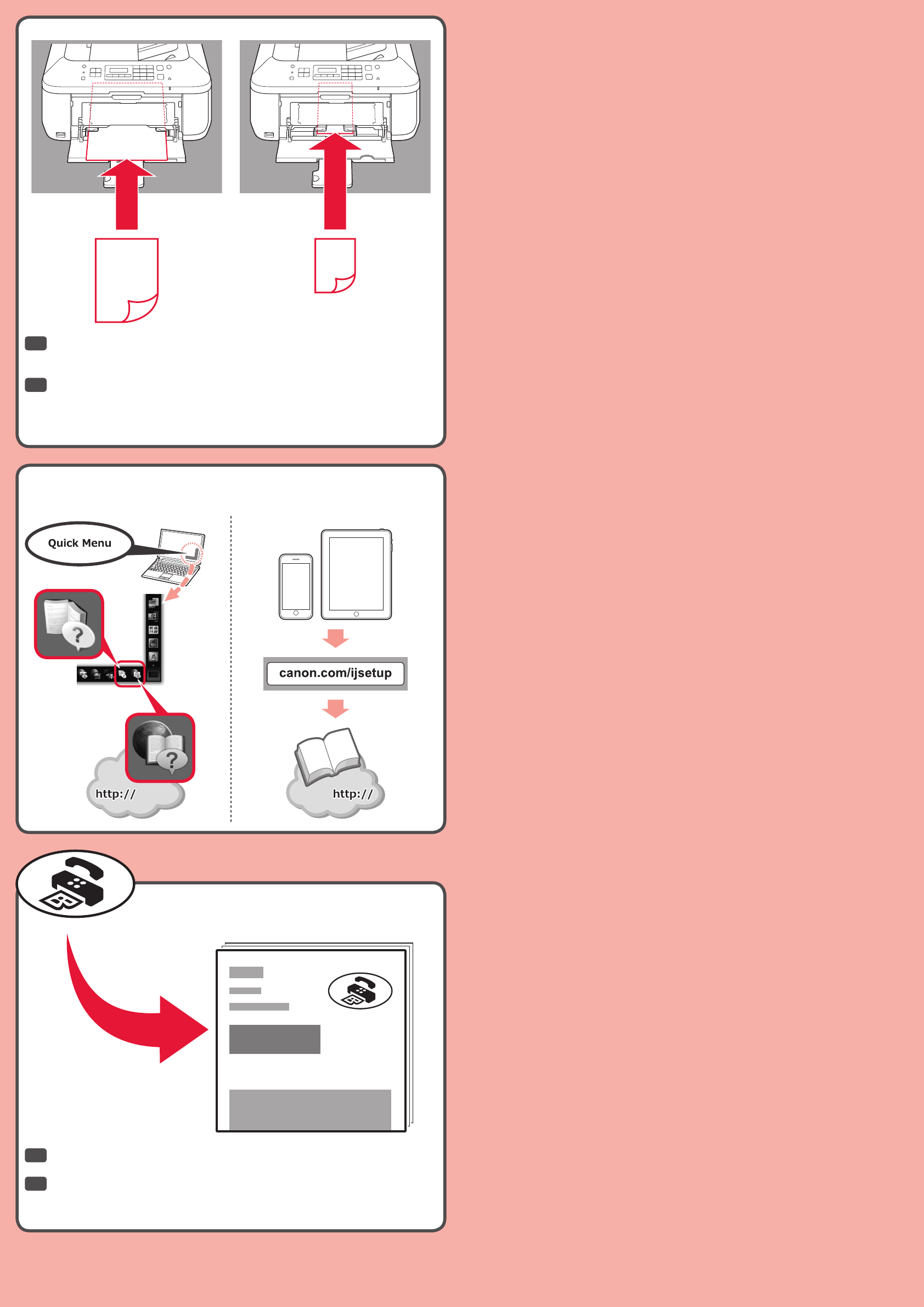
Inserte el papel hasta que se detenga. Cuando use papel fotográco, deberá
ajustar la conguración del equipo al tipo y al tamaño del soporte. Para obtener
más detalles, consulte el Manual en pantalla o el Manual en línea.
Puede congurar las funciones de fax del equipo ahora o más tarde. Para obtener
instrucciones de conguración, consulte Conguración del FAX.
Manuals
Insert paper until it stops. When using photo paper, machine settings for media type
and size should be adjusted. For details, refer to the On-screen Manual or Online
Manual.
You can setup the fax features of the machine now or later. For the setup
instructions, refer to Setting Up the FAX.
EN
ES
EN
ES
