Capital Prospect WDG10X Alert System User Manual SKYLINK REPEATER Model RP J01
Capital Prospect Ltd Alert System SKYLINK REPEATER Model RP J01
user manual
Alert system Model GS-MT FCC ID: KUTWDG10X
1. INTRODUCTION
The garage door sensor model GS-MT is designed to monitor the status of your garage door and
advise you if the door is open. By placing the sensor on the door panel, you will be alerted when
the door is open. When the garage door is open, the receiver will beep and flash.
In this package, you should find a sensor and mounting accessories.
Please follow the instructions below to setup the garage door sensor.
2. INSTALLATION
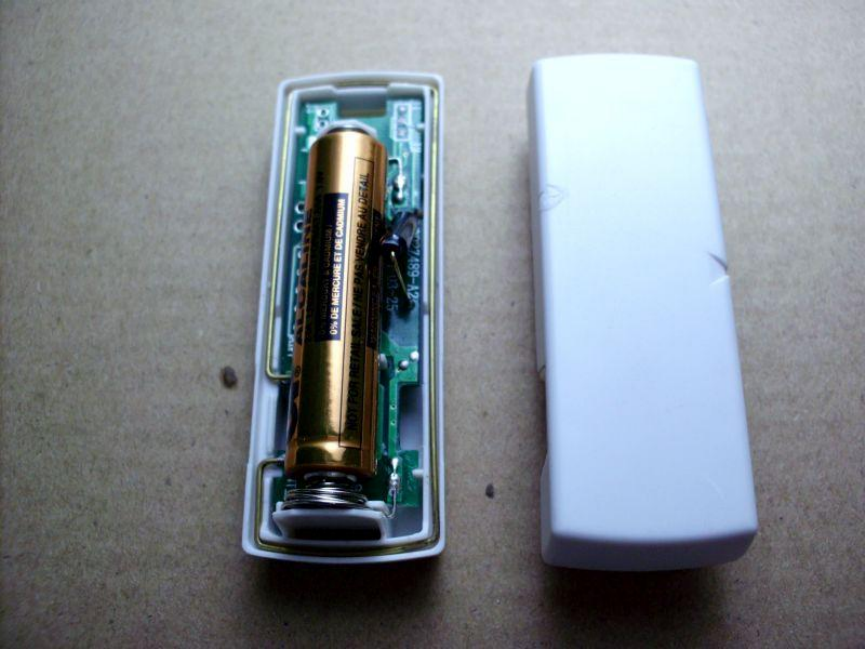
i) Remove the top cover of the sensor and insert one AAA battery (sold separate) to the sensor
as shown in the diagram.
ii) Before inserting the battery, keep the sensor in vertical position. After inserting the battery to
the sensor, press and hold the learn button in the receiver unit, release the button when the
receiver emits a beep. Select the zone location, press the zone button [1 or 2 or 3 or 4] once
on the receiver unit. The corresponding zone red LED on the receiver will flash.
iii) Tilt the sensor in horizontal position, the receiver unit will emit a long beep indicating it has
learned the code from the sensor.
MOUNTING LOCATION
You can mount the sensor onto your garage door with double-sided foam tape if the surface of
your garage door is smooth and clean enough to provide a good adhesive surface, such surface
can usually be found on a metal garage door. Please ensure the surface is smooth and clean.
Important:
OPERATION
When the sensor is tilt such as when the door is open, the sensor will send a signal to the
receiver, and the receiver will beep and the corresponding zone red LED will flash.
FCC
This device complies with Part 15 of the FCC Rules. Operation is subject to the following two
conditions: (1) This device may not cause harmful interference, and (2) This device must accept
any interference received, including interference that may cause undesired operation.
Warning: Changes or modifications to this unit not expressly approved by the party responsible
for compliance could void the user’s authority to operate the equipment.
WARRANTY
If, within one year from date of purchase, this product should become defective (except battery),
due to faulty workmanship or materials, it will be repaired or replaced, without charge. Proof of
purchase and a Return Authorization are required.
CUSTOMER SERVICE
If you would like to order Skylink’s products or have difficulty getting them to work or download
information and user manual, please:
1. visit our FAQ section at www.skylinkhome.com, or
2. email us at support@skylinkhome.com, or
3. call our toll free at 1-800-304-1187 from Monday to Friday, 9 am to 5 pm EST.
17 Sheard Avenue, Brampton, Ontario, Canada L6Y 1J3
©2014 SKYLINK GROUP