Carol Electronics Co BTH-830T Bluetooth Dongle User Manual

Taiwan Carol Electronics Co Ltd Bluetooth Dongle

User manual

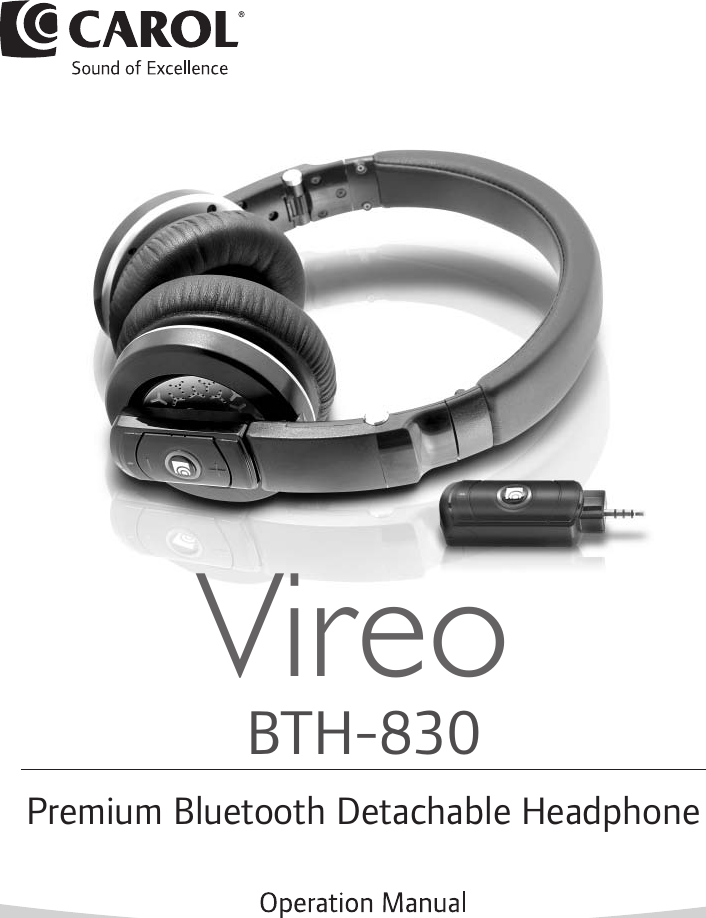
BTH-830Premium Bluetooth Detachable HeadphoneVireo
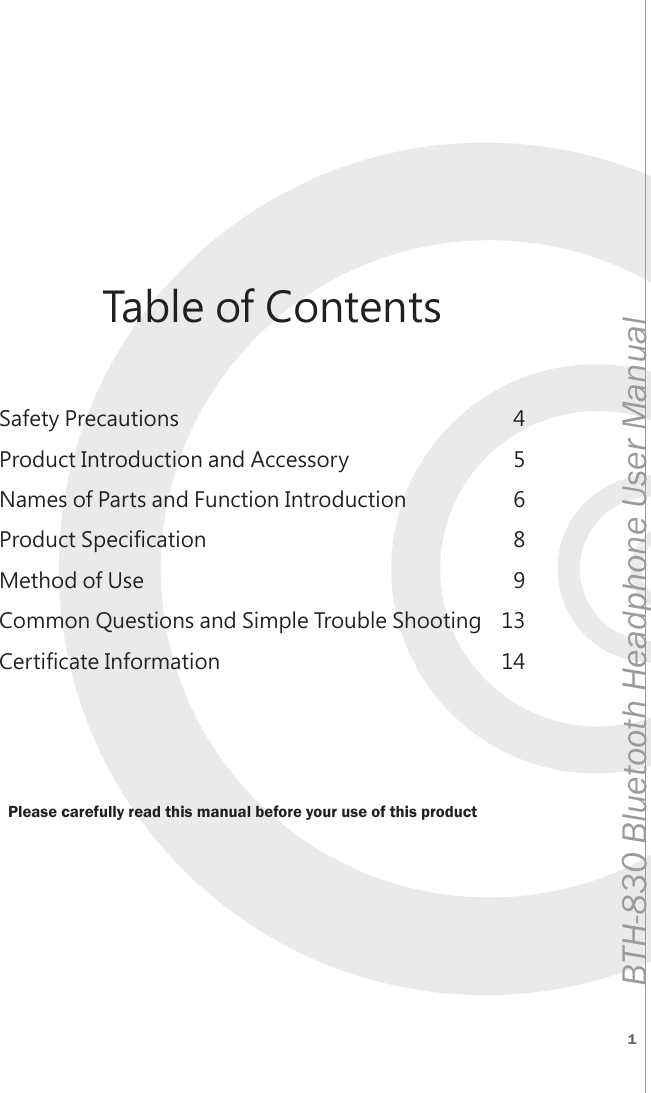
1BTH-830 Bluetooth Headphone User ManualSafety PrecautionsProduct Introduction and AccessoryNames of Parts and Function IntroductionProduct SpecificationMethod of UseCommon Questions and Simple Trouble ShootingCertificate Information456891314Table of ContentsPlease carefully read this manual before your use of this product
2 3BTH-830 Bluetooth Headphone User ManualBTH-830 Bluetooth Headphone User ManualLimited Warranty StatementTAIWAN CAROL ELECTRONICS CO., LTD. warrants that this product shall be free from defects in material and workmanship for a period of one year (12 months) from the date of purchase by the distributor.When defects are found during the Warranty Period, CAROL (Taiwan Carol Electronics) may repair the product free of charge with new or renewed parts.The Warranty Period for such repaired product is the remaining Warranty Period of the original product, or sixty (60 days) after the repair date, whichever is longer.All indemnities shall be limited to the initial purchase price paid for the product.Any one of the following conditions is not protected under the Limited Warranty:1.The defect is not notified within the Warranty Period.2.Any damages caused as a result of improper storage or use, accident, modification of the product, non-material or non-workmanship defect or any unreasonable usages.3.Normal wear outs (including consumable parts) and damages to the product, broken cable, scratch, lost, stolen, bended plug…etc. are not covered under the warranty.4.Appearance and decorative parts free of any detects during shipping are, therefore, not covered under the warranty.5.Warranty is void if the product has been modified by any unauthorized persons.Without authorization, this Limited Warranty cannot be modified.Safety PrecautionsPlease read this safety instruction carefully and thoroughly.To obtain the best performance, please refer this manual before installing or using the product.Be sure to follow the relevant safety and precautions described in this manual.Warning” and “Caution” are used to indicate degree of danger and damage when the product is not used correctly.Failure to comply with warnings may result in severe personal injury or property damage from improper operation.WarningFailure to comply with cautions may result in personal injury or property damage from improper operation.Caution
4 5BTH-830 Bluetooth Headphone User ManualBTH-830 Bluetooth Headphone User ManualWARNINGFailure to comply with the warning may result in sever personal injury or property damage from improper operation.During the use of the headphone product, an excessive volume can cause permanent damage to hearing. If there is any discomfort or tinnitus, please stop using the headphone and consult doctor imme-diately.Please do not use the headphone during the driving in order to pre-vent any hazards due to distraction.At areas with warning signs of electronic interference prevention (such as: airplanes, hospitals, military territories), please switch off the wireless Bluetooth function in order to prevent hazards caused by electronic interference.If there is water or other obstacles entering into the internal of the equipment, it may cause fire accident of electric shock.Do not try to modify this product; otherwise it may cause personnel injuries and/or product malfunctions.Keep the product, package and parts away from the children and pets as these objects are hazardous to swallow.Please do not use power supplies of other specifications in order to prevent erroneous uses leading to fire accident and electric shock.Failure to comply with these cautions may result in personal injury or property damage from improper operation.Do not attempt to disassemble or modify the equipment. Doing so may result in product failure.Keep dry. Do not expose the product to direct sunlight or place the product at the environment with high level of heat, moisture, dust and contact with acids, alkali, organic solvents etc. in order to pre-vent corrosion or deformation.DO not use this product when there are obvious signs of damages.Avoid falling to the ground and prevent this product from severe col-lisions.CAUTION
6 7BTH-830 Bluetooth Headphone User ManualBTH-830 Bluetooth Headphone User ManualII.Product Introduction and Accessory1)Product InformationBTH-830 is a Bluetooth headphone set developed and manu-factured solely by Taiwan Carol Electronics. The method of use is simple, and the product is made for all ages. The design of leather on headphone makes the overall appearance to be more fashionable and enhances the comfortability of the wearing of the headphone. The sound performance of the headphone is excellent to allow you to hear greater sound details in such a way resembling effect of a real musical concert.2)Product Accessory1.Headphone main body2.BTH-830R Bluetooth receiver3.BTH-830T Bluetooth transmitter4.Storage bag5.USB A Type-to-Micro USB adapter cable6.ø3.5mm dual male plug audio cable7.User manual : 1 set: 1 unit  (Bluetooth set): 1 unit  (Premium set): 1 unit: 1 unit: 1 unit: 1 unit12433.Names of Parts and Function Introduction1)BTH-830H headphone main body (referring to FIG. 3.1)Headphone main body: for wearing on the ears; please be aware of the volume level during use.L/R label: please wear properly according to the correct direction during use; L refers to the left and R refers to the right.Headphone hinges: for storage of the headphone and capable of folding the headphone as shown in the figure. Please do not rotate the head-phone hinges with excessive forces in order to prevent damages of the headphone.ø3.5mm audio socket: BTH-830H can be used to connect to a Bluetooth receiver (BTH-830R) as wireless headphone, or can be connected with the ø3.5mm dual male plug audio cable provided in the accessory for use of wired headphone.( Figure 3.1 )4213
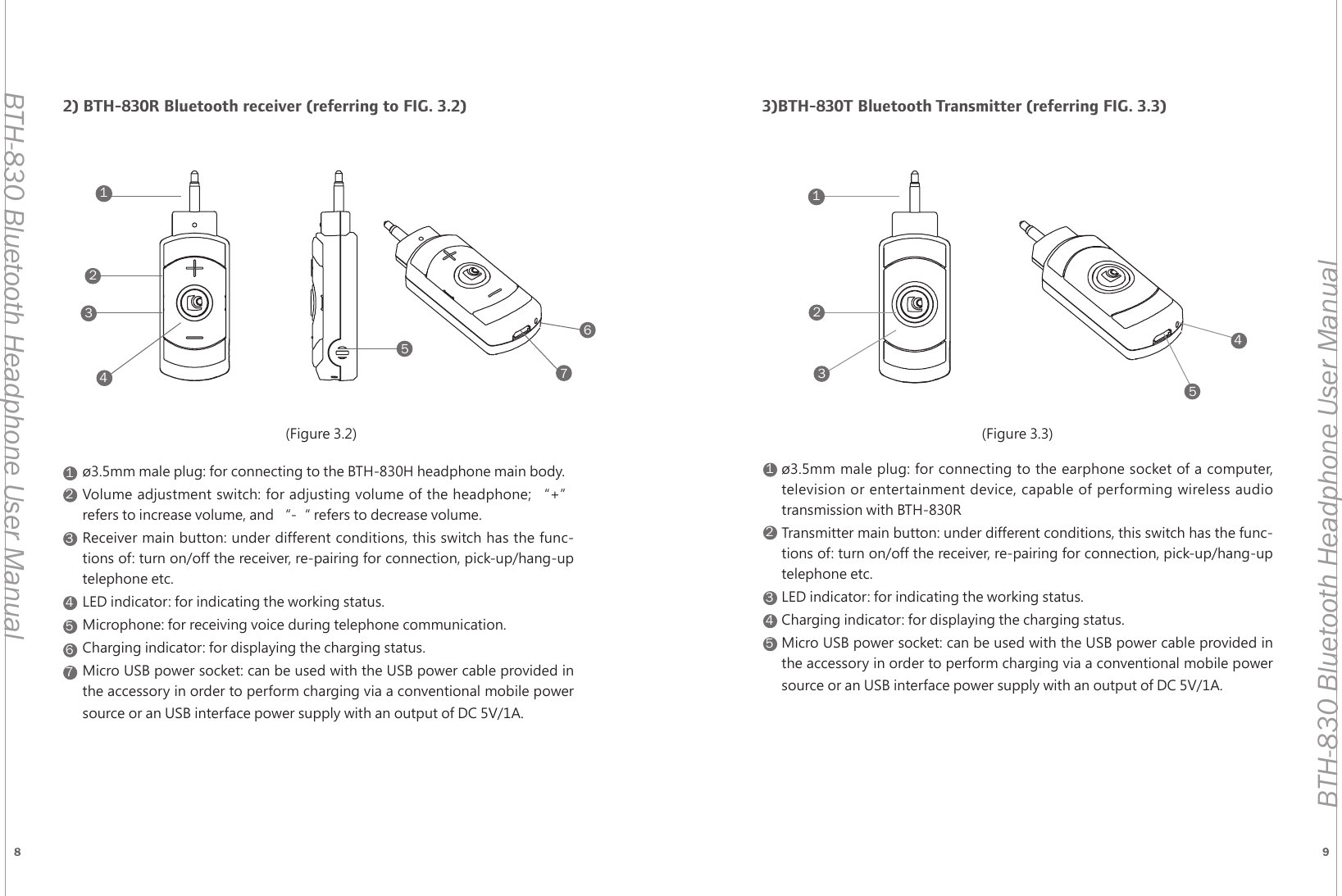
8 9BTH-830 Bluetooth Headphone User ManualBTH-830 Bluetooth Headphone User Manual11122233344455566772) BTH-830R Bluetooth receiver (referring to FIG. 3.2)ø3.5mm male plug: for connecting to the BTH-830H headphone main body.Volume adjustment switch: for adjusting volume of the headphone; “+” refers to increase volume, and “-“ refers to decrease volume.Receiver main button: under different conditions, this switch has the func-tions of: turn on/off the receiver, re-pairing for connection, pick-up/hang-up telephone etc.LED indicator: for indicating the working status.Microphone: for receiving voice during telephone communication.Charging indicator: for displaying the charging status.Micro USB power socket: can be used with the USB power cable provided in the accessory in order to perform charging via a conventional mobile power source or an USB interface power supply with an output of DC 5V/1A.3)BTH-830T Bluetooth Transmitter (referring FIG. 3.3)        ø3.5mm male plug: for connecting to the earphone socket of a computer, television or entertainment device, capable of performing wireless audio transmission with BTH-830RTransmitter main button: under different conditions, this switch has the func-tions of: turn on/off the receiver, re-pairing for connection, pick-up/hang-up telephone etc.LED indicator: for indicating the working status.Charging indicator: for displaying the charging status.Micro USB power socket: can be used with the USB power cable provided in the accessory in order to perform charging via a conventional mobile power source or an USB interface power supply with an output of DC 5V/1A.12345(Figure 3.2) (Figure 3.3)
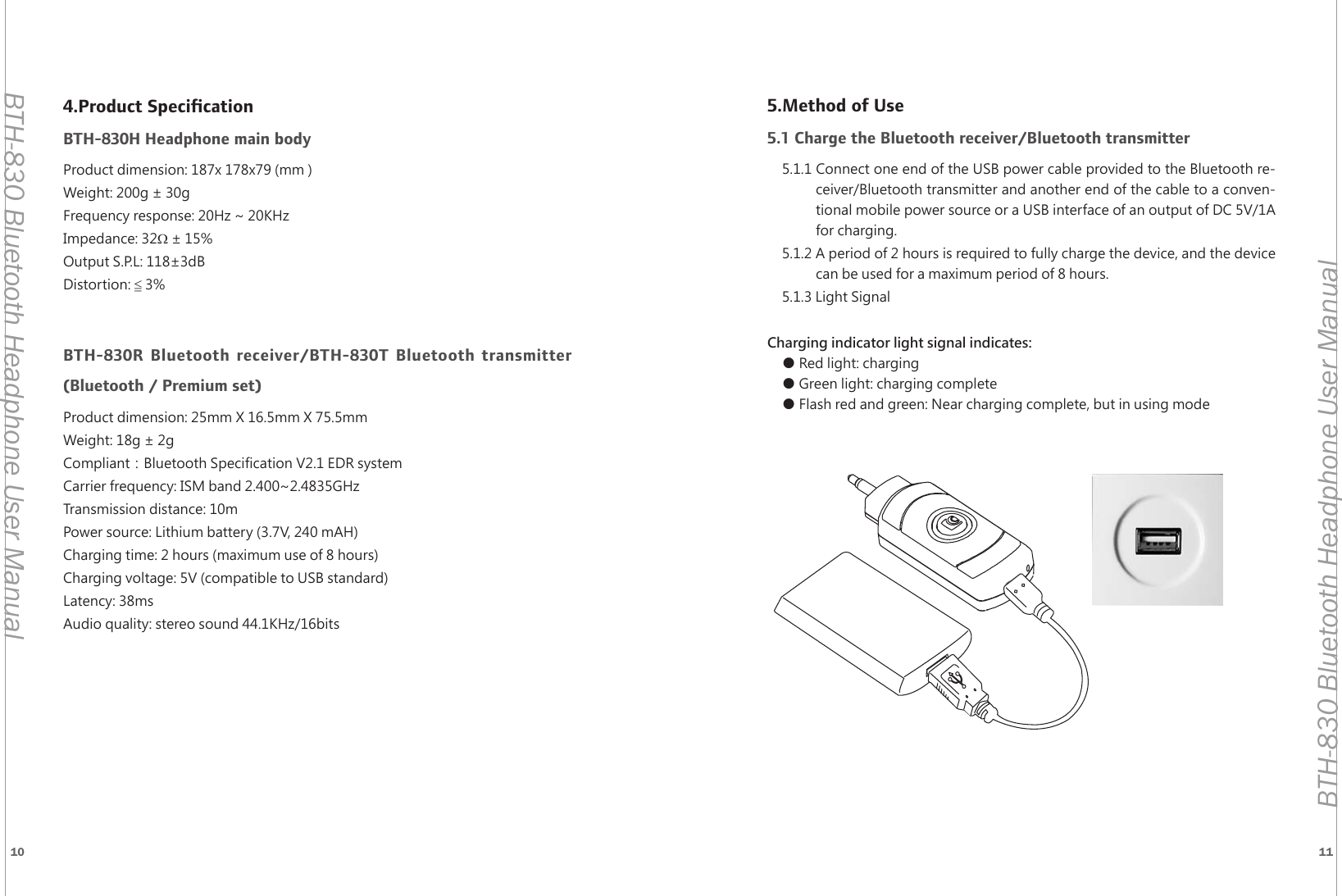
10 11BTH-830 Bluetooth Headphone User ManualBTH-830 Bluetooth Headphone User Manual4.Product SpecificationBTH-830H Headphone main bodyProduct dimension: 187x 178x79 (mm ) Weight: 200g ± 30gFrequency response: 20Hz ~ 20KHzImpedance: 32Ω ± 15%Output S.P.L: 118±3dBDistortion: ≦ 3%BTH-830R Bluetooth receiver/BTH-830T Bluetooth transmitter  (Bluetooth / Premium set)Product dimension: 25mm X 16.5mm X 75.5mmWeight: 18g ± 2gCompliant:Bluetooth Specification V2.1 EDR systemCarrier frequency: ISM band 2.400~2.4835GHzTransmission distance: 10mPower source: Lithium battery (3.7V, 240 mAH)Charging time: 2 hours (maximum use of 8 hours)Charging voltage: 5V (compatible to USB standard)Latency: 38msAudio quality: stereo sound 44.1KHz/16bits5.Method of Use5.1 Charge the Bluetooth receiver/Bluetooth transmitter5.1.1 Connect one end of the USB power cable provided to the Bluetooth re-ceiver/Bluetooth transmitter and another end of the cable to a conven-tional mobile power source or a USB interface of an output of DC 5V/1A for charging.5.1.2 A period of 2 hours is required to fully charge the device, and the device can be used for a maximum period of 8 hours.5.1.3 Light SignalCharging indicator light signal indicates:● Red light: charging● Green light: charging complete● Flash red and green: Near charging complete, but in using mode
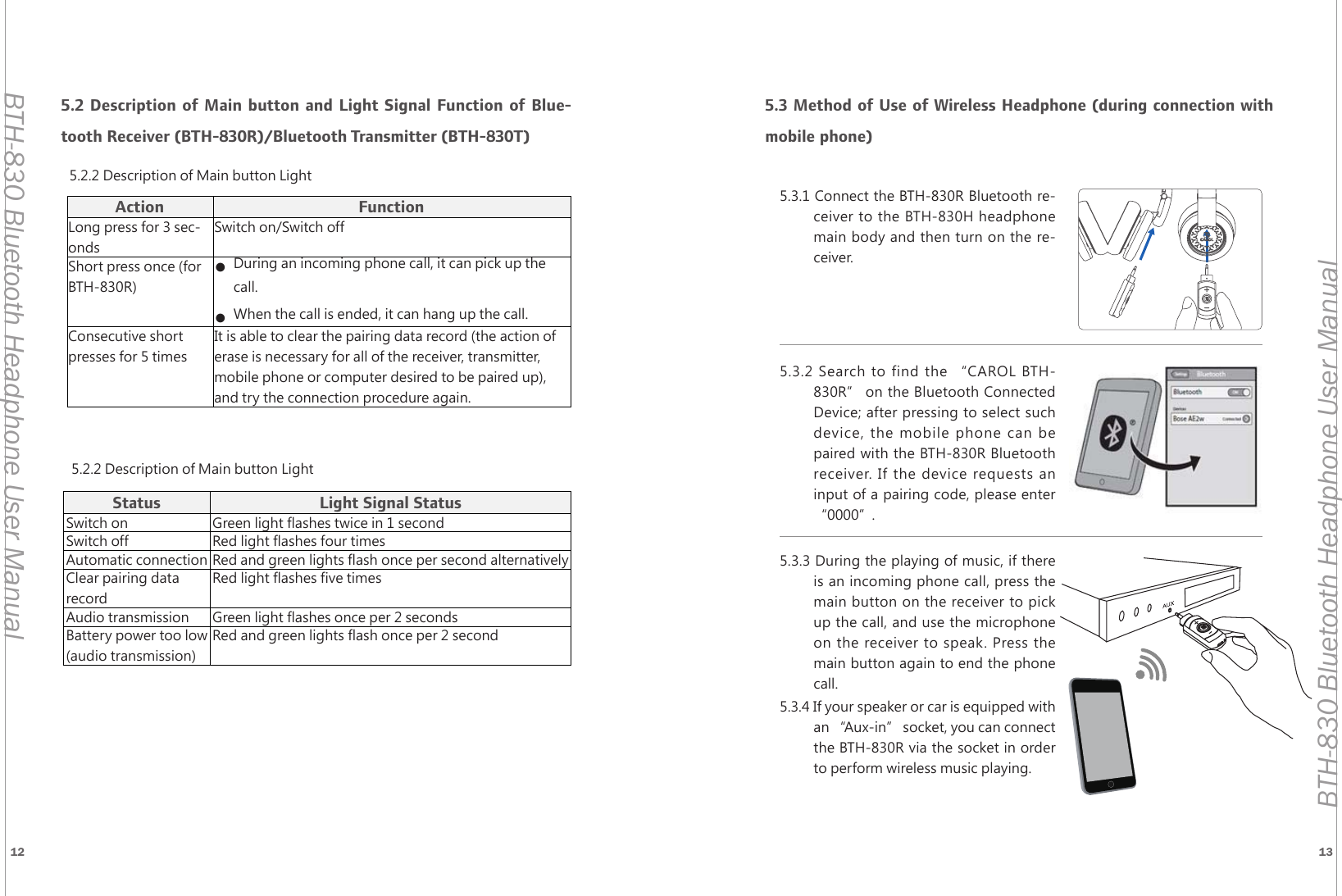
12 13BTH-830 Bluetooth Headphone User ManualBTH-830 Bluetooth Headphone User Manual5.3 Method of Use of Wireless Headphone (during connection with mobile phone)Action FunctionLong press for 3 sec-ondsSwitch on/Switch offShort press once (for BTH-830R)● During an incoming phone call, it can pick up the call.● When the call is ended, it can hang up the call.Consecutive short presses for 5 timesIt is able to clear the pairing data record (the action of erase is necessary for all of the receiver, transmitter, mobile phone or computer desired to be paired up), and try the connection procedure again.5.2.2 Description of Main button LightStatus Light Signal StatusSwitch on Green light flashes twice in 1 secondSwitch off Red light flashes four timesAutomatic connection Red and green lights flash once per second alternativelyClear pairing data recordRed light flashes five timesAudio transmission Green light flashes once per 2 secondsBattery power too low (audio transmission)Red and green lights flash once per 2 second5.2 Description of Main button and Light Signal Function of Blue-tooth Receiver (BTH-830R)/Bluetooth Transmitter (BTH-830T)5.2.2 Description of Main button Light5.3.1 Connect the BTH-830R Bluetooth re-ceiver to the BTH-830H headphone main body and then turn on the re-ceiver.5.3.2 Search to find the “CAROL BTH-830R” on the Bluetooth Connected Device; after pressing to select such device, the mobile phone can be paired with the BTH-830R Bluetooth receiver. If the device requests an input of a pairing code, please enter “0000”.5.3.3 During the playing of music, if there is an incoming phone call, press the main button on the receiver to pick up the call, and use the microphone on the receiver to speak. Press the main button again to end the phone call.5.3.4 If your speaker or car is equipped with an “Aux-in” socket, you can connect the BTH-830R via the socket in order to perform wireless music playing.
14 15BTH-830 Bluetooth Headphone User ManualBTH-830 Bluetooth Headphone User Manual5.4 Method of Use for Wireless Headphone [Connection with BTH-830T Bluetooth Transmitter (Premium set)]5.4.1 After switching on the BTH-830R Bluetooth receiver and the BTH-830T Bluetooth transmitter, automatic connection is then performed.5.4.2 Connect the BTH-830R Bluetooth receiver to the BTH-830H headphone main body.5.4.3 Connect the BTH-830 Bluetooth transmitter to an earphone socket or audio output socket of a computer, television entertainment device in order to listen to music via the headphone.   5.4.4  If your speaker or car is equipped with an “Aux-in” socket, you can connect the BTH-830R via the socket in order to perform wireless music playing.5.5 Method of Use for Wired Headphone5.5.1 Connect the ø3.5mm dual male plug audio cable provided in the acces-sory to the BTH-830H headphone main body.5.5.2 Connect the other end of the cable to an eardphone socket or audio output socket of a mobile phone, computer, television, entertainment device in order to complete the connection.5.6 Operation Flow*BTH-830R can be paired with one device at a time*Open BluetoothFunctionOpen BluetoothFunctionSound TransmissionWhether Connection is SuccessfulSound TransmissionWhether Connection is SuccessfulPress Power ButtonPress Power ButtonSwitch On CompleteFor approximately two secondsFor approximately two secondsConnection SuccessfulConnection SuccessfulConnection FailedRe-pairingConnection FailedRe-pairingAudio Transmission Audio TransmissionSound TransmissionWhether Connection is SuccessfulPress Power ButtonPress Power ButtonSwitch On CompleteFor approximately two secondsFor approximately two secondsConnection SuccessfulMobile Phone BTH-830 Receiver BTH-830 Transmitter
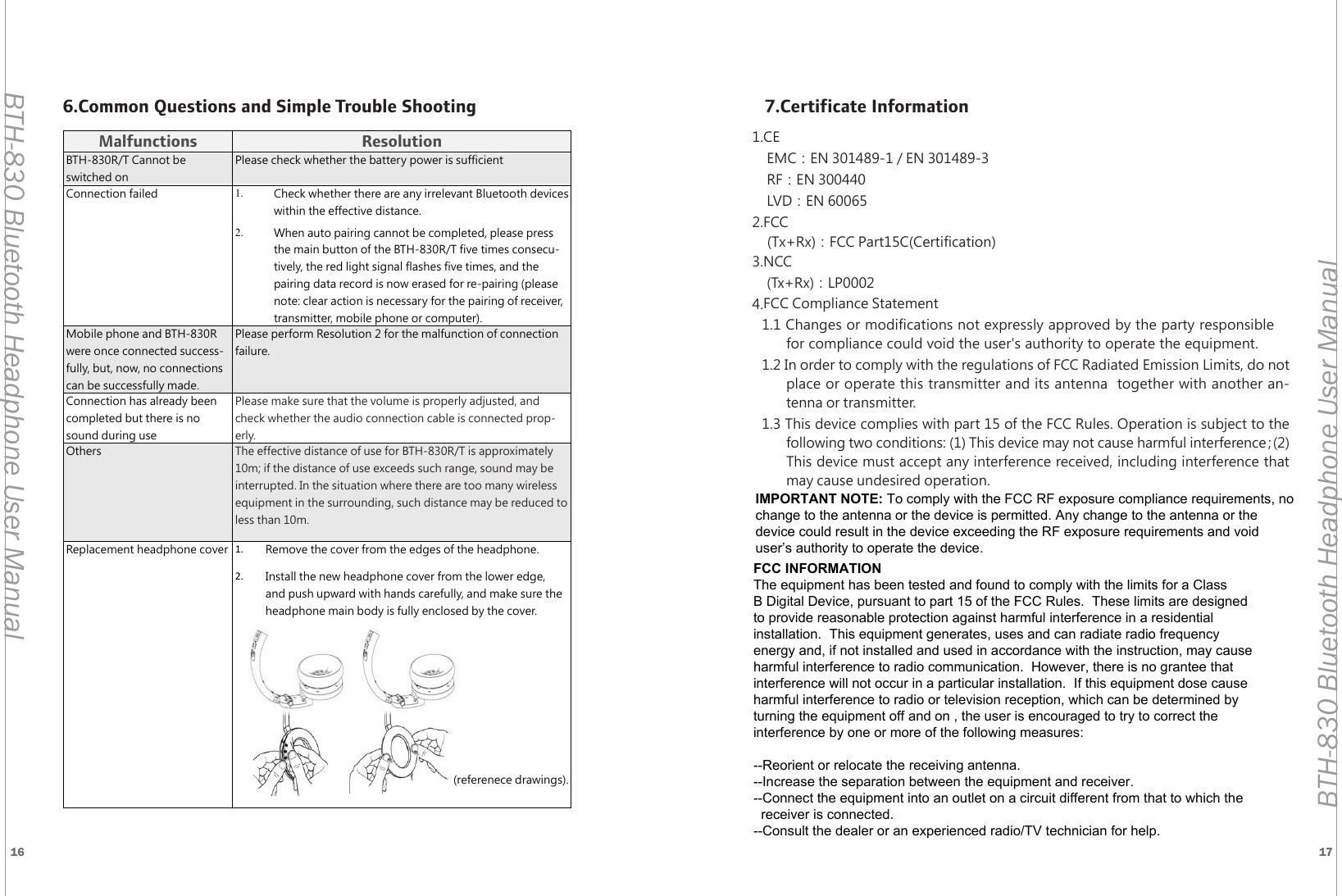
16 17BTH-830 Bluetooth Headphone User ManualBTH-830 Bluetooth Headphone User ManualMalfunctions ResolutionBTH-830R/T Cannot be switched onPlease check whether the battery power is sufficientConnection failed 1. Check whether there are any irrelevant Bluetooth devices within the effective distance.2. When auto pairing cannot be completed, please press the main button of the BTH-830R/T five times consecu-tively, the red light signal flashes five times, and the pairing data record is now erased for re-pairing (please note: clear action is necessary for the pairing of receiver, transmitter, mobile phone or computer).Mobile phone and BTH-830R were once connected success-fully, but, now, no connections can be successfully made.Please perform Resolution 2 for the malfunction of connection failure.Connection has already been completed but there is no sound during usePlease make sure that the volume is properly adjusted, and check whether the audio connection cable is connected prop-erly.Others The effective distance of use for BTH-830R/T is approximately 10m; if the distance of use exceeds such range, sound may be interrupted. In the situation where there are too many wireless equipment in the surrounding, such distance may be reduced to less than 10m.Replacement headphone cover 1.  Remove the cover from the edges of the headphone.2.  Install the new headphone cover from the lower edge, and push upward with hands carefully, and make sure the headphone main body is fully enclosed by the cover. (referenece drawings).6.Common Questions and Simple Trouble Shooting 7.Certificate Information1.CEEMC:EN 301489-1 / EN 301489-3RF:EN 300440LVD:EN 600652.FCC(Tx+Rx):FCC Part15C(Certification)3.NCC(Tx+Rx):LP00024.FCC Compliance Statement1.1 Changes or modifications not expressly approved by the party responsible for compliance could void the user's authority to operate the equipment. 1.2 In order to comply with the regulations of FCC Radiated Emission Limits, do not place or operate this transmitter and its antenna  together with another an-tenna or transmitter.1.3 This device complies with part 15 of the FCC Rules. Operation is subject to the following two conditions: (1) This device may not cause harmful interference;(2)This device must accept any interference received, including interference that may cause undesired operation.FCC INFORMATIONThe equipment has been tested and found to comply with the limits for a ClassB Digital Device, pursuant to part 15 of the FCC Rules.  These limits are designedto provide reasonable protection against harmful interference in a residentialinstallation.  This equipment generates, uses and can radiate radio frequencyenergy and, if not installed and used in accordance with the instruction, may causeharmful interference to radio communication.  However, there is no grantee thatinterference will not occur in a particular installation.  If this equipment dose causeharmful interference to radio or television reception, which can be determined by turning the equipment off and on , the user is encouraged to try to correct the interference by one or more of the following measures:--Reorient or relocate the receiving antenna.--Increase the separation between the equipment and receiver.--Connect the equipment into an outlet on a circuit different from that to which the   receiver is connected.--Consult the dealer or an experienced radio/TV technician for help.IMPORTANT NOTE: To comply with the FCC RF exposure compliance requirements, no change to the antenna or the device is permitted. Any change to the antenna or the device could result in the device exceeding the RF exposure requirements and void user’s authority to operate the device.

Navigation menu