Carol Electronics Co DW-26 Digital Wireless Transmitter User Manual

Taiwan Carol Electronics Co Ltd Digital Wireless Transmitter User Manual

User_Manual

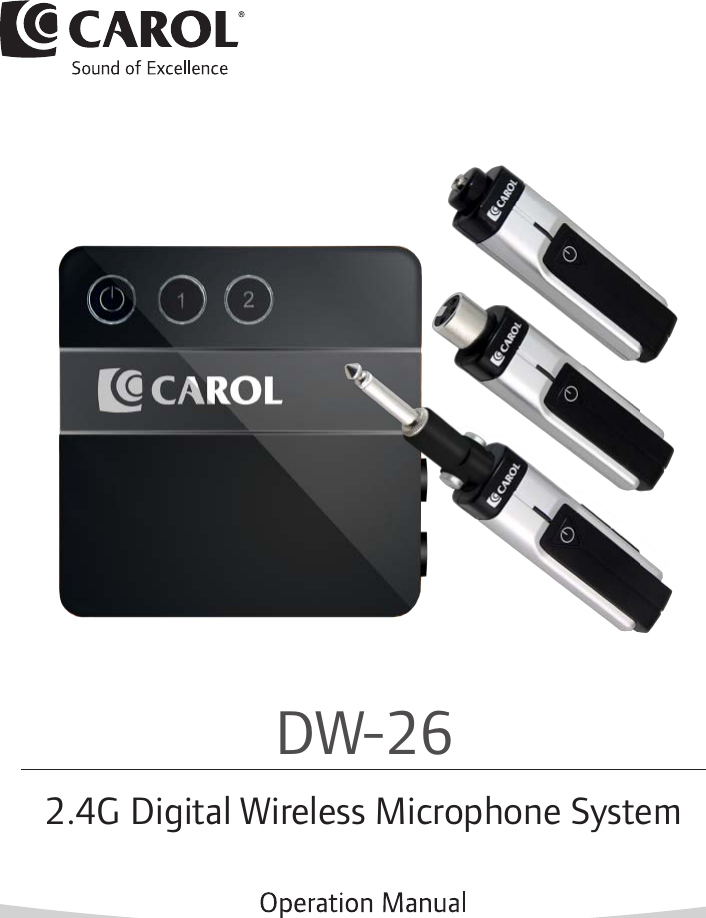
DW-262.4G Digital Wireless Microphone System
1DW-26 Digital Wireless Microphone System Manual 1 Safety Information2 Product Overview and Accessories3 Parts and Functions4 Product Specifications5 Instructions6 Frequently Asked Questions   and Troubleshooting7 CertificationP2P6P7P10P11P14P15Please read through this manual carefully before use DW-26.Table of Contents
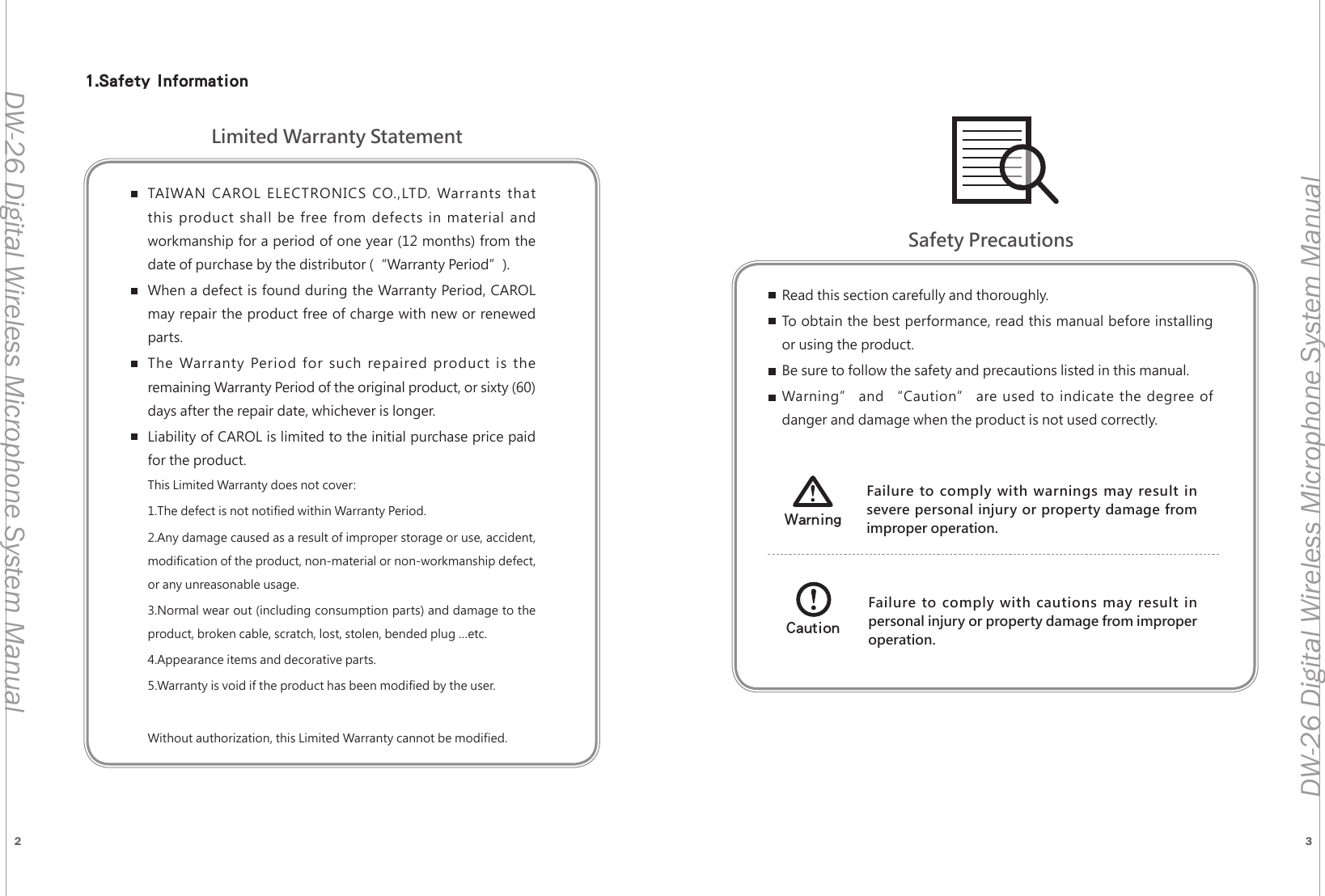
2 3DW-26 Digital Wireless Microphone System ManualDW-26 Digital Wireless Microphone System ManualTAIWAN CAROL ELECTRONICS CO.,LTD. Warrants that this product shall be free from defects in material and workmanship for a period of one year (12 months) from the date of purchase by the distributor (“Warranty Period”). When a defect is found during the Warranty Period, CAROL may repair the product free of charge with new or renewed parts.The Warranty Period for such repaired product is the remaining Warranty Period of the original product, or sixty (60) days after the repair date, whichever is longer.Liability of CAROL is limited to the initial purchase price paid for the product.This Limited Warranty does not cover:1.The defect is not notified within Warranty Period.2.Any damage caused as a result of improper storage or use, accident, modification of the product, non-material or non-workmanship defect, or any unreasonable usage.3.Normal wear out (including consumption parts) and damage to the product, broken cable, scratch, lost, stolen, bended plug …etc.4.Appearance items and decorative parts.5.Warranty is void if the product has been modified by the user.Without authorization, this Limited Warranty cannot be modified.Read this section carefully and thoroughly.To obtain the best performance, read this manual before installing or using the product.Be sure to follow the safety and precautions listed in this manual.Warning” and “Caution” are used to indicate the degree of danger and damage when the product is not used correctly.Failure to comply with warnings may result in severe personal injury or property damage from improper operation.WarningFailure to comply with cautions may result in personal injury or property damage from improper operation.CautionLimited Warranty StatementSafety Precautions1.Safety Information
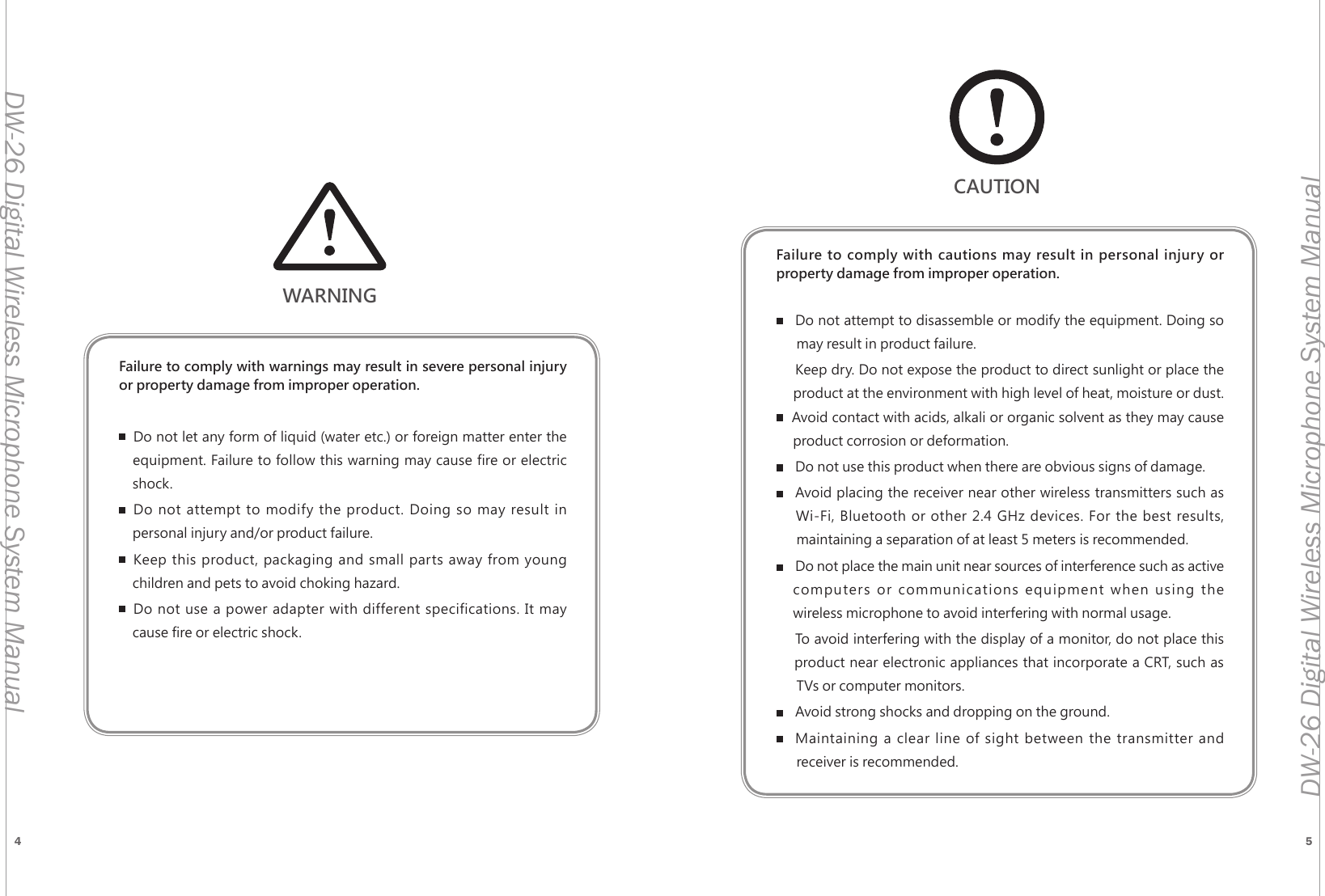
4 5DW-26 Digital Wireless Microphone System ManualDW-26 Digital Wireless Microphone System ManualWARNINGFailure to comply with warnings may result in severe personal injury or property damage from improper operation.Do not let any form of liquid (water etc.) or foreign matter enter the     equipment. Failure to follow this warning may cause fire or electric      shock.Do not attempt to modify the product. Doing so may result in      personal injury and/or product failure.Keep this product, packaging and small parts away from young      children and pets to avoid choking hazard.Do not use a power adapter with different specifications. It may      cause fire or electric shock.Failure to comply with cautions may result in personal injury or  property damage from improper operation.Do not attempt to disassemble or modify the equipment. Doing so        may result in product failure.Keep dry. Do not expose the product to direct sunlight or place the       product at the environment with high level of heat, moisture or dust.      Avoid contact with acids, alkali or organic solvent as they may cause       product corrosion or deformation.Do not use this product when there are obvious signs of damage.Avoid placing the receiver near other wireless transmitters such as      Wi-Fi, Bluetooth or other 2.4 GHz devices. For the best results,        maintaining a separation of at least 5 meters is recommended.Do not place the main unit near sources of interference such as active    computers or communications equipment when using the       wireless microphone to avoid interfering with normal usage.To avoid interfering with the display of a monitor, do not place this      product near electronic appliances that incorporate a CRT, such as        TVs or computer monitors.Avoid strong shocks and dropping on the ground.Maintaining a clear line of sight between the transmitter and        receiver is recommended.CAUTION
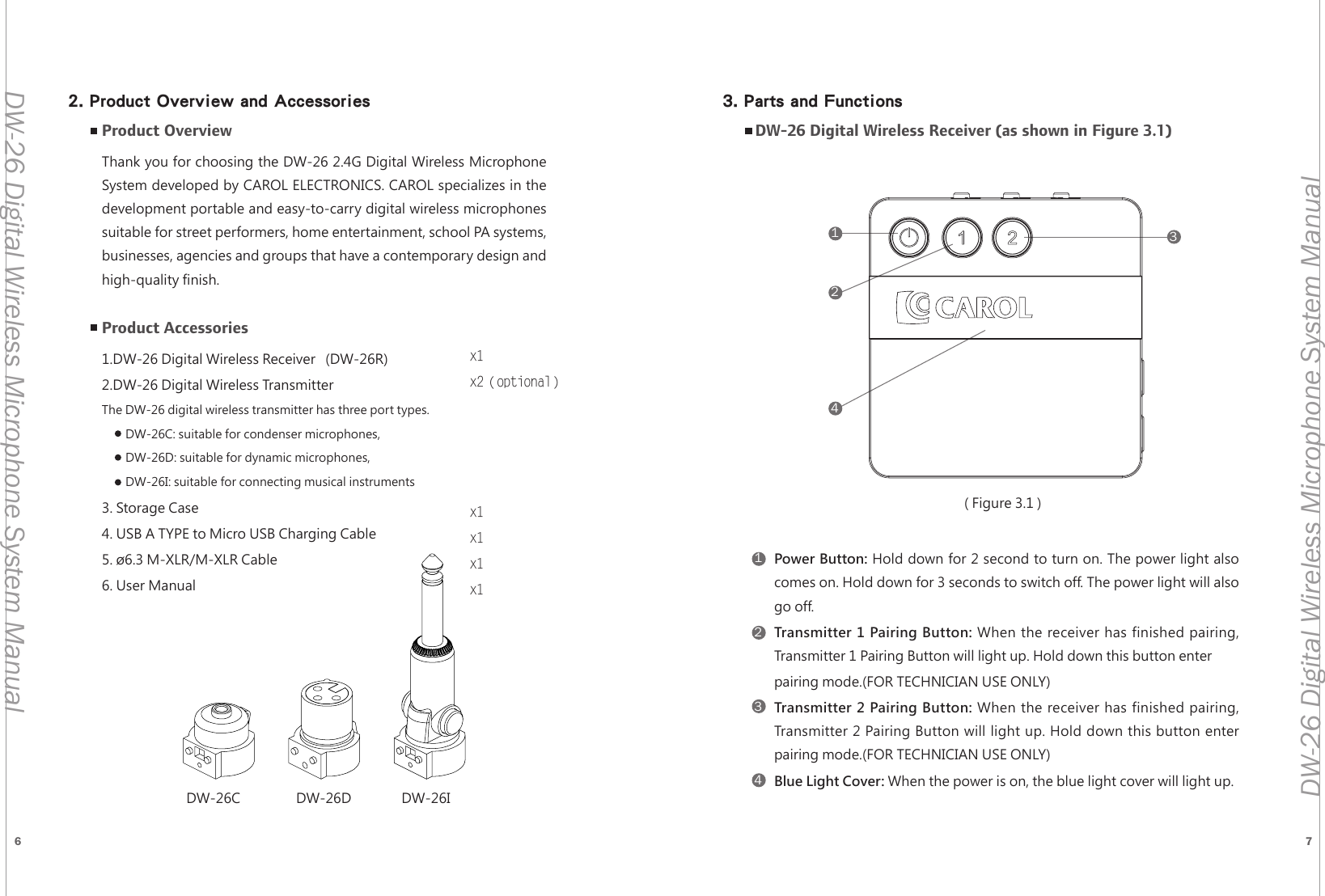
6 7DW-26 Digital Wireless Microphone System ManualDW-26 Digital Wireless Microphone System Manual Product OverviewThank you for choosing the DW-26 2.4G Digital Wireless Microphone System developed by CAROL ELECTRONICS. CAROL specializes in the development portable and easy-to-carry digital wireless microphones suitable for street performers, home entertainment, school PA systems, businesses, agencies and groups that have a contemporary design and high-quality finish.Product Accessories1.DW-26 Digital Wireless Receiver   (DW-26R)2.DW-26 Digital Wireless Transmitter              The DW-26 digital wireless transmitter has three port types.          DW-26C: suitable for condenser microphones,          DW-26D: suitable for dynamic microphones,         DW-26I: suitable for connecting musical instruments3. Storage Case4. USB A TYPE to Micro USB Charging Cable     5. ø6.3 M-XLR/M-XLR Cable                6. User Manual  x1x2(optional)x1x1x1x1DW-26C DW-26D DW-26I11224433DW-26 Digital Wireless Receiver (as shown in Figure 3.1)Power Button: Hold down for 2 second to turn on. The power light also  comes on. Hold down for 3 seconds to switch off. The power light will also  go off.Transmitter 1 Pairing Button: When the receiver has finished pairing,     Transmitter 1 Pairing Button will light up. Hold down this button enter pairing mode.(FOR TECHNICIAN USE ONLY)Transmitter 2 Pairing Button: When the receiver has finished pairing,  Transmitter 2 Pairing Button will light up. Hold down this button enter  pairing mode.(FOR TECHNICIAN USE ONLY)Blue Light Cover: When the power is on, the blue light cover will light up.( Figure 3.1 )2. Product Overview and Accessories 3. Parts and Functions
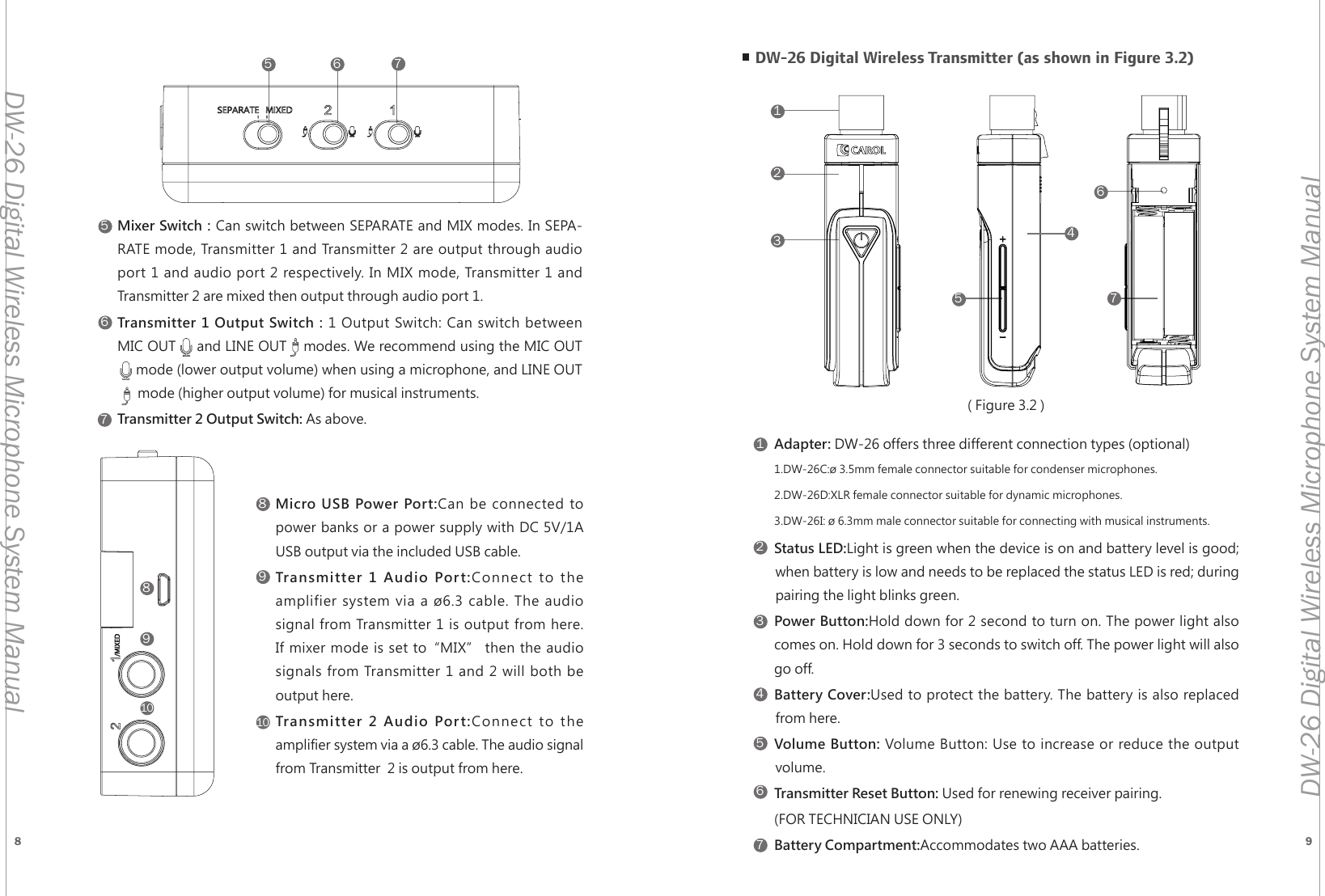
8 9DW-26 Digital Wireless Microphone System ManualDW-26 Digital Wireless Microphone System Manual5568899101076712345671235Mixer Switch:Can switch between SEPARATE and MIX modes. In SEPA-RATE mode, Transmitter 1 and Transmitter 2 are output through audio port 1 and audio port 2 respectively. In MIX mode, Transmitter 1 and Transmitter 2 are mixed then output through audio port 1.Transmitter 1 Output Switch:1 Output Switch: Can switch between MIC OUT     and LINE OUT    modes. We recommend using the MIC OUT       mode (lower output volume) when using a microphone, and LINE OUT            mode (higher output volume) for musical instruments.Transmitter 2 Output Switch: As above.Micro USB Power Port:Can be connected to  power banks or a power supply with DC 5V/1A  USB output via the included USB cable.Transmitter 1 Audio Port:Connect to the  amplifier system via a ø6.3 cable. The audio  signal from Transmitter 1 is output from here.       If mixer mode is set to“MIX” then the audio  signals from Transmitter 1 and 2 will both be  output here.Transmitter 2 Audio Port:Connect to the  amplifier system via a ø6.3 cable. The audio signal  from Transmitter  2 is output from here.DW-26 Digital Wireless Transmitter (as shown in Figure 3.2)Adapter: DW-26 offers three different connection types (optional)1.DW-26C:ø 3.5mm female connector suitable for condenser microphones.2.DW-26D:XLR female connector suitable for dynamic microphones.3.DW-26I: ø 6.3mm male connector suitable for connecting with musical instruments.Status LED:Light is green when the device is on and battery level is good;        when battery is low and needs to be replaced the status LED is red; during        pairing the light blinks green.Power Button:Hold down for 2 second to turn on. The power light also  comes on. Hold down for 3 seconds to switch off. The power light will also  go off.Battery Cover:Used to protect the battery. The battery is also replaced        from here.Volume Button: Volume Button: Use to increase or reduce the output        volume.Transmitter Reset Button: Used for renewing receiver pairing.(FOR TECHNICIAN USE ONLY)Battery Compartment:Accommodates two AAA batteries.647( Figure 3.2 )
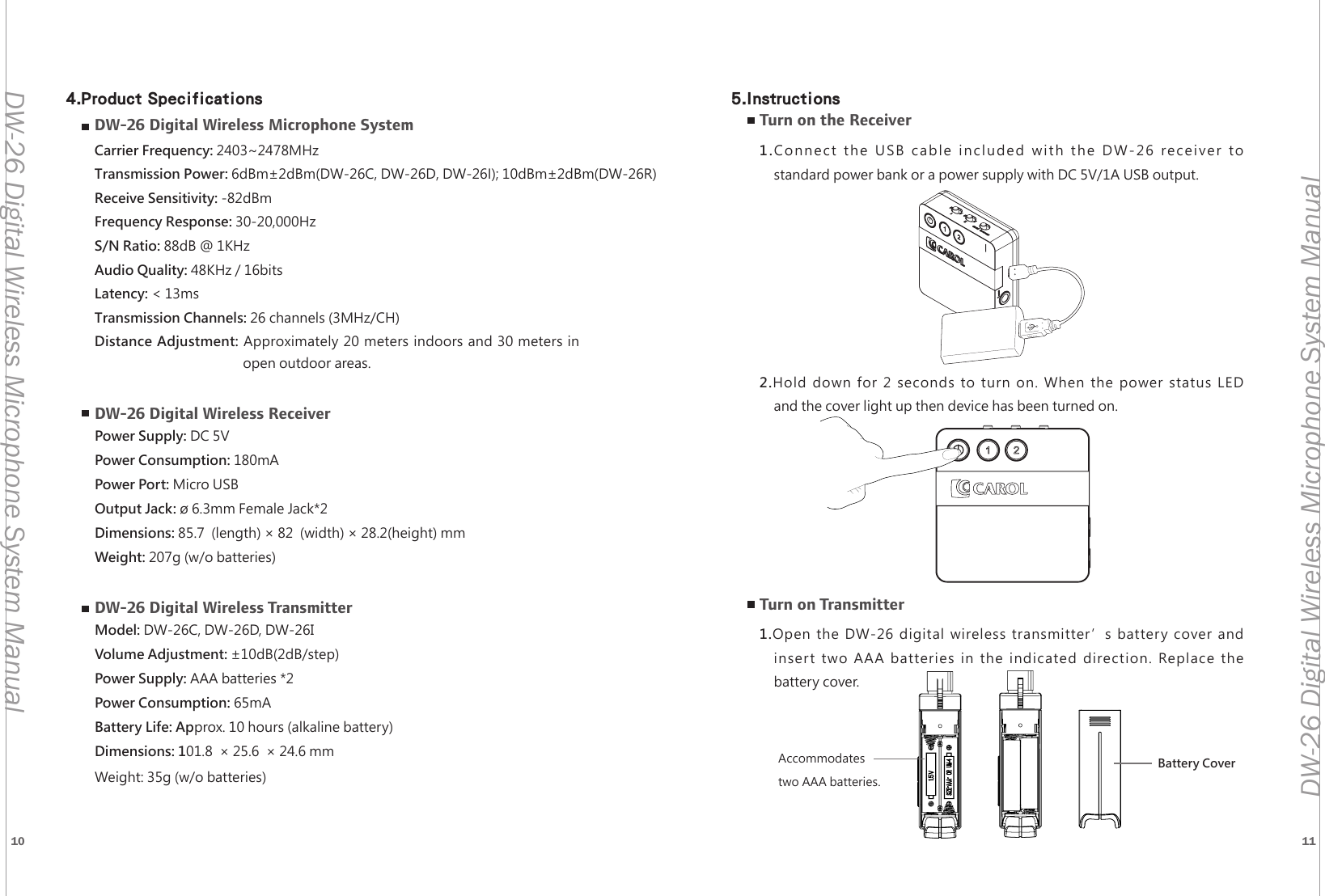
10 11DW-26 Digital Wireless Microphone System ManualDW-26 Digital Wireless Microphone System ManualDW-26 Digital Wireless Microphone SystemCarrier Frequency: 2403~2478MHzTransmission Power: 6dBm±2dBm(DW-26C, DW-26D, DW-26I); 10dBm±2dBm(DW-26R)Receive Sensitivity: -82dBmFrequency Response: 30-20,000HzS/N Ratio: 88dB @ 1KHzAudio Quality: 48KHz / 16bitsLatency: < 13msTransmission Channels: 26 channels (3MHz/CH)Distance Adjustment: Approximately 20 meters indoors and 30 meters in  open outdoor areas.DW-26 Digital Wireless ReceiverPower Supply: DC 5VPower Consumption: 180mAPower Port: Micro USBOutput Jack: ø 6.3mm Female Jack*2Dimensions: 85.7  (length) × 82  (width) × 28.2(height) mm Weight: 207g (w/o batteries)DW-26 Digital Wireless TransmitterModel: DW-26C, DW-26D, DW-26IVolume Adjustment: ±10dB(2dB/step)Power Supply: AAA batteries *2Power Consumption: 65mABattery Life: Approx. 10 hours (alkaline battery)Dimensions: 101.8  × 25.6  × 24.6 mmWeight: 35g (w/o batteries)Turn on the Receiver1.Connect the USB cable included with the DW-26 receiver tostandard power bank or a power supply with DC 5V/1A USB output.2.Hold down for 2 seconds to turn on. When the power status LEDand the cover light up then device has been turned on.Turn on Transmitter1.Open the DW-26 digital wireless transmitter’s battery cover andinsert two AAA batteries in the indicated direction. Replace thebattery cover.Battery CoverAccommodates two AAA batteries.4.Product Specifications 5.Instructions
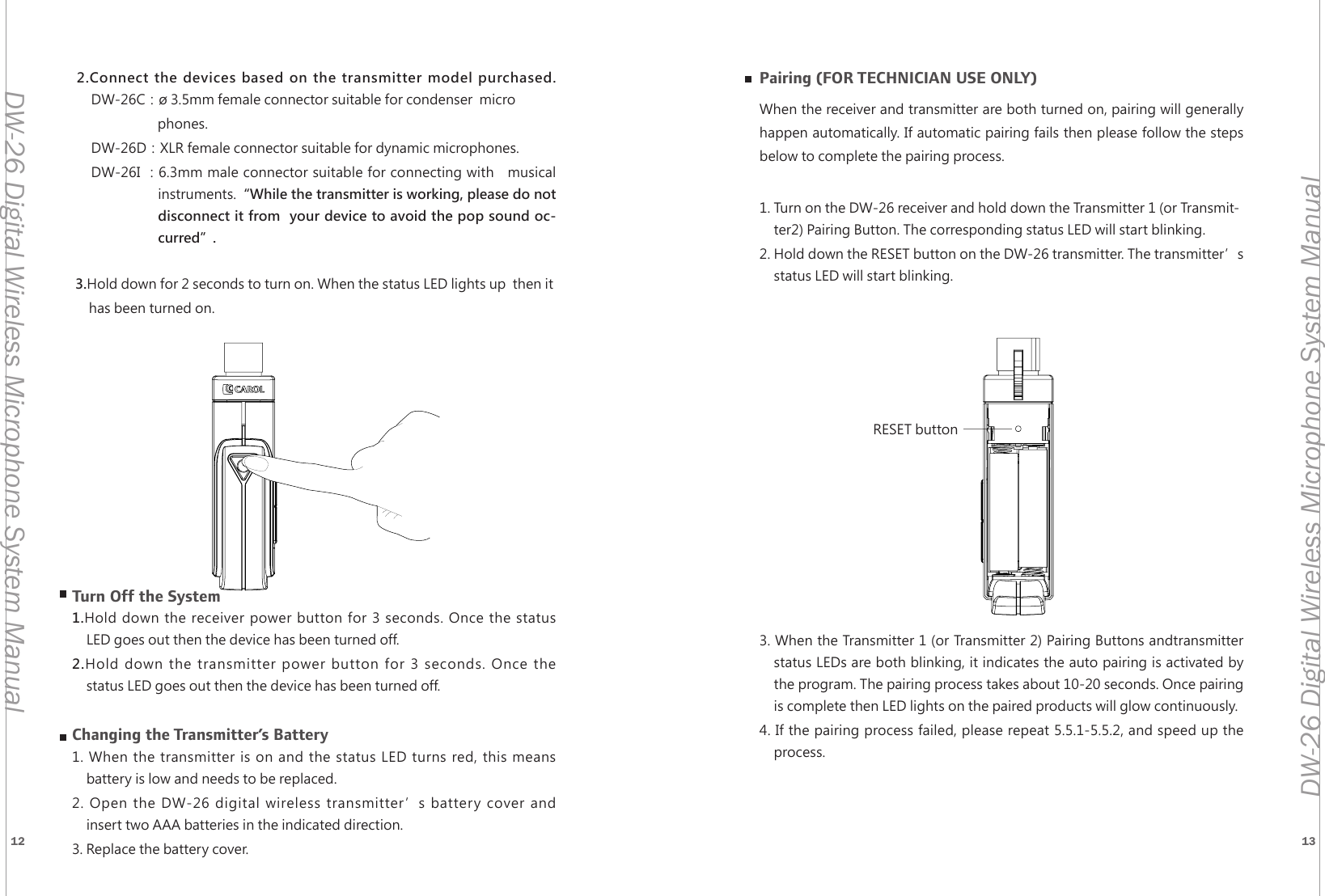
12 13DW-26 Digital Wireless Microphone System ManualDW-26 Digital Wireless Microphone System Manual1235RESET button2.Connect the devices based on the transmitter model purchased.     DW-26C:ø 3.5mm female connector suitable for condenser  microphones.DW-26D:XLR female connector suitable for dynamic microphones.DW-26I :6.3mm male connector suitable for connecting with   musical instruments.“While the transmitter is working, please do not disconnect it from  your device to avoid the pop sound oc-curred”. 3.Hold down for 2 seconds to turn on. When the status LED lights up  then it has been turned on.Turn Off the System1.Hold down the receiver power button for 3 seconds. Once the statusLED goes out then the device has been turned off.2.Hold down the transmitter power button for 3 seconds. Once thestatus LED goes out then the device has been turned off.Changing the Transmitter’s Battery1. When the transmitter is on and the status LED turns red, this meansbattery is low and needs to be replaced.2. Open the DW-26 digital wireless transmitter’s battery cover andinsert two AAA batteries in the indicated direction.3. Replace the battery cover. Pairing (FOR TECHNICIAN USE ONLY)When the receiver and transmitter are both turned on, pairing will generally happen automatically. If automatic pairing fails then please follow the steps below to complete the pairing process.1. Turn on the DW-26 receiver and hold down the Transmitter 1 (or Transmit-ter2) Pairing Button. The corresponding status LED will start blinking.2. Hold down the RESET button on the DW-26 transmitter. The transmitter’s status LED will start blinking.3. When the Transmitter 1 (or Transmitter 2) Pairing Buttons andtransmitterstatus LEDs are both blinking, it indicates the auto pairing is activated bythe program. The pairing process takes about 10-20 seconds. Once pairingis complete then LED lights on the paired products will glow continuously.4. If the pairing process failed, please repeat 5.5.1-5.5.2, and speed up theprocess.
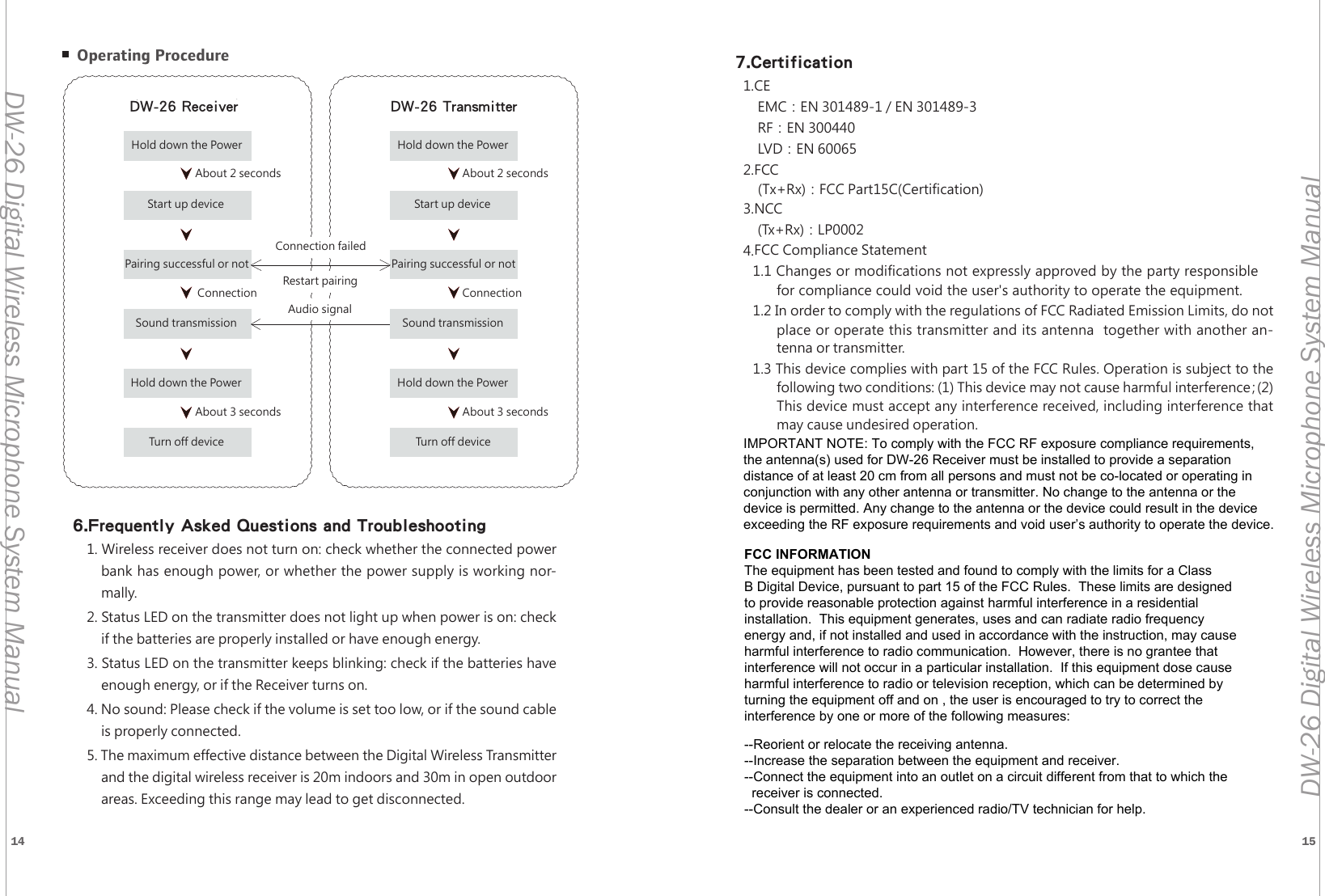
14 15DW-26 Digital Wireless Microphone System ManualDW-26 Digital Wireless Microphone System ManualDW-26接收機 DW-26發射機按壓電源約兩秒約三秒連線成功約兩秒約三秒連線成功完成開機連接是否成功聲音傳輸按壓電源鍵完成關機按壓電源完成開機連接是否成功聲音傳輸按壓電源鍵完成關機連線失敗重新連線音訊傳送 Operating Procedure6.Frequently Asked Questions and Troubleshooting1. Wireless receiver does not turn on: check whether the connected powerbank has enough power, or whether the power supply is working nor-mally.2. Status LED on the transmitter does not light up when power is on: checkif the batteries are properly installed or have enough energy.3. Status LED on the transmitter keeps blinking: check if the batteries haveenough energy, or if the Receiver turns on.4. No sound: Please check if the volume is set too low, or if the sound cableis properly connected.5. The maximum effective distance between the Digital Wireless Transmitter and the digital wireless receiver is 20m indoors and 30m in open outdoorareas. Exceeding this range may lead to get disconnected.DW-26 Receiver DW-26 TransmitterHold down the Power Hold down the Power About 2 secondsAbout 2 secondsAbout 3 seconds About 3 secondsConnectionConnectionConnection failedRestart pairingAudio signalStart up deviceStart up devicePairing successful or notPairing successful or notSound transmissionSound transmissionHold down the PowerHold down the PowerTurn off deviceTurn off device7.Certification1.CEEMC:EN 301489-1 / EN 301489-3RF:EN 300440LVD:EN 600652.FCC(Tx+Rx):FCC Part15C(Certification)3.NCC(Tx+Rx):LP00024.FCC Compliance Statement1.1 Changes or modifications not expressly approved by the party responsiblefor compliance could void the user's authority to operate the equipment. 1.2 In order to comply with the regulations of FCC Radiated Emission Limits, do not place or operate this transmitter and its antenna  together with another an-tenna or transmitter.1.3 This device complies with part 15 of the FCC Rules. Operation is subject to the following two conditions: (1) This device may not cause harmful interference;(2)This device must accept any interference received, including interference that may cause undesired operation.FCC INFORMATIONThe equipment has been tested and found to comply with the limits for a ClassB Digital Device, pursuant to part 15 of the FCC Rules.  These limits are designedto provide reasonable protection against harmful interference in a residentialinstallation.  This equipment generates, uses and can radiate radio frequencyenergy and, if not installed and used in accordance with the instruction, may causeharmful interference to radio communication.  However, there is no grantee thatinterference will not occur in a particular installation.  If this equipment dose causeharmful interference to radio or television reception, which can be determined by turning the equipment off and on , the user is encouraged to try to correct the interference by one or more of the following measures:--Reorient or relocate the receiving antenna.--Increase the separation between the equipment and receiver.--Connect the equipment into an outlet on a circuit different from that to which the   receiver is connected.--Consult the dealer or an experienced radio/TV technician for help.IMPORTANT NOTE: To comply with the FCC RF exposure compliance requirements, the antenna(s) used for DW-26 Receiver must be installed to provide a separation distance of at least 20 cm from all persons and must not be co-located or operating in conjunction with any other antenna or transmitter. No change to the antenna or the device is permitted. Any change to the antenna or the device could result in the device exceeding the RF exposure requirements and void user’s authority to operate the device.

Navigation menu