Chitech II 16888 Monster High Wireless Speaker User Manual monster High bluetooth speaker FMA

Chitech Industries II, Ltd Monster High Wireless Speaker monster High bluetooth speaker FMA

User Manual

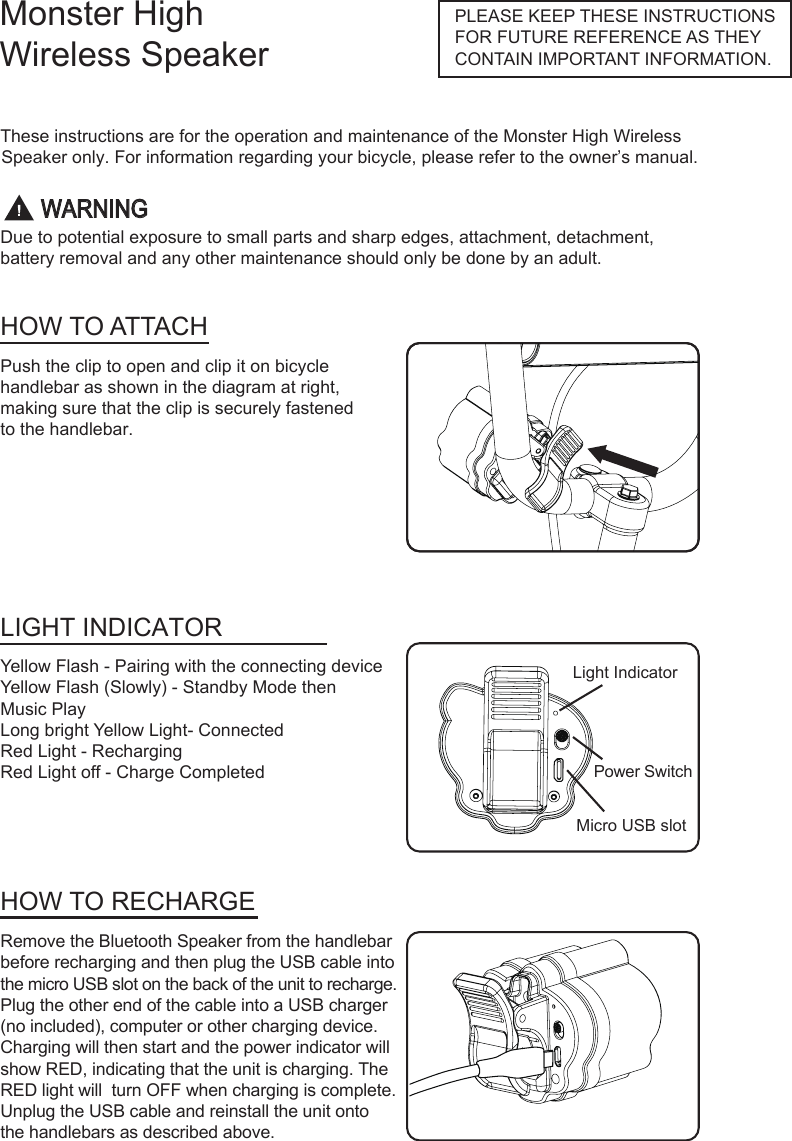
Monster High Wireless SpeakerThese instructions are for the operation and maintenance of the Monster High Wireless Speaker only. For information regarding your bicycle, please refer to the owner’s manual.Due to potential exposure to small parts and sharp edges, attachment, detachment,battery removal and any other maintenance should only be done by an adult.PLEASE KEEP THESE INSTRUCTIONS FOR FUTURE REFERENCE AS THEY CONTAIN IMPORTANT INFORMATION.HOW TO ATTACHLIGHT INDICATORHOW TO RECHARGEPush the clip to open and clip it on bicycle  handlebar as shown in the diagram at right, making sure that the clip is securely fastened to the handlebar.Yellow Flash - Pairing with the connecting deviceYellow Flash (Slowly) - Standby Mode thenMusic PlayLong bright Yellow Light- ConnectedRed Light - Recharging Red Light off - Charge CompletedRemove the Bluetooth Speaker from the handlebar before recharging and then plug the USB cable into the micro USB slot on the back of the unit to recharge. Plug the other end of the cable into a USB charger(no included), computer or other charging device.Charging will then start and the power indicator will show RED, indicating that the unit is charging. The RED light will  turn OFF when charging is complete. Unplug the USB cable and reinstall the unit onto the handlebars as described above.Light IndicatorPower SwitchMicro USB slotWARNING
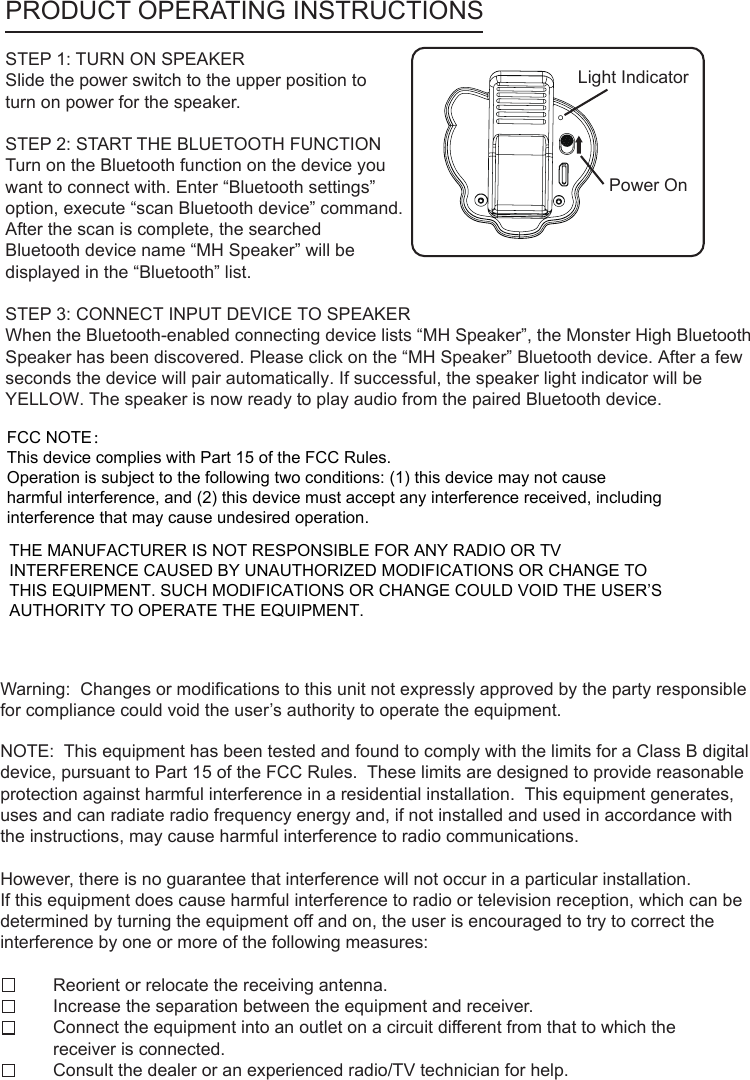
PRODUCT OPERATING INSTRUCTIONSLight IndicatorPower OnSTEP 1: TURN ON SPEAKERSlide the power switch to the upper position to turn on power for the speaker.STEP 2: START THE BLUETOOTH FUNCTIONTurn on the Bluetooth function on the device youwant to connect with. Enter “Bluetooth settings” option, execute “scan Bluetooth device” command. After the scan is complete, the searched Bluetooth device name “MH Speaker” will be displayed in the “Bluetooth” list.STEP 3: CONNECT INPUT DEVICE TO SPEAKERWhen the Bluetooth-enabled connecting device lists “MH Speaker”, the Monster High BluetoothSpeaker has been discovered. Please click on the “MH Speaker” Bluetooth device. After a fewseconds the device will pair automatically. If successful, the speaker light indicator will be  YELLOW. The speaker is now ready to play audio from the paired Bluetooth device.Warning:  Changes or modifications to this unit not expressly approved by the party responsible for compliance could void the user’s authority to operate the equipment.NOTE:  This equipment has been tested and found to comply with the limits for a Class B digital device, pursuant to Part 15 of the FCC Rules.  These limits are designed to provide reasonable protection against harmful interference in a residential installation.  This equipment generates, uses and can radiate radio frequency energy and, if not installed and used in accordance with the instructions, may cause harmful interference to radio communications.However, there is no guarantee that interference will not occur in a particular installation.  If this equipment does cause harmful interference to radio or television reception, which can be determined by turning the equipment off and on, the user is encouraged to try to correct the interference by one or more of the following measures:Reorient or relocate the receiving antenna.Increase the separation between the equipment and receiver.Connect the equipment into an outlet on a circuit different from that to which the receiver is connected.Consult the dealer or an experienced radio/TV technician for help.THE MANUFACTURER IS NOT RESPONSIBLE FOR ANY RADIO OR TV INTERFERENCE CAUSED BY UNAUTHORIZED MODIFICATIONS OR CHANGE TO THIS EQUIPMENT. SUCH MODIFICATIONS OR CHANGE COULD VOID THE USER’S AUTHORITY TO OPERATE THE EQUIPMENT.FCC NOTE:This device complies with Part 15 of the FCC Rules.Operation is subject to the following two conditions: (1) this device may not cause harmful interference, and (2) this device must accept any interference received, including interference that may cause undesired operation.

Navigation menu