User Manual
ListenClear TV Streamer Installation Guide
Intended use
The TV Streamer is intended as a wireless transmitter of sound from a TV to certain ListenClear wireless hearing
aids.
Installation
To setup your TV Streamer for your ListenClear wireless hearing aids please follow these steps carefully.
1. Remove the new TV Streamer box and cables from the packaging. Installation requires connecting the
Streamer to a power outlet, and connecting the Streamer to the TV:
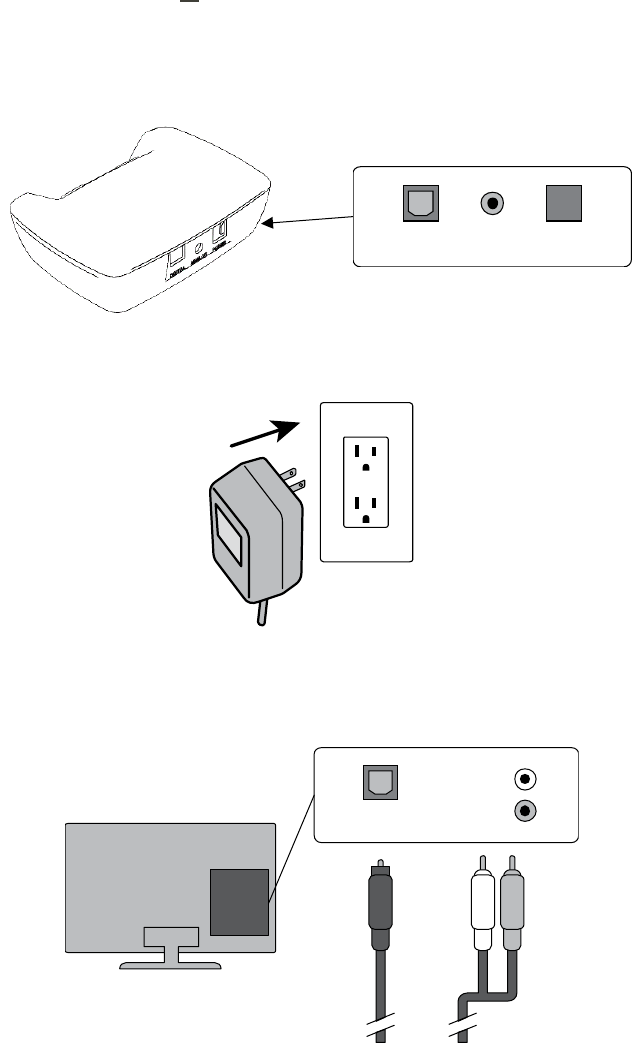
a. Select the Digital or Analog audio cable that is compatible with the TV, and insert cable into the matching
port on the backside of the TV Streamer. The TV Streamer connection ports are labeled for each type of
cable.
b. Insert the Power cable into the port on the backside of the TV Streamer.
2. Insert the Power plug into the wall socket
3. Insert the other end of the audio cable into the audio output on the back of your television. Again, this is
dependent on the Digital or Analog cable that is compatible with the TV.
AnalogDigital Power
Audio-L
Audio-R
Digital
OR
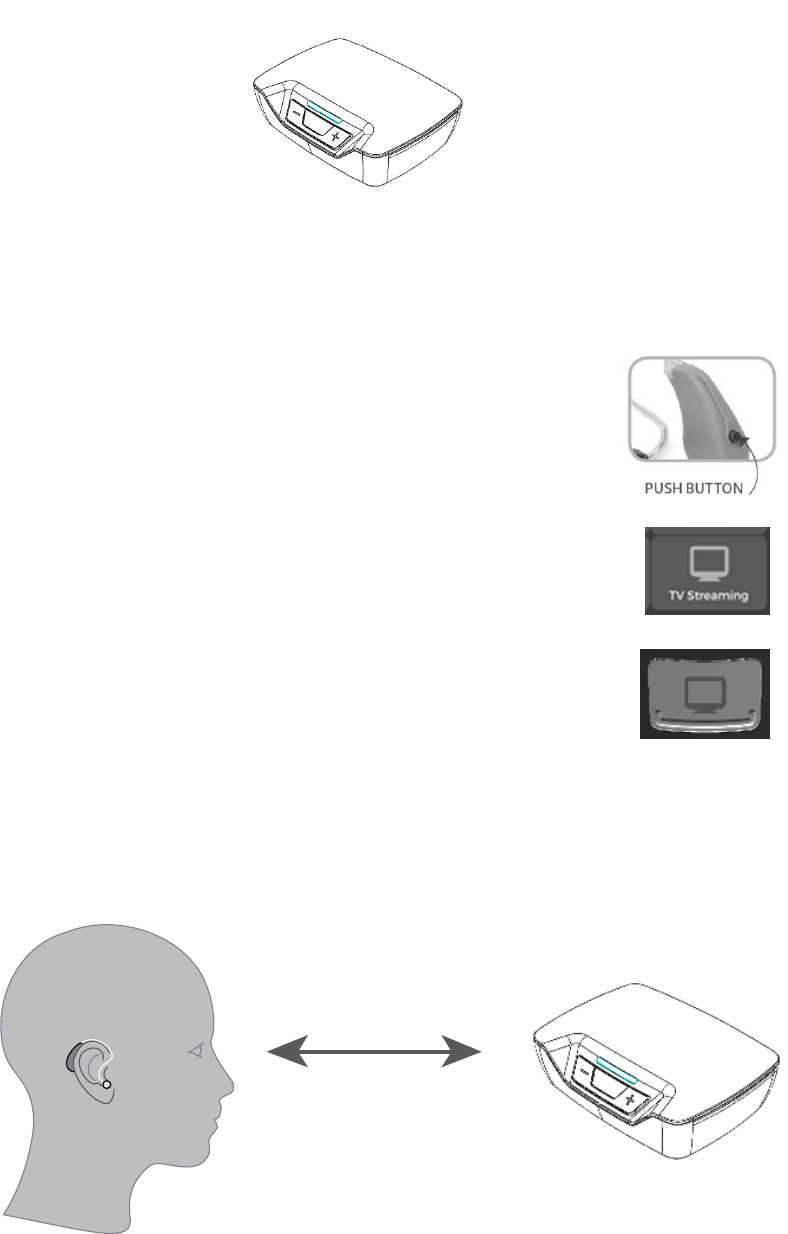
Once connected to power, the TV Streamer’s blue light indicates that it is ready to stream.
4. Turn your television ON.
5. Place hearing aids into TV Streamer memory through one of these three options:
Press the pushbutton on the hearing aid until it enters the
TV Streamer memory
Select TV Streamer icon on the mobile application
Press TV Streamer button on the remote
6. The audio signal will be streaming from the TV Streamer direct to the hearing aids. A stable streaming signal
is ensured within a 20-foot range of the TV Streamer.
7. Congratulations! Your hearing aids are now connected to the TV Streamer.
20 Feet
Volume control
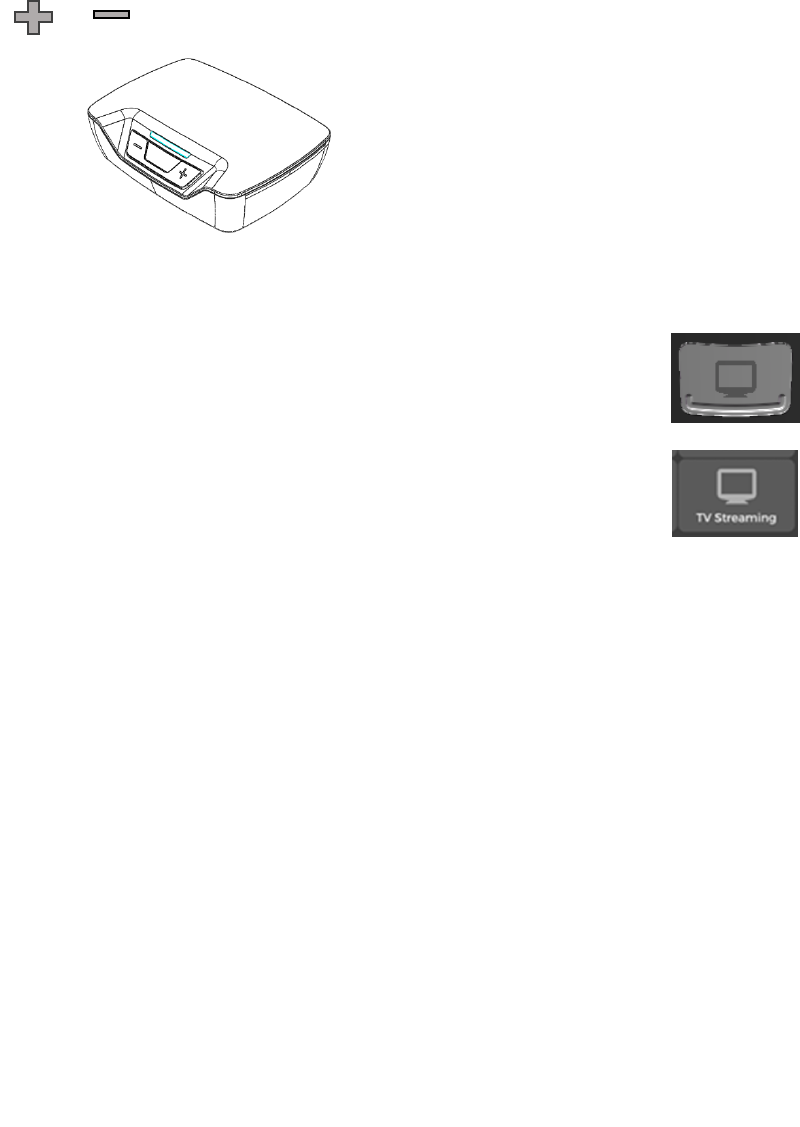
Press the or button on the front of your TV Streamer to adjust the TV steamer volume level in your
hearing aids.
TV volume in your hearing aids can also be adjusted using the mobile application or remote.
1. To adjust TV steamer volume using the remote, simply select the remotes “TV
Streamer” button, then use remotes volume buttons to adjust.
2. To adjust TV steamer volume using the mobile application, simply select the
applications “TV Streamer” icon then use volume slider to adjust.
Cleaning and maintenance
The TV Streamer has been designed to give you years of dependable service. To ensure the utmost in
performance, follow these guidelines in caring for your transmitter:
1. To clean, wipe with a soft cloth slightly dampened in a mild soap-and-water solution.
2. Do not immerse in water or other liquid
3. Avoid dropping or knocking the unit.
4. Do not clean with harsh chemicals, cleaning solvents or abrasive detergents.
Technical information
Model name: Kairos BLE TV Streamer
The TV Streamer contains a wireless transmitter using 2.4 GHz technology
The emission power from the TV Streamer is max. 20 dBm EIRP.
Due to the limited space available on the TV Streamer relevant approval markings can be found in this document.
The hearing aid complies with standards concerning electromagnetic compatibility and human exposure
USA
This device is certified under:
FCC ID: 2ADKC-TVS
This device complies with Part 15 of the FCC Rules. Operation is subject to the following two conditions:
1. This device may not cause harmful interference,
2. This device must accept any interference received, including interference that may cause undesired
operation.
Changes or modifications not expressly approved by the party responsible for compliance could void the user’s
authority to operate the equipment.

Interference
This equipment has been tested and found to comply with the limits for a Class B digital device, pursuant to part
15 of the FCC Rules. These limits are designed to provide reasonable protection against harmful interference in a
residential installation. However, interference with your TV Streamer and other devices may occur, (e.g. some
mobile telephones, citizens band devices and other wireless devices). If this occurs, increase the distance
between the TV Streamer and the interfering device.
This equipment generates, uses and can radiate radio frequency energy and, if not installed and used in
accordance with the instructions, may cause harmful interference to radio communications. However, there is no
guarantee that interference will not occur in a particular installation. If this equipment does cause harmful
interference to radio or television reception, which can be determined by turning the equipment off and on, the
user is encouraged to try to correct the interference by one or more of the following measures:
• Reorient or relocate the receiving antenna.
• Increase the separation between the equipment and receiver.
• Connect the equipment into an outlet on a circuit different from that to which the receiver is connected.
• Consult the manufacturer or an experienced radio/TV technician for help.
To comply with FCC RF exposure requirements, the device and the antenna for this device must be installed to
ensure a minimum separation distance of 20 cm or more from a person’s body. Other operating configurations
should be avoided.
Clearity, LLC
8408 S. Delaware Avenue, Tulsa, OK 74137, USA, TEL: 918-301-2100
Electronic equipment - dispose according to local regulation