Columbia Telecommunications Group FR22-NL 22 Channels 2 Way Radio User Manual FRS22 NL MANUAL

Columbia Telecommunications Group Inc 22 Channels 2 Way Radio FRS22 NL MANUAL

Users Manual

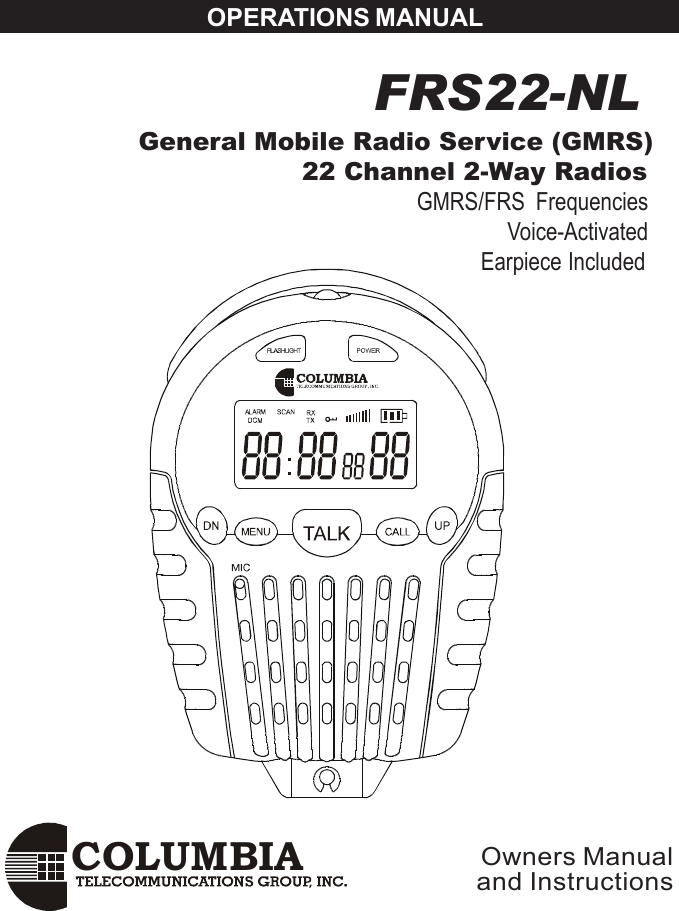
COLUMBIAOPERATIONS MANUAL FRS22-NL  General Mobile Radio Service (GMRS)                     22 Channel 2-Way RadiosGMRS/FRS  Frequencies                                                             Voice-Activated                                                          Earpiece IncludedOwners Manualand Instructions
2Contents.................................................................................2Introduction .................................................................. 6Controls and Displays ............................................ 6Component Guide ........................................................ 7Setting Up Your GMRS/FRS Radio ............................... 8Battery Installation .................................................. 8Battery Meter ........................................................... 9Low Battery Indicator ............................................... 9Operation .................................................................... 11Turning on your GMRS/FRS .................................. 11Communication ..................................................... 11Receiving communications ................................... 11Respond prompt tone .......................................... 12Channel selection ................................................ 12Frequencies .......................................................... 13To speak to another radio ..................................... 14Range ................................................................... 14Calling (Paging) another radio ............................. 15Setting Call-Ring Tone................................................15Key Tone ON/OFF.........................................................16Roger Beep ON/OFF....................................................16Dual Channel Monitor..................................................17To set the time..............................................................18To set alarm clock........................................................18Using stopwatch..........................................................19Special Features ........................................................ 20Automatic Squelch ................................................ 20Channel Lock................................................................20Channel Scan ....................................................... 20Automatic Battery Save ......................................... 21External Microphone/Speaker/Charger Jacks...... 21Built-in flashlight...........................................................21Customer Support ..................................................... 22Channel Frequencies and Code Charts ................... 23Warranty .................................................................... 24ContentsCAUTION.................................................................................3SAFETY  TRAINING  INFORMATION....................................4FCC Warning..........................................................................5
3GMRS LICENSEUSE OF THIS RADIO WITHIN THE UNITED STATES REQUIRESAN FCC GMRS LICENSE. AN INDIVIDUAL 18 YEARS OF AGEOR OLDER, WHO IS NOT A REPRESENTATIVE OF A FOREIGNGOVERNMENT, IS ELIGIBLE TO APPLY FOR A GMRS SYSTEMLICENSE. YOU WILL NEED TWO FORMS FROM THE FCC; FCCFORM 159 AND FCC FORM 605 MAIN FORM AND SCHEDULE F.YOU CAN FIND THE FORMS ONLINEAT:HTTP// WWW.FCC.GOV/FORMPAGE.HTWL ,OR CALL 1-800-418-3676.To maintain compliance with the FCC`s RF exposure guidelines,hold the transmitter at least 1 inch (2.5 centimeters) from your faceand speak in a normal voice, with the antenna pointed up andaway. If you wear the handset on your body while using theheadset accessory, DO NOT TRANSMIT.The FRS-22 supplied belt clip is for storage purposes ONLY. Useonly the supplied antenna.Unauthorized antennas, modifications, or attachments coulddamage the transmitter and may violate FCC regulations.Normal Position :Hold the transmitter approximately 1” from your                          face and speak in a normal voice, with the                         antenna pointed up.MODIFICATIONS OR CHANGES NOT EXPRESSLY APPROVEDBY COLUMBIA TELECOMMUNICATIONS, INC. COULD VOID THEUSER`S  AUTHORITY TO OPERATE THE EQUIPMENT.CAUTION
4Safety Information For GMRS UNITYour wireless handheld portable transceiver contains a low powertransmitter. When the TALK button is pushed it sends out radio frequency(RF) signals . This device is authorized to operate at a duty factor not toexceed 50% In August 1996,the Federal Communications Commission(FCC) adopted RF exposure guidelines with safety levels for handheldwireless devices.. DO NOT operate the radio without a proper antenna attached , as thismay damage the radio and also cause you to exceed FCC RF exposurelimits . A proper antenna is the antenna supplied with this radio by themanufacturer or an antenna specifically authorized by the manufacturer foruse with this radio.. DO NOT transmit for more than 50% of total radio use time (50% dutycycle) Transmitting more than 50% of the time can cause FCC RFexposure compliance requirements to be exceeded..ALWAYS use authorized accessories  antennas, batteries,belt clips,speaker/mic, etc). Use of unauthorized accessories can cause the FCCRF exposure compliance requirements to be exceeded.ALWAYS keep the antenna at least 2.5cm (1 inch) away from the bodywhen transmitting ,If you wear the handset on your body while using theheadset accessory, DO NOT TRANSMIT. The FRS-22 supplied belt clip isfor storage purposes ONLY. This is to ensure FCC RF exposurecompliance requirements are not exceeded. To provide the recipients ofyour transmission the best sound quality, hold the antenna at least 5cm(2inches) from the mouth, and slightly off to one side.SAFETY    TRAINING   INFORMATION
5ADJUSTMENT: REPLACEMENT or substitution of transistors,regular diodes or other parts of a unique nature, with parts otherthan those recommended by Columbia, may cause a violation of thetechnical regulations of part 95 of the FCC Rules, or violation ofType Acceptance requirements of Part 2 of the Rules.NOTE: This equipment has been tested and found to comply withthe limits for a Class B digital device, pursuant to Part 15 of theFCC Rules These limits are designed to provide reasonableprotection against harmful interference in a residential installation.This equipment generates, uses and can radiate radio frequencyenergy and, if not installed and used in accordance with theinstructions, may cause harmful interference to radiocommunications. However, there is no guarantee that interferencewill not occur in a particular installation.  If this equipment doescause harmful interference to radio or television reception, whichcan be determined by turning the equipment off and on, the user isencouraged to try to correct the interference by one or more of thefollowing measures:• Reorient or relocate the receiving antenna.• Increase the separation between the equipment andreceiver.• Consult the dealer or an experienced radio/TV technician forhelp.This device complies with Part 15 of the FCC Rules. Operation issubject to the following condition: this device must accept anyinterference received, including interference that may causeundesired operation.FCC Warnings
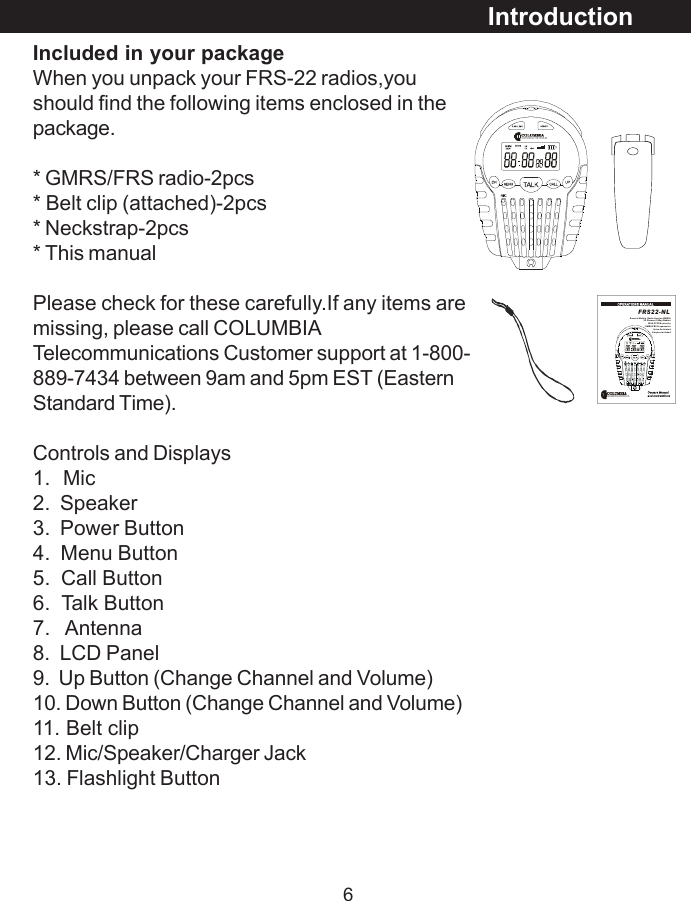
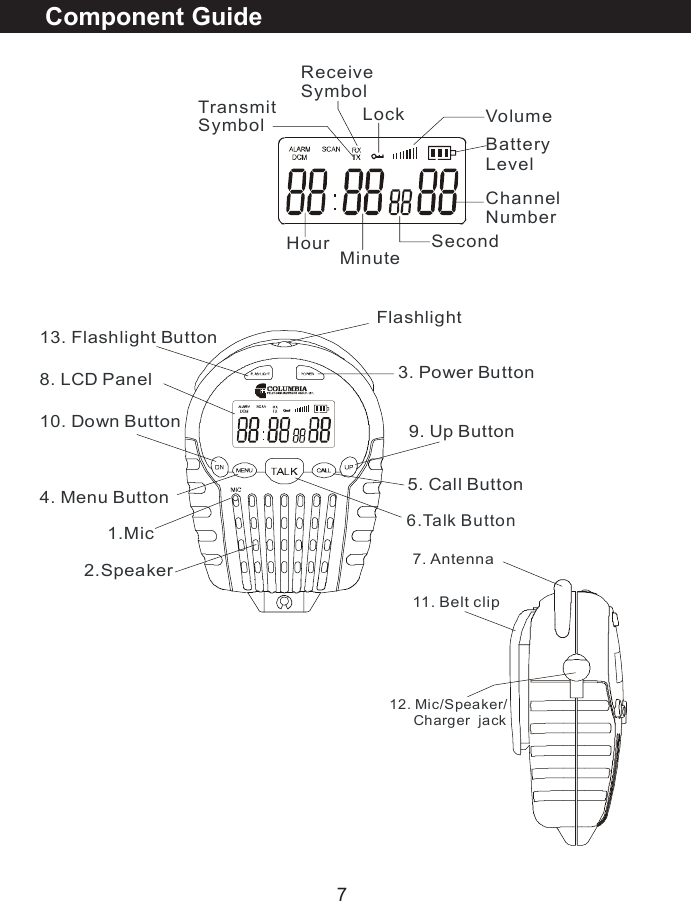
6Included in your packageWhen you unpack your FRS-22 radios,youshould find the following items enclosed in thepackage.* GMRS/FRS radio-2pcs* Belt clip (attached)-2pcs* Neckstrap-2pcs* This manualPlease check for these carefully.If any items aremissing, please call COLUMBIATelecommunications Customer support at 1-800-889-7434 between 9am and 5pm EST (EasternStandard Time).Controls and Displays1.  Mic2.  Speaker3.  Power Button4.  Menu Button5.  Call Button6.  Talk Button7.   Antenna8.  LCD Panel9.  Up Button (Change Channel and Volume)10. Down Button (Change Channel and Volume)11. Belt clip12. Mic/Speaker/Charger Jack13. Flashlight ButtonIntroductionFRS22-NLGener al Mobi le  Rad io Ser vice (GMRS)                             22  Cha n ne l 2 -Wa y R ad io s                               W it h C TC SS s e cur it y                                 GM RS /F RS  Fr equ en c ies                                            Voi ce- Ac t iva te dEarpies Included
7Component Guide1.Mic 3. Power Button4. Menu Button 5. Call Button6.Talk Button8. LCD Panel13. Flashlight Button Flashlight9. Up Button10. Down Button2.SpeakerChannelNumberTransmit SymbolReceive SymbolBatteryLevelLock VolumeHour      Minute    Second7. Antenna11. Belt clip12. Mic/Speaker/      Charger  jack
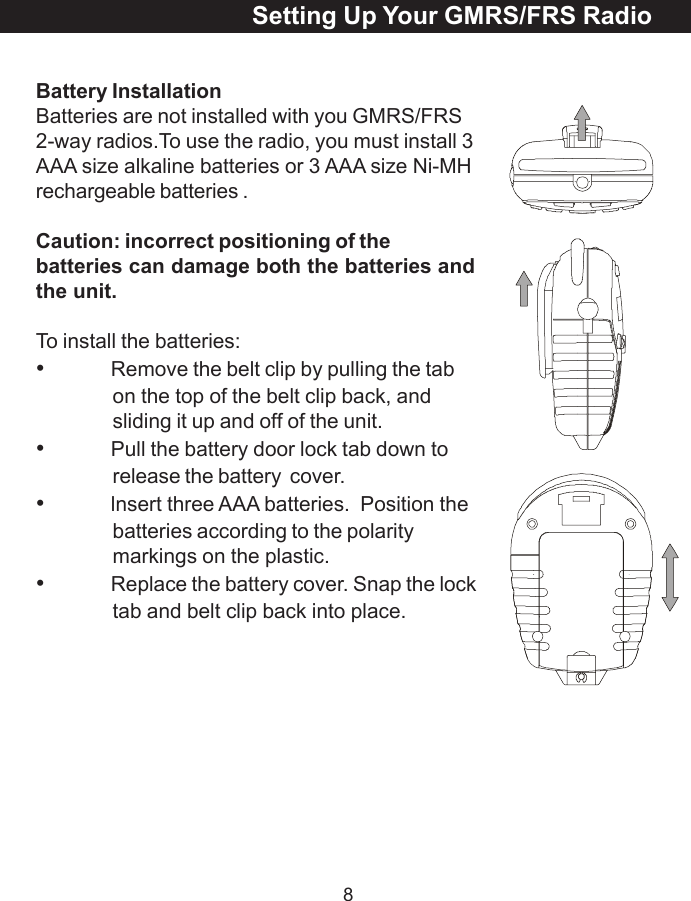
8Battery InstallationBatteries are not installed with you GMRS/FRS2-way radios.To use the radio, you must install 3AAA size alkaline batteries or 3 AAA size Ni-MHrechargeable batteries .Caution: incorrect positioning of thebatteries can damage both the batteries andthe unit.To install the batteries:•Remove the belt clip by pulling the tabon the top of the belt clip back, andsliding it up and off of the unit.•Pull the battery door lock tab down torelease the battery  cover.•lnsert three AAA batteries.  Position thebatteries according to the polaritymarkings on the plastic.•Replace the battery cover. Snap the locktab and belt clip back into place.Setting Up Your GMRS/FRS Radio
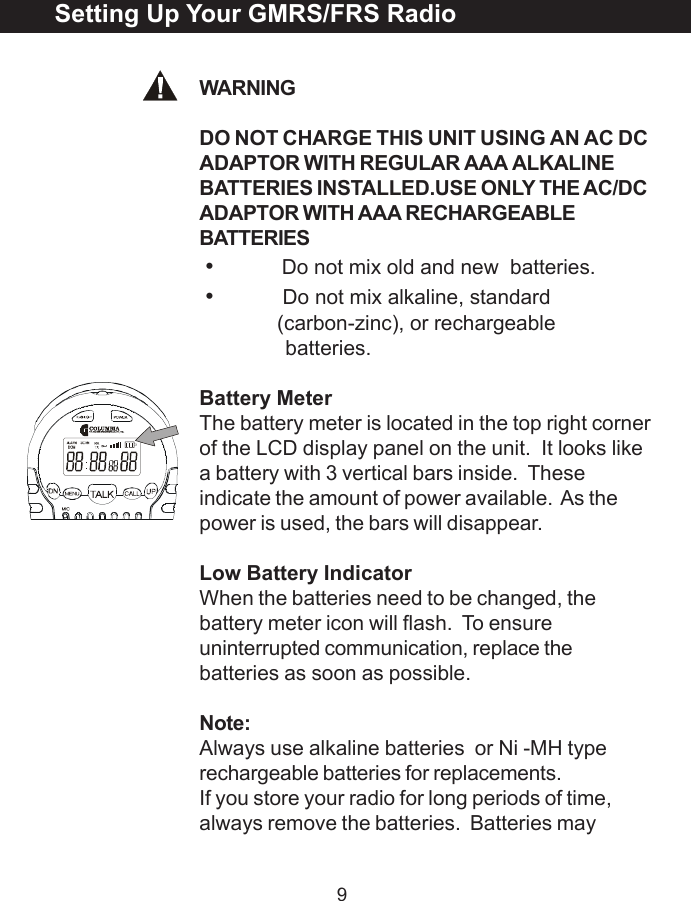
9WARNINGDO NOT CHARGE THIS UNIT USING AN AC DCADAPTOR WITH REGULAR AAA ALKALINEBATTERIES INSTALLED.USE ONLY THE AC/DCADAPTOR WITH AAA RECHARGEABLEBATTERIES•Do not mix old and new  batteries.•Do not mix alkaline, standard(carbon-zinc), or rechargeable              batteries.Battery MeterThe battery meter is located in the top right cornerof the LCD display panel on the unit.  It looks likea battery with 3 vertical bars inside.  Theseindicate the amount of power available.  As thepower is used, the bars will disappear.Low Battery IndicatorWhen the batteries need to be changed, thebattery meter icon will flash.  To ensureuninterrupted communication, replace thebatteries as soon as possible.Note:Always use alkaline batteries  or Ni -MH typerechargeable batteries for replacements.If you store your radio for long periods of time,always remove the batteries.  Batteries maySetting Up Your GMRS/FRS Radio
10corrode and leak when left unused over long periodsof time, and permanently damage your radio.DO NOT PUT BATTERIES INTO FIRE OREXPOSE TO HIGH HEAT.  THEY MAY EXPLODE.Setting Up Your GMRS/FRS Radio
11Turning On Your GMRS/FRSPush & hold Power button, to turn the GMRS/FRS radio on or off. The unit will beep, the LCDpanel will display information about your radio, andthe panel will be illuminated by a green light forseveral seconds.CommunicationYou can communicate two ways with your newGMRS/FRS radio.  There are 22 channels availableto you.  You can either talk directly to others andhear their response, or you can call  or page  themwith an audible tone.In all cases, both units must be set to the samechannels, or they will not communicate.The GMRS/FRS  radios can only communicatewhen either the TALK button (for speech), orthe CALL button (for paging) is pressed.  Theunit can only receive when both buttons arefully released.Receiving CommunicationsWhen your GMRS/FRS unit is turned on and is notbeing used to transmit voice communication orpages, it is always in the listening mode.You cannot receive any transmissions when theTALK or CALL buttons are pressed, even if youaren’t saying anything. Pressing these buttonsautomatically overrides and turns off the receivemode.Operation
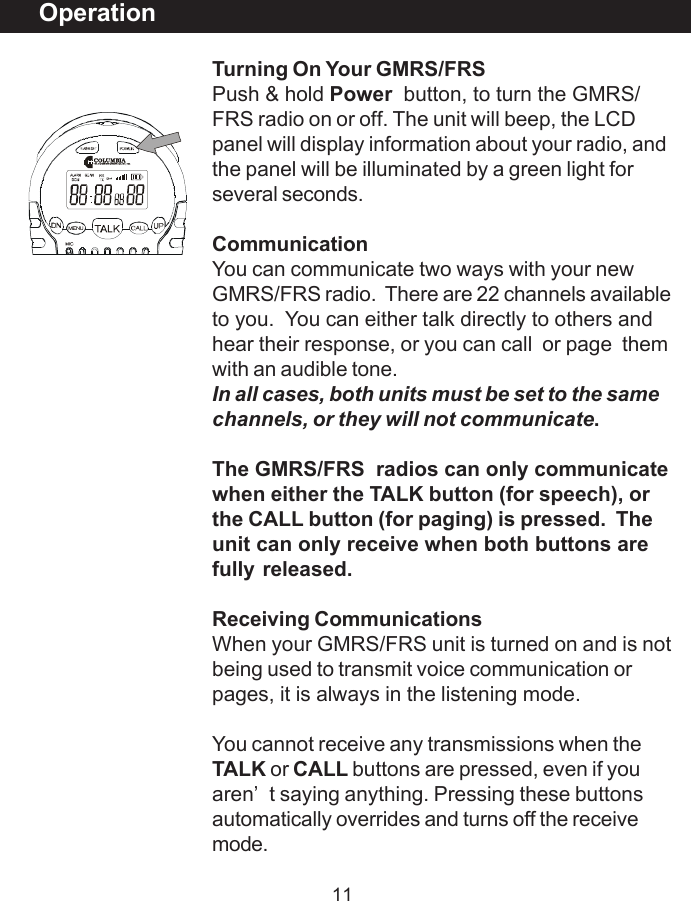
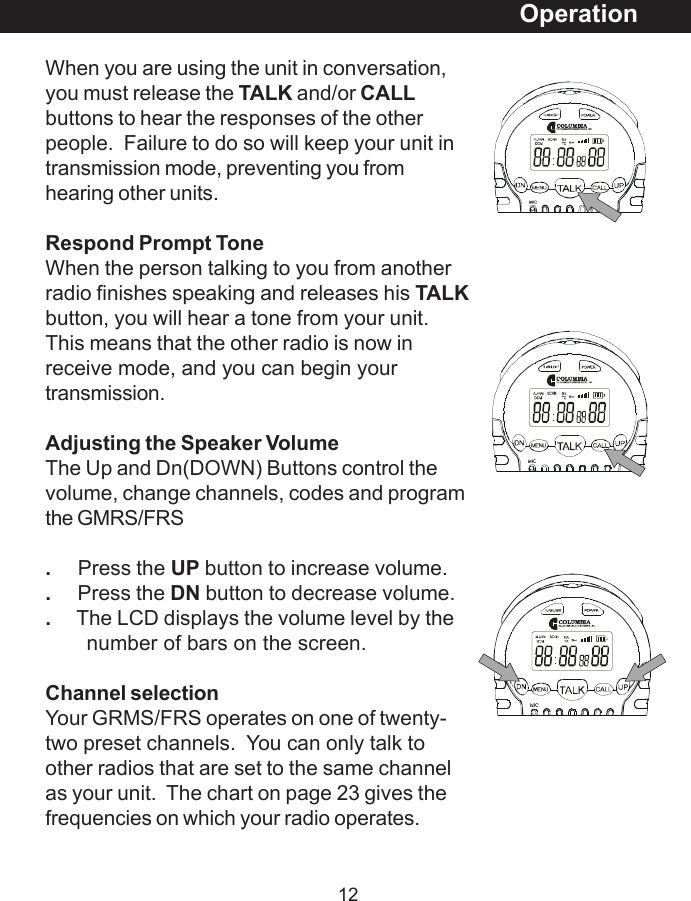
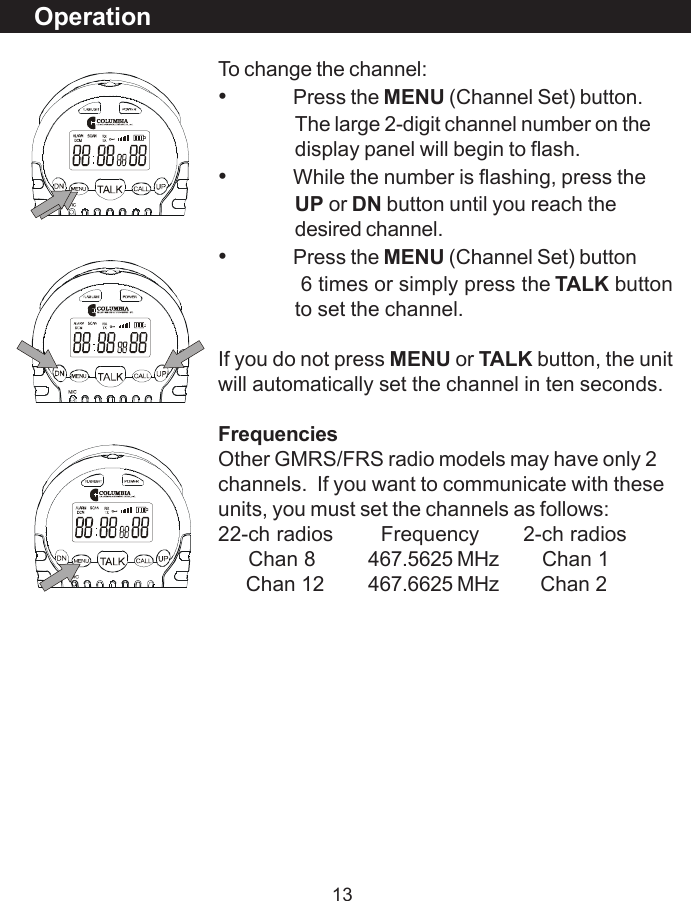
12When you are using the unit in conversation,you must release the TALK and/or CALLbuttons to hear the responses of the otherpeople.  Failure to do so will keep your unit intransmission mode, preventing you fromhearing other units.Respond Prompt ToneWhen the person talking to you from anotherradio finishes speaking and releases his TALKbutton, you will hear a tone from your unit.This means that the other radio is now inreceive mode, and you can begin yourtransmission.Adjusting the Speaker VolumeThe Up and Dn(DOWN) Buttons control thevolume, change channels, codes and programthe GMRS/FRS.     Press the UP button to increase volume..     Press the DN button to decrease volume..     The LCD displays the volume level by the       number of bars on the screen.Channel selectionYour GRMS/FRS operates on one of twenty-two preset channels.  You can only talk toother radios that are set to the same channelas your unit.  The chart on page 23 gives thefrequencies on which your radio operates.Operation
13OperationTo change the channel:•Press the MENU (Channel Set) button.The large 2-digit channel number on thedisplay panel will begin to flash.•While the number is flashing, press theUP or DN button until you reach thedesired channel.•Press the MENU (Channel Set) button              6 times or simply press the TALK buttonto set the channel.If you do not press MENU or TALK button, the unitwill automatically set the channel in ten seconds.FrequenciesOther GMRS/FRS radio models may have only 2channels.  If you want to communicate with theseunits, you must set the channels as follows:22-ch radios   Frequency       2-ch radios     Chan 8 467.5625 MHz     Chan 1     Chan 12 467.6625 MHz     Chan 2
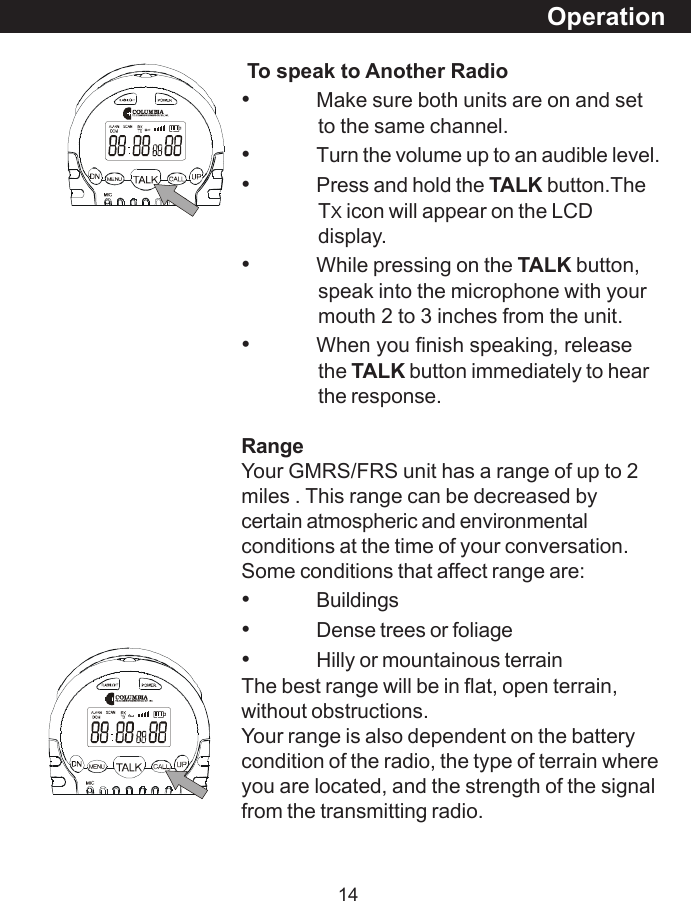
14OperationTo speak to Another Radio•Make sure both units are on and setto the same channel.•Turn the volume up to an audible level.•Press and hold the TALK button.TheTX icon will appear on the LCDdisplay.•While pressing on the TALK button,speak into the microphone with yourmouth 2 to 3 inches from the unit.•When you finish speaking, releasethe TALK button immediately to hearthe response.RangeYour GMRS/FRS unit has a range of up to 2miles . This range can be decreased bycertain atmospheric and environmentalconditions at the time of your conversation.Some conditions that affect range are:•Buildings•Dense trees or foliage•Hilly or mountainous terrainThe best range will be in flat, open terrain,without obstructions.Your range is also dependent on the batterycondition of the radio, the type of terrain whereyou are located, and the strength of the signalfrom the transmitting radio.
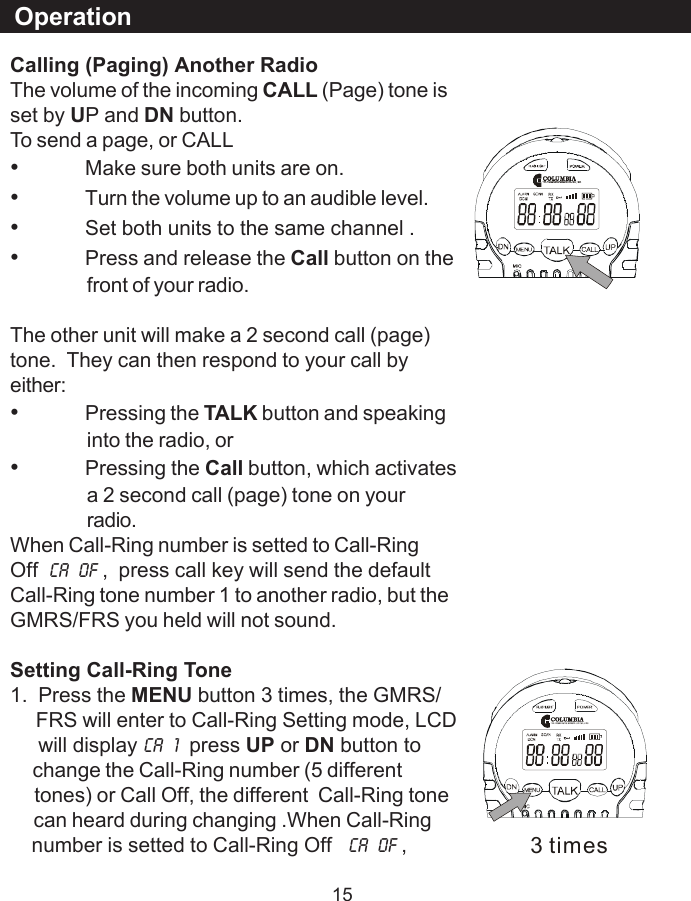
15Calling (Paging) Another RadioThe volume of the incoming CALL (Page) tone isset by UP and DN button.To send a page, or CALL•Make sure both units are on.•Turn the volume up to an audible level.•Set both units to the same channel .•Press and release the Call button on thefront of your radio.The other unit will make a 2 second call (page)tone.  They can then respond to your call byeither:•Pressing the TALK button and speakinginto the radio, or•Pressing the Call button, which activatesa 2 second call (page) tone on yourradio.When Call-Ring number is setted to Call-RingOff CA  OF ,  press call key will send the defaultCall-Ring tone number 1 to another radio, but theGMRS/FRS you held will not sound.Setting Call-Ring Tone1.  Press the MENU button 3 times, the GMRS/     FRS will enter to Call-Ring Setting mode, LCD     will display CA  1  press UP or DN button to     change the Call-Ring number (5 different     tones) or Call Off, the different  Call-Ring tone     can heard during changing .When Call-Ring    number is setted to Call-Ring Off   CA  OF ,Operation3 times
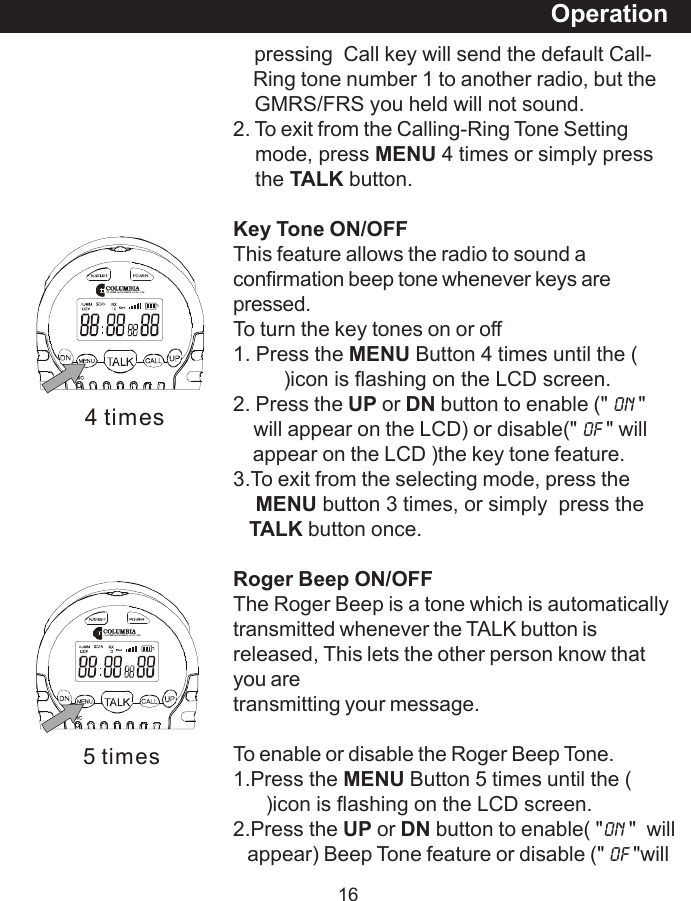
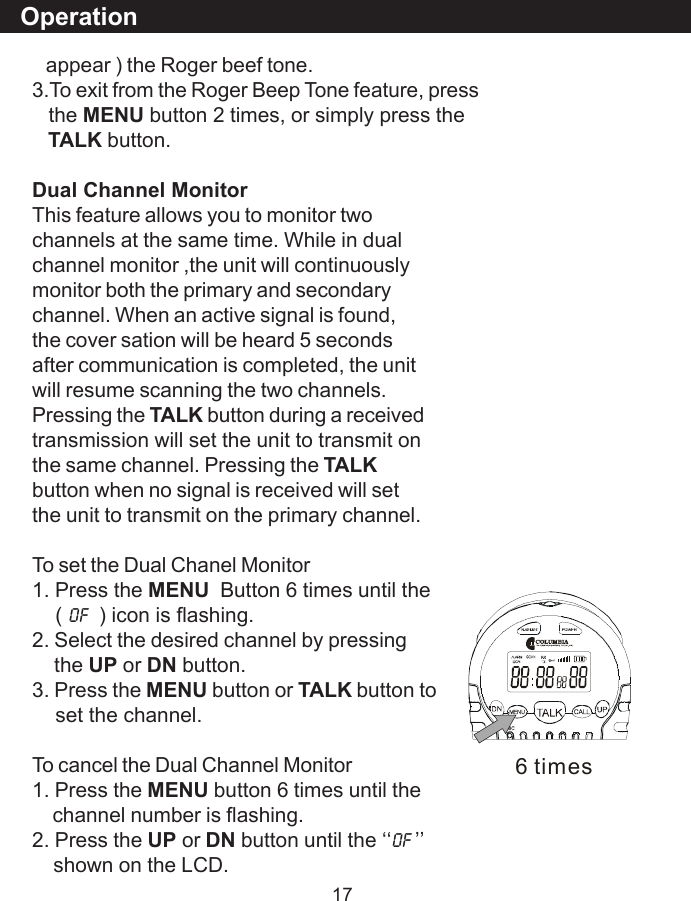
165 times    pressing  Call key will send the default Call-    Ring tone number 1 to another radio, but the    GMRS/FRS you held will not sound.2. To exit from the Calling-Ring Tone Setting    mode, press MENU 4 times or simply press    the TALK button.Key Tone ON/OFFThis feature allows the radio to sound aconfirmation beep tone whenever keys arepressed.To turn the key tones on or off1. Press the MENU Button 4 times until the (         )icon is flashing on the LCD screen.2. Press the UP or DN button to enable (" On "    will appear on the LCD) or disable(" OF " will    appear on the LCD )the key tone feature.3.To exit from the selecting mode, press theMENU button 3 times, or simply  press theTALK button once.Roger Beep ON/OFFThe Roger Beep is a tone which is automaticallytransmitted whenever the TALK button isreleased, This lets the other person know thatyou aretransmitting your message.To enable or disable the Roger Beep Tone.1.Press the MENU Button 5 times until the (      )icon is flashing on the LCD screen.2.Press the UP or DN button to enable( "On "  will   appear) Beep Tone feature or disable (" oF "willOperation4 times
17   appear ) the Roger beef tone.3.To exit from the Roger Beep Tone feature, press   the MENU button 2 times, or simply press theTALK button.Dual Channel MonitorThis feature allows you to monitor twochannels at the same time. While in dualchannel monitor ,the unit will continuouslymonitor both the primary and secondarychannel. When an active signal is found,the cover sation will be heard 5 secondsafter communication is completed, the unitwill resume scanning the two channels.Pressing the TALK button during a receivedtransmission will set the unit to transmit onthe same channel. Pressing the TALKbutton when no signal is received will setthe unit to transmit on the primary channel.To set the Dual Chanel Monitor1. Press the MENU  Button 6 times until the    ( OF  ) icon is flashing.2. Select the desired channel by pressing    the UP or DN button.3. Press the MENU button or TALK button to    set the channel.To cancel the Dual Channel Monitor1. Press the MENU button 6 times until the    channel number is flashing.2. Press the UP or DN button until the ‘‘OF ’’    shown on the LCD.Operation6 times
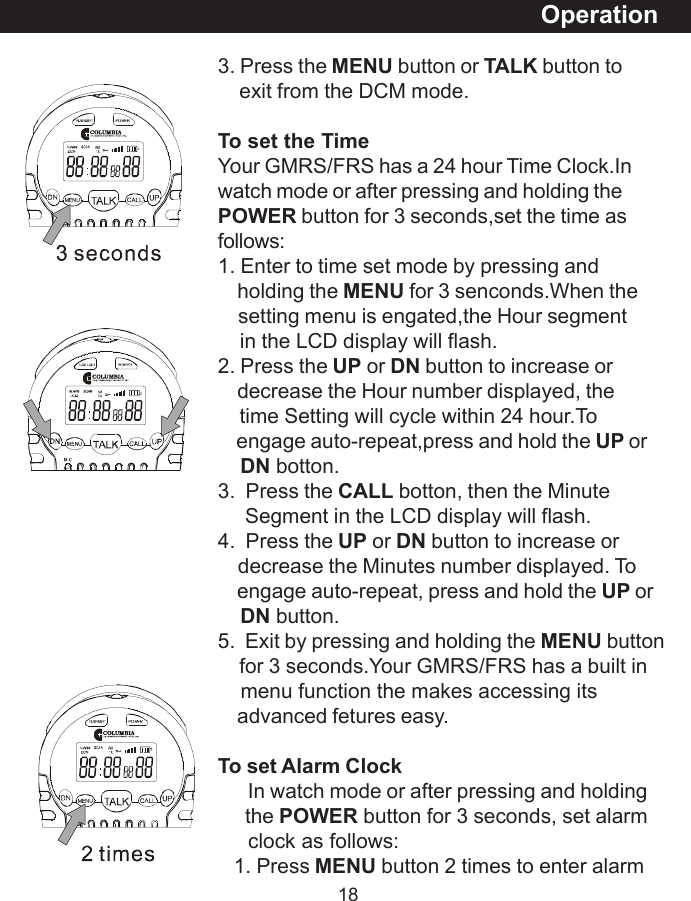
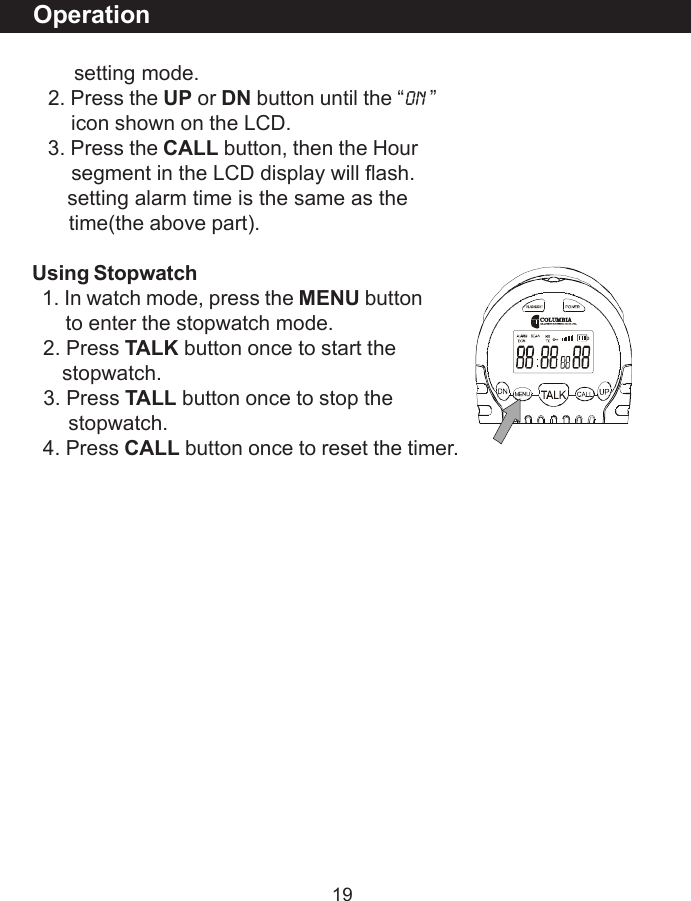
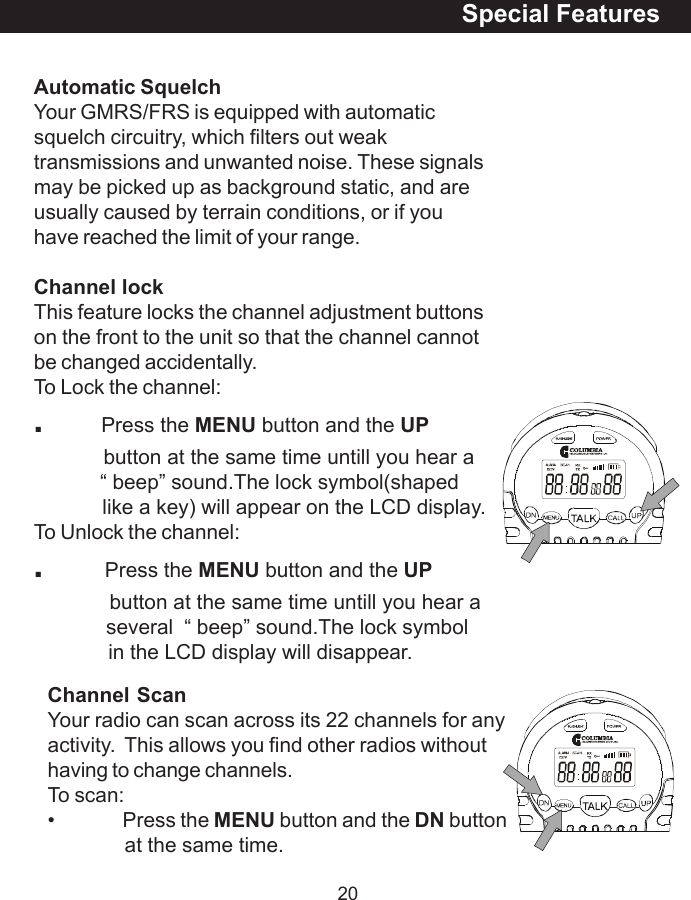
183. Press the MENU button or TALK button to    exit from the DCM mode.To set the TimeYour GMRS/FRS has a 24 hour Time Clock.Inwatch mode or after pressing and holding thePOWER button for 3 seconds,set the time asfollows:1. Enter to time set mode by pressing and    holding the MENU for 3 senconds.When the    setting menu is engated,the Hour segment    in the LCD display will flash.2. Press the UP or DN button to increase or    decrease the Hour number displayed, the    time Setting will cycle within 24 hour.To    engage auto-repeat,press and hold the UP orDN botton.3.  Press the CALL botton, then the Minute     Segment in the LCD display will flash.4.  Press the UP or DN button to increase or    decrease the Minutes number displayed. To    engage auto-repeat, press and hold the UP orDN button.5.  Exit by pressing and holding the MENU button    for 3 seconds.Your GMRS/FRS has a built in    menu function the makes accessing its    advanced fetures easy.To set Alarm Clock      In watch mode or after pressing and holding     the POWER button for 3 seconds, set alarm     clock as follows:   1. Press MENU button 2 times to enter alarmOperation
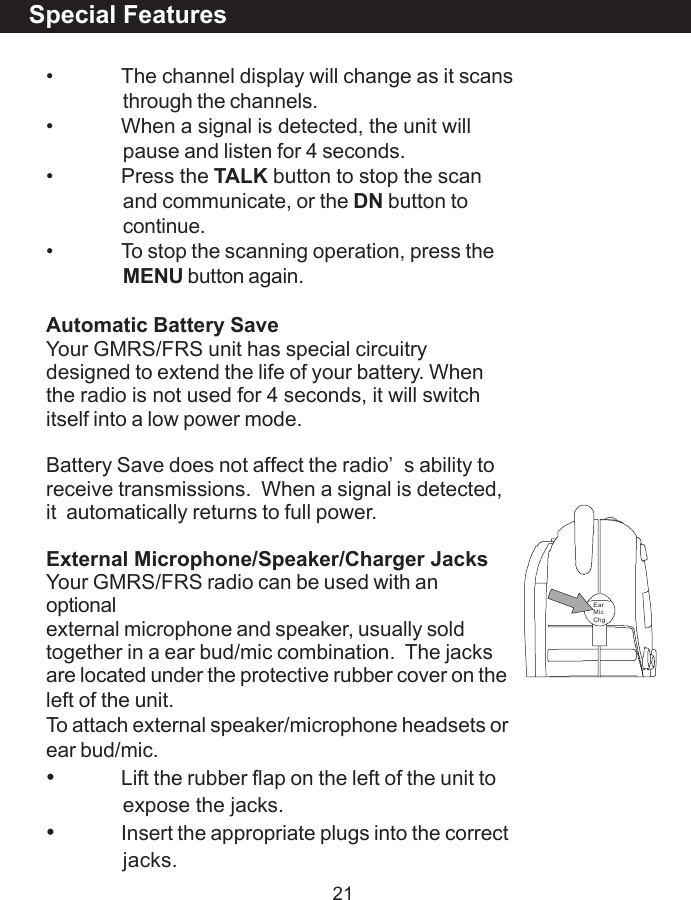
19       setting mode.   2. Press the UP or DN button until the “ON ”       icon shown on the LCD.   3. Press the CALL button, then the Hour       segment in the LCD display will flash.      setting alarm time is the same as the       time(the above part).Using Stopwatch  1. In watch mode, press the MENU button      to enter the stopwatch mode.  2. Press TALK button once to start the     stopwatch.  3. Press TALL button once to stop the      stopwatch.  4. Press CALL button once to reset the timer.Operation
20Channel ScanYour radio can scan across its 22 channels for anyactivity.  This allows you find other radios withouthaving to change channels.To scan:• Press the MENU button and the DN buttonat the same time.Automatic SquelchYour GMRS/FRS is equipped with automaticsquelch circuitry, which filters out weaktransmissions and unwanted noise. These signalsmay be picked up as background static, and areusually caused by terrain conditions, or if youhave reached the limit of your range.Channel lockThis feature locks the channel adjustment buttonson the front to the unit so that the channel cannotbe changed accidentally.To Lock the channel:.          Press the MENU button and the UP            button at the same time untill you hear a            “ beep” sound.The lock symbol(shaped            like a key) will appear on the LCD display.To Unlock the channel:.      Press the MENU button and the UP             button at the same time untill you hear a             several  “ beep” sound.The lock symbol             in the LCD display will disappear.Special Features
21Special Features• The channel display will change as it scansthrough the channels.• When a signal is detected, the unit willpause and listen for 4 seconds.• Press the TALK button to stop the scanand communicate, or the DN button tocontinue.• To stop the scanning operation, press theMENU button again.Automatic Battery SaveYour GMRS/FRS unit has special circuitrydesigned to extend the life of your battery. Whenthe radio is not used for 4 seconds, it will switchitself into a low power mode.Battery Save does not affect the radio’s ability toreceive transmissions.  When a signal is detected,it  automatically returns to full power.External Microphone/Speaker/Charger JacksYour GMRS/FRS radio can be used with anoptionalexternal microphone and speaker, usually soldtogether in a ear bud/mic combination.  The jacksare located under the protective rubber cover on theleft of the unit.To attach external speaker/microphone headsets orear bud/mic.•Lift the rubber flap on the left of the unit toexpose the jacks.•Insert the appropriate plugs into the correctjacks.EarMicChg
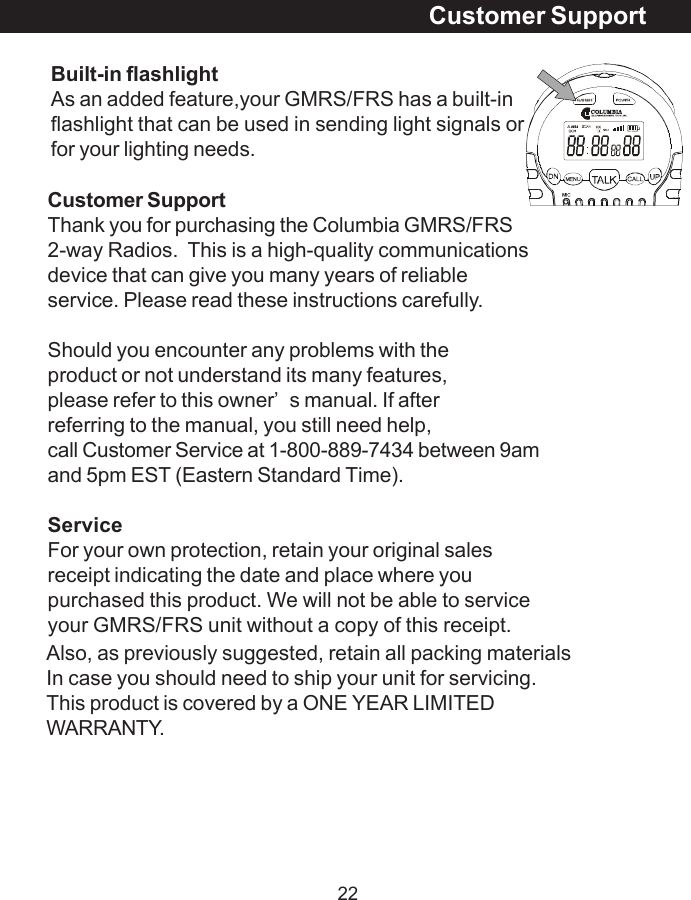
22Also, as previously suggested, retain all packing materialsIn case you should need to ship your unit for servicing.This product is covered by a ONE YEAR LIMITEDWARRANTY.Customer SupportCustomer SupportThank you for purchasing the Columbia GMRS/FRS2-way Radios.  This is a high-quality communicationsdevice that can give you many years of reliableservice. Please read these instructions carefully.Should you encounter any problems with theproduct or not understand its many features,please refer to this owner’s manual. If afterreferring to the manual, you still need help,call Customer Service at 1-800-889-7434 between 9amand 5pm EST (Eastern Standard Time).ServiceFor your own protection, retain your original salesreceipt indicating the date and place where youpurchased this product. We will not be able to serviceyour GMRS/FRS unit without a copy of this receipt.Built-in flashlightAs an added feature,your GMRS/FRS has a built-inflashlight that can be used in sending light signals orfor your lighting needs.
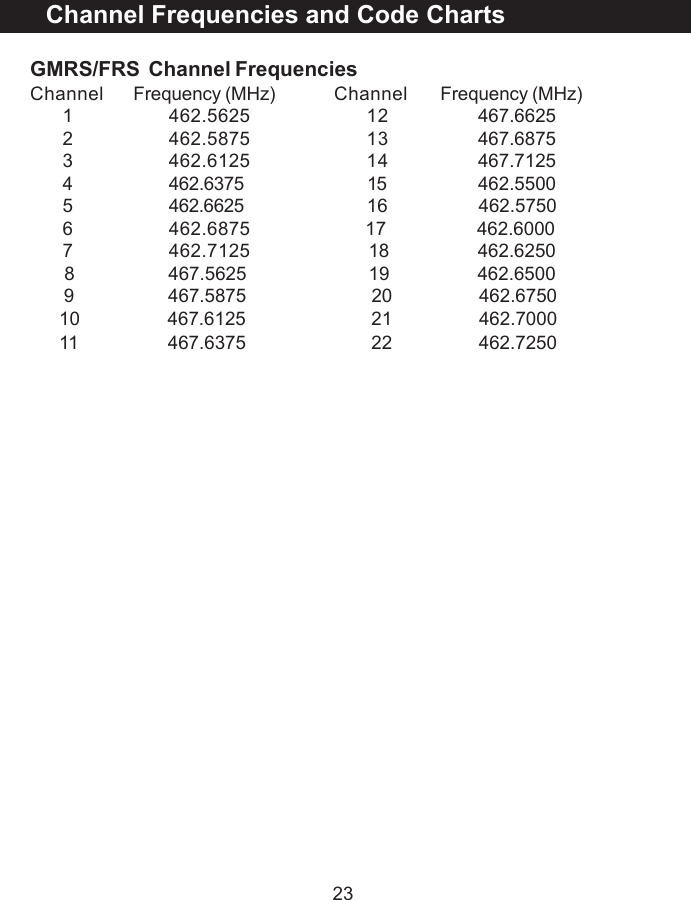
23GMRS/FRS  Channel FrequenciesChannel Frequency (MHz) Channel Frequency (MHz)1 462.5625 12  467.66252 462.5875 13  467.68753 462.6125 14  467.71254 462.6375 15                  462.55005 462.6625 16                   462.57506 462.6875                        17                   462.60007 462.7125  18                  462.6250       8              467.5625                         19                  462.6500       9              467.5875                          20                  462.6750      10              467.6125                          21                  462.7000      11              467.6375                          22                  462.7250Channel Frequencies and Code Charts
24COLUMBIA TELECOMMUNICATIONS Limited WarrantyCOLUMBIA TELECOMMUNICATIONS warrants this unit to be free from defects inmaterial and/or workmanship for a 1-year period beginning with the date of purchase.This warranty does not cover second-hand ownership or products that arepurchased for sale or lease to another. This warranty does not cover damageresulting from acts of God, lightning accident, misuse, improper installation oroperation, or unauthorized repair or alteration.If this unit should become defective within the first 30 days from purchase, returnit to the retailer where obtained (with all of the original packing materials and parts)for an over-the-counter exchange. If this unit becomes defective after the first 30days but within one year of purchase, we will replace it with a new or reconditionedunit of the same or similar style. The replacement unit will be warranted for a periodof 90 days or the remainder of the original one year period, whichever is longer.To obtain warranty service on your COLUMBIA TELECOMMUNICATIONS equipment,you must provide proof of date of purchase. We strongly recommend that you keepyour sales receipt and all of the packing materials in order to take advantage of yourproducts limited warranty. Include all accessories and owners manual whenreturning to an authorized service center (listed below.) Do not forget to includeyour name and return address (print please), a brief description of the defect, a$10.00 check (for shipping and handling) and a copy or your sales receipt.There are no expressed warranties except as listed above. COLUMBIATELECOMMUNICATIONS will not be liable for incidental or consequential damagesresulting from the use of this product, or resulting from misuse contrary to thiswarranty. Some states do not allow the exclusion or limitation of incidental orconsequential damages, or limitations on how long an implied warranty lasts, so theabove exclusions and limitations may not apply to you. This warranty gives youspecific and legal rights and you may also have other rights which vary from stateto state.Please use the shipping address below for the authorized Warranty Service center:COLUMBIA TELECOMMUNICATIONS INC.174 Milbar Blvd.Farmingdale, NY 11735

Navigation menu