Columbia Telecommunications Group FRS22SPR 22 Channel 2-Way Radio User Manual SPR basic 22ch pmd

Columbia Telecommunications Group Inc 22 Channel 2-Way Radio SPR basic 22ch pmd

Users Manual

COLUMBIAOPERATIONS MANUAL FRS22SPR             22 Channel 2-Way RadiosOwners Manualand InstructionsSCANCALLLOCKUPDNMENU
2ADJUSTMENT: REPLACEMENT or substitution of transistors, regulardiodes or other parts of a unique nature, with parts other than thoserecommended by Columbia, may cause a violation of the technicalregulations of part 95 of the FCC Rules, or violation of Type Acceptancerequirements of Part 2 of the Rules.NOTE: This equipment has been tested and found to comply with thelimits for a Class B digital device, pursuant to Part 15 of the FCC RulesThese limits are designed to provide reasonable protection againstharmful interference in a residential installation. This equipmentgenerates, uses and can radiate radio frequency energy and, if notinstalled and used in accordance with the instructions, may causeharmful interference to radio communications. However, there is noguarantee that interference will not occur in a particular installation.  Ifthis equipment does cause harmful interference to radio or televisionreception, which can be determined by turning the equipment off andon, the user is encouraged to try to correct the interference by one ormore of the following measures:• Reorient or relocate the receiving antenna.• Increase the separation between the equipment and receiver.• Consult the dealer or an experienced radio/TV technician forhelp.This device complies with Part 15 of the FCC Rules. Operation is subjectto the following condition: this device must accept any interferencereceived, including interference that may cause undesired operation.FCC Warnings
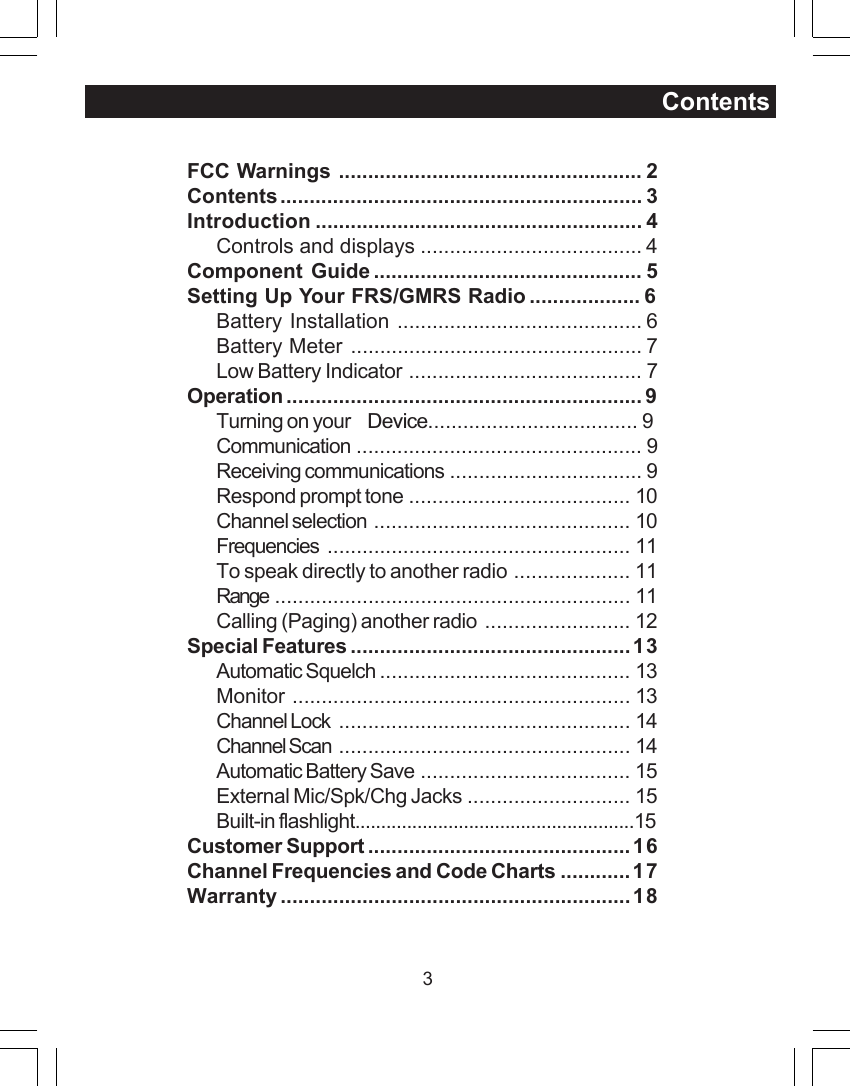
3ContentsFCC Warnings .................................................... 2Contents.............................................................. 3Introduction ........................................................ 4Controls and displays ...................................... 4Component Guide .............................................. 5Setting Up Your FRS/GMRS Radio...................6Battery Installation .......................................... 6Battery Meter .................................................. 7Low Battery Indicator ........................................ 7Operation ............................................................. 9Turning on your Device....................................9Communication ................................................. 9Receiving communications ................................. 9Respond prompt tone ...................................... 10Channel selection ............................................ 10Frequencies .................................................... 11To speak directly to another radio .................... 11Range ............................................................. 11Calling (Paging) another radio ......................... 12Special Features ................................................13Automatic Squelch ........................................... 13Monitor .......................................................... 13Channel Lock .................................................. 14Channel Scan .................................................. 14Automatic Battery Save .................................... 15External Mic/Spk/Chg Jacks ............................ 15Built-in flashlight......................................................15Customer Support .............................................16Channel Frequencies and Code Charts ............17Warranty ............................................................18
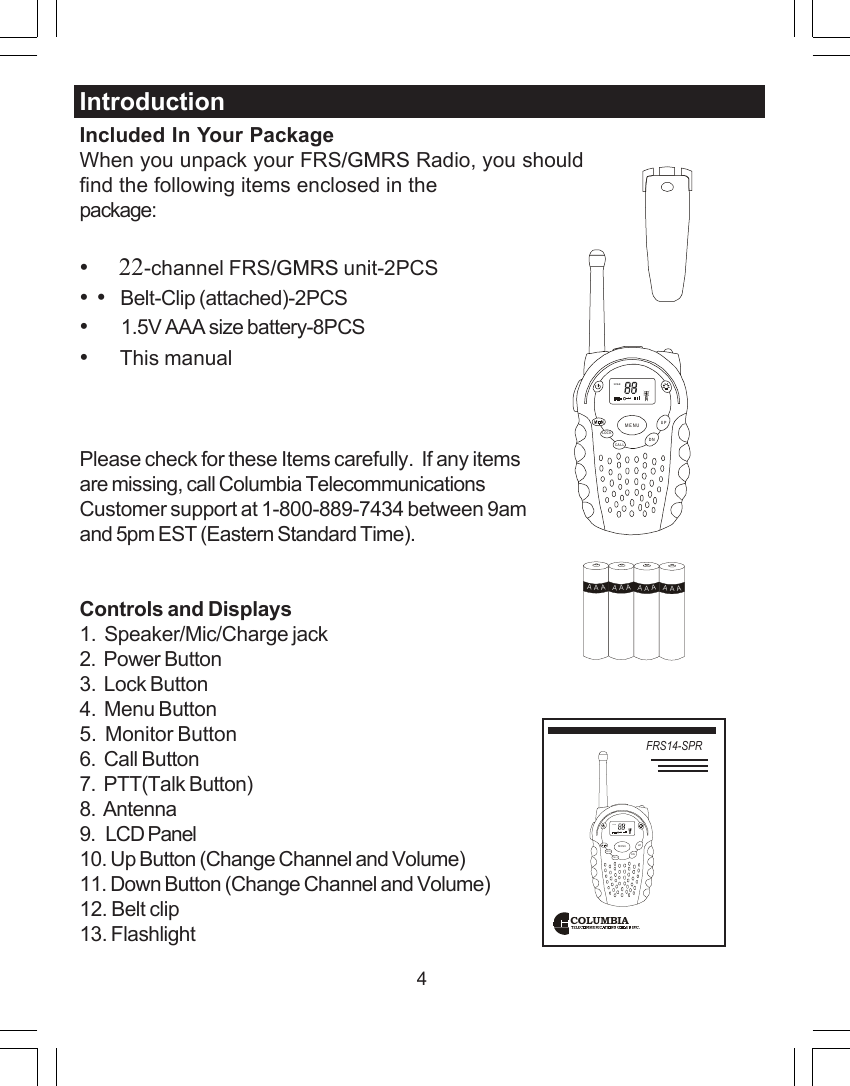
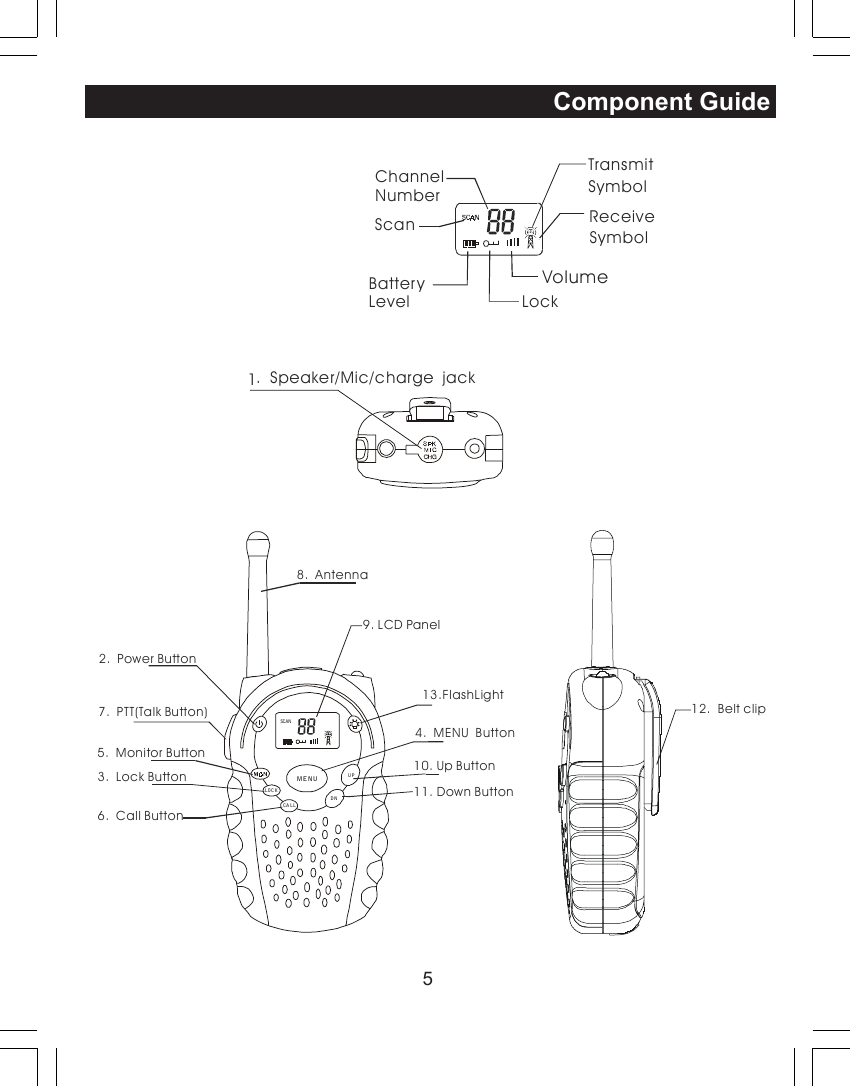
4Included In Your PackageWhen you unpack your FRS/GMRS Radio, you shouldfind the following items enclosed in thepackage:•     22-channel FRS/GMRS unit-2PCS• •   Belt-Clip (attached)-2PCS•        1.5V AAA size battery-8PCS•     This manualPlease check for these Items carefully.  If any itemsare missing, call Columbia TelecommunicationsCustomer support at 1-800-889-7434 between 9amand 5pm EST (Eastern Standard Time).Controls and Displays1.  Speaker/Mic/Charge jack2.  Power Button3.  Lock Button4.  Menu Button5.  Monitor Button6.  Call Button7.  PTT(Talk Button)8.  Antenna9.   LCD Panel10. Up Button (Change Channel and Volume)11. Down Button (Change Channel and Volume)12. Belt clip13. FlashlightIntroductionCOLUMBIAFRS14-SPRSCANCALLLOCKUPDNMENUSCANCALLLOCKUPDNMENUAAAAAAAAAAAA
5Component GuideChannelNumberTransmit SymbolReceive SymbolBatteryScanLevel LockSCANVolume2.  Power Button3.  Lock Button4.  MENU  Button5.  Monitor Button6.  Call Button7.  PTT(Talk Button)  13.FlashLight8.  Antenna9. LCD Panel10. Up Button11. Down Button12.  Belt clipCA LLLOC KUPDNMENU1.  Speaker/Mic/charge  jack
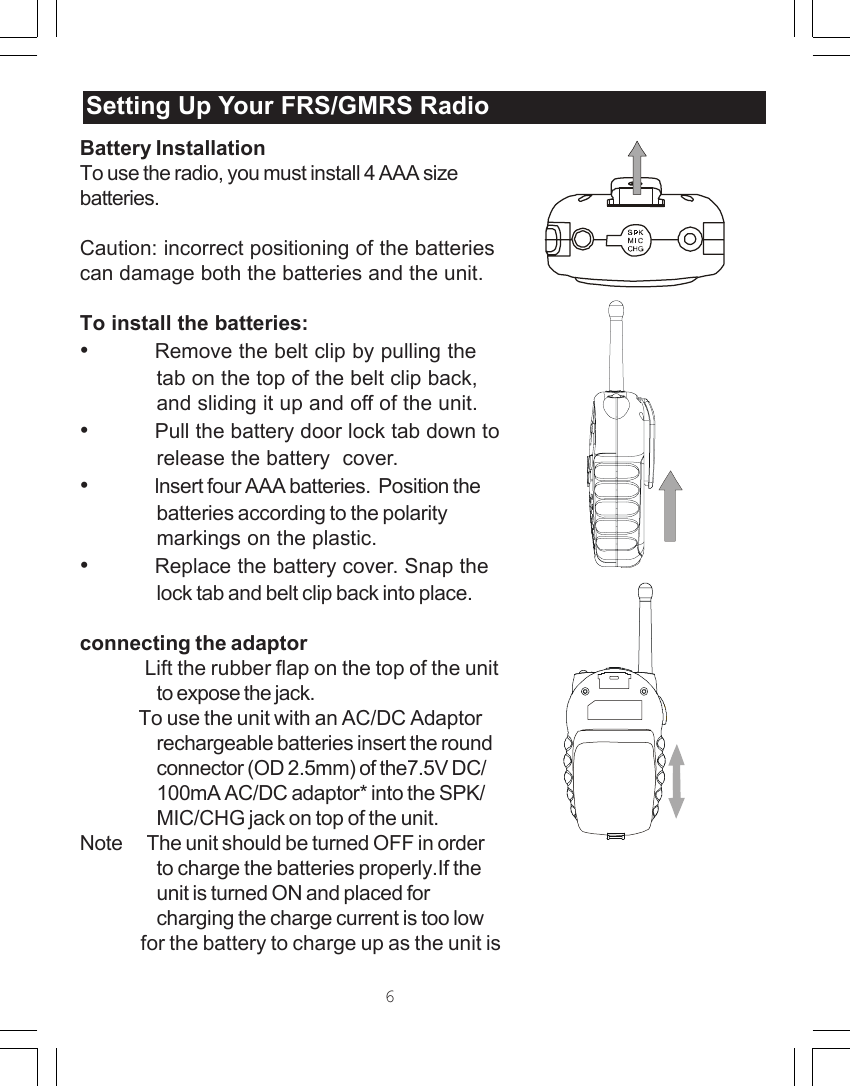
Battery InstallationTo use the radio, you must install 4 AAA sizebatteries.Caution: incorrect positioning of the batteriescan damage both the batteries and the unit.To install the batteries:•Remove the belt clip by pulling thetab on the top of the belt clip back,and sliding it up and off of the unit.•Pull the battery door lock tab down torelease the battery  cover.•lnsert four AAA batteries.  Position thebatteries according to the polaritymarkings on the plastic.•Replace the battery cover. Snap thelock tab and belt clip back into place.connecting the adaptor              Lift the rubber flap on the top of the unitto expose the jack.              To use the unit with an AC/DC Adaptorrechargeable batteries insert the roundconnector (OD 2.5mm) of the7.5V DC/100mA AC/DC adaptor* into the SPK/MIC/CHG jack on top of the unit.Note      The unit should be turned OFF in orderto charge the batteries properly.If theunit is turned ON and placed forcharging the charge current is too low              for the battery to charge up as the unit isSetting Up Your /GMRSRadioSetting Up Your FRS/GMRS Radio6
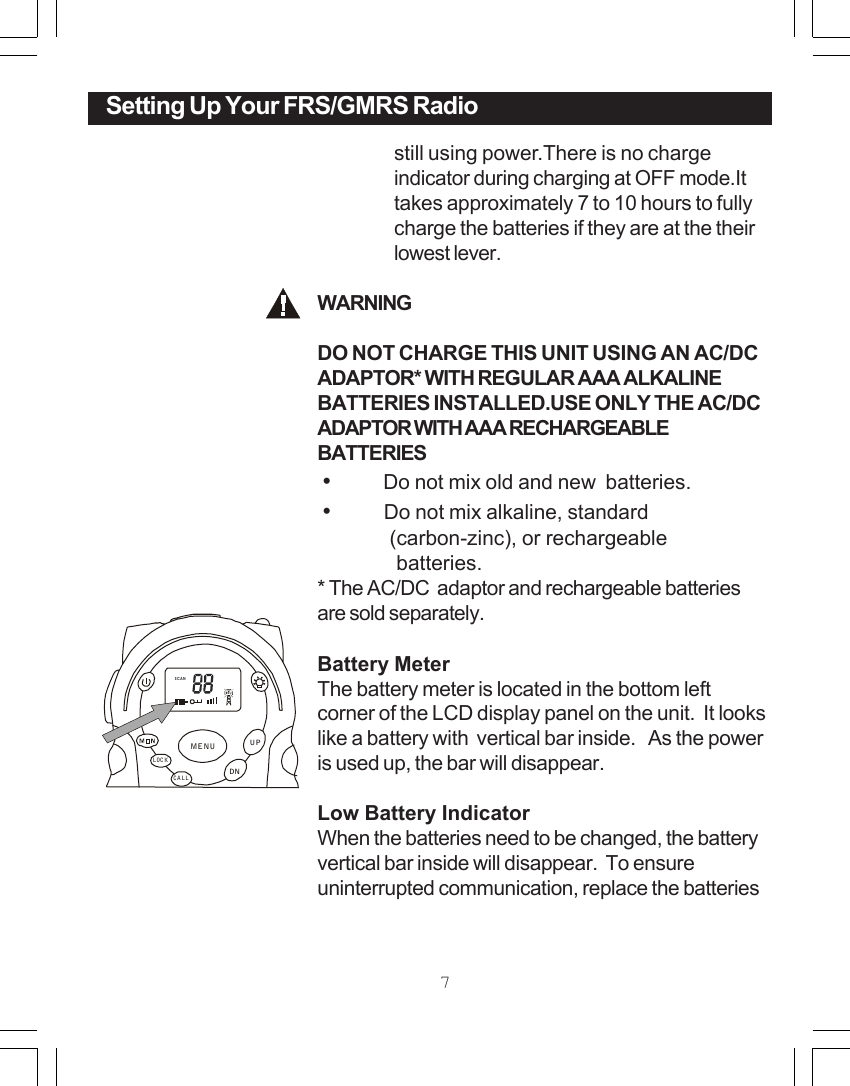
still using power.There is no chargeindicator during charging at OFF mode.Ittakes approximately 7 to 10 hours to fullycharge the batteries if they are at the theirlowest lever.WARNINGDO NOT CHARGE THIS UNIT USING AN AC/DCADAPTOR* WITH REGULAR AAA ALKALINEBATTERIES INSTALLED.USE ONLY THE AC/DCADAPTOR WITH AAA RECHARGEABLEBATTERIES •          Do not mix old and new  batteries. •          Do not mix alkaline, standard              (carbon-zinc), or rechargeable                 batteries.* The AC/DC  adaptor and rechargeable batteriesare sold separately.Battery MeterThe battery meter is located in the bottom leftcorner of the LCD display panel on the unit.  It lookslike a battery with  vertical bar inside.   As the poweris used up, the bar will disappear.Low Battery IndicatorWhen the batteries need to be changed, the batteryvertical bar inside will disappear.  To ensureuninterrupted communication, replace the batteriesSetting Up Your FRS RadioSCANCALLLOCKUPDNMENUSetting Up Your FRS/GMRS Radio7
8as soon as possible.Note:Always use alkaline batteries for replacements.If you store your radio for long periods of time,always remove the batteries.  Batteries maycorrode and leak when left unused over longperiods of time, and permanently damage yourradio.DO NOT PUT BATTERIES INTO FIRE OREXPOSE TO HIGH HEAT.  THEY MAYEXPLODE.Setting Up Your FRS/GMRS Radio
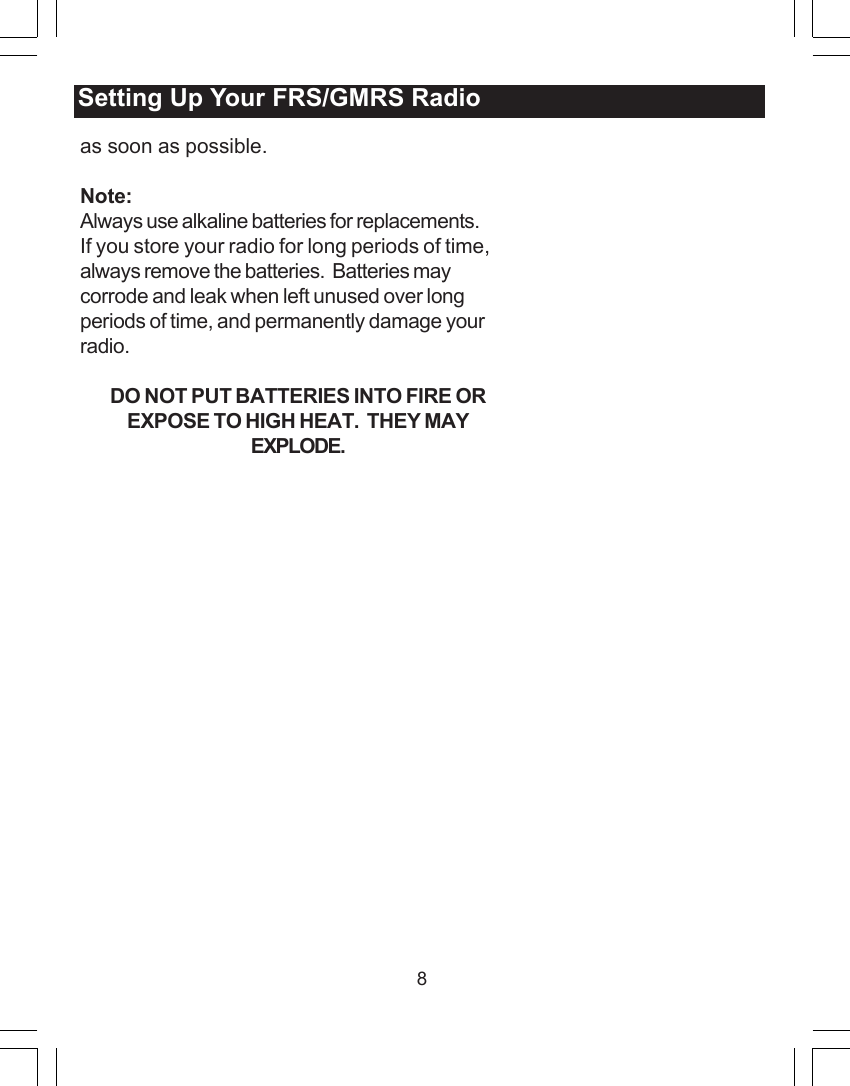
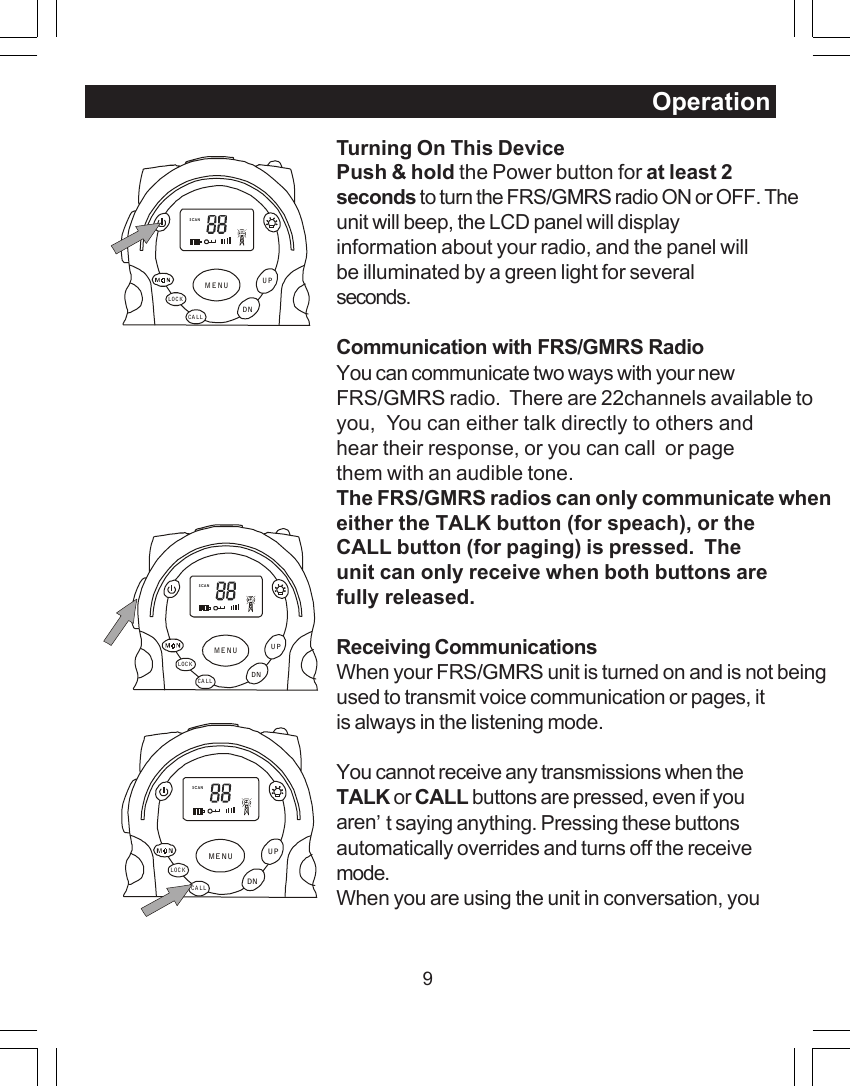
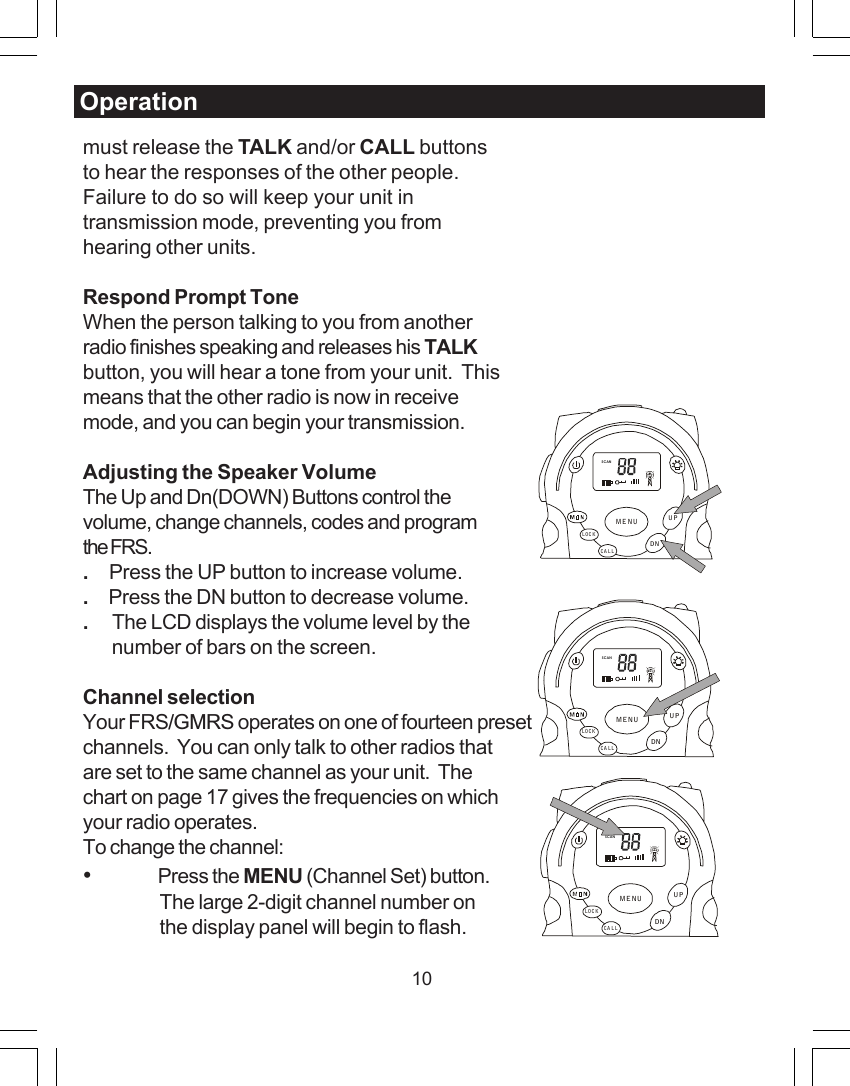
9Turning On This DevicePush & hold the Power button for at least 2seconds to turn the FRS/GMRS radio ON or OFF. Theunit will beep, the LCD panel will displayinformation about your radio, and the panel willbe illuminated by a green light for severalseconds.Communication with FRS/GMRS RadioYou can communicate two ways with your newFRS/GMRS radio.  There are 22channels available toyou,  You can either talk directly to others andhear their response, or you can call  or pagethem with an audible tone.The FRS/GMRS radios can only communicate wheneither the TALK button (for speach), or theCALL button (for paging) is pressed.  Theunit can only receive when both buttons arefully released.Receiving CommunicationsWhen your FRS/GMRS unit is turned on and is not beingused to transmit voice communication or pages, itis always in the listening mode.You cannot receive any transmissions when theTALK or CALL buttons are pressed, even if youaren’t saying anything. Pressing these buttonsautomatically overrides and turns off the receivemode.When you are using the unit in conversation, youOperationSCANCA LLLOCKUPDNMENUSCANCA LLLOCKUPDNMENUSCANCALLLOCKUPDNMENU
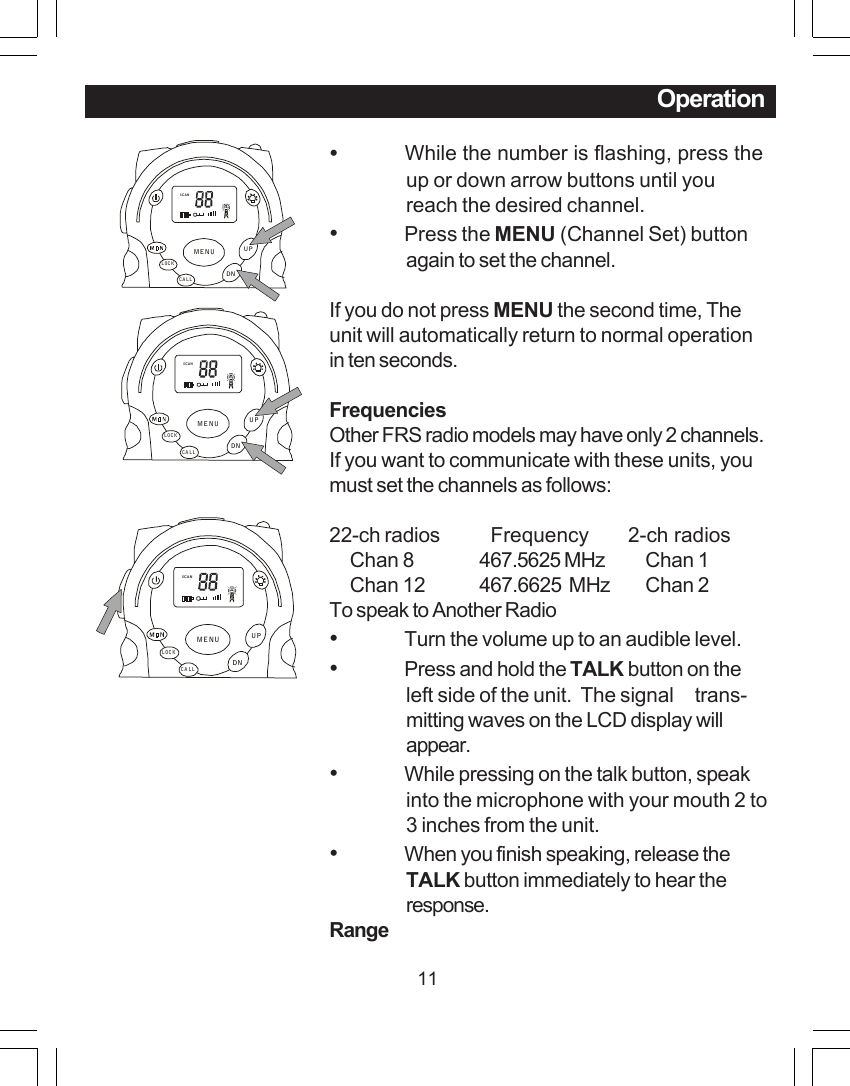
10must release the TALK and/or CALL buttonsto hear the responses of the other people.Failure to do so will keep your unit intransmission mode, preventing you fromhearing other units.Respond Prompt ToneWhen the person talking to you from anotherradio finishes speaking and releases his TALKbutton, you will hear a tone from your unit.  Thismeans that the other radio is now in receivemode, and you can begin your transmission.Adjusting the Speaker VolumeThe Up and Dn(DOWN) Buttons control thevolume, change channels, codes and programthe FRS..     Press the UP button to increase volume..     Press the DN button to decrease volume..      The LCD displays the volume level by the       number of bars on the screen.Channel selectionYour FRS/GMRS operates on one of fourteen presetchannels.  You can only talk to other radios thatare set to the same channel as your unit.  Thechart on page 17 gives the frequencies on whichyour radio operates.To change the channel:•Press the MENU (Channel Set) button.The large 2-digit channel number onthe display panel will begin to flash.OperationSCANCALLLOCKUPDNMENUSCANCA LLLOCKUPDNMENUSCANCA LLLOC KUPDNMENU
11Operation•           While the number is flashing, press theup or down arrow buttons until youreach the desired channel.•Press the MENU (Channel Set) buttonagain to set the channel.If you do not press MENU the second time, Theunit will automatically return to normal operationin ten seconds.FrequenciesOther FRS radio models may have only 2 channels.If you want to communicate with these units, youmust set the channels as follows:22-ch radios   Frequency       2-ch radios     Chan 8 467.5625 MHz     Chan 1     Chan 12 467.6625  MHz     Chan 2To speak to Another Radio•Turn the volume up to an audible level.•Press and hold the TALK button on theleft side of the unit.  The signal     trans-mitting waves on the LCD display willappear.•While pressing on the talk button, speakinto the microphone with your mouth 2 to3 inches from the unit.•When you finish speaking, release theTALK button immediately to hear theresponse.RangeSCANCALLLOCKUPDNMENUSCANCALLLOCKUPDNMENUSCANCALLLOCKUPDNMENU
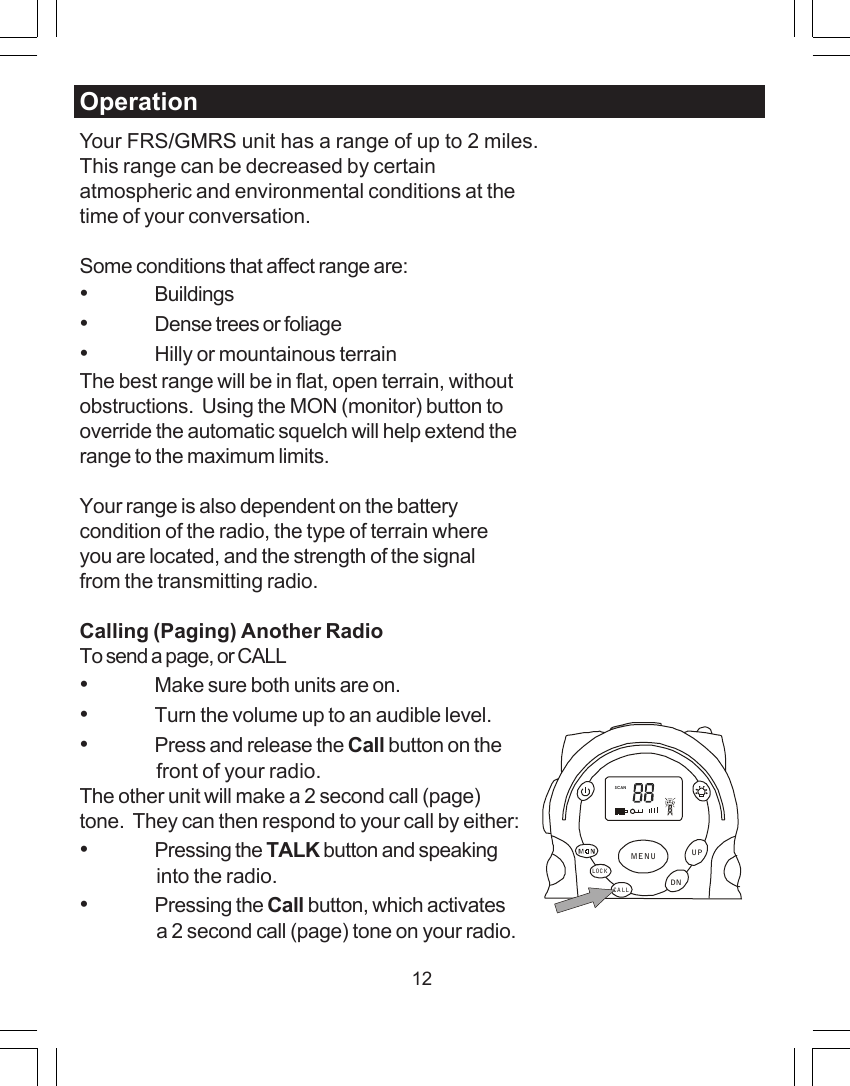
12OperationYour FRS/GMRS unit has a range of up to 2 miles.This range can be decreased by certainatmospheric and environmental conditions at thetime of your conversation.Some conditions that affect range are:•Buildings•Dense trees or foliage•Hilly or mountainous terrainThe best range will be in flat, open terrain, withoutobstructions.  Using the MON (monitor) button tooverride the automatic squelch will help extend therange to the maximum limits.Your range is also dependent on the batterycondition of the radio, the type of terrain whereyou are located, and the strength of the signalfrom the transmitting radio.Calling (Paging) Another RadioTo send a page, or CALL•Make sure both units are on.•Turn the volume up to an audible level.•Press and release the Call button on thefront of your radio.The other unit will make a 2 second call (page)tone.  They can then respond to your call by either:•Pressing the TALK button and speakinginto the radio.•Pressing the Call button, which activatesa 2 second call (page) tone on your radio.SCANCA LLLOCKUPDNMENU
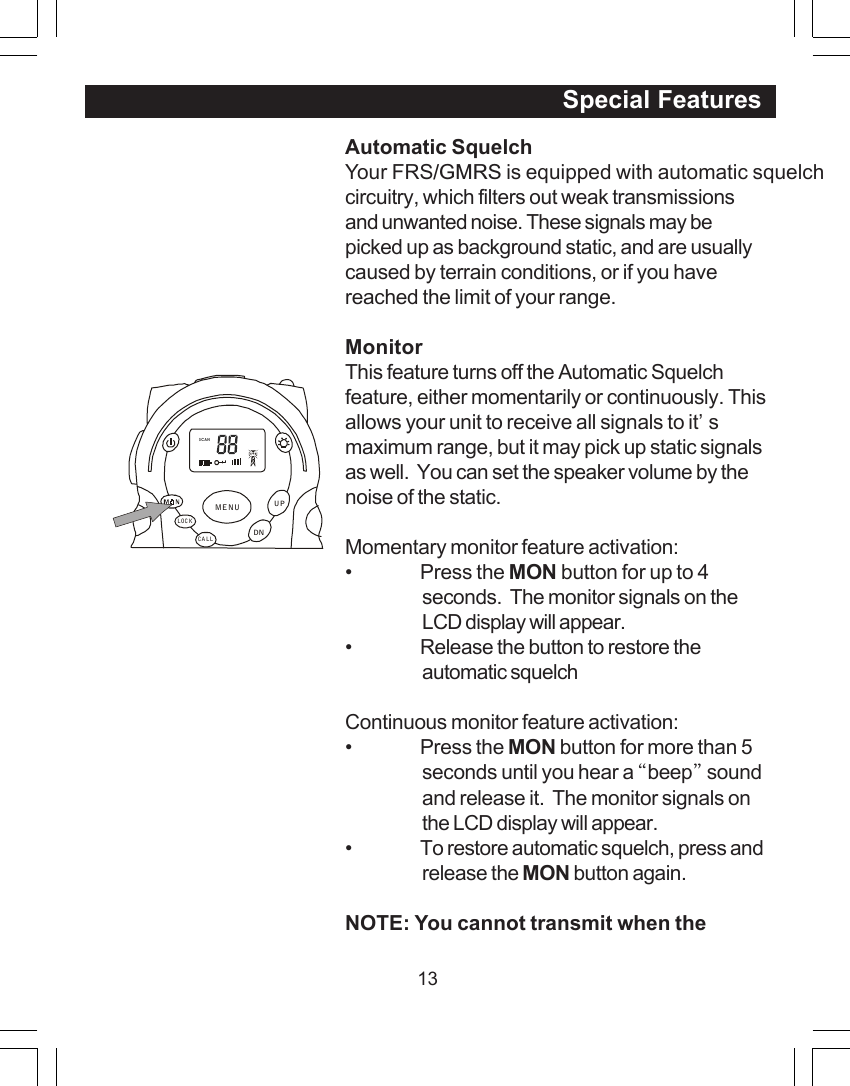
13Automatic SquelchYour FRS/GMRS is equipped with automatic squelchcircuitry, which filters out weak transmissionsand unwanted noise. These signals may bepicked up as background static, and are usuallycaused by terrain conditions, or if you havereached the limit of your range.MonitorThis feature turns off the Automatic Squelchfeature, either momentarily or continuously. Thisallows your unit to receive all signals to it’smaximum range, but it may pick up static signalsas well.  You can set the speaker volume by thenoise of the static.Momentary monitor feature activation:• Press the MON button for up to 4seconds.  The monitor signals on theLCD display will appear.• Release the button to restore theautomatic squelchContinuous monitor feature activation:• Press the MON button for more than 5seconds until you hear a “beep” soundand release it.  The monitor signals onthe LCD display will appear.• To restore automatic squelch, press andrelease the MON button again.NOTE: You cannot transmit when the                                                                  Special FeaturesSCANCALLLOCKUPDNMENU
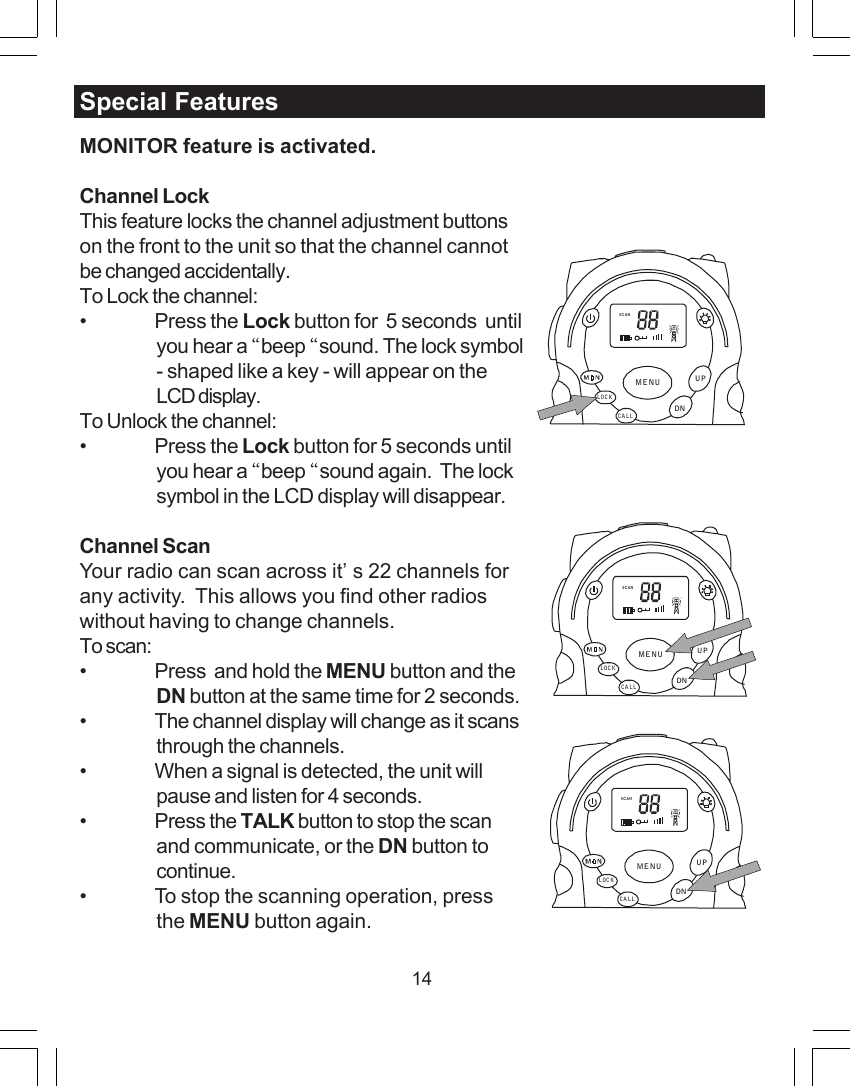
14Special FeaturesMONITOR feature is activated.Channel LockThis feature locks the channel adjustment buttonson the front to the unit so that the channel cannotbe changed accidentally.To Lock the channel:• Press the Lock button for  5 seconds  untilyou hear a “beep “sound. The lock symbol- shaped like a key - will appear on theLCD display.To Unlock the channel:• Press the Lock button for 5 seconds untilyou hear a “beep “sound again.  The locksymbol in the LCD display will disappear.Channel ScanYour radio can scan across it’s 22 channels forany activity.  This allows you find other radioswithout having to change channels.To scan:• Press  and hold the MENU button and theDN button at the same time for 2 seconds.• The channel display will change as it scansthrough the channels.• When a signal is detected, the unit willpause and listen for 4 seconds.• Press the TALK button to stop the scanand communicate, or the DN button tocontinue.• To stop the scanning operation, pressthe MENU button again.SCANCALLLOCKUPDNMENUSCANCALLLOCKUPDNMENUSCANCALLLOCKUPDNMENU
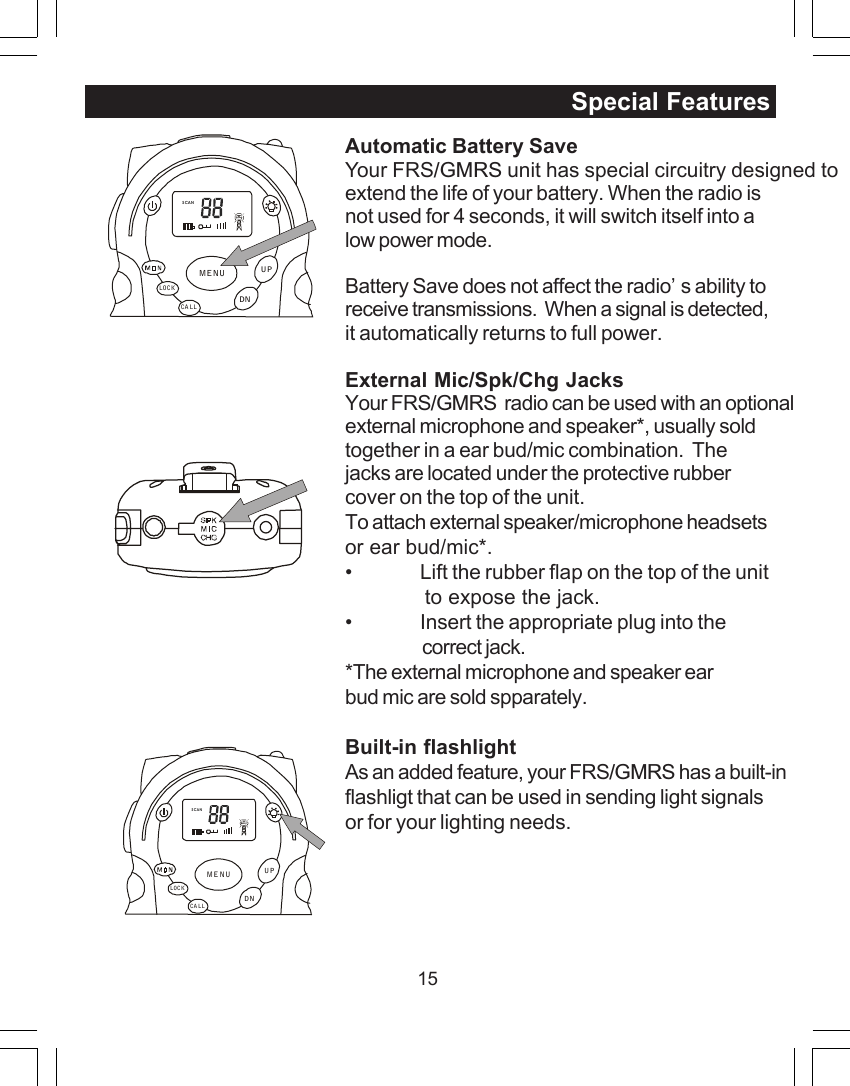
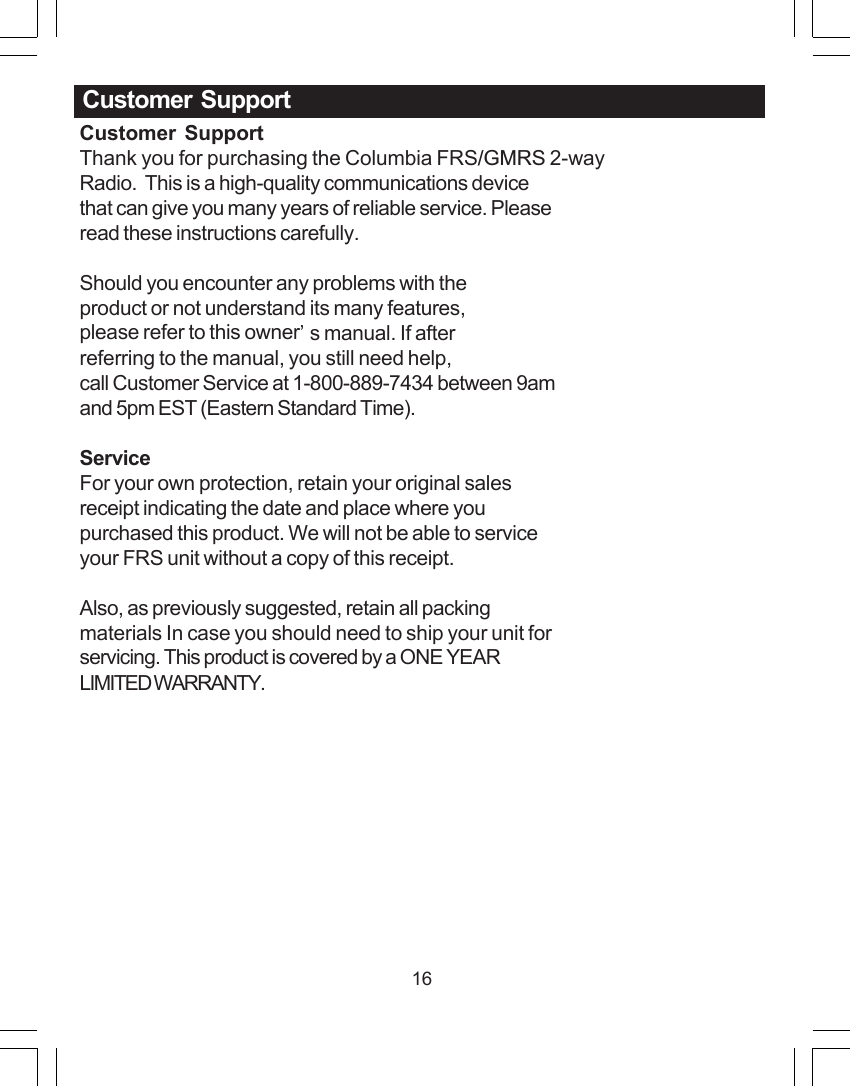
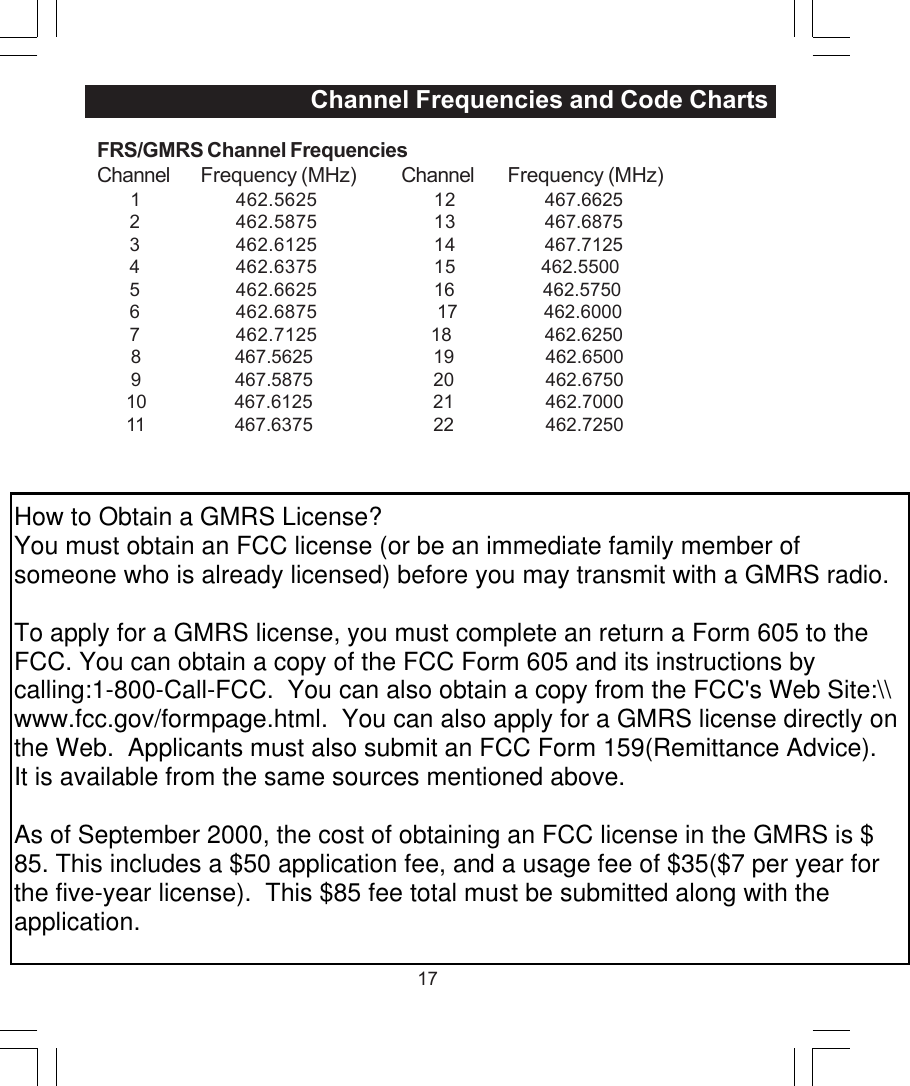
15Automatic Battery SaveYour FRS/GMRS unit has special circuitry designed toextend the life of your battery. When the radio isnot used for 4 seconds, it will switch itself into alow power mode.Battery Save does not affect the radio’s ability toreceive transmissions.  When a signal is detected,it automatically returns to full power.External Mic/Spk/Chg JacksYour FRS/GMRS  radio can be used with an optionalexternal microphone and speaker*, usually soldtogether in a ear bud/mic combination.  Thejacks are located under the protective rubbercover on the top of the unit.To attach external speaker/microphone headsetsor ear bud/mic*.• Lift the rubber flap on the top of the unit             to expose the jack.• Insert the appropriate plug into thecorrect jack.*The external microphone and speaker earbud mic are sold spparately.Built-in flashlightAs an added feature, your FRS/GMRS has a built-inflashligt that can be used in sending light signalsor for your lighting needs.Special FeaturesSCANCA LLLOCKUPDNMENUSCANCA LLLOCKUPDNMENU
16Customer  SupportThank you for purchasing the Columbia FRS/GMRS 2-wayRadio.  This is a high-quality communications devicethat can give you many years of reliable service. Pleaseread these instructions carefully.Should you encounter any problems with theproduct or not understand its many features,please refer to this owner’s manual. If afterreferring to the manual, you still need help,call Customer Service at 1-800-889-7434 between 9amand 5pm EST (Eastern Standard Time).ServiceFor your own protection, retain your original salesreceipt indicating the date and place where youpurchased this product. We will not be able to serviceyour FRS unit without a copy of this receipt.Also, as previously suggested, retain all packingmaterials In case you should need to ship your unit forservicing. This product is covered by a ONE YEARLIMITED WARRANTY.Customer  Support
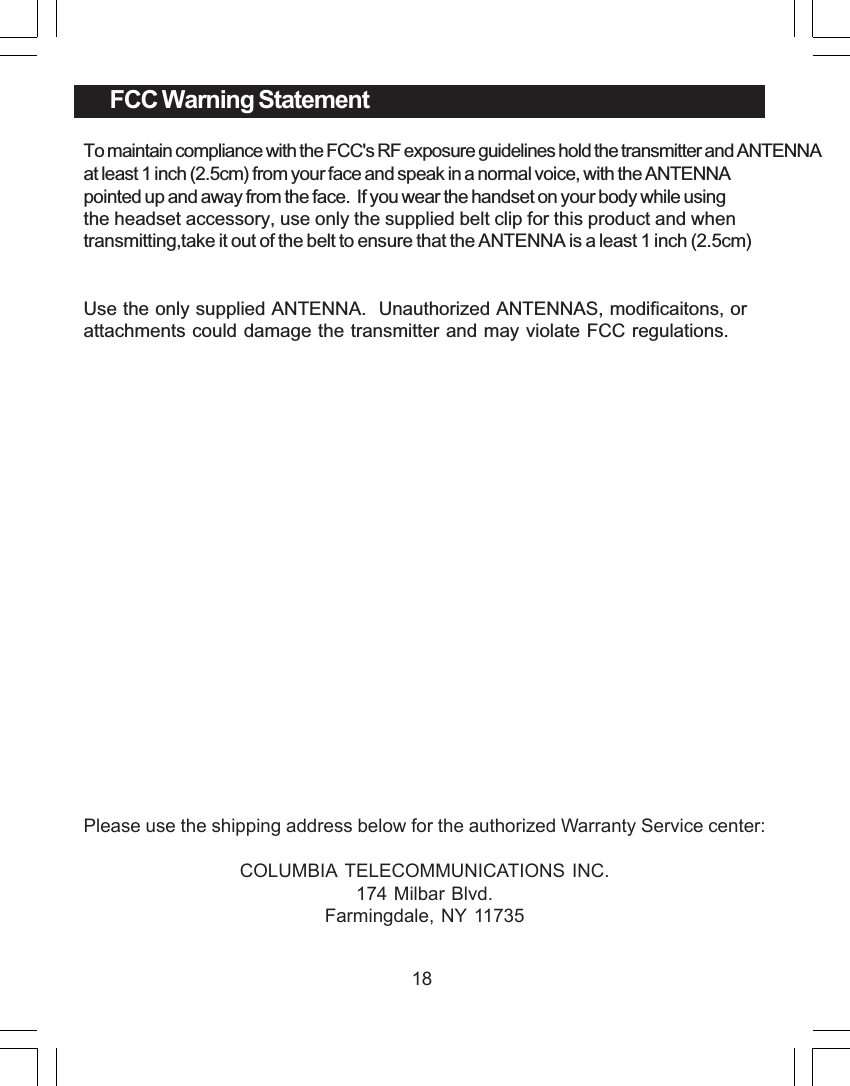
17FRS/GMRS Channel FrequenciesChannel Frequency (MHz) Channel Frequency (MHz)       1 462.5625 12   467.66252 462.5875 13  467.68753 462.6125 14  467.71254 462.6375 15                 462.55005 462.6625 16                  462.57506 462.6875                         17                  462.60007 462.7125 18                   462.6250       8              467.5625                         19                   462.6500       9              467.5875                         20                   462.6750      10              467.6125                         21                   462.7000      11              467.6375                         22                   462.7250                                   Channel Frequencies and Code ChartsHow to Obtain a GMRS License?You must obtain an FCC license (or be an immediate family member of someone who is already licensed) before you may transmit with a GMRS radio.To apply for a GMRS license, you must complete an return a Form 605 to the FCC. You can obtain a copy of the FCC Form 605 and its instructions by calling:1-800-Call-FCC.  You can also obtain a copy from the FCC's Web Site:\\www.fcc.gov/formpage.html.  You can also apply for a GMRS license directly on the Web.  Applicants must also submit an FCC Form 159(Remittance Advice).  It is available from the same sources mentioned above.As of September 2000, the cost of obtaining an FCC license in the GMRS is $85. This includes a $50 application fee, and a usage fee of $35($7 per year for the five-year license).  This $85 fee total must be submitted along with the application.
18FCC Warning StatementTo maintain compliance with the FCC's RF exposure guidelines hold the transmitter and ANTENNA at least 1 inch (2.5cm) from your face and speak in a normal voice, with the ANTENNApointed up and away from the face.  If you wear the handset on your body while using the headset accessory, use only the supplied belt clip for this product and when transmitting,take it out of the belt to ensure that the ANTENNA is a least 1 inch (2.5cm)Use the only supplied ANTENNA.  Unauthorized ANTENNAS, modificaitons, orattachments could damage the transmitter and may violate FCC regulations.Please use the shipping address below for the authorized Warranty Service center:COLUMBIA TELECOMMUNICATIONS INC.174 Milbar Blvd.Farmingdale, NY 11735
19
20

Navigation menu