Columbia Telecommunications Group GM22 GMRS/FRS WALKIE TALKIE User Manual Gm 22ch pmd

Columbia Telecommunications Group Inc GMRS/FRS WALKIE TALKIE Gm 22ch pmd

users manual

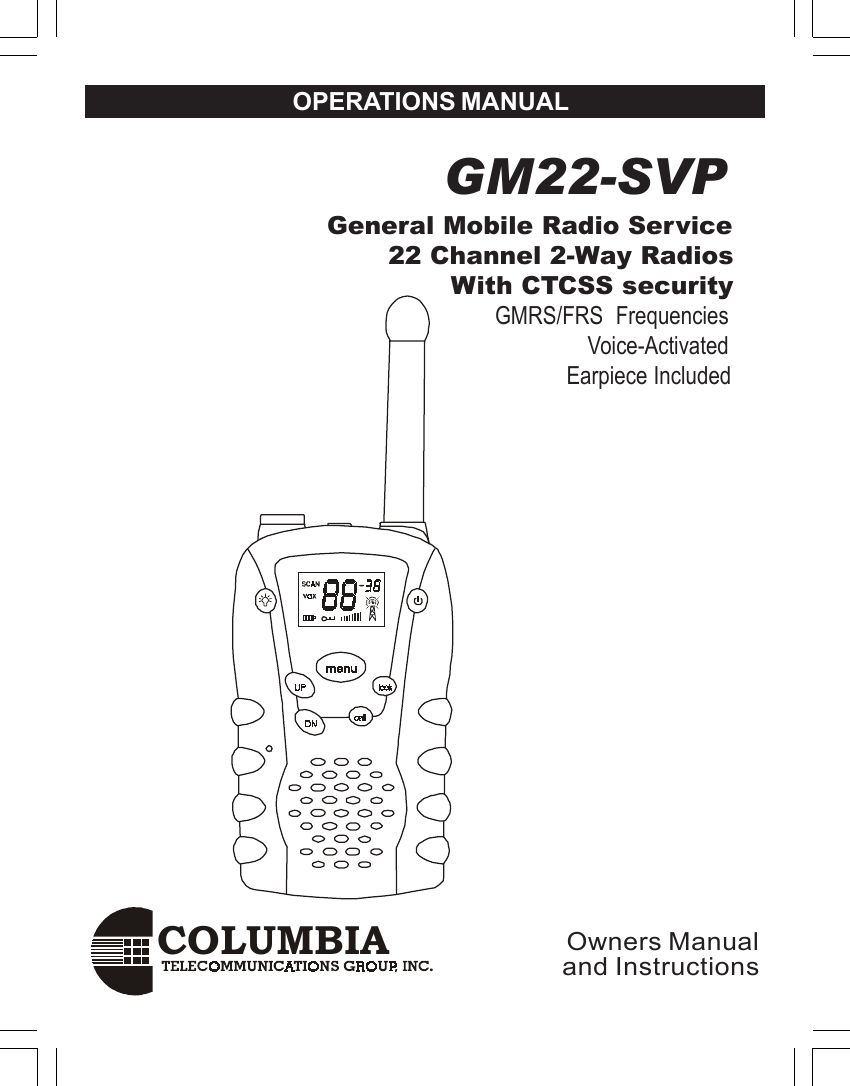
COLUMBIAOPERATIONS MANUAL GM22-SVP              General Mobile Radio Service                     22 Channel 2-Way Radios                            With CTCSS security                                              GMRS/FRS  Frequencies                                                             Voice-Activated                                                          Earpiece IncludedOwners Manualand Instructions
2GMRS  LICENSEUSE OF THIS RADIO WITHIN THE UNITED STATES REQUIRESAN FCC GMRS LICENSE . AN INDIVIDUAL 18 YEARS OF AGEOR OLDER , WHO IS NOT A REPRESENTATIVE OF A FOREIGNGOVERNMENT , IS ELIGIBLE TO APPLY FOR A GMRS SYSTEMLICENSE . YOU WILL NEED TWO FORMS FROM THE FCC; FCCFORM 159 AND FCC FORM 605 MAIN FORM AND SCHEDULE F.YOU CAN FIND THE FORMS ONLINEAT:HTTP// WWW.FCC.GOV/FORMPAGE.HTWL ,OR CALL 1-800-418-3676.To maintain compliance with the FCC`s RF exposure guidelines,hold the transmitter at least 1 inch (2.5 centimeters) from your faceand speak in a normal voice, with the antenna pointed up andaway. If you wear the handset on your body while using theheadset accessory, DO NOT TRANSMIT.The GM-22 supplied belt clip is for storage purposes ONLY. Useonly the supplied antenna.Unauthorized antennas, modifications, or attachments coulddamage the transmitter and may violate FCC regulations.Normal Position :Hold the transmitter approximately 1” from your                          face and speak in a normal voice, with the                         antenna pointed up .MODIFICATIONS OR CHANGES NOT EXPRESSLY APPROVEDBY COLUMBIA TELECOMMUNICATIONS, INC. COULD VOID THEUSER`S  AUTHORITY TO OPERATE THE EQUIPMENT.                                    CAUTONS
3Your radio generates RF electromagnetic energy during transmit mode . This radiois designed for and classified as “  Occupational Use Only  “ ,meaning it must beused only during the course of employment by individuals aware of the hazards ,and the ways to minimize such hazards . This radio is NOT Intended for use by theGeneral Population in an uncontrolled environment .This radio is not designed for use by the general population and is restricted tooccupational users only, where the operator has control of his or RF exposure .Safety Information For GMRS UNITYour wireless handheld portable transceiver contains a low power transmitter. Whenthe TALK button is pushed it sends out radio frequency (RF) signals . This device isauthorized to operate at a duty factor not to exceed 50% In August 1996,the FederalCommunications Commission (FCC) adopted RF exposure guidelines with safetylevels for handheld wireless devices.To ensure that your exposure to RF electromagnetic energy is within the FCCallowable limits for occupational use ,always adhere to the following guldeilnes:. DO NOT operate the radio without a proper antenna attached , as this maydamage the radio and also cause you to exceed FCC RF exposure limits . A properantenna is the antenna supplied with this radio by the manufacturer or an antennaspecifically authorized by the manufacturer for use with this radio.. DO NOT transmit for more than 50% of total radio use time (50% duty cycle)Transmitting more than 50% of the time can cause FCC RF exposure compliancerequirements to be exceeded..ALWAYS use authorized accessories  antennas, batteries,belt clips, speaker/mic,etc). Use of unauthorized accessories can cause the FCC RF exposurecompliance requirements to be exceeded.ALWAYS keep the antenna at least 2.5cm (1 inch) away from the body whentransmitting ,If you wear the handset on your body while using the headsetaccessory, DO NOT TRANSMIT. The GM-22 supplied belt clip is for storagepurposes ONLY. This is to ensure FCC RF exposure compliance requirements arenot exceeded. To provide the recipients of your transmission the best sound quality,hold the antenna at least 5cm(2 inches) from the mouth, and slightly off to one side.SAFETY    TRAINING   INFORMATION
4ADJUSTMENT: REPLACEMENT or substitution of transistors,regular diodes or other parts of a unique nature, with parts otherthan those recommended by Columbia, may cause a violation ofthe technical regulations of part 95 of the FCC Rules, or violation ofType Acceptance requirements of Part 2 of the Rules.NOTE: This equipment has been tested and found to comply withthe limits for a Class B digital device, pursuant to Part 15 of theFCC Rules These limits are designed to provide reasonableprotection against harmful interference in a residential installation.This equipment generates, uses and can radiate radio frequencyenergy and, if not installed and used in accordance with theinstructions, may cause harmful interference to radiocommunications. However, there is no guarantee that interferencewill not occur in a particular installation.  If this equipment doescause harmful interference to radio or television reception, whichcan be determined by turning the equipment off and on, the user isencouraged to try to correct the interference by one or more of thefollowing measures:• Reorient or relocate the receiving antenna.• Increase the separation between the equipment andreceiver.• Consult the dealer or an experienced radio/TV technicianfor help.This device complies with Part 15 of the FCC Rules. Operation issubject to the following condition: this device must accept anyinterference received, including interference that may causeundesired operation.FCC Warnings
5ContentsFCC Warnings ..................................................... 4Contents .............................................................. 5Introduction ......................................................... 6Controls and displays ....................................... 6Component Guide ............................................... 7Setting Up Your GMRS/FRS Radio .................... 8Battery Installation ............................................ 8Battery Meter ................................................... 9Low Battery Indicator ....................................... 9Operation .......................................................... 11Turning on your GMRS/FRS .......................... 11Communication .............................................. 11Receiving communications............................. 11Respond prompt tone ..................................... 12Channel selection .......................................... 13Frequencies ................................................... 13Interference Elimination Codes ...................... 14Transmit Power Hi/Low..................................15To speak directly to another radio .................. 15Range ............................................................ 16Calling (Paging) another radio ....................... 16Special Features ............................................... 18Automatic Squelch ......................................... 18Monitor........................................................... 18Channel Lock ................................................. 19Channel Scan ................................................ 19Automatic Battery Save .................................. 20VOX Selection ............................................... 20External Microphone/Speaker Jacks .............. 20Customer Support ............................................ 21Channel Frequencies and Code Charts .......... 22Warranty ........................................................... 23
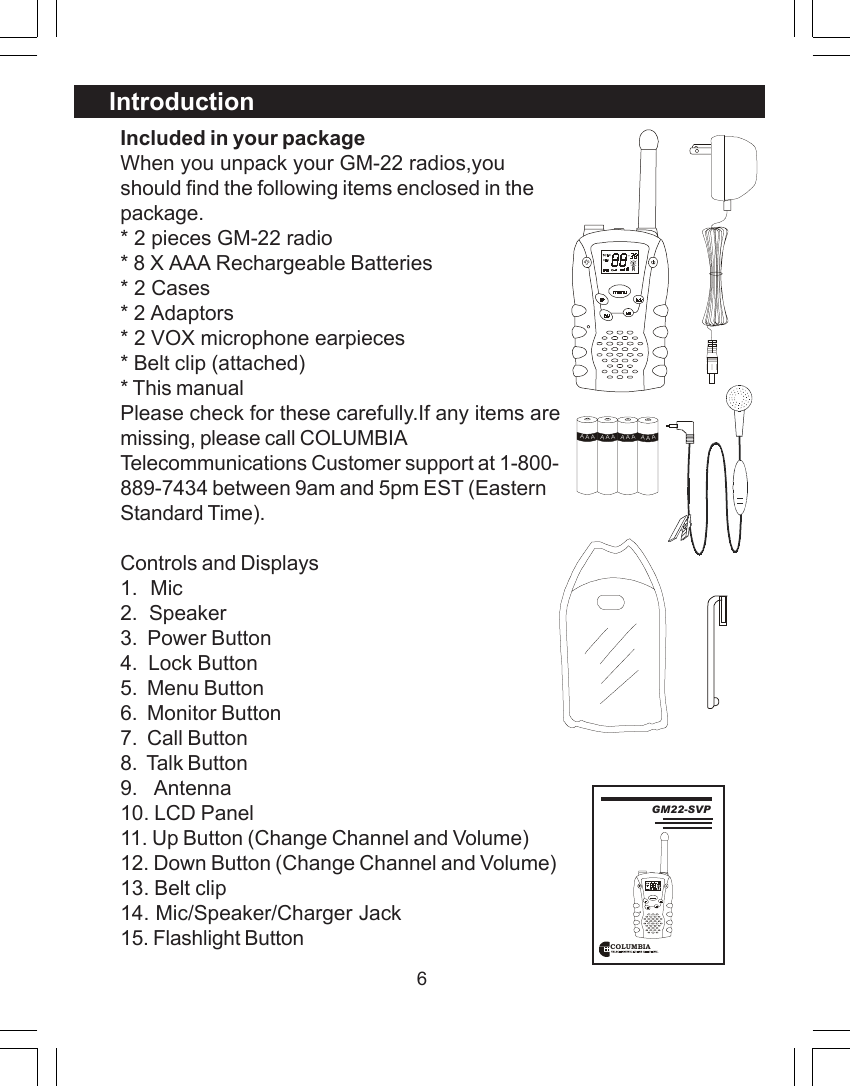
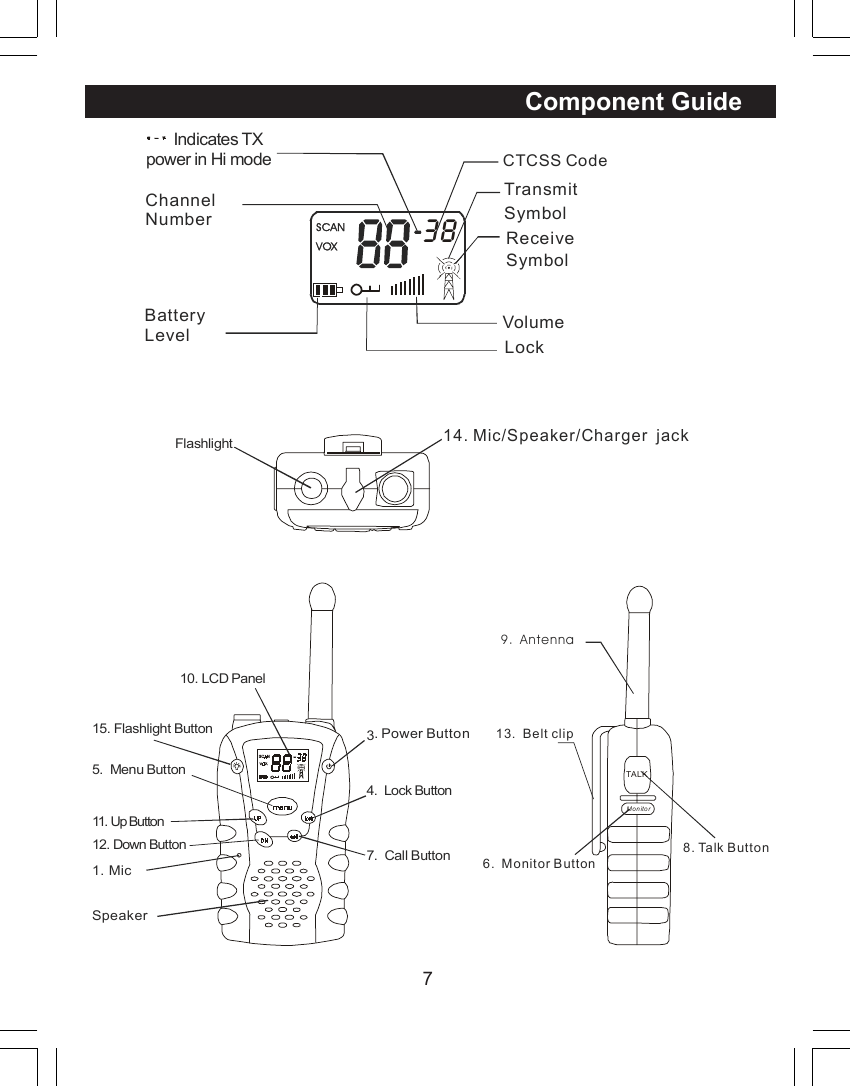
6Included in your packageWhen you unpack your GM-22 radios,youshould find the following items enclosed in thepackage.* 2 pieces GM-22 radio* 8 X AAA Rechargeable Batteries* 2 Cases* 2 Adaptors* 2 VOX microphone earpieces* Belt clip (attached)* This manualPlease check for these carefully.If any items aremissing, please call COLUMBIATelecommunications Customer support at 1-800-889-7434 between 9am and 5pm EST (EasternStandard Time).Controls and Displays1.  Mic2.  Speaker3.  Power Button4.  Lock Button5.  Menu Button6.  Monitor Button7.  Call Button8.  Talk Button9.   Antenna10. LCD Panel11. Up Button (Change Channel and Volume)12. Down Button (Change Channel and Volume)13. Belt clip14. Mic/Speaker/Charger Jack15. Flashlight ButtonIntroductionAAAAAAAAAAAACOLUMBIA GM22-SVP
7Component Guide  38ChannelNumberCTCSS CodeTransmit SymbolReceive SymbolBatteryLevel LockSCANVOXVolume1. Mic 3.  Power Button4.  Lock Button5.  Menu Button6.  Monitor Button7.  Call Button8. Talk Button9.  Antenna10. LCD Panel15. Flashlight Button Flashlight11.  Up Button12. Down Button13.  Belt clipSpeaker14. Mic/Speaker/Charger  jackTALKMonitor      Indicates TX power in Hi mode
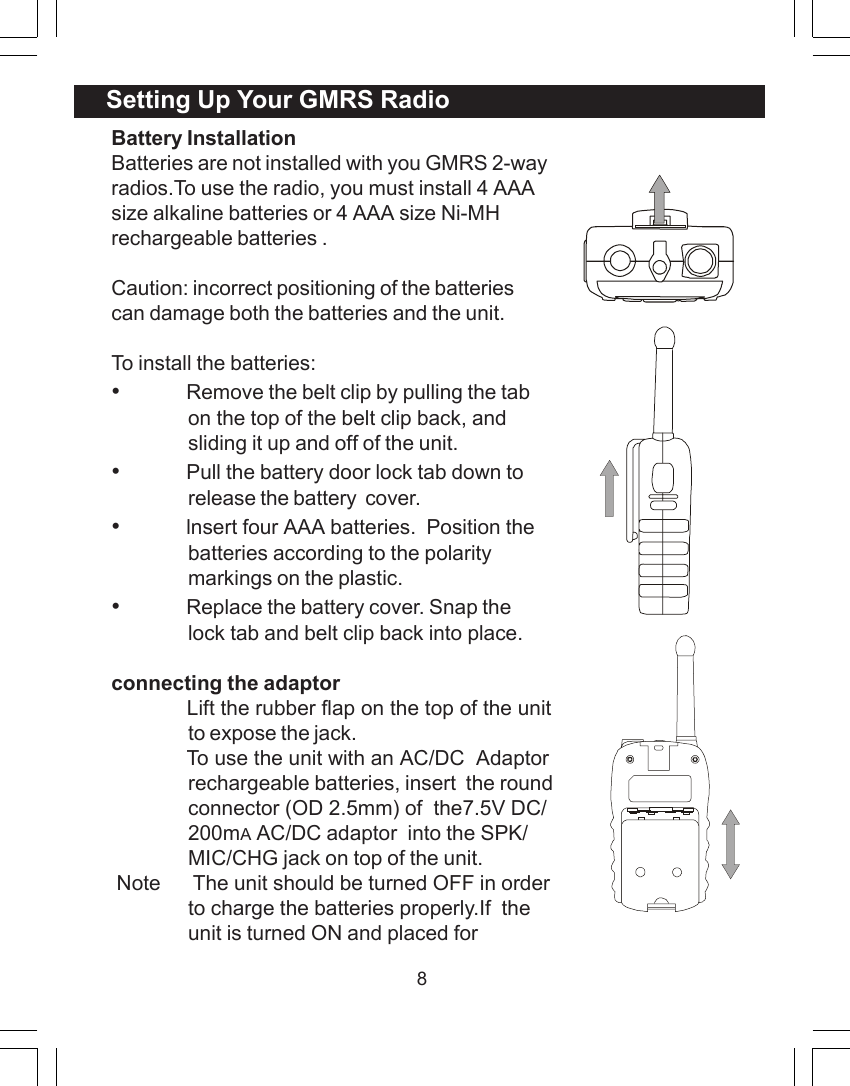
8Battery InstallationBatteries are not installed with you GMRS 2-wayradios.To use the radio, you must install 4 AAAsize alkaline batteries or 4 AAA size Ni-MHrechargeable batteries .Caution: incorrect positioning of the batteriescan damage both the batteries and the unit.To install the batteries:•Remove the belt clip by pulling the tabon the top of the belt clip back, andsliding it up and off of the unit.•Pull the battery door lock tab down torelease the battery  cover.•lnsert four AAA batteries.  Position thebatteries according to the polaritymarkings on the plastic.•Replace the battery cover. Snap thelock tab and belt clip back into place.connecting the adaptor             Lift the rubber flap on the top of the unitto expose the jack.             To use the unit with an AC/DC  Adaptorrechargeable batteries, insert  the roundconnector (OD 2.5mm) of  the7.5V DC/200mA AC/DC adaptor  into the SPK/MIC/CHG jack on top of the unit. Note      The unit should be turned OFF in orderto charge the batteries properly.If  theunit is turned ON and placed forSetting Up Your GMRS Radio
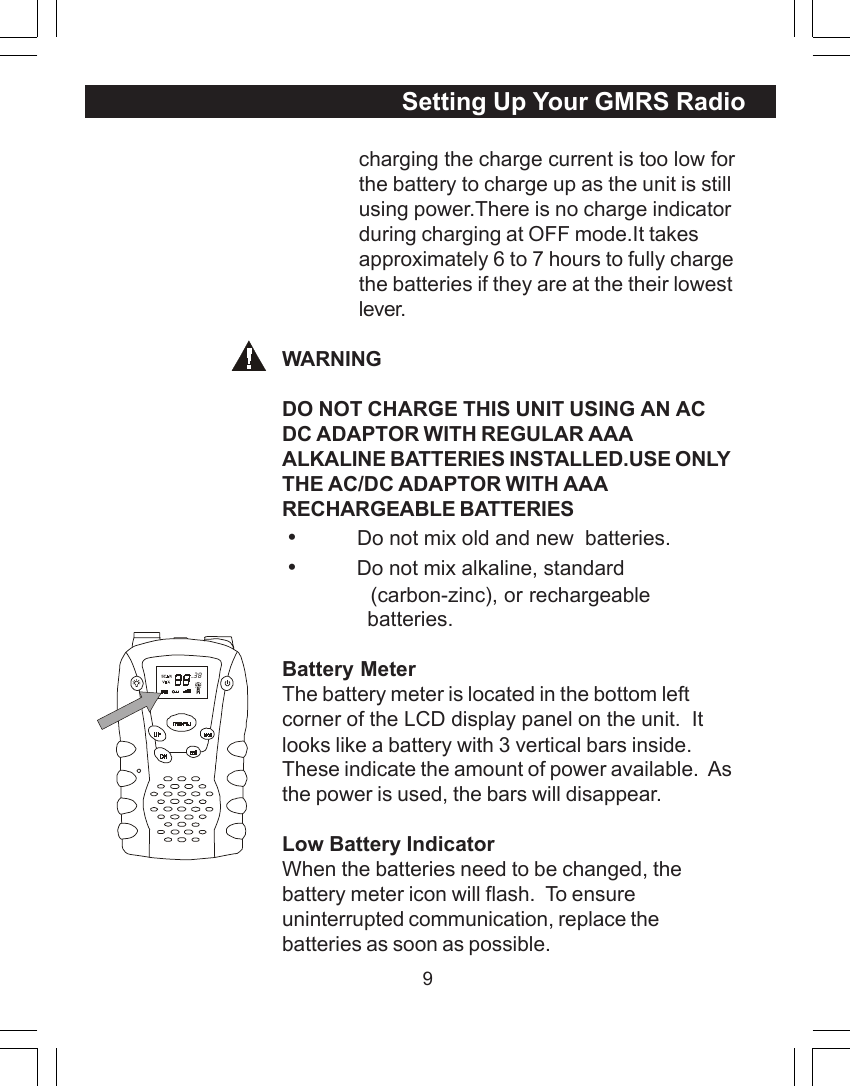
9charging the charge current is too low forthe battery to charge up as the unit is stillusing power.There is no charge indicatorduring charging at OFF mode.It takesapproximately 6 to 7 hours to fully chargethe batteries if they are at the their lowestlever.WARNINGDO NOT CHARGE THIS UNIT USING AN ACDC ADAPTOR WITH REGULAR AAAALKALINE BATTERIES INSTALLED.USE ONLYTHE AC/DC ADAPTOR WITH AAARECHARGEABLE BATTERIES •          Do not mix old and new  batteries. •          Do not mix alkaline, standard              (carbon-zinc), or rechargeable              batteries.Battery MeterThe battery meter is located in the bottom leftcorner of the LCD display panel on the unit.  Itlooks like a battery with 3 vertical bars inside.These indicate the amount of power available.  Asthe power is used, the bars will disappear.Low Battery IndicatorWhen the batteries need to be changed, thebattery meter icon will flash.  To ensureuninterrupted communication, replace thebatteries as soon as possible.Setting Up Your GMRS Radio  38
10Note:Always use alkaline batteries  or Ni -MH typerechargeable batteries for replacements.If you store your radio for long periods of time,always remove the batteries.  Batteries maycorrode and leak when left unused over longperiods of time, and permanently damage yourradio.DO NOT PUT BATTERIES INTO FIRE OREXPOSE TO HIGH HEAT.  THEY MAY EXPLODE.Setting Up Your GMRS Radio
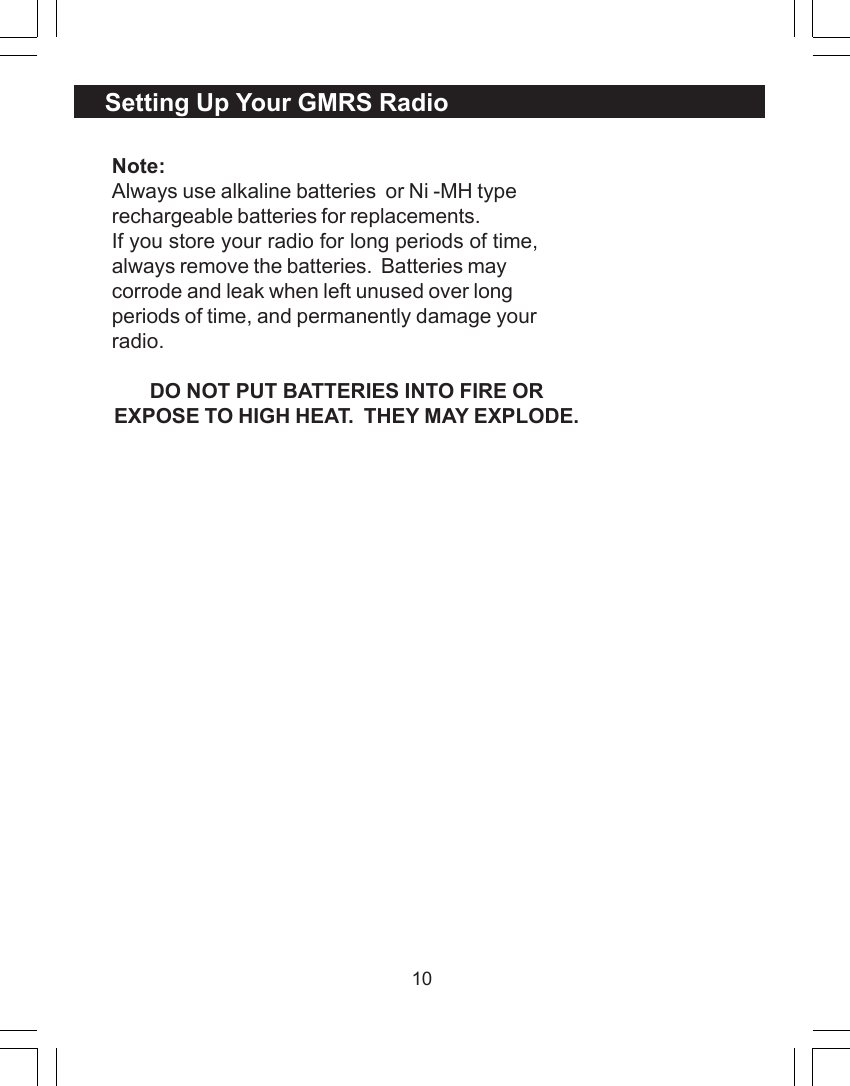
11Turning On Your GMRSPush & hold Power  button, to turn the GMRS/FRS radio on or off. The unit will beep, the LCDpanel will display information about your radio,and the panel will be illuminated by a green lightfor several seconds.CommunicationYou can communicate two ways with your newGMRS/FRS  radio.  There are 22 channelsavailable to you, each with 38 interferenceelimination codes (CTCSS codes).  You caneither talk directly to others and hear theirresponse, or you can call  or page  them withan audible tone.In all cases, both units must be set to thesame channels and CTCSS codes, or theywill not communicate. If the CTCSS codefeature is turned off, you will hear alltransmissions on the channel (1-22) thatyou are tuned to.The GMRS/FRS  radios can onlycommunicate when either the TALK button(for speech), or the CALL button (forpaging) is pressed.  The unit can onlyreceive when both buttons are fullyreleased.Receiving CommunicationsWhen your GMRS/FRS unit is turned on and isOperation  38
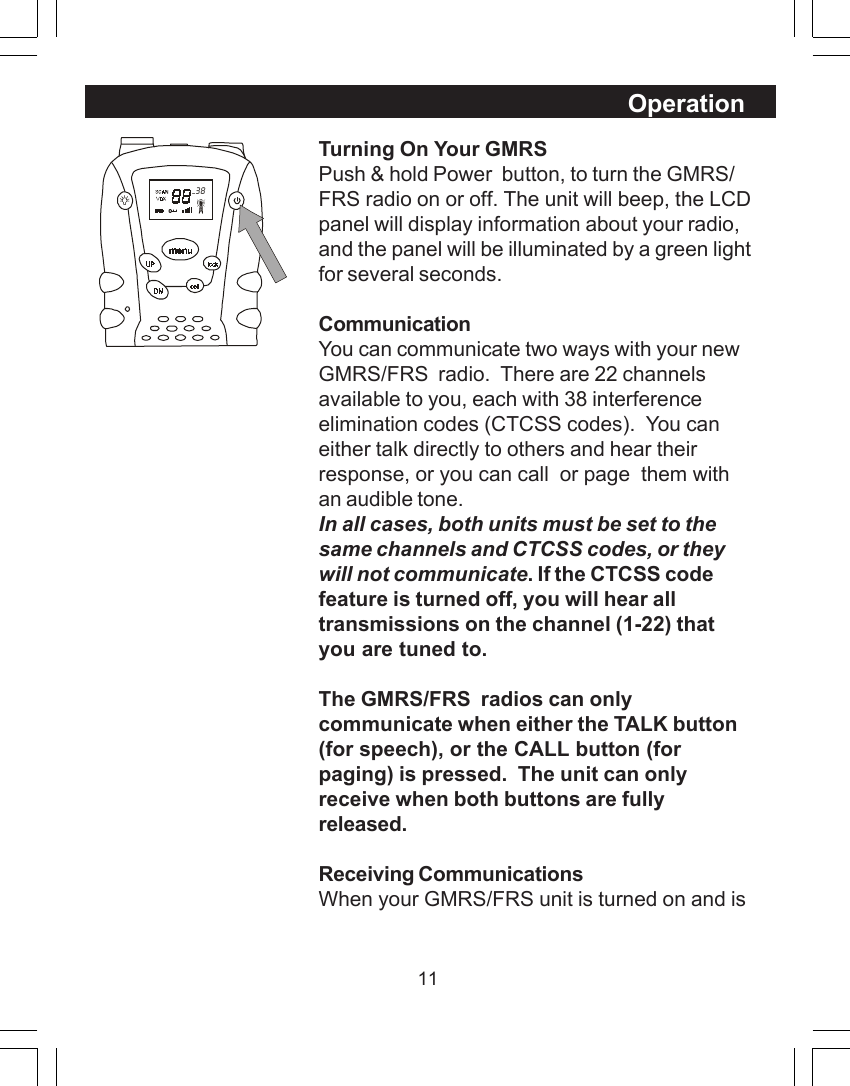
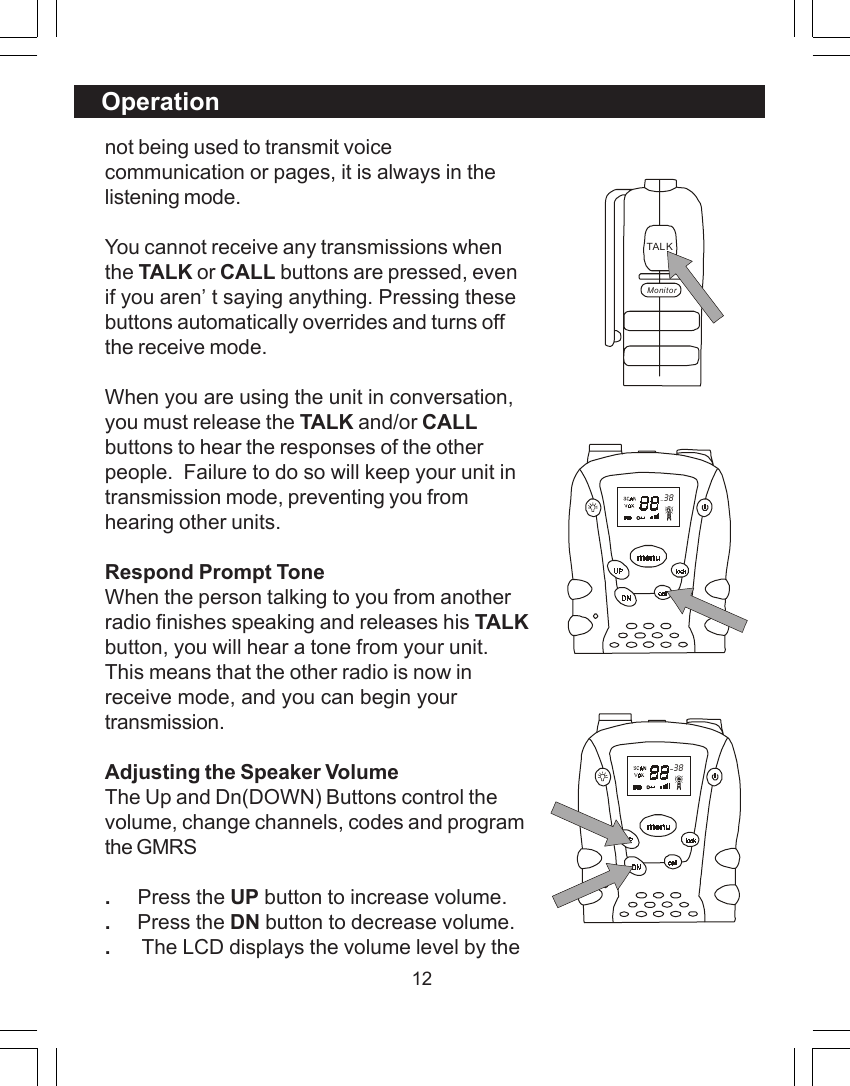
12not being used to transmit voicecommunication or pages, it is always in thelistening mode.You cannot receive any transmissions whenthe TALK or CALL buttons are pressed, evenif you aren’t saying anything. Pressing thesebuttons automatically overrides and turns offthe receive mode.When you are using the unit in conversation,you must release the TALK and/or CALLbuttons to hear the responses of the otherpeople.  Failure to do so will keep your unit intransmission mode, preventing you fromhearing other units.Respond Prompt ToneWhen the person talking to you from anotherradio finishes speaking and releases his TALKbutton, you will hear a tone from your unit.This means that the other radio is now inreceive mode, and you can begin yourtransmission.Adjusting the Speaker VolumeThe Up and Dn(DOWN) Buttons control thevolume, change channels, codes and programthe GMRS.     Press the UP button to increase volume..     Press the DN button to decrease volume..      The LCD displays the volume level by theOperation  38TAL KMonitor  38
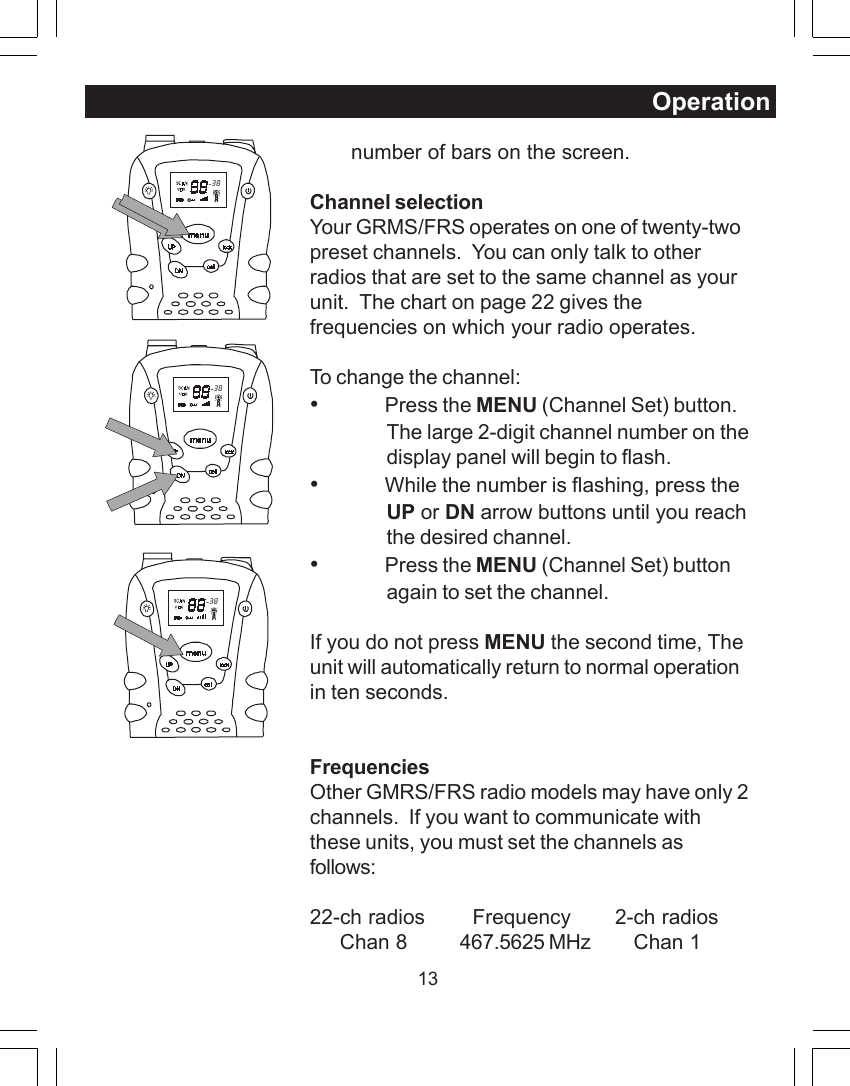
13Operation       number of bars on the screen.Channel selectionYour GRMS/FRS operates on one of twenty-twopreset channels.  You can only talk to otherradios that are set to the same channel as yourunit.  The chart on page 22 gives thefrequencies on which your radio operates.To change the channel:•Press the MENU (Channel Set) button.The large 2-digit channel number on thedisplay panel will begin to flash.•While the number is flashing, press theUP or DN arrow buttons until you reachthe desired channel.•Press the MENU (Channel Set) buttonagain to set the channel.If you do not press MENU the second time, Theunit will automatically return to normal operationin ten seconds.FrequenciesOther GMRS/FRS radio models may have only 2channels.  If you want to communicate withthese units, you must set the channels asfollows:22-ch radios   Frequency       2-ch radios     Chan 8 467.5625 MHz     Chan 1  38  38  38
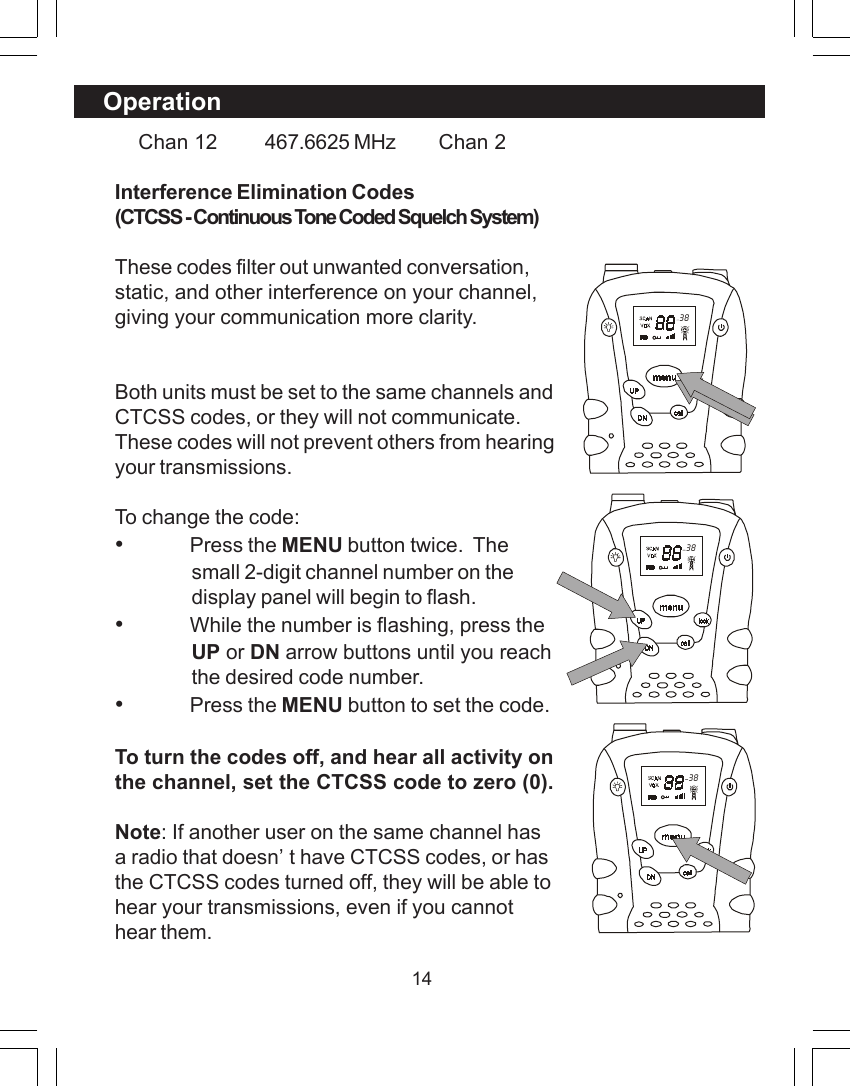
14Operation    Chan 12 467.6625 MHz     Chan 2Interference Elimination Codes(CTCSS - Continuous Tone Coded Squelch System)These codes filter out unwanted conversation,static, and other interference on your channel,giving your communication more clarity.Both units must be set to the same channels andCTCSS codes, or they will not communicate.These codes will not prevent others from hearingyour transmissions.To change the code:•Press the MENU button twice.  Thesmall 2-digit channel number on thedisplay panel will begin to flash.•While the number is flashing, press theUP or DN arrow buttons until you reachthe desired code number.•Press the MENU button to set the code.To turn the codes off, and hear all activity onthe channel, set the CTCSS code to zero (0).Note: If another user on the same channel hasa radio that doesn’t have CTCSS codes, or hasthe CTCSS codes turned off, they will be able tohear your transmissions, even if you cannothear them.  38  38  38
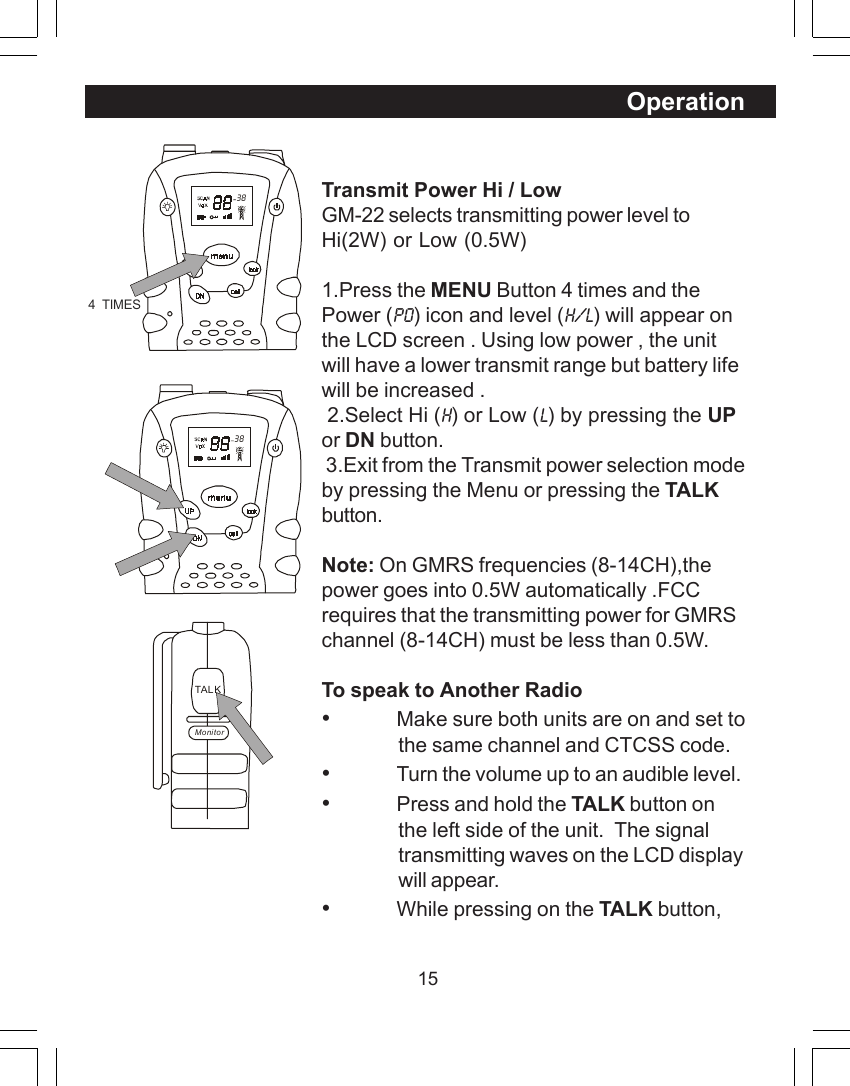
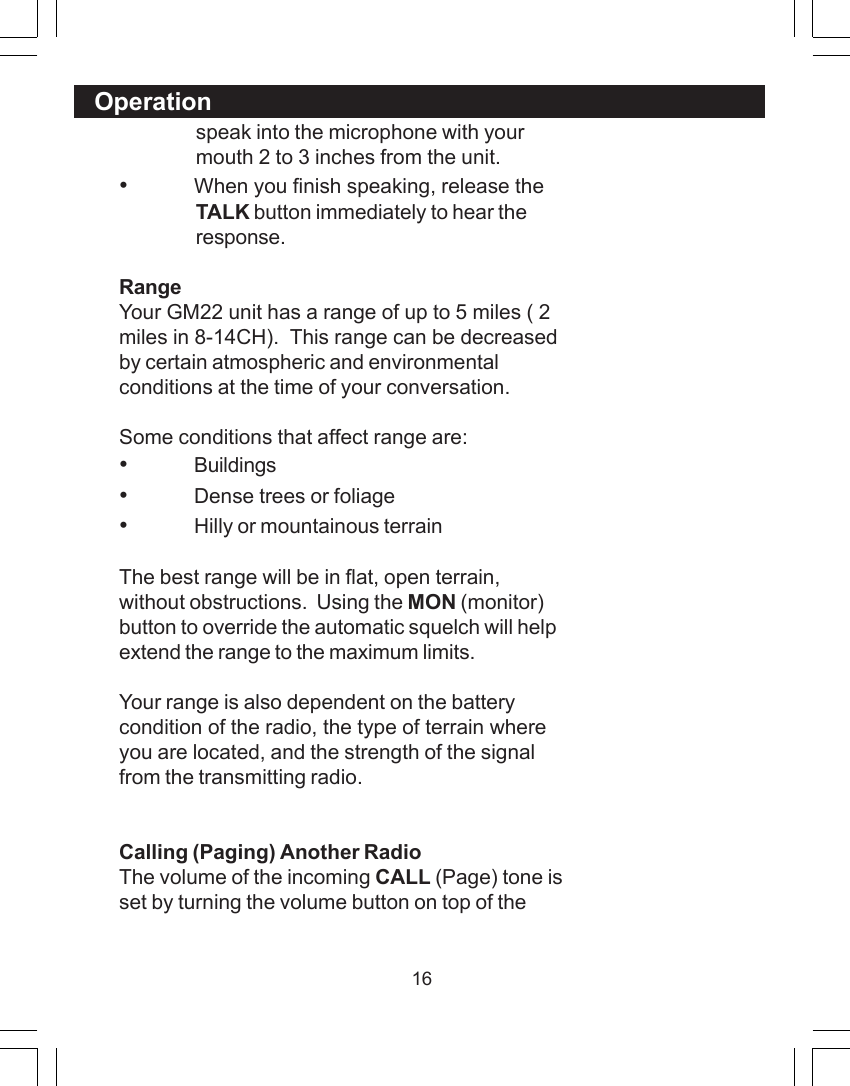
15OperationTransmit Power Hi / LowGM-22 selects transmitting power level toHi(2W) or Low (0.5W)1.Press the MENU Button 4 times and thePower (Po) icon and level (H/L) will appear onthe LCD screen . Using low power , the unitwill have a lower transmit range but battery lifewill be increased . 2.Select Hi (H) or Low (L) by pressing the UPor DN button. 3.Exit from the Transmit power selection modeby pressing the Menu or pressing the TALKbutton.Note: On GMRS frequencies (8-14CH),thepower goes into 0.5W automatically .FCCrequires that the transmitting power for GMRSchannel (8-14CH) must be less than 0.5W.To speak to Another Radio•Make sure both units are on and set tothe same channel and CTCSS code.•Turn the volume up to an audible level.•Press and hold the TALK button onthe left side of the unit.  The signaltransmitting waves on the LCD displaywill appear.•While pressing on the TALK button,  38TAL KMonitor  384  TIMES
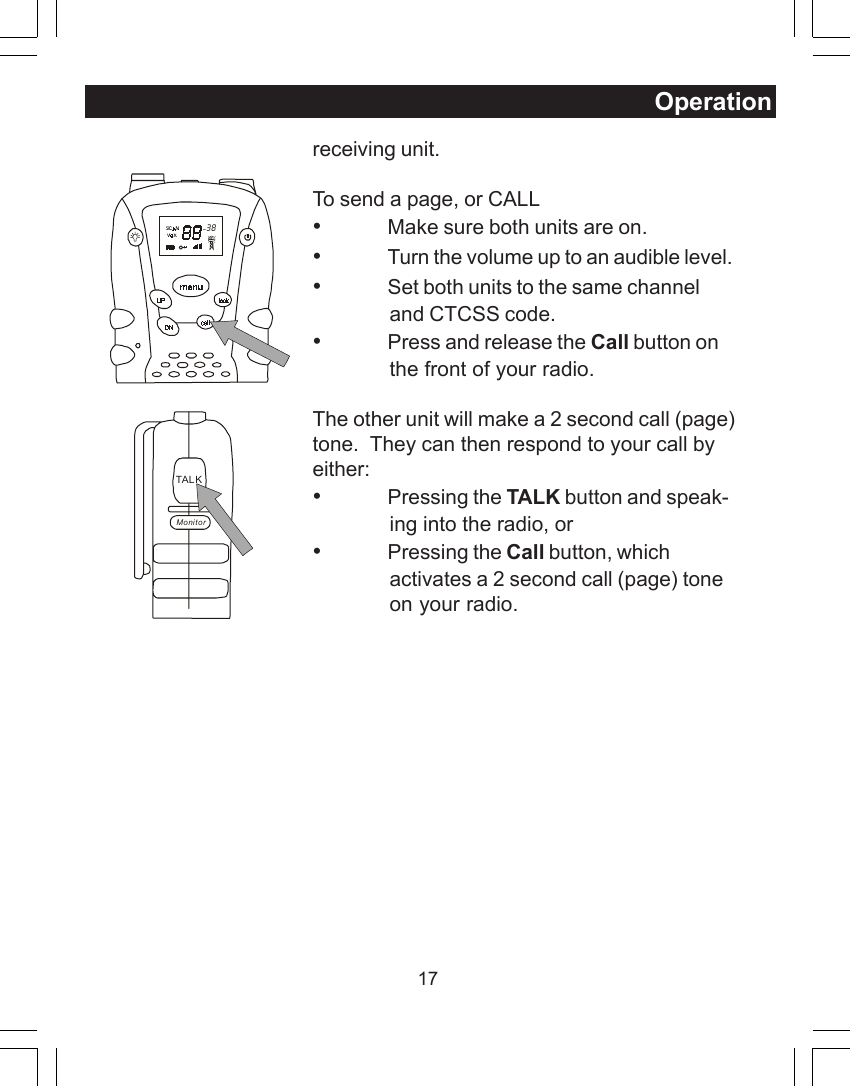
16speak into the microphone with yourmouth 2 to 3 inches from the unit.•When you finish speaking, release theTALK button immediately to hear theresponse.RangeYour GM22 unit has a range of up to 5 miles ( 2miles in 8-14CH).  This range can be decreasedby certain atmospheric and environmentalconditions at the time of your conversation.Some conditions that affect range are:•Buildings•Dense trees or foliage•Hilly or mountainous terrainThe best range will be in flat, open terrain,without obstructions.  Using the MON (monitor)button to override the automatic squelch will helpextend the range to the maximum limits.Your range is also dependent on the batterycondition of the radio, the type of terrain whereyou are located, and the strength of the signalfrom the transmitting radio.Calling (Paging) Another RadioThe volume of the incoming CALL (Page) tone isset by turning the volume button on top of theOperation
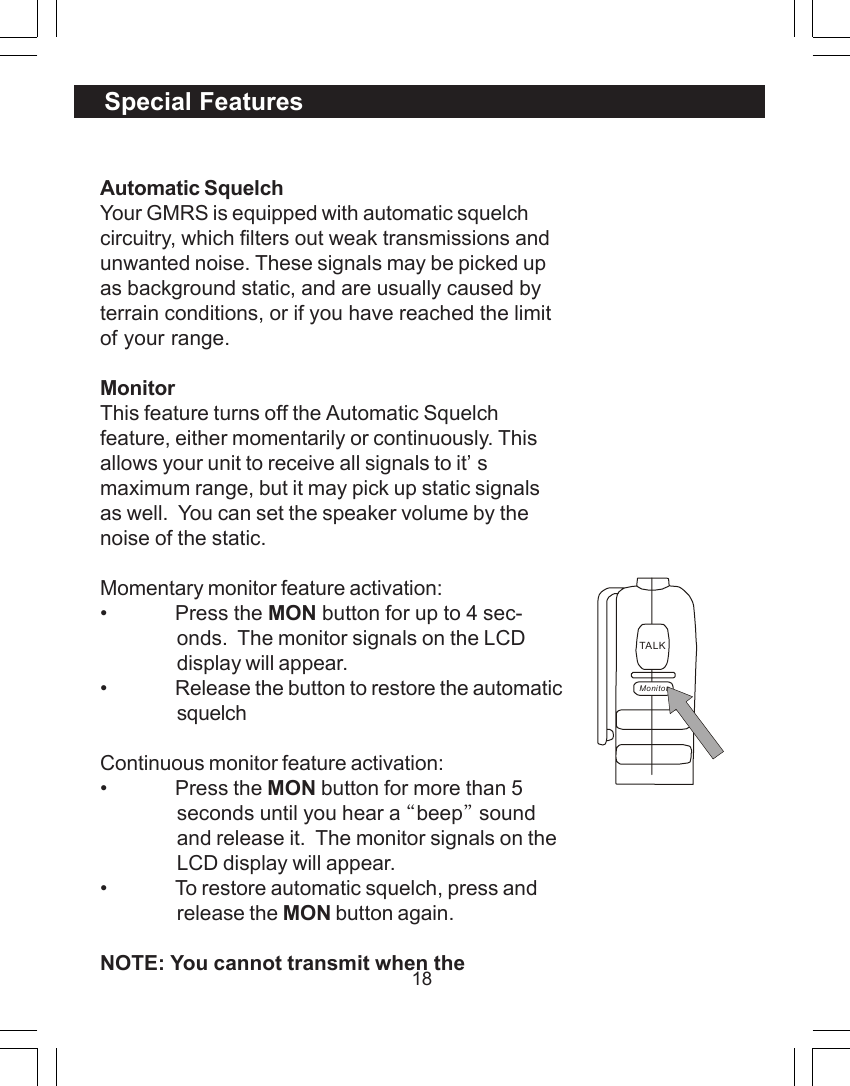
17receiving unit.To send a page, or CALL•Make sure both units are on.•Turn the volume up to an audible level.•Set both units to the same channeland CTCSS code.•Press and release the Call button onthe front of your radio.The other unit will make a 2 second call (page)tone.  They can then respond to your call byeither:•Pressing the TALK button and speak-ing into the radio, or•Pressing the Call button, whichactivates a 2 second call (page) toneon your radio.  38TAL KMonitorOperation
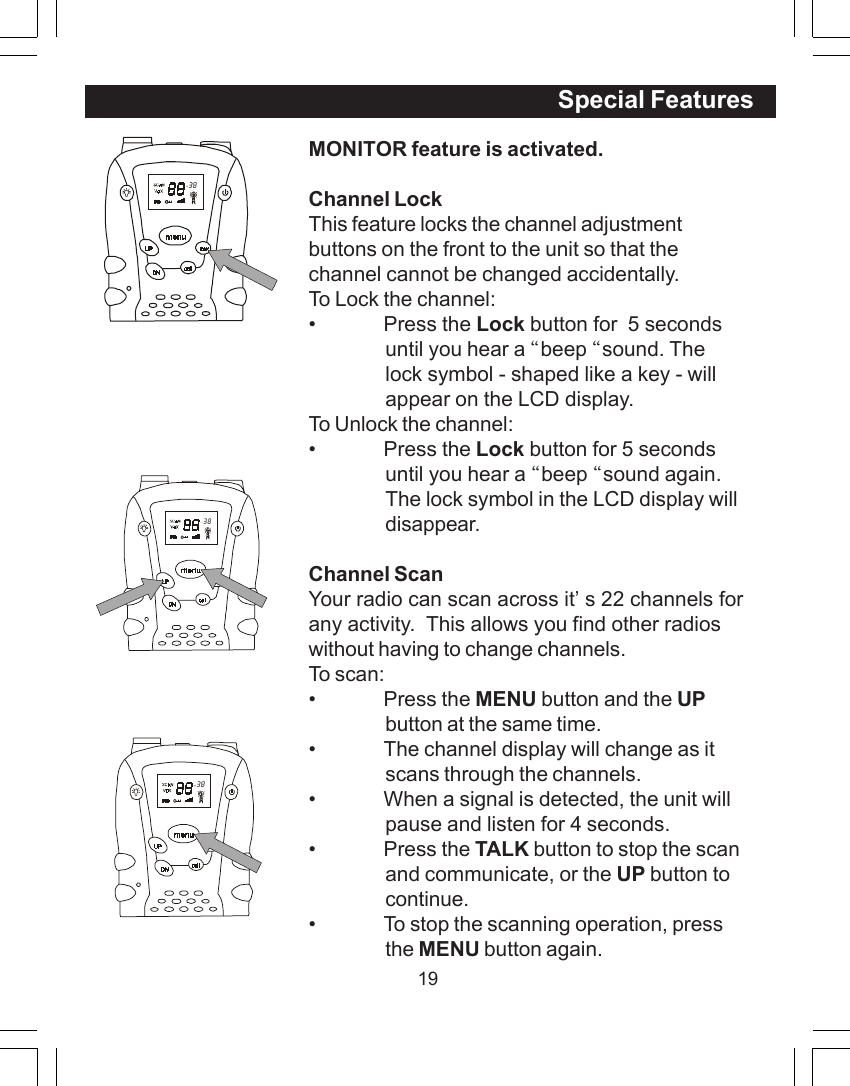
18Automatic SquelchYour GMRS is equipped with automatic squelchcircuitry, which filters out weak transmissions andunwanted noise. These signals may be picked upas background static, and are usually caused byterrain conditions, or if you have reached the limitof your range.MonitorThis feature turns off the Automatic Squelchfeature, either momentarily or continuously. Thisallows your unit to receive all signals to it’smaximum range, but it may pick up static signalsas well.  You can set the speaker volume by thenoise of the static.Momentary monitor feature activation:• Press the MON button for up to 4 sec-onds.  The monitor signals on the LCDdisplay will appear.• Release the button to restore the automaticsquelchContinuous monitor feature activation:• Press the MON button for more than 5seconds until you hear a “beep” soundand release it.  The monitor signals on theLCD display will appear.• To restore automatic squelch, press andrelease the MON button again.NOTE: You cannot transmit when theSpecial FeaturesTALKMonitor
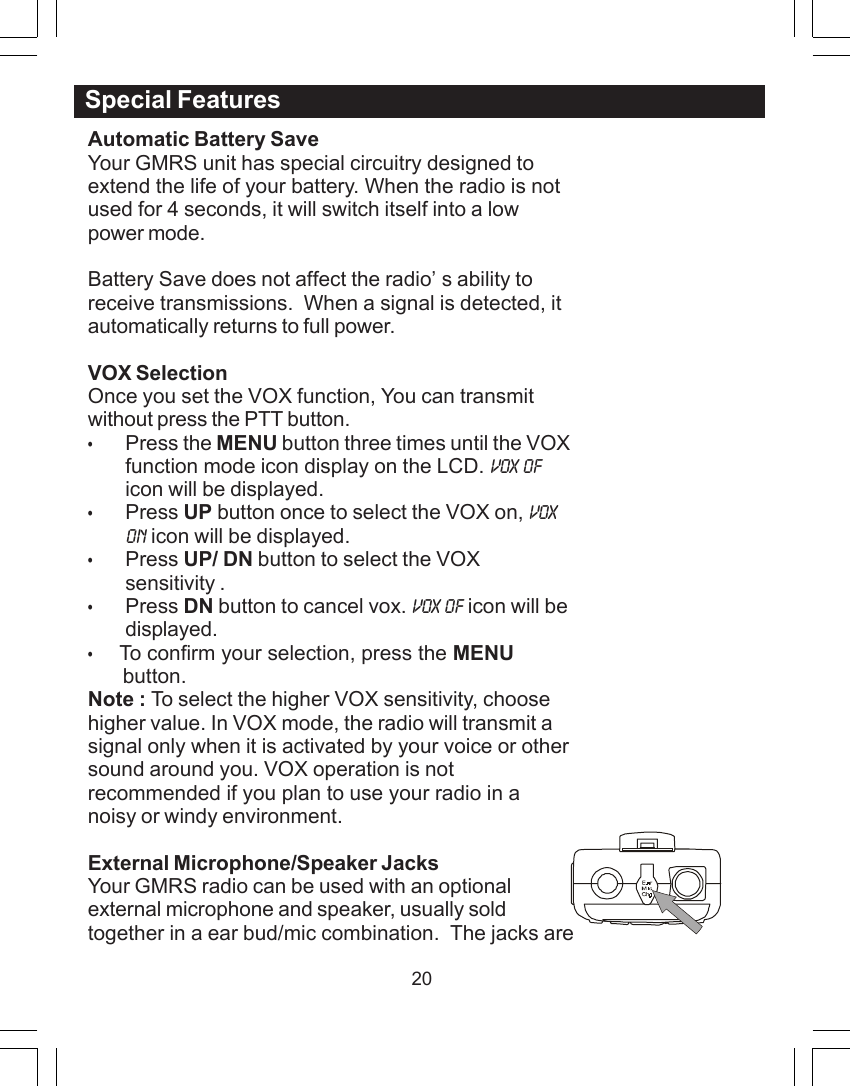
19MONITOR feature is activated.Channel LockThis feature locks the channel adjustmentbuttons on the front to the unit so that thechannel cannot be changed accidentally.To Lock the channel:• Press the Lock button for  5 secondsuntil you hear a “beep “sound. Thelock symbol - shaped like a key - willappear on the LCD display.To Unlock the channel:• Press the Lock button for 5 secondsuntil you hear a “beep “sound again.The lock symbol in the LCD display willdisappear.Channel ScanYour radio can scan across it’s 22 channels forany activity.  This allows you find other radioswithout having to change channels.To scan:• Press the MENU button and the UPbutton at the same time.• The channel display will change as itscans through the channels.• When a signal is detected, the unit willpause and listen for 4 seconds.• Press the TALK button to stop the scanand communicate, or the UP button tocontinue.• To stop the scanning operation, pressthe MENU button again.  38Special Features  38  38
20Automatic Battery SaveYour GMRS unit has special circuitry designed toextend the life of your battery. When the radio is notused for 4 seconds, it will switch itself into a lowpower mode.Battery Save does not affect the radio’s ability toreceive transmissions.  When a signal is detected, itautomatically returns to full power.VOX SelectionOnce you set the VOX function, You can transmitwithout press the PTT button.•Press the MENU button three times until the VOXfunction mode icon display on the LCD. VOX OFicon will be displayed.•Press UP button once to select the VOX on, VOXON icon will be displayed.•Press UP/ DN button to select the VOXsensitivity .•Press DN button to cancel vox. VOX OF icon will bedisplayed.•    To confirm your selection, press the MENU      button.Note : To select the higher VOX sensitivity, choosehigher value. In VOX mode, the radio will transmit asignal only when it is activated by your voice or othersound around you. VOX operation is notrecommended if you plan to use your radio in anoisy or windy environment.External Microphone/Speaker JacksYour GMRS radio can be used with an optionalexternal microphone and speaker, usually soldtogether in a ear bud/mic combination.  The jacks areSpecial Features
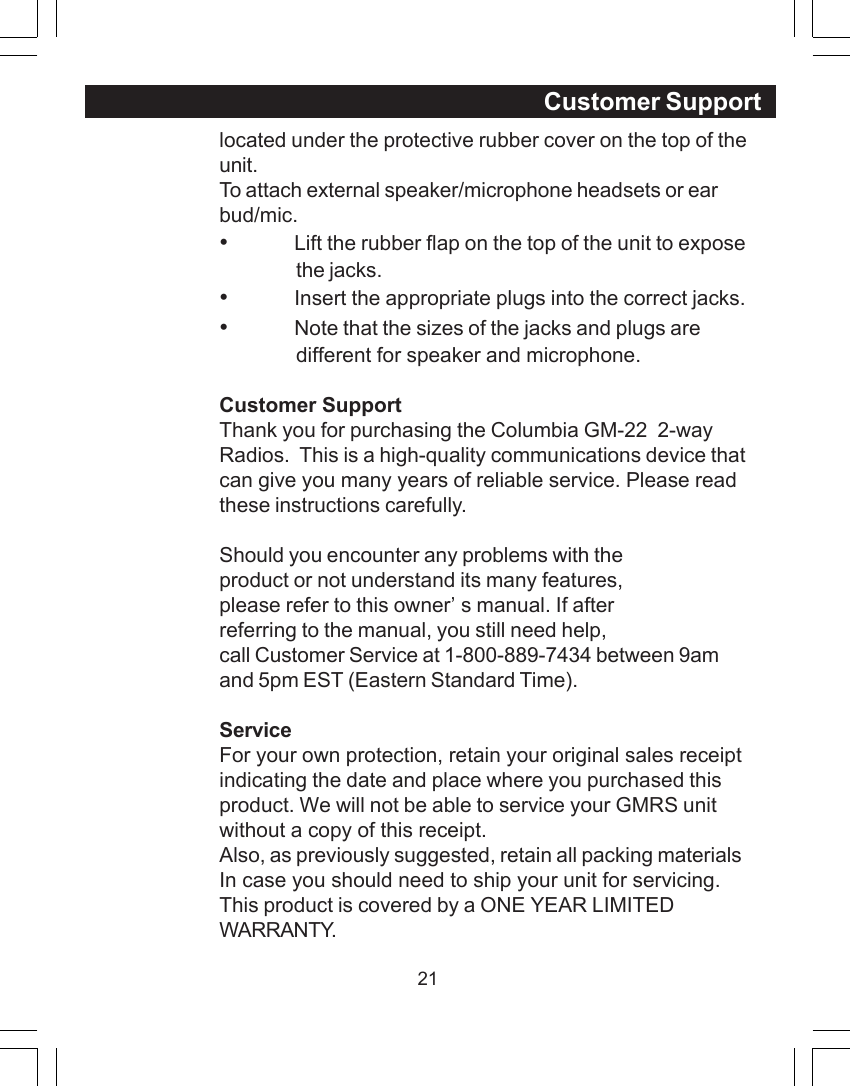
21located under the protective rubber cover on the top of theunit.To attach external speaker/microphone headsets or earbud/mic.•Lift the rubber flap on the top of the unit to exposethe jacks.•Insert the appropriate plugs into the correct jacks.•Note that the sizes of the jacks and plugs aredifferent for speaker and microphone.Customer SupportThank you for purchasing the Columbia GM-22  2-wayRadios.  This is a high-quality communications device thatcan give you many years of reliable service. Please readthese instructions carefully.Should you encounter any problems with theproduct or not understand its many features,please refer to this owner’s manual. If afterreferring to the manual, you still need help,call Customer Service at 1-800-889-7434 between 9amand 5pm EST (Eastern Standard Time).ServiceFor your own protection, retain your original sales receiptindicating the date and place where you purchased thisproduct. We will not be able to service your GMRS unitwithout a copy of this receipt.Also, as previously suggested, retain all packing materialsIn case you should need to ship your unit for servicing.This product is covered by a ONE YEAR LIMITEDWARRANTY.Customer Support
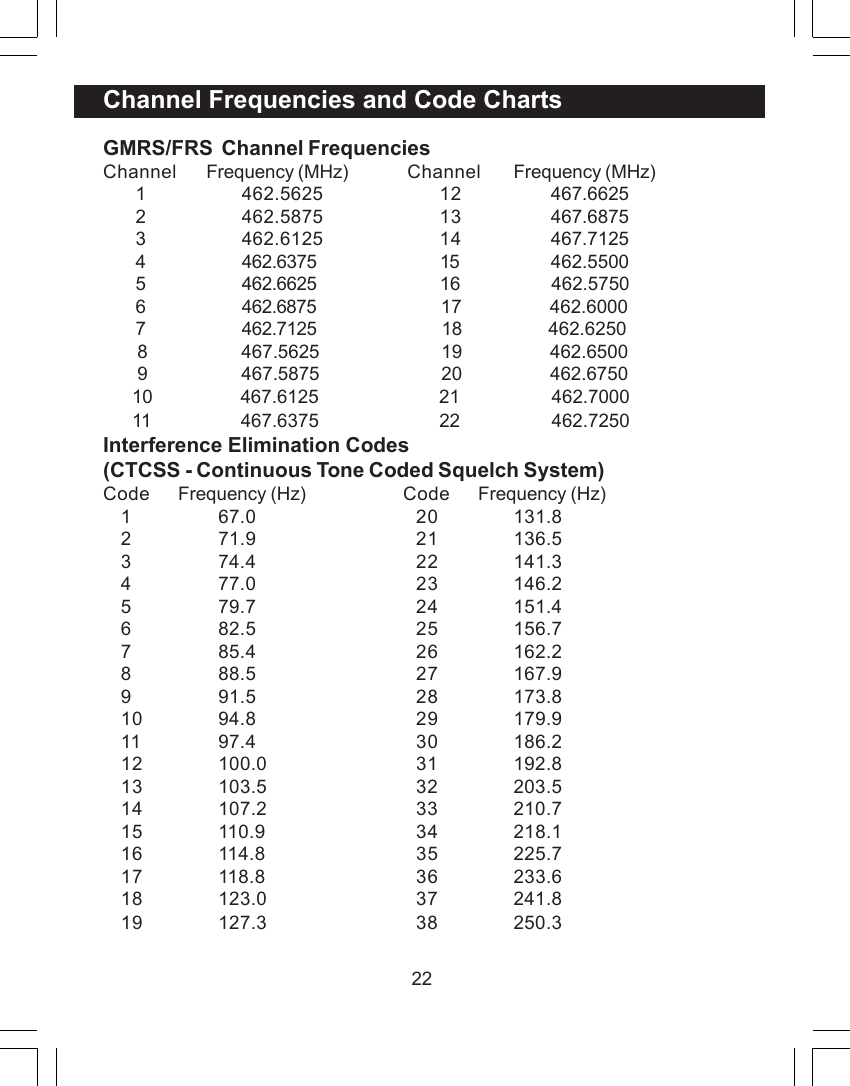
22GMRS/FRS  Channel FrequenciesChannel Frequency (MHz) Channel Frequency (MHz)1 462.5625 12  467.66252 462.5875 13  467.68753 462.6125 14  467.71254 462.6375 15                  462.55005 462.6625 16                   462.57506 462.6875                        17                  462.60007 462.7125  18                  462.6250       8              467.5625                         19                  462.6500       9              467.5875                         20                  462.6750      10              467.6125                         21                   462.7000      11              467.6375                         22                   462.7250Interference Elimination Codes(CTCSS - Continuous Tone Coded Squelch System)Code Frequency (Hz) Code Frequency (Hz)1 67.0 20 131.82 71.9 21 136.53 74.4 22 141.34 77.0 23 146.25 79.7 24 151.46 82.5 25 156.77 85.4 26 162.28 88.5 27 167.99 91.5 28 173.810 94.8 29 179.911 97.4 30 186.212 100.0 31 192.813 103.5 32 203.514 107.2 33 210.715 110.9 34 218.116 114.8 35 225.717 118.8 36 233.618 123.0 37 241.819 127.3 38 250.3Channel Frequencies and Code Charts
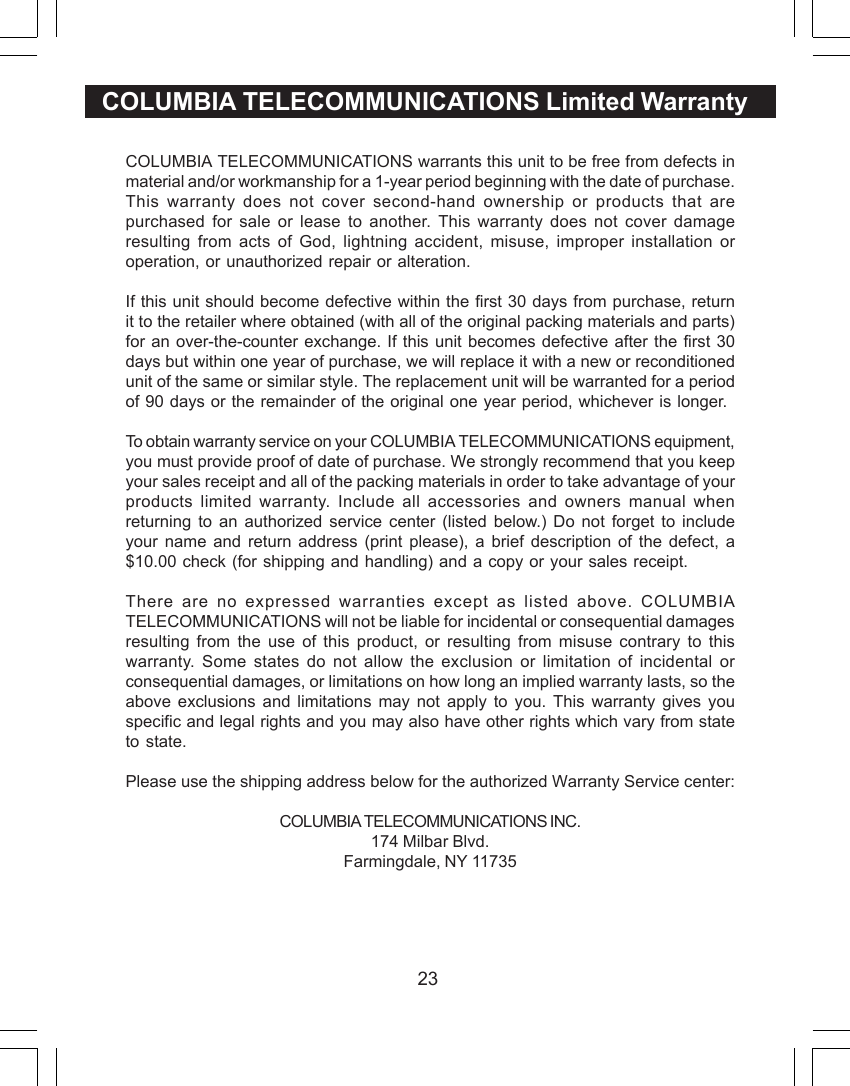
23COLUMBIA TELECOMMUNICATIONS Limited WarrantyCOLUMBIA TELECOMMUNICATIONS warrants this unit to be free from defects inmaterial and/or workmanship for a 1-year period beginning with the date of purchase.This warranty does not cover second-hand ownership or products that arepurchased for sale or lease to another. This warranty does not cover damageresulting from acts of God, lightning accident, misuse, improper installation oroperation, or unauthorized repair or alteration.If this unit should become defective within the first 30 days from purchase, returnit to the retailer where obtained (with all of the original packing materials and parts)for an over-the-counter exchange. If this unit becomes defective after the first 30days but within one year of purchase, we will replace it with a new or reconditionedunit of the same or similar style. The replacement unit will be warranted for a periodof 90 days or the remainder of the original one year period, whichever is longer.To obtain warranty service on your COLUMBIA TELECOMMUNICATIONS equipment,you must provide proof of date of purchase. We strongly recommend that you keepyour sales receipt and all of the packing materials in order to take advantage of yourproducts limited warranty. Include all accessories and owners manual whenreturning to an authorized service center (listed below.) Do not forget to includeyour name and return address (print please), a brief description of the defect, a$10.00 check (for shipping and handling) and a copy or your sales receipt.There are no expressed warranties except as listed above. COLUMBIATELECOMMUNICATIONS will not be liable for incidental or consequential damagesresulting from the use of this product, or resulting from misuse contrary to thiswarranty. Some states do not allow the exclusion or limitation of incidental orconsequential damages, or limitations on how long an implied warranty lasts, so theabove exclusions and limitations may not apply to you. This warranty gives youspecific and legal rights and you may also have other rights which vary from stateto state.Please use the shipping address below for the authorized Warranty Service center:COLUMBIA TELECOMMUNICATIONS INC.174 Milbar Blvd.Farmingdale, NY 11735
24

Navigation menu