Comcast Neptune Notion 5280-S3 Notion Sensor User Manual notion packaging install guide z fold v15

Loop Labs, Inc. dba Notion Notion Sensor notion packaging install guide z fold v15

install-guide

Now that we're family, there are a few details we want to share:Box may contain equipment pertaining to:FCC ID: 2AE5C-5280-B3, IC: 20391-5280B3 orFCC ID: 2AE5C-5280-S3, IC. : 20391-5280S3Warranty information can be found by going to www.getnotion.com/warranty. To request a free printed copy of our warranty please call (877) 668-4660.This equipment has been tested and found to comply with the limits for a Class B digital device, pursuant to part 15 of FCC Rules. These limits are designed to provide reasonable protection against harmful interference in a residential installation. This equipment generates and can radiate radio frequency energy and, if not installed and used in accordance with the instructions, may cause harmful interference to radio communications. However, there is no guarantee that interference will not occur in a particular installation. If this equipment does cause harmful interference to radio or television reception, which can be determined by turning the equipment o and on, the user is encouraged to try to correct the interference by one or more of the following measures: Reorient or relocate the receiving antenna. Increase the separation between the equipment and receiver. Connect the equipment into an outlet on a circuit dierent from that to which the receiver is connected. Consult the dealer or an experienced radio/TV technician for Help.This device complies with part 15 of the FCC Rules. Operation is subject to the following two conditions: (1) This device may not cause harmful interference, and (2) this device must accept any interference received, including interference that may cause undesired operation.This equipment complies with FCC and IC RF (Radio Frequency) exposure limits set forth for an uncontrolled environment. This equipment should be installed and operated with a minimum separation distance of 20 centimeters between the device/antenna and the user’s head/body.Changes or modifications not expressly approved by the party responsible for compliance could void the user’s authority to operate this equipment.This device contains license-exempt transmitter(s)/receiver(s) that comply with Innovation, Science and Economic Development Canada’s license-exempt RSS(s). Operation is subject to the following two conditions: (1) This device may not cause interference. (2) This device must accept any interference, including interference that may cause undesired operation of the device.Cet appareil est conforme à la section 15 des réglementations de la FCC. Son fonctionnement est soumis aux deux conditions suivantes: (1) cet appareil ne doit pas causer de brouillage préjudiciable, et (2) cet appareil doit accepter tout brouillage subi, même si le brouillage est susceptible d’en compromettre le fonctionnement.Cet appareil respecte les limites d’expositions aux rayonnements établies par la FCC et l’IC RF (Radio Frequency) pour un environnement non contrôlé. Cet appareil devrait être installé et fonctionné à une distance minimale de 20 centimètres entre l’appareil et le corps de l’utilisateur. Tout changement ou modification n’ayant pas été expressément approuvé par la partie responsable de la conformité pourrait pourrait compromettre le droit de l’utilisateur à utiliser l’appareil. L’émetteur/récepteur exempt de licence contenu dans le présent appareil est conforme aux CNR d’Innovation, Sciences et Développe-ment économique Canada applicables aux appareils radio exempts de licence. Son fonctionnement est autorisé aux deux conditions suivantes :(1) Cet appareil ne doit pas produire de brouillage. (2) Cet appareil doit accepter tout brouillage radioélectrique subi, même si le brouillage est susceptible d’en compromettre le fonctionnement. © 2019 Loop Labs, Inc. All rights reserved. The Notion word mark and logo are trademarks of Loop Labs, Inc. App Store is a service mark of Apple Inc. Google Play and the Google Play logo are trademarks of Google Inc.CAN ICES-3 (B)/NMB-3(B)000000”Welcome to thefamilyNew to Notion? Learn more about what Notion can do in this brief video overview: getnotion.com/videoQuick Start GuideBeyond Initial SetupINTEGRATED WITHINTEGRATEtwitter.com/notionfacebook.com/getnotioninstagram.com/getnotionSOCIALIZERELAX We take data security seriously. With end-to-end protection in mind, including AES 256-bit encryption onboard each sensor and third party security audits performed regularly, you can rest easy knowing we’re not just protecting your home, we’re protecting your data too.QUALIFY Many insurance companies now oer discounts for a variety of smart home devices. Call your home insurance provider to see if you qualify for a smart home discount simply by having Notion installed.REVIEW Love your Notion system? Have feedback or new feature recommendations? Let us know at getnotion.com/review.
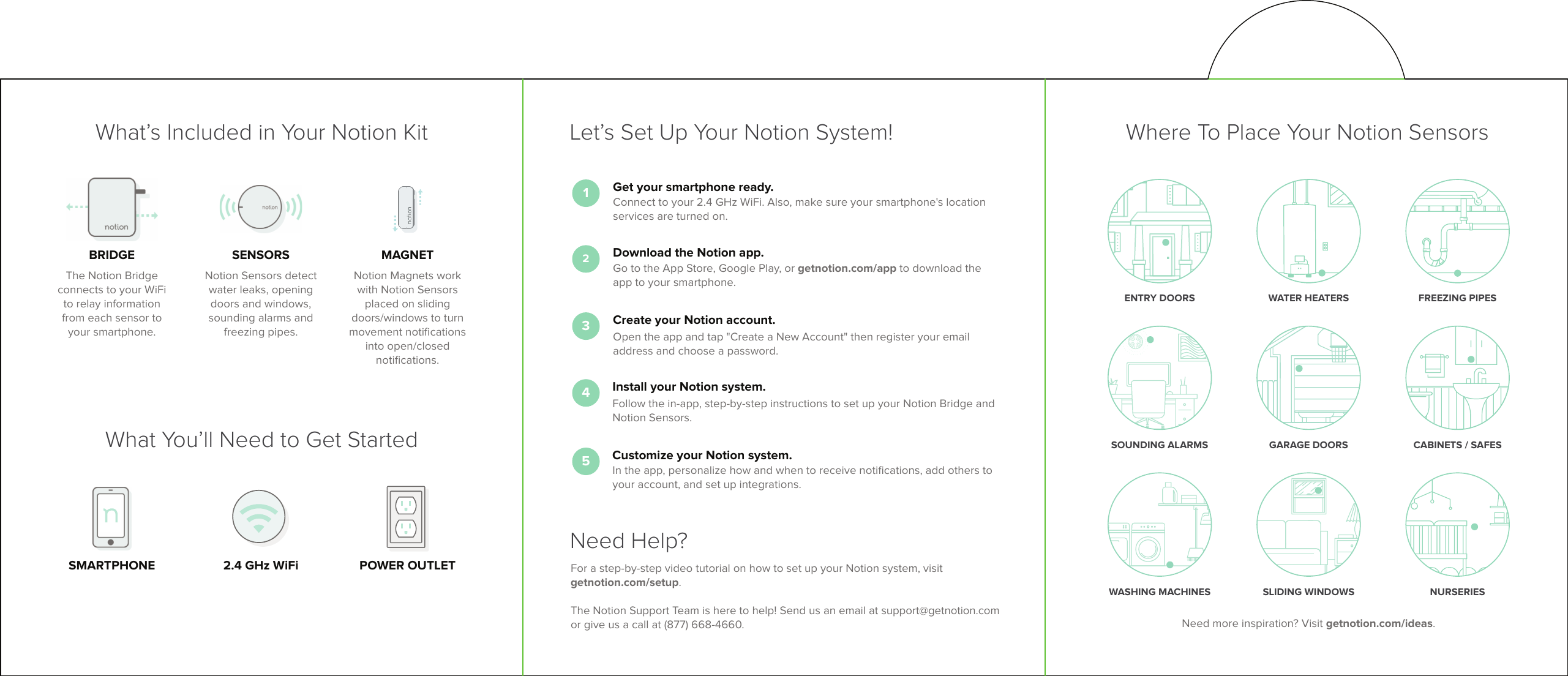
Where To Place Your Notion SensorsNeed more inspiration? Visit getnotion.com/ideas.ENTRY DOORS WATER HEATERS FREEZING PIPESWASHING MACHINES SLIDING WINDOWS NURSERIESSOUNDING ALARMS CABINETS / SAFESGARAGE DOORS1Get your smartphone ready.Connect to your 2.4 GHz WiFi. Also, make sure your smartphone's location services are turned on.2Download the Notion app.Go to the App Store, Google Play, or getnotion.com/app to download the app to your smartphone.3Create your Notion account.Open the app and tap "Create a New Account" then register your email address and choose a password.4Install your Notion system.Follow the in-app, step-by-step instructions to set up your Notion Bridge and Notion Sensors.5Customize your Notion system.In the app, personalize how and when to receive notifications, add others toyour account, and set up integrations. Let’s Set Up Your Notion System!Need Help?For a step-by-step video tutorial on how to set up your Notion system, visit getnotion.com/setup. The Notion Support Team is here to help! Send us an email at support@getnotion.com or give us a call at (877) 668-4660.What’s Included in Your Notion KitWhat You’ll Need to Get StartedSMARTPHONE POWER OUTLET2.4 GHz WiFiSENSORSNotion Sensors detect water leaks, opening doors and windows, sounding alarms and freezing pipes.MAGNETNotion Magnets work with Notion Sensors placed on sliding doors/windows to turn movement notifications into open/closed notifications.BRIDGEThe Notion Bridge connects to your WiFi to relay information from each sensor to your smartphone.

Navigation menu