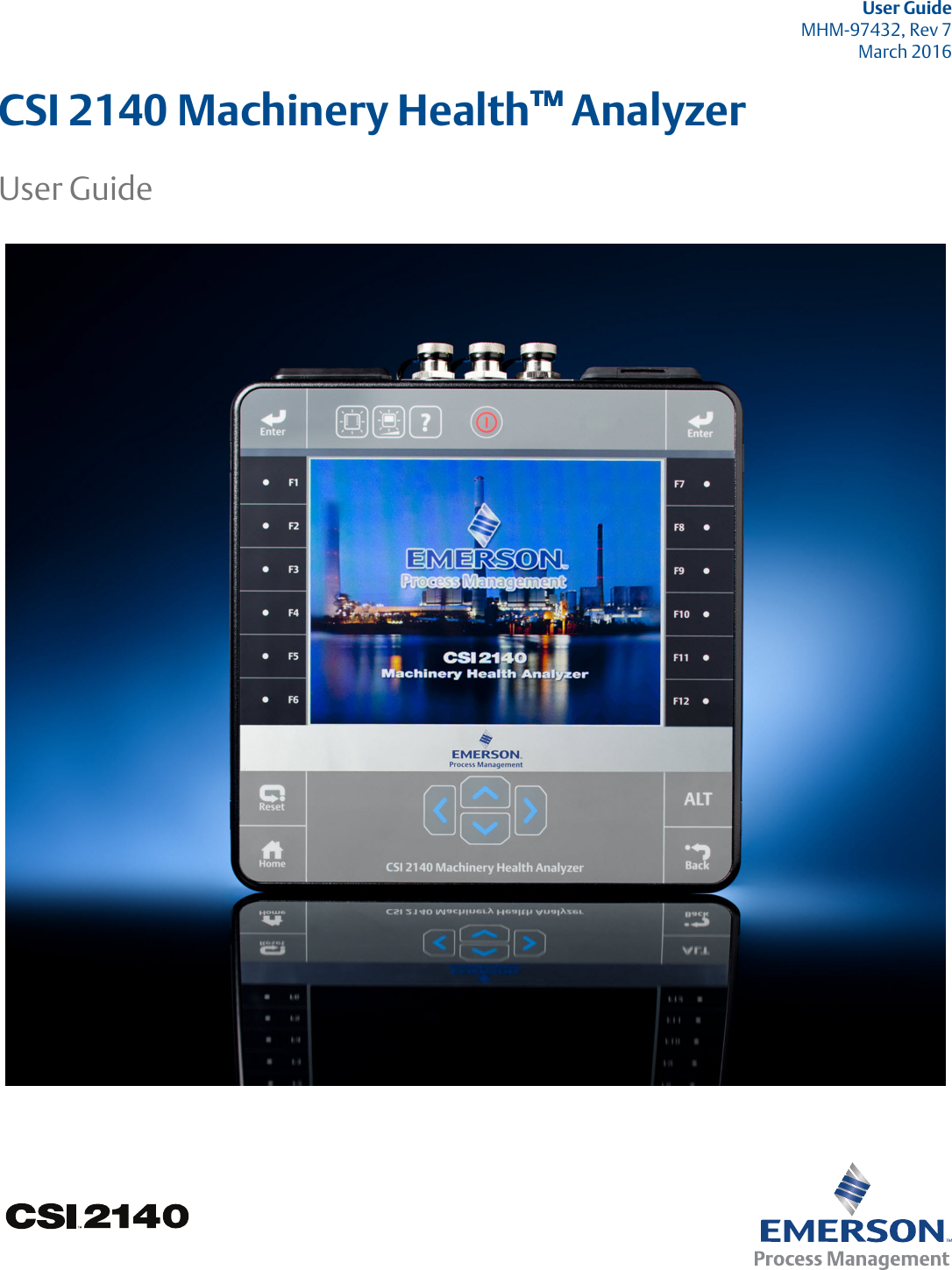
Computational Systems orporated CSI2140M2 Portable Vibration Analyzer User Manual User Manaul
Computational Systems Incorporated Portable Vibration Analyzer User Manaul
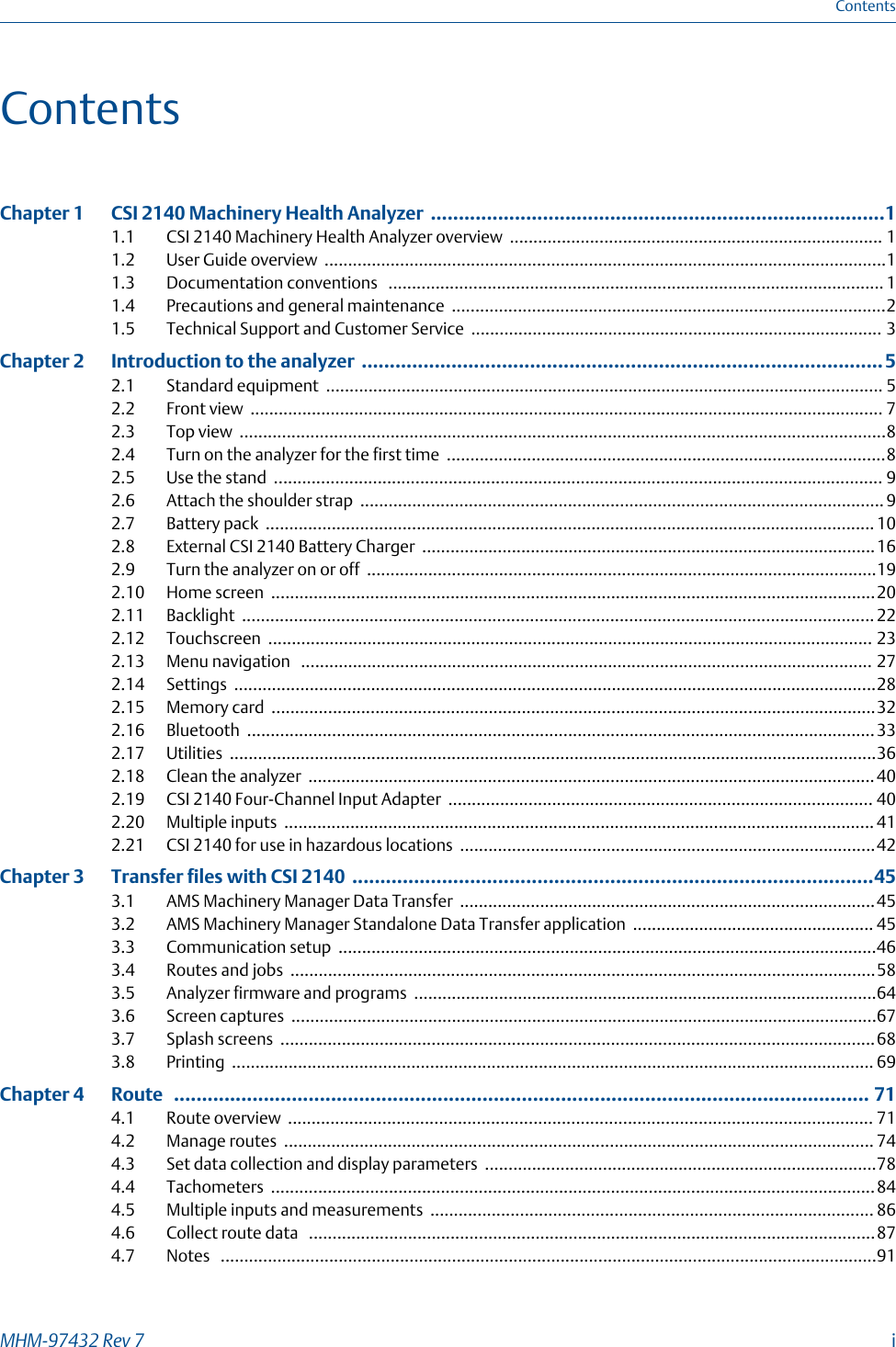
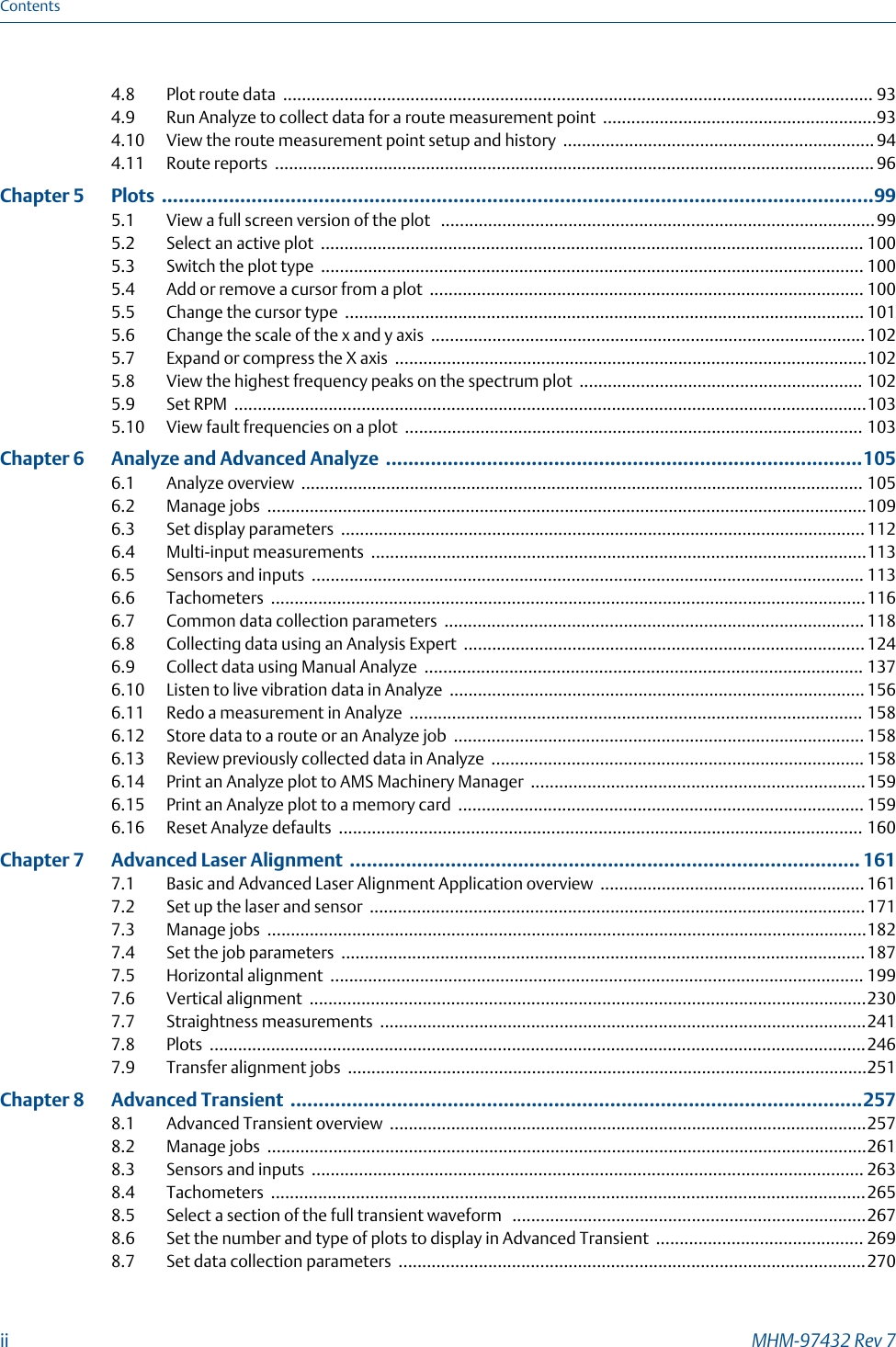
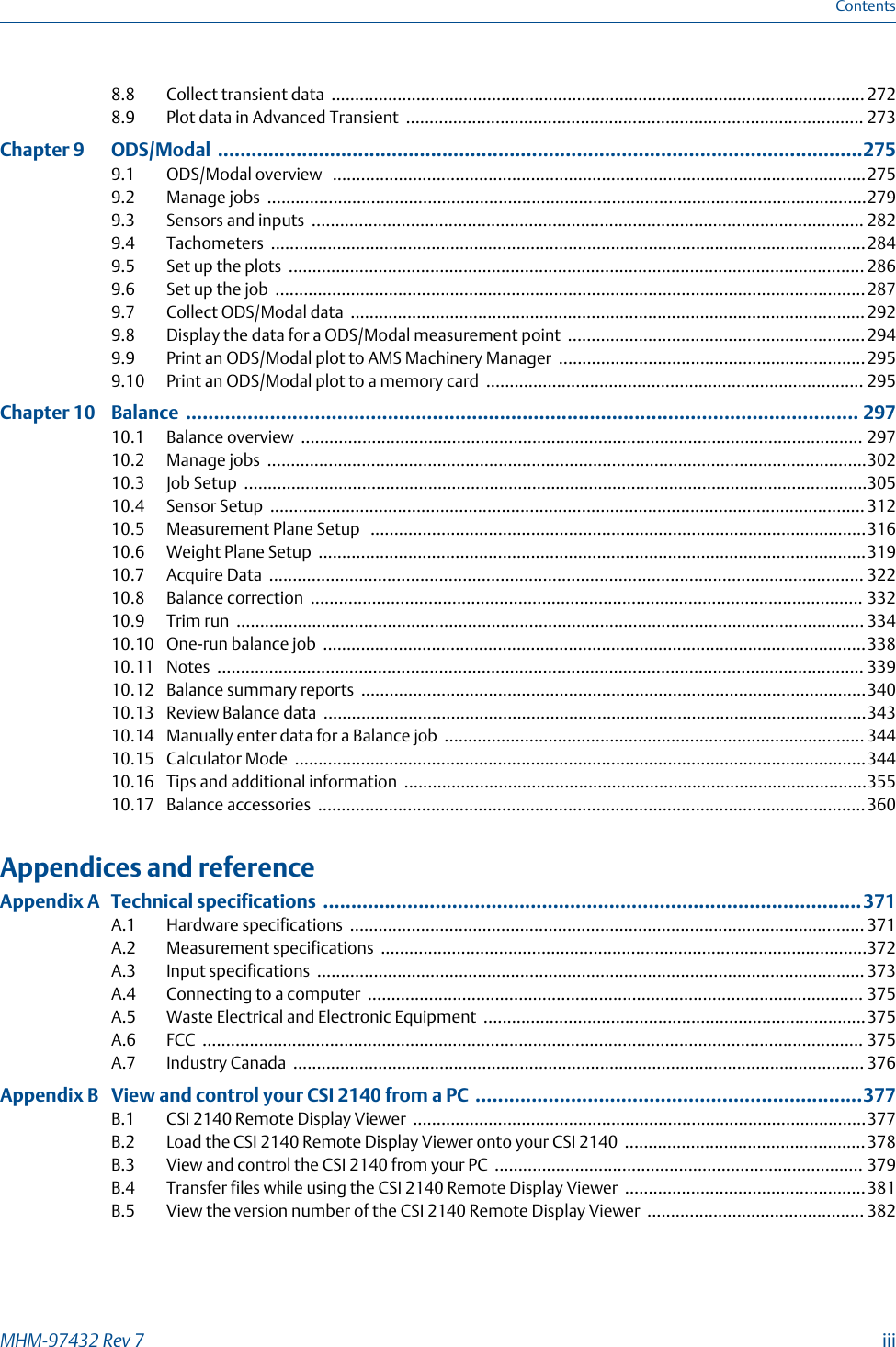
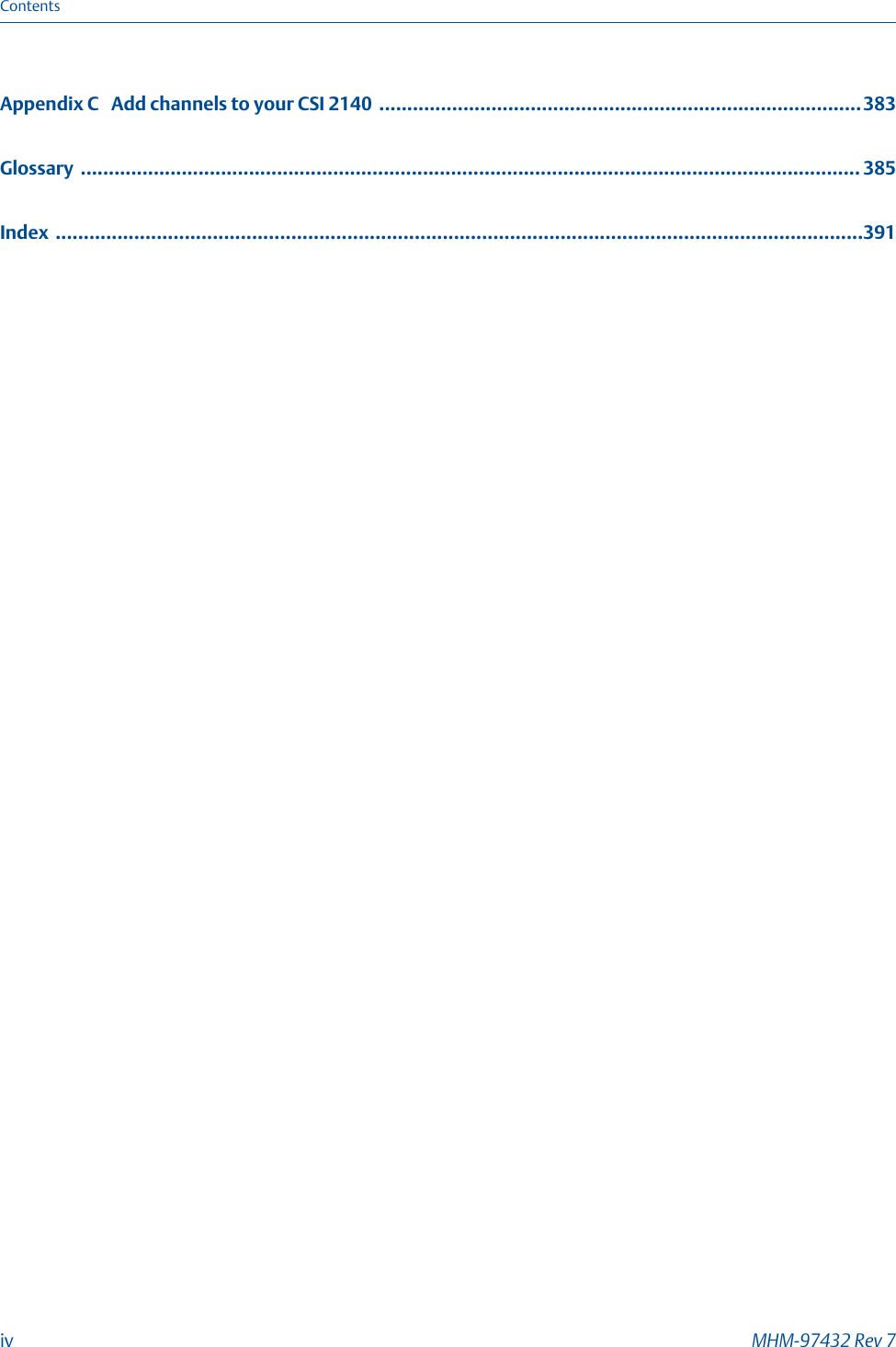
Contents
- 1. User Manaul
- 2. User manual Insert
- 3. User Manual
- 4. User Manual insert
User Manaul



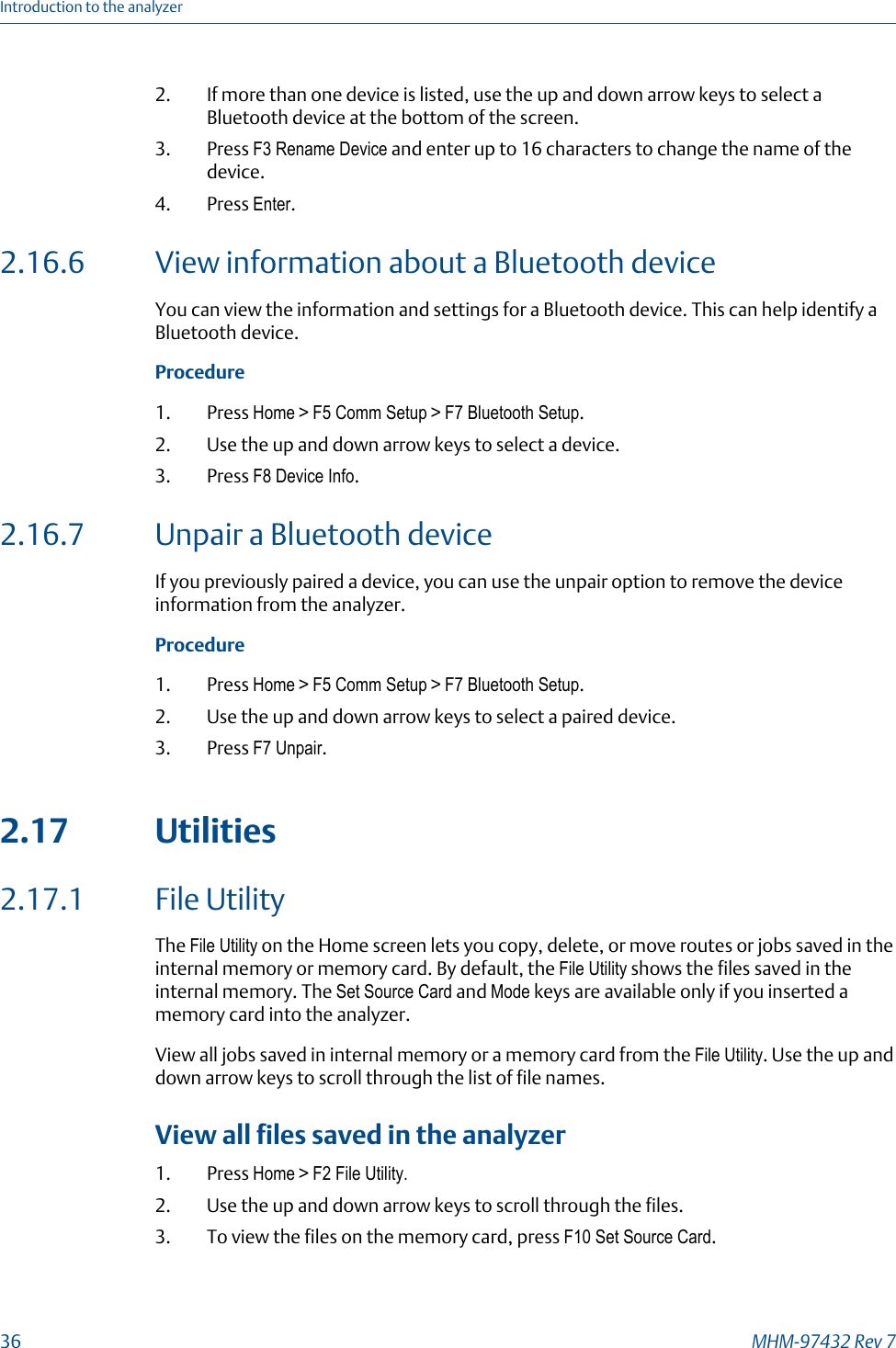
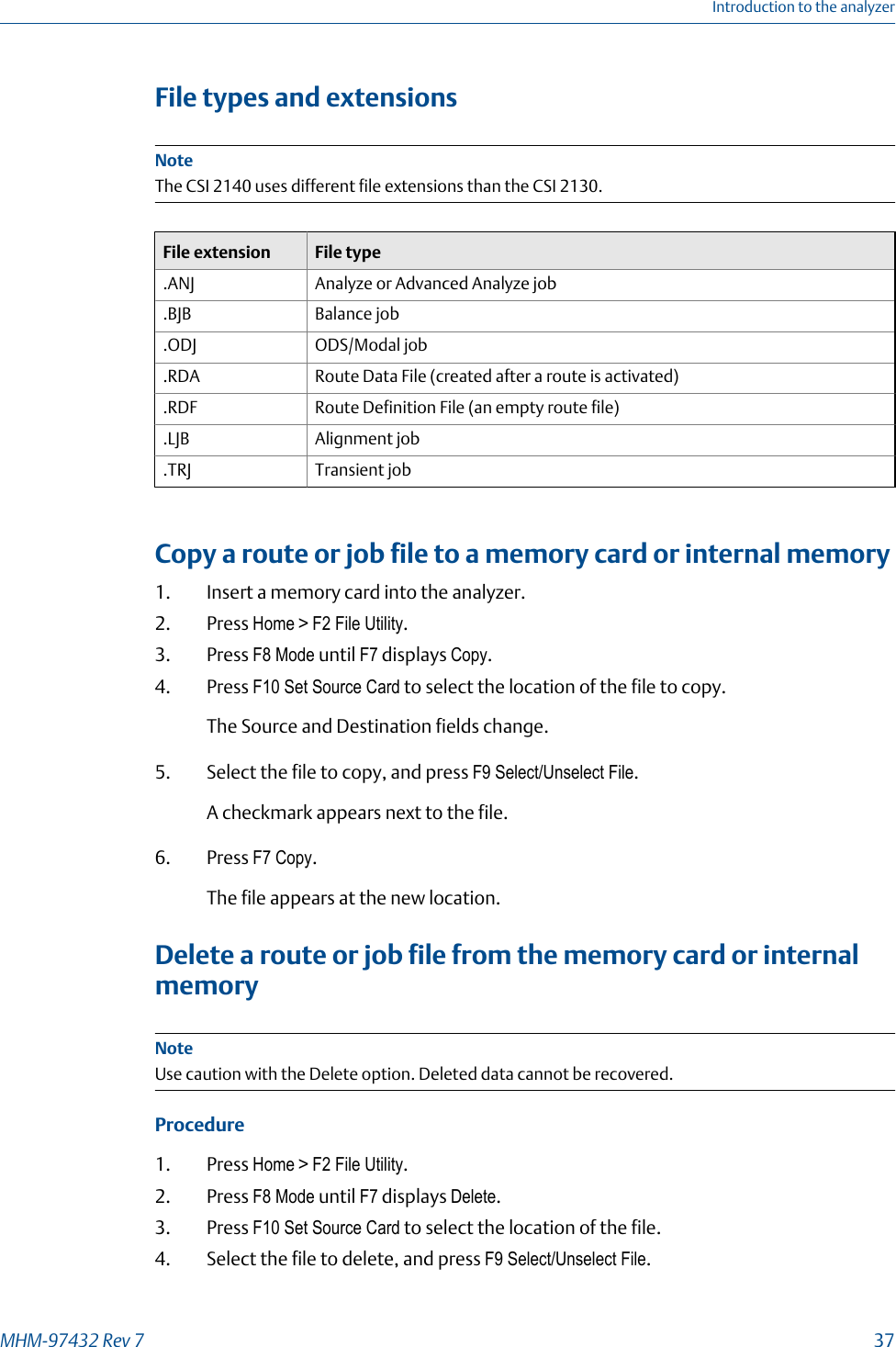
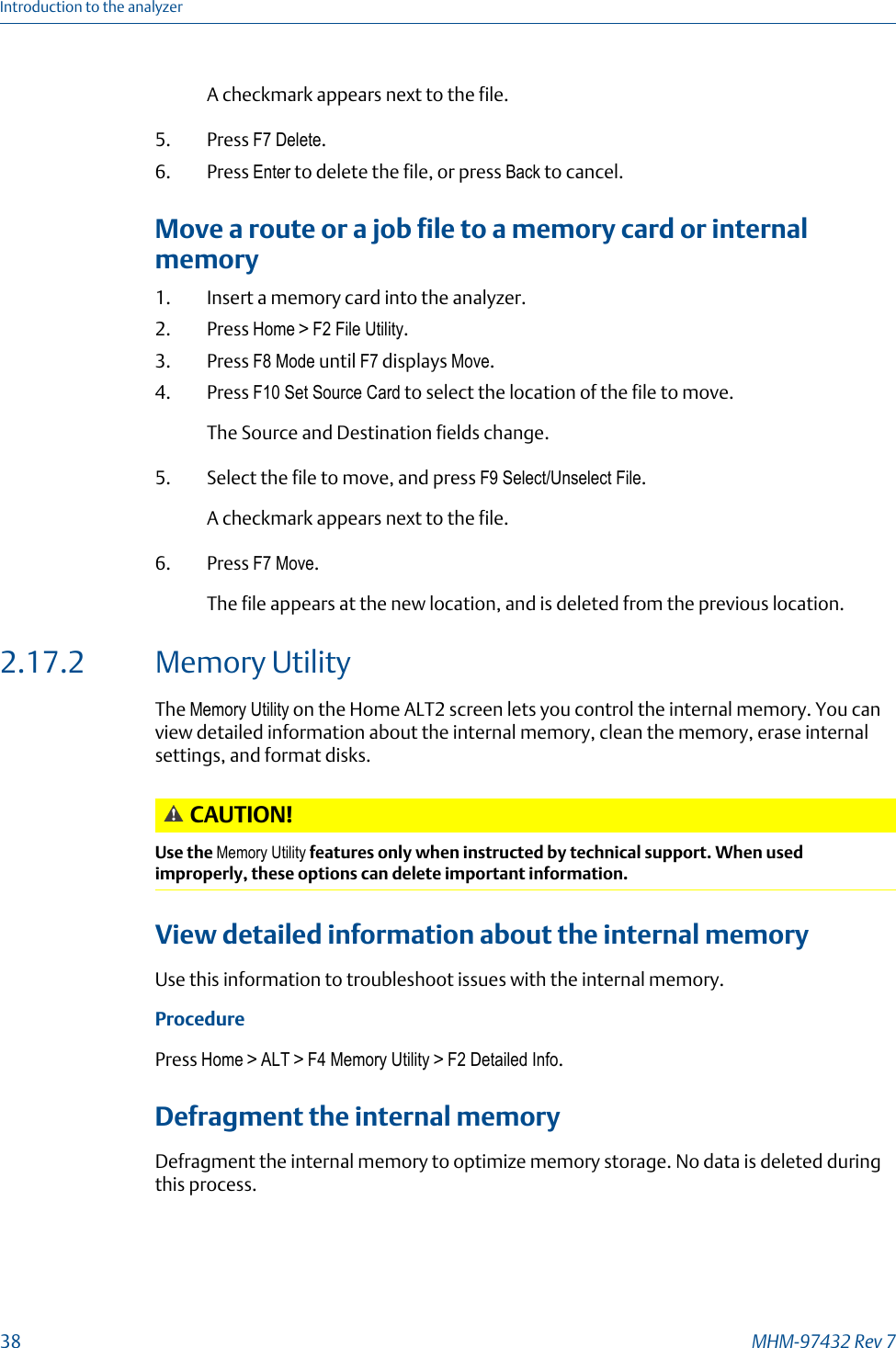
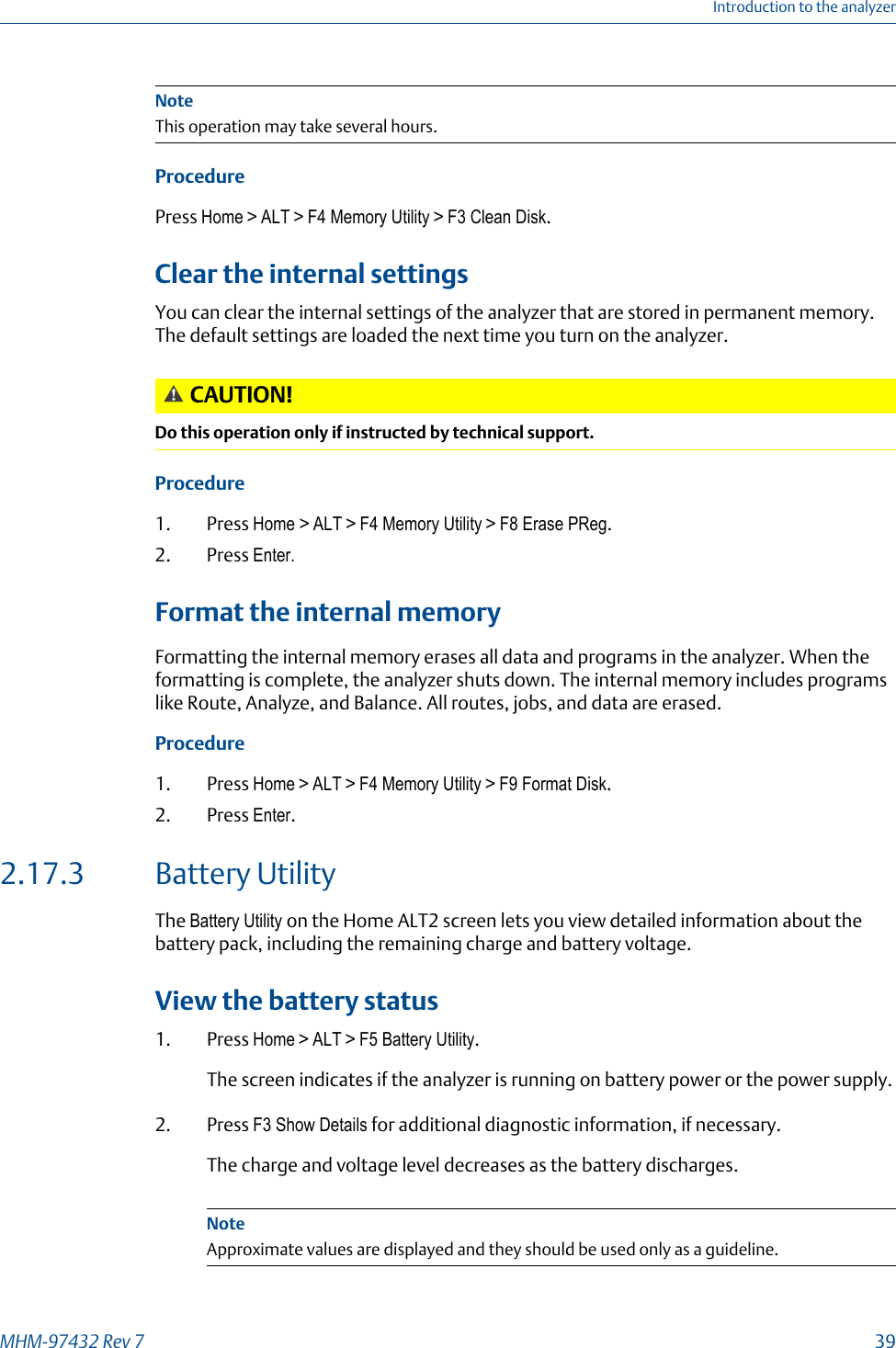
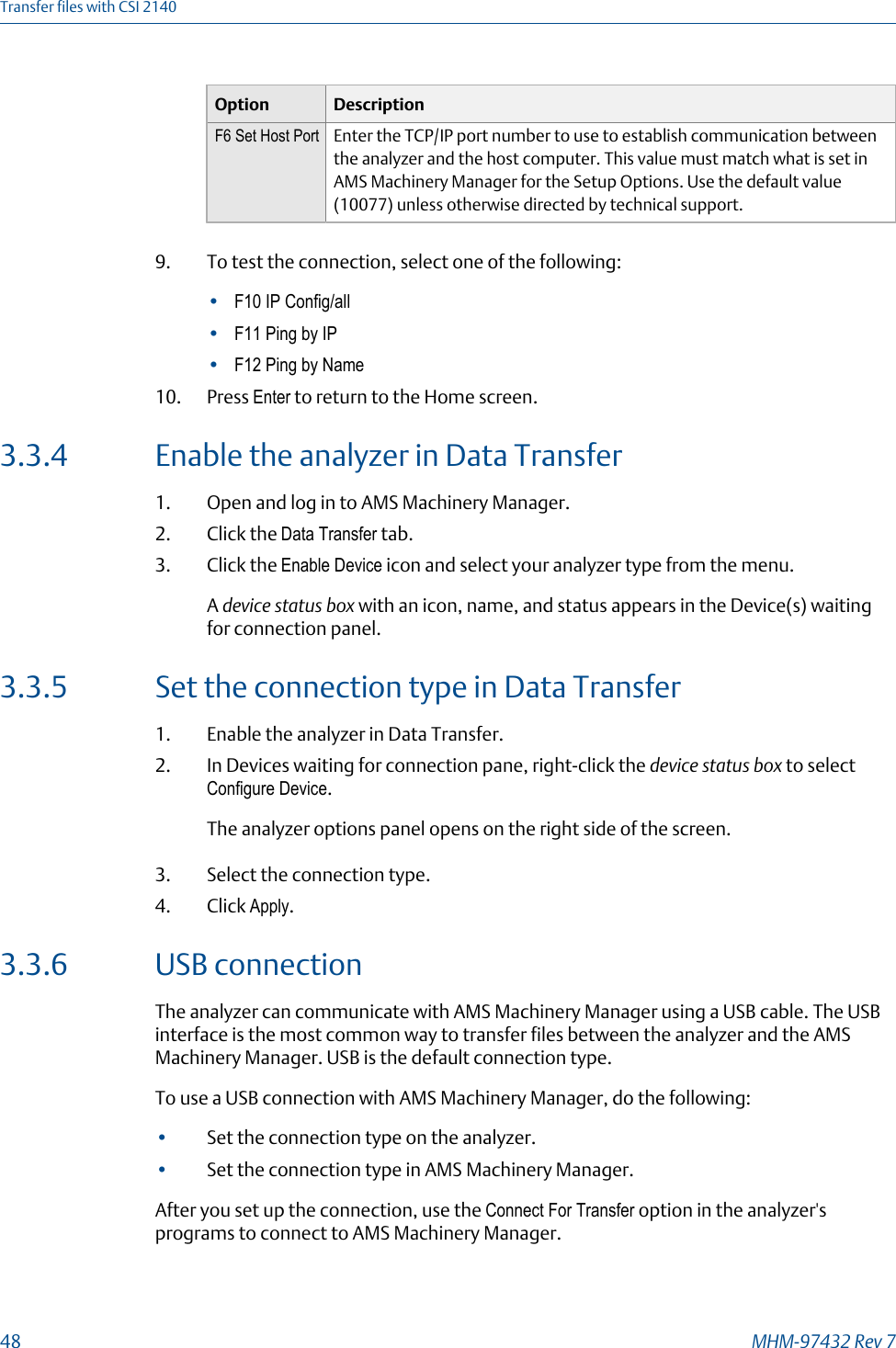
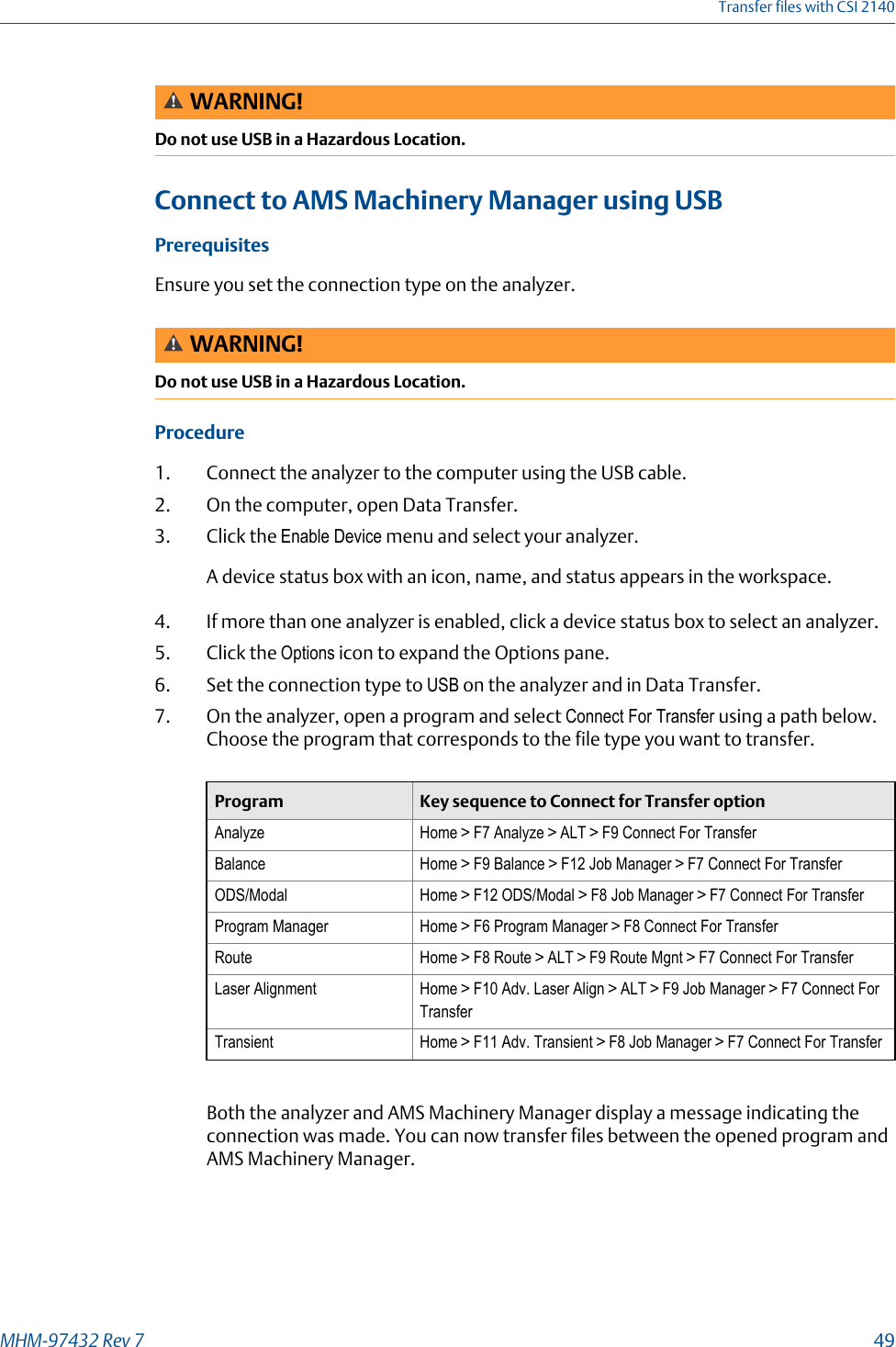
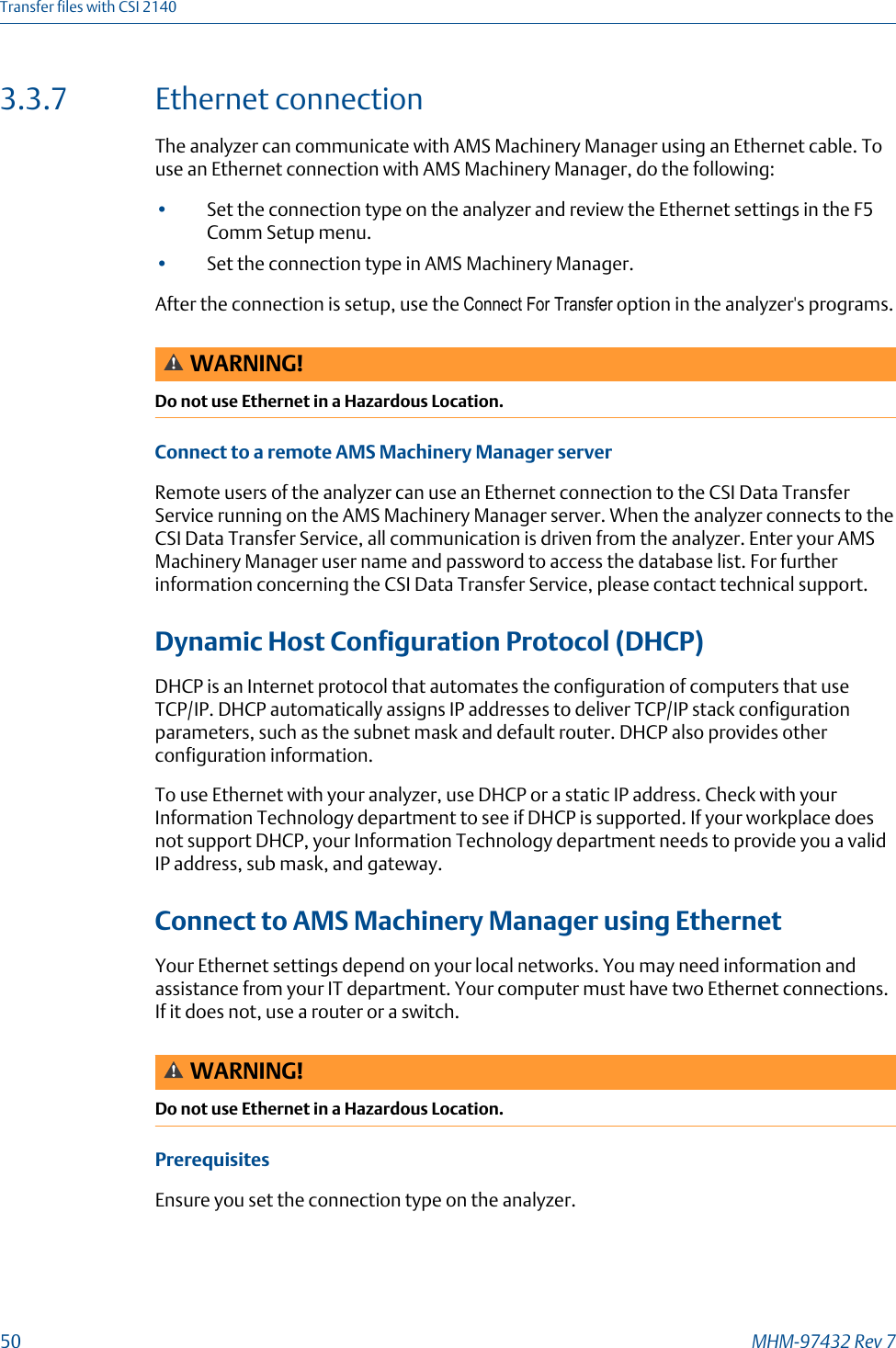
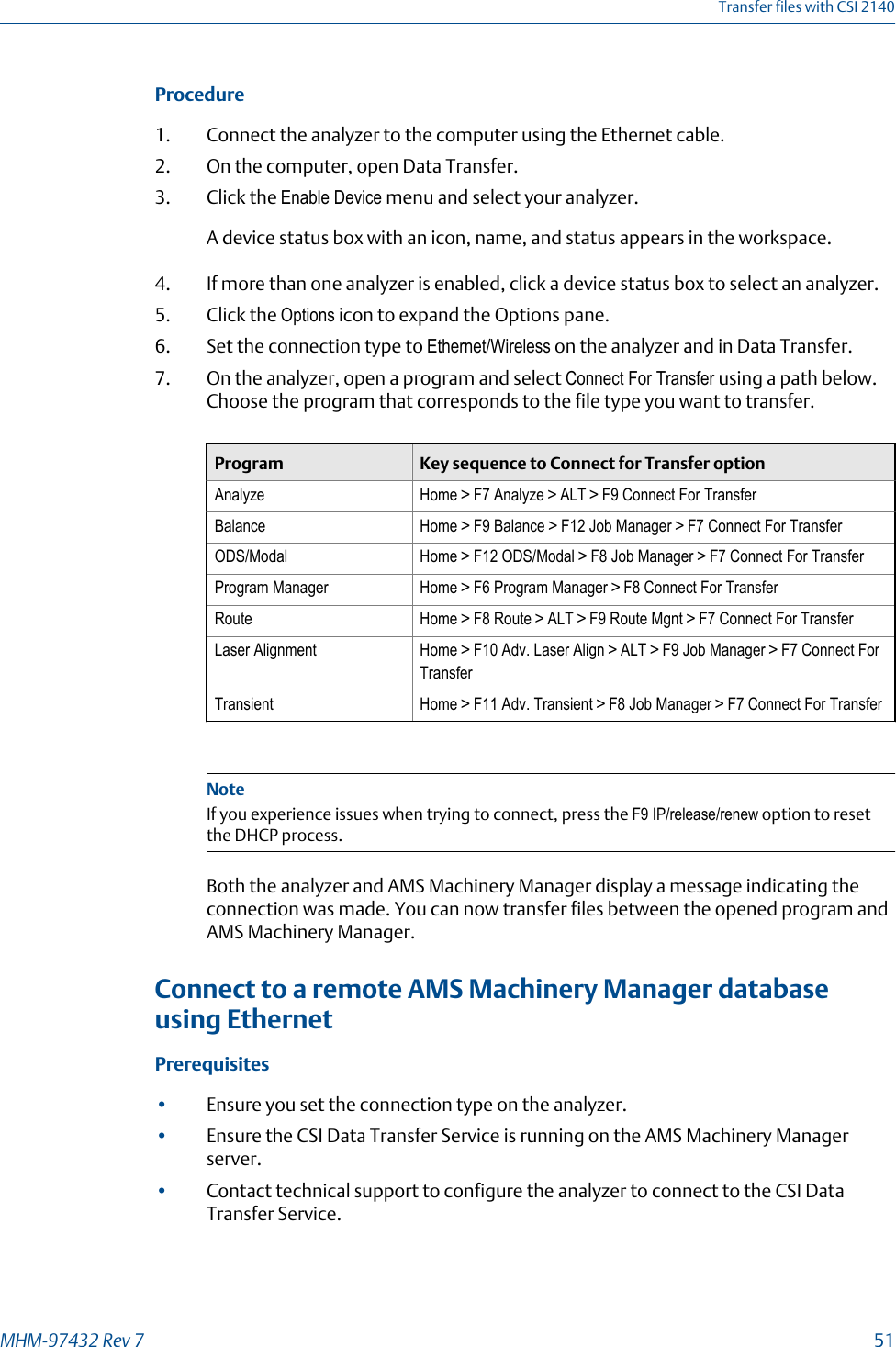
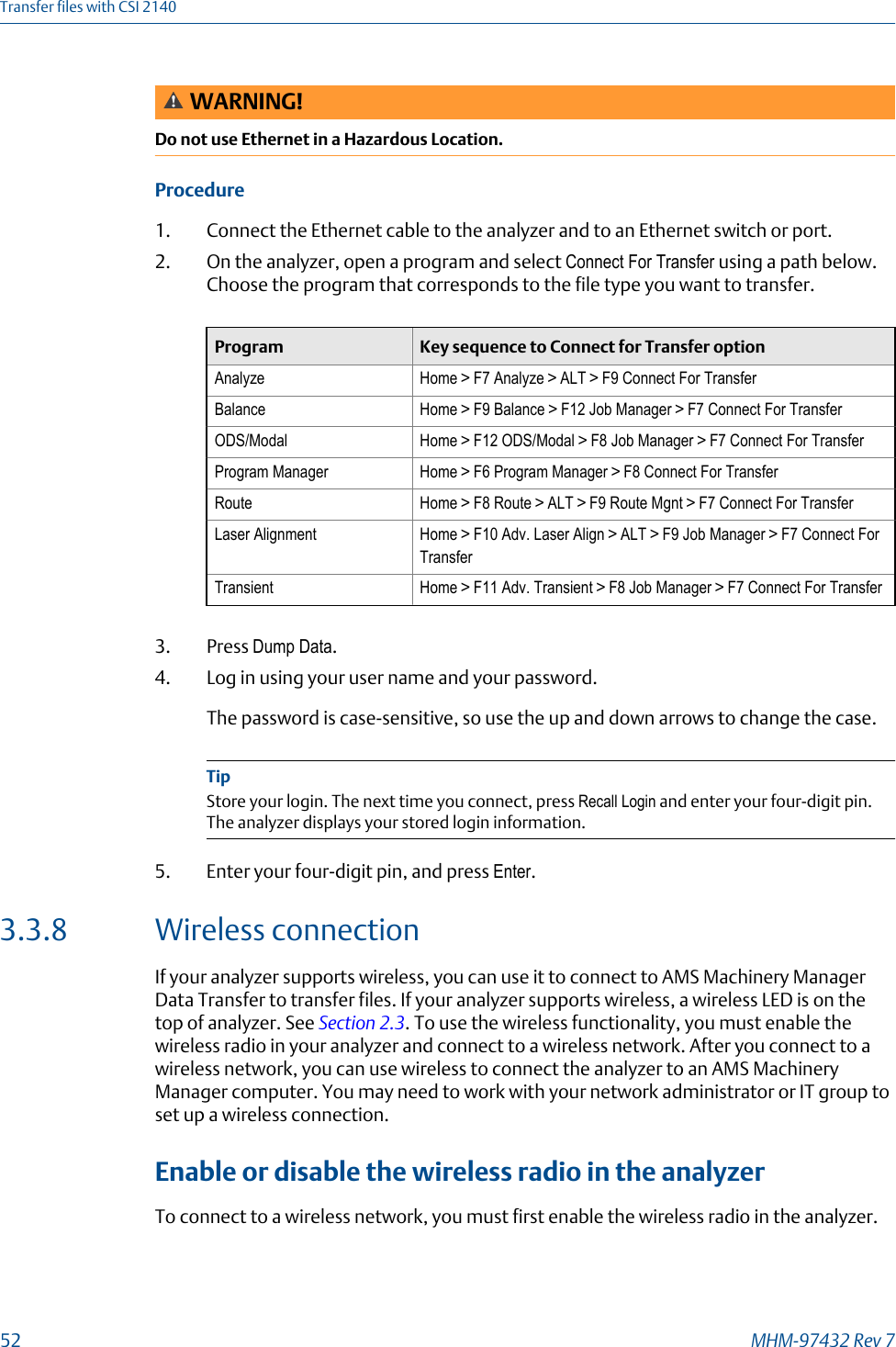
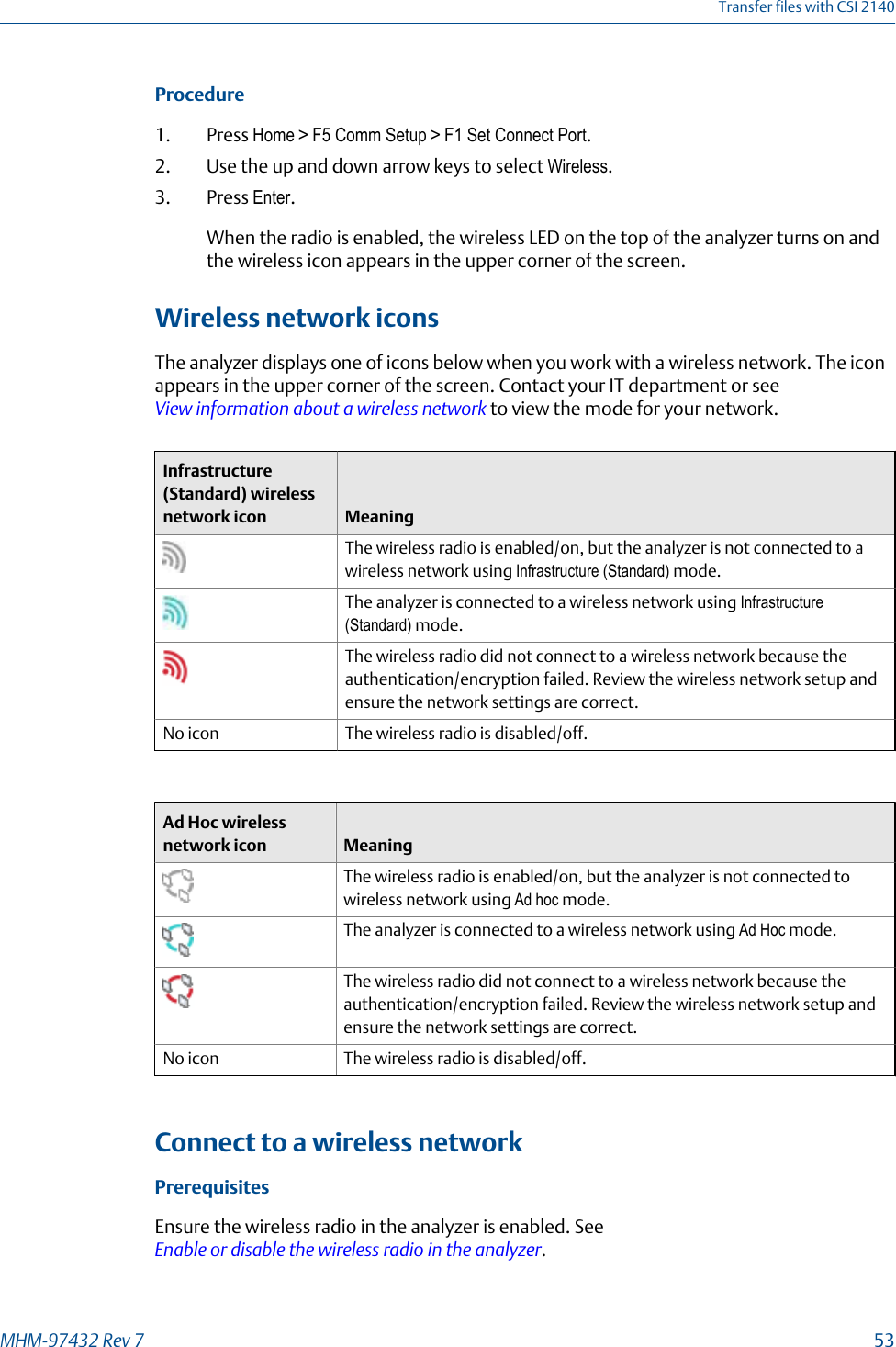
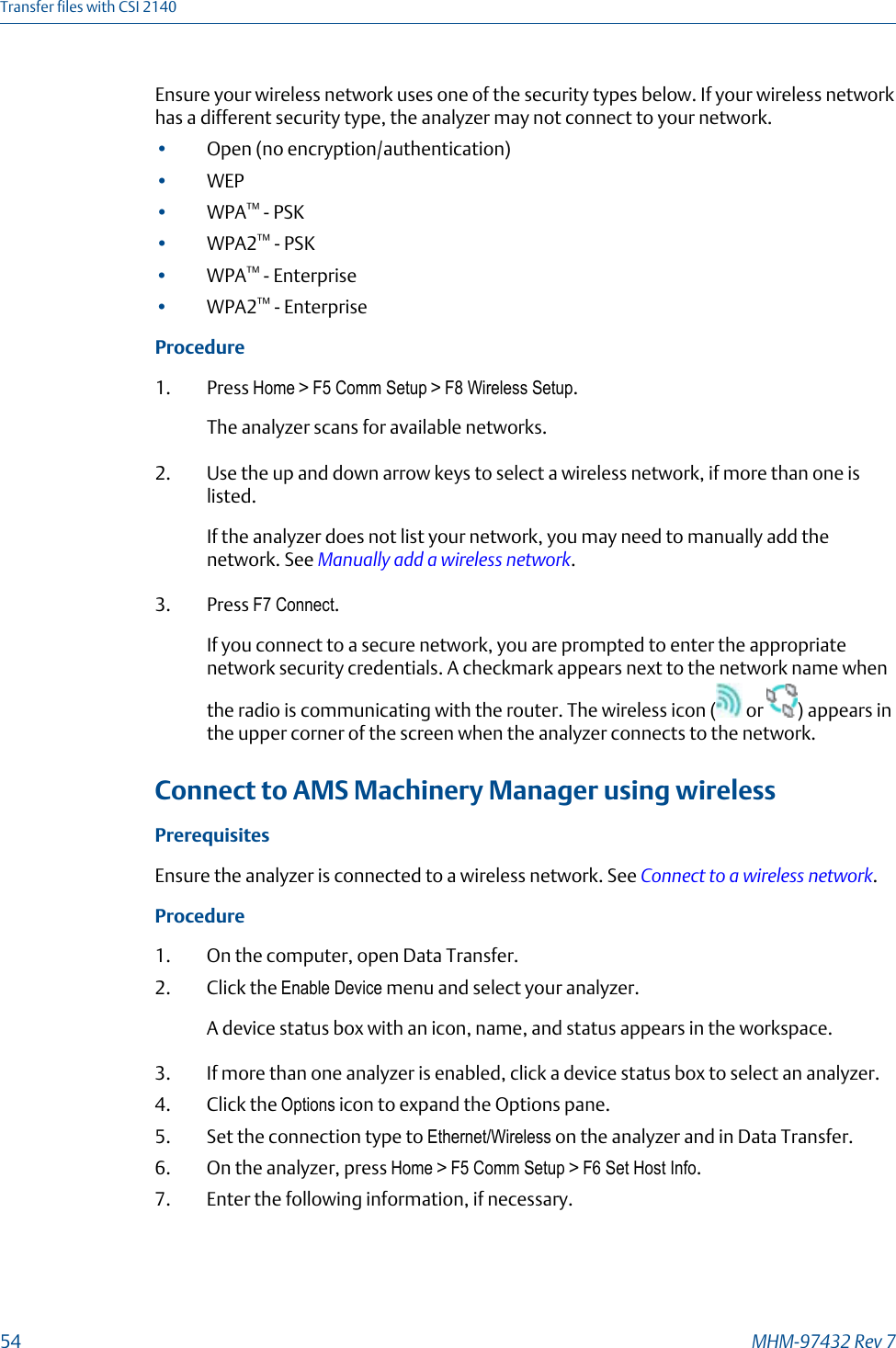
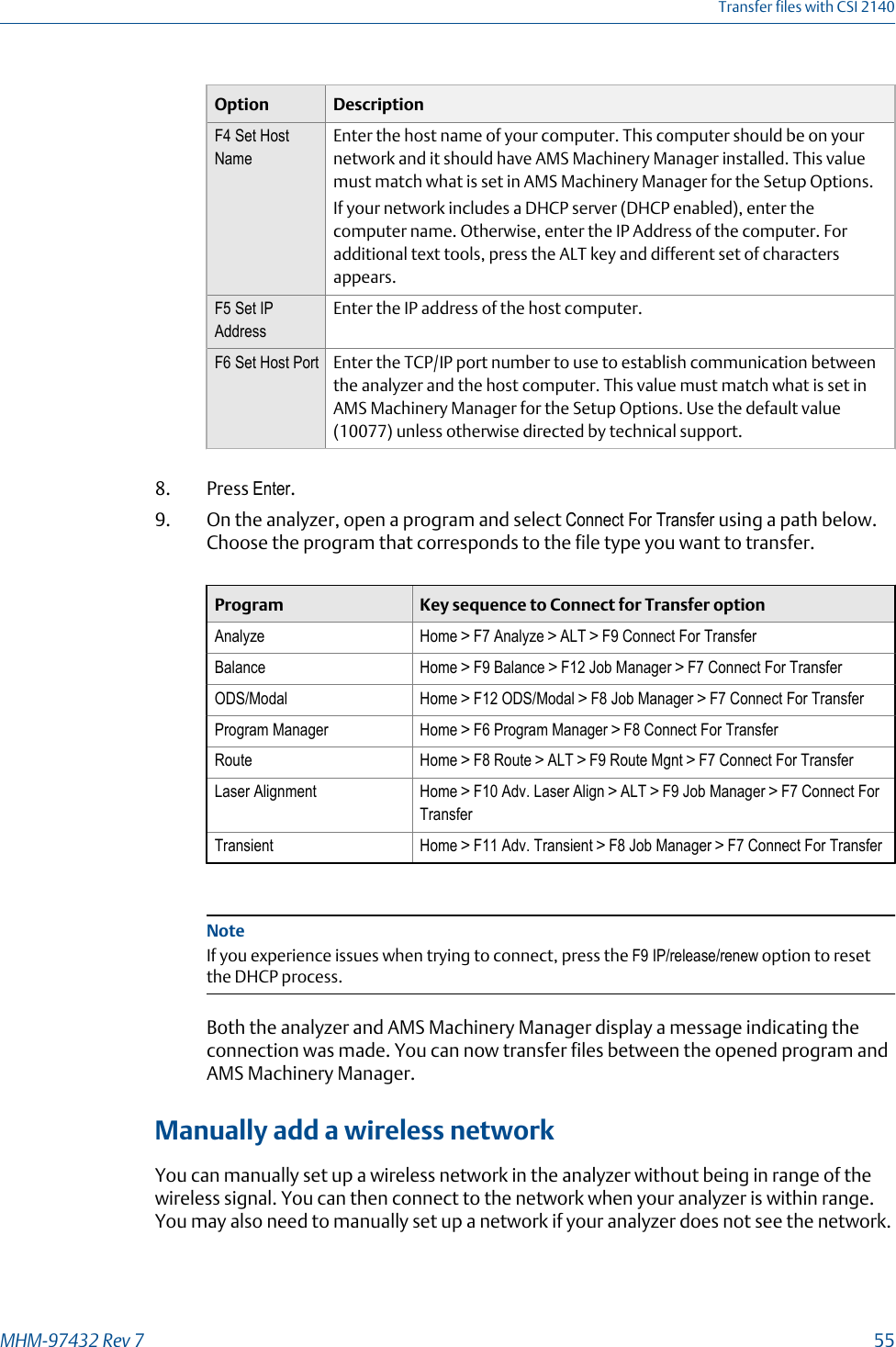
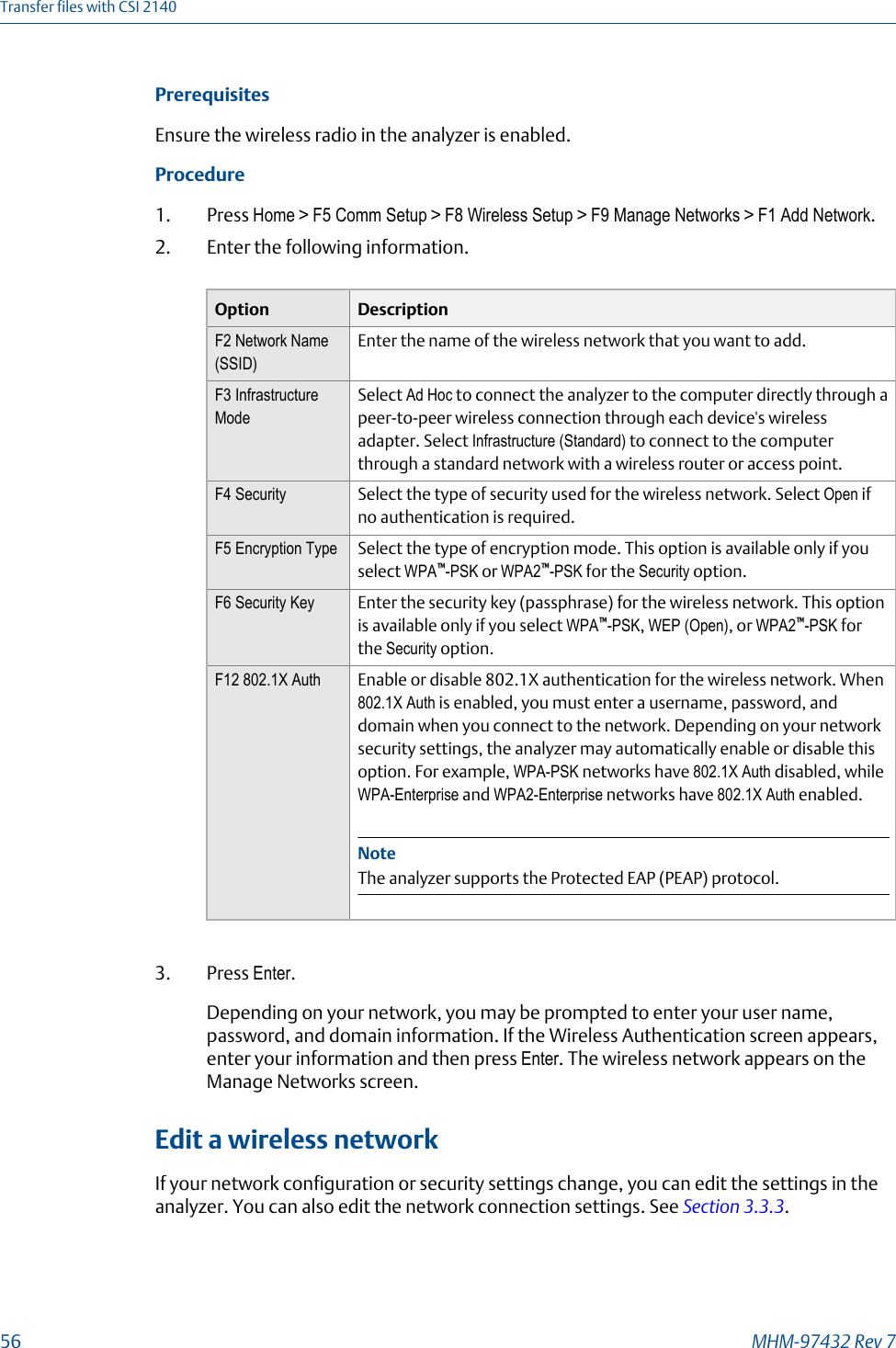
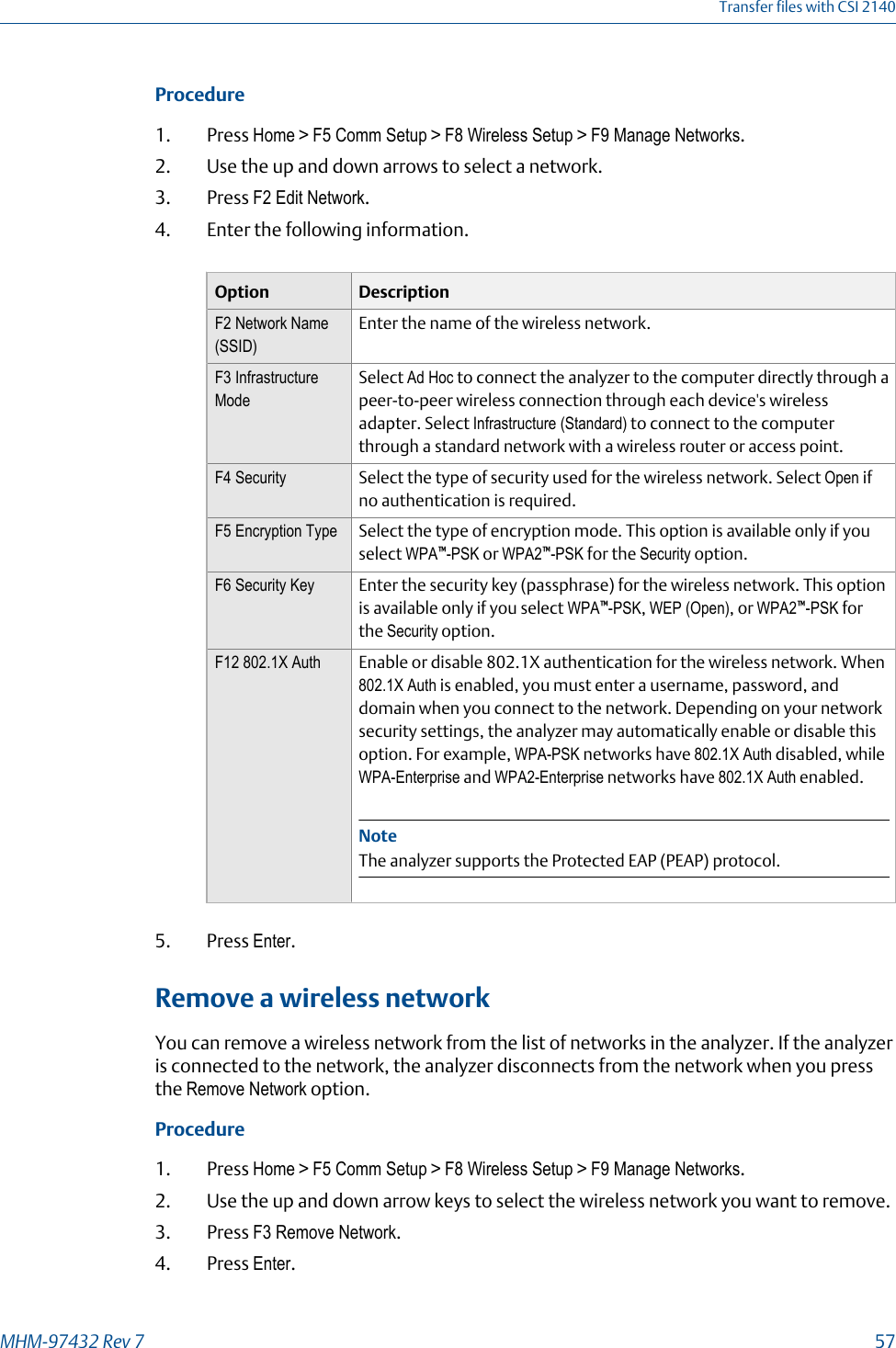
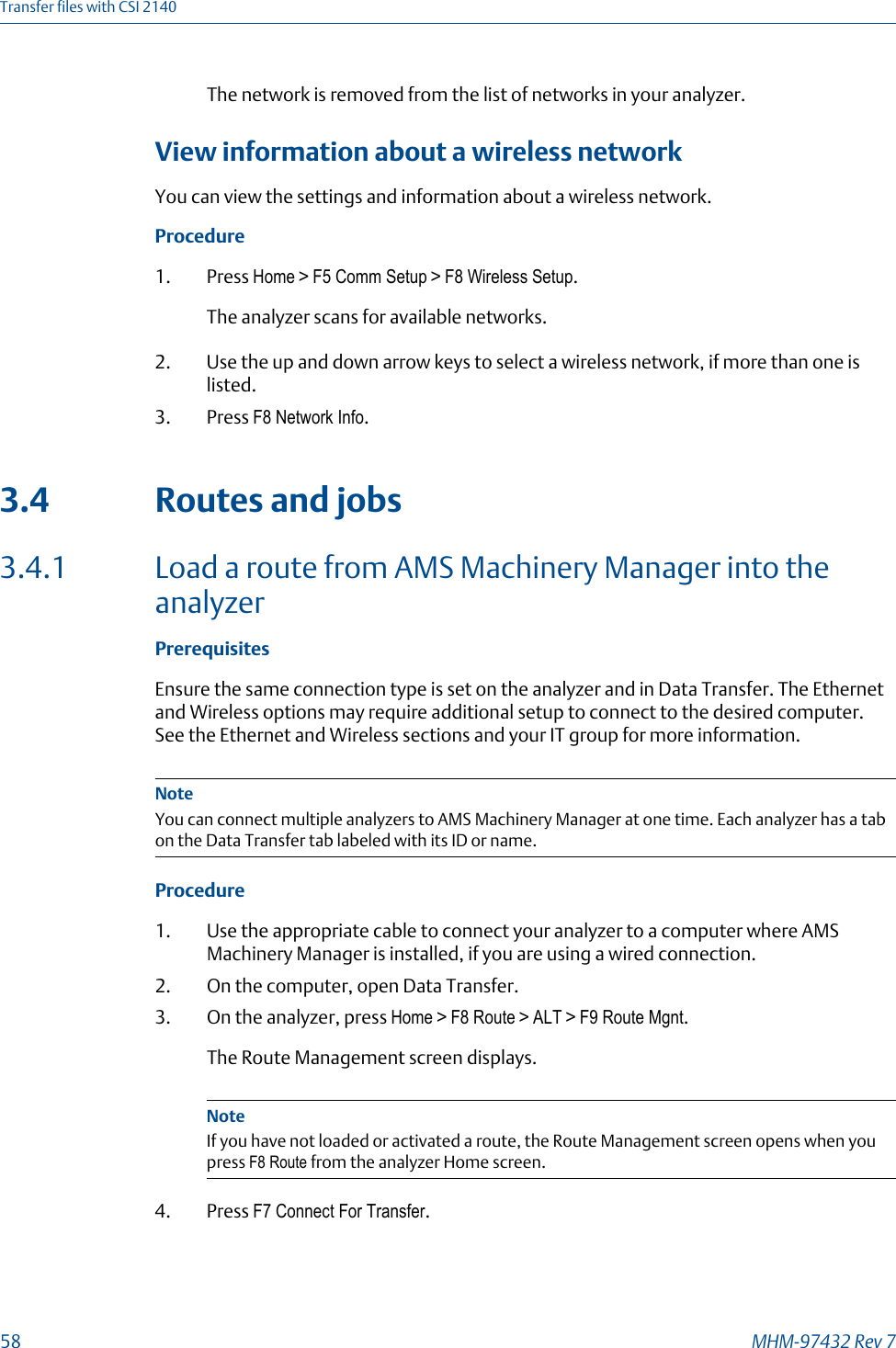
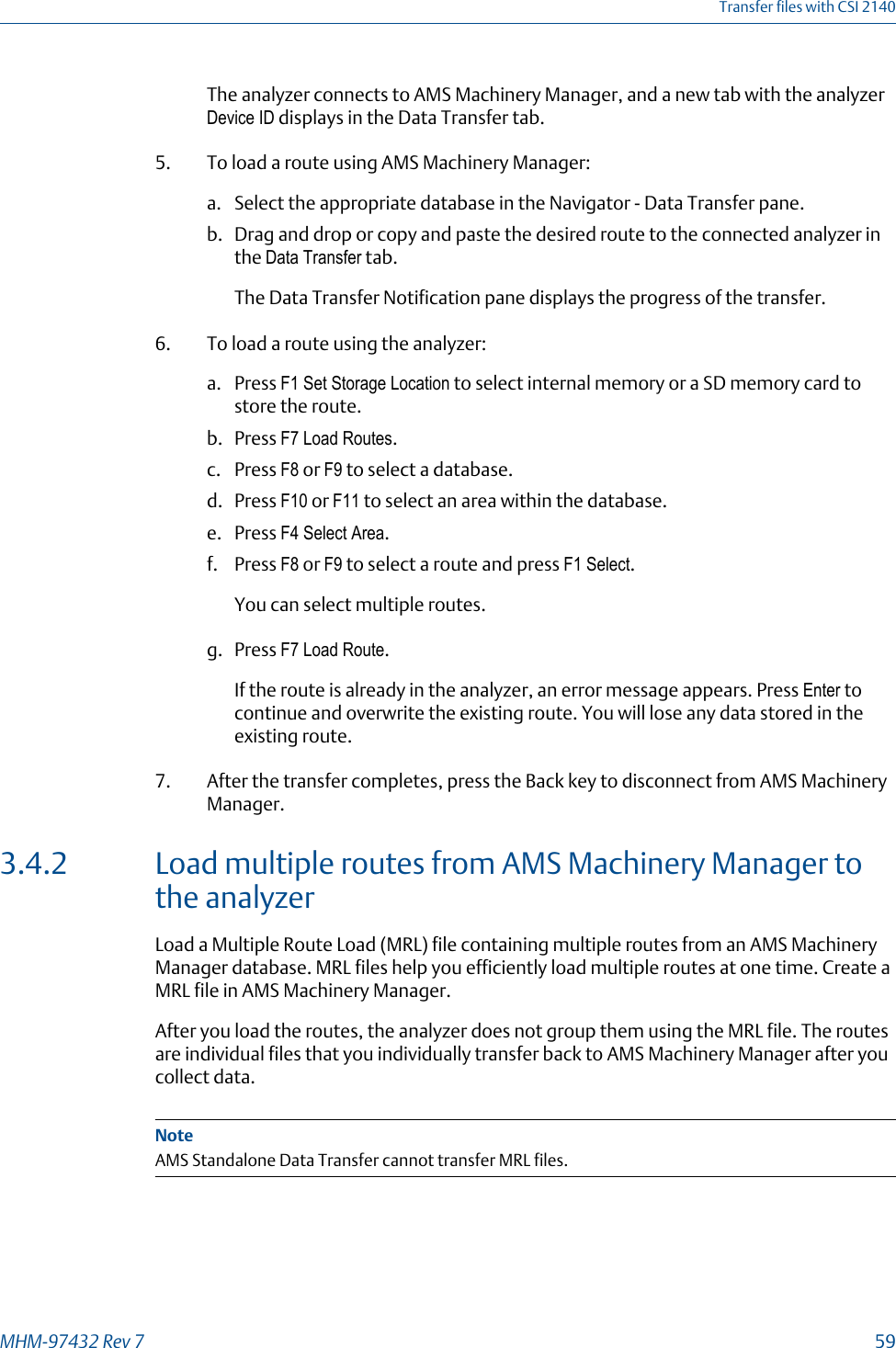
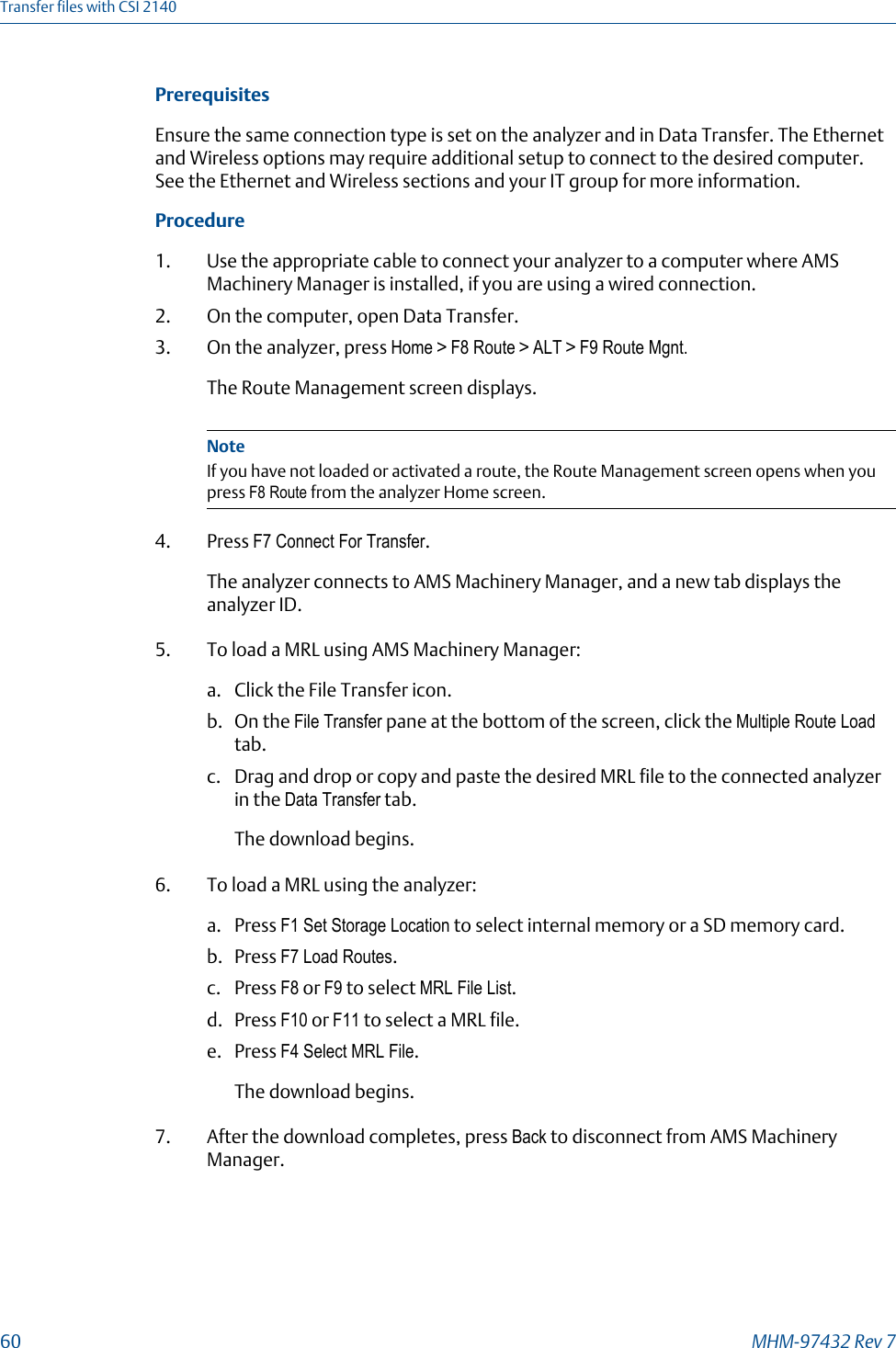
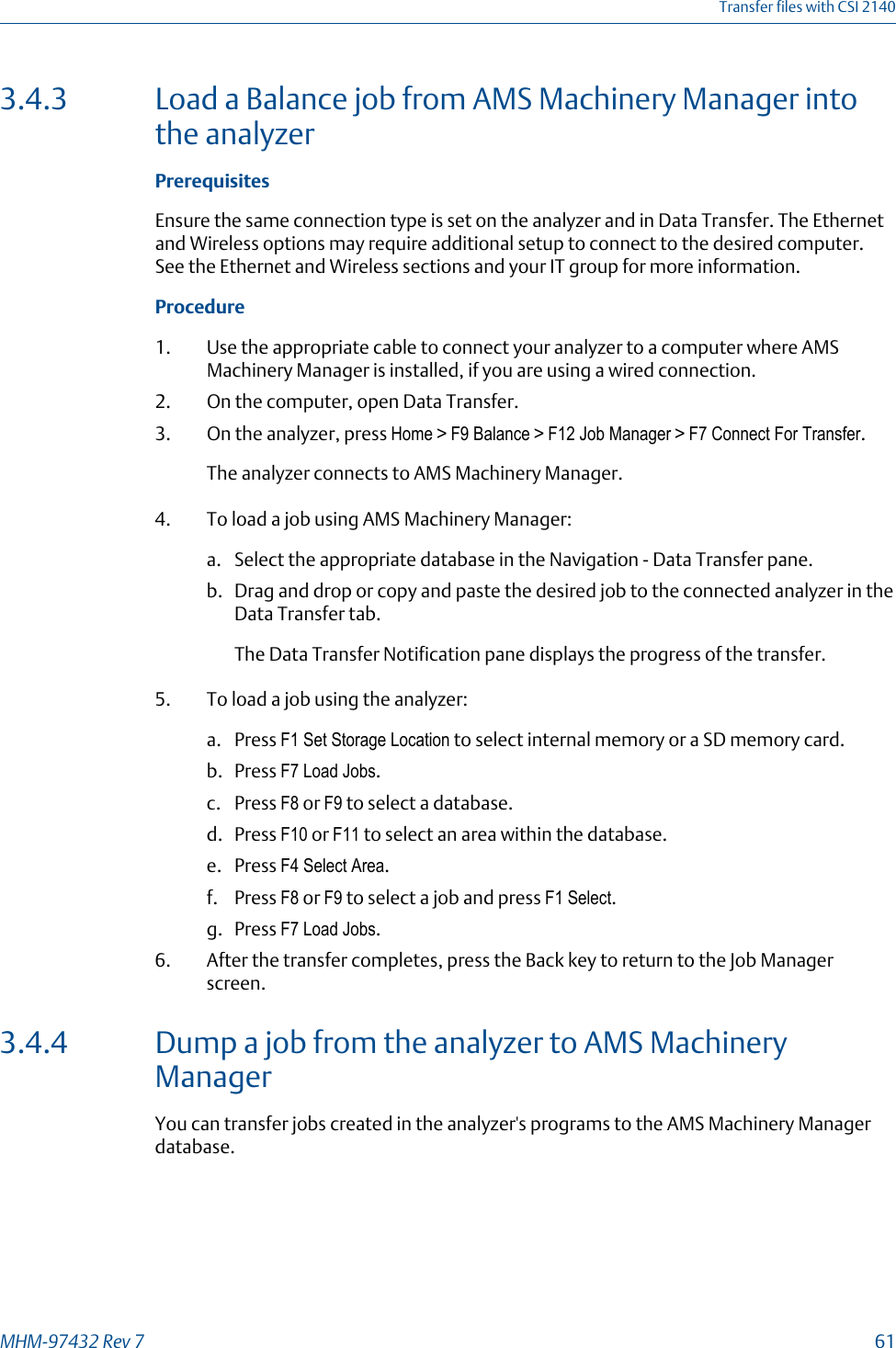
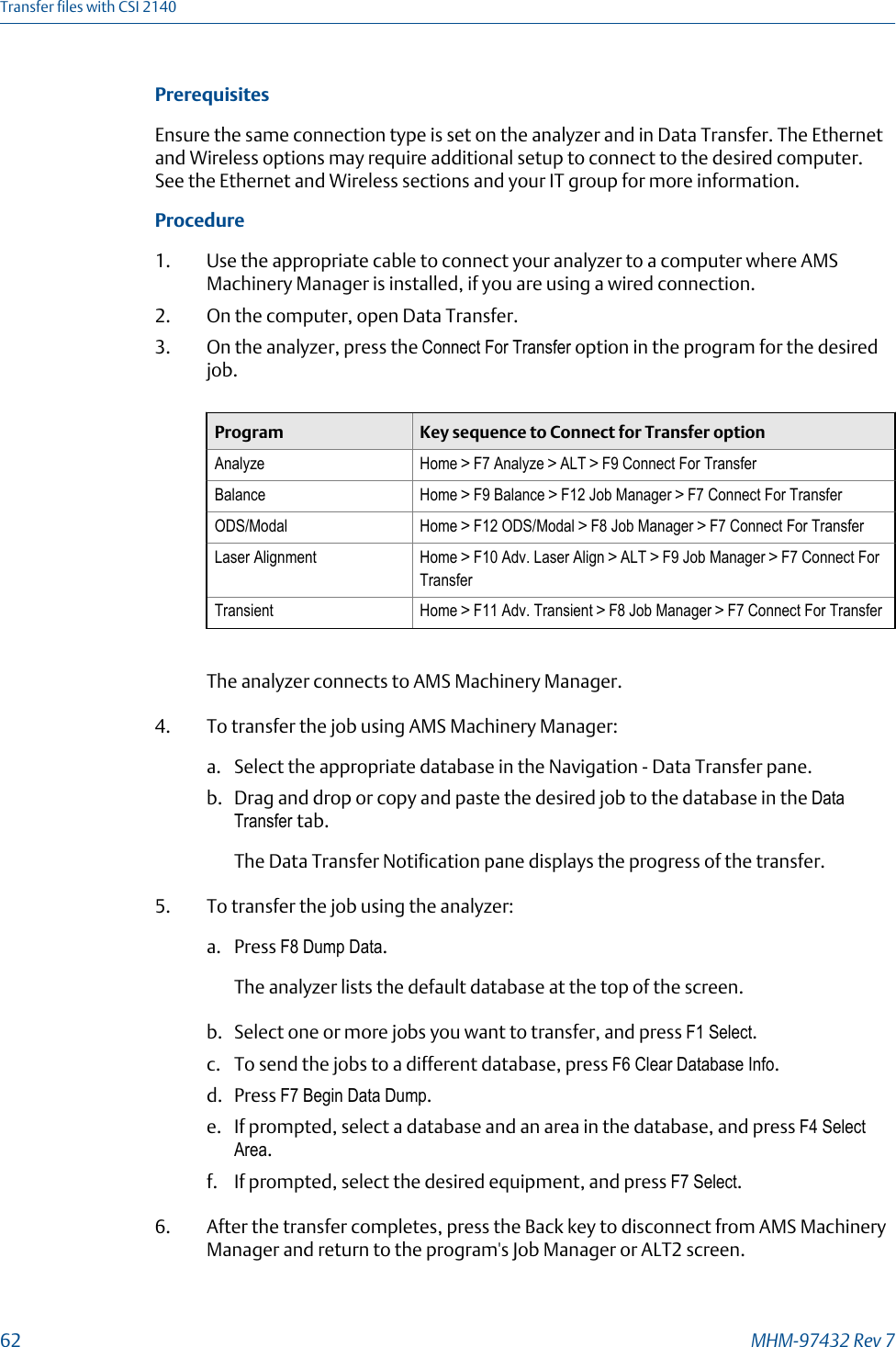
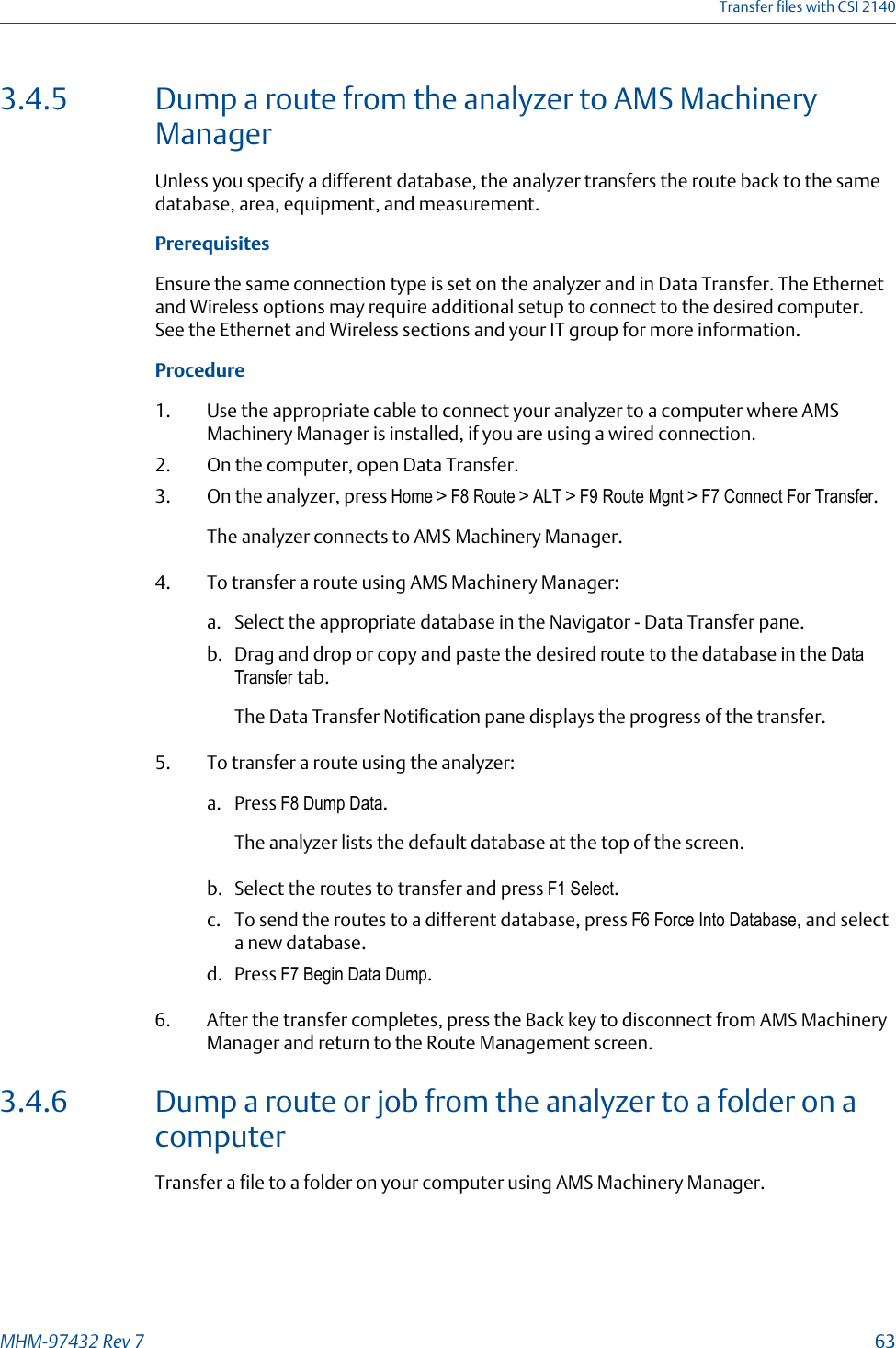
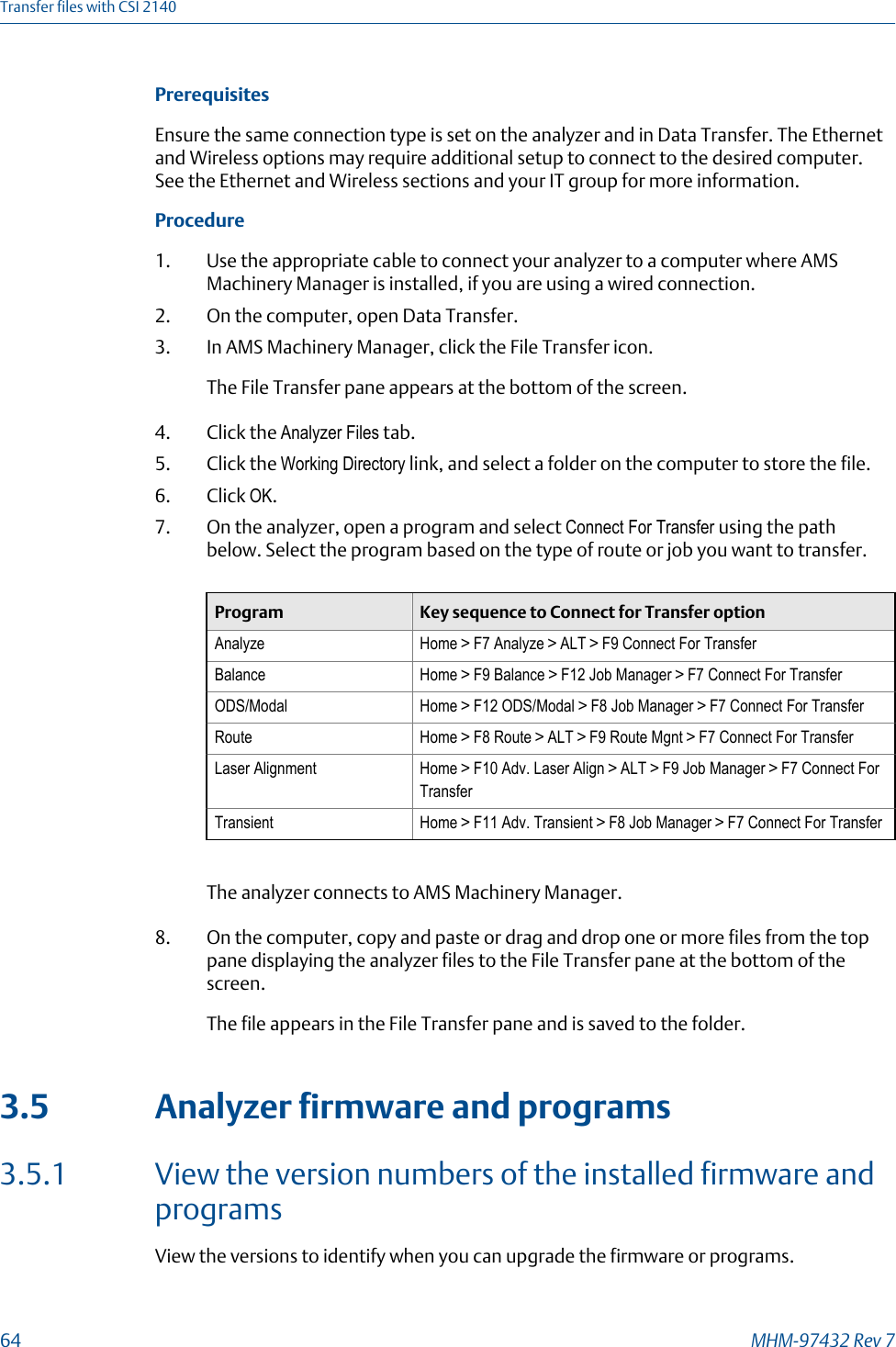
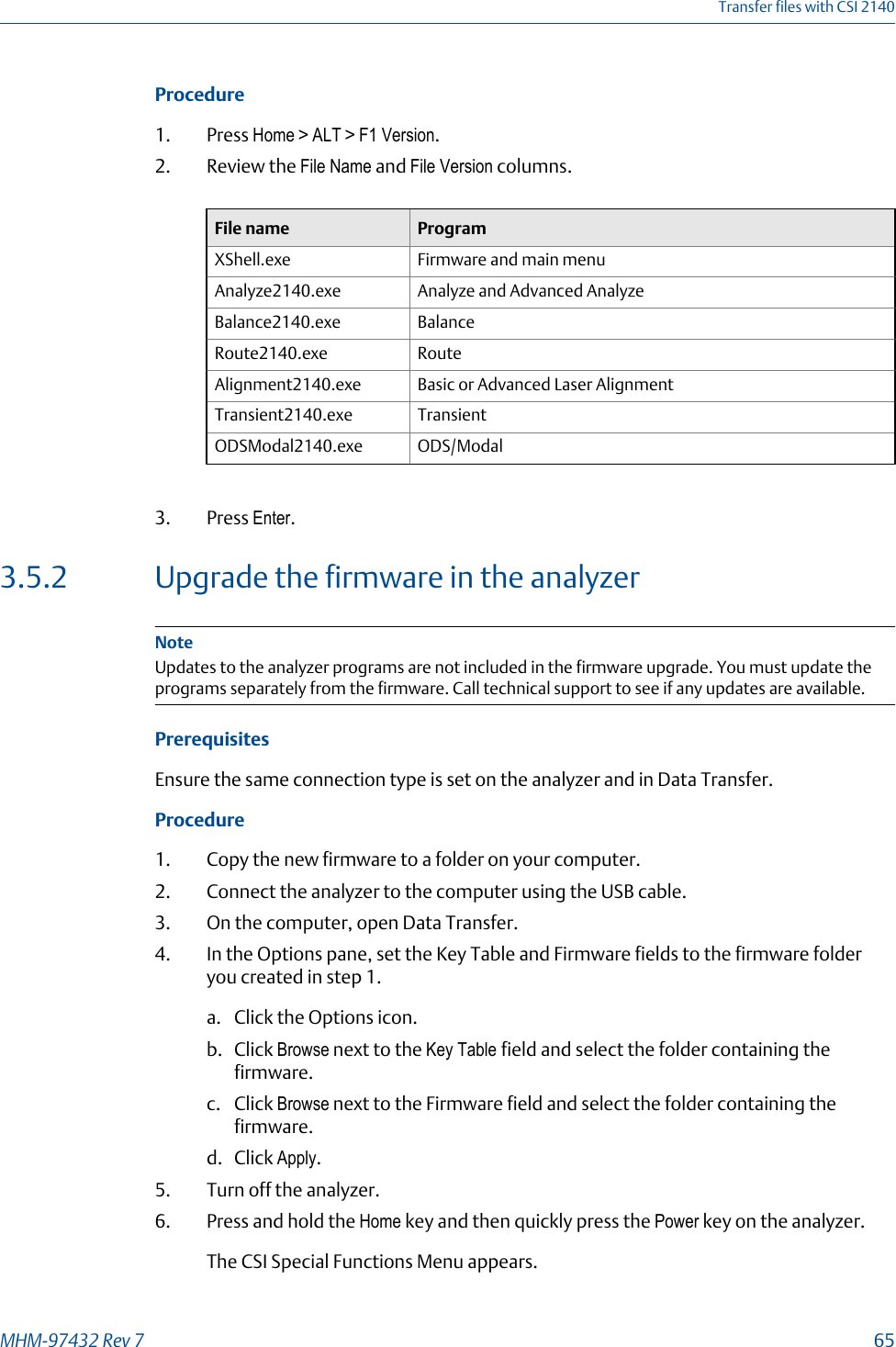
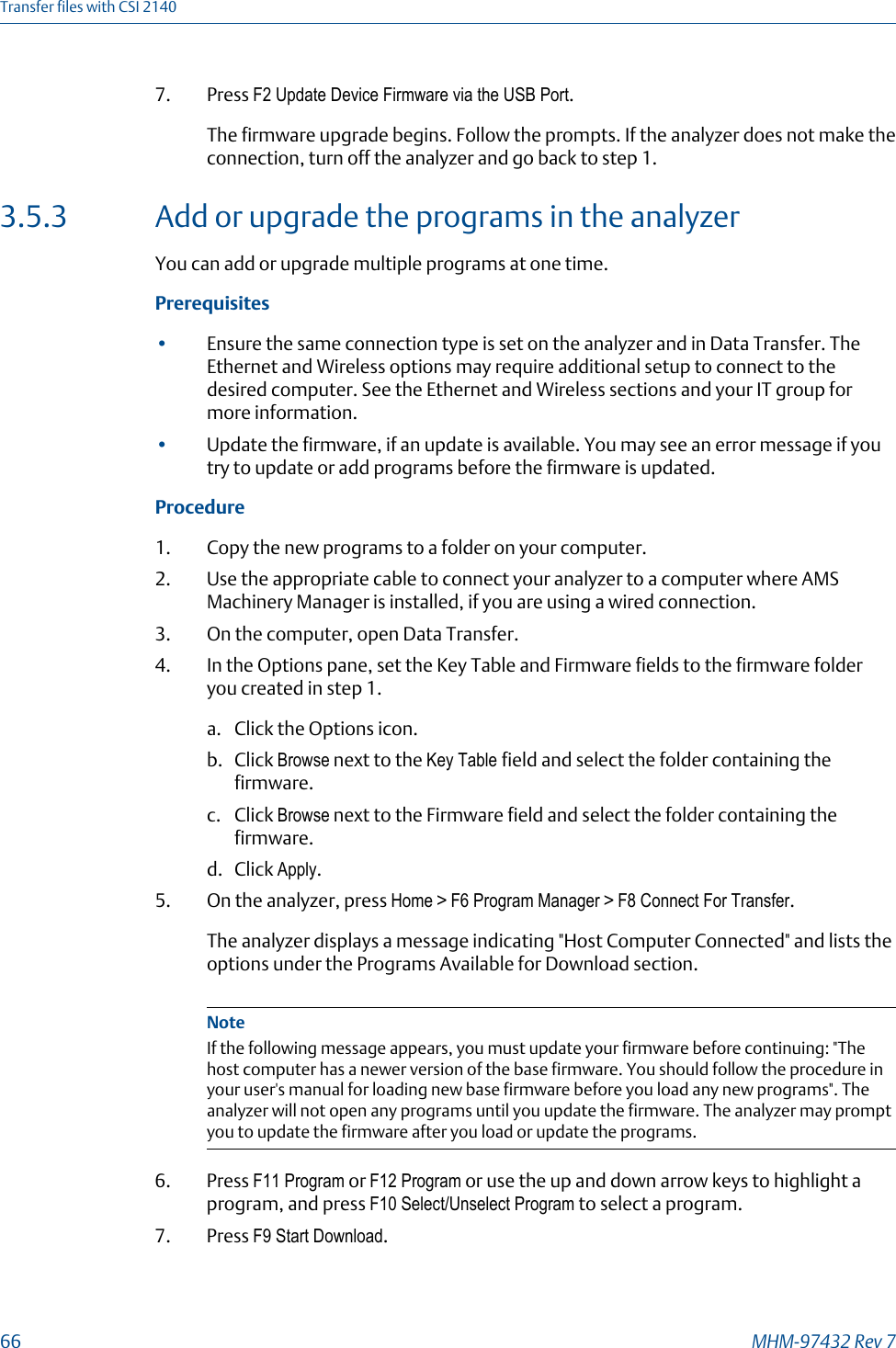
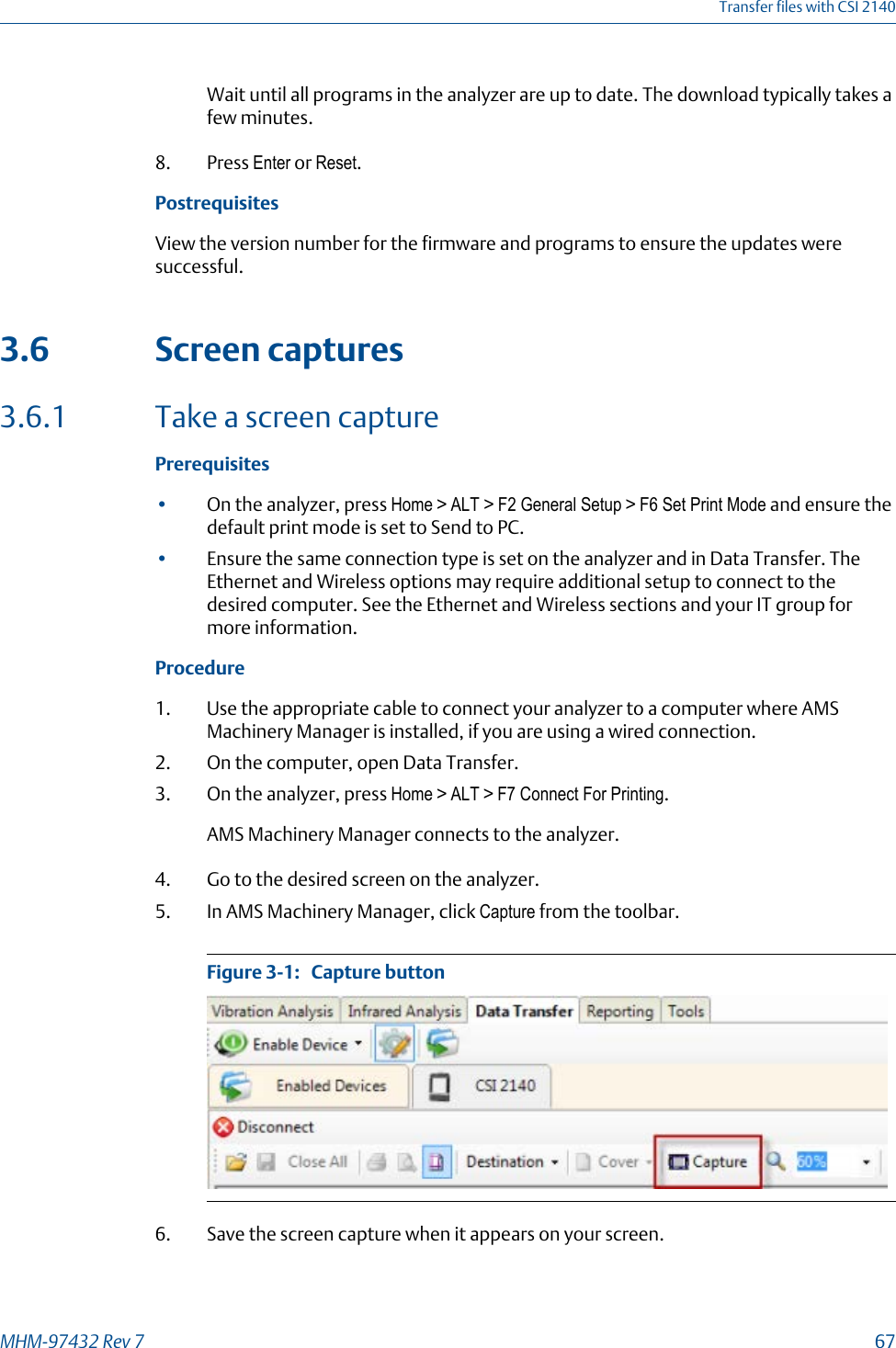
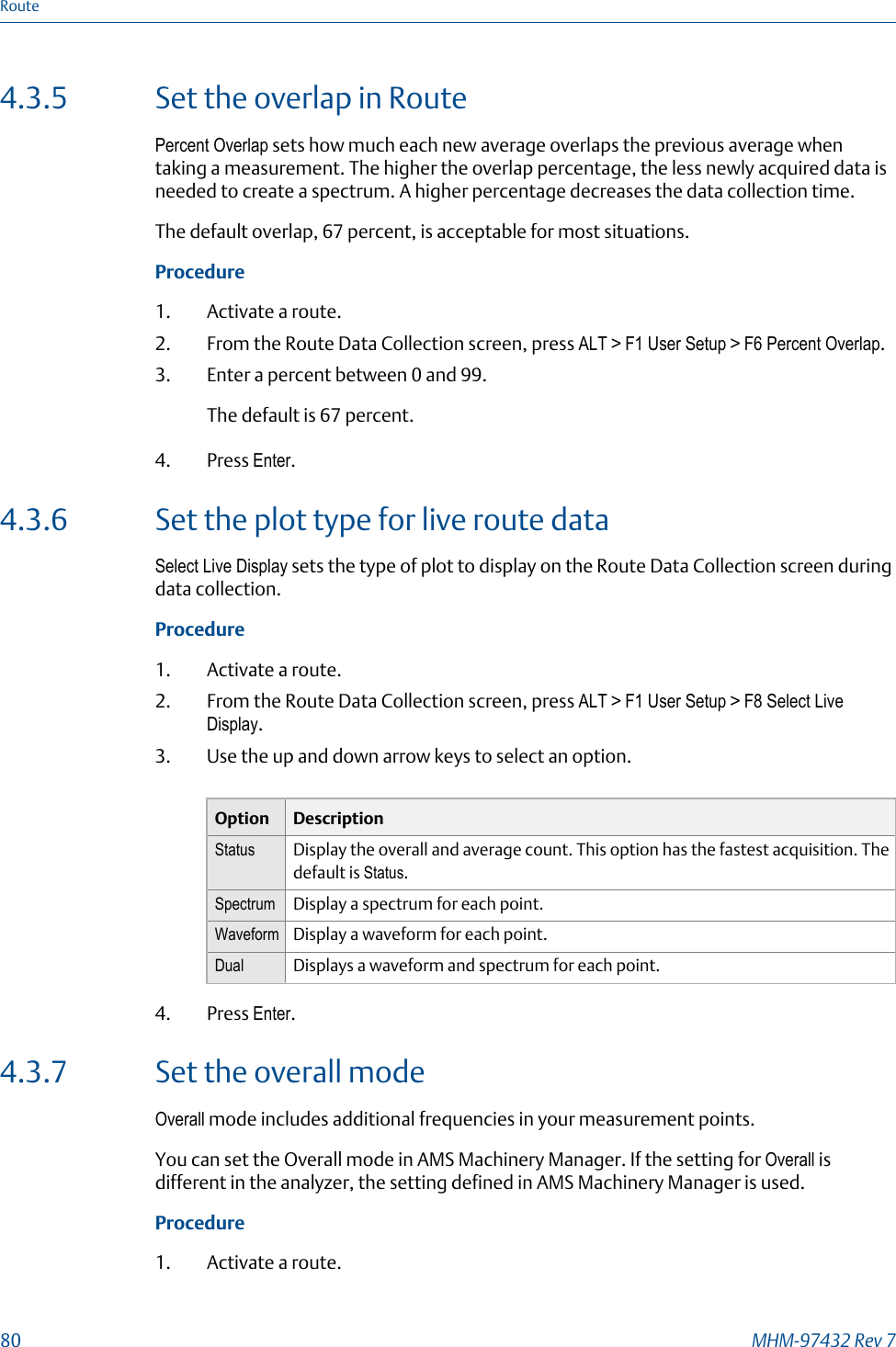
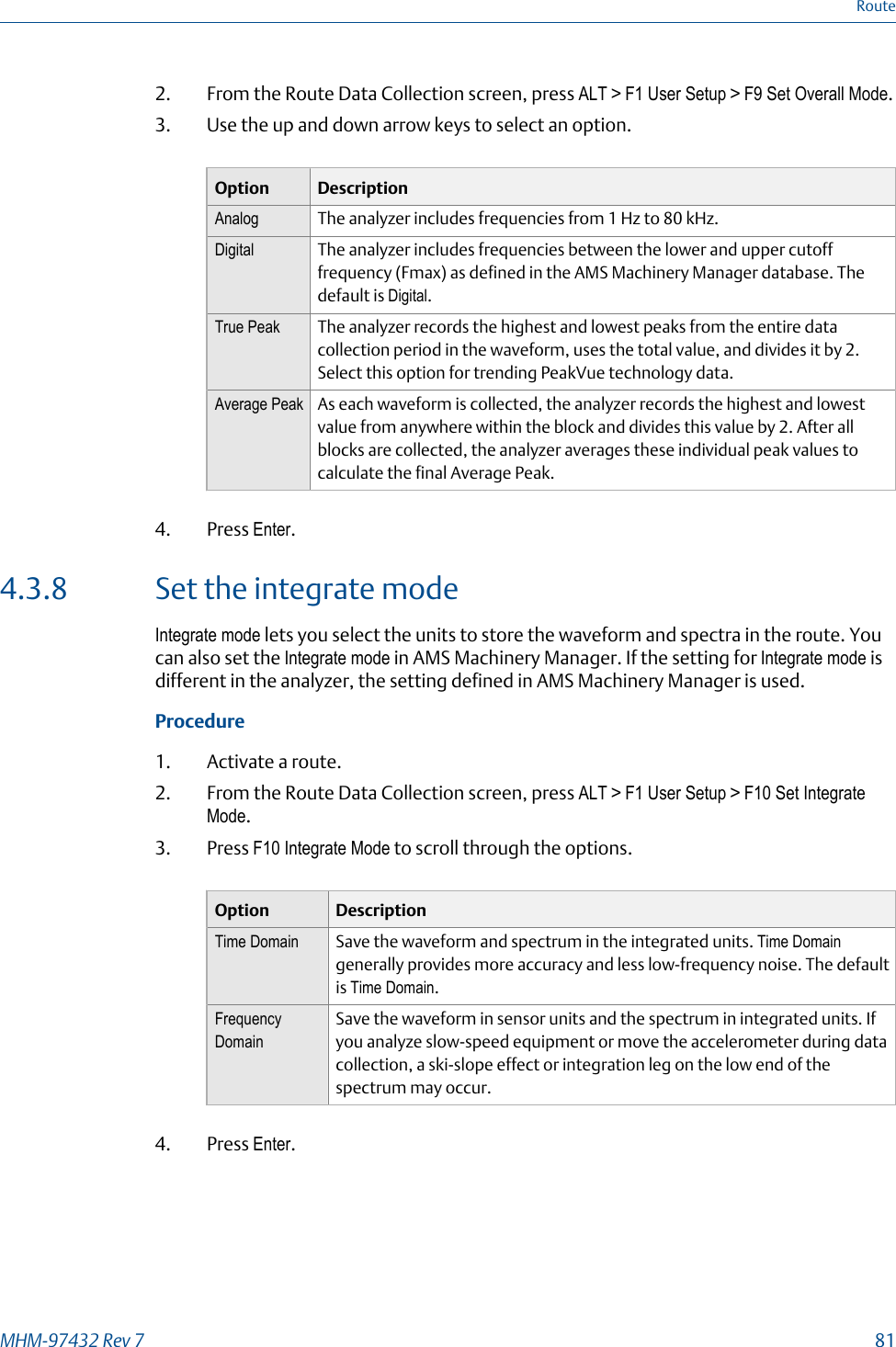
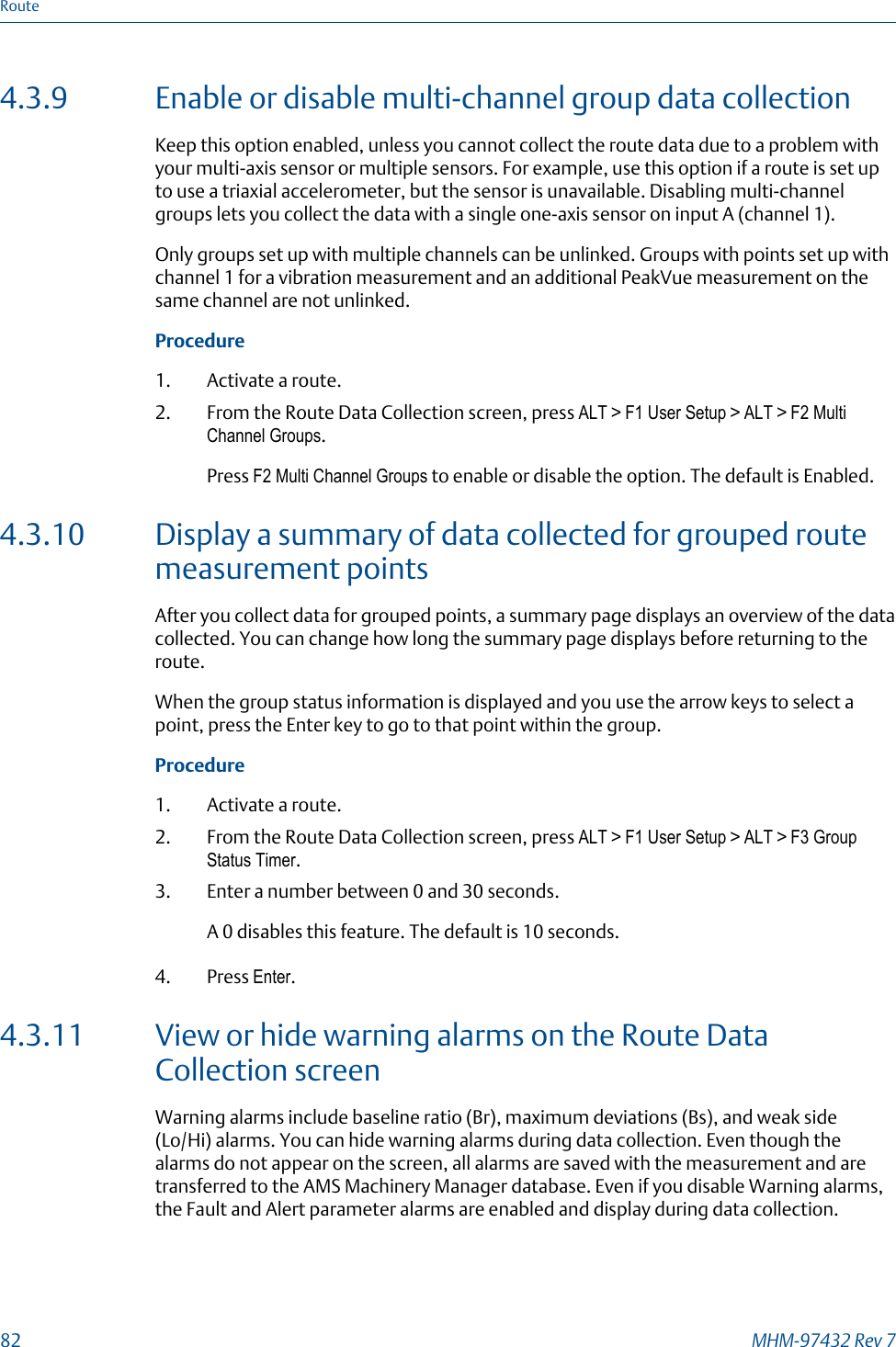
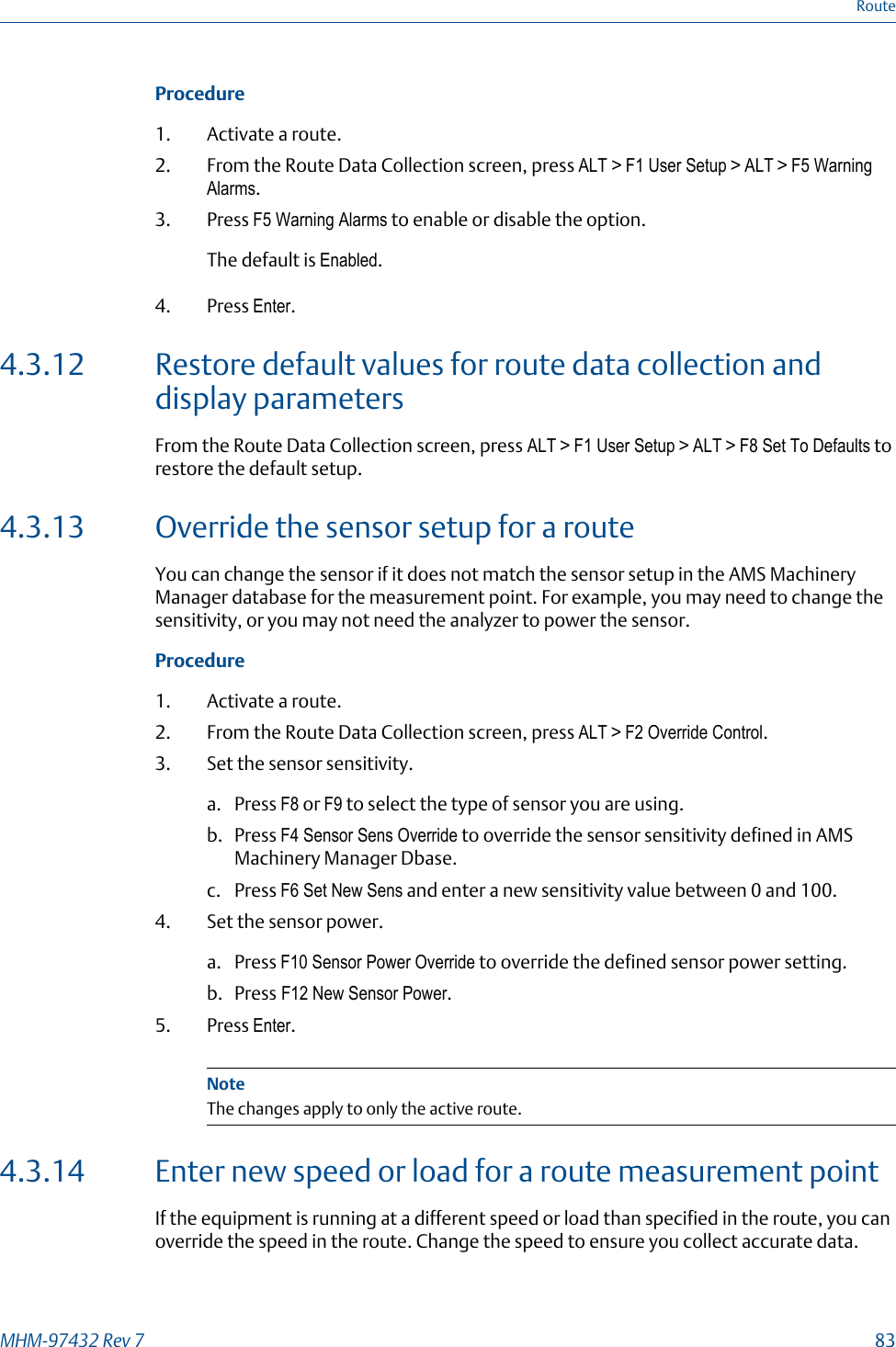
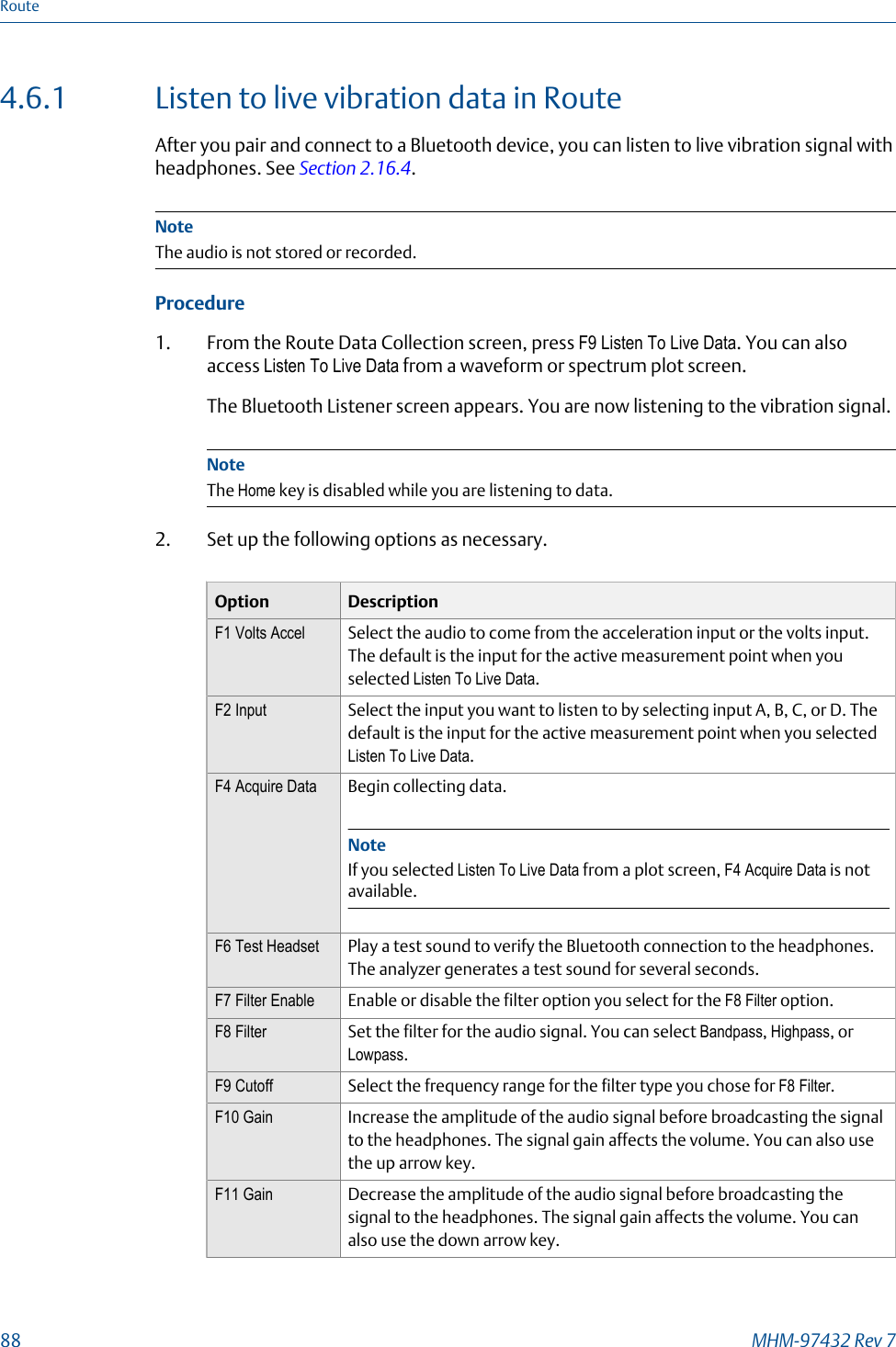
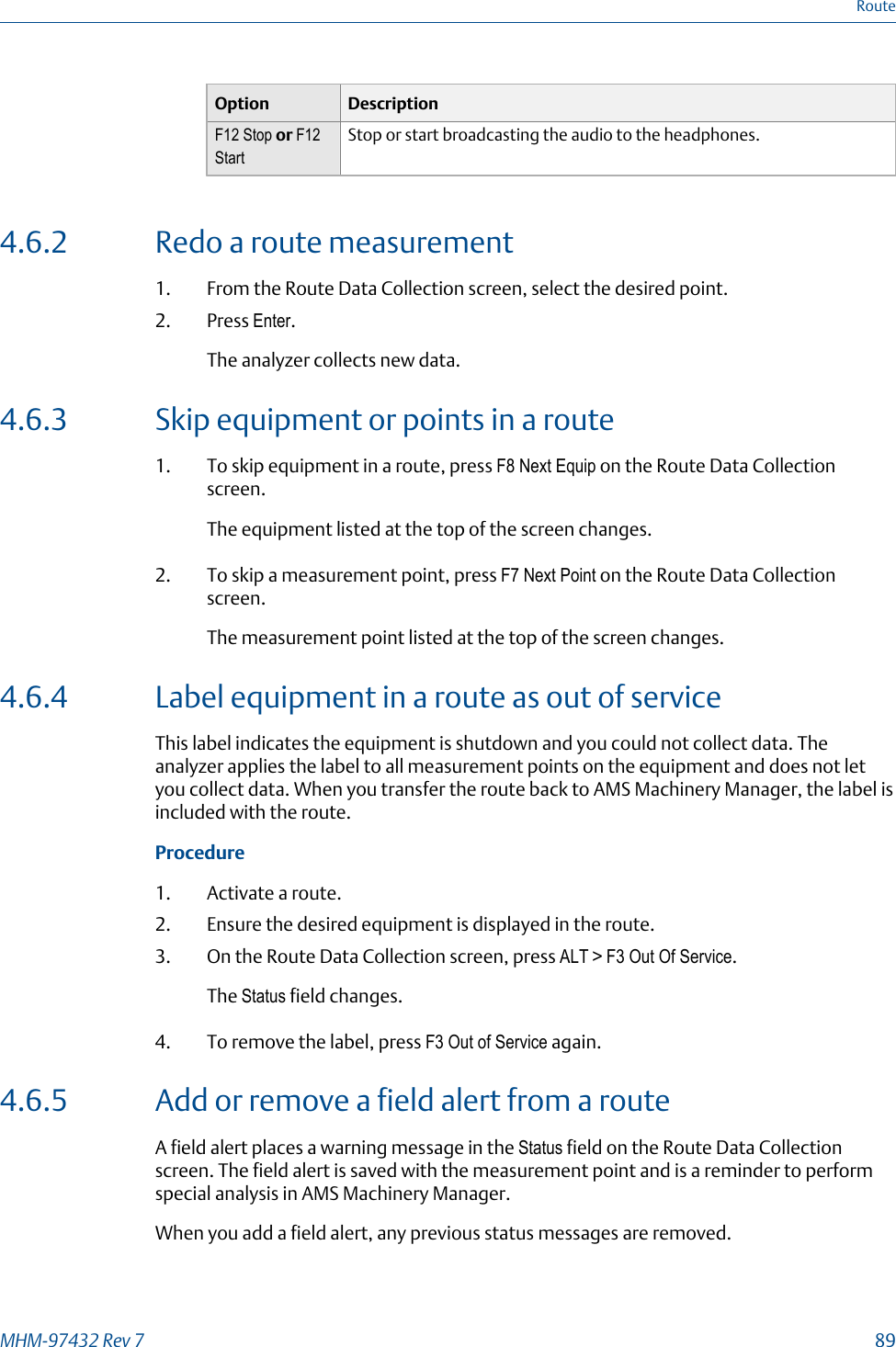
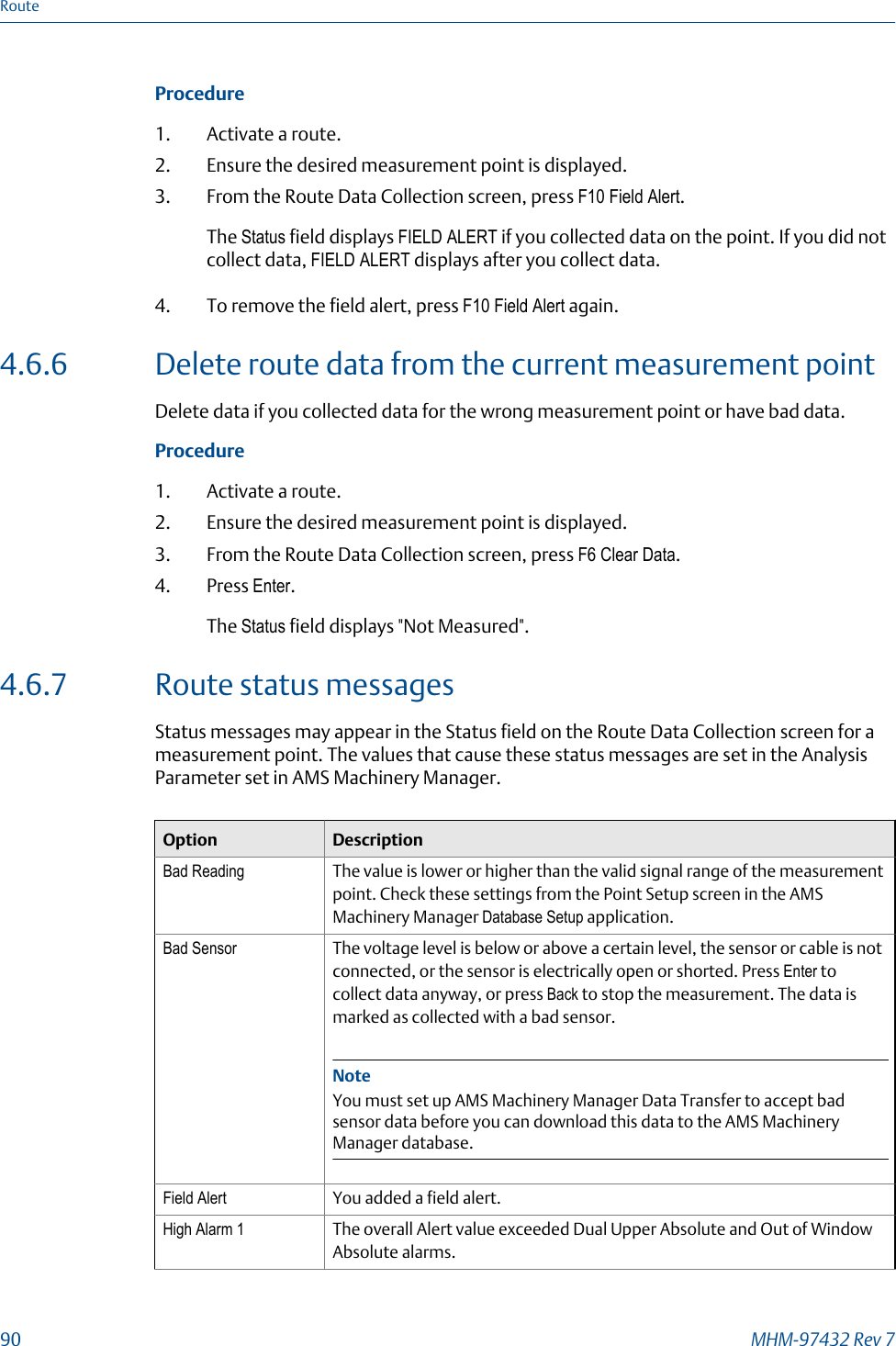
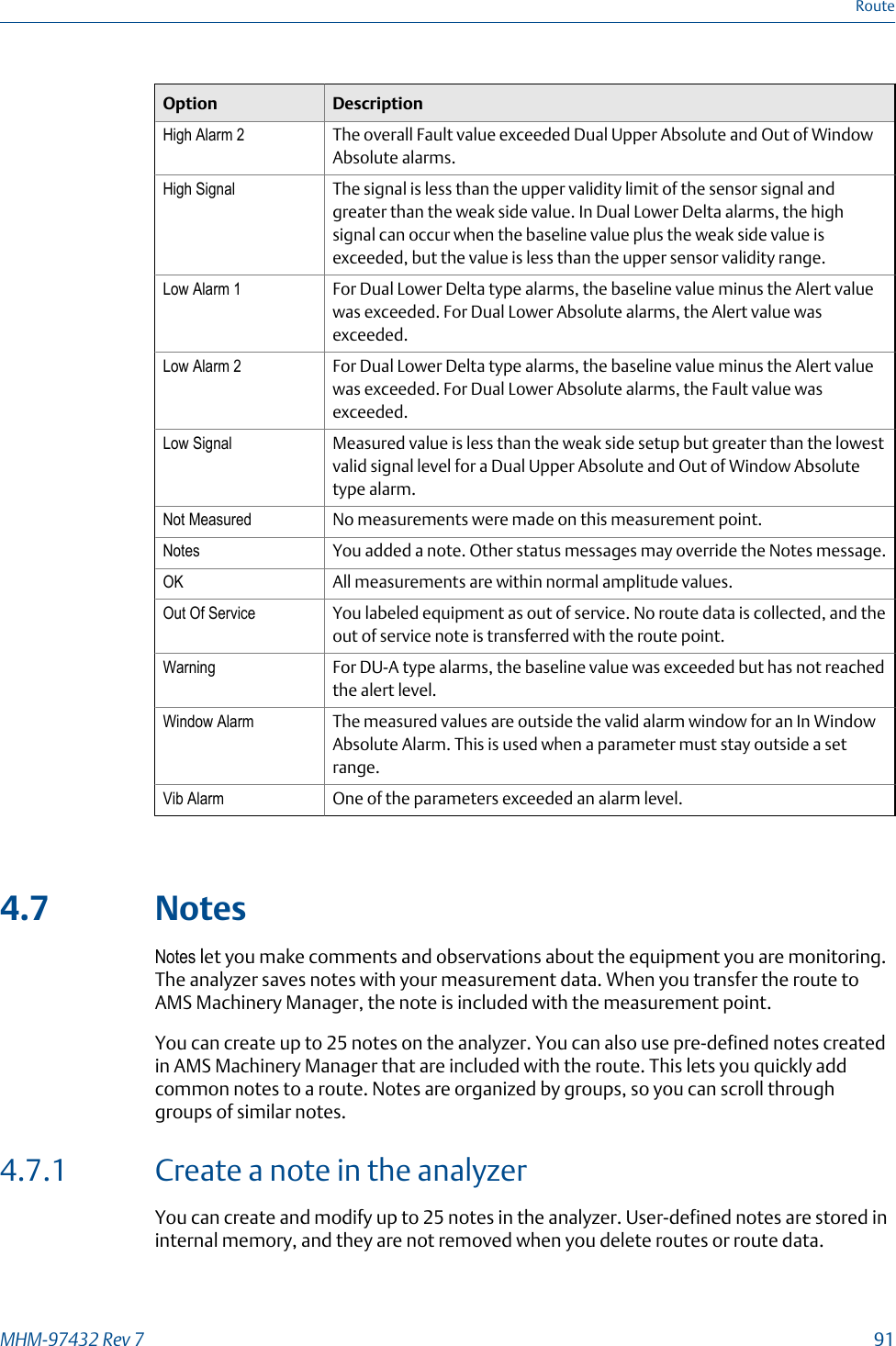
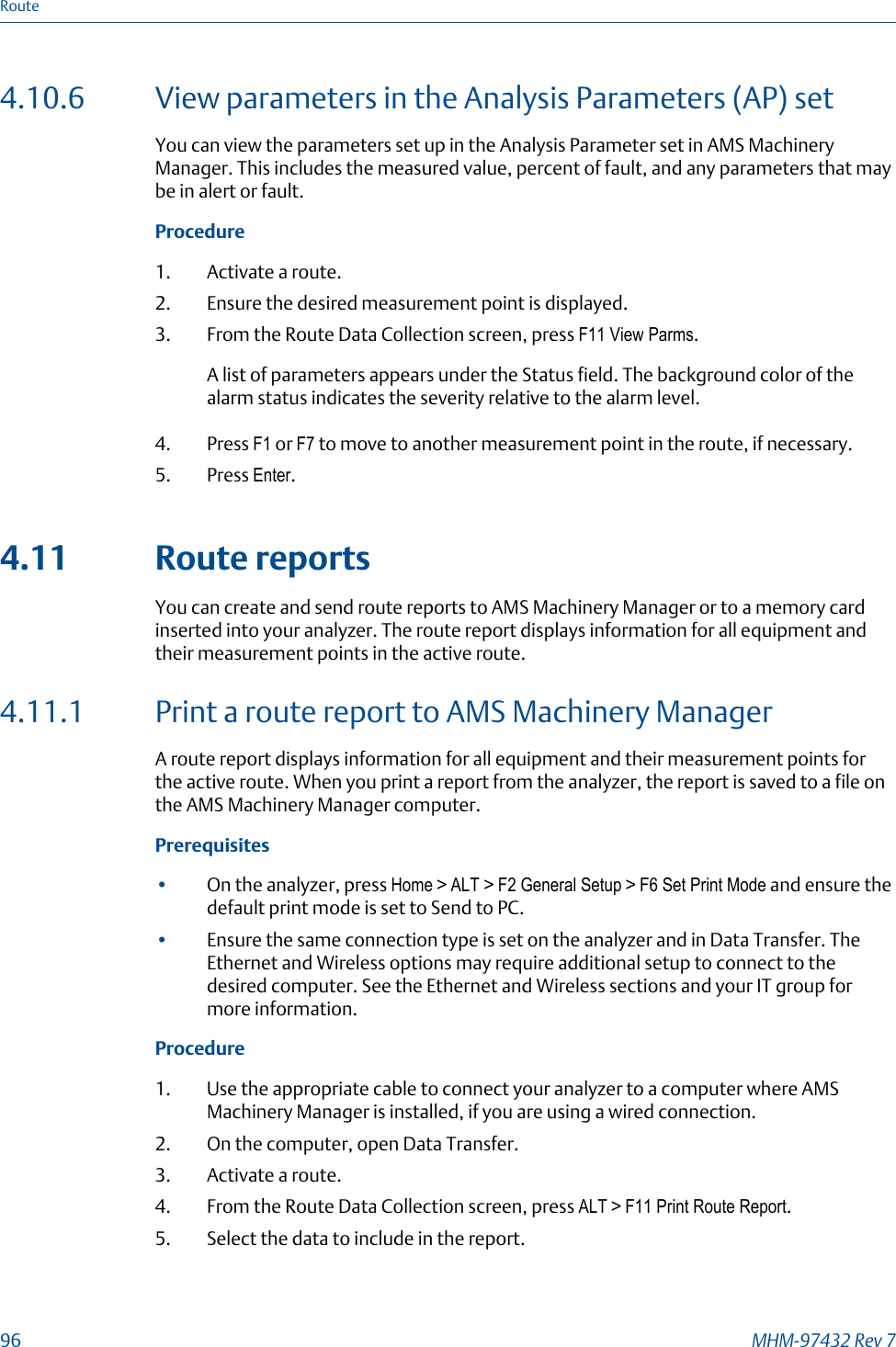
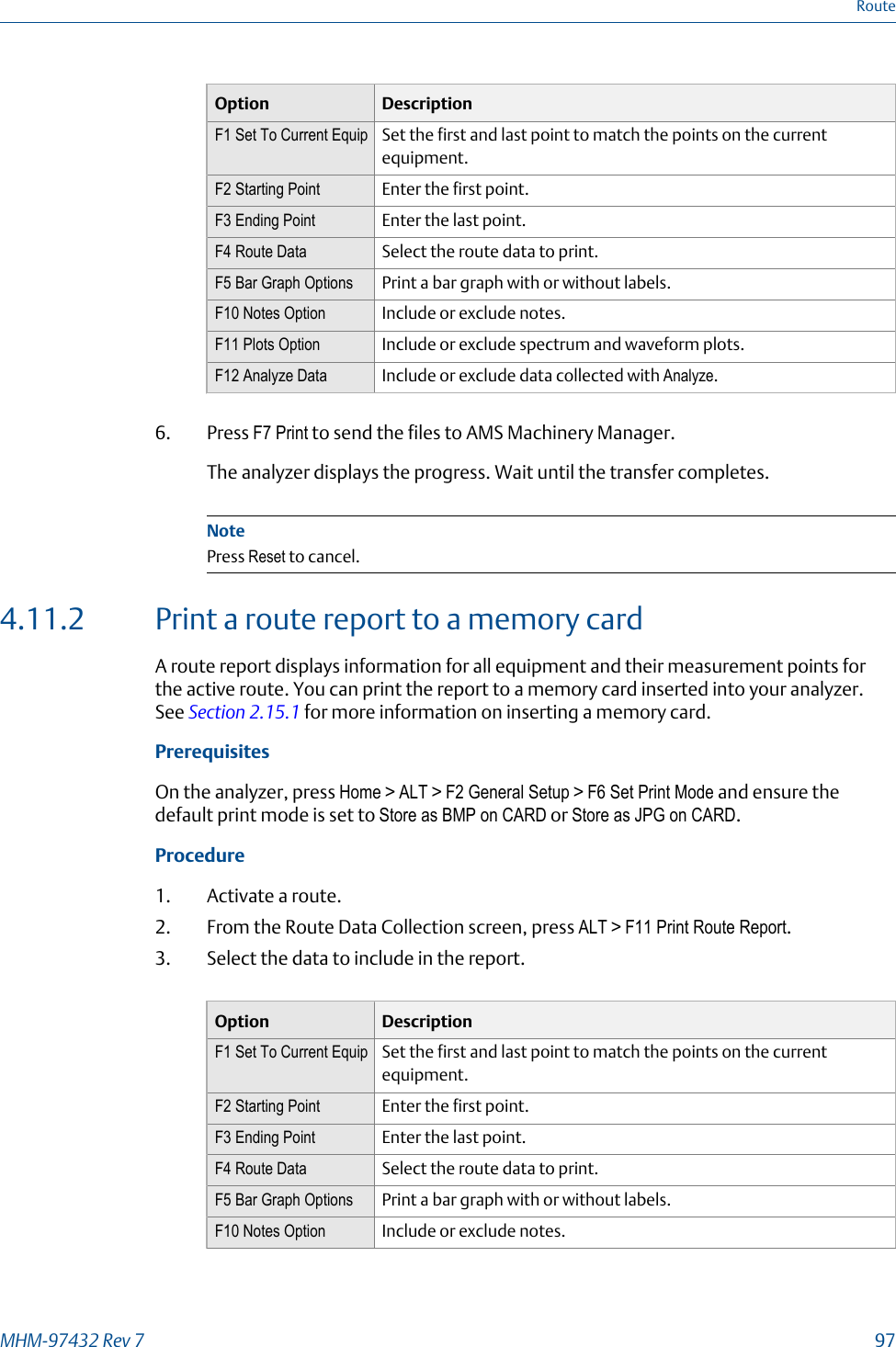
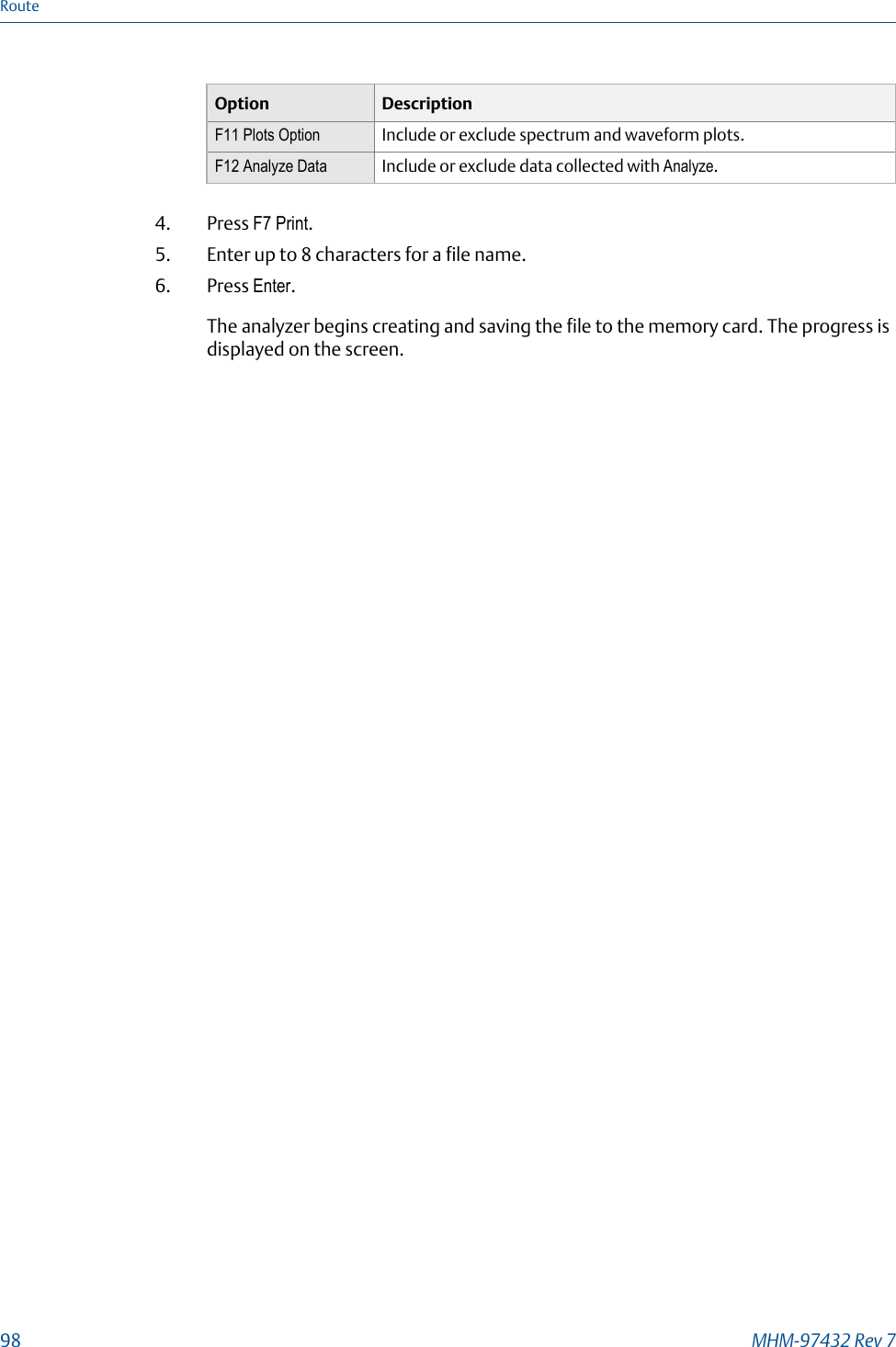
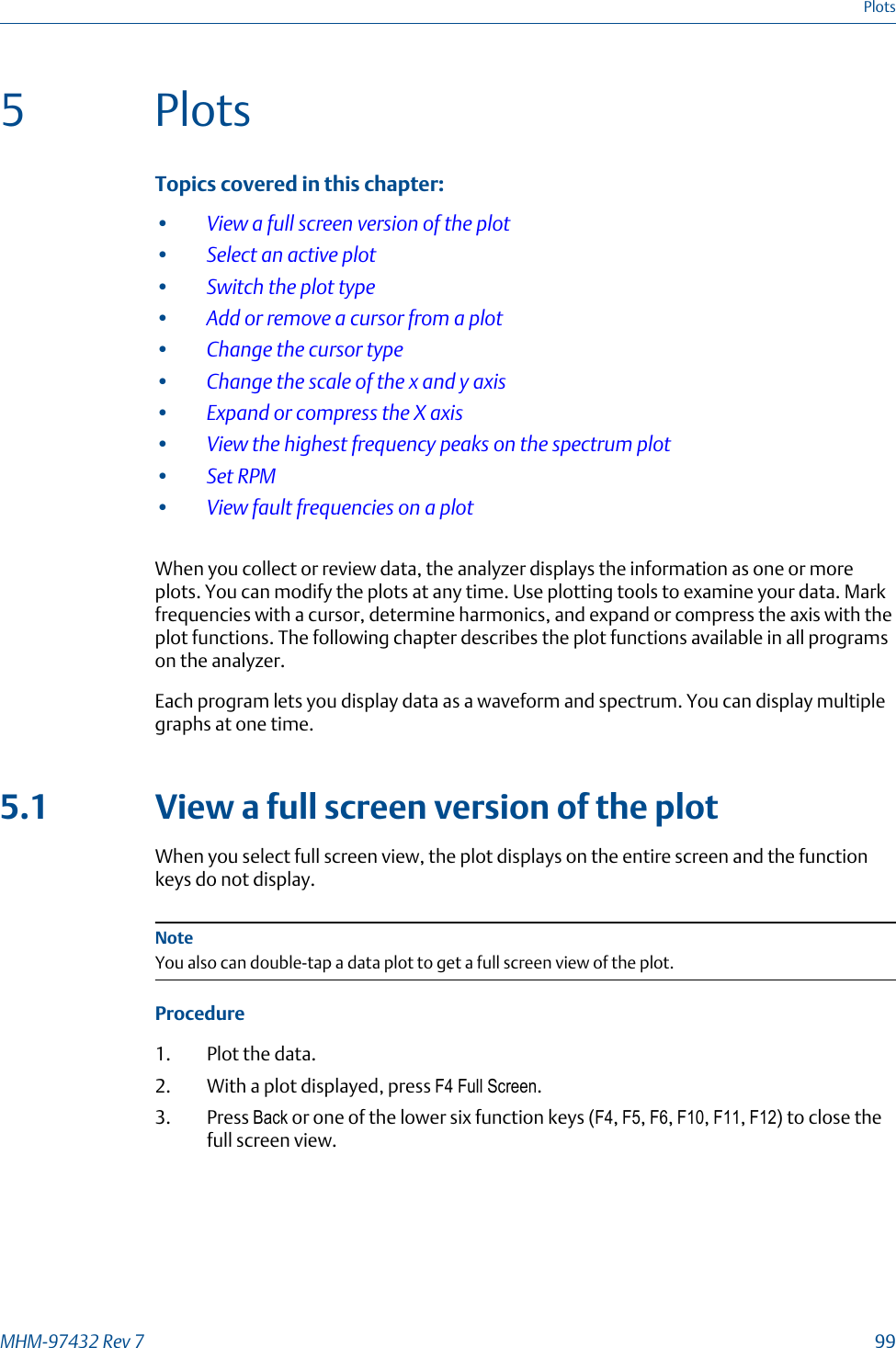
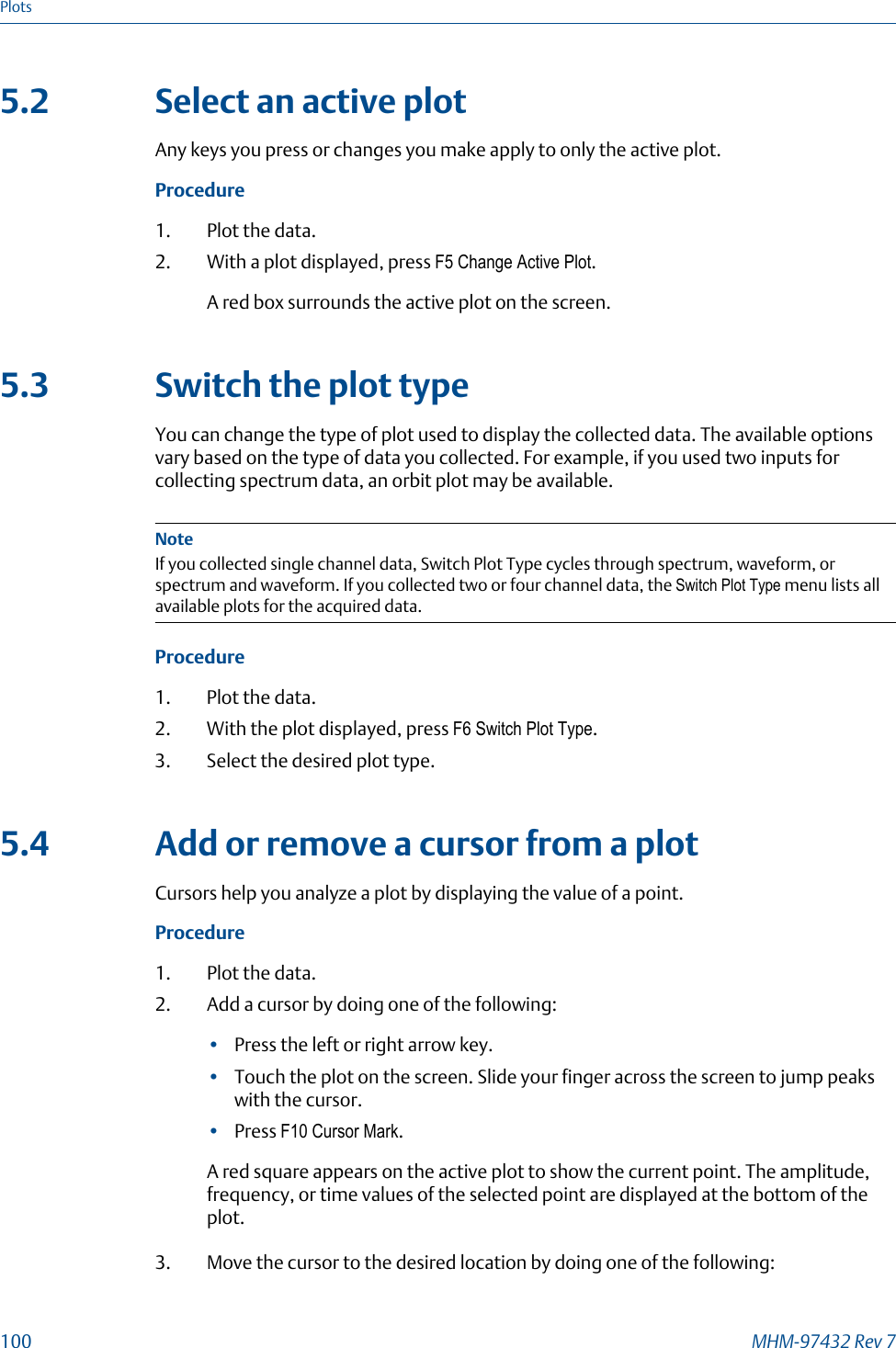
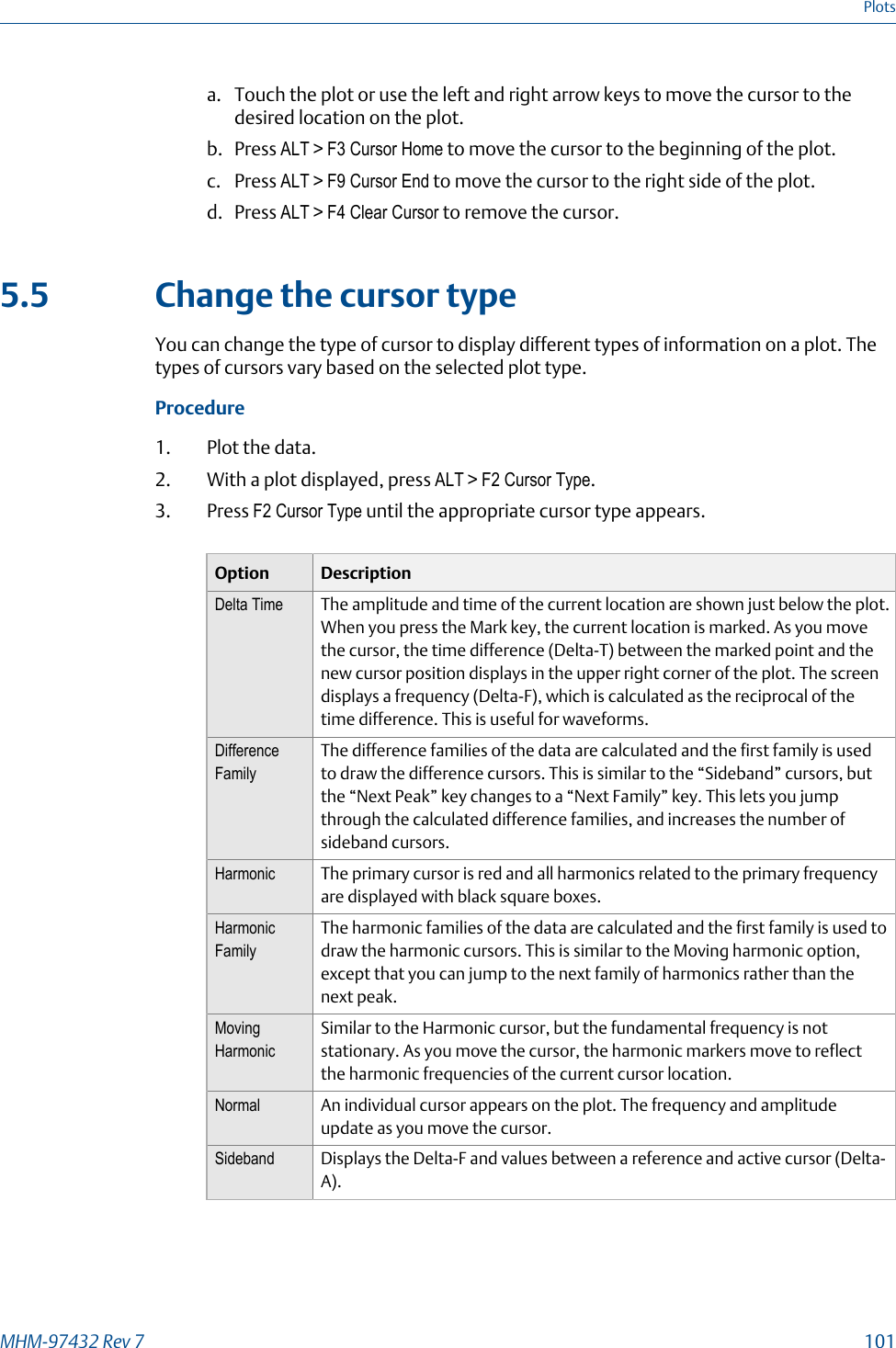
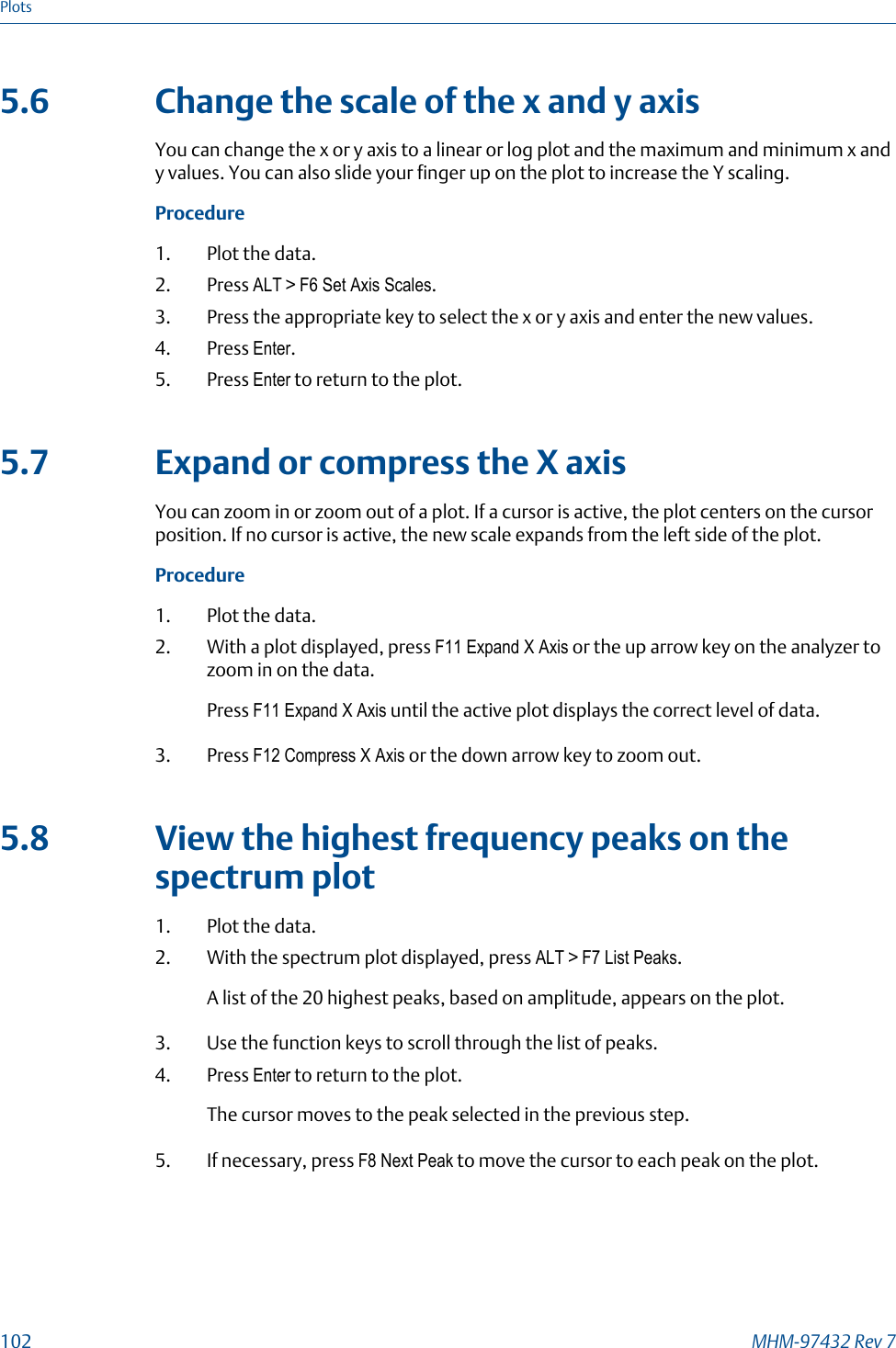
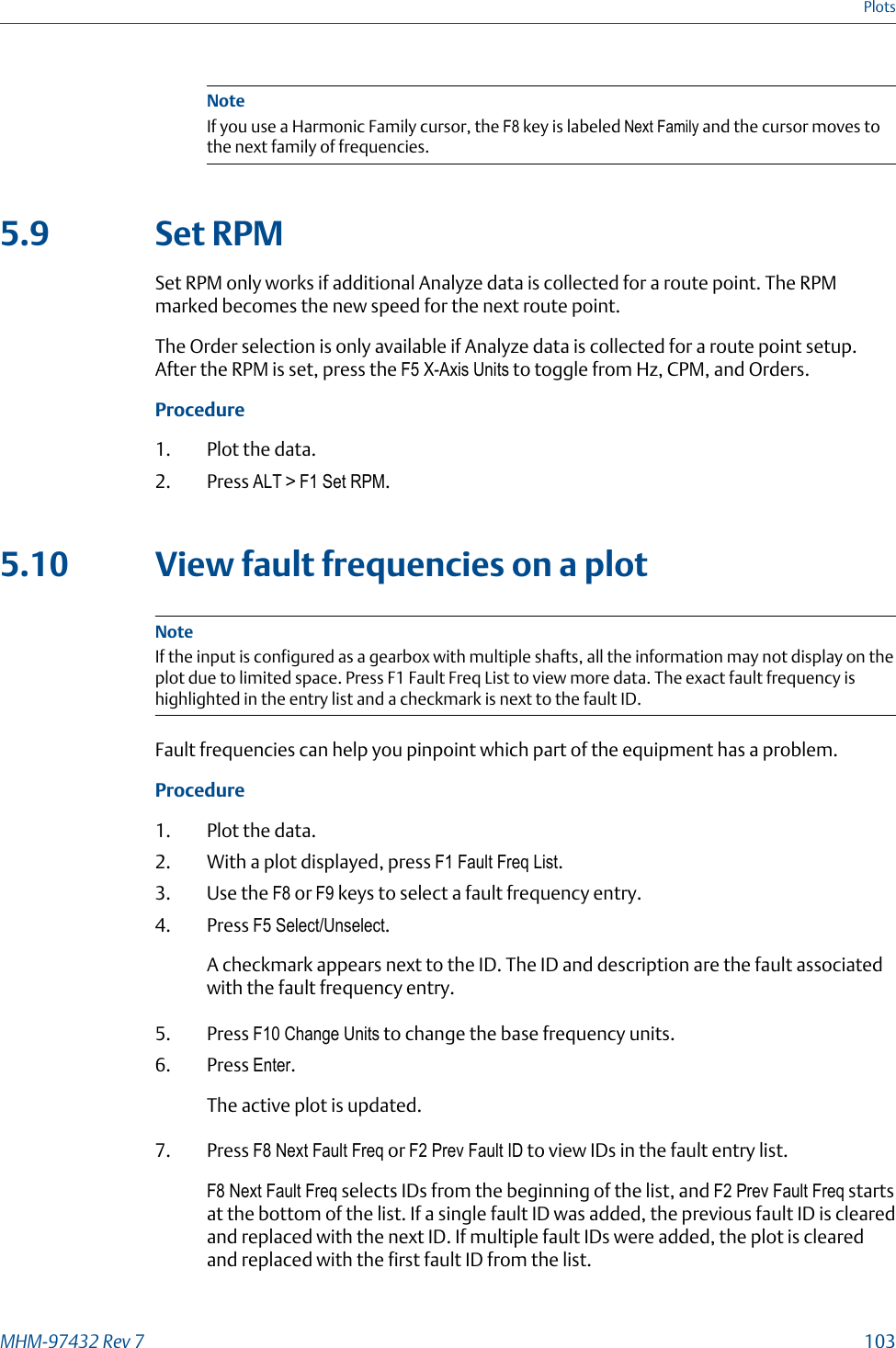
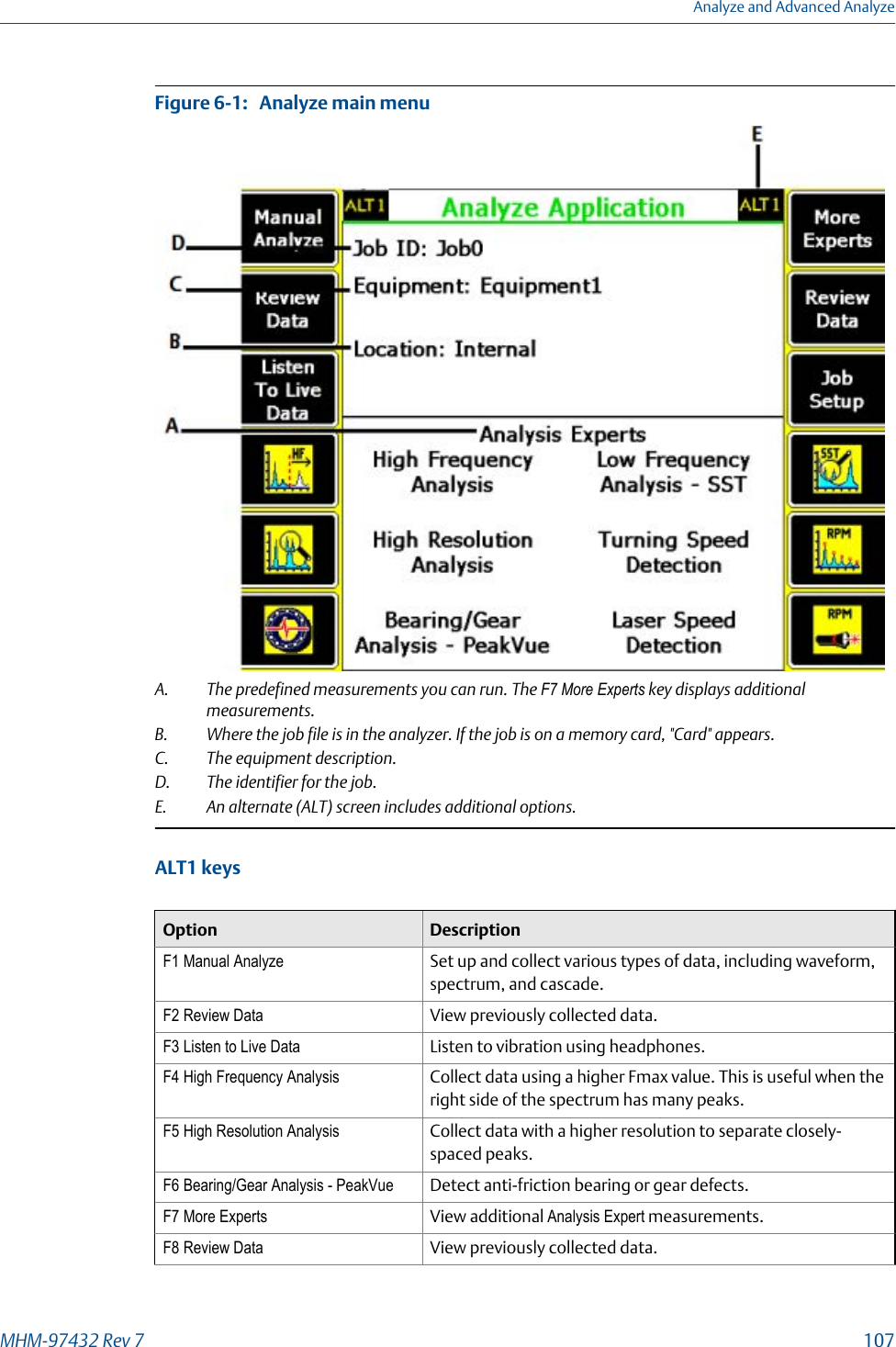
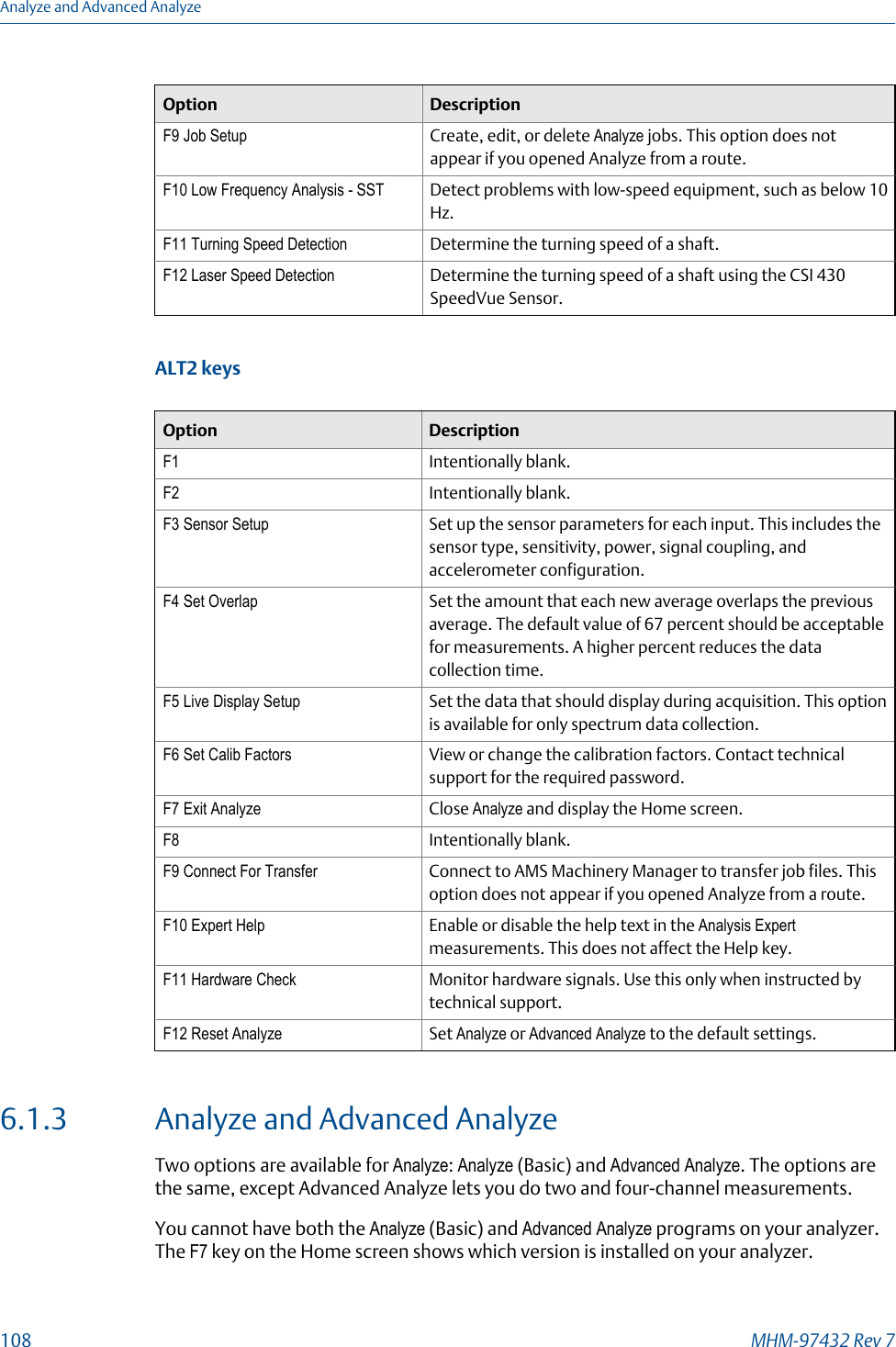
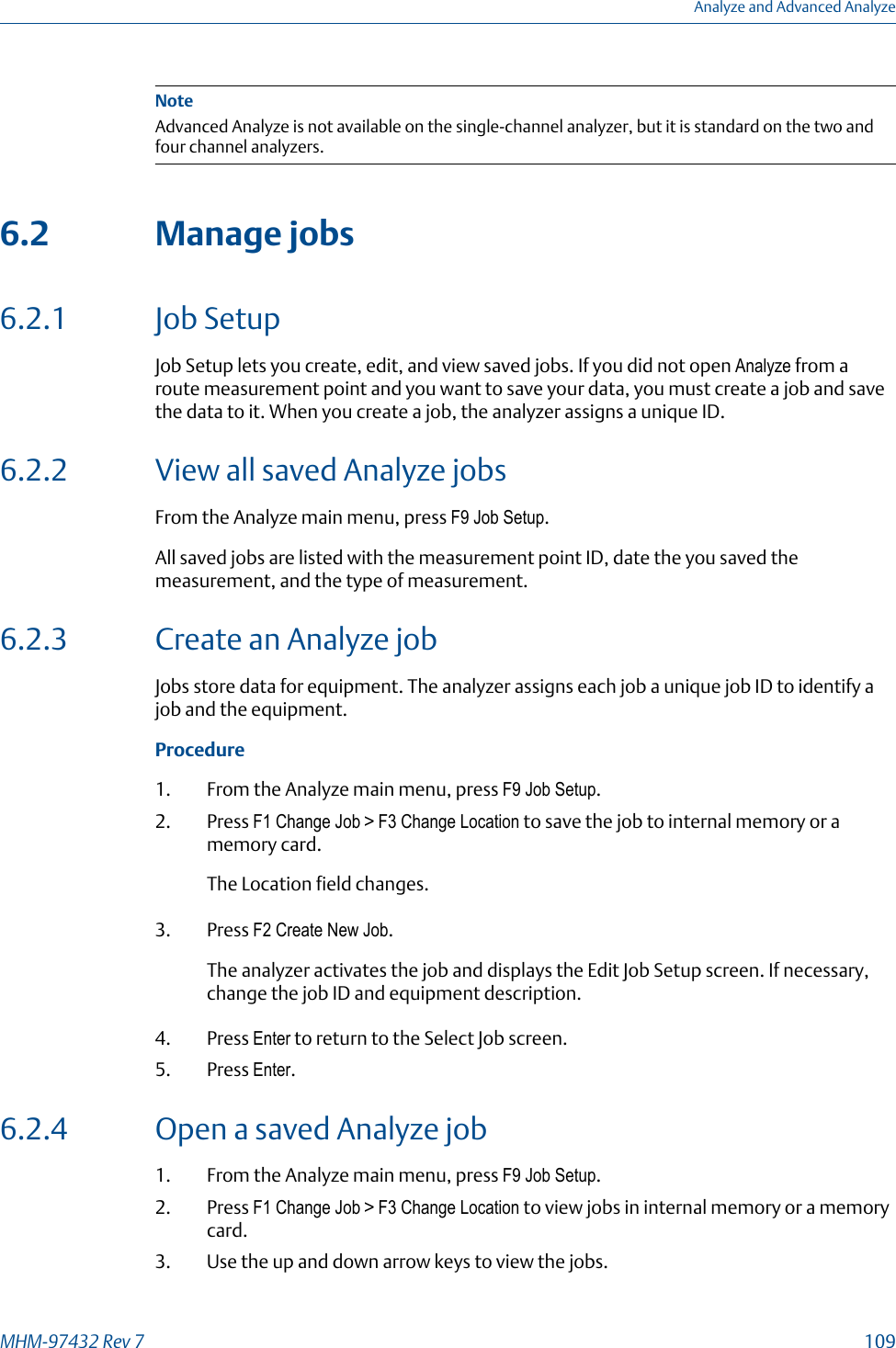
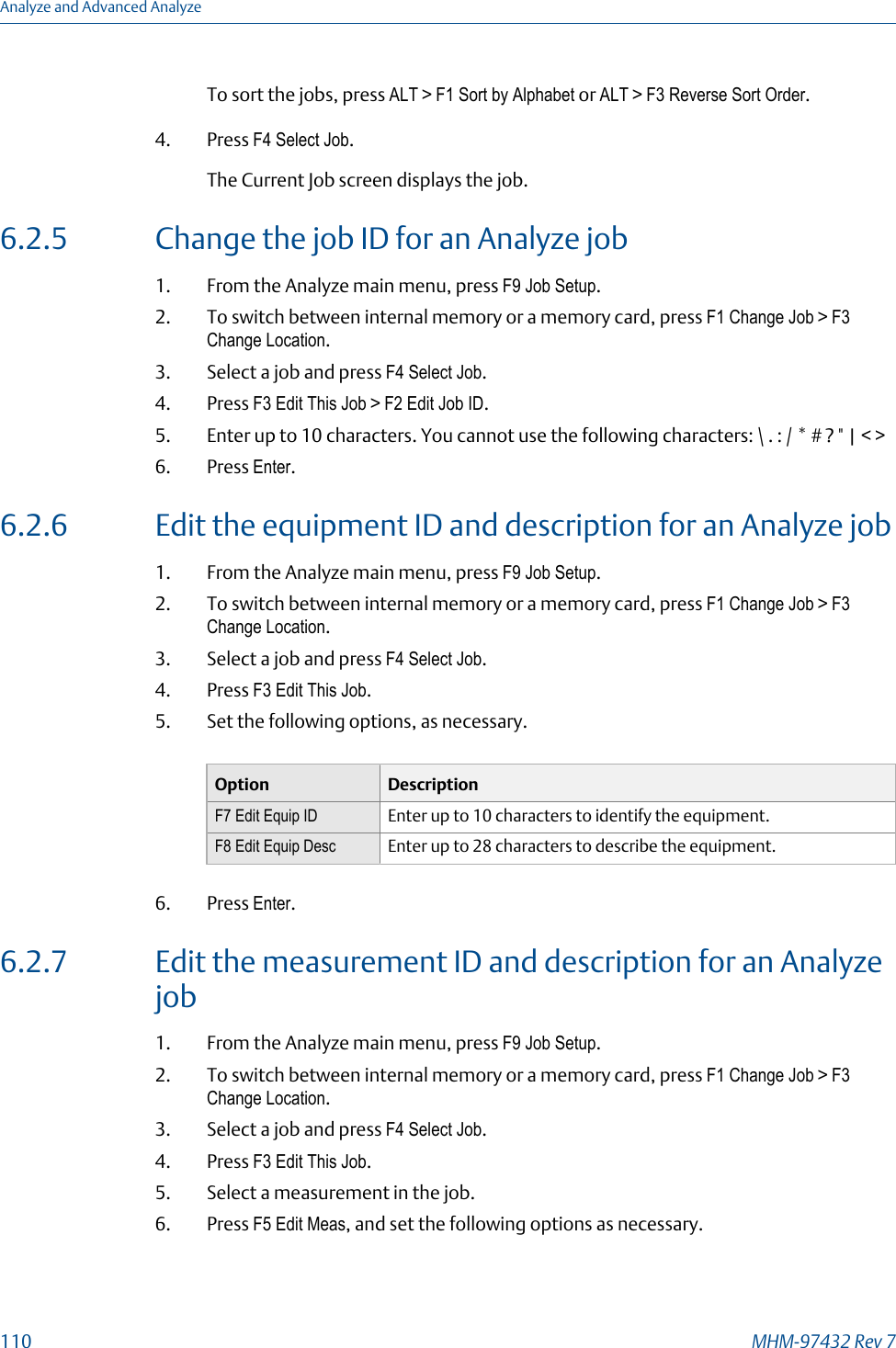
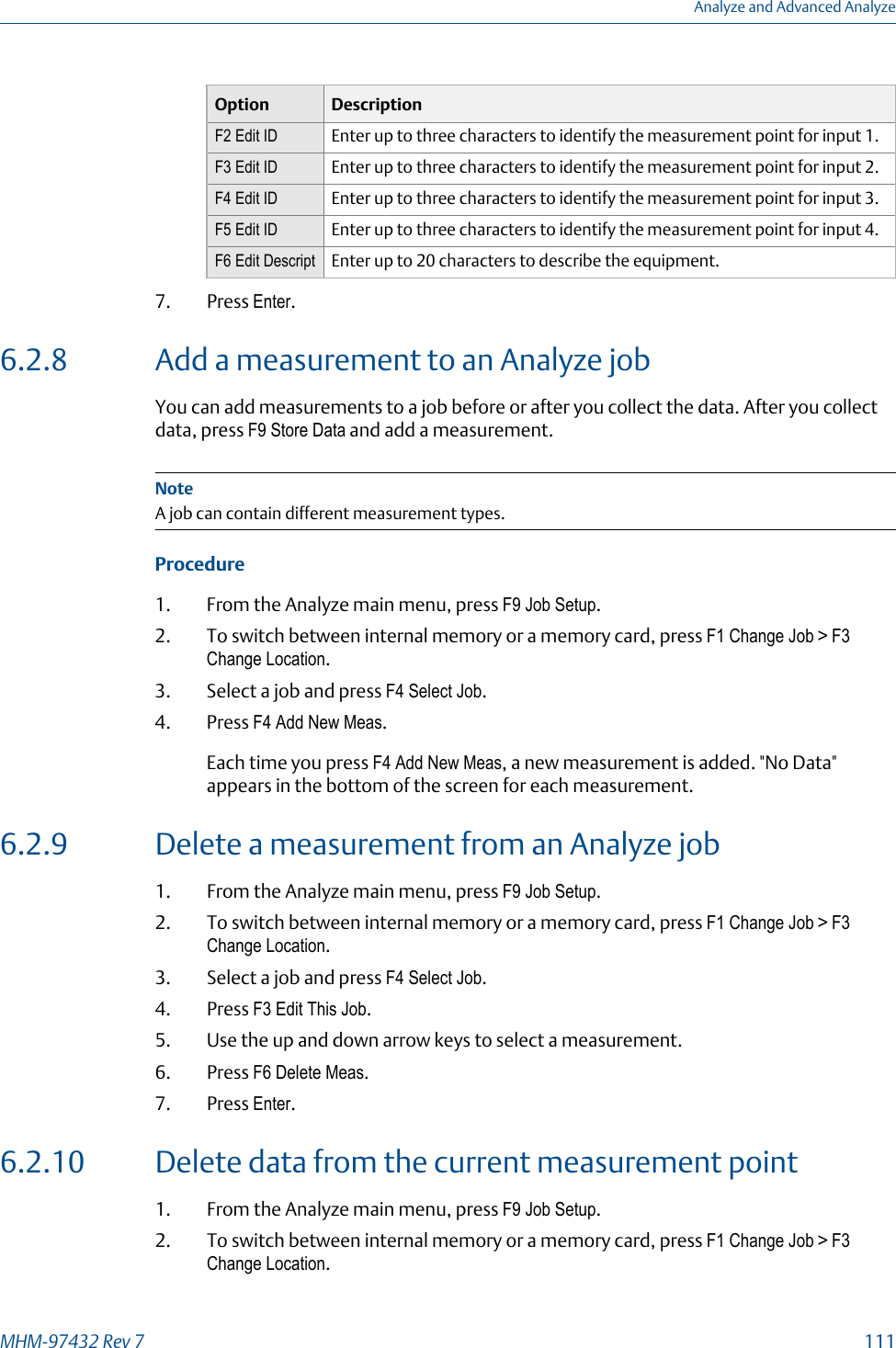
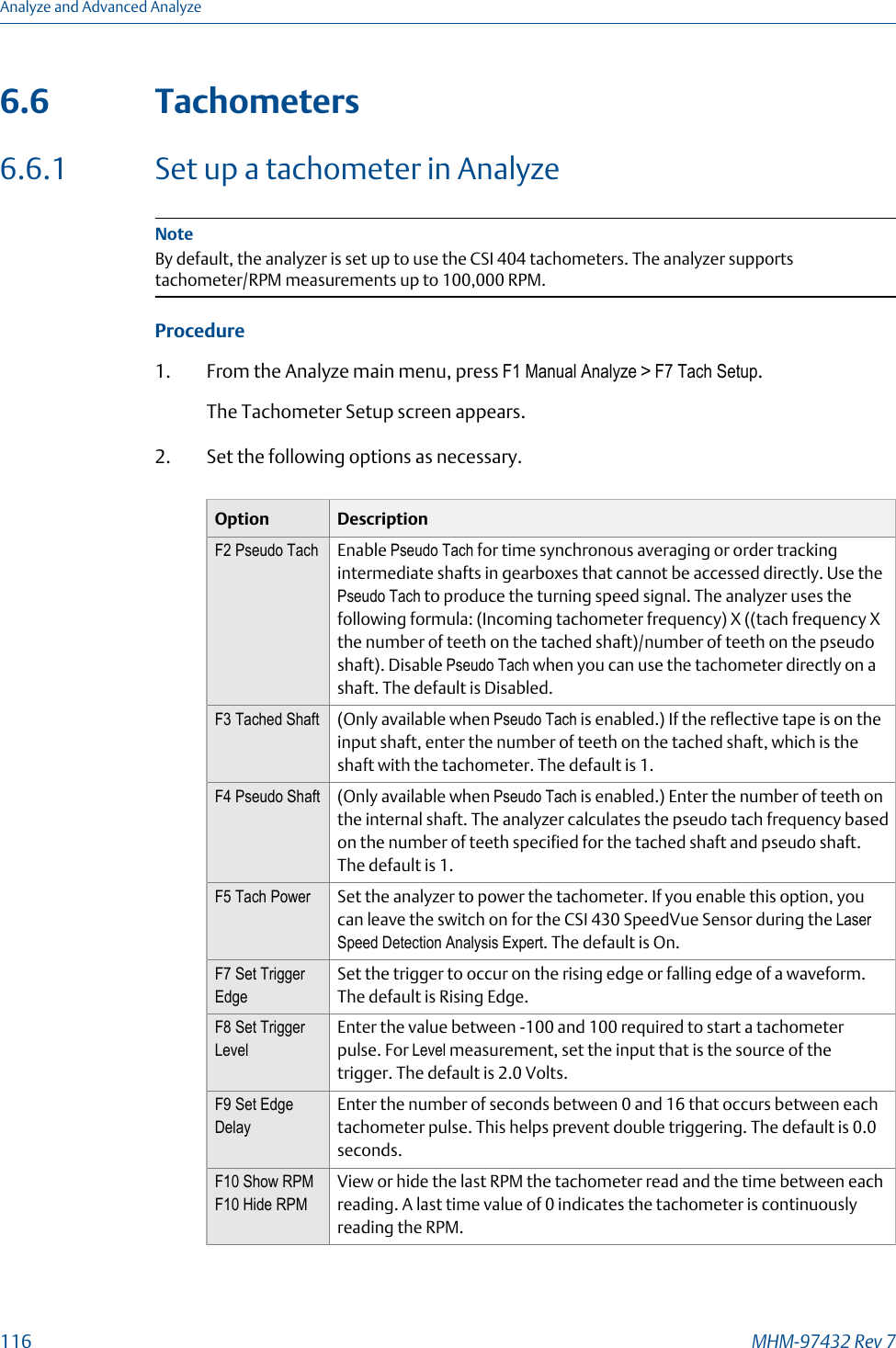
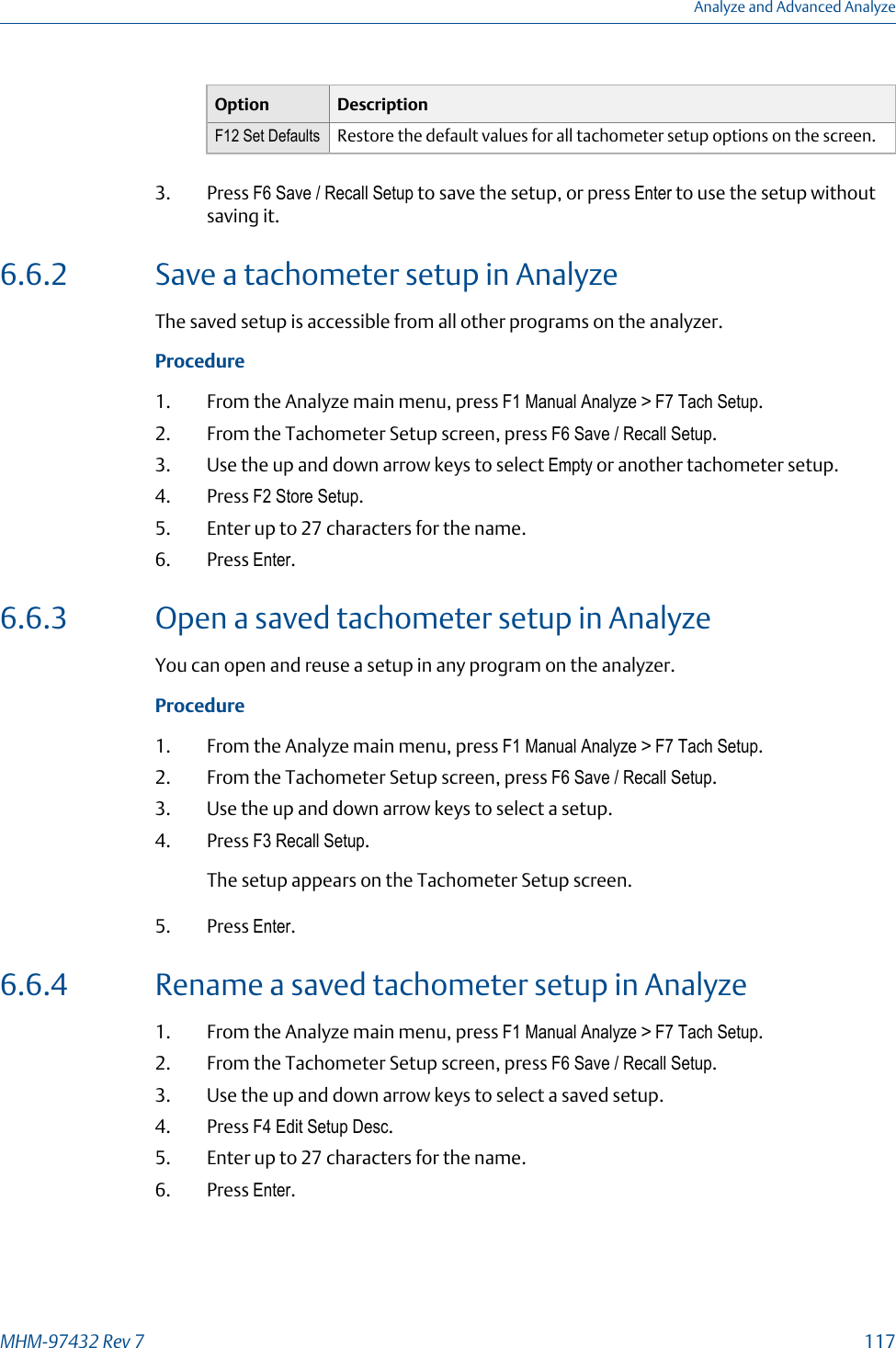
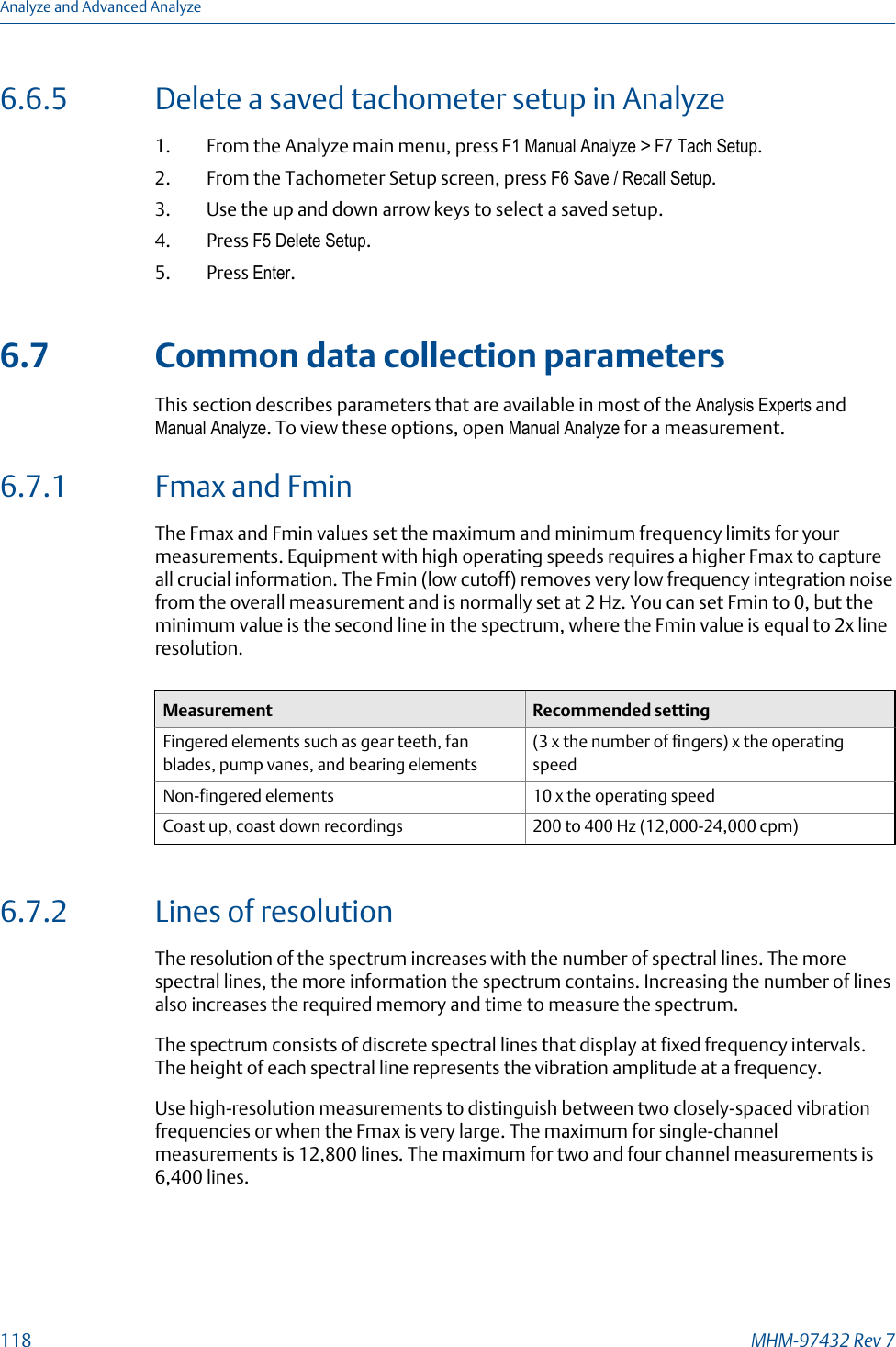
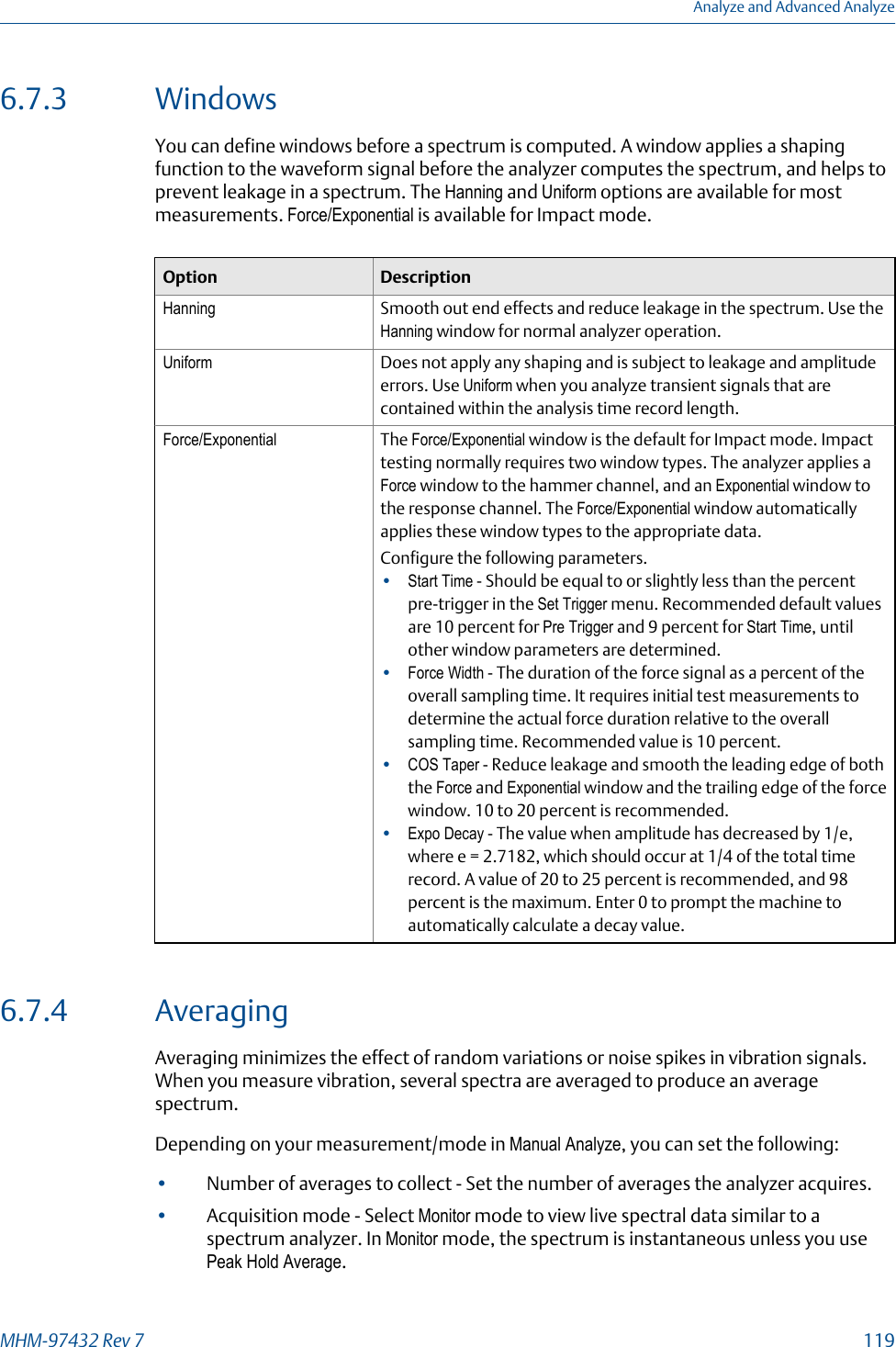
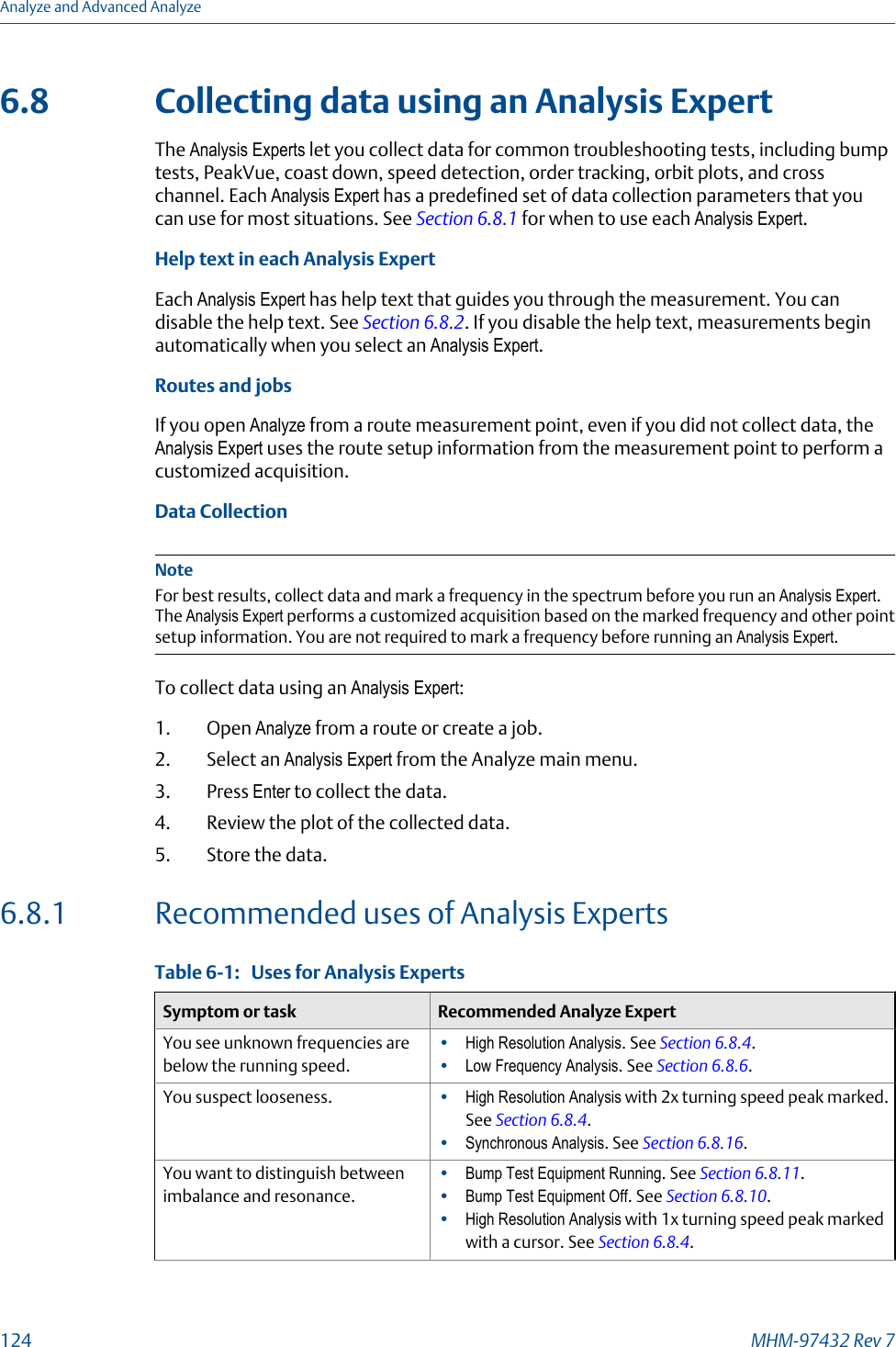
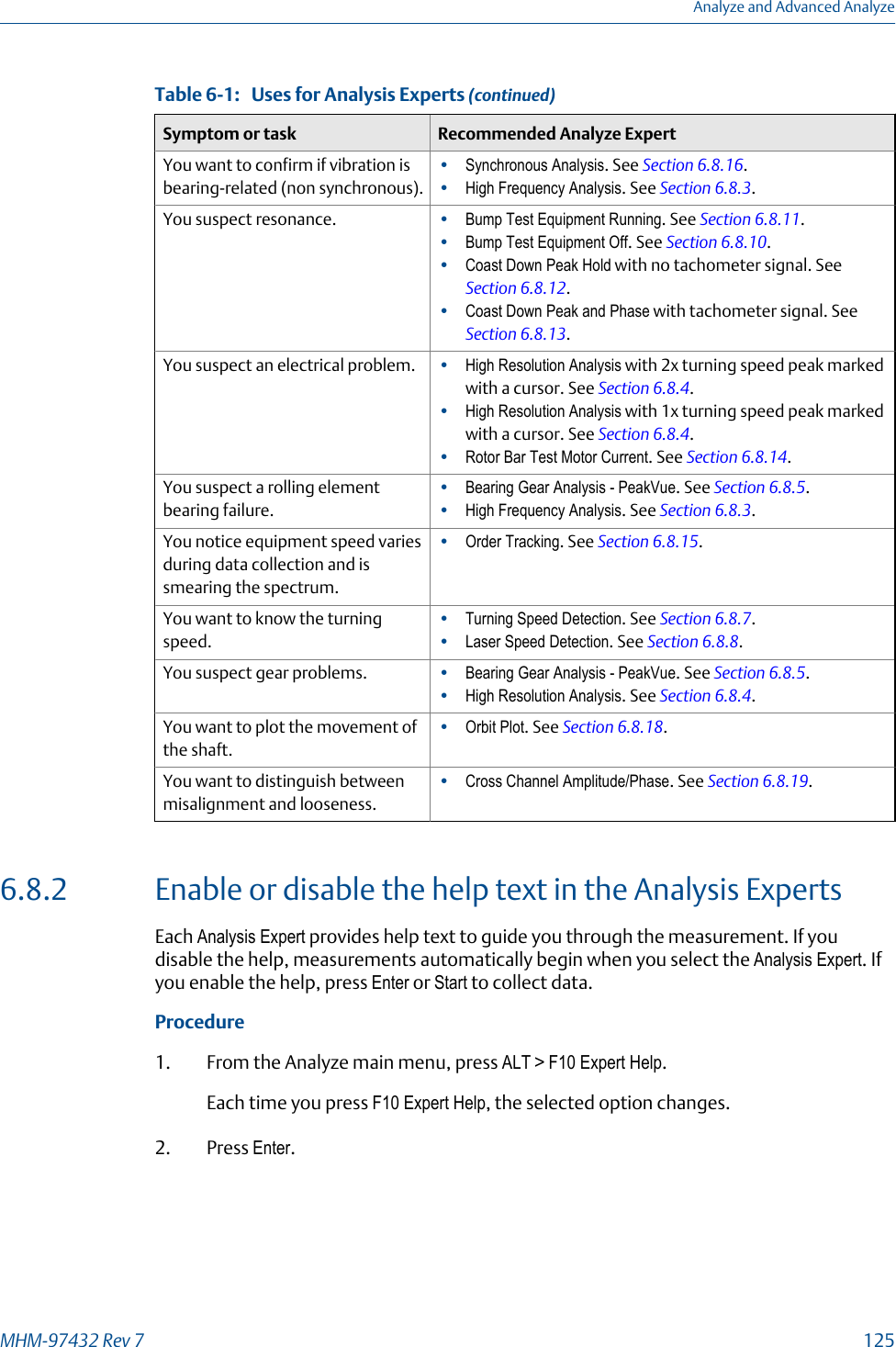
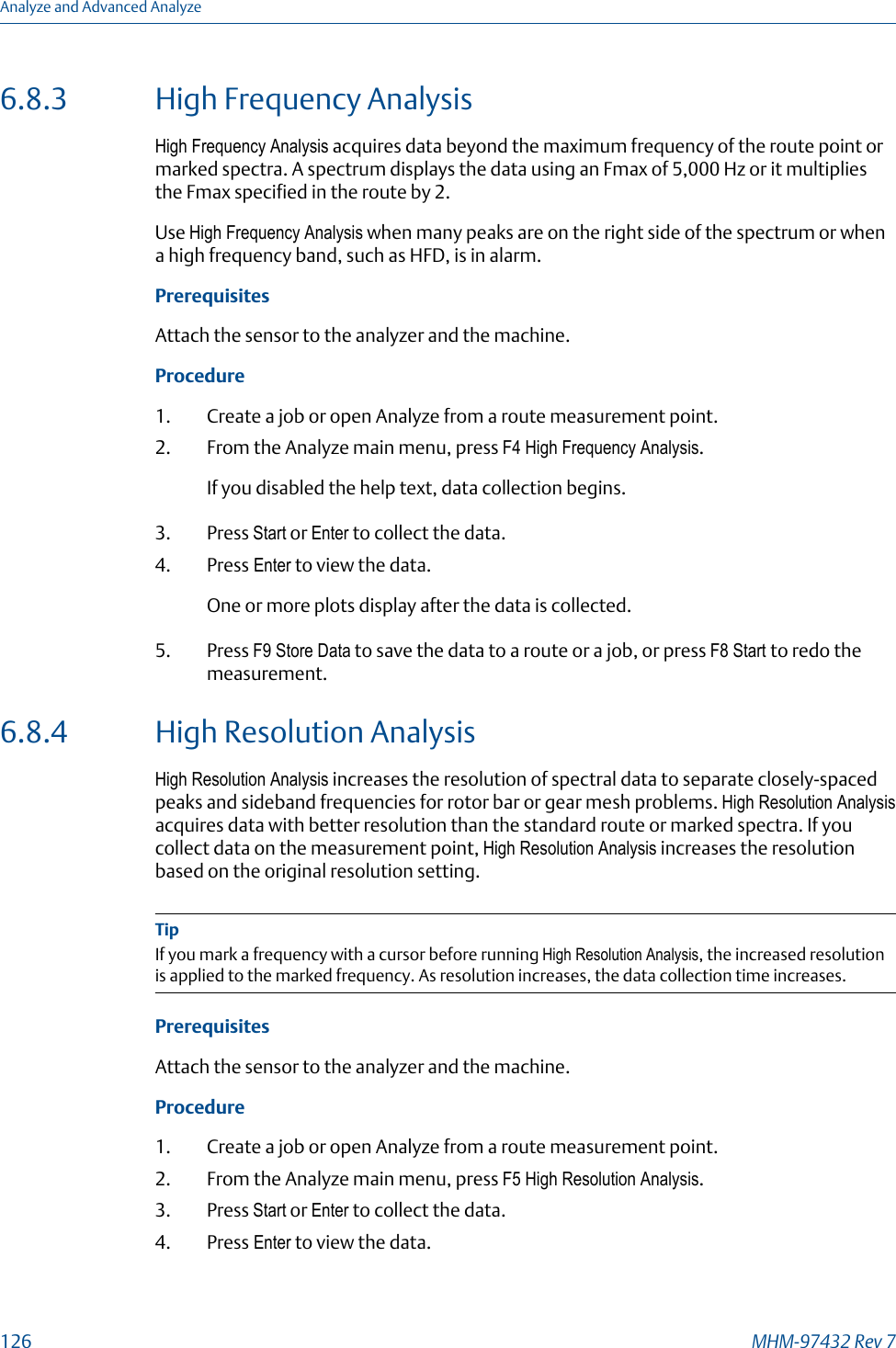
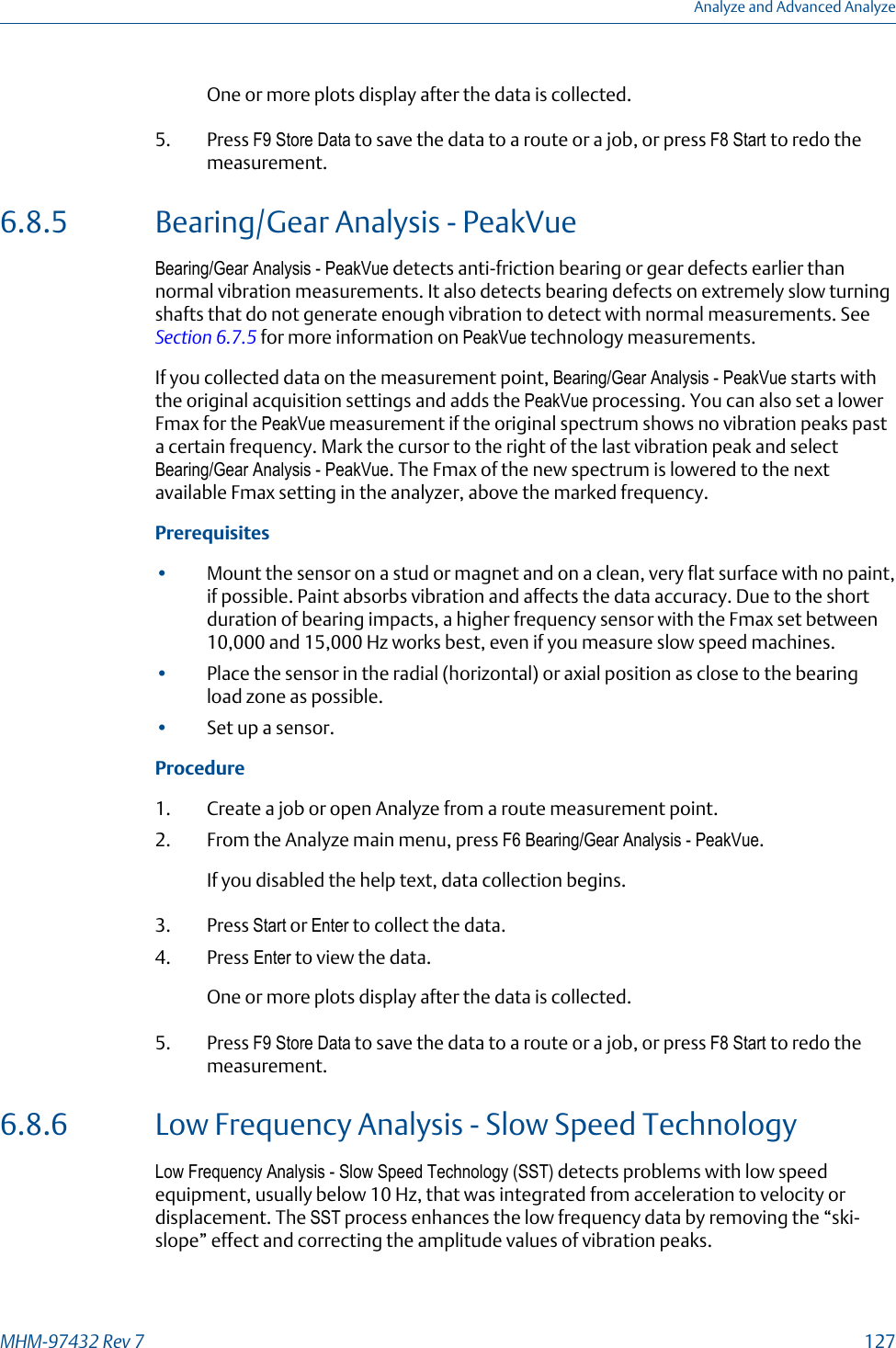
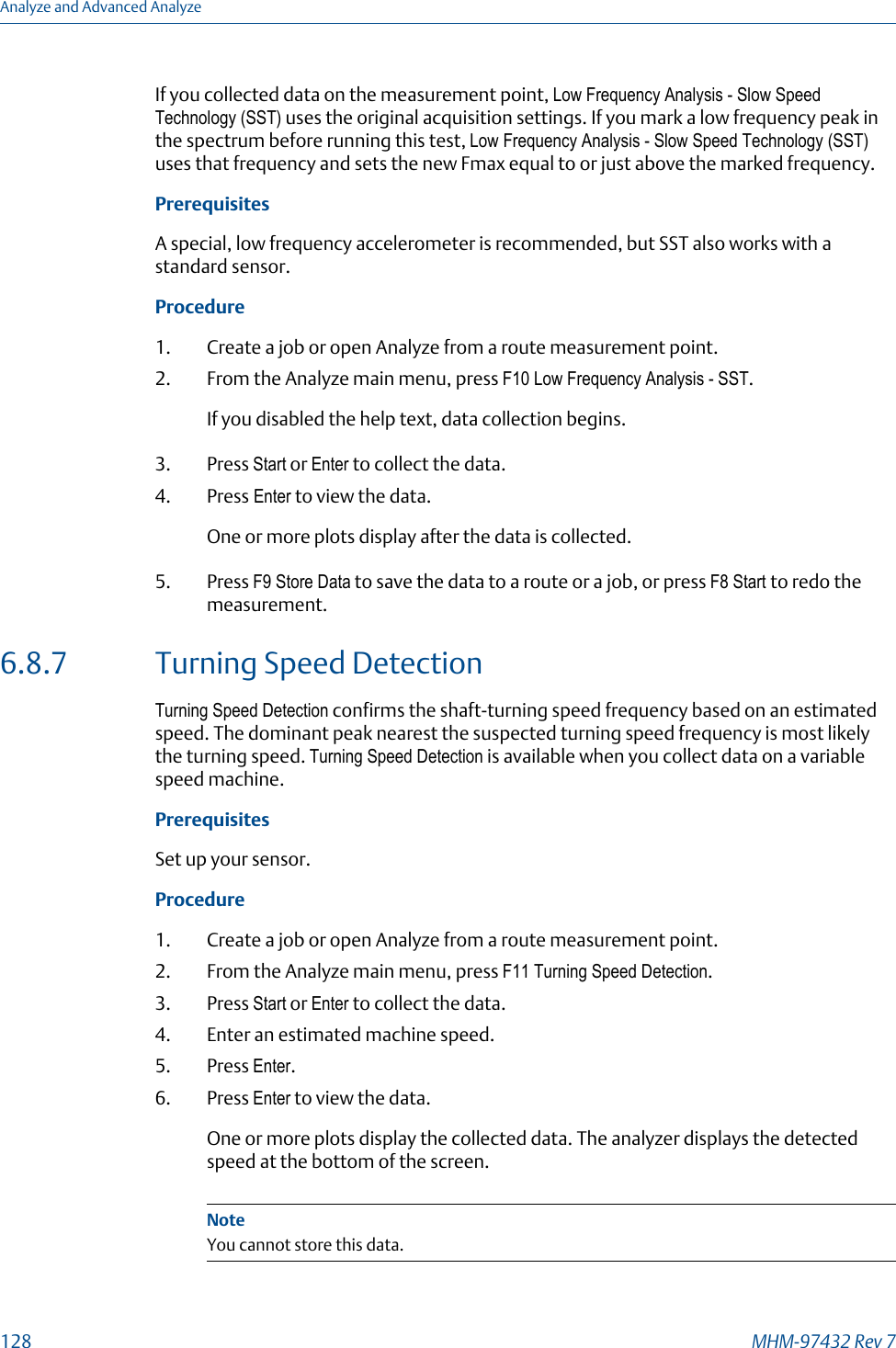
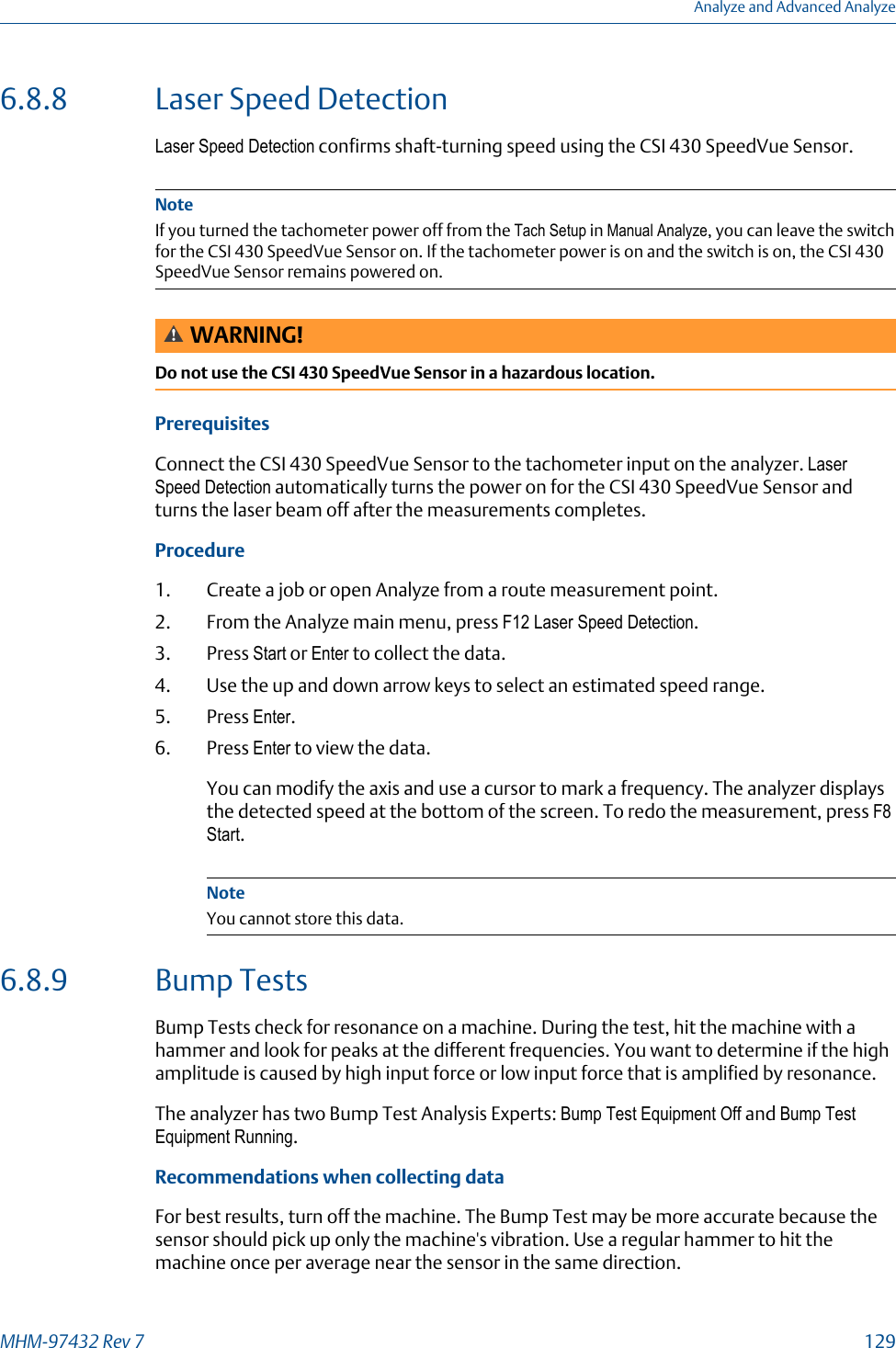
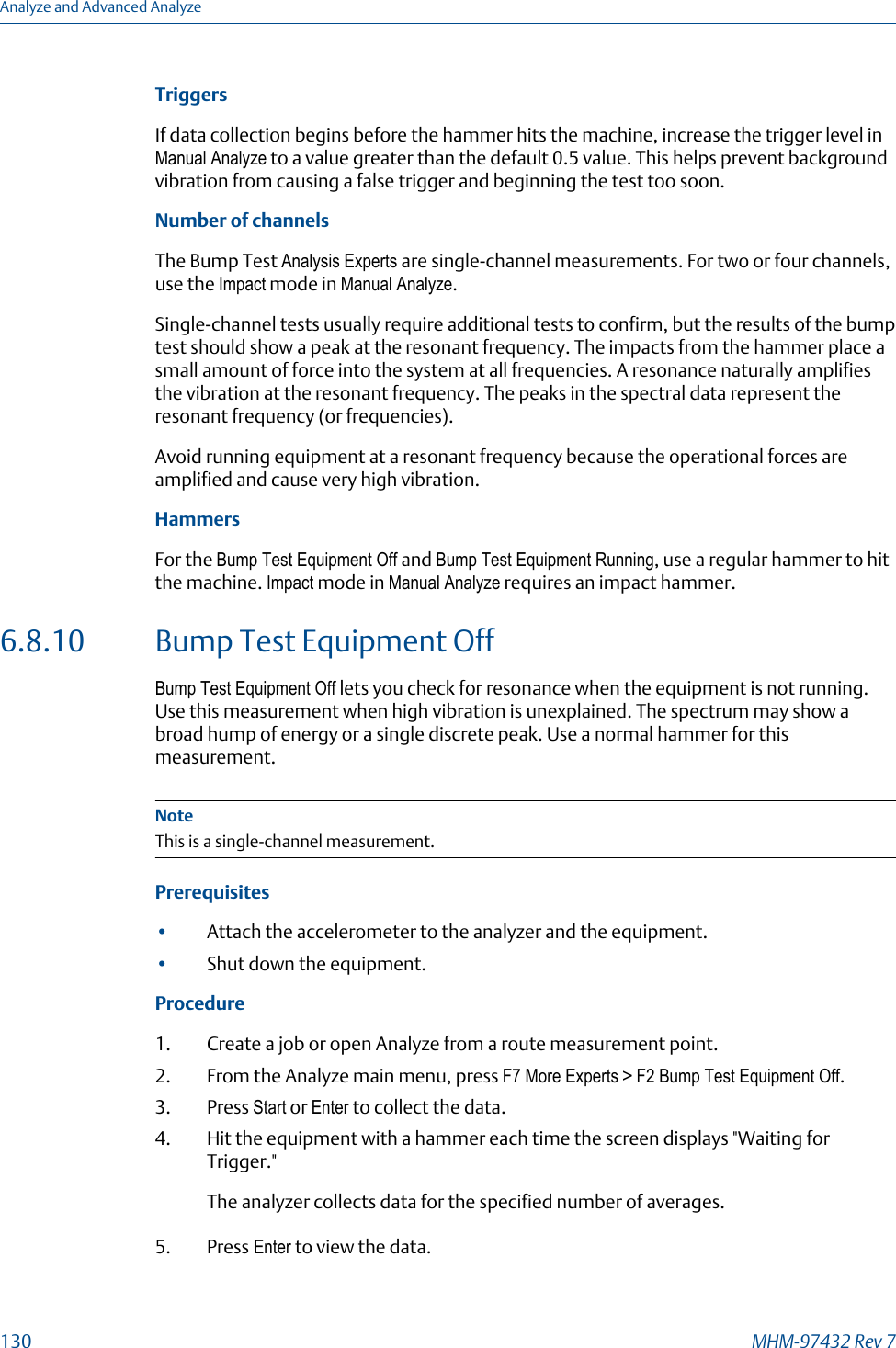
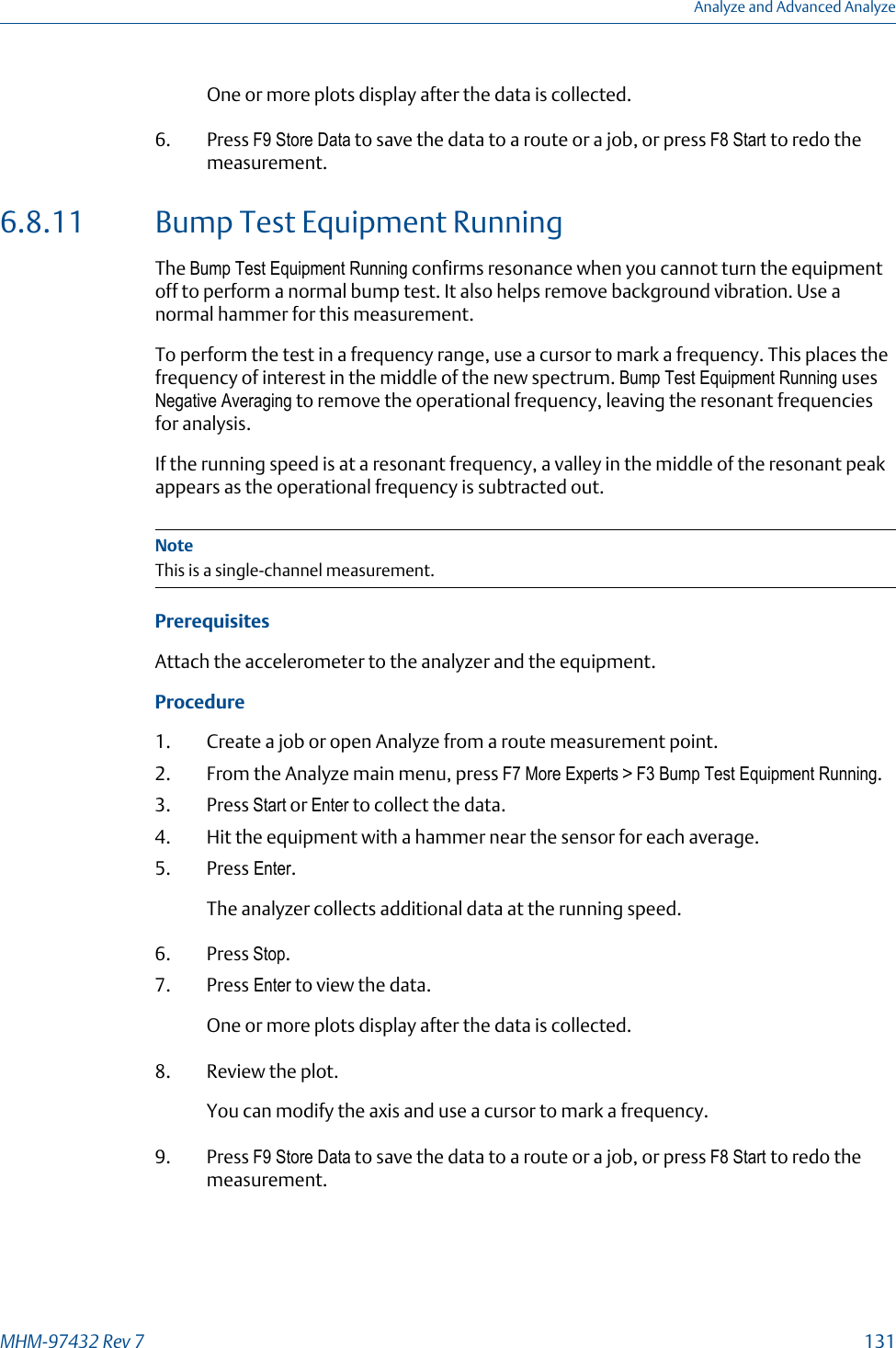
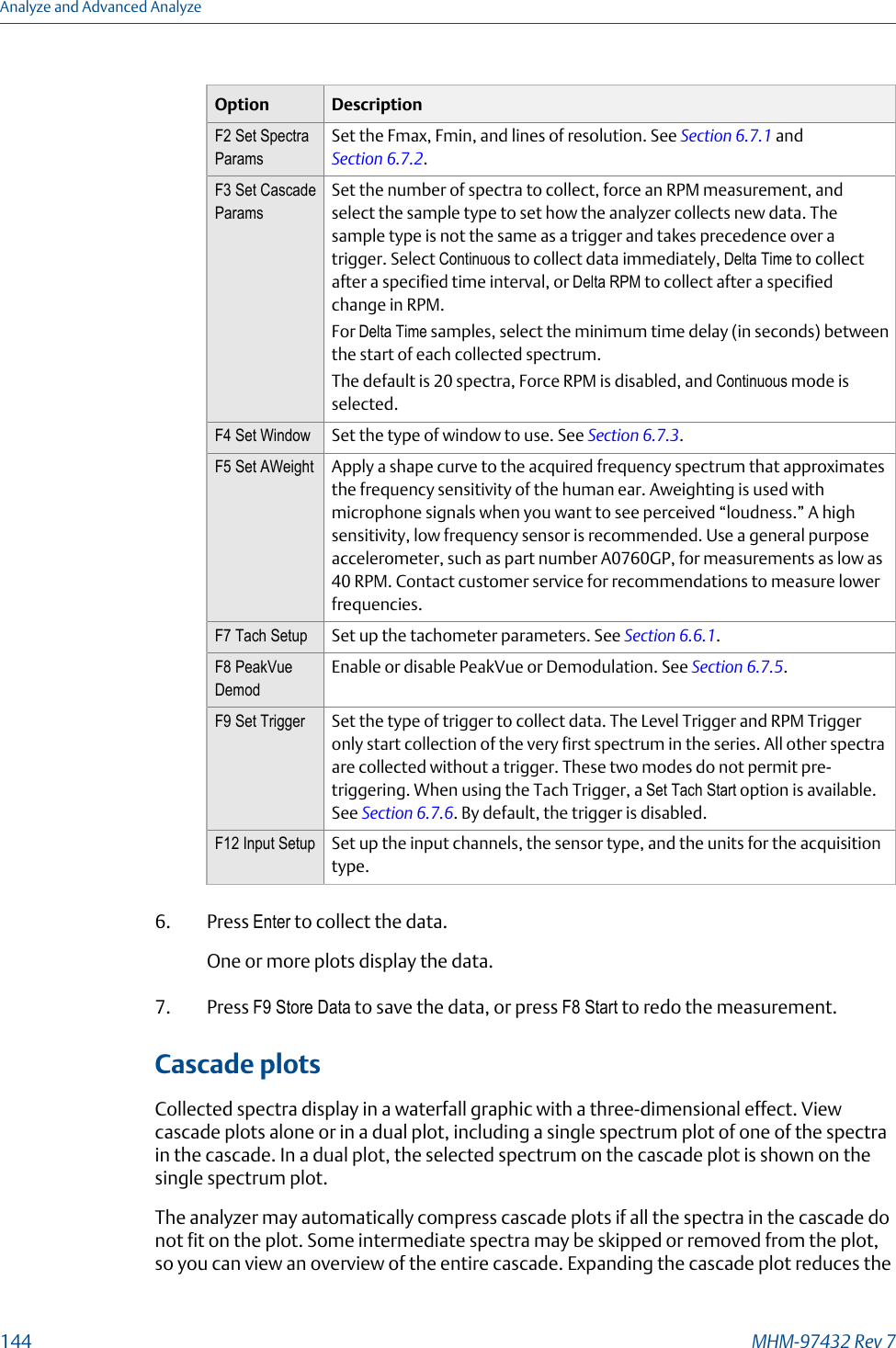
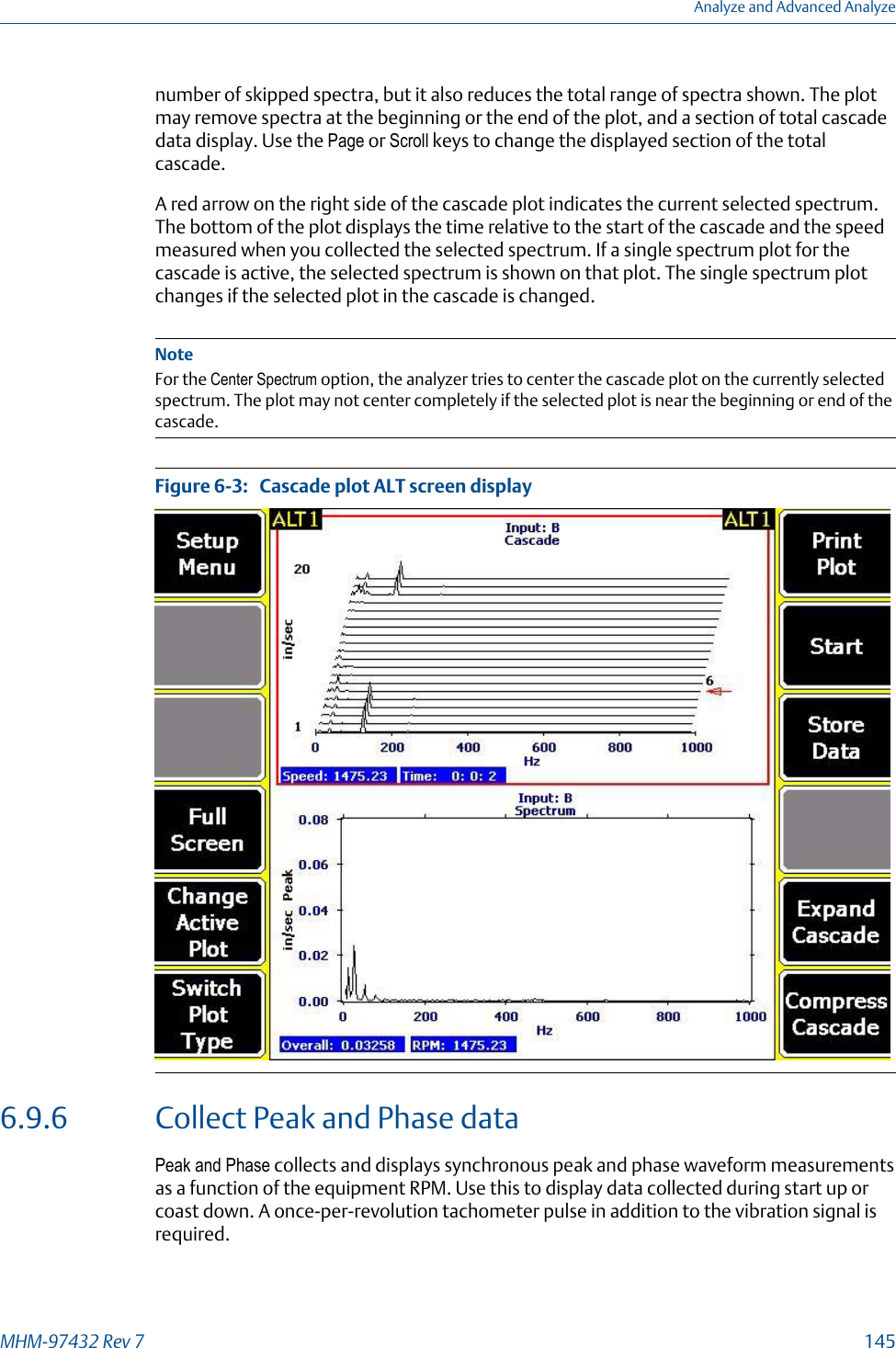
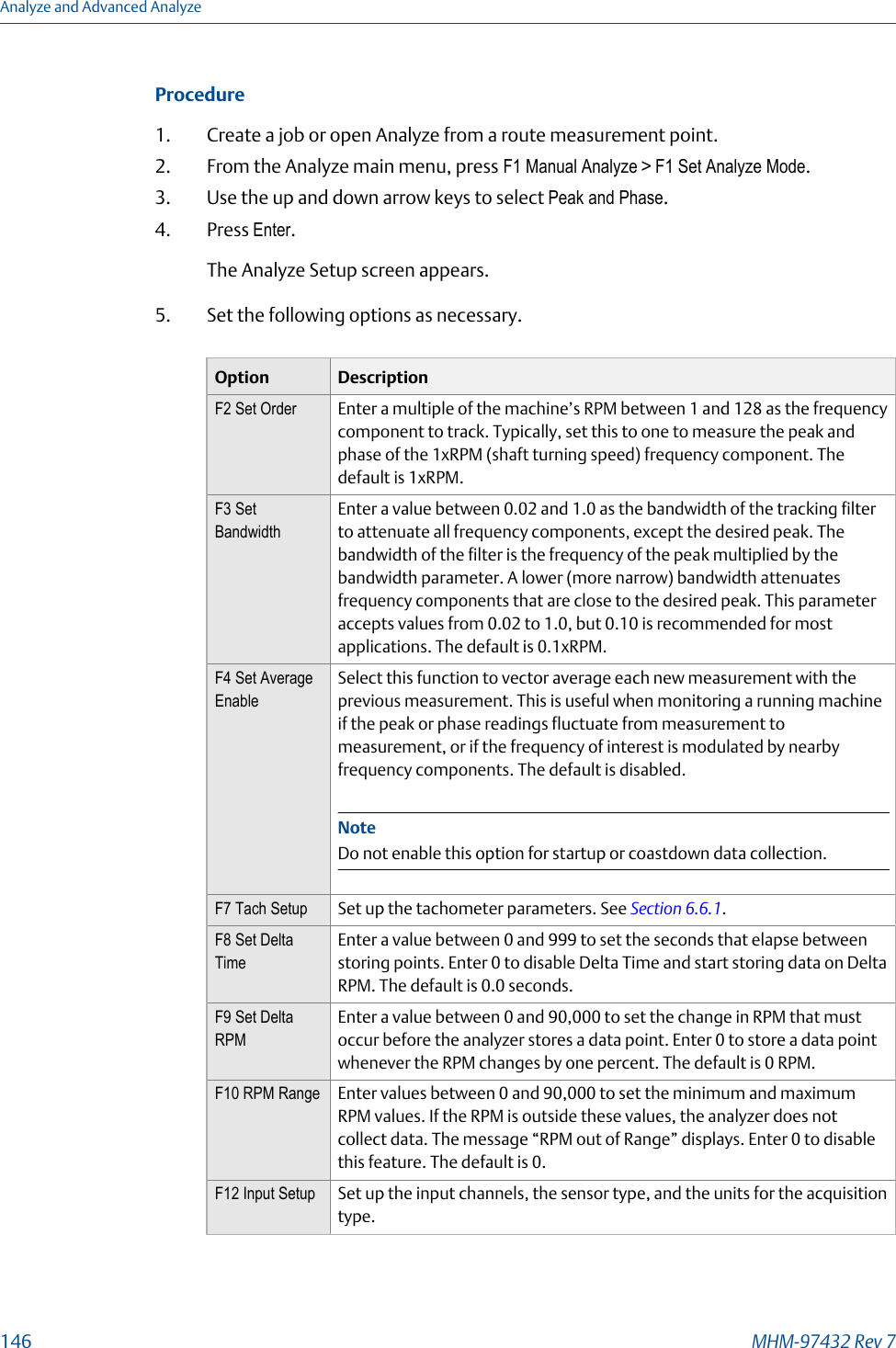
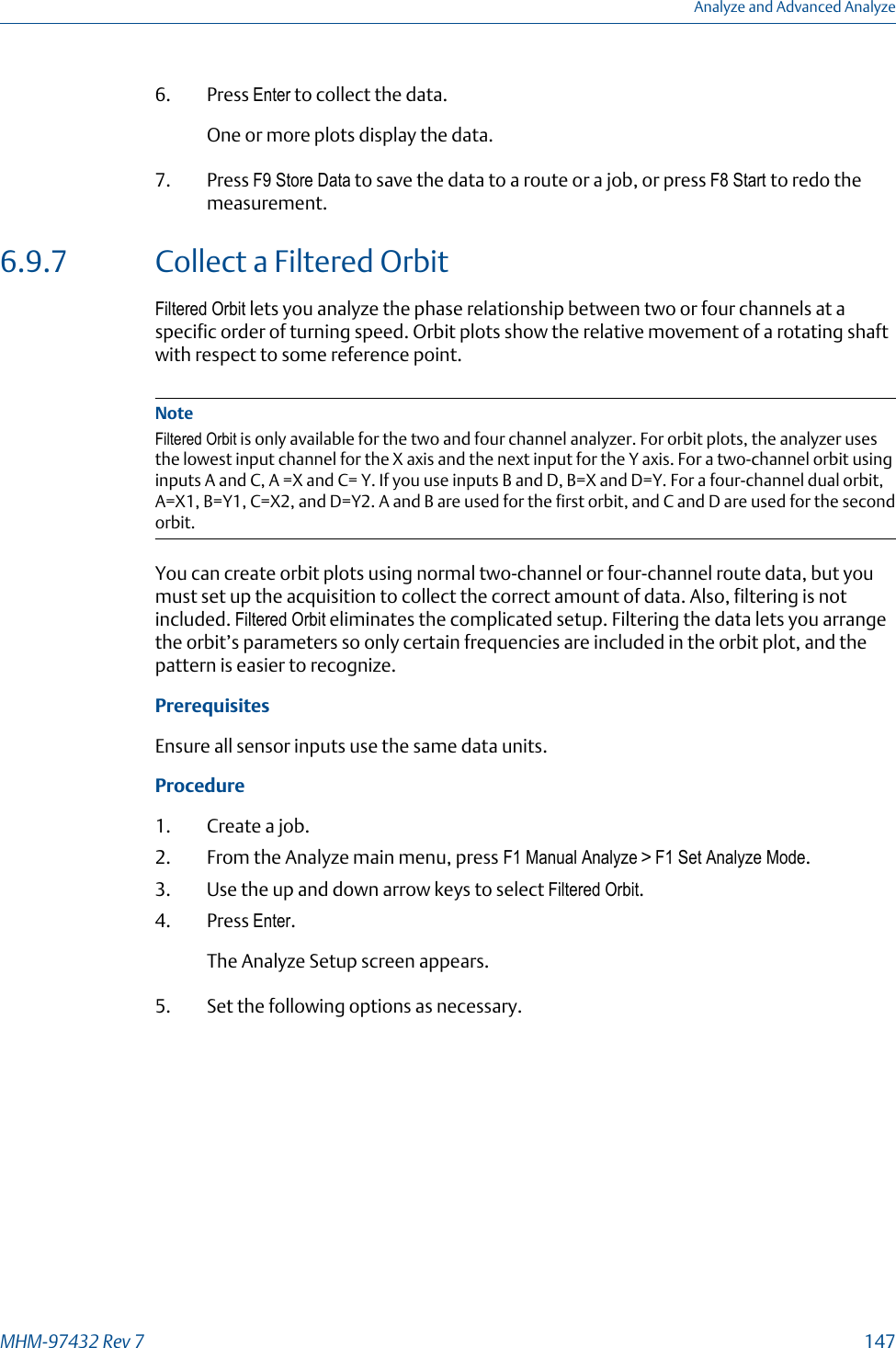
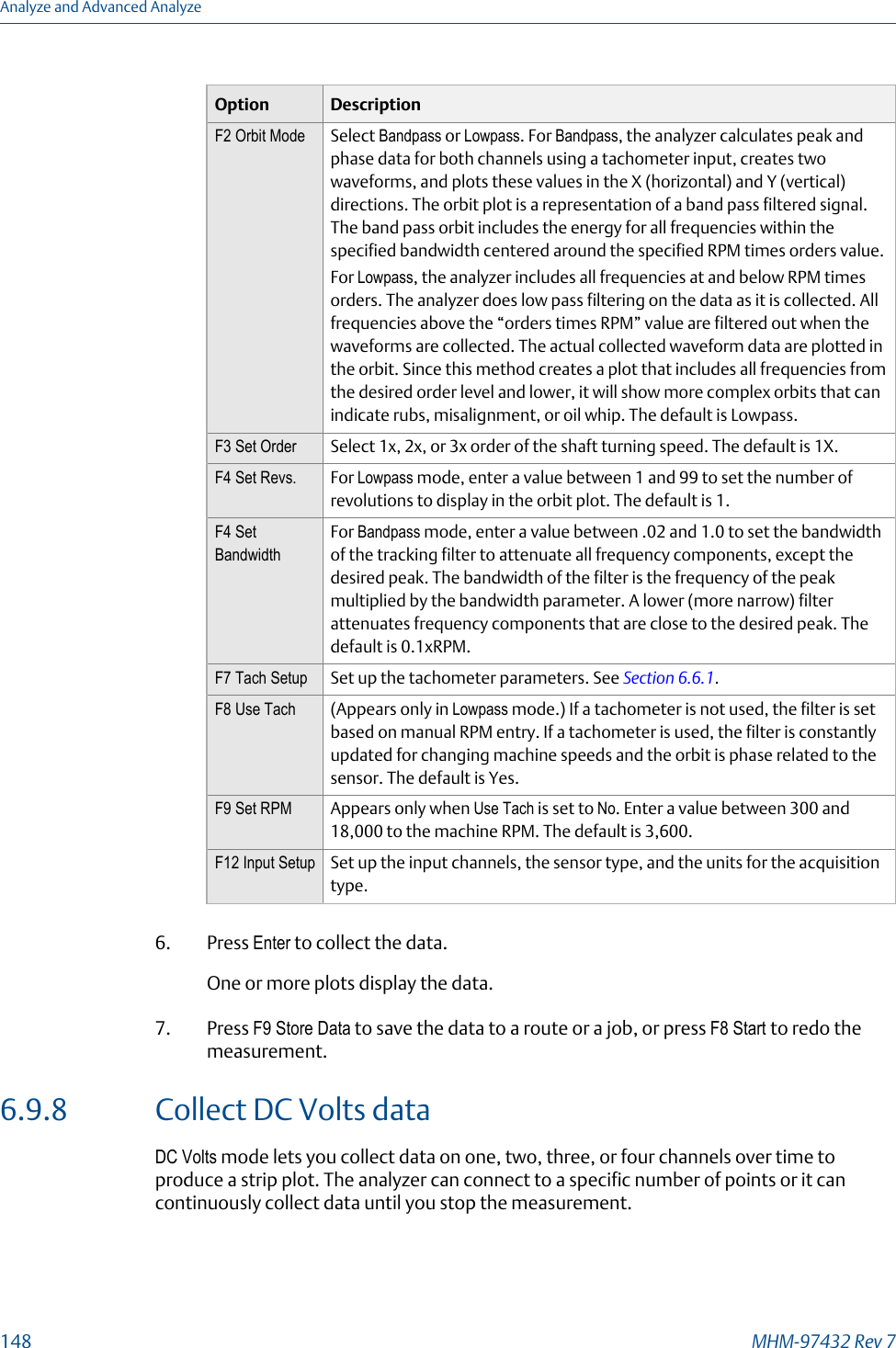
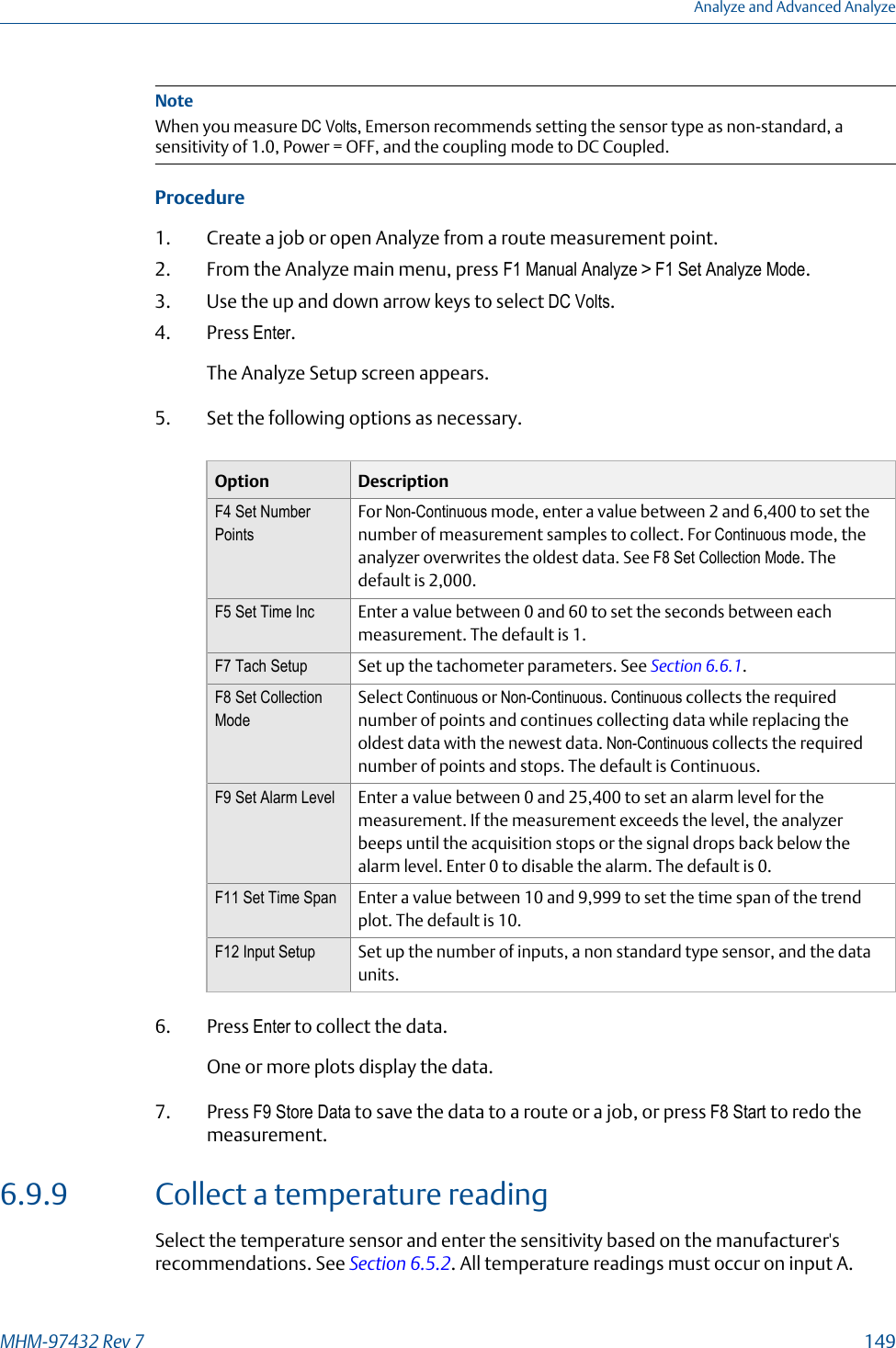
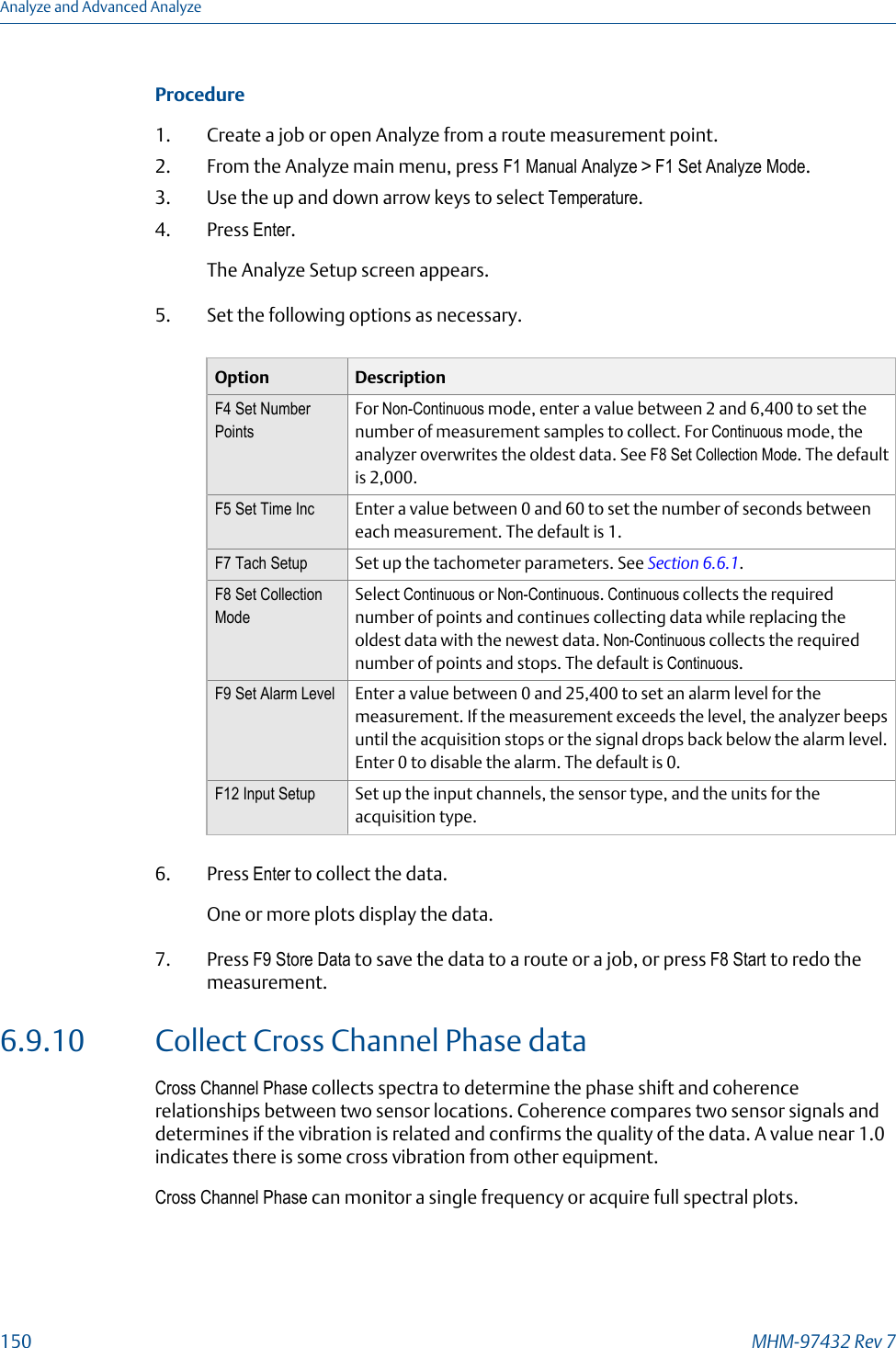
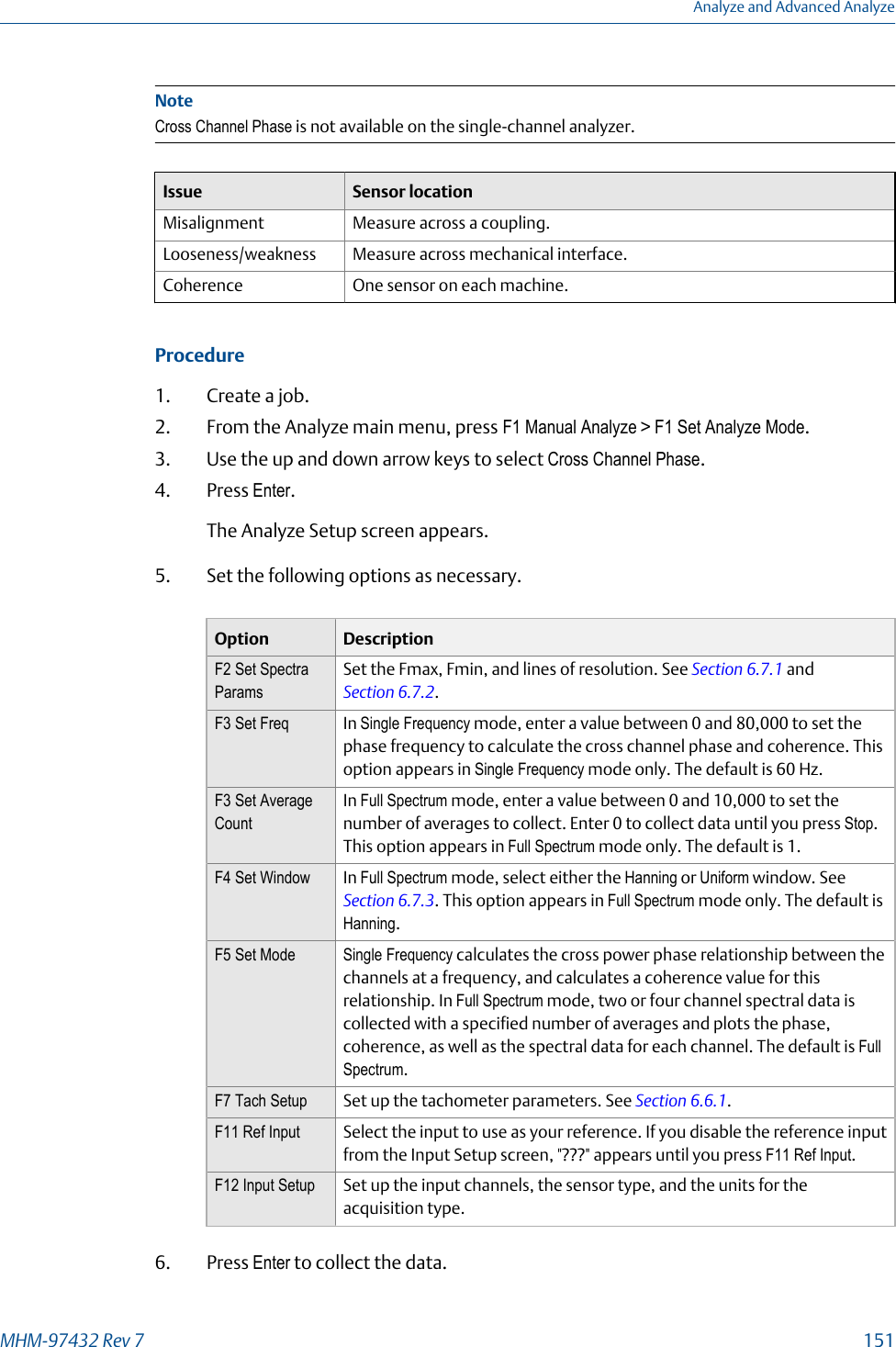
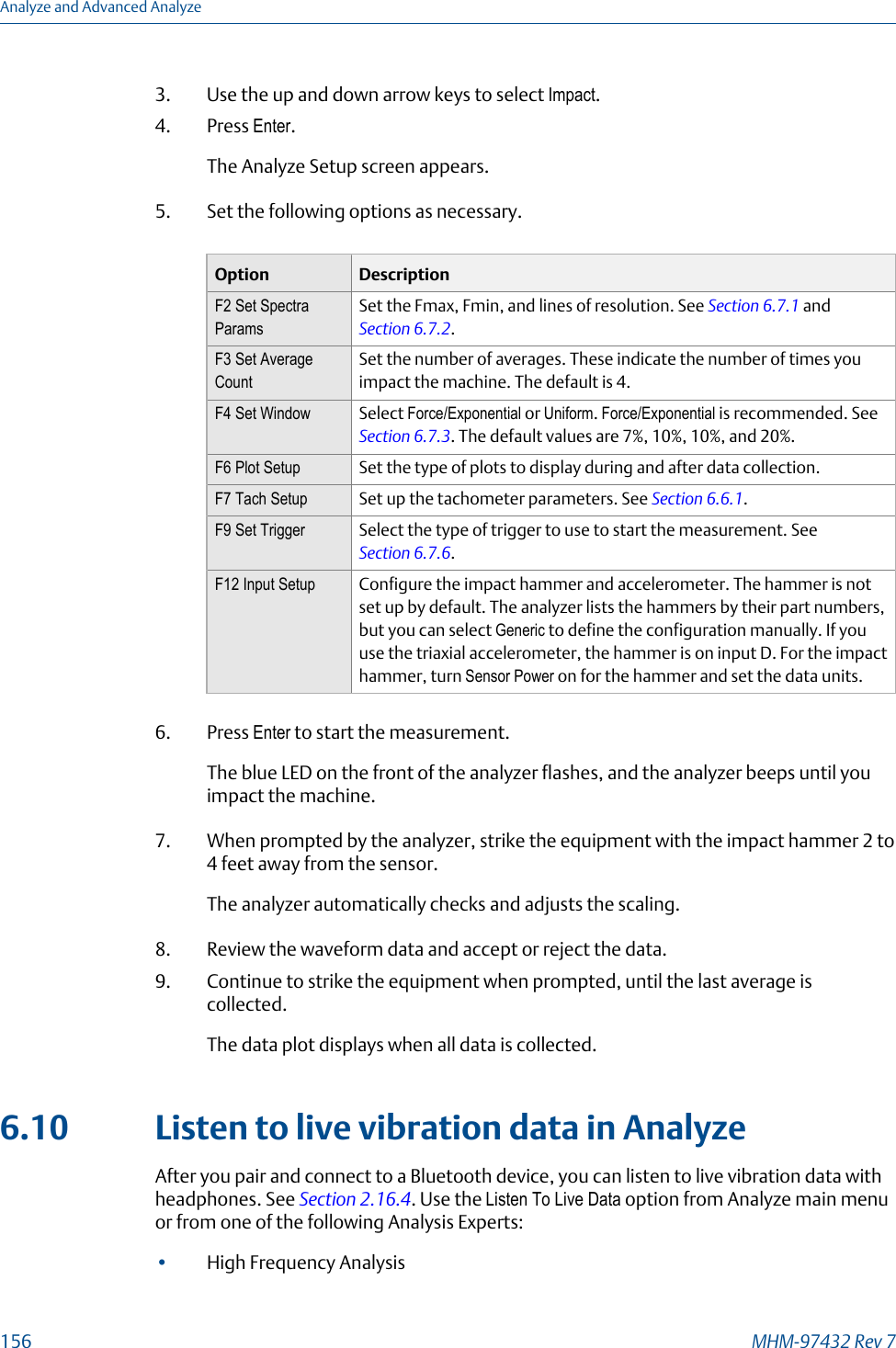
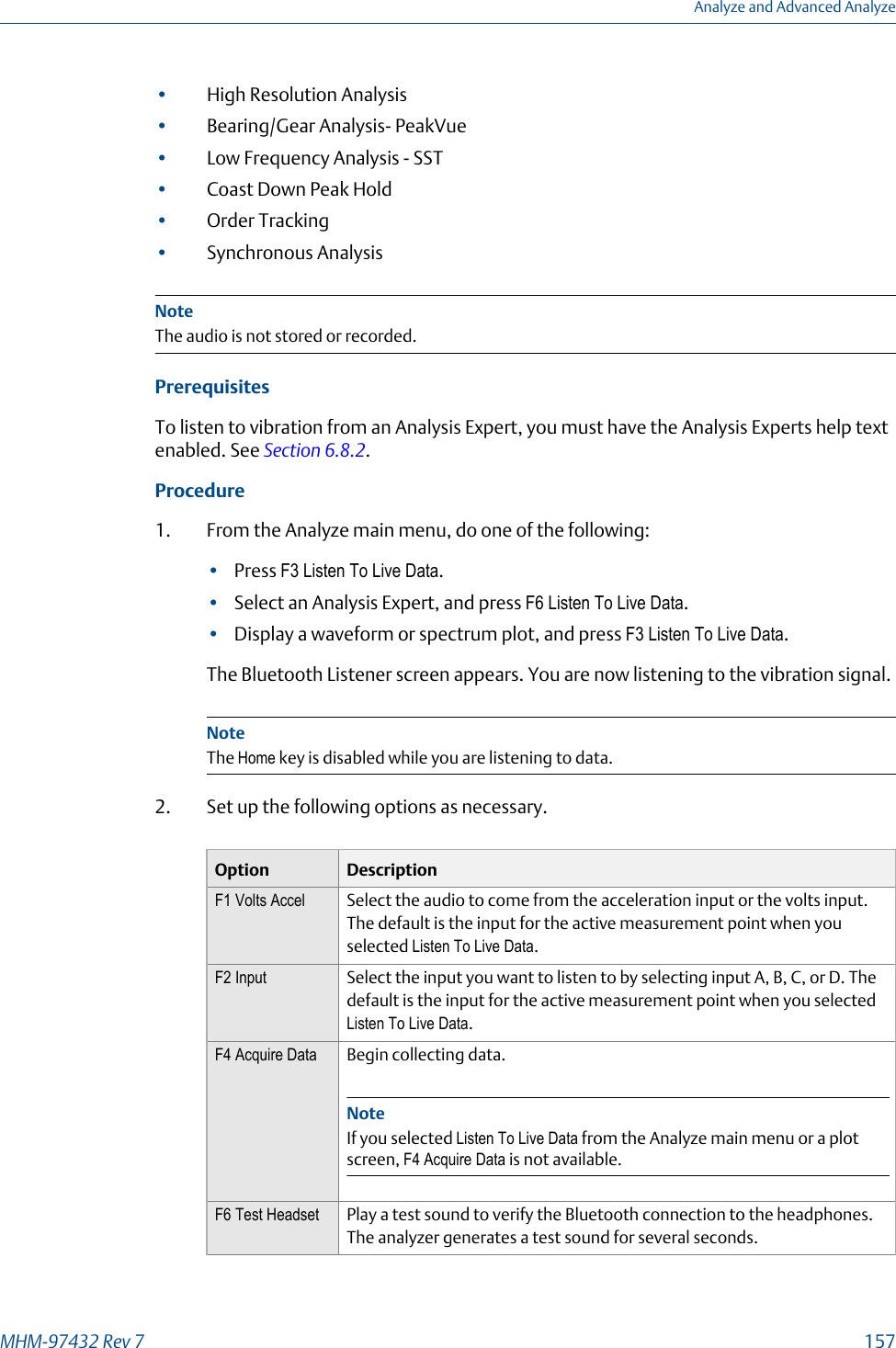
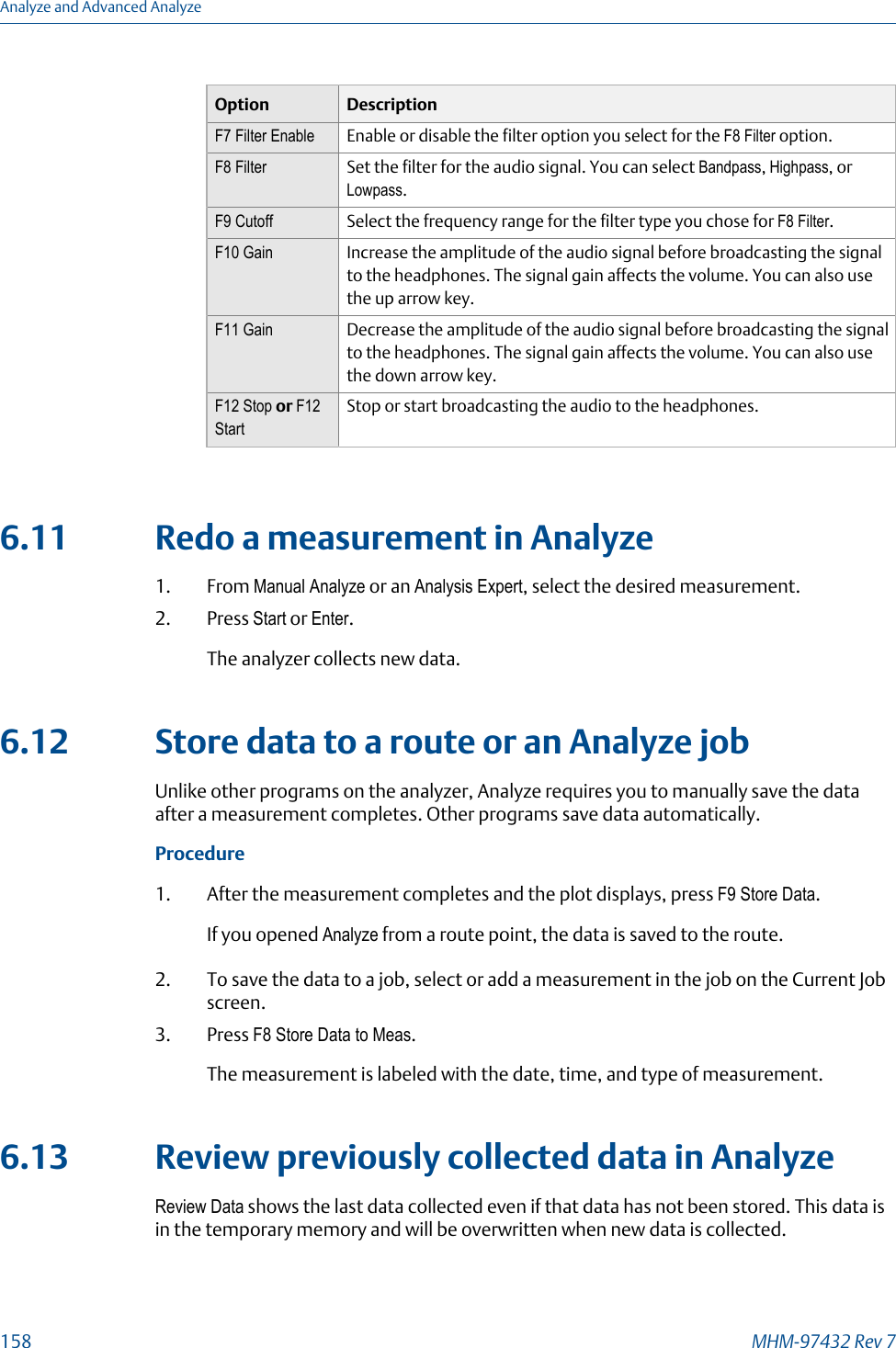
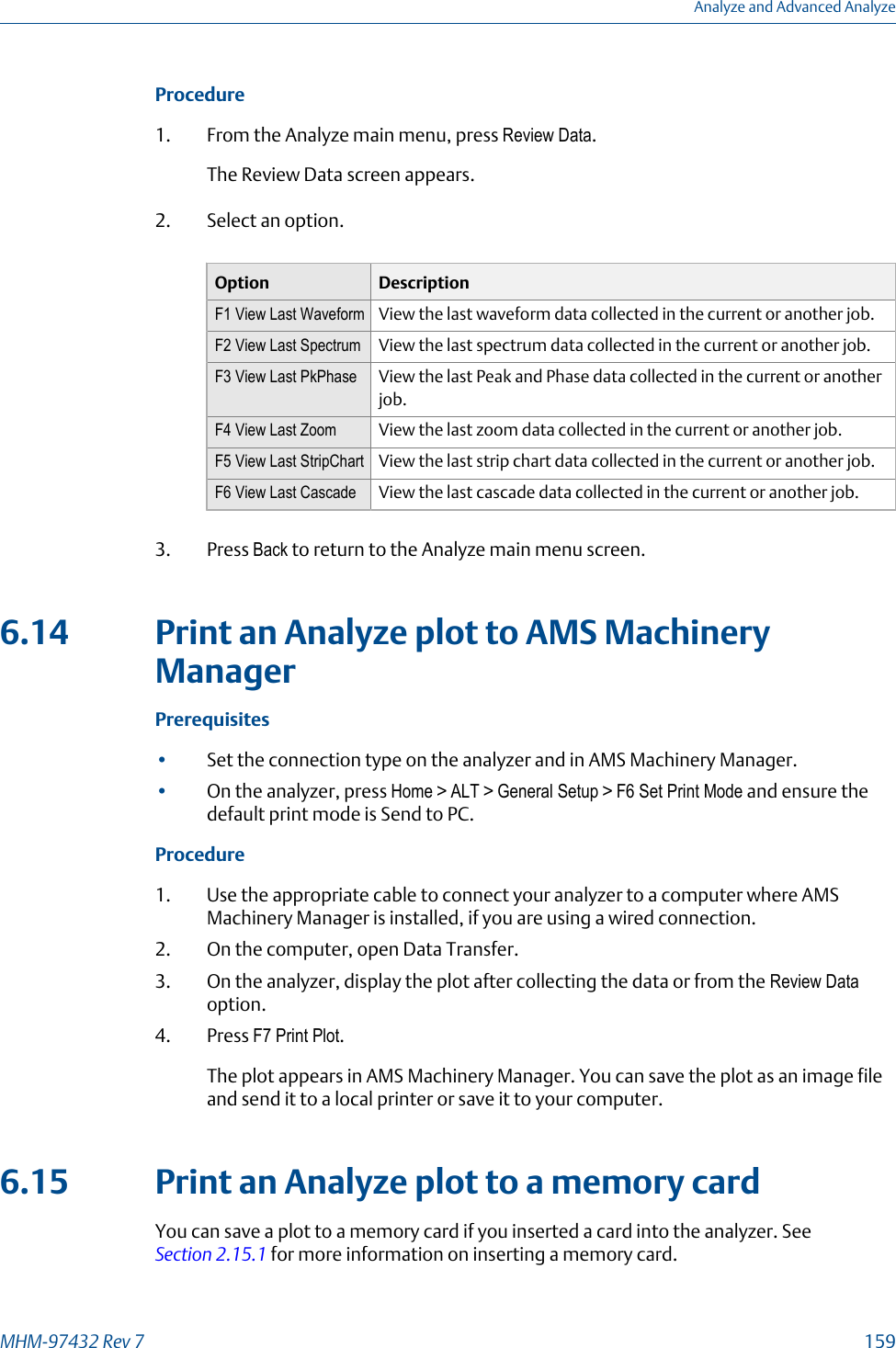
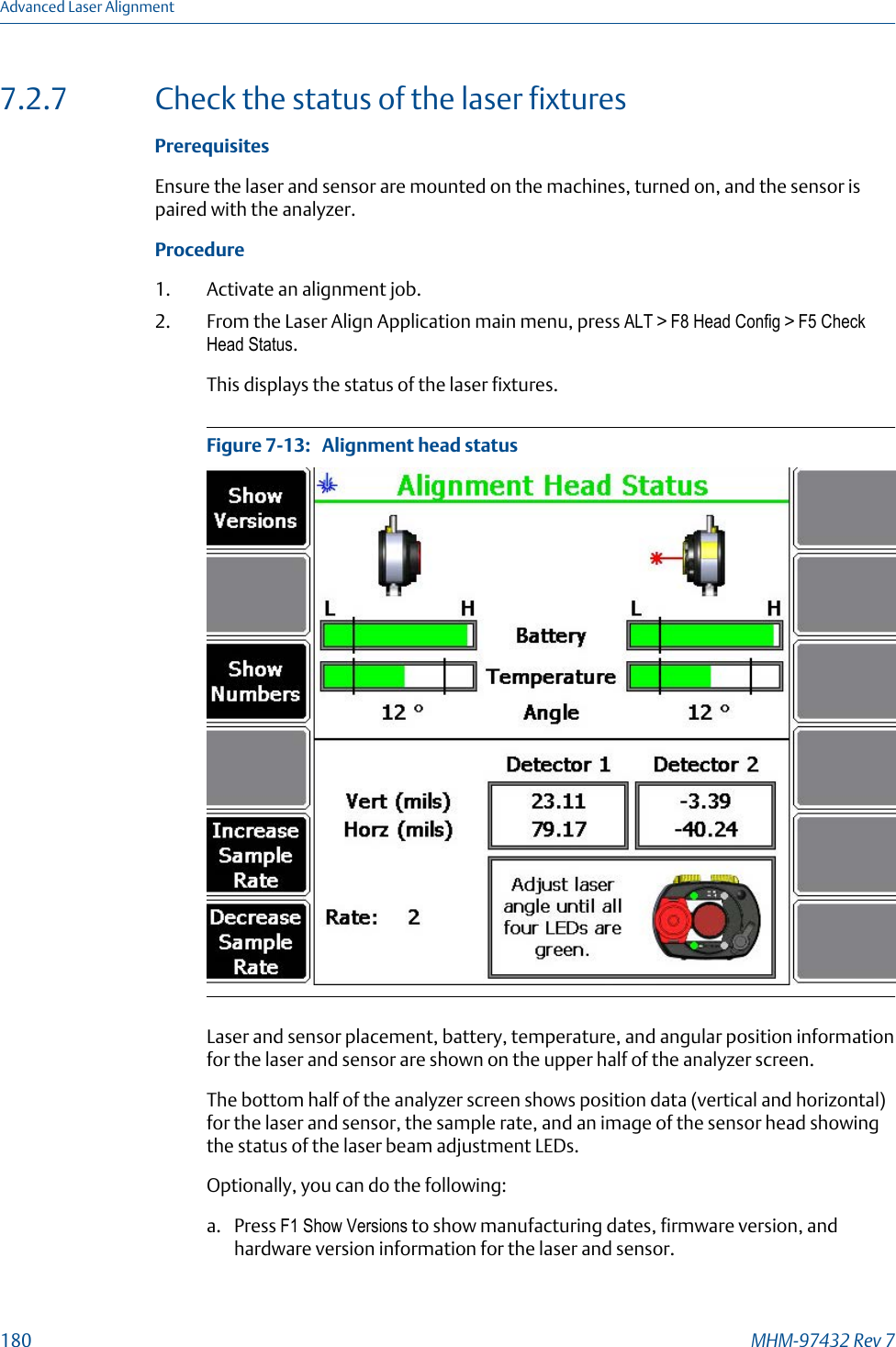
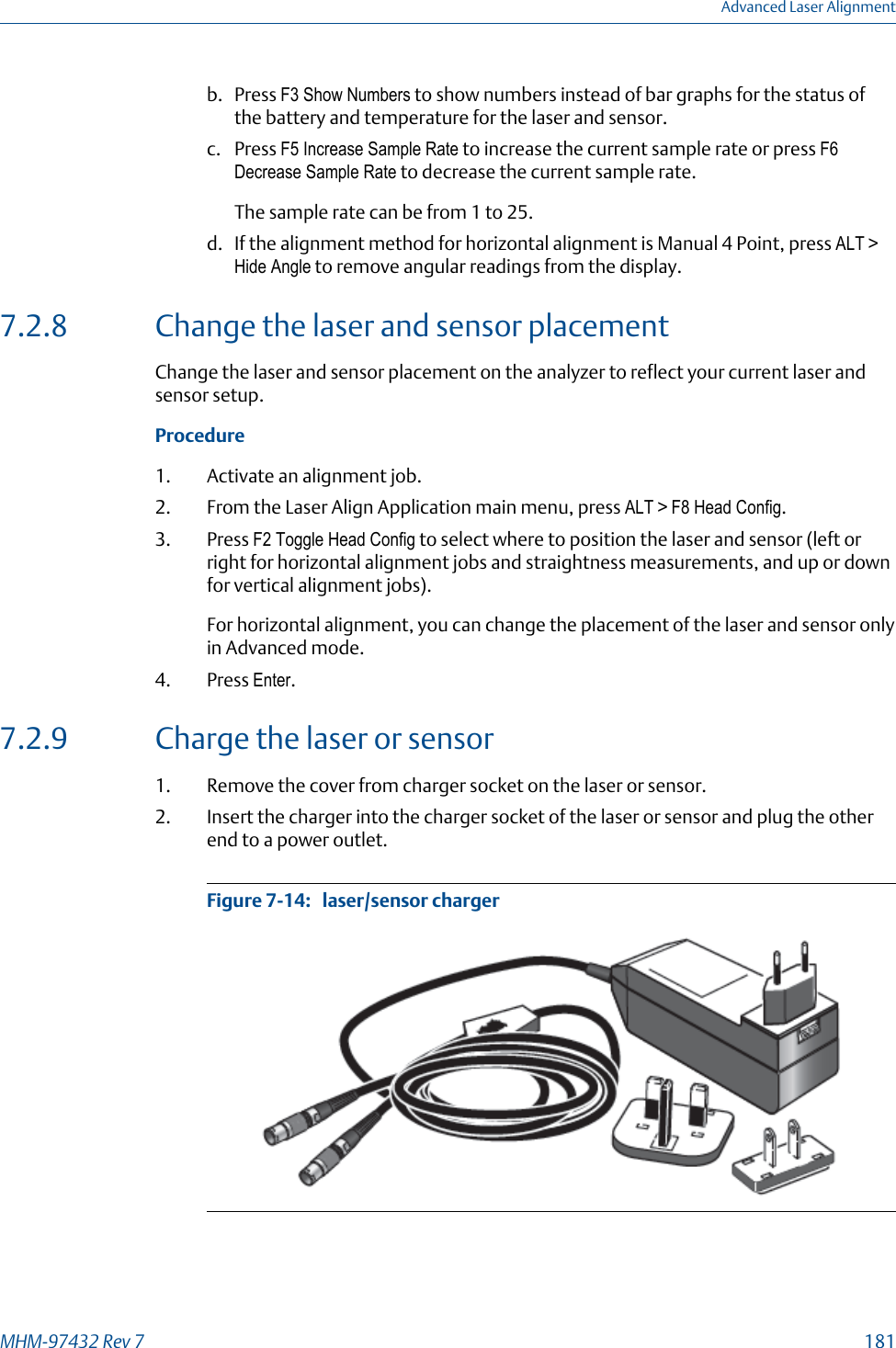
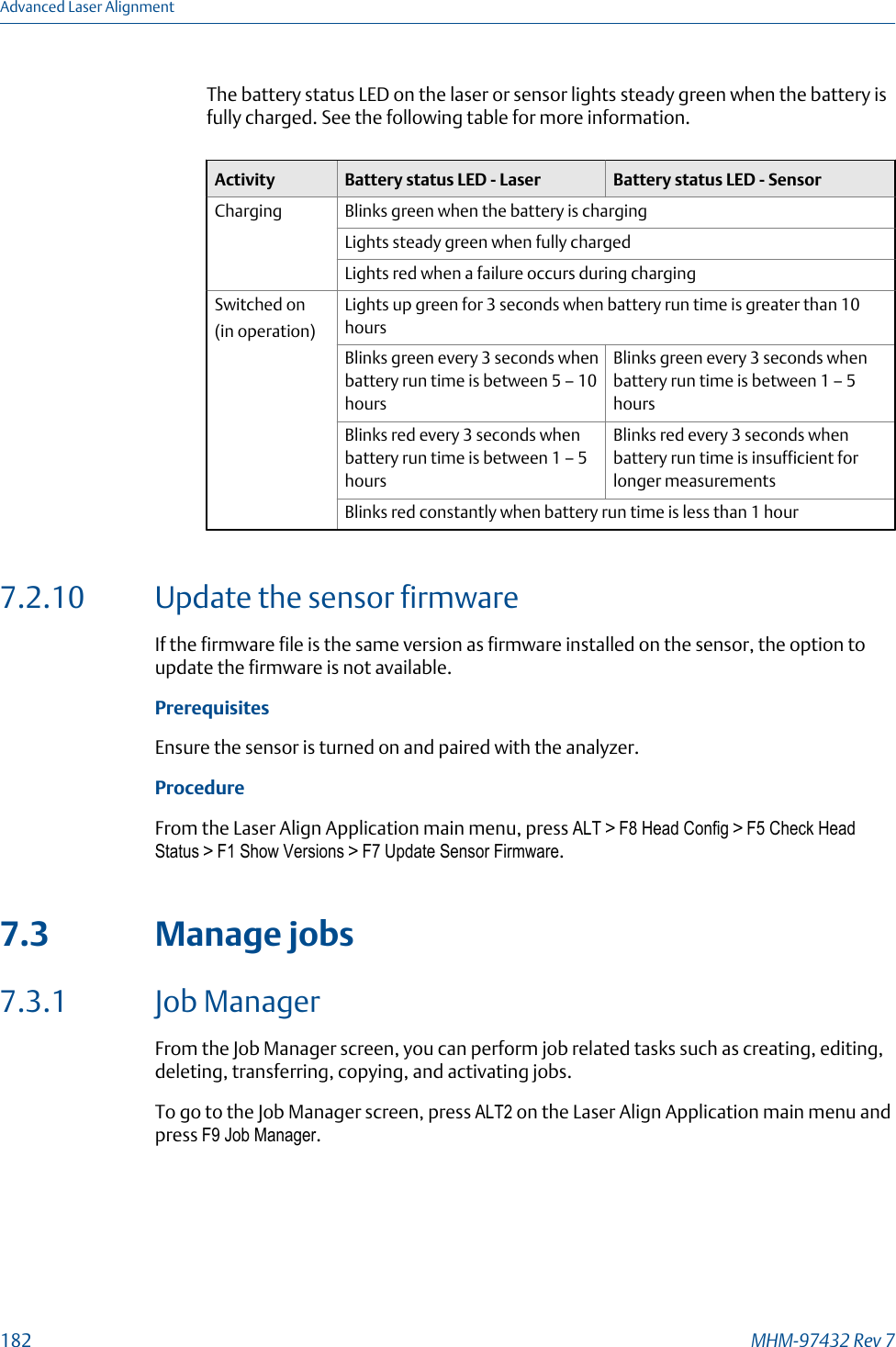
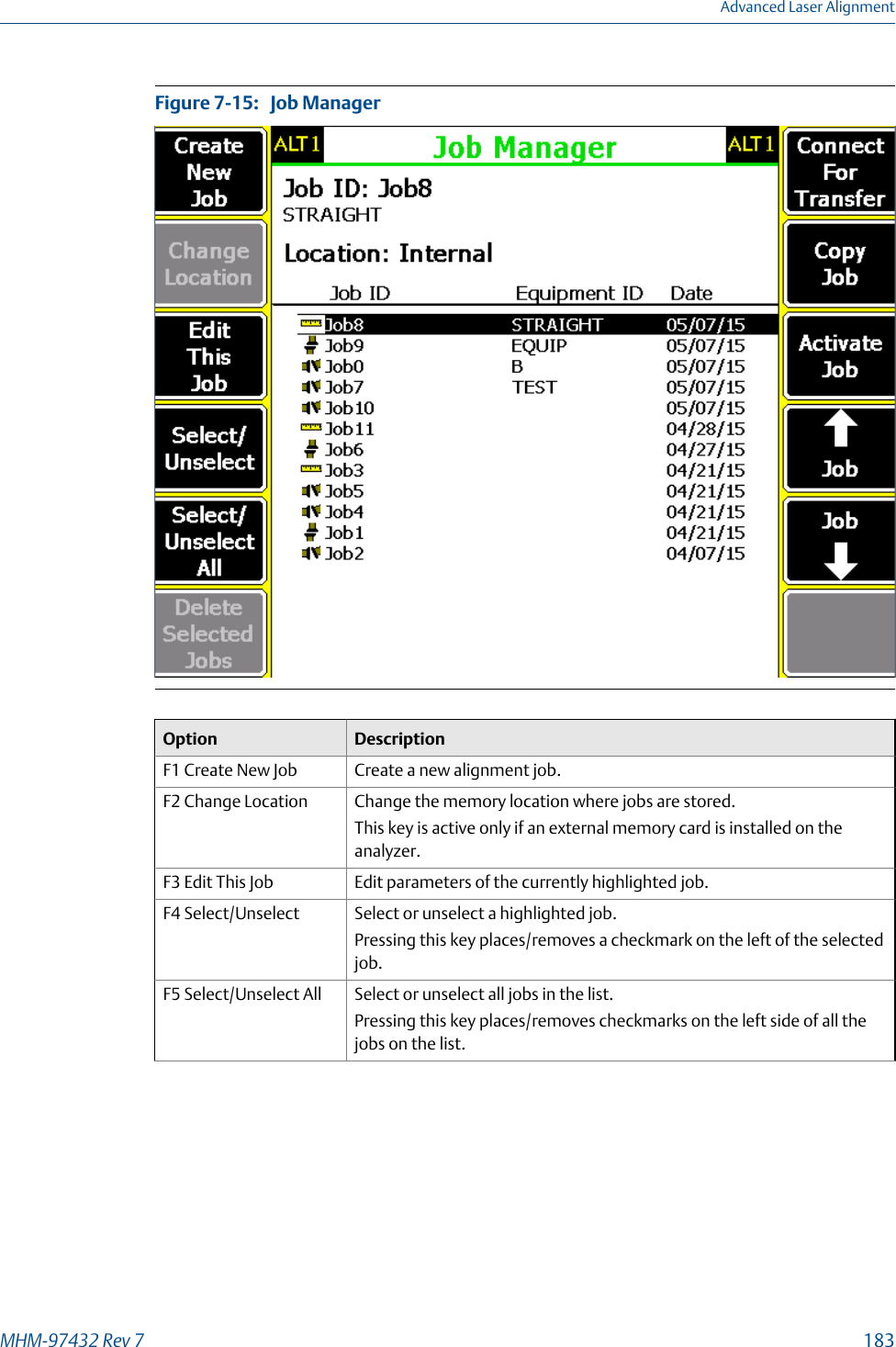
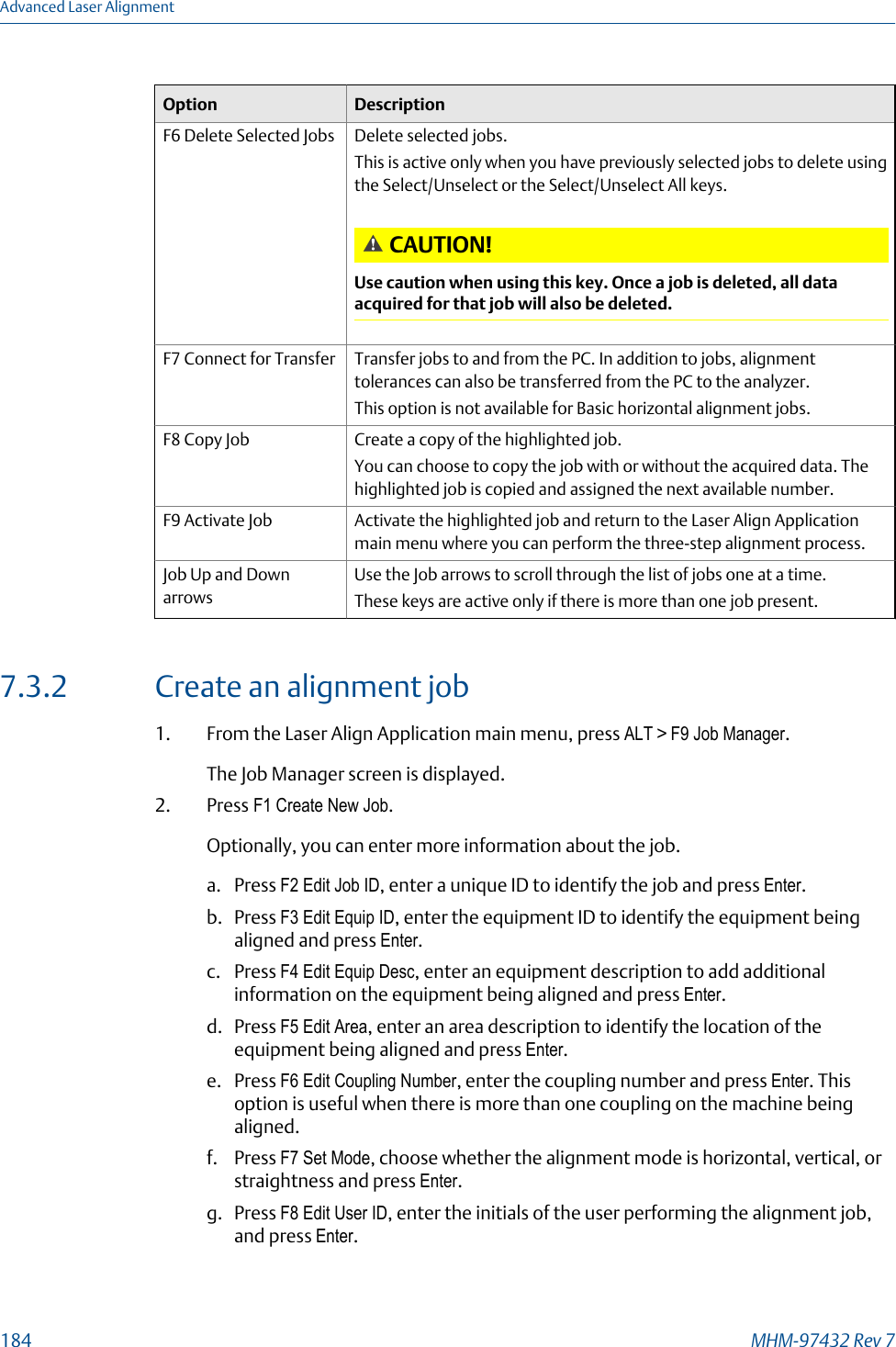
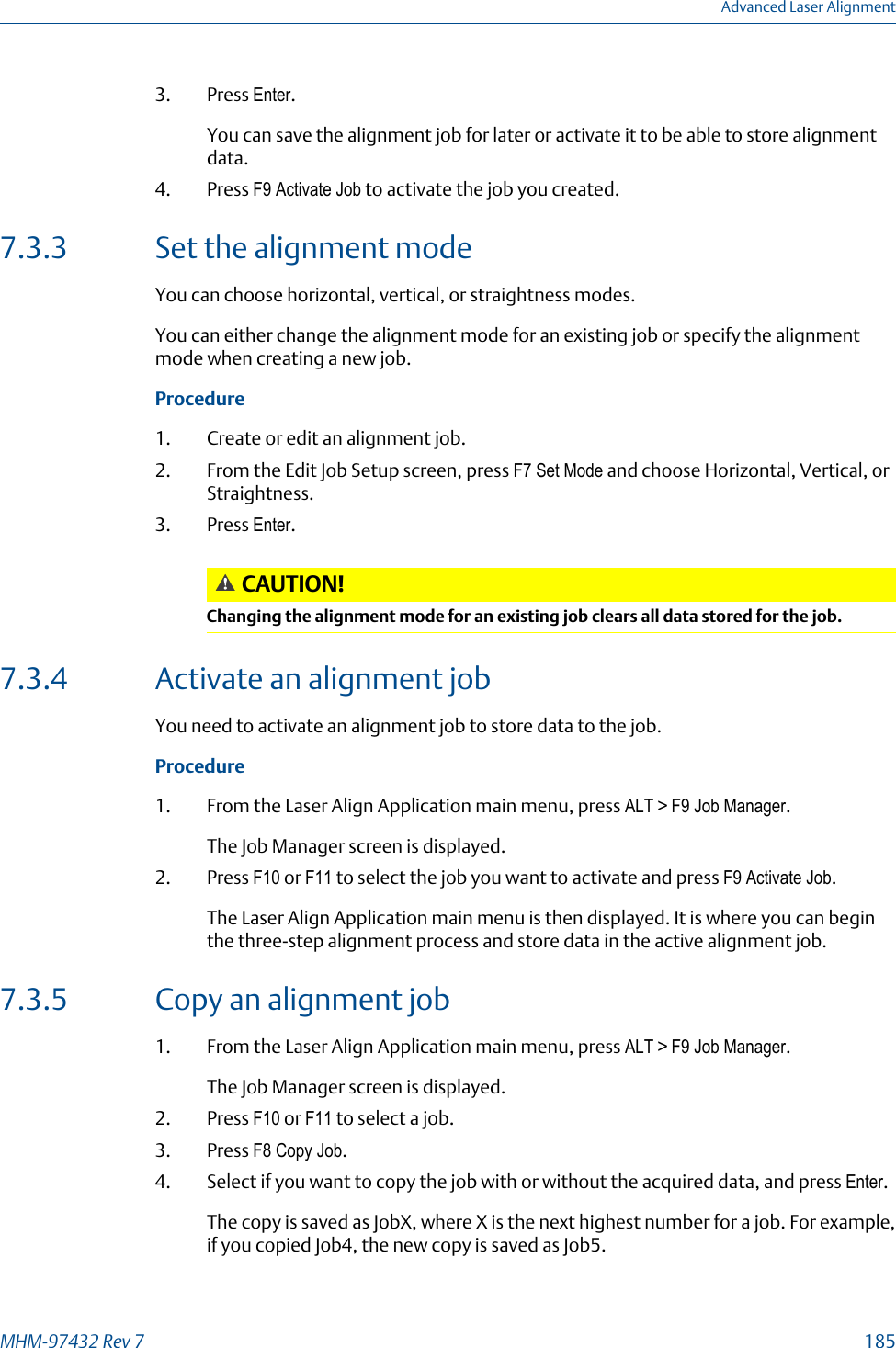
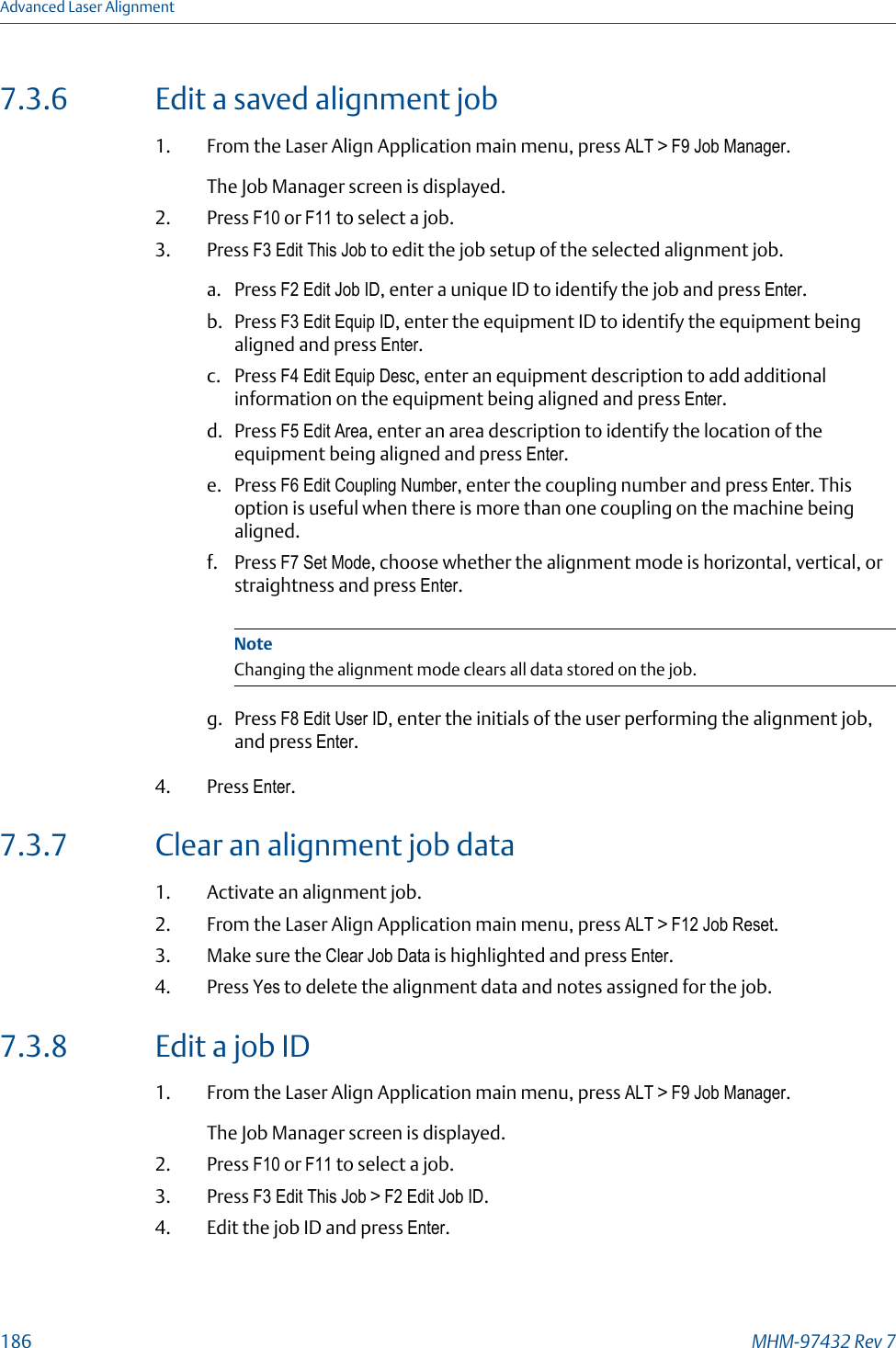
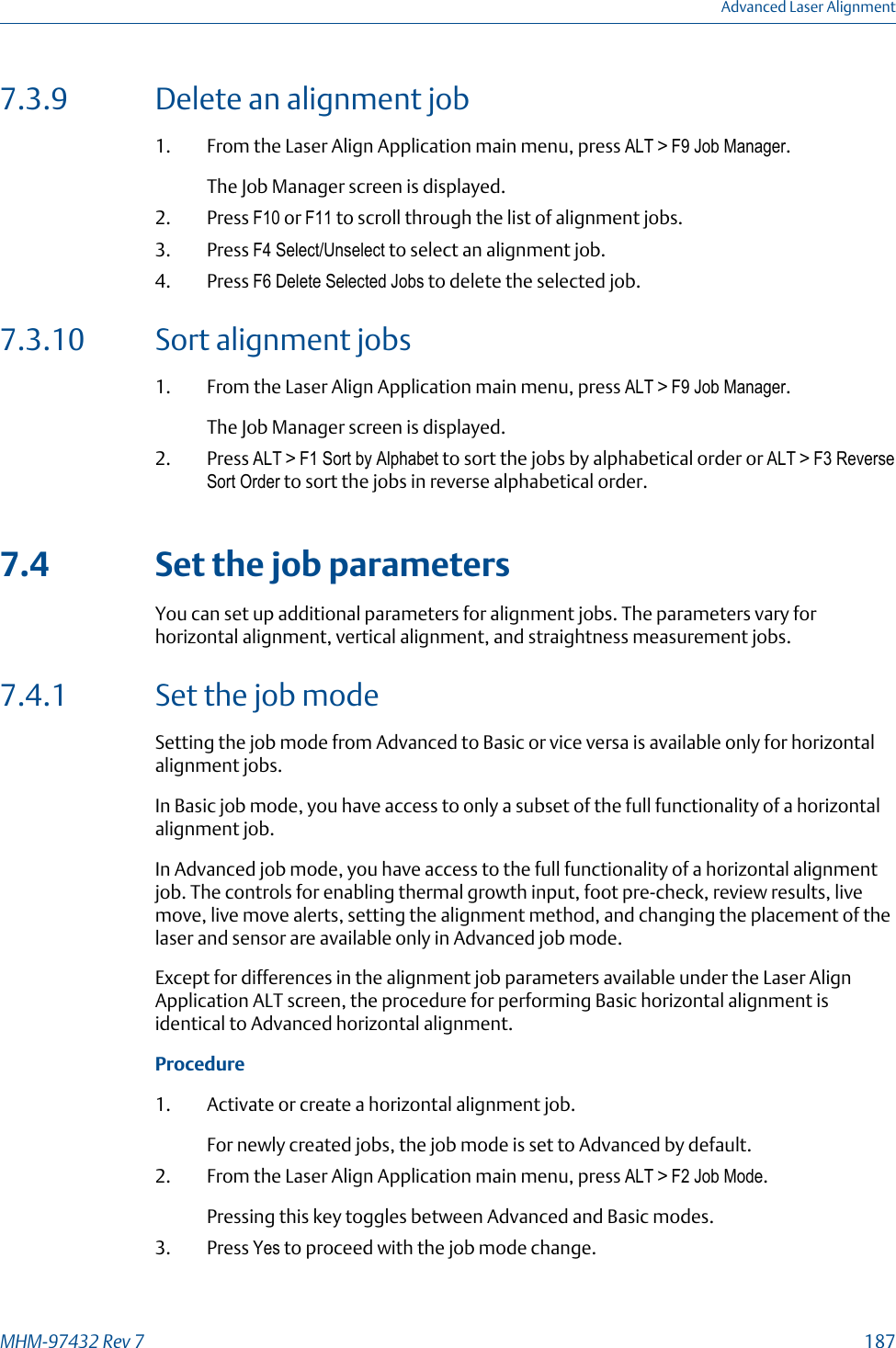

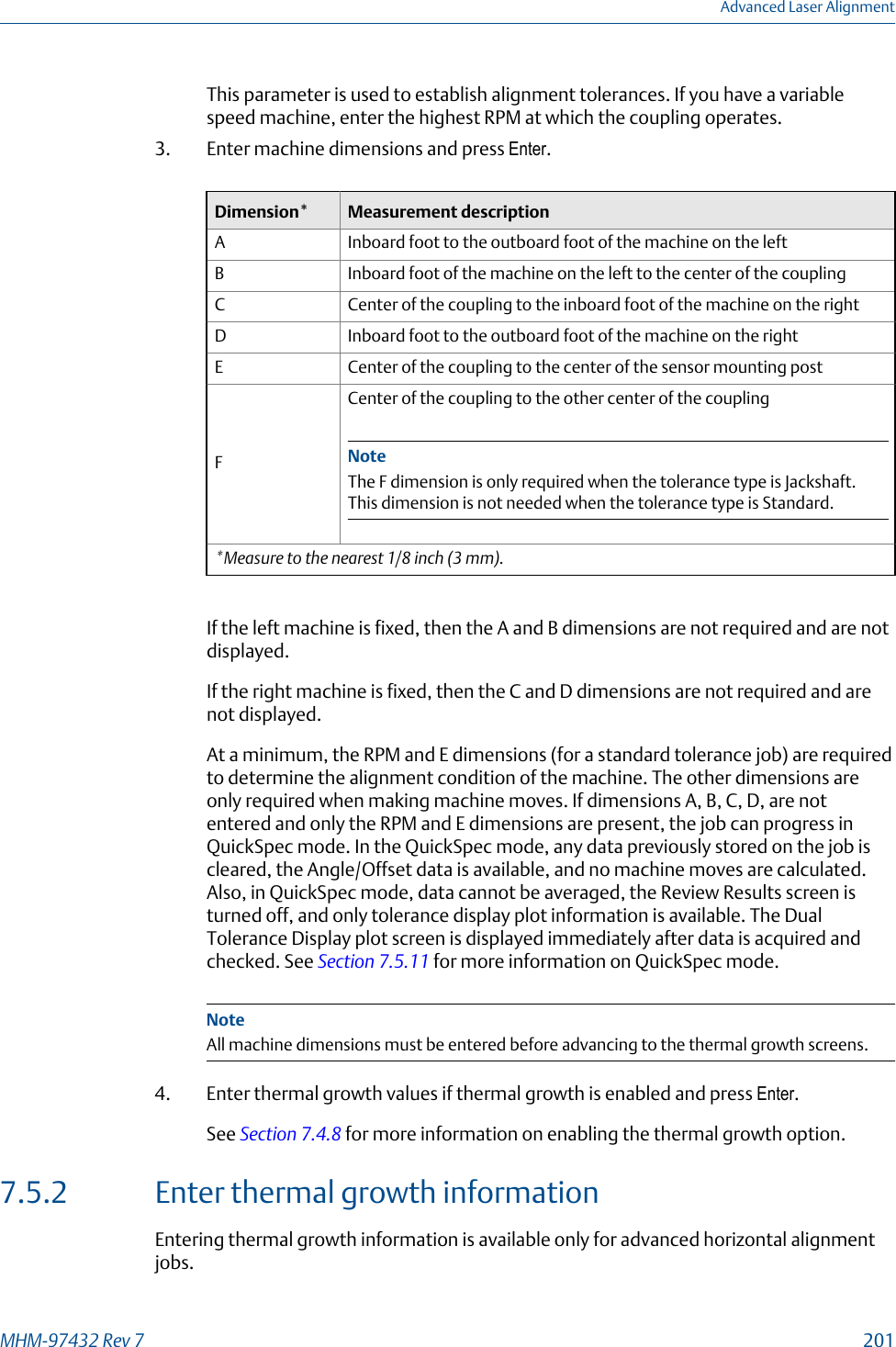
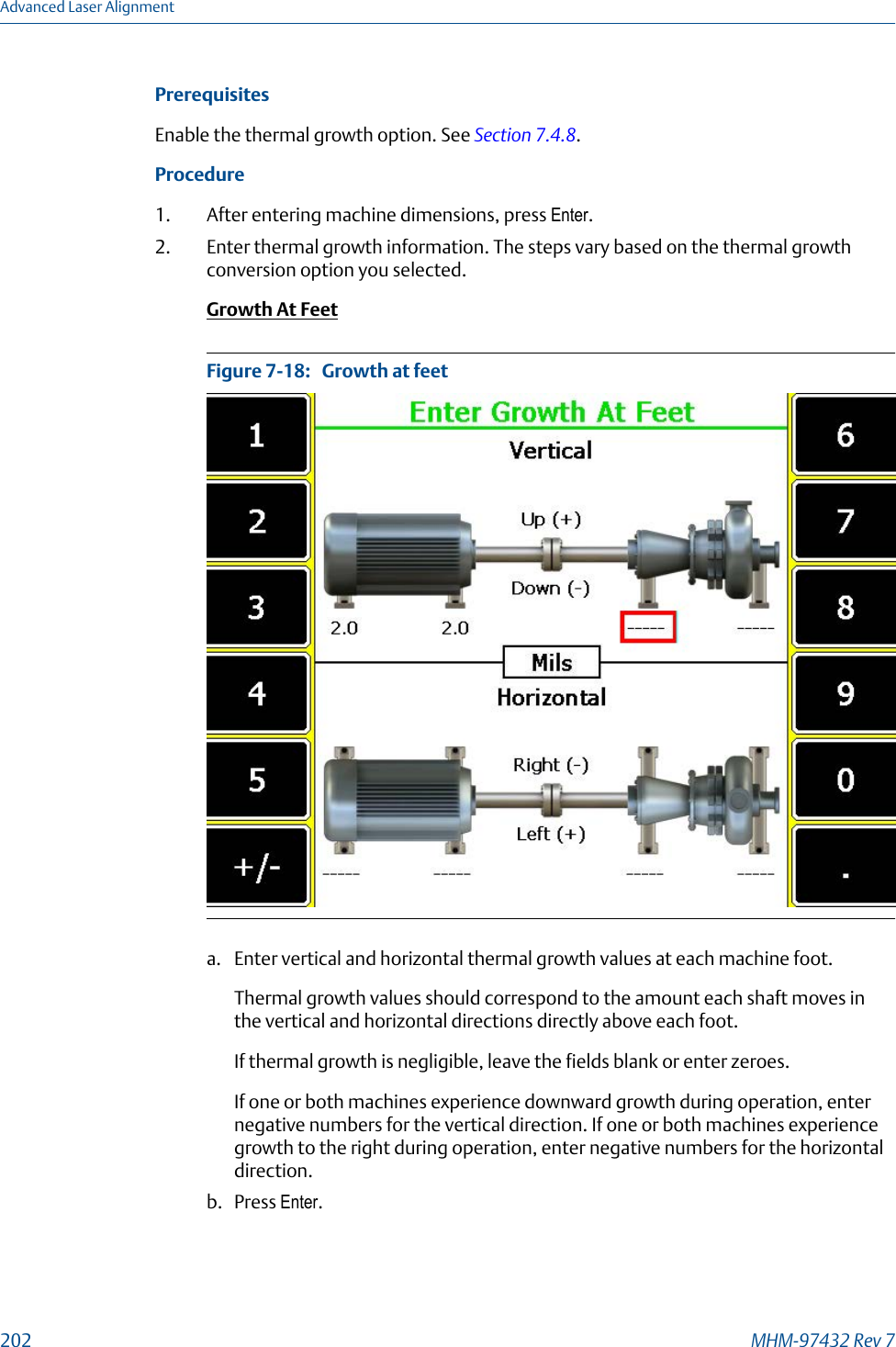
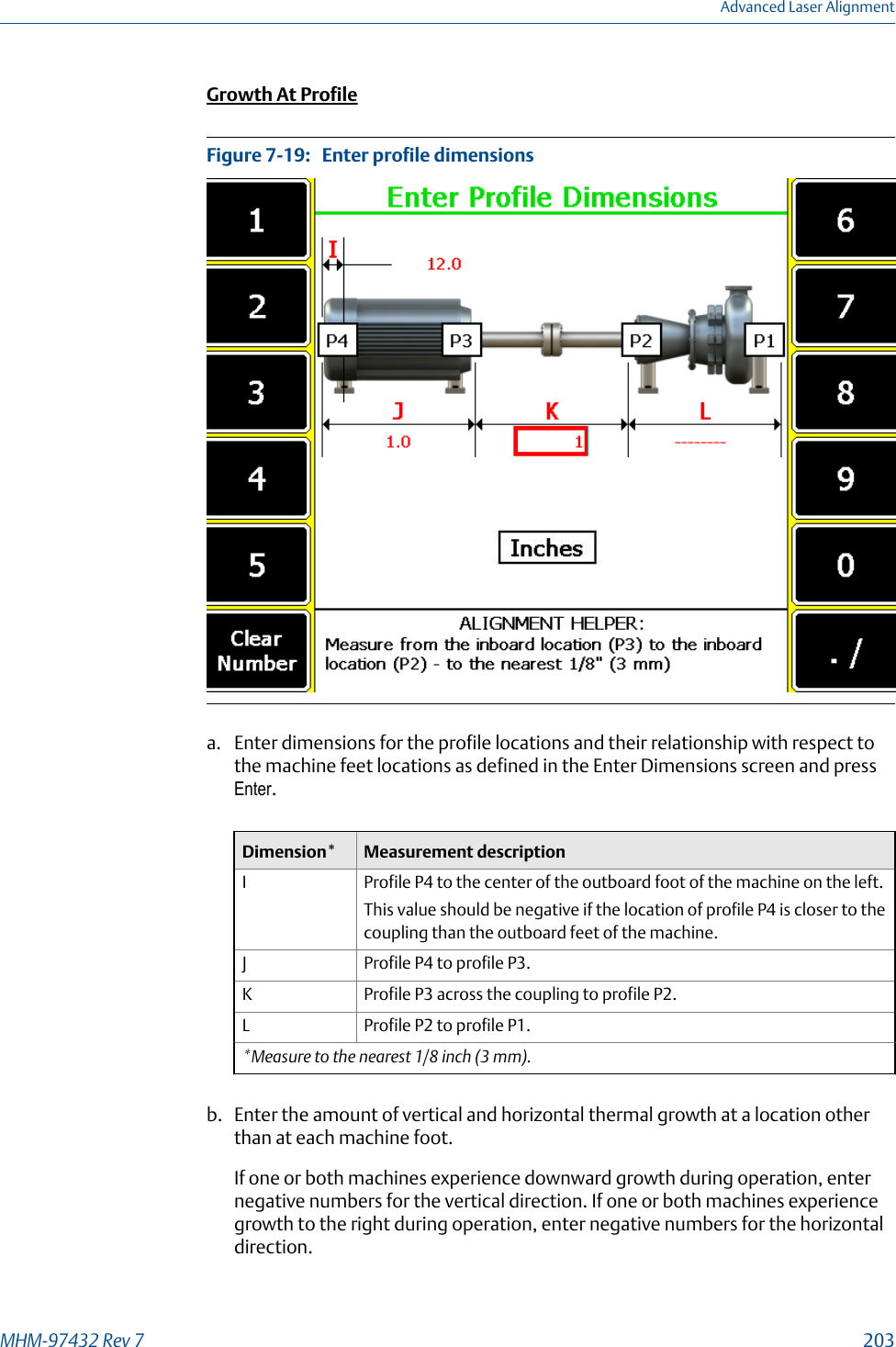
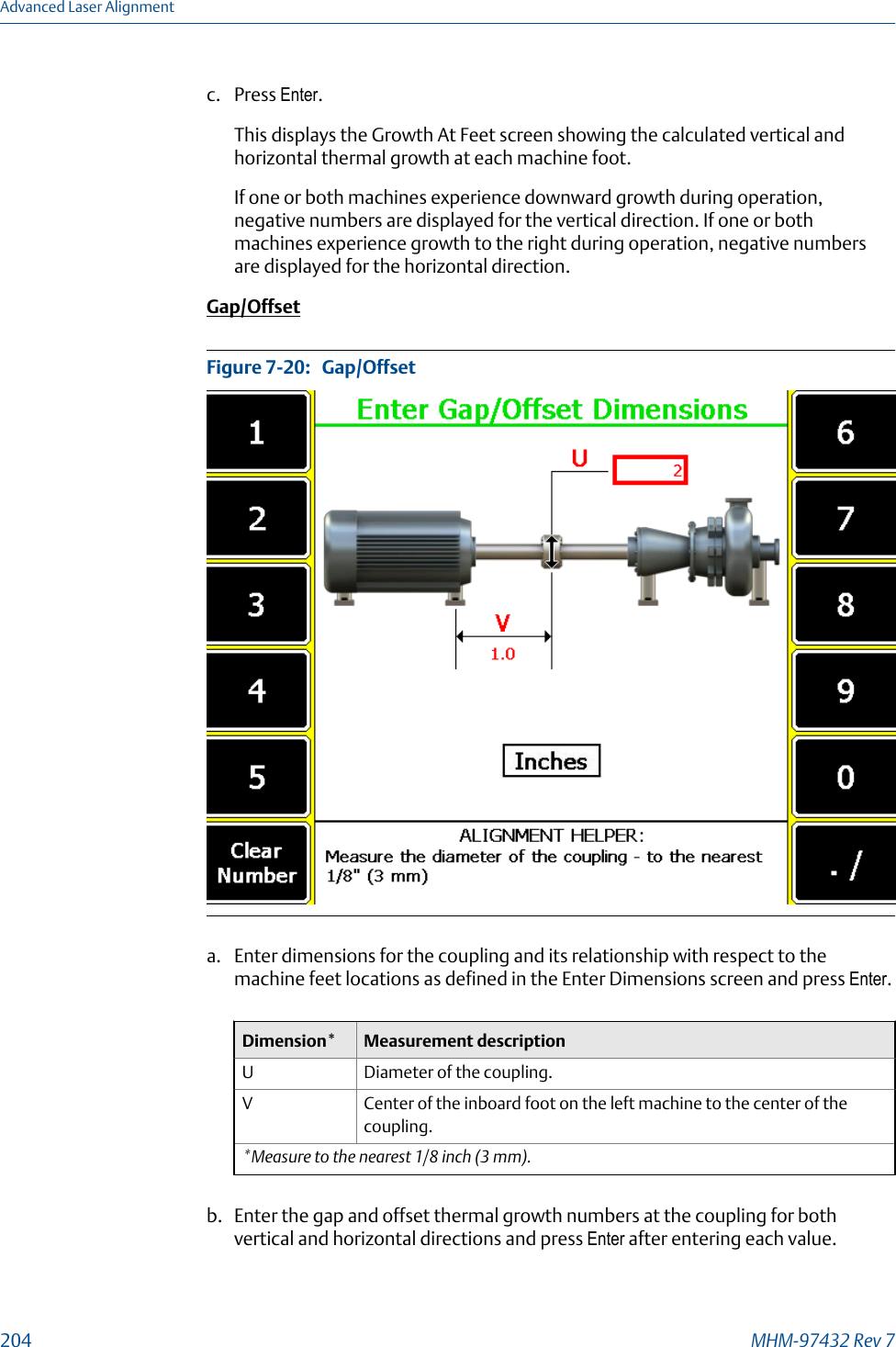
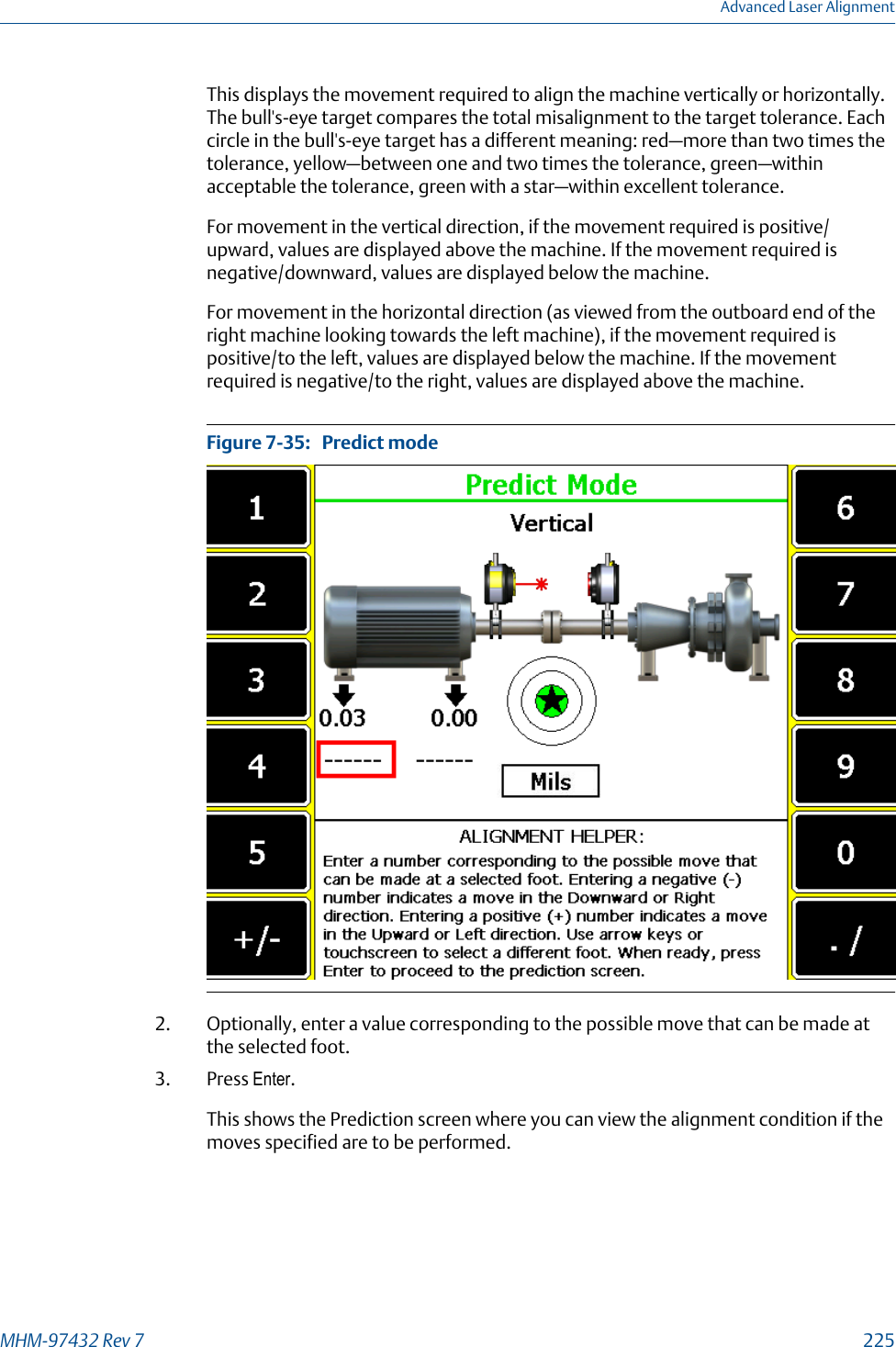
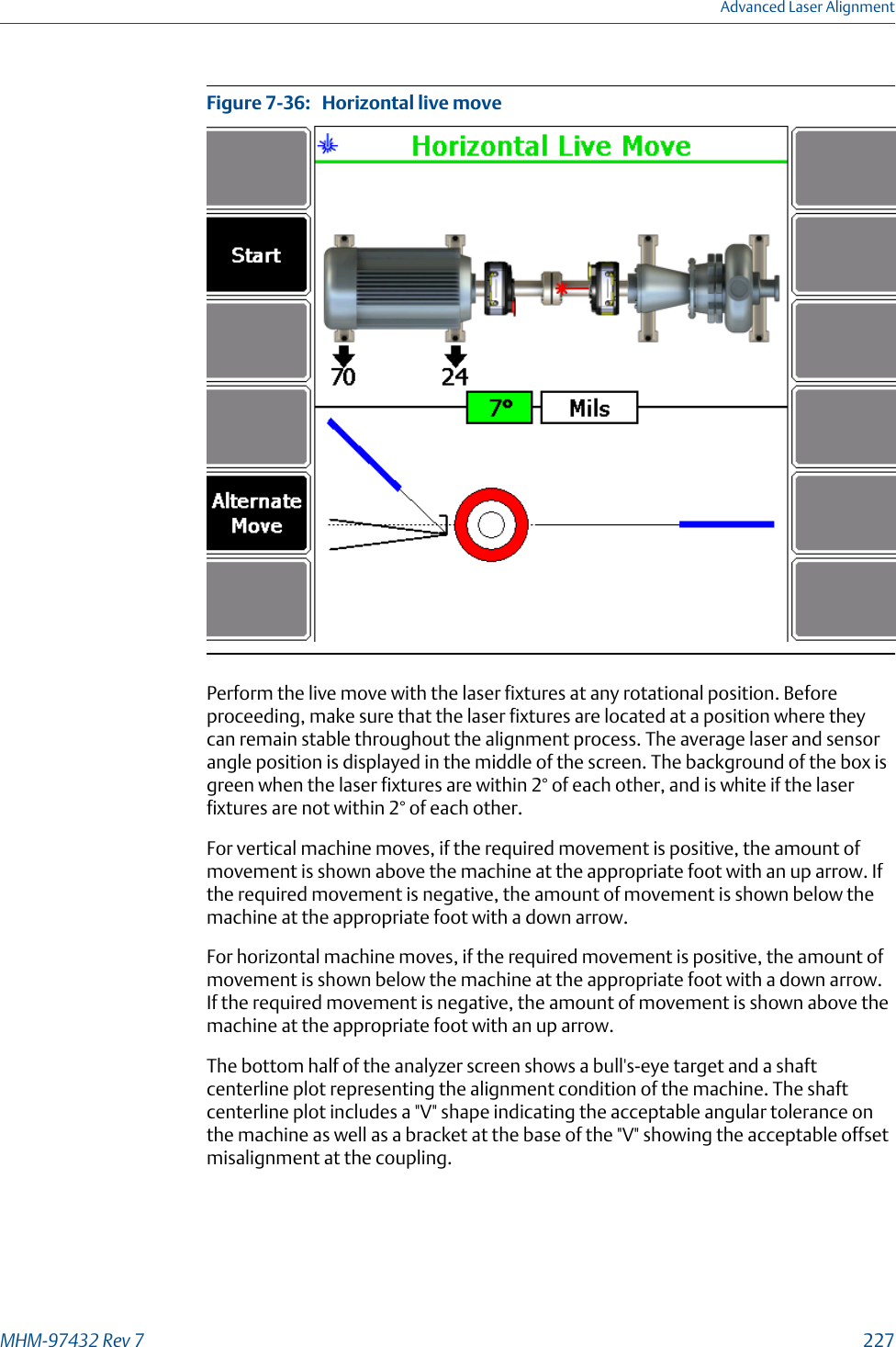
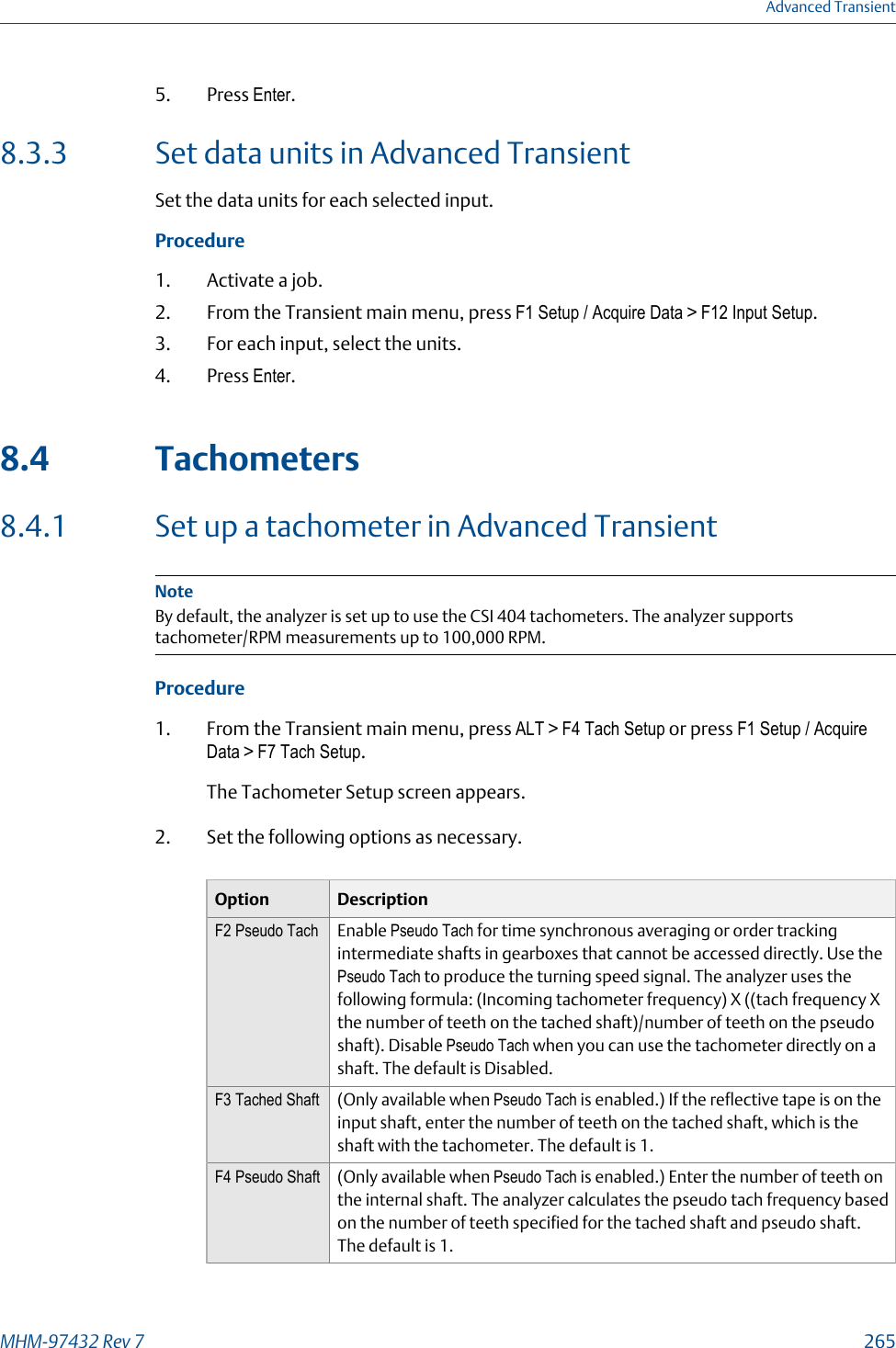
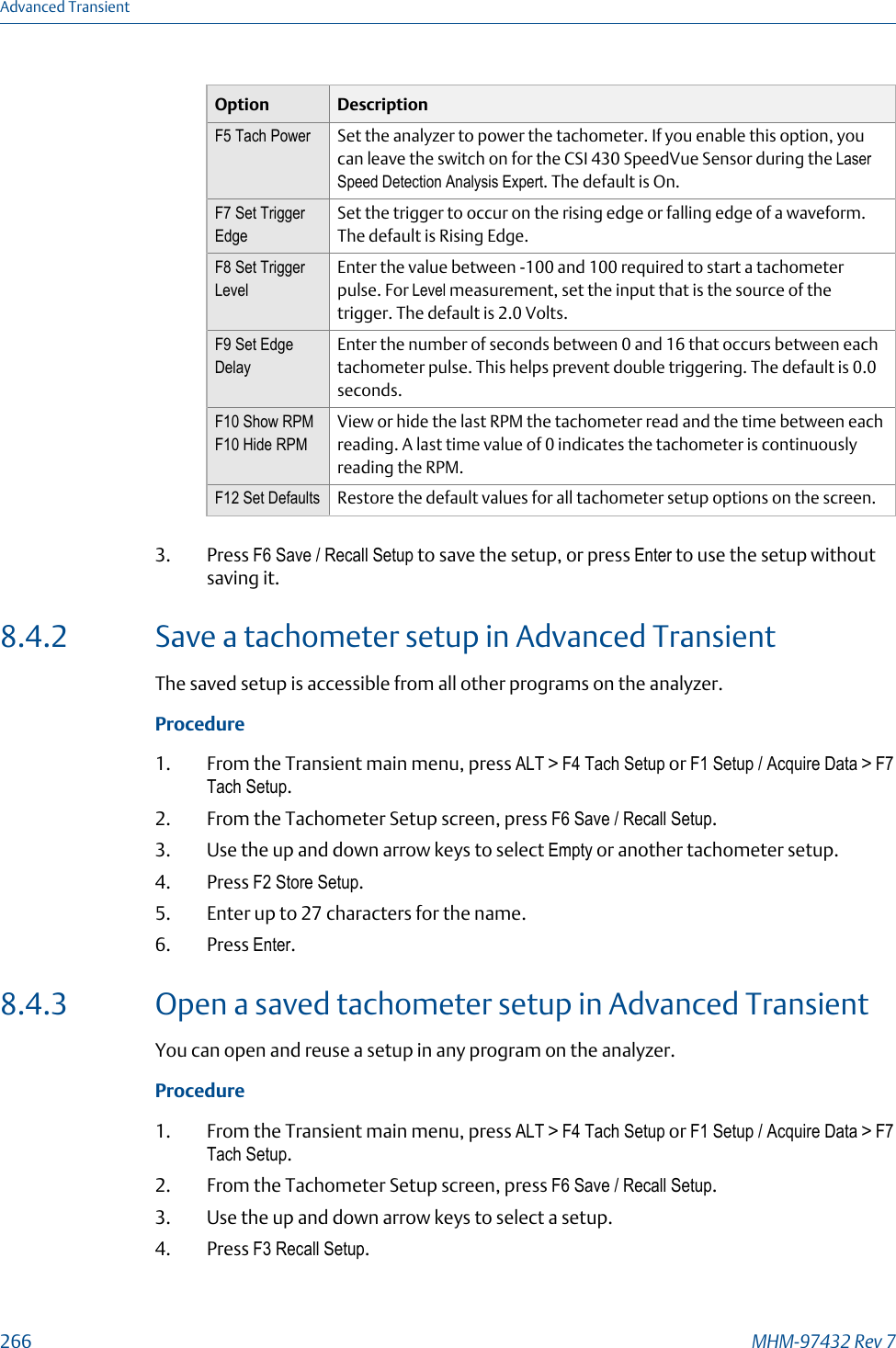
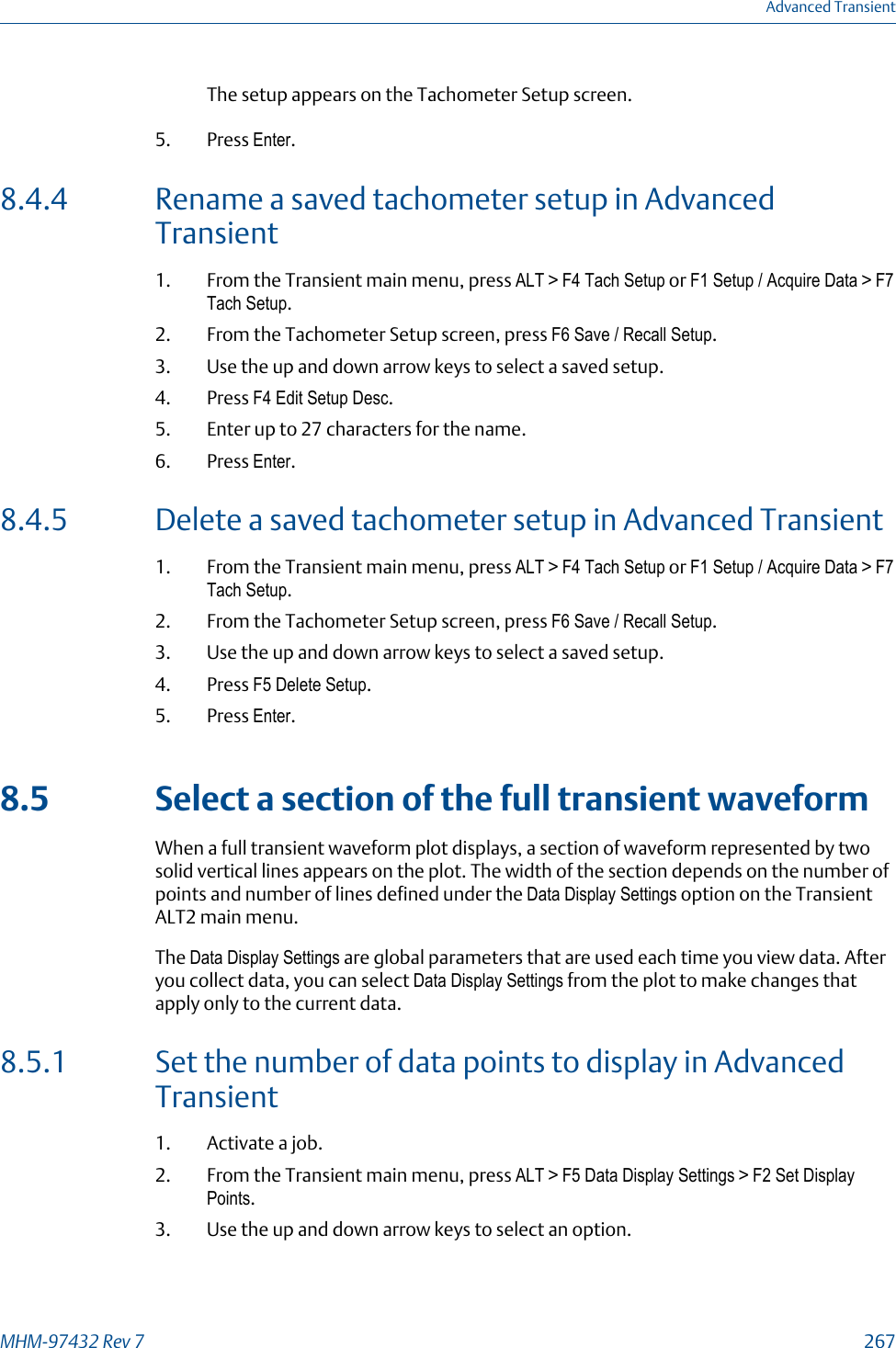
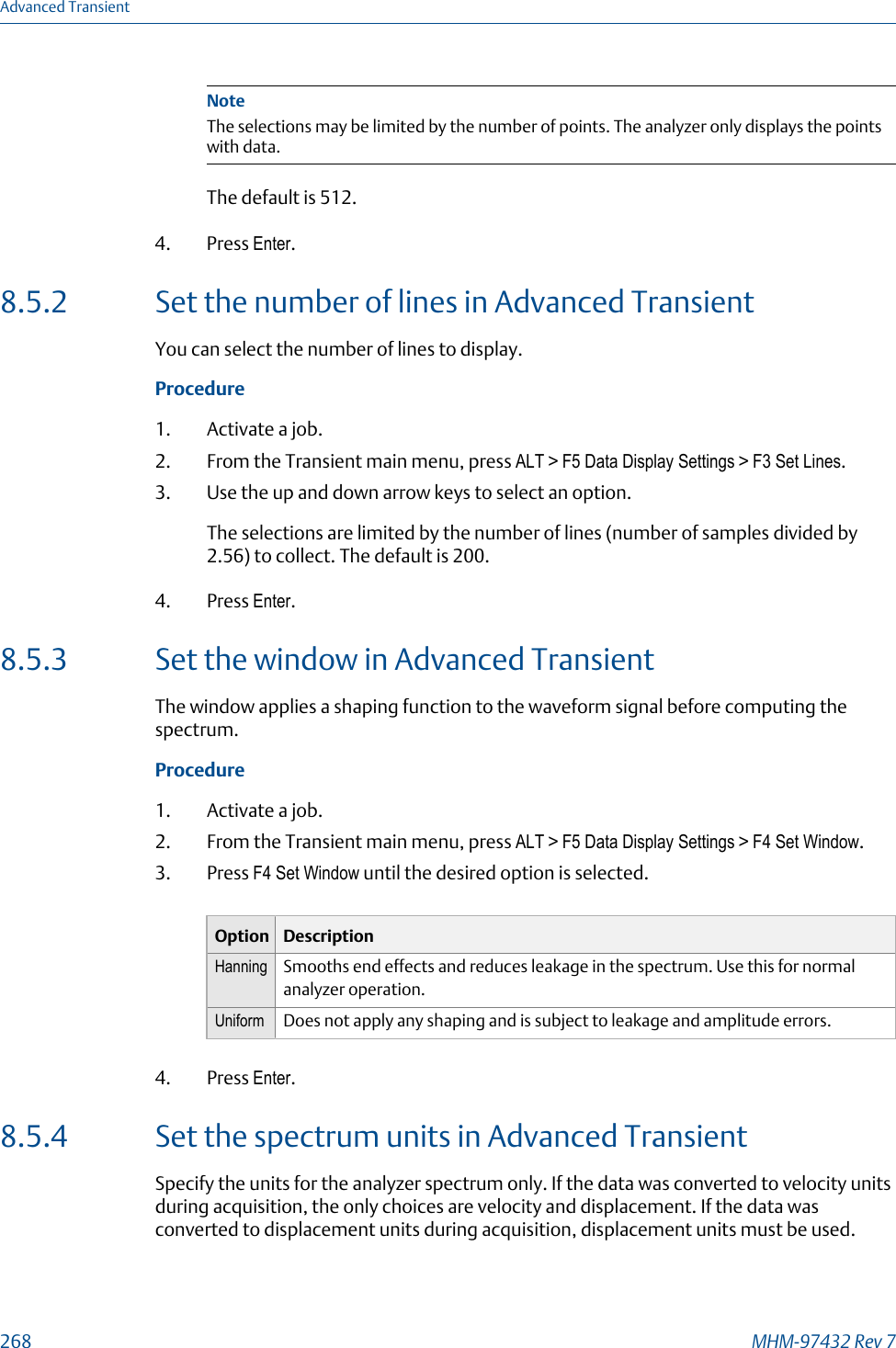
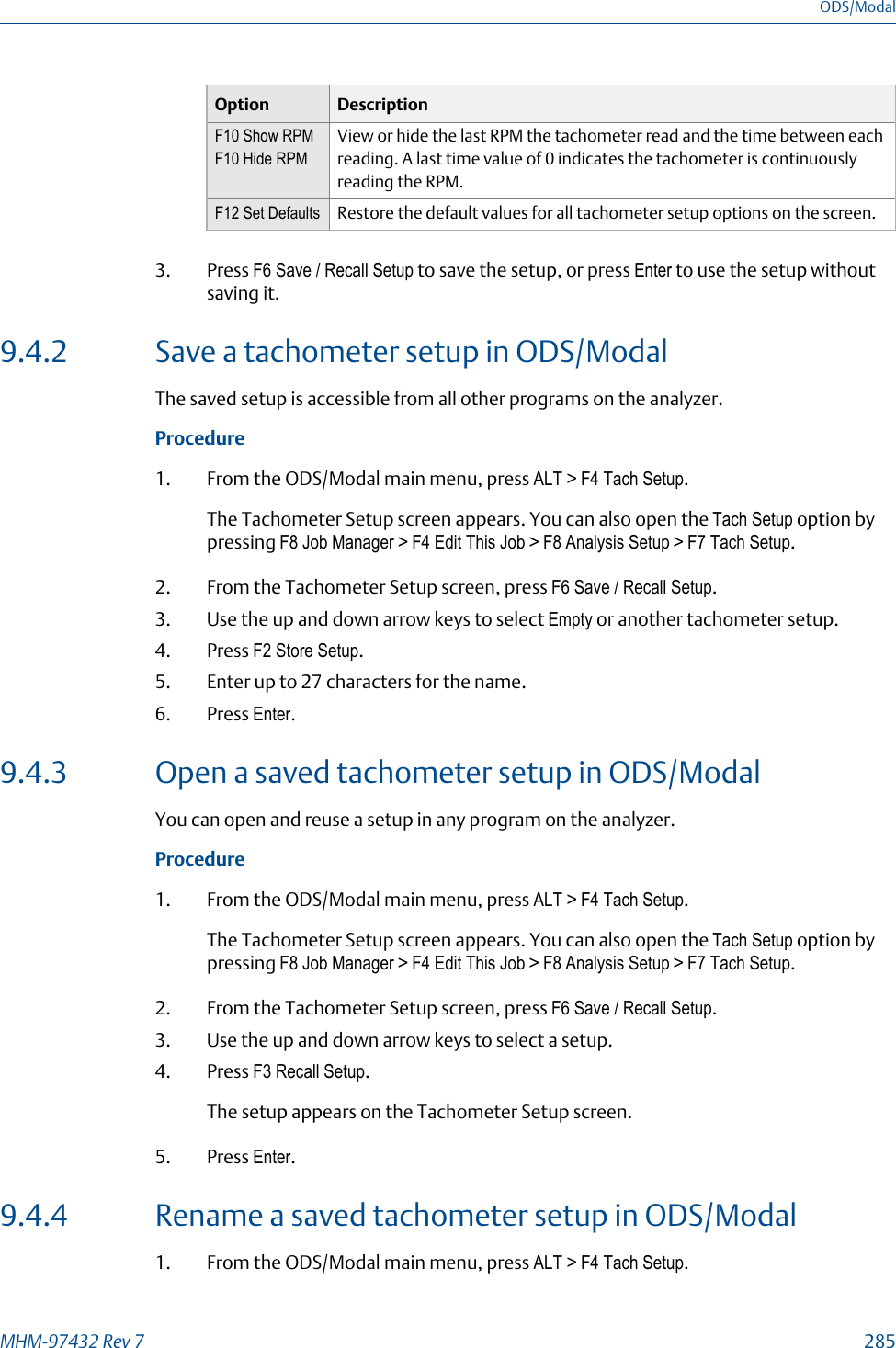
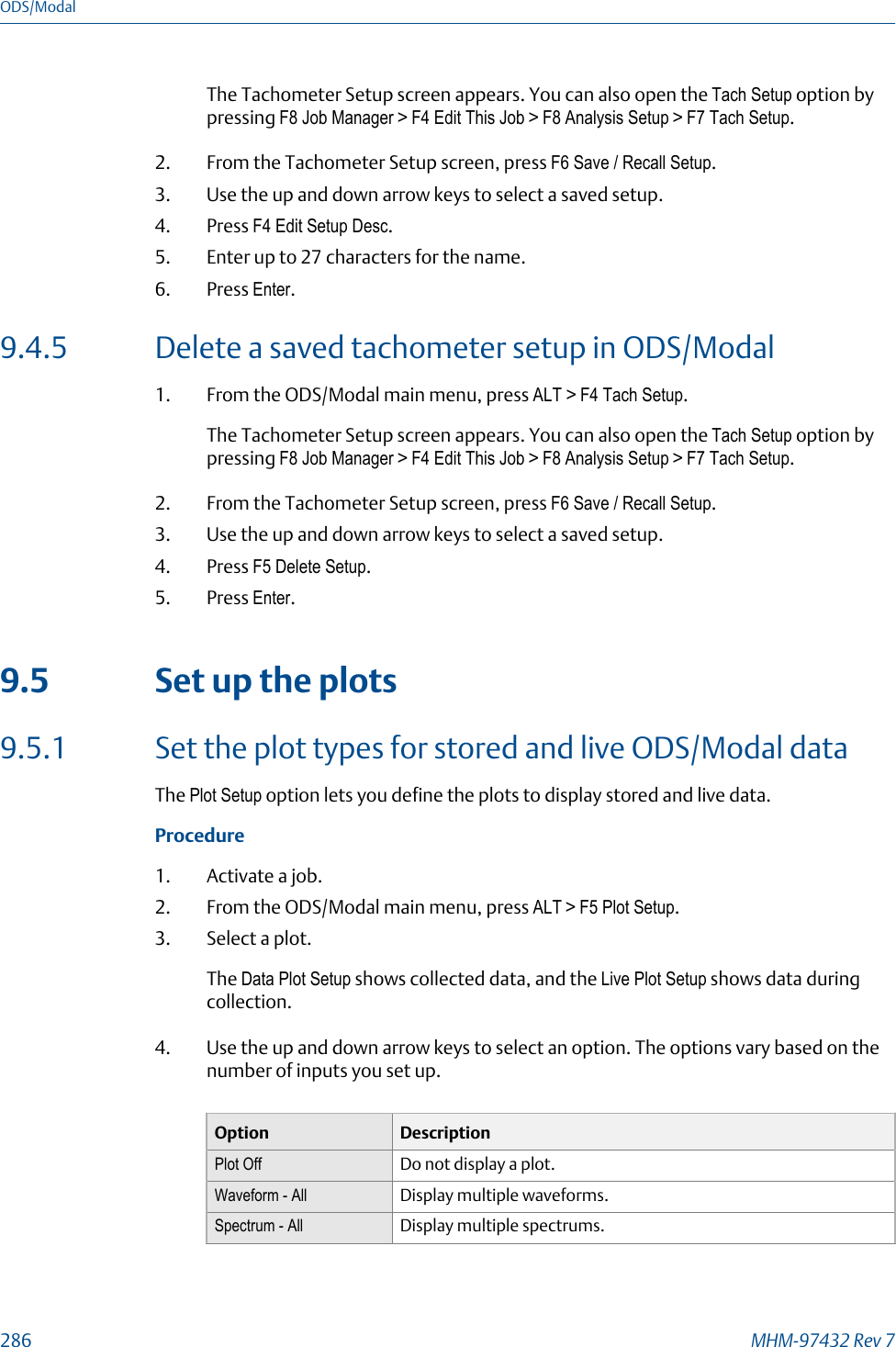
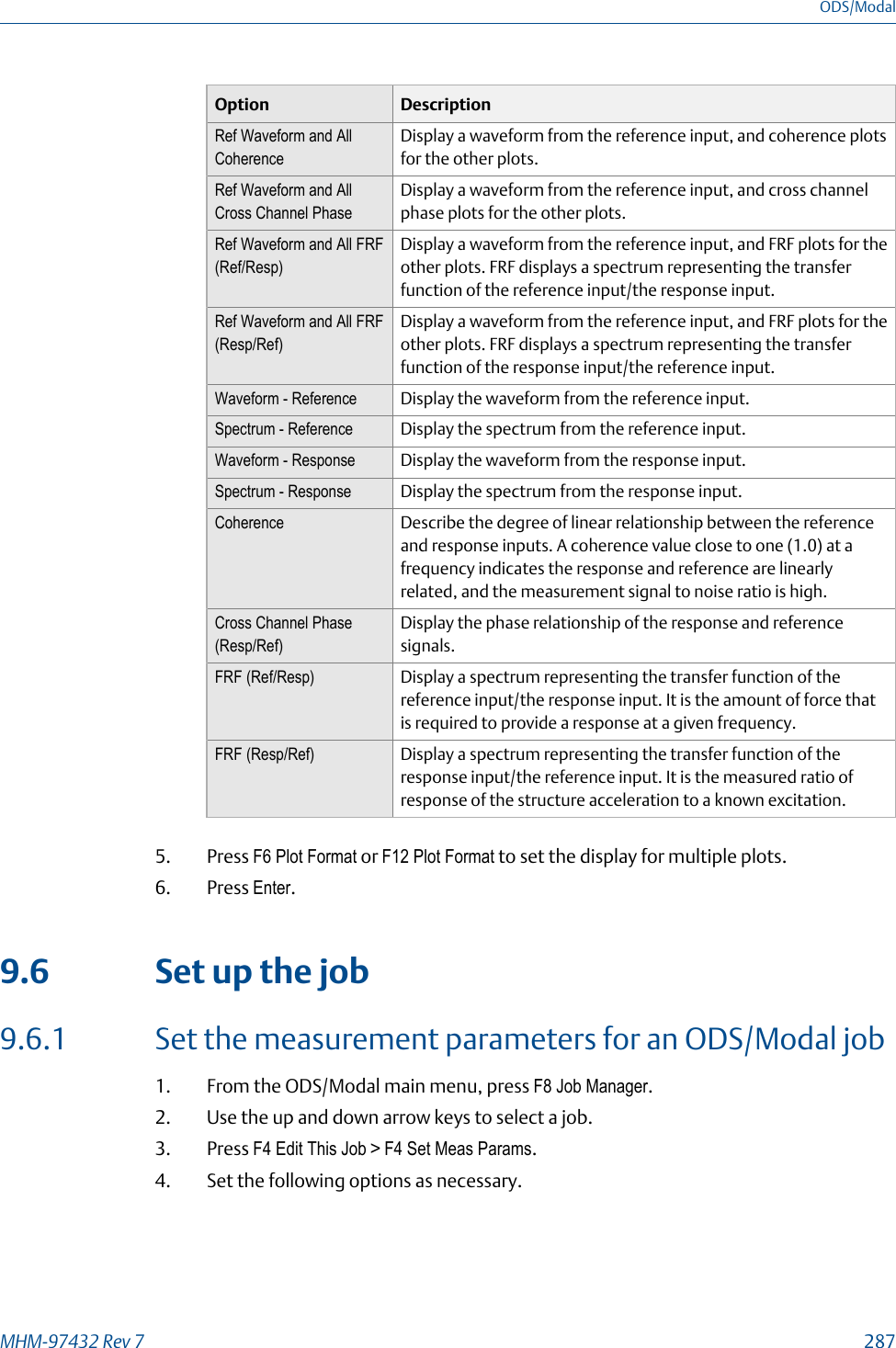
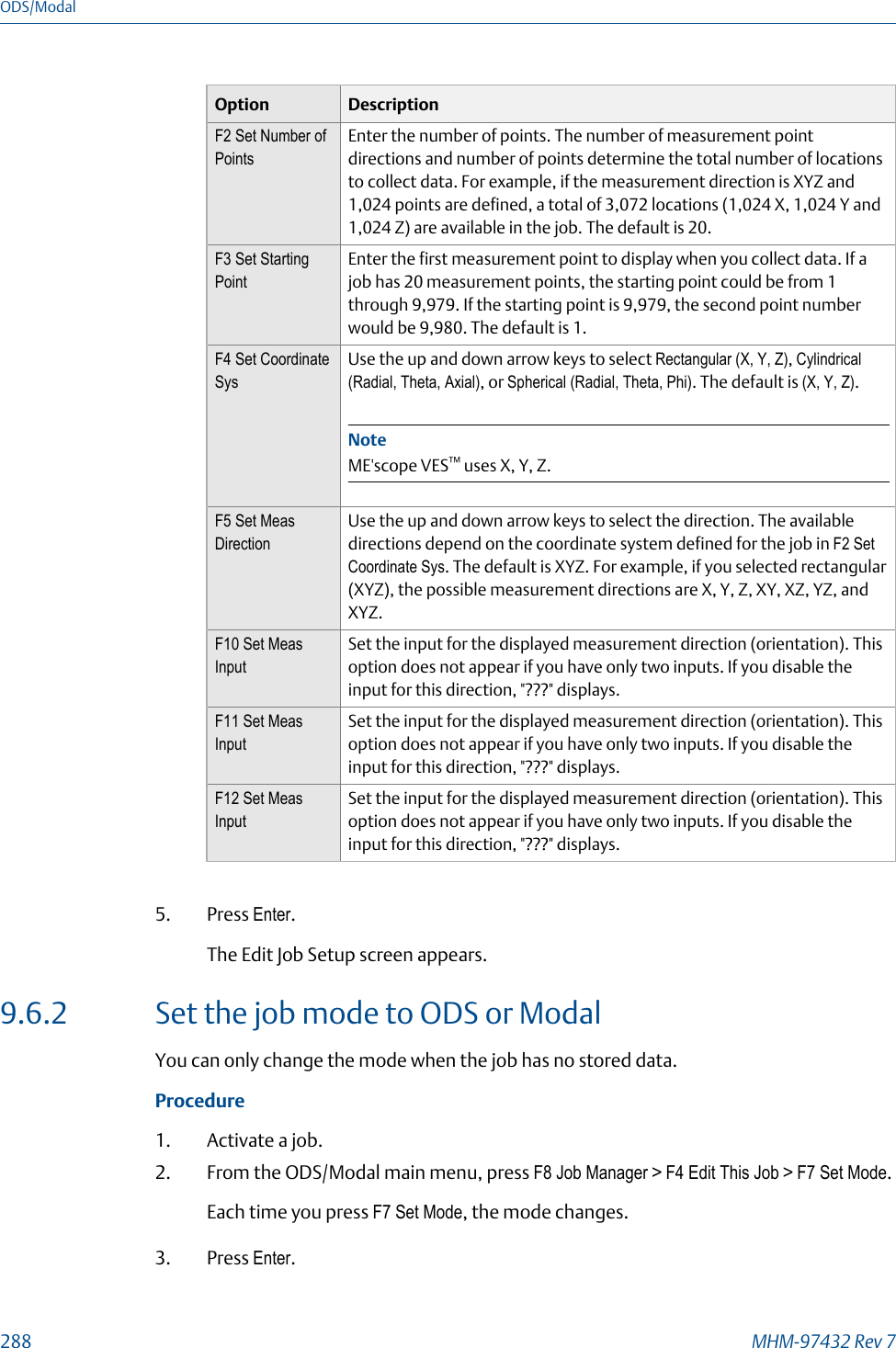
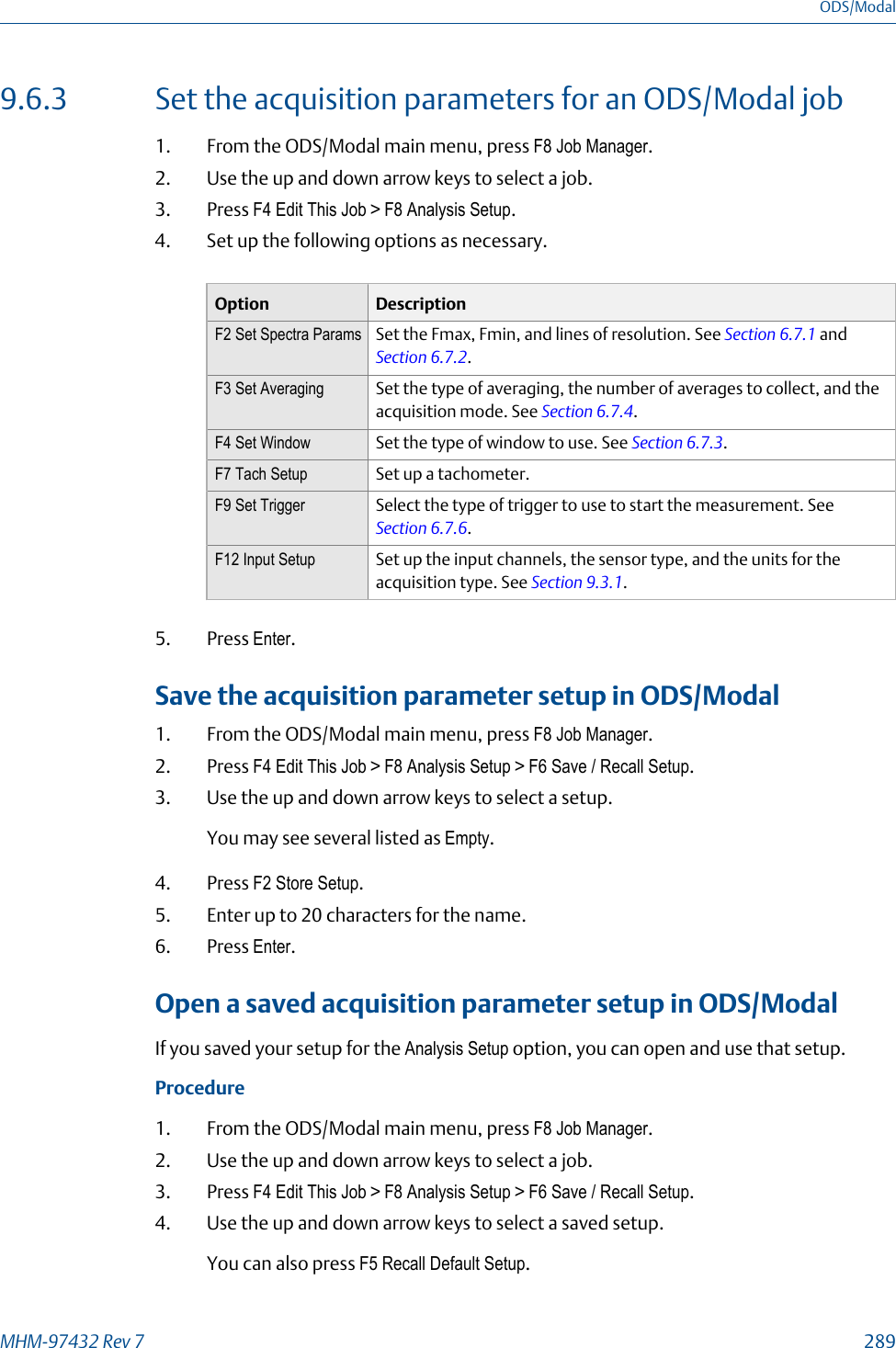
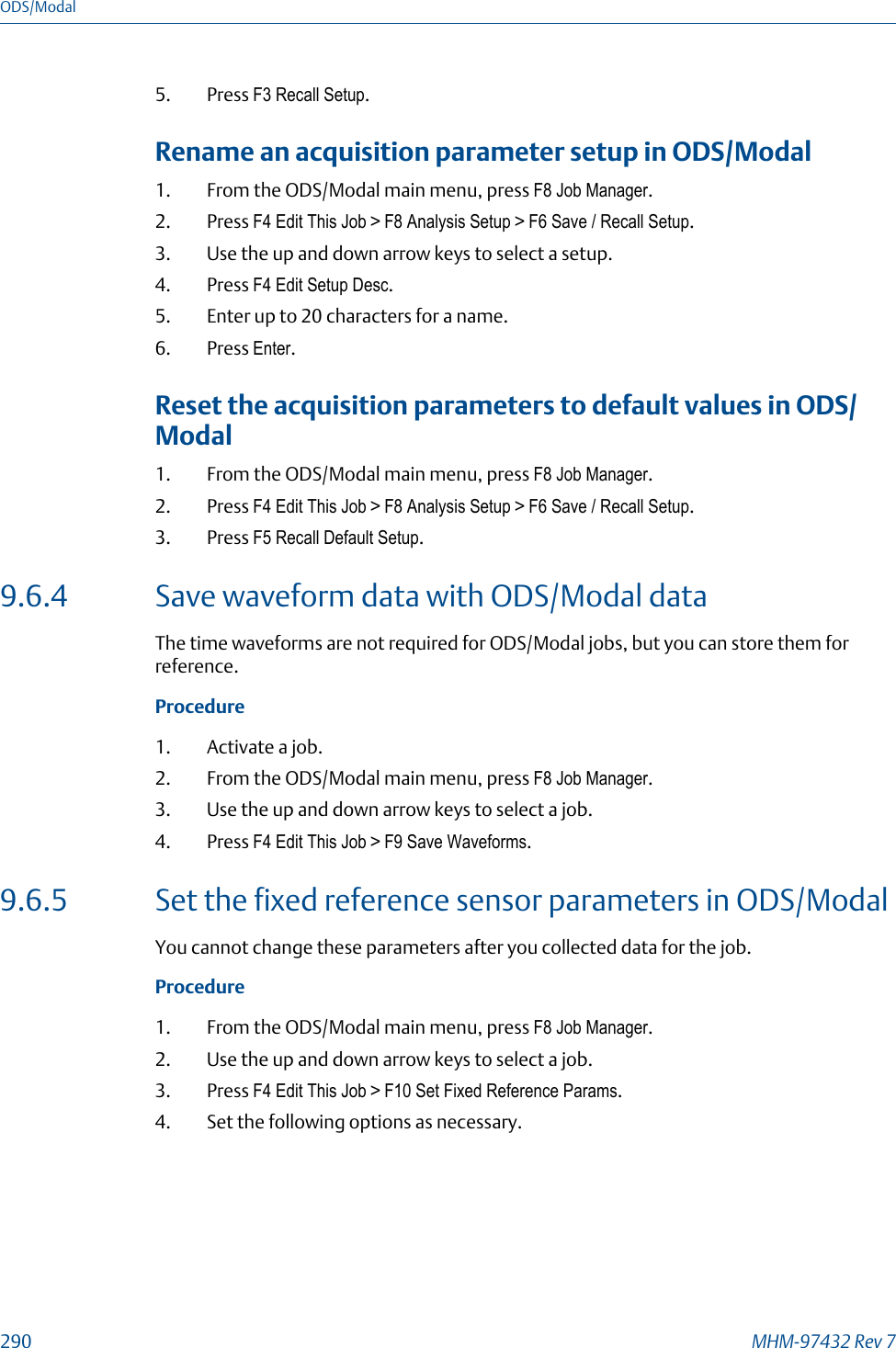
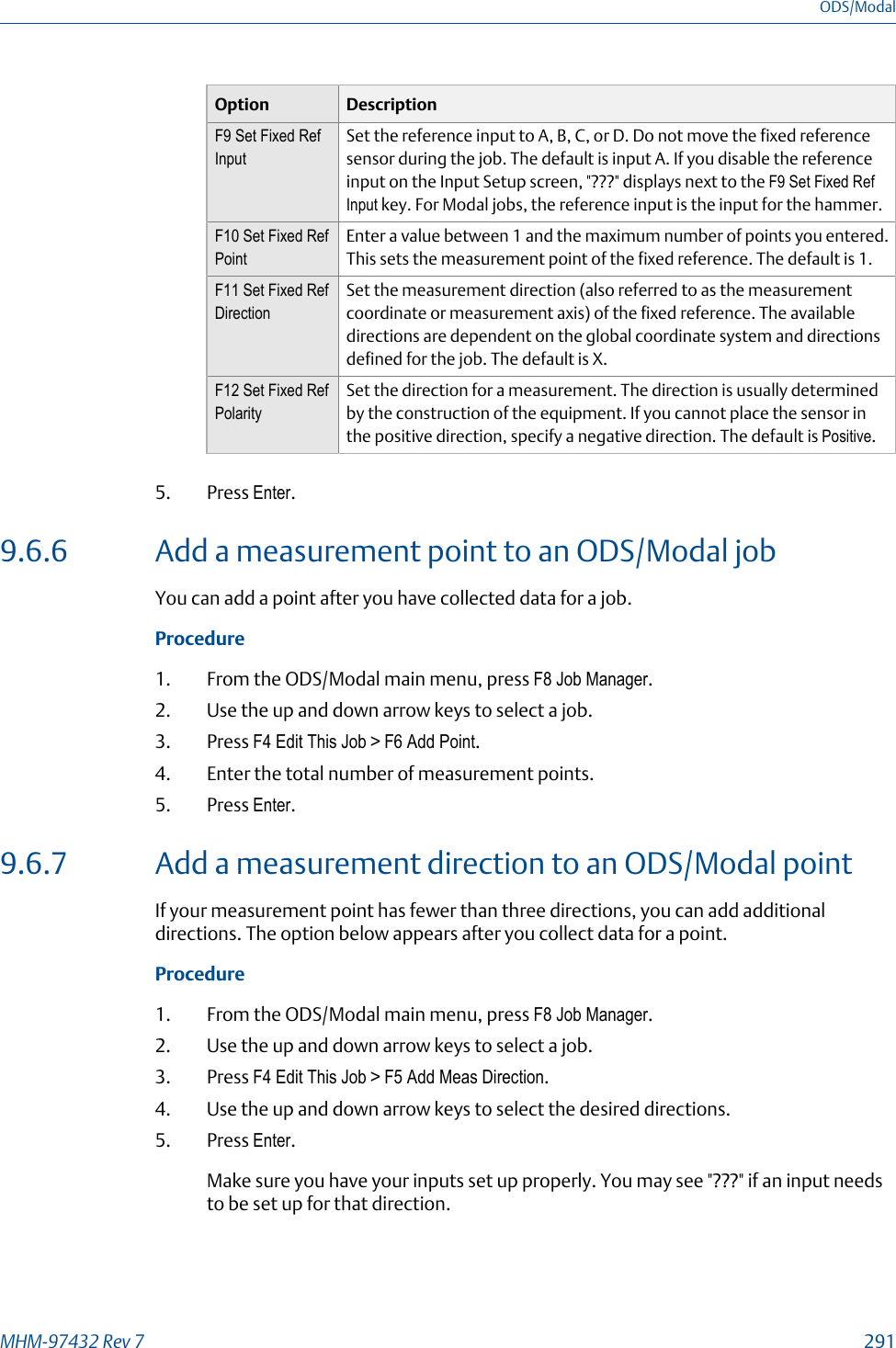
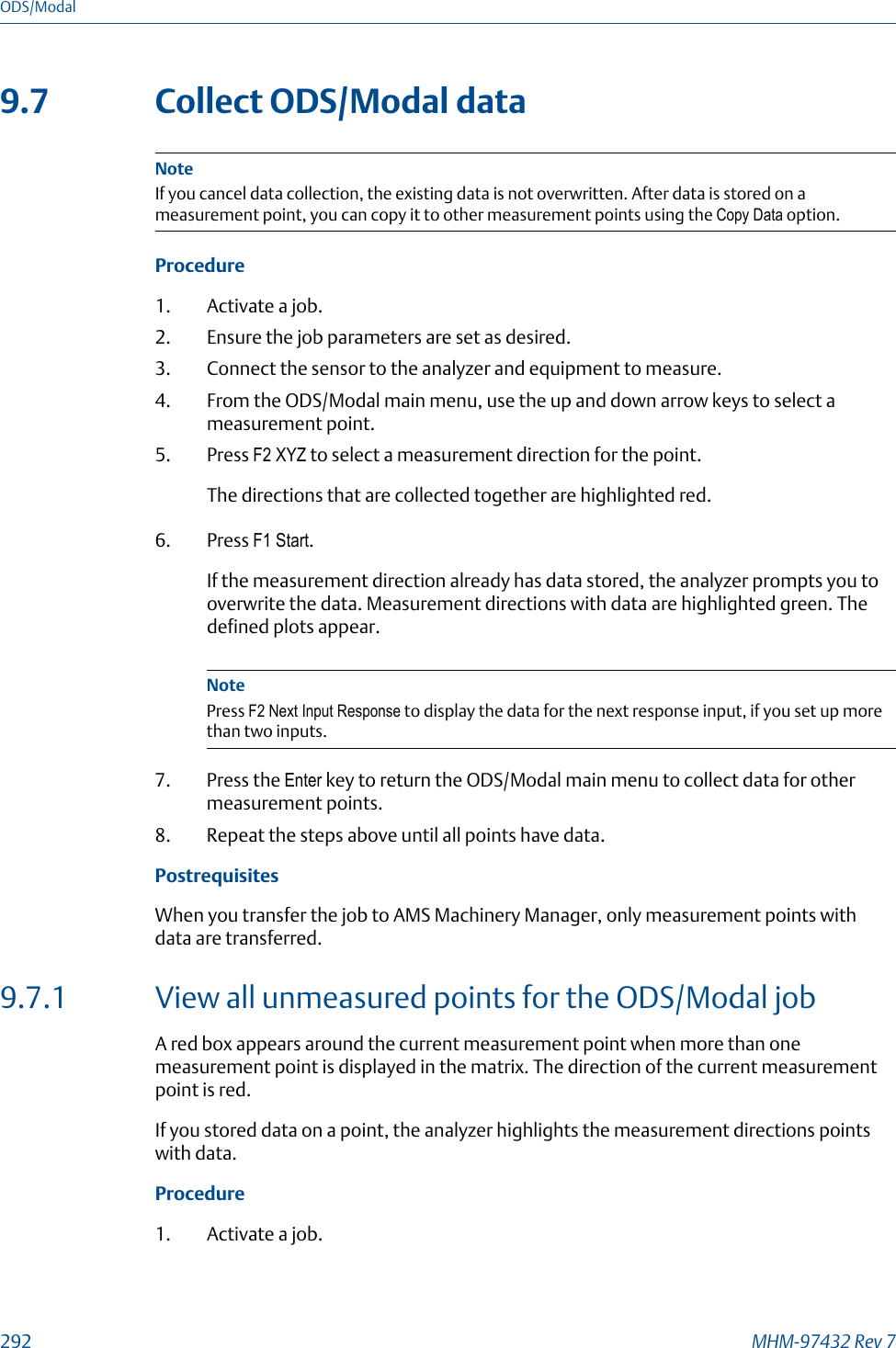
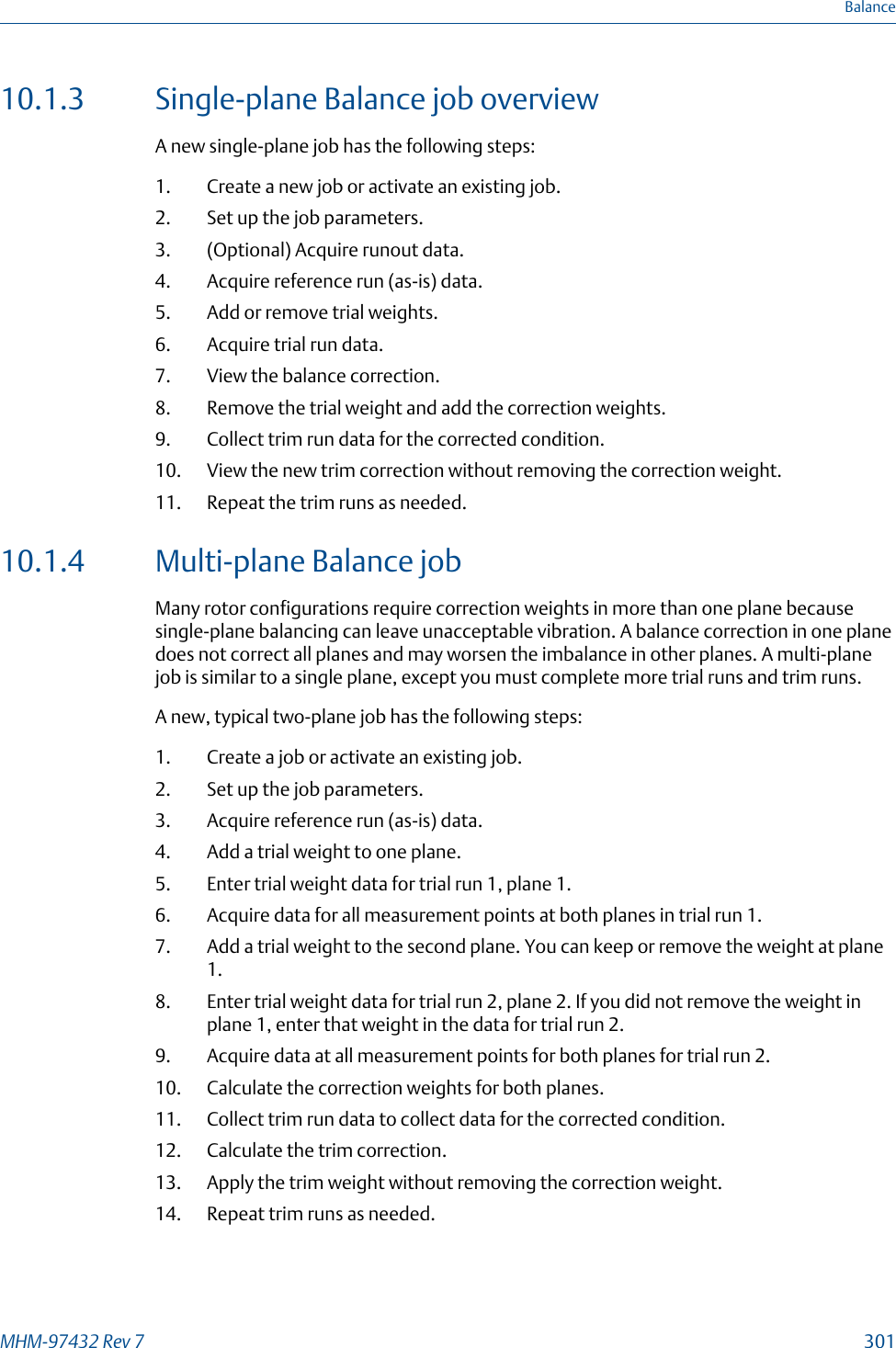
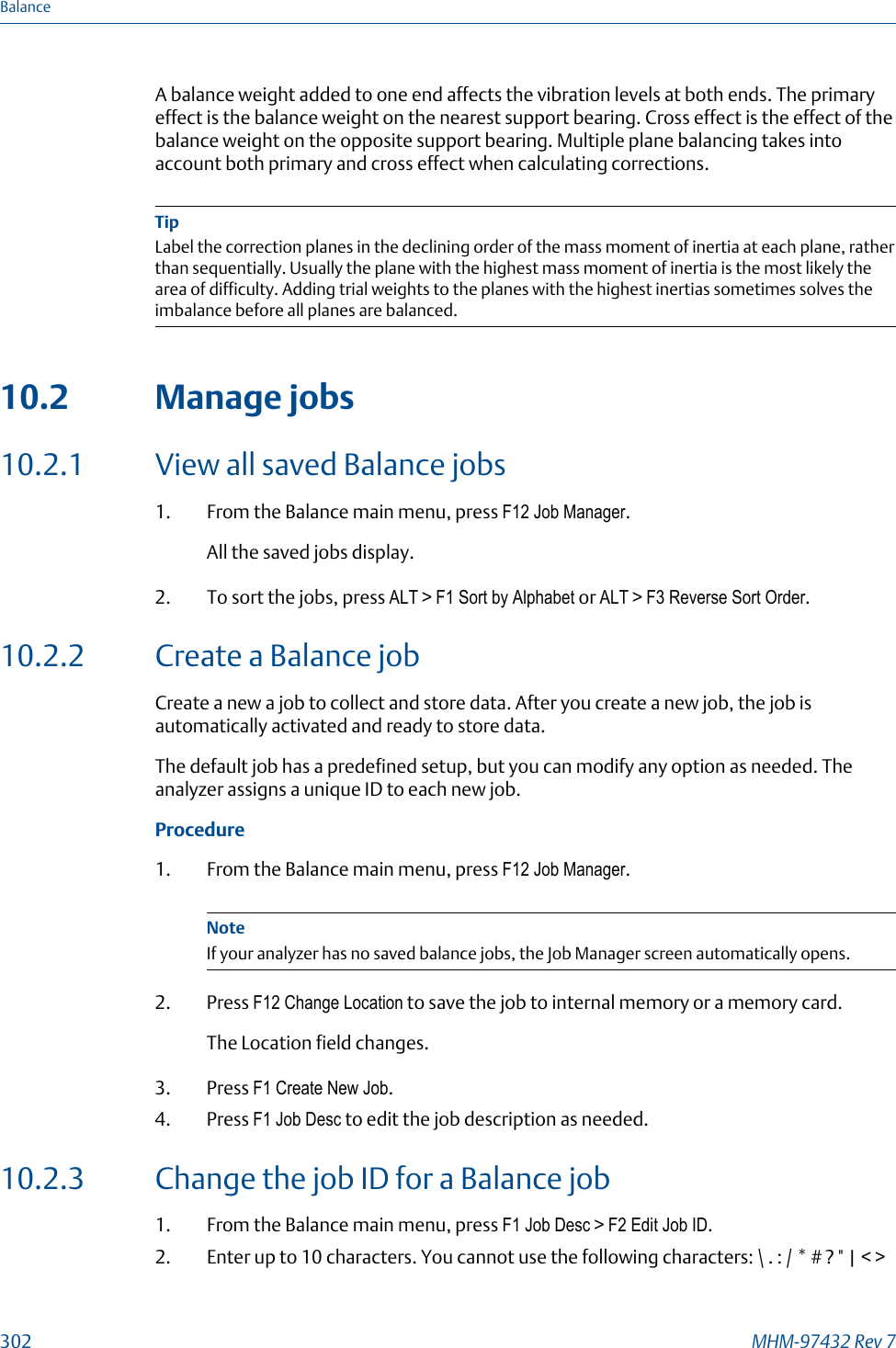
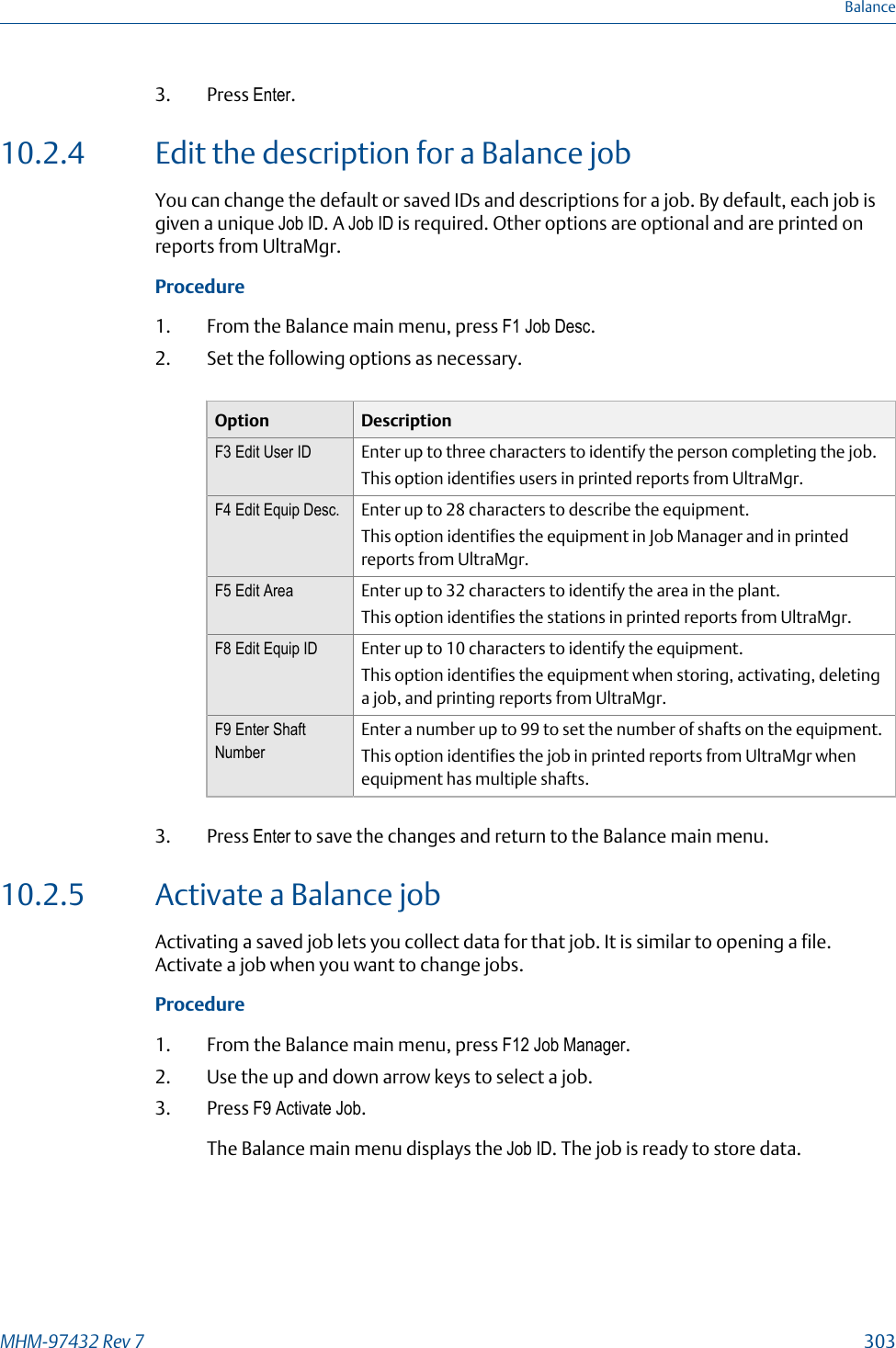
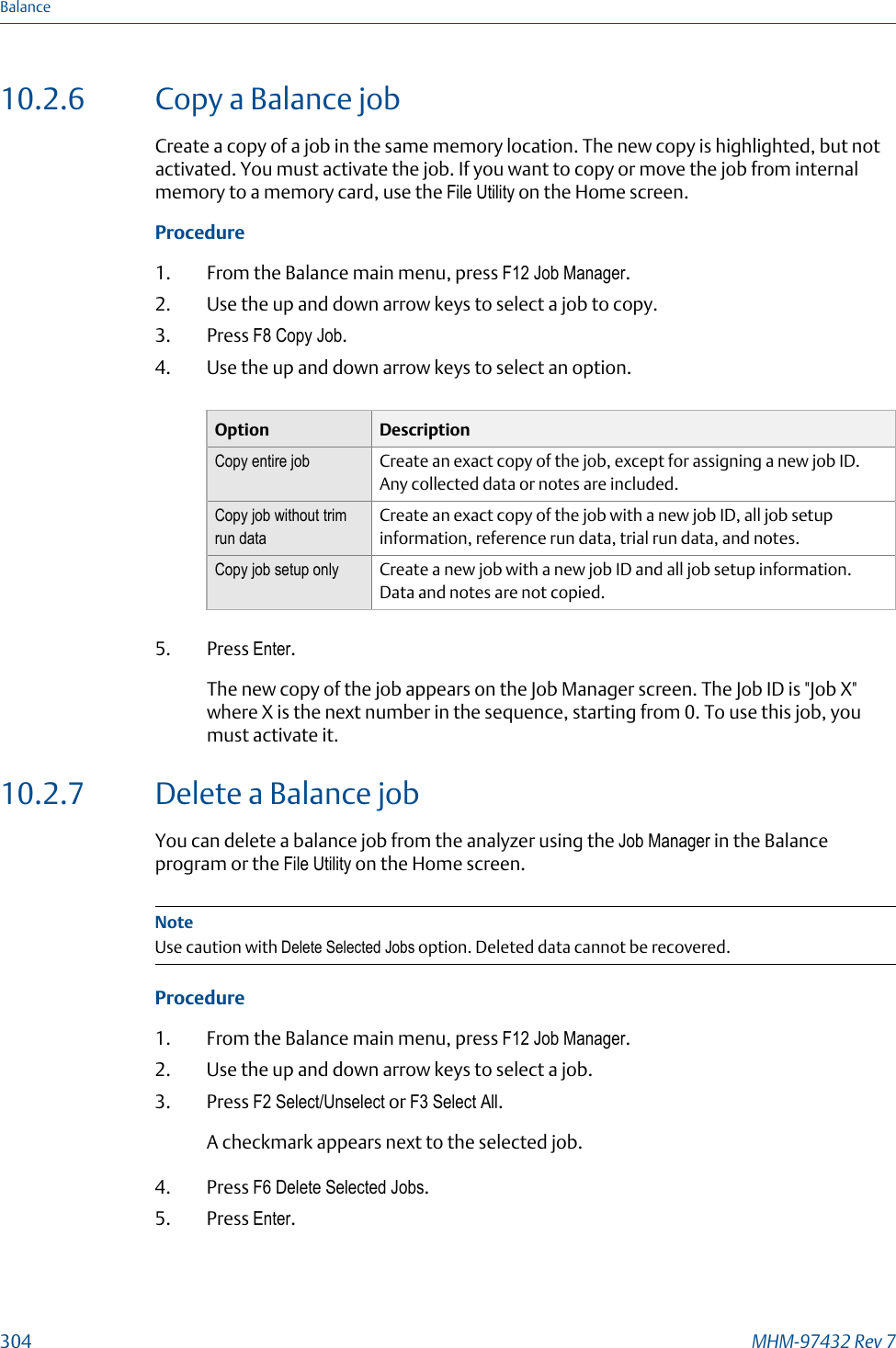
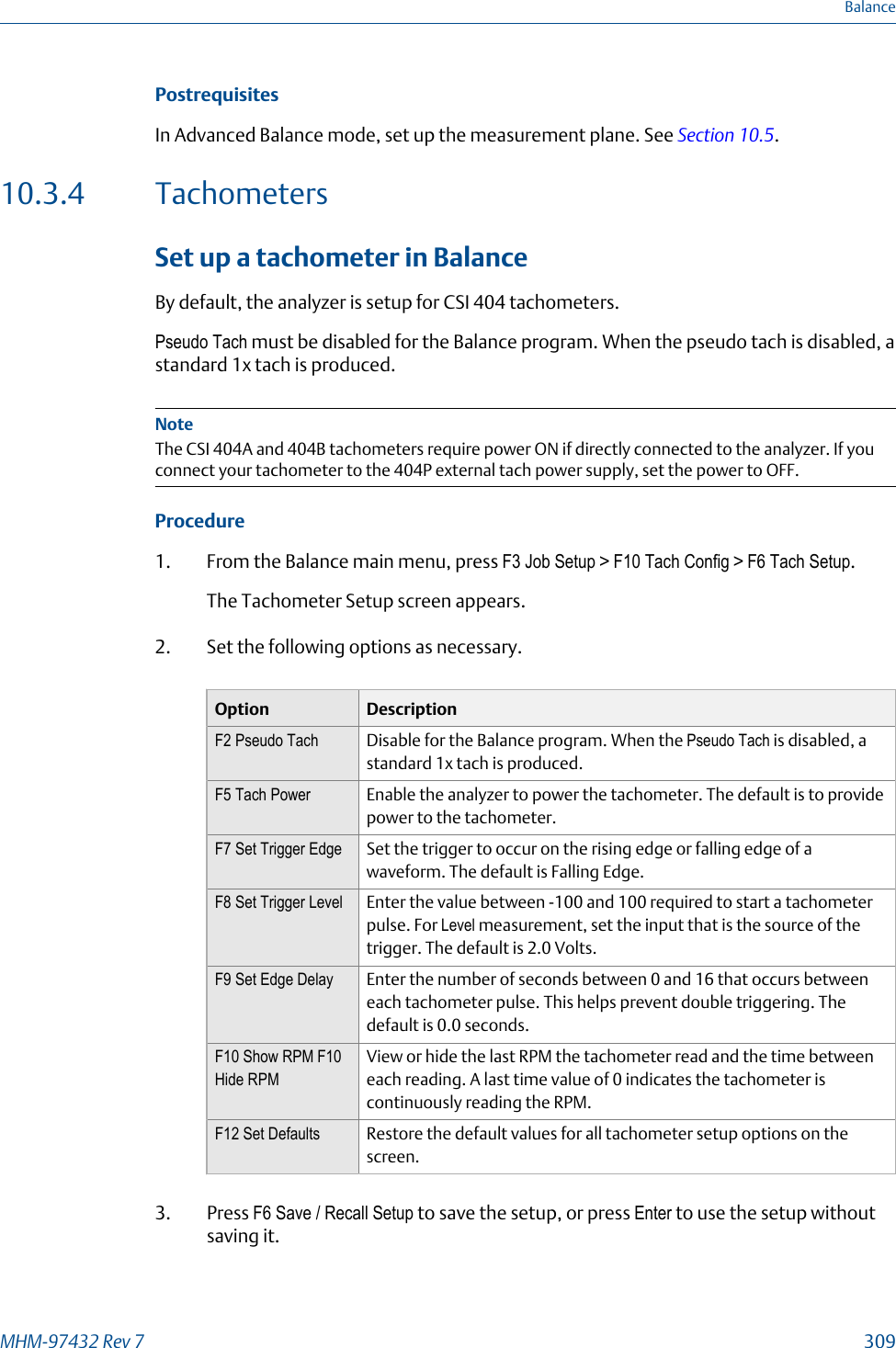
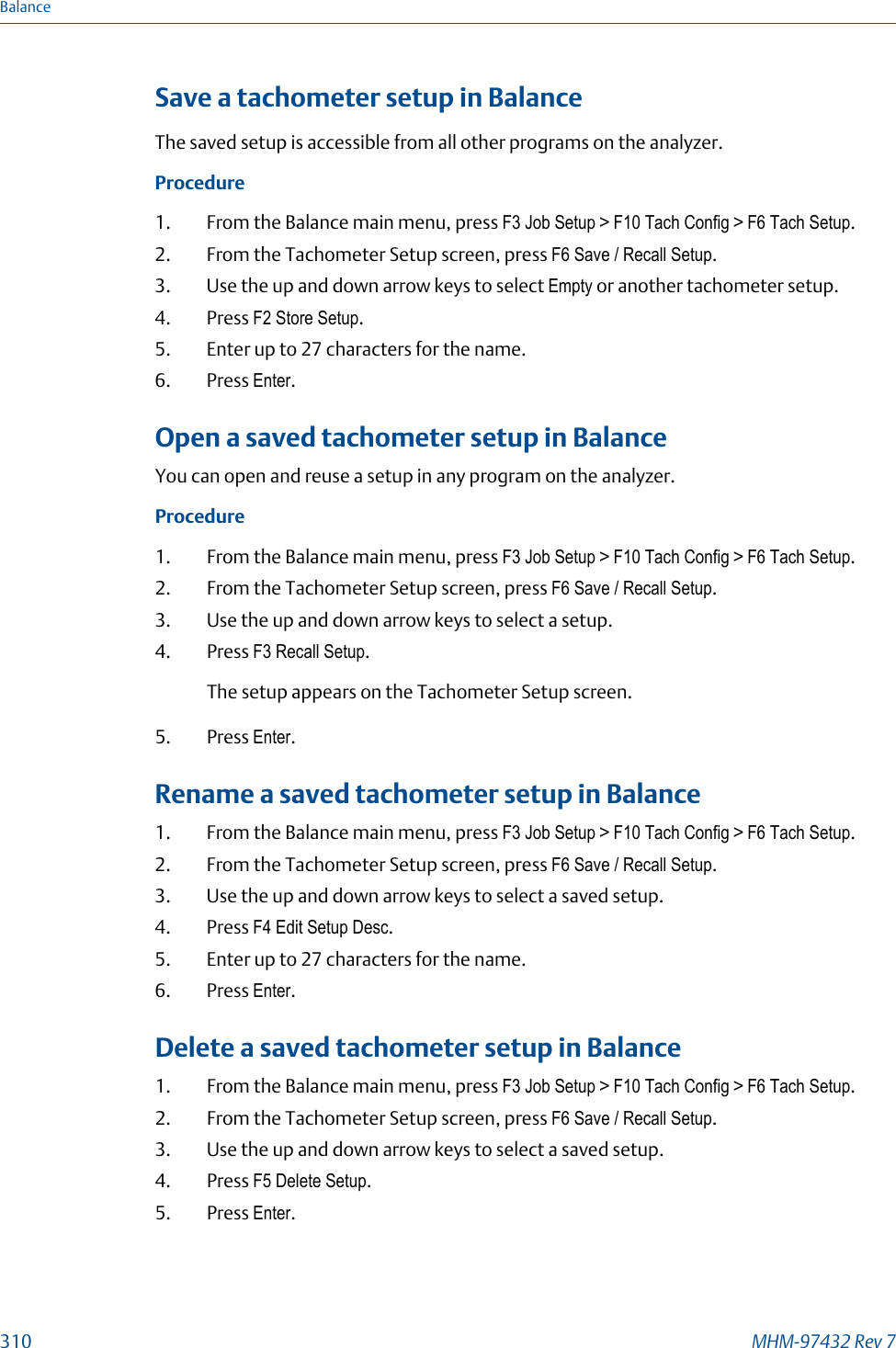
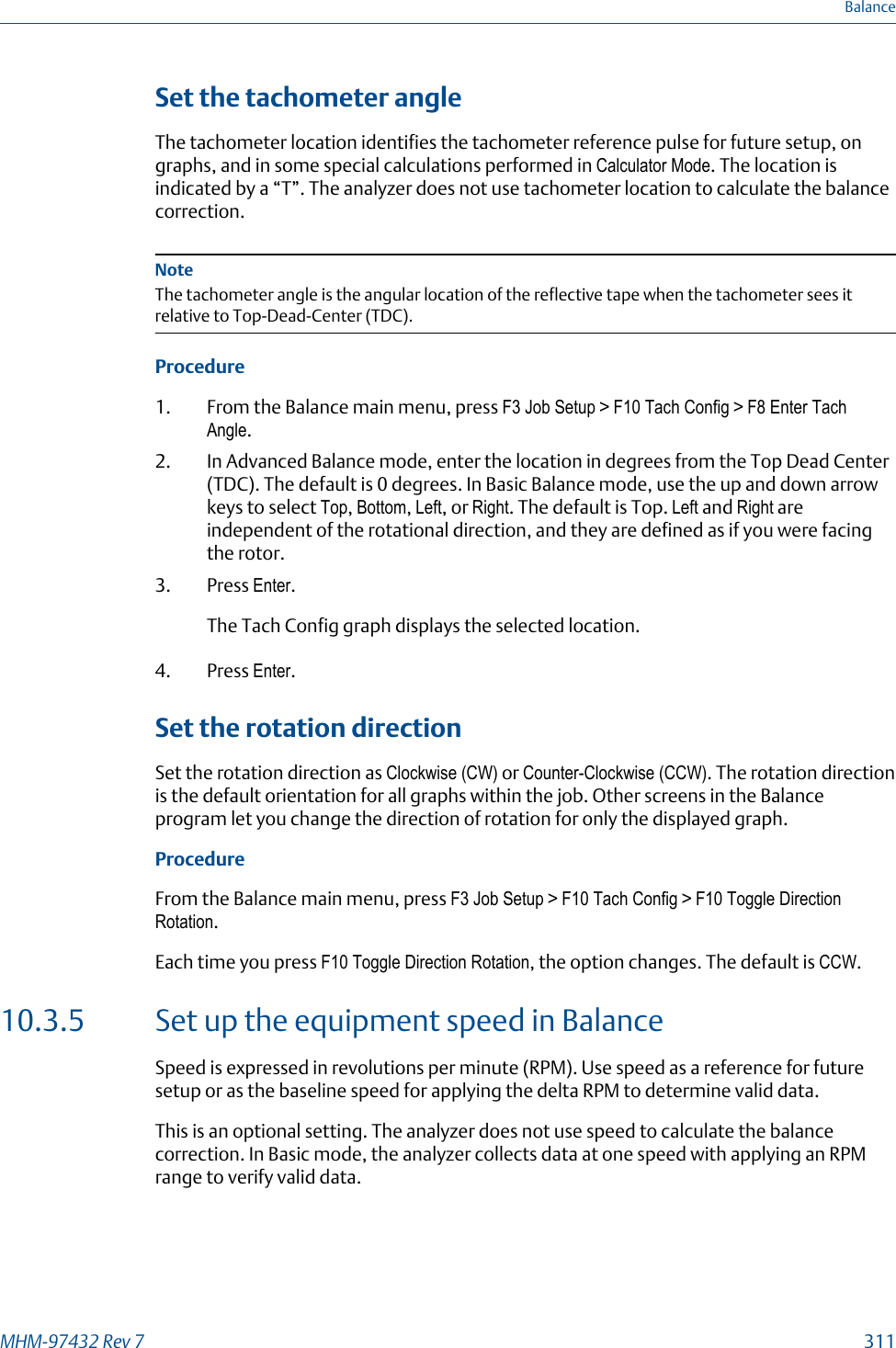
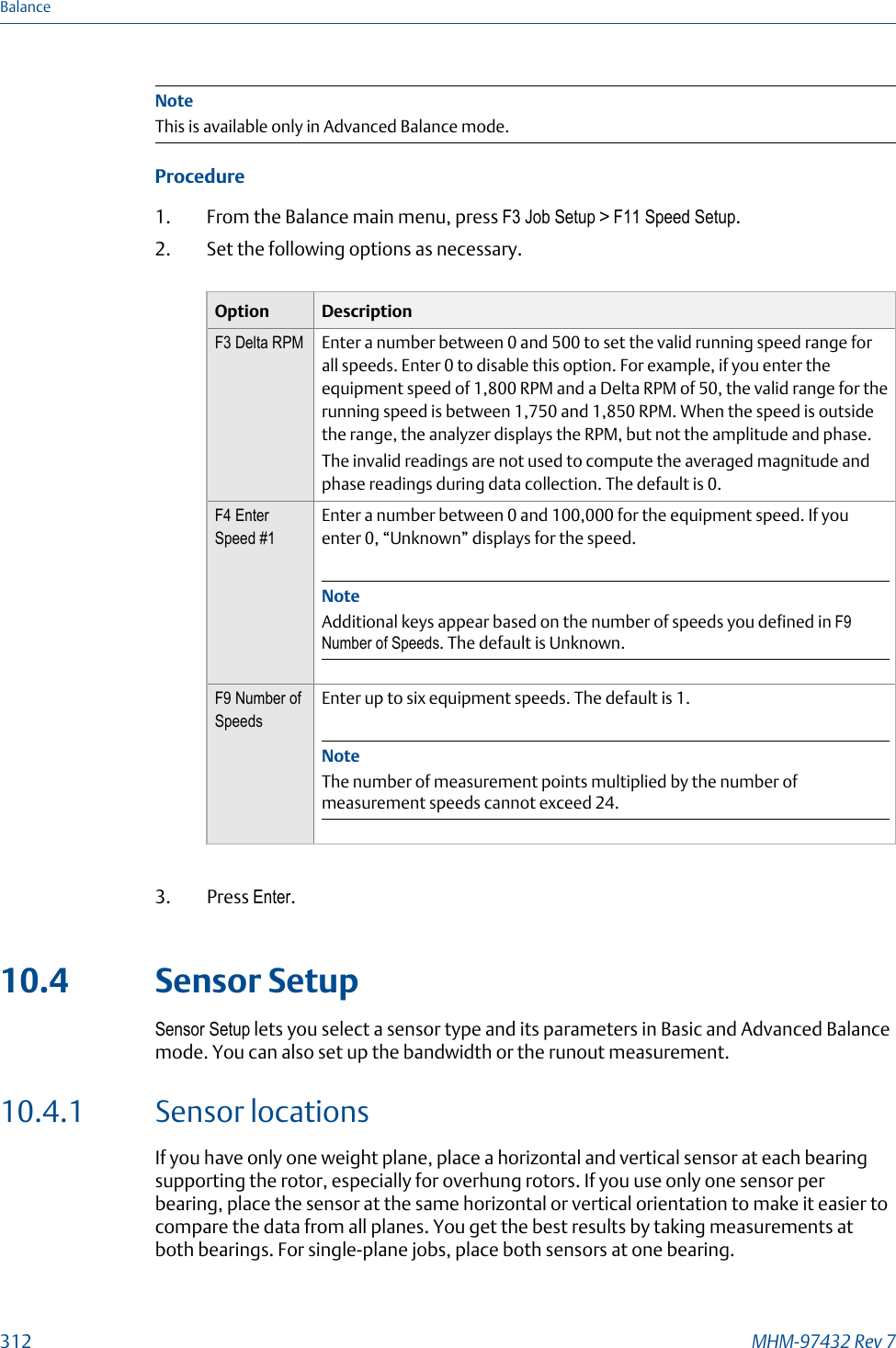
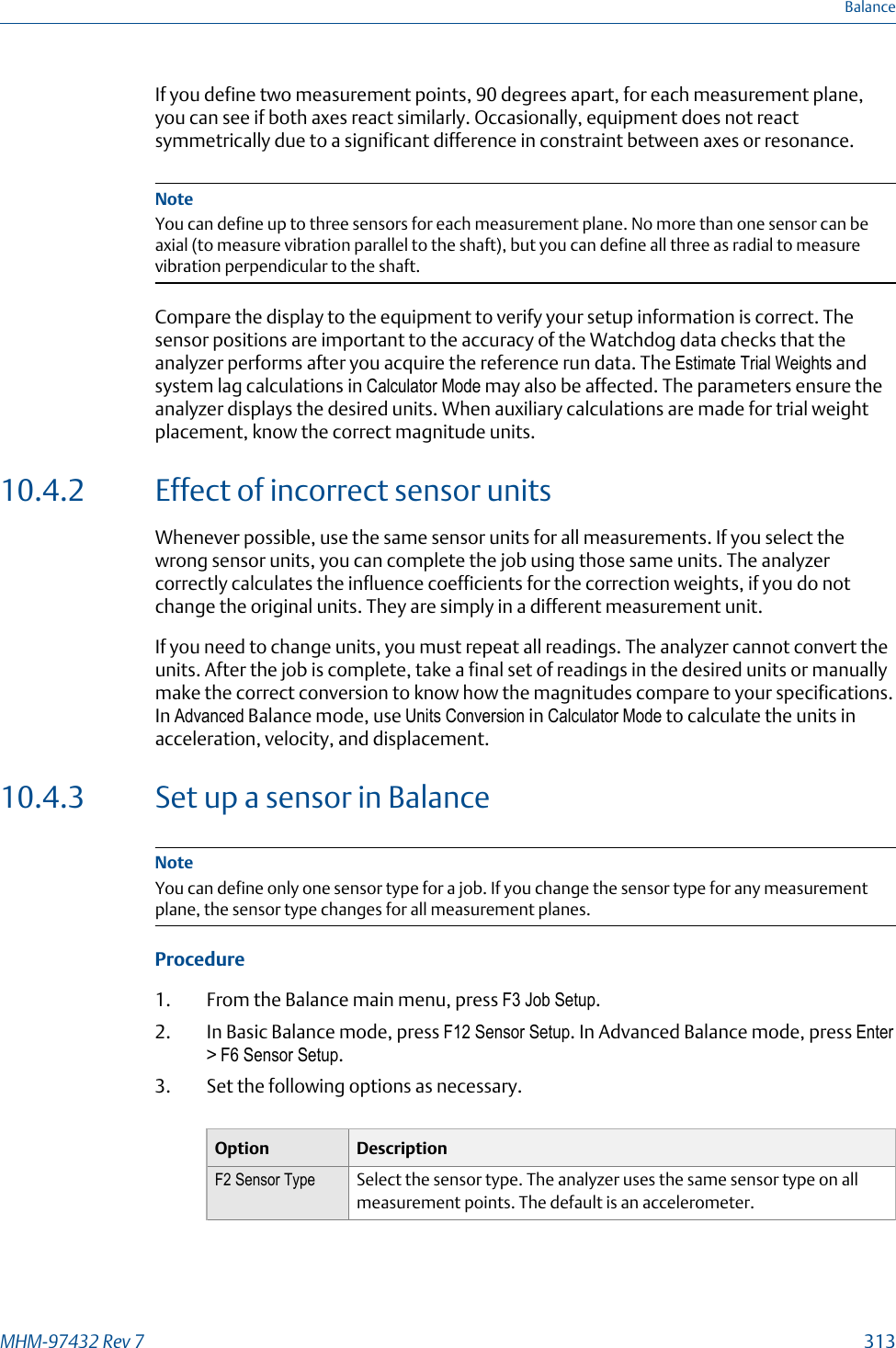
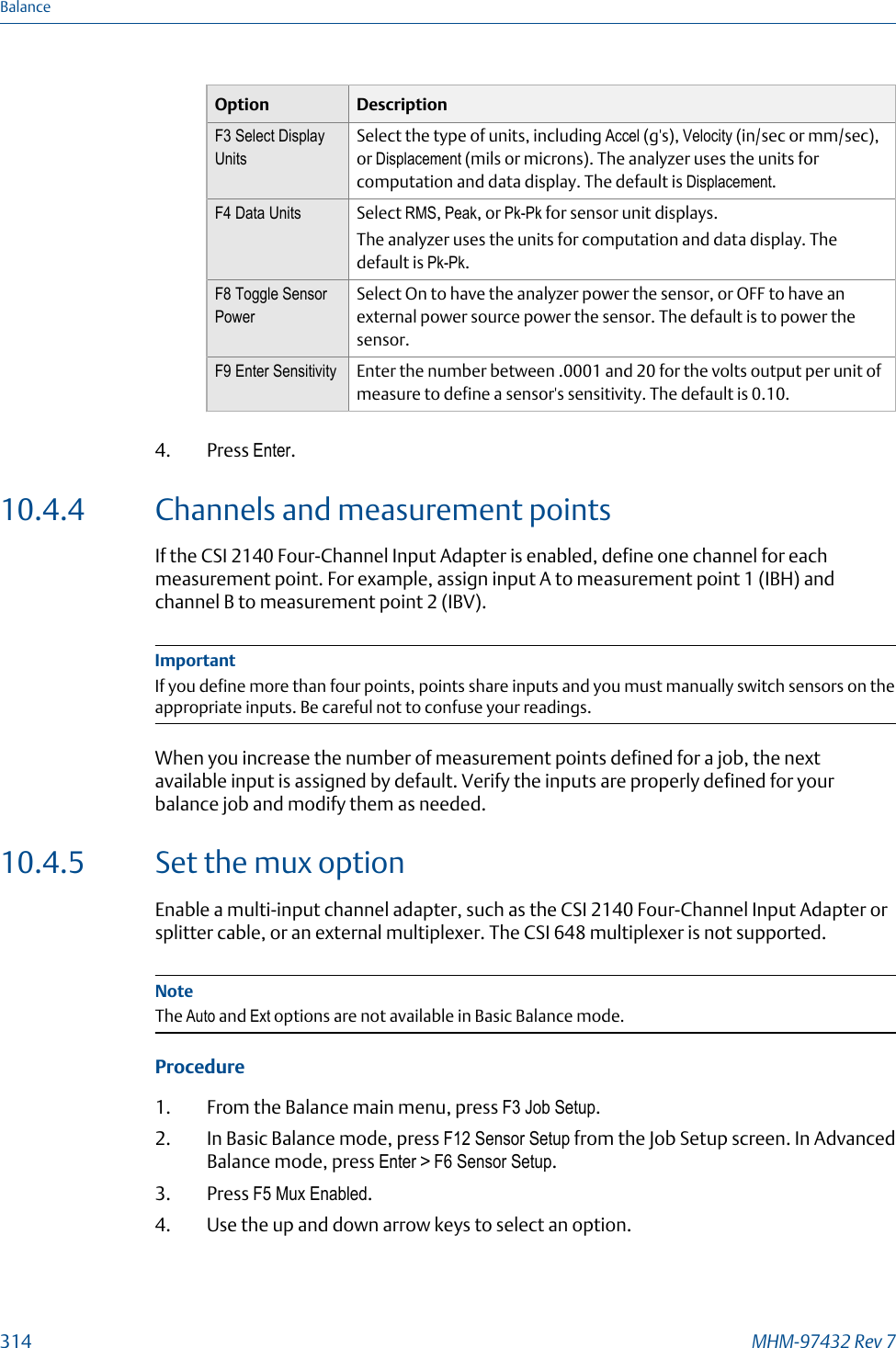
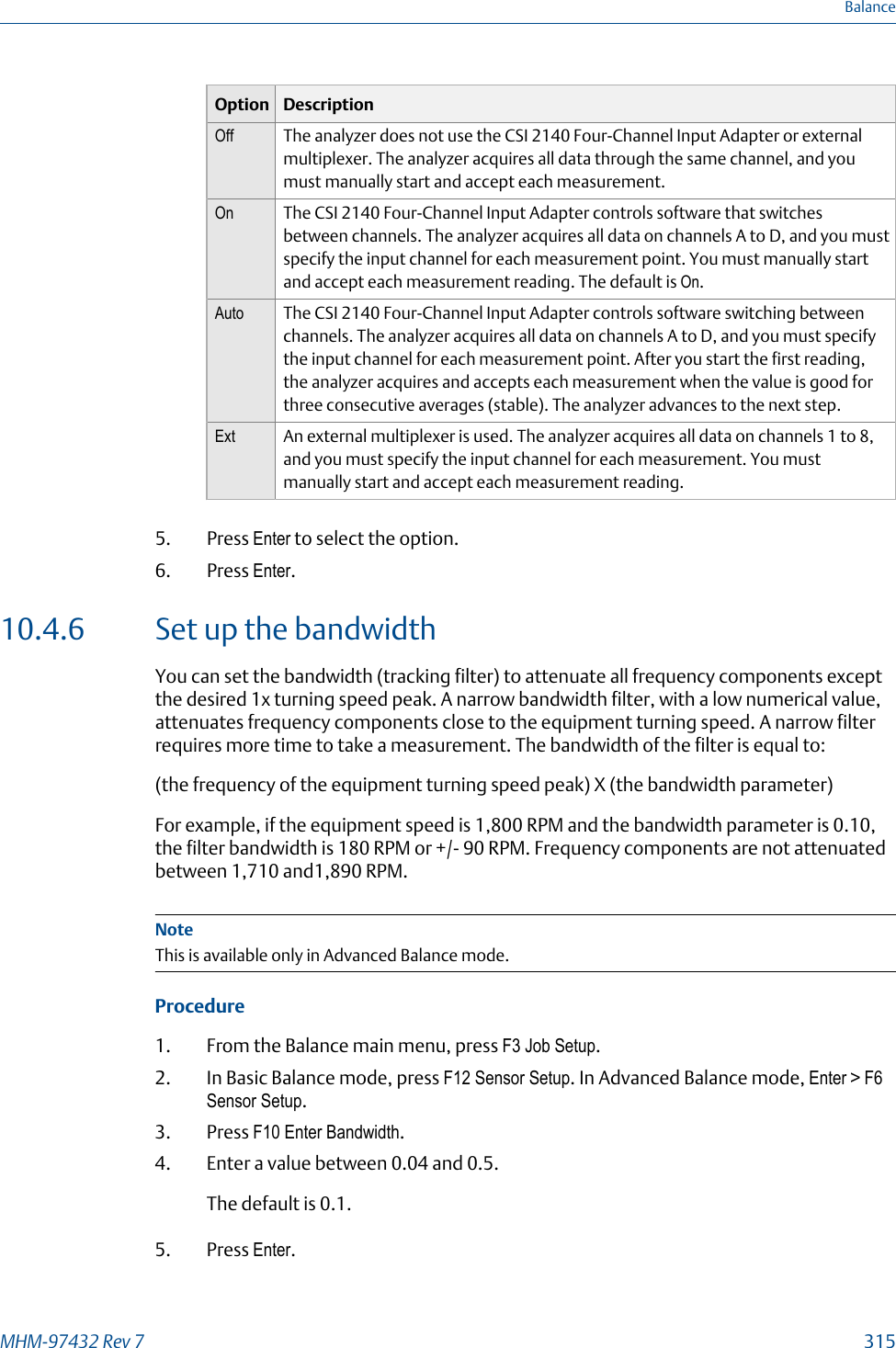
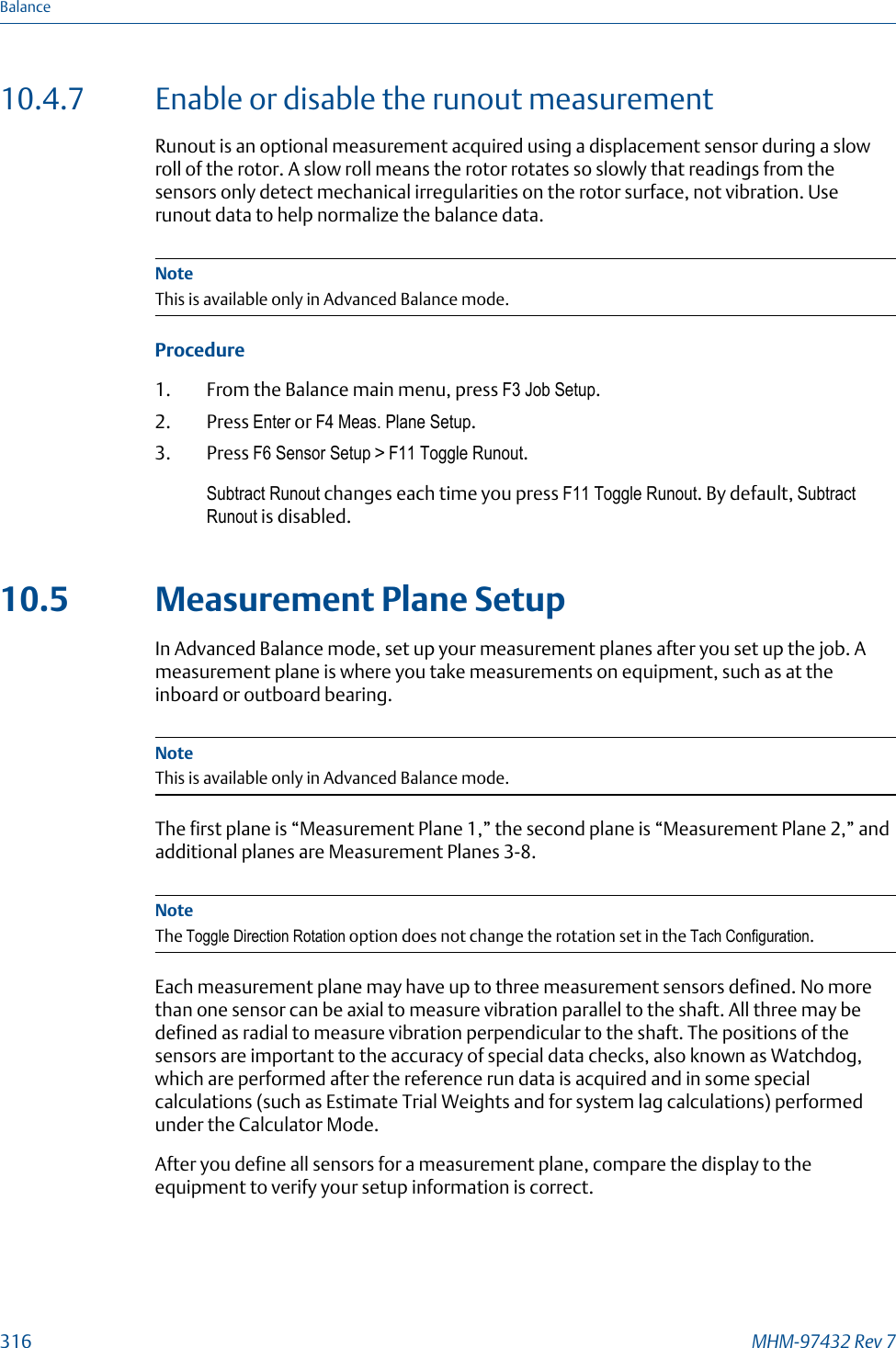
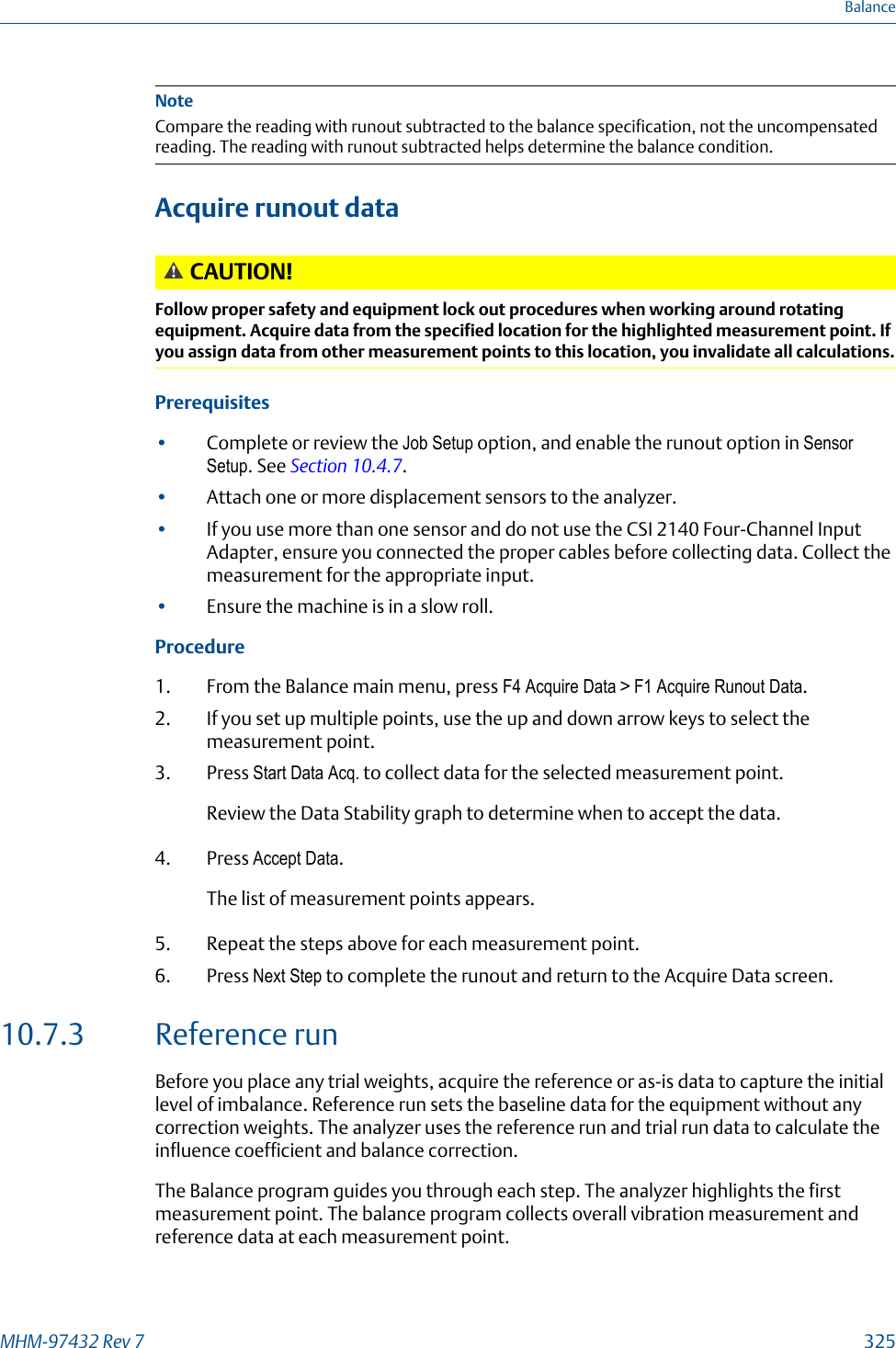
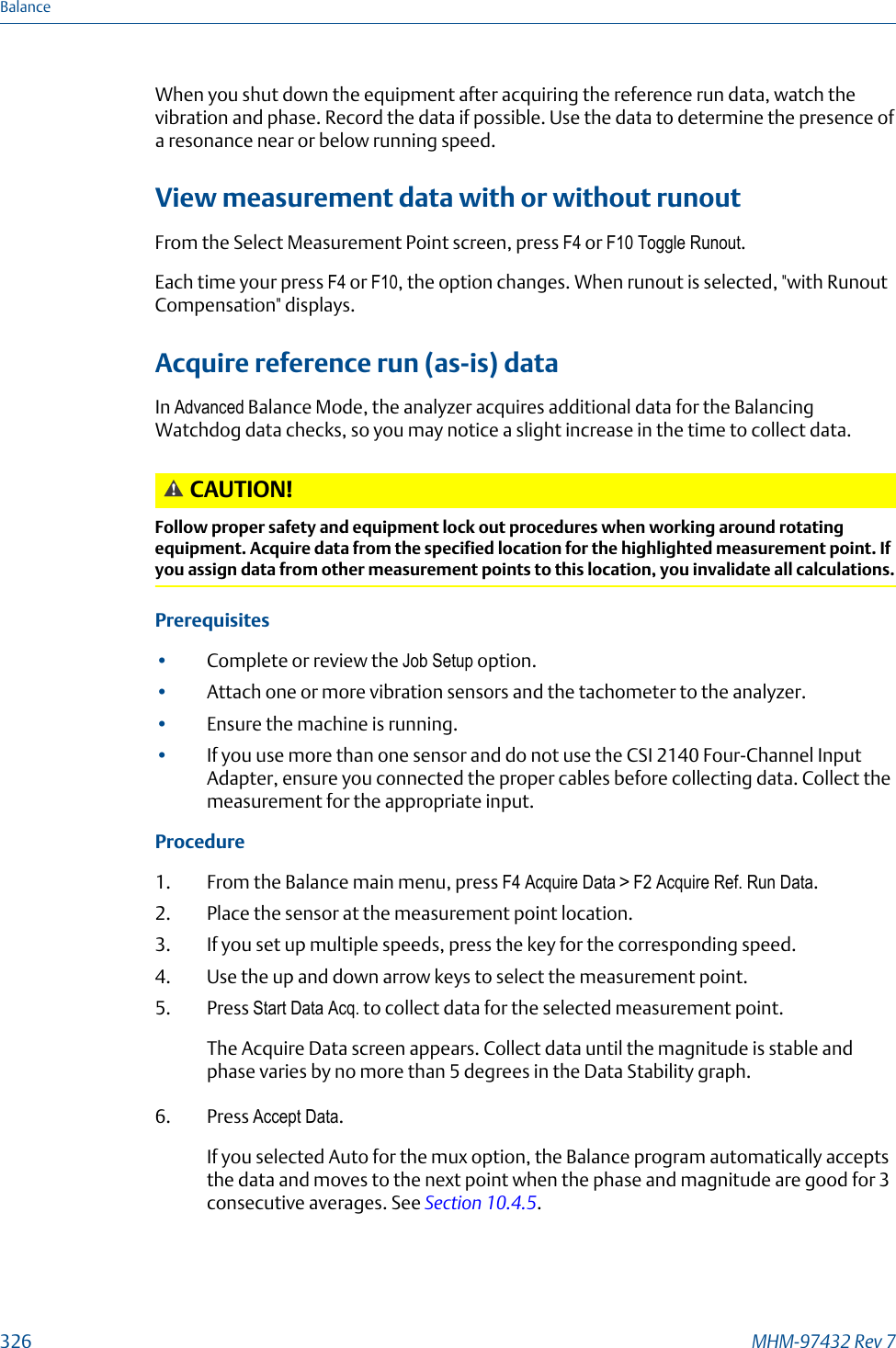
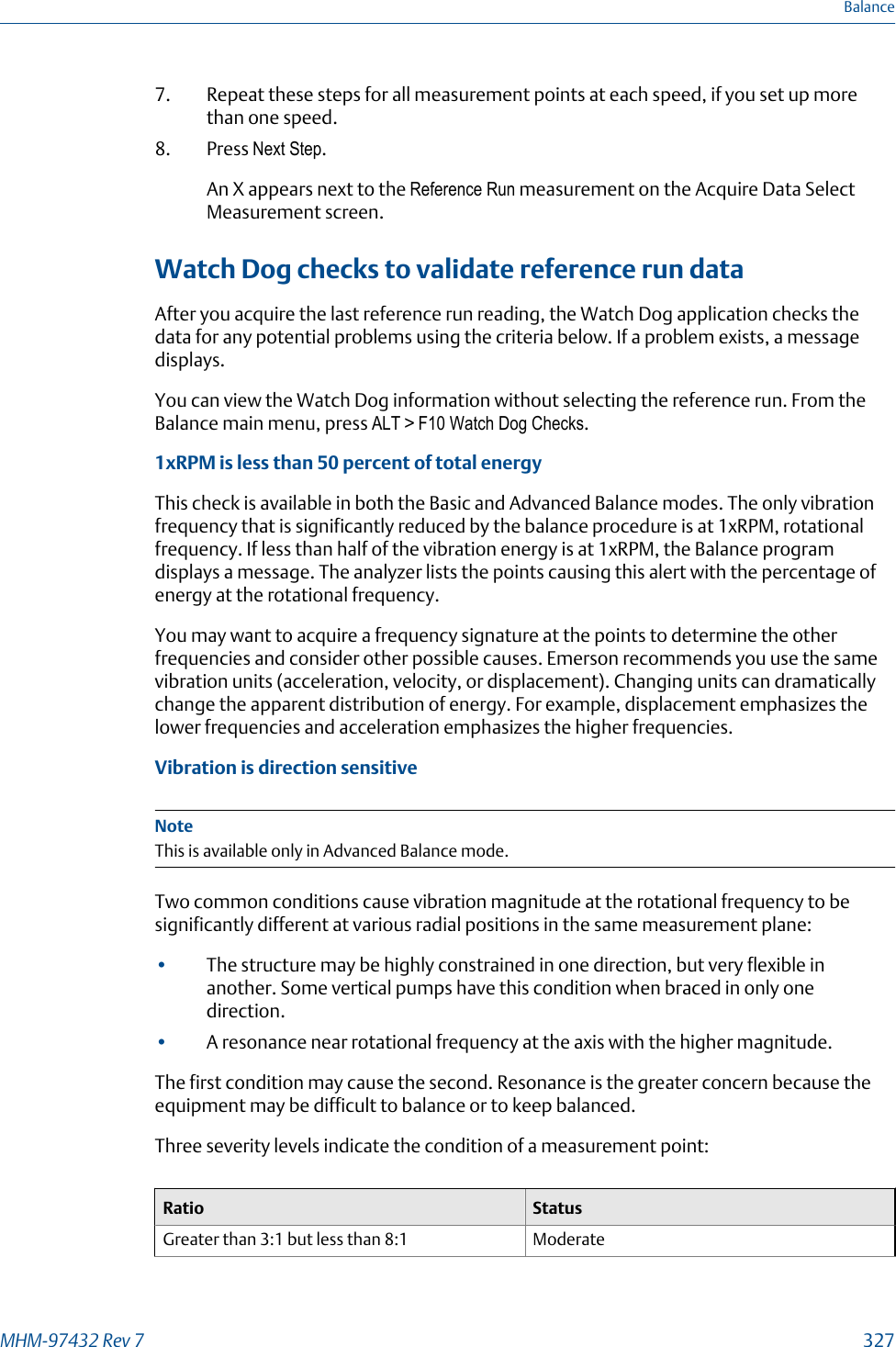
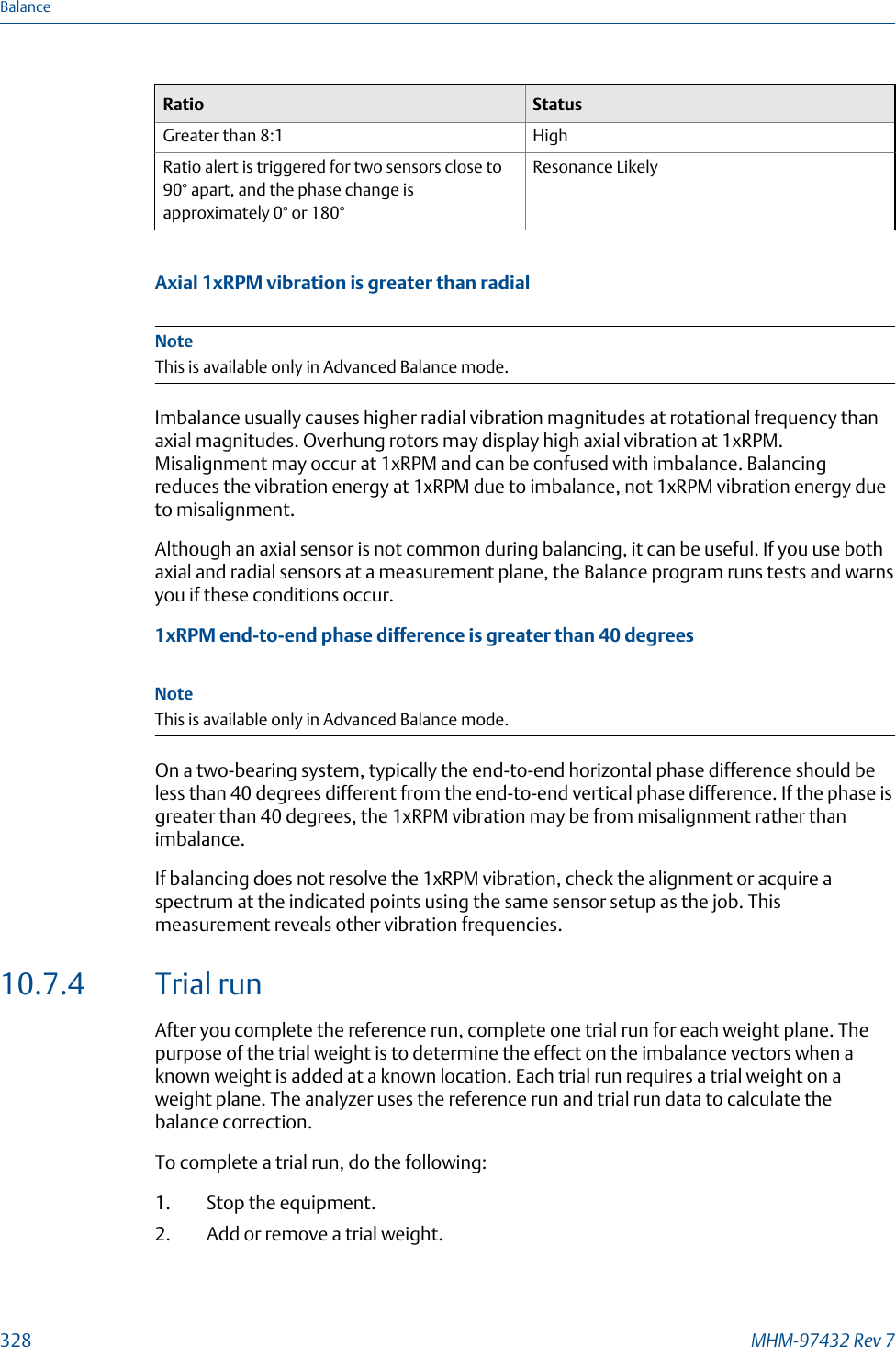
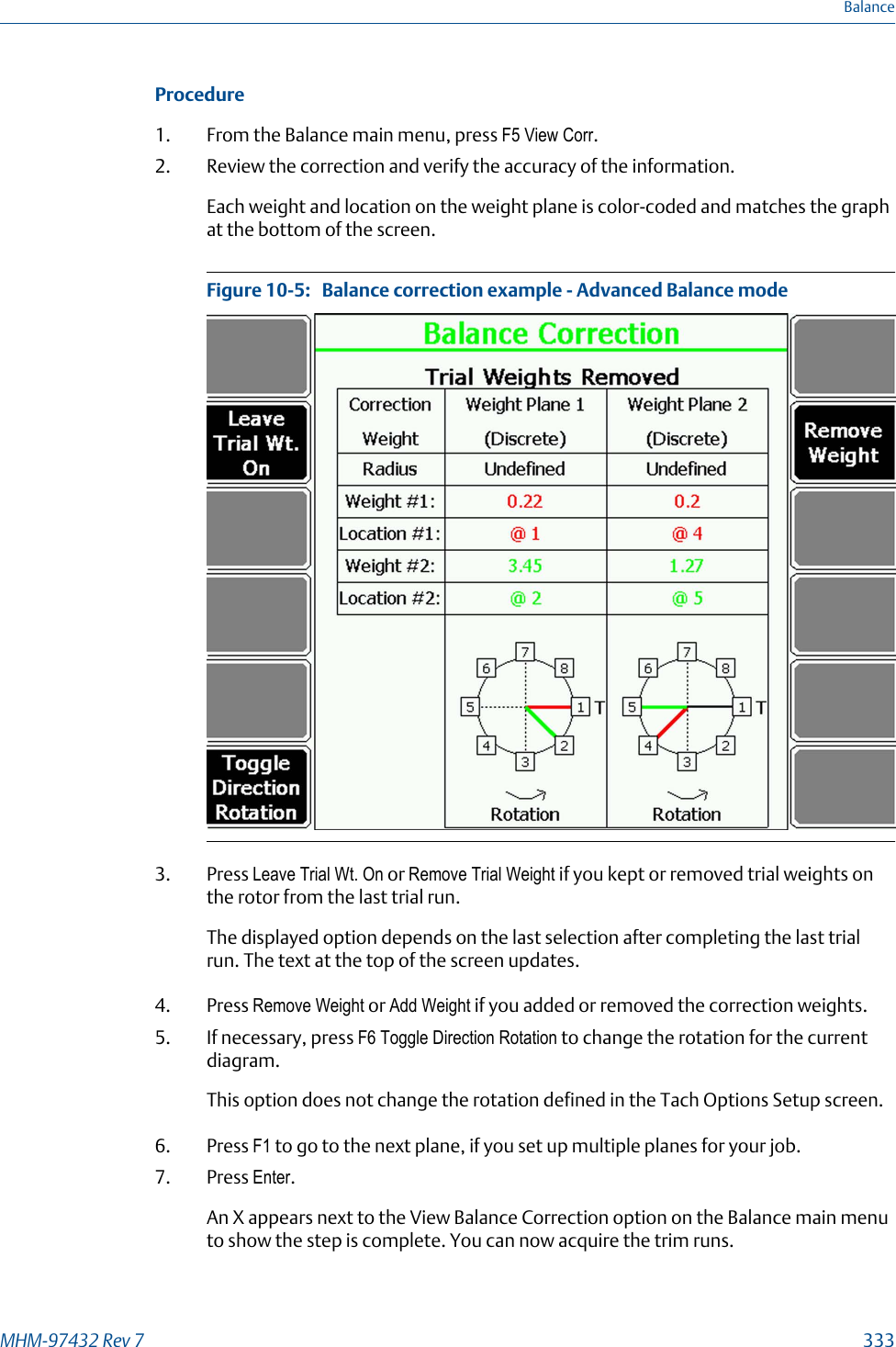
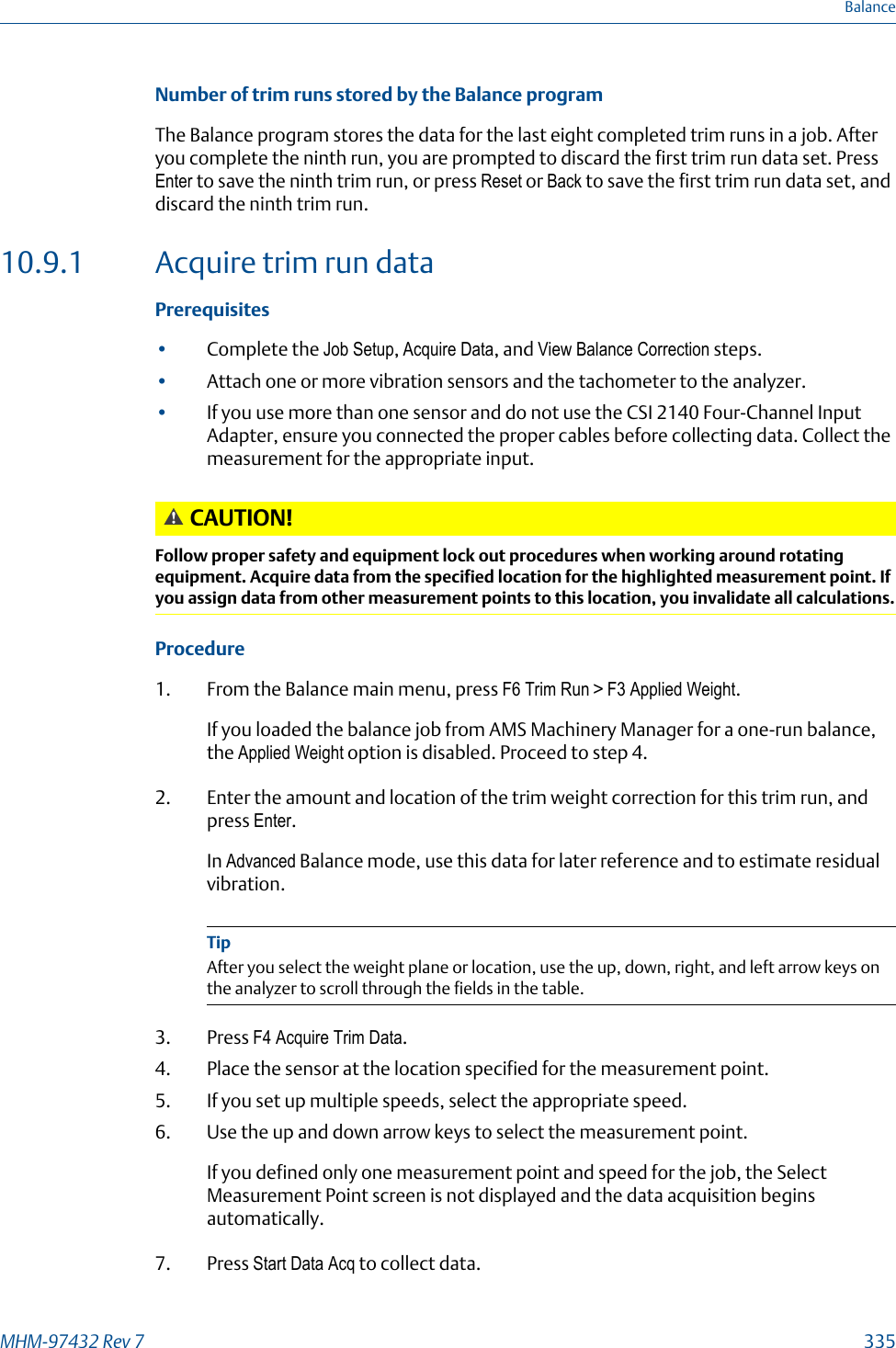
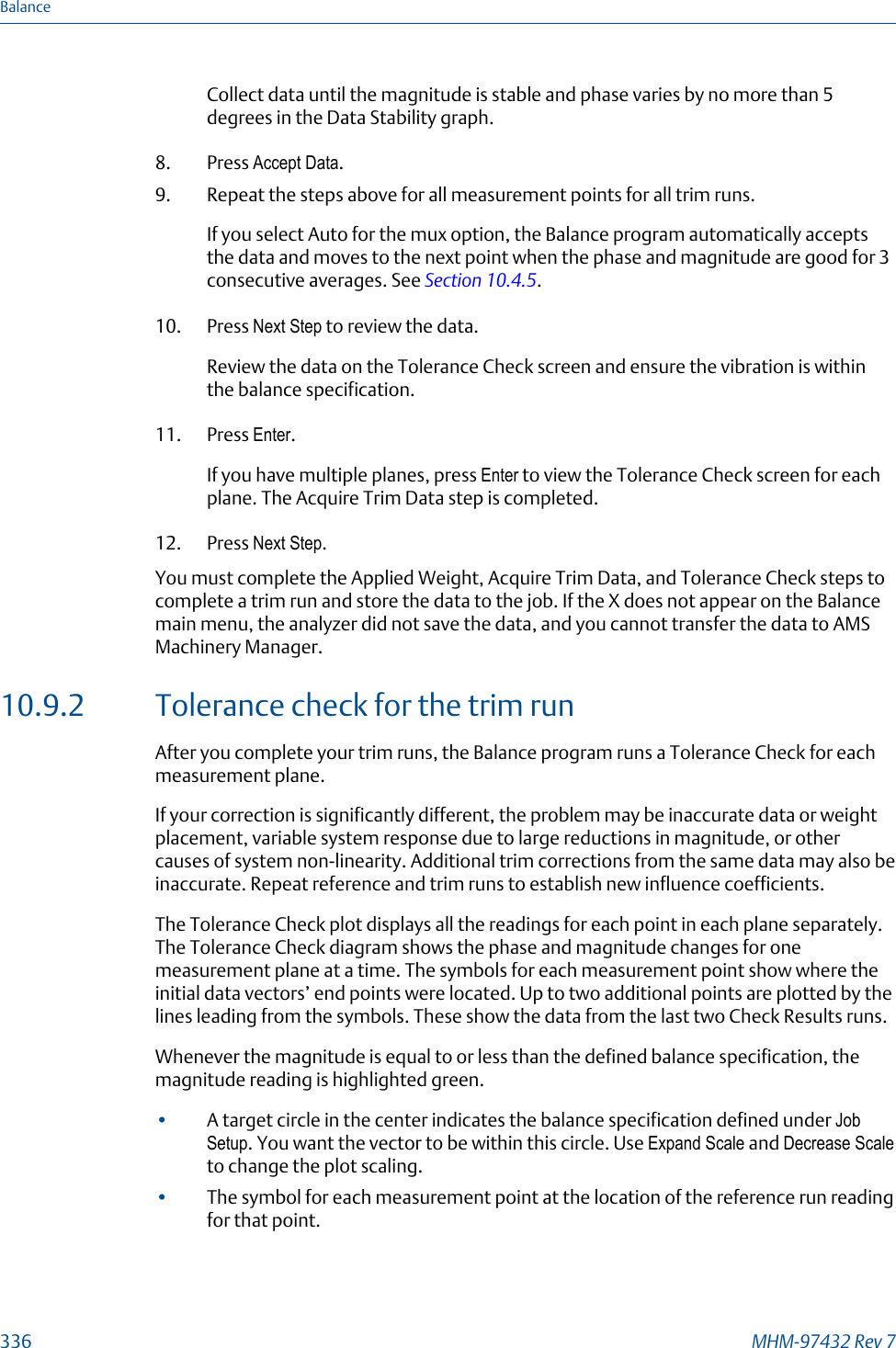
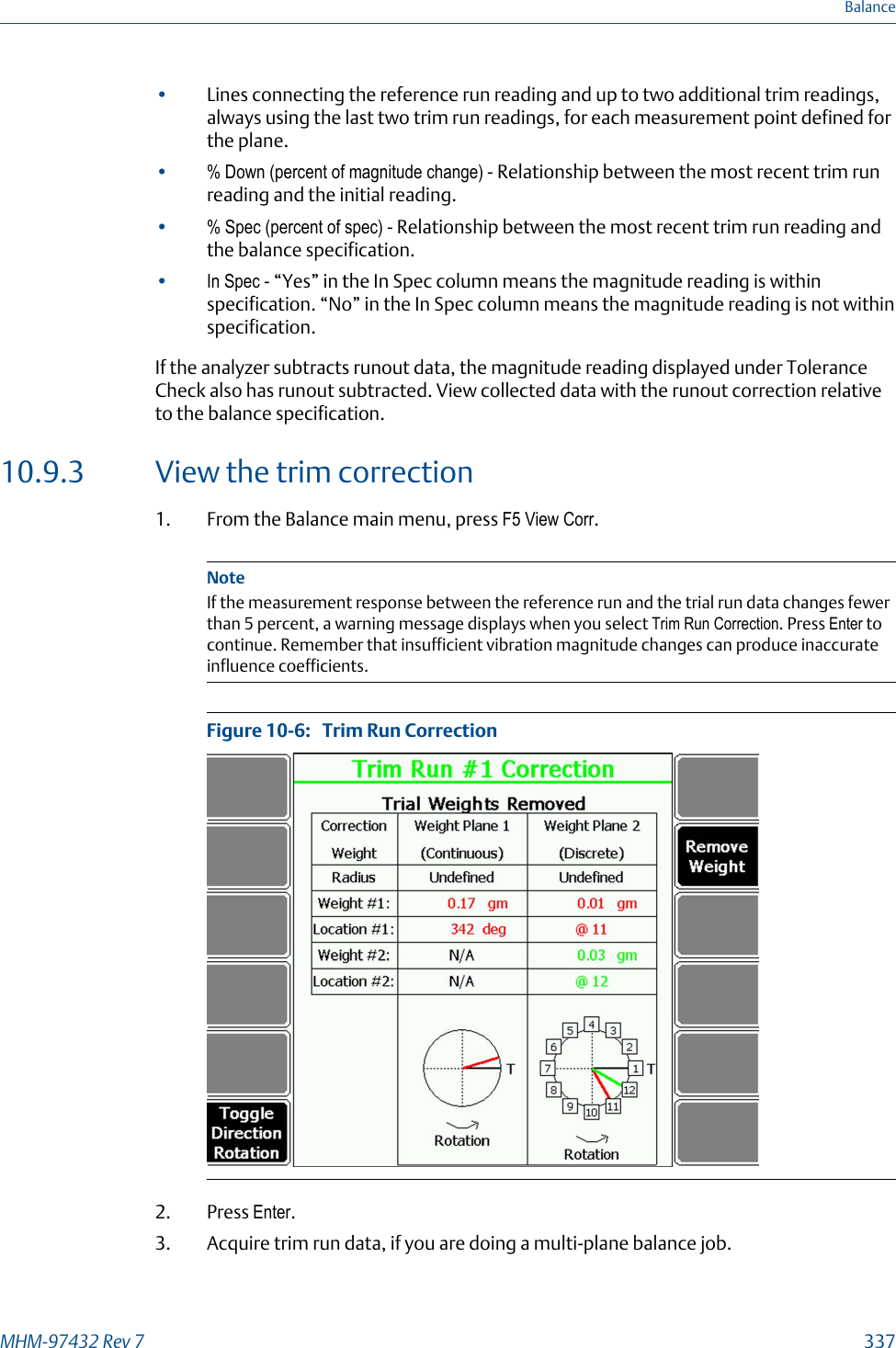
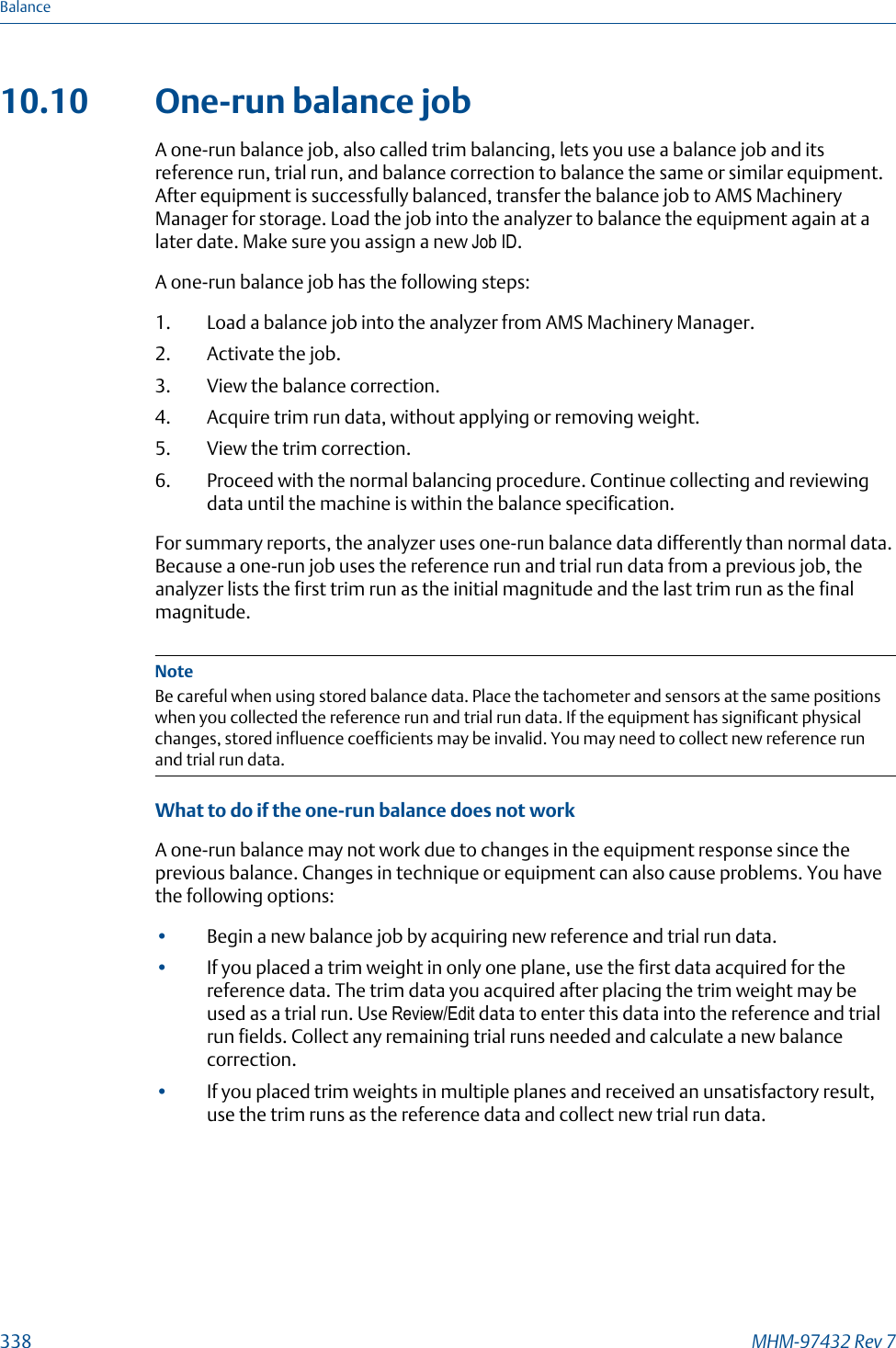
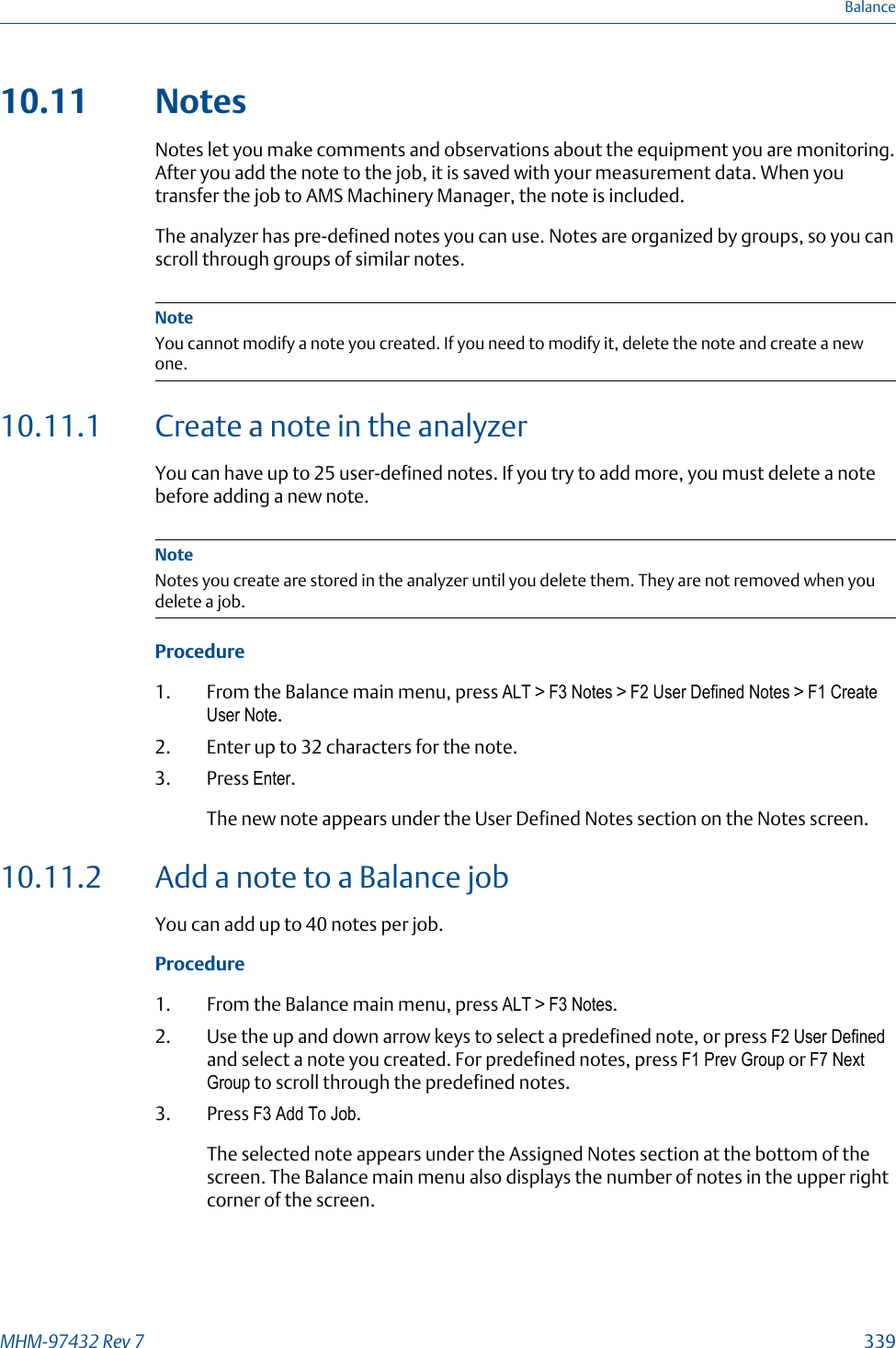
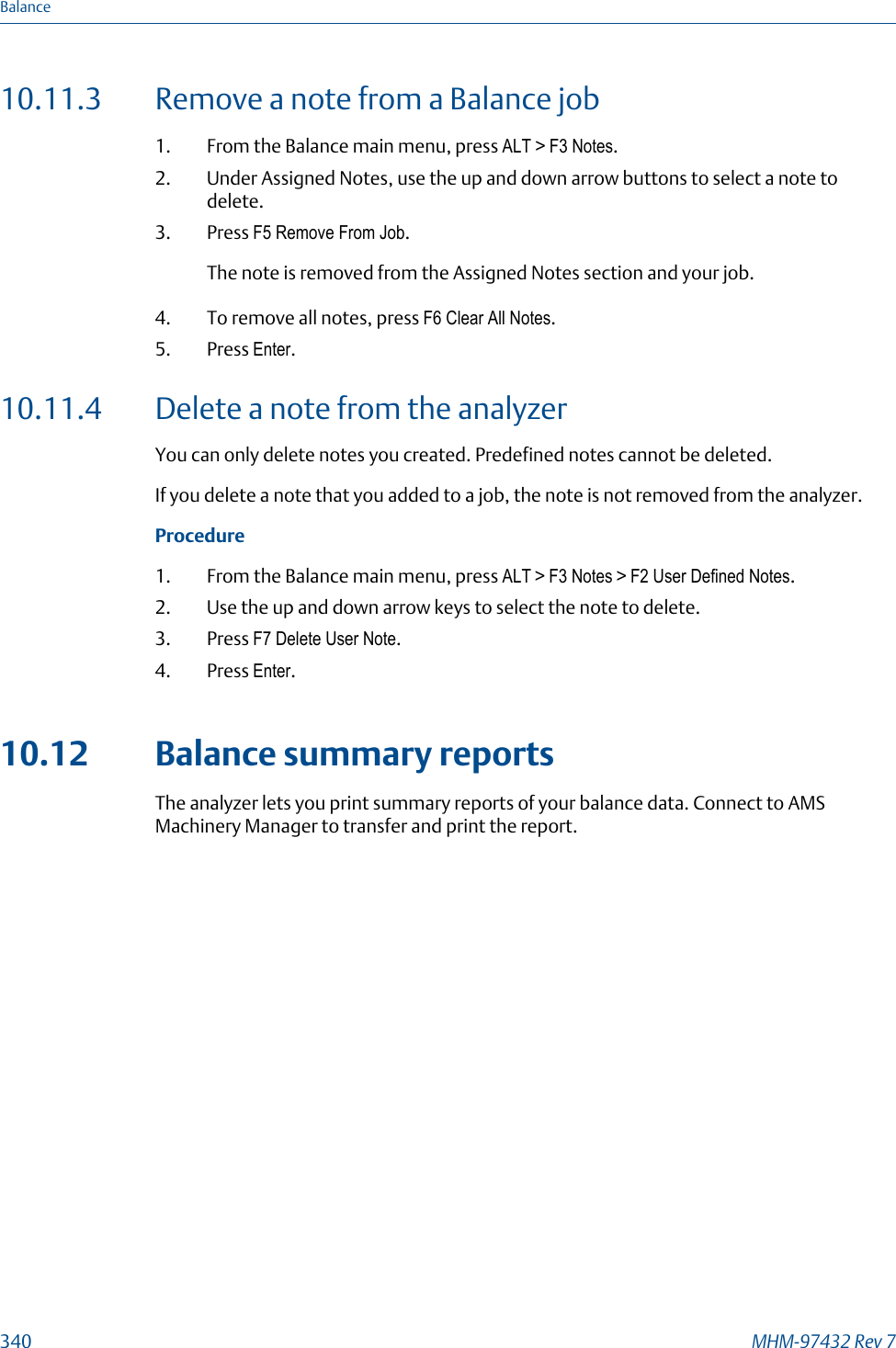
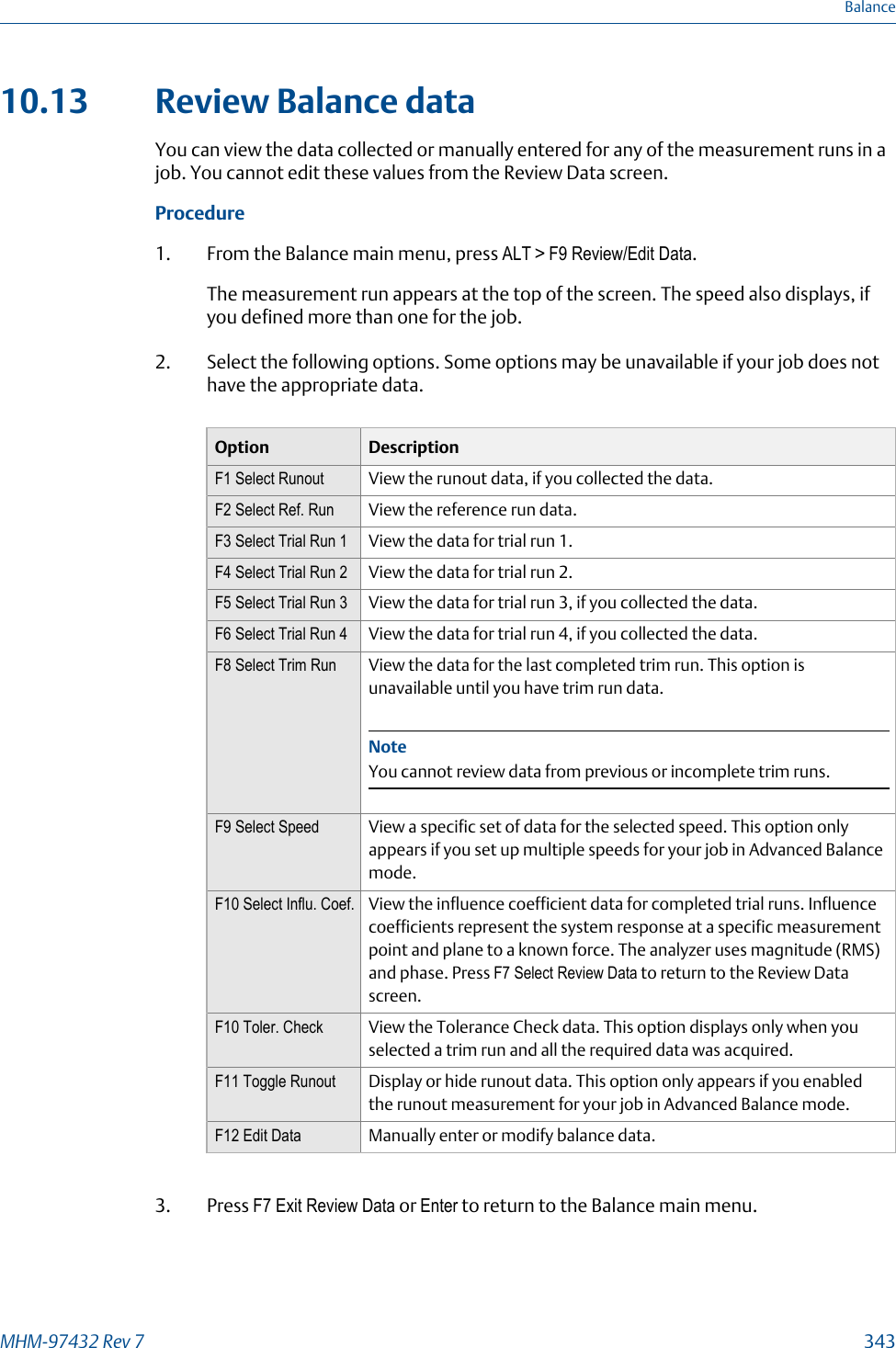
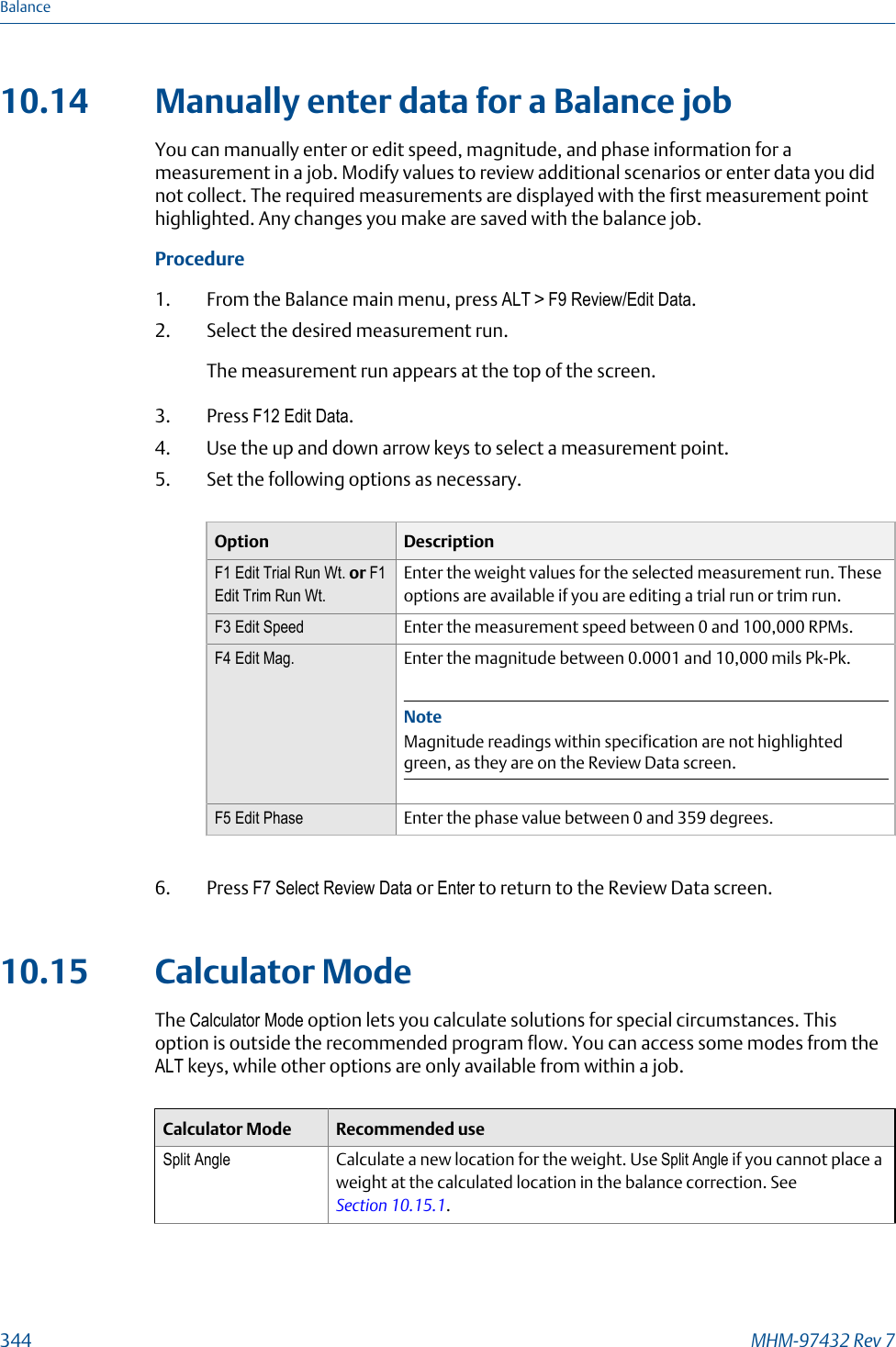
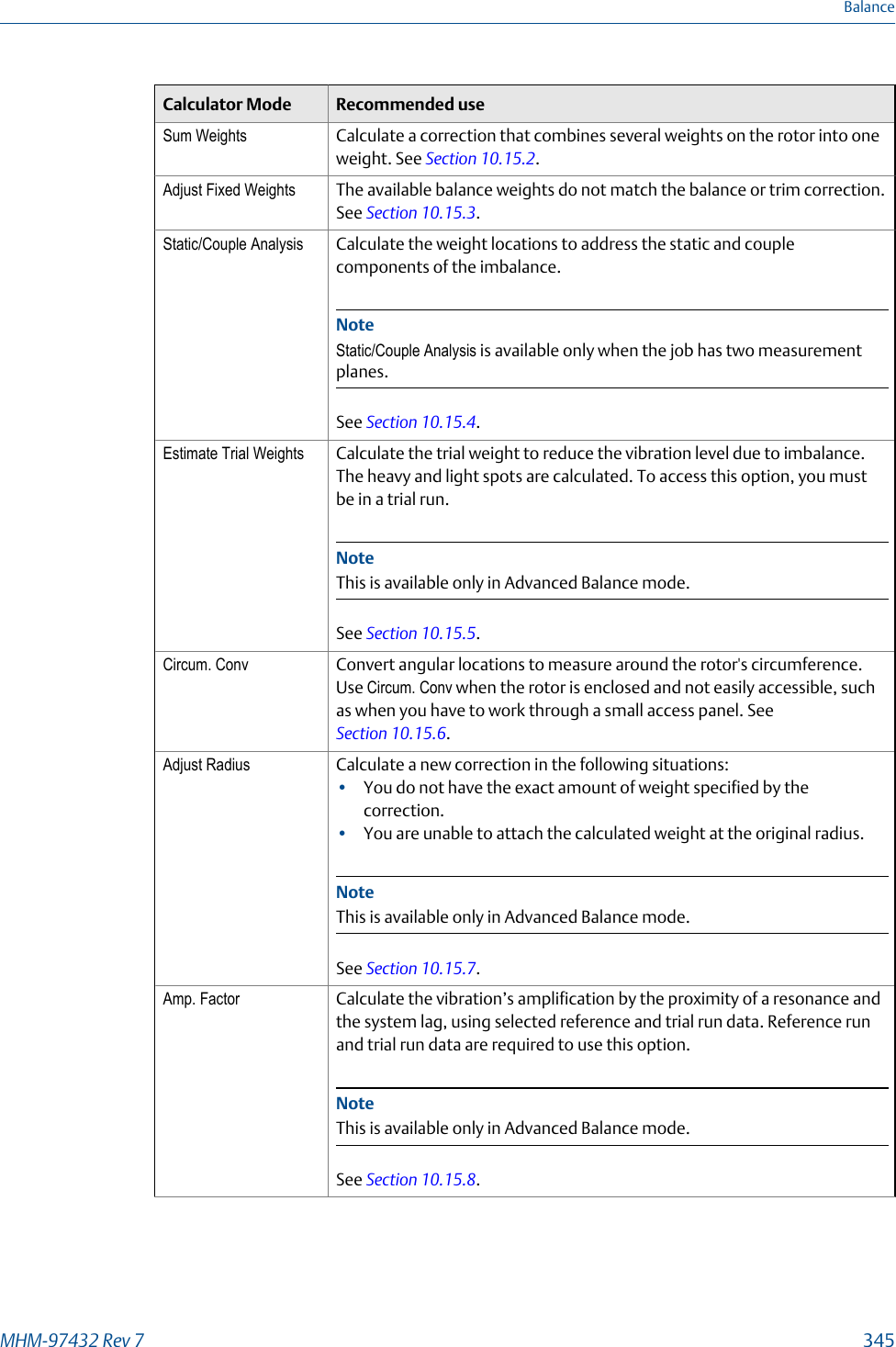
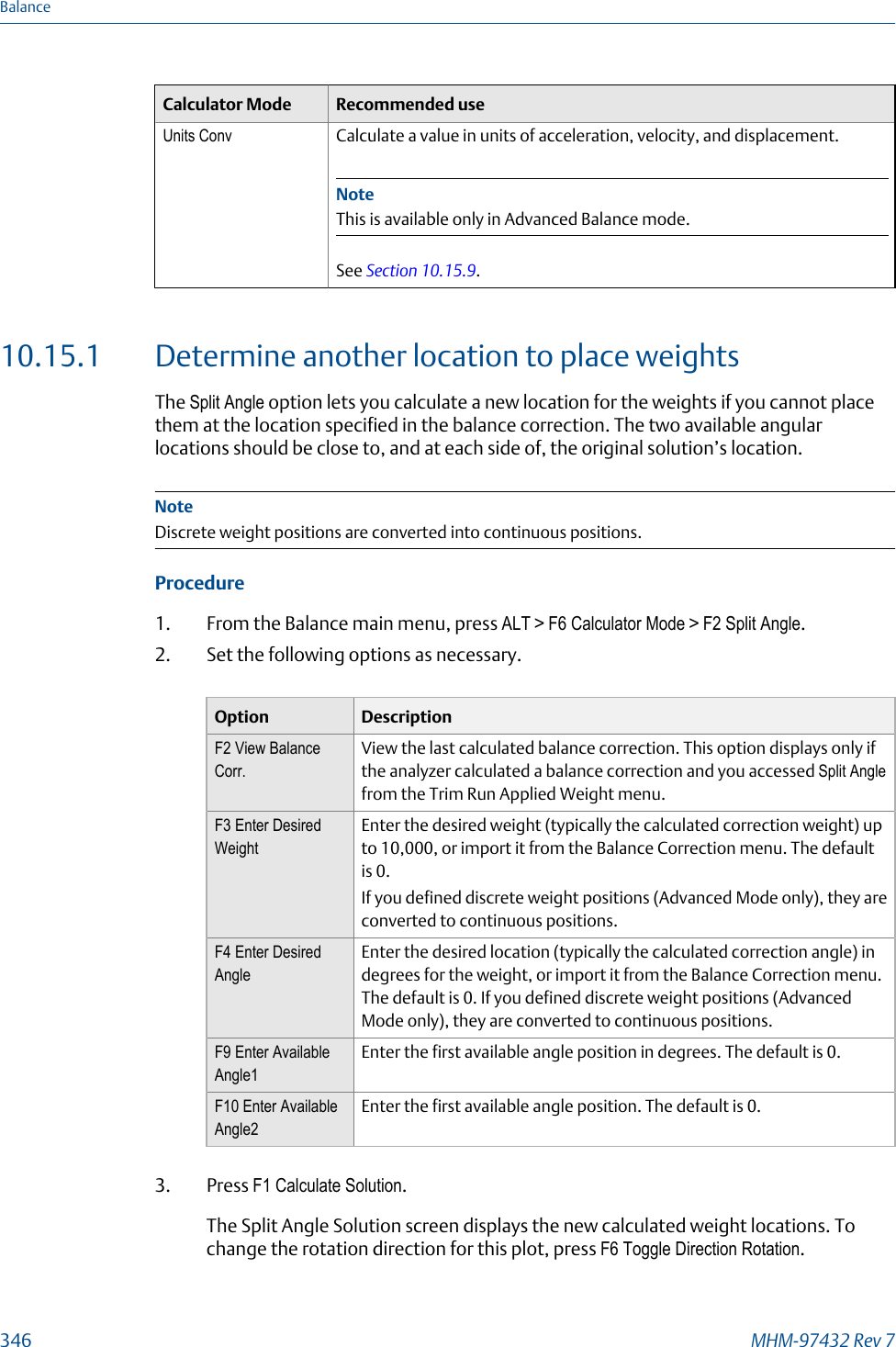
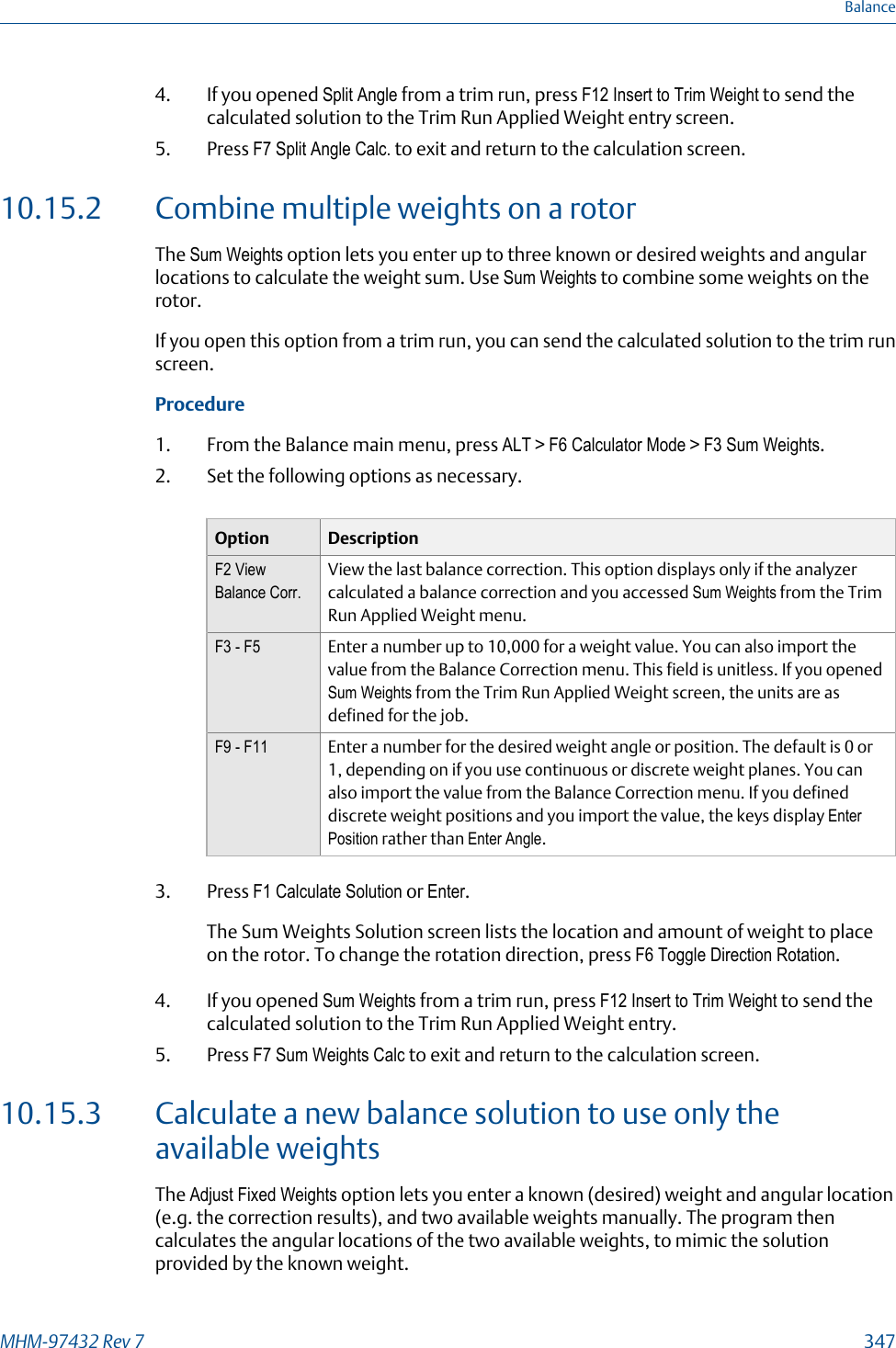
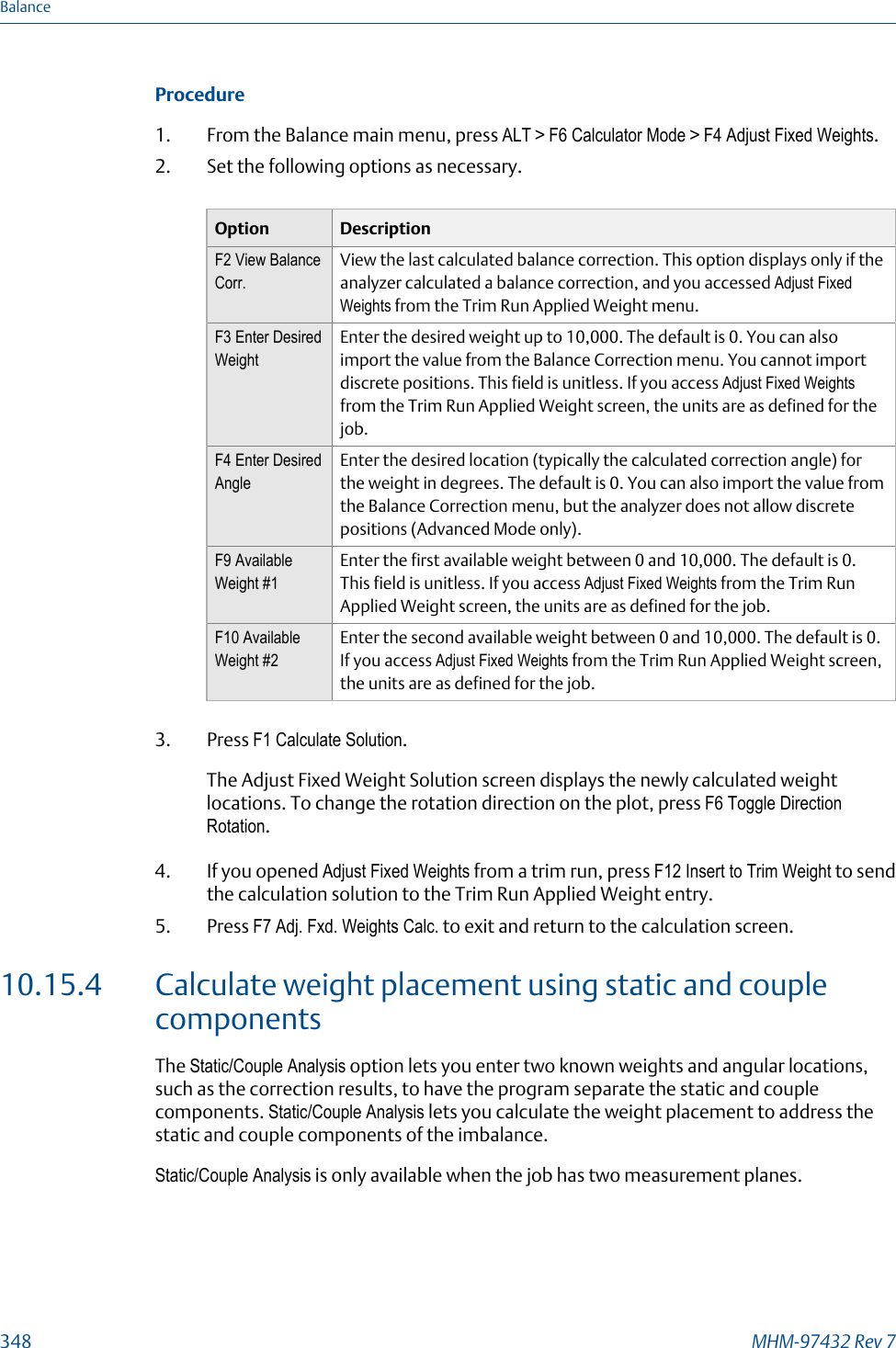
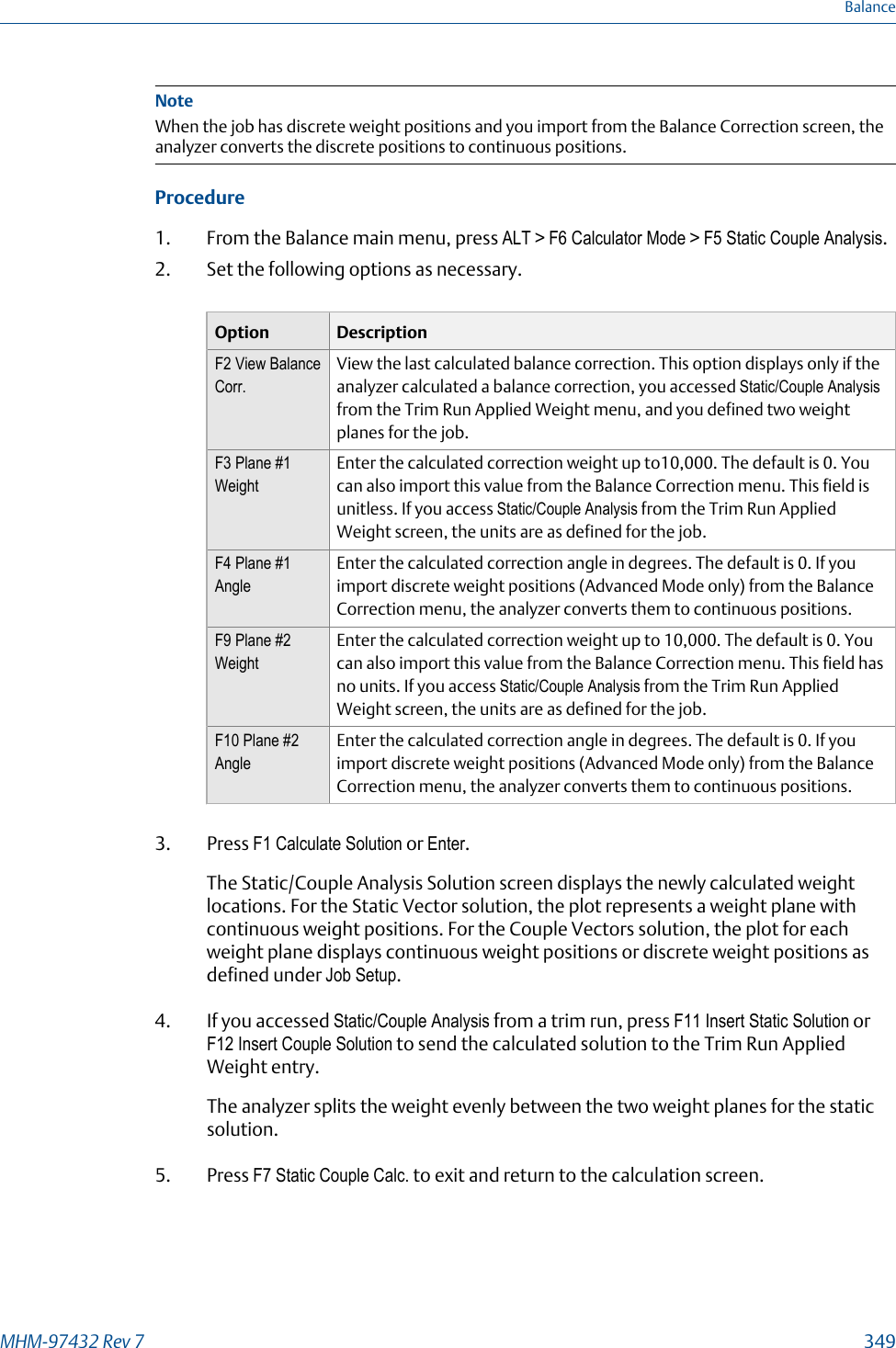
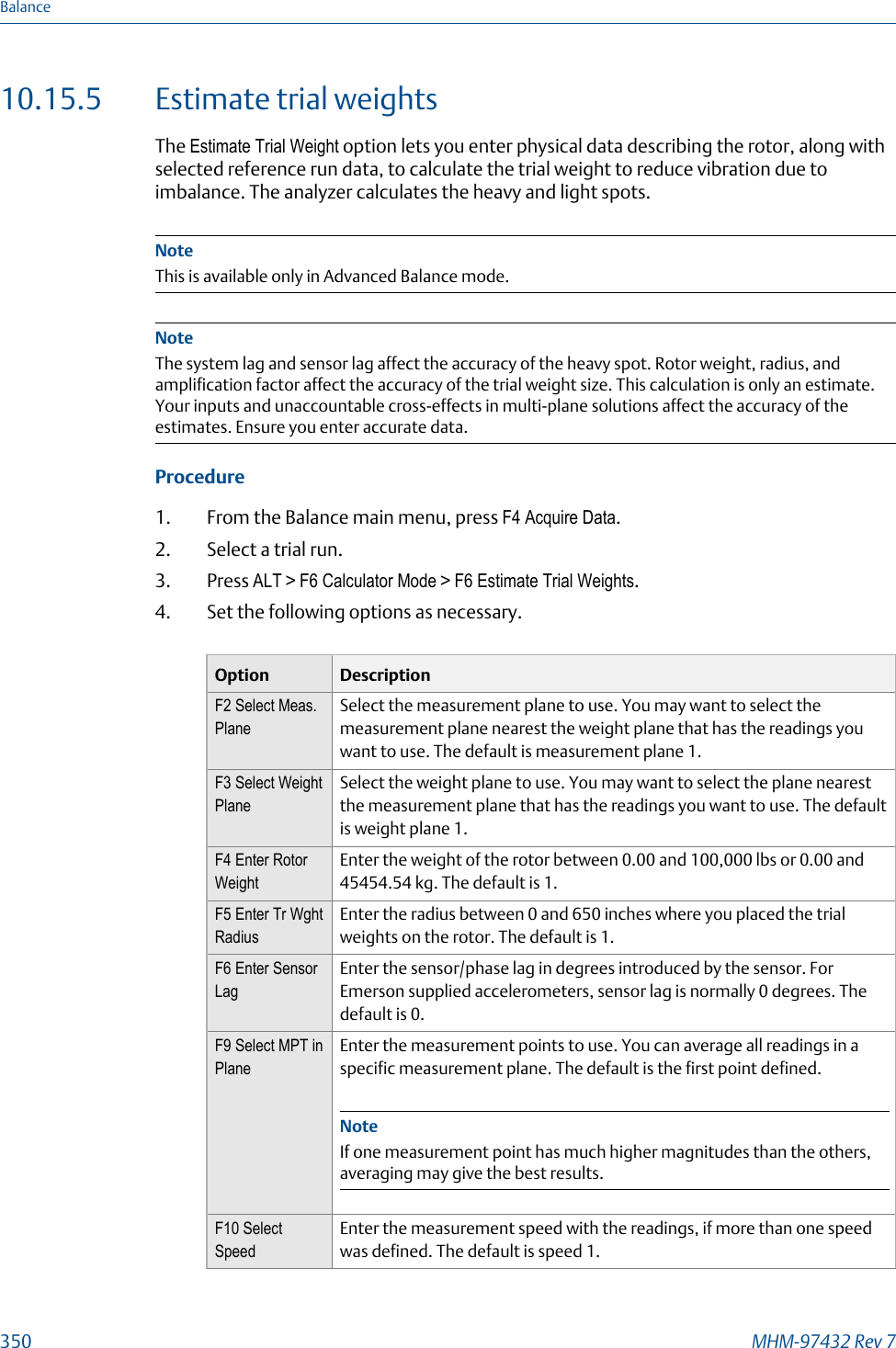
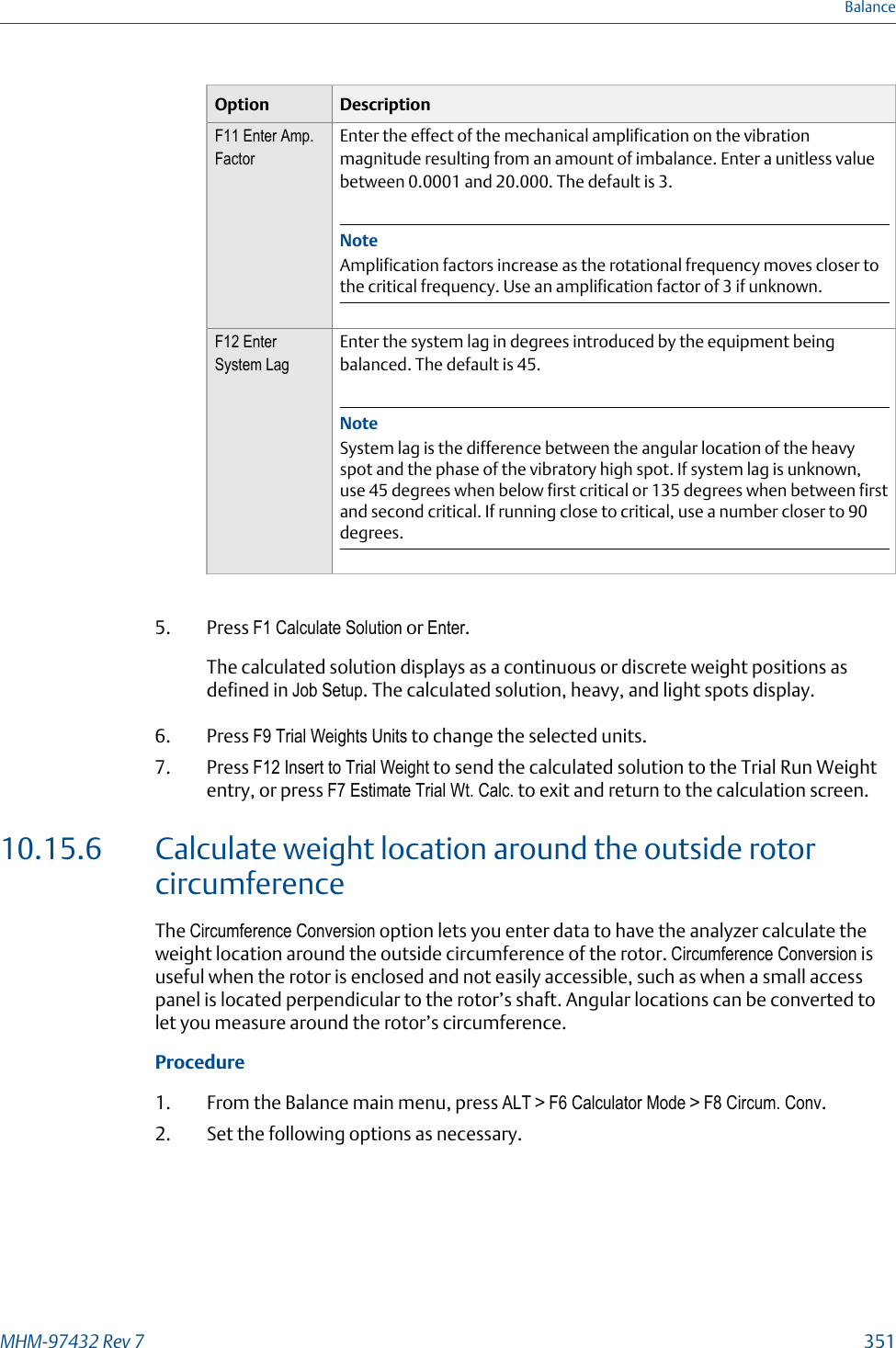
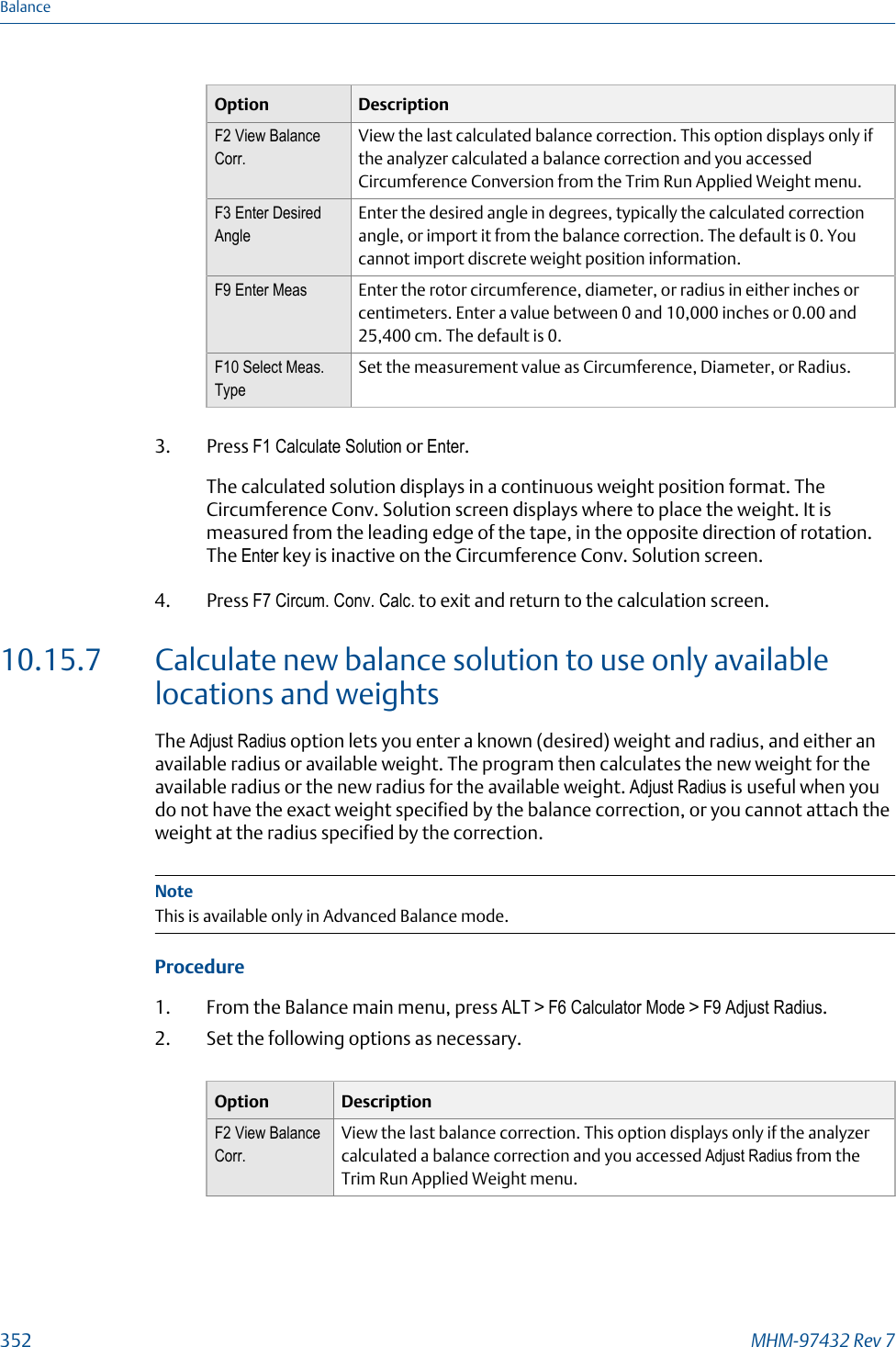
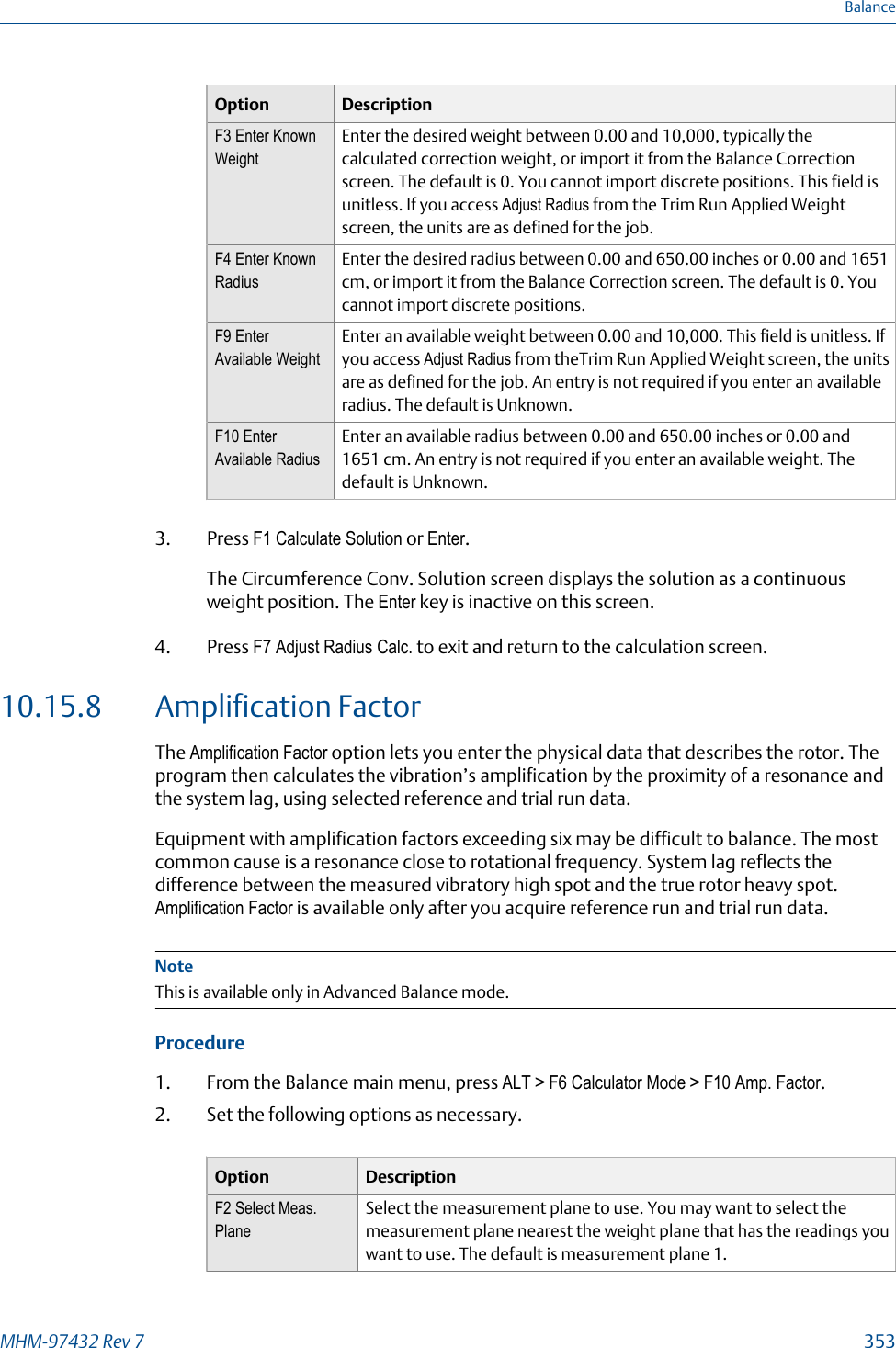
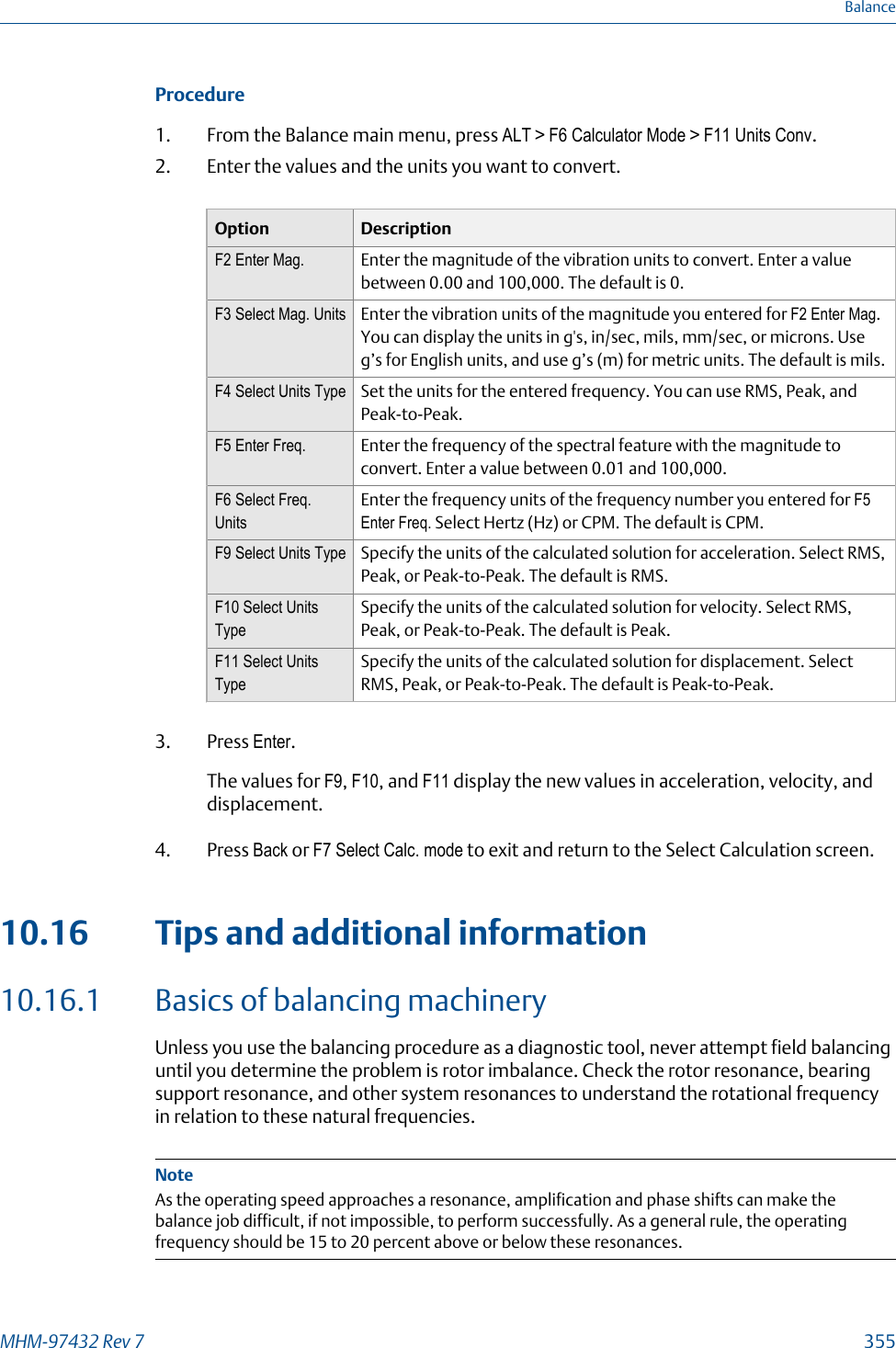
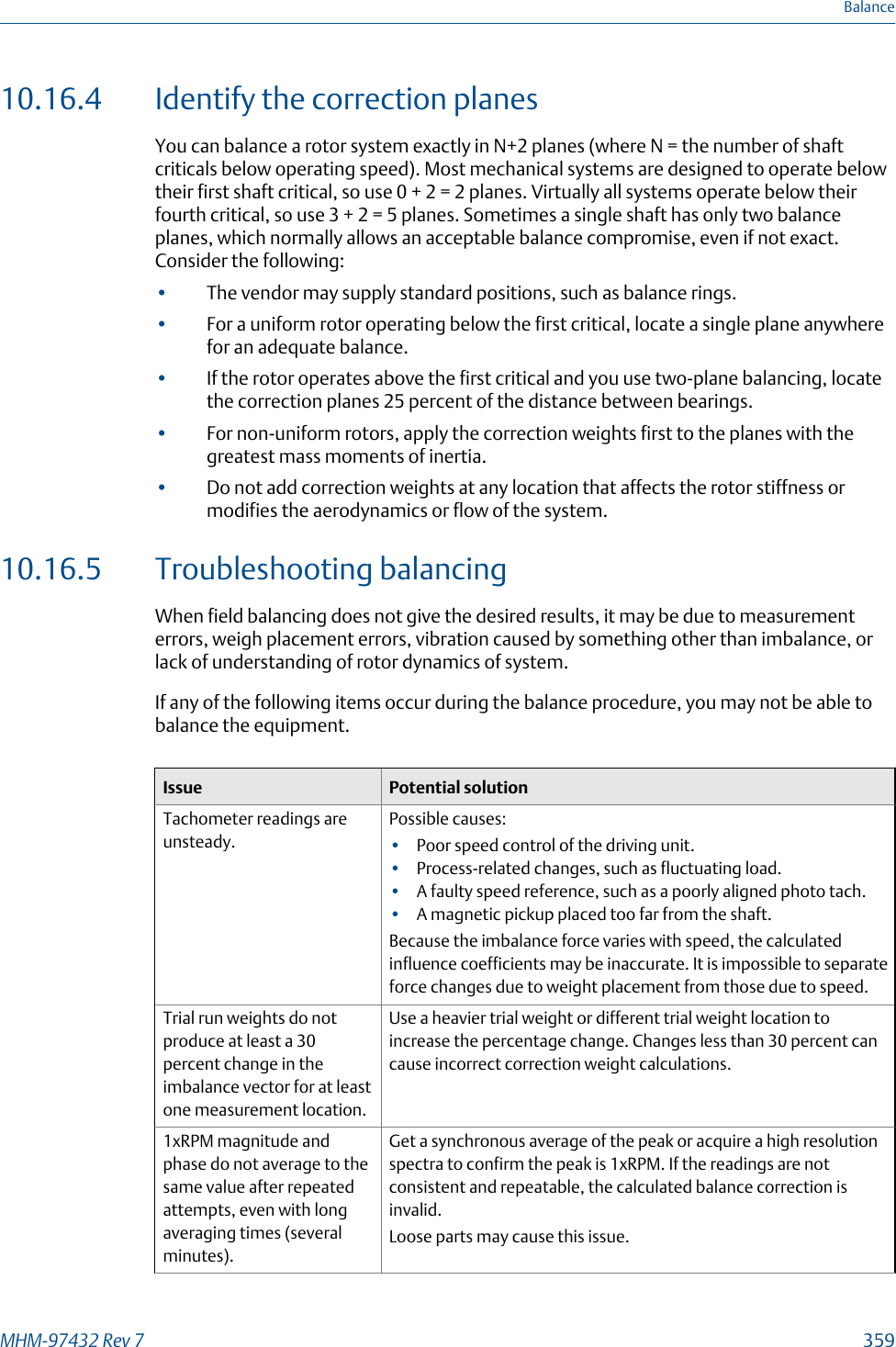
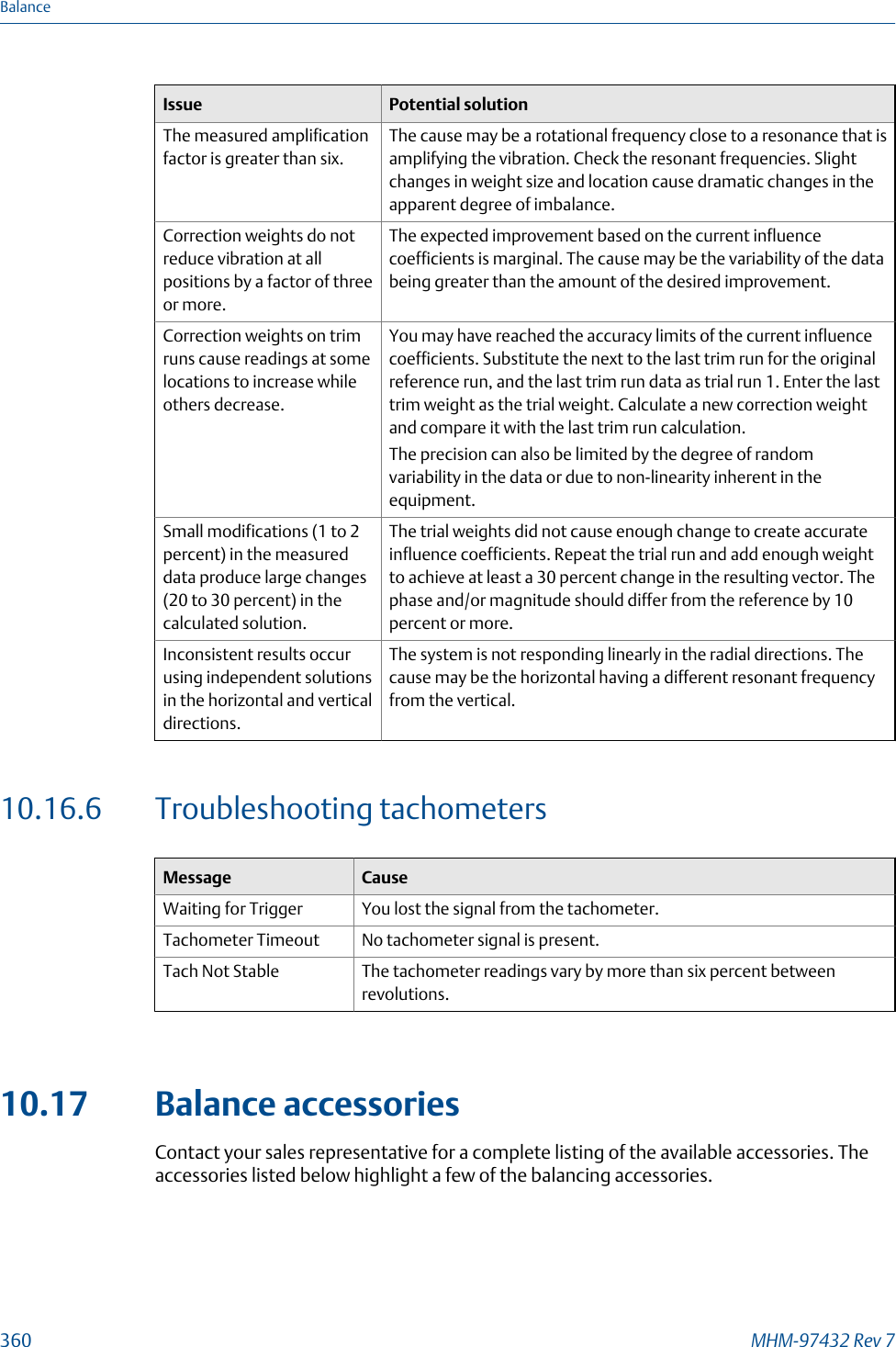
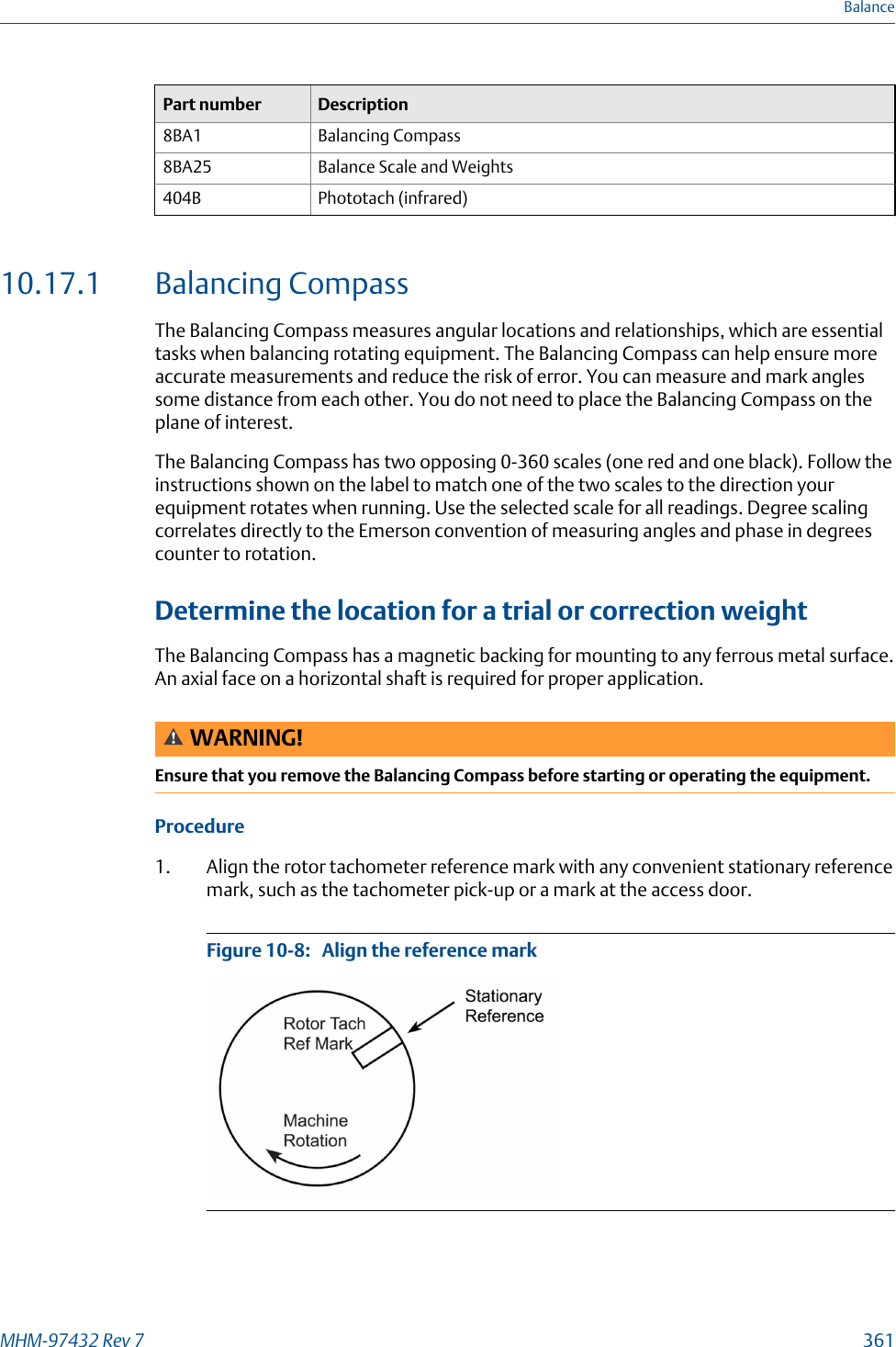
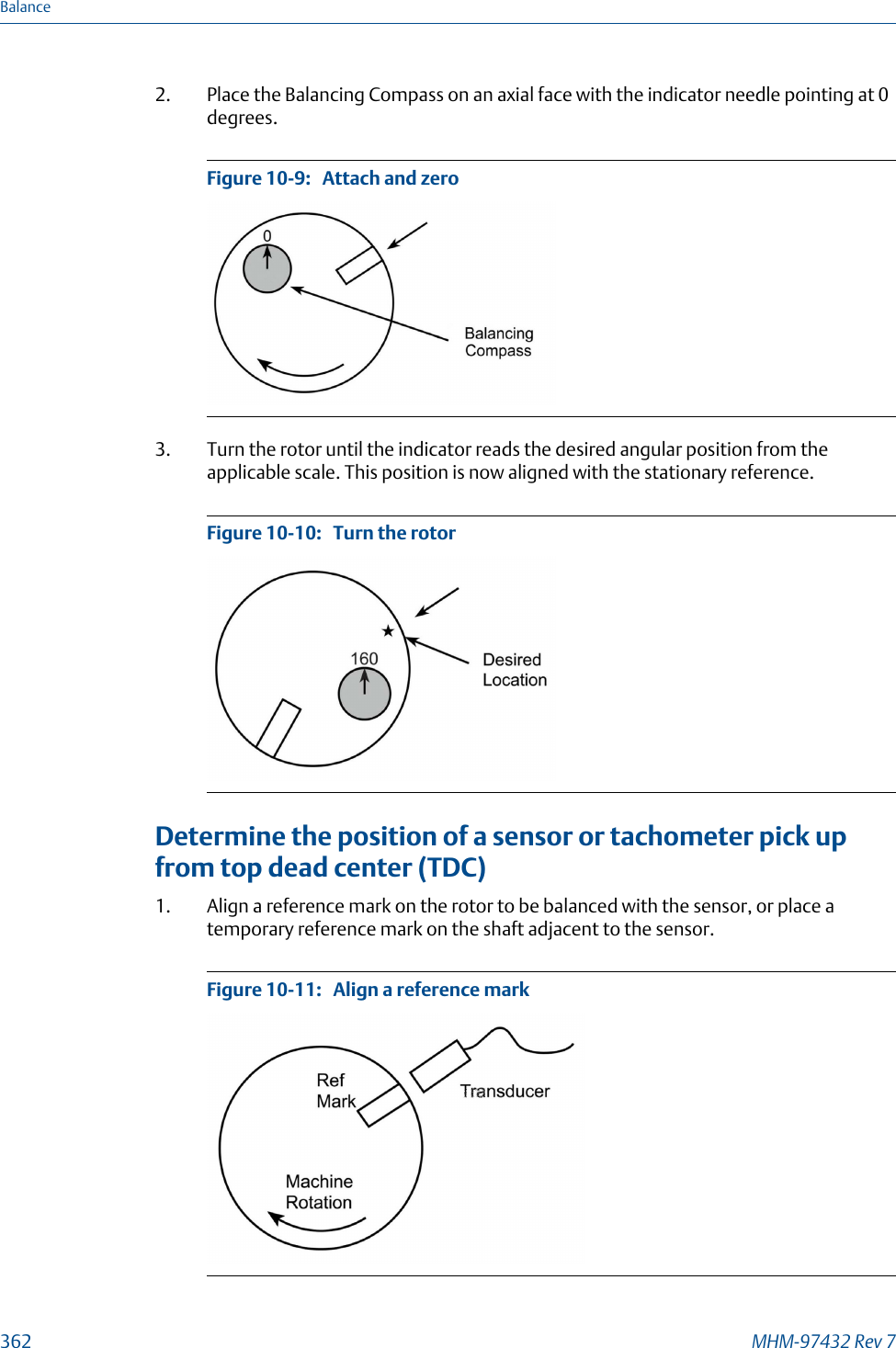
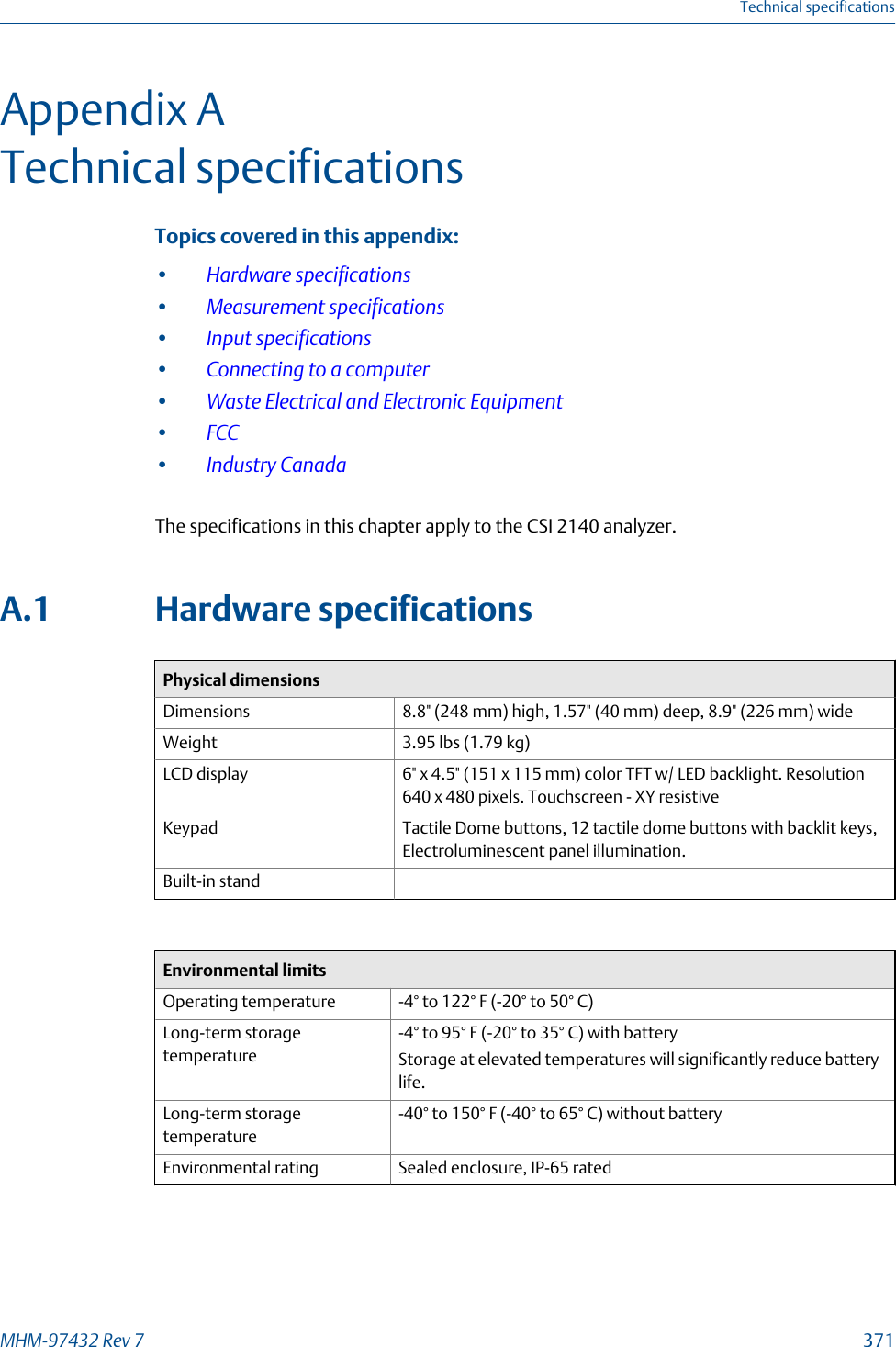
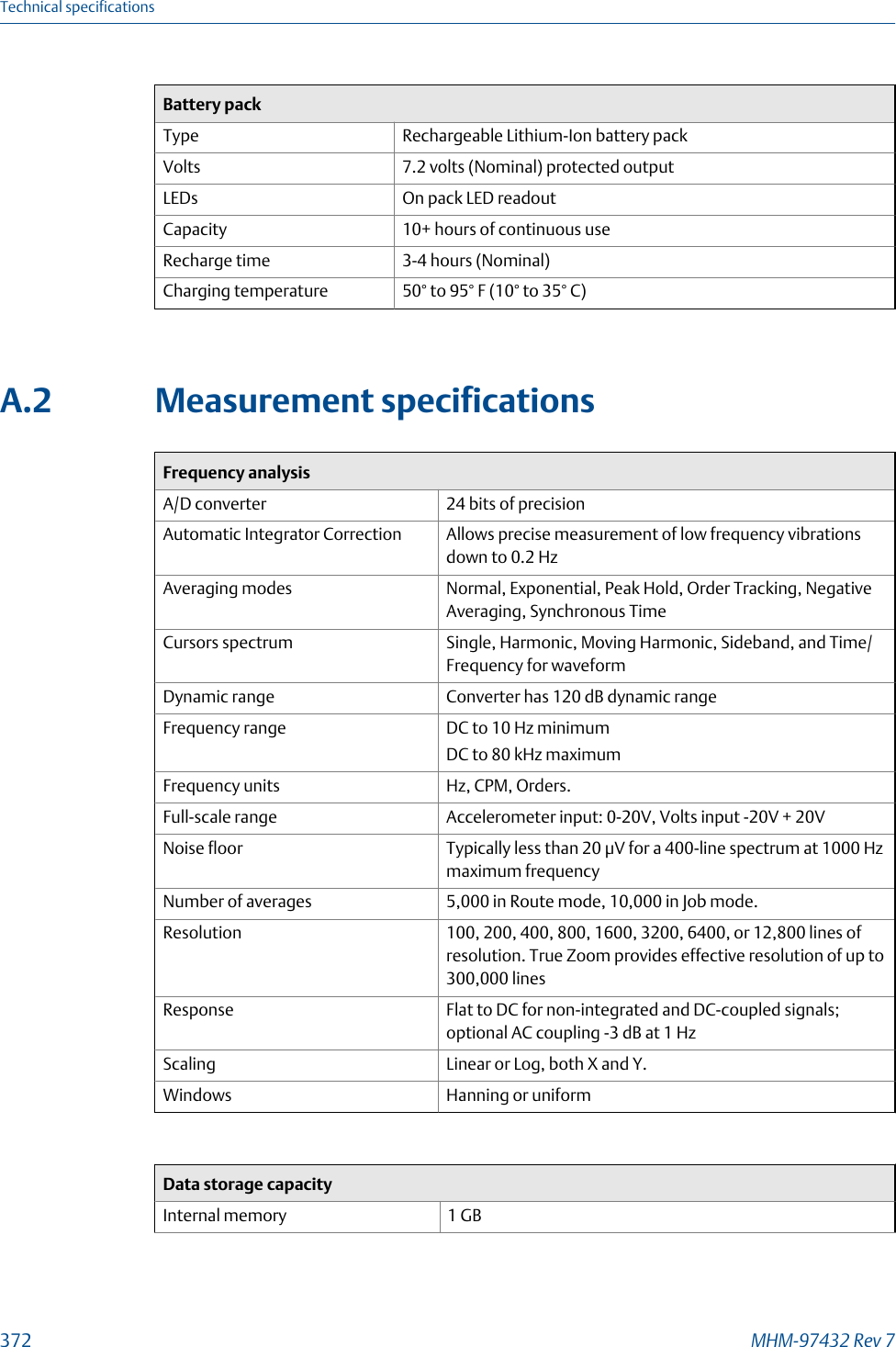
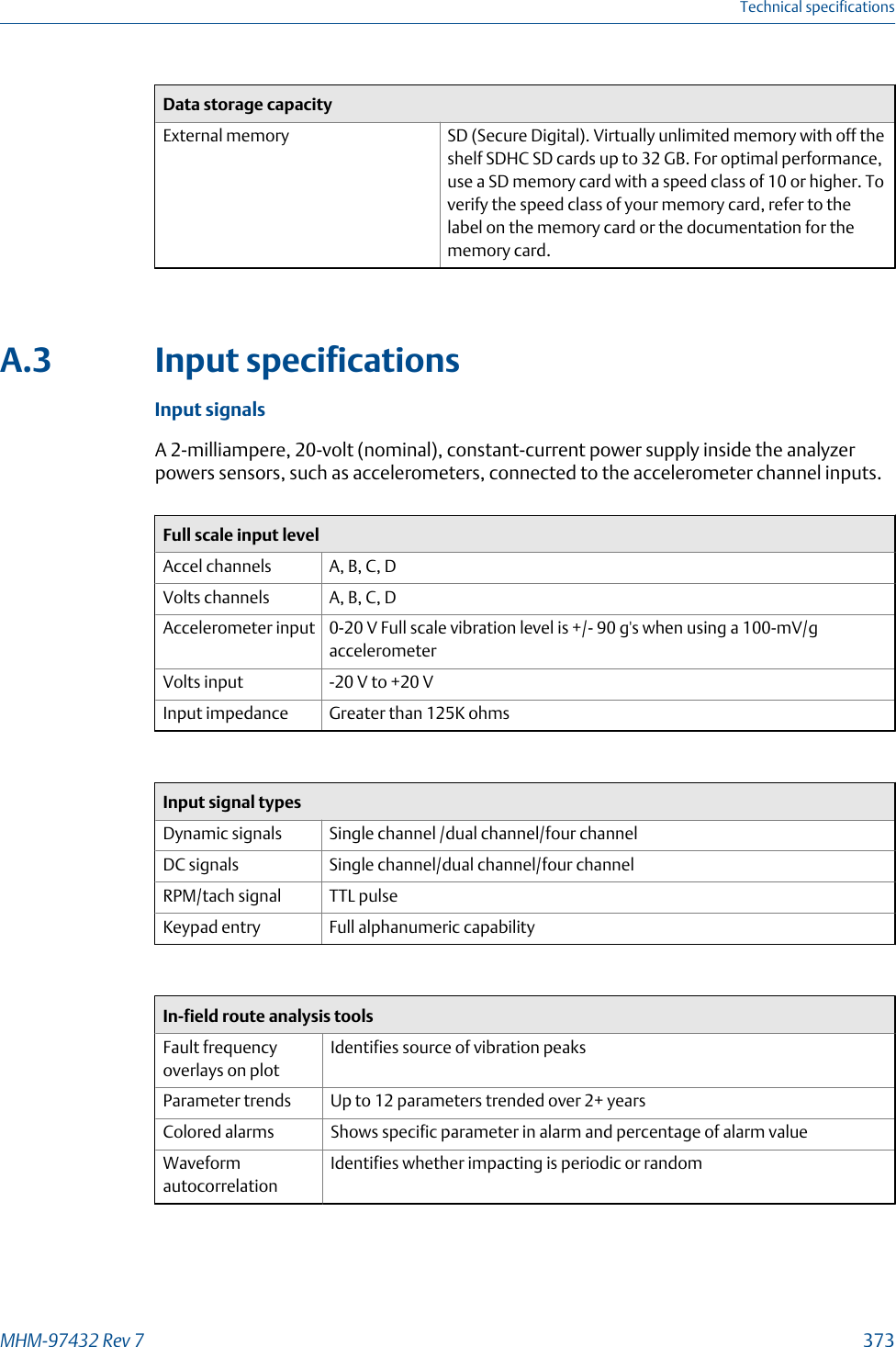
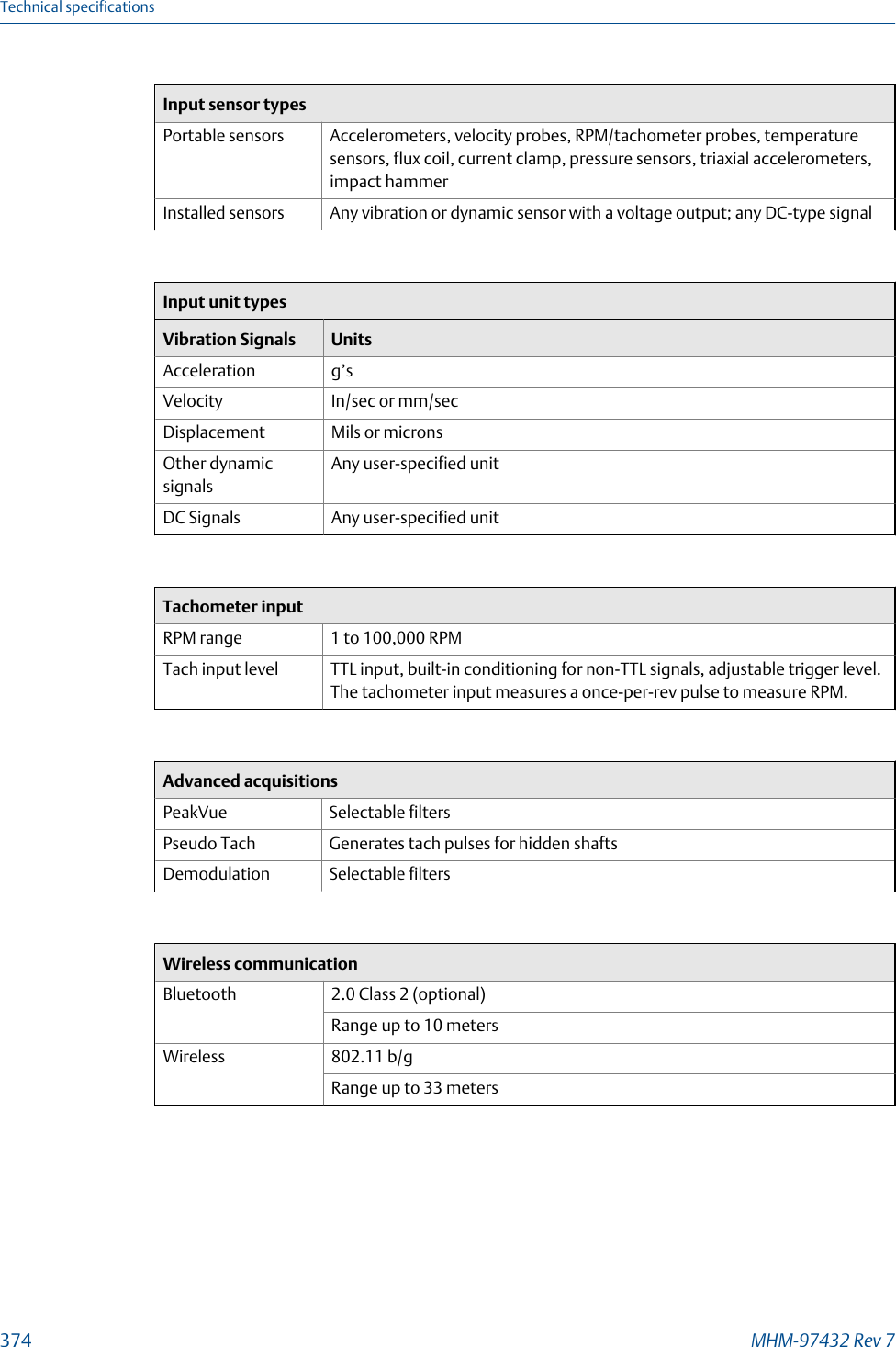
![10.9 Trim runAfter you view the balance correction, acquire trim run data to get the vibration within thebalance specification you set in Job Setup. After a trim run is complete, the trim correctiondisplays.The trim run has the following steps:1. Install the correction weight.2. Enter the amount and location of trim weights on the Applied Weights screen.3. Acquire trim data.4. Verify the result of the trim run. Compare the data to your balance specification. Youmay need to do additional trim runs to get the balance within specification.5. Select Proceed to Next to complete the measurement.Although the analyzer stores the data before you complete the trim run, the data will notappear in reports until the Trim Run step on the Balance main menu is marked as complete[X].When you enter the weight and location, the analyzer lets you select Calculator Modes tohelp complete the job. The modes are optional. See Section 10.15.Note•If you cannot place the weight at the calculated location, use the Split Weights in the CalculatorMode. See Section 10.15.1. This lets you calculate how much weight to place at the twolocations to equal the original balance correction.•All positions must be at the same radius or you must adjust the weight to equivalent units.Use the Adjust Radius in the Calculator Mode to help you. See Section 10.15.7.•If you do not have enough weight, use the Adjust Fixed Weights in the Calculator ModeFor an incomplete trim run, the trim run data is stored in the job, but the data is notincluded in any display outside the trim run. You do not have to include the last set ofacquired trim data with the balance job.When you collect data, the analyzer displays magnitude and phase data including therunout information. Compare the reading with runout subtracted to the balancespecification, not the uncompensated reading. The reading with runout subtracted helpsto determine the balance condition. A message at the bottom of the screen indicateswhether runout compensation is subtracted. After you collect trim run data, review thedata on the Tolerance Check screen.NoteSignificantly different residual vibration responses may result from inaccurate data or weightplacement, variable system response due to large changes in vibration magnitude, or other causes ofsystem non-linearity. If vibration magnitudes are no longer responding satisfactorily using thecalculated solutions, you may need to acquire new reference and trial runs or you may have aproblem other than imbalance.Balance334 MHM-97432 Rev 7](https://usermanual.wiki/Computational-Systems-orporated/CSI2140M2.User-Manaul/User-Guide-3867735-Page-340.png)