Ctrack RECONII GPS Tracker User Manual

Ctrack, LLC GPS Tracker

User Manual

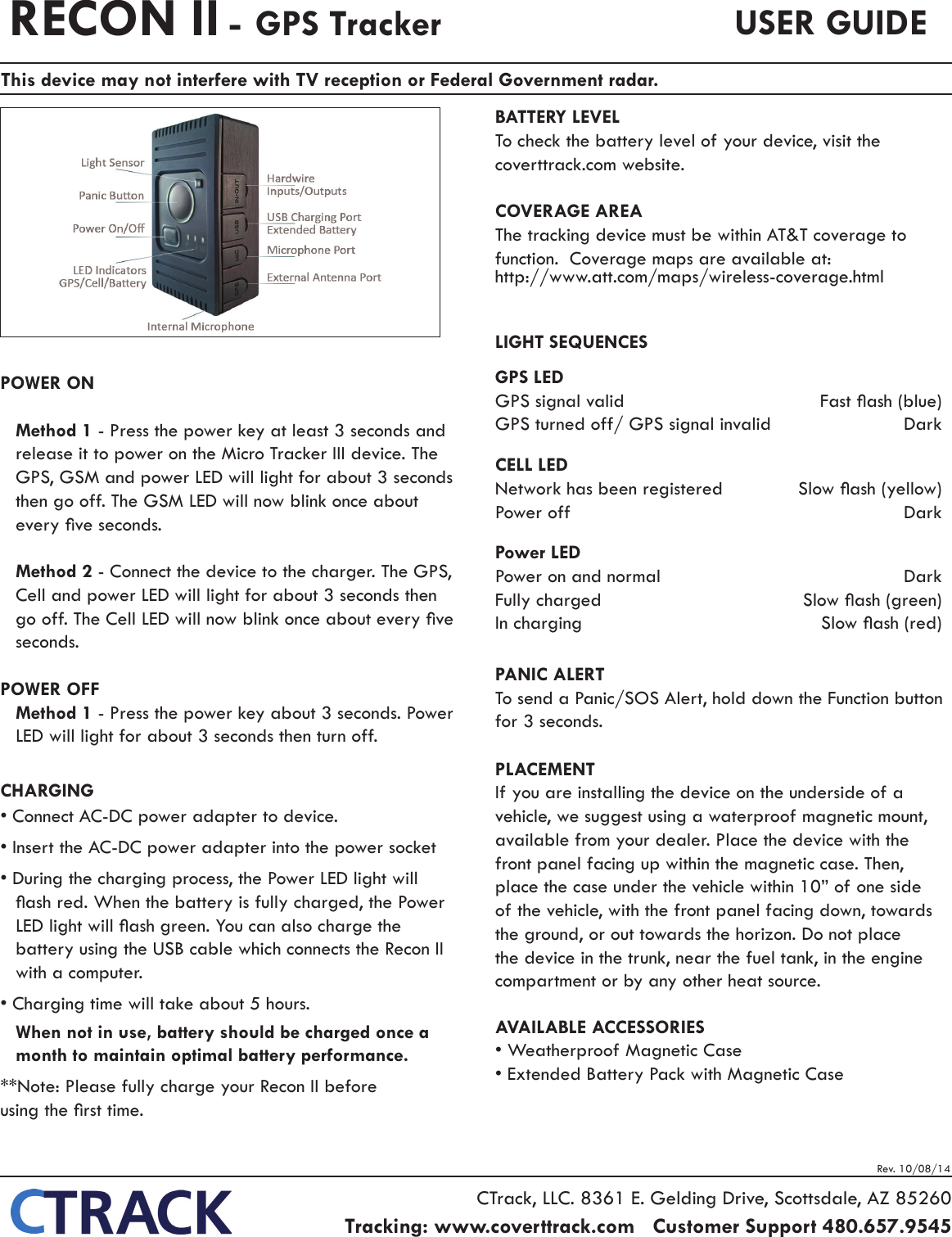
Rev. 10/08/14POWER ONMethod 1 - Press the power key at least 3 seconds and release it to power on the Micro Tracker III device. The GPS, GSM and power LED will light for about 3 seconds then go off. The GSM LED will now blink once about every ve seconds.Method 2 - Connect the device to the charger. The GPS, Cell and power LED will light for about 3 seconds then go off. The Cell LED will now blink once about every ve seconds.POWER OFFMethod 1 - Press the power key about 3 seconds. Power LED will light for about 3 seconds then turn off.CHARGING• Connect AC-DC power adapter to device.• Insert the AC-DC power adapter into the power socket • During the charging process, the Power LED light will ash red. When the battery is fully charged, the Power LED light will ash green. You can also charge the battery using the USB cable which connects the Recon II with a computer.• Charging time will take about 5 hours.When not in use, battery should be charged once a month to maintain optimal battery performance.**Note: Please fully charge your Recon II before    using the rst time.BATTERY LEVELTo check the battery level of your device, visit the coverttrack.com website.COVERAGE AREAThe tracking device must be within AT&T coverage to function.  Coverage maps are available at:http://www.att.com/maps/wireless-coverage.htmlLIGHT SEQUENCESGPS LEDGPS signal valid   Fast ash (blue)GPS turned off/ GPS signal invalid  Dark CELL LEDNetwork has been registered  Slow ash (yellow)Power off  DarkPower LEDPower on and normal  DarkFully charged  Slow ash (green)In charging  Slow ash (red)PANIC ALERTTo send a Panic/SOS Alert, hold down the Function button for 3 seconds.PLACEMENTIf you are installing the device on the underside of a vehicle, we suggest using a waterproof magnetic mount, available from your dealer. Place the device with the front panel facing up within the magnetic case. Then, place the case under the vehicle within 10” of one side of the vehicle, with the front panel facing down, towards the ground, or out towards the horizon. Do not place the device in the trunk, near the fuel tank, in the engine compartment or by any other heat source.AVAILABLE ACCESSORIES• Weatherproof Magnetic Case• Extended Battery Pack with Magnetic CaseRECON II - GPS Tracker USER GUIDECTrack, LLC. 8361 E. Gelding Drive, Scottsdale, AZ 85260Tracking: www.coverttrack.com   Customer Support 480.657.9545   This device may not interfere with TV reception or Federal Government radar.
Rev. 10/08/14Power Output   ......................................................................................................  .01W maximum                                           Operating Frequency ........................................... 216.025 – 216.975 MHz - Power 1.2 mWOperating Channels/Modes  ........................................................20 channels, 50 kHz spacingData Rates       ............................................................................................................................N / A                                                                       Tuning Range  ........................................................................................ 216.025 – 216.975 MHz Intended Use  .................................................................................. Tracking by Law EnforcementAntenna Connector/Gain Information ........................Internal Antenna, 0 dBi maximum gainCTrack, LLC. 8361 E. Gelding Drive, Scottsdale, AZ 85260Tracking: www.coverttrack.com   Customer Support 480.657.9545   Note:This equipment should be installed and operated with a minimum distance of 20 cm between the radiator and the body of the user or nearby persons. FCC Regulations: 105(b)  This  equipment  has  been  tested  and  found to comply with the limits for a Class B digital device, pursuant to Part 15 of the FCC Rules. These limits are designed to provide reasonable protection against harmful interference in a residential installation. This equipment generates, uses, and can radiate radio frequency energy and, if not installed and used in accordance with the instructions, may cause harmful interference to radio communications. However, there is no guarantee that interference will not occur in a particular installation. If this equipment does cause harmful interference to radio or television reception, which can be determined by turning the equipment off and on, the user is encouraged to try to correct the interference by one or more of the following measures:- Reorient or relocate the receiving antenna.- Increase the separation between the equipment and receiver.- Connect the equipment into an output on a circuit different from that to which the  receiver is connected.-  Consult  the  dealer  or  an  experienced  radio/TV technician for help.(15.21) Pursuant to FCC 15.21 of the FCC rules, changes not expressly approved by CTRACK might cause harmful interference and void the FCC authorization to operate this product.(15.19(a)(3)) This device complies with part 15 of the FCC Rules. Operation is subject to the following two conditions: (1) This device may not cause harmful interference, and (2) this device must accept any interference received, including interference that may cause undesired operationRF Note:This  product  complies  with  FCC  OET  Bulletin  65 radiation exposure limits set forth for an uncontrolled environment.A shielded USB cable must be used with this device. Part 95 Transmitter Technical Specications

Navigation menu