D Parts Mobilphon and Zubehoer BOW B-Speech Bow Speaker User Manual bow

D-Parts Mobilphon & Zubehoer GmbH B-Speech Bow Speaker bow

User Manual

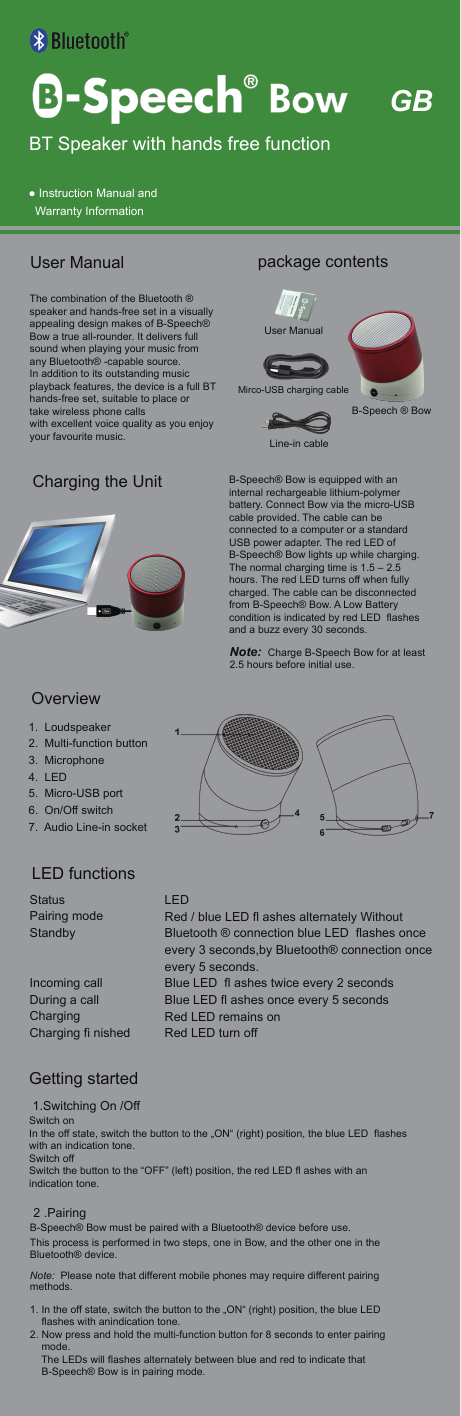
 ● Instruction Manual and    Warranty InformationThe combination of the Bluetooth ® speaker and hands-free set in a visually appealing design makes of B-Speech® Bow a true all-rounder. It delivers full sound when playing your music fromany Bluetooth® -capable source.In addition to its outstanding music playback features, the device is a full BT hands-free set, suitable to place or take wireless phone calls with excellent voice quality as you enjoy your favourite music. User Manual   Getting started 1.Switching On /OffSwitch onIn the off state, switch the button to the „ON“ (right) position, the blue LED  flashes with an indication tone.Switch off Switch the button to the “OFF” (left) position, the red LED fl ashes with an indication tone. 2 .PairingB-Speech® Bow must be paired with a Bluetooth® device before use. This process is performed in two steps, one in Bow, and the other one in the Bluetooth® device. Note:  Please note that different mobile phones may require different pairing methods.1. In the off state, switch the button to the „ON“ (right) position, the blue LED     flashes with anindication tone.2. Now press and hold the multi-function button for 8 seconds to enter pairing     mode.    The LEDs will flashes alternately between blue and red to indicate that     B-Speech® Bow is in pairing mode. 1.  Loudspeaker2.  Multi-function button 3.  Microphone4.  LED 5.  Micro-USB port 6.  On/Off switch7.  Audio Line-in socketB-Speech® Bow is equipped with an internal rechargeable lithium-polymer battery. Connect Bow via the micro-USB cable provided. The cable can be connected to a computer or a standard USB power adapter. The red LED of B-Speech® Bow lights up while charging. The normal charging time is 1.5 – 2.5 hours. The red LED turns off when fully charged. The cable can be disconnected from B-Speech® Bow. A Low Battery condition is indicated by red LED  flashes and a buzz every 30 seconds. Note:  Charge B-Speech Bow for at least 2.5 hours before initial use.GBBT Speaker with hands free functionB-Speech ® BowLine-in cableUser ManualMirco-USB charging cable package contentsCharging the UnitOverviewLED functionsStatus    Pairing mode  Standby     Incoming call  During a call   Charging      Charging fi nished          LEDRed / blue LED fl ashes alternately Without Bluetooth ® connection blue LED  flashes once every 3 seconds,by Bluetooth® connection once every 5 seconds.Blue LED  fl ashes twice every 2 secondsBlue LED fl ashes once every 5 secondsRed LED remains onRed LED turn off
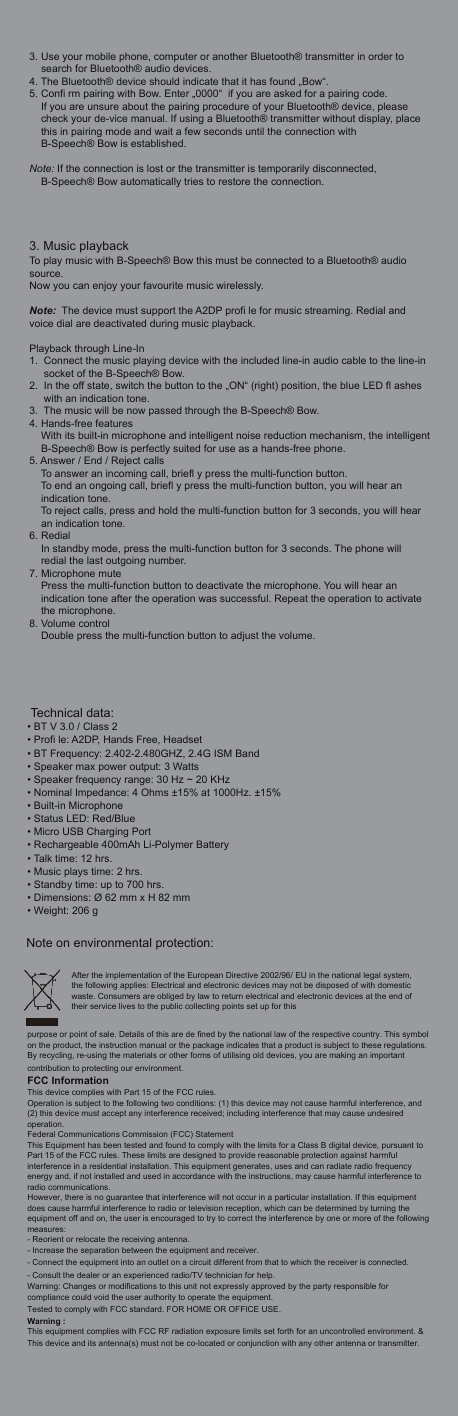
3. Use your mobile phone, computer or another Bluetooth® transmitter in order to search for Bluetooth® audio devices. 4. The Bluetooth® device should indicate that it has found „Bow“. 5. Confi rm pairing with Bow. Enter „0000“  if you are asked for a pairing code. If you are unsure about the pairing procedure of your Bluetooth® device, please check your de-vice manual. If using a Bluetooth® transmitter without display, place this in pairing mode and wait a few seconds until the connection with B-Speech® Bow is established.Note: If the connection is lost or the transmitter is temporarily disconnected,     B-Speech® Bow automatically tries to restore the connection.3. Music playbackTo play music with B-Speech® Bow this must be connected to a Bluetooth® audio source. Now you can enjoy your favourite music wirelessly. Note:  The device must support the A2DP profi le for music streaming. Redial and voice dial are deactivated during music playback.Playback through Line-In1. Connect the music playing device with the included line-in audio cable to the line-insocket of the B-Speech® Bow. 2. In the off state, switch the button to the „ON“ (right) position, the blue LED fl ashes with an indication tone.3. The music will be now passed through the B-Speech® Bow.4. Hands-free featuresWith its built-in microphone and intelligent noise reduction mechanism, the intelligentB-Speech® Bow is perfectly suited for use as a hands-free phone. 5. Answer / End / Reject callsTo answer an incoming call, briefl y press the multi-function button.To end an ongoing call, briefl y press the multi-function button, you will hear an indication tone.To reject calls, press and hold the multi-function button for 3 seconds, you will hear an indication tone.6. RedialIn standby mode, press the multi-function button for 3 seconds. The phone will redial the last outgoing number.7. Microphone mutePress the multi-function button to deactivate the microphone. You will hear an indication tone after the operation was successful. Repeat the operation to activatethe microphone.8. Volume controlDouble press the multi-function button to adjust the volume. Technical data:• BT V 3.0 / Class 2• Profi le: A2DP, Hands Free, Headset• BT Frequency: 2.402-2.480GHZ, 2.4G ISM Band• Speaker max power output: 3 Watts• Speaker frequency range: 30 Hz ~ 20 KHz• Nominal Impedance: 4 Ohms ±15% at 1000Hz. ±15%• Built-in Microphone • Status LED: Red/Blue• Micro USB Charging Port• Rechargeable 400mAh Li-Polymer Battery• Talk time: 12 hrs.• Music plays time: 2 hrs.• Standby time: up to 700 hrs.• Dimensions: Ø 62 mm x H 82 mm • Weight: 206 gNote on environmental protection:After the implementation of the European Directive 2002/96/ EU in the national legal system, the following applies: Electrical and electronic devices may not be disposed of with domestic waste. Consumers are obliged by law to return electrical and electronic devices at the end of their service lives to the public collecting points set up for this purpose or point of sale. Details of this are de fined by the national law of the respective country. This symbol on the product, the instruction manual or the package indicates that a product is subject to these regulations. By recycling, re-using the materials or other forms of utilising old devices, you are making an important contribution to protecting our environment.FCC InformationThis device complies with Part 15 of the FCC rules.Operation is subject to the following two conditions: (1) this device may not cause harmful interference, and (2) this device must accept any interference received; including interference that may cause undesired operation.Federal Communications Commission (FCC) StatementThis Equipment has been tested and found to comply with the limits for a Class B digital device, pursuant to Part 15 of the FCC rules. These limits are designed to provide reasonable protection against harmful interference in a residential installation. This equipment generates, uses and can radiate radio frequency energy and, if not installed and used in accordance with the instructions, may cause harmful interference to radio communications.However, there is no guarantee that interference will not occur in a particular installation. If this equipment does cause harmful interference to radio or television reception, which can be determined by turning the equipment off and on, the user is encouraged to try to correct the interference by one or more of the following measures:- Reorient or relocate the receiving antenna.- Increase the separation between the equipment and receiver.- Connect the equipment into an outlet on a circuit different from that to which the receiver is connected.- Consult the dealer or an experienced radio/TV technician for help.Warning: Changes or modifications to this unit not expressly approved by the party responsible for compliance could void the user authority to operate the equipment.Tested to comply with FCC standard. FOR HOME OR OFFICE USE.Warning :This equipment complies with FCC RF radiation exposure limits set forth for an uncontrolled environment. & This device and its antenna(s) must not be co-located or conjunction with any other antenna or transmitter.

Navigation menu