DAEWOO Computer LT7070 Personal Computer User Manual User s manual
DAEWOO Computer Co., Ltd. Personal Computer User s manual
User Manual
LT7070
User’s Manual
LT7070
Starting
Ch1. Mainboard Specification
Co n t e n t s
Ch1. System Configuration
Ch2. Start to Install
Ch3. Upgrading the System
FCC STATEMENT
LT7070
3
DAEWOO Computer
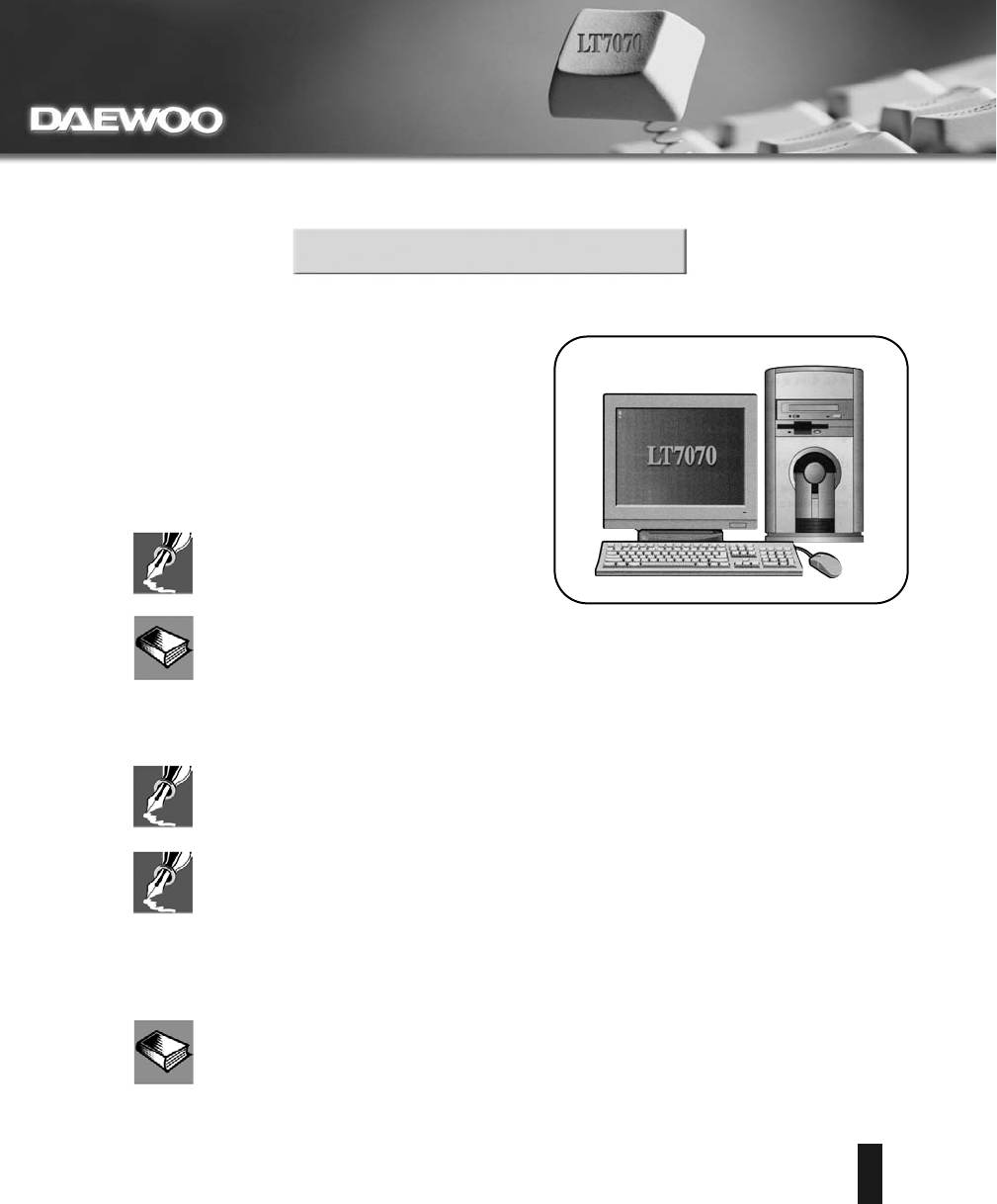
How to use this manual
LT7070
4
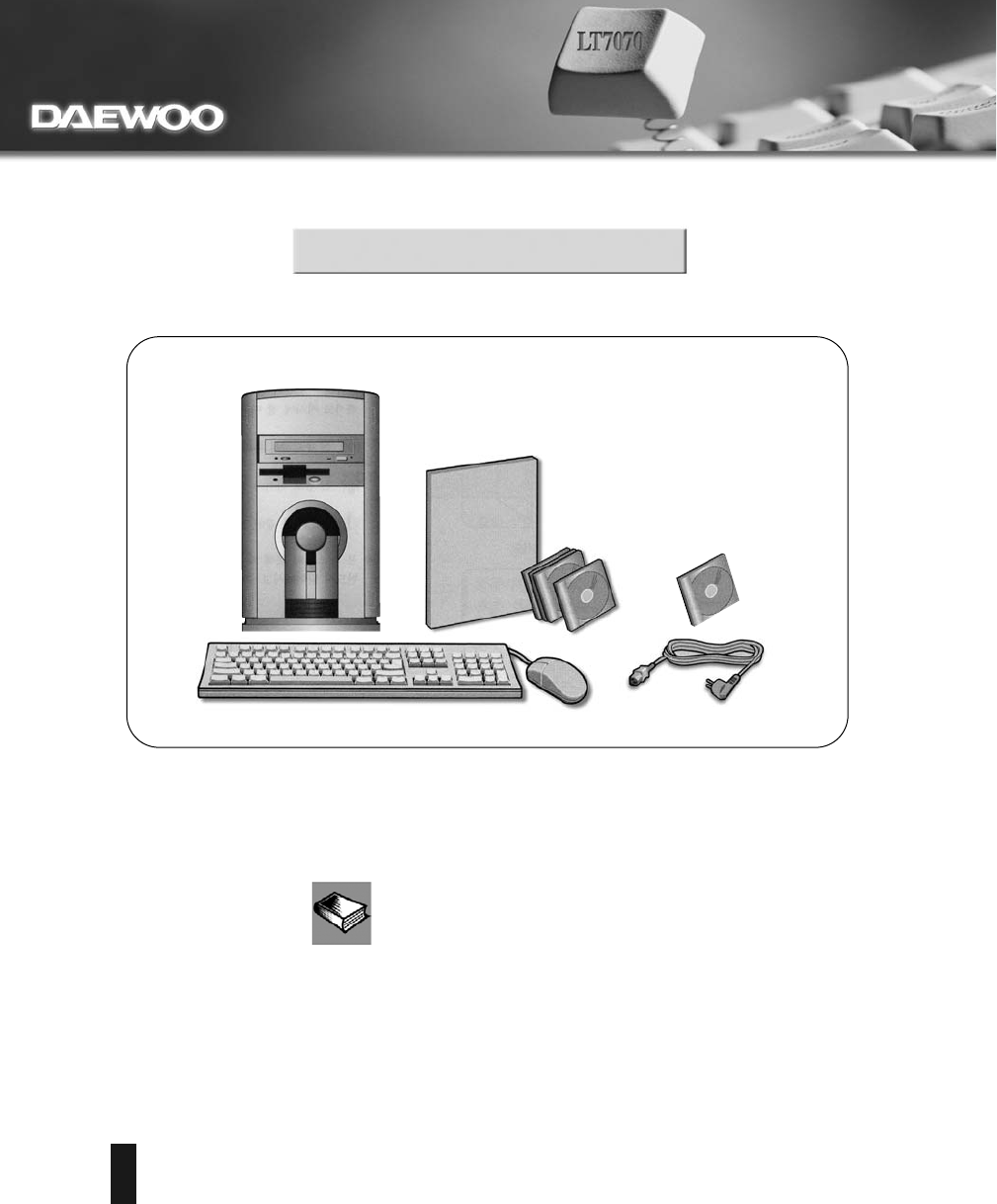
Check Items
Tower
Users Manual
OS CD Pack Driver CD
Power CordWheel MouseKeyboard
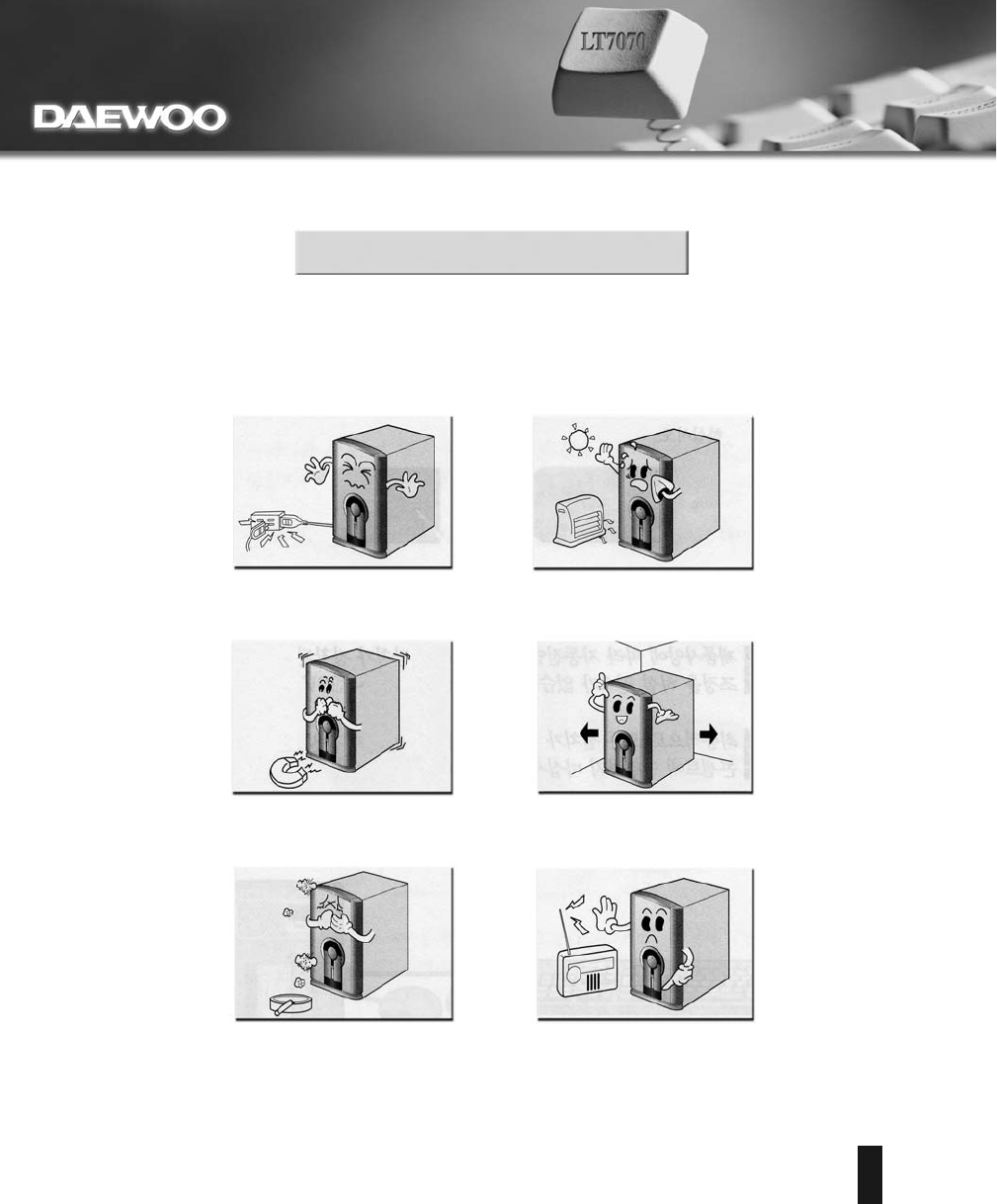
System Settings
LT7070
5
CH1. Mainboard Specification
1.1 CPU
1.3 Main Memory
1.2 Chipset
LT7070
6
CH1. Mainboard Specification
1.4 Slots
1.5 On-Board IDE
1.6 On-Board Peripherals
1.7 Audio
1.8 LAN
LT7070
7
LT7070
8
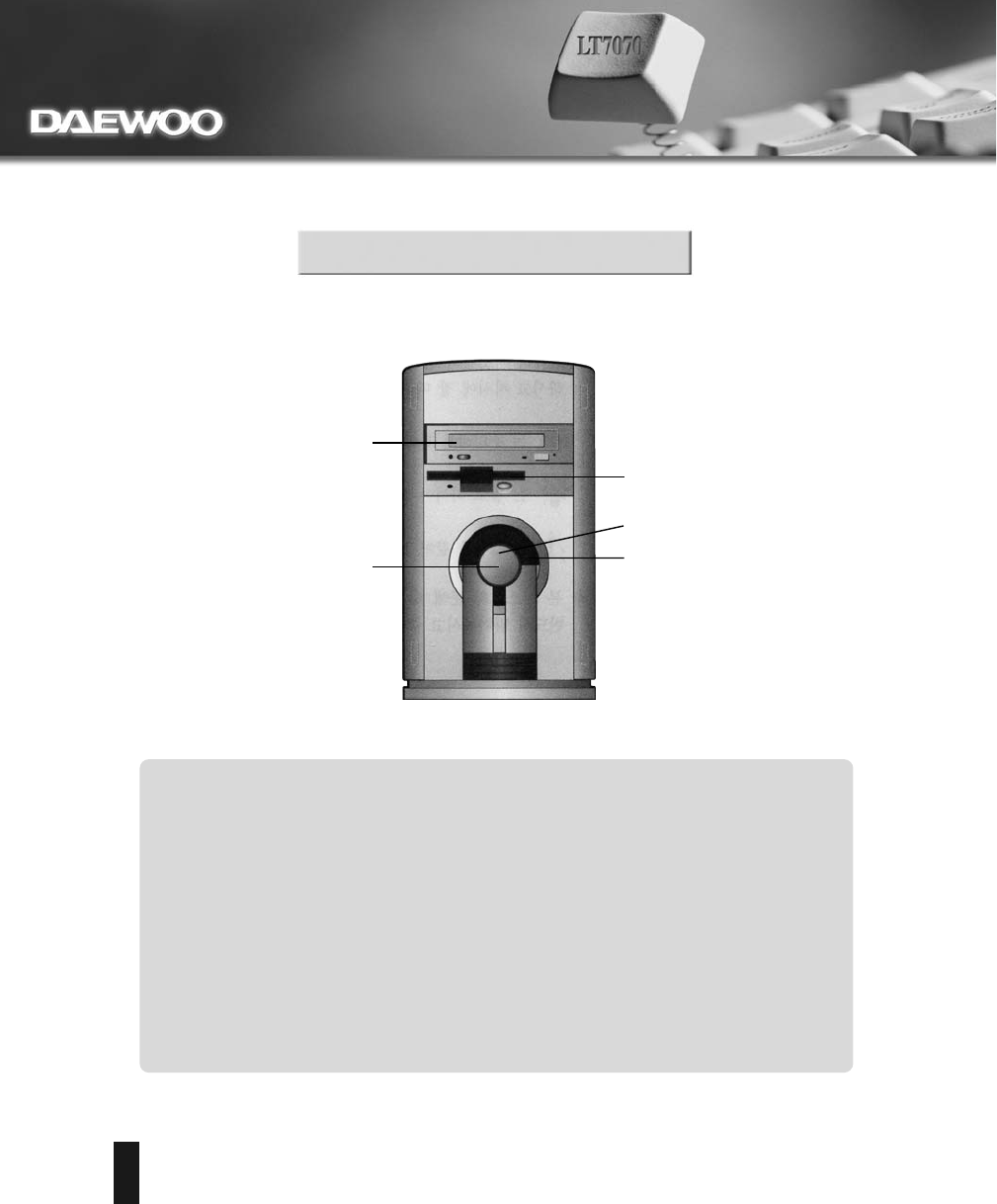
1. System On/Off Button
CH2. System Configuration
Front Panel
4. CD-ROM Drive or other Drive
5. Floppy Disk Drive
2. Power LED
3. HDD LED
1. System On/Off Button
4. CD-ROM Drive or other Drive
3. HDD LED
2. Power LED
5. Floppy Disk Drive
LT7070
9
CH2. System Configuration
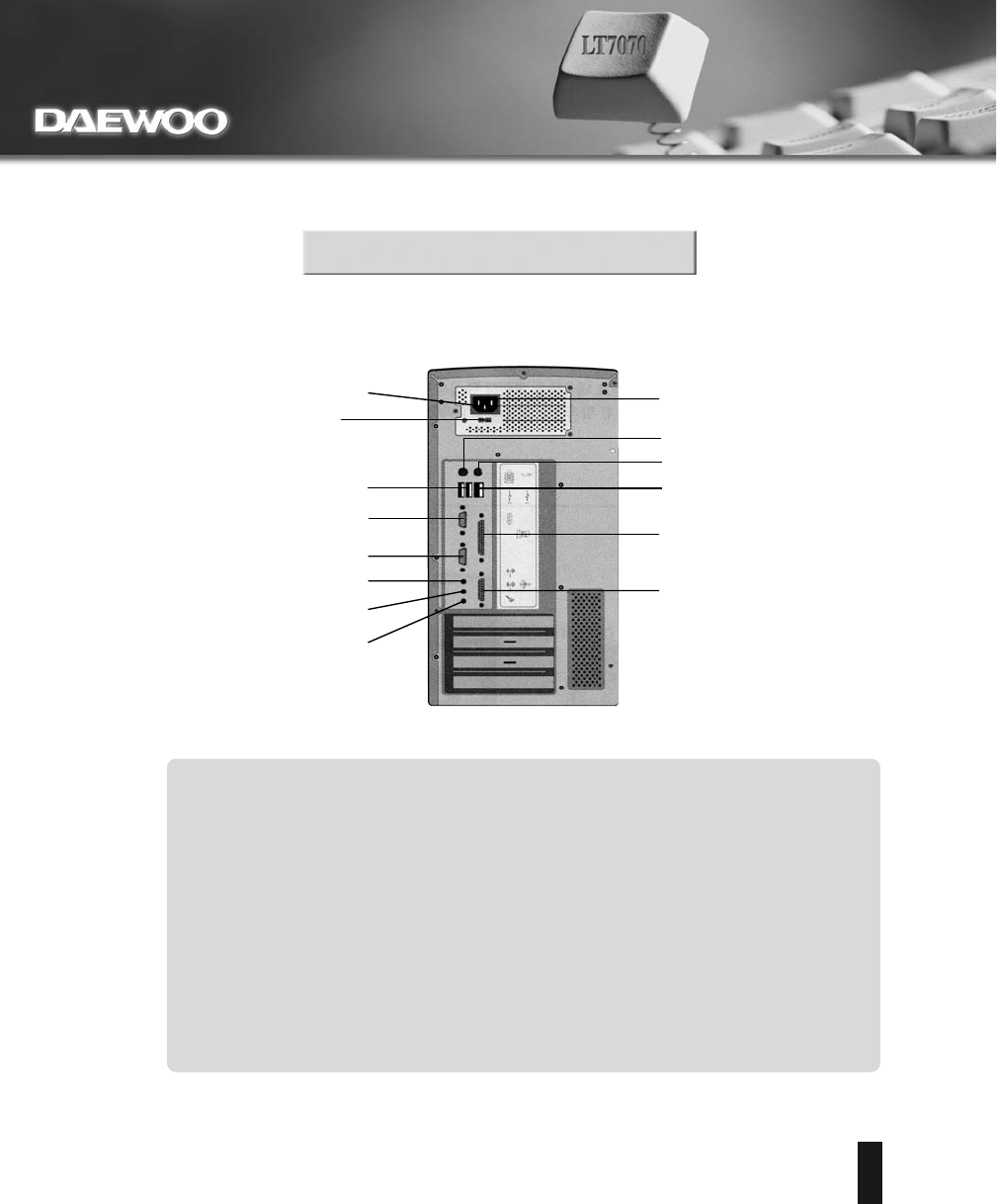
Serial port
USB ports
Speaker out
Sound in
3. Input Power Socket
2. Input Power Slect Switch
4. VGA port
Mike in
PS/2 Keyboard
PS/2 Mouse
LAN port
Parallel port
Joystick port
1. SMPS On/Off Switch
1. SMPS On/Off Switch
2. Input Power Select Switch
3. Input Power Socket
4. VGA Port
Back Panel
LT7070
10
CH3. Start to Install
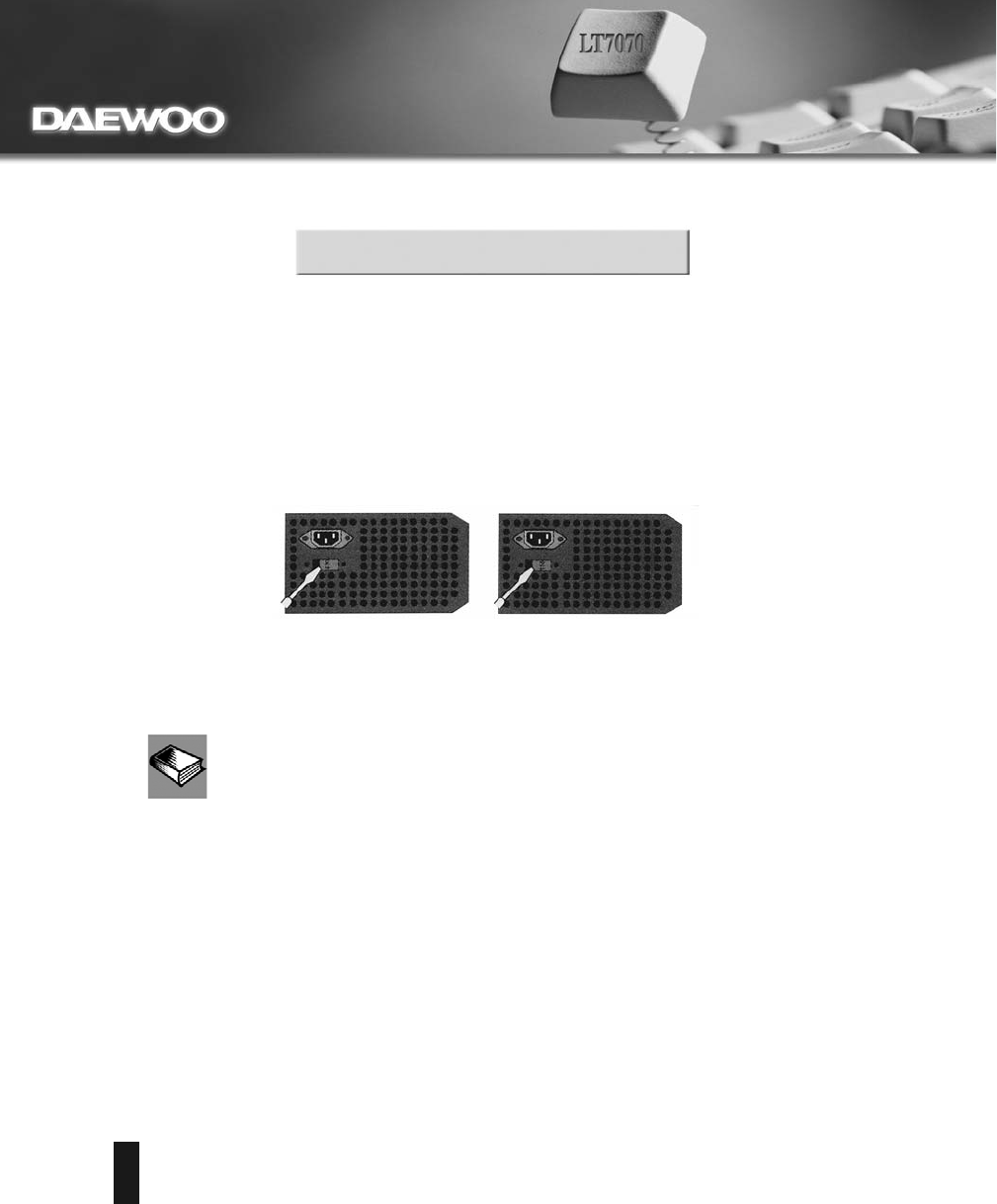
1. Check the voltage switch
default mode : 115V other mode : 230V
LT7070
11
CH3. Start to Install
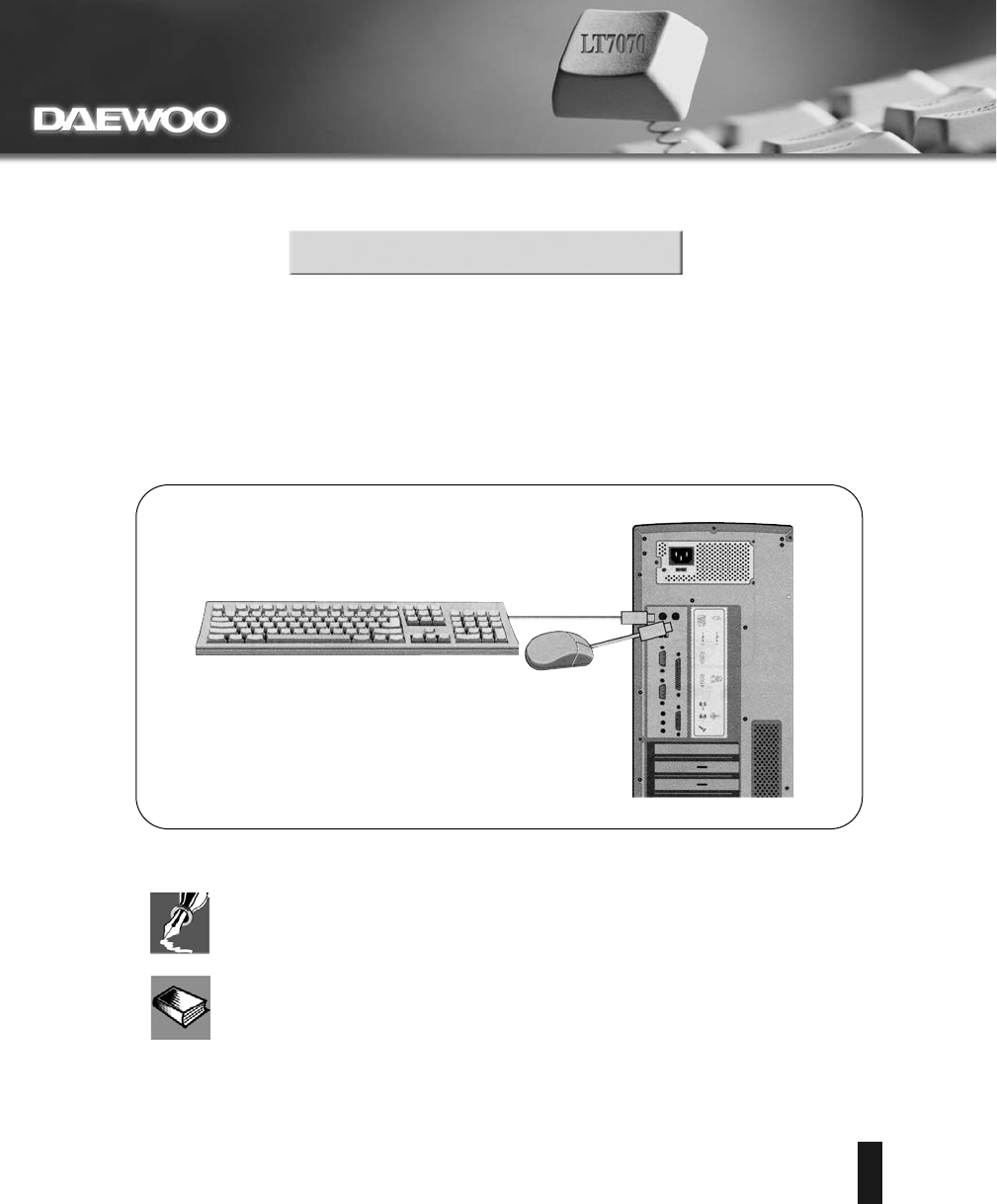
2. Connecting the keyboard and the mouse
LT7070
12
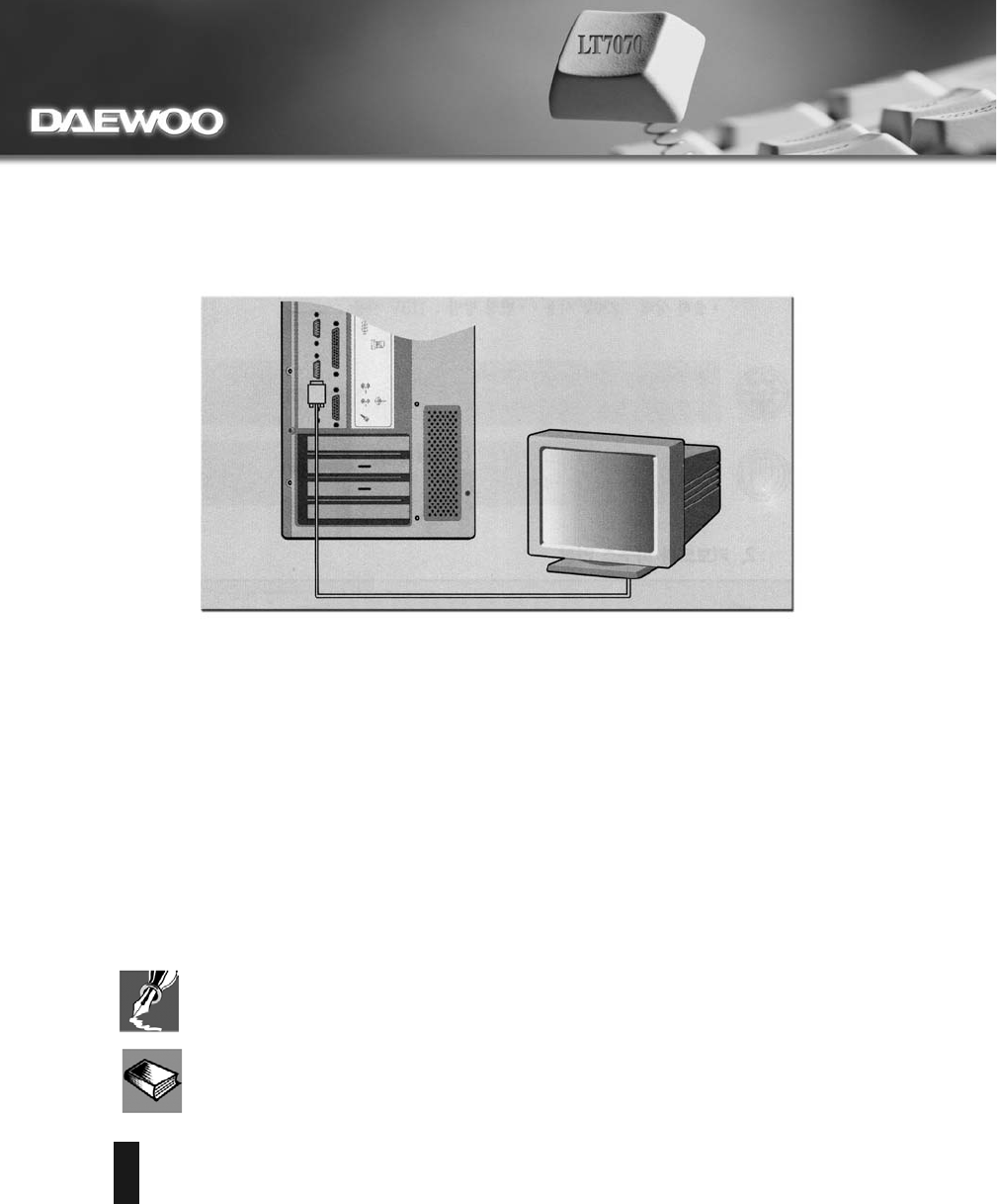
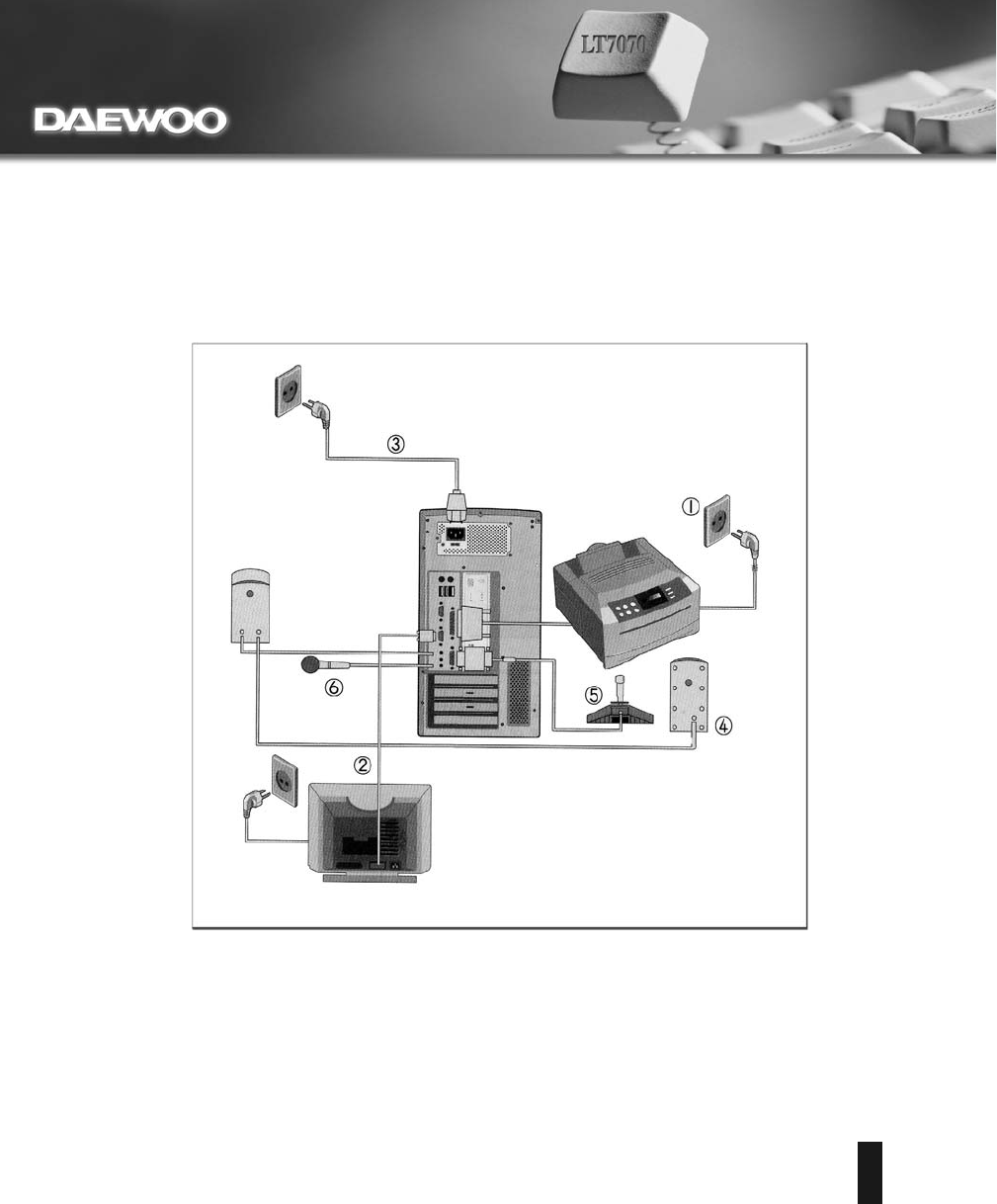
3. Connecting the monitor
4. Connecting other devices. (optional)
5. Connecting power cables
LT7070
13
LT7070
14
CH4. Upgrading The System
Upgrading the system
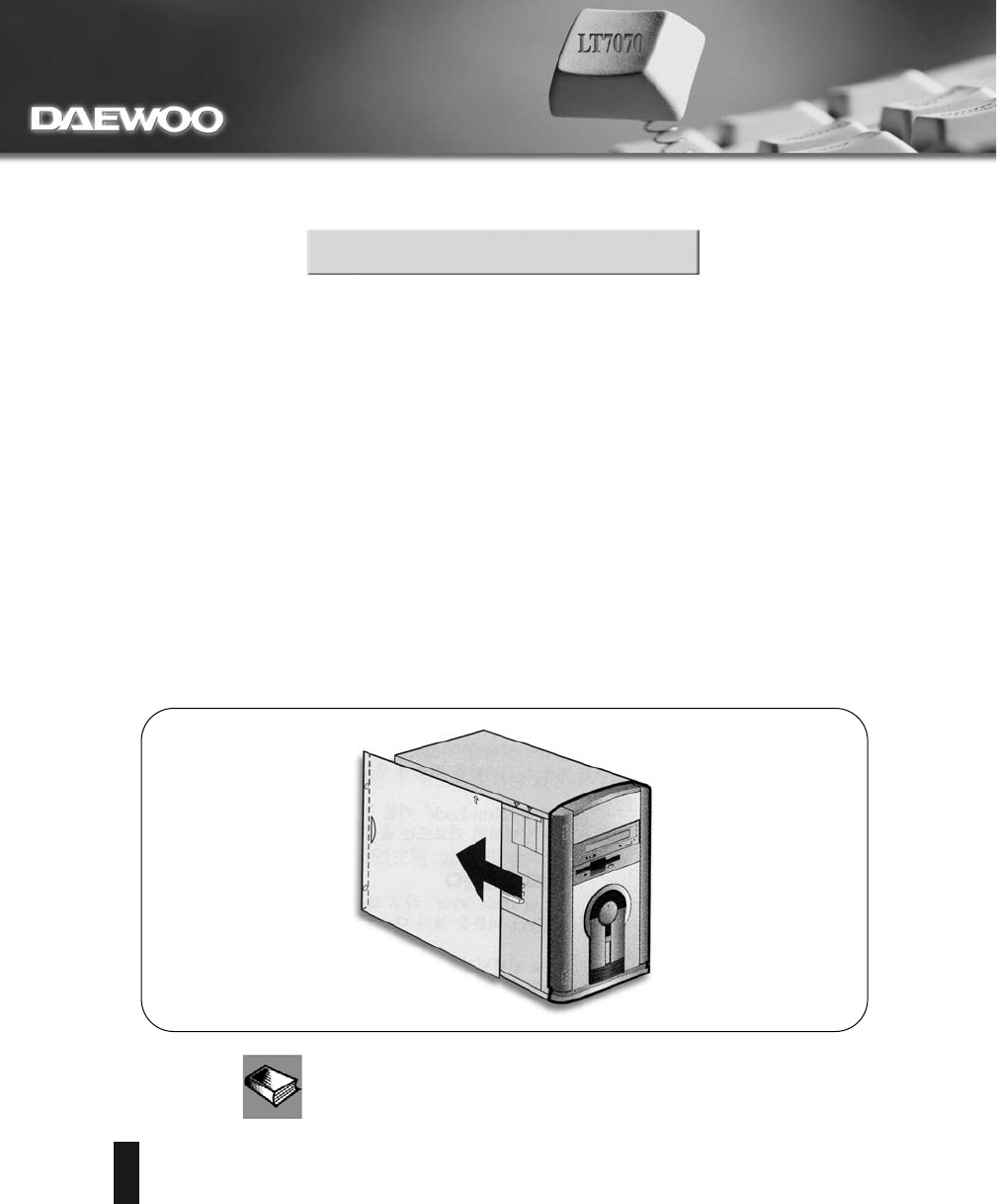
1. How to open the chassis
LT7070
15
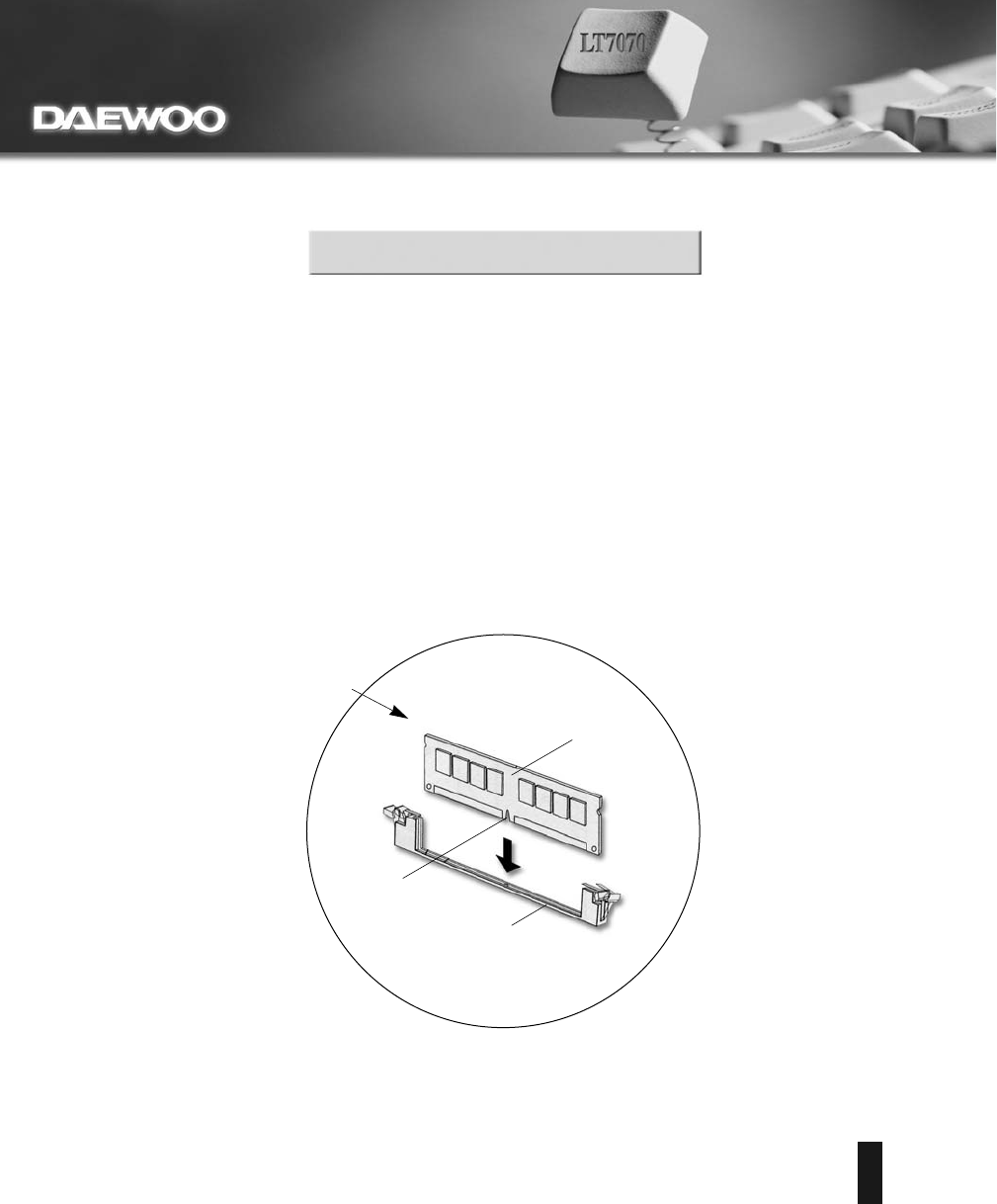
DIMM Socket
DIMM memory module
To insert DIMM module:
Position bottom notches over
socket dividers as shown
Notches
CH4. Upgrading The System
2. Upgrading the memory:
Installing
LT7070
16
CH4. Upgrading The System
Replacing
LT7070
17
CH4. Upgrading The System
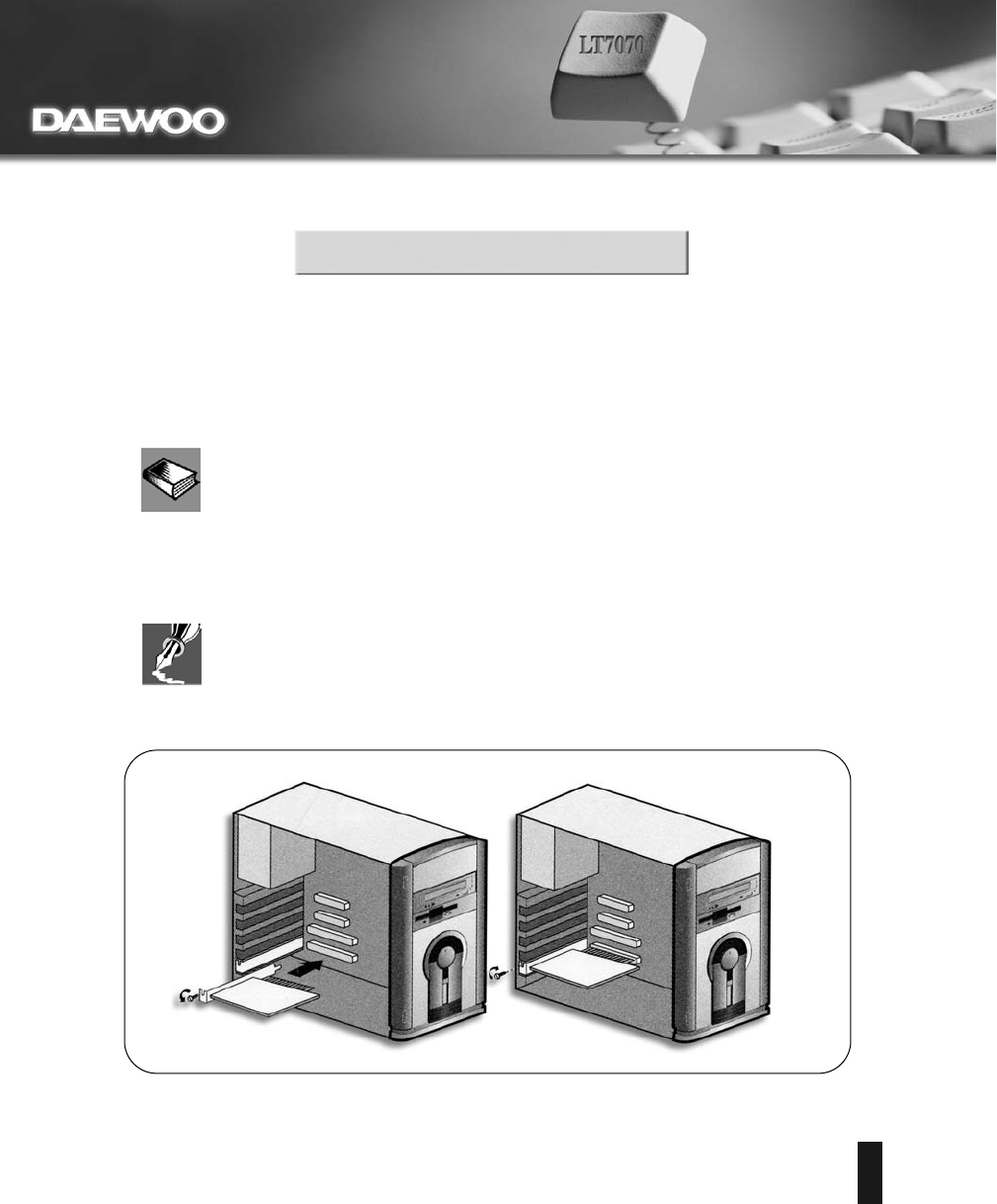
3. Installation of Add-On Cards
LT7070
18
FCC STATEMENT

http://www.daewoocomputer.co.kr
http: // www.daewoocomputer.net
P/N: 9919562J60