DECARD SMARTCARD TECH X8 SmartCard Reader User Manual ACR900 A1 Requirement Specification V1 00

SHENZHEN DECARD SMARTCARD TECH CO.,LTD. SmartCard Reader ACR900 A1 Requirement Specification V1 00

Users Manual

NameSignatureDatePrepared by:Vincent ZhongReviewed by:Approved by:Document Name:01-REQ-X8 1.00.docx1.00X8Requirement Specification
Page 2of 9X8 Requirement SpecificationVersion 1.00info@decard.comwww.decard.comVersion HistoryDateByChangesVersion2016-05-18Vincent ZhongInitial Version1.00
Page 3of 9X8 Requirement SpecificationVersion 1.00info@decard.comwww.decard.comContentsVersion History...................................................................................................................................... 21.0. Introduction.....................................................................................................................................42.0. Features............................................................................................................................................53.0. Size and Weight...............................................................................................................................73.1. Sample Casing Design...................................................................................................................................... 73.2. Physical Specifications......................................................................................................................................74.0. Development Time Estimation...................................................................................................... 85.0. CAUTION:...................................................................................................................................... 9
Page 4of 9X8 Requirement SpecificationVersion 1.00info@decard.comwww.decard.com1.0. IntroductionX8-Pay is a mobile payment device, it supports standalone mode. With NFC feature built-in, it can be used toconnect to the mobile phone or tablet, make the payment transaction, then send the result to the mobile phone ortablet. User can do second embedded software development in X8-Pay, so it’s flexible to install differentapplications, including mobile payment, taxi payment and so on.
Page 5of 9X8 Requirement SpecificationVersion 1.00info@decard.comwww.decard.com2.0. Features[REQ-001] Contactless card reader/writer[REQ-001a] Read/write cards compliant with ISO14443 part 1-4[REQ-001a-01] Support Type A cards, such as Mifare DESFire,Mifare Plus[REQ-001a-02] Support Type B cards, such as EZ-Link[REQ-001a-03] Support T=CL protocol[REQ-001a-04] Mifare Classic 1K, support 7 bytes UID[REQ-001a-05] Support direct transmit control for Mifare Plus[REQ-001a-06] Product Current: 0.5A[REQ-001b] Reading distance: 4 cm[REQ-002] Support 192 x 64 dot matrix LCD[REQ-002a] Support 4 rows x 24 characters with ASCII code[REQ-002b] Support multiple languages such as English, Chinese, Persian, Arabic and Italian[REQ-002c] Each character is 16x16 dots[REQ-002d] LCD backlight adjustment[REQ-003] 16-key keypad[REQ-003a] Number Keys 0-9 with character input support similar to mobile phone[REQ-003b] Function, Cancel, Clear, Enter keys[REQ-003c] Up, Down, * and # keys[REQ-004] 4 LED Status Indicators[REQ-004a] From left most: blue, yellow, green, red[REQ-004b] User controllable[REQ-005] Rechargeable Lithium Ion Battery[REQ-005a] Voltage: 3.7V[REQ-005b] 1000mAh[REQ-005d] Rechargeable via power adaptor (Micro USB port) with max 2 hours[REQ-005e] Operating duration time:8 hours[REQ-006] USB 2.0 Device[REQ-006a] Standard Micro USB connector[REQ-006b] CCID interface class[REQ-006c] Support USB firmware upgrade[REQ-007] Built-in real time clock (RTC)[REQ-008] Security[REQ-008a] Physical protection for sensitive data[REQ-008b] Unique ID number for each device[REQ-008c] Support symmetric cryptographic algorithms: 3DES, AES-128 and AES-256[REQ-008d] Support asymmetric cryptographic algorithms: RSA with the key size up to 2048 bits[REQ-008e] Support hash algorithms: SHA-1, SHA-256[REQ-010] Environment Condition[REQ-010a] Operation Temperature : 0 to 50 ºC[REQ-010b] Operation Relative humidity : 10% - 90%[REQ-010c] Storage Temperature : - 20 to 60 ºC[REQ-010d] Storage Relative humidity : 5% - 95%[REQ-011] Certifications
Page 6of 9X8 Requirement SpecificationVersion 1.00info@decard.comwww.decard.com[REQ-011a] CE[REQ-011b] FCC[REQ-011c] Contactless EMV L1 (Compliant)
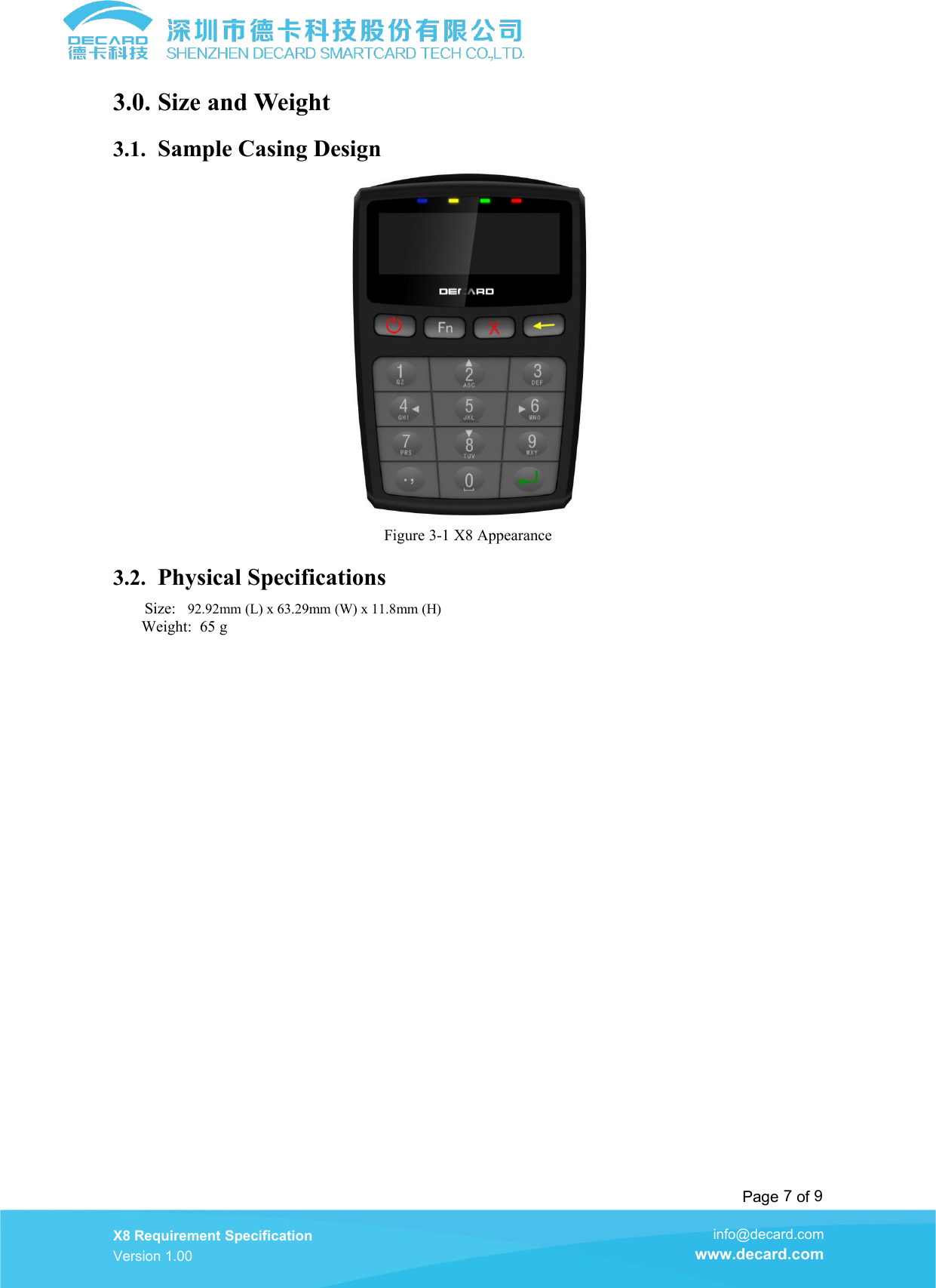
Page 7of 9X8 Requirement SpecificationVersion 1.00info@decard.comwww.decard.com3.0. Size and Weight3.1. Sample Casing DesignFigure 3-1 X8 Appearance3.2. Physical SpecificationsSize: 92.92mm (L) x 63.29mm (W) x 11.8mm (H)Weight: 65 g
Page 8of 9X8 Requirement SpecificationVersion 1.00info@decard.comwww.decard.com4.0. Development Time EstimationAbout 1.5 month
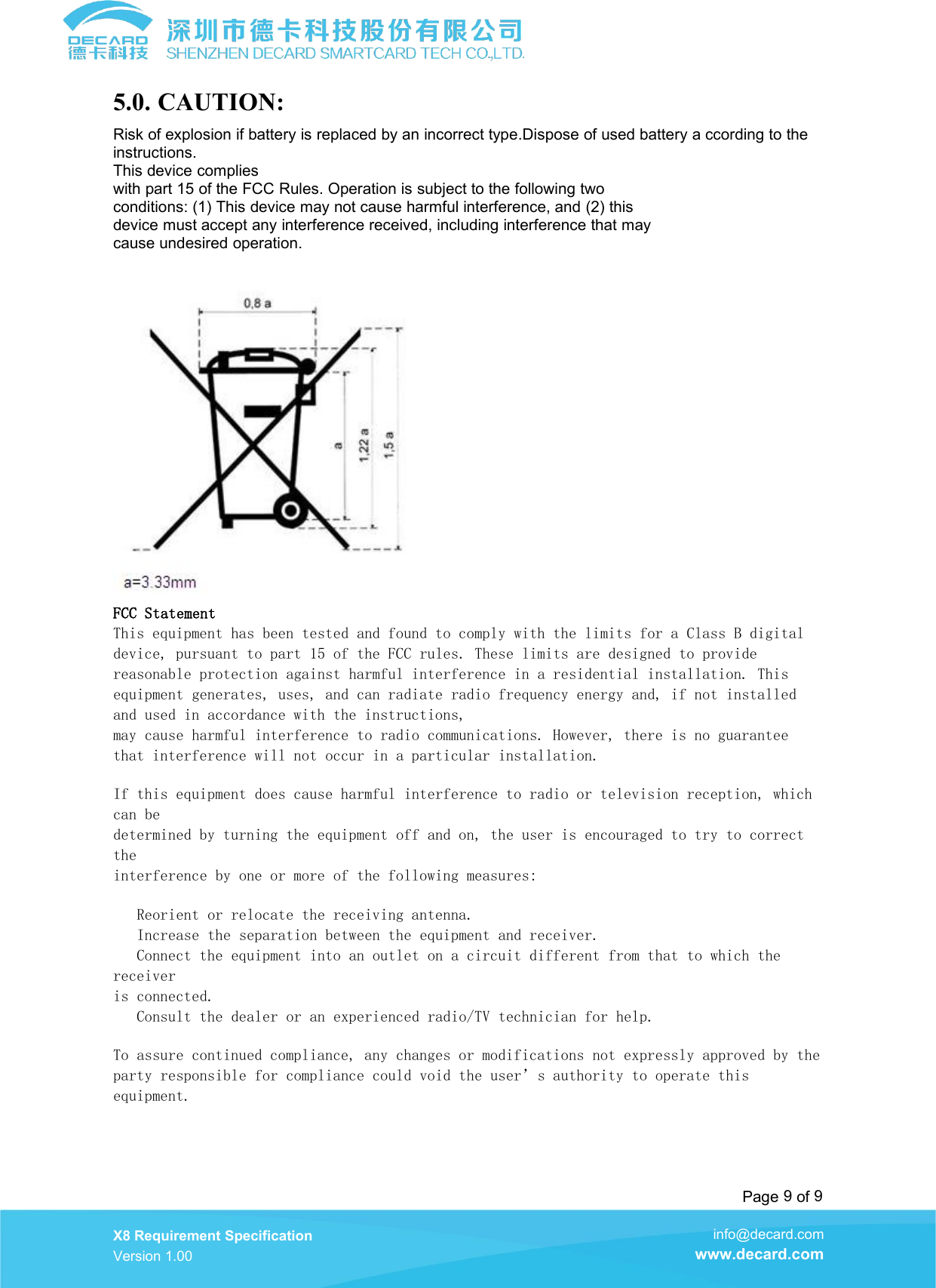
Page 9of 9X8 Requirement SpecificationVersion 1.00info@decard.comwww.decard.com5.0. CAUTION:Risk of explosion if battery is replaced by an incorrect type.Dispose of used battery a ccording to theinstructions.This device complieswith part 15 of the FCC Rules. Operation is subject to the following twoconditions: (1) This device may not cause harmful interference, and (2) thisdevice must accept any interference received, including interference that maycause undesired operation.FCC StatementThis equipment has been tested and found to comply with the limits for a Class B digitaldevice, pursuant to part 15 of the FCC rules. These limits are designed to providereasonable protection against harmful interference in a residential installation. Thisequipment generates, uses, and can radiate radio frequency energy and, if not installedand used in accordance with the instructions,may cause harmful interference to radio communications. However, there is no guaranteethat interference will not occur in a particular installation.If this equipment does cause harmful interference to radio or television reception, whichcan bedetermined by turning the equipment off and on, the user is encouraged to try to correcttheinterference by one or more of the following measures:Reorient or relocate the receiving antenna.Increase the separation between the equipment and receiver.Connect the equipment into an outlet on a circuit different from that to which thereceiveris connected.Consult the dealer or an experienced radio/TV technician for help.To assure continued compliance, any changes or modifications not expressly approved by theparty responsible for compliance could void the user’s authority to operate thisequipment.

Navigation menu